

6 Great Steps to Know to Create
Successful GUI for Apps and Websites
Introduction
In web designing, great GUI plays an important role in
helping the user to complete a given task effectively. All
websites and apps have different design principles and
different functions, but they have one thing in common
– effective GUI design.
But, have you ever think that how we create these great
GUI for the web.
There are 6 great steps that one can follow for creating
a great GUI for the Web which actually works.
Lets
Know How to Create
A Successful GUI
For Applications
www.admecindia.co.in
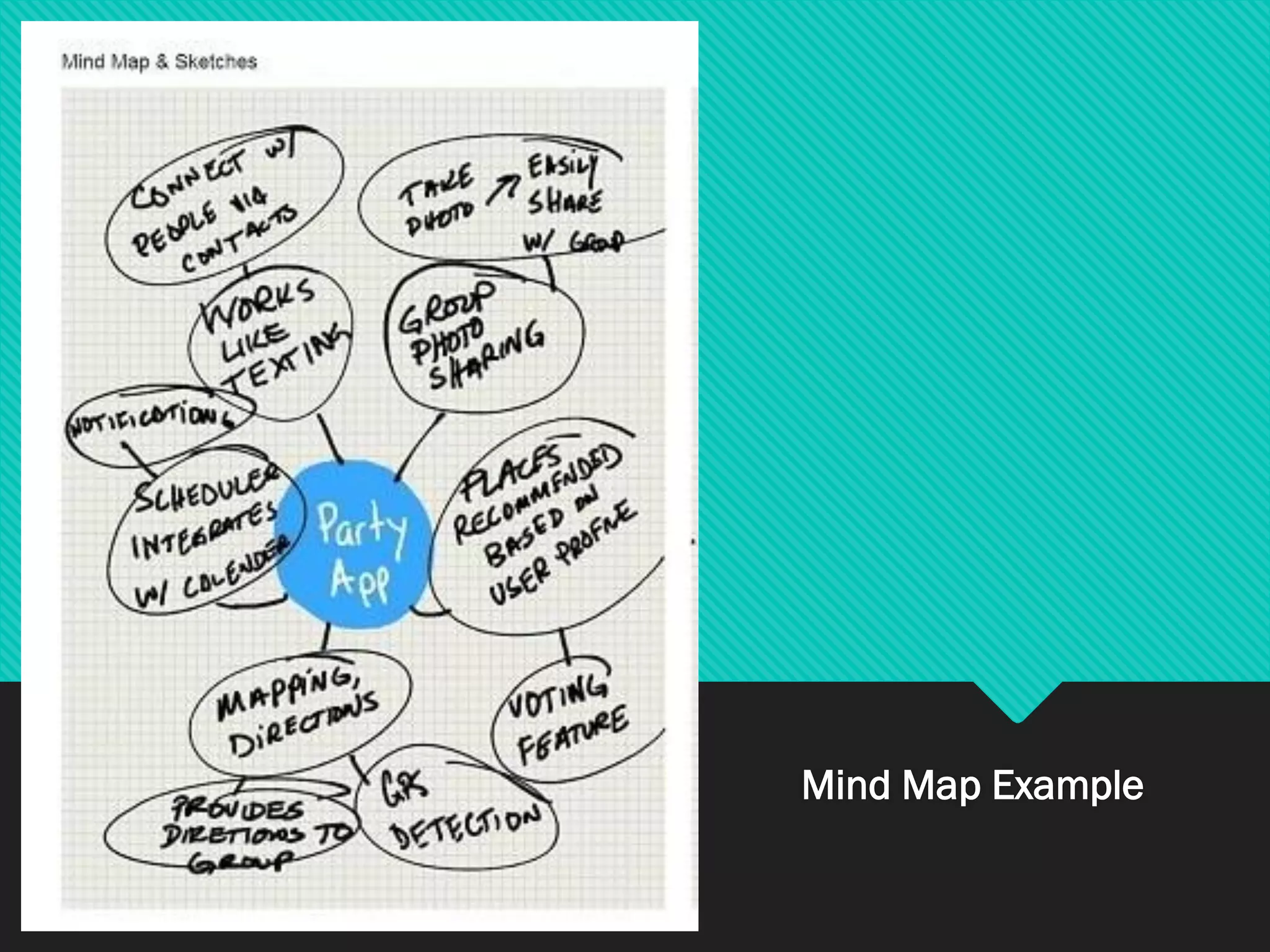
1. Mind Map
❖ It is a technique used for gathering information
& organizing the related domain information.
❖It uses different combinations of radiating lines,
keywords, pictures, images ,symbols, colors to
highlight the key points on a unruled sheet of
paper.
Mind Map Example
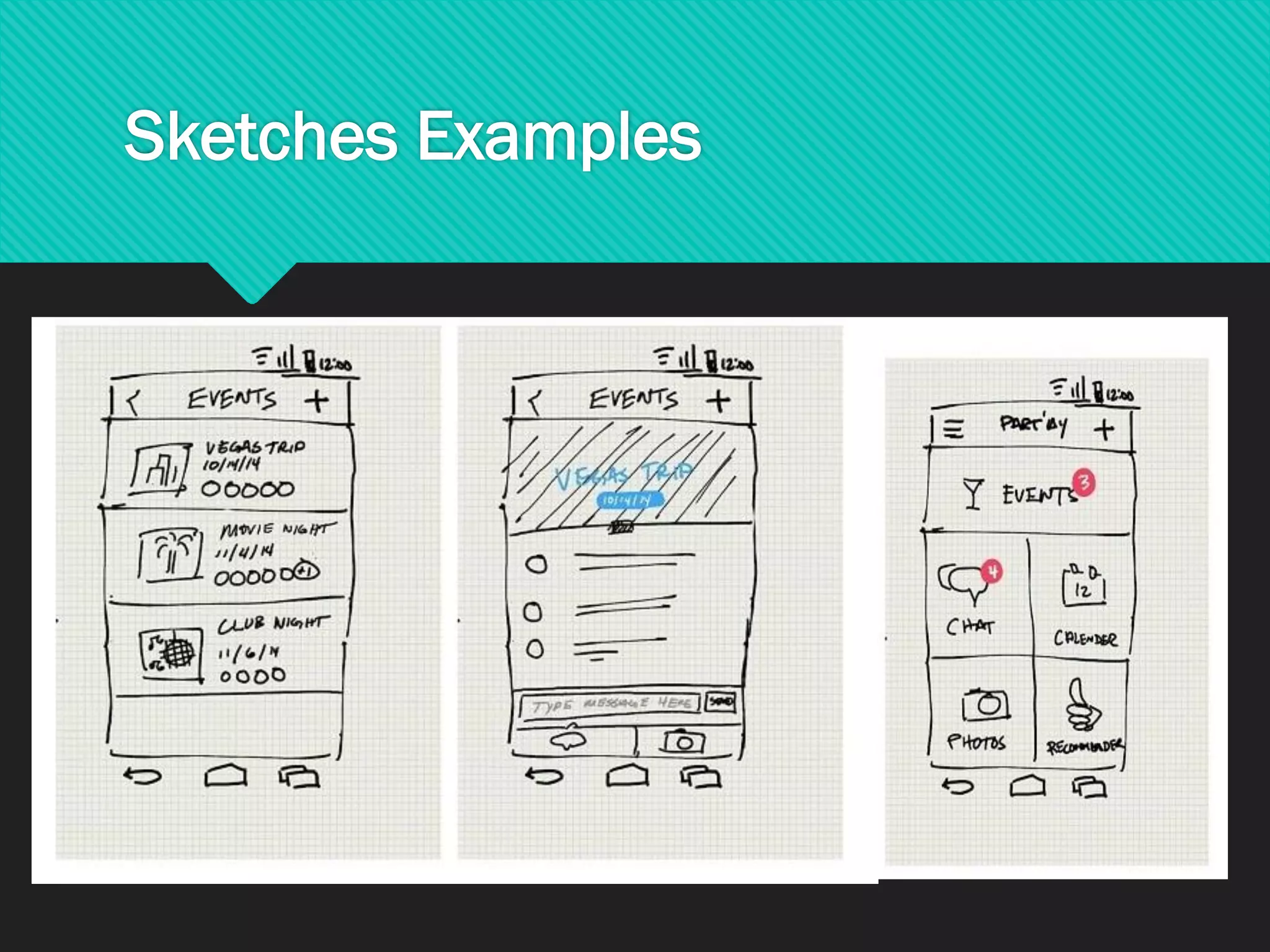
2. Sketches
❖Speeds up the process of Mind Map
❖Extracts different ideas quickly
❖Design what you look and feel
❖Visualize user flow
❖Demonstrate functionality
Sketches Examples
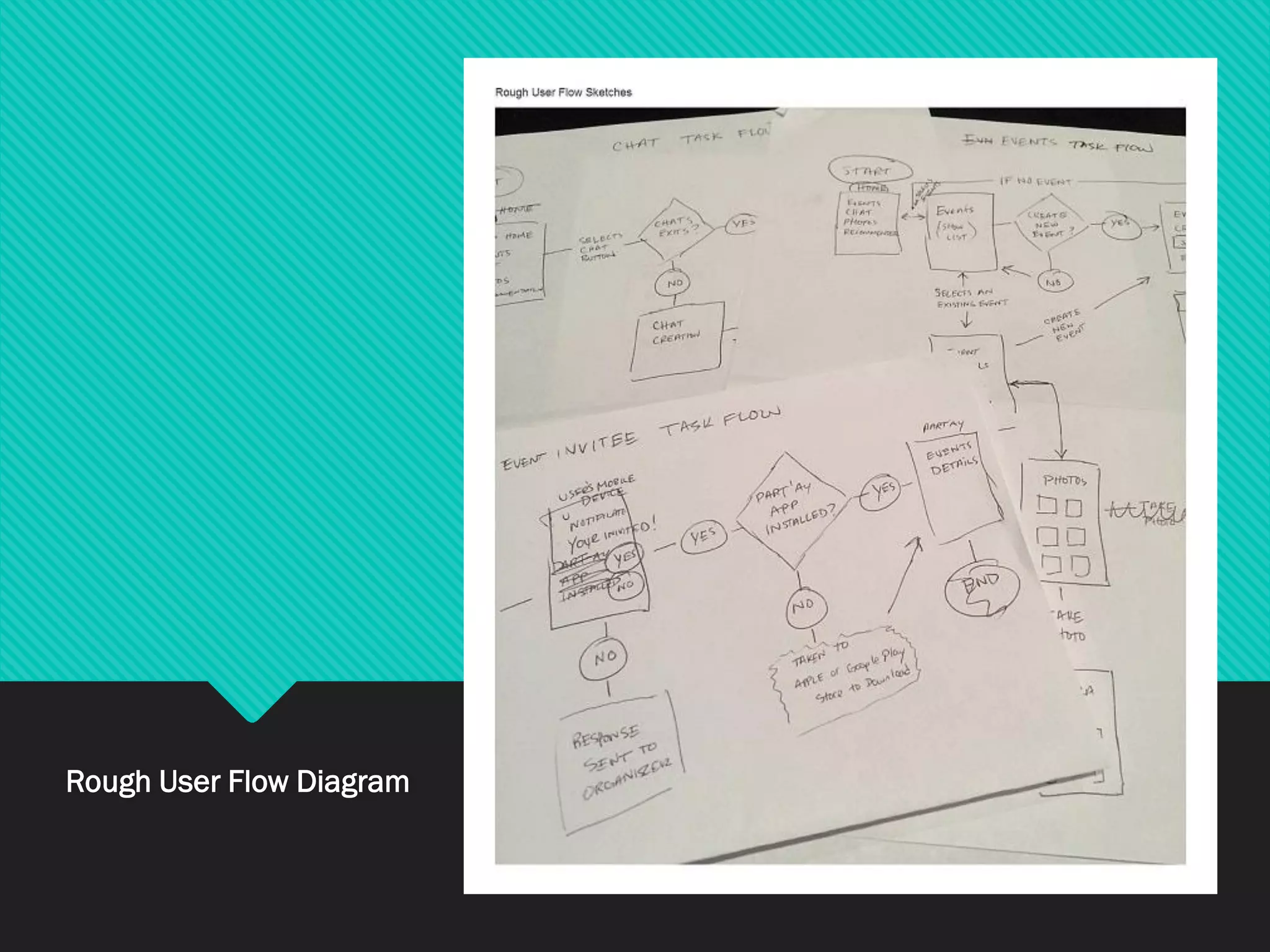
3. Rough User Flow Sketches
❖Created using pen, paper, whiteboard. Saves your
time to work on paper
❖They are required when ideas are very
complicated and require exploration.
❖It will save your time to work through concepts on
paper before going to the computer.
Rough User Flow Diagram
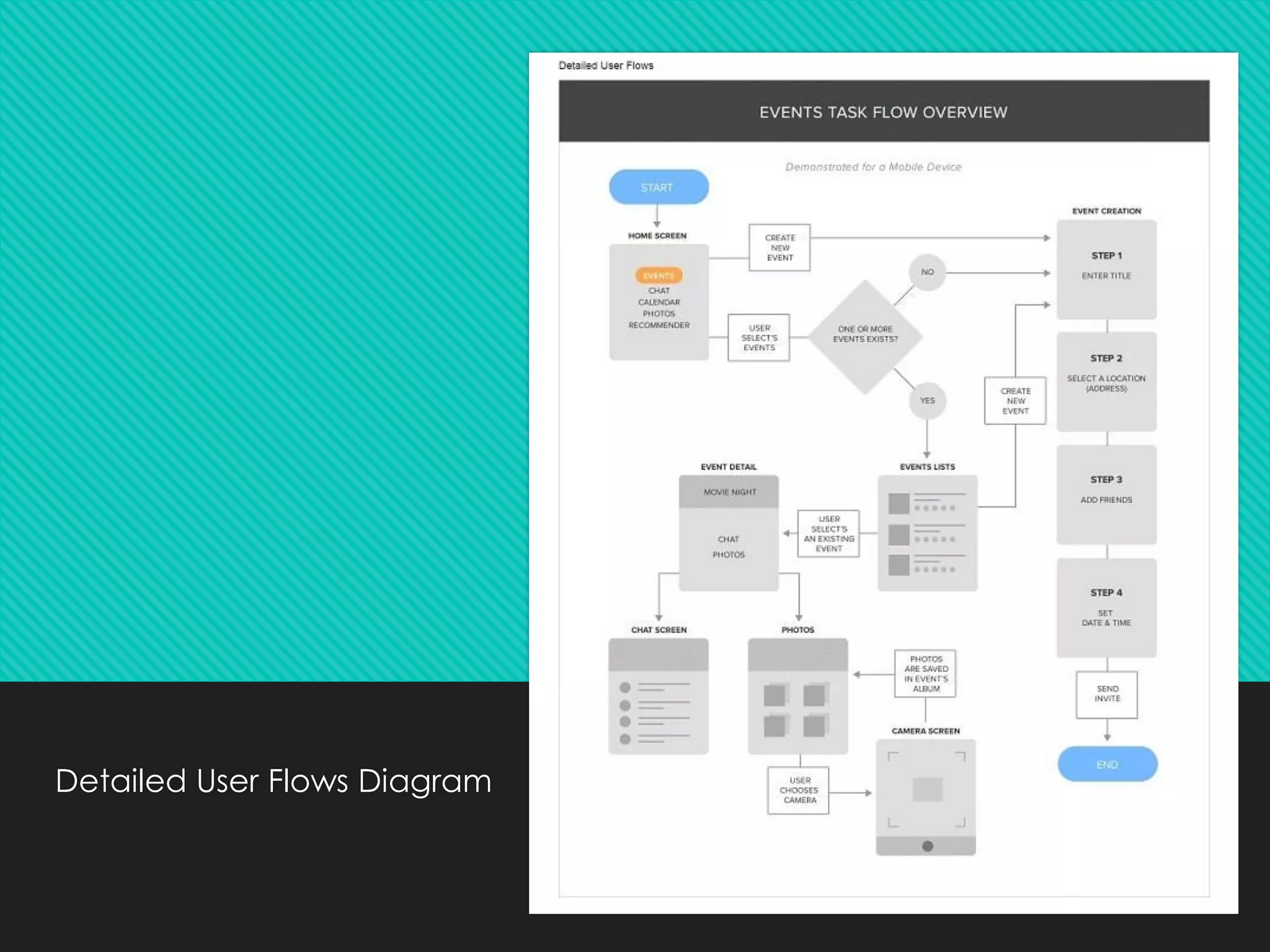
4. Detailed User Flows
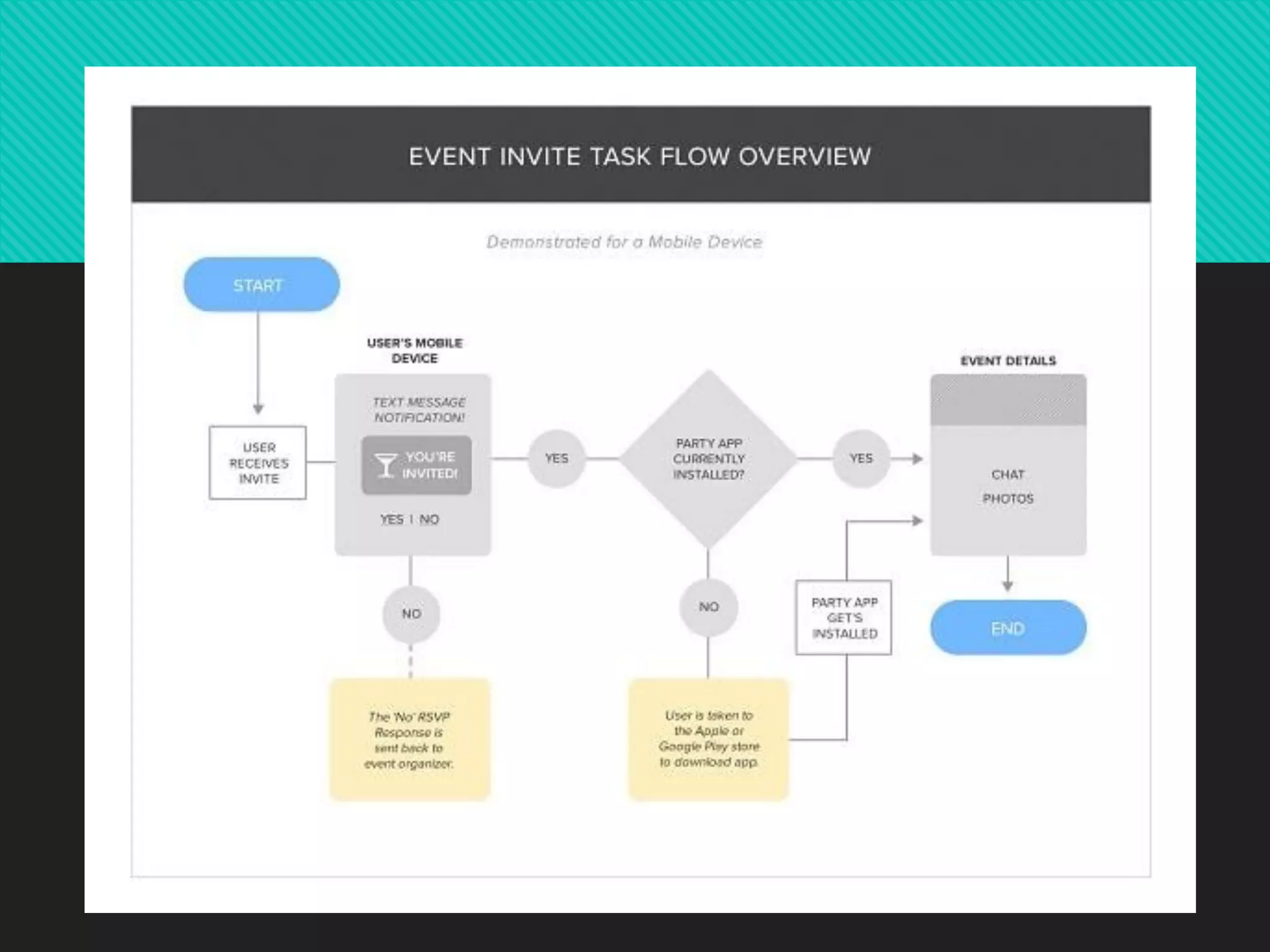
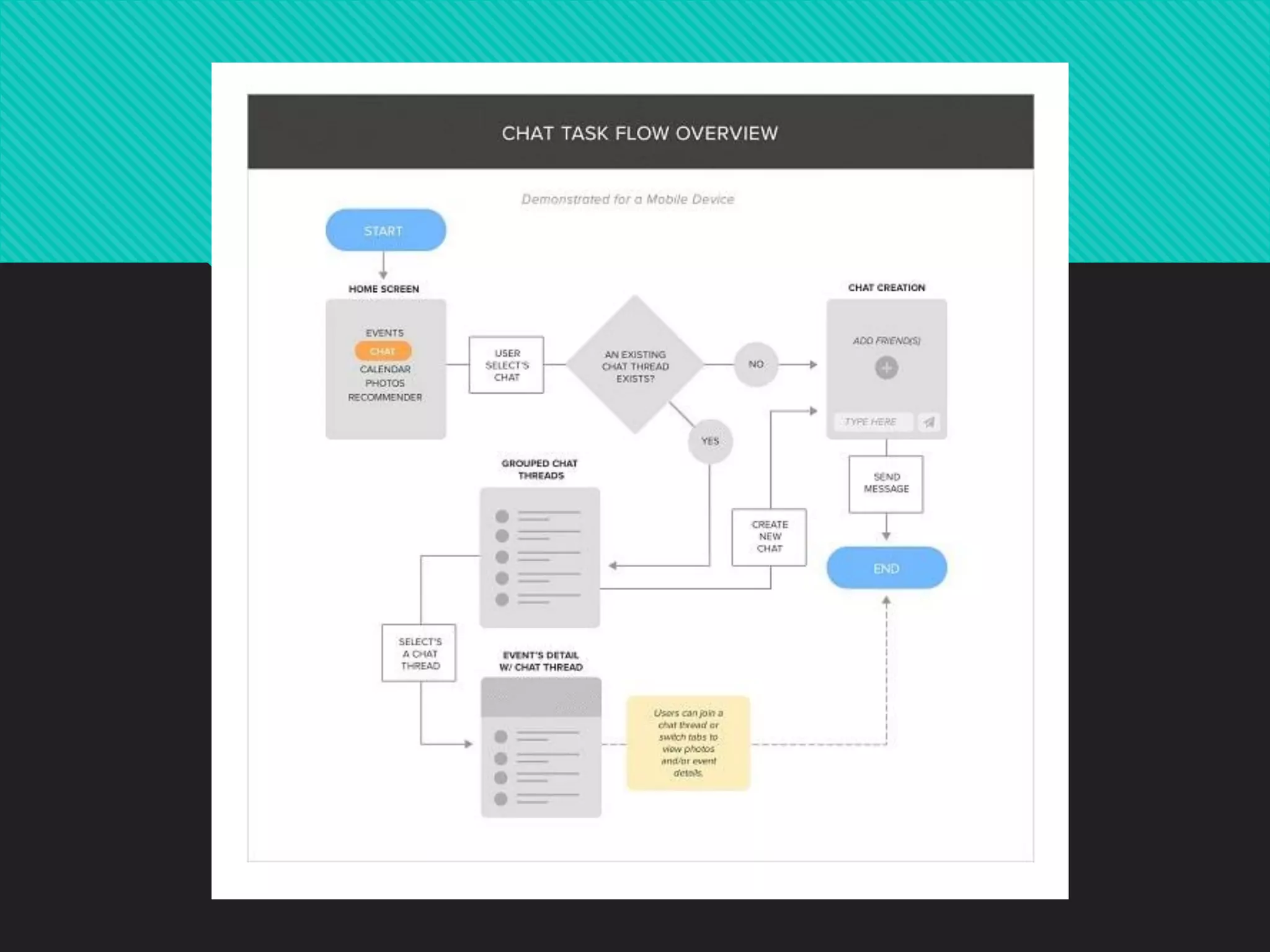
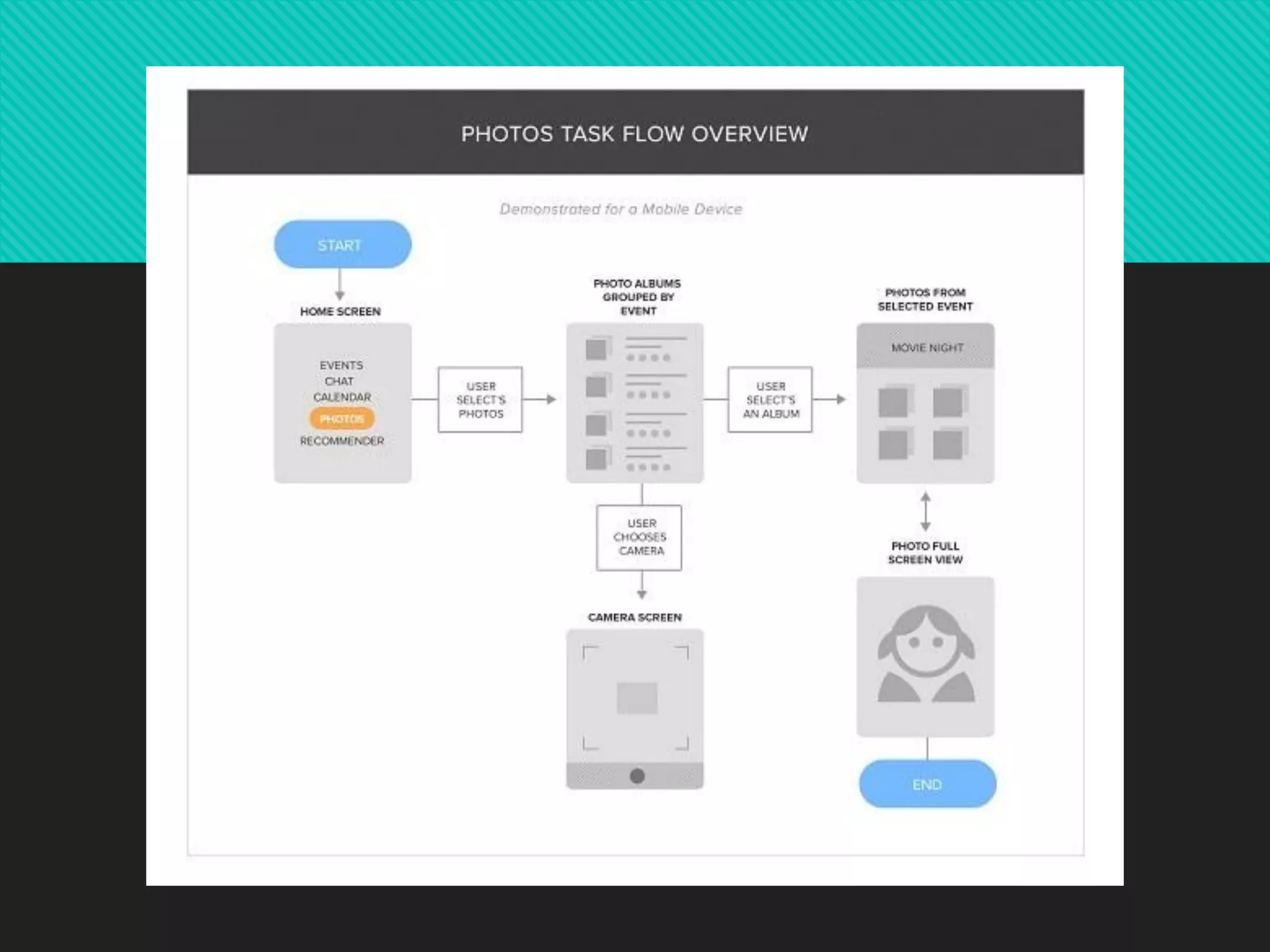
❖User interface-flow diagrams also called
storyboards.
❖Windows navigation diagrams enables you to
model the high-level relationships between major
user interface elements.
❖The boxes represent major user interface
elements i.e instances/objects and the arrows
represent the possible flow between them.
Detailed User Flows Diagram
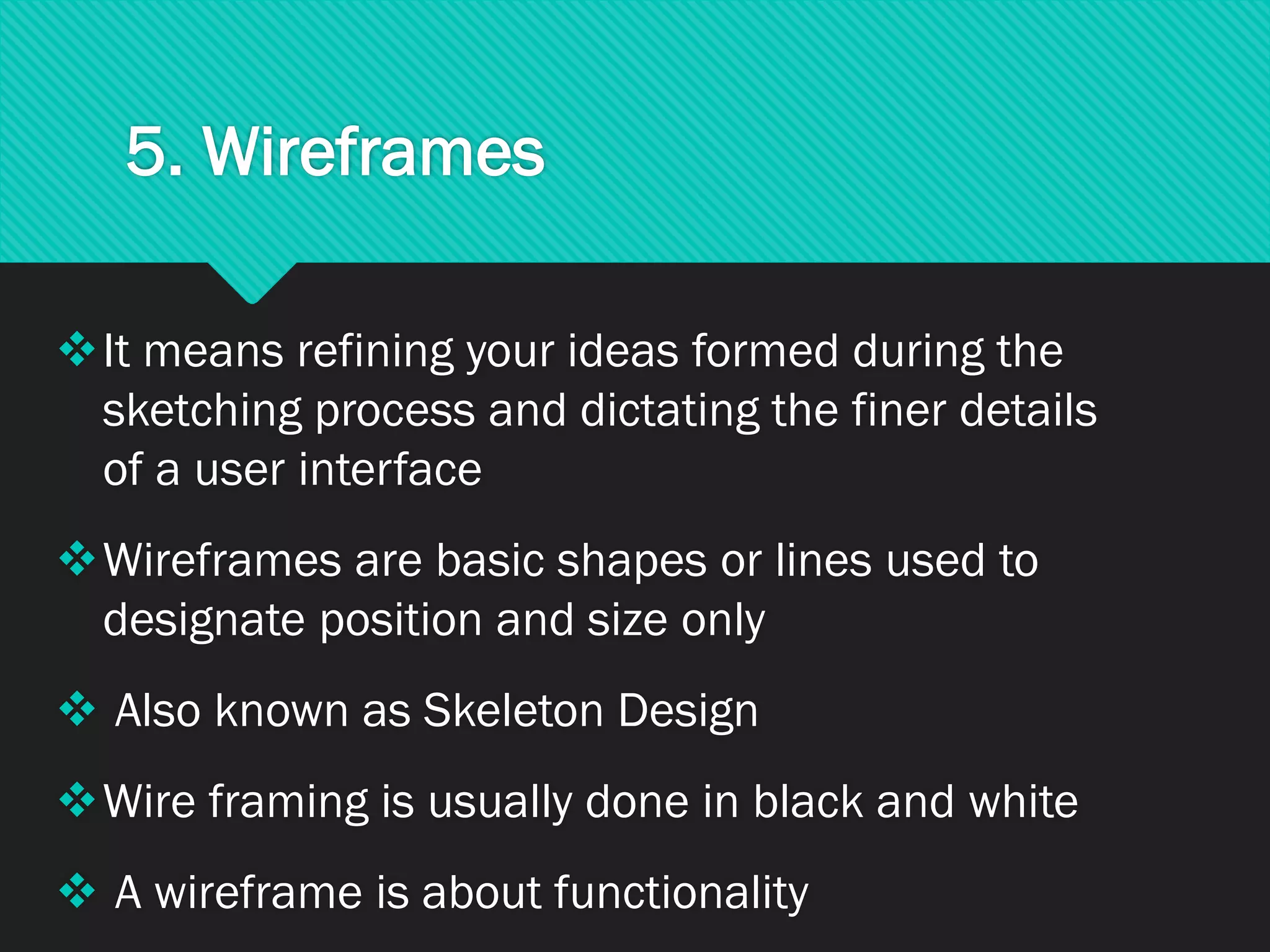
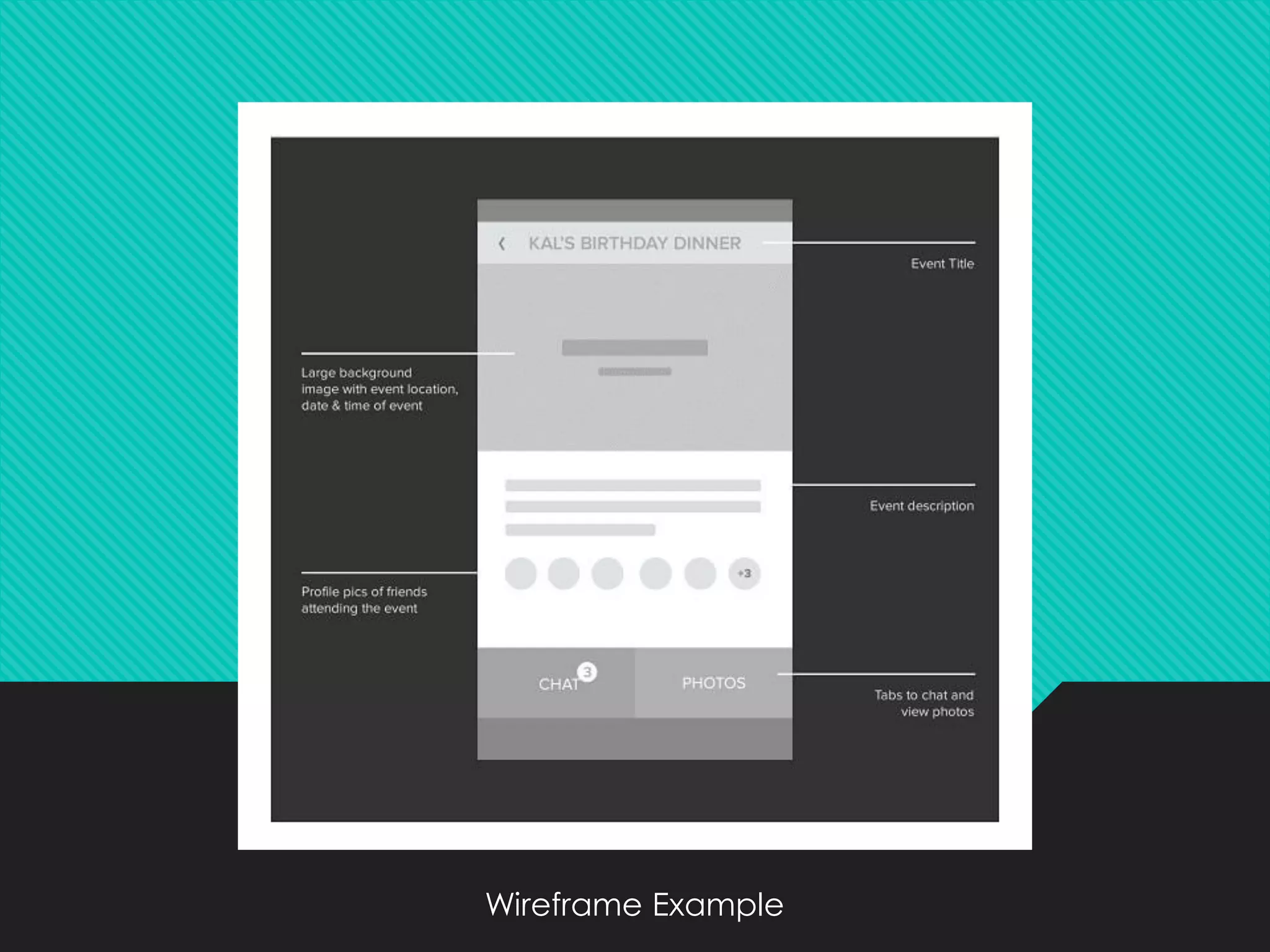
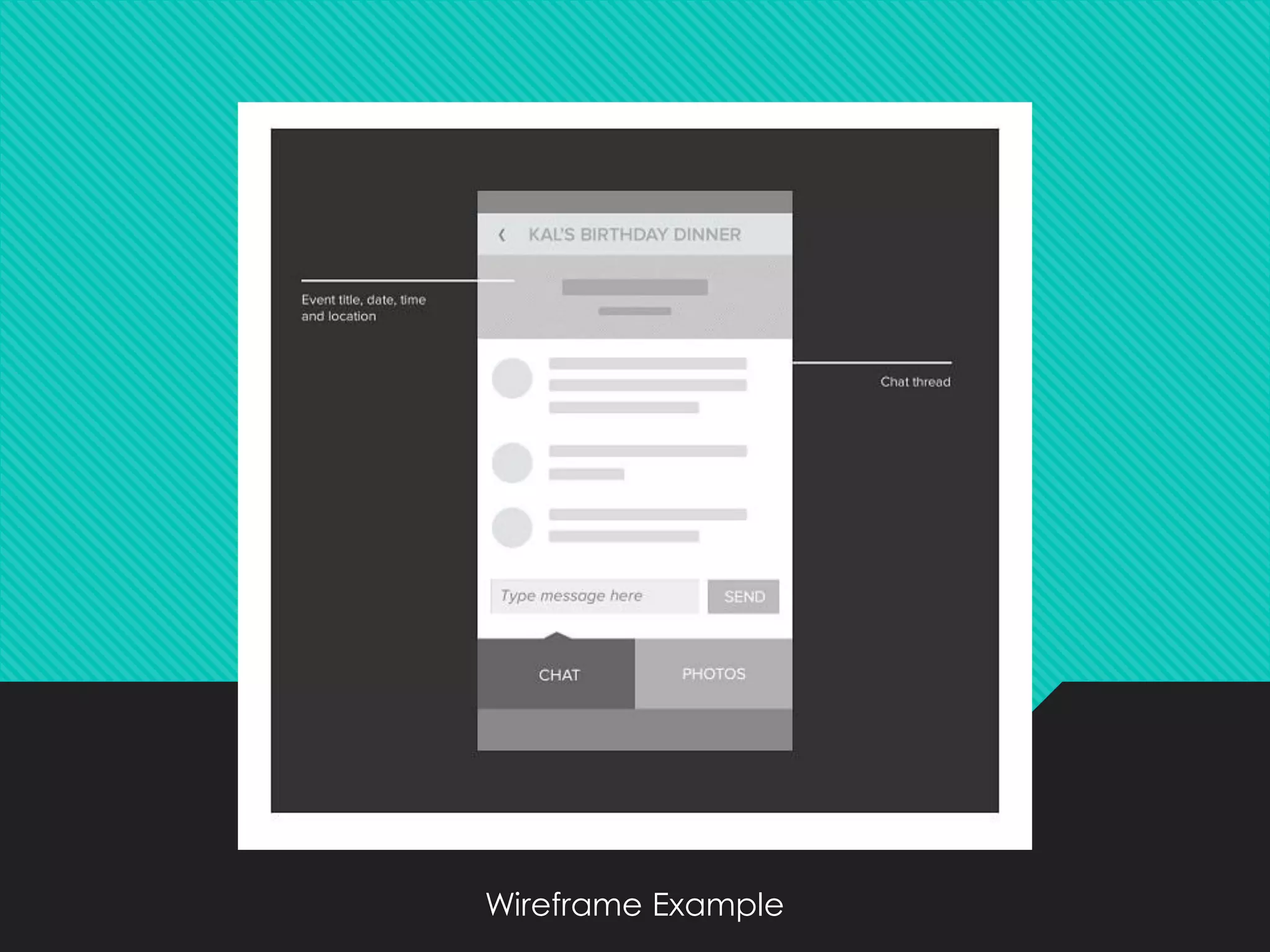
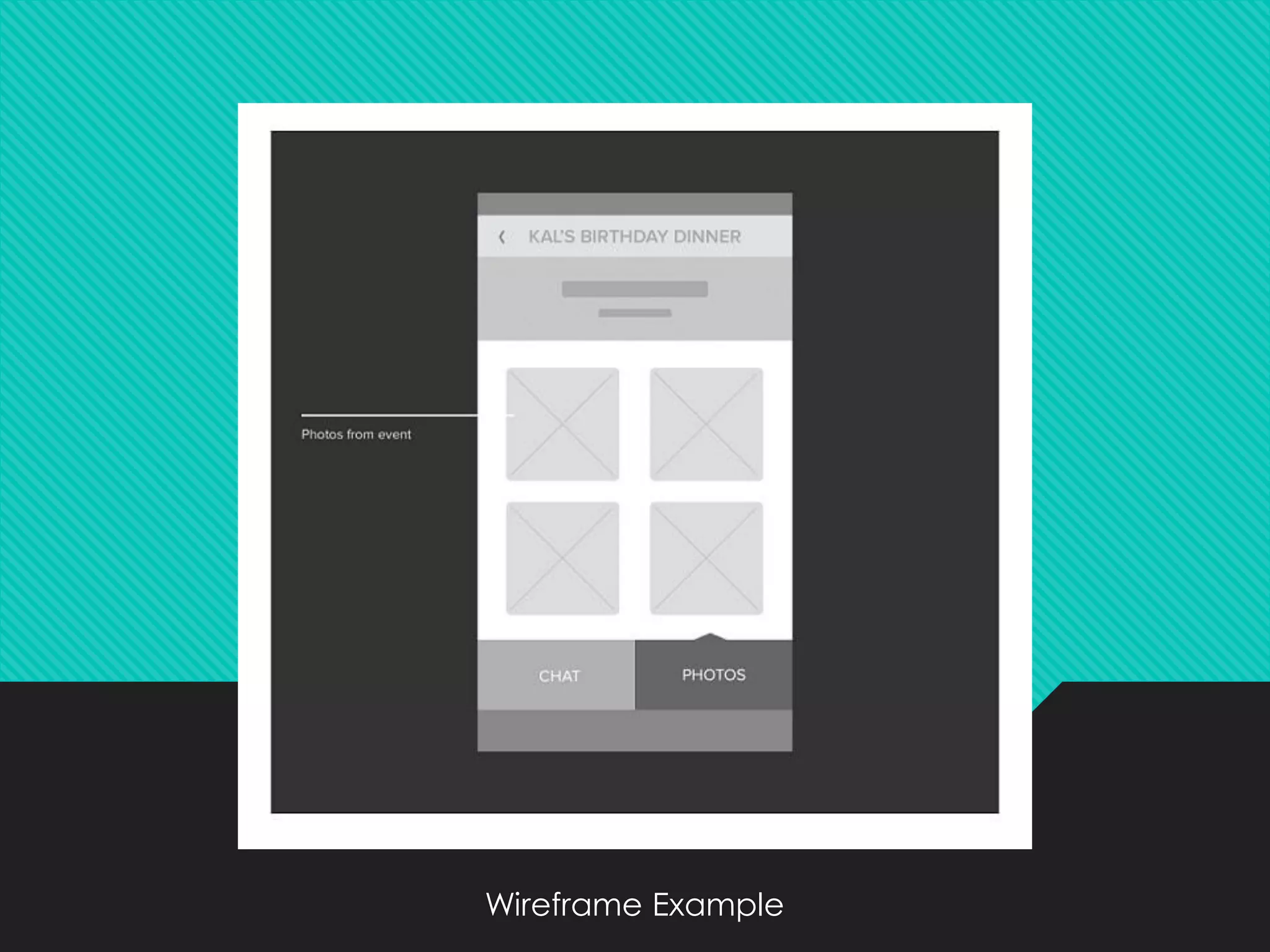
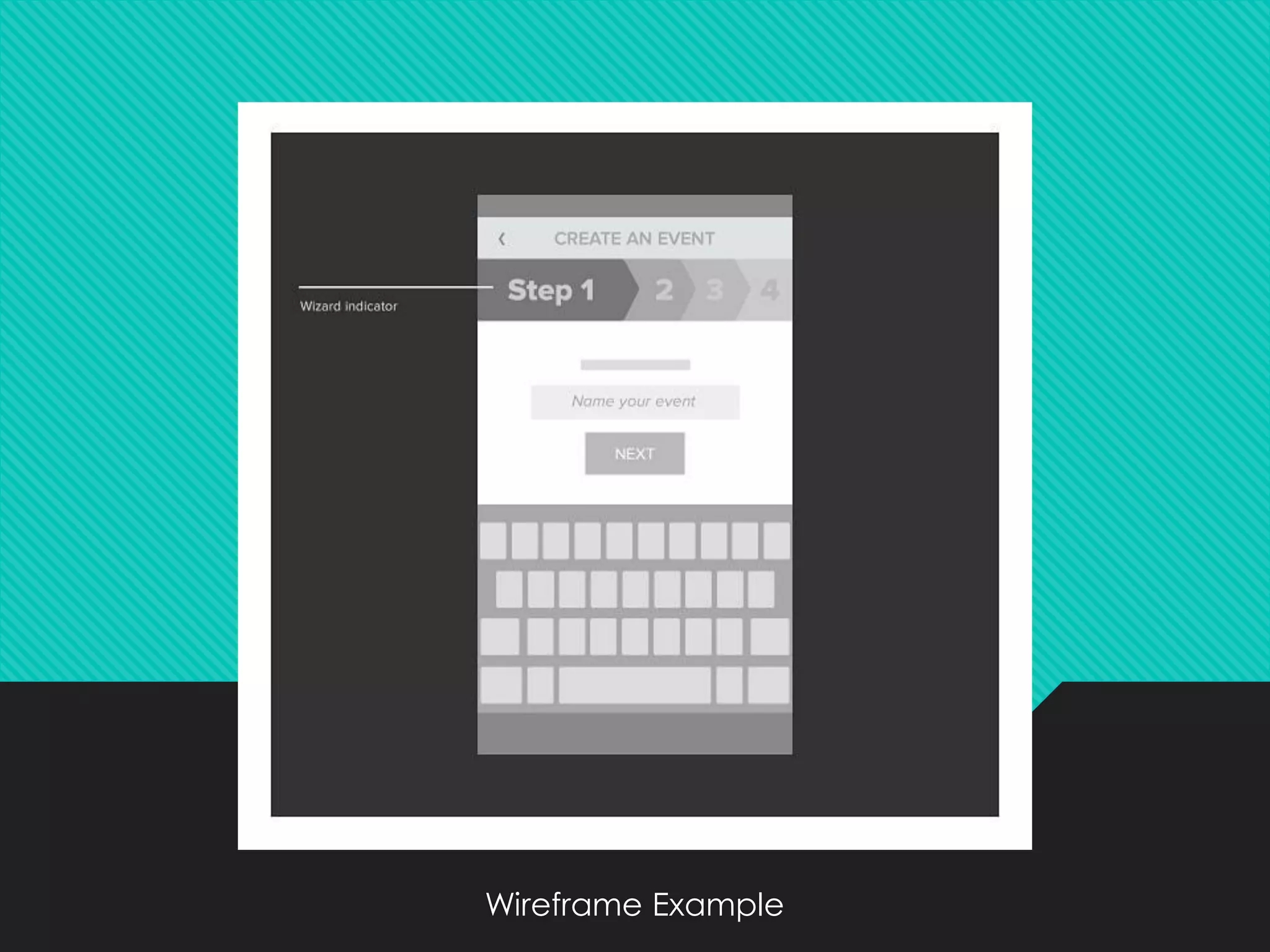
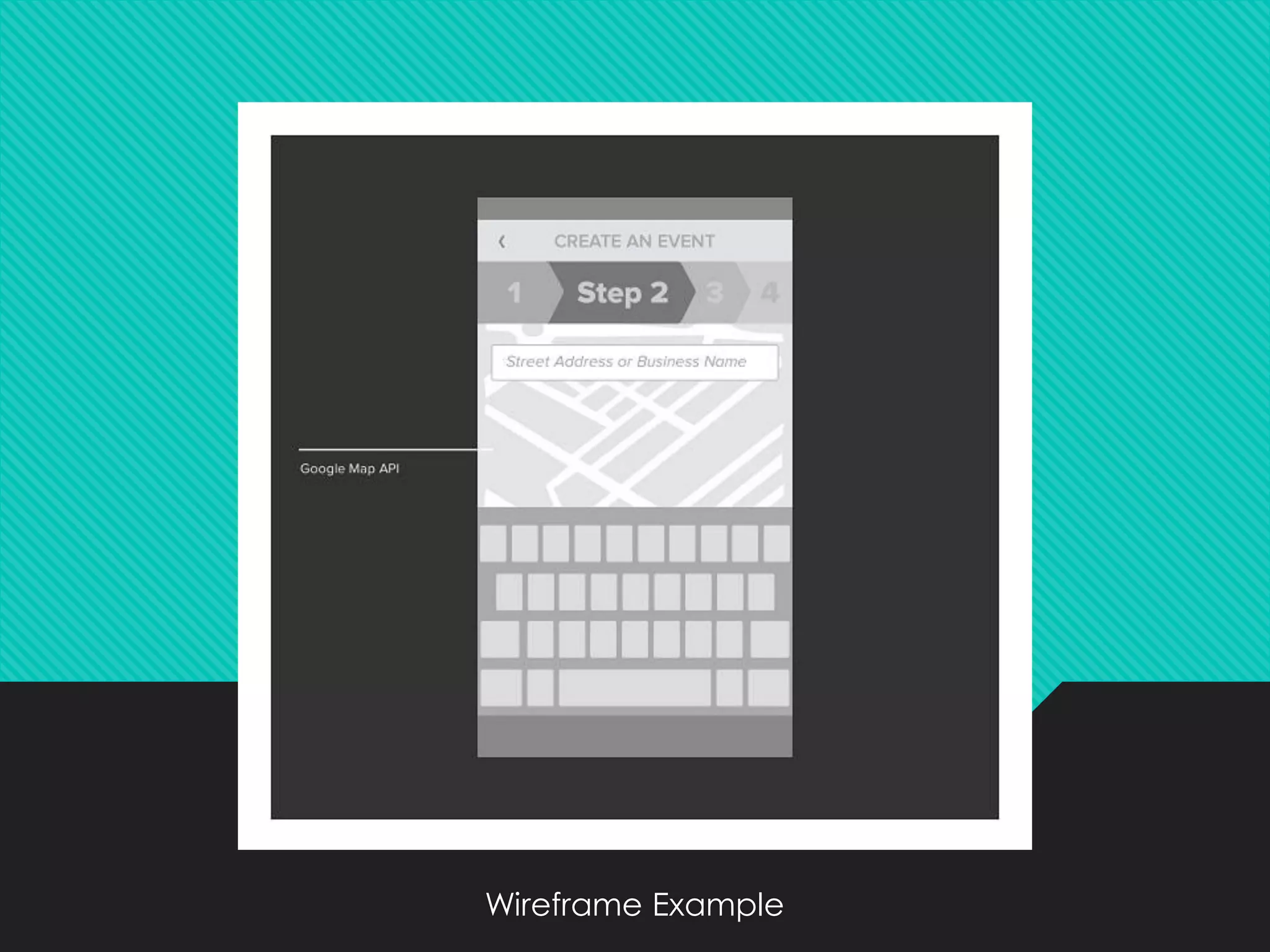
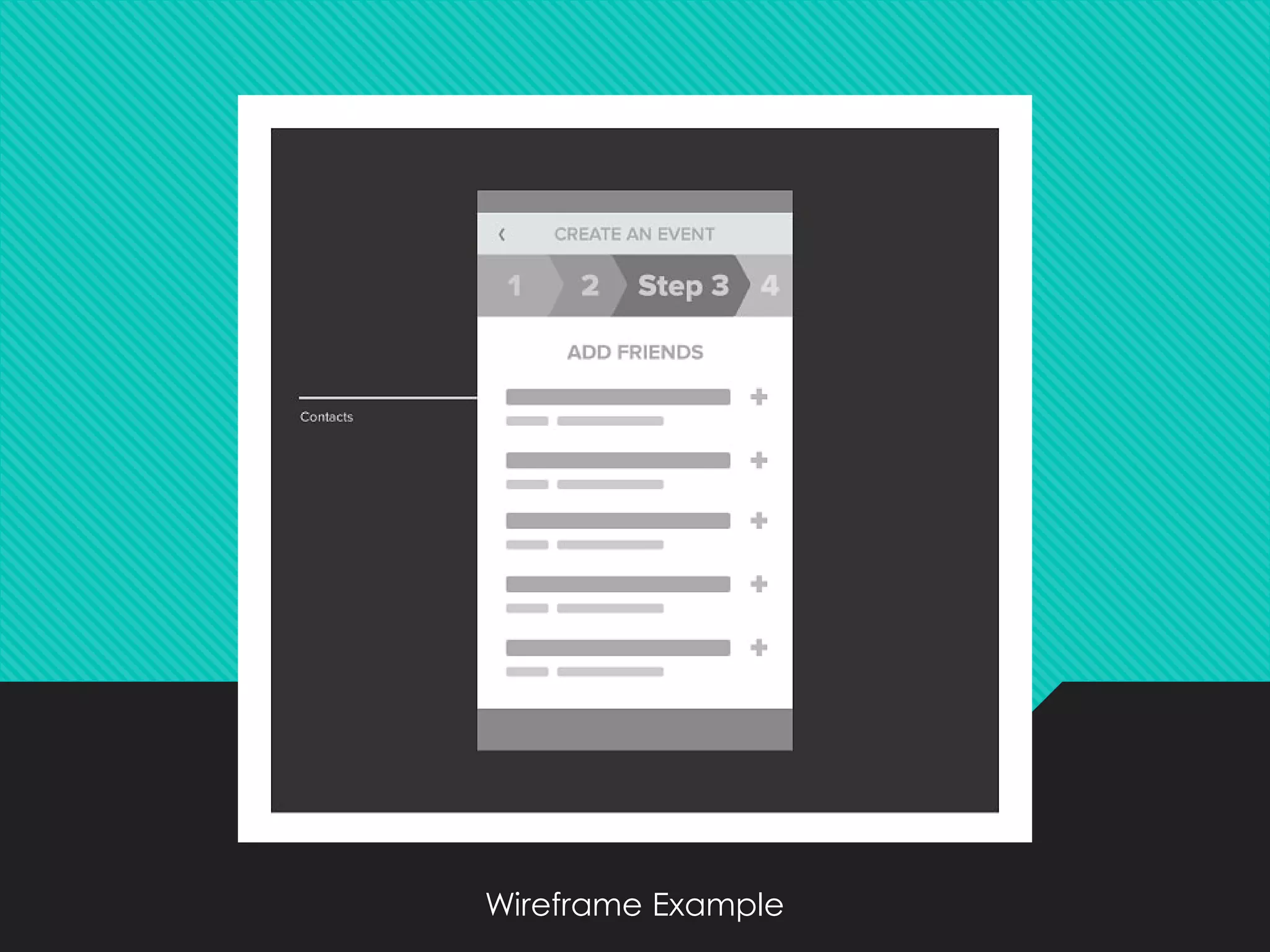
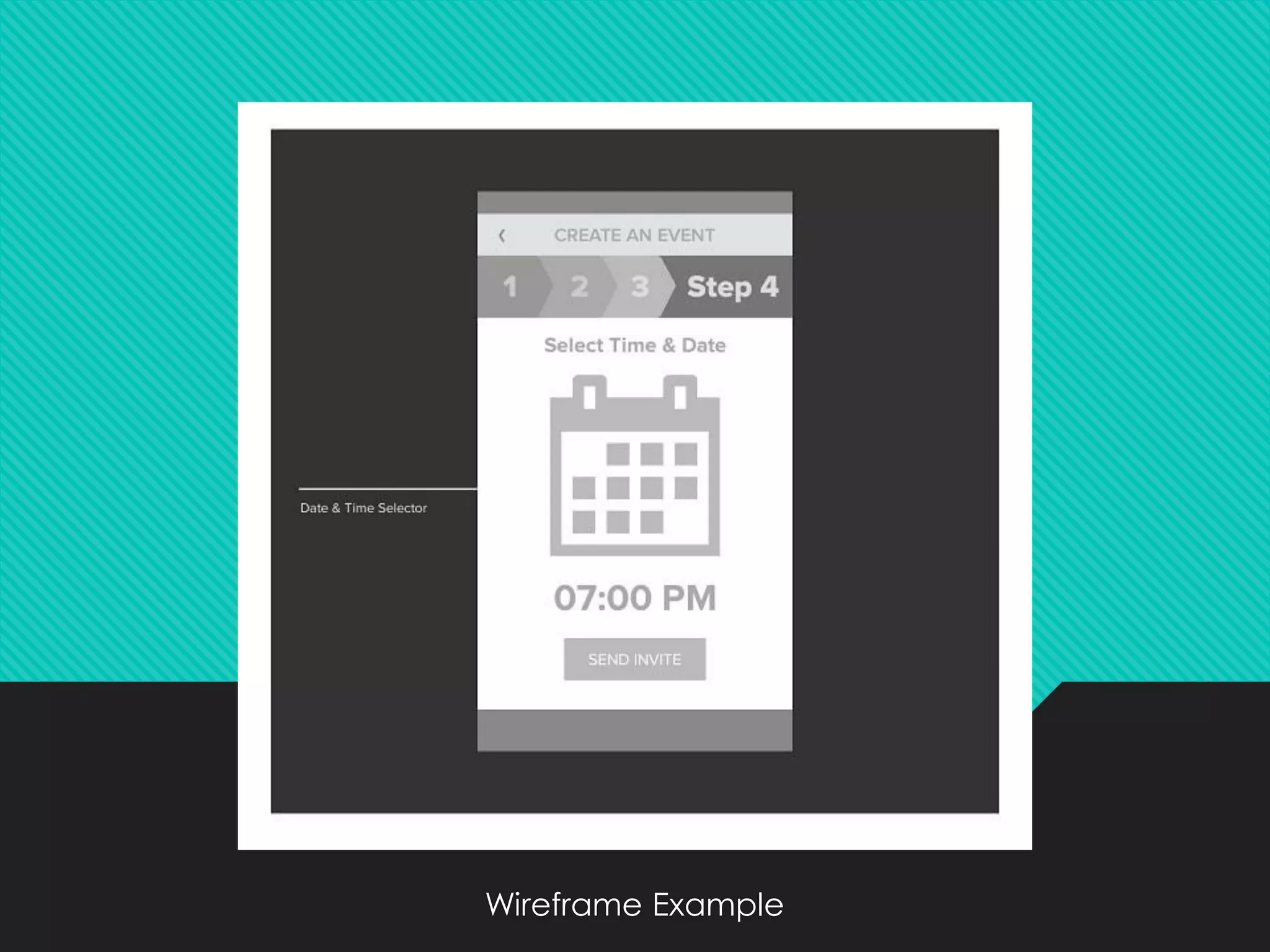
5. Wireframes
❖It means refining your ideas formed during the
sketching process and dictating the finer details
of a user interface
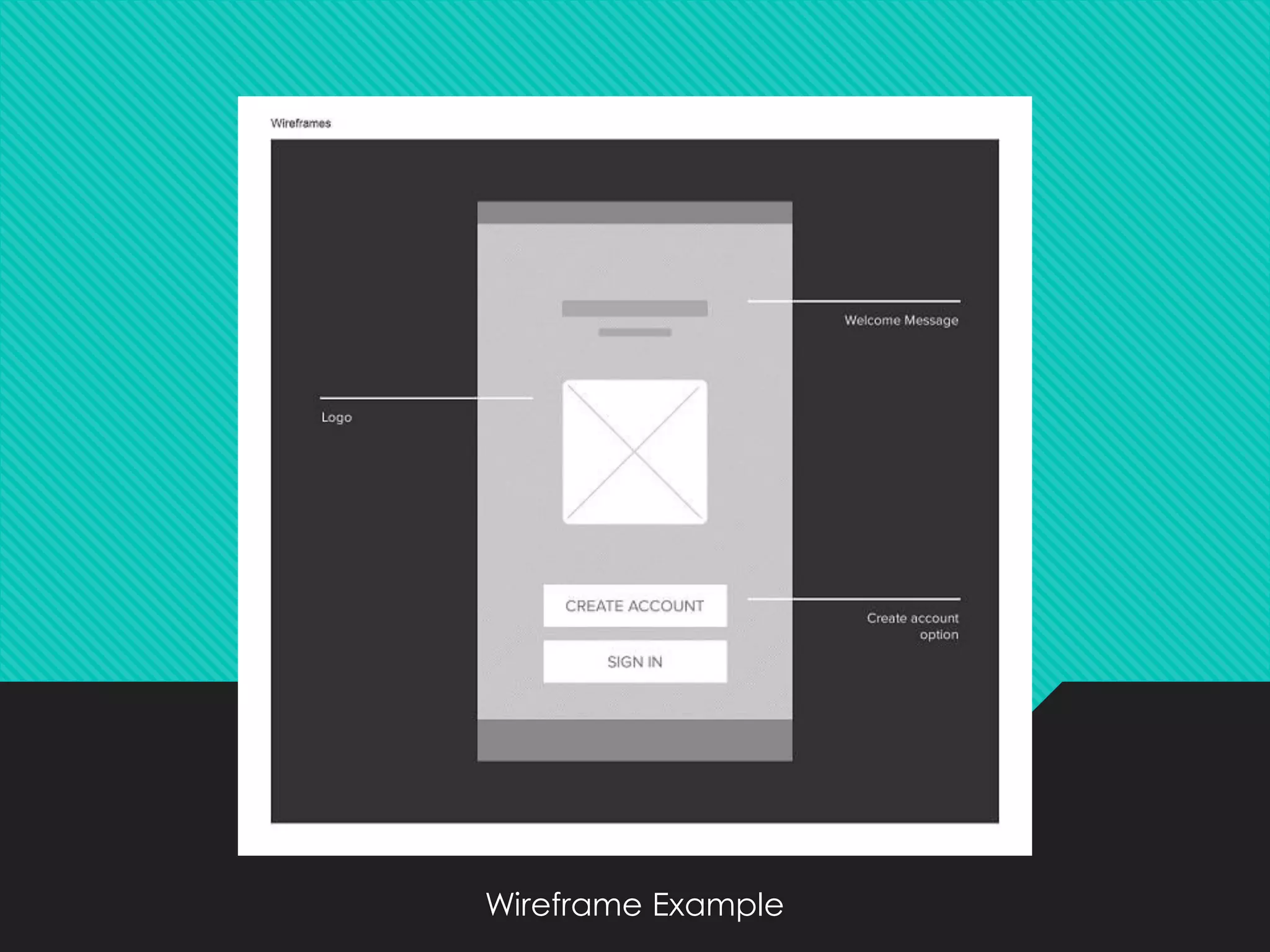
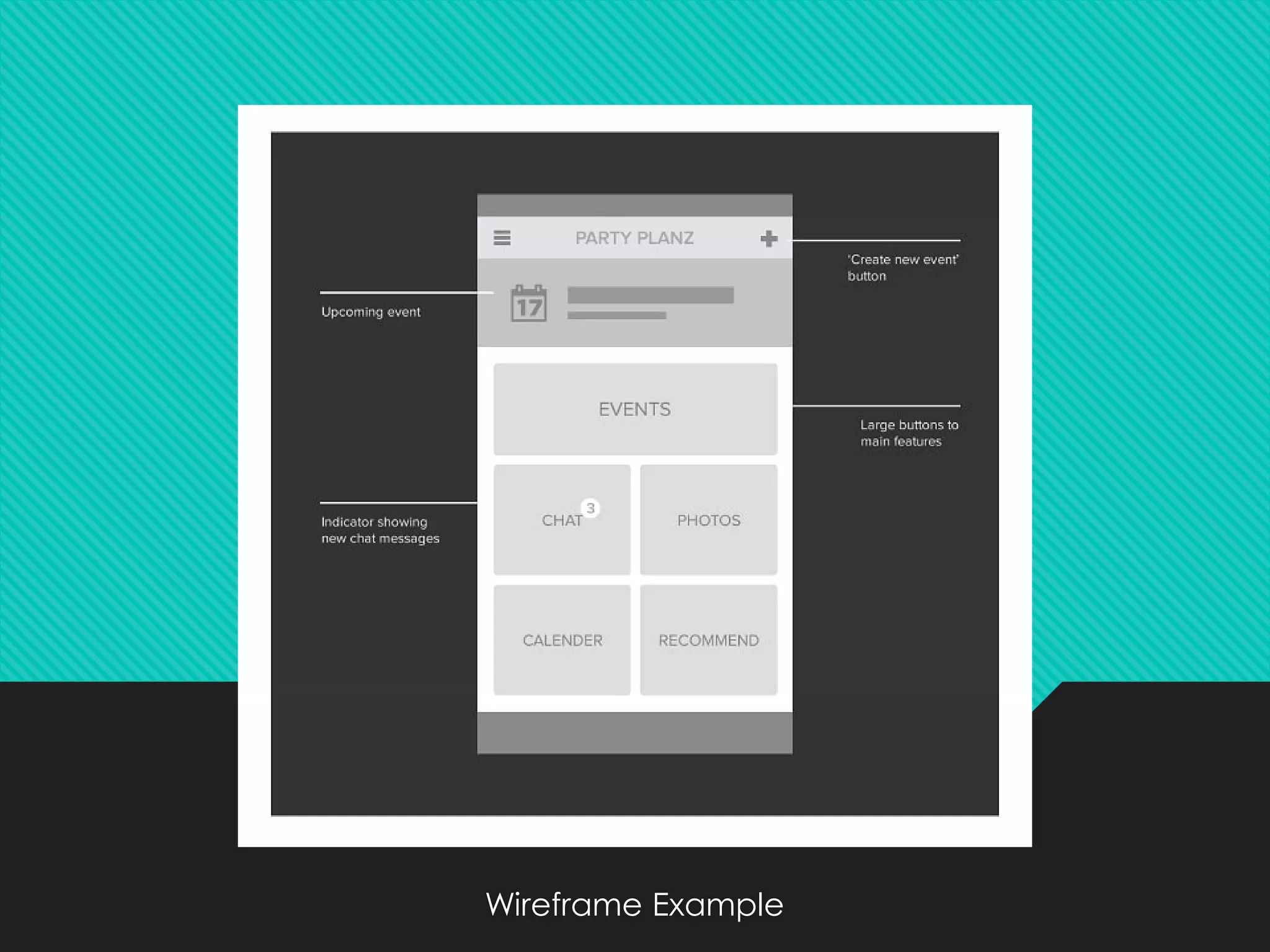
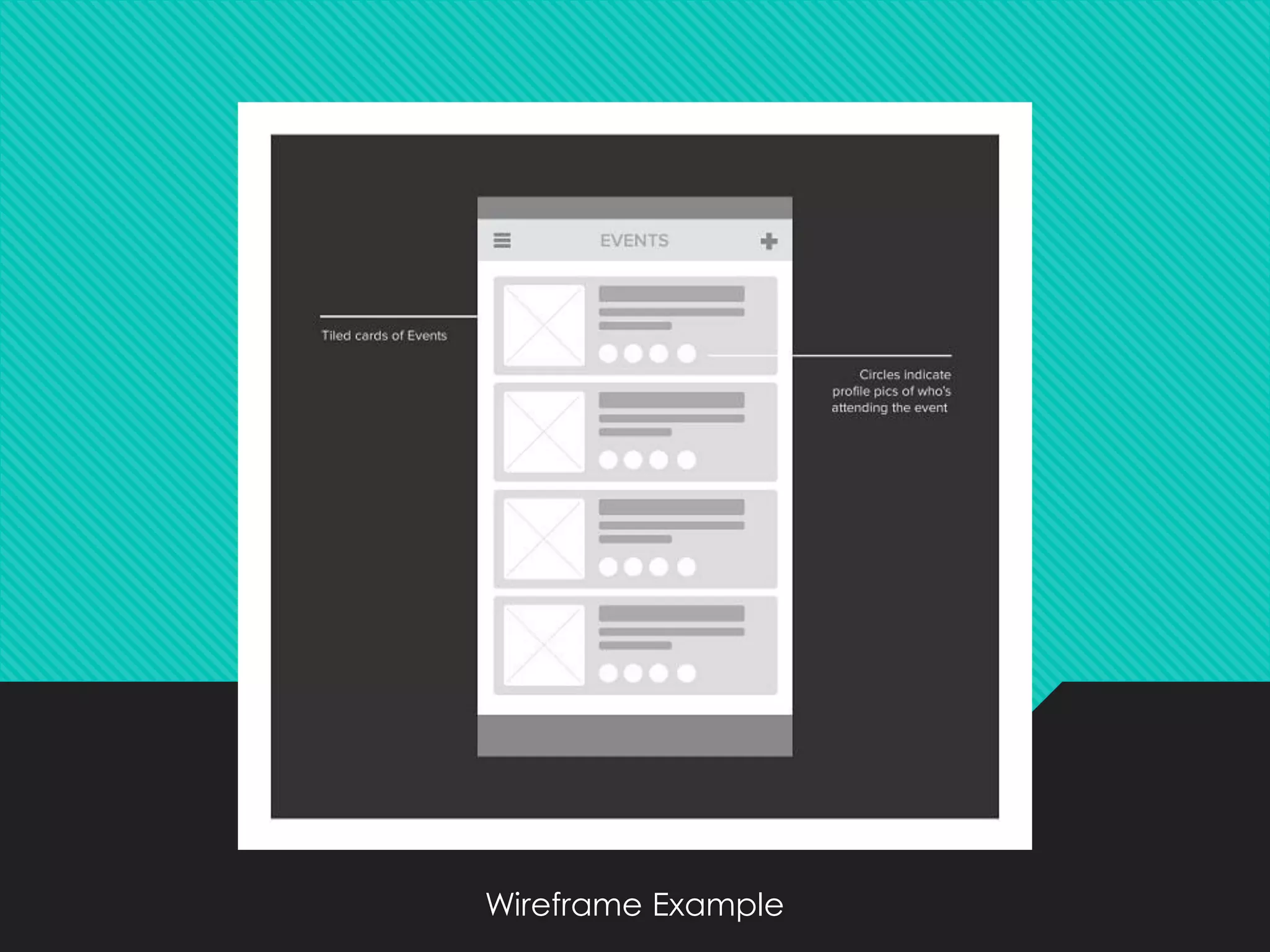
❖Wireframes are basic shapes or lines used to
designate position and size only
❖ Also known as Skeleton Design
❖Wire framing is usually done in black and white
❖ A wireframe is about functionality
Wireframe Example
Wireframe Example
Wireframe Example
Wireframe Example
Wireframe Example
Wireframe Example
Wireframe Example
Wireframe Example
Wireframe Example
Wireframe Example
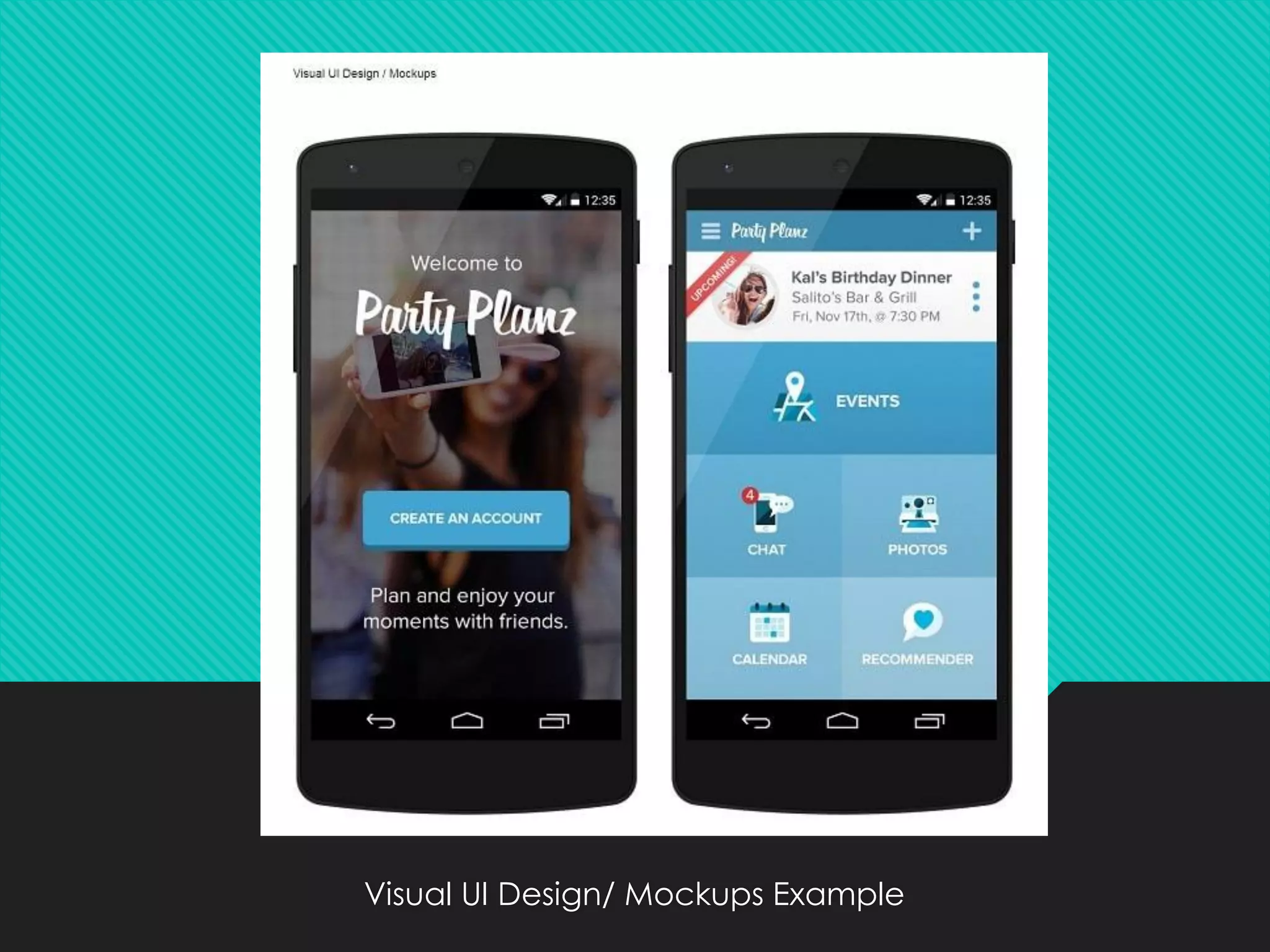
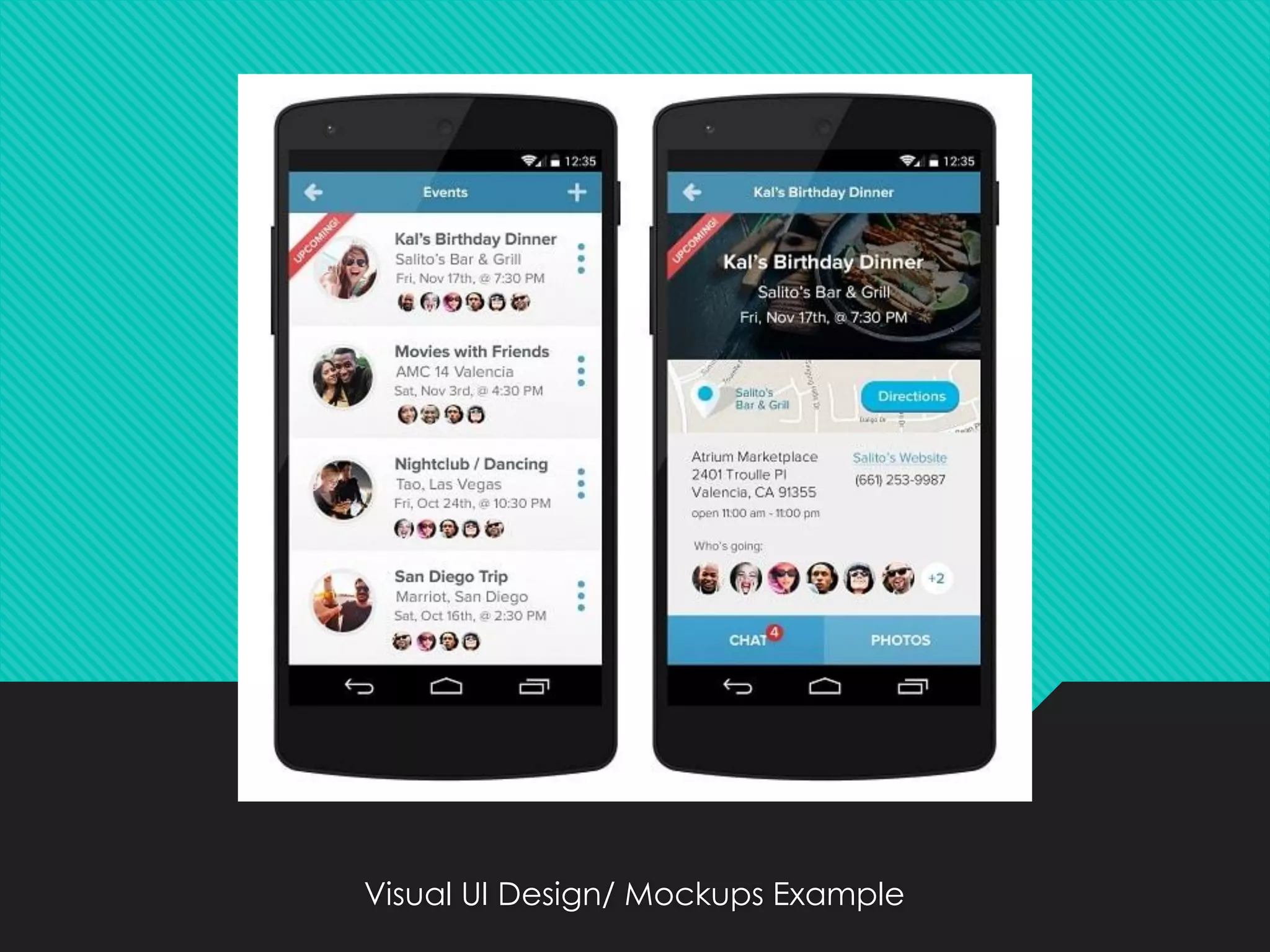
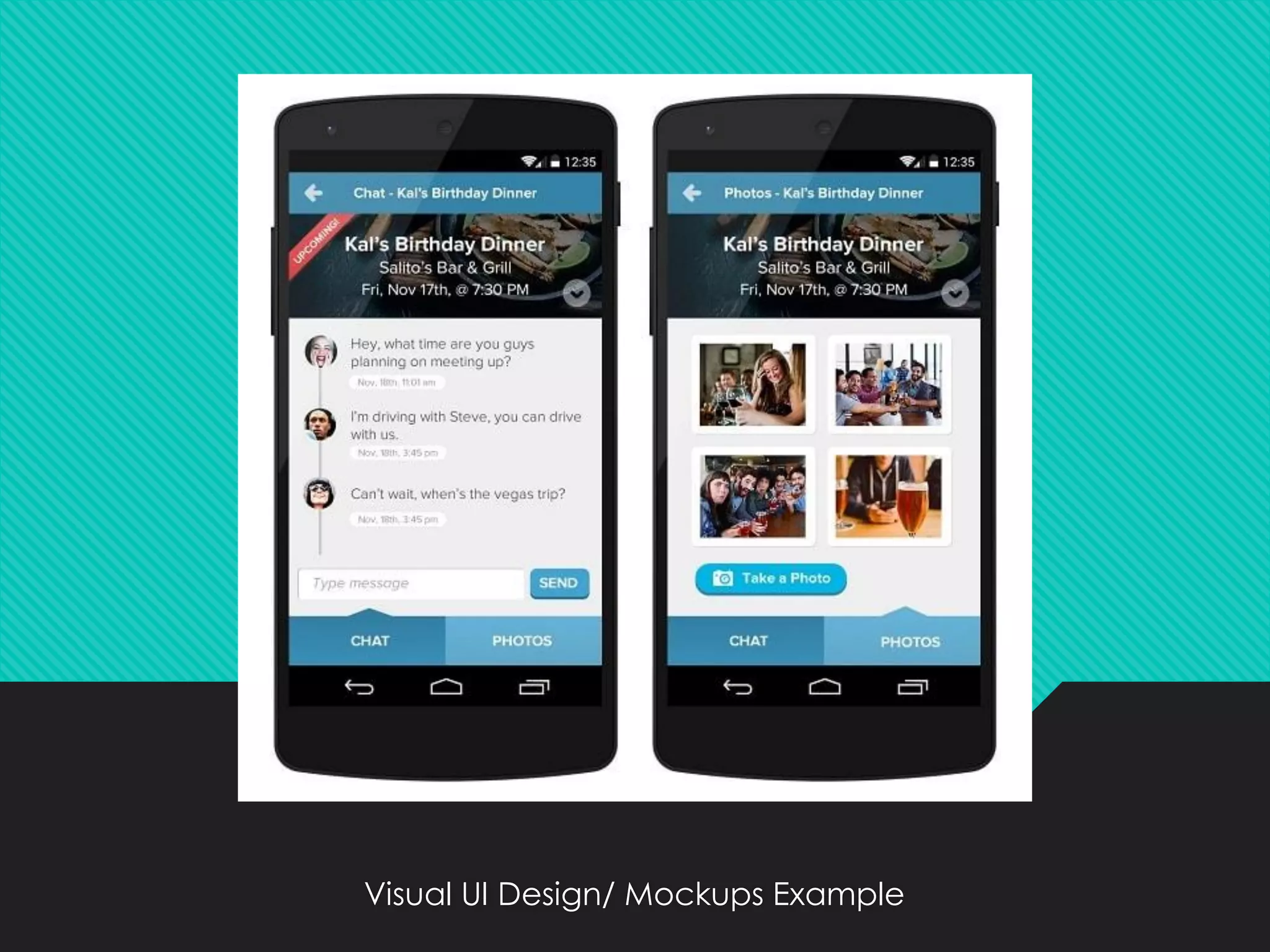
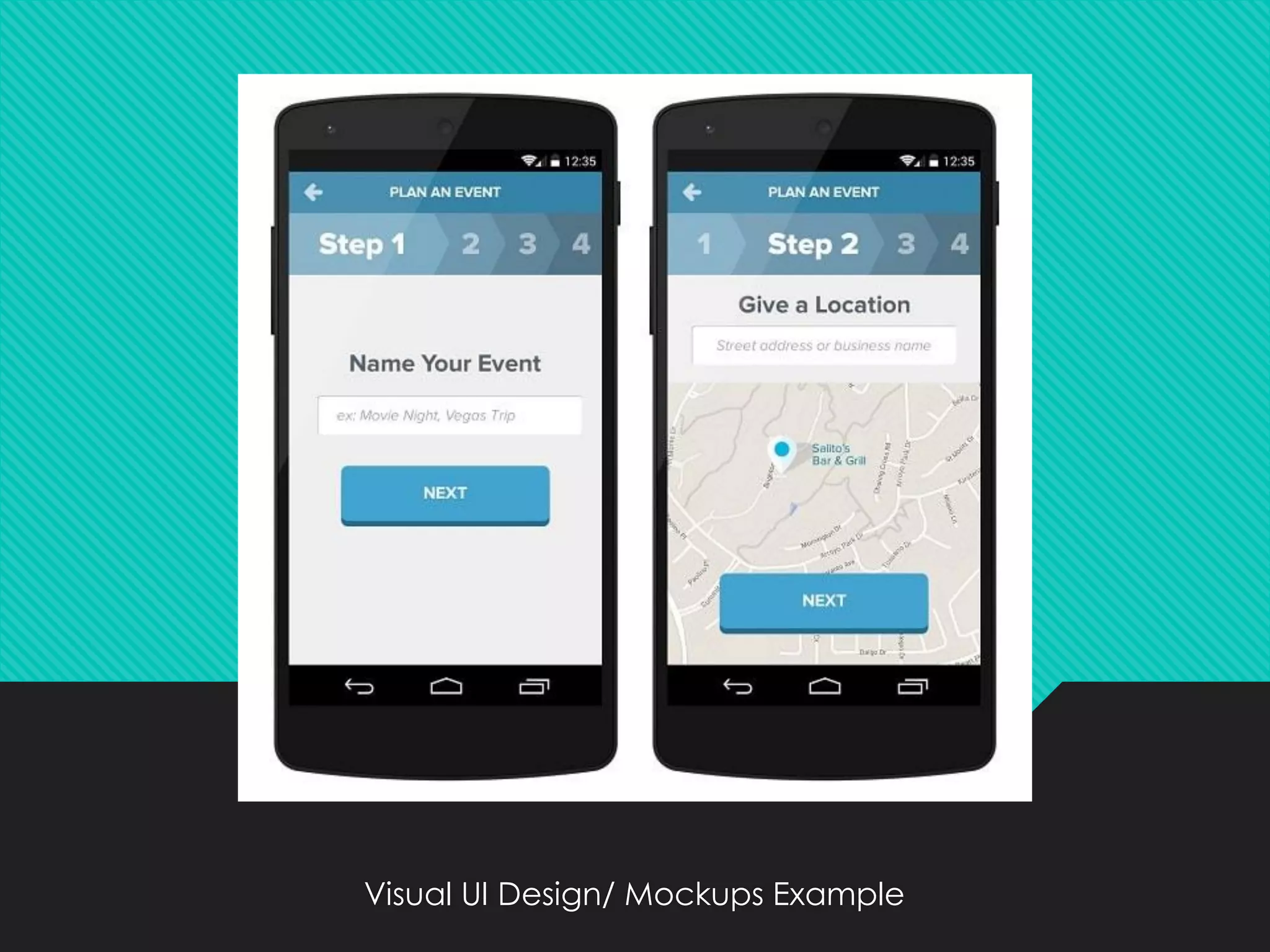
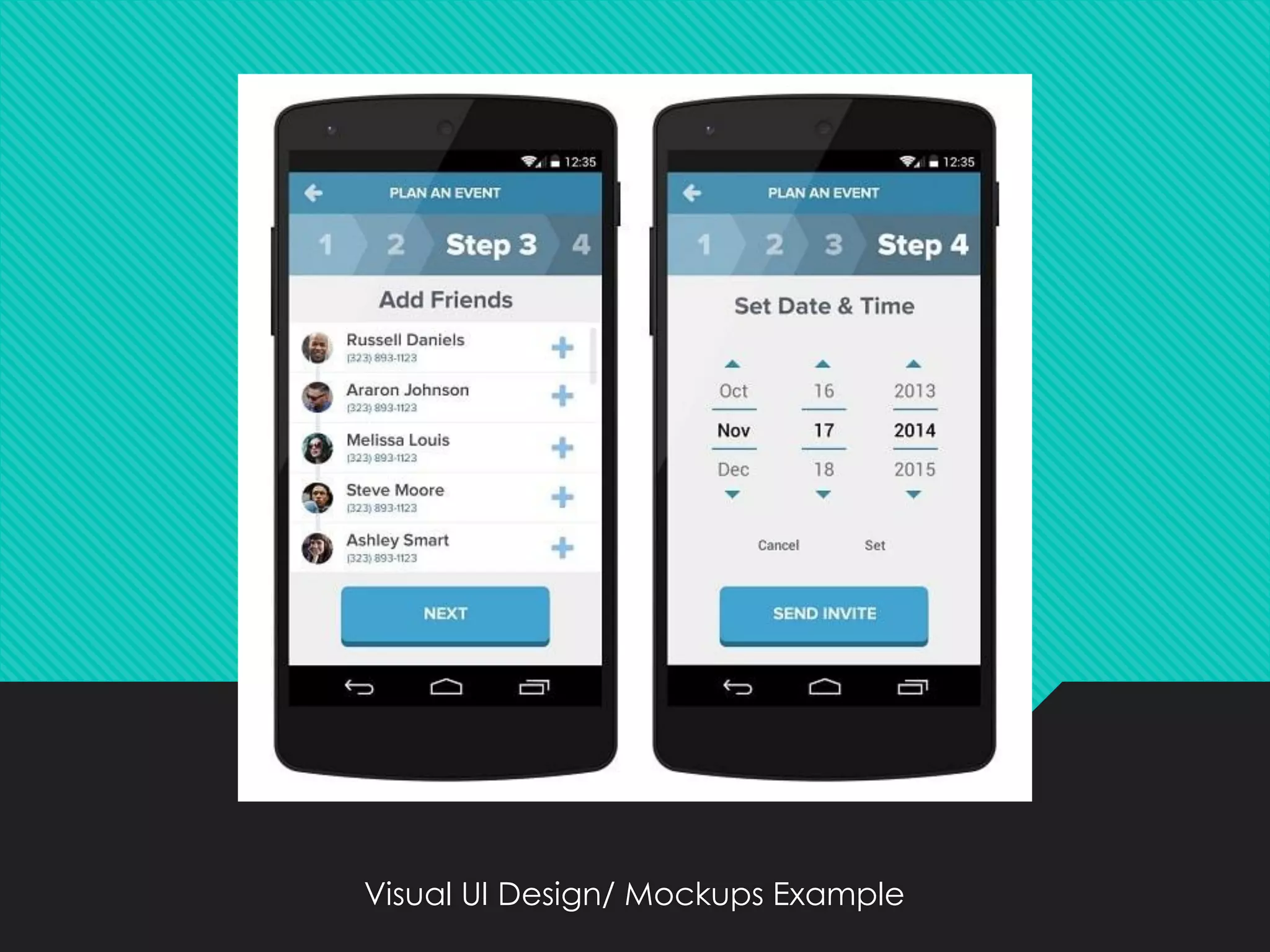
6. Visual UI Design/ Mockups
❖ Backbone of your design
❖ Realistic representation of what product will look
like
❖Mockups are built on top of the wireframes and
show overall appearance aspects of a design
including type of choices, color choices etc.
Visual UI Design/ Mockups Example
Final Words
❖ If one follow these above steps a great all round
“GUI” for the web can be created
❖ I think, I have introduced you to some new
golden rules you weren’t
Click to access the same in more detail:
www.admecindia.co.in/blog/6-great-steps-know-create-
successful-gui-apps-and-websites

6 Great Steps to Know to Create Successful Web GUI

  • 1.
    6 Great Stepsto Know to Create Successful GUI for Apps and Websites
  • 2.
    Introduction In web designing,great GUI plays an important role in helping the user to complete a given task effectively. All websites and apps have different design principles and different functions, but they have one thing in common – effective GUI design. But, have you ever think that how we create these great GUI for the web. There are 6 great steps that one can follow for creating a great GUI for the Web which actually works.
  • 3.
    Lets Know How toCreate A Successful GUI For Applications www.admecindia.co.in
  • 4.
    1. Mind Map ❖It is a technique used for gathering information & organizing the related domain information. ❖It uses different combinations of radiating lines, keywords, pictures, images ,symbols, colors to highlight the key points on a unruled sheet of paper.
  • 5.
  • 6.
    2. Sketches ❖Speeds upthe process of Mind Map ❖Extracts different ideas quickly ❖Design what you look and feel ❖Visualize user flow ❖Demonstrate functionality
  • 7.
  • 8.
    3. Rough UserFlow Sketches ❖Created using pen, paper, whiteboard. Saves your time to work on paper ❖They are required when ideas are very complicated and require exploration. ❖It will save your time to work through concepts on paper before going to the computer.
  • 9.
  • 10.
    4. Detailed UserFlows ❖User interface-flow diagrams also called storyboards. ❖Windows navigation diagrams enables you to model the high-level relationships between major user interface elements. ❖The boxes represent major user interface elements i.e instances/objects and the arrows represent the possible flow between them.
  • 11.
  • 15.
    5. Wireframes ❖It meansrefining your ideas formed during the sketching process and dictating the finer details of a user interface ❖Wireframes are basic shapes or lines used to designate position and size only ❖ Also known as Skeleton Design ❖Wire framing is usually done in black and white ❖ A wireframe is about functionality
  • 16.
  • 17.
  • 18.
  • 19.
  • 20.
  • 21.
  • 22.
  • 23.
  • 24.
  • 25.
  • 26.
    6. Visual UIDesign/ Mockups ❖ Backbone of your design ❖ Realistic representation of what product will look like ❖Mockups are built on top of the wireframes and show overall appearance aspects of a design including type of choices, color choices etc.
  • 27.
    Visual UI Design/Mockups Example
  • 28.
    Visual UI Design/Mockups Example
  • 29.
    Visual UI Design/Mockups Example
  • 30.
    Visual UI Design/Mockups Example
  • 31.
    Visual UI Design/Mockups Example
  • 32.
    Final Words ❖ Ifone follow these above steps a great all round “GUI” for the web can be created ❖ I think, I have introduced you to some new golden rules you weren’t Click to access the same in more detail: www.admecindia.co.in/blog/6-great-steps-know-create- successful-gui-apps-and-websites