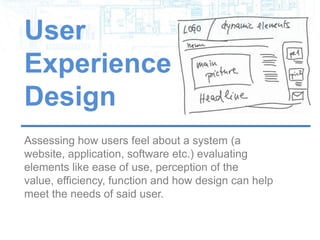


User
Experience
Design
Assessing how users feel about a system (a website,
application, software etc.) evaluating elements like
ease of use, perception of the value, efficiency,
function and how design can help meet the needs of
said user.
The Tools of the Trade
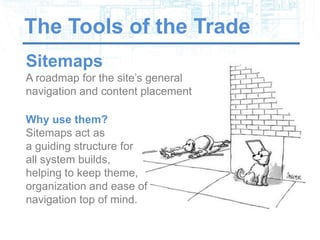
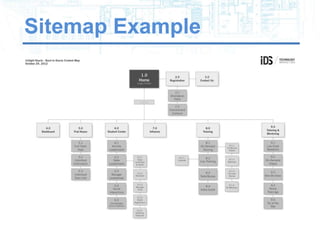
Sitemaps
A roadmap for the site’s general
navigation and content placement

Why use them?
Sitemaps act as
a guiding structure for
all system builds,
helping to keep theme,
organization and ease of
navigation top of mind.
Sitemap Example
The Tools of the Trade
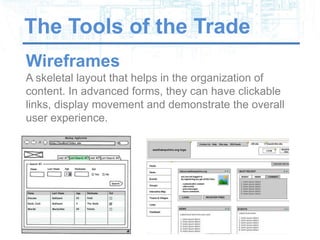
Wireframes
A skeletal layout that helps in the organization of
content. In advanced forms, they can have clickable
links, display movement and demonstrate the overall
user experience.
Wireframing is a Must
Do we really need a wireframe?
Wireframes help you to get a clear picture of what your
system will most likely become before going through
the arduous and expensive task of actually building it.
Wireframes allow you to play without getting dirty by:

• Providing focus on basic layouts
• Creating parameters for designers/developers ahead
  of time easing transition into construction
• Allowing for iteration in an environment more
  accepting of change (aka SAVE MONEY)
• Safeguarding against wasting time/doing rework
• Getting the client more involved on the front-end
Dynamic vs Static
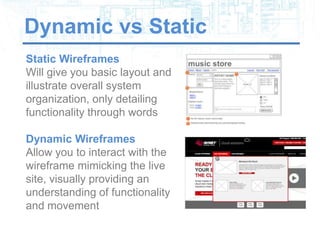
Static Wireframes
Will give you basic layout and
illustrate overall system
organization, only detailing
functionality through words

Dynamic Wireframes
Allow you to interact with the
wireframe mimicking the live
site, visually providing an
understanding of functionality
and movement
Keeping it Simple
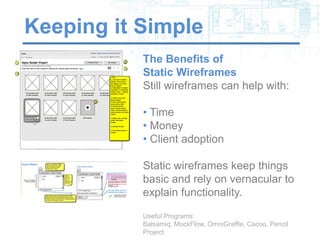
           The Benefits of
           Static Wireframes
           Still wireframes can help with:

           • Time
           • Money
           • Client adoption

           Static wireframes keep things
           basic and rely on vernacular to
           explain functionality.

           Useful Programs: Balsamiq, MockFlow,
           OmniGraffle, Cacoo, Pencil Project
Change the Game
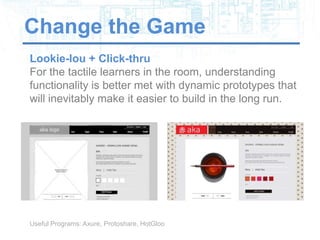
Lookie-lou + Click-thru
For the tactile learners in the room, understanding
functionality is better met with dynamic prototypes that
will inevitably make it easier to build in the long run.


Useful Programs: Axure, Protoshare, HotGloo
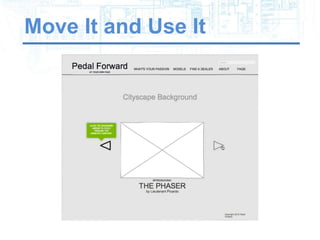
Move It and Use It
Making the Jump Safely
Prior Proper
Planning Prevents
Piss Poor
Performance
Once the navigation is
cemented, the general
layouts understood
and functionality
realized, it’s time to
move into UI design –
putting “meat on the
bones”.
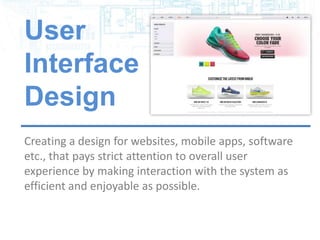
User
Interface
Design
Creating a design for websites, mobile apps, software
etc., that pays strict attention to overall user
experience by making interaction with the system as
efficient and enjoyable as possible.
Always Meeting a Need
Solve for X
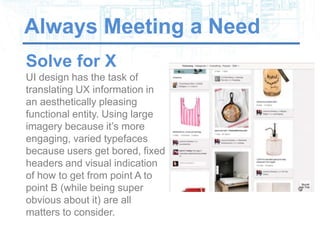
UI design has the task of
translating UX information in
an aesthetically pleasing
functional entity. Using large
imagery because it’s more
engaging, varied typefaces
because users get bored, fixed
headers and visual indication
of how to get from point A to
point B (while being super
obvious about it) are all
matters to consider.
This vs That and Why


Sophie’s Choice
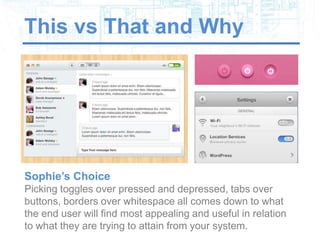
Picking toggles over pressed and depressed, tabs over
buttons, borders over whitespace all comes down to what
the end user will find most appealing and useful in relation
to what they are trying to attain from your system.
That’s so 2013
Trends in UI Today
Patterns form based on the content being craved by the
masses and how the most popular systems go about doing
it. UI design is often a game of follow the leader. What’s hot
right now:

• Fixed headers                • Typography takeovers
• Large photo or video         • Vertical navigation
  backgrounds                  • Fixed heights
• Minimalism                   • Flat and simplistic
• Complex illustrations        • Simplified navigation
• Infinite scrolling           • Responsive
• Dynamic sliding panels
Beautiful UI


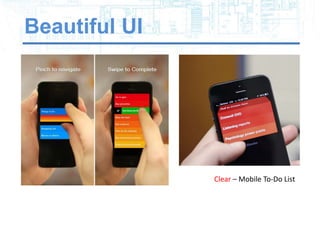
               Clear – Mobile To-Do List
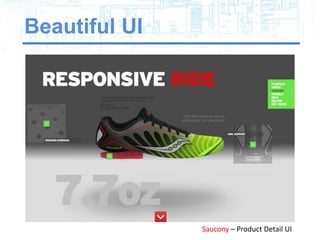
Beautiful UI


               Saucony – Product Detail UI
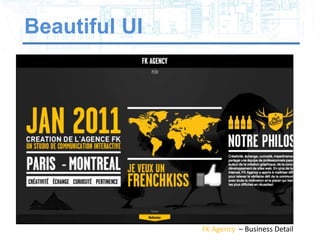
Beautiful UI


               FK Agency – Business Detail
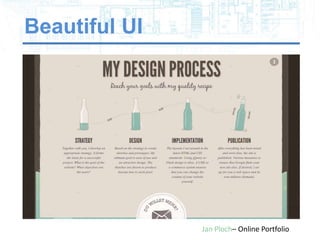
Beautiful UI


               Jan Ploch– Online Portfolio
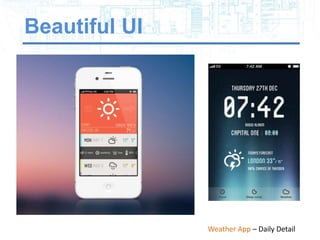
Beautiful UI


               Weather App – Daily Detail
Beautiful UI


               Agence De Communication – Company Home
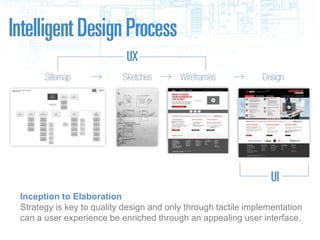
Inception to Elaboration
Strategy is key to quality design and only through tactile implementation
can a user experience be enriched through an appealing user interface.
Out of Cite
Clemens, D. (2012, May 30). Design process in the responsive age. Retrieved from http://uxdesign.smashingmagazine.com/2012/05/30/design-
process-responsive-age/

Gube, J. (2010, October 5). What is user experience design? overview, tools and resources. Retrieved from
http://uxdesign.smashingmagazine.com/2010/10/05/what-is-user-experience-design-overview-tools-and-resources/

Hess, W. (2009, January 09). 10 common misconceptions about user experience design [Web log message]. Retrieved from
http://mashable.com/2009/01/09/user-experience-design/

HotGloo (2013, January). WHY SHOULD I WIREFRAME?. Retrieved from http://www.hotgloo.com/wireframe

Jovanovic, J. (2010). Designing user interfaces for business. In Retrieved fromhttp://uxdesign.smashingmagazine.com/2010/02/25/designing-user-
interfaces-for-business-web-applications/

Rocheleau, J. (n.d.). Hongkiat.com. Retrieved from http://www.hongkiat.com/blog/web-design-trend-2013/

SonicSEO (2011, December 12). 4 Reasons Why You Need a Site Map. Retrieved from http://www.sonicseo.com/why-sitemap/

The Meme (2013, January 30). Eight UX Design Trends for 2013. Retrieved from http://uxmag.com/articles/eight-ux-design-trends-for-2013

Image Cites:
http://www.1stwebdesigner.com/freebies/45-free-web-user-interface-elements-psd-files/
tp://www.nike.com/us/en_us/c/nikeid
http://abduzeedo.com/design-trends-2013-flat-and-minimal
https://andrewl14.wordpress.com/category/wallpapers/#jp-carousel-753
http://www.axure.com/sample-prototypes
http://captaindash.com
http://community.saucony.com/kinvara3/
http://www.condenaststore.com/-sp/Seeing-eye-dog-eludes-blind-owner-he-is-wearing-the-sunglasses-which-the-New-Yorker-Cartoon-
Prints_i8473412_.htm
http://www.realmacsoftware.com/clear/
http://www.xprimegroupe.com/#

Intelligent Design - Transitioning UX into UI

  • 3.
    User Experience Design Assessing how usersfeel about a system (a website, application, software etc.) evaluating elements like ease of use, perception of the value, efficiency, function and how design can help meet the needs of said user.
  • 4.
    The Tools ofthe Trade Sitemaps A roadmap for the site’s general navigation and content placement Why use them? Sitemaps act as a guiding structure for all system builds, helping to keep theme, organization and ease of navigation top of mind.
  • 5.
  • 6.
    The Tools ofthe Trade Wireframes A skeletal layout that helps in the organization of content. In advanced forms, they can have clickable links, display movement and demonstrate the overall user experience.
  • 7.
    Wireframing is aMust Do we really need a wireframe? Wireframes help you to get a clear picture of what your system will most likely become before going through the arduous and expensive task of actually building it. Wireframes allow you to play without getting dirty by: • Providing focus on basic layouts • Creating parameters for designers/developers ahead of time easing transition into construction • Allowing for iteration in an environment more accepting of change (aka SAVE MONEY) • Safeguarding against wasting time/doing rework • Getting the client more involved on the front-end
  • 9.
    Dynamic vs Static StaticWireframes Will give you basic layout and illustrate overall system organization, only detailing functionality through words Dynamic Wireframes Allow you to interact with the wireframe mimicking the live site, visually providing an understanding of functionality and movement
  • 10.
    Keeping it Simple The Benefits of Static Wireframes Still wireframes can help with: • Time • Money • Client adoption Static wireframes keep things basic and rely on vernacular to explain functionality. Useful Programs: Balsamiq, MockFlow, OmniGraffle, Cacoo, Pencil Project
  • 11.
    Change the Game Lookie-lou+ Click-thru For the tactile learners in the room, understanding functionality is better met with dynamic prototypes that will inevitably make it easier to build in the long run. Useful Programs: Axure, Protoshare, HotGloo
  • 12.
  • 13.
    Making the JumpSafely Prior Proper Planning Prevents Piss Poor Performance Once the navigation is cemented, the general layouts understood and functionality realized, it’s time to move into UI design – putting “meat on the bones”.
  • 15.
    User Interface Design Creating a designfor websites, mobile apps, software etc., that pays strict attention to overall user experience by making interaction with the system as efficient and enjoyable as possible.
  • 16.
    Always Meeting aNeed Solve for X UI design has the task of translating UX information in an aesthetically pleasing functional entity. Using large imagery because it’s more engaging, varied typefaces because users get bored, fixed headers and visual indication of how to get from point A to point B (while being super obvious about it) are all matters to consider.
  • 17.
    This vs Thatand Why Sophie’s Choice Picking toggles over pressed and depressed, tabs over buttons, borders over whitespace all comes down to what the end user will find most appealing and useful in relation to what they are trying to attain from your system.
  • 18.
    That’s so 2013 Trendsin UI Today Patterns form based on the content being craved by the masses and how the most popular systems go about doing it. UI design is often a game of follow the leader. What’s hot right now: • Fixed headers • Typography takeovers • Large photo or video • Vertical navigation backgrounds • Fixed heights • Minimalism • Flat and simplistic • Complex illustrations • Simplified navigation • Infinite scrolling • Responsive • Dynamic sliding panels
  • 19.
    Beautiful UI Clear – Mobile To-Do List
  • 20.
    Beautiful UI Saucony – Product Detail UI
  • 21.
    Beautiful UI FK Agency – Business Detail
  • 22.
    Beautiful UI Jan Ploch– Online Portfolio
  • 23.
    Beautiful UI Weather App – Daily Detail
  • 24.
    Beautiful UI Agence De Communication – Company Home
  • 25.
    Inception to Elaboration Strategyis key to quality design and only through tactile implementation can a user experience be enriched through an appealing user interface.
  • 27.
    Out of Cite Clemens,D. (2012, May 30). Design process in the responsive age. Retrieved from http://uxdesign.smashingmagazine.com/2012/05/30/design- process-responsive-age/ Gube, J. (2010, October 5). What is user experience design? overview, tools and resources. Retrieved from http://uxdesign.smashingmagazine.com/2010/10/05/what-is-user-experience-design-overview-tools-and-resources/ Hess, W. (2009, January 09). 10 common misconceptions about user experience design [Web log message]. Retrieved from http://mashable.com/2009/01/09/user-experience-design/ HotGloo (2013, January). WHY SHOULD I WIREFRAME?. Retrieved from http://www.hotgloo.com/wireframe Jovanovic, J. (2010). Designing user interfaces for business. In Retrieved fromhttp://uxdesign.smashingmagazine.com/2010/02/25/designing-user- interfaces-for-business-web-applications/ Rocheleau, J. (n.d.). Hongkiat.com. Retrieved from http://www.hongkiat.com/blog/web-design-trend-2013/ SonicSEO (2011, December 12). 4 Reasons Why You Need a Site Map. Retrieved from http://www.sonicseo.com/why-sitemap/ The Meme (2013, January 30). Eight UX Design Trends for 2013. Retrieved from http://uxmag.com/articles/eight-ux-design-trends-for-2013 Image Cites: http://www.1stwebdesigner.com/freebies/45-free-web-user-interface-elements-psd-files/ tp://www.nike.com/us/en_us/c/nikeid http://abduzeedo.com/design-trends-2013-flat-and-minimal https://andrewl14.wordpress.com/category/wallpapers/#jp-carousel-753 http://www.axure.com/sample-prototypes http://captaindash.com http://community.saucony.com/kinvara3/ http://www.condenaststore.com/-sp/Seeing-eye-dog-eludes-blind-owner-he-is-wearing-the-sunglasses-which-the-New-Yorker-Cartoon- Prints_i8473412_.htm http://www.realmacsoftware.com/clear/ http://www.xprimegroupe.com/#