Understanding Internet Protocol
Module 4
Objectives
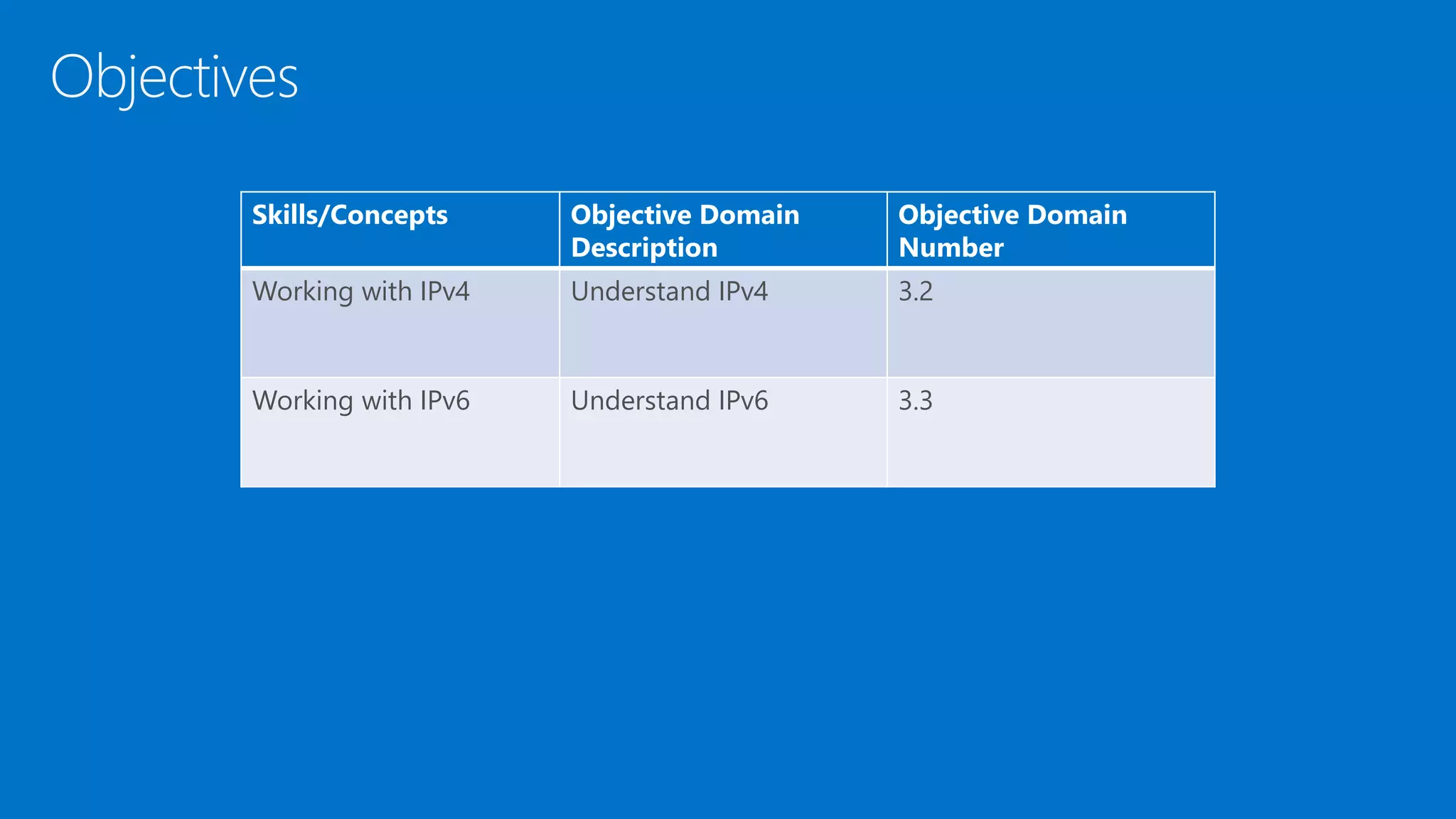
Skills/Concepts Objective Domain
Description
Objective Domain
Number
Working with IPv4 Understand IPv4 3.2
Working with IPv6 Understand IPv6 3.3
• Internet Protocol version 4 (IPv4) is the fourth version of the Internet
Protocol and the first version to be widely deployed
• IPv4 is a frequently used communications protocol and is one of the
core protocols for the Internet
• IP resides on the network layer of the OSI model
IPv4
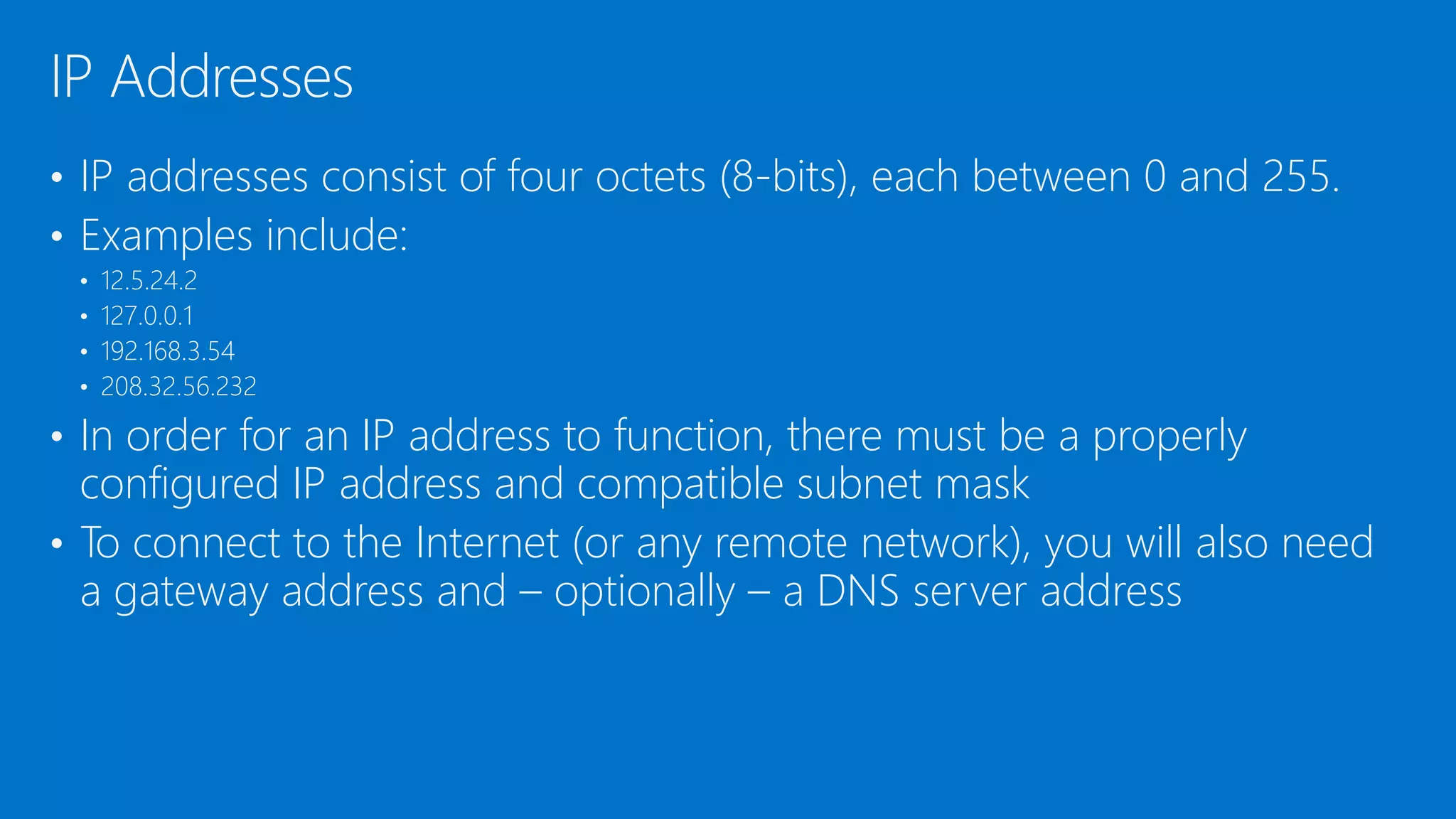
• IP addresses consist of four octets (8-bits), each between 0 and 255.
• Examples include:
• 12.5.24.2
• 127.0.0.1
• 192.168.3.54
• 208.32.56.232
• In order for an IP address to function, there must be a properly
configured IP address and compatible subnet mask
• To connect to the Internet (or any remote network), you will also need
a gateway address and – optionally – a DNS server address
IP Addresses
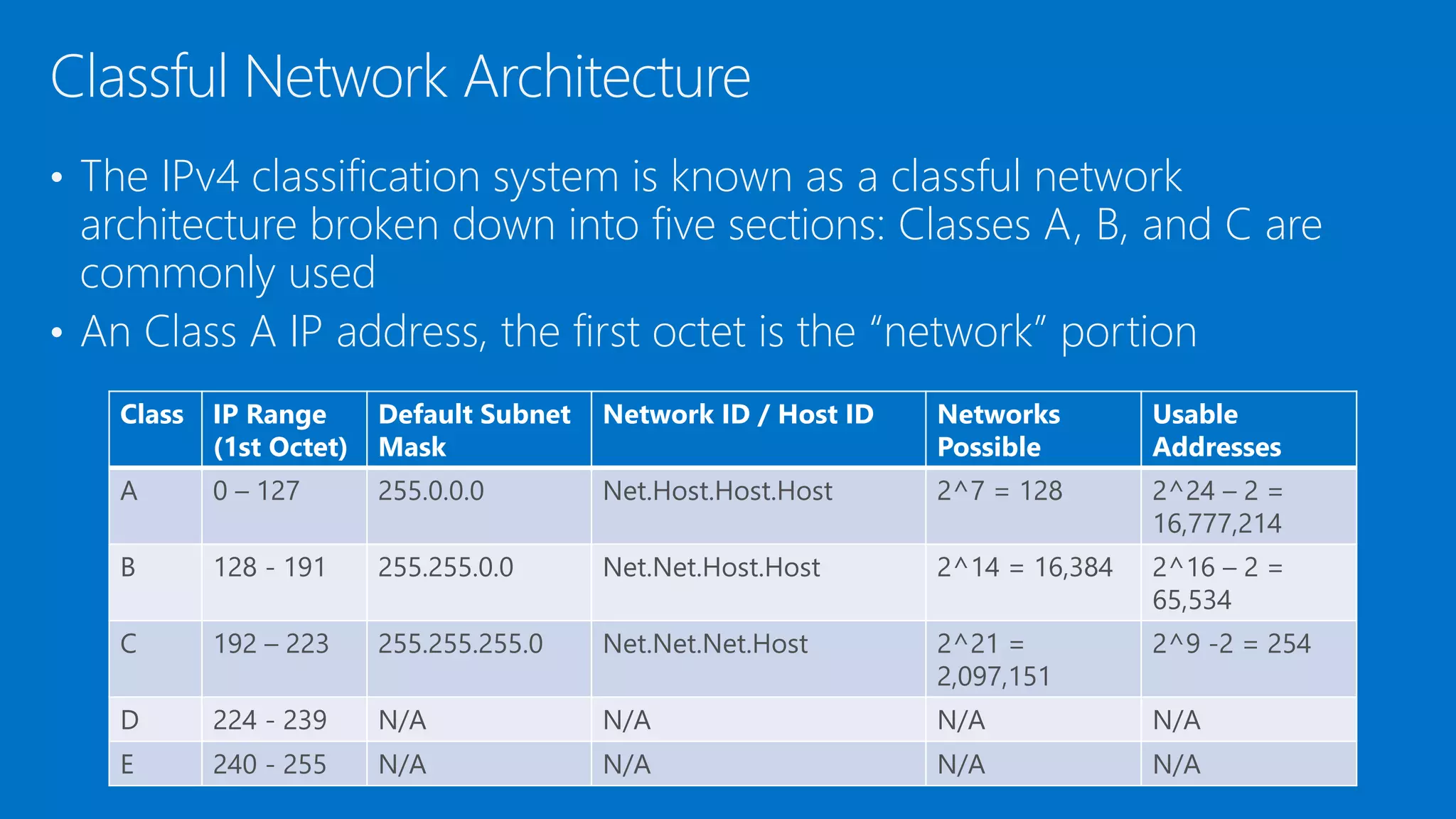
• The IPv4 classification system is known as a classful network
architecture broken down into five sections: Classes A, B, and C are
commonly used
• An Class A IP address, the first octet is the “network” portion
Classful Network Architecture
Class IP Range
(1st Octet)
Default Subnet
Mask
Network ID / Host ID Networks
Possible
Usable
Addresses
A 0 – 127 255.0.0.0 Net.Host.Host.Host 2^7 = 128 2^24 – 2 =
16,777,214
B 128 - 191 255.255.0.0 Net.Net.Host.Host 2^14 = 16,384 2^16 – 2 =
65,534
C 192 – 223 255.255.255.0 Net.Net.Net.Host 2^21 =
2,097,151
2^9 -2 = 254
D 224 - 239 N/A N/A N/A N/A
E 240 - 255 N/A N/A N/A N/A
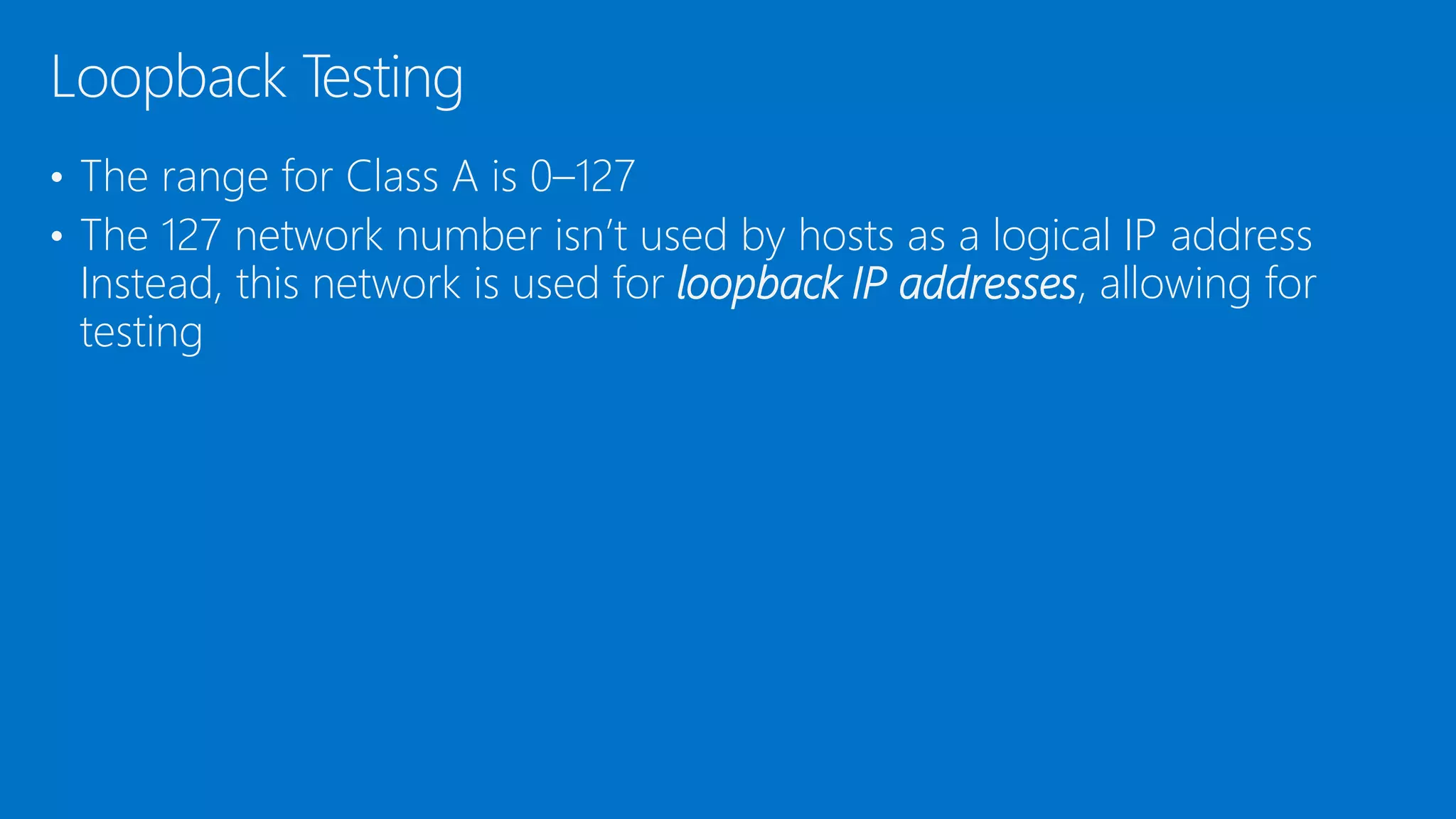
• The range for Class A is 0–127
• The 127 network number isn’t used by hosts as a logical IP address
Instead, this network is used for loopback IP addresses, allowing for
testing
Loopback Testing
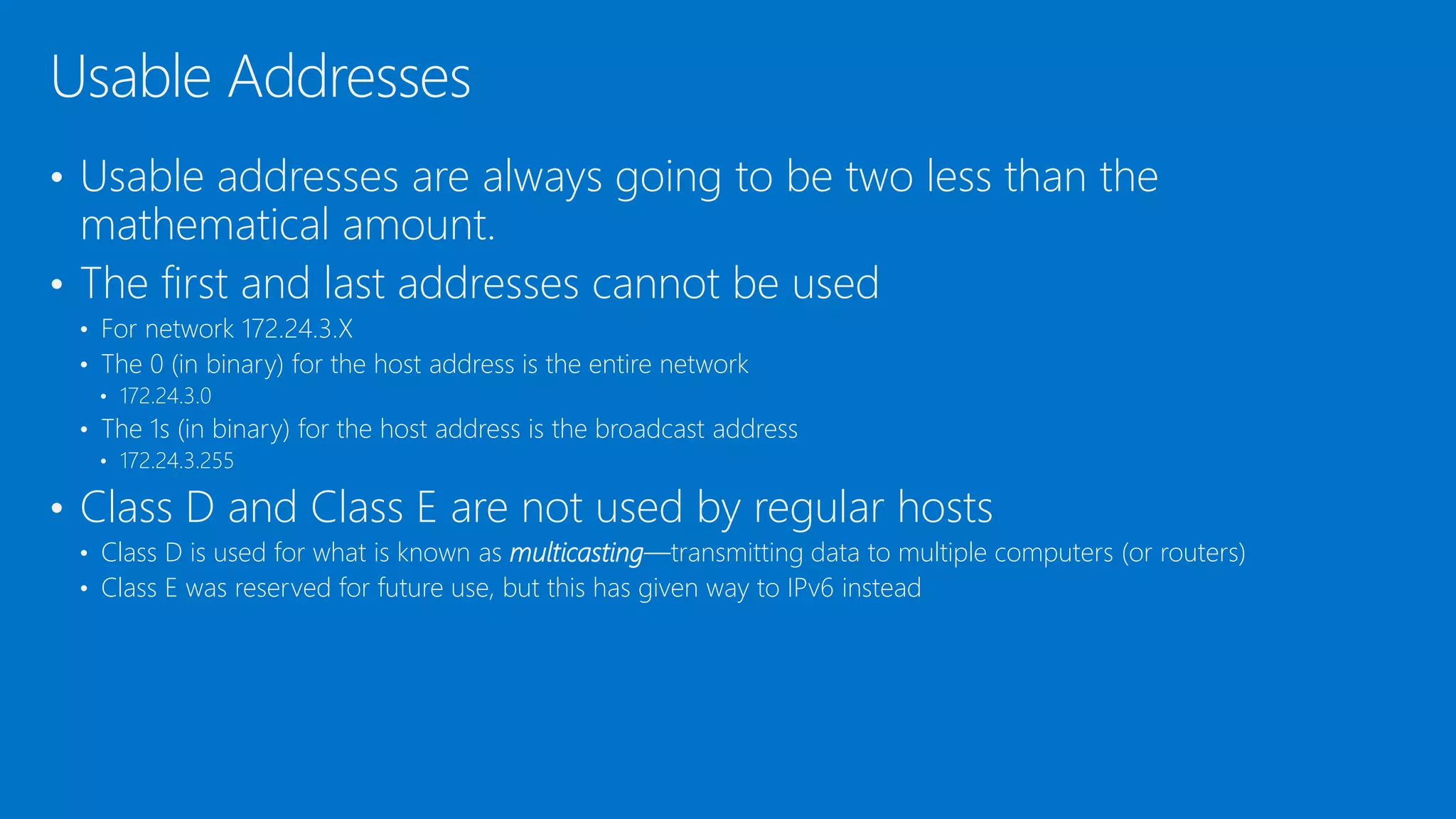
• Usable addresses are always going to be two less than the
mathematical amount.
• The first and last addresses cannot be used
• For network 172.24.3.X
• The 0 (in binary) for the host address is the entire network
• 172.24.3.0
• The 1s (in binary) for the host address is the broadcast address
• 172.24.3.255
• Class D and Class E are not used by regular hosts
• Class D is used for what is known as multicasting—transmitting data to multiple computers (or routers)
• Class E was reserved for future use, but this has given way to IPv6 instead
Usable Addresses
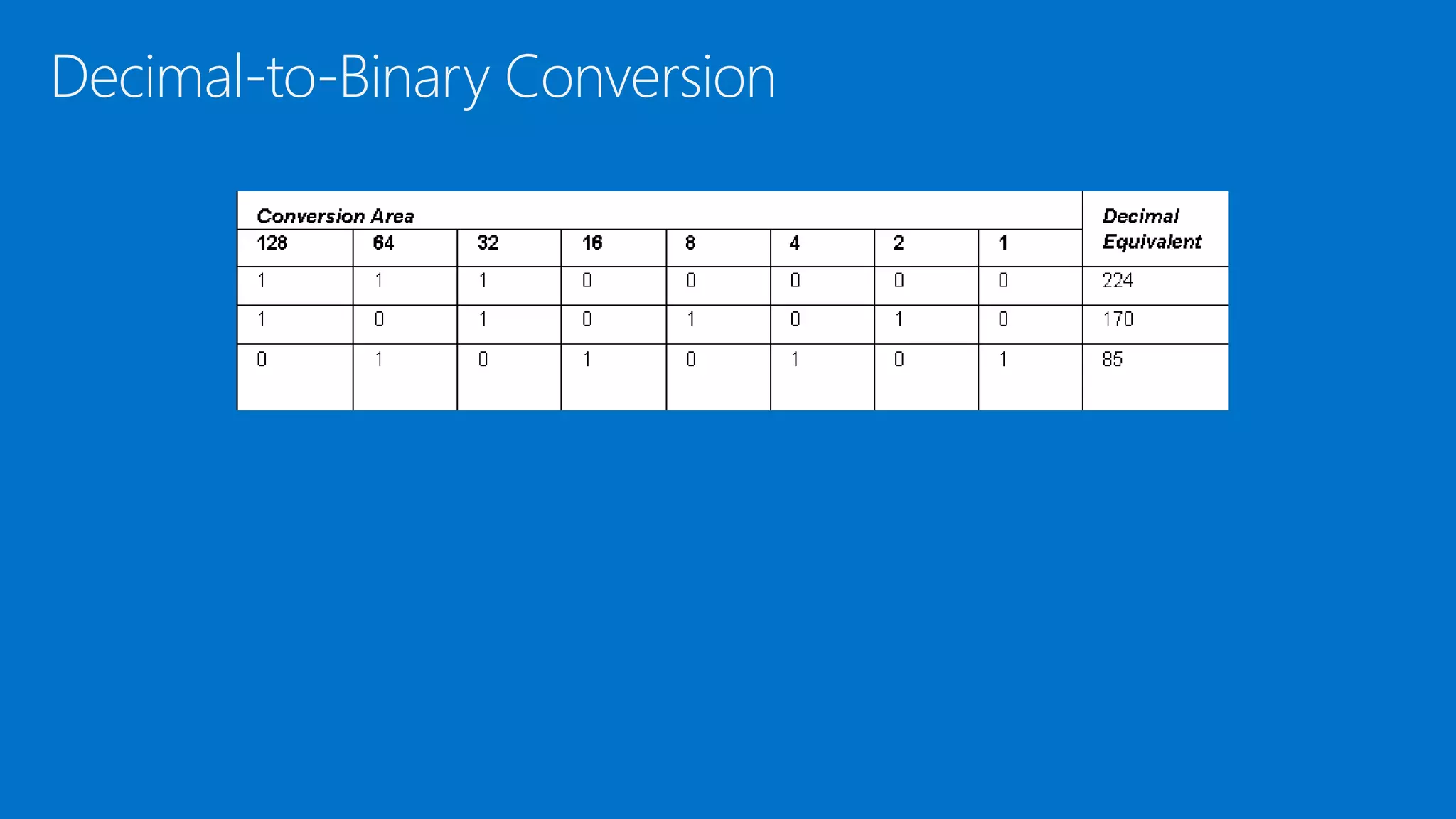
Decimal-to-Binary Conversion
DEMO: Using Calculator to convert base numbering
systems
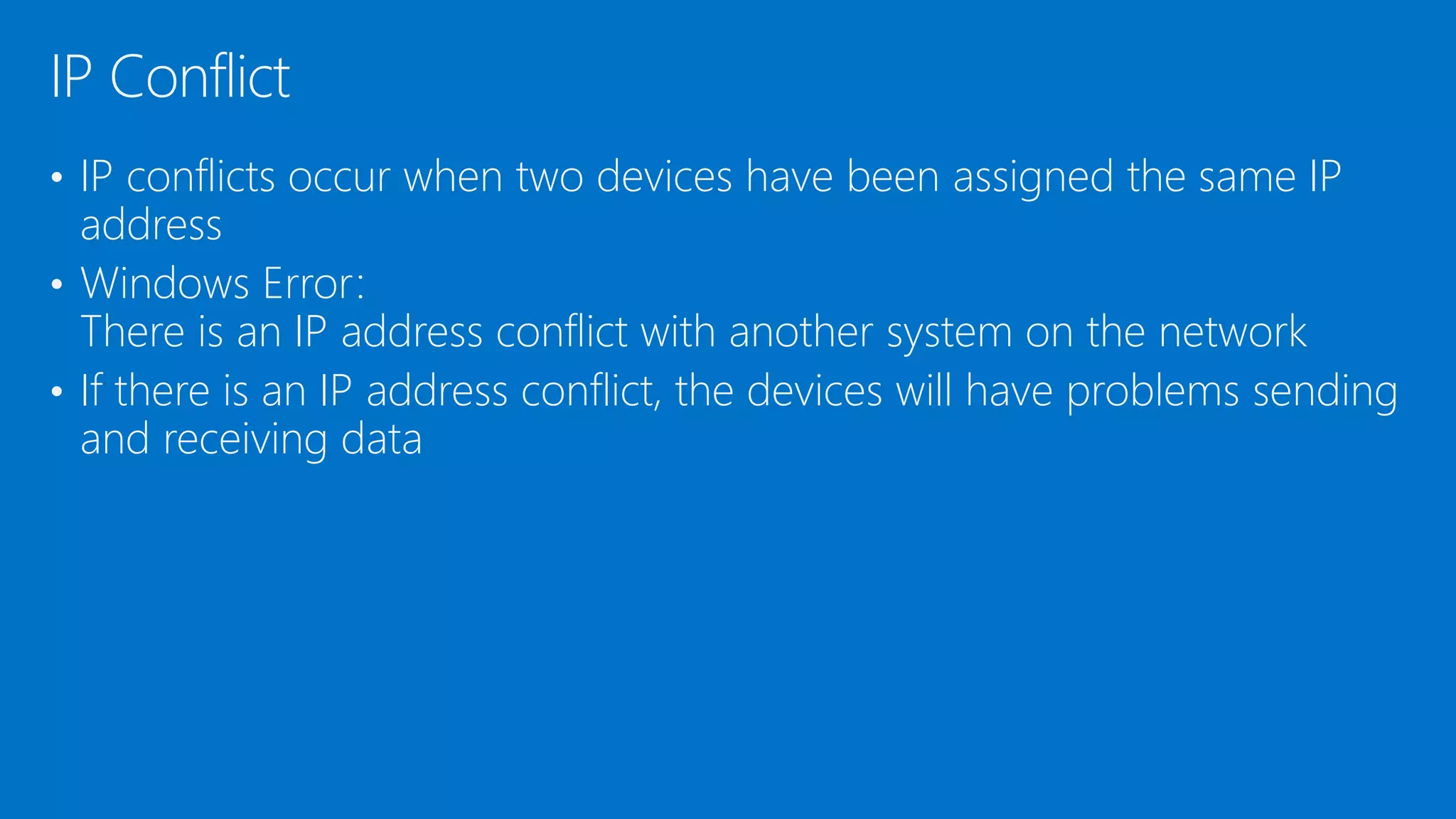
• IP conflicts occur when two devices have been assigned the same IP
address
• Windows Error:
There is an IP address conflict with another system on the network
• If there is an IP address conflict, the devices will have problems sending
and receiving data
IP Conflict
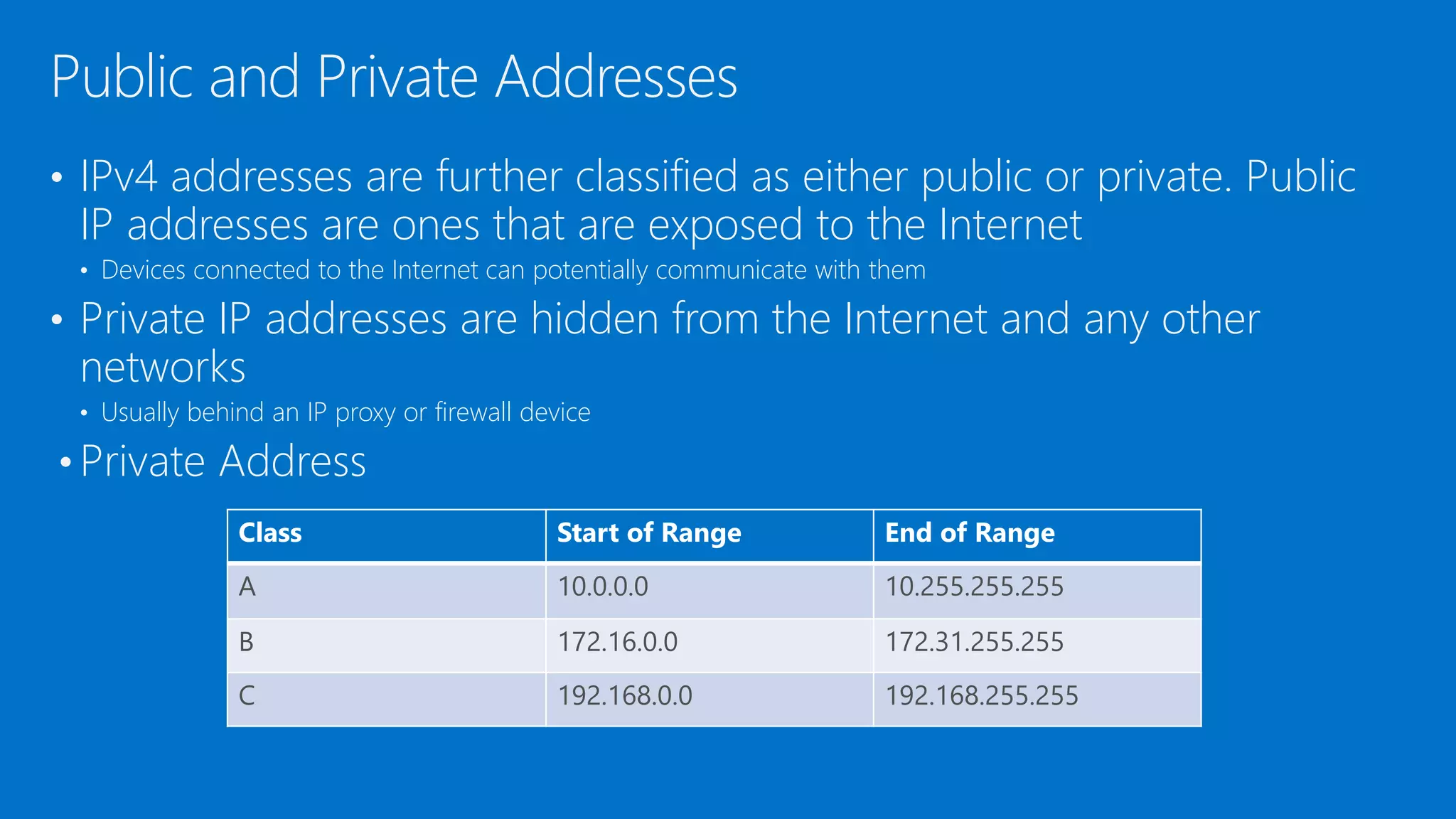
• IPv4 addresses are further classified as either public or private. Public
IP addresses are ones that are exposed to the Internet
• Devices connected to the Internet can potentially communicate with them
• Private IP addresses are hidden from the Internet and any other
networks
• Usually behind an IP proxy or firewall device
• Private Address
Public and Private Addresses
Class Start of Range End of Range
A 10.0.0.0 10.255.255.255
B 172.16.0.0 172.31.255.255
C 192.168.0.0 192.168.255.255
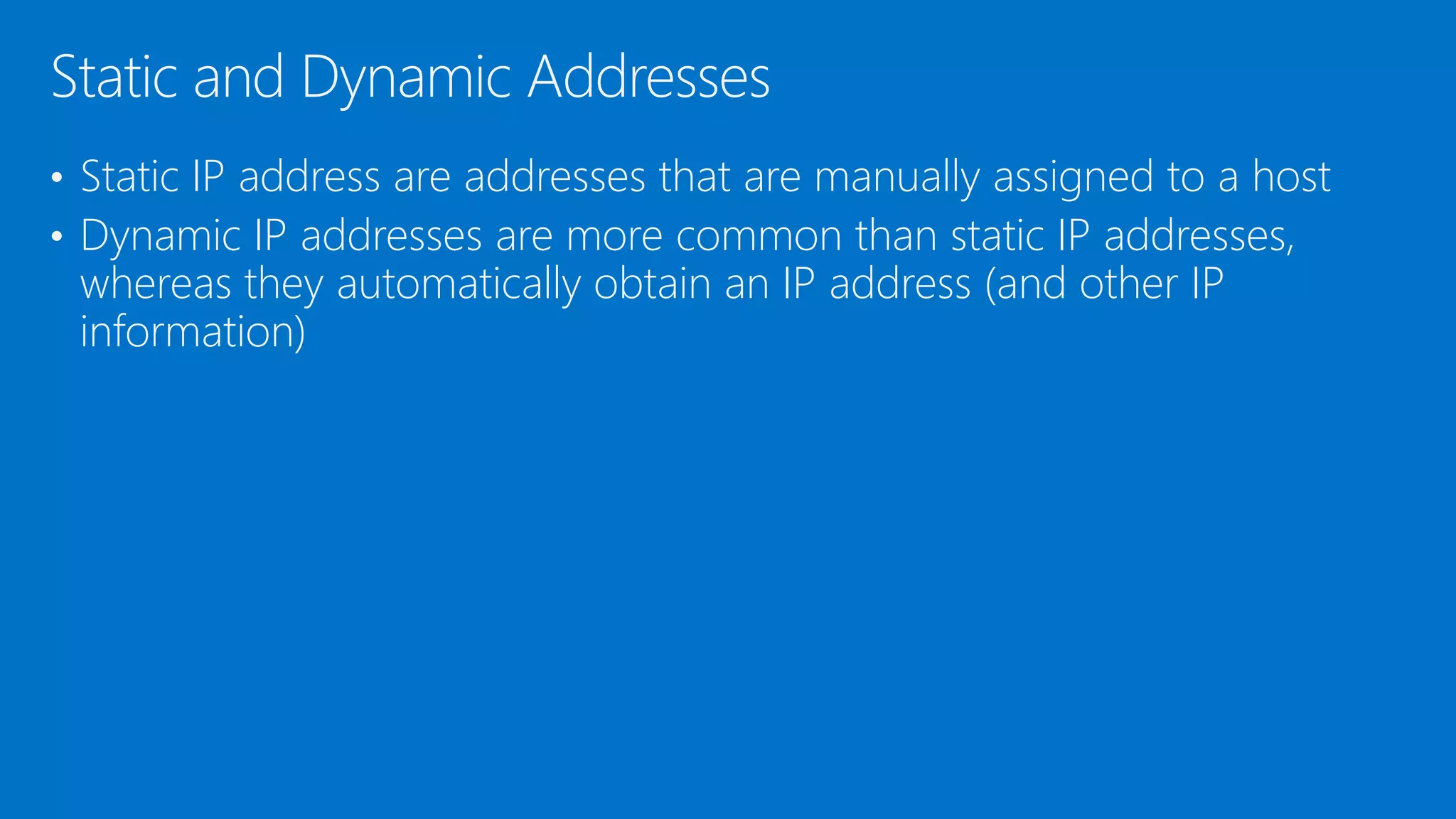
• Static IP address are addresses that are manually assigned to a host
• Dynamic IP addresses are more common than static IP addresses,
whereas they automatically obtain an IP address (and other IP
information)
Static and Dynamic Addresses
• APIPA is an acronym for Automatic Private IP Addressing
• It uses a single Class B network number: 169.254.0.0
• If a Windows client cannot get an IP address from a DHCP server and
has not been configured statically, it will auto-assign a number on this
network
APIPA
• For a device to communicate on the Internet, a default gateway and
DNS server must be assigned
• Default gateway – Provides a default route for TCP/IP hosts to use when
communicating with hosts on remote networks
The first IP address of the device that a client computer will look for
when attempting to gain access outside the local network
• DNS Server – The server that provides name resolution of domain
names to IP addresses
Default Gateway and DNS Server
DEMO: IP Address Properties, Default Gateway and
DNS Server
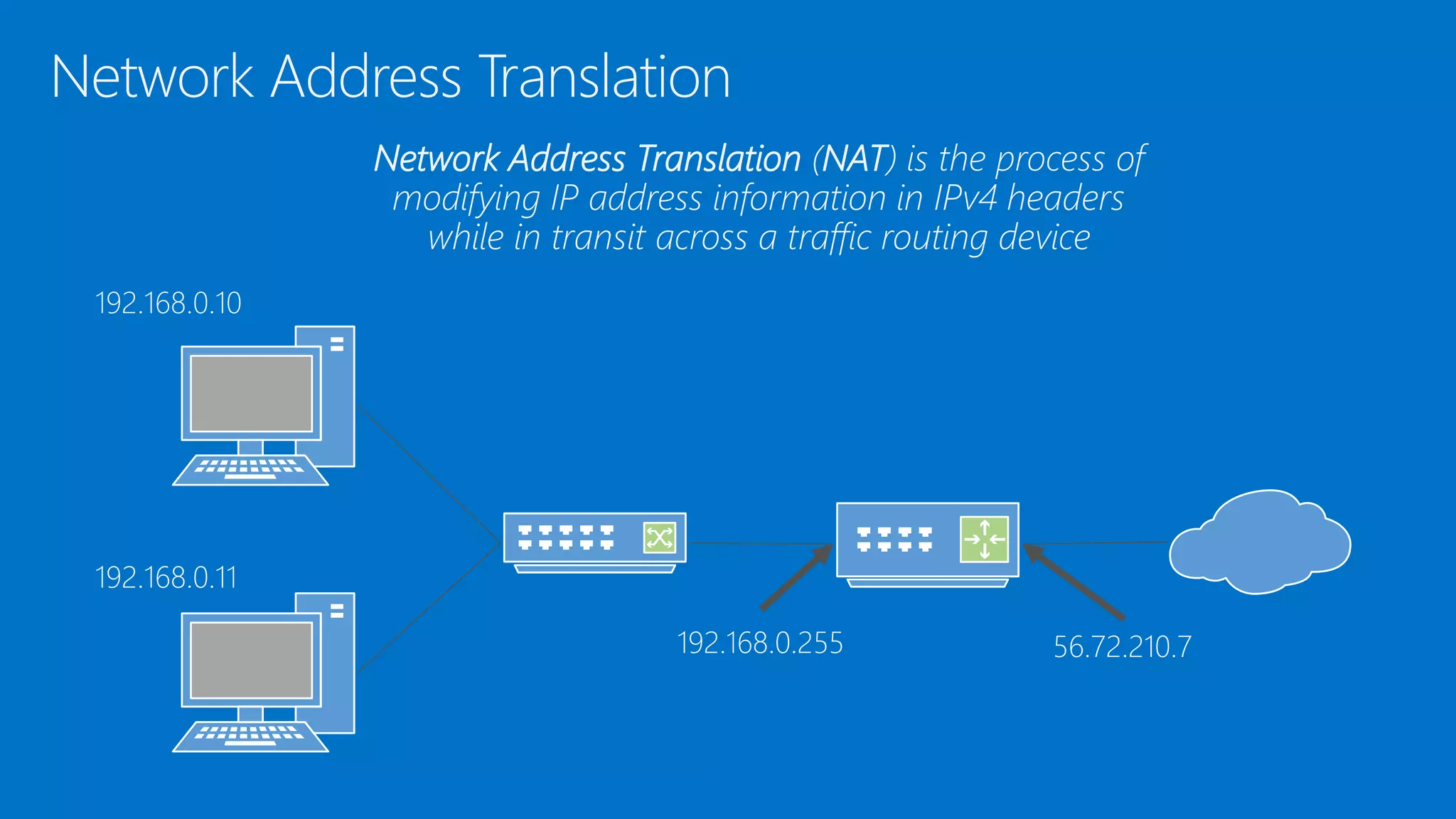
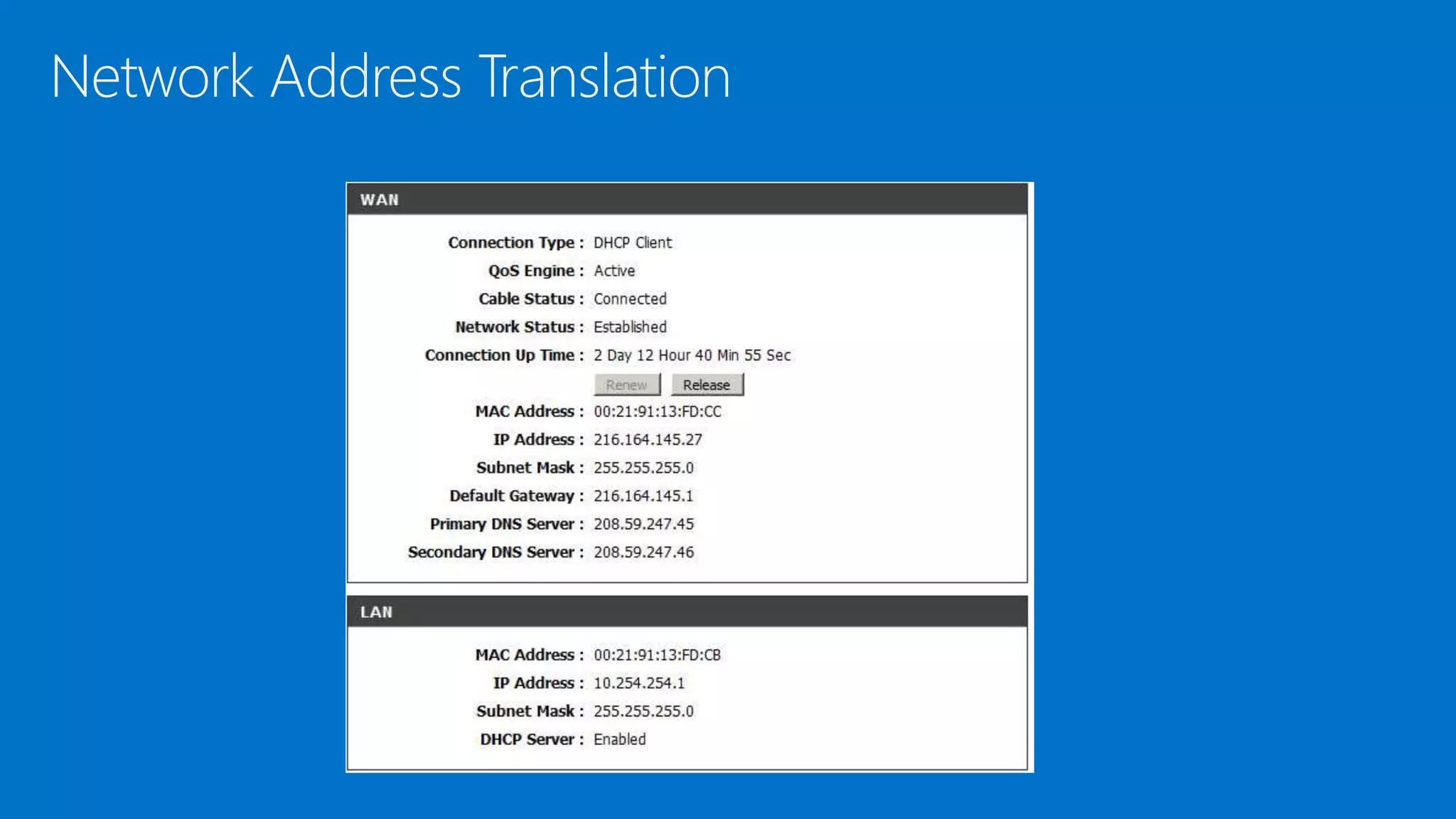
• Network address translation (NAT) provides a method for translating IPv4
addresses of devices on one network into IPv4 addresses of devices on a
different network
• NAT was developed to provide a temporary solution to the IPv4 address
issue
• Enables one address space (private) to be re-mapped to another address
space, or perhaps re-mapped to a single public IP address
Network Address Translation
192.168.0.10
192.168.0.11
192.168.0.255 56.72.210.7
Network Address Translation (NAT) is the process of
modifying IP address information in IPv4 headers
while in transit across a traffic routing device
Network Address Translation
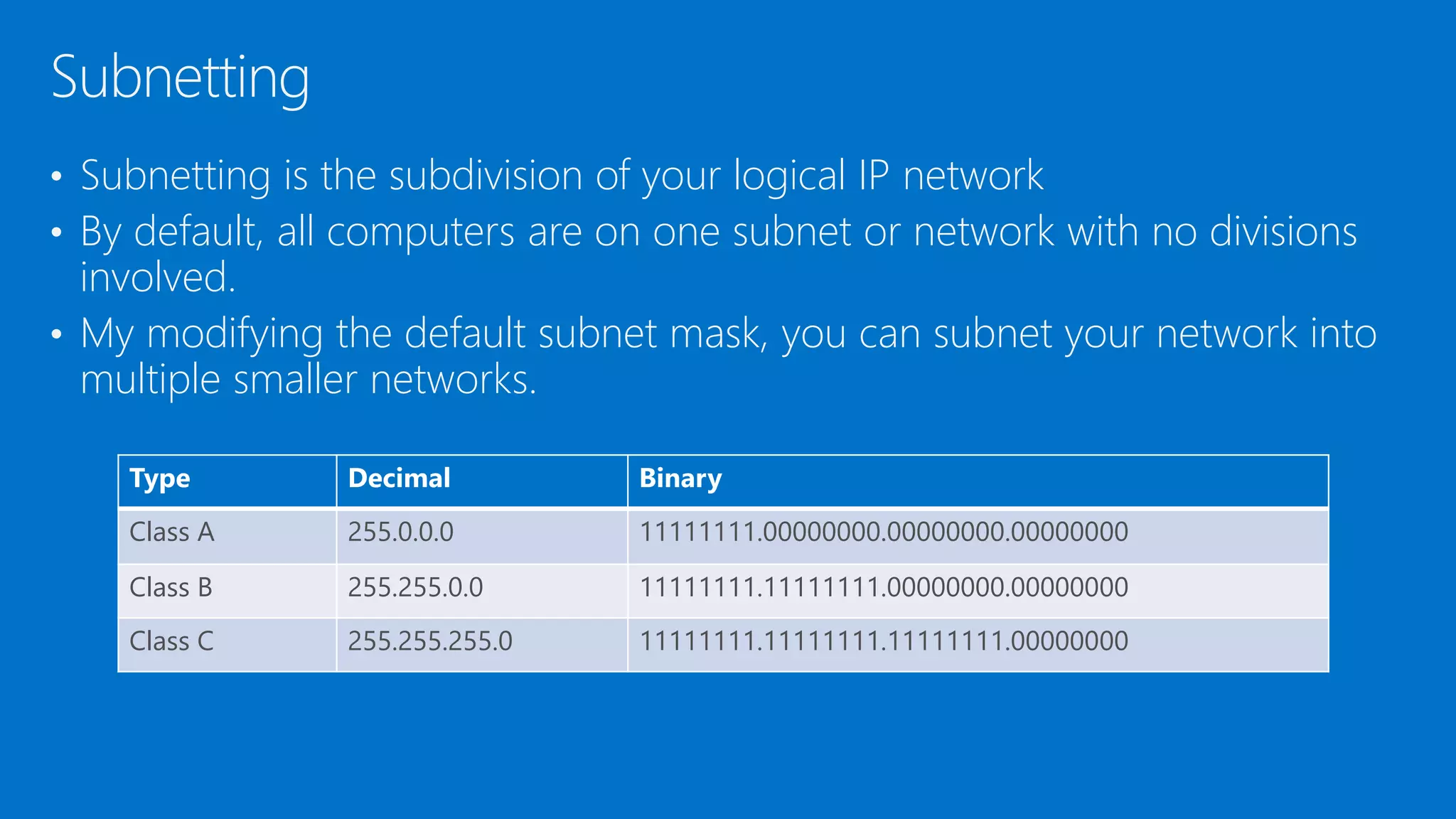
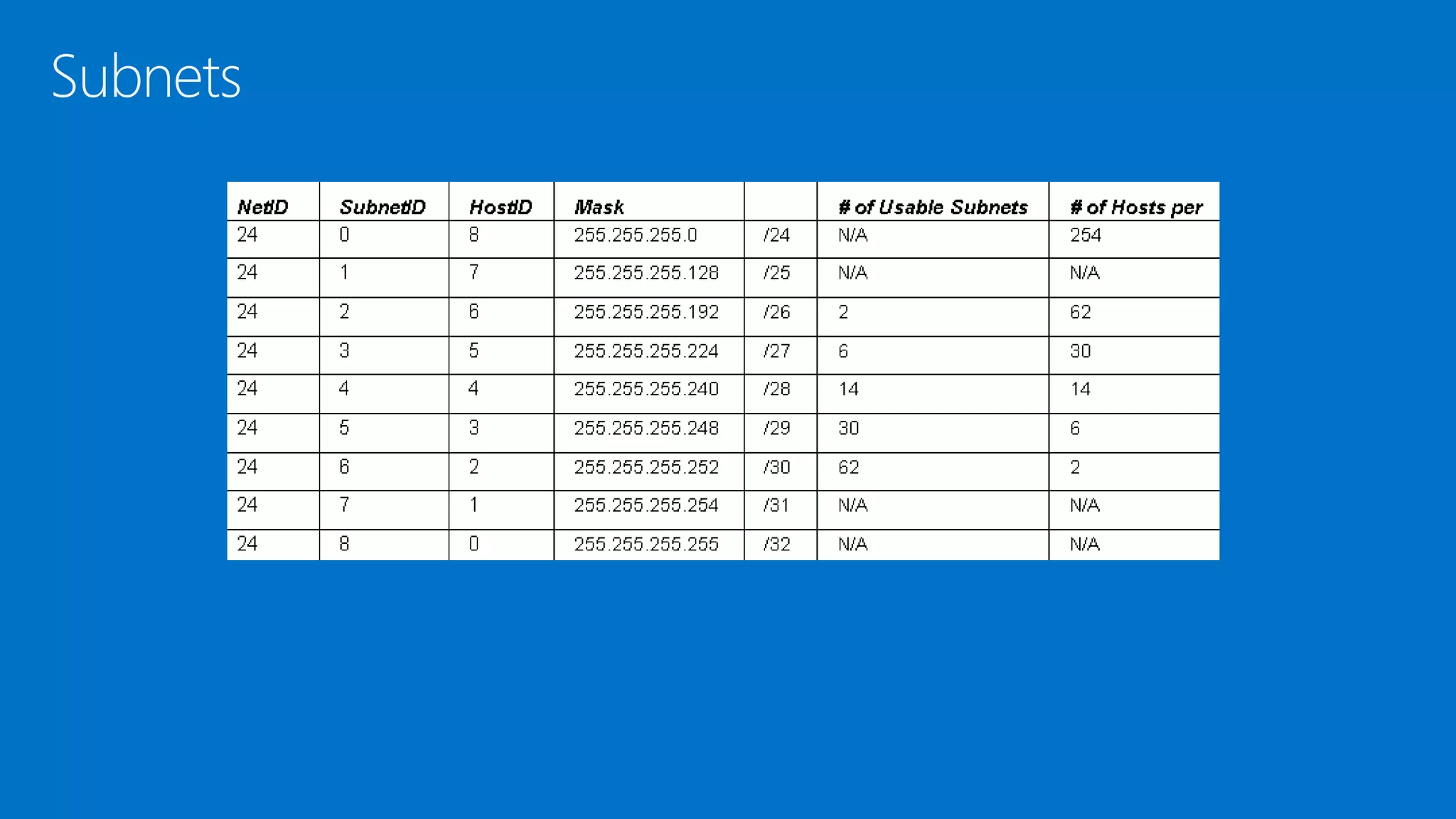
• Subnetting is the subdivision of your logical IP network
• By default, all computers are on one subnet or network with no divisions
involved.
• My modifying the default subnet mask, you can subnet your network into
multiple smaller networks.
Subnetting
Type Decimal Binary
Class A 255.0.0.0 11111111.00000000.00000000.00000000
Class B 255.255.0.0 11111111.11111111.00000000.00000000
Class C 255.255.255.0 11111111.11111111.11111111.00000000
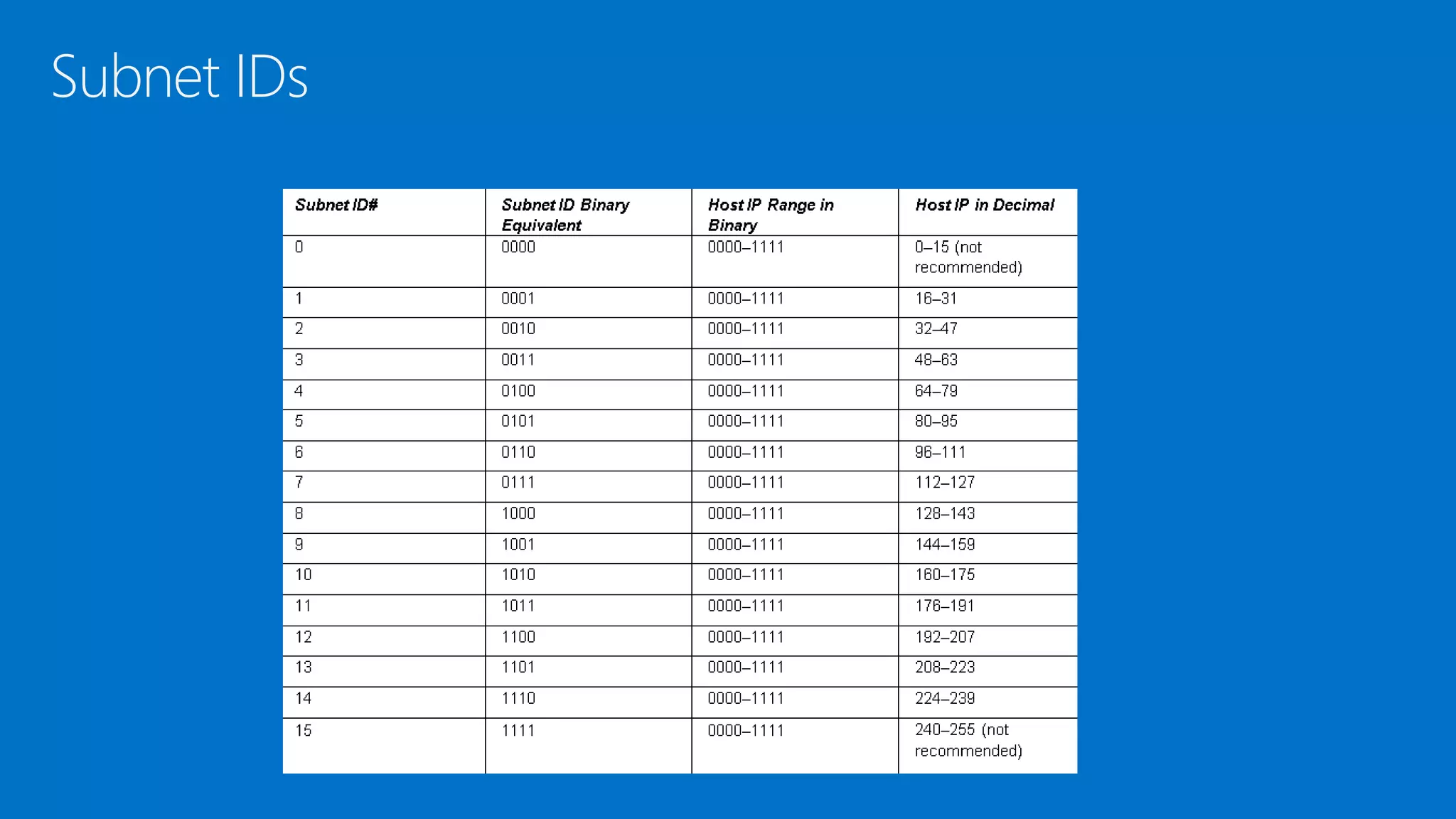
Subnet IDs
Subnets
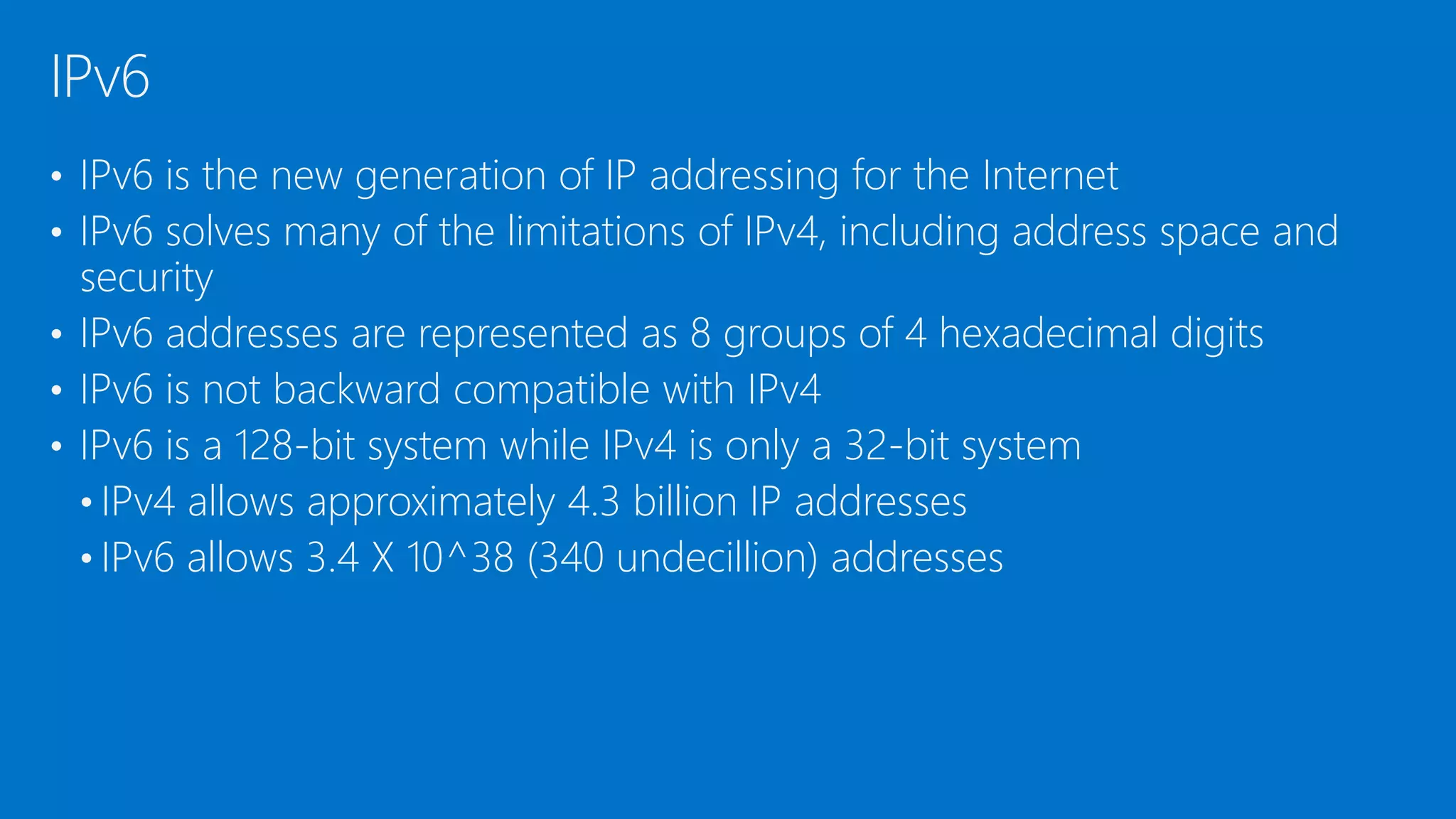
• IPv6 is the new generation of IP addressing for the Internet
• IPv6 solves many of the limitations of IPv4, including address space and
security
• IPv6 addresses are represented as 8 groups of 4 hexadecimal digits
• IPv6 is not backward compatible with IPv4
• IPv6 is a 128-bit system while IPv4 is only a 32-bit system
• IPv4 allows approximately 4.3 billion IP addresses
• IPv6 allows 3.4 X 10^38 (340 undecillion) addresses
IPv6
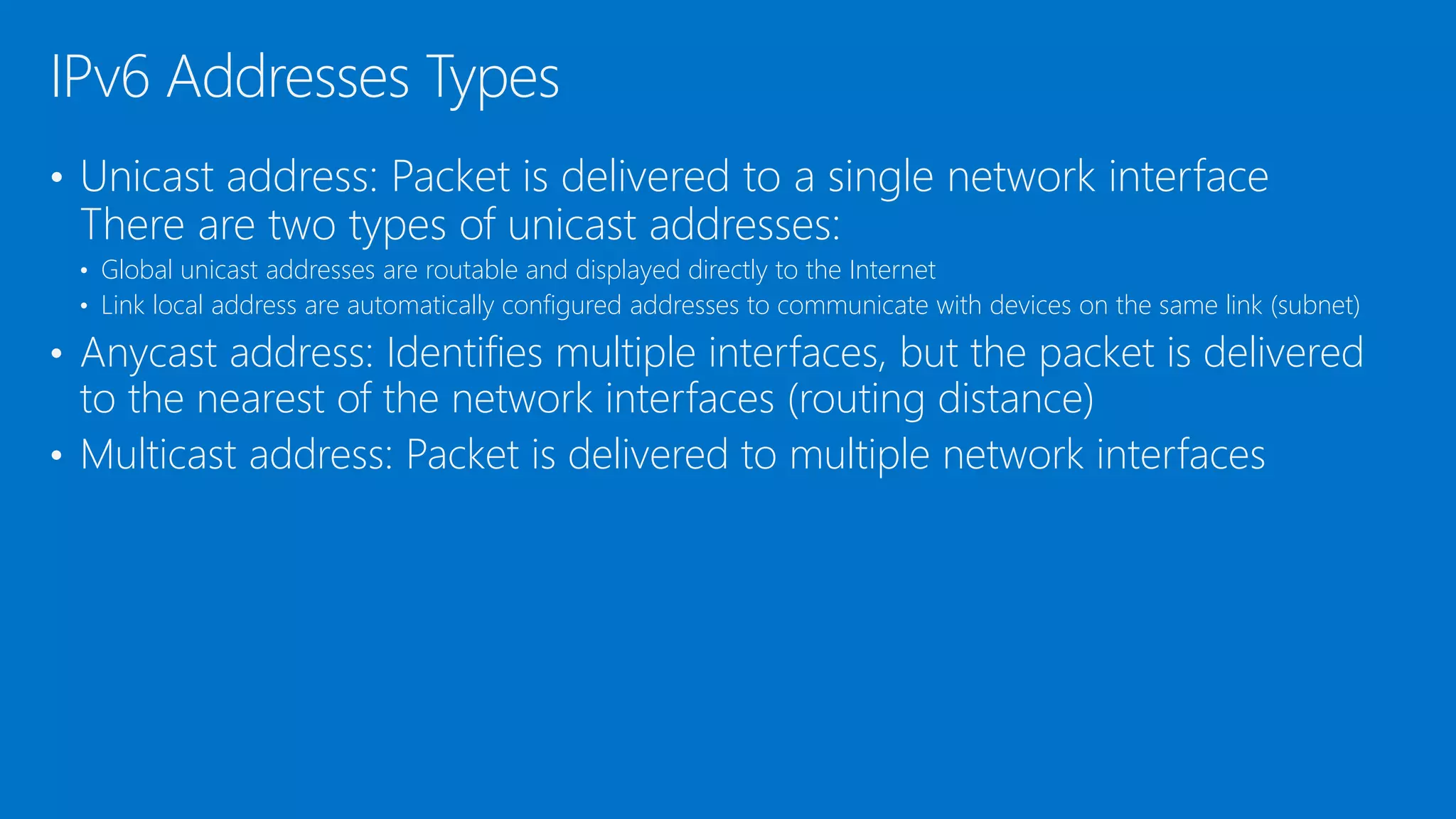
• Unicast address: Packet is delivered to a single network interface
There are two types of unicast addresses:
• Global unicast addresses are routable and displayed directly to the Internet
• Link local address are automatically configured addresses to communicate with devices on the same link (subnet)
• Anycast address: Identifies multiple interfaces, but the packet is delivered
to the nearest of the network interfaces (routing distance)
• Multicast address: Packet is delivered to multiple network interfaces
IPv6 Addresses Types
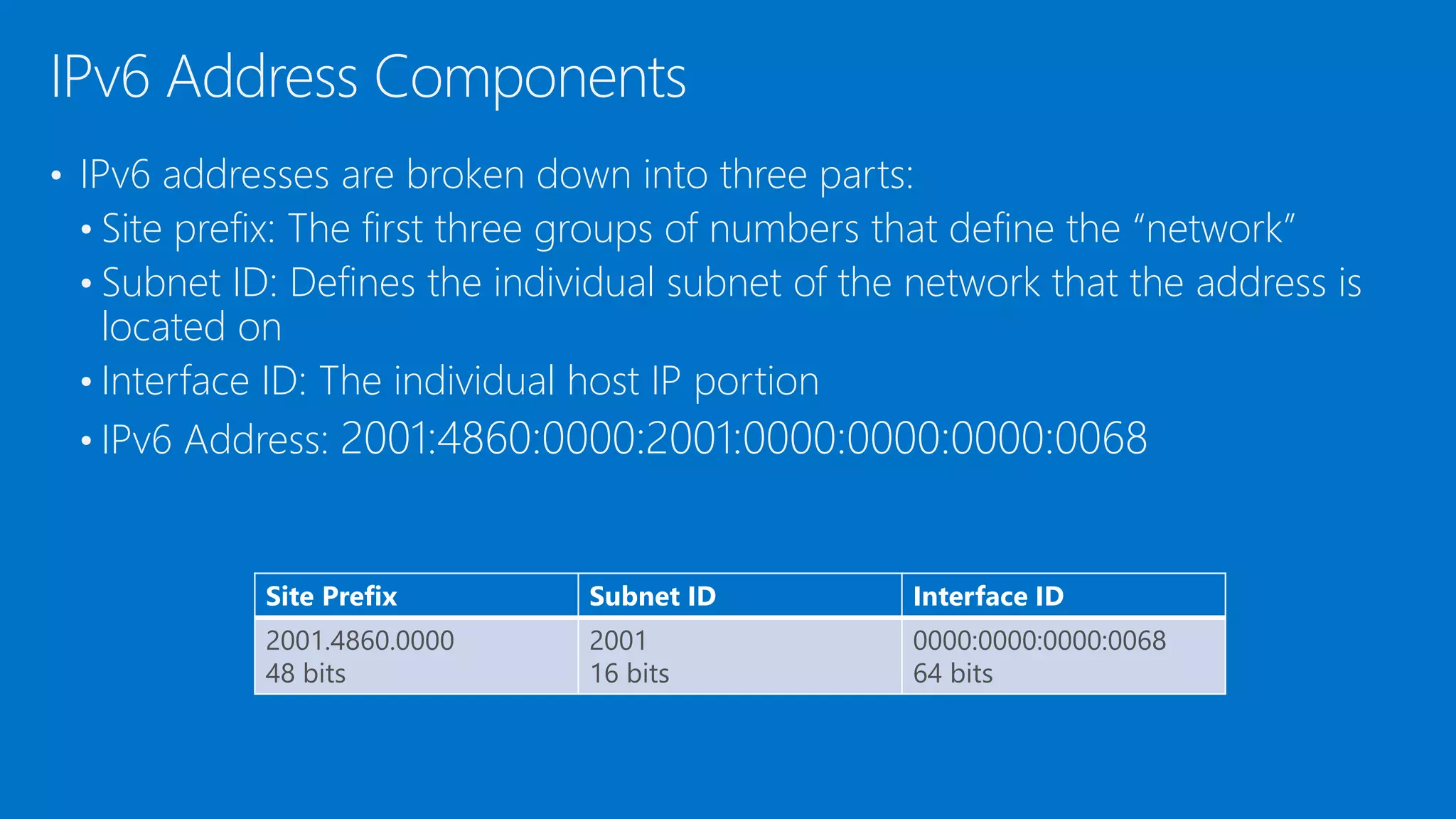
• IPv6 addresses are broken down into three parts:
• Site prefix: The first three groups of numbers that define the “network”
• Subnet ID: Defines the individual subnet of the network that the address is
located on
• Interface ID: The individual host IP portion
• IPv6 Address: 2001:4860:0000:2001:0000:0000:0000:0068
IPv6 Address Components
Site Prefix Subnet ID Interface ID
2001.4860.0000
48 bits
2001
16 bits
0000:0000:0000:0068
64 bits
DEMO: IPv6
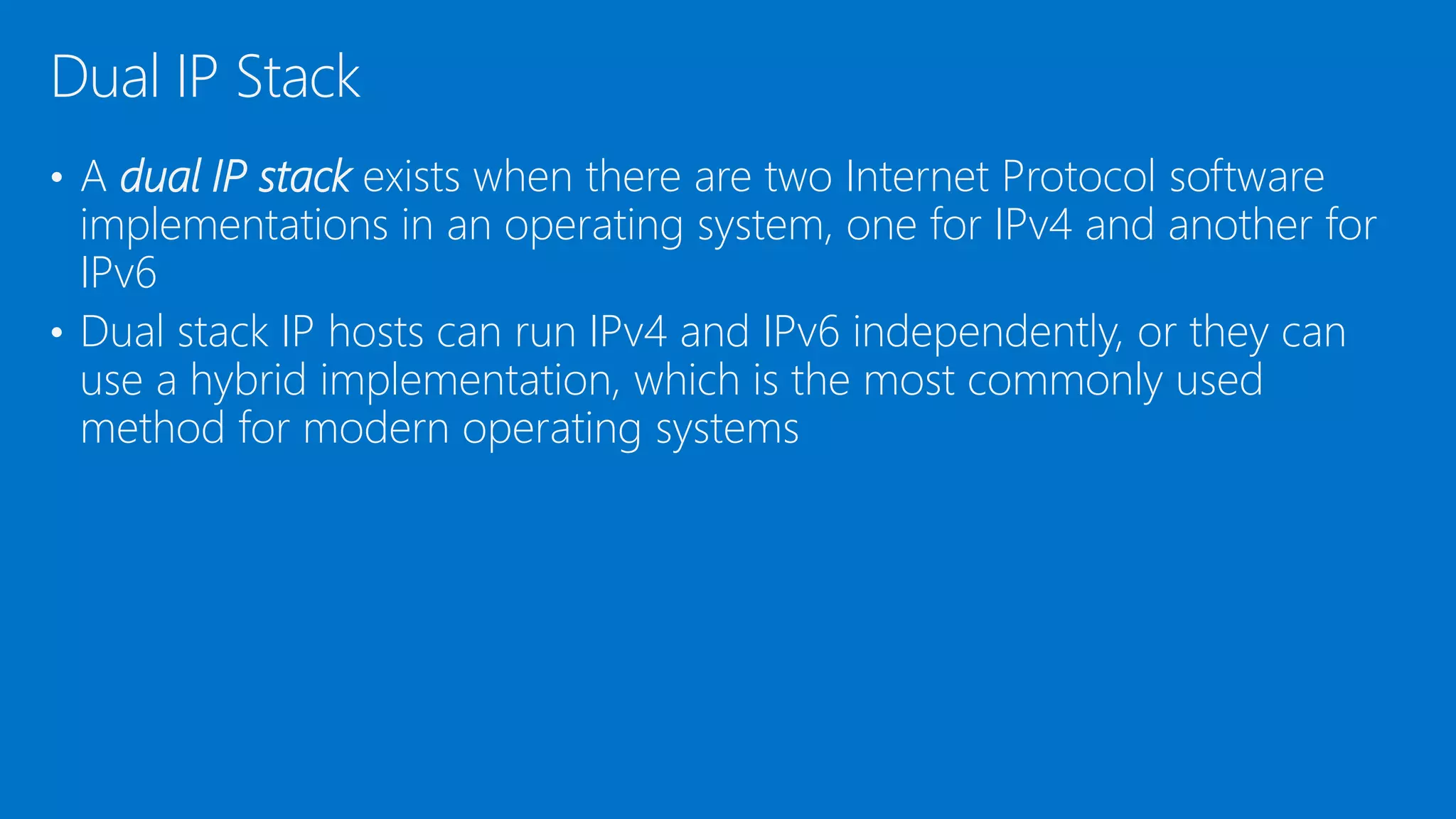
• A dual IP stack exists when there are two Internet Protocol software
implementations in an operating system, one for IPv4 and another for
IPv6
• Dual stack IP hosts can run IPv4 and IPv6 independently, or they can
use a hybrid implementation, which is the most commonly used
method for modern operating systems
Dual IP Stack
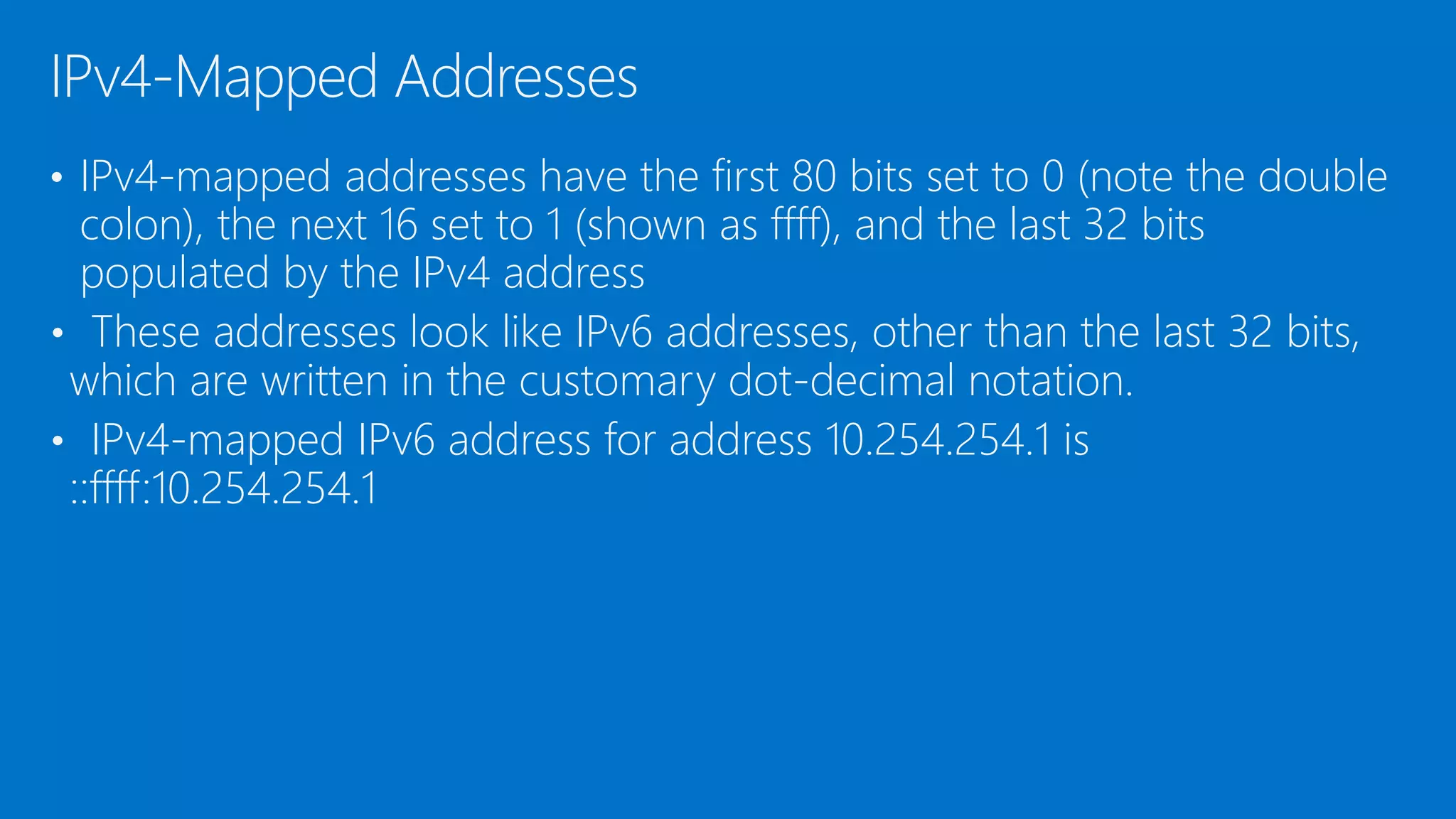
• IPv4-mapped addresses have the first 80 bits set to 0 (note the double
colon), the next 16 set to 1 (shown as ffff), and the last 32 bits
populated by the IPv4 address
• These addresses look like IPv6 addresses, other than the last 32 bits,
which are written in the customary dot-decimal notation.
• IPv4-mapped IPv6 address for address 10.254.254.1 is
::ffff:10.254.254.1
IPv4-Mapped Addresses
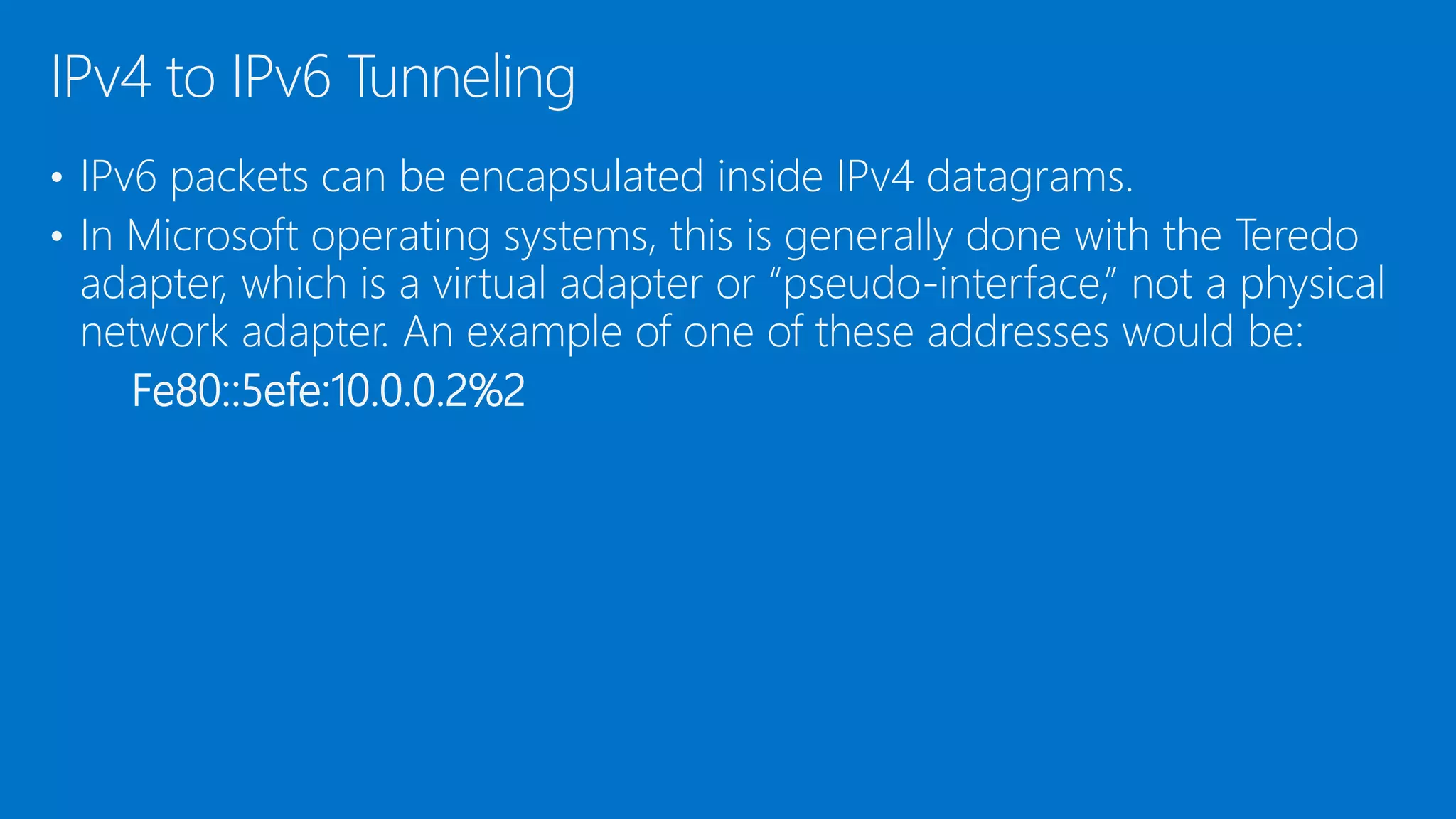
• IPv6 packets can be encapsulated inside IPv4 datagrams.
• In Microsoft operating systems, this is generally done with the Teredo
adapter, which is a virtual adapter or “pseudo-interface,” not a physical
network adapter. An example of one of these addresses would be:
Fe80::5efe:10.0.0.2%2
IPv4 to IPv6 Tunneling
• Be able to categorize IPv4 addresses using classifications such as Class A,
B, and C
• You have learned the default gateway and DNS server are and how to
configure them within a network adapter’s TCP/IP properties dialog box.
• Be able to define advanced TCP/IP concepts, such as NAT and subnetting,
and how to create network subnets.
• You have learned the basics of IPv6 and how to configure IPv6 by using
the command line
• You have learned how to define IPv6 dual stack and tunneling
technologies
Summary
Additional Resources & Next Steps
Books
• Exam 98-366: MTA
Networking
Fundamentals (Microsoft
Official Academic
Course)
Instructor-Led Courses
• 40033A: Windows Operating System and Windows
Server Fundamentals: Training 2-Pack for MTA
Exams 98-349 and 98-365 (5 Days)
• 40349A: Windows Operating System Fundamentals:
MTA Exam 98-349 (3 Days)
• 40032A: Networking and Security Fundamentals:
Training 2-Pack for MTA Exams 98-366 and 98-367
(5 Days)
• 40366A: Networking Fundamentals: MTA Exam 98-
366
Exams &
Certifications
• Exam 98-366:
Networking
Fundamentals
4. Understanding Internet Protocol.pptx

4. Understanding Internet Protocol.pptx

  • 1.
  • 2.
    Objectives Skills/Concepts Objective Domain Description ObjectiveDomain Number Working with IPv4 Understand IPv4 3.2 Working with IPv6 Understand IPv6 3.3
  • 3.
    • Internet Protocolversion 4 (IPv4) is the fourth version of the Internet Protocol and the first version to be widely deployed • IPv4 is a frequently used communications protocol and is one of the core protocols for the Internet • IP resides on the network layer of the OSI model IPv4
  • 4.
    • IP addressesconsist of four octets (8-bits), each between 0 and 255. • Examples include: • 12.5.24.2 • 127.0.0.1 • 192.168.3.54 • 208.32.56.232 • In order for an IP address to function, there must be a properly configured IP address and compatible subnet mask • To connect to the Internet (or any remote network), you will also need a gateway address and – optionally – a DNS server address IP Addresses
  • 5.
    • The IPv4classification system is known as a classful network architecture broken down into five sections: Classes A, B, and C are commonly used • An Class A IP address, the first octet is the “network” portion Classful Network Architecture Class IP Range (1st Octet) Default Subnet Mask Network ID / Host ID Networks Possible Usable Addresses A 0 – 127 255.0.0.0 Net.Host.Host.Host 2^7 = 128 2^24 – 2 = 16,777,214 B 128 - 191 255.255.0.0 Net.Net.Host.Host 2^14 = 16,384 2^16 – 2 = 65,534 C 192 – 223 255.255.255.0 Net.Net.Net.Host 2^21 = 2,097,151 2^9 -2 = 254 D 224 - 239 N/A N/A N/A N/A E 240 - 255 N/A N/A N/A N/A
  • 6.
    • The rangefor Class A is 0–127 • The 127 network number isn’t used by hosts as a logical IP address Instead, this network is used for loopback IP addresses, allowing for testing Loopback Testing
  • 7.
    • Usable addressesare always going to be two less than the mathematical amount. • The first and last addresses cannot be used • For network 172.24.3.X • The 0 (in binary) for the host address is the entire network • 172.24.3.0 • The 1s (in binary) for the host address is the broadcast address • 172.24.3.255 • Class D and Class E are not used by regular hosts • Class D is used for what is known as multicasting—transmitting data to multiple computers (or routers) • Class E was reserved for future use, but this has given way to IPv6 instead Usable Addresses
  • 8.
  • 9.
    DEMO: Using Calculatorto convert base numbering systems
  • 10.
    • IP conflictsoccur when two devices have been assigned the same IP address • Windows Error: There is an IP address conflict with another system on the network • If there is an IP address conflict, the devices will have problems sending and receiving data IP Conflict
  • 11.
    • IPv4 addressesare further classified as either public or private. Public IP addresses are ones that are exposed to the Internet • Devices connected to the Internet can potentially communicate with them • Private IP addresses are hidden from the Internet and any other networks • Usually behind an IP proxy or firewall device • Private Address Public and Private Addresses Class Start of Range End of Range A 10.0.0.0 10.255.255.255 B 172.16.0.0 172.31.255.255 C 192.168.0.0 192.168.255.255
  • 12.
    • Static IPaddress are addresses that are manually assigned to a host • Dynamic IP addresses are more common than static IP addresses, whereas they automatically obtain an IP address (and other IP information) Static and Dynamic Addresses
  • 13.
    • APIPA isan acronym for Automatic Private IP Addressing • It uses a single Class B network number: 169.254.0.0 • If a Windows client cannot get an IP address from a DHCP server and has not been configured statically, it will auto-assign a number on this network APIPA
  • 14.
    • For adevice to communicate on the Internet, a default gateway and DNS server must be assigned • Default gateway – Provides a default route for TCP/IP hosts to use when communicating with hosts on remote networks The first IP address of the device that a client computer will look for when attempting to gain access outside the local network • DNS Server – The server that provides name resolution of domain names to IP addresses Default Gateway and DNS Server
  • 15.
    DEMO: IP AddressProperties, Default Gateway and DNS Server
  • 16.
    • Network addresstranslation (NAT) provides a method for translating IPv4 addresses of devices on one network into IPv4 addresses of devices on a different network • NAT was developed to provide a temporary solution to the IPv4 address issue • Enables one address space (private) to be re-mapped to another address space, or perhaps re-mapped to a single public IP address Network Address Translation
  • 17.
    Network Address Translation 192.168.0.10 192.168.0.11 192.168.0.25556.72.210.7 Network Address Translation (NAT) is the process of modifying IP address information in IPv4 headers while in transit across a traffic routing device
  • 18.
  • 19.
    • Subnetting isthe subdivision of your logical IP network • By default, all computers are on one subnet or network with no divisions involved. • My modifying the default subnet mask, you can subnet your network into multiple smaller networks. Subnetting Type Decimal Binary Class A 255.0.0.0 11111111.00000000.00000000.00000000 Class B 255.255.0.0 11111111.11111111.00000000.00000000 Class C 255.255.255.0 11111111.11111111.11111111.00000000
  • 20.
  • 21.
  • 22.
    • IPv6 isthe new generation of IP addressing for the Internet • IPv6 solves many of the limitations of IPv4, including address space and security • IPv6 addresses are represented as 8 groups of 4 hexadecimal digits • IPv6 is not backward compatible with IPv4 • IPv6 is a 128-bit system while IPv4 is only a 32-bit system • IPv4 allows approximately 4.3 billion IP addresses • IPv6 allows 3.4 X 10^38 (340 undecillion) addresses IPv6
  • 23.
    • Unicast address:Packet is delivered to a single network interface There are two types of unicast addresses: • Global unicast addresses are routable and displayed directly to the Internet • Link local address are automatically configured addresses to communicate with devices on the same link (subnet) • Anycast address: Identifies multiple interfaces, but the packet is delivered to the nearest of the network interfaces (routing distance) • Multicast address: Packet is delivered to multiple network interfaces IPv6 Addresses Types
  • 24.
    • IPv6 addressesare broken down into three parts: • Site prefix: The first three groups of numbers that define the “network” • Subnet ID: Defines the individual subnet of the network that the address is located on • Interface ID: The individual host IP portion • IPv6 Address: 2001:4860:0000:2001:0000:0000:0000:0068 IPv6 Address Components Site Prefix Subnet ID Interface ID 2001.4860.0000 48 bits 2001 16 bits 0000:0000:0000:0068 64 bits
  • 25.
  • 26.
    • A dualIP stack exists when there are two Internet Protocol software implementations in an operating system, one for IPv4 and another for IPv6 • Dual stack IP hosts can run IPv4 and IPv6 independently, or they can use a hybrid implementation, which is the most commonly used method for modern operating systems Dual IP Stack
  • 27.
    • IPv4-mapped addresseshave the first 80 bits set to 0 (note the double colon), the next 16 set to 1 (shown as ffff), and the last 32 bits populated by the IPv4 address • These addresses look like IPv6 addresses, other than the last 32 bits, which are written in the customary dot-decimal notation. • IPv4-mapped IPv6 address for address 10.254.254.1 is ::ffff:10.254.254.1 IPv4-Mapped Addresses
  • 28.
    • IPv6 packetscan be encapsulated inside IPv4 datagrams. • In Microsoft operating systems, this is generally done with the Teredo adapter, which is a virtual adapter or “pseudo-interface,” not a physical network adapter. An example of one of these addresses would be: Fe80::5efe:10.0.0.2%2 IPv4 to IPv6 Tunneling
  • 29.
    • Be ableto categorize IPv4 addresses using classifications such as Class A, B, and C • You have learned the default gateway and DNS server are and how to configure them within a network adapter’s TCP/IP properties dialog box. • Be able to define advanced TCP/IP concepts, such as NAT and subnetting, and how to create network subnets. • You have learned the basics of IPv6 and how to configure IPv6 by using the command line • You have learned how to define IPv6 dual stack and tunneling technologies Summary
  • 30.
    Additional Resources &Next Steps Books • Exam 98-366: MTA Networking Fundamentals (Microsoft Official Academic Course) Instructor-Led Courses • 40033A: Windows Operating System and Windows Server Fundamentals: Training 2-Pack for MTA Exams 98-349 and 98-365 (5 Days) • 40349A: Windows Operating System Fundamentals: MTA Exam 98-349 (3 Days) • 40032A: Networking and Security Fundamentals: Training 2-Pack for MTA Exams 98-366 and 98-367 (5 Days) • 40366A: Networking Fundamentals: MTA Exam 98- 366 Exams & Certifications • Exam 98-366: Networking Fundamentals

Editor's Notes

  • #3 This should also be a review for the 70-642.
  • #10 Hint: To make it easier, make sure the students open the view menu and select Digit Grouping
  • #23 Remember each bit doubles the number of available addresses