Centre for the Promotion of Imports from developing countries1 14 januari 2014
press “play” button to
go through presentation
Create surveys with
GOOGLE DRIVE
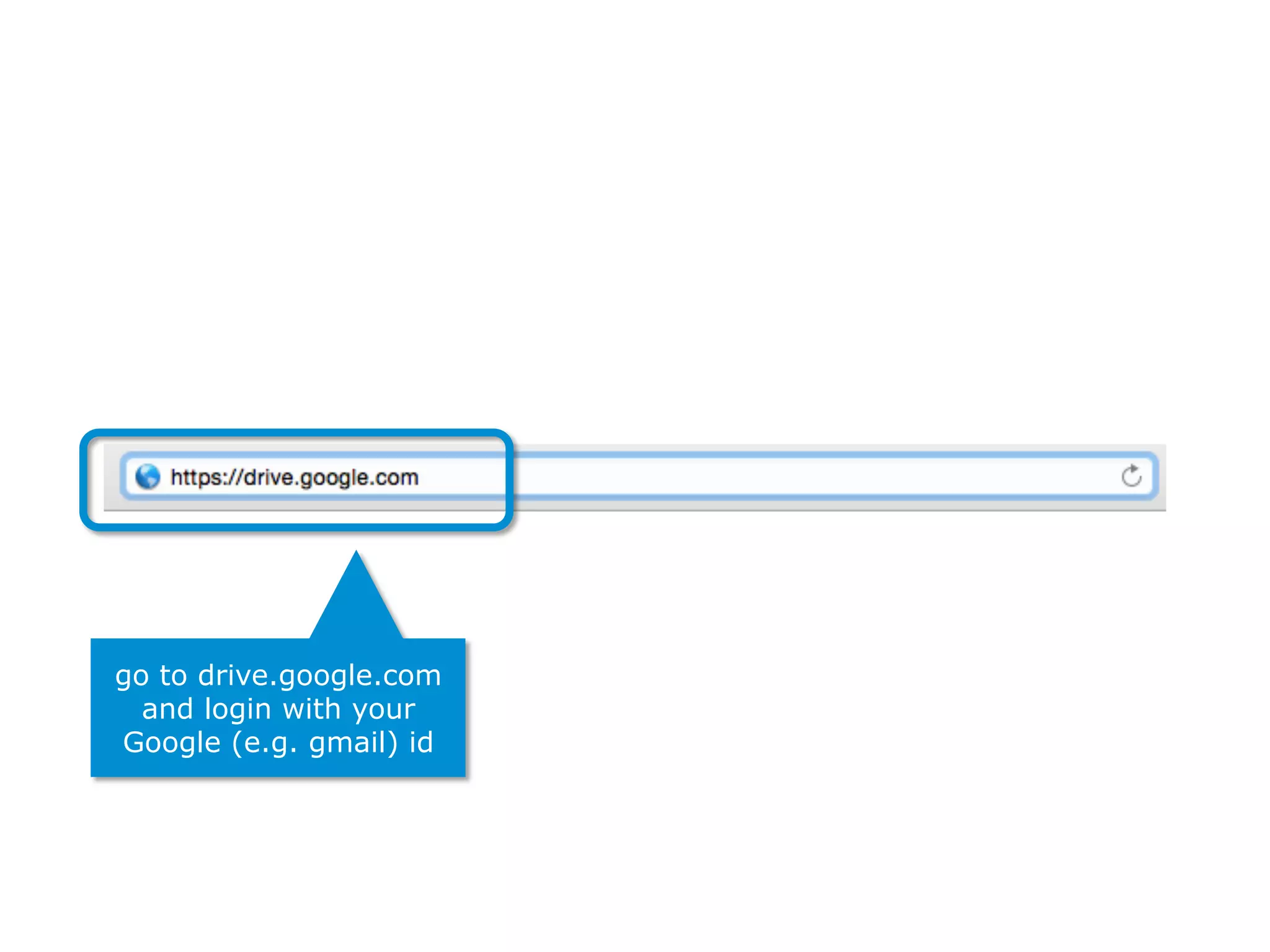
go to drive.google.com
and login with your
Google (e.g. gmail) id
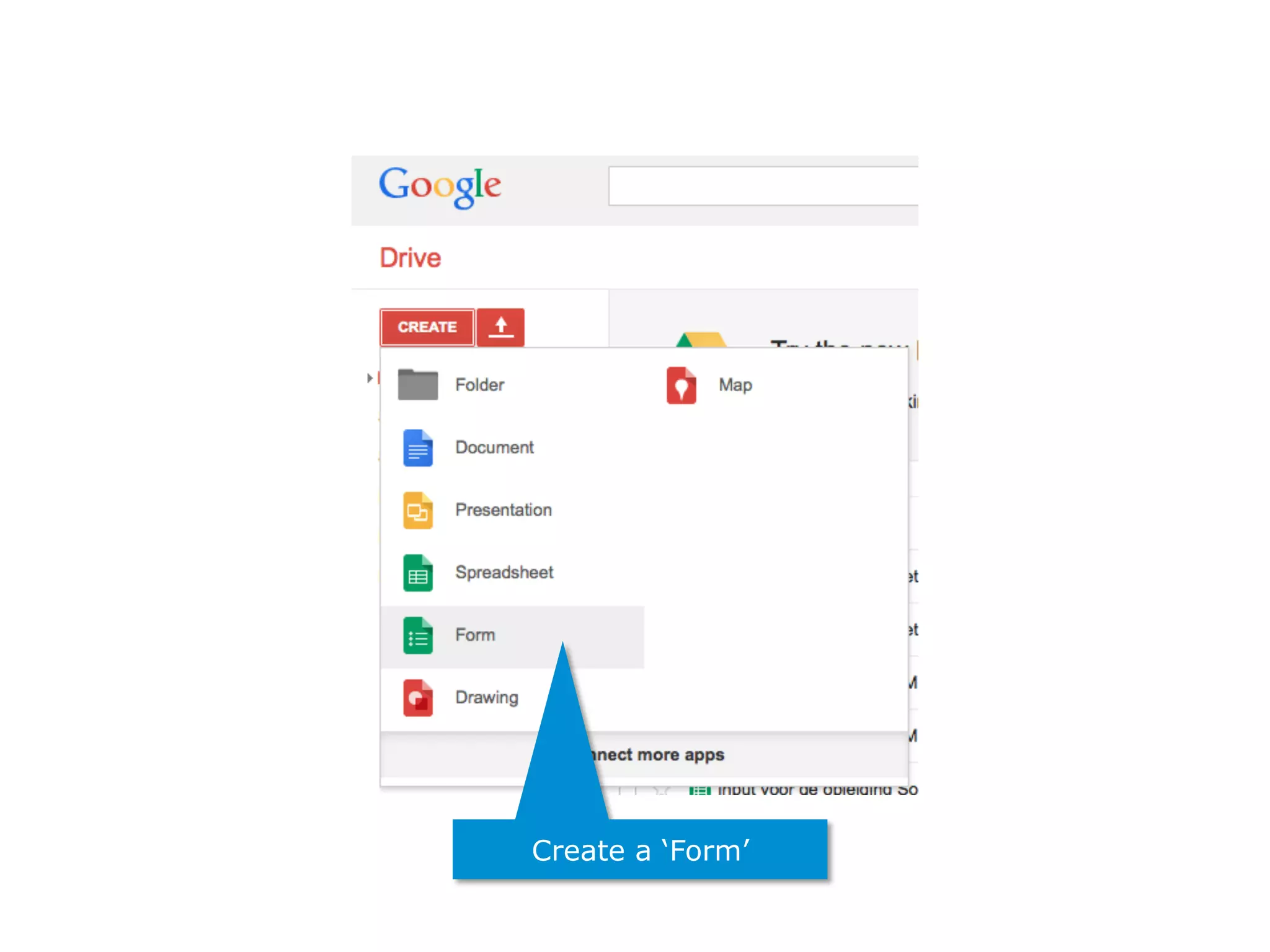
Create a ‘Form’
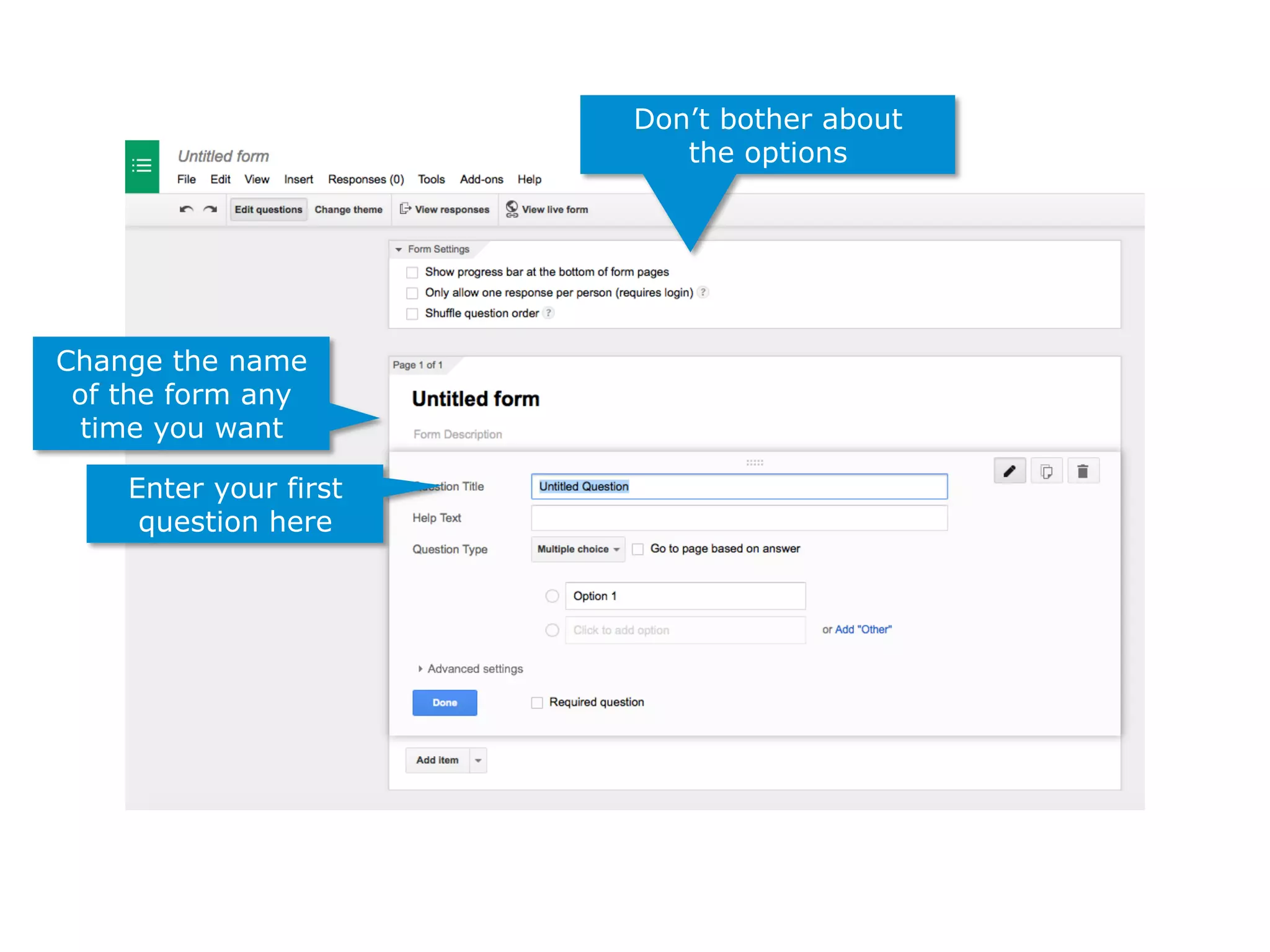
Don’t bother about
the options
Change the name
of the form any
time you want
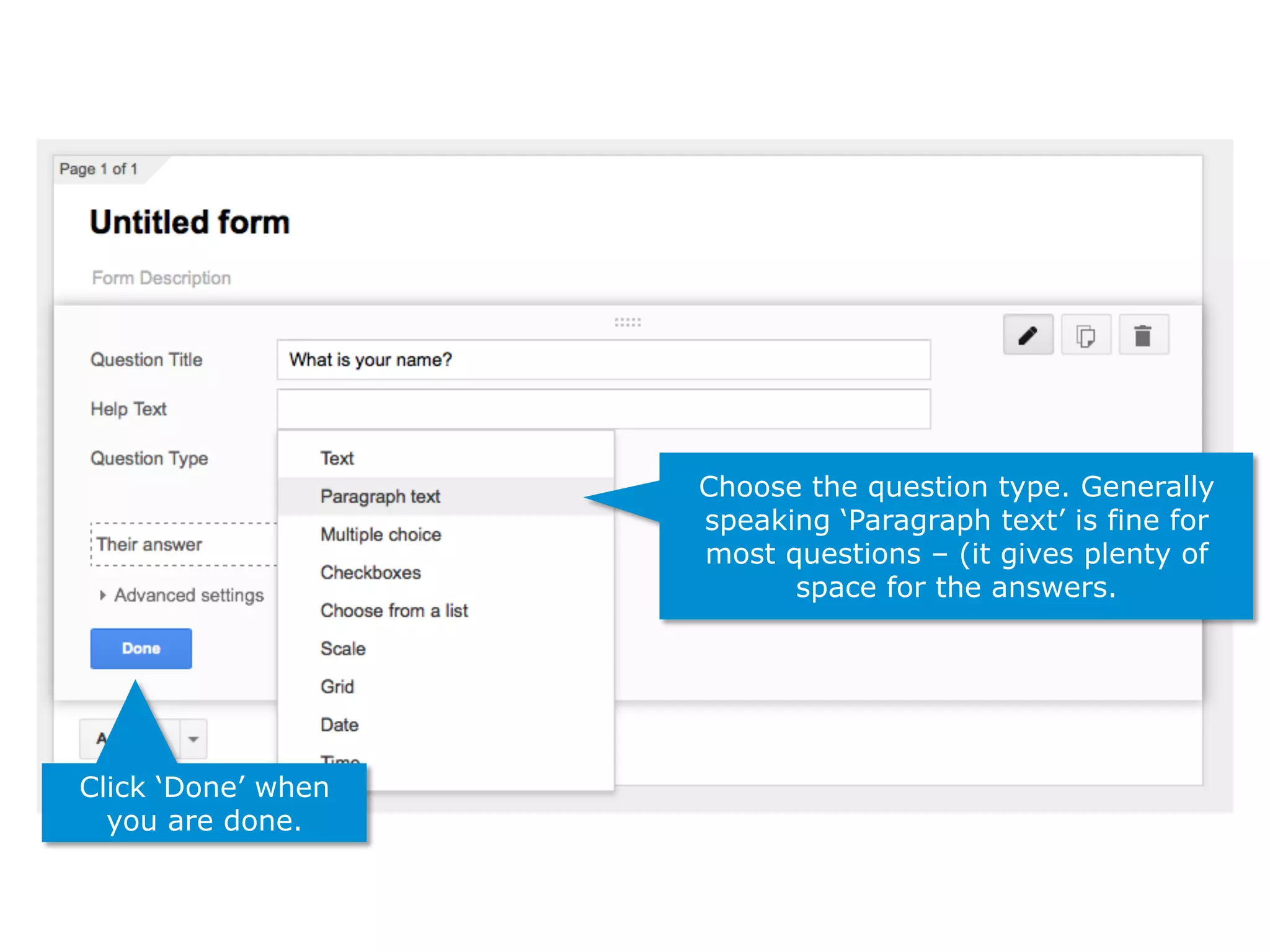
Enter your first
question here
Choose the question type. Generally
speaking ‘Paragraph text’ is fine for
most questions – (it gives plenty of
space for the answers.
Click ‘Done’ when
you are done.
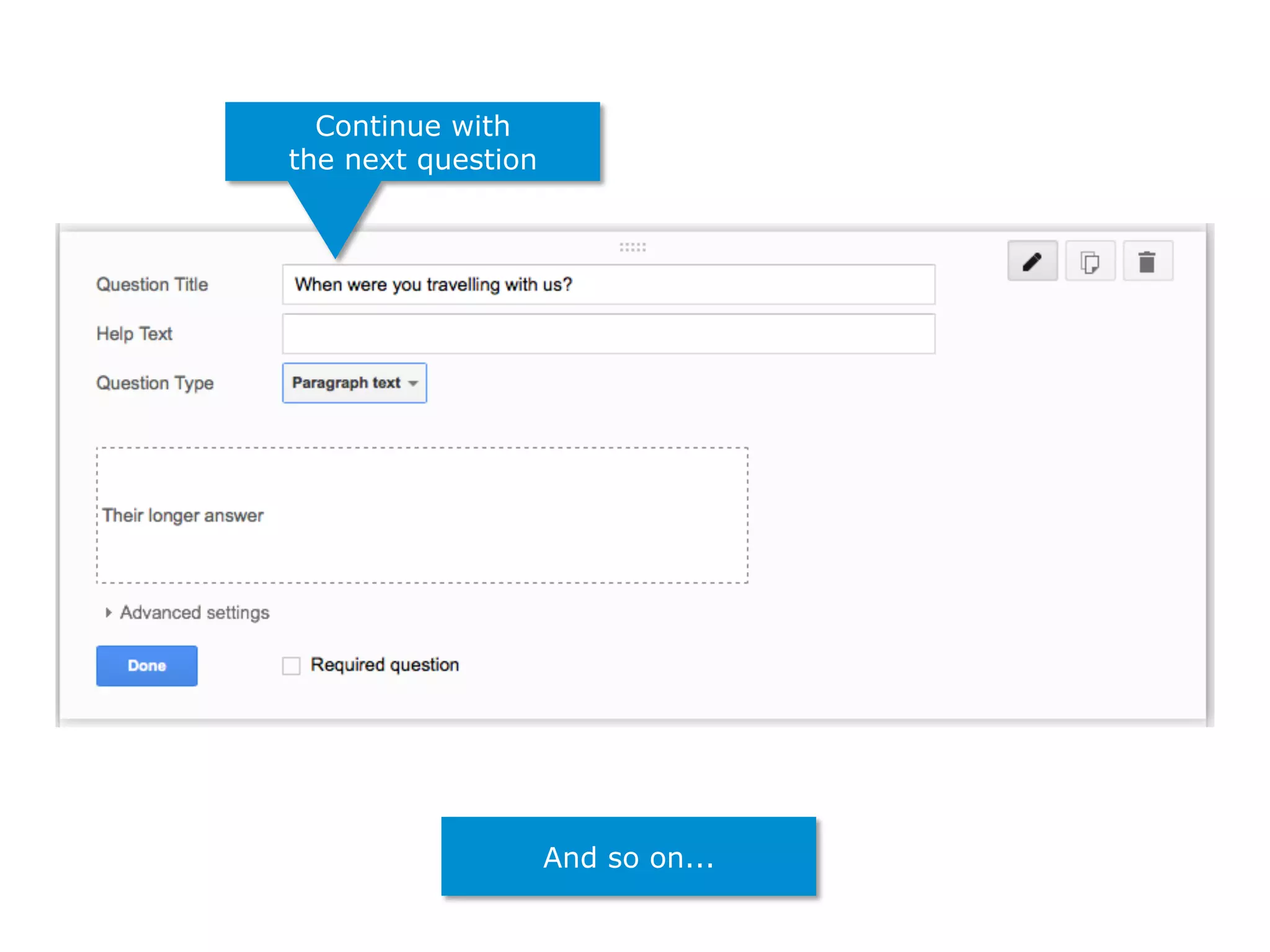
Continue with
the next question
And so on...
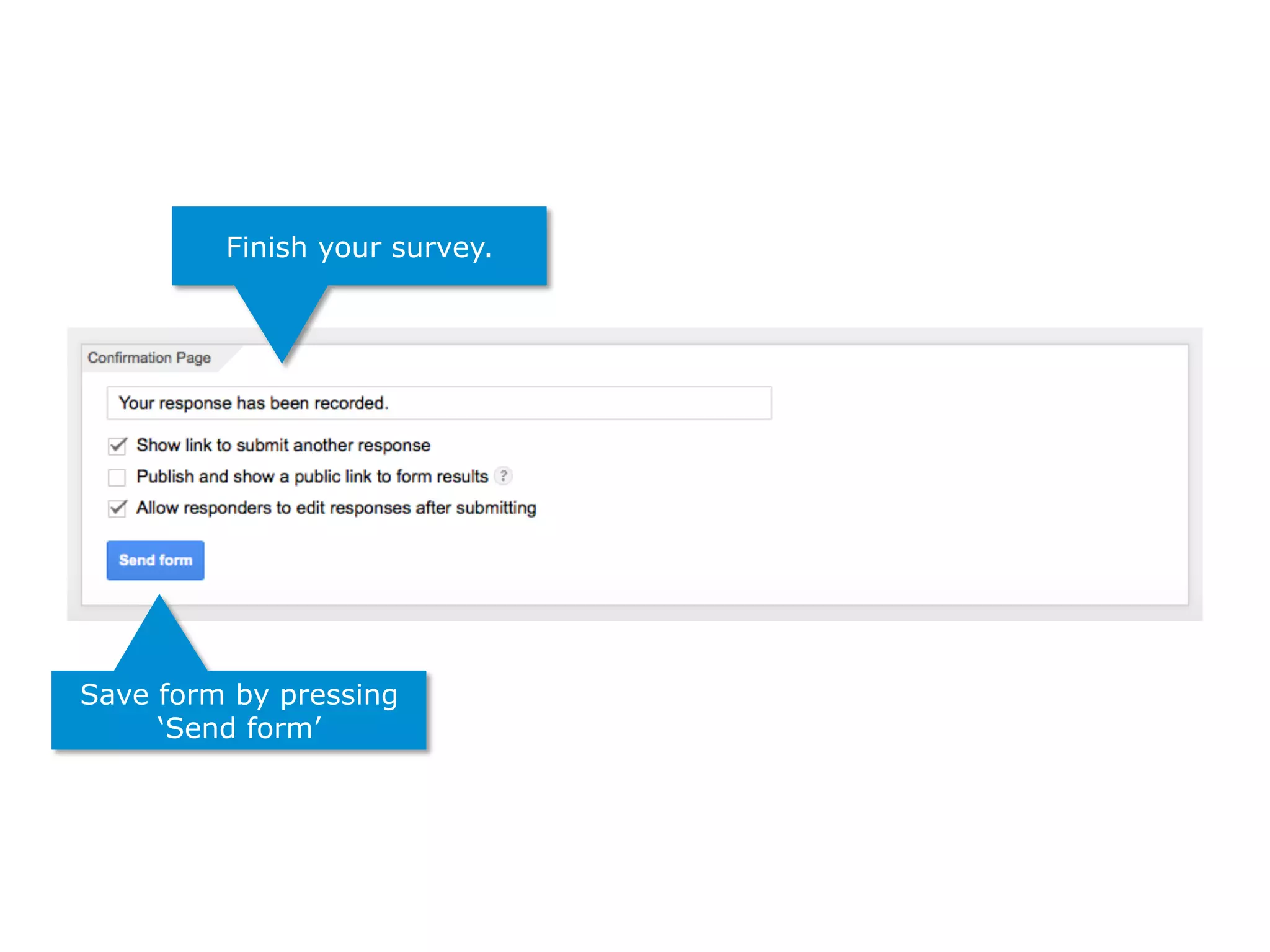
Finish your survey.
Save form by pressing
‘Send form’
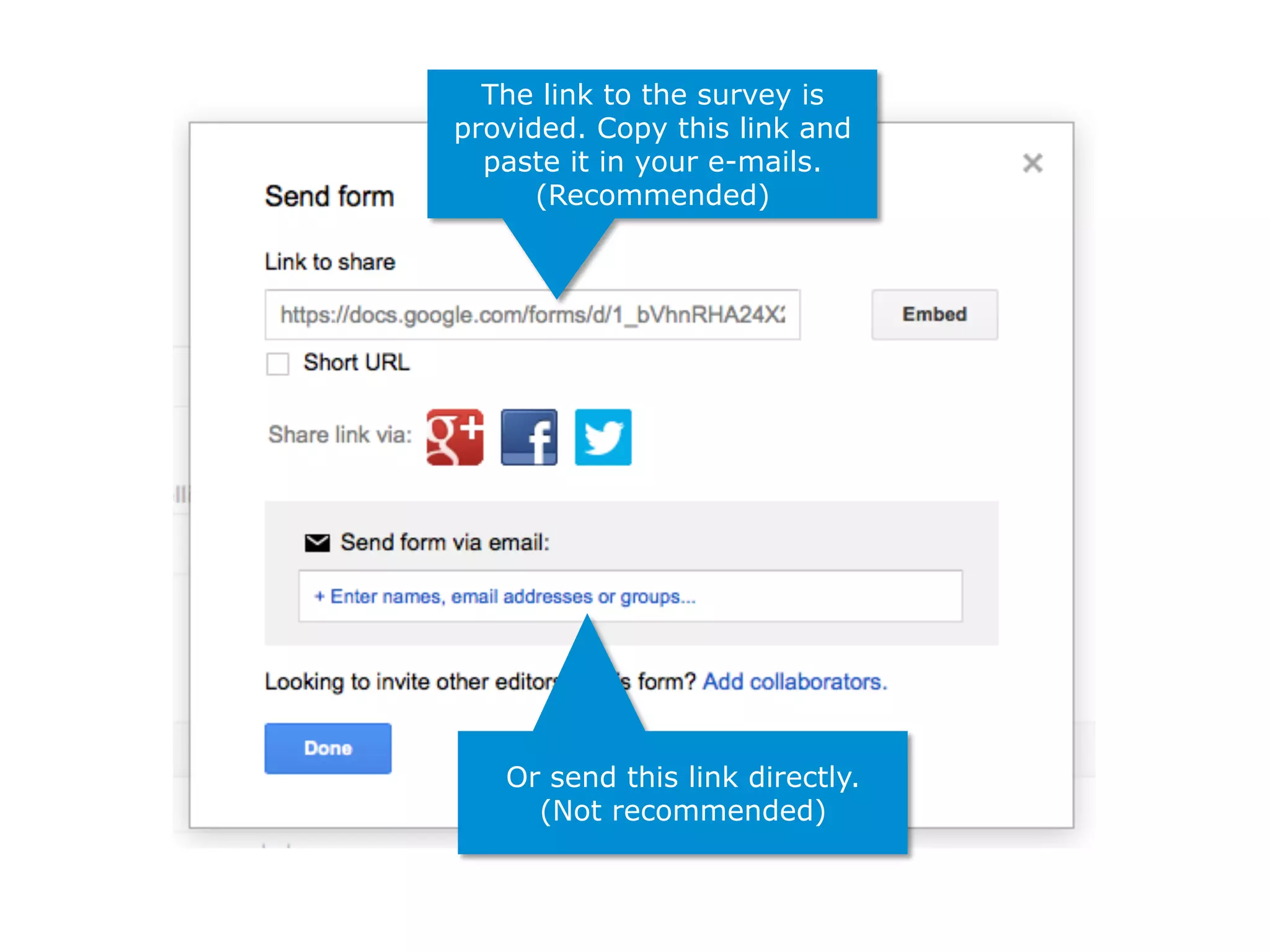
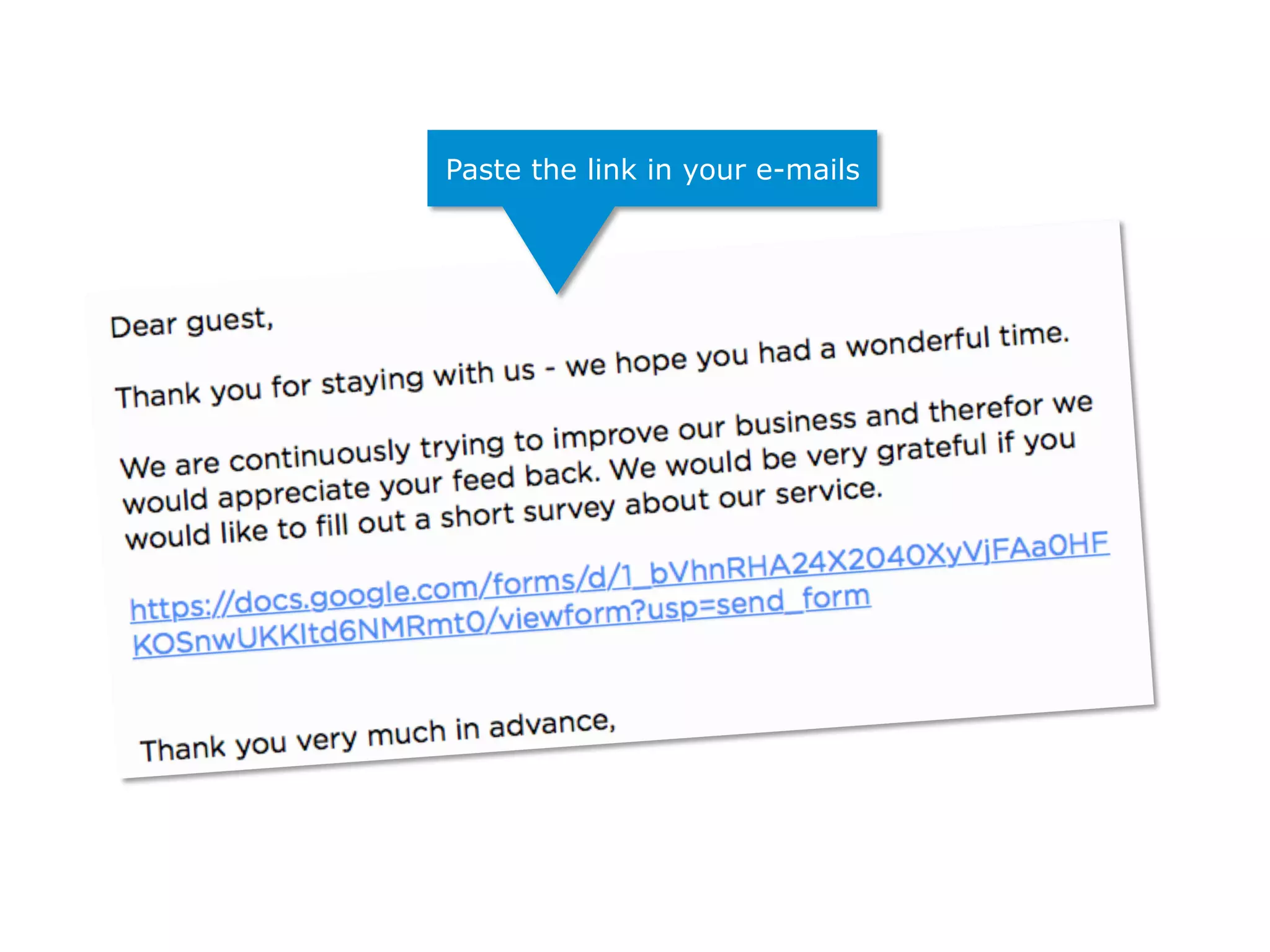
The link to the survey is
provided. Copy this link and
paste it in your e-mails.
(Recommended)
Or send this link directly.
(Not recommended)
Paste the link in your e-mails
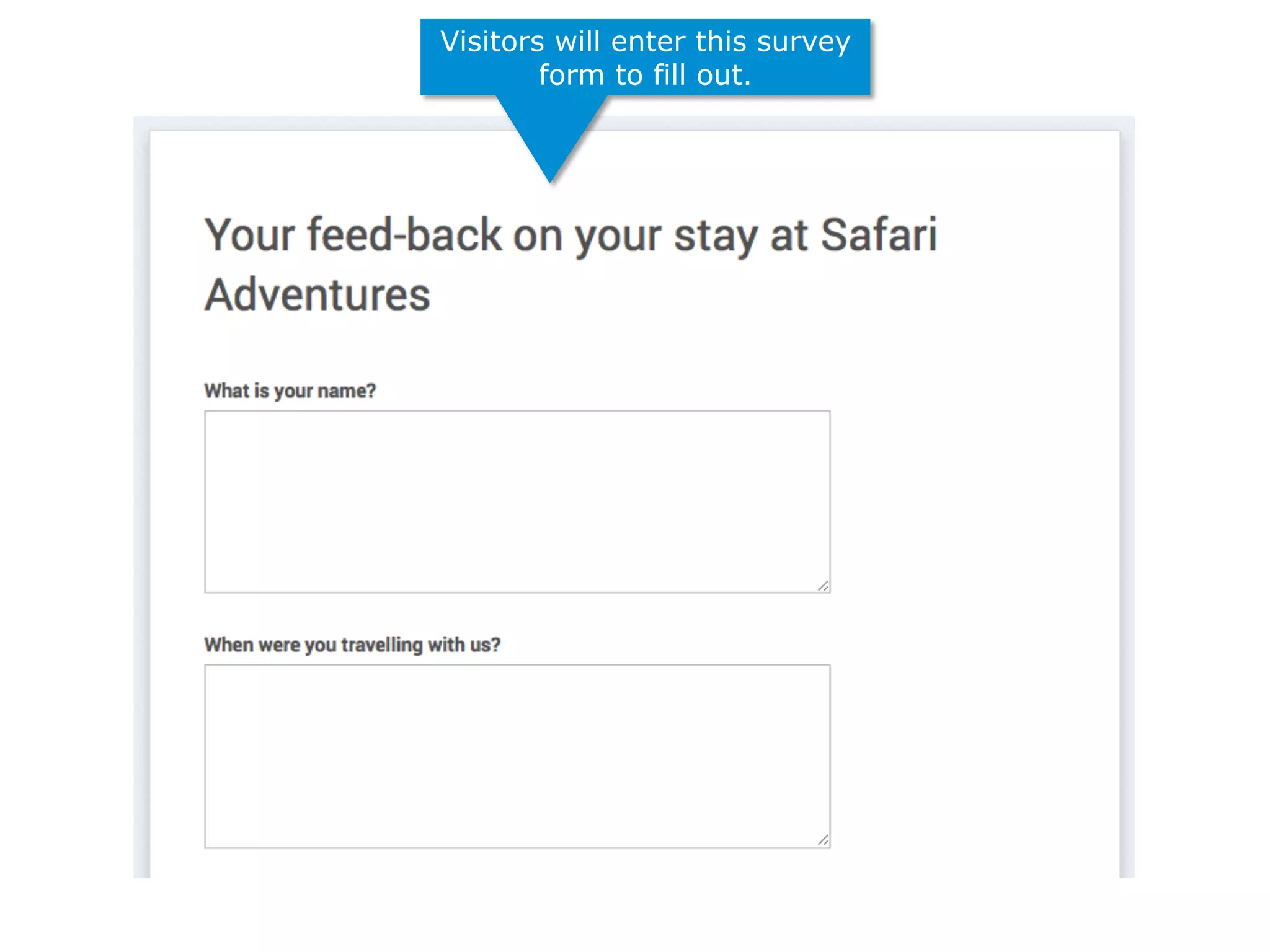
Visitors will enter this survey
form to fill out.
press “play back” button
to replay presentation
Create surveys with
GOOGLE DRIVE

Website Promotion - 4 surveys w google drive