Patent Search Tools & Strategies
Anthony B. Yanto
ITSO Staff
Surigao del Sur State University
Tandag City
Patent Search
TYPES OF PATENT SEARCH
1. State of the Art Search/Theme Search
• What solutions are there to my technical
problem?
• Has this technology developed over time and who
has been involved in its development?
• Provides an overview of patents related to your
field of interest;
• Helpful to determine or detect the recent trend
of your technology area and to establish your
R&D direction.
Patent Search
TYPES OF PATENT SEARCH
2. Novelty or Patentability Search
• Can I obtain a patent for my invention?
• Novelty searches tend to be the most
common search requested;
• is conducted to determine the likelihood of
getting a patent, used to determine if the
technology is novel.
Patent Search
TYPES OF PATENT SEARCH
3. Validity Search
• Is this patent valid; can it be legally challenged?
• primarily requested by a potential defendant or
a defendant in an actual patent infringement
lawsuit that wishes to invalidate the patentee’s
patent as a defense to patent infringement;
• The goal is to determine whether the identified
patent is valid or enforceable.
Patent Search
TYPES OF PATENT SEARCH
4. Name Search
• What inventions has this individual or this
company involved in?
• Names are used to find information about
patent documents involving specific companies
or individuals, as applicants, assignees,
patentees, or inventors
Patent Search
TYPES OF PATENT SEARCH
5. Freedom to Operate Search
• Can I produce and/or commercialize this
product in that country?
• sometimes called a Clearance search,
determines whether it would be prudent to
commercialize the product in view of existing
in-force patents;
• FTO search would determine if the inventor is
free to operate and commercialize the
invention without the fear of getting sued for
infringement.
Patent Search
TYPES OF PATENT SEARCH
6. Non-Infringement Opinion
• Does my invention infringe an active patent?
• determines if the inventor’s proposed
invention will infringe a particular patent;
• However, non-infringement opinions are
directed to a specific patent or patents that
have been previously identified.
Patent Search
TYPES OF PATENT SEARCH
7. Family Patent/ Legal Status Search
• Has this patent been granted? Is it in force?
• Patent Family Search provide a list of all
countries in which a particular was filed;
• Legal status search gives the legal progressing
status of a particular patent.
Where can patent documents
be found?
Patent Search
FREE PATENT DATABASES
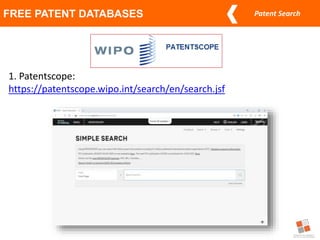
1. Patentscope:
https://patentscope.wipo.int/search/en/search.jsf
Patent Search
FREE PATENT DATABASES
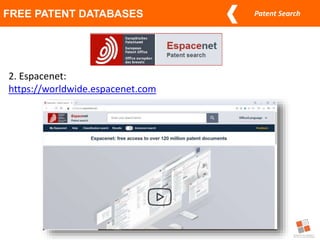
2. Espacenet:
https://worldwide.espacenet.com
Patent Search
FREE PATENT DATABASES
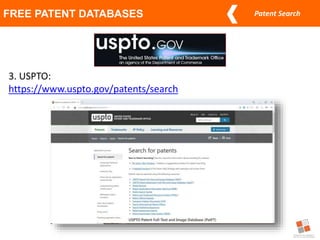
3. USPTO:
https://www.uspto.gov/patents/search
Patent Search
FREE PATENT DATABASES
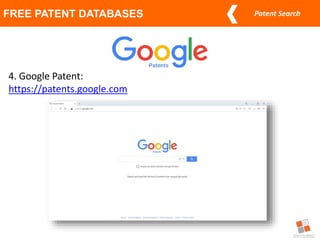
4. Google Patent:
https://patents.google.com
Patent Search
FREE PATENT DATABASES
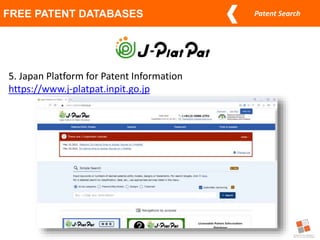
5. Japan Platform for Patent Information
https://www.j-platpat.inpit.go.jp
Patent Search
FREE PATENT DATABASES
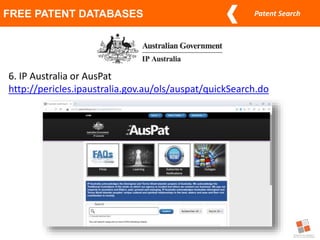
6. IP Australia or AusPat
http://pericles.ipaustralia.gov.au/ols/auspat/quickSearch.do
Patent Search
FREE PATENT DATABASES
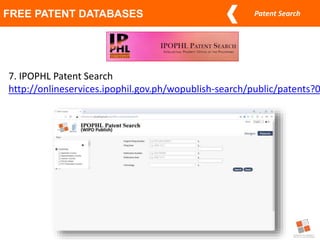
7. IPOPHL Patent Search
http://onlineservices.ipophil.gov.ph/wopublish-search/public/patents?0
Patent Search Strategies
Patent Search
WIPO Distance Learning | Adrew J. Siducon, ITSO-CvSU Technical Staff
PATENT SEARCH STRATEGIES
1. Keyword
–Patent information data bases can generally
be searched using keywords that describe
the technology or problem the technology is
designed or solve
Patent Search
WIPO Distance Learning | Adrew J. Siducon, ITSO-CvSU Technical Staff
PATENT SEARCH STRATEGIES
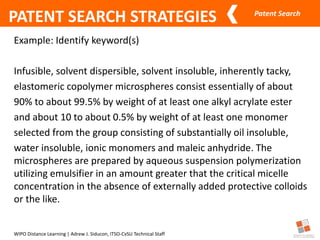
Example: Identify keyword(s)
Infusible, solvent dispersible, solvent insoluble, inherently tacky,
elastomeric copolymer microspheres consist essentially of about
90% to about 99.5% by weight of at least one alkyl acrylate ester
and about 10 to about 0.5% by weight of at least one monomer
selected from the group consisting of substantially oil insoluble,
water insoluble, ionic monomers and maleic anhydride. The
microspheres are prepared by aqueous suspension polymerization
utilizing emulsifier in an amount greater that the critical micelle
concentration in the absence of externally added protective colloids
or the like.
Patent Search
WIPO Distance Learning | Adrew J. Siducon, ITSO-CvSU Technical Staff
PATENT SEARCH STRATEGIES
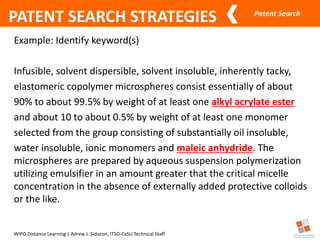
Example: Identify keyword(s)
Infusible, solvent dispersible, solvent insoluble, inherently tacky,
elastomeric copolymer microspheres consist essentially of about
90% to about 99.5% by weight of at least one alkyl acrylate ester
and about 10 to about 0.5% by weight of at least one monomer
selected from the group consisting of substantially oil insoluble,
water insoluble, ionic monomers and maleic anhydride. The
microspheres are prepared by aqueous suspension polymerization
utilizing emulsifier in an amount greater that the critical micelle
concentration in the absence of externally added protective colloids
or the like.
Patent Search
PATENT SEARCH STRATEGIES
2. Boolean Operator
–used to join keywords or concepts with
defined TRUE or FALSE operators such
AND, OR, NOT, XOR, NEAR
Patent Search
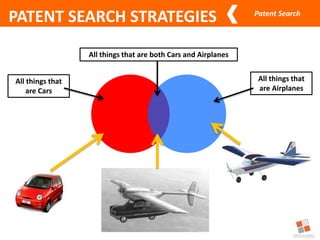
All things that
are Cars
All things that
are Airplanes
All things that are both Cars and Airplanes
PATENT SEARCH STRATEGIES
Patent Search
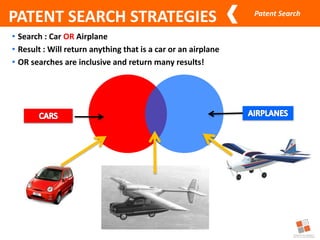
• Search : Car OR Airplane
• Result : Will return anything that is a car or an airplane
• OR searches are inclusive and return many results!
PATENT SEARCH STRATEGIES
Patent Search
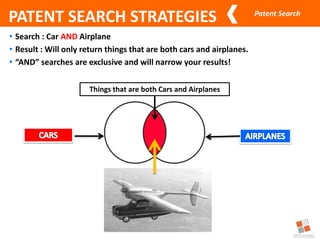
• Search : Car AND Airplane
• Result : Will only return things that are both cars and airplanes.
• “AND” searches are exclusive and will narrow your results!
Things that are both Cars and Airplanes
PATENT SEARCH STRATEGIES
Patent Search
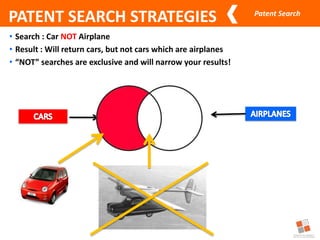
• Search : Car NOT Airplane
• Result : Will return cars, but not cars which are airplanes
• “NOT” searches are exclusive and will narrow your results!
PATENT SEARCH STRATEGIES
Patent Search
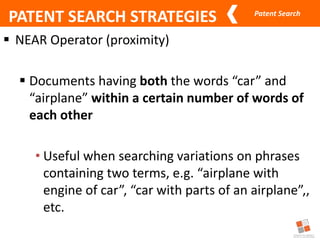
 NEAR Operator (proximity)
 Documents having both the words “car” and
“airplane” within a certain number of words of
each other
• Useful when searching variations on phrases
containing two terms, e.g. “airplane with
engine of car”, “car with parts of an airplane”,,
etc.
PATENT SEARCH STRATEGIES
Patent Search
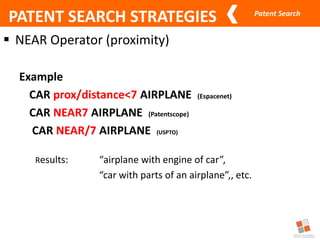
 NEAR Operator (proximity)
Example
CAR prox/distance<7 AIRPLANE (Espacenet)
CAR NEAR7 AIRPLANE (Patentscope)
CAR NEAR/7 AIRPLANE (USPTO)
Results: “airplane with engine of car”,
“car with parts of an airplane”,, etc.
PATENT SEARCH STRATEGIES
Patent Search
PATENT SEARCH STRATEGIES
3. Nesting
– Uses parentheses to organize complex statements using
more than one kind of search operators.
Patent Search
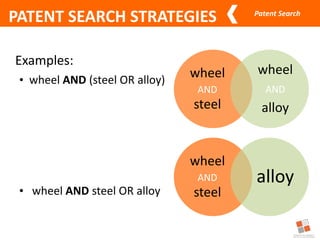
Examples:
• wheel AND (steel OR alloy)
• wheel AND steel OR alloy
wheel
AND
steel
wheel
AND
alloy
wheel
AND
steel
alloy
PATENT SEARCH STRATEGIES
Patent Search
PATENT SEARCH STRATEGIES
4. Phrases
–Use quotation marks “ ” to treat a group of
words into a single search term
–For example
• “electrical conductor” “laser beam”
Patent Search
PATENT SEARCH STRATEGIES
5. Truncation (or stemming)
• uses wildcard characters such as * or ? to
substitute for any other character or
characters when added next to a string of
search terms.
Patent Search
• USING *
33
Examples:
attach* - attach, attached, attaching,
attachment, attachable
*attach - reattach (re-attach)
*attach* - reattaching (re-attaching),
reattached (re-attached)
PATENT SEARCH STRATEGIES
Patent Search
• USING ?
34
Examples:
speciali?ation – specialisation, specialization
commerciali?ation – commercialisation,
commercialization
PATENT SEARCH STRATEGIES
Patent Search
Source: http://www.invntree.com/blogs/how-conduct-patent-search
PATENT SEARCH STRATEGIES
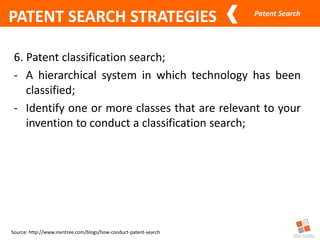
6. Patent classification search;
- A hierarchical system in which technology has been
classified;
- Identify one or more classes that are relevant to your
invention to conduct a classification search;
Patent Search
PATENT SEARCH STRATEGIES
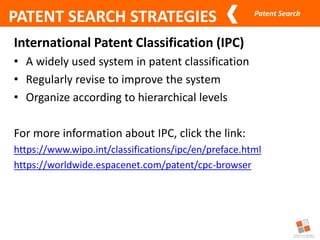
International Patent Classification (IPC)
• A widely used system in patent classification
• Regularly revise to improve the system
• Organize according to hierarchical levels
For more information about IPC, click the link:
https://www.wipo.int/classifications/ipc/en/preface.html
https://worldwide.espacenet.com/patent/cpc-browser
Patent Search
PATENT SEARCH STRATEGIES
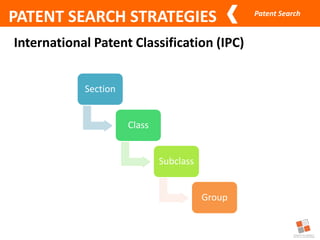
International Patent Classification (IPC)
Section
Class
Subclass
Group
Patent Search
PATENT SEARCH STRATEGIES
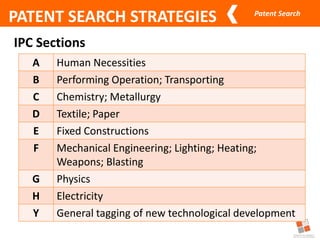
IPC Sections
A Human Necessities
B Performing Operation; Transporting
C Chemistry; Metallurgy
D Textile; Paper
E Fixed Constructions
F Mechanical Engineering; Lighting; Heating;
Weapons; Blasting
G Physics
H Electricity
Y General tagging of new technological development
Patent Search
PATENT SEARCH STRATEGIES
International Patent Classification (IPC)
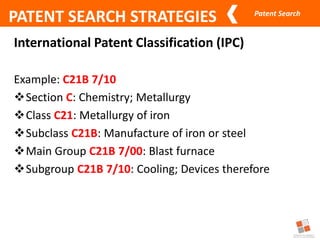
Example: C21B 7/10
Section C: Chemistry; Metallurgy
Class C21: Metallurgy of iron
Subclass C21B: Manufacture of iron or steel
Main Group C21B 7/00: Blast furnace
Subgroup C21B 7/10: Cooling; Devices therefore
Patent Search
Source: http://www.invntree.com/blogs/how-conduct-patent-search
PATENT SEARCH STRATEGIES
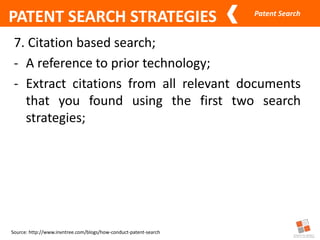
7. Citation based search;
- A reference to prior technology;
- Extract citations from all relevant documents
that you found using the first two search
strategies;
Patent Search
Source: http://www.invntree.com/blogs/how-conduct-patent-search
PATENT SEARCH STRATEGIES
8. Assignee and Inventor based search;
- Extract a list of assignees/applicants from the list of
relevant documents you found using the previous
strategies.
- Extract a list of inventors’ name from the list of
relevant documents you have found using the
previous search strategies.
Patent Search
PATENT SEARCH STRATEGIES
Demonstration/Workshop
A - document defining the general state of the art which is
not considered to be of particular relevance
X - document of particular relevance; the claimed invention
cannot be considered novel or cannot be considered to
involve an inventive step when the document is taken alone
Y - document of particular relevance; the claimed invention
cannot be considered to involve an inventive step when the
document is combined with one or more other such
documents, such combination being obvious to a person
skilled in the art
Patent Search
At present no database has complete coverage of
all patent documents ever published
worldwide
Specific patent searches are sometimes best
conducted using both the information
available on the Web and in patent databases.
KEY POINTS
Patent Search
44
Credits to:
Dindo O. Dumali
IP Rights Specialist II
Technology Transfer Department
Documentation, Information & Technology Transfer Bureau
Thank you for listening!

3.-Patent-Search-Tools-Strategies.pptx

  • 1.
    Patent Search Tools& Strategies Anthony B. Yanto ITSO Staff Surigao del Sur State University Tandag City
  • 2.
    Patent Search TYPES OFPATENT SEARCH 1. State of the Art Search/Theme Search • What solutions are there to my technical problem? • Has this technology developed over time and who has been involved in its development? • Provides an overview of patents related to your field of interest; • Helpful to determine or detect the recent trend of your technology area and to establish your R&D direction.
  • 3.
    Patent Search TYPES OFPATENT SEARCH 2. Novelty or Patentability Search • Can I obtain a patent for my invention? • Novelty searches tend to be the most common search requested; • is conducted to determine the likelihood of getting a patent, used to determine if the technology is novel.
  • 4.
    Patent Search TYPES OFPATENT SEARCH 3. Validity Search • Is this patent valid; can it be legally challenged? • primarily requested by a potential defendant or a defendant in an actual patent infringement lawsuit that wishes to invalidate the patentee’s patent as a defense to patent infringement; • The goal is to determine whether the identified patent is valid or enforceable.
  • 5.
    Patent Search TYPES OFPATENT SEARCH 4. Name Search • What inventions has this individual or this company involved in? • Names are used to find information about patent documents involving specific companies or individuals, as applicants, assignees, patentees, or inventors
  • 6.
    Patent Search TYPES OFPATENT SEARCH 5. Freedom to Operate Search • Can I produce and/or commercialize this product in that country? • sometimes called a Clearance search, determines whether it would be prudent to commercialize the product in view of existing in-force patents; • FTO search would determine if the inventor is free to operate and commercialize the invention without the fear of getting sued for infringement.
  • 7.
    Patent Search TYPES OFPATENT SEARCH 6. Non-Infringement Opinion • Does my invention infringe an active patent? • determines if the inventor’s proposed invention will infringe a particular patent; • However, non-infringement opinions are directed to a specific patent or patents that have been previously identified.
  • 8.
    Patent Search TYPES OFPATENT SEARCH 7. Family Patent/ Legal Status Search • Has this patent been granted? Is it in force? • Patent Family Search provide a list of all countries in which a particular was filed; • Legal status search gives the legal progressing status of a particular patent.
  • 9.
    Where can patentdocuments be found?
  • 10.
    Patent Search FREE PATENTDATABASES 1. Patentscope: https://patentscope.wipo.int/search/en/search.jsf
  • 11.
    Patent Search FREE PATENTDATABASES 2. Espacenet: https://worldwide.espacenet.com
  • 12.
    Patent Search FREE PATENTDATABASES 3. USPTO: https://www.uspto.gov/patents/search
  • 13.
    Patent Search FREE PATENTDATABASES 4. Google Patent: https://patents.google.com
  • 14.
    Patent Search FREE PATENTDATABASES 5. Japan Platform for Patent Information https://www.j-platpat.inpit.go.jp
  • 15.
    Patent Search FREE PATENTDATABASES 6. IP Australia or AusPat http://pericles.ipaustralia.gov.au/ols/auspat/quickSearch.do
  • 16.
    Patent Search FREE PATENTDATABASES 7. IPOPHL Patent Search http://onlineservices.ipophil.gov.ph/wopublish-search/public/patents?0
  • 17.
  • 18.
    Patent Search WIPO DistanceLearning | Adrew J. Siducon, ITSO-CvSU Technical Staff PATENT SEARCH STRATEGIES 1. Keyword –Patent information data bases can generally be searched using keywords that describe the technology or problem the technology is designed or solve
  • 19.
    Patent Search WIPO DistanceLearning | Adrew J. Siducon, ITSO-CvSU Technical Staff PATENT SEARCH STRATEGIES Example: Identify keyword(s) Infusible, solvent dispersible, solvent insoluble, inherently tacky, elastomeric copolymer microspheres consist essentially of about 90% to about 99.5% by weight of at least one alkyl acrylate ester and about 10 to about 0.5% by weight of at least one monomer selected from the group consisting of substantially oil insoluble, water insoluble, ionic monomers and maleic anhydride. The microspheres are prepared by aqueous suspension polymerization utilizing emulsifier in an amount greater that the critical micelle concentration in the absence of externally added protective colloids or the like.
  • 20.
    Patent Search WIPO DistanceLearning | Adrew J. Siducon, ITSO-CvSU Technical Staff PATENT SEARCH STRATEGIES Example: Identify keyword(s) Infusible, solvent dispersible, solvent insoluble, inherently tacky, elastomeric copolymer microspheres consist essentially of about 90% to about 99.5% by weight of at least one alkyl acrylate ester and about 10 to about 0.5% by weight of at least one monomer selected from the group consisting of substantially oil insoluble, water insoluble, ionic monomers and maleic anhydride. The microspheres are prepared by aqueous suspension polymerization utilizing emulsifier in an amount greater that the critical micelle concentration in the absence of externally added protective colloids or the like.
  • 21.
    Patent Search PATENT SEARCHSTRATEGIES 2. Boolean Operator –used to join keywords or concepts with defined TRUE or FALSE operators such AND, OR, NOT, XOR, NEAR
  • 22.
    Patent Search All thingsthat are Cars All things that are Airplanes All things that are both Cars and Airplanes PATENT SEARCH STRATEGIES
  • 23.
    Patent Search • Search: Car OR Airplane • Result : Will return anything that is a car or an airplane • OR searches are inclusive and return many results! PATENT SEARCH STRATEGIES
  • 24.
    Patent Search • Search: Car AND Airplane • Result : Will only return things that are both cars and airplanes. • “AND” searches are exclusive and will narrow your results! Things that are both Cars and Airplanes PATENT SEARCH STRATEGIES
  • 25.
    Patent Search • Search: Car NOT Airplane • Result : Will return cars, but not cars which are airplanes • “NOT” searches are exclusive and will narrow your results! PATENT SEARCH STRATEGIES
  • 26.
    Patent Search  NEAROperator (proximity)  Documents having both the words “car” and “airplane” within a certain number of words of each other • Useful when searching variations on phrases containing two terms, e.g. “airplane with engine of car”, “car with parts of an airplane”,, etc. PATENT SEARCH STRATEGIES
  • 27.
    Patent Search  NEAROperator (proximity) Example CAR prox/distance<7 AIRPLANE (Espacenet) CAR NEAR7 AIRPLANE (Patentscope) CAR NEAR/7 AIRPLANE (USPTO) Results: “airplane with engine of car”, “car with parts of an airplane”,, etc. PATENT SEARCH STRATEGIES
  • 28.
    Patent Search PATENT SEARCHSTRATEGIES 3. Nesting – Uses parentheses to organize complex statements using more than one kind of search operators.
  • 29.
    Patent Search Examples: • wheelAND (steel OR alloy) • wheel AND steel OR alloy wheel AND steel wheel AND alloy wheel AND steel alloy PATENT SEARCH STRATEGIES
  • 30.
    Patent Search PATENT SEARCHSTRATEGIES 4. Phrases –Use quotation marks “ ” to treat a group of words into a single search term –For example • “electrical conductor” “laser beam”
  • 31.
    Patent Search PATENT SEARCHSTRATEGIES 5. Truncation (or stemming) • uses wildcard characters such as * or ? to substitute for any other character or characters when added next to a string of search terms.
  • 32.
    Patent Search • USING* 33 Examples: attach* - attach, attached, attaching, attachment, attachable *attach - reattach (re-attach) *attach* - reattaching (re-attaching), reattached (re-attached) PATENT SEARCH STRATEGIES
  • 33.
    Patent Search • USING? 34 Examples: speciali?ation – specialisation, specialization commerciali?ation – commercialisation, commercialization PATENT SEARCH STRATEGIES
  • 34.
    Patent Search Source: http://www.invntree.com/blogs/how-conduct-patent-search PATENTSEARCH STRATEGIES 6. Patent classification search; - A hierarchical system in which technology has been classified; - Identify one or more classes that are relevant to your invention to conduct a classification search;
  • 35.
    Patent Search PATENT SEARCHSTRATEGIES International Patent Classification (IPC) • A widely used system in patent classification • Regularly revise to improve the system • Organize according to hierarchical levels For more information about IPC, click the link: https://www.wipo.int/classifications/ipc/en/preface.html https://worldwide.espacenet.com/patent/cpc-browser
  • 36.
    Patent Search PATENT SEARCHSTRATEGIES International Patent Classification (IPC) Section Class Subclass Group
  • 37.
    Patent Search PATENT SEARCHSTRATEGIES IPC Sections A Human Necessities B Performing Operation; Transporting C Chemistry; Metallurgy D Textile; Paper E Fixed Constructions F Mechanical Engineering; Lighting; Heating; Weapons; Blasting G Physics H Electricity Y General tagging of new technological development
  • 38.
    Patent Search PATENT SEARCHSTRATEGIES International Patent Classification (IPC) Example: C21B 7/10 Section C: Chemistry; Metallurgy Class C21: Metallurgy of iron Subclass C21B: Manufacture of iron or steel Main Group C21B 7/00: Blast furnace Subgroup C21B 7/10: Cooling; Devices therefore
  • 39.
    Patent Search Source: http://www.invntree.com/blogs/how-conduct-patent-search PATENTSEARCH STRATEGIES 7. Citation based search; - A reference to prior technology; - Extract citations from all relevant documents that you found using the first two search strategies;
  • 40.
    Patent Search Source: http://www.invntree.com/blogs/how-conduct-patent-search PATENTSEARCH STRATEGIES 8. Assignee and Inventor based search; - Extract a list of assignees/applicants from the list of relevant documents you found using the previous strategies. - Extract a list of inventors’ name from the list of relevant documents you have found using the previous search strategies.
  • 41.
    Patent Search PATENT SEARCHSTRATEGIES Demonstration/Workshop A - document defining the general state of the art which is not considered to be of particular relevance X - document of particular relevance; the claimed invention cannot be considered novel or cannot be considered to involve an inventive step when the document is taken alone Y - document of particular relevance; the claimed invention cannot be considered to involve an inventive step when the document is combined with one or more other such documents, such combination being obvious to a person skilled in the art
  • 42.
    Patent Search At presentno database has complete coverage of all patent documents ever published worldwide Specific patent searches are sometimes best conducted using both the information available on the Web and in patent databases. KEY POINTS
  • 43.
    Patent Search 44 Credits to: DindoO. Dumali IP Rights Specialist II Technology Transfer Department Documentation, Information & Technology Transfer Bureau Thank you for listening!

Editor's Notes

  • #11 WIPO PatenScope EPO Espacenet USPTO Patent Database JPO IPDL IPOPHL PhilPat Search
  • #12 WIPO PatenScope EPO Espacenet USPTO Patent Database JPO IPDL IPOPHL PhilPat Search
  • #13 WIPO PatenScope EPO Espacenet USPTO Patent Database JPO IPDL IPOPHL PhilPat Search
  • #14 WIPO PatenScope EPO Espacenet USPTO Patent Database JPO IPDL IPOPHL PhilPat Search
  • #15 WIPO PatenScope EPO Espacenet USPTO Patent Database JPO IPDL IPOPHL PhilPat Search
  • #16 WIPO PatenScope EPO Espacenet USPTO Patent Database JPO IPDL IPOPHL PhilPat Search
  • #17 WIPO PatenScope EPO Espacenet USPTO Patent Database JPO IPDL IPOPHL PhilPat Search
  • #31 Using parenthesis is a way of forcing the order of processing of logical expressions Has great impact on the search results
  • #33 Truncation is sometimes called stemming. As the word truncate suggests, it involves trimming or shortening of the search term. - usually substitutes zero, one, or more than one character (letters) at the front or back of a search word. ? - usually substitutes any one character. Commonly used in English and British spelling.