Student Name: Umama Ishmal
Roll No: F24-BSCS-1082
Class: BS Computer Science (M-B)
Semester: 2nd
Submitted To: Sir Inam Ul Haq
Bonus Assignment
Title :
3D Graphics - An Introduction
Subtitle:
Using 3D Graphics for Realistic
Architectural Visualization and Planning.
Topic Outlines
• Introduction to 3D Graphics
• Key Concepts
• Real Time Example
• Applications of 3D Graphics
• Software uses
• Conclusion
• Uses of 3D Graphics
Introduction
• 3D Graphics are digital images or animations that give the
illusion of depth, height, and width – just like real-life objects.
What is 3D Graphics?
• 3D graphics involve creating three-dimensional images and
animations using computer software.
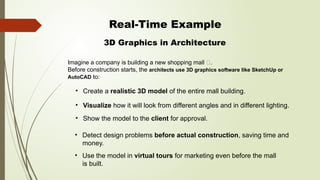
Real-Time Example
3D Graphics in Architecture
• Create a realistic 3D model of the entire mall building.
• Detect design problems before actual construction, saving time and
money.
Imagine a company is building a new shopping mall 🏬.
Before construction starts, the architects use 3D graphics software like SketchUp or
AutoCAD to:
• Visualize how it will look from different angles and in different lighting.
• Show the model to the client for approval.
• Use the model in virtual tours for marketing even before the mall
is built.
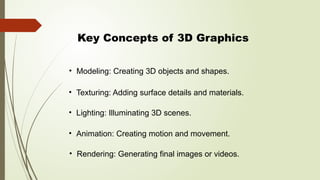
Key Concepts of 3D Graphics
• Modeling: Creating 3D objects and shapes.
• Texturing: Adding surface details and materials.
• Lighting: Illuminating 3D scenes.
• Animation: Creating motion and movement.
• Rendering: Generating final images or videos.
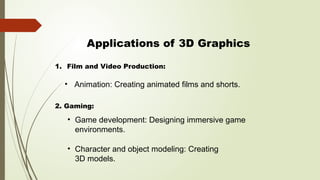
Applications of 3D Graphics
• Animation: Creating animated films and shorts.
• Game development: Designing immersive game
environments.
• Character and object modeling: Creating
3D models.
1. Film and Video Production:
2. Gaming:
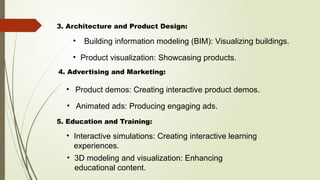
• Building information modeling (BIM): Visualizing buildings.
3. Architecture and Product Design:
• Product demos: Creating interactive product demos.
• Product visualization: Showcasing products.
4. Advertising and Marketing:
• Animated ads: Producing engaging ads.
5. Education and Training:
• Interactive simulations: Creating interactive learning
experiences.
• 3D modeling and visualization: Enhancing
educational content.
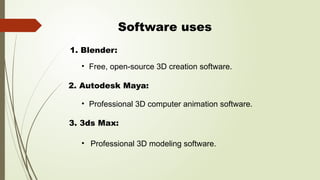
Software uses
• Free, open-source 3D creation software.
• Professional 3D computer animation software.
• Professional 3D modeling software.
1. Blender:
2. Autodesk Maya:
3. 3ds Max:
Conclusion
• 3D graphics have revolutionized various industries,
enabling the creation of immersive and engaging
visual experiences.
• From film and gaming to architecture and product
design, 3D graphics continue to push boundaries
and drive innovation.
Thank You

3D Graphics an introduction and details .pptx

  • 1.
    Student Name: UmamaIshmal Roll No: F24-BSCS-1082 Class: BS Computer Science (M-B) Semester: 2nd Submitted To: Sir Inam Ul Haq Bonus Assignment
  • 2.
    Title : 3D Graphics- An Introduction Subtitle: Using 3D Graphics for Realistic Architectural Visualization and Planning.
  • 3.
    Topic Outlines • Introductionto 3D Graphics • Key Concepts • Real Time Example • Applications of 3D Graphics • Software uses • Conclusion • Uses of 3D Graphics
  • 4.
    Introduction • 3D Graphicsare digital images or animations that give the illusion of depth, height, and width – just like real-life objects. What is 3D Graphics? • 3D graphics involve creating three-dimensional images and animations using computer software.
  • 5.
    Real-Time Example 3D Graphicsin Architecture • Create a realistic 3D model of the entire mall building. • Detect design problems before actual construction, saving time and money. Imagine a company is building a new shopping mall 🏬. Before construction starts, the architects use 3D graphics software like SketchUp or AutoCAD to: • Visualize how it will look from different angles and in different lighting. • Show the model to the client for approval. • Use the model in virtual tours for marketing even before the mall is built.
  • 6.
    Key Concepts of3D Graphics • Modeling: Creating 3D objects and shapes. • Texturing: Adding surface details and materials. • Lighting: Illuminating 3D scenes. • Animation: Creating motion and movement. • Rendering: Generating final images or videos.
  • 7.
    Applications of 3DGraphics • Animation: Creating animated films and shorts. • Game development: Designing immersive game environments. • Character and object modeling: Creating 3D models. 1. Film and Video Production: 2. Gaming:
  • 8.
    • Building informationmodeling (BIM): Visualizing buildings. 3. Architecture and Product Design: • Product demos: Creating interactive product demos. • Product visualization: Showcasing products. 4. Advertising and Marketing: • Animated ads: Producing engaging ads. 5. Education and Training: • Interactive simulations: Creating interactive learning experiences. • 3D modeling and visualization: Enhancing educational content.
  • 9.
    Software uses • Free,open-source 3D creation software. • Professional 3D computer animation software. • Professional 3D modeling software. 1. Blender: 2. Autodesk Maya: 3. 3ds Max:
  • 10.
    Conclusion • 3D graphicshave revolutionized various industries, enabling the creation of immersive and engaging visual experiences. • From film and gaming to architecture and product design, 3D graphics continue to push boundaries and drive innovation.
  • 11.