2
Presentation Outline
Introduction
Physical Models:
Three Generations of DS: Early, Internet-Scale, Contemporary
Architectural Models
Software Layers
System Architectures
Client-Server
Clients and a Single Server, Multiple Servers, Proxy Servers with Caches, Peer
Model
Alternative Client-Sever models driven by:
Mobile code, mobile agents, network computers, thin clients, mobile devices, and
spontaneous networking
Design Challenges/Requirements
Fundamental Models – formal description
Interaction, failure, and security models.
Summary
3.
3
Introduction
Real worldsystems should be designed to
function correctly in ALL circumstances/scenarios.
Distributed system models helps in…
..classifying and understanding different implementations
..identifying their weaknesses and their strengths
..crafting new systems outs of pre-validated building blocks
We will study distributed system models from
different perspectives
Structure, organization, and placement of components
Interactions
Fundamental properties of systems
4.
4
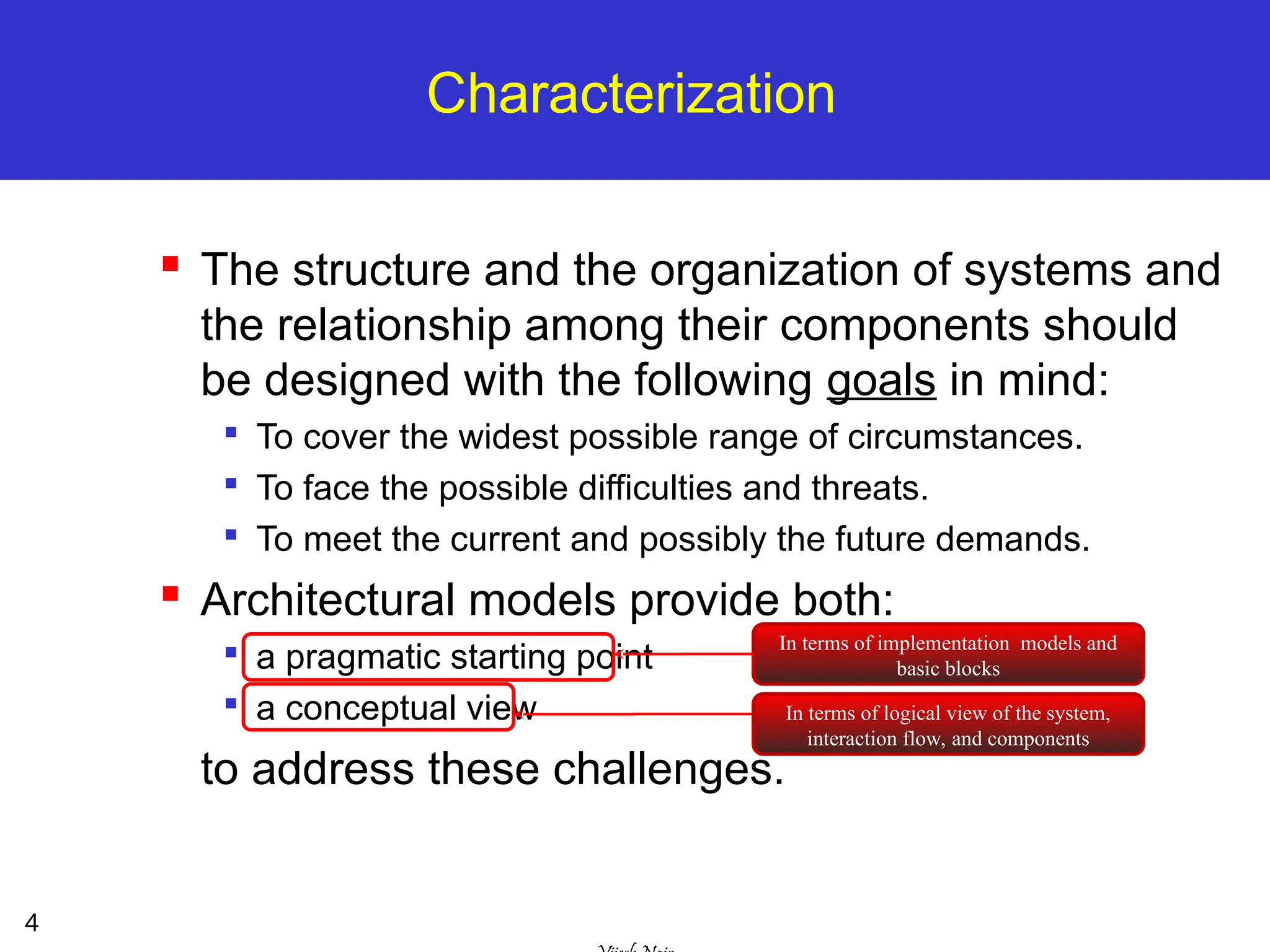
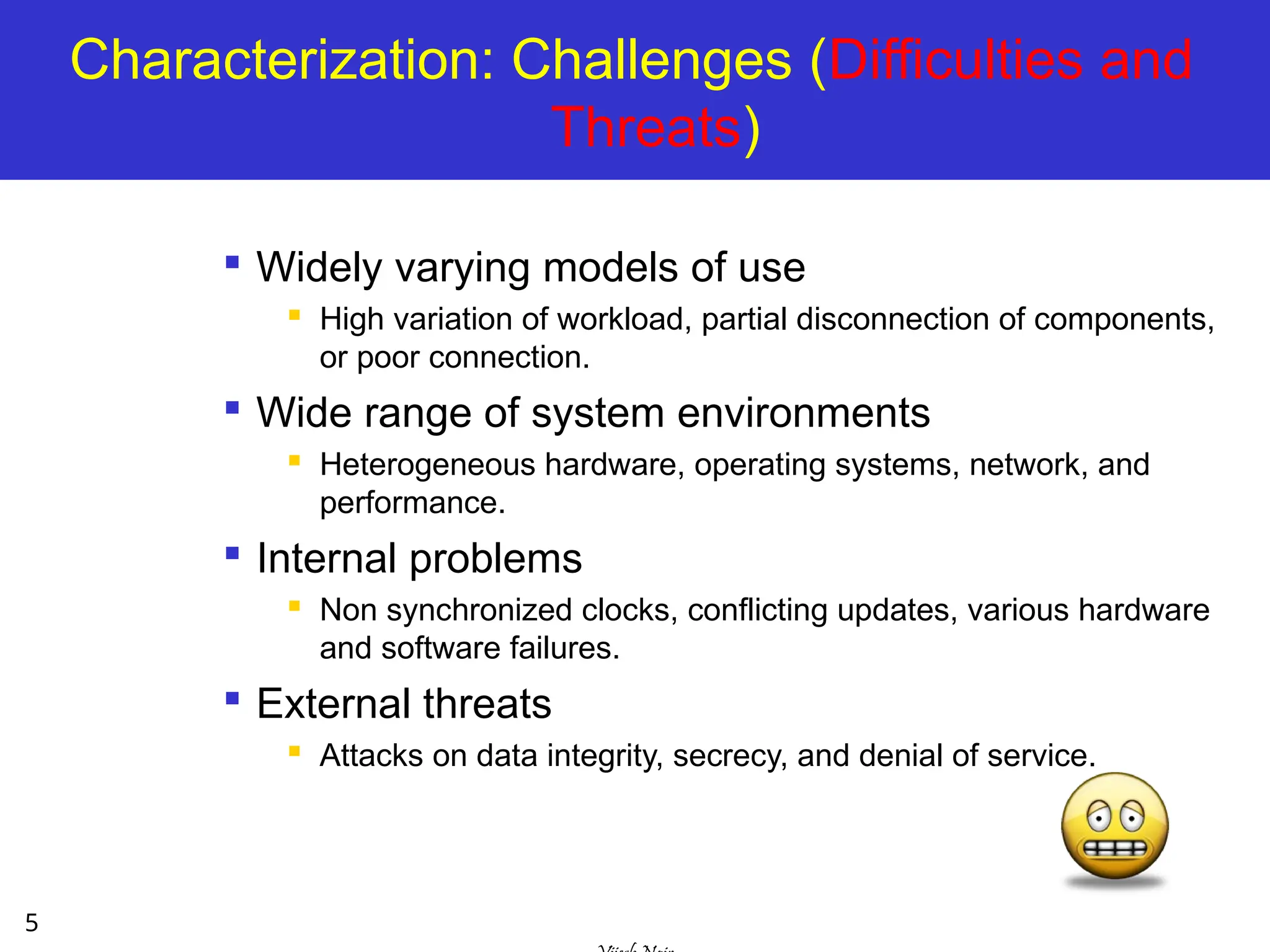
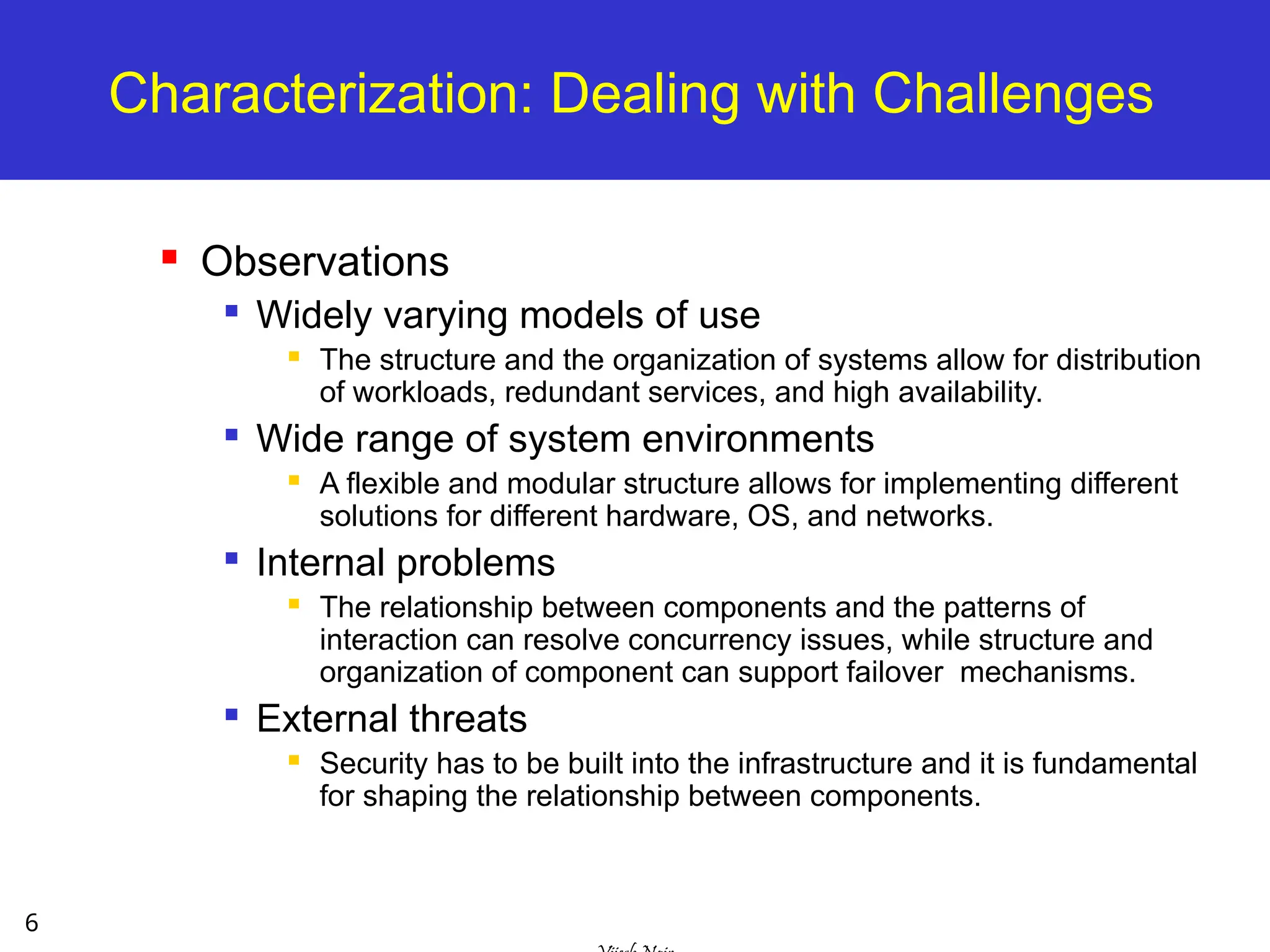
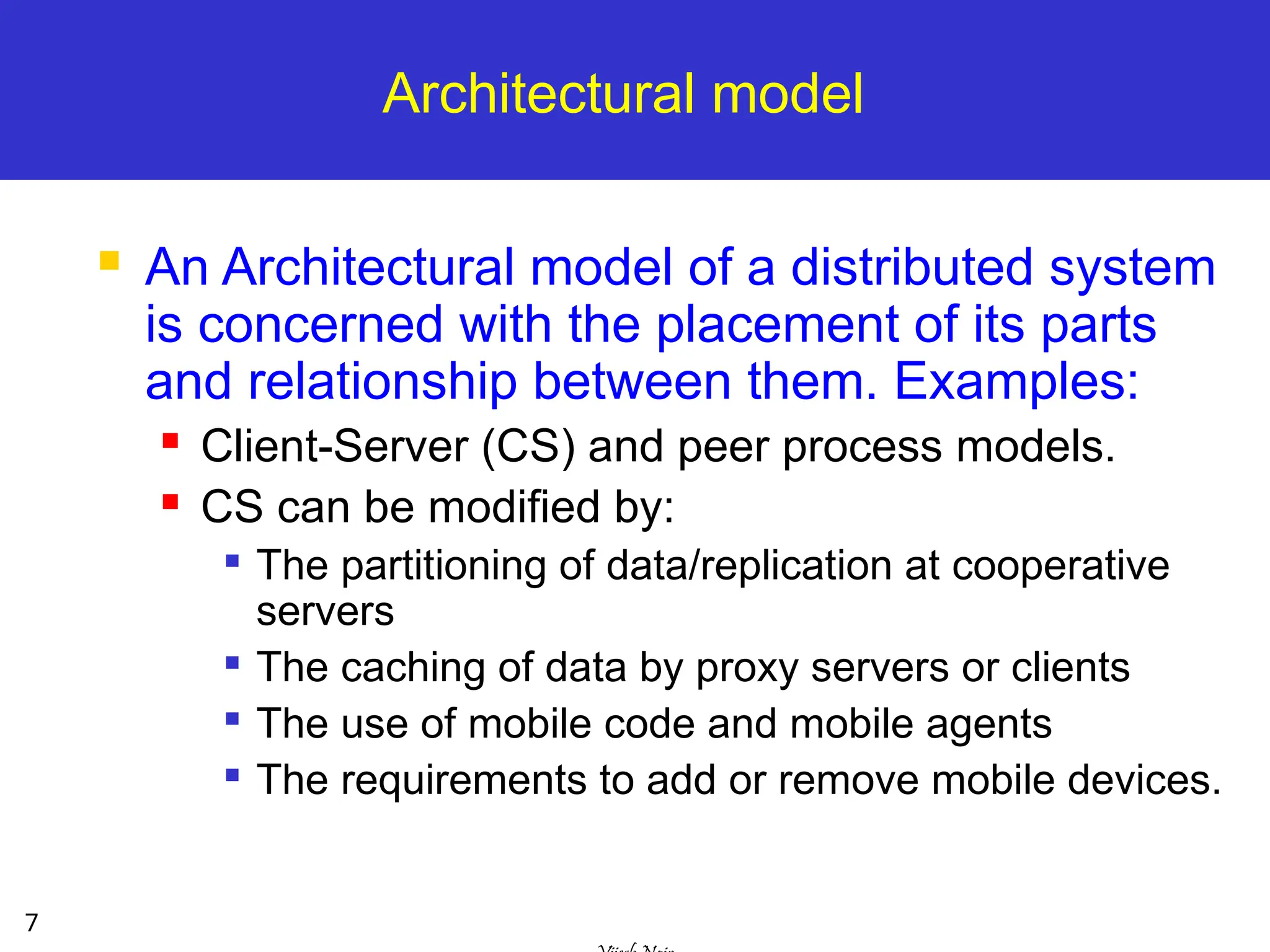
Characterization
The structureand the organization of systems and
the relationship among their components should
be designed with the following goals in mind:
To cover the widest possible range of circumstances.
To face the possible difficulties and threats.
To meet the current and possibly the future demands.
Architectural models provide both:
a pragmatic starting point
a conceptual view
to address these challenges.
In terms of implementation models and
basic blocks
In terms of logical view of the system,
interaction flow, and components
5.
5
Characterization: Challenges (Difficultiesand
Threats)
Widely varying models of use
High variation of workload, partial disconnection of components,
or poor connection.
Wide range of system environments
Heterogeneous hardware, operating systems, network, and
performance.
Internal problems
Non synchronized clocks, conflicting updates, various hardware
and software failures.
External threats
Attacks on data integrity, secrecy, and denial of service.
6.
6
Characterization: Dealing withChallenges
Observations
Widely varying models of use
The structure and the organization of systems allow for distribution
of workloads, redundant services, and high availability.
Wide range of system environments
A flexible and modular structure allows for implementing different
solutions for different hardware, OS, and networks.
Internal problems
The relationship between components and the patterns of
interaction can resolve concurrency issues, while structure and
organization of component can support failover mechanisms.
External threats
Security has to be built into the infrastructure and it is fundamental
for shaping the relationship between components.
7.
7
Architectural model
AnArchitectural model of a distributed system
is concerned with the placement of its parts
and relationship between them. Examples:
Client-Server (CS) and peer process models.
CS can be modified by:
The partitioning of data/replication at cooperative
servers
The caching of data by proxy servers or clients
The use of mobile code and mobile agents
The requirements to add or remove mobile devices.
8.
8
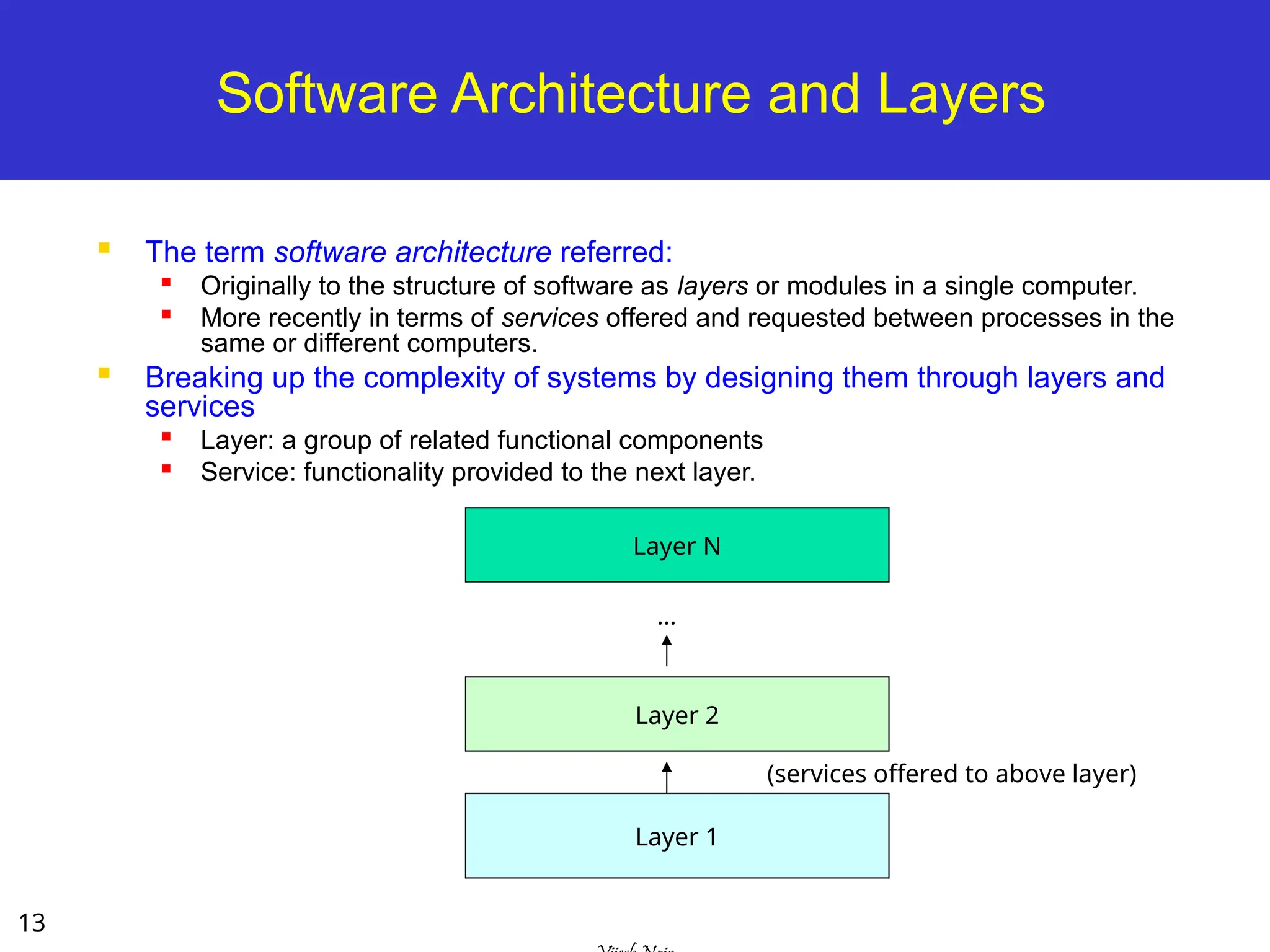
Fundamental Models
FundamentalModels are concerned with a formal
description of the properties that are common in all
of the architectural models
Models addressing time synchronization, message
delays, failures, security issues are addressed as:
Interaction Model – deals with performance and the
difficulty of setting of time limits in a distributed system.
Failure Model – specification of the faults that can be
exhibited by processes
Secure Model – discusses possible threats to processes
and communication channels.
9.
9
Physical Models
Arepresentation of the underlying h/w elements of a
DS that abstracts away specific details of the
computer/networking technologies.
Baseline physical model
3 Generations of DS:
Early distributed systems [late 70-80s]: LAN-based
Internet-scale distributed systems [early 90-2005]: Clusters,
grids, P2P, Clouds
Contemporary distributed systems: dynamic nodes like
mobile-based services (nodes are very dynamic not static
like other models).
11
Architectural Models –Intro [1]
The architecture of a system is its structure in terms
of separately specified components.
Its goal is to meet present and likely future demands.
Major concerns are making the system reliable,
manageable, adaptable, and cost-effective.
Architectural Model:
Simplifies and abstracts the functions of individual
components
The placement of the components across a network of
computers – define patterns for the distribution of data and
workloads
The interrelationship between the components – ie.,
functional roles and the patterns of communication
between them.
12.
12
Architectural Models –Intro [2]
Architectural Model - simplifies and abstracts
the functions of individual components:
An initial simplification is achieved by classifying
processes as:
Server processes
Client processes
Peer processes
Cooperate and communicate in a symmetric manner to
perform a task.
client server
peer
peer
13.
13
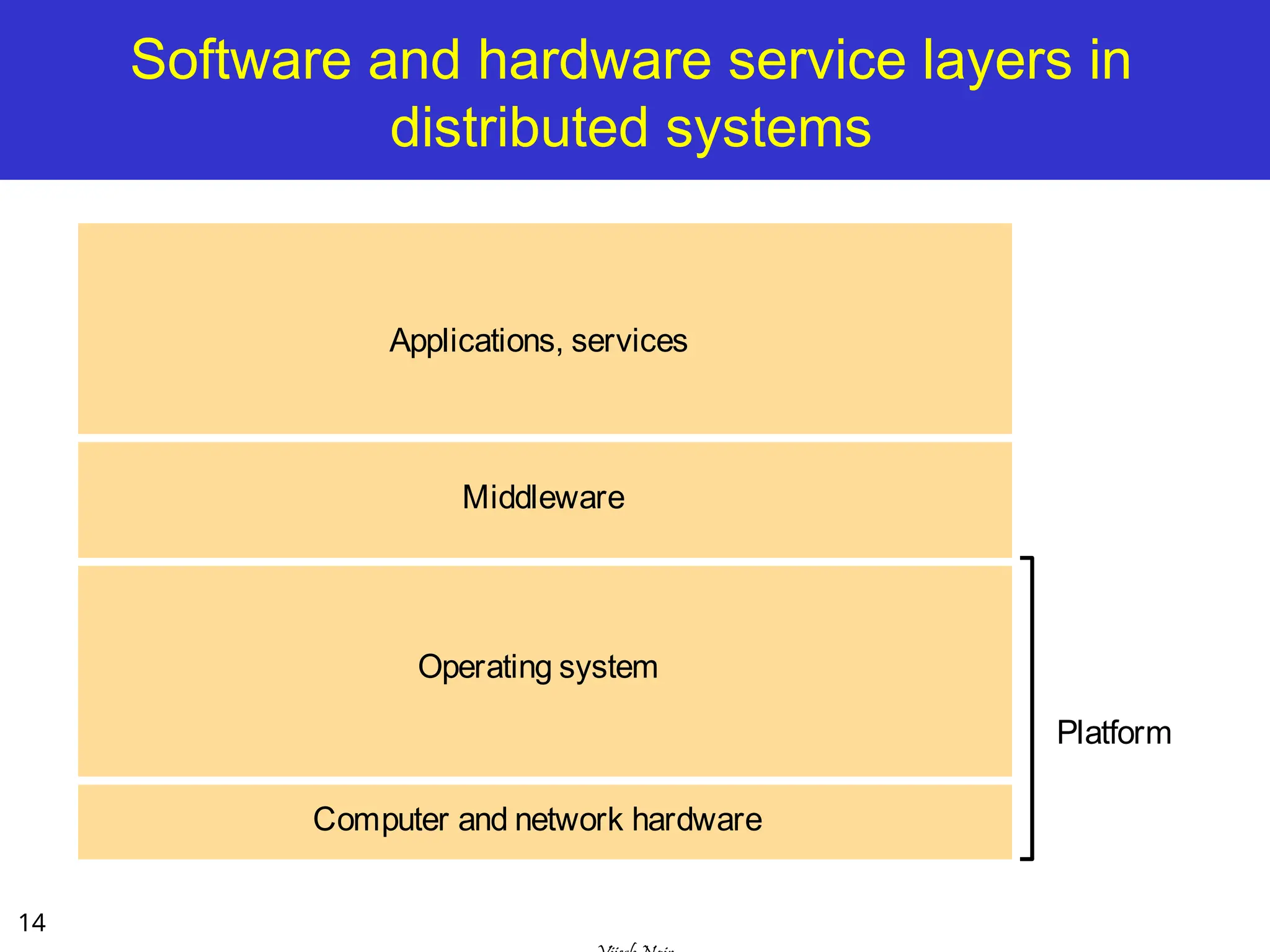
Software Architecture andLayers
The term software architecture referred:
Originally to the structure of software as layers or modules in a single computer.
More recently in terms of services offered and requested between processes in the
same or different computers.
Breaking up the complexity of systems by designing them through layers and
services
Layer: a group of related functional components
Service: functionality provided to the next layer.
Layer 1
Layer 2
Layer N
(services offered to above layer)
…
14.
14
Software and hardwareservice layers in
distributed systems
Applications, services
Computer and network hardware
Platform
Operating system
Middleware
15.
15
Platform
The lowesthardware and software layers are often
referred to as a platform for distributed systems and
applications.
These low-level layers provide services to the layers
above them, which are implemented independently
in each computer.
Major Examples
Intel x86/Windows
Intel x86/Linux
Intel x86/Solaris
SPARC/SunOS
PowerPC/MacOS
16.
16
Middleware
A layerof software whose purpose is to mask heterogeneity present
in distributed systems and to provide a convenient programming
model to application developers.
Major Examples:
Sun RPC (Remote Procedure Calls)
OMG CORBA (Common Object Request Broker Architecture)
Microsoft D-COM (Distributed Components Object Model)
Sun Java RMI
Modern Middleware:
Manjrasoft Aneka– for Cloud computing
IBM WebSphere
Microsoft .NET
Sun J2EE
Google AppEngine
17.
17
System Architecture
Themost evident aspect of DS design is the
division of responsibilities between system
components (applications, servers, and other
processes) and the placement of the
components on computers in the network.
It has major implication for:
Performance, reliability, and security of the
resulting system.
18.
18
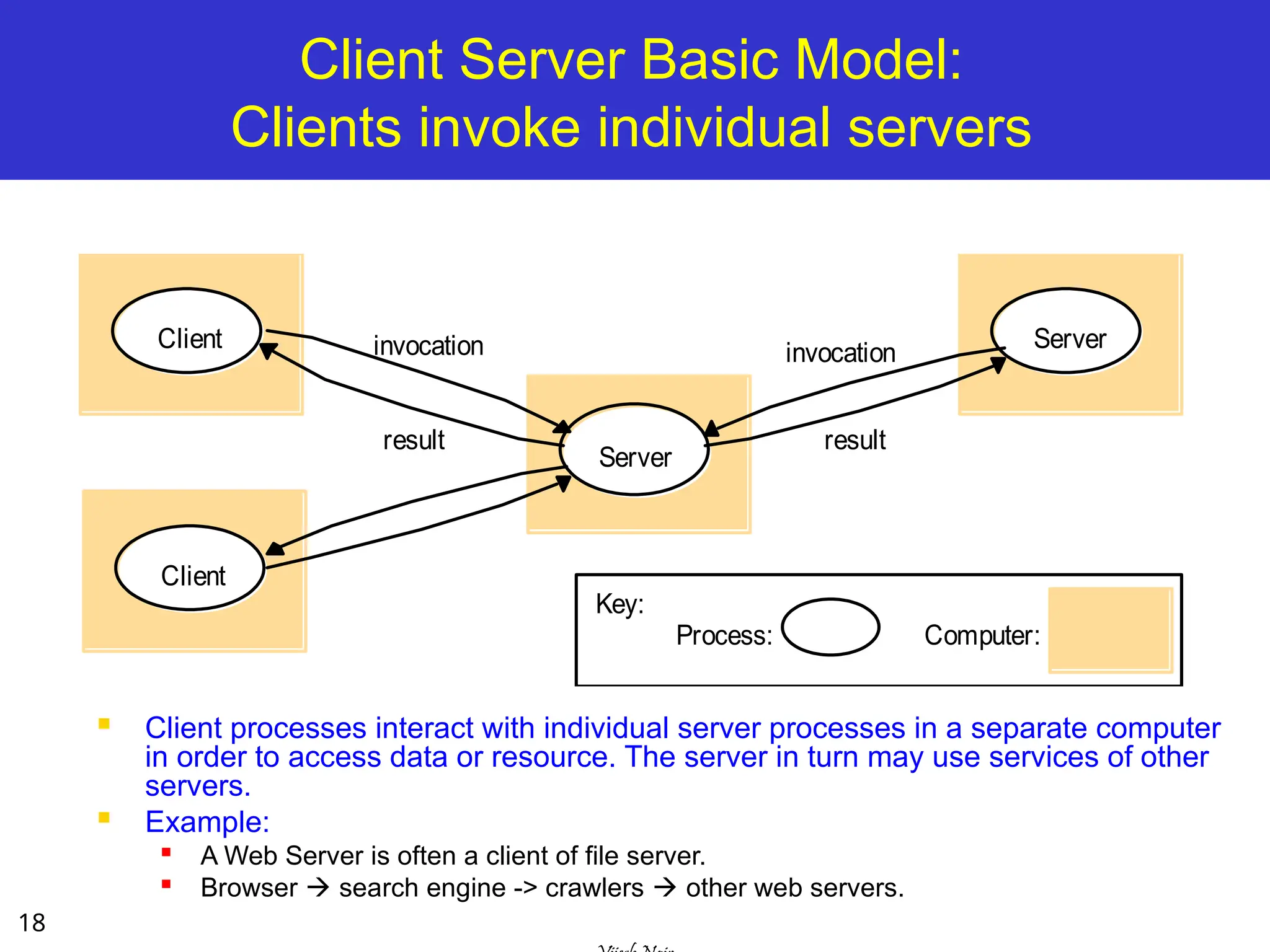
Client Server BasicModel:
Clients invoke individual servers
Client processes interact with individual server processes in a separate computer
in order to access data or resource. The server in turn may use services of other
servers.
Example:
A Web Server is often a client of file server.
Browser search engine -> crawlers other web servers.
Server
Client
Client
invocation
result
Server
invocation
result
Process:
Key:
Computer:
19.
19
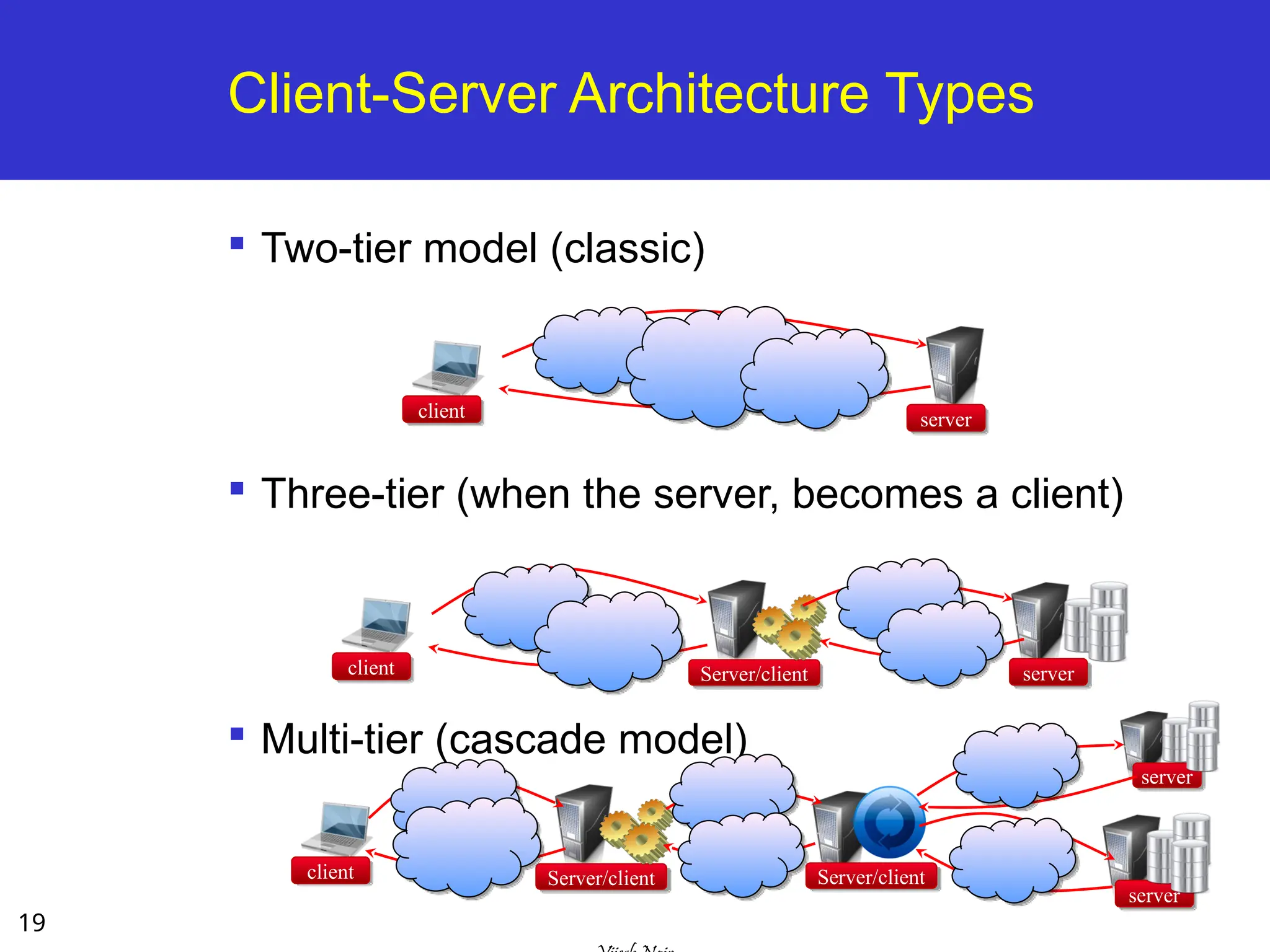
Two-tier model (classic)
Three-tier(when the server, becomes a client)
Multi-tier (cascade model)
Client-Server Architecture Types
client server
client Server/client server
client Server/client
server
Server/client
server
21
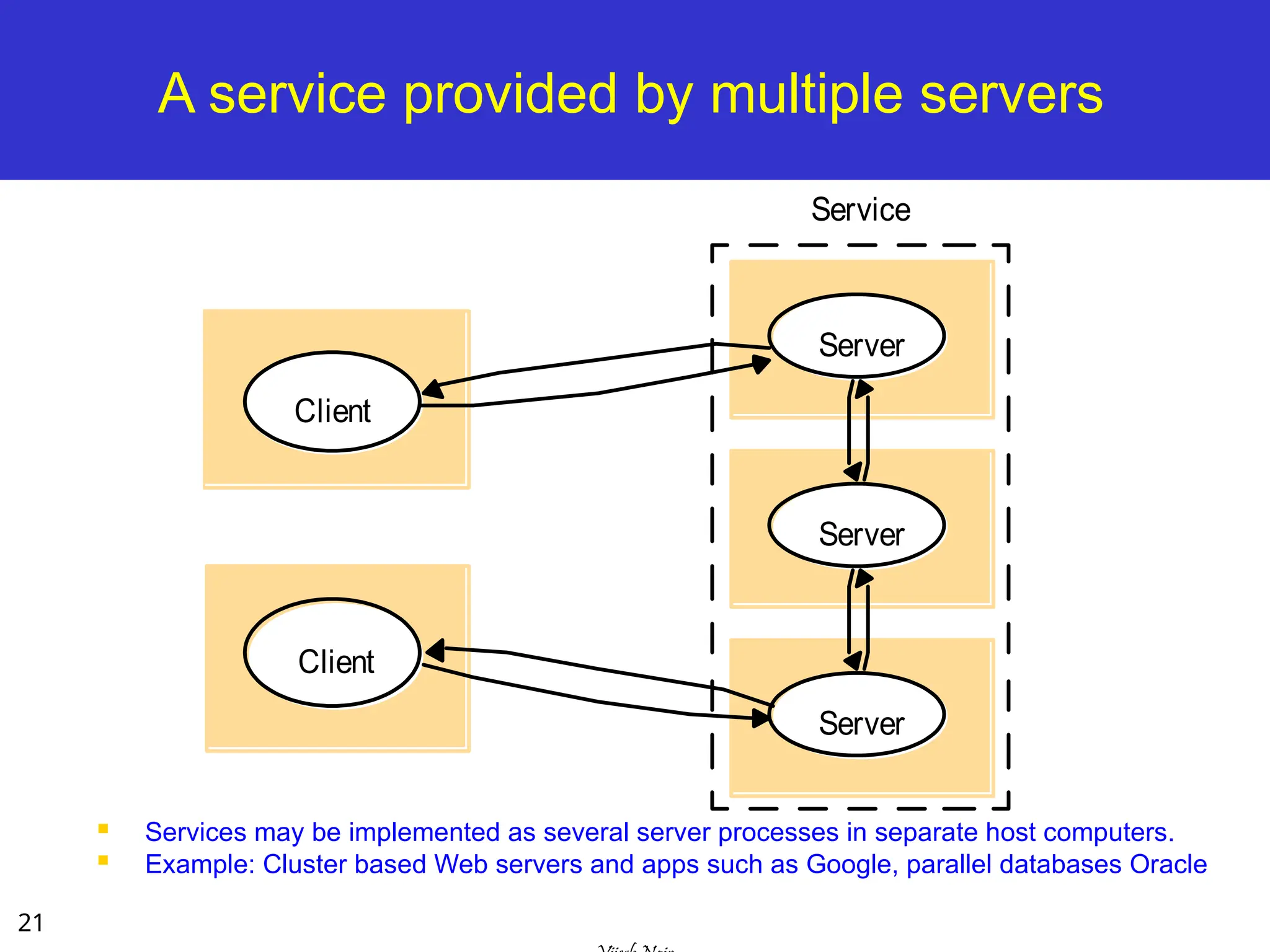
A service providedby multiple servers
Services may be implemented as several server processes in separate host computers.
Example: Cluster based Web servers and apps such as Google, parallel databases Oracle
Server
Server
Server
Service
Client
Client
22.
22
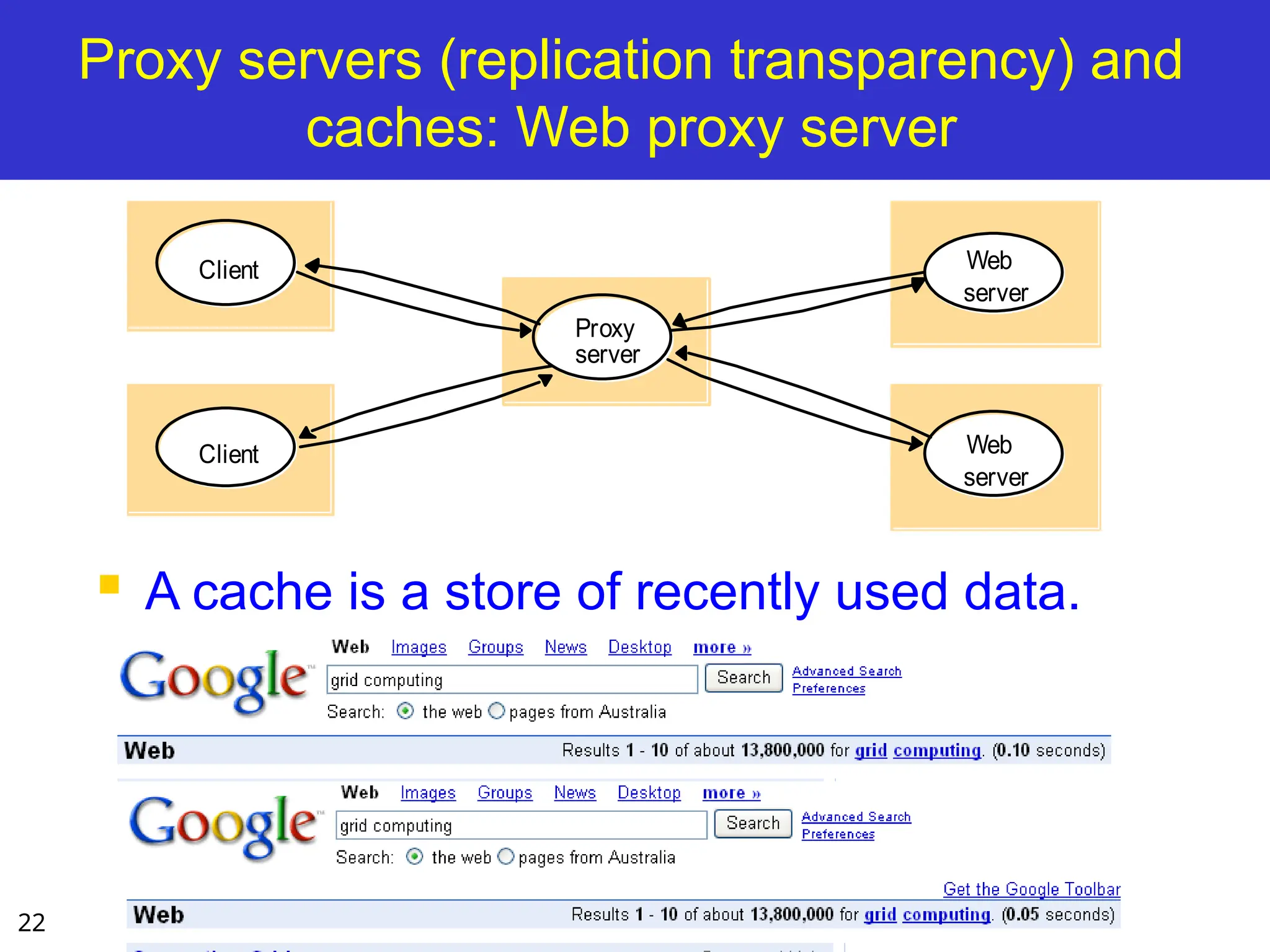
Proxy servers (replicationtransparency) and
caches: Web proxy server
A cache is a store of recently used data.
Client
Proxy
Web
server
Web
server
server
Client
23.
23
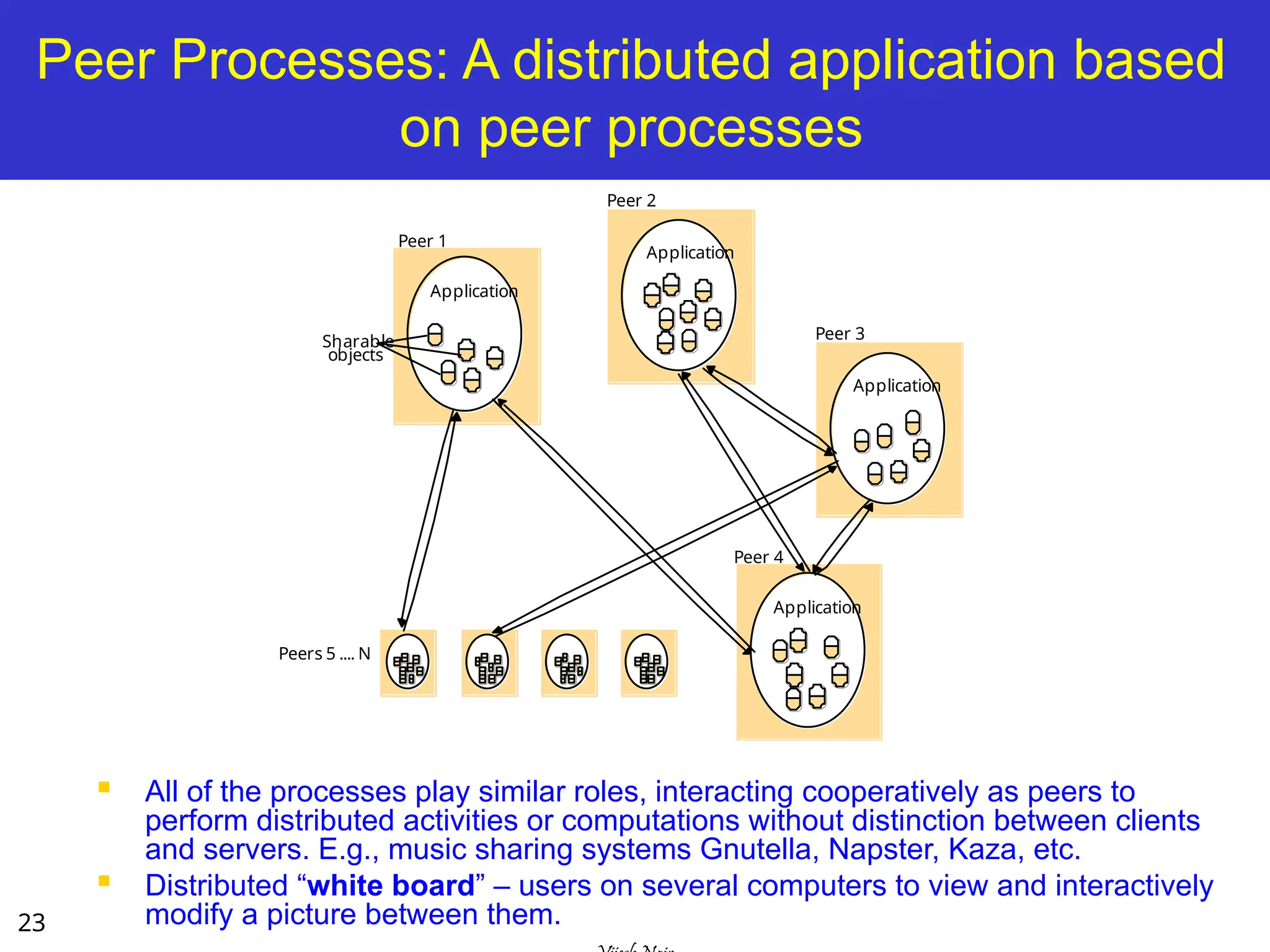
Peer Processes: Adistributed application based
on peer processes
All of the processes play similar roles, interacting cooperatively as peers to
perform distributed activities or computations without distinction between clients
and servers. E.g., music sharing systems Gnutella, Napster, Kaza, etc.
Distributed “white board” – users on several computers to view and interactively
modify a picture between them.
Application
Application
Application
Peer 1
Peer 2
Peer 3
Peers 5 .... N
Sharable
objects
Application
Peer 4
24.
24
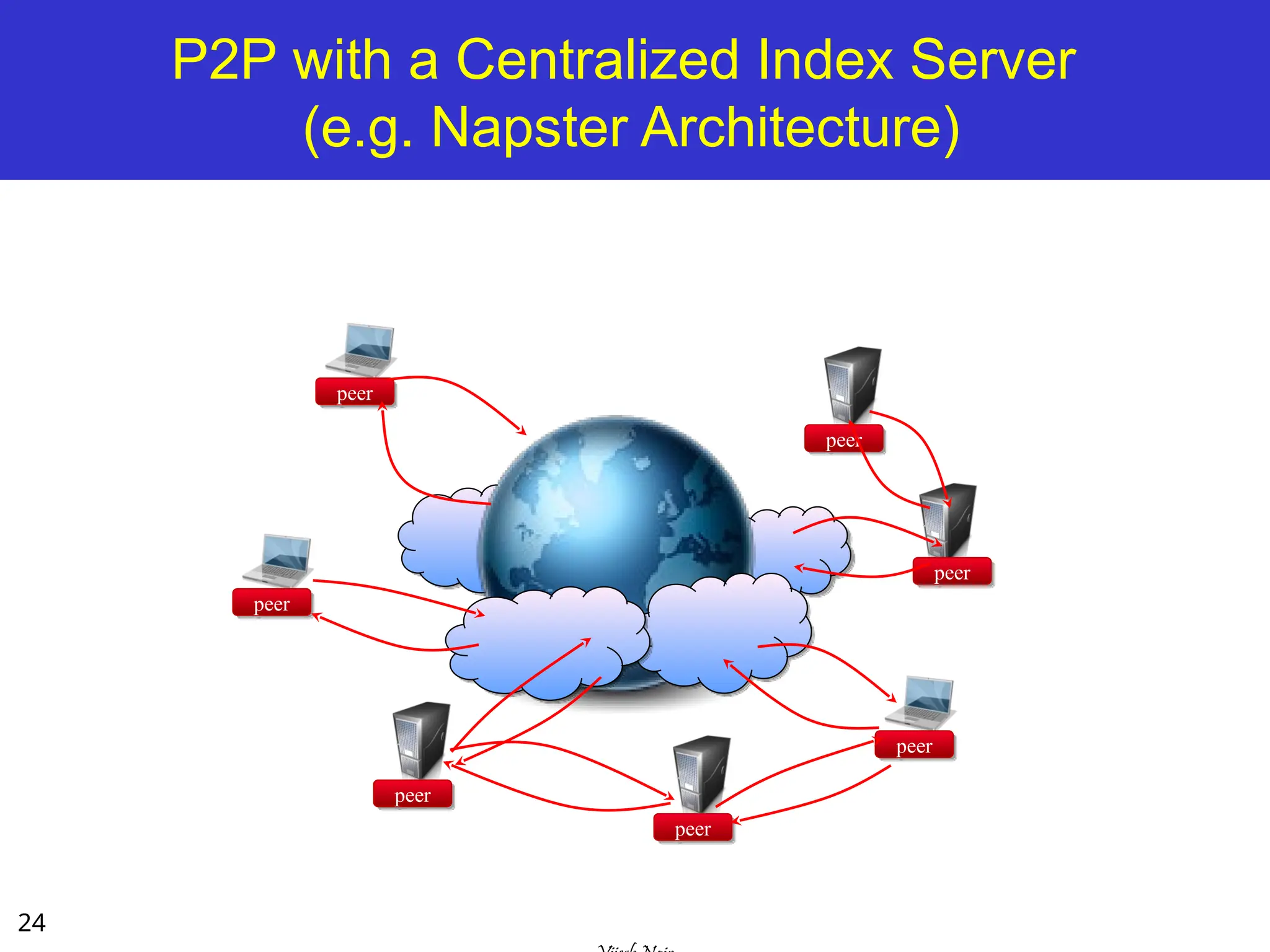
P2P with aCentralized Index Server
(e.g. Napster Architecture)
peer
peer
peer
peer
peer
peer
peer
25.
25
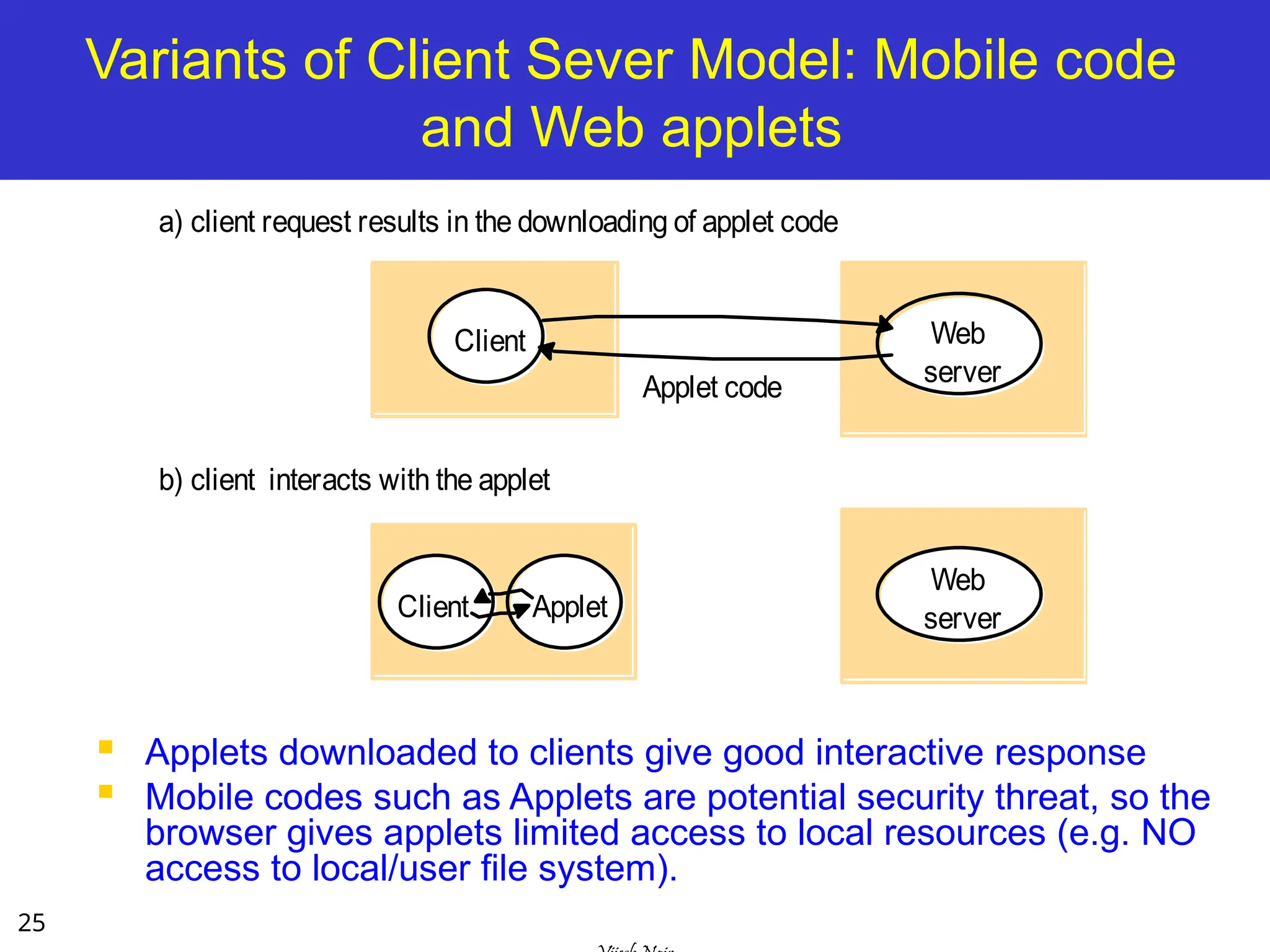
Variants of ClientSever Model: Mobile code
and Web applets
Applets downloaded to clients give good interactive response
Mobile codes such as Applets are potential security threat, so the
browser gives applets limited access to local resources (e.g. NO
access to local/user file system).
a) client request results in the downloading of applet code
Web
server
Client
Web
server
Applet
Applet code
Client
b) client interacts with the applet
26.
26
Variants of ClientSever Model: Mobile Agents
A running program (code and data) that travels from one
computer to another in a network carrying out an autonomous
task, usually on behalf of some other process
– advantages: flexibility, savings in communications cost
– virtual markets, software maintain on the computers within an
organisation.
Potential security threat to the resources in computers they visit.
The environment receiving agent should decide which of the local
resource to allow. (e.g., crawlers and web servers).
Agents themselves can be vulnerable – they may not be able to
complete task if they are refused access.
27.
27
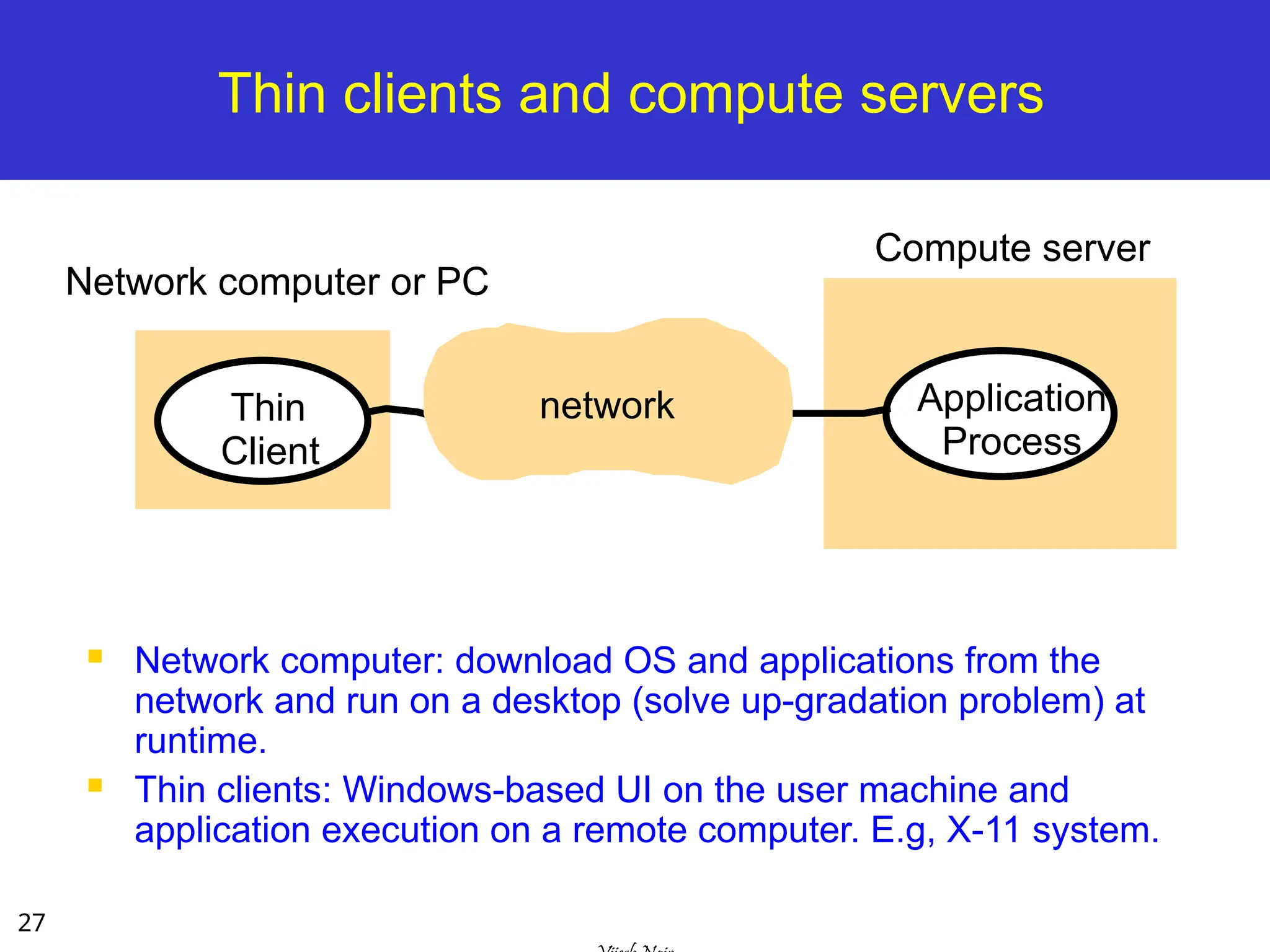
Thin clients andcompute servers
Network computer: download OS and applications from the
network and run on a desktop (solve up-gradation problem) at
runtime.
Thin clients: Windows-based UI on the user machine and
application execution on a remote computer. E.g, X-11 system.
Thin
Client
Application
Process
Network computer or PC
Compute server
network
28.
28
Mobile devices andspontaneous networking
[3rd
Generation Distributed System]
The world is increasingly populated by small and portable
computing devices.
W-LAN needs to handle constantly changing heterogeneous,
roaming devices
Need to provide discovery services: (1) registration service to
enable servers to publish their services and (2) lookup service to
allow clients to discover services that meet their requirements.
29.
29
Interfaces and Objects
The use of CS has impact on the software
architecture followed:
Distribution of responsibilities
Synchronization mechanisms between client and server
Admissible types of requests/responses
Basic CS model, responsibility is statically allocated.
File server is responsible for file, not for web pages.
Peer process model, responsibility is dynamically
allocated:
In fully decentralized music file sharing system, search
process may be delegated to different peers at runtime.
30.
30
Design Requirements/Challenges ofDistributed
Systems
Performance Issues
Responsiveness
Support interactive clients
Use caching and replication
Throughput
Load balancing and timeliness
Quality of Service:
Reliability
Security
Adaptive performance.
Dependability issues:
Correctness, security, and fault tolerance
Dependable applications continue to work in the presence of
faults in hardware, software, and networks.
31.
31
Presentation Outline
Introduction
Architectural Models
Software Layers
System Architectures
Client-Server
Clients and a Single Sever, Multiple Servers, Proxy Servers with
Caches, Peer Model
Alternative Client-Sever models driven by:
Mobile code, mobile agents, network computers, thin clients, mobile
devices and spontaneous networking
Design Challenges/Requirements
Fundamental Models – formal description
Interaction, Failure, and Security models.
Summary
32.
32
Lecture Overview (II)
Fundamental Models are concerned with a formal description of
the properties that are common in all of the architectural models.
All architectural models are composed of processes that
communicate with each other by sending messages over a
computer networks.
Models addressing time synchronization, message delays,
failures, security issues are:
Interaction Model – deals with performance and the difficulty of
setting of time limits in a distributed system.
Failure Model – specification of the faults that can be exhibited by
processes
Security Model – discusses possible threats to processes and
communication channels.
33.
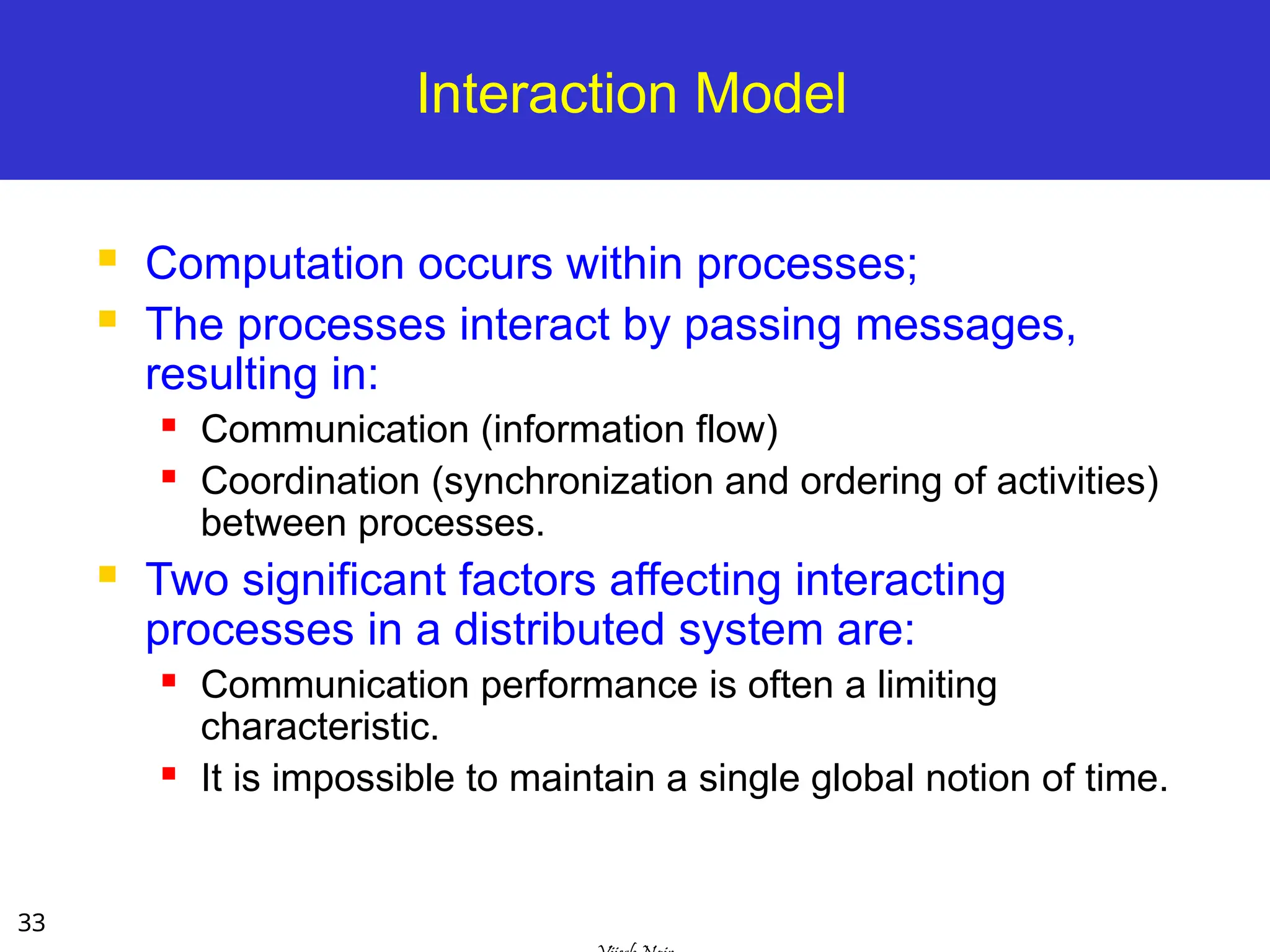
33
Interaction Model
Computationoccurs within processes;
The processes interact by passing messages,
resulting in:
Communication (information flow)
Coordination (synchronization and ordering of activities)
between processes.
Two significant factors affecting interacting
processes in a distributed system are:
Communication performance is often a limiting
characteristic.
It is impossible to maintain a single global notion of time.
34.
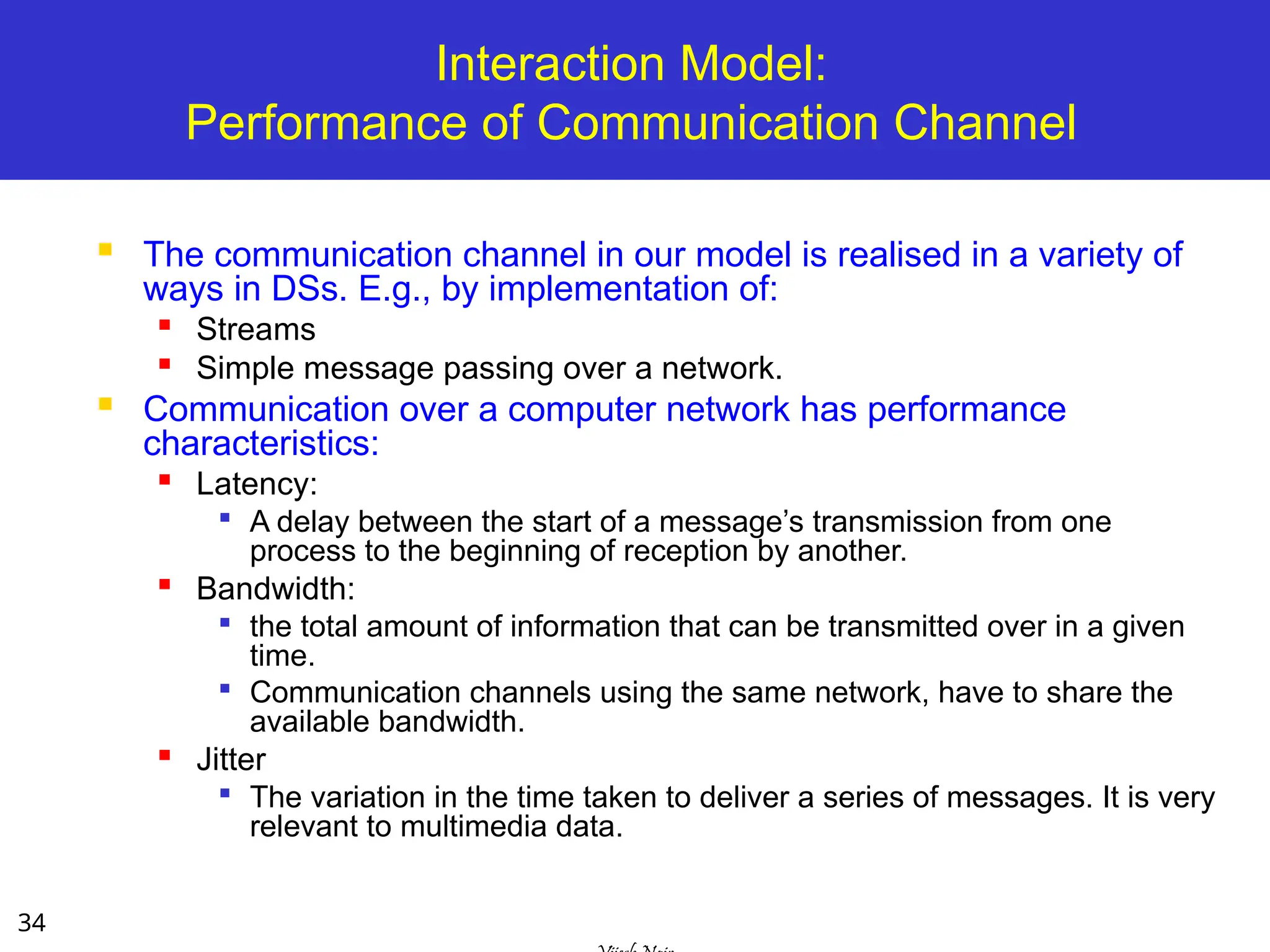
34
Interaction Model:
Performance ofCommunication Channel
The communication channel in our model is realised in a variety of
ways in DSs. E.g., by implementation of:
Streams
Simple message passing over a network.
Communication over a computer network has performance
characteristics:
Latency:
A delay between the start of a message’s transmission from one
process to the beginning of reception by another.
Bandwidth:
the total amount of information that can be transmitted over in a given
time.
Communication channels using the same network, have to share the
available bandwidth.
Jitter
The variation in the time taken to deliver a series of messages. It is very
relevant to multimedia data.
35.
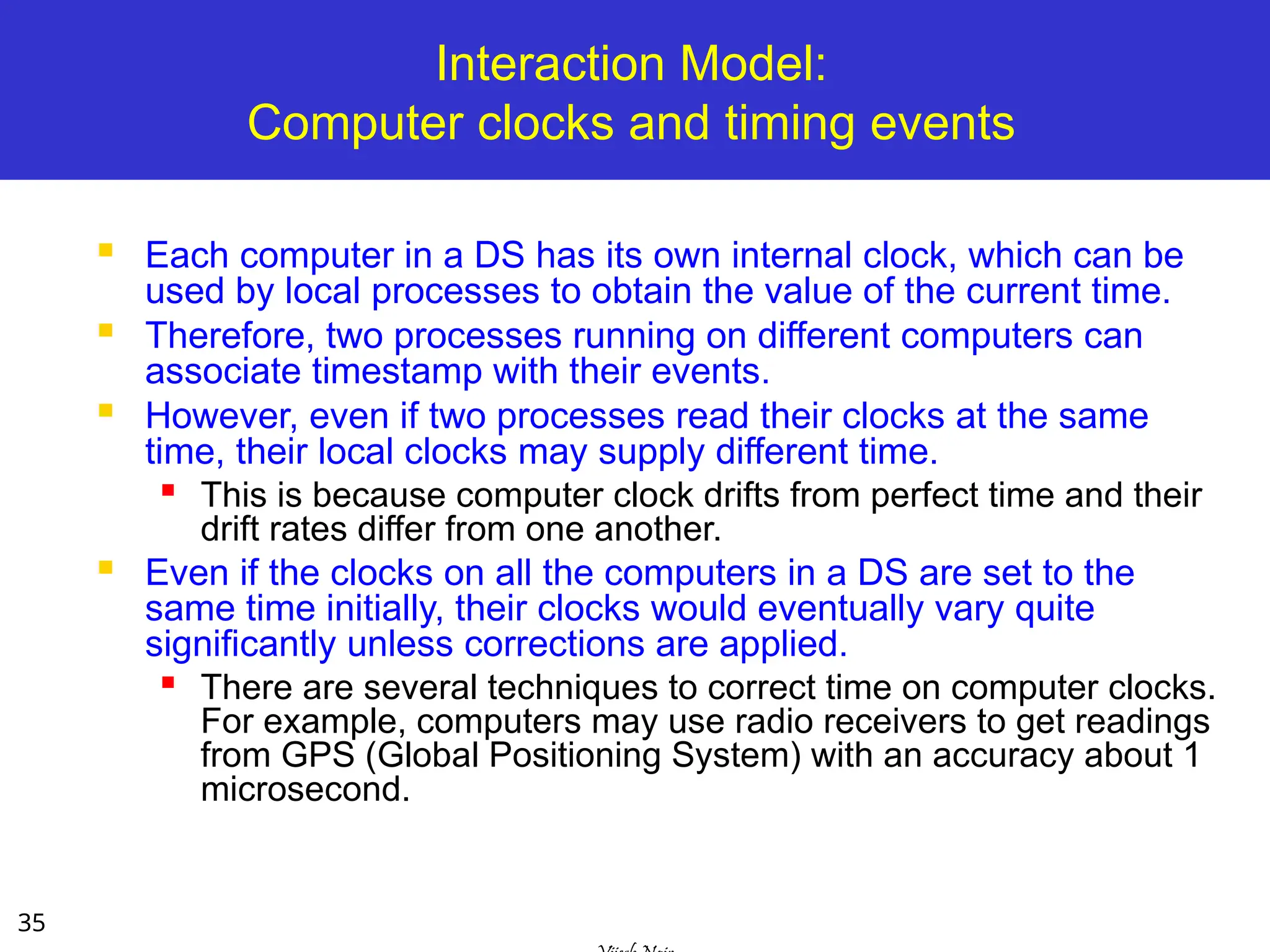
35
Interaction Model:
Computer clocksand timing events
Each computer in a DS has its own internal clock, which can be
used by local processes to obtain the value of the current time.
Therefore, two processes running on different computers can
associate timestamp with their events.
However, even if two processes read their clocks at the same
time, their local clocks may supply different time.
This is because computer clock drifts from perfect time and their
drift rates differ from one another.
Even if the clocks on all the computers in a DS are set to the
same time initially, their clocks would eventually vary quite
significantly unless corrections are applied.
There are several techniques to correct time on computer clocks.
For example, computers may use radio receivers to get readings
from GPS (Global Positioning System) with an accuracy about 1
microsecond.
36.
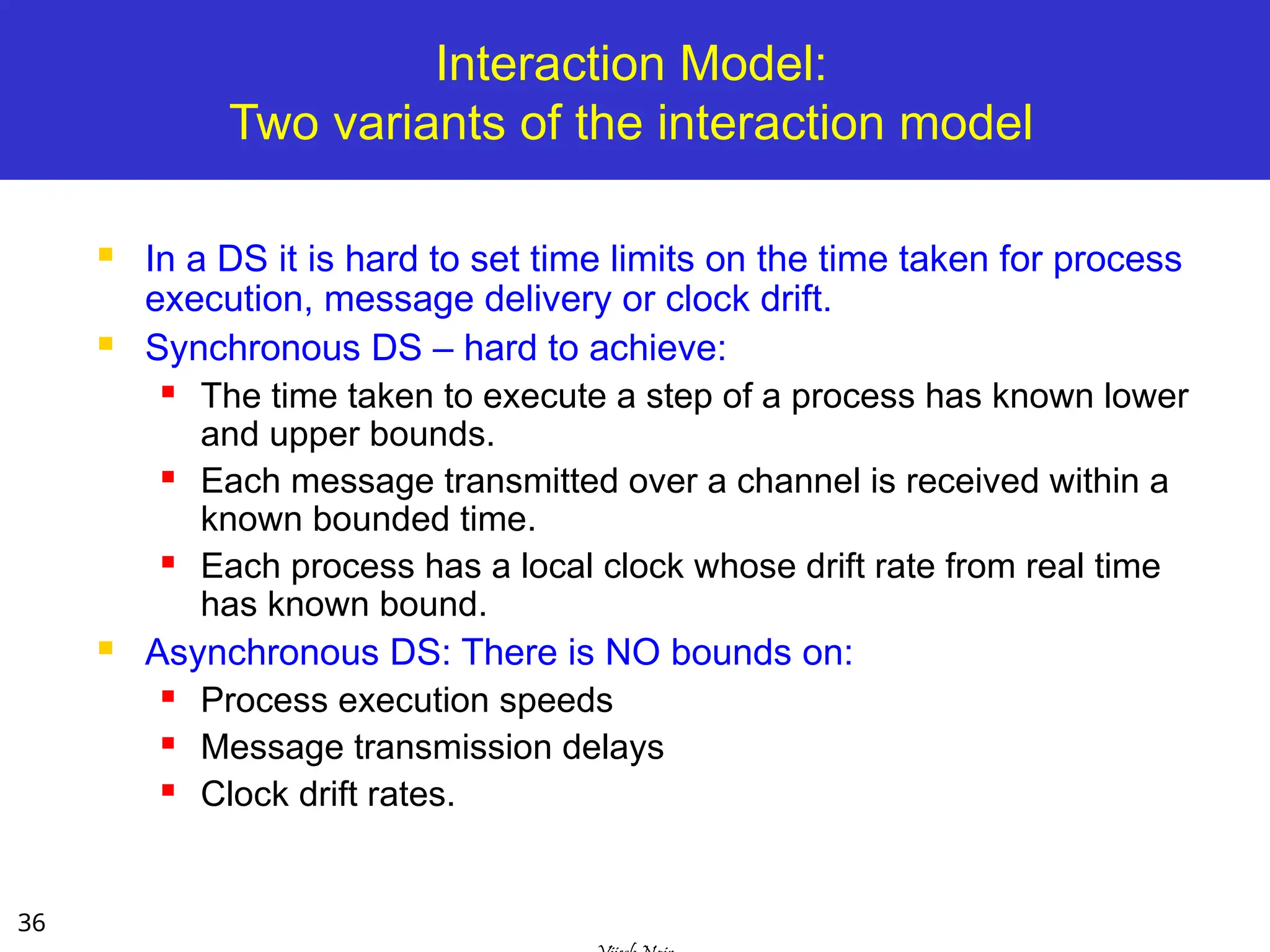
36
Interaction Model:
Two variantsof the interaction model
In a DS it is hard to set time limits on the time taken for process
execution, message delivery or clock drift.
Synchronous DS – hard to achieve:
The time taken to execute a step of a process has known lower
and upper bounds.
Each message transmitted over a channel is received within a
known bounded time.
Each process has a local clock whose drift rate from real time
has known bound.
Asynchronous DS: There is NO bounds on:
Process execution speeds
Message transmission delays
Clock drift rates.
37.
37
Interaction Model:
Event Ordering
In many DS applications we are interested in
knowing whether an event occurred before,
after, or concurrently with another event at
other processes.
The execution of a system can be described in
terms of events and their ordering despite the lack
of accurate clocks.
Consider a mailing list with:
users X, Y, Z, and A.
38.
38
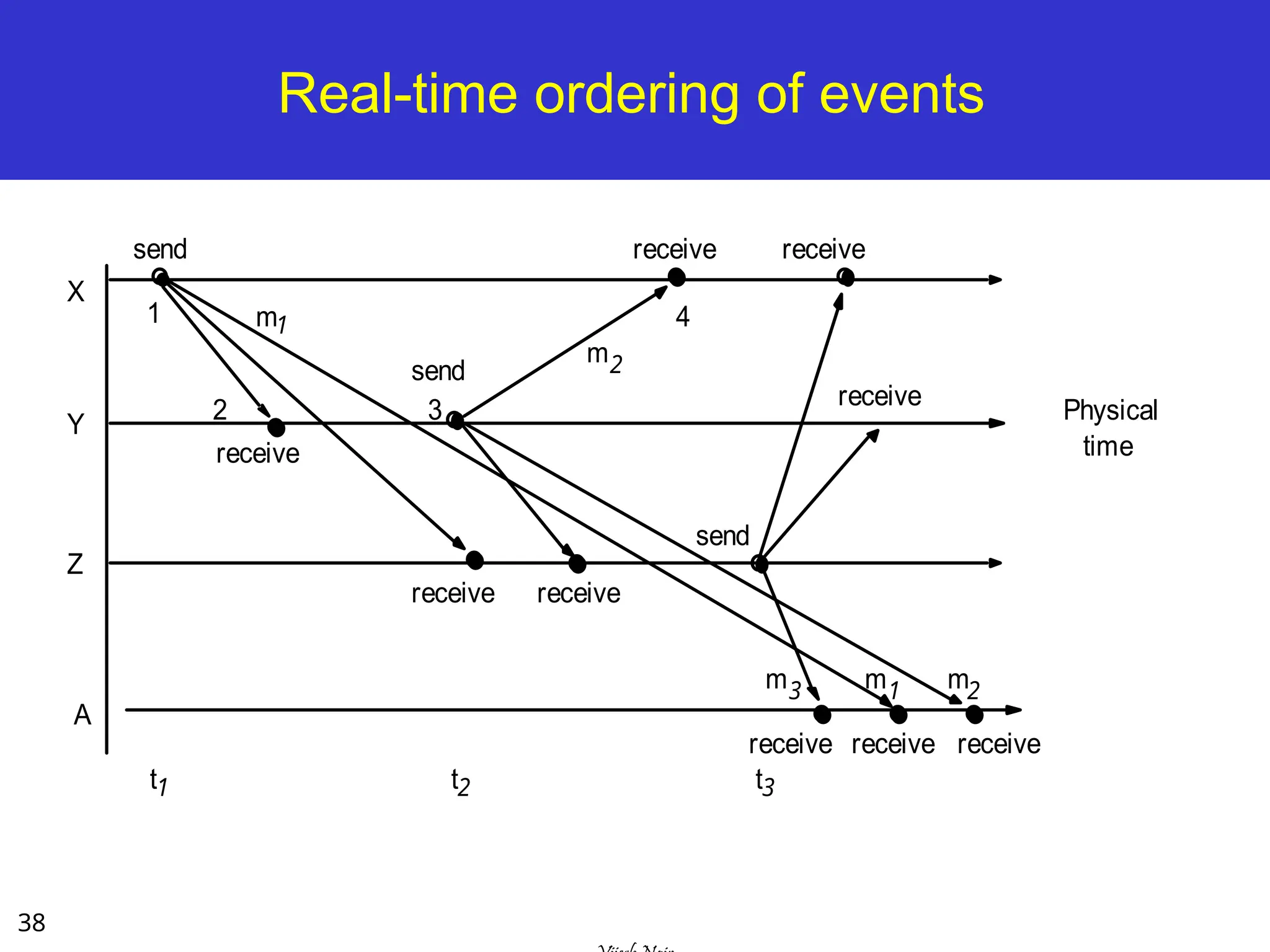
Real-time ordering ofevents
send
receive
send
receive
m1 m2
2
1
3
4
X
Y
Z
Physical
time
A
m3
receive receive
send
receive receive receive
t1 t2 t3
receive
receive
m2
m1
39.
39
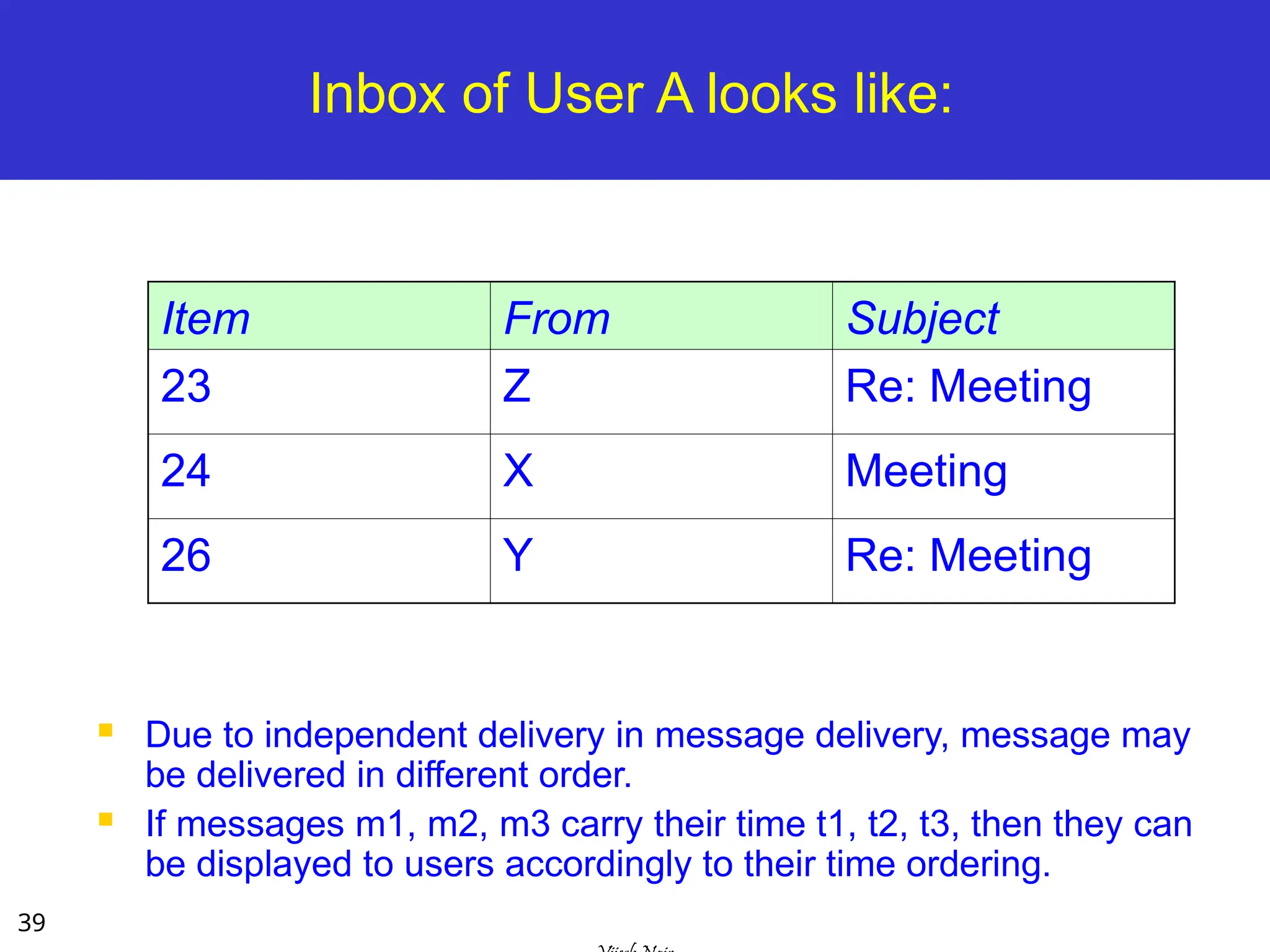
Inbox of UserA looks like:
Due to independent delivery in message delivery, message may
be delivered in different order.
If messages m1, m2, m3 carry their time t1, t2, t3, then they can
be displayed to users accordingly to their time ordering.
Item From Subject
23 Z Re: Meeting
24 X Meeting
26 Y Re: Meeting
40.
40
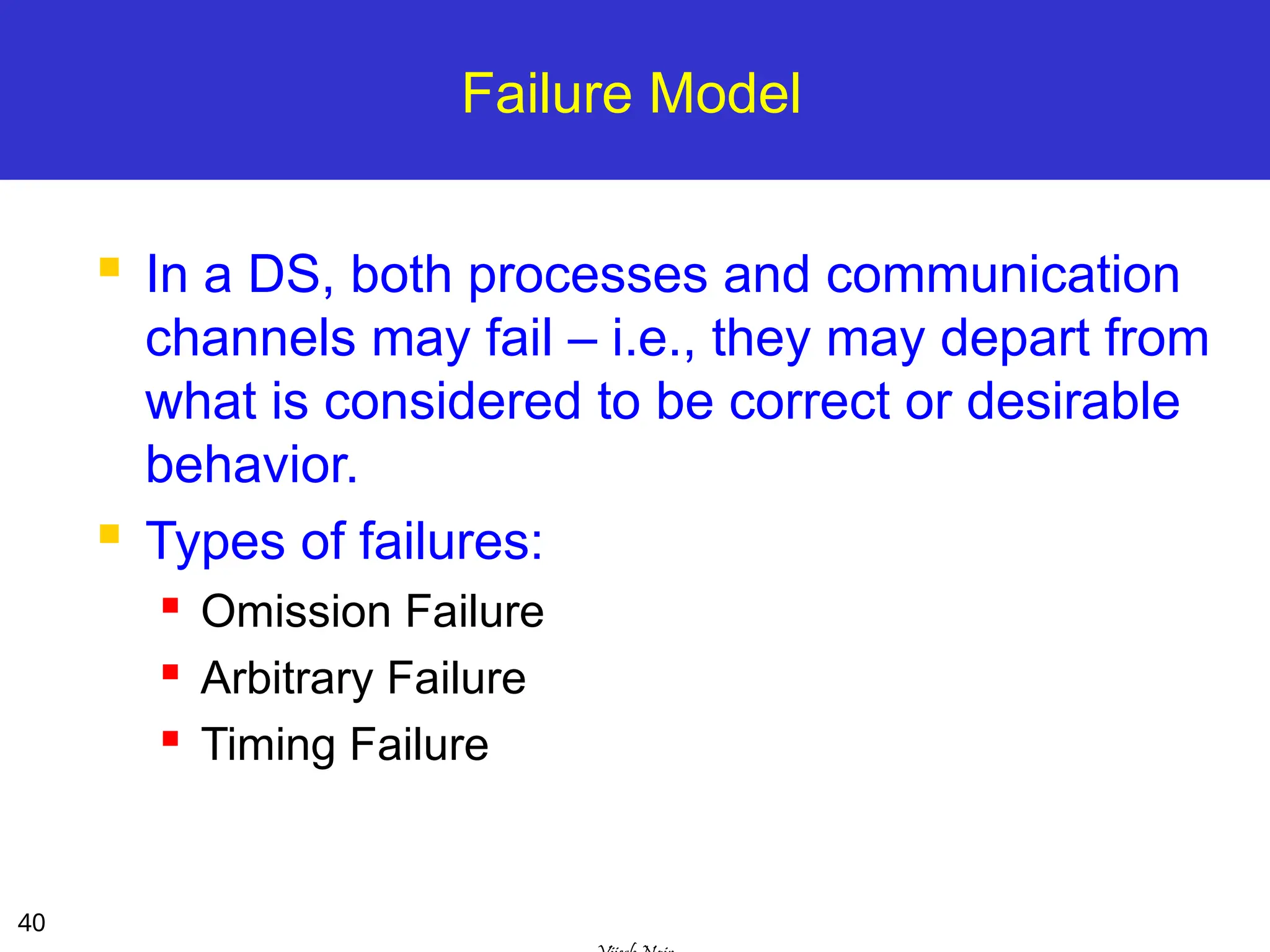
Failure Model
Ina DS, both processes and communication
channels may fail – i.e., they may depart from
what is considered to be correct or desirable
behavior.
Types of failures:
Omission Failure
Arbitrary Failure
Timing Failure
41.
41
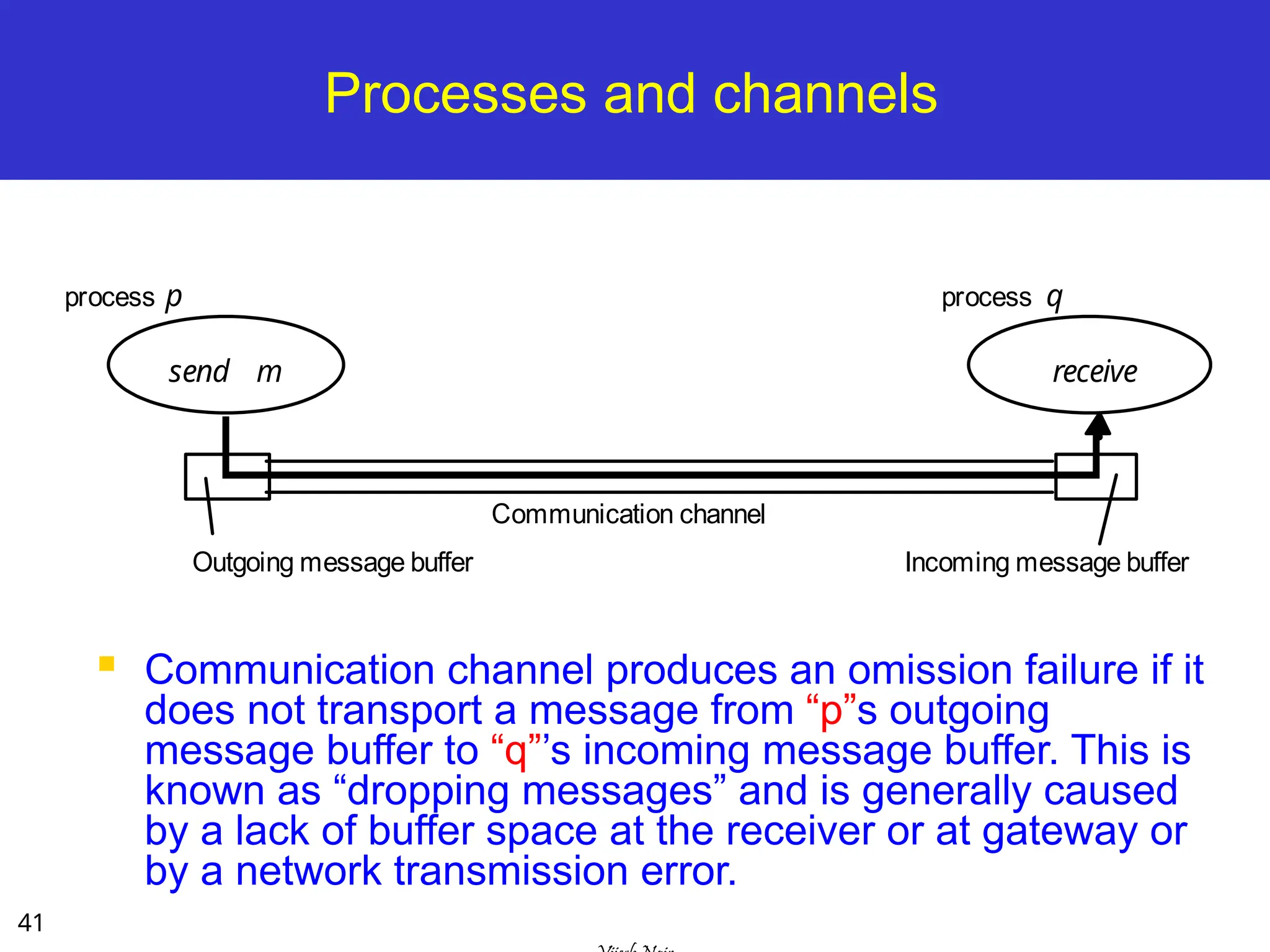
Processes and channels
Communication channel produces an omission failure if it
does not transport a message from “p”s outgoing
message buffer to “q”’s incoming message buffer. This is
known as “dropping messages” and is generally caused
by a lack of buffer space at the receiver or at gateway or
by a network transmission error.
process p process q
Communication channel
send
Outgoing message buffer Incoming message buffer
receive
m
42.
42
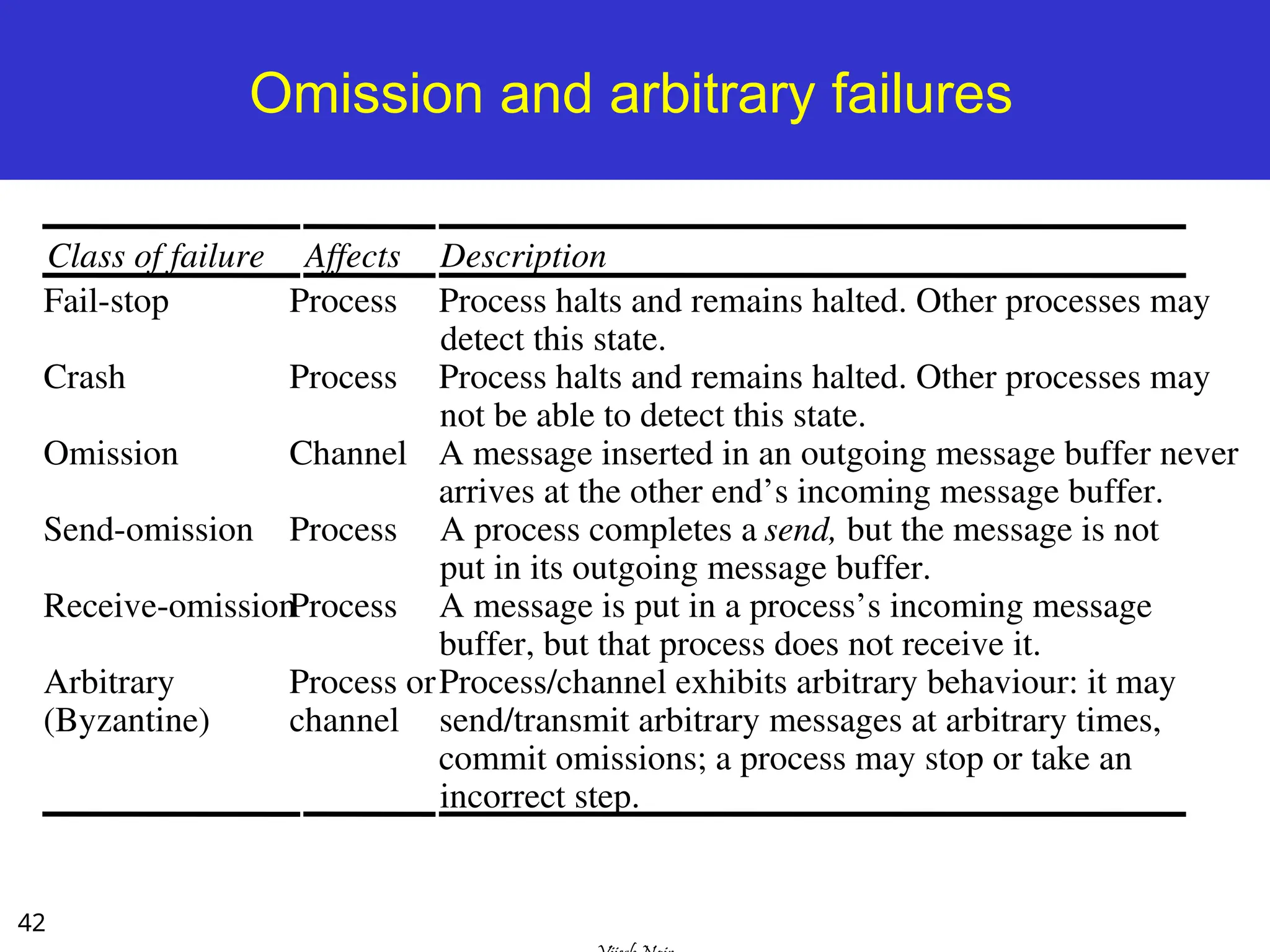
Omission and arbitraryfailures
Class of failure Affects Description
Fail-stop Process Process halts and remains halted. Other processes may
detect this state.
Crash Process Process halts and remains halted. Other processes may
not be able to detect this state.
Omission Channel A message inserted in an outgoing message buffer never
arrives at the other end’s incoming message buffer.
Send-omission Process A process completes a send, but the message is not
put in its outgoing message buffer.
Receive-omissionProcess A message is put in a process’s incoming message
buffer, but that process does not receive it.
Arbitrary
(Byzantine)
Process or
channel
Process/channel exhibits arbitrary behaviour: it may
send/transmit arbitrary messages at arbitrary times,
commit omissions; a process may stop or take an
incorrect step.
43.
43
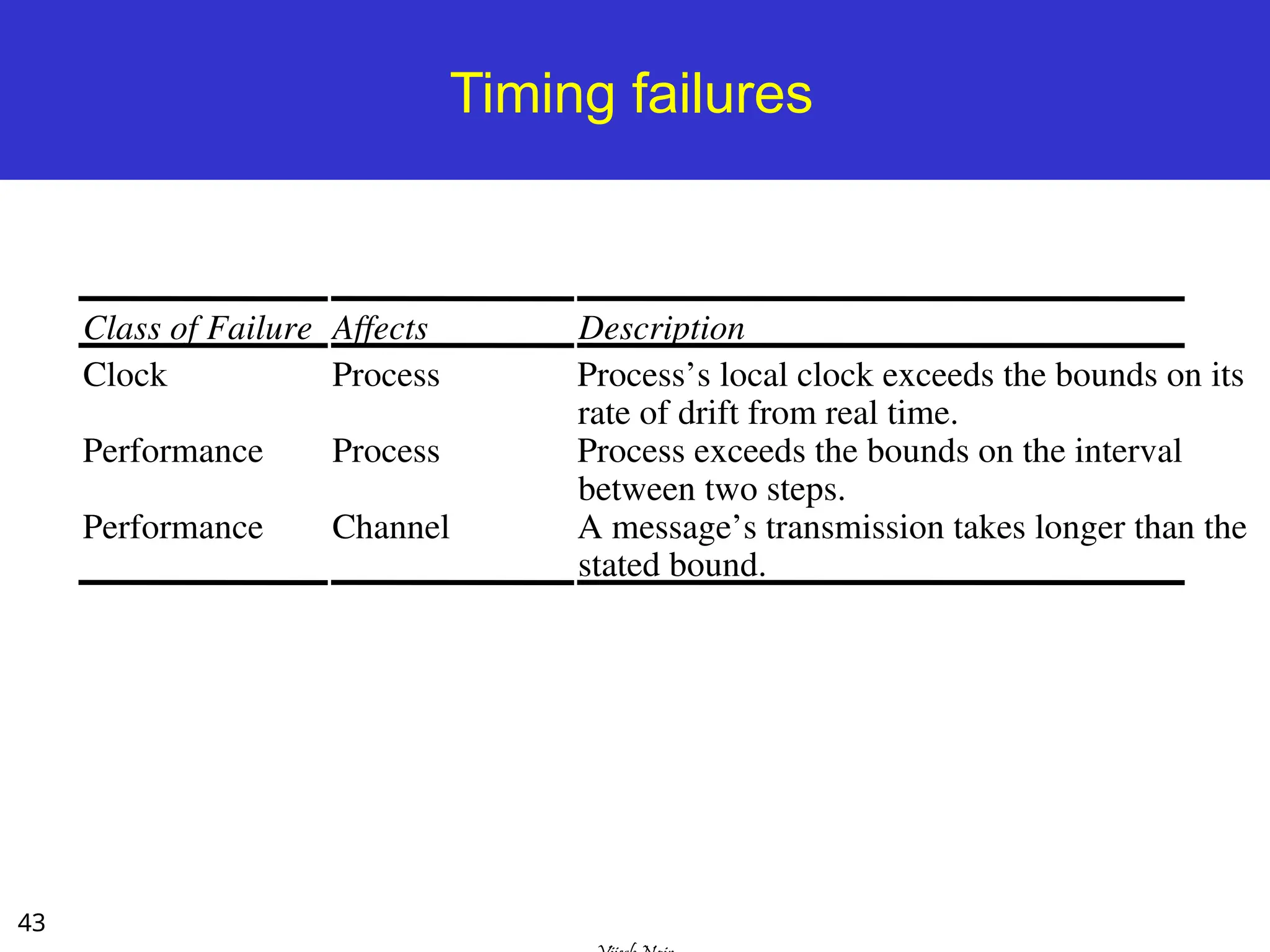
Timing failures
Class ofFailure Affects Description
Clock Process Process’s local clock exceeds the bounds on its
rate of drift from real time.
Performance Process Process exceeds the bounds on the interval
between two steps.
Performance Channel A message’s transmission takes longer than the
stated bound.
44.
44
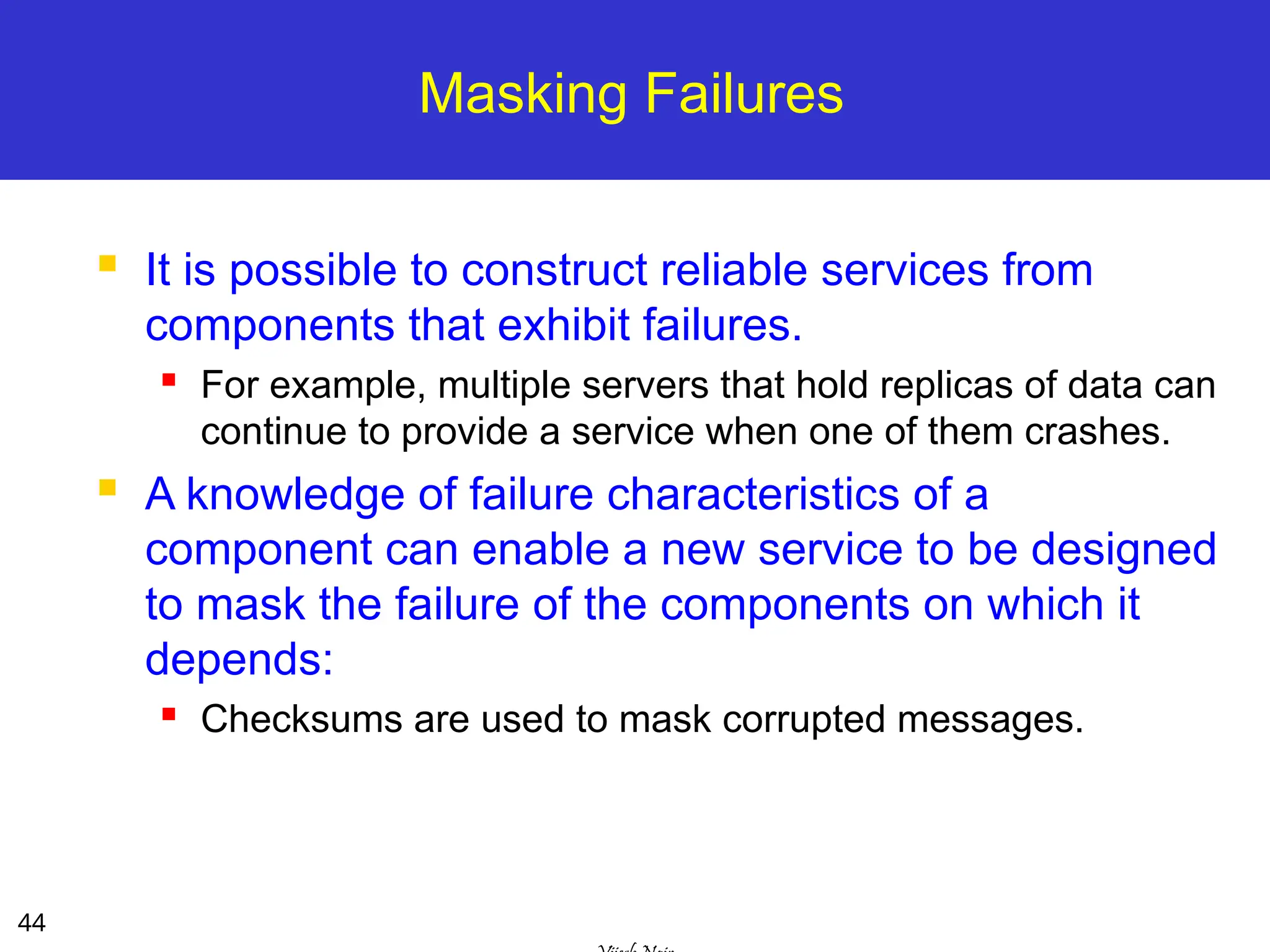
Masking Failures
Itis possible to construct reliable services from
components that exhibit failures.
For example, multiple servers that hold replicas of data can
continue to provide a service when one of them crashes.
A knowledge of failure characteristics of a
component can enable a new service to be designed
to mask the failure of the components on which it
depends:
Checksums are used to mask corrupted messages.
45.
45
Security Model
Thesecurity of a DS can be achieved by
securing the processes and the channels
used in their interactions and by protecting
the objects that they encapsulate against
unauthorized access.
46.
46
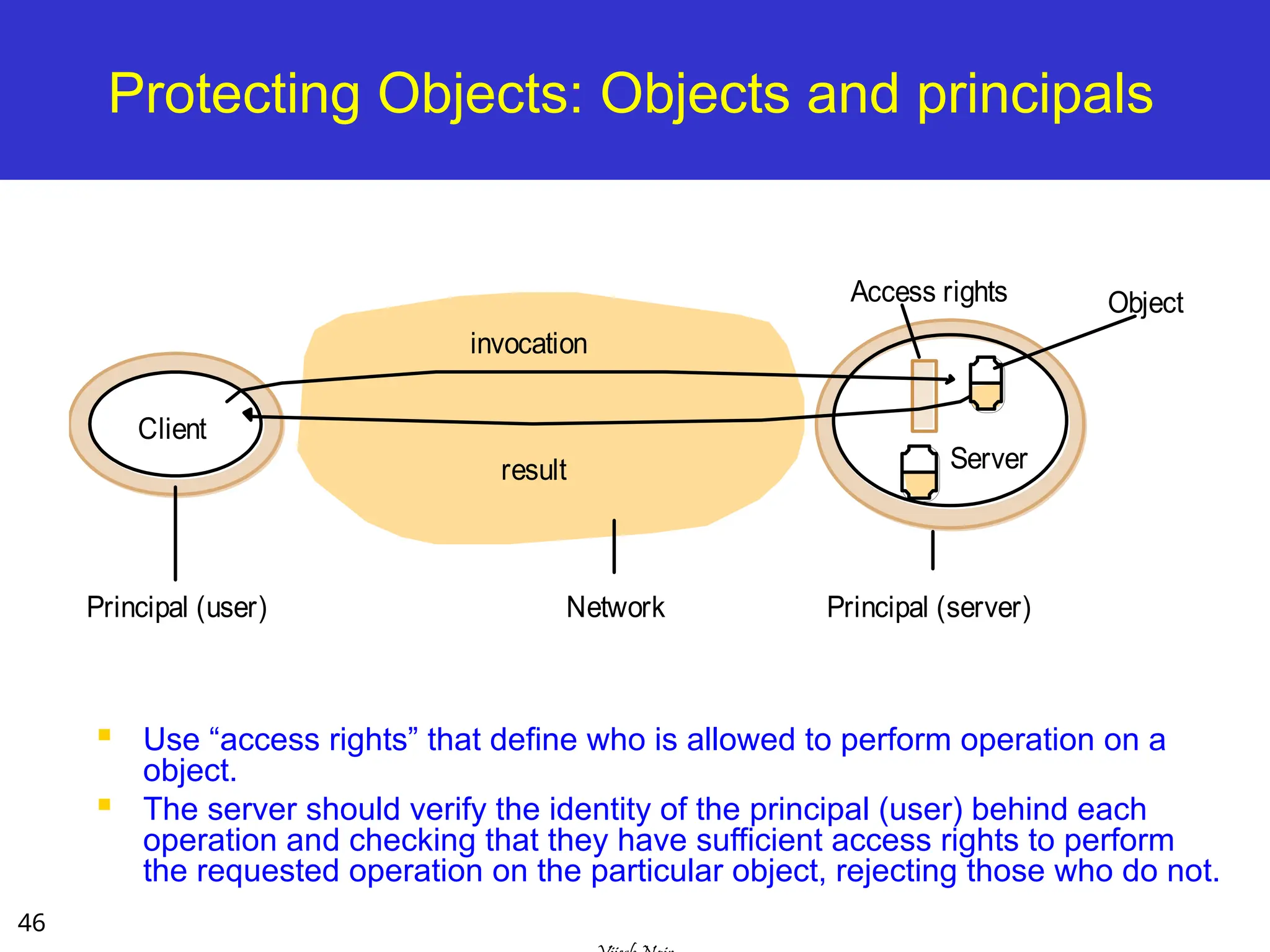
Protecting Objects: Objectsand principals
Use “access rights” that define who is allowed to perform operation on a
object.
The server should verify the identity of the principal (user) behind each
operation and checking that they have sufficient access rights to perform
the requested operation on the particular object, rejecting those who do not.
Network
invocation
result
Client
Server
Principal (user) Principal (server)
Object
Access rights
47.
47
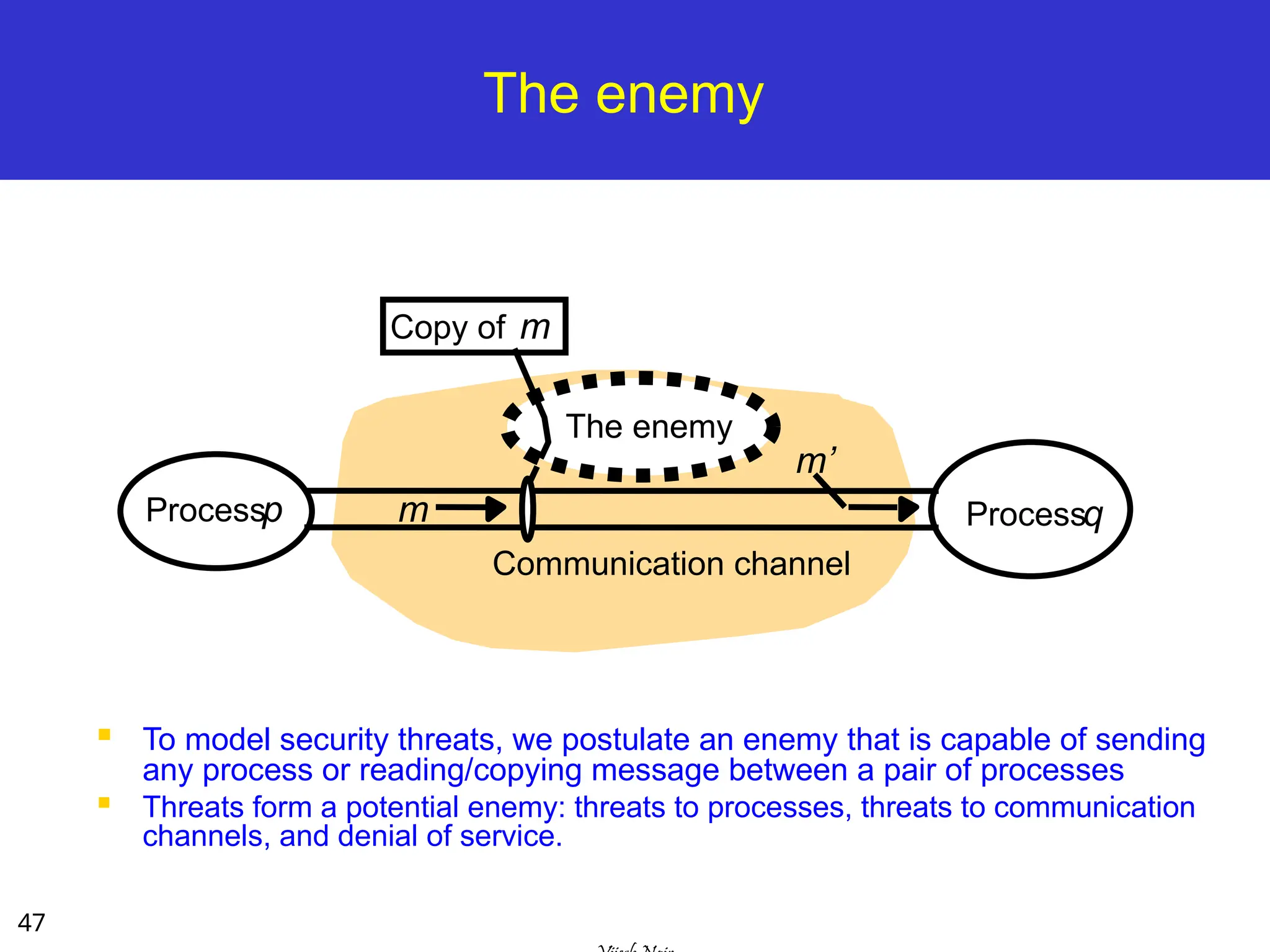
The enemy
Tomodel security threats, we postulate an enemy that is capable of sending
any process or reading/copying message between a pair of processes
Threats form a potential enemy: threats to processes, threats to communication
channels, and denial of service.
Communication channel
Copy of m
Processp Processq
m
The enemy
m’
48.
48
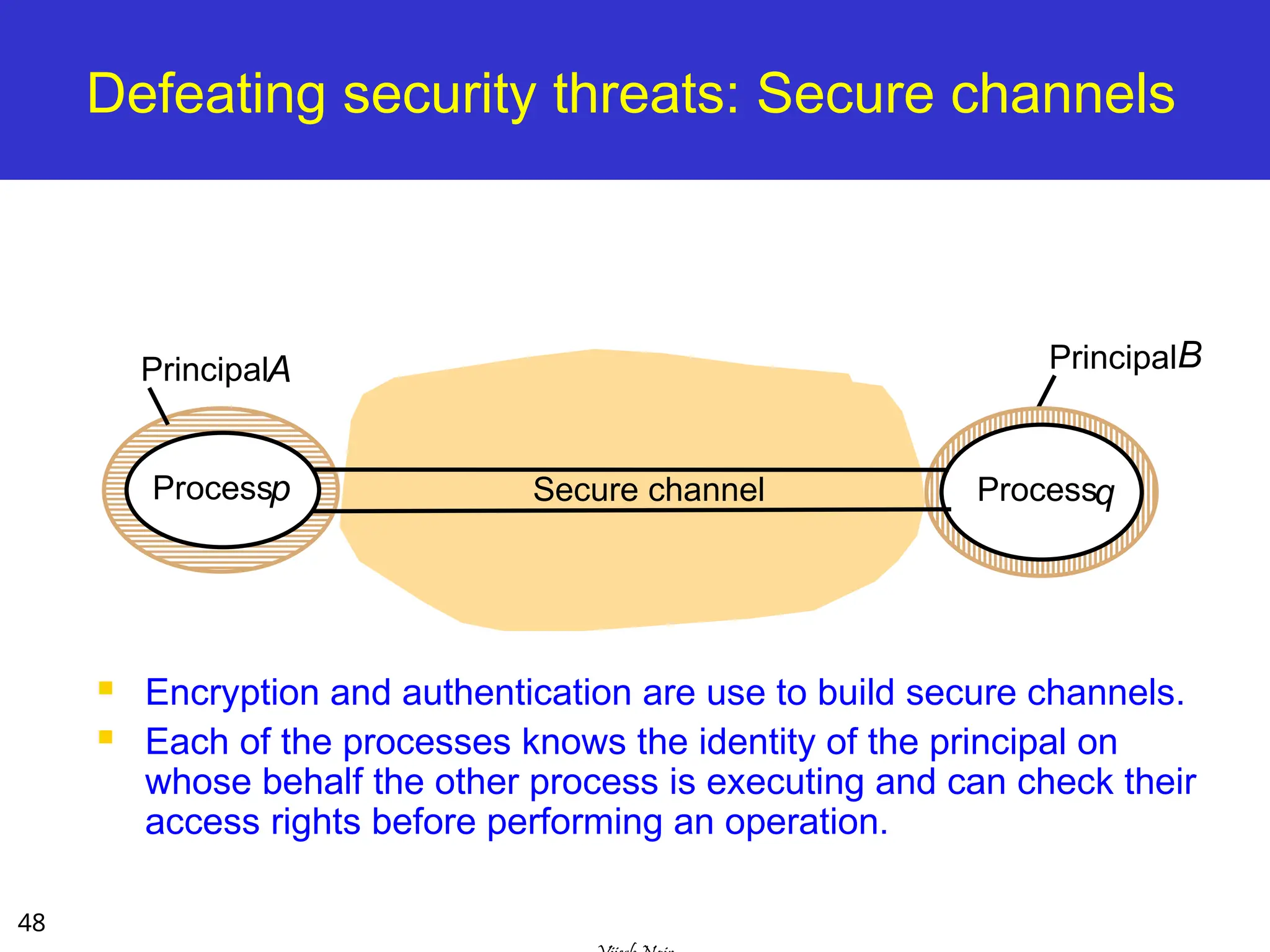
Defeating security threats:Secure channels
Encryption and authentication are use to build secure channels.
Each of the processes knows the identity of the principal on
whose behalf the other process is executing and can check their
access rights before performing an operation.
PrincipalA
Secure channel
Processp Processq
PrincipalB
49.
49
Summary
Most DSsare arranged accordingly to one of a
variety of architectural models:
Client-Server
Clients and a Single Sever, Multiple Servers, Proxy Servers
with Cache, Peer Model
Alternative Client-Sever models driven by:
Mobile code, mobile agents, network computers, thin clients,
mobile devices and spontaneous networking
Fundamental Models – formal description
Interaction, failure, and security models.
The concepts discussed in the module play an
important role while architecting DS and apps
#2 System architectures - depends on the specific application
What is the best way to separate and place the parts of a distributed system at the software and system level?
Many models are drive by unique characteristics of participants, such as mobile, remote and ad-hoc users
The design of interaction, failure and security will depend on app. dom.
#7 Model used is dictated solely by the application domain and the user needs
Data can be partitioned or replicated amongst many cooperative servers for performance and reliability reasons
Data can be cached by proxy servers at lower levels (I.e. ISP, local exchange) or at the client itself to improve performance and resilience to transient network congestion or failure
Mobile code can be downloaded from server and executed on client, reducing strain on server (Java Applets)
#8 There are 3 core models that describe the common properties of all the architectural models:
Interaction model: Should describe all appropriate client-server interactions including unusual cases
Failure model: Failures can occur at many levels (physical, transport, os, middleware, application). Correct and incorrect operation needs to be rapidly identified
Secure model: Threats can occur at many levels, on the wire, from malicious users, compromised servers. Need to be aware!
#11 Goal: Forward looking. Design choices need to be made considering future demand. What might suit 10 users is terrible for 10,000 users. RELATE TO ASSIGNMENT/Dictionary design!!! Reliability/maintainability is crucial (e.g. need to add feature)
Using a well defined and well chosen architectural model can help in this respect!!
By abstracting and componentizing our model, we can enable it to be distributed and “scaled-out” based on changing needs
#12 At a high level we can look at the application and user requirements, and classify the individual processes and logic as Server, Client or Peer processes. Take the Dictionary server as an example. We could have had one monolithic application, will all words and interface available locally.
However a client-server approach may be more efficient. Previous queries could be cached locally. Word additions, removes and modifications can be done centrally. C/S is valid approach!
Could use a peer model were each peer has a segment of Dictionary
#13 Layers exist in the “stack” at both a single machine and between multiple machines
Operating systems typically split functionality into layers, and hide the complexity of many common operations from users and programmers.
Layers access levels above and below them as “services”
#14 A networked computer operating system is a perfect example of this layering
User’s interact with applications and services using the GUI or CLI
Applications and services depend on middleware and OS functions to do anything useful (RPC/RMI/TCP+IP)
Middleware/OS access the hardware and network links directly to send and receive information
#15 Even thought these platforms are reasonably disparate (Unix, Windows) & (x86, PPC, SPARC) they still have a core set of services and middleware in common. This is essential to enable these platforms to communicate, interoperate and collaborate together with minimal effort.
We don’t want to be converting between little endian/big endian or have to care about the specifics of each platform at the higher level
#16 To enable us to be truly platform agnostic, we need a core set of middleware and functions that we can use on all platforms
Sun RPC is available on most Unix platforms
CORBA is a distributed middleware that is available for all major platforms
Java RMI is available on any platform there is a compliant JVM install
.NET is becoming a standard, and is available for Windows/Linux/MacOS
Higher level middleware (Gridbus/Globus) can hide even more complexity
#17 The decisions that you make as system designers is crucial [tradeoffs]
Moving some load to client (e.g. applet execution) can improve response and allow SOME disconn. access, but can be a security risk.
Moving complexity on server can reduce client requirements and lower the entry bar (e.g. server based CGI/PHP, client only needs browser)
TRADEOFFS!!!
#18 Querying a web server, which could then query a mysql or oracle database before returning the content of a page
Web server is a client of the database server
A search engine, as well as serving search requests from clients, crawls other websites to keep its information current.
Search engine is both a server and a client for other web servers.
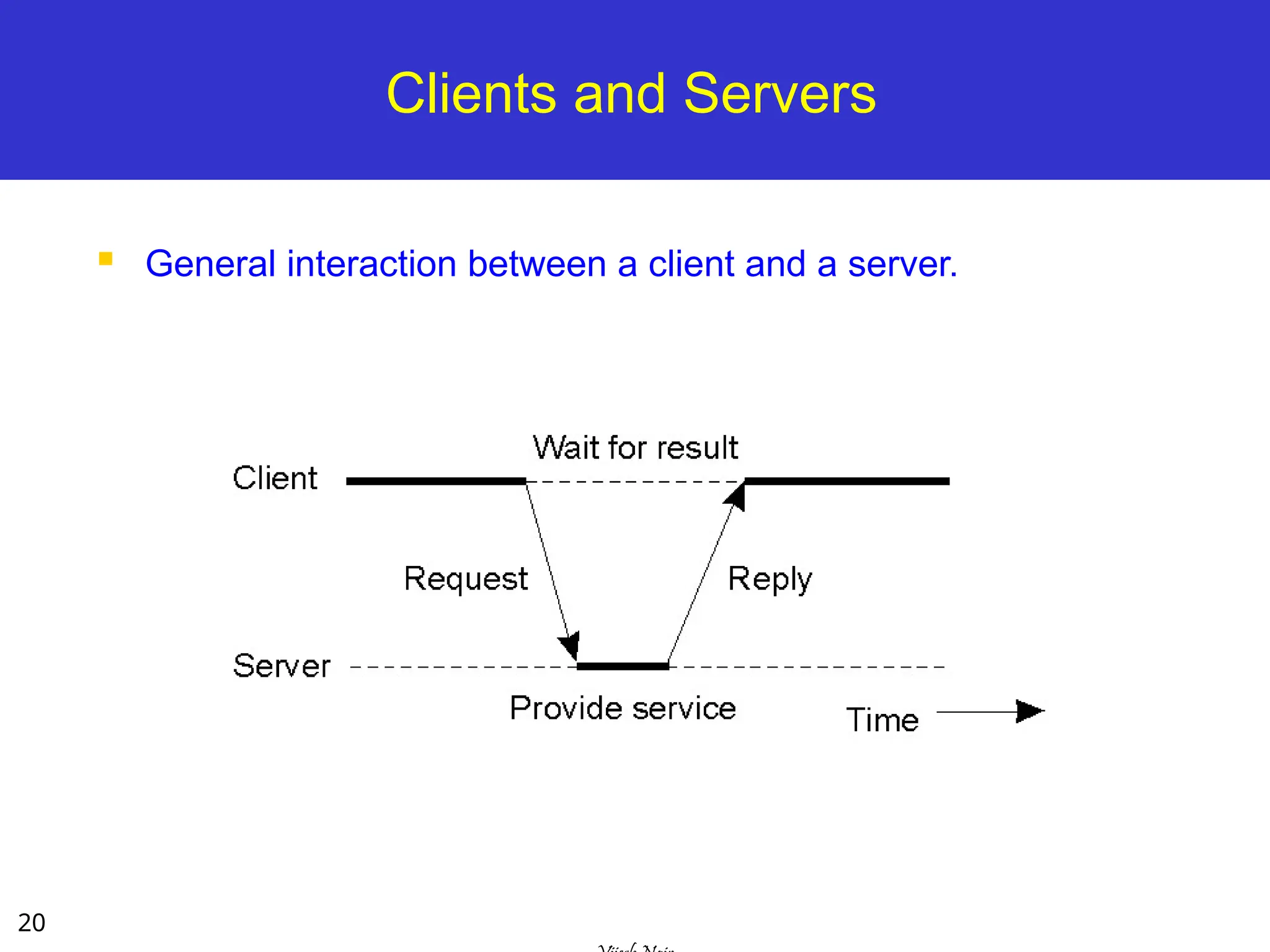
#20 This is a typical interaction for a single threaded, monolithic client. A client requests some processing or information from a server that it needs. It waits in a blocking fashion for the reply containing the result, then it can proceed with it’s execution.
#21 This topology is extremely common. A web site like google serves approximately 100M searches a day.
It is obviously simply not feasible to serve them from a single server.
Google uses clusters containing 10’s of thousands of machines offering equivalent services, and you are redirected (via DNS and other means) to one of them. Can also be redirected at protocol or application level.
Similar techniques can be used for Oracle databases, that are replicated over many servers to offer redundancy and performance
#22 Web proxy servers can operate at client level, at ISP level and at edge/gateway levels to improve performance and reduce communication costs for frequently accessed data.
Caching can even be used for dynamic data (such as a google search). This reduces the load on the web servers and improves the performance for end users by reducing the time taken for a dynamic request. Google uses this technique extensively! When serving 100M requests/day this saves resources. [DO A LIVE DEMO USING MU-WIRELESS!!!!!!!!!!!!!!!]
#23 Peer model suits ad-hoc groupings of participants. Can be used very effectively… for instant bittorrent “swarm” style downloaded.
-No central point of failure (reliable)
-No central point of control (difficult to deny service for adversaries)
-Some peers will typically contribute more than others (I.e. seed or super-peer)
#25 Similar to client-server model but client takes on more responsibility
As code is executed locally the application has good responsiveness.
Need to be careful running such code as client can be exploited. From a server perspective, they cannot control the client environment so there are integrity issues there as well (e.g. client applet not suitable for online banking!)
#26 Can be a useful approach (e.g. data indexing/mining) if data is spread over wide geographical areas.
Bring application (which is small) to data rather than the other way around.
#27 Network computer: Citrix Application Server does this, loading applications over network as needed to run on local desktop
Thin clients: X11 (Unix), RDC/Terminal Services (Windows), VNC (Unix/Windows) “Presentation Server” approach
Sends raster of desktop image, user clicks and keyboard entries are sent to remote server.
Centralised infrastructure is easy to maintain and secure(eg keep antivirus and patches up to date centrally)!
#28 Need common standards!
e.g My phone can list all available wireless networks. I can join one (that I am permitted) and receive an IP via DHCP.
Emerging standards such as bonjour broadcast to nearby computers to advertise resources and peripherals available, such as printers, music collections, web sites, ftp sites, video conferencing services
Standards such as UPnP AV allow many devices to converse already - this is not hypothetical. Some Nokia phones support this ---> TV/STB
#29 Client server paradigm has changed the way we design software and services.
Basic Client/Server model, each participant performs well defined and predictable functions
Peer model, clients can be servers, servers can be clients, any participant can query another.
#30 Mirrored (replicated services) and caching can improve reliability, throughput and scalability more than a single server approach
To ensure our replicated cluster is not unbalanced we can rebalance via DNS redirection, process migration
QoS is becoming increasing important (and expected) by clients as more and more of our daily functions is served online
Dependability depends on the application domain. What we will tolerate when accessing a website is not same as aviation.
#32 What are the fundamental properties of participants in the different architectural models we have covered so far?
Who are the main entities in the system? How do they interact? What are their characteristics? What are the link characteristics?
Once defined, we arrive at three broad models to address the different properties in these complicated systems:
Interaction model - What are the roles of the processes (e.g. client/server). How does information flow? How do we co-ord?
Failure - What faults can occur, at all levels (software, hardware, network). How serious are they?
Secure - We often operate over shared systems and shared networks. What kind of attacks can we expect? How to avoid?
#33 What functions do each of our processes perform (client/server/peer). What are the function steps? Can they be captured by a local or distributed algorithm??
Is there significant comms or coordination between processes or are they independent (e.g. database vs. file mirror)
Coordinated behaviors is difficult in light of non synchronized clocks over distributed systems [we will address later]
#34 Communication can be discrete messages or packets, or constant streams/broadcasts (e.g. satellite or sensor data).
We need to define the network characteristics of the participants (client/server) and adjust our expectations accordingly.
LAN: We might wait 1-2 seconds at most for an acknowledgement for our packet before deciding there is a problem
SAT: We might wait 22 minutes at most for an acknowledgement for our packet before deciding there is a problem (MARS)
The availability of bandwidth and the contention on the link will also influence the types of interactions that occur
JITTER is crucial for real-time applications such as video/audio streaming, or avionics
#35 Drift can be countered somewhat with use of Network Time Protocol to get accuracy within a second
GPS assistance can enable us to get clock readings accurate within 1 microsecond
#36 Synch: A type of two-way communication with virtually no time delay, allowing participants to respond in real time.
Regularly occurring events in timed intervals are kept in step using some form of electronic clocking mechanism.
Synchronous distributed systems are hard to achieve (especially over the internet) do to their unpredictable nature
Asynch: A type of two-way communication that occurs with a time delay, allowing participants to respond at their own convenience.
#37 Ideally every event would be precisely (and consistently) time-stamped but we cannot guarantee that!
#38 X sees m1, m2, m3
Y sees m1, m2, m3
Z sees m1, m2, m3
A sees m3, m1, m2 [If they are timestamped in approx order, they can be reordered, or alternatively we can infer using logic “RE”]
#40 Omission failure refer to cases where the process or communication channel fails to perform a requested action
Arbitrary failures are the most tricky to deal with, where any type of error can occur. Corrupt data, unexpected responses
Timing failures are related to synchronous messages, where a set bound [clock drift, message ack, process execution time] exceeds defined bounds
#41 Here we see a omission failure which can occur for a number of reasons
Message is not accepted from process ‘s outgoing buffer onto the link
Message is accepted but does not reach q’s incoming buffer (e.g. router failure or overload, R.E.D, or link down)
#42 Fail-stop can be detected by the absence of the process on the server (e.g do a ps -A, task manager on windows)
Crash may be difficult to detect as process may still be running (zombie) but performing no useful function, ignoring messages
Omission - comms error
Send-omission - sent by process but does not make it to outgoing buffer (o/s or application error)
Receive-ommission - received by system but does not make it to process (application or middleware error)
#43 Timing failures are most prevalent with synchronous systems with defined hard bounds on timing, performance and network characteristics
Bounds could be obtained by measuring actual system (e.g. measure 1000 runs so you know what “normal” behaviour is)
#44 We can add reliability through redundancy. Once system by itself may be unreliable but if we replicate it there is a very low probability of them all failing simultaneously
When dealing with unreliable networks we can mask the failures that can occur. E.g use TCP instead of UDP.
Use checksums and error-correcting codes to ensure data integrity. Add reliability at the application level.
#45 Two components: secure channel and secure process
#46 Modern O/S allow us to place restriction on who can access what services and resources at a given time.
A server can do likewise by checking access rights for requestors of service (e.g. via an A.C.L) to ensure they can use a particular service. Check credentials! If not satisfied, reject. We can place arbritrary restrictions, e.g. need user/pass and need to be located on a certain IP/subnet.
#47 Given we don’t control the end-to-end path our communication, we have to assume that an entity could capture our packets, copying them, resend them and masquerade as us. (show traceroute)
Threats can also come from seemingly legitimate access of our server process. Denial of service occurs when a large number of clients make concentrated legitimate requests on a server process or a particular link, with the intention of overloading it and making it crash
#48 Secure channels are essential for many modern distributed computing applications. We can use the untrusted internet with confidence to do shopping, online banking and share trading over public networks by using secure channels.
Most approaches use a public/private key pair system (e.g. SSH, HTTPS/SSL, VPN) where traffic is encrypted by the sender with their private key and decrypted and verified by the receiver using the senders public key. Combine this with Access rights!
![9
Physical Models
A representation of the underlying h/w elements of a
DS that abstracts away specific details of the
computer/networking technologies.
Baseline physical model
3 Generations of DS:
Early distributed systems [late 70-80s]: LAN-based
Internet-scale distributed systems [early 90-2005]: Clusters,
grids, P2P, Clouds
Contemporary distributed systems: dynamic nodes like
mobile-based services (nodes are very dynamic not static
like other models).](https://image.slidesharecdn.com/3-250728025151-1dc7000a/75/3-Distributed-System-Models-ssssssssssssssssss-ppt-9-2048.jpg)
![11
Architectural Models – Intro [1]
The architecture of a system is its structure in terms
of separately specified components.
Its goal is to meet present and likely future demands.
Major concerns are making the system reliable,
manageable, adaptable, and cost-effective.
Architectural Model:
Simplifies and abstracts the functions of individual
components
The placement of the components across a network of
computers – define patterns for the distribution of data and
workloads
The interrelationship between the components – ie.,
functional roles and the patterns of communication
between them.](https://image.slidesharecdn.com/3-250728025151-1dc7000a/75/3-Distributed-System-Models-ssssssssssssssssss-ppt-11-2048.jpg)
![12
Architectural Models – Intro [2]
Architectural Model - simplifies and abstracts
the functions of individual components:
An initial simplification is achieved by classifying
processes as:
Server processes
Client processes
Peer processes
Cooperate and communicate in a symmetric manner to
perform a task.
client server
peer
peer](https://image.slidesharecdn.com/3-250728025151-1dc7000a/75/3-Distributed-System-Models-ssssssssssssssssss-ppt-12-2048.jpg)
![28
Mobile devices and spontaneous networking
[3rd
Generation Distributed System]
The world is increasingly populated by small and portable
computing devices.
W-LAN needs to handle constantly changing heterogeneous,
roaming devices
Need to provide discovery services: (1) registration service to
enable servers to publish their services and (2) lookup service to
allow clients to discover services that meet their requirements.](https://image.slidesharecdn.com/3-250728025151-1dc7000a/75/3-Distributed-System-Models-ssssssssssssssssss-ppt-28-2048.jpg)