BY: GLADYS SULLANO
*The 21st century dawned as the
beginning of the digital age a time of
unprecedented growth in technology and its
subsequent information explosion.
*New technologies and tools multiply daily
and the new technologies of today are outdated
almost as they reach the market.
*there are some differences in how the
skills are categorized or interpreted, there are
also many commonalities. Common skills
across most of the studies include:
1. Creativity and Innovation
* Think creatively
* Work creatively with others
* Implement Innovations
2. Critical Thinking and Problem Solving
* Reason effectively
*Use systems thinking
* Make judgments and decisions
* Solve problems
3. Communication
* Communicate clearly
4. Collaboration
* Collaborate with others
5. Information Management
* Accessing, analyzing, synthesizing,
creating and sharing information from multiple
sources.
6. Effective use of Technology
* Creating the capacity to identify and use
technology efficiently, effectively and ethically
as a tool to access, organize, evaluate and
share information.
7. Career and Life Skills
Developing skills for becoming self
directed, independent learners and workers
who can adapt to change, manage projects,
take responsibility for their work, lead others
and produce results.
8. Cultural Awareness
* Developing cultural competence in
working with others by recognizing and
respecting cultural differences.
Information Literacy
* Access and Evaluate information
* Use and Manage Information
Media Literacy
* Analyze Media
* Create Media Products
ICT(Information, Communications &
Technology) Literacy
* Apply Technology Effectively
Key Principles
* Connecting the content knowledge to
real world applications and problem situations
* Emphasizing deep understanding of the
learning by focusing on projects and problems.
* Helping students understand and
monitor the thinking processes they are using
by including metacognitive activities.
* Using technology to help students
access, analyze, organize and share what they
are learning.
* Providing opportunities for student to
become “ creators as well as consumers of
published information”.
* Engaging students in solving complex
problems that require higher order thinking
and application of content.
* Providing opportunities for students to
work collaborative as they gather information,
solve problems, share ideas, and generate new
ideas.
* Developing life and career skills by
creating opportunities for students to become
self-directed learners.
* Helping students make connections
between subjects, concepts and ideas and with
others including those outside of the
classroom.
 * A variety of learning opportunities and
activities
 * The use of appropriate technology tools to
accomplish learning goals
 * Project and Problem based learning
 * Cross curricular connections
 * A focus on inquiry and student-led
investigations
 * Collaborative learning environments
1. The Adaptor
* They must be able to adapt software and
hardware designed for business models.
* They must also be able to adapt to a
dynamic teaching experience.
* They must understand and apply
different learning styles.
2. The Visionary
* They must see the potential in the
emerging tools and web technologies.
* Can look at others ideas and envisage
how they would use these in their class.
* The visionary looks across the
disciplines and through the curricula.
3. The Collaborator
* As an educator we must be able to
leverage these collaborative tools to enhance
and captivate our learners.
4. The Risk Taker
* Take risks and sometimes surrender
yourself to the students knowledge.
* Have a vision of what you want and what
the technology can achieve.
◦ * Use the strengths of the digital natives to
understand and navigate new products.
◦ * The learning pyramid shows that the highest
retention of knowledge comes from teaching
others.
◦ 5. The Learner
◦ * We expect our students to be life long learner. We
must continue to absorb new possibilities
and experience.
6. The Communicator
* The teachers are fluent in tools and
technologies that enable communication and
collaboration. They know how to use different media
in communication.
7. The Model
* The digital teacher must model the
behaviors that are expected from their
students , Today and tomorrow more so.
* The educators are often the most
consistent part of our student life
* They are models of reflective practice.
The teachers also model a number of other
characteristics. They Model:
• Tolerance
• Acceptance
• A wider view than just their curricula areas
• Global Awareness
• Reflection
8. The Leader
* Leadership, like clear goals and
objectives is crucial to the success or failure of
any project.
FACILITATING 21ST CENTURY LEARNING
Three factors in the Implementation of
Technology in Education
1. Resources
2. Skills
3. Curriculum
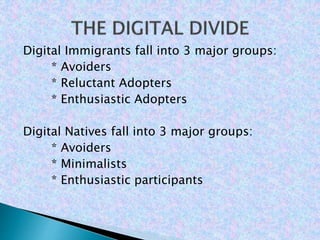
Digital Immigrants fall into 3 major groups:
* Avoiders
* Reluctant Adopters
* Enthusiastic Adopters
Digital Natives fall into 3 major groups:
* Avoiders
* Minimalists
* Enthusiastic participants
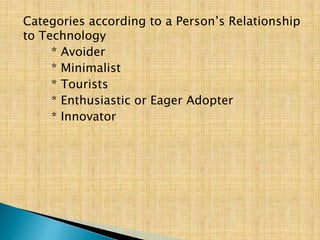
Categories according to a Person’s Relationship
to Technology
* Avoider
* Minimalist
* Tourists
* Enthusiastic or Eager Adopter
* Innovator

2d

  • 1.
  • 2.
    *The 21st centurydawned as the beginning of the digital age a time of unprecedented growth in technology and its subsequent information explosion. *New technologies and tools multiply daily and the new technologies of today are outdated almost as they reach the market. *there are some differences in how the skills are categorized or interpreted, there are also many commonalities. Common skills across most of the studies include:
  • 3.
    1. Creativity andInnovation * Think creatively * Work creatively with others * Implement Innovations 2. Critical Thinking and Problem Solving * Reason effectively *Use systems thinking * Make judgments and decisions * Solve problems
  • 4.
    3. Communication * Communicateclearly 4. Collaboration * Collaborate with others 5. Information Management * Accessing, analyzing, synthesizing, creating and sharing information from multiple sources. 6. Effective use of Technology * Creating the capacity to identify and use
  • 5.
    technology efficiently, effectivelyand ethically as a tool to access, organize, evaluate and share information. 7. Career and Life Skills Developing skills for becoming self directed, independent learners and workers who can adapt to change, manage projects, take responsibility for their work, lead others and produce results. 8. Cultural Awareness * Developing cultural competence in working with others by recognizing and respecting cultural differences.
  • 6.
    Information Literacy * Accessand Evaluate information * Use and Manage Information Media Literacy * Analyze Media * Create Media Products ICT(Information, Communications & Technology) Literacy * Apply Technology Effectively
  • 7.
    Key Principles * Connectingthe content knowledge to real world applications and problem situations * Emphasizing deep understanding of the learning by focusing on projects and problems. * Helping students understand and monitor the thinking processes they are using by including metacognitive activities. * Using technology to help students access, analyze, organize and share what they are learning.
  • 8.
    * Providing opportunitiesfor student to become “ creators as well as consumers of published information”. * Engaging students in solving complex problems that require higher order thinking and application of content. * Providing opportunities for students to work collaborative as they gather information, solve problems, share ideas, and generate new ideas.
  • 9.
    * Developing lifeand career skills by creating opportunities for students to become self-directed learners. * Helping students make connections between subjects, concepts and ideas and with others including those outside of the classroom.
  • 10.
     * Avariety of learning opportunities and activities  * The use of appropriate technology tools to accomplish learning goals  * Project and Problem based learning  * Cross curricular connections  * A focus on inquiry and student-led investigations  * Collaborative learning environments
  • 11.
    1. The Adaptor *They must be able to adapt software and hardware designed for business models. * They must also be able to adapt to a dynamic teaching experience. * They must understand and apply different learning styles. 2. The Visionary * They must see the potential in the emerging tools and web technologies. * Can look at others ideas and envisage how they would use these in their class.
  • 12.
    * The visionarylooks across the disciplines and through the curricula. 3. The Collaborator * As an educator we must be able to leverage these collaborative tools to enhance and captivate our learners. 4. The Risk Taker * Take risks and sometimes surrender yourself to the students knowledge. * Have a vision of what you want and what the technology can achieve.
  • 13.
    ◦ * Usethe strengths of the digital natives to understand and navigate new products. ◦ * The learning pyramid shows that the highest retention of knowledge comes from teaching others. ◦ 5. The Learner ◦ * We expect our students to be life long learner. We must continue to absorb new possibilities and experience. 6. The Communicator * The teachers are fluent in tools and technologies that enable communication and collaboration. They know how to use different media in communication.
  • 14.
    7. The Model *The digital teacher must model the behaviors that are expected from their students , Today and tomorrow more so. * The educators are often the most consistent part of our student life * They are models of reflective practice. The teachers also model a number of other characteristics. They Model: • Tolerance • Acceptance • A wider view than just their curricula areas • Global Awareness • Reflection
  • 15.
    8. The Leader *Leadership, like clear goals and objectives is crucial to the success or failure of any project. FACILITATING 21ST CENTURY LEARNING Three factors in the Implementation of Technology in Education 1. Resources 2. Skills 3. Curriculum
  • 16.
    Digital Immigrants fallinto 3 major groups: * Avoiders * Reluctant Adopters * Enthusiastic Adopters Digital Natives fall into 3 major groups: * Avoiders * Minimalists * Enthusiastic participants
  • 17.
    Categories according toa Person’s Relationship to Technology * Avoider * Minimalist * Tourists * Enthusiastic or Eager Adopter * Innovator