21 st  Century learning Tools - 1 Margaret Vass ICT Curriculum Support Officer Falkirk Council   Education Services
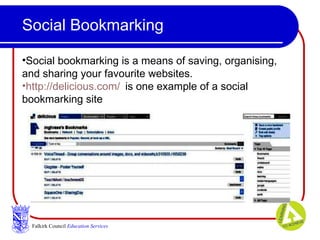
Social Bookmarking Falkirk Council   Education Services Social bookmarking is a means of saving, organising, and sharing your favourite websites. http://delicious.com/   is one example of a social bookmarking site
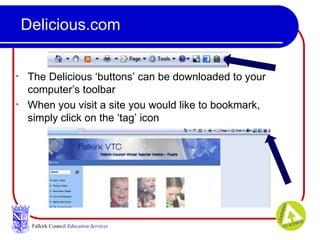
Delicious.com The Delicious ‘buttons’ can be downloaded to your computer’s toolbar When you visit a site you would like to bookmark, simply click on the ‘tag’ icon Falkirk Council   Education Services
Delicious.com – Practical Ideas Rather than save things to ‘favourites’, save them in Delicious. That way, you can access them from any computer. Create a Delicious account for staff in your school to share great websites Create a class delicious account for topic work. Encourage parents to contribute, too
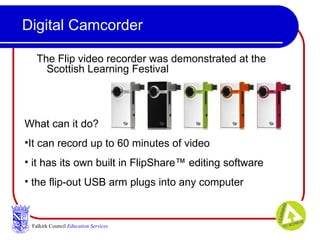
Digital Camcorder The Flip video recorder was demonstrated at the Scottish Learning Festival  Falkirk Council   Education Services What can it do? It can record up to 60 minutes of video it has its own built in FlipShare™ editing software the flip-out USB arm plugs into any computer
Digital Camcorder – Practical Ideas Use the camera to create a video yearbook Have the children work in groups to write a playscript. Video the groups acting out their finished scripts Give the class a maths problem to solve. Allow collaborative groups to video how they solved the problem. Compare the problem solving techniques applied by each group Groups of children could produce a video of a short t.v. type advert on helping the environment Lots more ideas here:  http://tbarrett.edublogs.org/2009/02/11/flippin-nora/
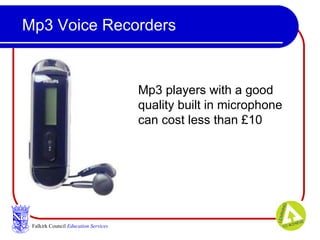
Mp3 Voice Recorders Falkirk Council   Education Services Mp3 players with a good quality built in microphone can cost less than £10
Voice Recorders – Practical Ideas They are affordable and also portable A wide variety of homework tasks can be devised to involve parents, grandparents and other family members They can be taken on school trips Members of the local community can be interviewed  They can be used in conjunction with cameras to provide opportunities for digital storytelling
Wiki Collaboration Falkirk Council   Education Services Some examples are: http://pbwiki.com/ http://www.wikispaces.com http://www.wetpaint.com/ Features of a wiki:  Like a website or blog, you can add text, pictures, links, sounds & video files.  Unlike a website, a wiki can be collaborative .
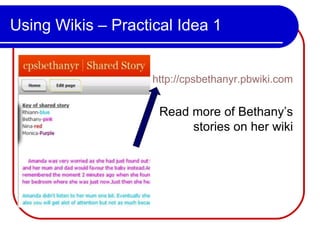
Using Wikis – Practical Idea 1 http://cpsbethanyr.pbwiki.com Read more of Bethany’s  stories on her wiki
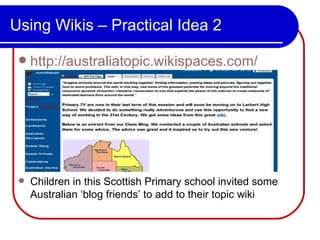
Using Wikis – Practical Idea 2 http://australiatopic.wikispaces.com/ Children in this Scottish Primary school invited some Australian ‘blog friends’ to add to their topic wiki
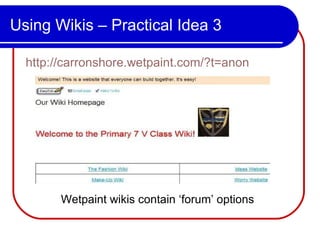
Using Wikis – Practical Idea 3 http://carronshore.wetpaint.com/?t=anon Wetpaint wikis contain ‘forum’ options
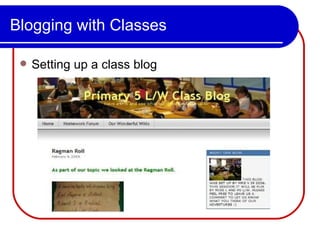
Blogging with Classes Setting up a class blog
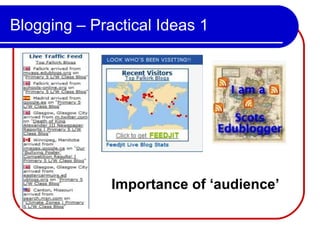
Blogging – Practical Ideas 1 Importance of ‘audience’
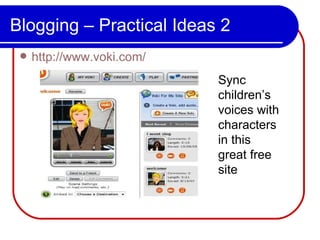
Blogging – Practical Ideas 2 http://www.voki.com/ Sync children’s voices with characters in this great free site
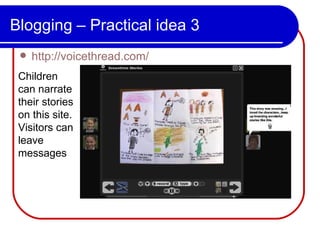
Blogging – Practical idea 3 http://voicethread.com/ Children can narrate their stories on this site. Visitors can leave messages
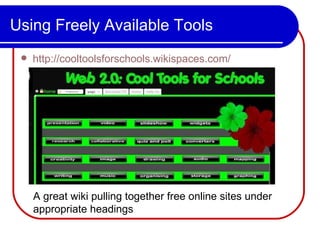
Using Freely Available Tools http://cooltoolsforschools.wikispaces.com/ A great wiki pulling together free online sites under appropriate headings

21st C. Learning

  • 1.
    21 st Century learning Tools - 1 Margaret Vass ICT Curriculum Support Officer Falkirk Council Education Services
  • 2.
    Social Bookmarking FalkirkCouncil Education Services Social bookmarking is a means of saving, organising, and sharing your favourite websites. http://delicious.com/ is one example of a social bookmarking site
  • 3.
    Delicious.com The Delicious‘buttons’ can be downloaded to your computer’s toolbar When you visit a site you would like to bookmark, simply click on the ‘tag’ icon Falkirk Council Education Services
  • 4.
    Delicious.com – PracticalIdeas Rather than save things to ‘favourites’, save them in Delicious. That way, you can access them from any computer. Create a Delicious account for staff in your school to share great websites Create a class delicious account for topic work. Encourage parents to contribute, too
  • 5.
    Digital Camcorder TheFlip video recorder was demonstrated at the Scottish Learning Festival Falkirk Council Education Services What can it do? It can record up to 60 minutes of video it has its own built in FlipShare™ editing software the flip-out USB arm plugs into any computer
  • 6.
    Digital Camcorder –Practical Ideas Use the camera to create a video yearbook Have the children work in groups to write a playscript. Video the groups acting out their finished scripts Give the class a maths problem to solve. Allow collaborative groups to video how they solved the problem. Compare the problem solving techniques applied by each group Groups of children could produce a video of a short t.v. type advert on helping the environment Lots more ideas here: http://tbarrett.edublogs.org/2009/02/11/flippin-nora/
  • 7.
    Mp3 Voice RecordersFalkirk Council Education Services Mp3 players with a good quality built in microphone can cost less than £10
  • 8.
    Voice Recorders –Practical Ideas They are affordable and also portable A wide variety of homework tasks can be devised to involve parents, grandparents and other family members They can be taken on school trips Members of the local community can be interviewed They can be used in conjunction with cameras to provide opportunities for digital storytelling
  • 9.
    Wiki Collaboration FalkirkCouncil Education Services Some examples are: http://pbwiki.com/ http://www.wikispaces.com http://www.wetpaint.com/ Features of a wiki: Like a website or blog, you can add text, pictures, links, sounds & video files. Unlike a website, a wiki can be collaborative .
  • 10.
    Using Wikis –Practical Idea 1 http://cpsbethanyr.pbwiki.com Read more of Bethany’s stories on her wiki
  • 11.
    Using Wikis –Practical Idea 2 http://australiatopic.wikispaces.com/ Children in this Scottish Primary school invited some Australian ‘blog friends’ to add to their topic wiki
  • 12.
    Using Wikis –Practical Idea 3 http://carronshore.wetpaint.com/?t=anon Wetpaint wikis contain ‘forum’ options
  • 13.
    Blogging with ClassesSetting up a class blog
  • 14.
    Blogging – PracticalIdeas 1 Importance of ‘audience’
  • 15.
    Blogging – PracticalIdeas 2 http://www.voki.com/ Sync children’s voices with characters in this great free site
  • 16.
    Blogging – Practicalidea 3 http://voicethread.com/ Children can narrate their stories on this site. Visitors can leave messages
  • 17.
    Using Freely AvailableTools http://cooltoolsforschools.wikispaces.com/ A great wiki pulling together free online sites under appropriate headings