SQL Server site
utilization
TALK ABOUT “A5:SQL MK-2”
• Kunihisa Abukawa
• @kabukawa
• Software Engineer
• Applied Information Technology Engineer(IPA)
• Discription
• It is a software engineer employed by a small system integrator.
• I have had industry experience of about 25 years and have been
doing system construction etc. of financial customers.
• Social
• https://twitter.com/kabukawa
• https://www.facebook.com/kabukawa/
• https://www.instagram.com/kabukawa/
• https://github.com/kabukawa/
• https://www.linkedin.com/in/kunihisa-abukawa-78537591/
Who am i?
Today's content
• SQL development tools commonly used in SQL Server
• What is "A5:SQL Mk-2"?
• Features
• Demo
• Conclusion
About
• A5 SQL Mk2
• Copylight© 1998 Masakazu Matsubara
• trademark
• The names of products or services listed in this document are
trademarks or registered trademarks of each company.
SQL development tools
commonly used in SQL
Server
1
SQL development tools commonly
used in SQL Server
• Windows
• Offered by Microsoft
• SSMS (SQM Server Management Studio)
• SOS (SQL Operations Studio)
• Free software
• A5SQL Mk2
• Etc…
• Mac/Linux
• Offered by Microsoft
• SOS (SQL Operations Studio)
What is "A5:SQL Mk-2"?
2
What is "A5:SQL Mk-2"?
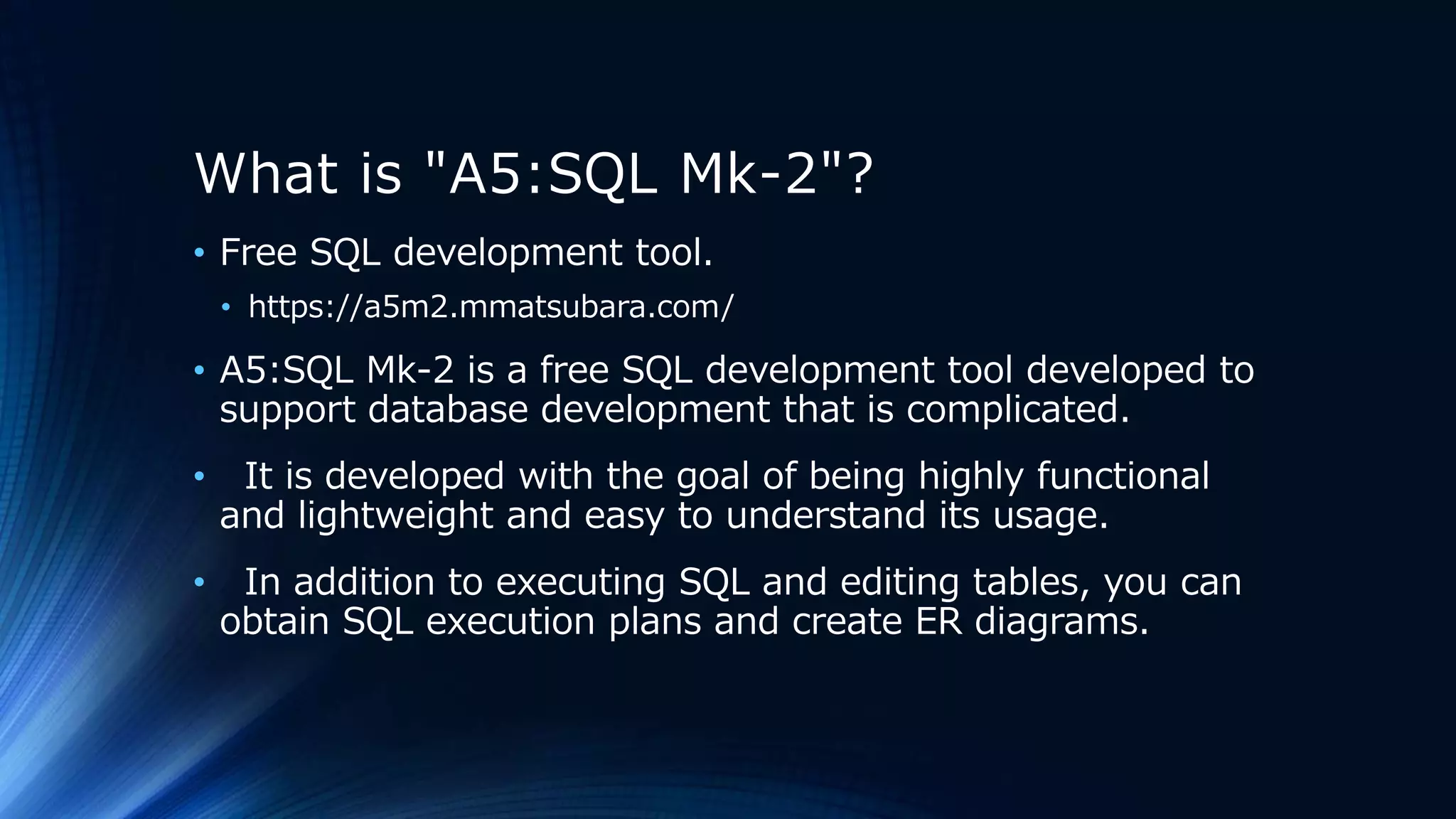
• Free SQL development tool.
• https://a5m2.mmatsubara.com/
• A5:SQL Mk-2 is a free SQL development tool developed to
support database development that is complicated.
• It is developed with the goal of being highly functional
and lightweight and easy to understand its usage.
• In addition to executing SQL and editing tables, you can
obtain SQL execution plans and create ER diagrams.
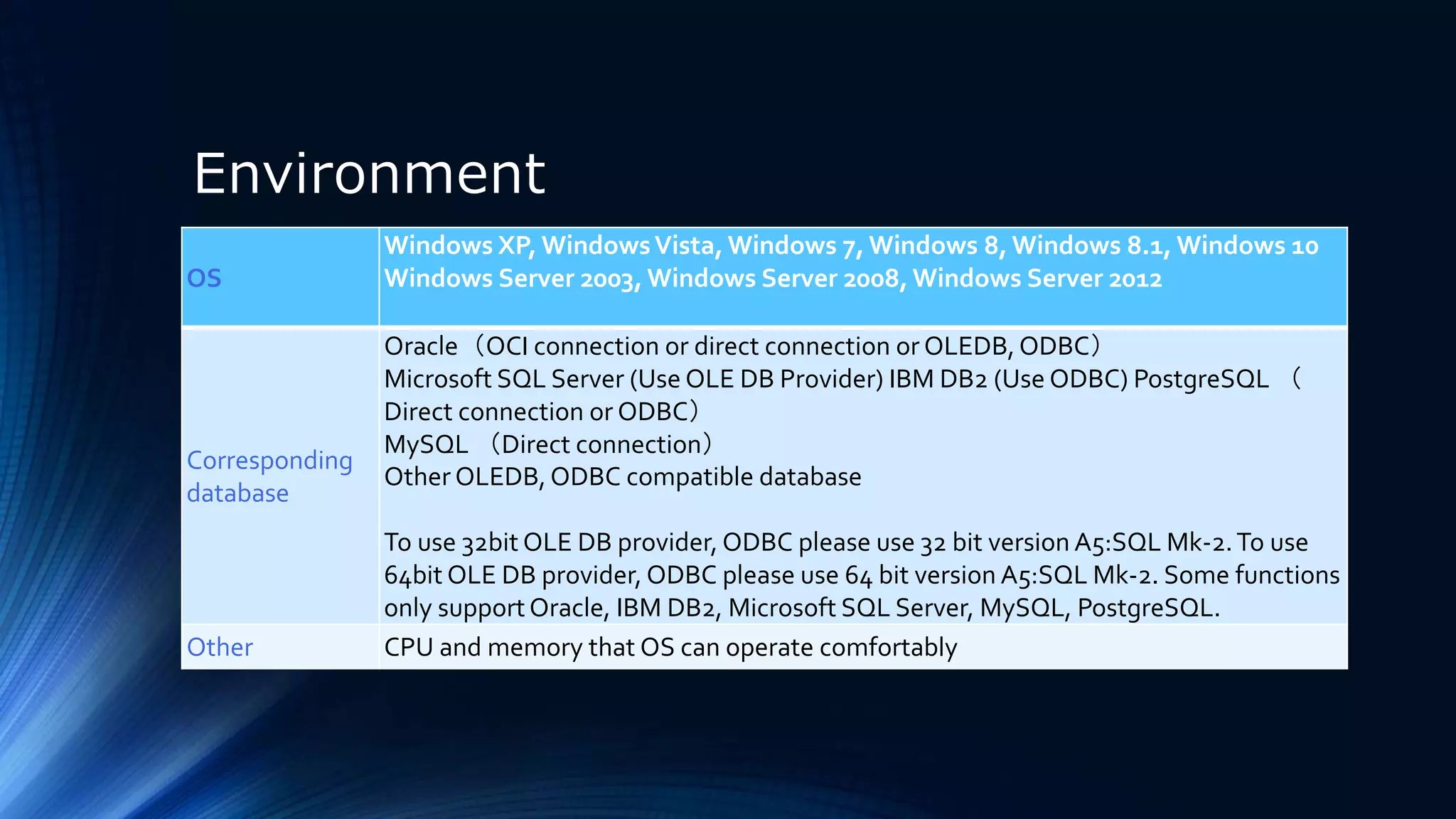
Environment
OS
Windows XP, WindowsVista, Windows 7, Windows 8, Windows 8.1, Windows 10
Windows Server 2003, Windows Server 2008, Windows Server 2012
Corresponding
database
Oracle(OCI connection or direct connection or OLEDB,ODBC)
Microsoft SQL Server (Use OLE DB Provider) IBM DB2 (Use ODBC) PostgreSQL (
Direct connection or ODBC)
MySQL (Direct connection)
Other OLEDB,ODBC compatible database
To use 32bit OLE DB provider, ODBC please use 32 bit version A5:SQL Mk-2.To use
64bit OLE DB provider, ODBC please use 64 bit version A5:SQL Mk-2. Some functions
only supportOracle, IBM DB2, Microsoft SQL Server, MySQL, PostgreSQL.
Other CPU and memory that OS can operate comfortably
Features
3
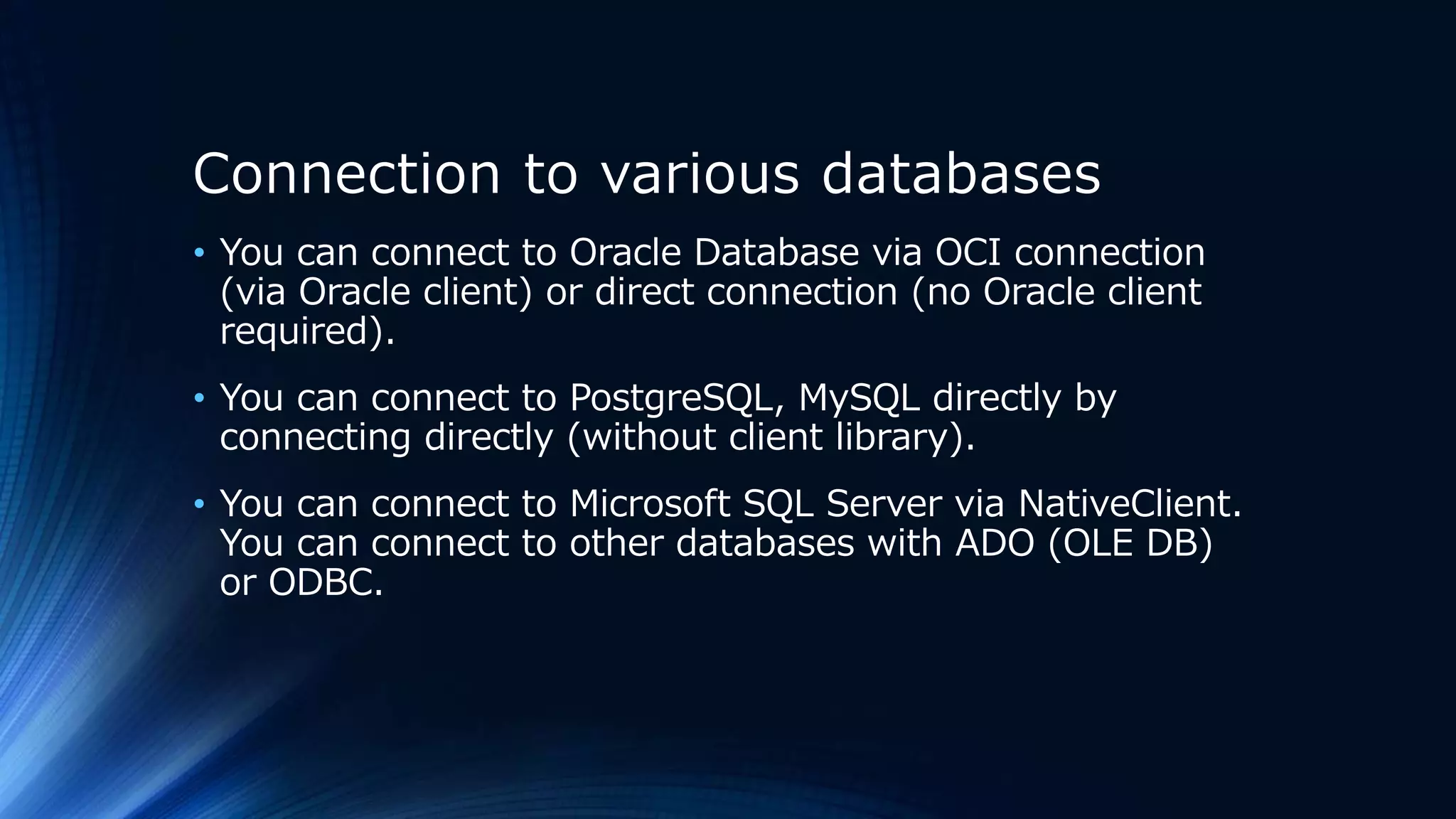
Connection to various databases
• You can connect to Oracle Database via OCI connection
(via Oracle client) or direct connection (no Oracle client
required).
• You can connect to PostgreSQL, MySQL directly by
connecting directly (without client library).
• You can connect to Microsoft SQL Server via NativeClient.
You can connect to other databases with ADO (OLE DB)
or ODBC.
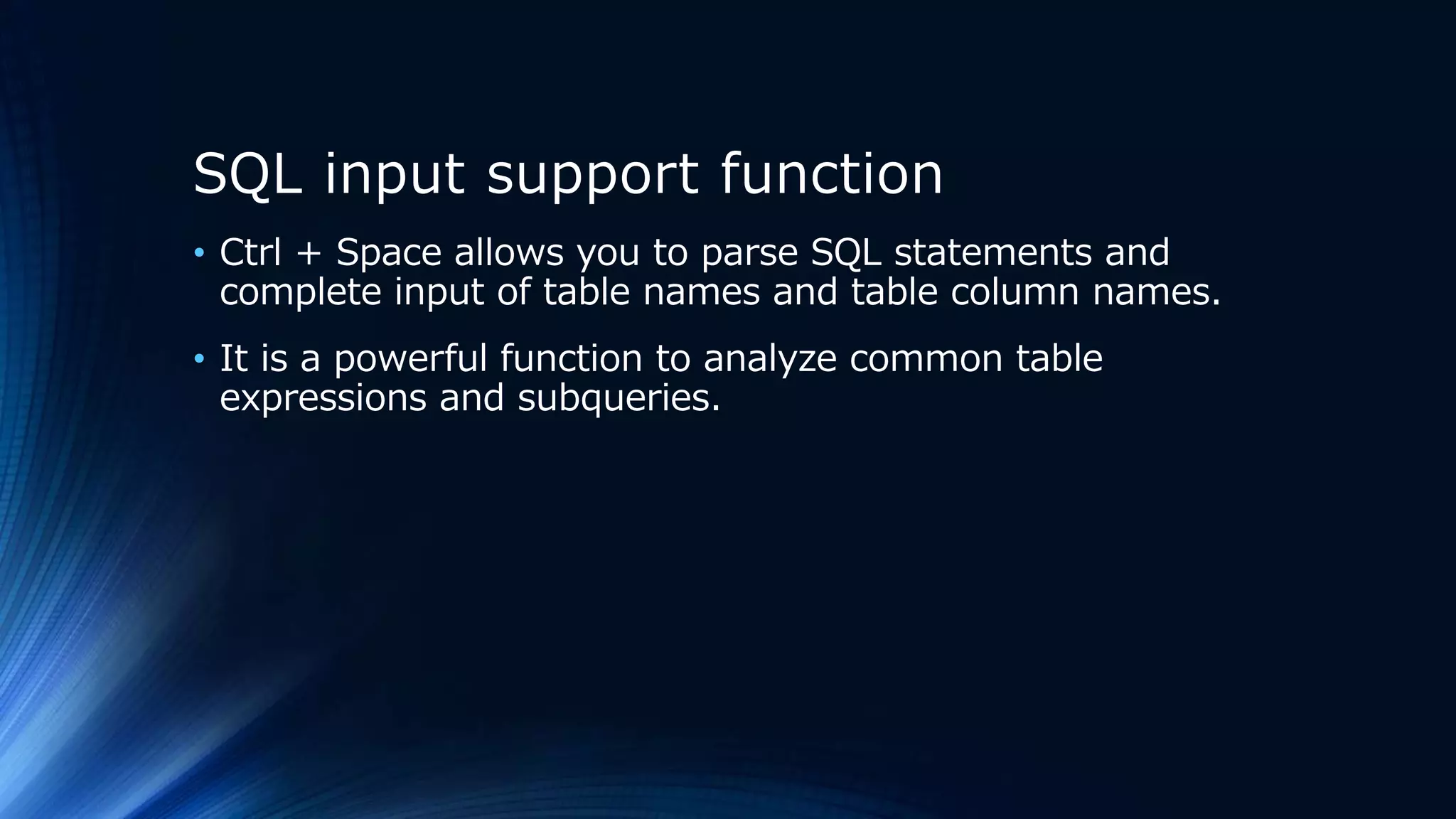
SQL input support function
• Ctrl + Space allows you to parse SQL statements and
complete input of table names and table column names.
• It is a powerful function to analyze common table
expressions and subqueries.
Query design and analysis function in
GUI
• You can use the GUI to create queries using query design
and analysis.
Execution plan acquisition function
• Displays the execution plan (access plan) when the
RDBMS executes SQL.
• It is only for Oracle Database, IBM DB2, SQL Server,
MySQL, PostgreSQL.
SQL formatting function
• Analyze parentheses and subqueries, and indent as
necessary.
• It is also possible to process multiple SQL statements
separated by semicolons at once.
"SQL" continuous execution delimited by
";" (semicolon) or "/" (slash) only line or
"GO" only line
• Only the caret position, after caret position, you can
designate the whole and execute SQL continuously.
• Also, you can ignore the semicolon and execute it entirely.
Run SQL twice and compare the
results
• You can run the SQL script twice and compare and display
the result set (it is also possible to compare multiple
result sets).
• Comparison result set can be output to Excel.
• This is a function that demonstrates its power in
combined tests and comprehensive tests.
Ability to embed pseudo-instructions that
specify column names, result set titles,
etc. in query comments
• There is a function to specify detailed behavior of the
query during query comment.
A table editor that can work with
Excel
• You can output the contents of the table (or the result of
the query) to Excel.
• You can also paste from Excel into the table editor.
Export and import table contents
• You can export and import table contents in CSV format.
• This CSV format is compatible with Excel.
• You can also export and import tables in the database in
bulk.
Ability to insert a large amount of
test dummy data in the table
• You can create dummy data that can be used for load
testing.
Execute stored procedures
• In the case of Oracle PL / SQL, it is possible to pause at
break point and reference / change variable contents in
debug execution.
ER diagram edit
• You can create an ER diagram of the database, output
DDL, print / create bitmap.
• It is also possible to reverse-generate the ER diagram
from the existing database.
Demo
4
Conclusion
5
Conclusion
• A5:SQL Mk-2 has many useful functions at the time of
SQL coding and test execution, and it is closer to SOS
than SSMS.
• Since it is not specialized in SQL Server, it is poor in terms
of function from that point of view, but instead it is
versatile and simple usability.
• Since there is also a 32-bit version, A5:SQL Mk-2 is a
valuable choice when you want to efficiently advance
development in 32nit environment.
• If you use it well, you can improve the efficiency of
development very much, so it would be nice to use it.

20180929 jssug 10_a5_sql_mk2

  • 1.
    SQL Server site utilization TALKABOUT “A5:SQL MK-2”
  • 2.
    • Kunihisa Abukawa •@kabukawa • Software Engineer • Applied Information Technology Engineer(IPA) • Discription • It is a software engineer employed by a small system integrator. • I have had industry experience of about 25 years and have been doing system construction etc. of financial customers. • Social • https://twitter.com/kabukawa • https://www.facebook.com/kabukawa/ • https://www.instagram.com/kabukawa/ • https://github.com/kabukawa/ • https://www.linkedin.com/in/kunihisa-abukawa-78537591/ Who am i?
  • 3.
    Today's content • SQLdevelopment tools commonly used in SQL Server • What is "A5:SQL Mk-2"? • Features • Demo • Conclusion
  • 4.
    About • A5 SQLMk2 • Copylight© 1998 Masakazu Matsubara • trademark • The names of products or services listed in this document are trademarks or registered trademarks of each company.
  • 5.
    SQL development tools commonlyused in SQL Server 1
  • 6.
    SQL development toolscommonly used in SQL Server • Windows • Offered by Microsoft • SSMS (SQM Server Management Studio) • SOS (SQL Operations Studio) • Free software • A5SQL Mk2 • Etc… • Mac/Linux • Offered by Microsoft • SOS (SQL Operations Studio)
  • 7.
  • 8.
    What is "A5:SQLMk-2"? • Free SQL development tool. • https://a5m2.mmatsubara.com/ • A5:SQL Mk-2 is a free SQL development tool developed to support database development that is complicated. • It is developed with the goal of being highly functional and lightweight and easy to understand its usage. • In addition to executing SQL and editing tables, you can obtain SQL execution plans and create ER diagrams.
  • 9.
    Environment OS Windows XP, WindowsVista,Windows 7, Windows 8, Windows 8.1, Windows 10 Windows Server 2003, Windows Server 2008, Windows Server 2012 Corresponding database Oracle(OCI connection or direct connection or OLEDB,ODBC) Microsoft SQL Server (Use OLE DB Provider) IBM DB2 (Use ODBC) PostgreSQL ( Direct connection or ODBC) MySQL (Direct connection) Other OLEDB,ODBC compatible database To use 32bit OLE DB provider, ODBC please use 32 bit version A5:SQL Mk-2.To use 64bit OLE DB provider, ODBC please use 64 bit version A5:SQL Mk-2. Some functions only supportOracle, IBM DB2, Microsoft SQL Server, MySQL, PostgreSQL. Other CPU and memory that OS can operate comfortably
  • 10.
  • 11.
    Connection to variousdatabases • You can connect to Oracle Database via OCI connection (via Oracle client) or direct connection (no Oracle client required). • You can connect to PostgreSQL, MySQL directly by connecting directly (without client library). • You can connect to Microsoft SQL Server via NativeClient. You can connect to other databases with ADO (OLE DB) or ODBC.
  • 12.
    SQL input supportfunction • Ctrl + Space allows you to parse SQL statements and complete input of table names and table column names. • It is a powerful function to analyze common table expressions and subqueries.
  • 13.
    Query design andanalysis function in GUI • You can use the GUI to create queries using query design and analysis.
  • 14.
    Execution plan acquisitionfunction • Displays the execution plan (access plan) when the RDBMS executes SQL. • It is only for Oracle Database, IBM DB2, SQL Server, MySQL, PostgreSQL.
  • 15.
    SQL formatting function •Analyze parentheses and subqueries, and indent as necessary. • It is also possible to process multiple SQL statements separated by semicolons at once.
  • 16.
    "SQL" continuous executiondelimited by ";" (semicolon) or "/" (slash) only line or "GO" only line • Only the caret position, after caret position, you can designate the whole and execute SQL continuously. • Also, you can ignore the semicolon and execute it entirely.
  • 17.
    Run SQL twiceand compare the results • You can run the SQL script twice and compare and display the result set (it is also possible to compare multiple result sets). • Comparison result set can be output to Excel. • This is a function that demonstrates its power in combined tests and comprehensive tests.
  • 18.
    Ability to embedpseudo-instructions that specify column names, result set titles, etc. in query comments • There is a function to specify detailed behavior of the query during query comment.
  • 19.
    A table editorthat can work with Excel • You can output the contents of the table (or the result of the query) to Excel. • You can also paste from Excel into the table editor.
  • 20.
    Export and importtable contents • You can export and import table contents in CSV format. • This CSV format is compatible with Excel. • You can also export and import tables in the database in bulk.
  • 21.
    Ability to inserta large amount of test dummy data in the table • You can create dummy data that can be used for load testing.
  • 22.
    Execute stored procedures •In the case of Oracle PL / SQL, it is possible to pause at break point and reference / change variable contents in debug execution.
  • 23.
    ER diagram edit •You can create an ER diagram of the database, output DDL, print / create bitmap. • It is also possible to reverse-generate the ER diagram from the existing database.
  • 24.
  • 25.
  • 26.
    Conclusion • A5:SQL Mk-2has many useful functions at the time of SQL coding and test execution, and it is closer to SOS than SSMS. • Since it is not specialized in SQL Server, it is poor in terms of function from that point of view, but instead it is versatile and simple usability. • Since there is also a 32-bit version, A5:SQL Mk-2 is a valuable choice when you want to efficiently advance development in 32nit environment. • If you use it well, you can improve the efficiency of development very much, so it would be nice to use it.

Editor's Notes

  • #2 SQL Server現場活用-A5SQL mk2に関する話
  • #4 本日の目次 SQL Serverでよく使われるSQL 開発ツール "A5 SQL Mk2"とは? デモ まとめ
  • #5 A5SQL Mk2について Copylight© 1998 松原正和  商標について 本資料に掲載されている商品またはサービスなどの名称は、各社の商標または登録商標です。
  • #6 SQL Serverでよく使われるSQL 開発ツール
  • #7 SQL Serverでよく使われるSQL 開発ツール Windows Microsoft社が提供 SSMS(SQM Server Management Studio) SOS(SQL Operations Studio) フリーソフトウェア Mac/Linux SOS(SQL Operations Studio) A5SQL Mk2
  • #8 "A5 SQL Mk2"とは?
  • #9 "A5 SQL Mk2"とは? フリーのSQL開発ツールです。 高機能かつ軽量で、使い方が分かりやすいことを目標に開発されています。 A5SQL Mk2 はSQLコーディングやテスト実行時に便利な機能が多数実装されており、SSMSよりは SOS に近い。 SQL Serverに特化しているわけではないので、そういう視点で見れば機能的には劣るが、代わりに汎用的でシンプルな使い勝手になっている。 32bit版も存在するので、32nit環境で開発を効率的に進めたい時には、A5SQL Mk2は貴重な選択肢となる。
  • #10 "A5 SQL Mk2"とは? フリーのSQL開発ツールです。 高機能かつ軽量で、使い方が分かりやすいことを目標に開発されています。 A5SQL Mk2 はSQLコーディングやテスト実行時に便利な機能が多数実装されており、SSMSよりは SOS に近い。 SQL Serverに特化しているわけではないので、そういう視点で見れば機能的には劣るが、代わりに汎用的でシンプルな使い勝手になっている。 32bit版も存在するので、32nit環境で開発を効率的に進めたい時には、A5SQL Mk2は貴重な選択肢となる。
  • #11 "A5 SQL Mk2"とは?
  • #12 様々なデータベースへの接続  Oracle Database へはOCI接続(オラクルクライアント経由)、直接接続(オラクルクライアント不要)で接続出来ます。  PostgreSQL, MySQLへは直接接続(クライアントライブラリ不要)で接続出来ます。  Microsoft SQL Server へは NativeClient 経由で接続できます。  それ以外のデータベースへはADO(OLE DB)または、ODBCで接続出来ます。
  • #13 SQL入力支援機能  Ctrl+SpaceでSQL文を解析しテーブル名やテーブルカラム名の入力補完が行えます。  共通表式や副照会も解析する強力な機能です。
  • #14 GUIでのクエリーの設計と分析機能  GUIを使いクエリーの設計と分析を使ってクエリーを作成することができます。
  • #15 実行計画取得機能  RDBMSがSQLを実行する際の実行計画(アクセスプラン)を表示します。  Oracle Database, IBM DB2, SQLServer, MySQL, PostgreSQL のみの機能です。
  • #16 SQL整形機能  括弧やサブクエリーを解析し、必要に応じてインデントをつけます。  セミコロンで区切られた複数のSQL文を一括で処理することも出来ます。
  • #17 ";"(セミコロン)または"/"(スラッシュ)のみの行、または "GO" のみの行で区切ったSQLの連続実行  キャレット位置のみ、キャレット位置以降、全体を指定してSQLの連続実行が出来ます。  また、セミコロンを無視しての全体実行も出来ます。
  • #18 複数の結果セットをまとめて Excel へ出力  複数クエリのテスト結果をExcelに出力し、保管することで、そのままエビデンスとして残すことが出来ます。  これは、結合テスト・総合テストで威力を発揮する機能です。
  • #19 SQLを2度実行しその結果を比較  SQLスクリプトを2度実行し、その結果セットを比較表示することが出来ます(複数結果セットの比較も可能)。  比較した結果セットはExcelに出力することも出来ます。  これは、結合テスト・総合テストで威力を発揮する機能です。
  • #20 クエリーのコメント中にカラム名や結果セットのタイトルなどを指定する擬似命令を埋め込む機能  クエリーのコメント中にクエリーの細かな動作を指定する機能があります。
  • #21 テーブル内容のエクスポート・インポート  テーブル内容をCSV形式にて、エクスポートしたり、インポートしたり出来ます。  このCSV形式はExcelと互換性があります。  また、データベース内のテーブルを一括でエクスポートしたり、インポートしたりすることも出来ます。
  • #22 テーブルに大量のテスト用ダミーデータをインサートする機能  負荷試験に使えるダミーデータを作成することが出来ます。
  • #23 ストアドプロシージャを実行する機能  Oracle のPL/SQLの場合、デバッグ実行でブレークポイントでの一時停止や変数内容の参照・変更ができます。
  • #24 ER図を作成する機能  データベースのER図を作成し、DDLを出力したり、印刷・ビットマップの生成をしたりすることができます。  既存のデータベースから、ER図をリバース生成することもできます。
  • #25 "A5 SQL Mk2"とは?
  • #26 "A5 SQL Mk2"とは?