









JavaScript & Internet 
Controlled Hardware 
Prototyping 
Jonathan LeBlanc 
(@jcleblanc) 
Head of Global Developer 
Evangelism at Braintree /
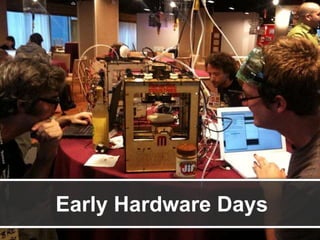
Early Hardware Days 
Twitter: @jcleblanc | Hashtag: #svcc
Mainstreaming Effect 
Twitter: @jcleblanc | Hashtag: #svcc
Hardware Toolbox 
Arduino 
Arduino / Raspberry Pi / Leap Motion / etc. 
Rasperry Pi 
Twitter: @jcleblanc | Hashtag: #svcc
Internet Meets Arduino 
Twitter: @jcleblanc | Hashtag: #svcc
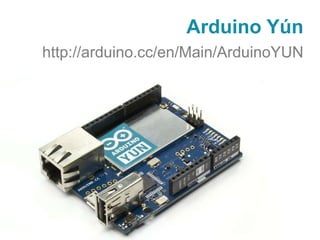
Arduino Yún 
http://arduino.cc/en/Main/ArduinoYUN 
Twitter: @jcleblanc | Hashtag: #svcc
Arduino Yún Feature Set 
Web Service Access with Temboo 
Python 2.7 included with OpenWRT Linino 
Integrated Wifi / Ethernet
Temboo Sketch Builder 
https://temboo.com/library/Library/Devices/ 
Twitter: @jcleblanc | Hashtag: #svcc
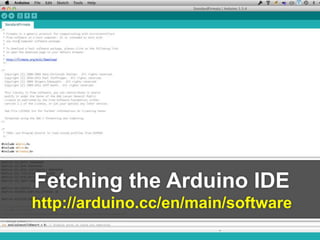
Fetching the Arduino IDE 
http://arduino.cc/en/main/software 
Twitter: @jcleblanc | Hashtag: #svcc
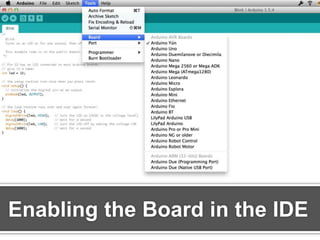
Enabling the Board in the IDE 
Twitter: @jcleblanc | Hashtag: #svcc
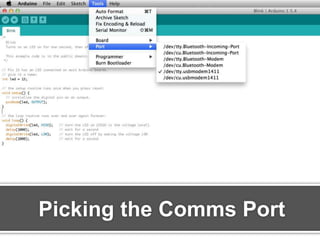
Picking the Comms Port 
Twitter: @jcleblanc | Hashtag: #svcc
API Request with Temboo 
http://bit.ly/js-arduino-paypal 
Twitter: @jcleblanc | Hashtag: #svcc
JavaScript, Node & 
Arduino 
Twitter: @jcleblanc | Hashtag: #svcc
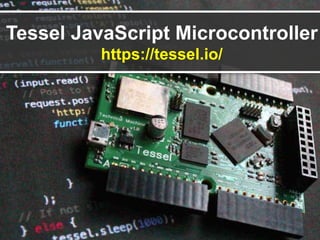
Tessel JavaScript Microcontroller 
https://tessel.io/ 
Twitter: @jcleblanc | Hashtag: #svcc
Johnny 5 
https://github.com/rwaldron/johnny-five 
Twitter: @jcleblanc | Hashtag: #svcc
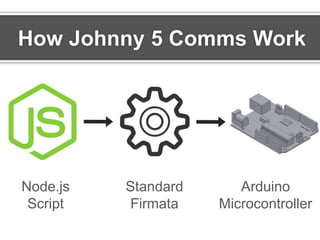
How Johnny 5 Comms Work 
Standard 
Firmata 
Arduino 
Microcontroller 
Node.js 
Script 
Twitter: @jcleblanc | Hashtag: #svcc
What is Firmata? 
Twitter: @jcleblanc | Hashtag: #svcc
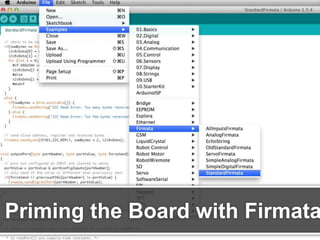
Priming the Board with Firmata 
Twitter: @jcleblanc | Hashtag: #svcc
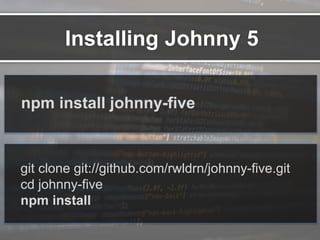
Installing Johnny 5 
npm install johnny-five 
git clone git://github.com/rwldrn/johnny-five.git 
cd johnny-five 
npm install 
Twitter: @jcleblanc | Hashtag: #svcc
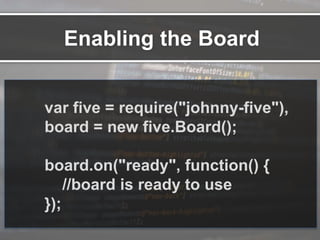
var five = require("johnny-five"), 
board = new five.Board(); 
board.on("ready", function() { 
//board is ready to use 
}); 
Enabling the Board 
Twitter: @jcleblanc | Hashtag: #svcc
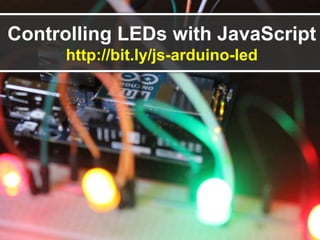
Controlling LEDs with JavaScript 
http://bit.ly/js-arduino-led 
Twitter: @jcleblanc | Hashtag: #svcc
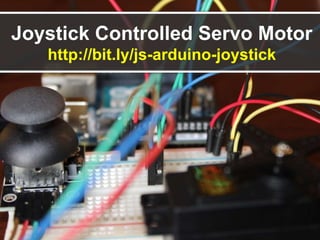
Joystick Controlled Servo Motor 
http://bit.ly/js-arduino-joystick 
Twitter: @jcleblanc | Hashtag: #svcc
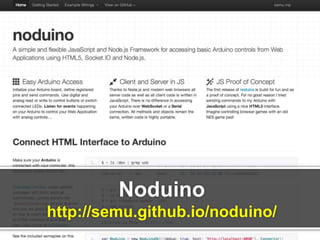
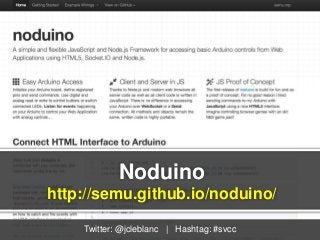
Noduino 
http://semu.github.io/noduino/ 
Twitter: @jcleblanc | Hashtag: #svcc
Where are we Heading? 
Twitter: @jcleblanc | Hashtag: #svcc
Thank You! 
http://bit.ly/hardware-prototyping 
Jonathan LeBlanc 
(@jcleblanc) 
Head of Global Developer 
Evangelism at Braintree /

JavaScript and Internet Controlled Hardware Prototyping

Editor's Notes

  • #5 Bryce Bigger of The Bigger Design http://makerfairecolumbiasc.com/tag/nerf-sentry-gun/
  • #6 Internet Controller Hardware – Arduino Yun, etc. Extending to other languages, Tessel = JavaScript, Node.js through Johnny 5
  • #10 Arduino Yun
  • #11 Yun feature sets (temboo / wifi / etc) Based on the Leonardo board Python 2.7 included with OpenWRT Linux distribution called Linino on the board
  • #12 Program an arduino without writing any code. Sketch Builder (https://temboo.com/library/Library/devices/)
  • #13 Picking the right version of the arduino software http://arduino.cc/en/main/software
  • #14 Picking the right version of the arduino software http://arduino.cc/en/main/software
  • #15 Picking the right version of the arduino software http://arduino.cc/en/main/software
  • #18 The modularity and extensibility of the Devices sets them apart from just using The hardware components of a phone, etc
  • #20 Alternate framework: Noduino (http://semu.github.io/noduino/) – accessing arduino from web applications (HTML5 / JS / Node)
  • #21 How Johnny 5 works – standard firmata uploaded to the microcontroller, then Node.js script controlled.
  • #22 http://arduino.cc/en/reference/firmata http://www.firmata.org/wiki/Main_Page
  • #23 Upload the firmata program to the board
  • #24 Crap that was hard…
  • #28 Created by Sebastian Müller Alternate framework: Noduino (http://semu.github.io/noduino/) – accessing arduino from web applications (HTML5 / JS / Node) Download Noduino Upload Duino to board (the communications bridge) Also: https://github.com/voodootikigod/node-serialport (Node Serialport)