
Webdistilled Integration
A quick introduction to
Webdistilled API
Webdistilled ecosystem
• Quick facts
• How it works
• Architectural overview
• Applications
• Feed
• +2.5M mainstream and social sources
• +50 languages
• +150 countries
• +4M clips per day
• Advanced semantic analysis powered by Iasmine
(Intext Associative Miner engine)
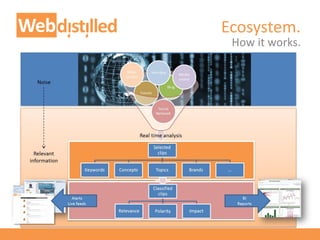
• Real-time analysis of every single clip
– No index and search approach
– No pre-selection of sources
– Analysis throughput: up to 100 clips per second
Ecosystem.
Quick facts.
Many sources, many countries, many languages.
Ecosystem.
How it works.
Ecosystem.
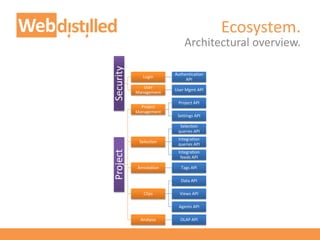
Architectural overview.
Security
Login
Authentication
API
User
Management
User Mgmt API
Project
Project
Management
Project API
Settings API
Selection
Selection
queries API
Integration
queries API
Integration
feeds API
Annotation Tags API
Clips
Data API
Views API
Agents API
Analysis OLAP API
Ecosystem.
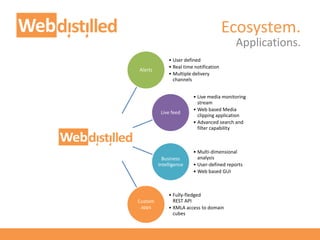
Applications.
Alerts
• User defined
• Real time notification
• Multiple delivery
channels
Live feed
• Live media monitoring
stream
• Web based Media
clipping application
• Advanced search and
filter capability
Business
Intelligence
• Multi-dimensional
analysis
• User-defined reports
• Web based GUI
Custom
apps
• Fully-fledged
REST API
• XMLA access to domain
cubes
Webdistilled API
• Motivations
• Service overview
• The Playground
API.
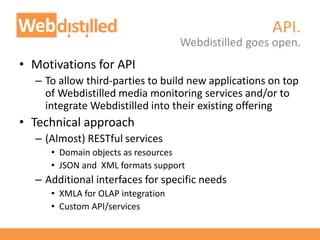
• Motivations for API
– To allow third-parties to build new applications on top
of Webdistilled media monitoring services and/or to
integrate Webdistilled into their existing offering
• Technical approach
– (Almost) RESTful services
• Domain objects as resources
• JSON and XML formats support
– Additional interfaces for specific needs
• XMLA for OLAP integration
• Custom API/services
Webdistilled goes open.
http://services.webdistilled.com/api/login (logout, renew)
• What you can do with:
– Login
– Logout
– Renew security token
• Use cases:
– Manage access to Webdistilled services
Authentication API services.
Login.
https://services.webdistilled.com/api/security/users
• What you can do with:
– Add and remove users
– Modify users data
• Use cases:
– Add or remove users
– Change user's email address
User Management API services.
Users.
https://services.webdistilled.com/api/project/{{group}}/projects
• What you can do with:
– List available projects
– View project details
– Assign project roles to users
• Use cases:
– Provide list of available projects to users
– Assign the role (i.e.: Admin, Editor, User) to user X for
project Y
Project API services.
Project.
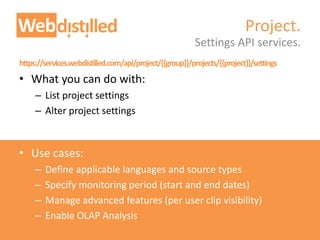
https://services.webdistilled.com/api/project/{{group}}/projects/{{project}}/settings
• What you can do with:
– List project settings
– Alter project settings
• Use cases:
– Define applicable languages and source types
– Specify monitoring period (start and end dates)
– Manage advanced features (per user clip visibility)
– Enable OLAP Analysis
Settings API services.
Project.
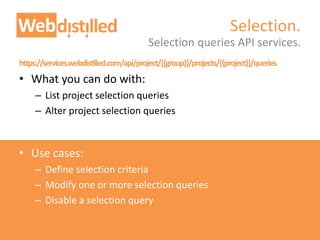
https://services.webdistilled.com/api/project/{{group}}/projects/{{project}}/queries
• What you can do with:
– List project selection queries
– Alter project selection queries
• Use cases:
– Define selection criteria
– Modify one or more selection queries
– Disable a selection query
Selection queries API services.
Selection.
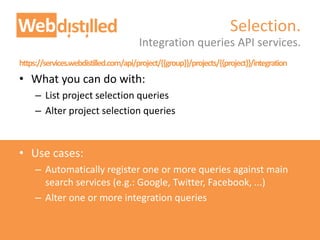
https://services.webdistilled.com/api/project/{{group}}/projects/{{project}}/integration
• What you can do with:
– List project selection queries
– Alter project selection queries
• Use cases:
– Automatically register one or more queries against main
search services (e.g.: Google, Twitter, Facebook, ...)
– Alter one or more integration queries
Integration queries API services.
Selection.
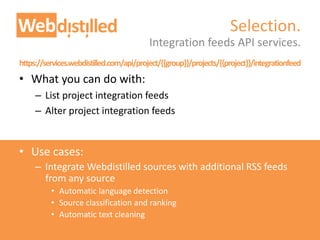
https://services.webdistilled.com/api/project/{{group}}/projects/{{project}}/integrationfeed
• What you can do with:
– List project integration feeds
– Alter project integration feeds
• Use cases:
– Integrate Webdistilled sources with additional RSS feeds
from any source
• Automatic language detection
• Source classification and ranking
• Automatic text cleaning
Integration feeds API services.
Selection.
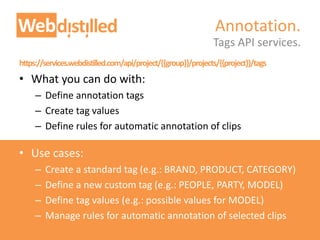
https://services.webdistilled.com/api/project/{{group}}/projects/{{project}}/tags
• What you can do with:
– Define annotation tags
– Create tag values
– Define rules for automatic annotation of clips
• Use cases:
– Create a standard tag (e.g.: BRAND, PRODUCT, CATEGORY)
– Define a new custom tag (e.g.: PEOPLE, PARTY, MODEL)
– Define tag values (e.g.: possible values for MODEL)
– Manage rules for automatic annotation of selected clips
Tags API services.
Annotation.
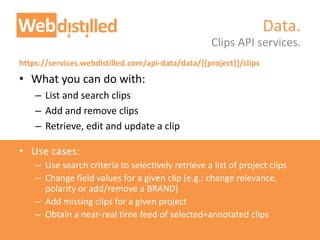
https://services.webdistilled.com/api-data/data/{{project}}/clips
• What you can do with:
– List and search clips
– Add and remove clips
– Retrieve, edit and update a clip
• Use cases:
– Use search criteria to selectively retrieve a list of project clips
– Change field values for a given clip (e.g.: change relevance,
polarity or add/remove a BRAND)
– Add missing clips for a given project
– Obtain a near-real time feed of selected+annotated clips
Clips API services.
Data.
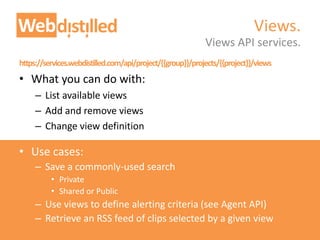
https://services.webdistilled.com/api/project/{{group}}/projects/{{project}}/views
• What you can do with:
– List available views
– Add and remove views
– Change view definition
• Use cases:
– Save a commonly-used search
• Private
• Shared or Public
– Use views to define alerting criteria (see Agent API)
– Retrieve an RSS feed of clips selected by a given view
Views API services.
Views.
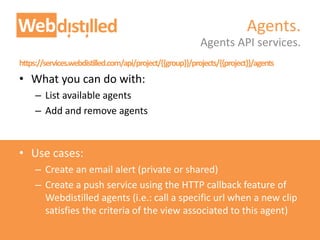
https://services.webdistilled.com/api/project/{{group}}/projects/{{project}}/agents
• What you can do with:
– List available agents
– Add and remove agents
• Use cases:
– Create an email alert (private or shared)
– Create a push service using the HTTP callback feature of
Webdistilled agents (i.e.: call a specific url when a new clip
satisfies the criteria of the view associated to this agent)
Agents API services.
Agents.
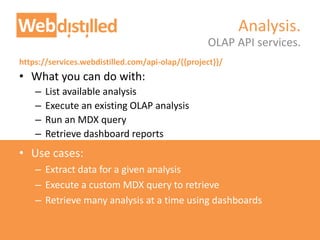
https://services.webdistilled.com/api-olap/{{project}}/
• What you can do with:
– List available analysis
– Execute an existing OLAP analysis
– Run an MDX query
– Retrieve dashboard reports
• Use cases:
– Extract data for a given analysis
– Execute a custom MDX query to retrieve
– Retrieve many analysis at a time using dashboards
OLAP API services.
Analysis.
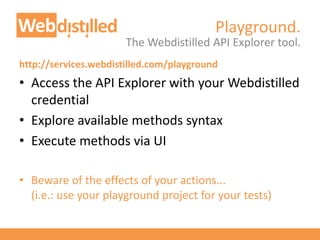
Playground.
The Webdistilled API Explorer tool.
http://services.webdistilled.com/playground
• Access the API Explorer with your Webdistilled
credential
• Explore available methods syntax
• Execute methods via UI
• Beware of the effects of your actions...
(i.e.: use your playground project for your tests)
Vieri Emiliani
vieri.emiliani@intext.it
P: +39 0521 052342
M: +39 335 1293649
Skype:v.emiliani
http://www.webdistilled.com
For support requests, please send an email to support@intext.it
For more information:
Contacts.

Webdistilled API