Slide 1/15
Raise your Uptime
  How to monitor heterogeneous server
             environments with Linux

         LPI Forum Warsaw, 28th September 2012


                                                 Slide 2/15
Agenda

1) Introduction
2) Why monitoring?
3) Icinga Setup and Usage
4) IPMI
5) Conclusions


                            Slide 3/15
1) Introduction


          who I am ...                who
                                    I'm not
Werner      Linux user   Teamlead   Kernel or
Fischer     since 2001    R&D at    H/W dev.


                                            Slide 4/15
2) Why monitoring?


                 You'll get alerts
                      in realtime


                 It tells you the
                     “SOMETHING”


                     It'll save you
                     a lot of time!

                                      Slide 5/15
2) Why monitoring?

●   So why do monitoring?
    ●   Check Availability
        → send realtime alerts

    ●   Check Performance
        → discover trends

    ●   Collect SLA Data
        → prove uptimes


                                 Slide 6/15
2) What can I monitor?

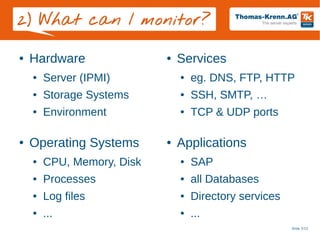
●   Hardware                ●   Services
    ●   Server (IPMI)           ●   eg. DNS, FTP, HTTP
    ●   Storage Systems         ●   SSH, SMTP, …
    ●   Environment             ●   TCP & UDP ports

●   Operating Systems       ●   Applications
    ●   CPU, Memory, Disk       ●   SAP
    ●   Processes               ●   all Databases
    ●   Log files               ●   Directory services
    ●   ...                     ●   ...
                                                         Slide 7/15
3) Icinga Setup

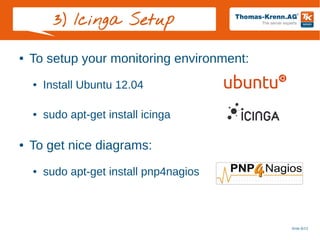
●   To setup your monitoring environment:
    ●   Install Ubuntu 12.04

    ●   sudo apt-get install icinga

●   To get nice diagrams:
    ●   sudo apt-get install pnp4nagios


                                            Slide 8/15
3) Use Icinga

●   Icinga Classic web interface


                                   Slide 9/15
4) IPMI Introduction

●   IPMI = Intelligent Platform Management Interface
    ●   Developed 1998 by Intel, HP, NEC, Dell
    ●   Current IPMI v2.0 since 2004
●   Purpose:
                 Monitoring                 Logging
             (temp, fans,...)        (system event log)

             Recovery Control             Inventory
           (power on/off/reset)      (FRU information)


                                                       Slide 10/15
4) IPMI Introduction

                               access req.
                                                                Remote Mmgt. Card
                               username &                        (KVM over IP, ...)
                                                                                                     ICMB

     LAN
   Connector
                   Serial
                 Connector
                                password                             Auxillary
                                                                  IPMB Connector
                                                                                        ICMB
                                                                                        bridge

                                                                                                               Chassis
                                      PCI mgmt. bus                                    IPMB                     mgmt.
                                                                              NVS Storage                      (Satellite
                                                                                 SDR
                                                                                                              Controller)
    Network
                            LAN                                                  SEL
     (LAN)
                         interface                                               FRU
    Controller
                                              Baseboard                                                     FRU      Temp.
                                                                           Sensors & Controls
                                             Management                                                              sensor
  access req.                                 Controller
                                                                              Fan sensor
                                                                             Temp. sensor
                                                                                                                       …

                                                (BMC)                        Power control
root privileges                                                              Reset control
                                                                                  …
                                                                                                             Chassis board


                   Serial                      BMC
                              Serial/Modem
                    Port                      Serial                       private mgmt. busses             FRU
                                interface
                  Sharing                    Controller
                                                                              FRU             FRU
                                                                                                            Redundant Power
                   M/B                                                                                           board
                                                                            Temp. s.
                  Serial                                  System
                 Controller                               interface         Memory       Processor
                                                                             board         board
                                         System bus
   Motherboard


                                                                                                                             Slide 11/15
4) IPMI Sensor Classes

●   No need to configure threshold values
    Discrete sensors                                   Threshold sensors
    [root@test ~]# ipmitool sdr get "PS2 Status"       [root@test ~]# ipmitool sdr get "Fan 1"
     [root@test ~]# ipmitool sdr get "PS2 Status"       [root@test ~]# ipmitool sdr get "Fan 1"
    Sensor ID              : PS2 Status (0x71)         Sensor ID              : Fan 1 (0x50)
     Sensor ID              : PS2 Status (0x71)         Sensor ID              : Fan 1 (0x50)
     Entity ID             : 10.2 (Power Supply)        Entity ID             : 29.1 (Fan Device)
      Entity ID             : 10.2 (Power Supply)        Entity ID             : 29.1 (Fan Device)
     Sensor Type (Discrete): Power Supply               Sensor Type (Analog)  : Fan
      Sensor Type (Discrete): Power Supply               Sensor Type (Analog)  : Fan
     States Asserted       : Power Supply               Sensor Reading        : 5719 (+/­ 0) RPM
      States Asserted       : Power Supply               Sensor Reading        : 5719 (+/­ 0) RPM
                             [Presence detected]        Status                : ok
                              [Presence detected]        Status                : ok
                             [Power Supply AC lost]     Nominal Reading       : 6708.000
                              [Power Supply AC lost]     Nominal Reading       : 6708.000
     Assertion Events      : Power Supply               Normal Minimum        : 2451.000
      Assertion Events      : Power Supply               Normal Minimum        : 2451.000
                             [Presence detected]        Normal Maximum        : 10965.000
                              [Presence detected]        Normal Maximum        : 10965.000
                             [Power Supply AC lost]     Lower critical        : 1720.000
                              [Power Supply AC lost]     Lower critical        : 1720.000
     Assertions Enabled    : Power Supply               Lower non­critical    : 1978.000
      Assertions Enabled    : Power Supply               Lower non­critical    : 1978.000
                             [Presence detected]        Positive Hysteresis   : 86.000
                              [Presence detected]        Positive Hysteresis   : 86.000
                             [Failure detected]         Negative Hysteresis   : 86.000
                              [Failure detected]         Negative Hysteresis   : 86.000
                             [Predictive failure]       Minimum sensor range  : Unspecified
                              [Predictive failure]       Minimum sensor range  : Unspecified
                             [Power Supply AC lost]     Maximum sensor range  : Unspecified
                              [Power Supply AC lost]     Maximum sensor range  : Unspecified
    [...]                                               Event Message Control : Per­threshold
     [...]                                               Event Message Control : Per­threshold
     Deassertions Enabled  : Power Supply               Readable Thresholds   : lcr lnc 
      Deassertions Enabled  : Power Supply               Readable Thresholds   : lcr lnc 
    [...]                                               Settable Thresholds   : lcr lnc 
     [...]                                               Settable Thresholds   : lcr lnc 
                                                        Threshold Read Mask   : lcr lnc 
                                                         Threshold Read Mask   : lcr lnc 
                                                        Assertion Events      : 
                                                         Assertion Events      : 
                                                        Assertions Enabled    : lnc­ lcr­ 
                                                         Assertions Enabled    : lnc­ lcr­ 
                                                        Deassertions Enabled  : lnc­ lcr­ 
                                                         Deassertions Enabled  : lnc­ lcr­ 


                                                                                                     Slide 12/15
4) IPMI Plugin

●   Developed by
    Thomas Krenn

●   Open Source
    (GPL v3)

●   www.thomas-
    krenn.com/en/oss


                         Slide 13/15
4) IPMI Service Check

●   IPMI service check shows hardware issues:


                                                Slide 14/15
5) Conclusions


   Monitor hardware
    with Icinga & IPMI


     Problems?
    They will tell you!


      It'll save you
      time & money


                          Slide 15/15

Raise your Uptime - How to monitor heterogeneous server environments with Linux

  • 1.
  • 2.
    Raise your Uptime How to monitor heterogeneous server environments with Linux LPI Forum Warsaw, 28th September 2012 Slide 2/15
  • 3.
    Agenda 1) Introduction 2) Whymonitoring? 3) Icinga Setup and Usage 4) IPMI 5) Conclusions Slide 3/15
  • 4.
    1) Introduction who I am ... who I'm not Werner Linux user Teamlead Kernel or Fischer since 2001 R&D at H/W dev. Slide 4/15
  • 5.
    2) Why monitoring? You'll get alerts in realtime It tells you the “SOMETHING” It'll save you a lot of time! Slide 5/15
  • 6.
    2) Why monitoring? ● So why do monitoring? ● Check Availability → send realtime alerts ● Check Performance → discover trends ● Collect SLA Data → prove uptimes Slide 6/15
  • 7.
    2) What canI monitor? ● Hardware ● Services ● Server (IPMI) ● eg. DNS, FTP, HTTP ● Storage Systems ● SSH, SMTP, … ● Environment ● TCP & UDP ports ● Operating Systems ● Applications ● CPU, Memory, Disk ● SAP ● Processes ● all Databases ● Log files ● Directory services ● ... ● ... Slide 7/15
  • 8.
    3) Icinga Setup ● To setup your monitoring environment: ● Install Ubuntu 12.04 ● sudo apt-get install icinga ● To get nice diagrams: ● sudo apt-get install pnp4nagios Slide 8/15
  • 9.
    3) Use Icinga ● Icinga Classic web interface Slide 9/15
  • 10.
    4) IPMI Introduction ● IPMI = Intelligent Platform Management Interface ● Developed 1998 by Intel, HP, NEC, Dell ● Current IPMI v2.0 since 2004 ● Purpose: Monitoring Logging  (temp, fans,...)  (system event log) Recovery Control Inventory  (power on/off/reset)  (FRU information) Slide 10/15
  • 11.
    4) IPMI Introduction access req. Remote Mmgt. Card username & (KVM over IP, ...) ICMB LAN Connector Serial Connector password Auxillary IPMB Connector ICMB bridge Chassis PCI mgmt. bus IPMB mgmt. NVS Storage (Satellite SDR Controller) Network LAN SEL (LAN) interface FRU Controller Baseboard FRU Temp. Sensors & Controls Management sensor access req. Controller Fan sensor Temp. sensor … (BMC) Power control root privileges Reset control … Chassis board Serial BMC Serial/Modem Port Serial private mgmt. busses FRU interface Sharing Controller FRU FRU Redundant Power M/B board Temp. s. Serial System Controller interface Memory Processor board board System bus Motherboard Slide 11/15
  • 12.
    4) IPMI SensorClasses ● No need to configure threshold values Discrete sensors Threshold sensors [root@test ~]# ipmitool sdr get "PS2 Status" [root@test ~]# ipmitool sdr get "Fan 1" [root@test ~]# ipmitool sdr get "PS2 Status" [root@test ~]# ipmitool sdr get "Fan 1" Sensor ID              : PS2 Status (0x71) Sensor ID              : Fan 1 (0x50) Sensor ID              : PS2 Status (0x71) Sensor ID              : Fan 1 (0x50)  Entity ID             : 10.2 (Power Supply)  Entity ID             : 29.1 (Fan Device)  Entity ID             : 10.2 (Power Supply)  Entity ID             : 29.1 (Fan Device)  Sensor Type (Discrete): Power Supply  Sensor Type (Analog)  : Fan  Sensor Type (Discrete): Power Supply  Sensor Type (Analog)  : Fan  States Asserted       : Power Supply  Sensor Reading        : 5719 (+/­ 0) RPM  States Asserted       : Power Supply  Sensor Reading        : 5719 (+/­ 0) RPM                          [Presence detected]  Status                : ok                          [Presence detected]  Status                : ok                          [Power Supply AC lost]  Nominal Reading       : 6708.000                          [Power Supply AC lost]  Nominal Reading       : 6708.000  Assertion Events      : Power Supply  Normal Minimum        : 2451.000  Assertion Events      : Power Supply  Normal Minimum        : 2451.000                          [Presence detected]  Normal Maximum        : 10965.000                          [Presence detected]  Normal Maximum        : 10965.000                          [Power Supply AC lost]  Lower critical        : 1720.000                          [Power Supply AC lost]  Lower critical        : 1720.000  Assertions Enabled    : Power Supply  Lower non­critical    : 1978.000  Assertions Enabled    : Power Supply  Lower non­critical    : 1978.000                          [Presence detected]  Positive Hysteresis   : 86.000                          [Presence detected]  Positive Hysteresis   : 86.000                          [Failure detected]  Negative Hysteresis   : 86.000                          [Failure detected]  Negative Hysteresis   : 86.000                          [Predictive failure]  Minimum sensor range  : Unspecified                          [Predictive failure]  Minimum sensor range  : Unspecified                          [Power Supply AC lost]  Maximum sensor range  : Unspecified                          [Power Supply AC lost]  Maximum sensor range  : Unspecified [...]  Event Message Control : Per­threshold [...]  Event Message Control : Per­threshold  Deassertions Enabled  : Power Supply  Readable Thresholds   : lcr lnc   Deassertions Enabled  : Power Supply  Readable Thresholds   : lcr lnc  [...]  Settable Thresholds   : lcr lnc  [...]  Settable Thresholds   : lcr lnc   Threshold Read Mask   : lcr lnc   Threshold Read Mask   : lcr lnc   Assertion Events      :   Assertion Events      :   Assertions Enabled    : lnc­ lcr­   Assertions Enabled    : lnc­ lcr­   Deassertions Enabled  : lnc­ lcr­   Deassertions Enabled  : lnc­ lcr­  Slide 12/15
  • 13.
    4) IPMI Plugin ● Developed by Thomas Krenn ● Open Source (GPL v3) ● www.thomas- krenn.com/en/oss Slide 13/15
  • 14.
    4) IPMI ServiceCheck ● IPMI service check shows hardware issues: Slide 14/15
  • 15.
    5) Conclusions  Monitor hardware with Icinga & IPMI  Problems? They will tell you!  It'll save you time & money Slide 15/15