Midwest Regional VMUGNext Generation Best Practices for Storage and VMwareScott Lowe, VCDX #39vSpecialist, EMC CorporationAuthor, Mastering VMware vSphere 4http://blog.scottlowe.orghttp://twitter.com/scott_lowe
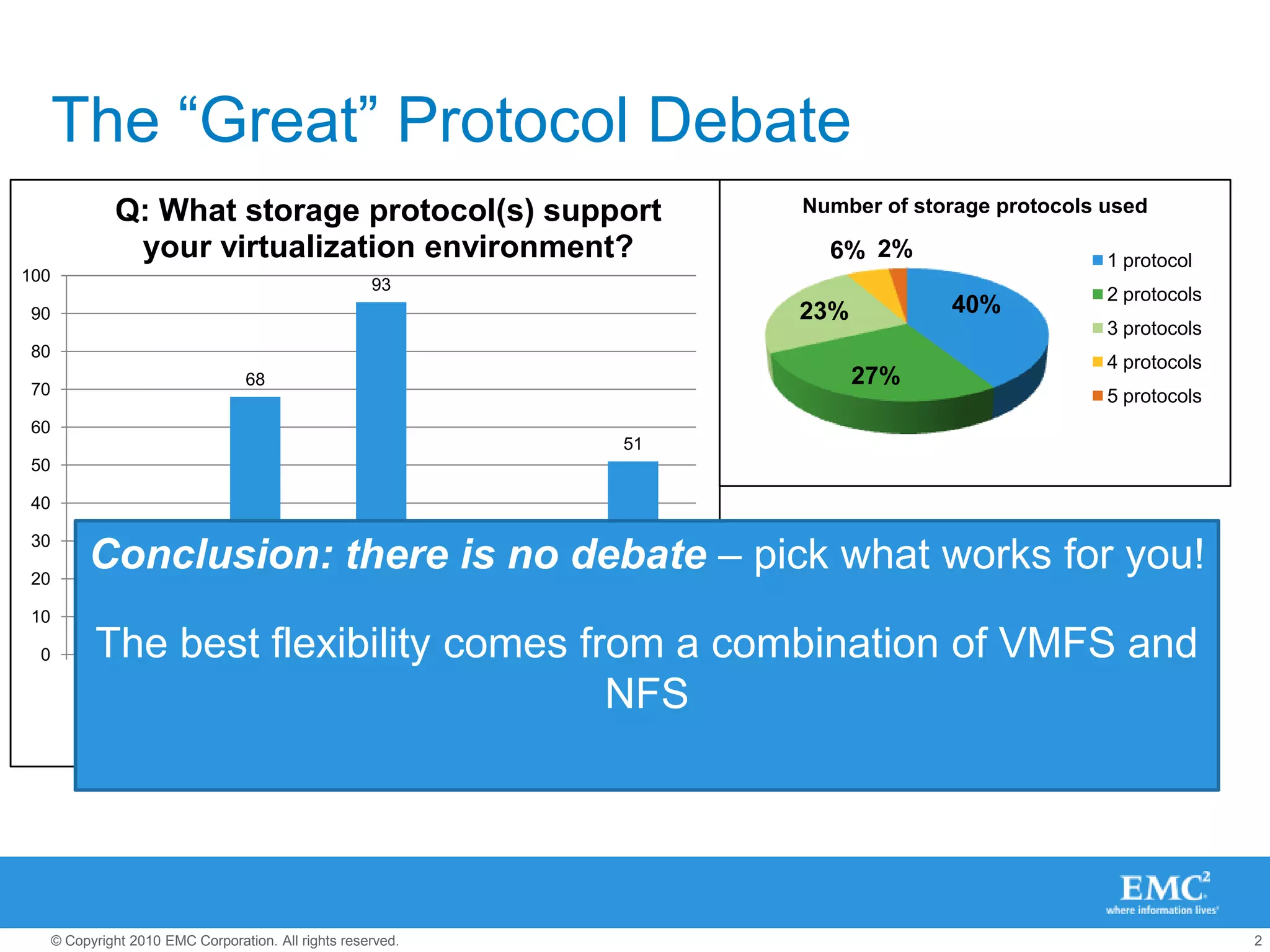
The “Great” Protocol DebateEvery protocol can Be Highly Available, and generally, every protocol can meet a broad performance bandEach protocol has different configuration considerationsEach Protocol has a VMware “super-power”, and also a “kryponite”In vSphere, there is core feature equality across protocolsConclusion: there is no debate – pick what works for you!The best flexibility comes from a combination of VMFS and NFS
First - Key Things To Know – “A” thru “F”Key Best Practices circa 2010/2011
Leverage Key DocsKey Best Practices circa 2010/2011A
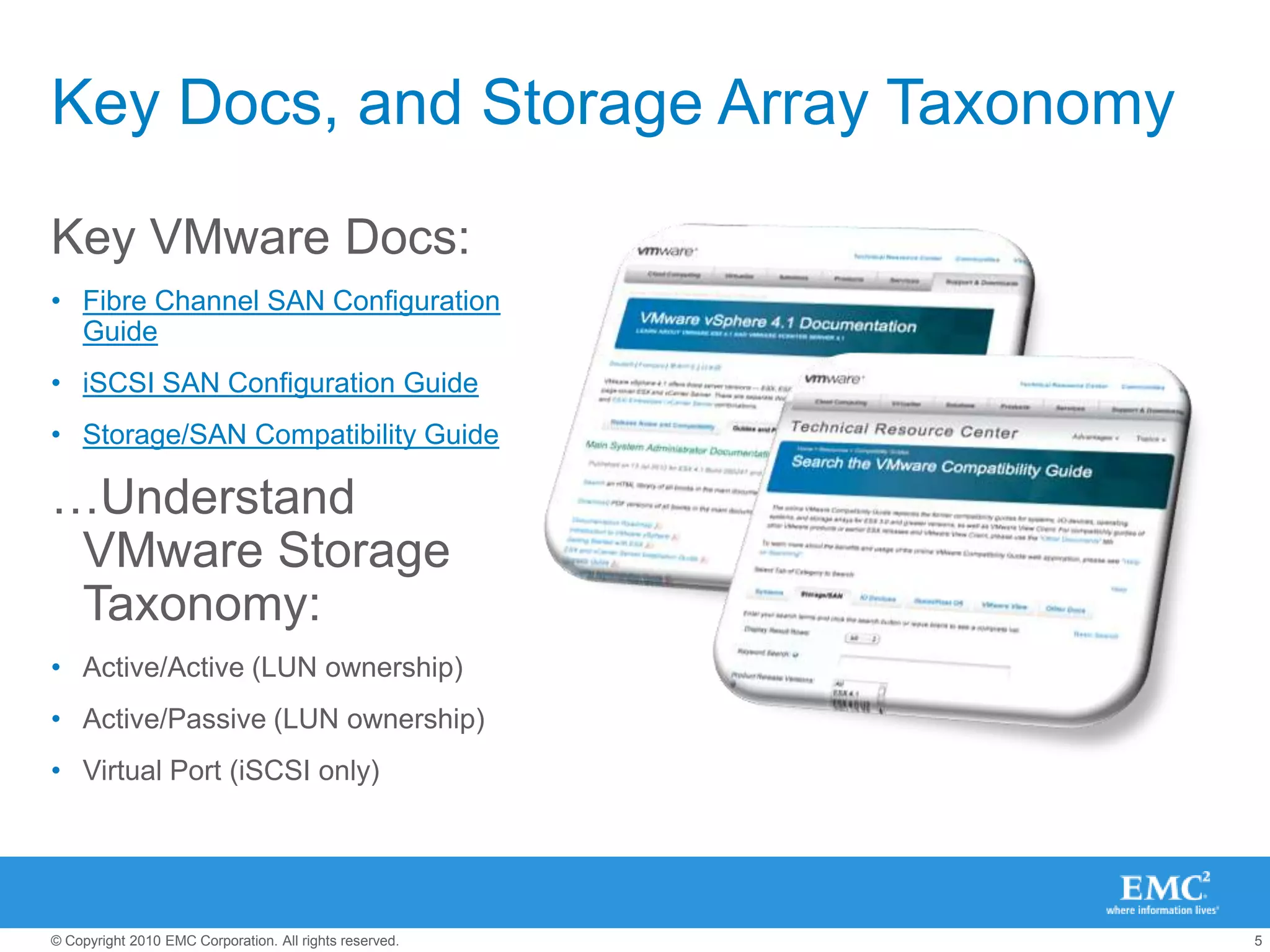
Key Docs, and Storage Array TaxonomyKey VMware Docs:Fibre Channel SAN Configuration GuideiSCSI SAN Configuration GuideStorage/SAN Compatibility Guide…Understand VMware Storage Taxonomy:Active/Active (LUN ownership)Active/Passive (LUN ownership)Virtual Port (iSCSI only)
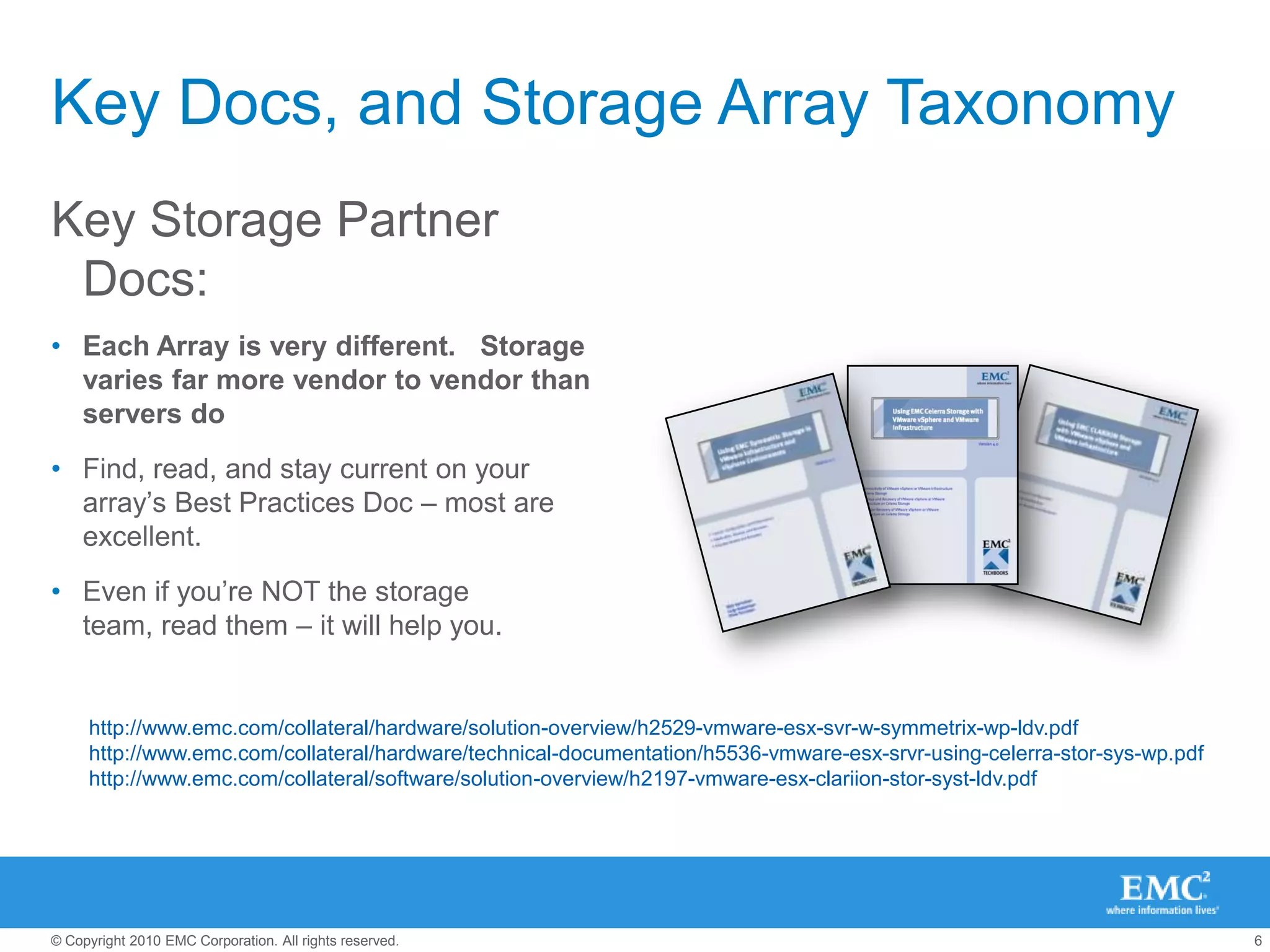
Key Docs, and Storage Array TaxonomyKey Storage Partner Docs:Each Array is very different.   Storage varies far more vendor to vendor than servers doFind, read, and stay current on your array’s Best Practices Doc – most are excellent.Even if you’re NOT the storage team, read them – it will help you.http://www.emc.com/collateral/hardware/solution-overview/h2529-vmware-esx-svr-w-symmetrix-wp-ldv.pdfhttp://www.emc.com/collateral/hardware/technical-documentation/h5536-vmware-esx-srvr-using-celerra-stor-sys-wp.pdfhttp://www.emc.com/collateral/software/solution-overview/h2197-vmware-esx-clariion-stor-syst-ldv.pdf
Setup Multipathing RightKey Best Practices circa 2010/2011B
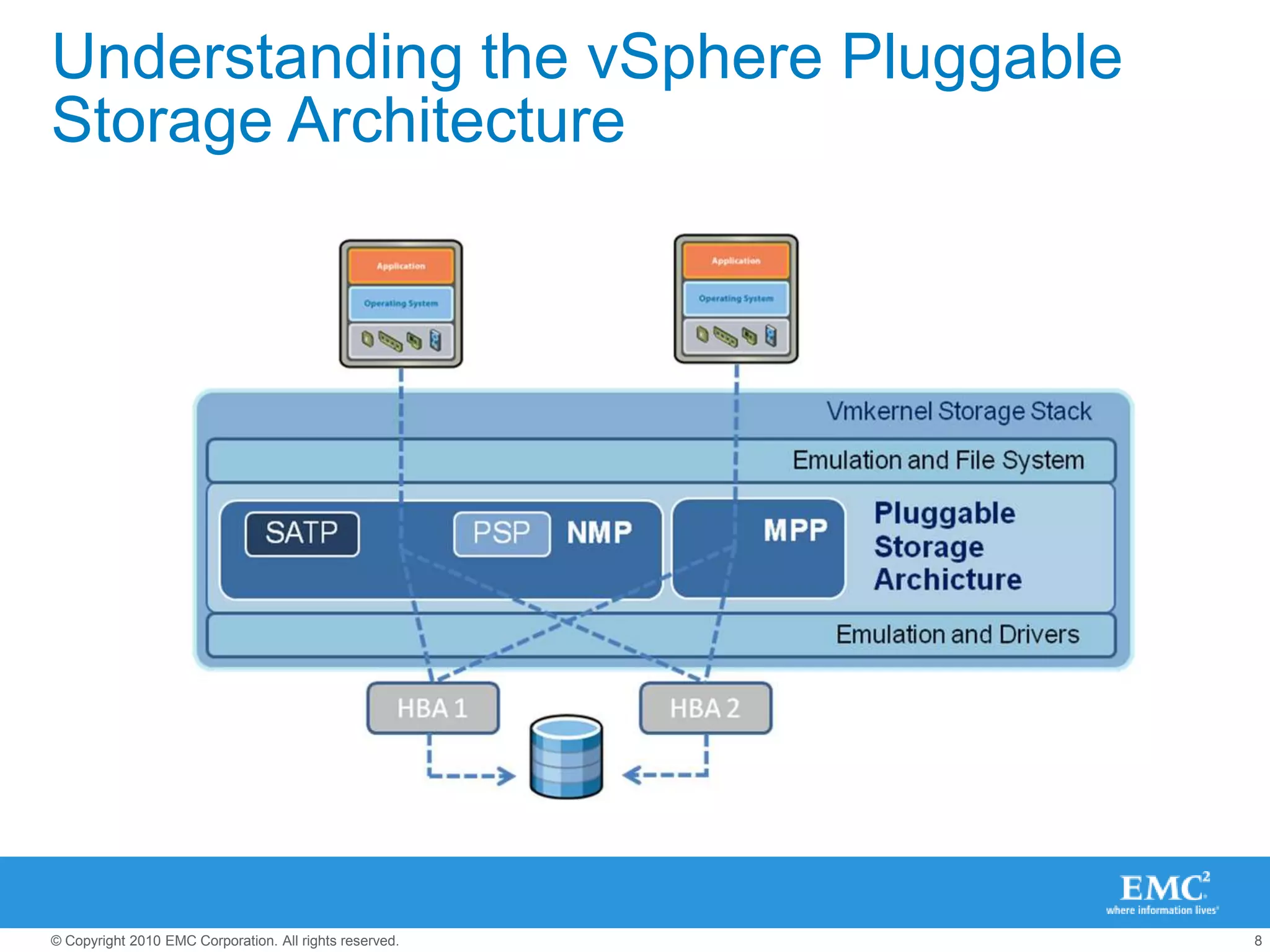
Understanding the vSphere Pluggable Storage Architecture
What’s “out of the box” in vSphere 4.1?[root@esxi ~]# vmware -vVMware ESX 4.1.0 build-260247 [root@esxi ~]# esxcli nmp satp listName                 Default PSP       DescriptionVMW_SATP_SYMM        VMW_PSP_FIXED     Placeholder (plugin not loaded)VMW_SATP_SVC         VMW_PSP_FIXED     Placeholder (plugin not loaded)VMW_SATP_MSA         VMW_PSP_MRU       Placeholder (plugin not loaded)VMW_SATP_LSI         VMW_PSP_MRU       Placeholder (plugin not loaded)VMW_SATP_INV         VMW_PSP_FIXED     Placeholder (plugin not loaded)VMW_SATP_EVA         VMW_PSP_FIXED     Placeholder (plugin not loaded)VMW_SATP_EQL         VMW_PSP_FIXED     Placeholder (plugin not loaded)VMW_SATP_DEFAULT_AP  VMW_PSP_MRU       Placeholder (plugin not loaded)VMW_SATP_ALUA_CX     VMW_PSP_FIXED_AP  Placeholder (plugin not loaded)VMW_SATP_CX          VMW_PSP_MRU       Supports EMC CX that do not use the ALUA protocolVMW_SATP_ALUA        VMW_PSP_RR        Supports non-specific arrays that use the ALUA protocolVMW_SATP_DEFAULT_AA  VMW_PSP_FIXED     Supports non-specific active/active arraysVMW_SATP_LOCAL       VMW_PSP_FIXED     Supports direct attached devices
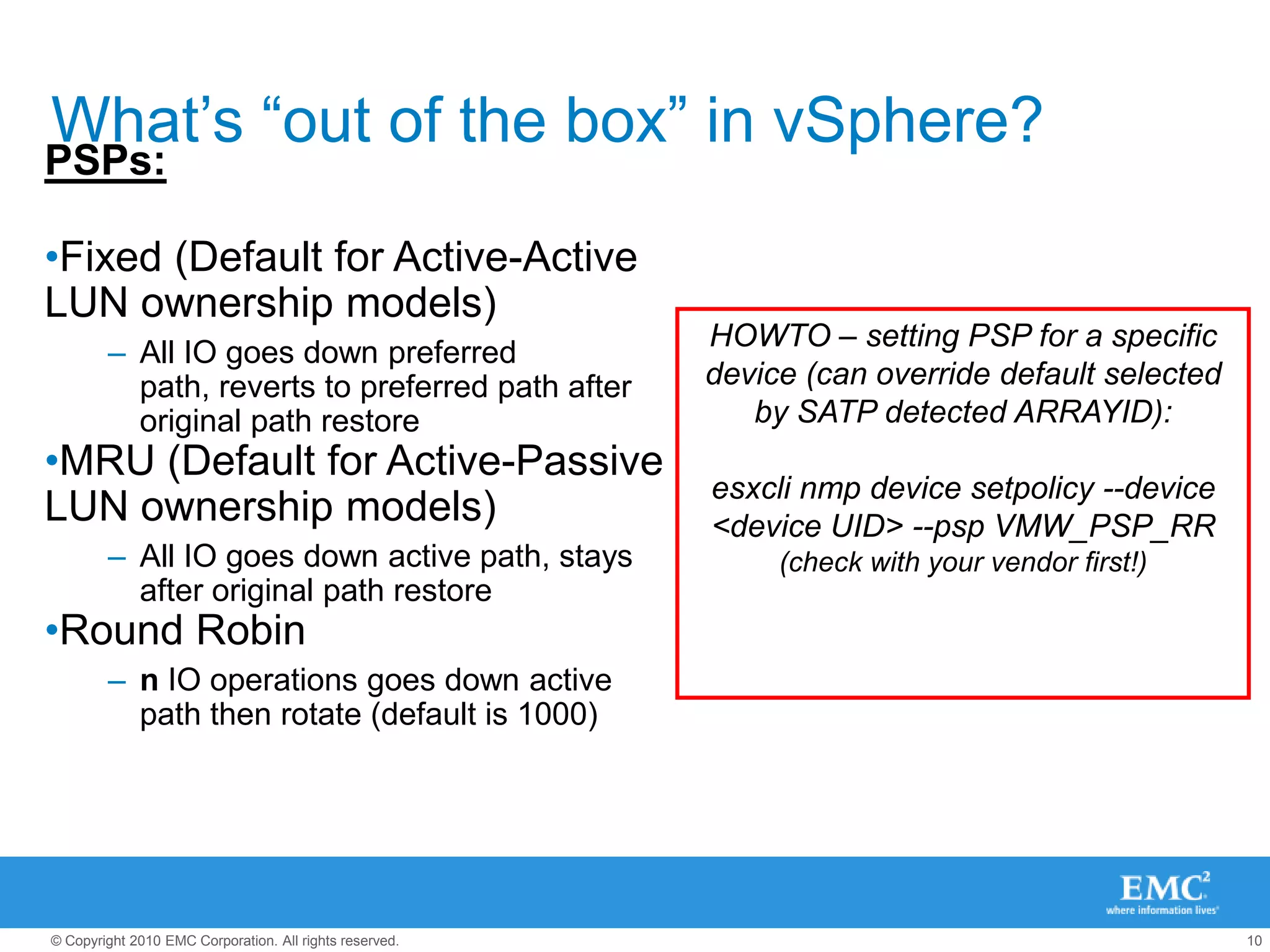
What’s “out of the box” in vSphere?PSPs:Fixed (Default for Active-Active LUN ownership models)
All IO goes down preferred path, reverts to preferred path after original path restore
MRU (Default for Active-Passive LUN ownership models)
All IO goes down active path, stays after original path restore
Round Robin
n IO operations goes down active path then rotate (default is 1000)HOWTO – setting PSP for a specific device (can override default selected by SATP detected ARRAYID):esxcli nmp device setpolicy --device <device UID> --psp VMW_PSP_RR (check with your vendor first!)
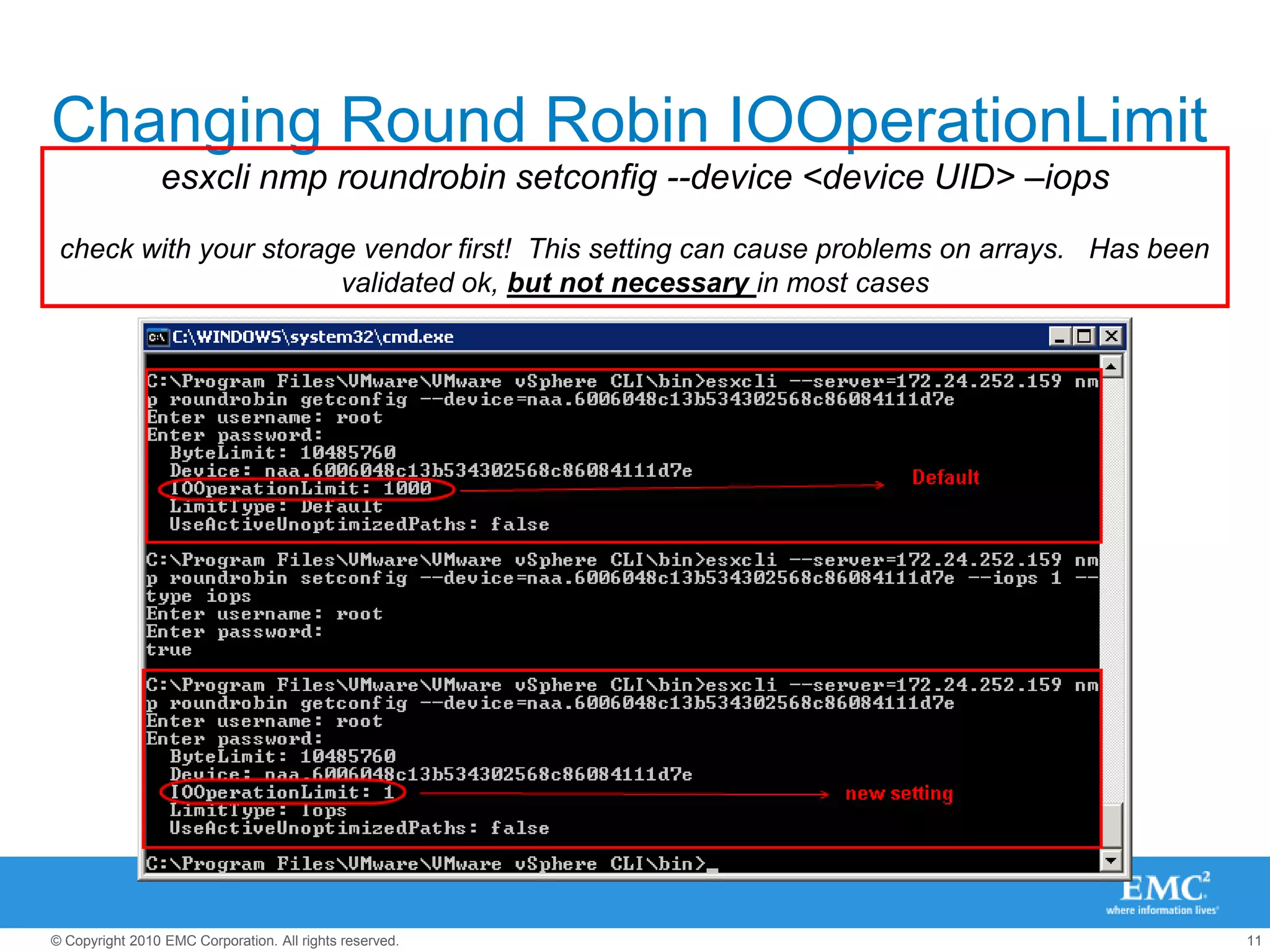
Changing Round Robin IOOperationLimitesxcli nmp roundrobin setconfig --device <device UID> –iopscheck with your storage vendor first!  This setting can cause problems on arrays.   Has been validated ok, but not necessary in most cases
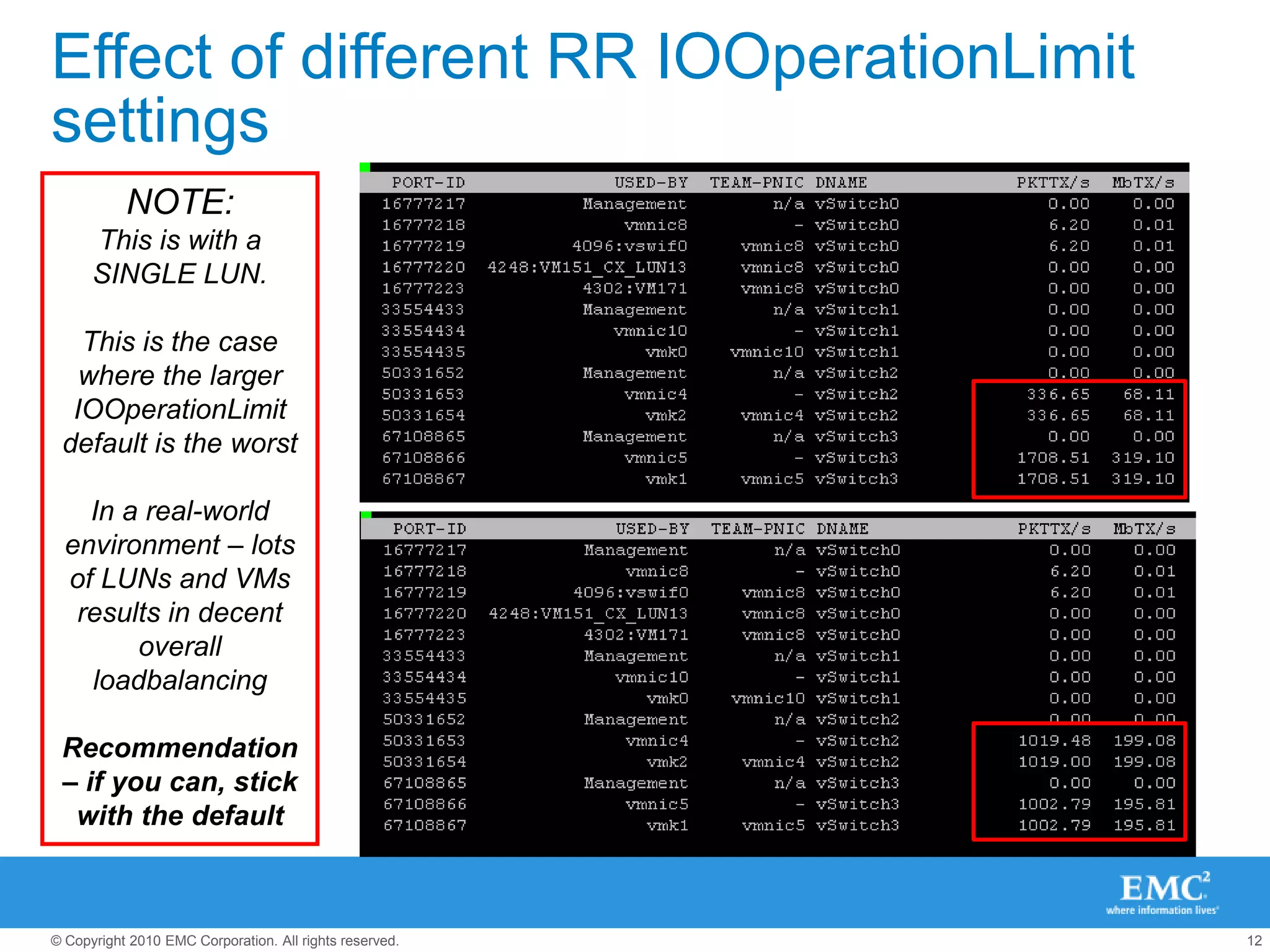
Effect of different RR IOOperationLimit settingsNOTE: This is with a SINGLE LUN.This is the case where the larger IOOperationLimit default is the worstIn a real-world environment – lots of LUNs and VMs results in decent overall loadbalancingRecommendation – if you can, stick with the default
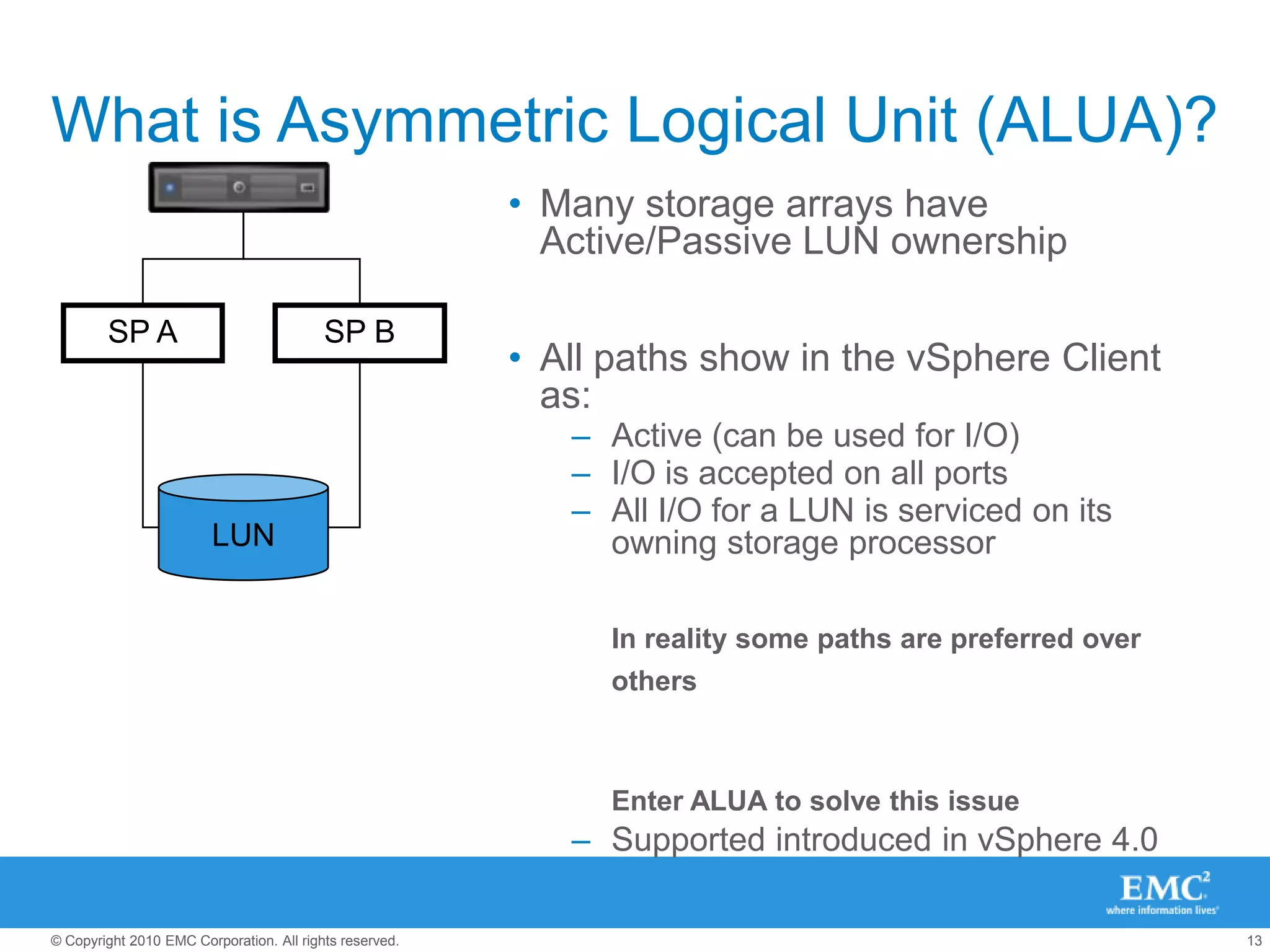
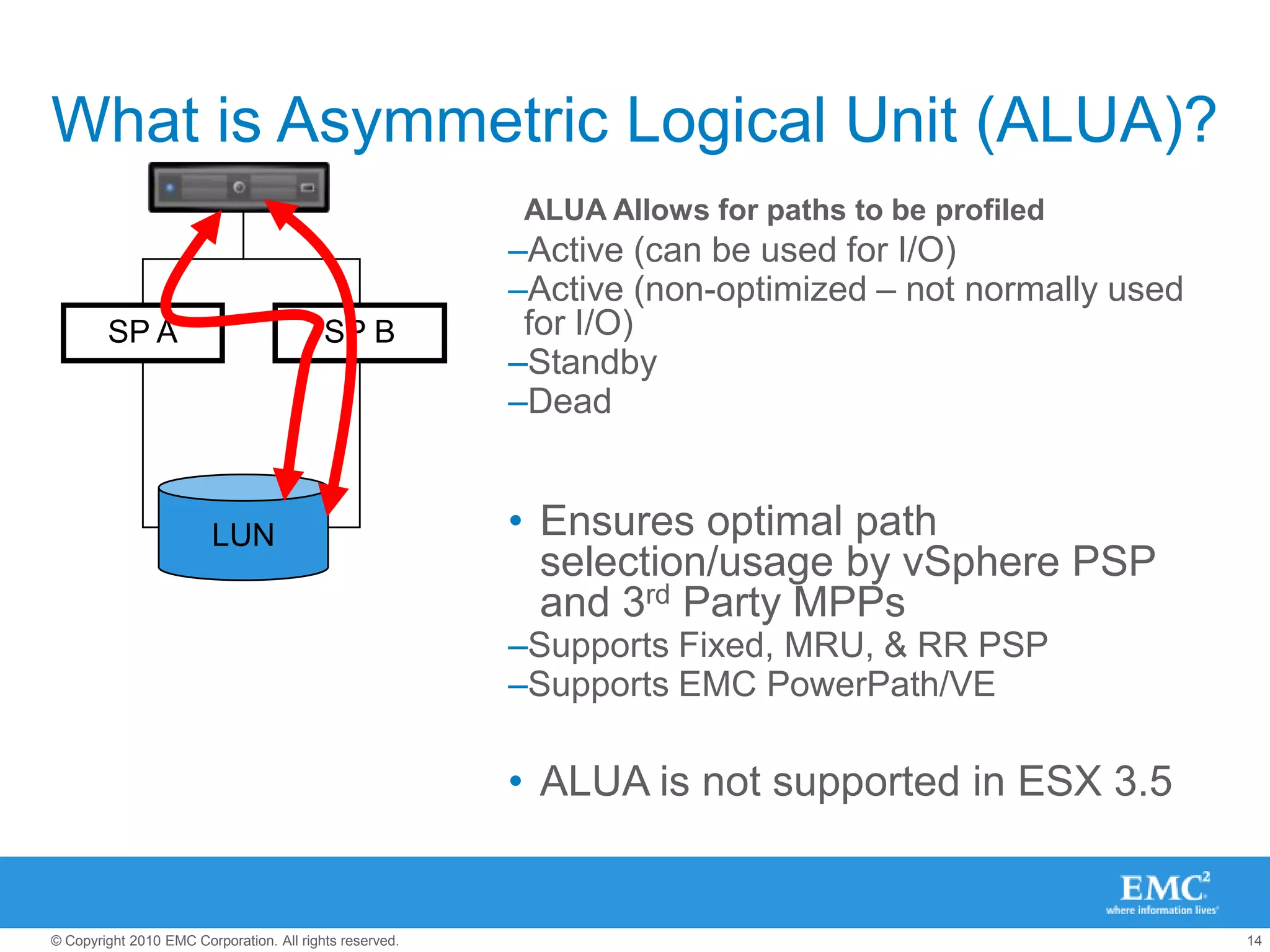
What is Asymmetric Logical Unit (ALUA)?Many storage arrays have Active/Passive LUN ownershipAll paths show in the vSphere Client as:Active (can be used for I/O)I/O is accepted on all portsAll I/O for a LUN is serviced on its owning storage processorIn reality some paths are preferred over others
Enter ALUA to solve this issueSupported introduced in vSphere 4.0SP ASP BLUN
What is Asymmetric Logical Unit (ALUA)?ALUA Allows for paths to be profiledActive (can be used for I/O)Active (non-optimized – not normally used for I/O)StandbyDeadEnsures optimal path selection/usage by vSphere PSP and 3rd Party MPPsSupports Fixed, MRU, & RR PSPSupports EMC PowerPath/VEALUA is not supported in ESX 3.5SP ASP BLUN
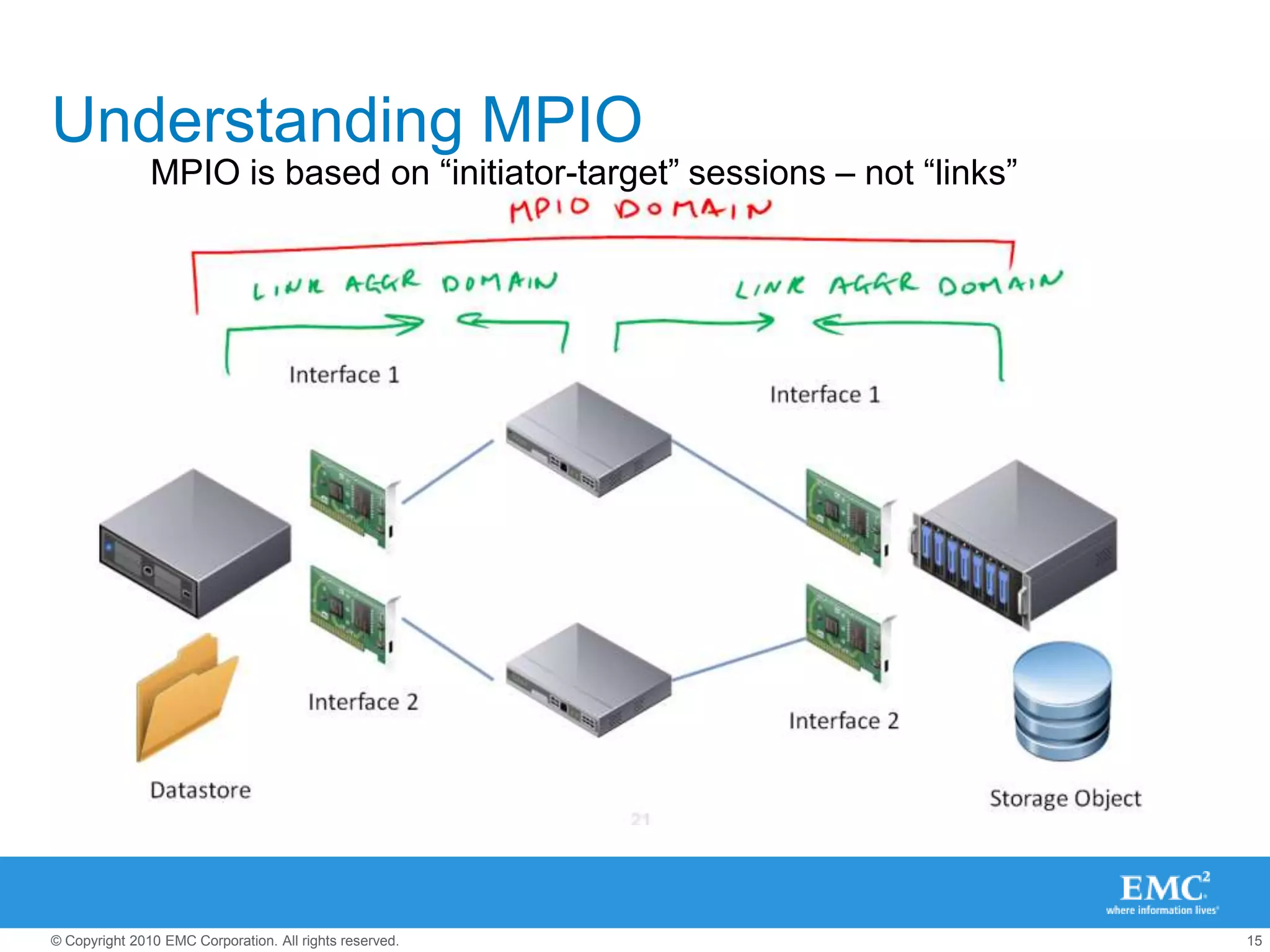
Understanding MPIOMPIO is based on “initiator-target” sessions – not “links”
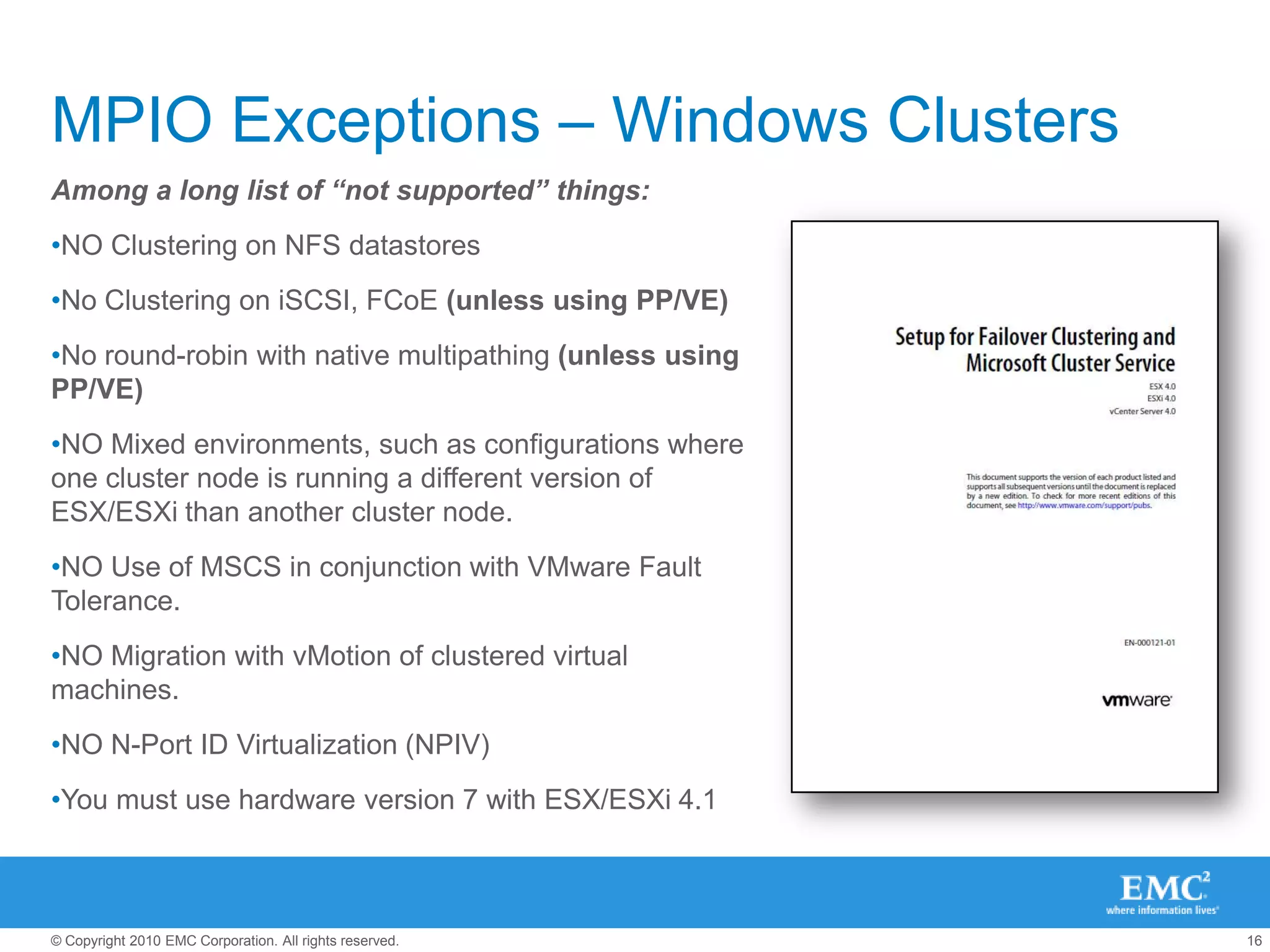
MPIO Exceptions – Windows ClustersAmong a long list of “not supported” things:NO Clustering on NFS datastoresNo Clustering on iSCSI, FCoE (unless using PP/VE)No round-robin with native multipathing (unless using PP/VE)NO Mixed environments, such as configurations where one cluster node is running a different version of ESX/ESXi than another cluster node.NO Use of MSCS in conjunction with VMware Fault Tolerance.NO Migration with vMotion of clustered virtual machines.NO N-Port ID Virtualization (NPIV)You must use hardware version 7 with ESX/ESXi 4.1
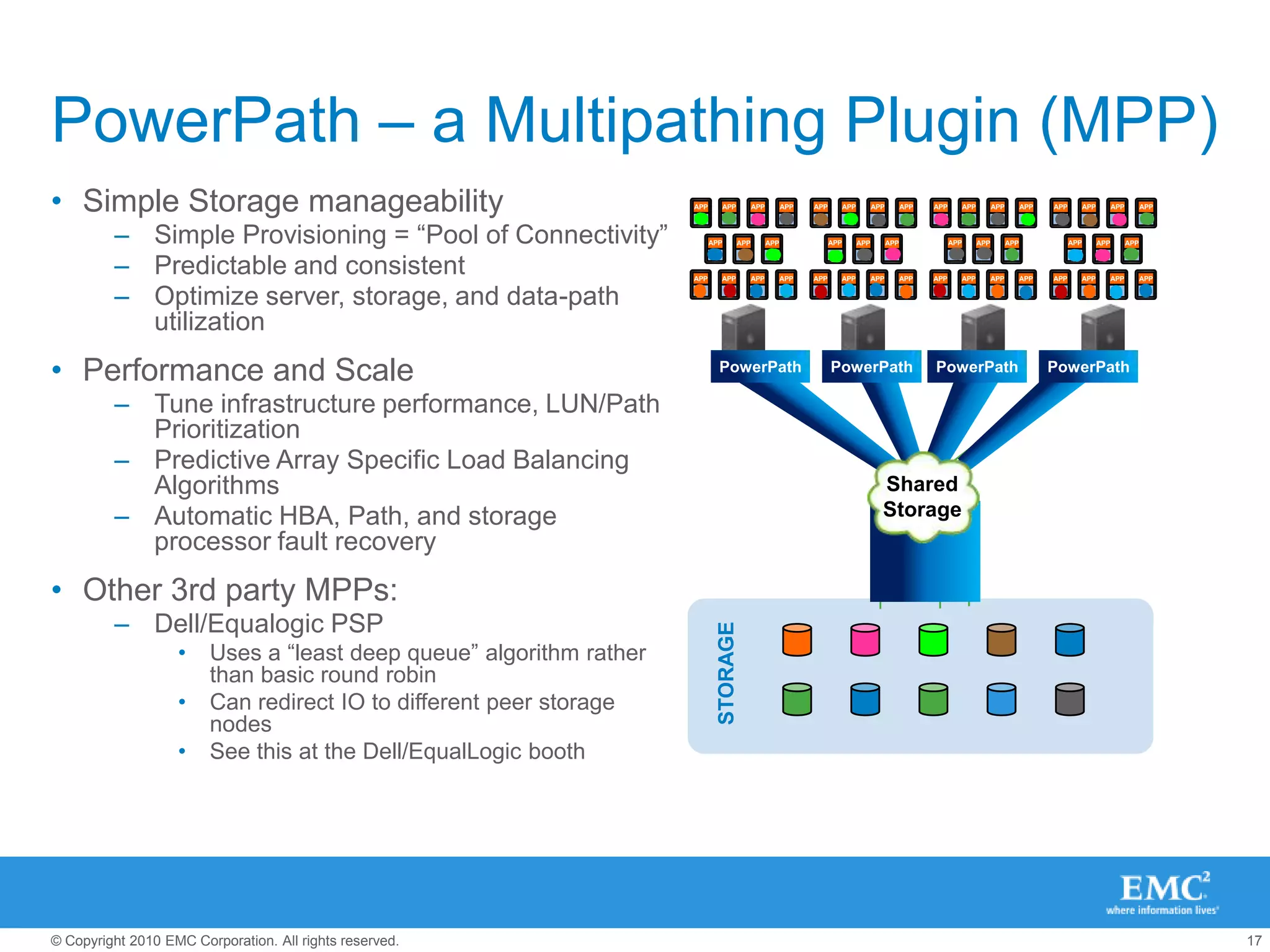
APPAPPAPPAPPAPPAPPAPPAPPAPPAPPAPPAPPAPPAPPAPPAPPAPPAPPAPPAPPAPPAPPAPPAPPAPPAPPAPPAPPAPPAPPAPPAPPAPPAPPAPPAPPAPPAPPAPPAPPAPPAPPAPPAPPOSOSOSOSOSOSOSOSOSOSOSOSOSOSOSOSOSOSOSOSOSOSOSOSOSOSOSOSOSOSOSOSOSOSOSOSOSOSOSOSOSOSOSOSSharedStorageSTORAGEPowerPath – a Multipathing Plugin (MPP)Simple Storage manageabilitySimple Provisioning = “Pool of Connectivity”Predictable and consistentOptimize server, storage, and data-path utilizationPerformance and ScaleTune infrastructure performance, LUN/Path PrioritizationPredictive Array Specific Load Balancing AlgorithmsAutomatic HBA, Path, and storage processor fault recoveryOther 3rd party MPPs:Dell/Equalogic PSPUses a “least deep queue” algorithm rather than basic round robinCan redirect IO to different peer storage nodesSee this at the Dell/EqualLogic boothPowerPathPowerPathPowerPathPowerPath
NFS Considerations
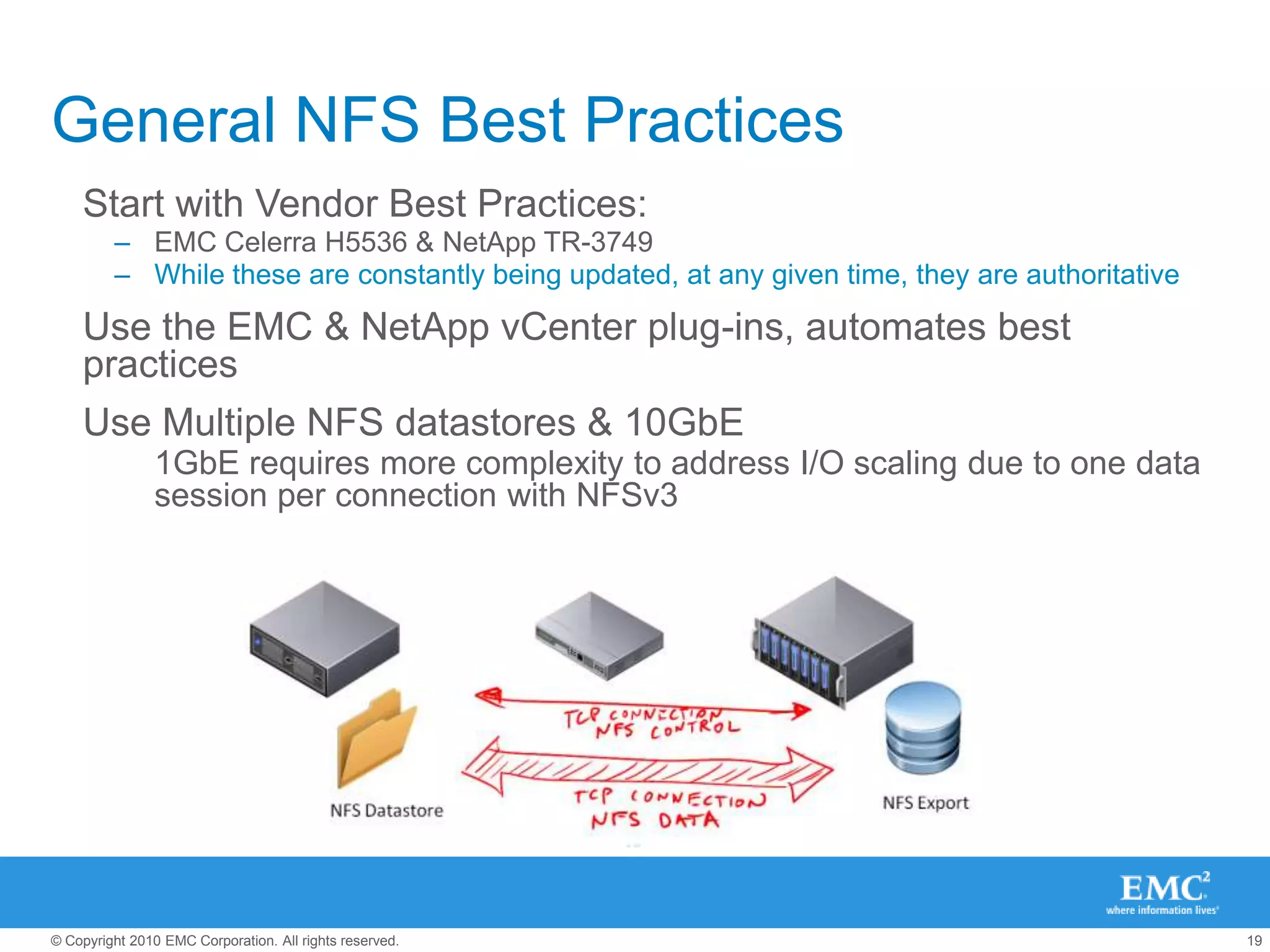
General NFS Best PracticesStart with Vendor Best Practices:EMC Celerra H5536 & NetApp TR-3749While these are constantly being updated, at any given time, they are authoritativeUse the EMC & NetApp vCenter plug-ins, automates best practices
Use Multiple NFS datastores & 10GbE
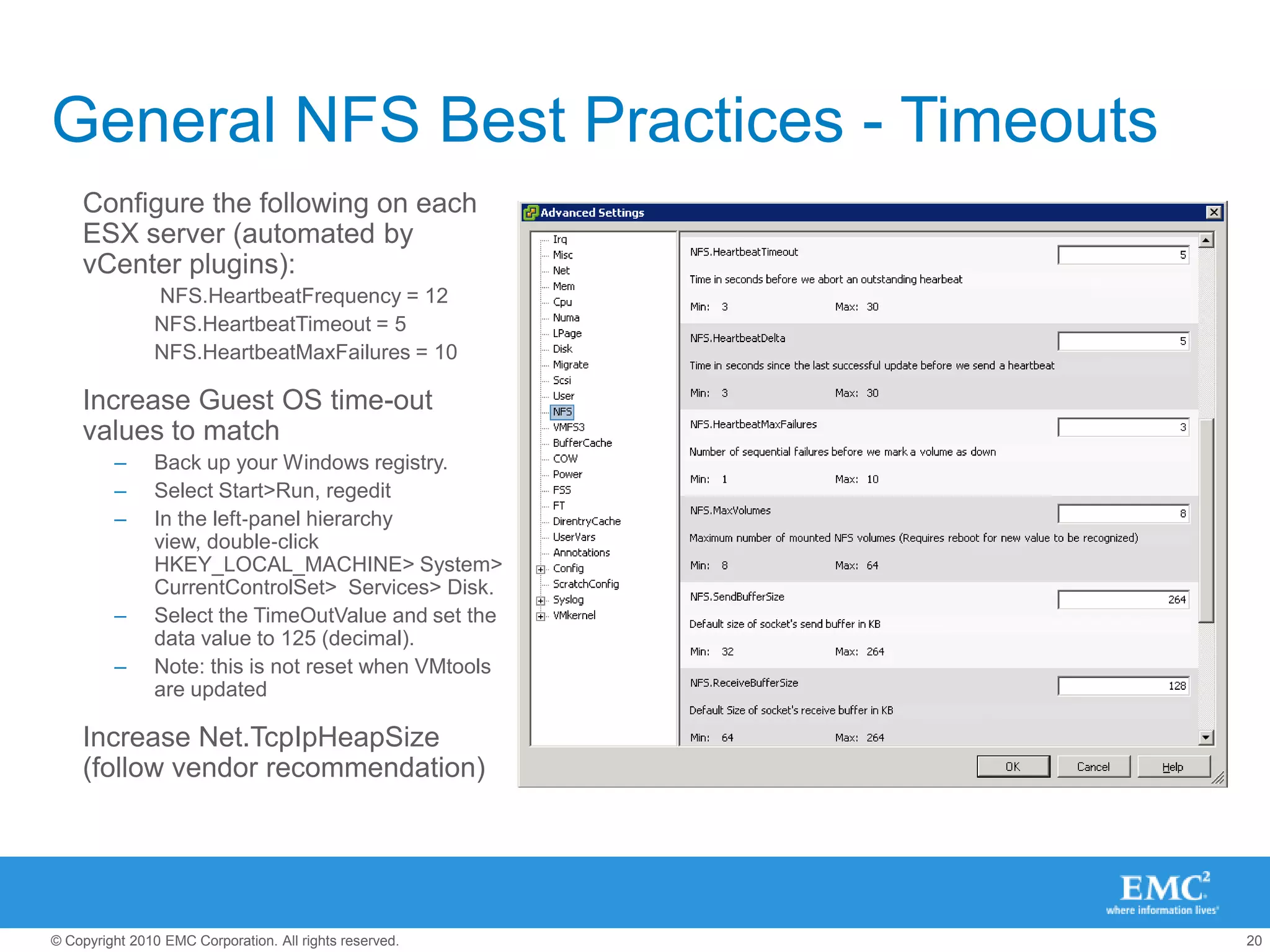
1GbE requires more complexity to address I/O scaling due to one data session per connection with NFSv3General NFS Best Practices - TimeoutsConfigure the following on each ESX server (automated by vCenter plugins):
 NFS.HeartbeatFrequency = 12
NFS.HeartbeatTimeout = 5
NFS.HeartbeatMaxFailures = 10
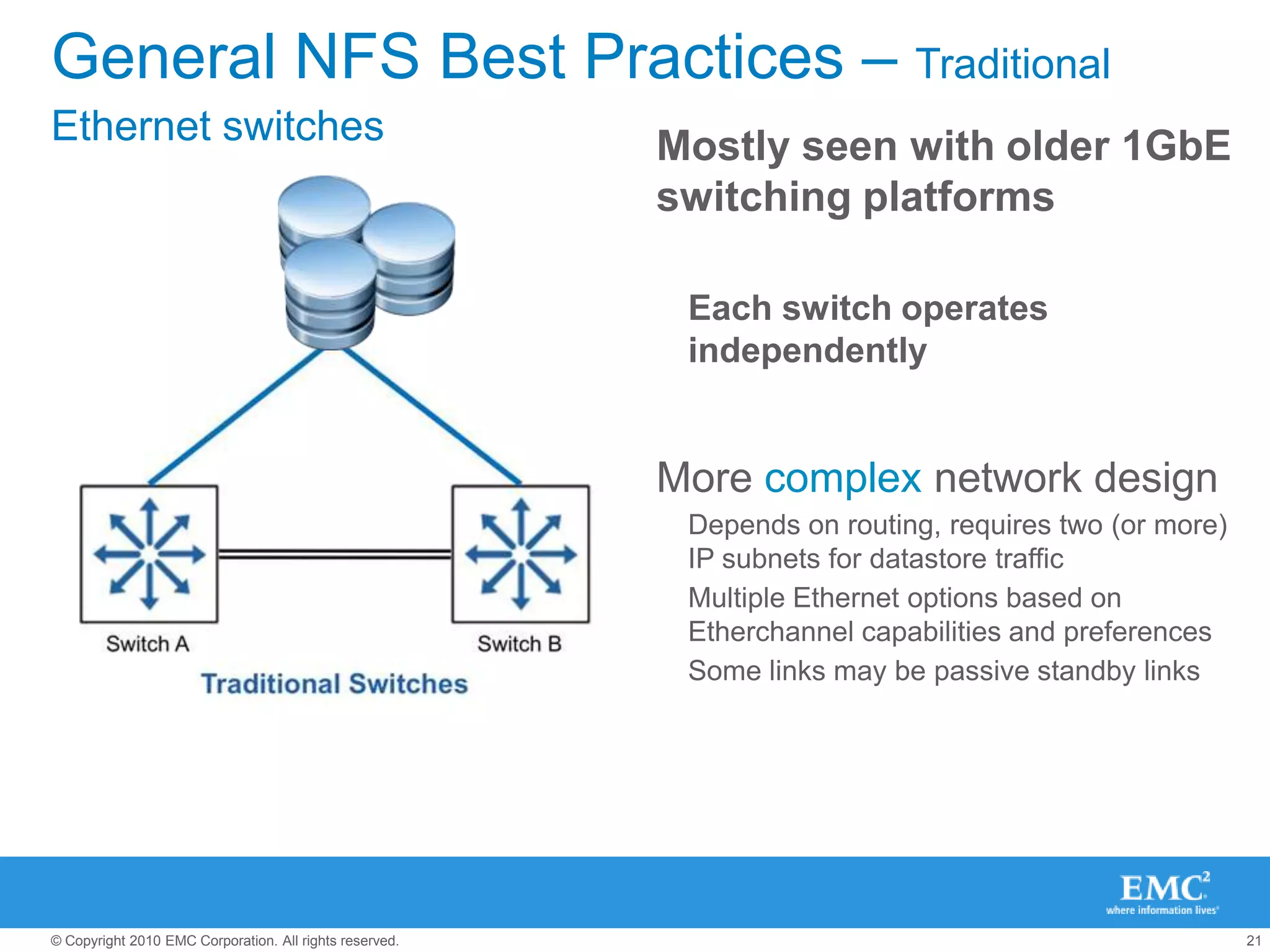
Increase Guest OS time-out values to matchBack up your Windows registry. Select Start>Run, regeditIn the left‐panel hierarchy view, double‐click HKEY_LOCAL_MACHINE> System> CurrentControlSet>  Services> Disk. Select the TimeOutValue and set the data value to 125 (decimal). Note: this is not reset when VMtools are updatedIncrease Net.TcpIpHeapSize  (follow vendor recommendation)General NFS Best Practices – Traditional Ethernet switchesMostly seen with older 1GbE switching platformsEach switch operates independentlyMore complex network designDepends on routing, requires two (or more) IP subnets for datastore trafficMultiple Ethernet options based on Etherchannel capabilities and preferencesSome links may be passive standby links
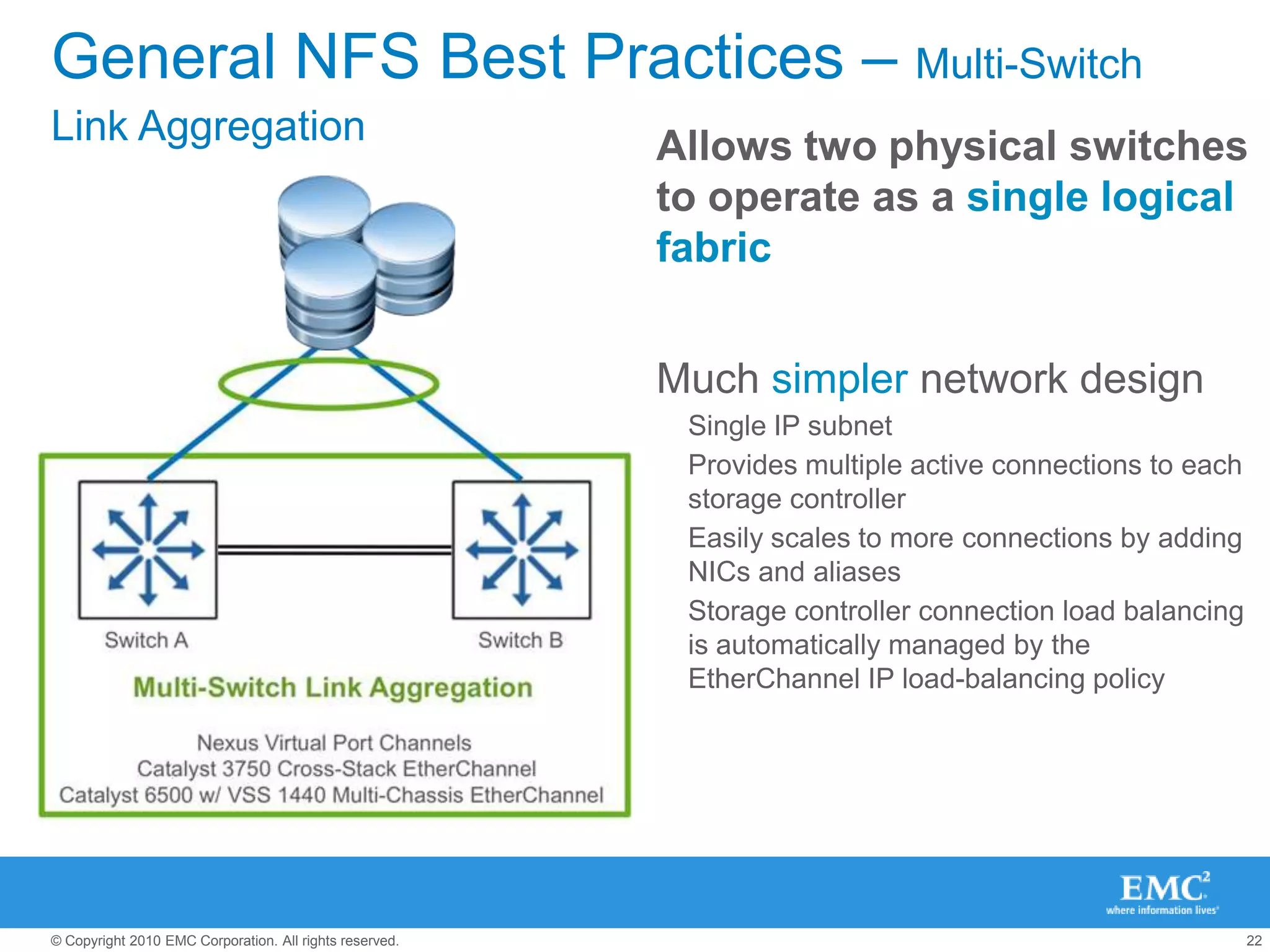
General NFS Best Practices – Multi-Switch Link AggregationAllows two physical switches to operate as a single logical fabricMuch simpler network designSingle IP subnetProvides multiple active connections to each storage controllerEasily scales to more connections by adding NICs and aliasesStorage controller connection load balancing is automatically managed by the EtherChannel IP load-balancing policy
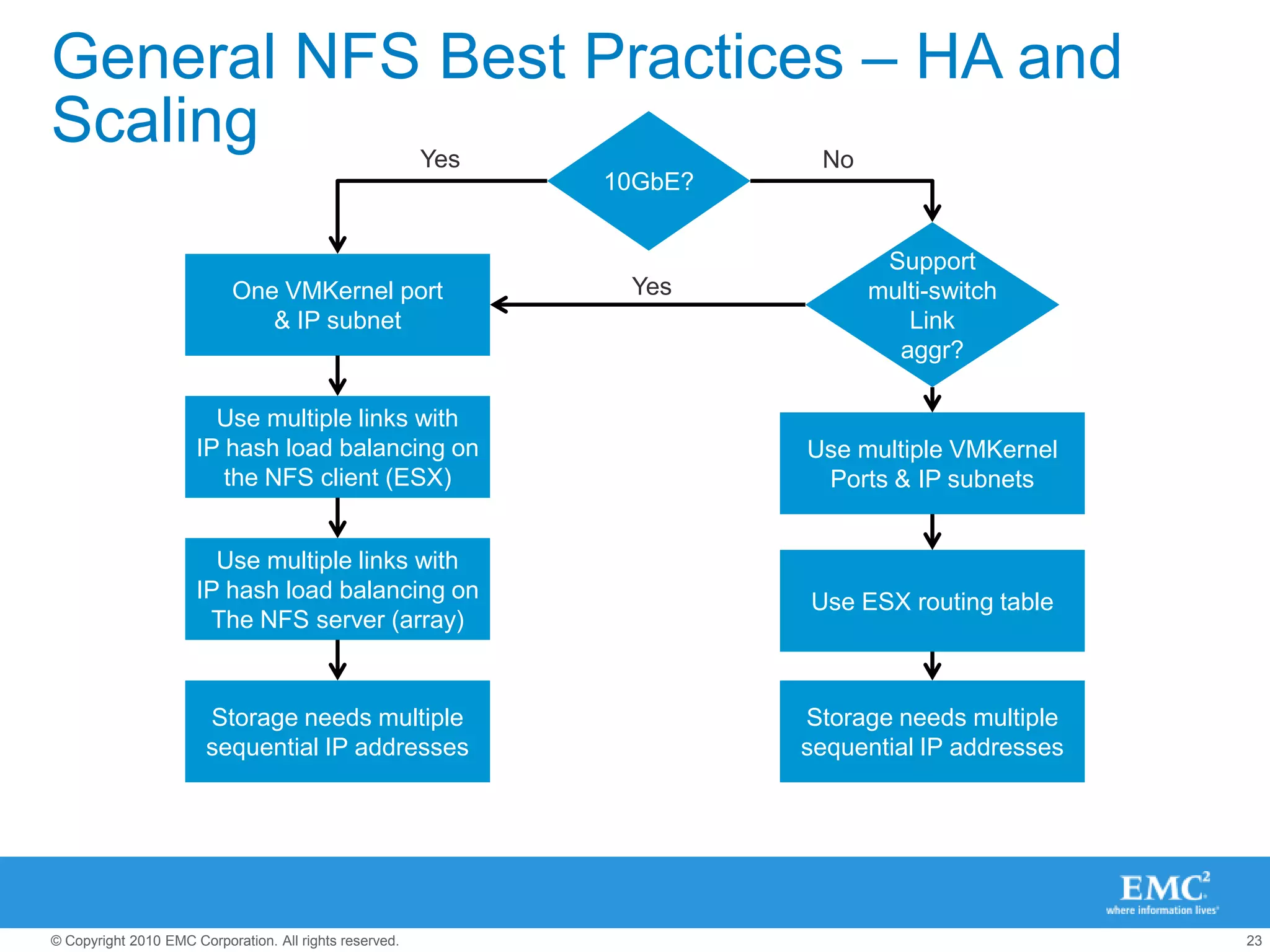
General NFS Best Practices – HA and Scaling10GbE?YesNoSupportmulti-switchLinkaggr?One VMKernel port& IP subnetYesUse multiple links withIP hash load balancing onthe NFS client (ESX)Use multiple VMKernelPorts & IP subnetsUse multiple links withIP hash load balancing onThe NFS server (array)Use ESX routing tableStorage needs multiplesequential IP addressesStorage needs multiplesequential IP addresses
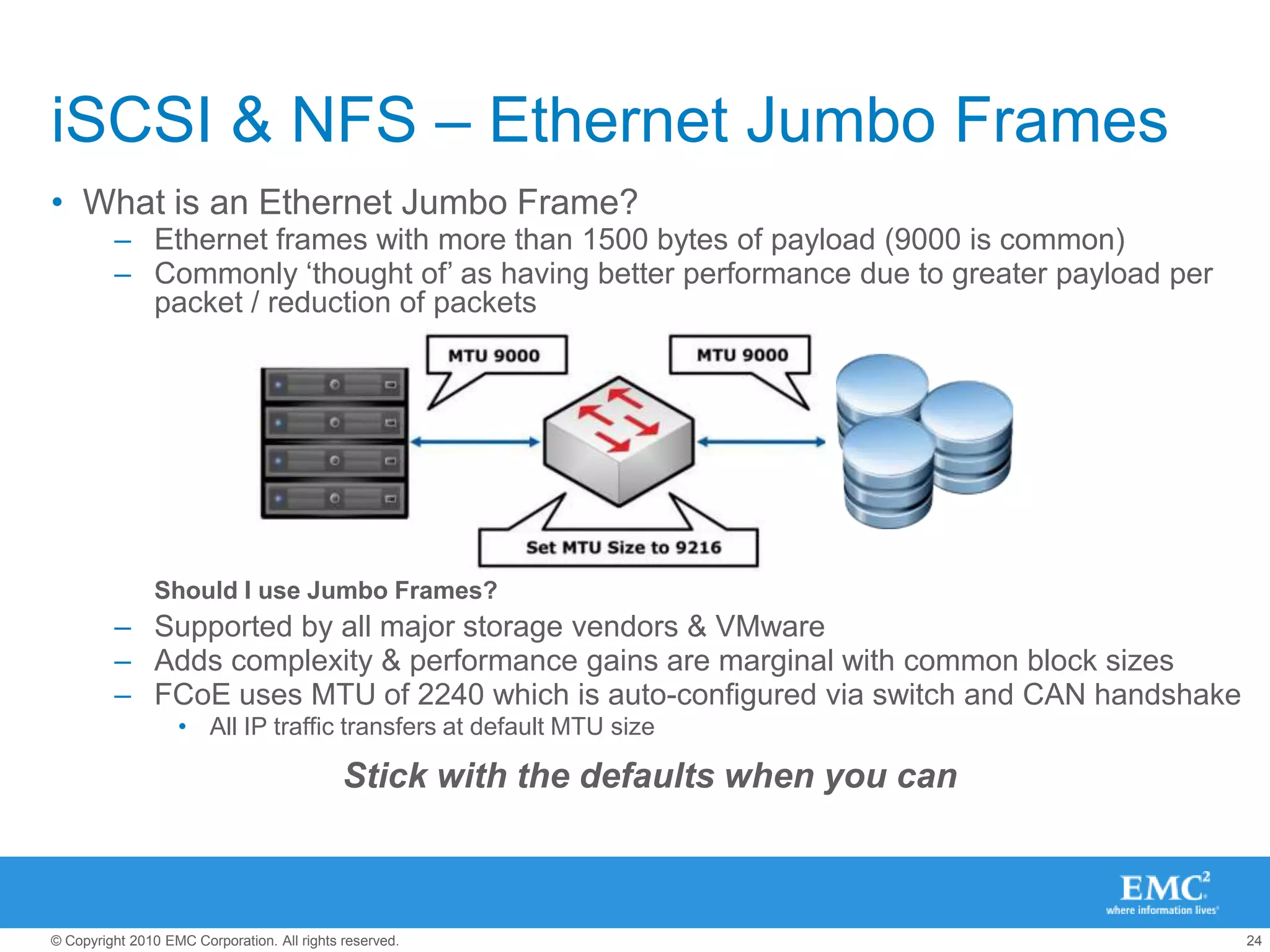
iSCSI & NFS – Ethernet Jumbo FramesWhat is an Ethernet Jumbo Frame?Ethernet frames with more than 1500 bytes of payload (9000 is common)Commonly ‘thought of’ as having better performance due to greater payload per packet / reduction of packetsShould I use Jumbo Frames?Supported by all major storage vendors & VMwareAdds complexity & performance gains are marginal with common block sizesFCoE uses MTU of 2240 which is auto-configured via switch and CAN handshakeAll IP traffic transfers at default MTU sizeStick with the defaults when you can
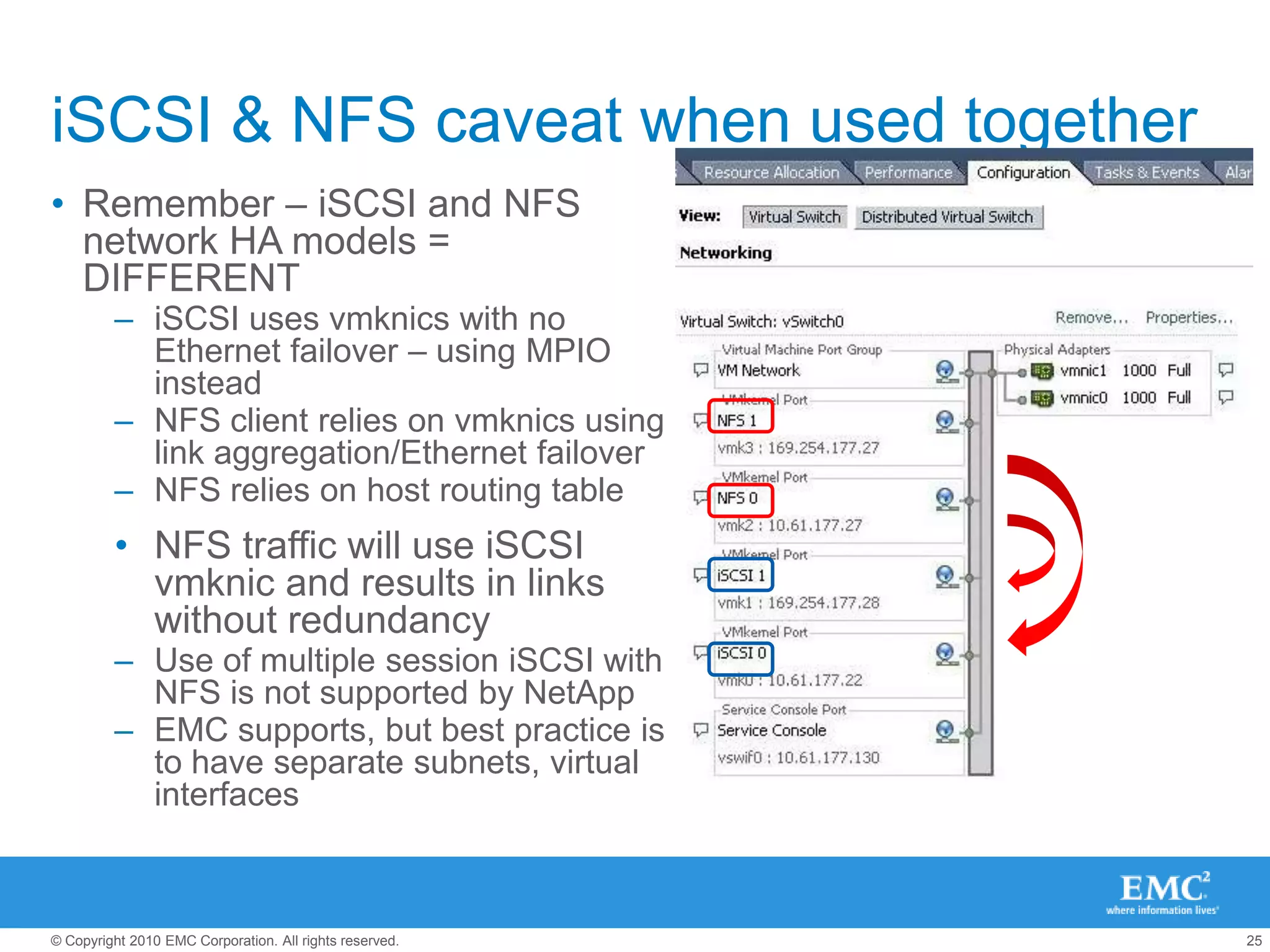
iSCSI & NFS caveat when used togetherRemember – iSCSI and NFS network HA models = DIFFERENTiSCSI uses vmknics with no Ethernet failover – using MPIO insteadNFS client relies on vmknics using link aggregation/Ethernet failoverNFS relies on host routing tableNFS traffic will use iSCSI vmknic and results in links without redundancyUse of multiple session iSCSI with NFS is not supported by NetAppEMC supports, but best practice is to have separate subnets, virtual interfaces
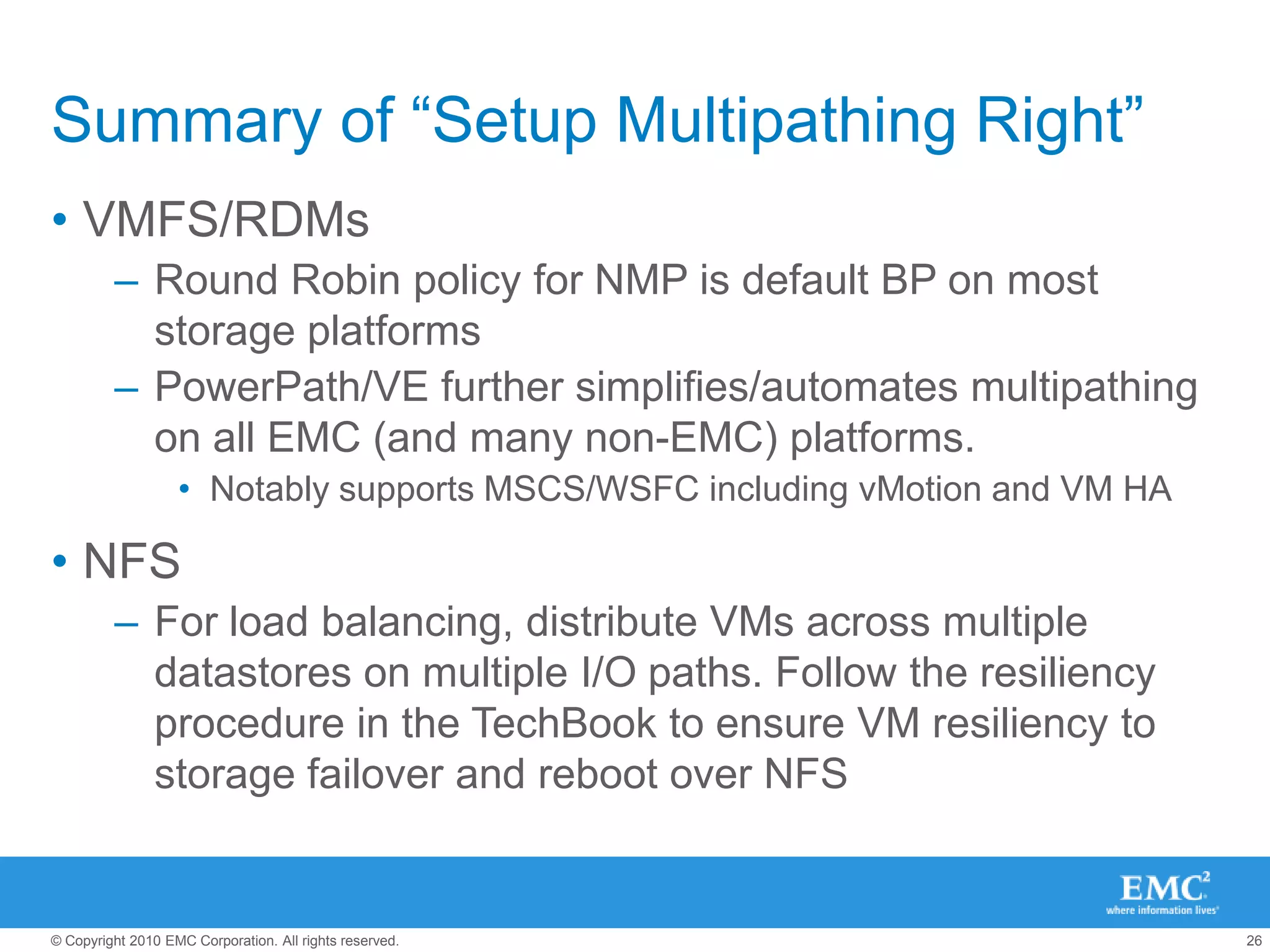
Summary of “Setup Multipathing Right”VMFS/RDMsRound Robin policy for NMP is default BP on most storage platformsPowerPath/VE further simplifies/automates multipathing on all EMC (and many non-EMC) platforms. Notably supports MSCS/WSFC including vMotion and VM HA NFSFor load balancing, distribute VMs across multiple datastores on multiple I/O paths. Follow the resiliency procedure in the TechBook to ensure VM resiliency to storage failover and reboot over NFS
Alignment = good hygieneKey Best Practices circa 2010/2011C
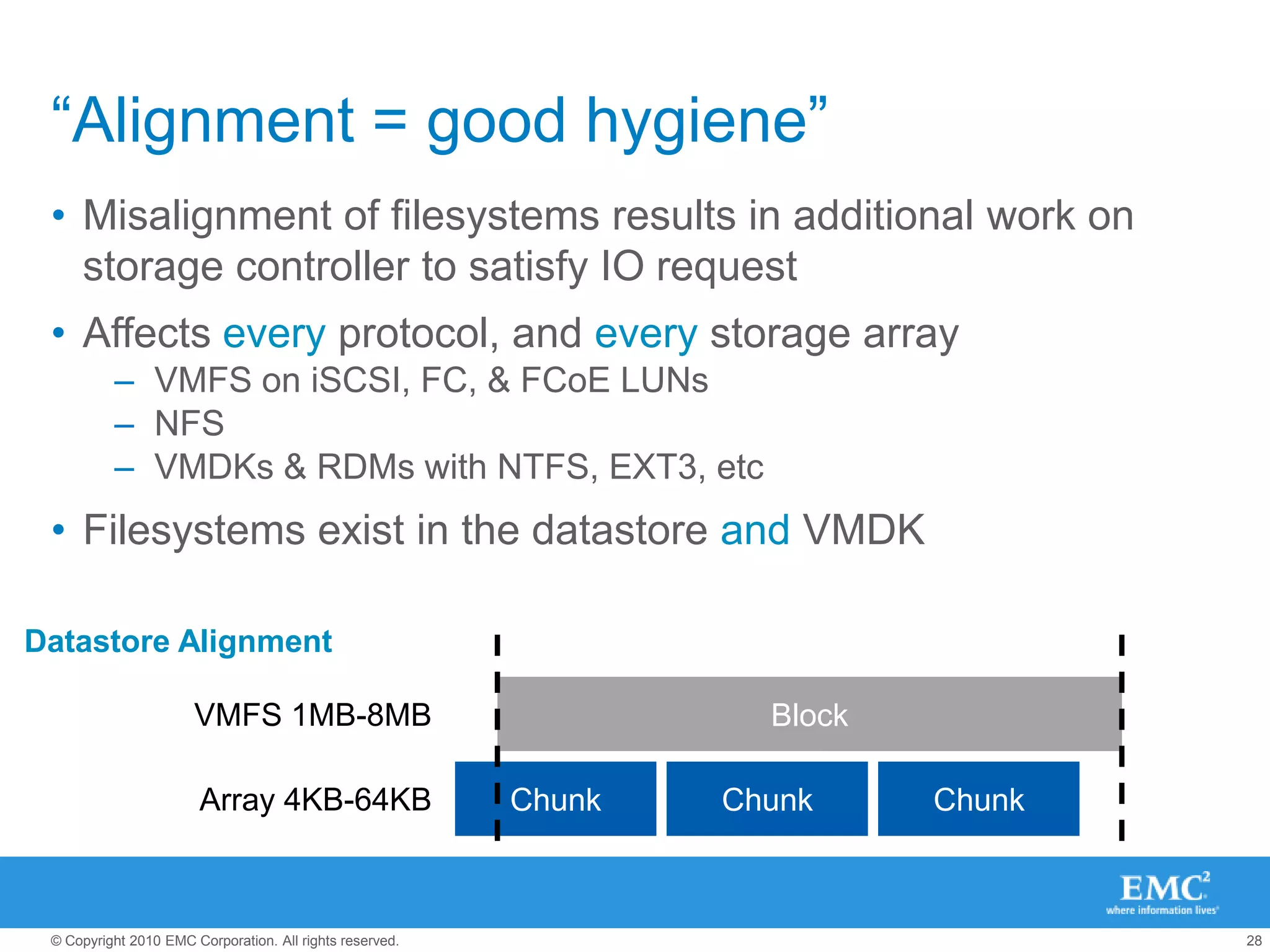
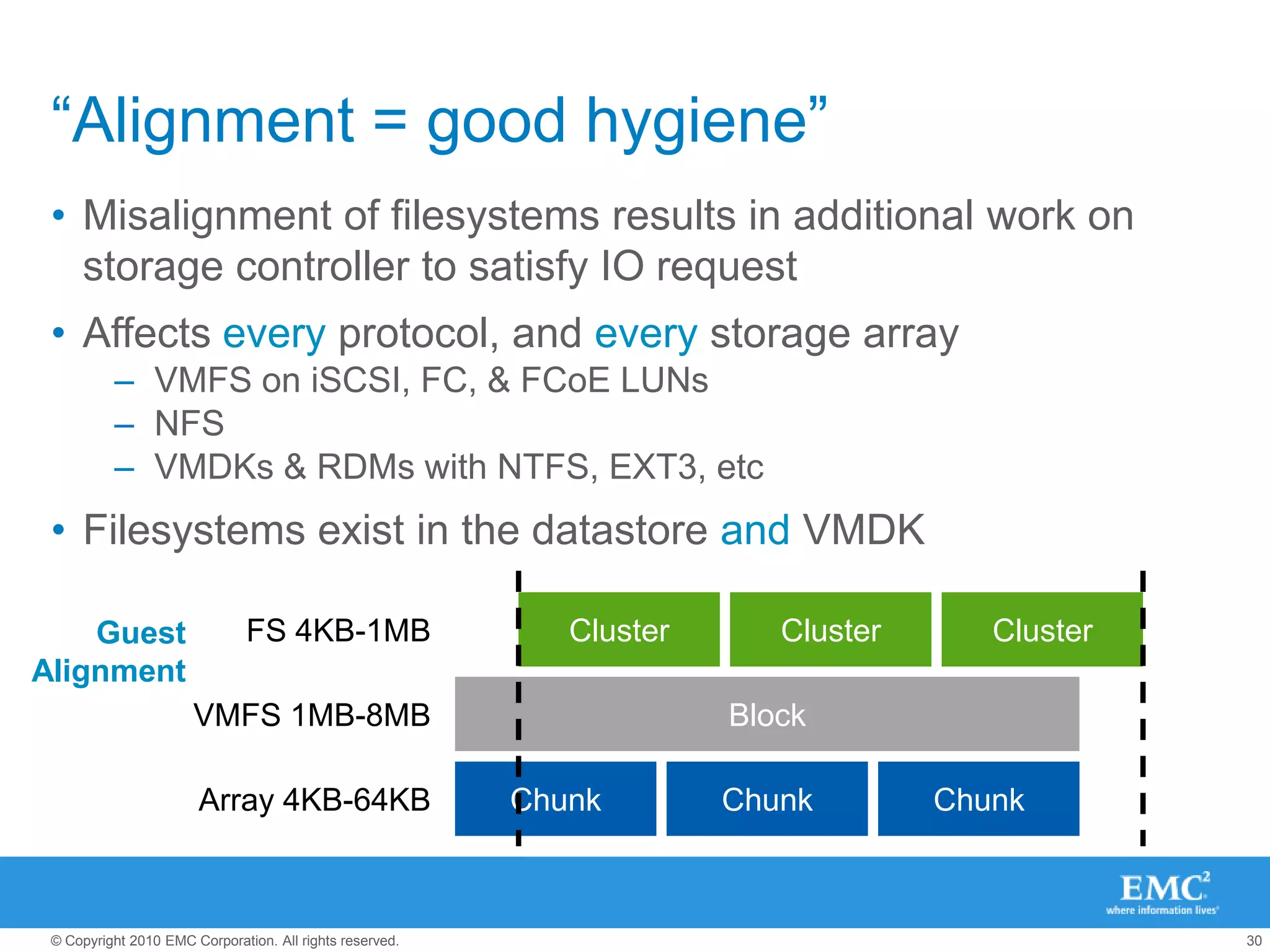
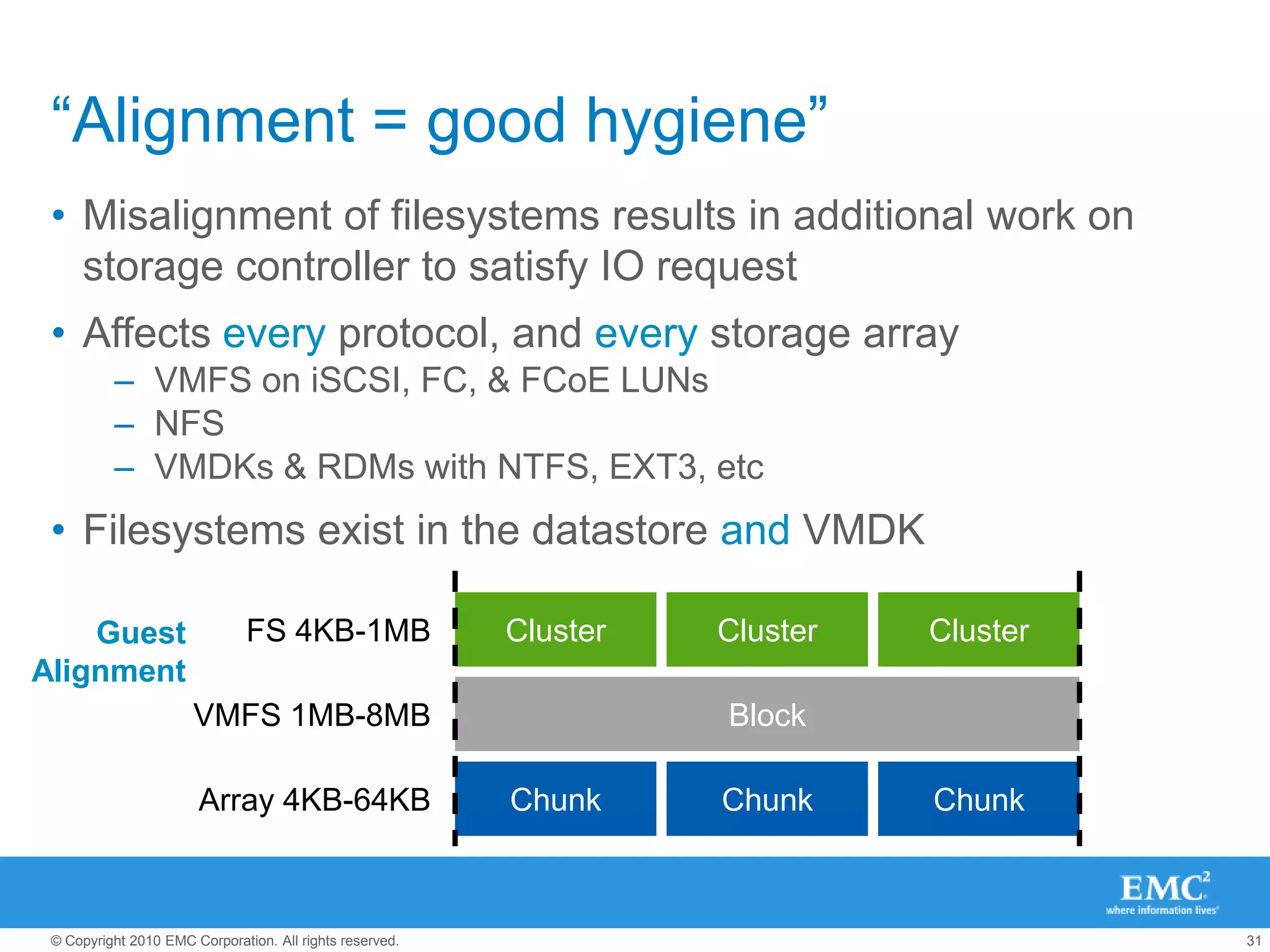
“Alignment = good hygiene”Misalignment of filesystems results in additional work on storage controller to satisfy IO requestAffects every protocol, and every storage arrayVMFS on iSCSI, FC, & FCoE LUNsNFSVMDKs & RDMs with NTFS, EXT3, etcFilesystems exist in the datastore and VMDKDatastore AlignmentVMFS 1MB-8MBVMFS 1MB-8MBBlockArray 4KB-64KBChunkChunkChunkArray 4KB-64KB
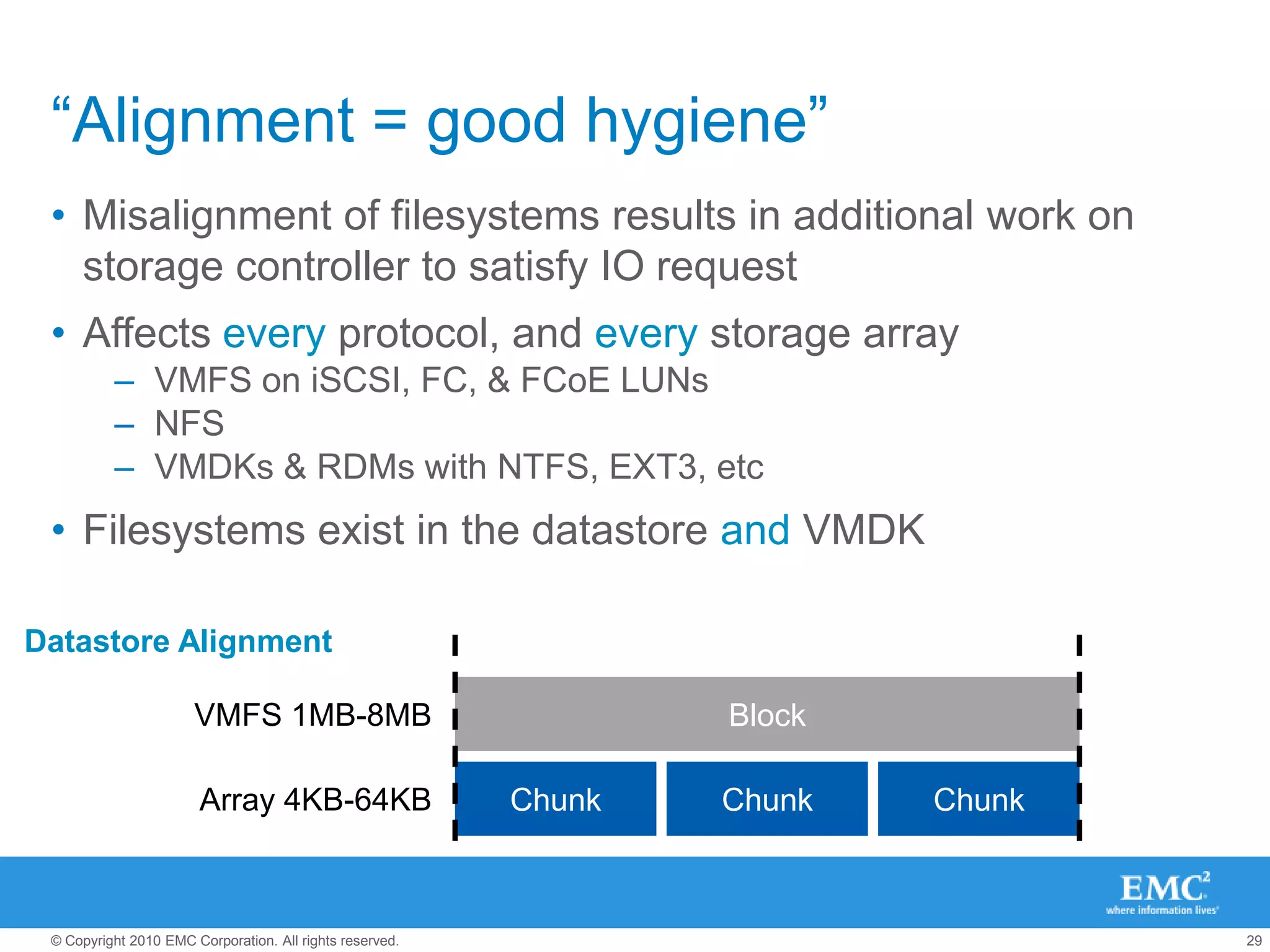
“Alignment = good hygiene”Misalignment of filesystems results in additional work on storage controller to satisfy IO requestAffects every protocol, and every storage arrayVMFS on iSCSI, FC, & FCoE LUNsNFSVMDKs & RDMs with NTFS, EXT3, etcFilesystems exist in the datastore and VMDKDatastore AlignmentVMFS 1MB-8MBVMFS 1MB-8MBBlockArray 4KB-64KBArray 4KB-64KBChunkChunkChunk
“Alignment = good hygiene”Misalignment of filesystems results in additional work on storage controller to satisfy IO requestAffects every protocol, and every storage arrayVMFS on iSCSI, FC, & FCoE LUNsNFSVMDKs & RDMs with NTFS, EXT3, etcFilesystems exist in the datastore and VMDKClusterClusterClusterFS 4KB-1MBGuestAlignmentVMFS 1MB-8MBBlockVMFS 1MB-8MBArray 4KB-64KBChunkChunkChunkArray 4KB-64KB
“Alignment = good hygiene”Misalignment of filesystems results in additional work on storage controller to satisfy IO requestAffects every protocol, and every storage arrayVMFS on iSCSI, FC, & FCoE LUNsNFSVMDKs & RDMs with NTFS, EXT3, etcFilesystems exist in the datastore and VMDKClusterClusterClusterFS 4KB-1MBGuestAlignmentBlockVMFS 1MB-8MBChunkChunkChunkArray 4KB-64KB
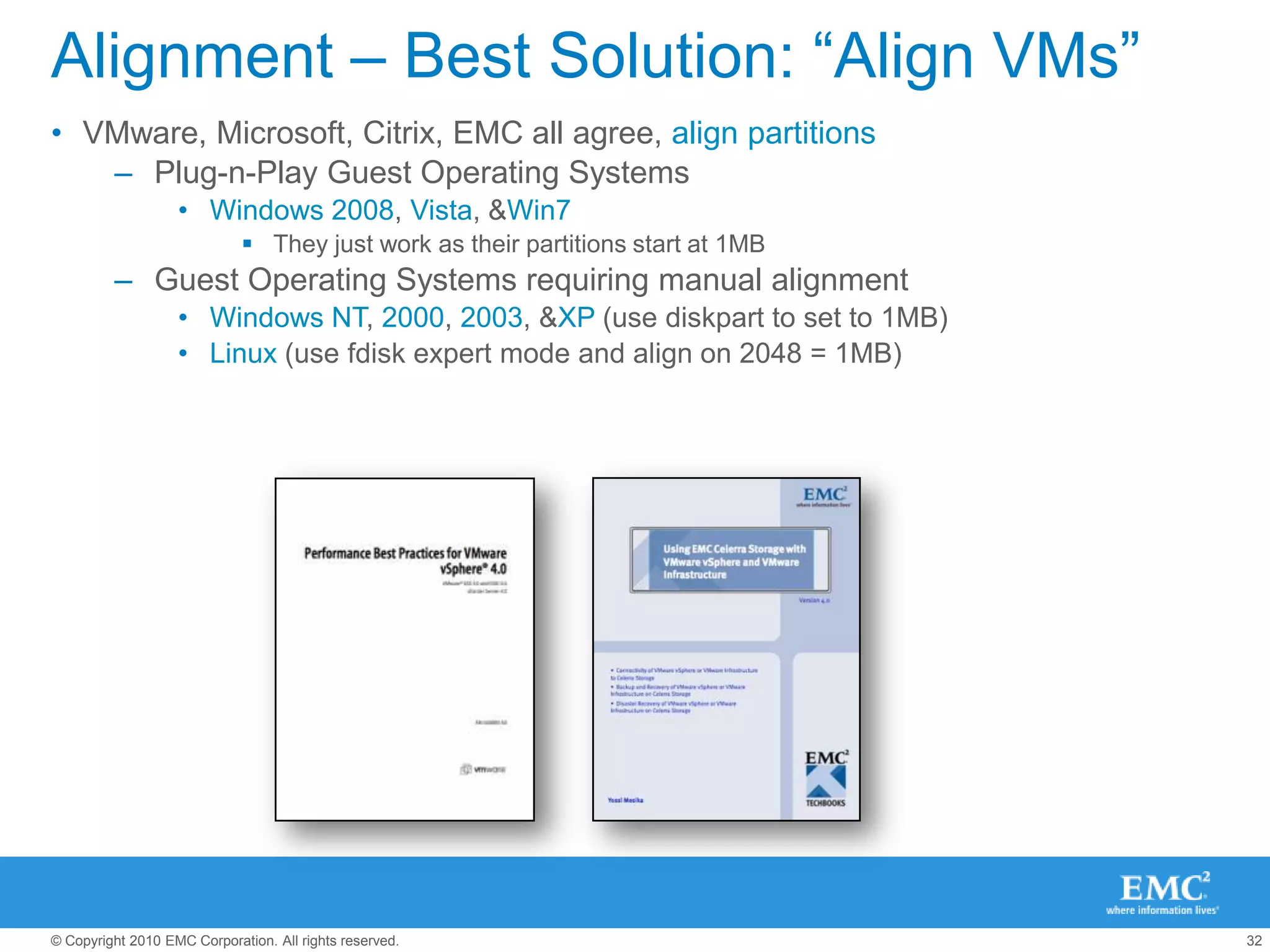
Alignment – Best Solution: “Align VMs”VMware, Microsoft, Citrix, EMC all agree, align partitionsPlug-n-Play Guest Operating SystemsWindows 2008, Vista, & Win7They just work as their partitions start at 1MBGuest Operating Systems requiring manual alignmentWindows NT, 2000, 2003, & XP (use diskpart to set to 1MB)Linux (use fdisk expert mode and align on 2048 = 1MB)
Alignment – “Fixing after the fact”VMFS is misalignedOccurs If you created the VMFS via CLI and not via vSphere client and didn’t specify an offset.Resolution:Step 1: Take an array snapshot/backupStep 2: Create new datastore & migrate VMs using SVMotionFilesystem in the VMDK is misalignedOccurs If you are are using older OSes and didn’t align when you created the guest filesystemResolution:Step 1: Take an array snapshot/backupStep 2: Use tools to realign (all VM to be shutdown)GParted (free, but some assembly required)
Quest vOptimizer (good mass scheduling and reporting)Leverage Free Plugins/VAAIKey Best Practices circa 2010/2011D
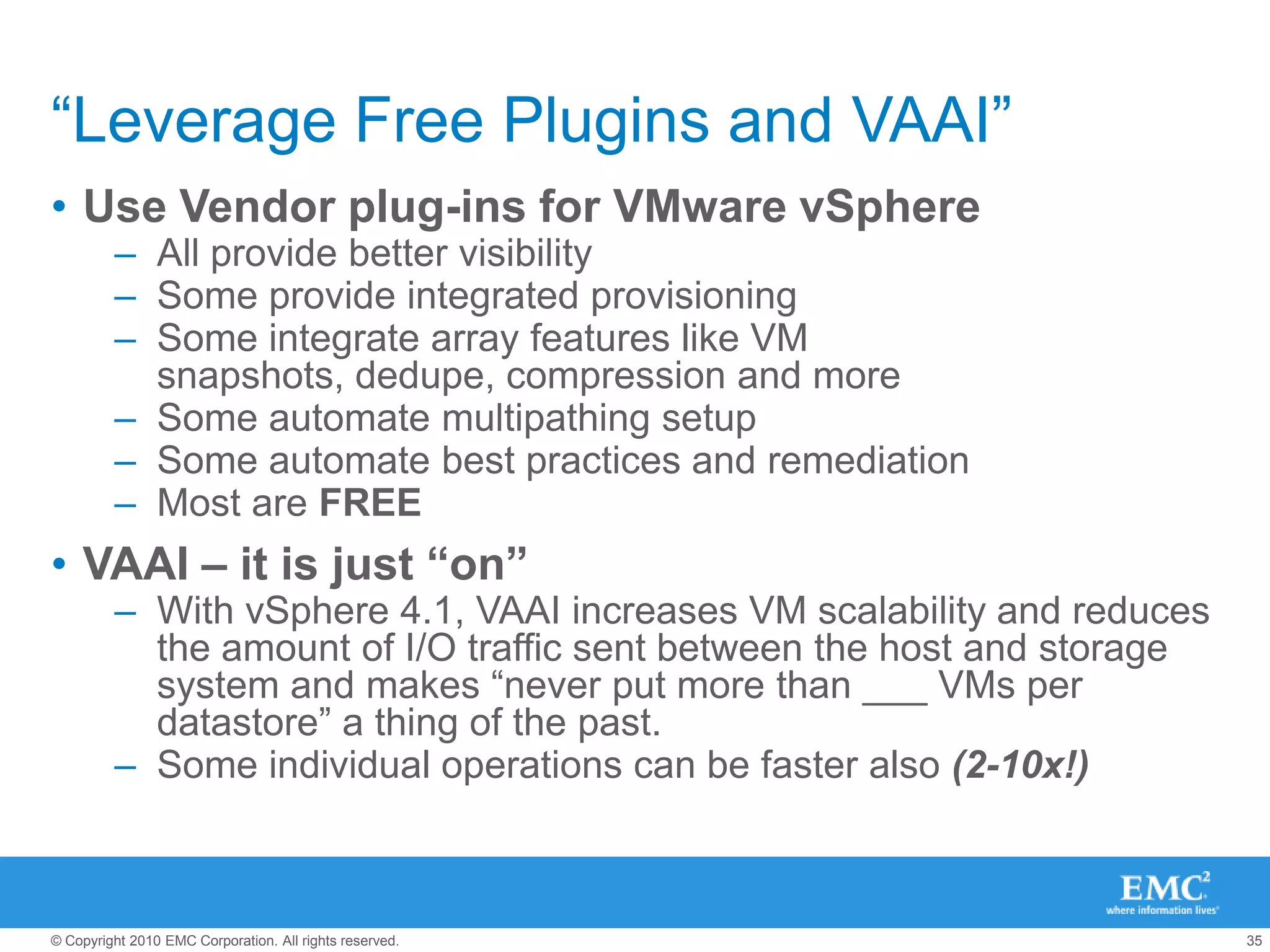
“Leverage Free Plugins and VAAI” Use Vendor plug-ins for VMware vSphereAll provide better visibilitySome provide integrated provisioningSome integrate array features like VM snapshots, dedupe, compression and moreSome automate multipathing setupSome automate best practices and remediationMost are FREEVAAI – it is just “on”With vSphere 4.1, VAAI increases VM scalability and reduces the amount of I/O traffic sent between the host and storage system and makes “never put more than ___ VMs per datastore” a thing of the past.Some individual operations can be faster also (2-10x!)
KISS on LayoutKey Best Practices circa 2010/2011E
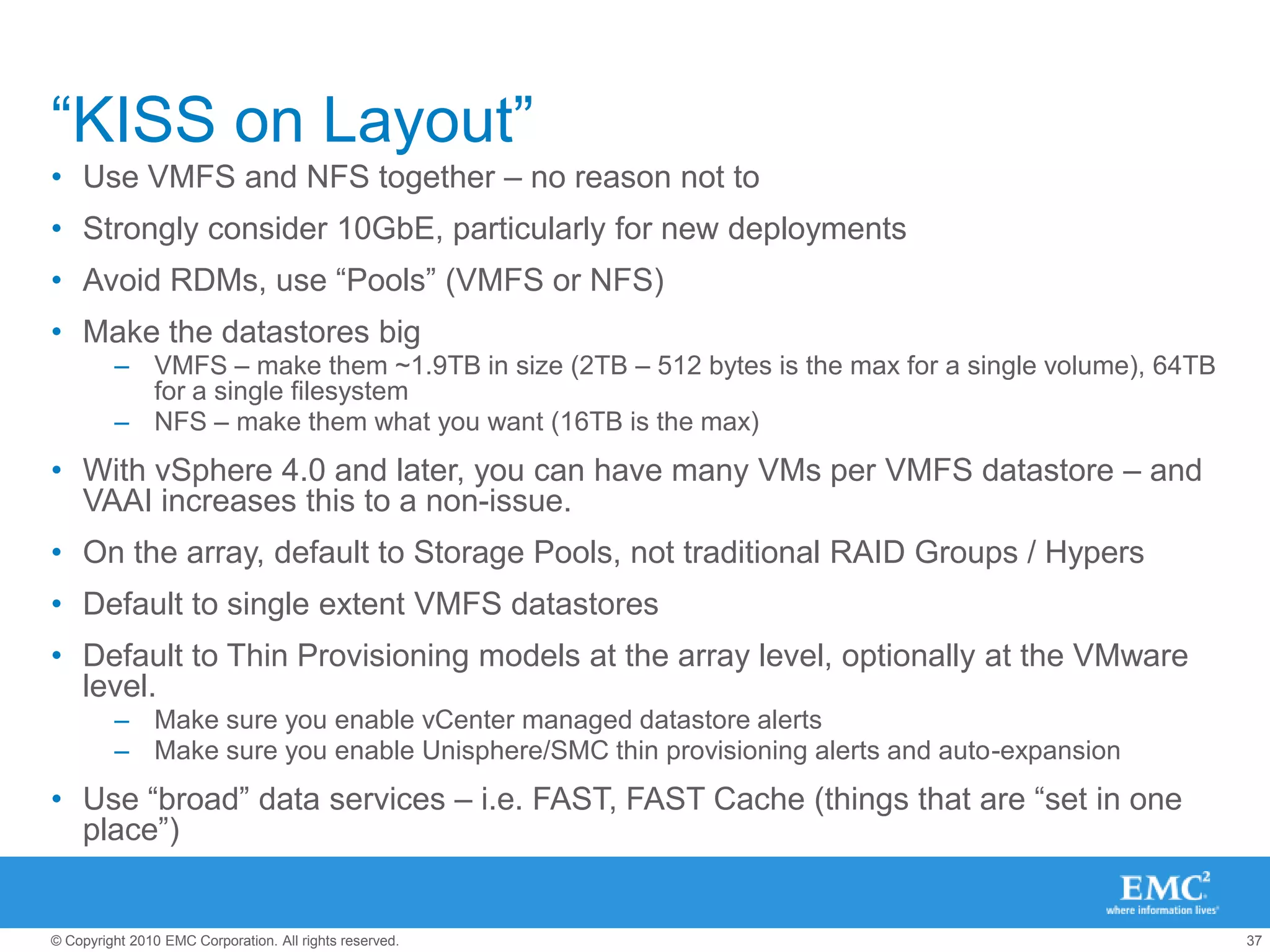
“KISS on Layout”Use VMFS and NFS together – no reason not toStrongly consider 10GbE, particularly for new deploymentsAvoid RDMs, use “Pools” (VMFS or NFS)Make the datastores bigVMFS – make them ~1.9TB in size (2TB – 512 bytes is the max for a single volume), 64TB for a single filesystemNFS – make them what you want (16TB is the max)With vSphere 4.0 and later, you can have many VMs per VMFS datastore – and VAAI increases this to a non-issue.On the array, default to Storage Pools, not traditional RAID Groups / HypersDefault to single extent VMFS datastoresDefault to Thin Provisioning models at the array level, optionally at the VMware level.Make sure you enable vCenter managed datastore alertsMake sure you enable Unisphere/SMC thin provisioning alerts and auto-expansionUse “broad” data services – i.e. FAST, FAST Cache (things that are “set in one place”)
Use SIOC if you canKey Best Practices circa 2010/2011F
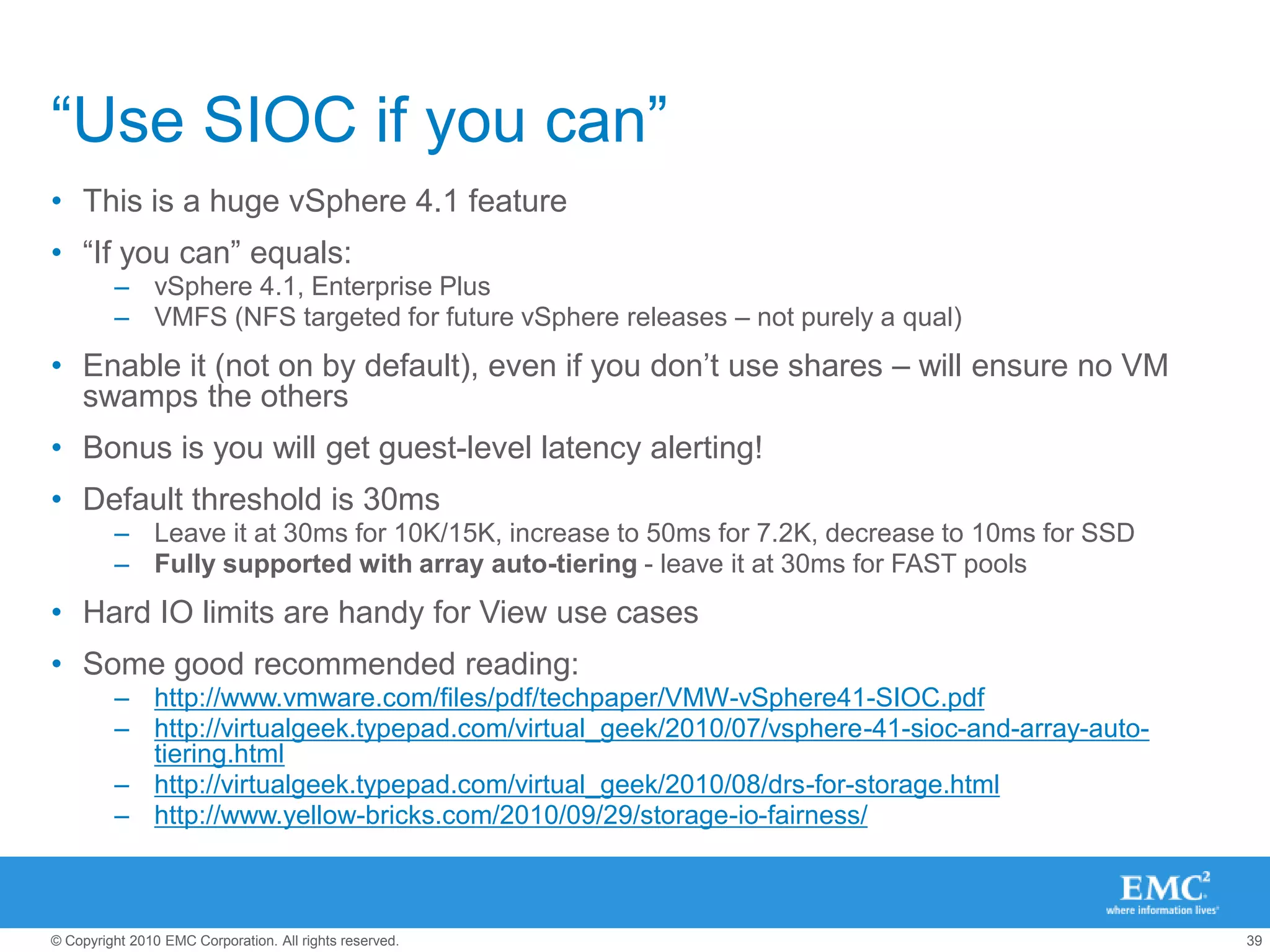
“Use SIOC if you can”This is a huge vSphere 4.1 feature“If you can” equals:vSphere 4.1, Enterprise PlusVMFS (NFS targeted for future vSphere releases – not purely a qual)Enable it (not on by default), even if you don’t use shares – will ensure no VM swamps the othersBonus is you will get guest-level latency alerting!Default threshold is 30msLeave it at 30ms for 10K/15K, increase to 50ms for 7.2K, decrease to 10ms for SSDFully supported with array auto-tiering - leave it at 30ms for FAST pools Hard IO limits are handy for View use casesSome good recommended reading:http://www.vmware.com/files/pdf/techpaper/VMW-vSphere41-SIOC.pdfhttp://virtualgeek.typepad.com/virtual_geek/2010/07/vsphere-41-sioc-and-array-auto-tiering.htmlhttp://virtualgeek.typepad.com/virtual_geek/2010/08/drs-for-storage.htmlhttp://www.yellow-bricks.com/2010/09/29/storage-io-fairness/
Second - What to do when you’re in trouble...Getting yourself out of a jam
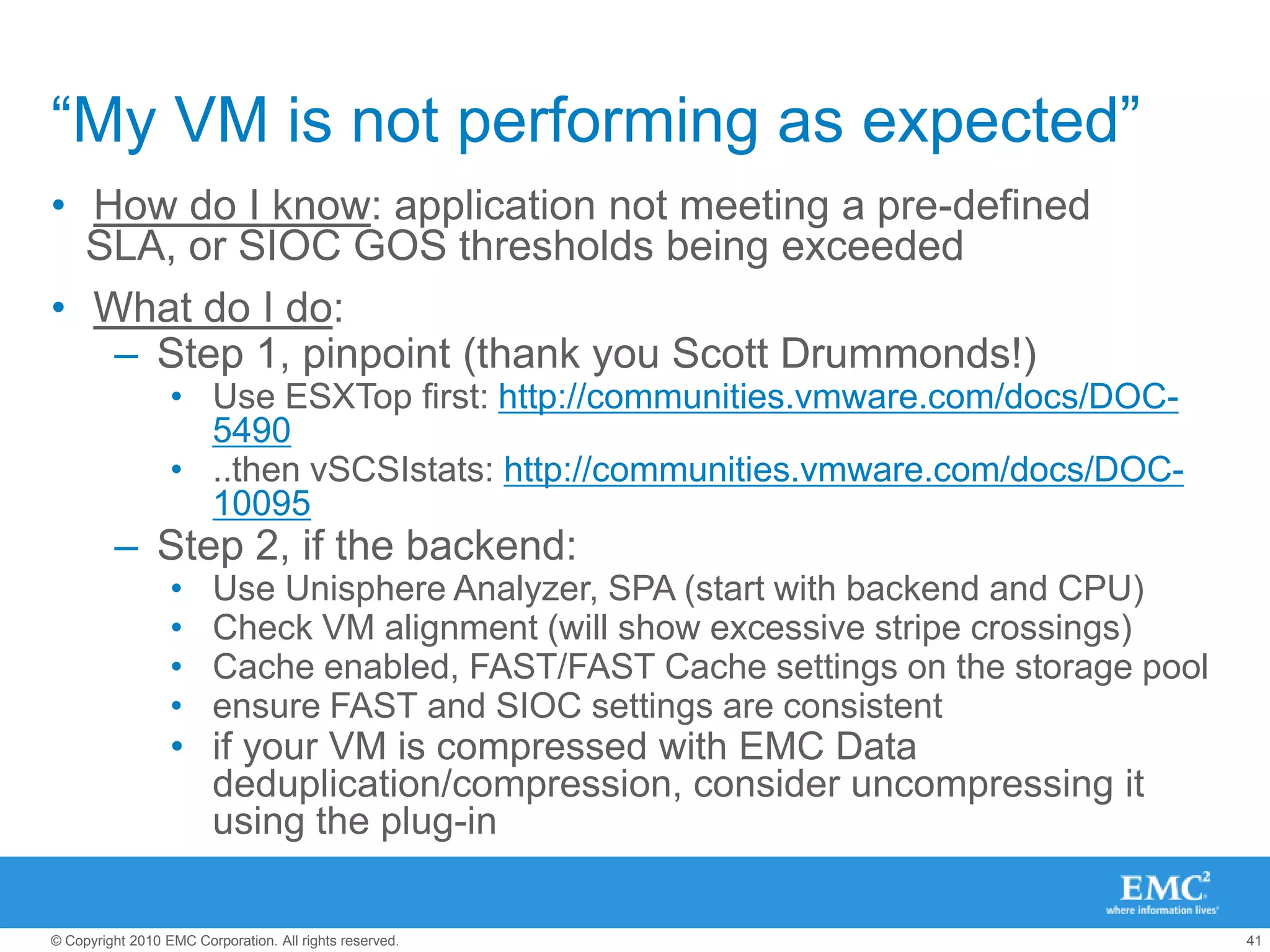
“My VM is not performing as expected”How do I know: application not meeting a pre-defined SLA, or SIOC GOS thresholds being exceededWhat do I do:Step 1, pinpoint (thank you Scott Drummonds!)  Use ESXTop first: http://communities.vmware.com/docs/DOC-5490..then vSCSIstats: http://communities.vmware.com/docs/DOC-10095Step 2, if the backend:Use Unisphere Analyzer, SPA (start with backend and CPU)Check VM alignment (will show excessive stripe crossings)Cache enabled, FAST/FAST Cache settings on the storage poolensure FAST and SIOC settings are consistentif your VM is compressed with EMC Data deduplication/compression, consider uncompressing it using the plug-in

Next-Generation Best Practices for VMware and Storage

  • 1.
    Midwest Regional VMUGNextGeneration Best Practices for Storage and VMwareScott Lowe, VCDX #39vSpecialist, EMC CorporationAuthor, Mastering VMware vSphere 4http://blog.scottlowe.orghttp://twitter.com/scott_lowe
  • 2.
    The “Great” ProtocolDebateEvery protocol can Be Highly Available, and generally, every protocol can meet a broad performance bandEach protocol has different configuration considerationsEach Protocol has a VMware “super-power”, and also a “kryponite”In vSphere, there is core feature equality across protocolsConclusion: there is no debate – pick what works for you!The best flexibility comes from a combination of VMFS and NFS
  • 3.
    First - KeyThings To Know – “A” thru “F”Key Best Practices circa 2010/2011
  • 4.
    Leverage Key DocsKeyBest Practices circa 2010/2011A
  • 5.
    Key Docs, andStorage Array TaxonomyKey VMware Docs:Fibre Channel SAN Configuration GuideiSCSI SAN Configuration GuideStorage/SAN Compatibility Guide…Understand VMware Storage Taxonomy:Active/Active (LUN ownership)Active/Passive (LUN ownership)Virtual Port (iSCSI only)
  • 6.
    Key Docs, andStorage Array TaxonomyKey Storage Partner Docs:Each Array is very different. Storage varies far more vendor to vendor than servers doFind, read, and stay current on your array’s Best Practices Doc – most are excellent.Even if you’re NOT the storage team, read them – it will help you.http://www.emc.com/collateral/hardware/solution-overview/h2529-vmware-esx-svr-w-symmetrix-wp-ldv.pdfhttp://www.emc.com/collateral/hardware/technical-documentation/h5536-vmware-esx-srvr-using-celerra-stor-sys-wp.pdfhttp://www.emc.com/collateral/software/solution-overview/h2197-vmware-esx-clariion-stor-syst-ldv.pdf
  • 7.
    Setup Multipathing RightKeyBest Practices circa 2010/2011B
  • 8.
    Understanding the vSpherePluggable Storage Architecture
  • 9.
    What’s “out ofthe box” in vSphere 4.1?[root@esxi ~]# vmware -vVMware ESX 4.1.0 build-260247 [root@esxi ~]# esxcli nmp satp listName                 Default PSP       DescriptionVMW_SATP_SYMM        VMW_PSP_FIXED     Placeholder (plugin not loaded)VMW_SATP_SVC         VMW_PSP_FIXED     Placeholder (plugin not loaded)VMW_SATP_MSA         VMW_PSP_MRU       Placeholder (plugin not loaded)VMW_SATP_LSI         VMW_PSP_MRU       Placeholder (plugin not loaded)VMW_SATP_INV         VMW_PSP_FIXED     Placeholder (plugin not loaded)VMW_SATP_EVA         VMW_PSP_FIXED     Placeholder (plugin not loaded)VMW_SATP_EQL         VMW_PSP_FIXED     Placeholder (plugin not loaded)VMW_SATP_DEFAULT_AP  VMW_PSP_MRU       Placeholder (plugin not loaded)VMW_SATP_ALUA_CX     VMW_PSP_FIXED_AP  Placeholder (plugin not loaded)VMW_SATP_CX          VMW_PSP_MRU       Supports EMC CX that do not use the ALUA protocolVMW_SATP_ALUA        VMW_PSP_RR        Supports non-specific arrays that use the ALUA protocolVMW_SATP_DEFAULT_AA  VMW_PSP_FIXED     Supports non-specific active/active arraysVMW_SATP_LOCAL       VMW_PSP_FIXED     Supports direct attached devices
  • 10.
    What’s “out ofthe box” in vSphere?PSPs:Fixed (Default for Active-Active LUN ownership models)
  • 11.
    All IO goesdown preferred path, reverts to preferred path after original path restore
  • 12.
    MRU (Default forActive-Passive LUN ownership models)
  • 13.
    All IO goesdown active path, stays after original path restore
  • 14.
  • 15.
    n IO operationsgoes down active path then rotate (default is 1000)HOWTO – setting PSP for a specific device (can override default selected by SATP detected ARRAYID):esxcli nmp device setpolicy --device <device UID> --psp VMW_PSP_RR (check with your vendor first!)
  • 16.
    Changing Round RobinIOOperationLimitesxcli nmp roundrobin setconfig --device <device UID> –iopscheck with your storage vendor first! This setting can cause problems on arrays. Has been validated ok, but not necessary in most cases
  • 17.
    Effect of differentRR IOOperationLimit settingsNOTE: This is with a SINGLE LUN.This is the case where the larger IOOperationLimit default is the worstIn a real-world environment – lots of LUNs and VMs results in decent overall loadbalancingRecommendation – if you can, stick with the default
  • 18.
    What is AsymmetricLogical Unit (ALUA)?Many storage arrays have Active/Passive LUN ownershipAll paths show in the vSphere Client as:Active (can be used for I/O)I/O is accepted on all portsAll I/O for a LUN is serviced on its owning storage processorIn reality some paths are preferred over others
  • 19.
    Enter ALUA tosolve this issueSupported introduced in vSphere 4.0SP ASP BLUN
  • 20.
    What is AsymmetricLogical Unit (ALUA)?ALUA Allows for paths to be profiledActive (can be used for I/O)Active (non-optimized – not normally used for I/O)StandbyDeadEnsures optimal path selection/usage by vSphere PSP and 3rd Party MPPsSupports Fixed, MRU, & RR PSPSupports EMC PowerPath/VEALUA is not supported in ESX 3.5SP ASP BLUN
  • 21.
    Understanding MPIOMPIO isbased on “initiator-target” sessions – not “links”
  • 22.
    MPIO Exceptions –Windows ClustersAmong a long list of “not supported” things:NO Clustering on NFS datastoresNo Clustering on iSCSI, FCoE (unless using PP/VE)No round-robin with native multipathing (unless using PP/VE)NO Mixed environments, such as configurations where one cluster node is running a different version of ESX/ESXi than another cluster node.NO Use of MSCS in conjunction with VMware Fault Tolerance.NO Migration with vMotion of clustered virtual machines.NO N-Port ID Virtualization (NPIV)You must use hardware version 7 with ESX/ESXi 4.1
  • 23.
    APPAPPAPPAPPAPPAPPAPPAPPAPPAPPAPPAPPAPPAPPAPPAPPAPPAPPAPPAPPAPPAPPAPPAPPAPPAPPAPPAPPAPPAPPAPPAPPAPPAPPAPPAPPAPPAPPAPPAPPAPPAPPAPPAPPOSOSOSOSOSOSOSOSOSOSOSOSOSOSOSOSOSOSOSOSOSOSOSOSOSOSOSOSOSOSOSOSOSOSOSOSOSOSOSOSOSOSOSOSSharedStorageSTORAGEPowerPath – aMultipathing Plugin (MPP)Simple Storage manageabilitySimple Provisioning = “Pool of Connectivity”Predictable and consistentOptimize server, storage, and data-path utilizationPerformance and ScaleTune infrastructure performance, LUN/Path PrioritizationPredictive Array Specific Load Balancing AlgorithmsAutomatic HBA, Path, and storage processor fault recoveryOther 3rd party MPPs:Dell/Equalogic PSPUses a “least deep queue” algorithm rather than basic round robinCan redirect IO to different peer storage nodesSee this at the Dell/EqualLogic boothPowerPathPowerPathPowerPathPowerPath
  • 24.
  • 25.
    General NFS BestPracticesStart with Vendor Best Practices:EMC Celerra H5536 & NetApp TR-3749While these are constantly being updated, at any given time, they are authoritativeUse the EMC & NetApp vCenter plug-ins, automates best practices
  • 26.
    Use Multiple NFSdatastores & 10GbE
  • 27.
    1GbE requires morecomplexity to address I/O scaling due to one data session per connection with NFSv3General NFS Best Practices - TimeoutsConfigure the following on each ESX server (automated by vCenter plugins):
  • 28.
  • 29.
  • 30.
  • 31.
    Increase Guest OStime-out values to matchBack up your Windows registry. Select Start>Run, regeditIn the left‐panel hierarchy view, double‐click HKEY_LOCAL_MACHINE> System> CurrentControlSet> Services> Disk. Select the TimeOutValue and set the data value to 125 (decimal). Note: this is not reset when VMtools are updatedIncrease Net.TcpIpHeapSize (follow vendor recommendation)General NFS Best Practices – Traditional Ethernet switchesMostly seen with older 1GbE switching platformsEach switch operates independentlyMore complex network designDepends on routing, requires two (or more) IP subnets for datastore trafficMultiple Ethernet options based on Etherchannel capabilities and preferencesSome links may be passive standby links
  • 32.
    General NFS BestPractices – Multi-Switch Link AggregationAllows two physical switches to operate as a single logical fabricMuch simpler network designSingle IP subnetProvides multiple active connections to each storage controllerEasily scales to more connections by adding NICs and aliasesStorage controller connection load balancing is automatically managed by the EtherChannel IP load-balancing policy
  • 33.
    General NFS BestPractices – HA and Scaling10GbE?YesNoSupportmulti-switchLinkaggr?One VMKernel port& IP subnetYesUse multiple links withIP hash load balancing onthe NFS client (ESX)Use multiple VMKernelPorts & IP subnetsUse multiple links withIP hash load balancing onThe NFS server (array)Use ESX routing tableStorage needs multiplesequential IP addressesStorage needs multiplesequential IP addresses
  • 34.
    iSCSI & NFS– Ethernet Jumbo FramesWhat is an Ethernet Jumbo Frame?Ethernet frames with more than 1500 bytes of payload (9000 is common)Commonly ‘thought of’ as having better performance due to greater payload per packet / reduction of packetsShould I use Jumbo Frames?Supported by all major storage vendors & VMwareAdds complexity & performance gains are marginal with common block sizesFCoE uses MTU of 2240 which is auto-configured via switch and CAN handshakeAll IP traffic transfers at default MTU sizeStick with the defaults when you can
  • 35.
    iSCSI & NFScaveat when used togetherRemember – iSCSI and NFS network HA models = DIFFERENTiSCSI uses vmknics with no Ethernet failover – using MPIO insteadNFS client relies on vmknics using link aggregation/Ethernet failoverNFS relies on host routing tableNFS traffic will use iSCSI vmknic and results in links without redundancyUse of multiple session iSCSI with NFS is not supported by NetAppEMC supports, but best practice is to have separate subnets, virtual interfaces
  • 36.
    Summary of “SetupMultipathing Right”VMFS/RDMsRound Robin policy for NMP is default BP on most storage platformsPowerPath/VE further simplifies/automates multipathing on all EMC (and many non-EMC) platforms. Notably supports MSCS/WSFC including vMotion and VM HA NFSFor load balancing, distribute VMs across multiple datastores on multiple I/O paths. Follow the resiliency procedure in the TechBook to ensure VM resiliency to storage failover and reboot over NFS
  • 37.
    Alignment = goodhygieneKey Best Practices circa 2010/2011C
  • 38.
    “Alignment = goodhygiene”Misalignment of filesystems results in additional work on storage controller to satisfy IO requestAffects every protocol, and every storage arrayVMFS on iSCSI, FC, & FCoE LUNsNFSVMDKs & RDMs with NTFS, EXT3, etcFilesystems exist in the datastore and VMDKDatastore AlignmentVMFS 1MB-8MBVMFS 1MB-8MBBlockArray 4KB-64KBChunkChunkChunkArray 4KB-64KB
  • 39.
    “Alignment = goodhygiene”Misalignment of filesystems results in additional work on storage controller to satisfy IO requestAffects every protocol, and every storage arrayVMFS on iSCSI, FC, & FCoE LUNsNFSVMDKs & RDMs with NTFS, EXT3, etcFilesystems exist in the datastore and VMDKDatastore AlignmentVMFS 1MB-8MBVMFS 1MB-8MBBlockArray 4KB-64KBArray 4KB-64KBChunkChunkChunk
  • 40.
    “Alignment = goodhygiene”Misalignment of filesystems results in additional work on storage controller to satisfy IO requestAffects every protocol, and every storage arrayVMFS on iSCSI, FC, & FCoE LUNsNFSVMDKs & RDMs with NTFS, EXT3, etcFilesystems exist in the datastore and VMDKClusterClusterClusterFS 4KB-1MBGuestAlignmentVMFS 1MB-8MBBlockVMFS 1MB-8MBArray 4KB-64KBChunkChunkChunkArray 4KB-64KB
  • 41.
    “Alignment = goodhygiene”Misalignment of filesystems results in additional work on storage controller to satisfy IO requestAffects every protocol, and every storage arrayVMFS on iSCSI, FC, & FCoE LUNsNFSVMDKs & RDMs with NTFS, EXT3, etcFilesystems exist in the datastore and VMDKClusterClusterClusterFS 4KB-1MBGuestAlignmentBlockVMFS 1MB-8MBChunkChunkChunkArray 4KB-64KB
  • 42.
    Alignment – BestSolution: “Align VMs”VMware, Microsoft, Citrix, EMC all agree, align partitionsPlug-n-Play Guest Operating SystemsWindows 2008, Vista, & Win7They just work as their partitions start at 1MBGuest Operating Systems requiring manual alignmentWindows NT, 2000, 2003, & XP (use diskpart to set to 1MB)Linux (use fdisk expert mode and align on 2048 = 1MB)
  • 43.
    Alignment – “Fixingafter the fact”VMFS is misalignedOccurs If you created the VMFS via CLI and not via vSphere client and didn’t specify an offset.Resolution:Step 1: Take an array snapshot/backupStep 2: Create new datastore & migrate VMs using SVMotionFilesystem in the VMDK is misalignedOccurs If you are are using older OSes and didn’t align when you created the guest filesystemResolution:Step 1: Take an array snapshot/backupStep 2: Use tools to realign (all VM to be shutdown)GParted (free, but some assembly required)
  • 44.
    Quest vOptimizer (goodmass scheduling and reporting)Leverage Free Plugins/VAAIKey Best Practices circa 2010/2011D
  • 45.
    “Leverage Free Pluginsand VAAI” Use Vendor plug-ins for VMware vSphereAll provide better visibilitySome provide integrated provisioningSome integrate array features like VM snapshots, dedupe, compression and moreSome automate multipathing setupSome automate best practices and remediationMost are FREEVAAI – it is just “on”With vSphere 4.1, VAAI increases VM scalability and reduces the amount of I/O traffic sent between the host and storage system and makes “never put more than ___ VMs per datastore” a thing of the past.Some individual operations can be faster also (2-10x!)
  • 46.
    KISS on LayoutKeyBest Practices circa 2010/2011E
  • 47.
    “KISS on Layout”UseVMFS and NFS together – no reason not toStrongly consider 10GbE, particularly for new deploymentsAvoid RDMs, use “Pools” (VMFS or NFS)Make the datastores bigVMFS – make them ~1.9TB in size (2TB – 512 bytes is the max for a single volume), 64TB for a single filesystemNFS – make them what you want (16TB is the max)With vSphere 4.0 and later, you can have many VMs per VMFS datastore – and VAAI increases this to a non-issue.On the array, default to Storage Pools, not traditional RAID Groups / HypersDefault to single extent VMFS datastoresDefault to Thin Provisioning models at the array level, optionally at the VMware level.Make sure you enable vCenter managed datastore alertsMake sure you enable Unisphere/SMC thin provisioning alerts and auto-expansionUse “broad” data services – i.e. FAST, FAST Cache (things that are “set in one place”)
  • 48.
    Use SIOC ifyou canKey Best Practices circa 2010/2011F
  • 49.
    “Use SIOC ifyou can”This is a huge vSphere 4.1 feature“If you can” equals:vSphere 4.1, Enterprise PlusVMFS (NFS targeted for future vSphere releases – not purely a qual)Enable it (not on by default), even if you don’t use shares – will ensure no VM swamps the othersBonus is you will get guest-level latency alerting!Default threshold is 30msLeave it at 30ms for 10K/15K, increase to 50ms for 7.2K, decrease to 10ms for SSDFully supported with array auto-tiering - leave it at 30ms for FAST pools Hard IO limits are handy for View use casesSome good recommended reading:http://www.vmware.com/files/pdf/techpaper/VMW-vSphere41-SIOC.pdfhttp://virtualgeek.typepad.com/virtual_geek/2010/07/vsphere-41-sioc-and-array-auto-tiering.htmlhttp://virtualgeek.typepad.com/virtual_geek/2010/08/drs-for-storage.htmlhttp://www.yellow-bricks.com/2010/09/29/storage-io-fairness/
  • 50.
    Second - Whatto do when you’re in trouble...Getting yourself out of a jam
  • 51.
    “My VM isnot performing as expected”How do I know: application not meeting a pre-defined SLA, or SIOC GOS thresholds being exceededWhat do I do:Step 1, pinpoint (thank you Scott Drummonds!) Use ESXTop first: http://communities.vmware.com/docs/DOC-5490..then vSCSIstats: http://communities.vmware.com/docs/DOC-10095Step 2, if the backend:Use Unisphere Analyzer, SPA (start with backend and CPU)Check VM alignment (will show excessive stripe crossings)Cache enabled, FAST/FAST Cache settings on the storage poolensure FAST and SIOC settings are consistentif your VM is compressed with EMC Data deduplication/compression, consider uncompressing it using the plug-in
  • 52.
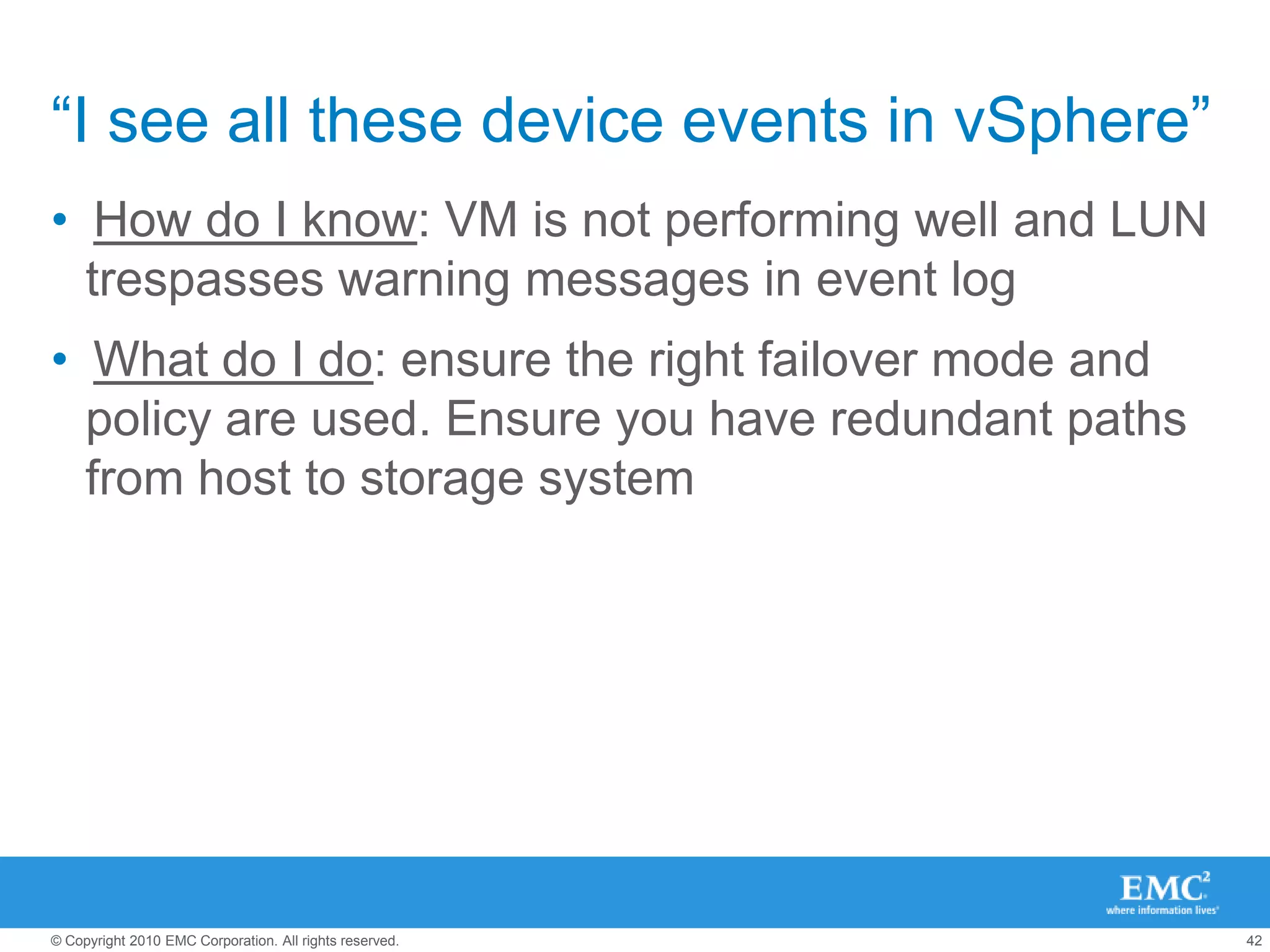
    “I see allthese device events in vSphere”How do I know: VM is not performing well and LUN trespasses warning messages in event logWhat do I do: ensure the right failover mode and policy are used. Ensure you have redundant paths from host to storage system
  • 53.
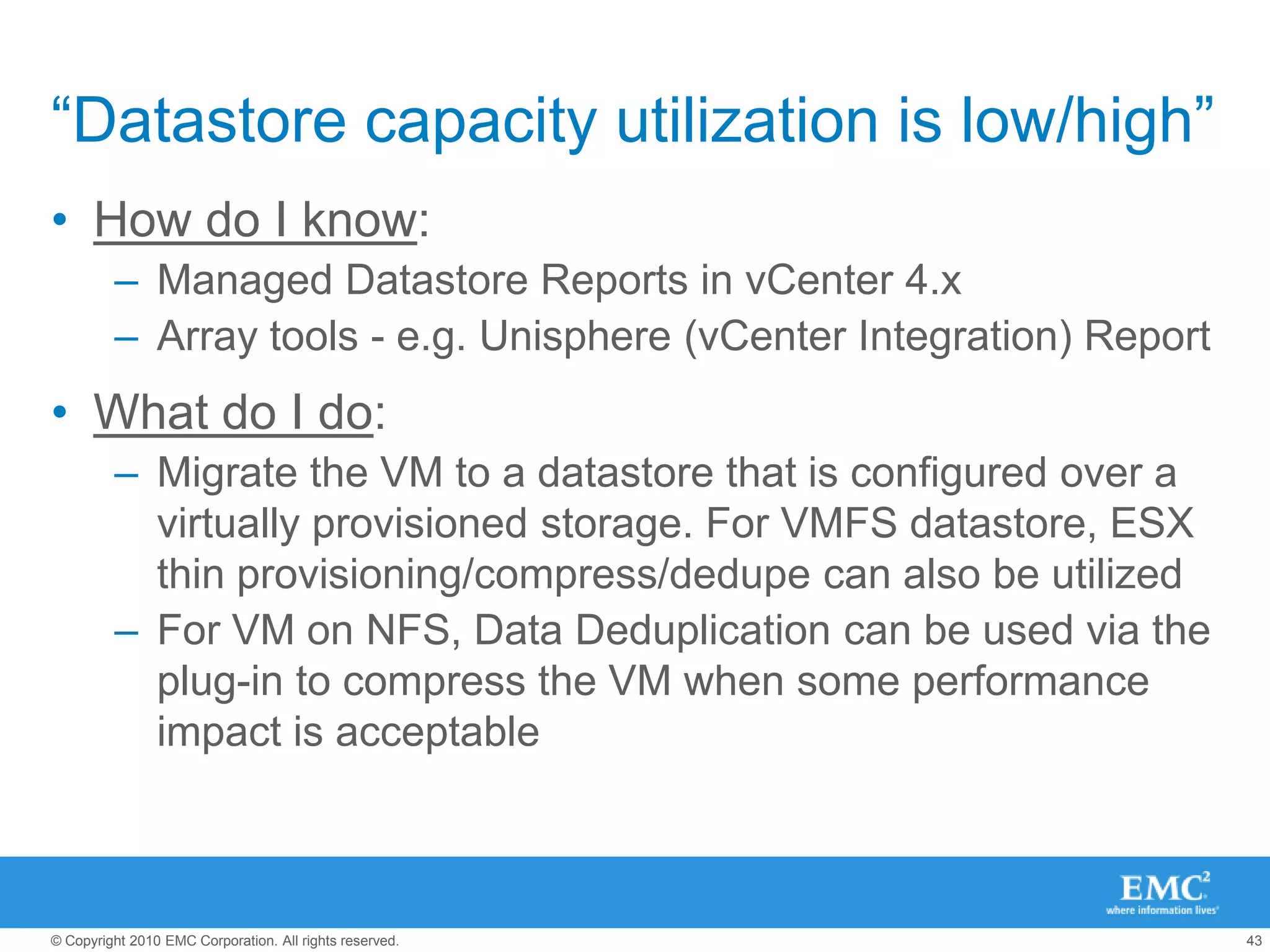
    “Datastore capacity utilizationis low/high”How do I know: Managed Datastore Reports in vCenter 4.xArray tools - e.g. Unisphere (vCenter Integration) ReportWhat do I do:Migrate the VM to a datastore that is configured over a virtually provisioned storage. For VMFS datastore, ESX thin provisioning/compress/dedupe can also be utilizedFor VM on NFS, Data Deduplication can be used via the plug-in to compress the VM when some performance impact is acceptable
  • 54.
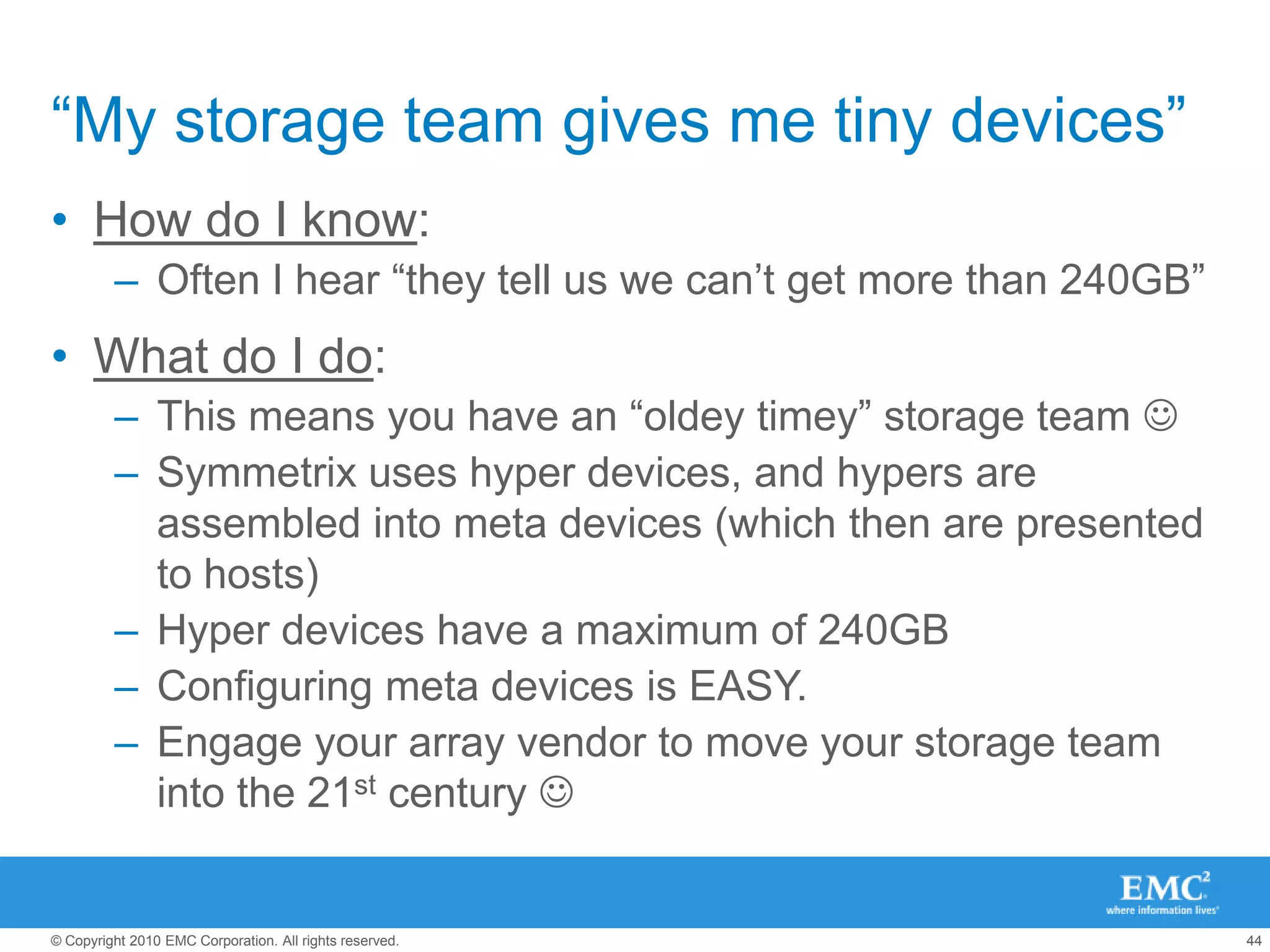
    “My storage teamgives me tiny devices”How do I know: Often I hear “they tell us we can’t get more than 240GB”What do I do:This means you have an “oldey timey” storage team Symmetrix uses hyper devices, and hypers are assembled into meta devices (which then are presented to hosts)Hyper devices have a maximum of 240GBConfiguring meta devices is EASY.Engage your array vendor to move your storage team into the 21st century 
  • 55.
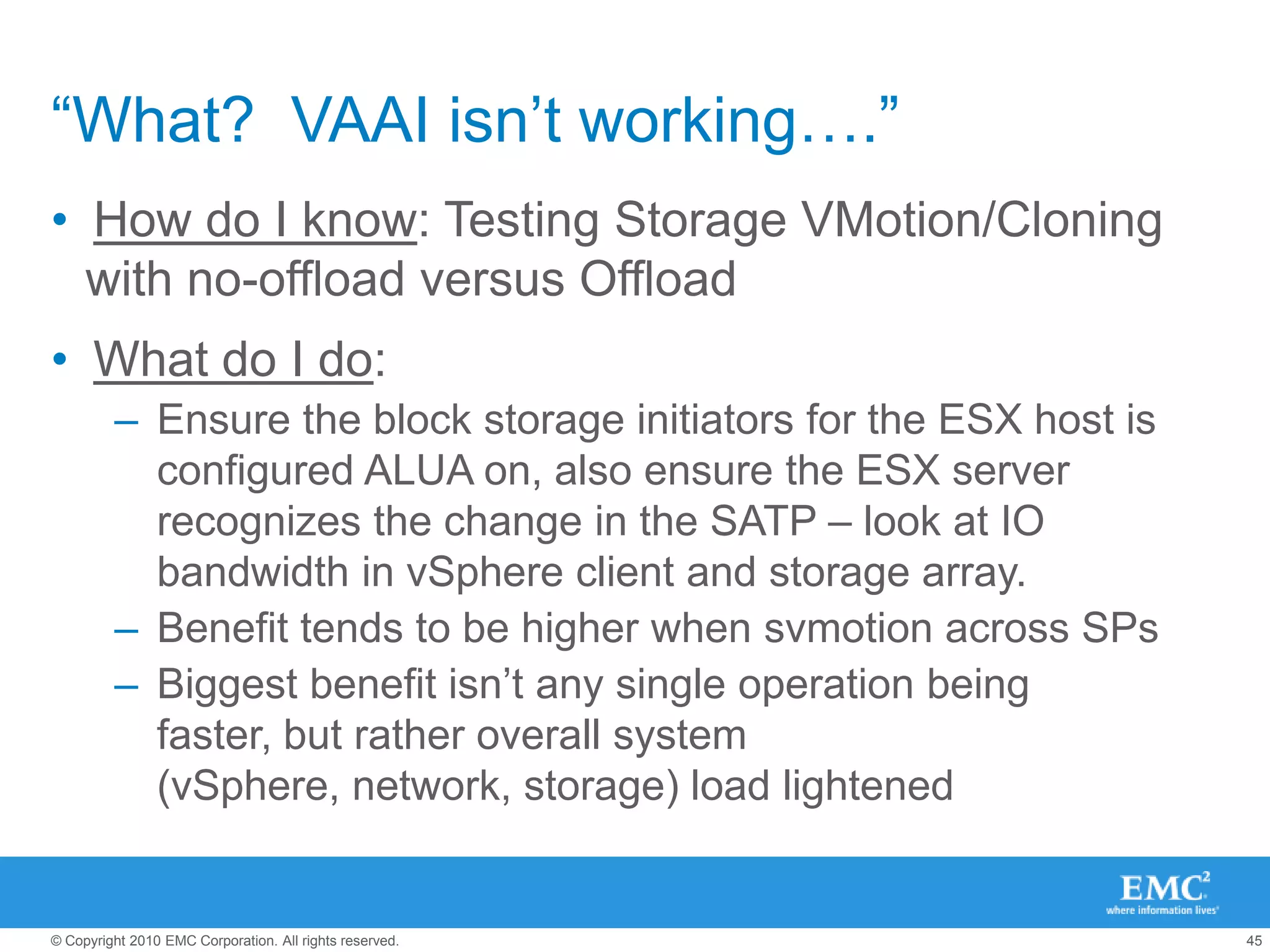
    “What? VAAIisn’t working….”How do I know: Testing Storage VMotion/Cloning with no-offload versus Offload What do I do: Ensure the block storage initiators for the ESX host is configured ALUA on, also ensure the ESX server recognizes the change in the SATP – look at IO bandwidth in vSphere client and storage array.Benefit tends to be higher when svmotion across SPsBiggest benefit isn’t any single operation being faster, but rather overall system (vSphere, network, storage) load lightened
  • 56.
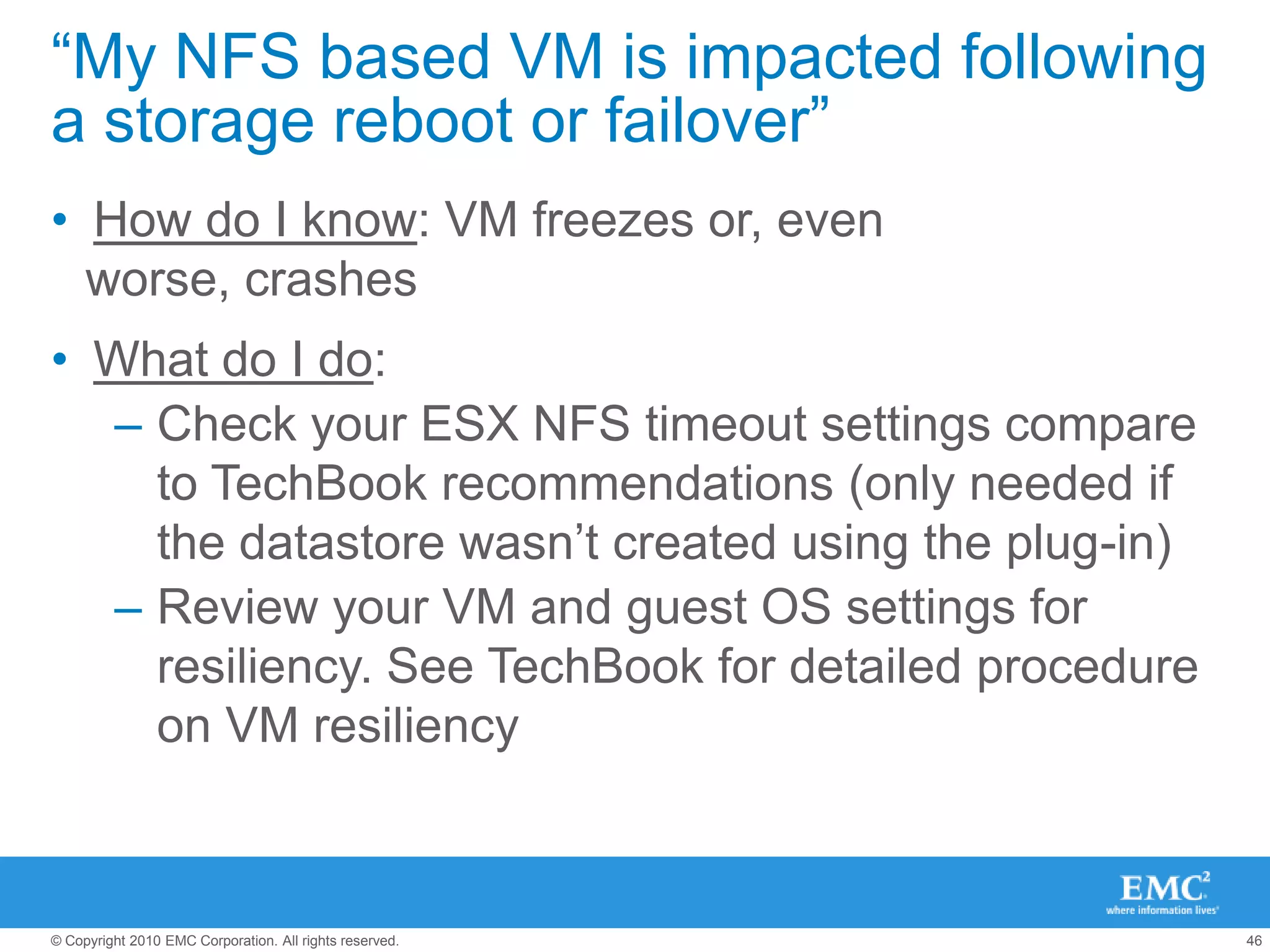
    “My NFS basedVM is impacted following a storage reboot or failover”How do I know: VM freezes or, even worse, crashesWhat do I do:Check your ESX NFS timeout settings compare to TechBook recommendations (only needed if the datastore wasn’t created using the plug-in)Review your VM and guest OS settings for resiliency. See TechBook for detailed procedure on VM resiliency
  • 57.
    Third – knowingwhen to break the rules… Top 5 Exceptions for said best practices
  • 58.
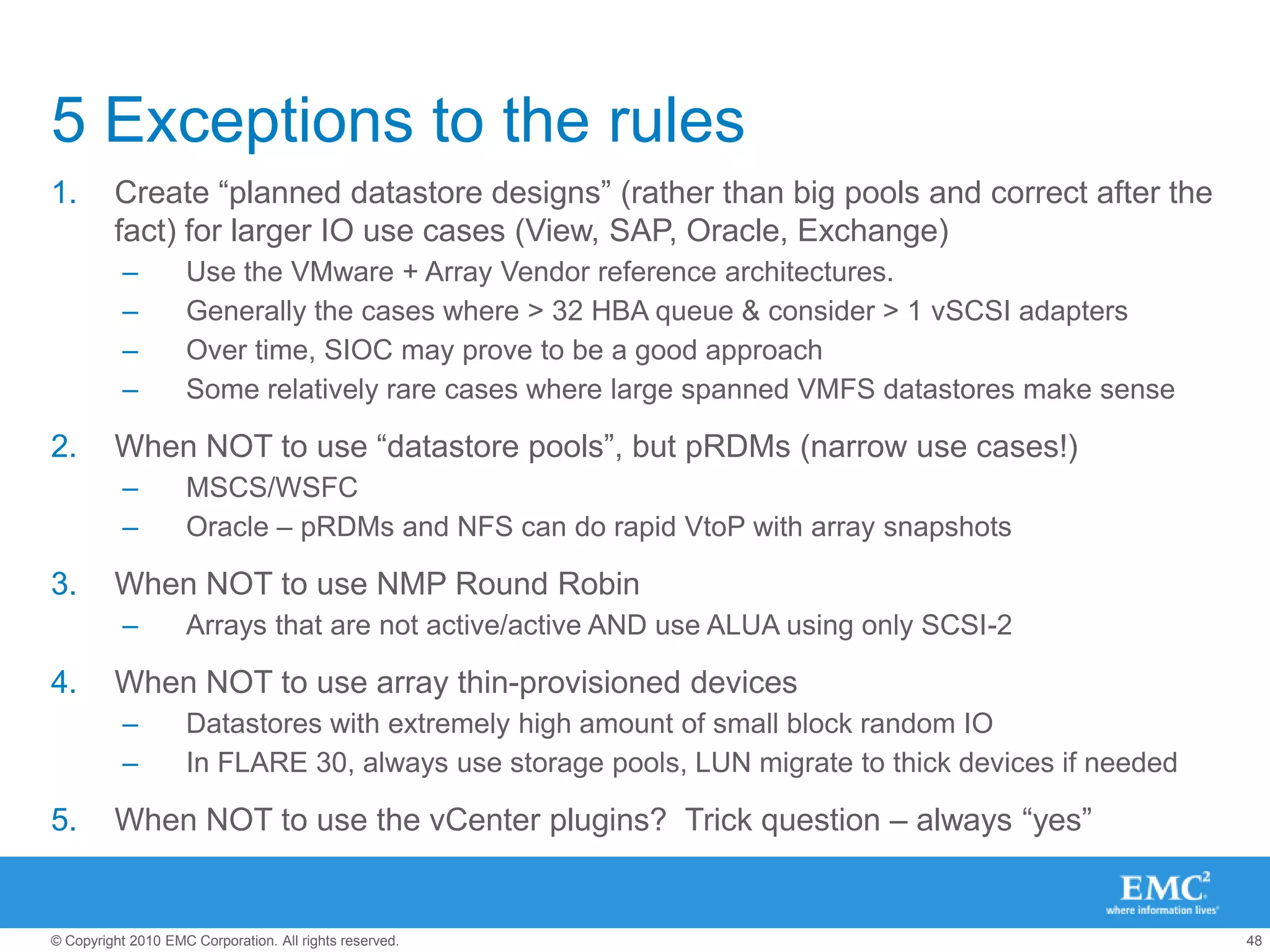
    5 Exceptions tothe rulesCreate “planned datastore designs” (rather than big pools and correct after the fact) for larger IO use cases (View, SAP, Oracle, Exchange)Use the VMware + Array Vendor reference architectures.Generally the cases where > 32 HBA queue & consider > 1 vSCSI adaptersOver time, SIOC may prove to be a good approachSome relatively rare cases where large spanned VMFS datastores make senseWhen NOT to use “datastore pools”, but pRDMs (narrow use cases!)MSCS/WSFCOracle – pRDMs and NFS can do rapid VtoP with array snapshotsWhen NOT to use NMP Round RobinArrays that are not active/active AND use ALUA using only SCSI-2When NOT to use array thin-provisioned devicesDatastores with extremely high amount of small block random IO In FLARE 30, always use storage pools, LUN migrate to thick devices if neededWhen NOT to use the vCenter plugins? Trick question – always “yes”
  • 59.
    Fourth – apeak into the future… Amazing things we’re working on….
  • 60.
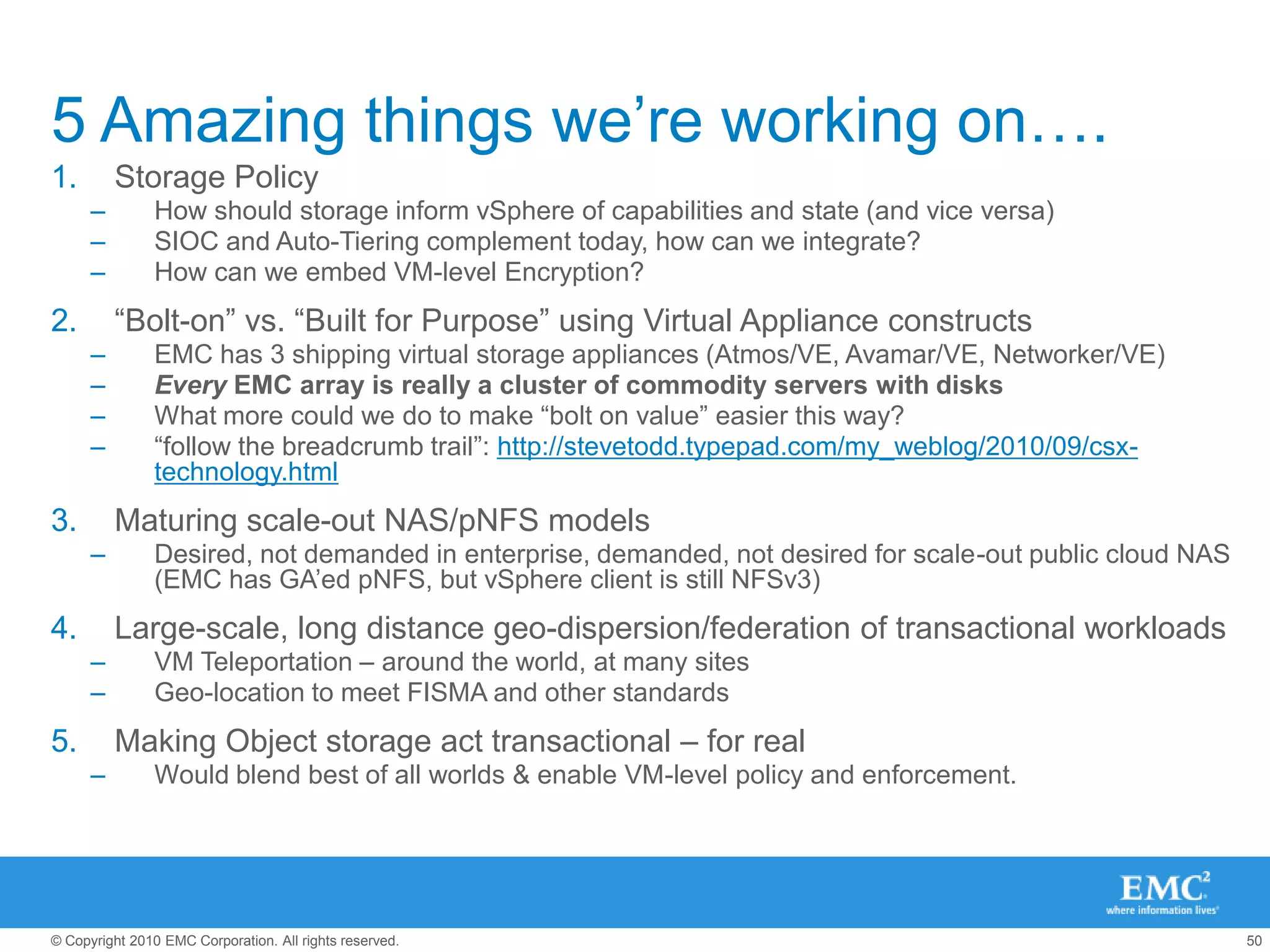
    5 Amazing thingswe’re working on….Storage PolicyHow should storage inform vSphere of capabilities and state (and vice versa)SIOC and Auto-Tiering complement today, how can we integrate?How can we embed VM-level Encryption?“Bolt-on” vs. “Built for Purpose” using Virtual Appliance constructsEMC has 3 shipping virtual storage appliances (Atmos/VE, Avamar/VE, Networker/VE)Every EMC array is really a cluster of commodity servers with disksWhat more could we do to make “bolt on value” easier this way? “follow the breadcrumb trail”: http://stevetodd.typepad.com/my_weblog/2010/09/csx-technology.htmlMaturing scale-out NAS/pNFS modelsDesired, not demanded in enterprise, demanded, not desired for scale-out public cloud NAS (EMC has GA’ed pNFS, but vSphere client is still NFSv3)Large-scale, long distance geo-dispersion/federation of transactional workloadsVM Teleportation – around the world, at many sitesGeo-location to meet FISMA and other standardsMaking Object storage act transactional – for realWould blend best of all worlds & enable VM-level policy and enforcement.