PHP + HTML + MySQL + Smarty Speaker :張智宏
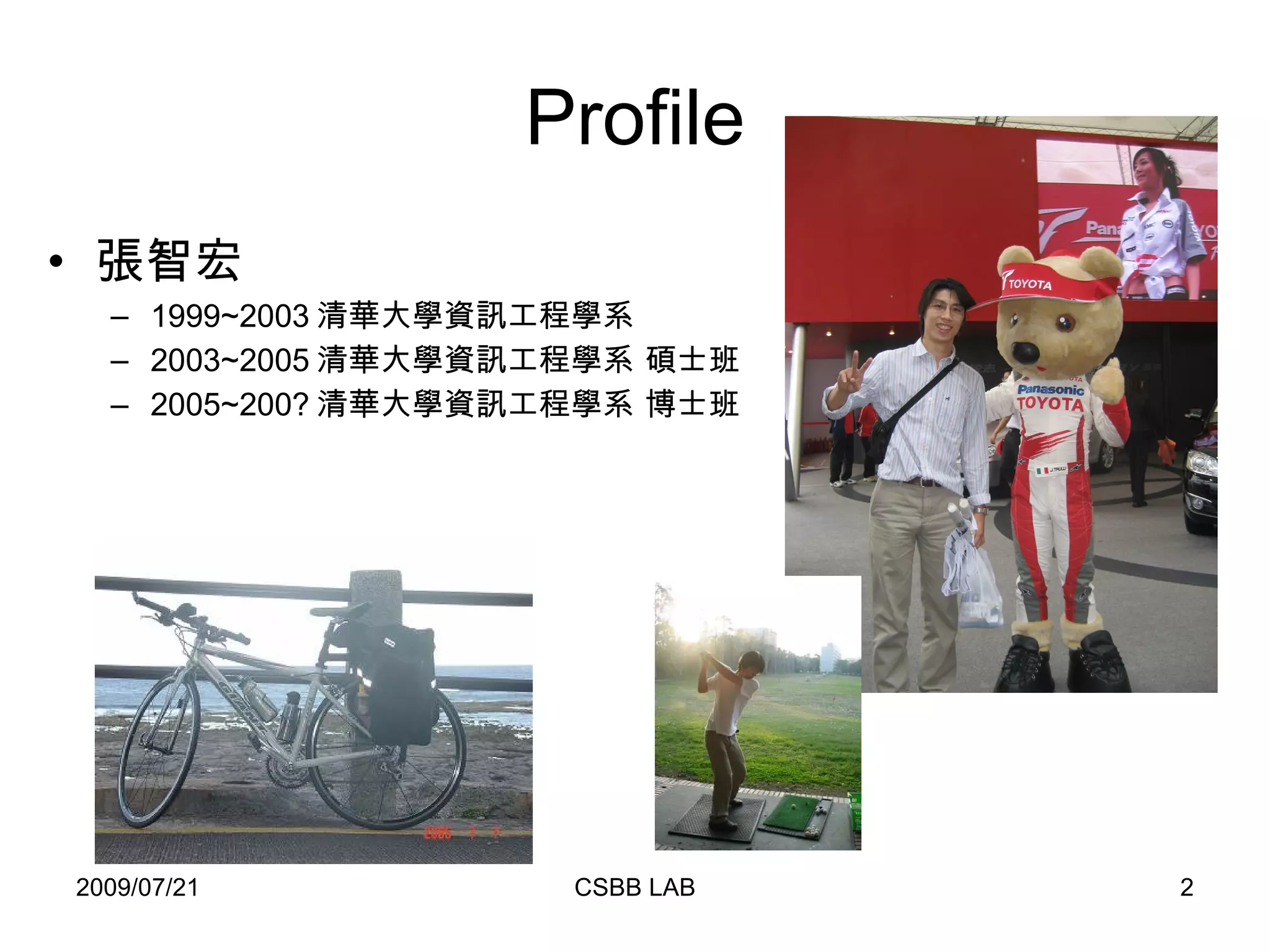
Profile 張智宏 1999~2003 清華大學資訊工程學系 2003~2005 清華大學資訊工程學系 碩士班 2005~200? 清華大學資訊工程學系 博士班
大綱 PHP 簡介 語法 HTML 基本架構 利用 PHP 接收表單 MySQL 利用 PHP 連結 MySQL SQL 語法
 
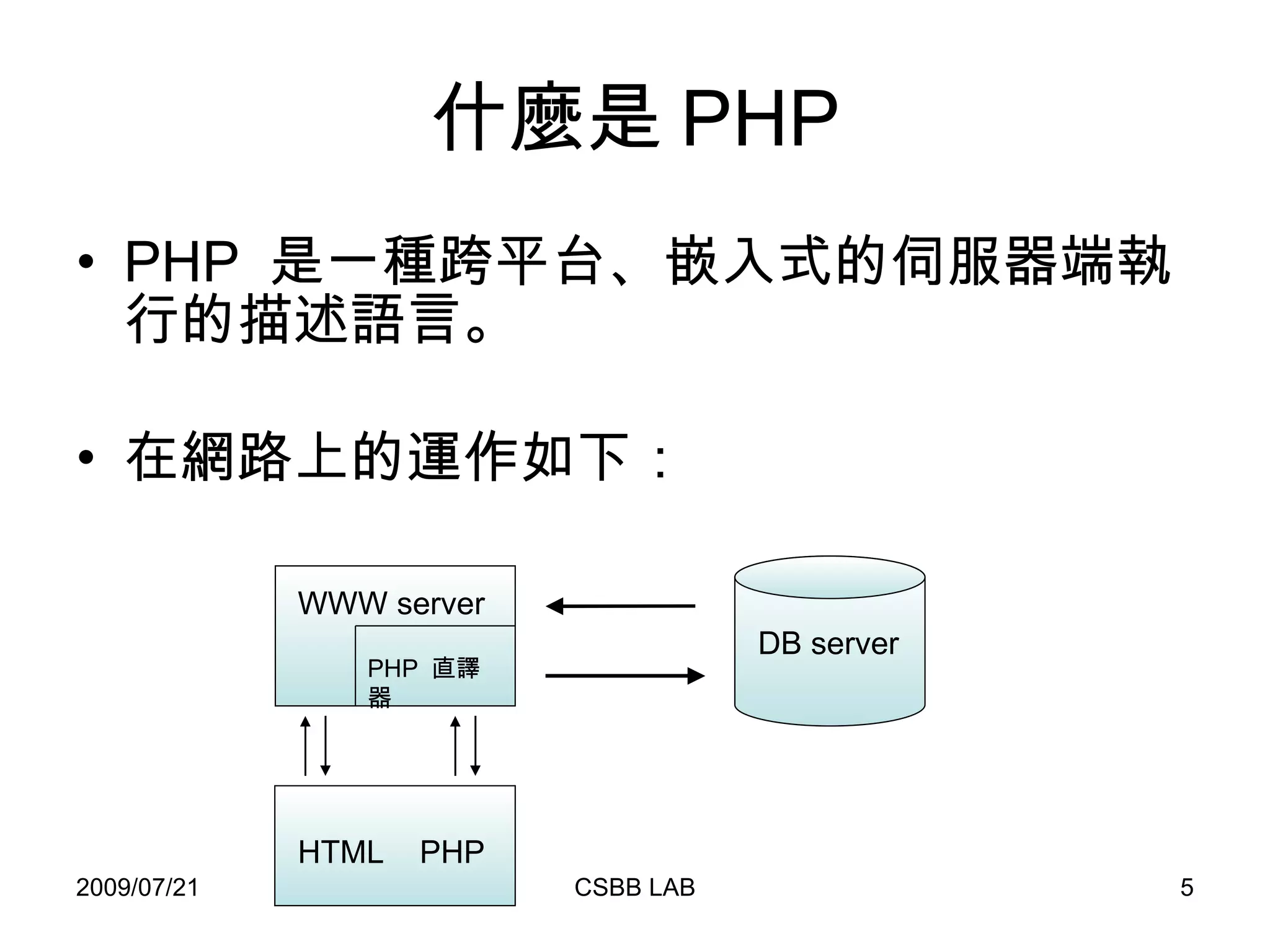
什麼是 PHP PHP  是一種跨平台、嵌入式的伺服器端執行的描述語言。 在網路上的運作如下: WWW server HTML  PHP DB server PHP  直譯器
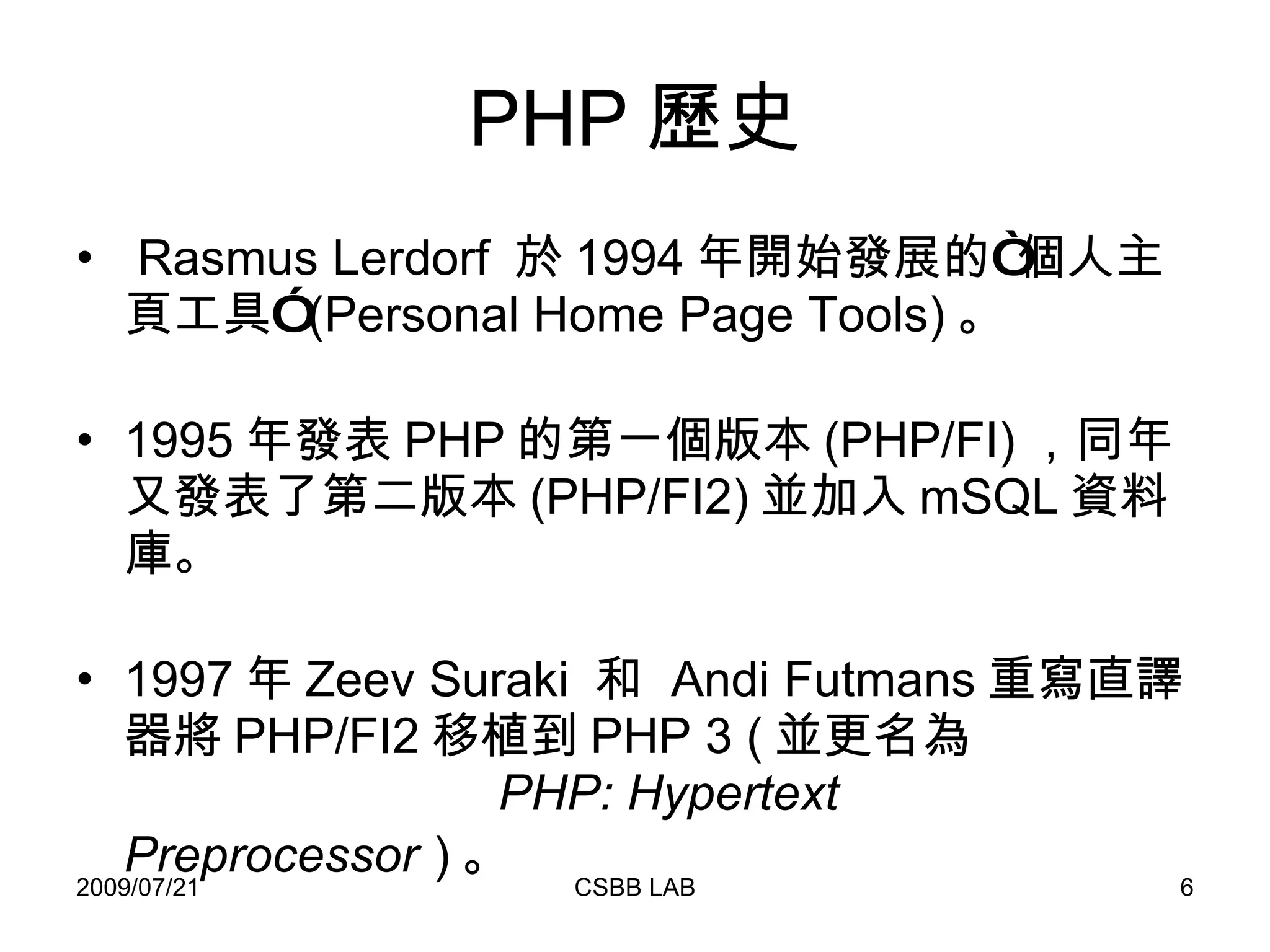
PHP 歷史 Rasmus Lerdorf  於 1994 年開始發展的“個人主頁工具” (Personal Home Page Tools) 。 1995 年發表 PHP 的第一個版本 (PHP/FI) ,同年又發表了第二版本 (PHP/FI2) 並加入 mSQL 資料庫。 1997 年 Zeev Suraki  和  Andi Futmans 重寫直譯器將 PHP/FI2 移植到 PHP 3 ( 並更名為   PHP: Hypertext Preprocessor   ) 。
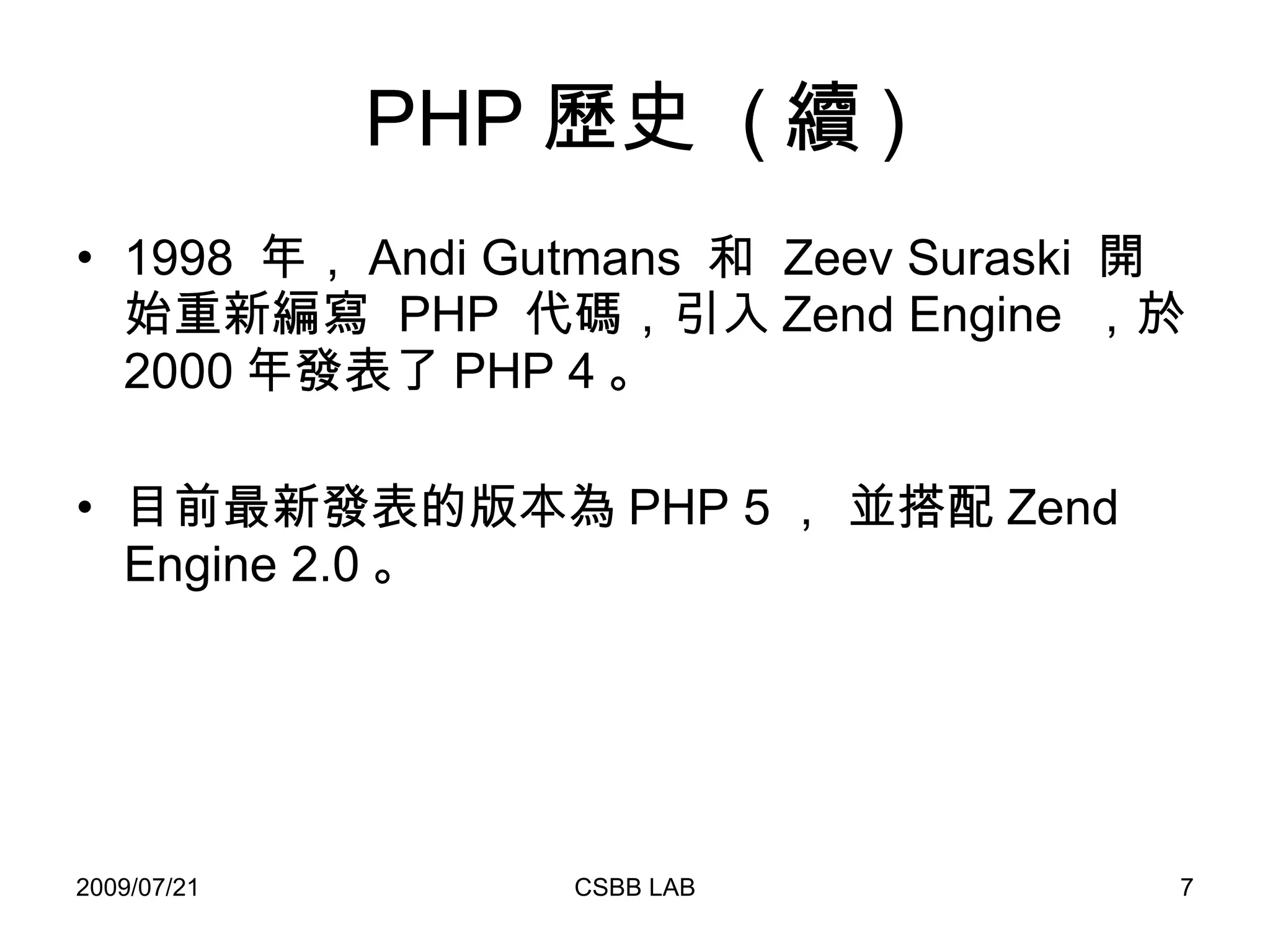
PHP 歷史  ( 續 ) 1998  年, Andi Gutmans  和  Zeev Suraski  開始重新編寫  PHP  代碼,引入 Zend Engine  ,於 2000 年發表了 PHP 4 。  目前最新發表的版本為 PHP 5 , 並搭配 Zend Engine 2.0 。
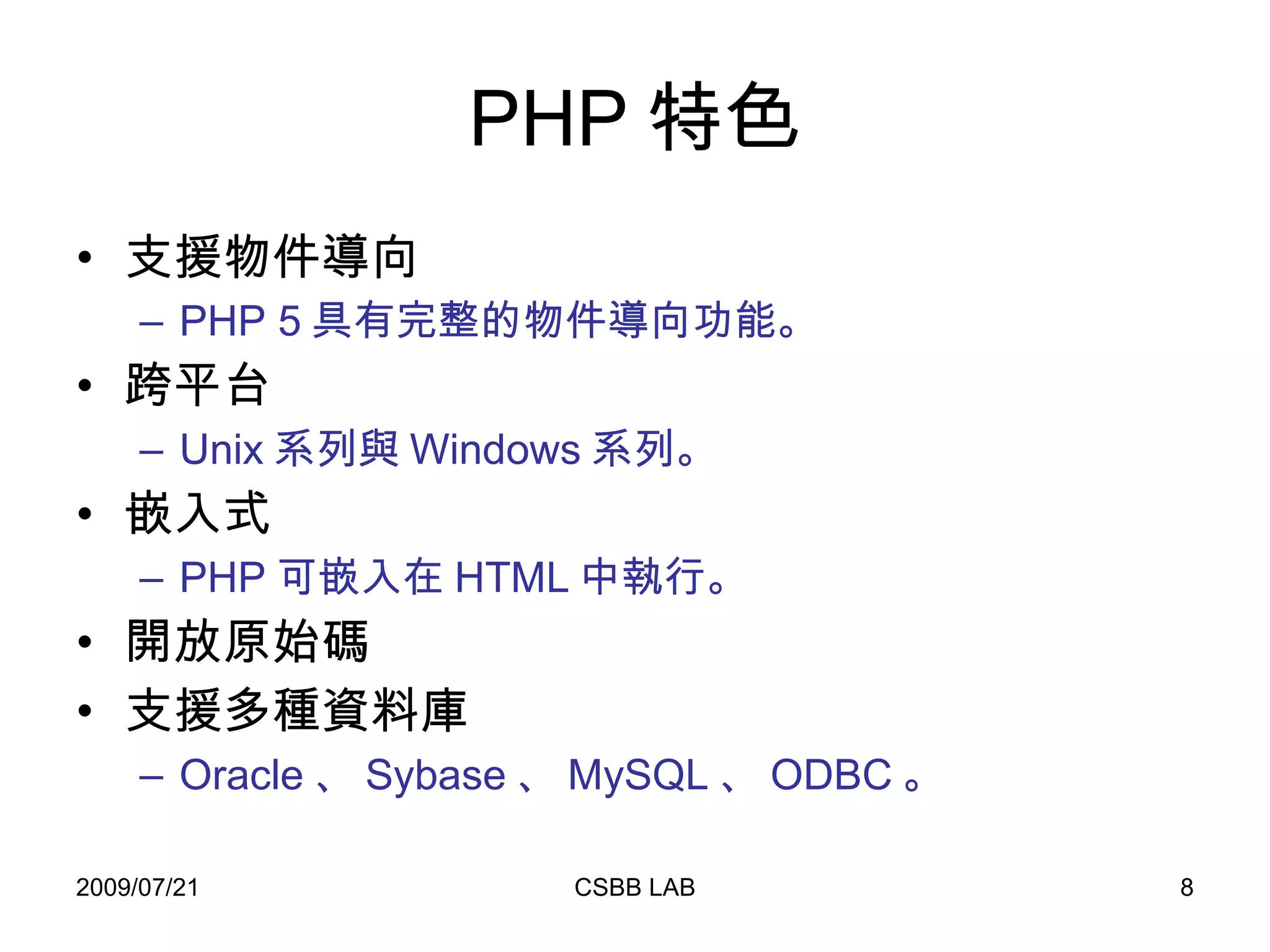
PHP 特色 支援物件導向 PHP 5 具有完整的物件導向功能。 跨平台 Unix 系列與 Windows 系列。 嵌入式 PHP 可嵌入在 HTML 中執行。 開放原始碼 支援多種資料庫 Oracle 、 Sybase 、 MySQL 、 ODBC 。
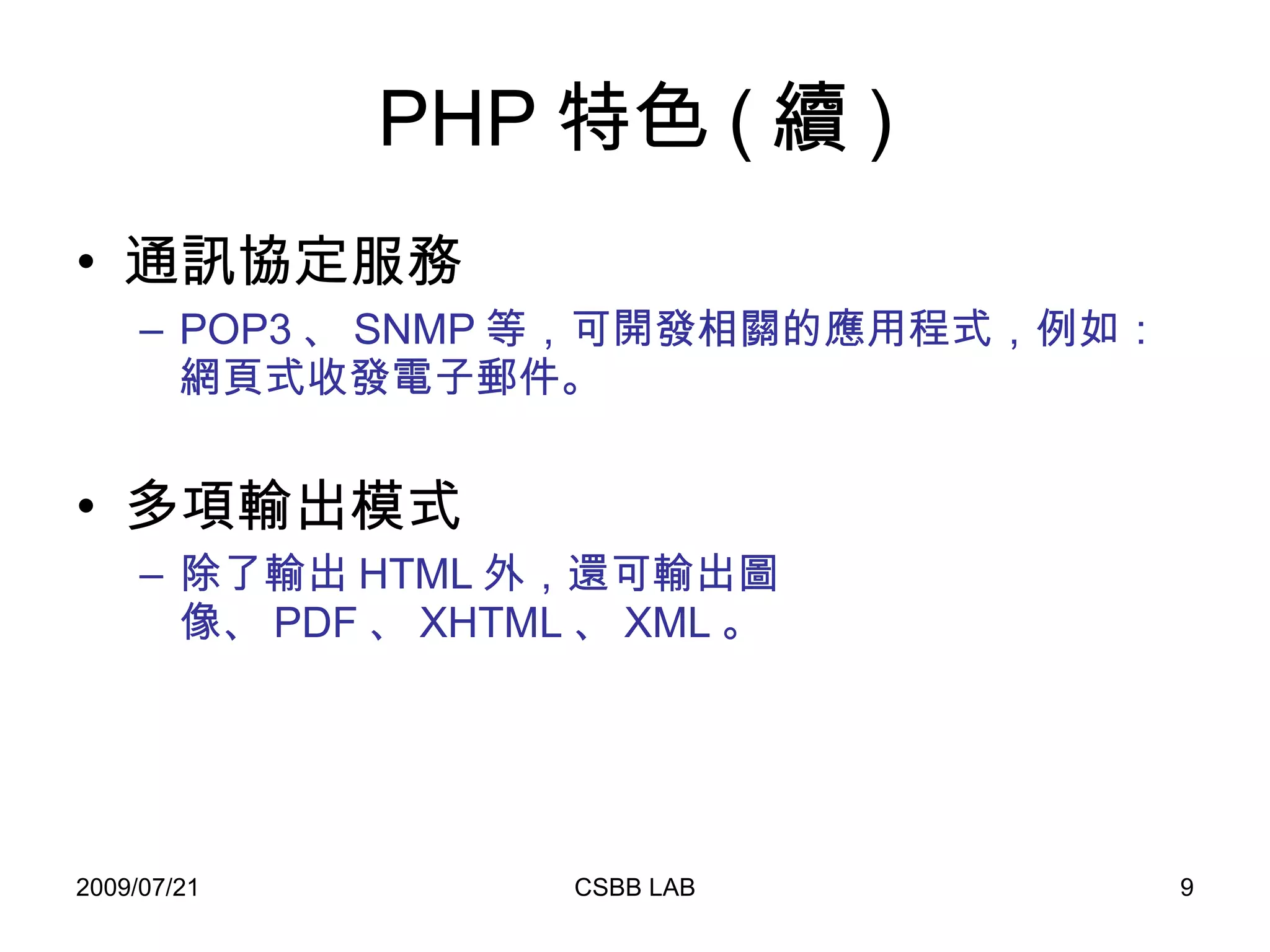
PHP 特色 ( 續 ) 通訊協定服務 POP3 、 SNMP 等,可開發相關的應用程式,例如:網頁式收發電子郵件。 多項輸出模式 除了輸出 HTML 外,還可輸出圖像、 PDF 、 XHTML 、 XML 。
PHP  安裝 至 PHP 官方網站 (http://www.php.net) ,下載適合的版本,並依照其指示進行安裝。 懶人安裝法 –    至 Appserv 官方網站下載適合的 AppServ ( http://www.appservnetwork.com ) 。 可以快速一併安裝 Apache 、 MySQL 與 phpMyAdmin 。 Apache 、 PHP 、 MySQL 是架設網站最常見的搭配。
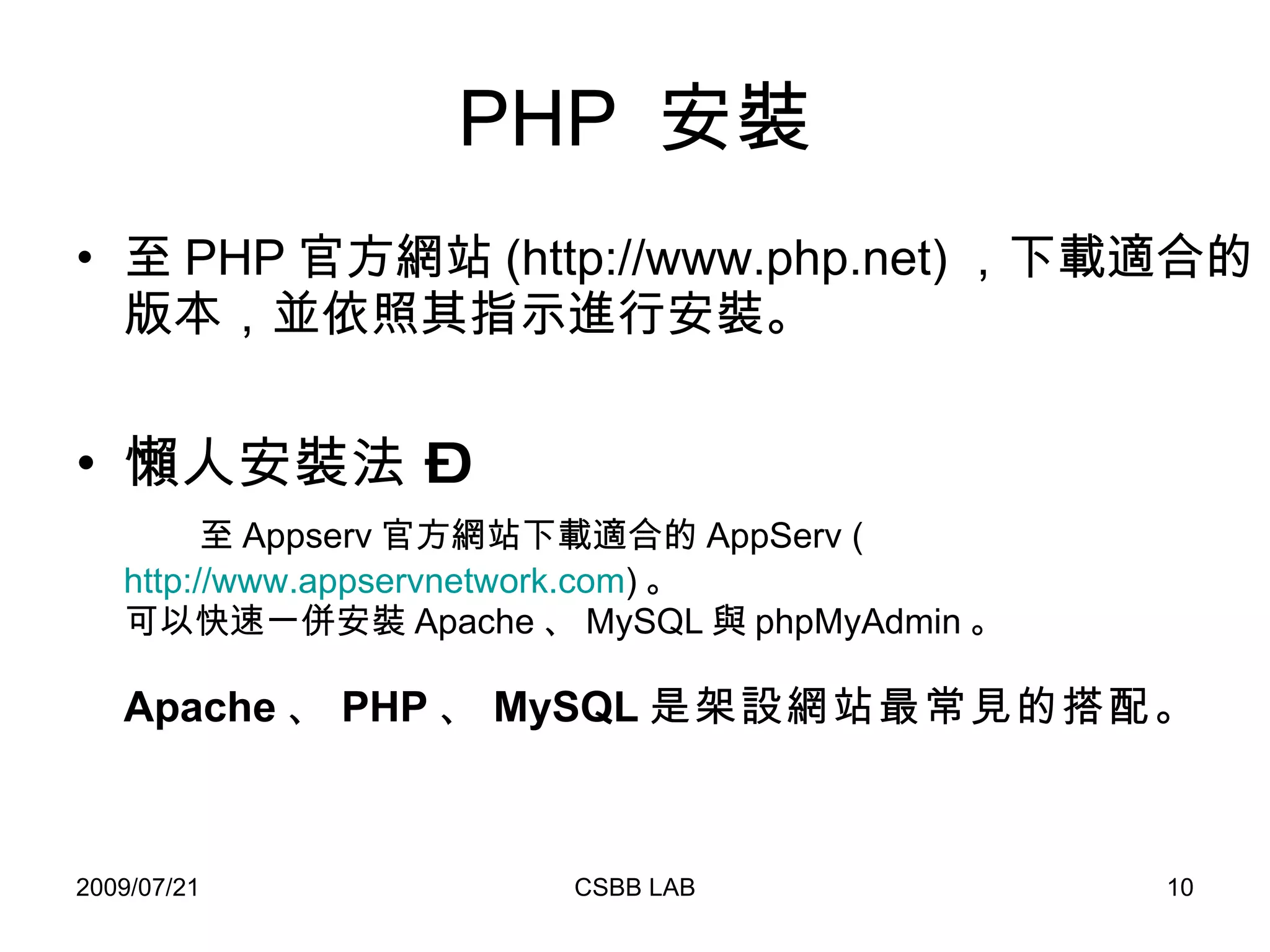
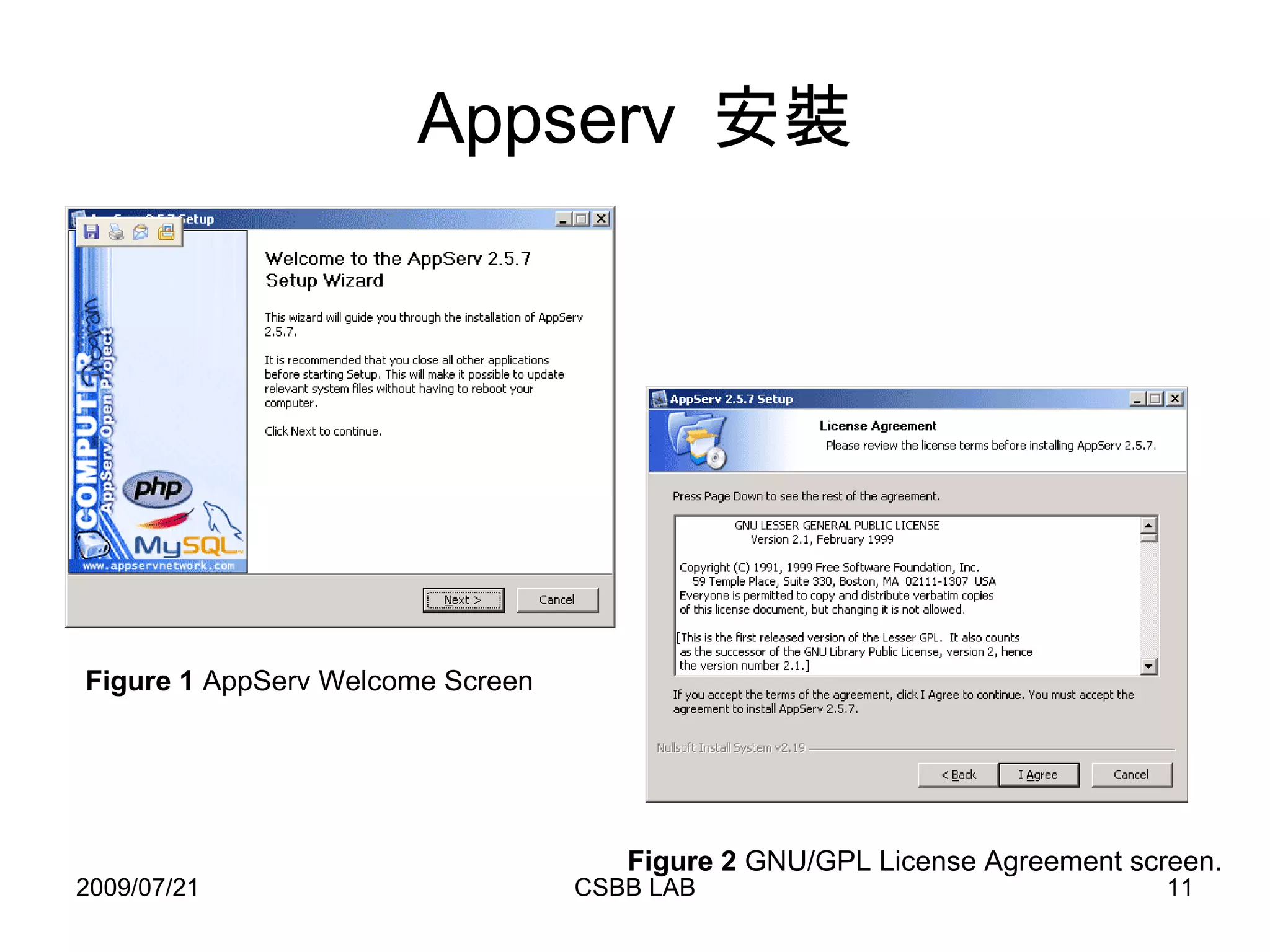
Appserv  安裝 Figure 2  GNU/GPL License Agreement screen.   Figure 1  AppServ Welcome Screen
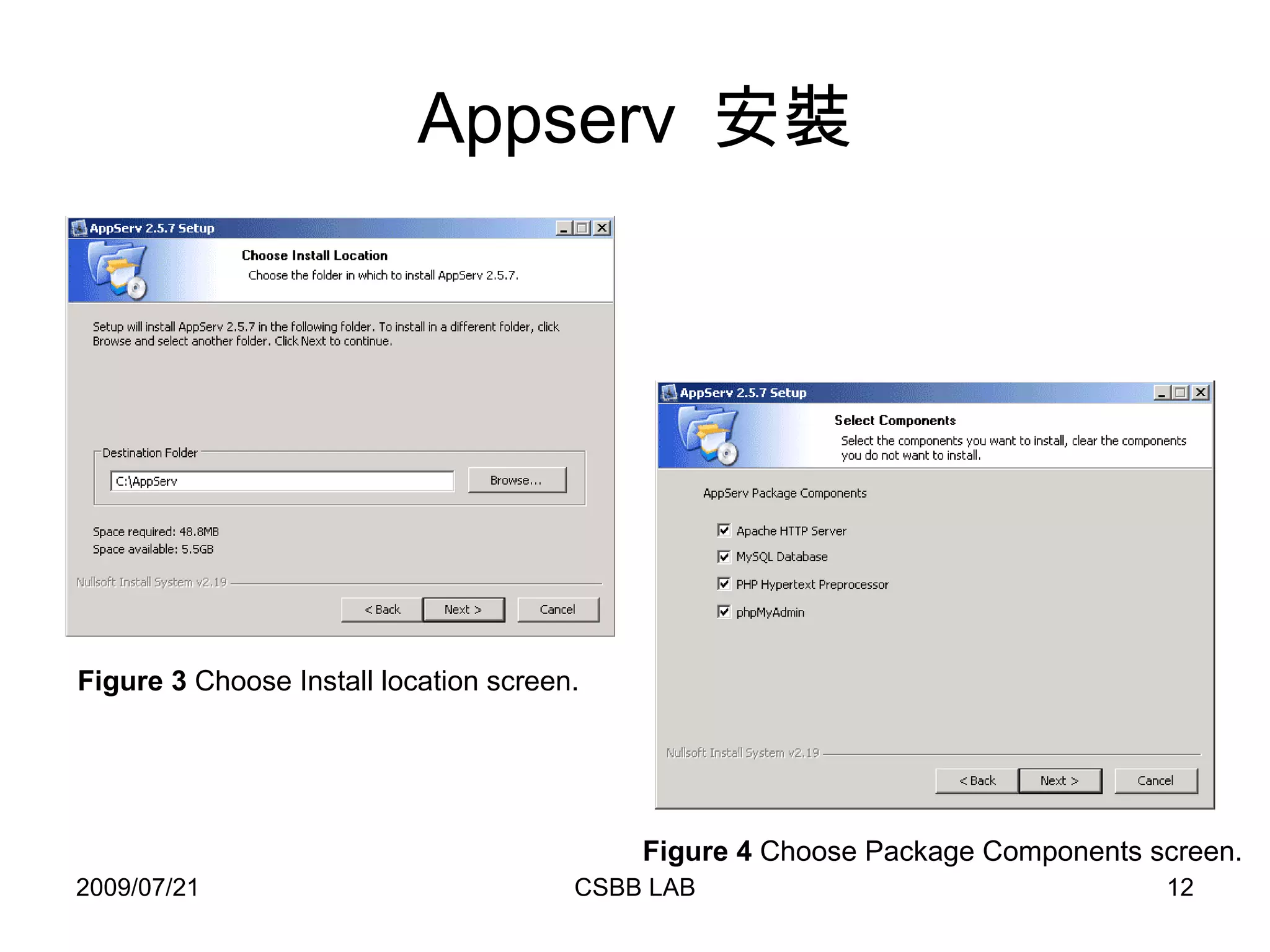
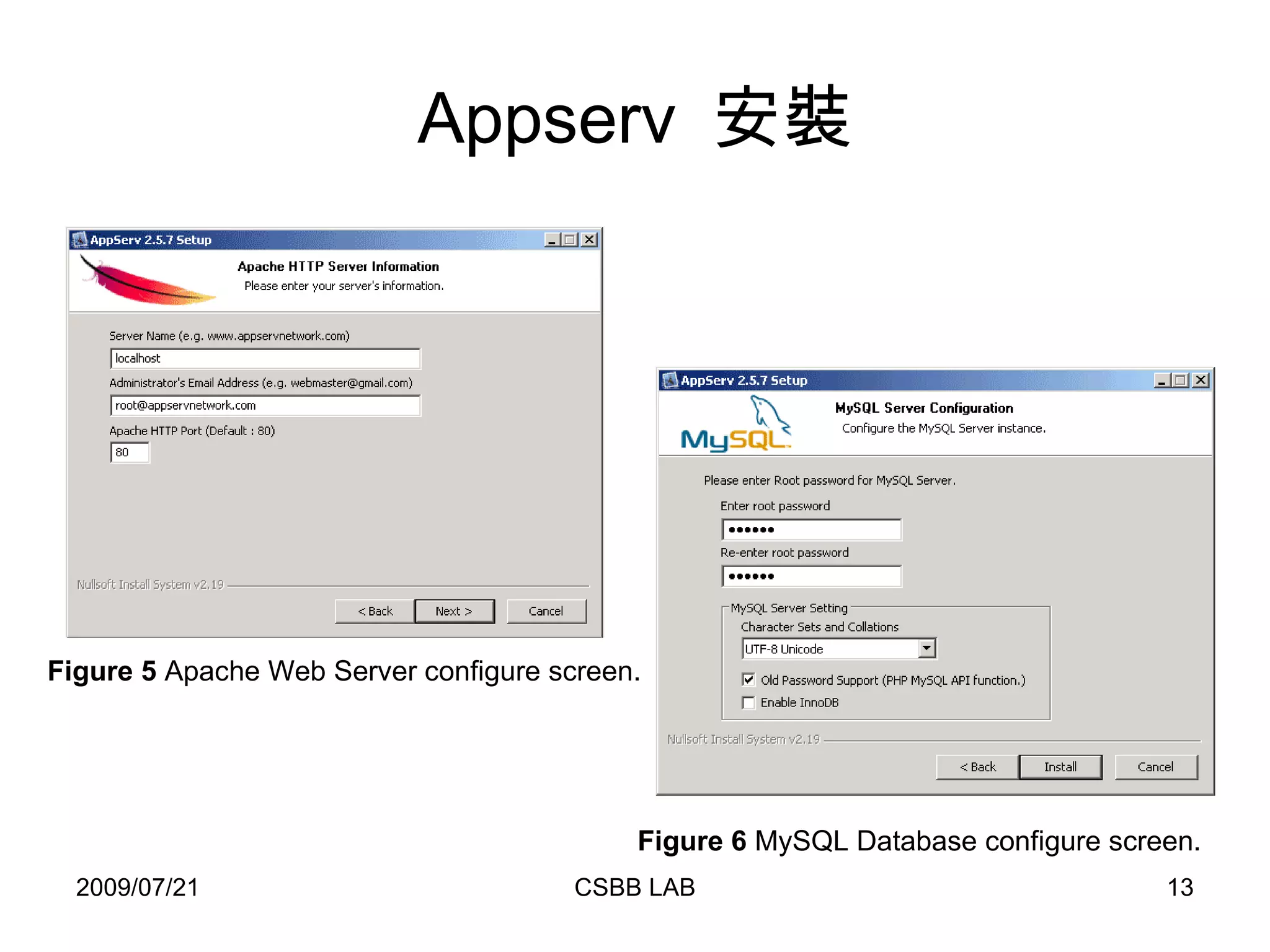
Appserv  安裝 Figure 3  Choose Install location screen.  Figure 4  Choose Package Components screen.
Appserv  安裝 Figure 5  Apache Web Server configure screen.  Figure 6  MySQL Database configure screen.
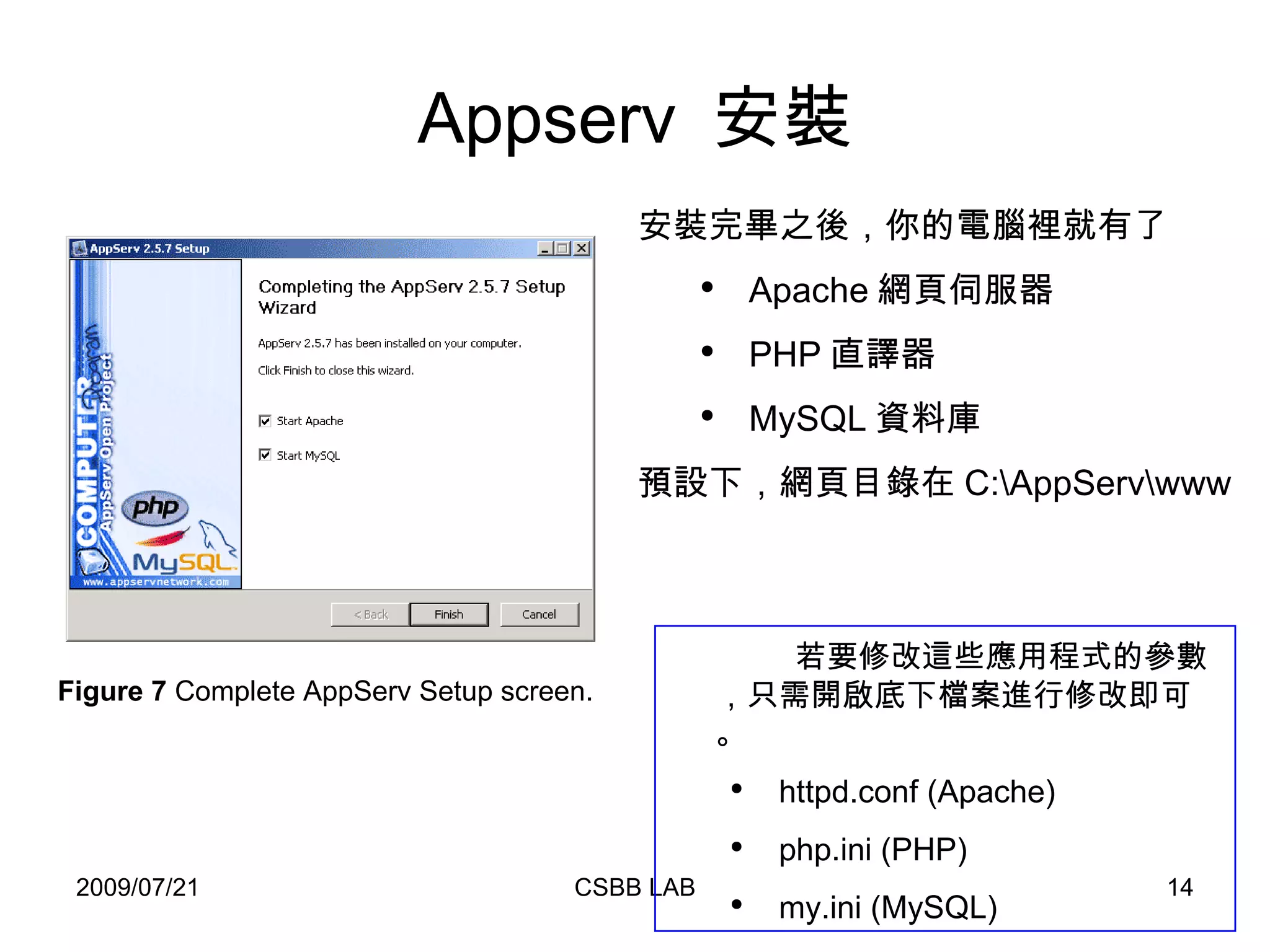
Appserv  安裝 Figure 7  Complete AppServ Setup screen.  安裝完畢之後,你的電腦裡就有了 Apache 網頁伺服器 PHP 直譯器 MySQL 資料庫 預設下,網頁目錄在 C:\AppServ\www 若要修改這些應用程式的參數,只需開啟底下檔案進行修改即可。 httpd.conf (Apache) php.ini (PHP) my.ini (MySQL)
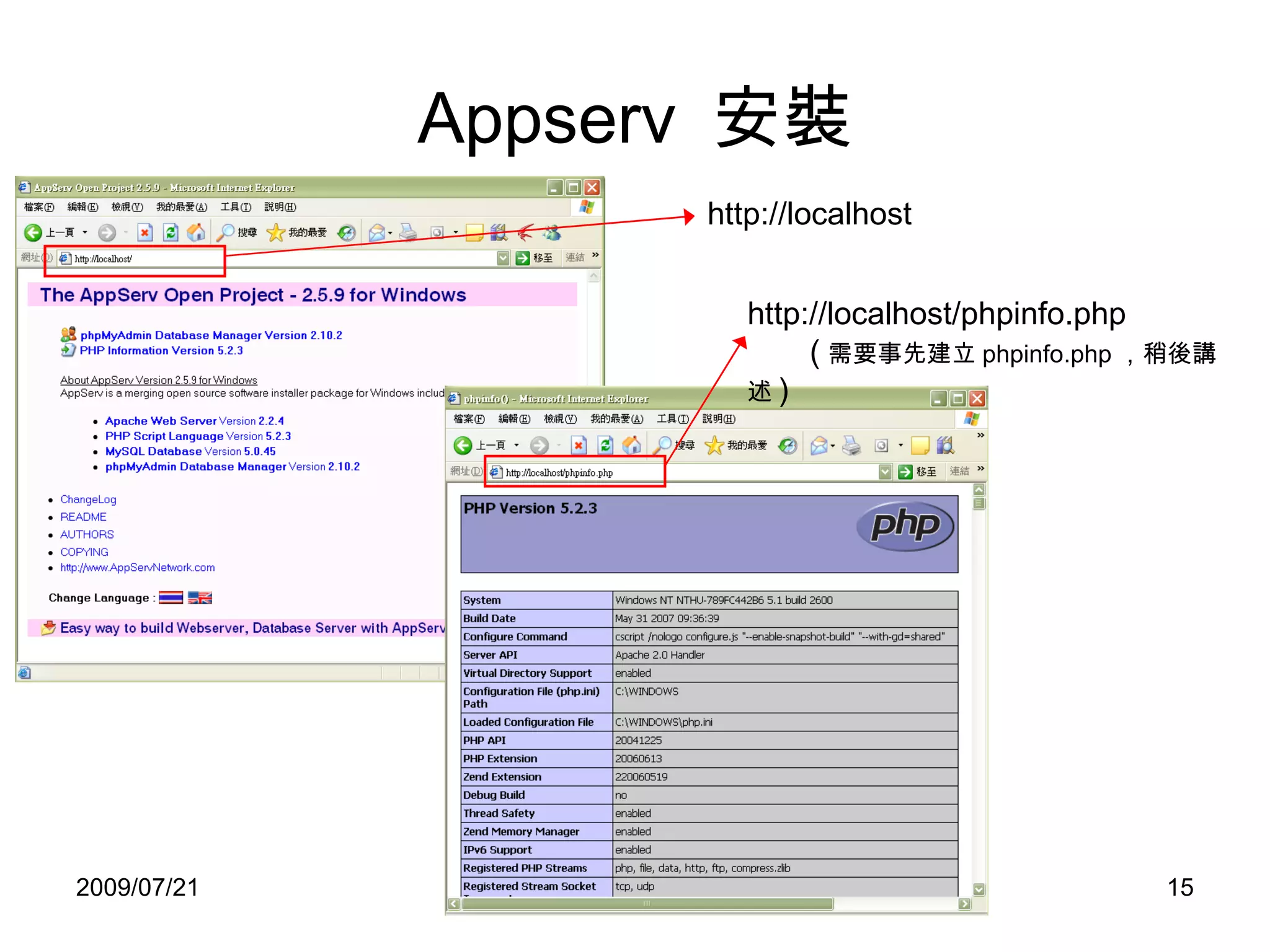
Appserv  安裝 http://localhost http://localhost/phpinfo.php   ( 需要事先建立 phpinfo.php , 稍後講述 )
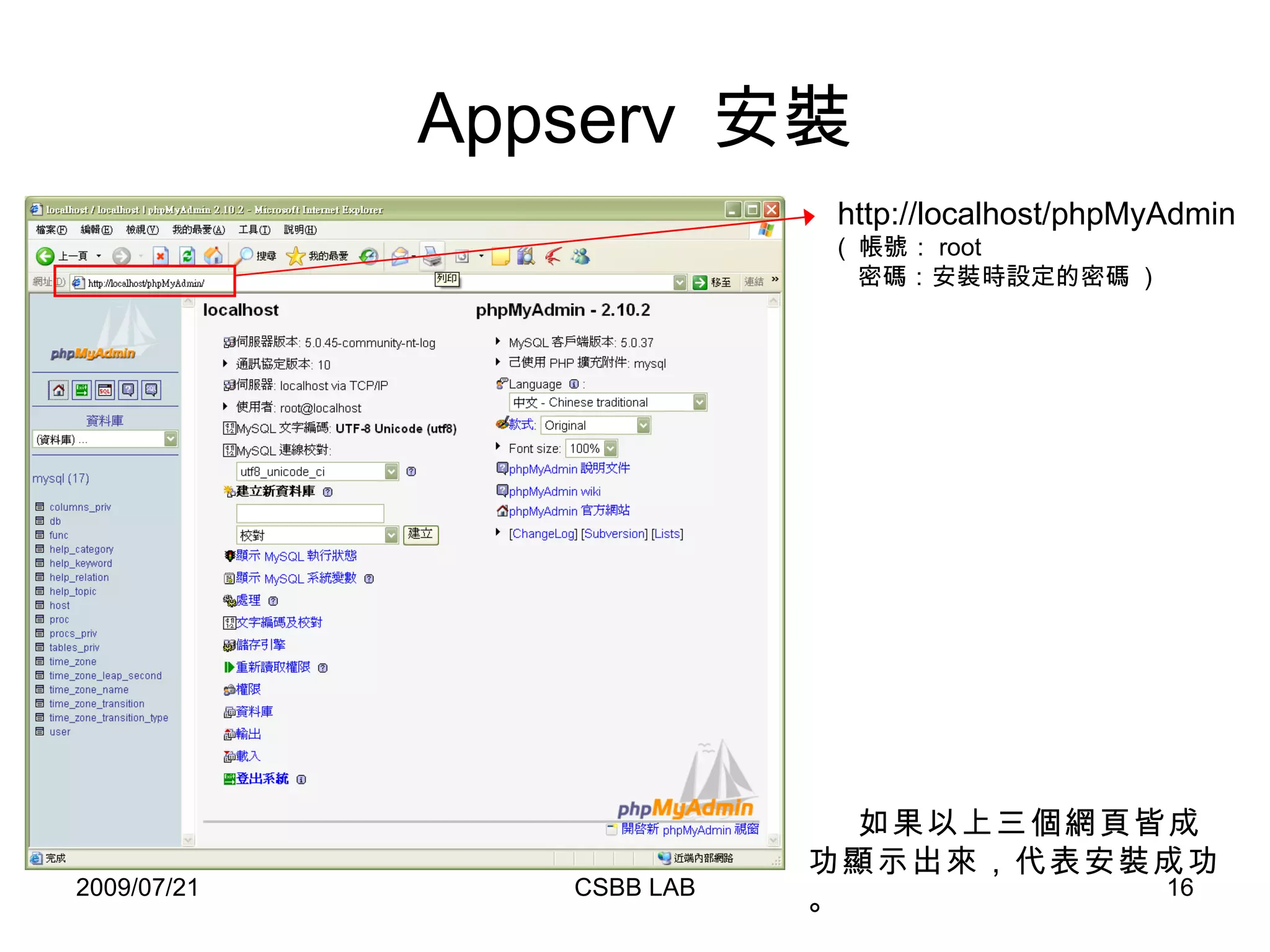
Appserv  安裝 http://localhost/phpMyAdmin (  帳號: root    密碼: 安裝時設定的密碼  ) 如果以上三個網頁皆成功顯示出來,代表安裝成功。
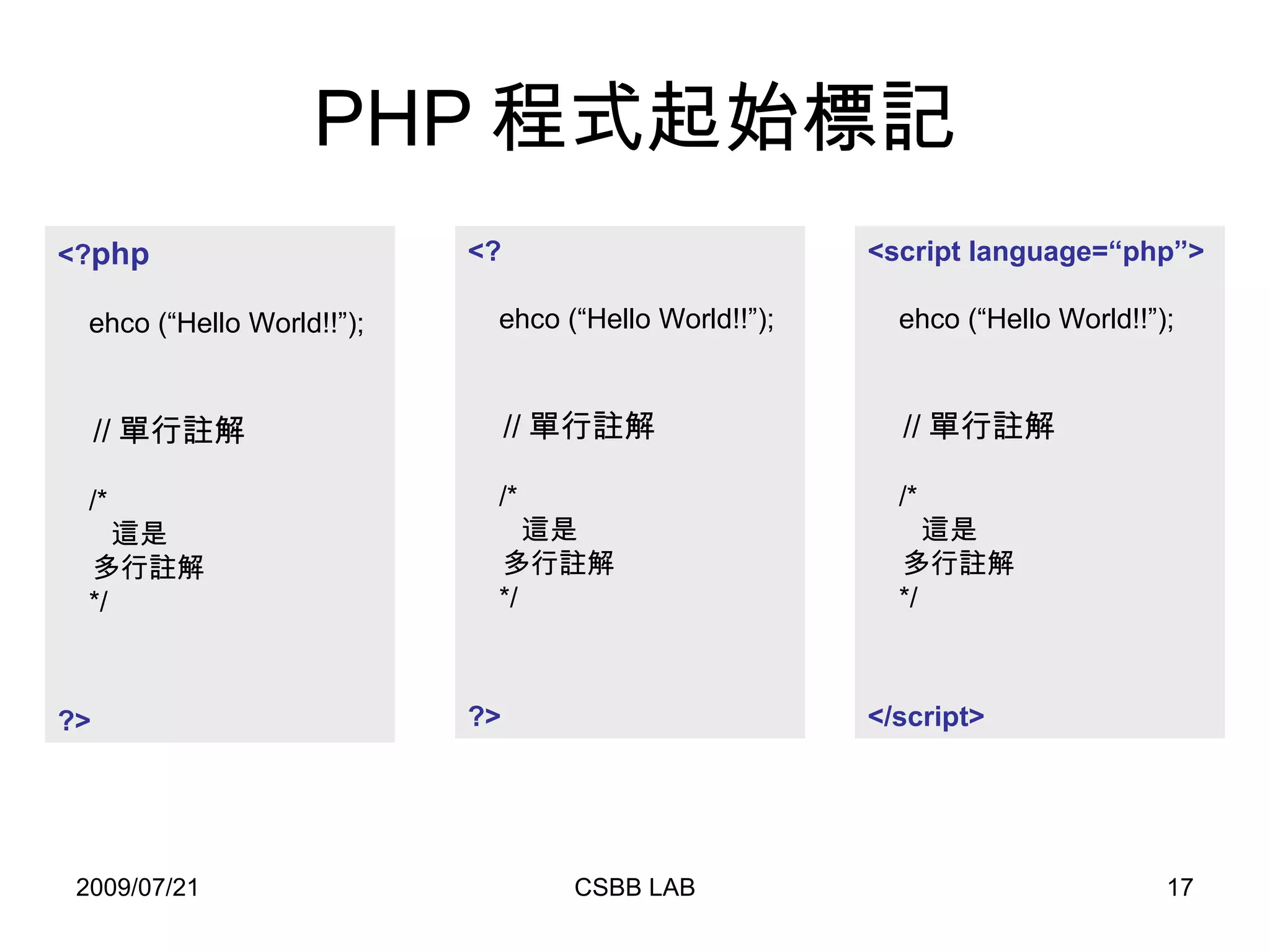
PHP 程式起始標記 <? php ehco (“Hello World!!”);   // 單行註解 /* 這是 多行註解 */ ?> <? ehco (“Hello World!!”);   // 單行註解 /* 這是 多行註解 */ ?> <script language=“php”> ehco (“Hello World!!”);   // 單行註解 /* 這是 多行註解 */ </script>
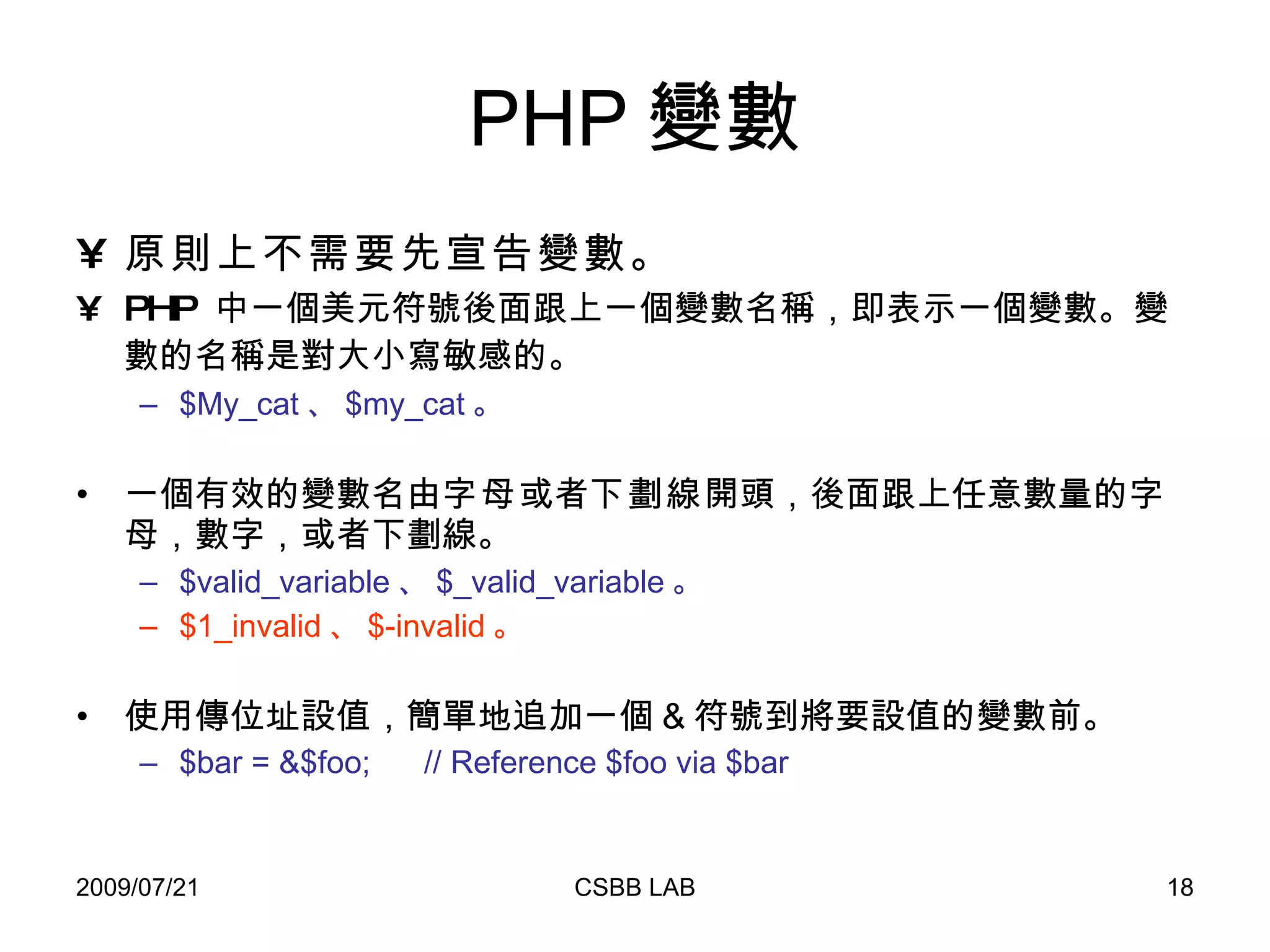
PHP 變數 原則上不需要先宣告變數。 PHP  中一個美元符號後面跟上一個變數名稱,即表示一個變數。 變數的名稱是對大小寫敏感的。   $My_cat 、 $my_cat 。 一個有效的變數名由 字母 或者 下劃線 開頭,後面跟上任意數量的字母,數字,或者下劃線。 $valid_variable 、 $_valid_variable 。 $1_invalid 、 $-invalid 。 使用傳位址設值,簡單地追加一個 & 符號到將要設值的變數前。 $bar = &$foo;  // Reference $foo via $bar
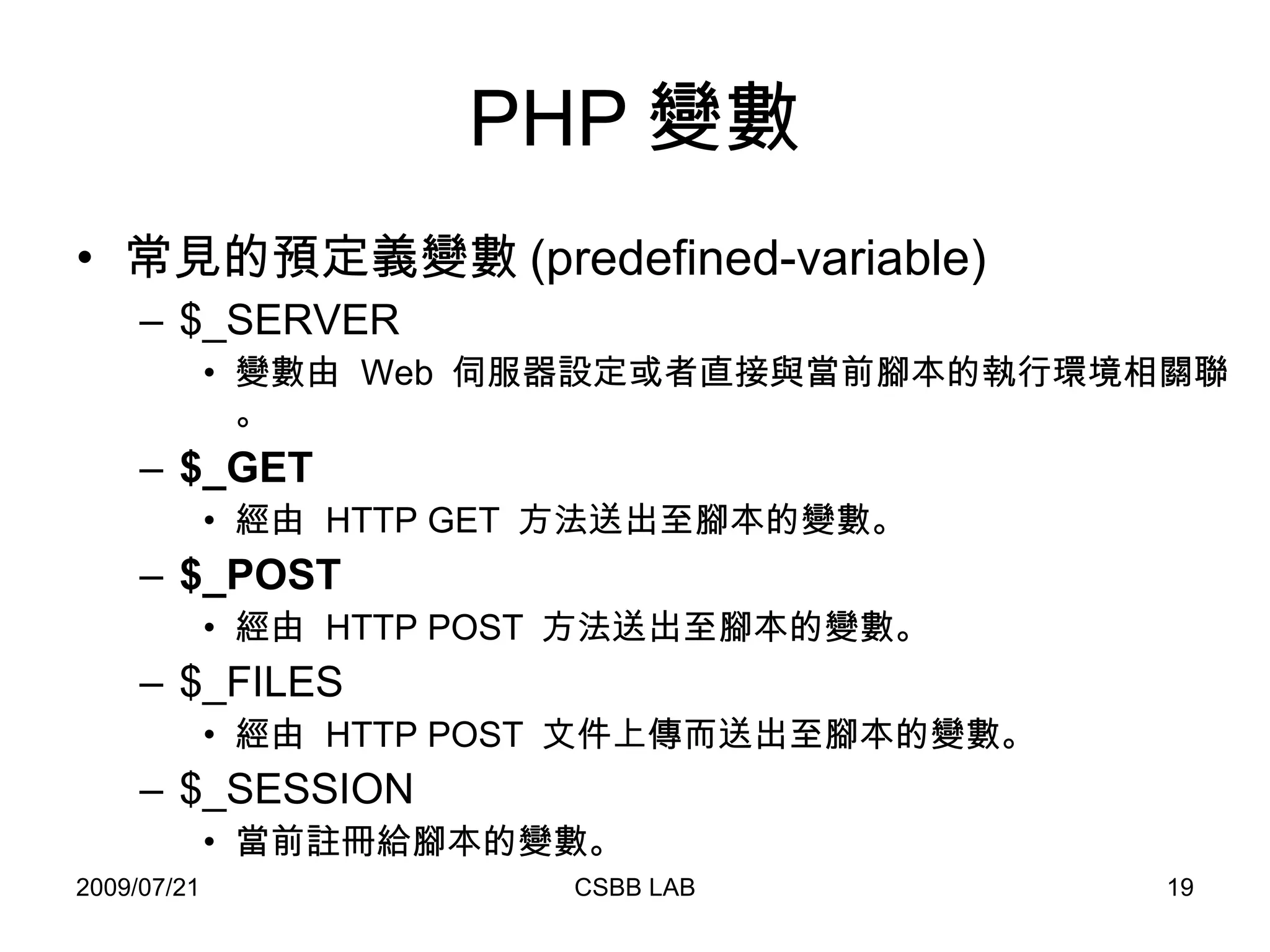
PHP 變數 常見的預定義變數 (predefined-variable) $_SERVER 變數由  Web  伺服器設定或者直接與當前腳本的執行環境相關聯。 $_GET 經由  HTTP GET  方法送出至腳本的變數。 $_POST 經由  HTTP POST  方法送出至腳本的變數。  $_FILES  經由  HTTP POST  文件上傳而送出至腳本的變數。 $_SESSION 當前註冊給腳本的變數。
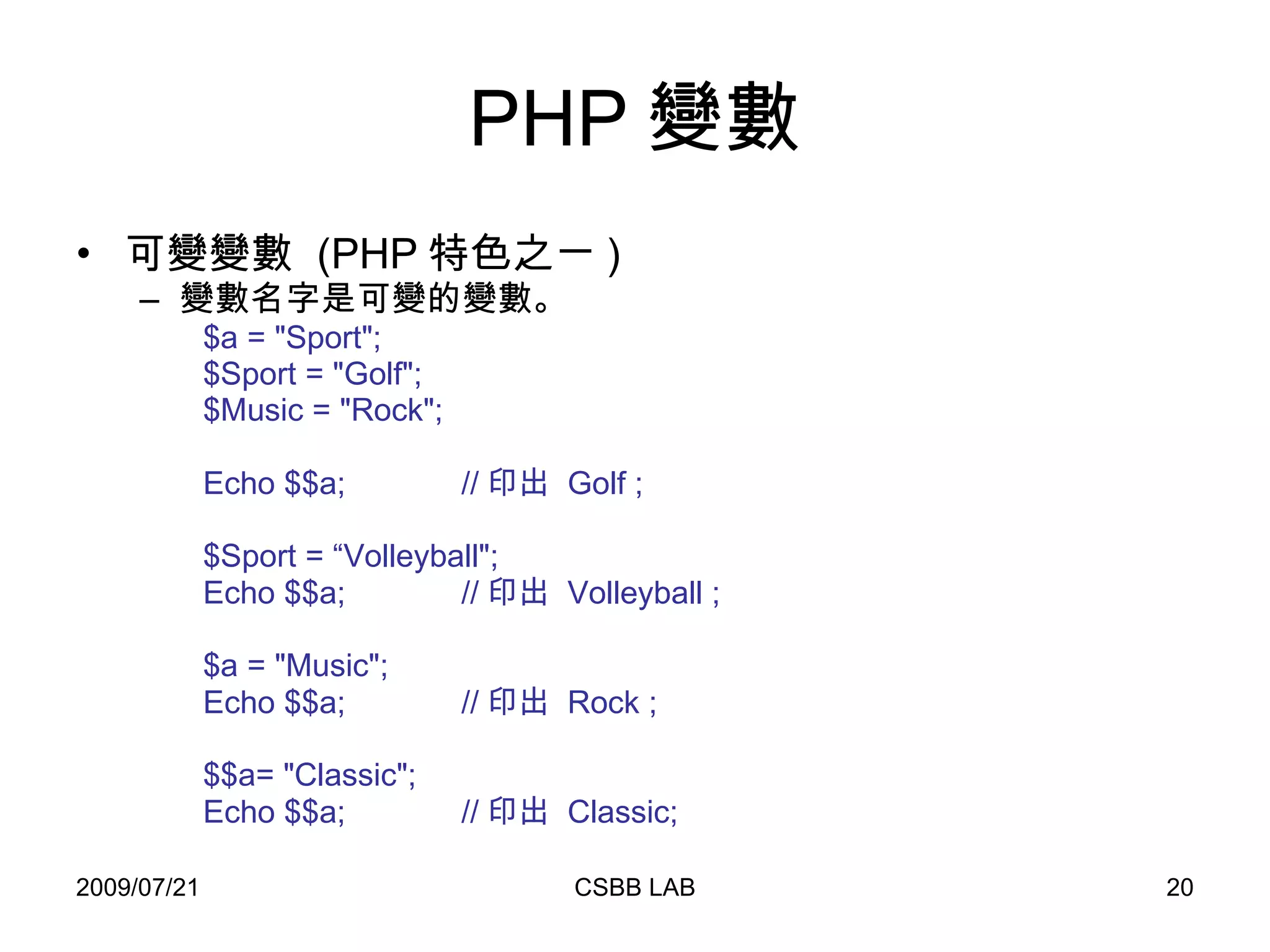
PHP 變數 可變變數  (PHP 特色之ㄧ ) 變數名字是可變的變數。 $a = &quot;Sport&quot;; $Sport = &quot;Golf&quot;; $Music = &quot;Rock&quot;; Echo $$a;  // 印出  Golf ; $Sport = “Volleyball&quot;; Echo $$a;  // 印出  Volleyball ; $a = &quot;Music&quot;; Echo $$a;  // 印出  Rock ; $$a= &quot;Classic&quot;; Echo $$a;  // 印出  Classic;
PHP 資料型態 Boolean Integer Float String NULL Array Object
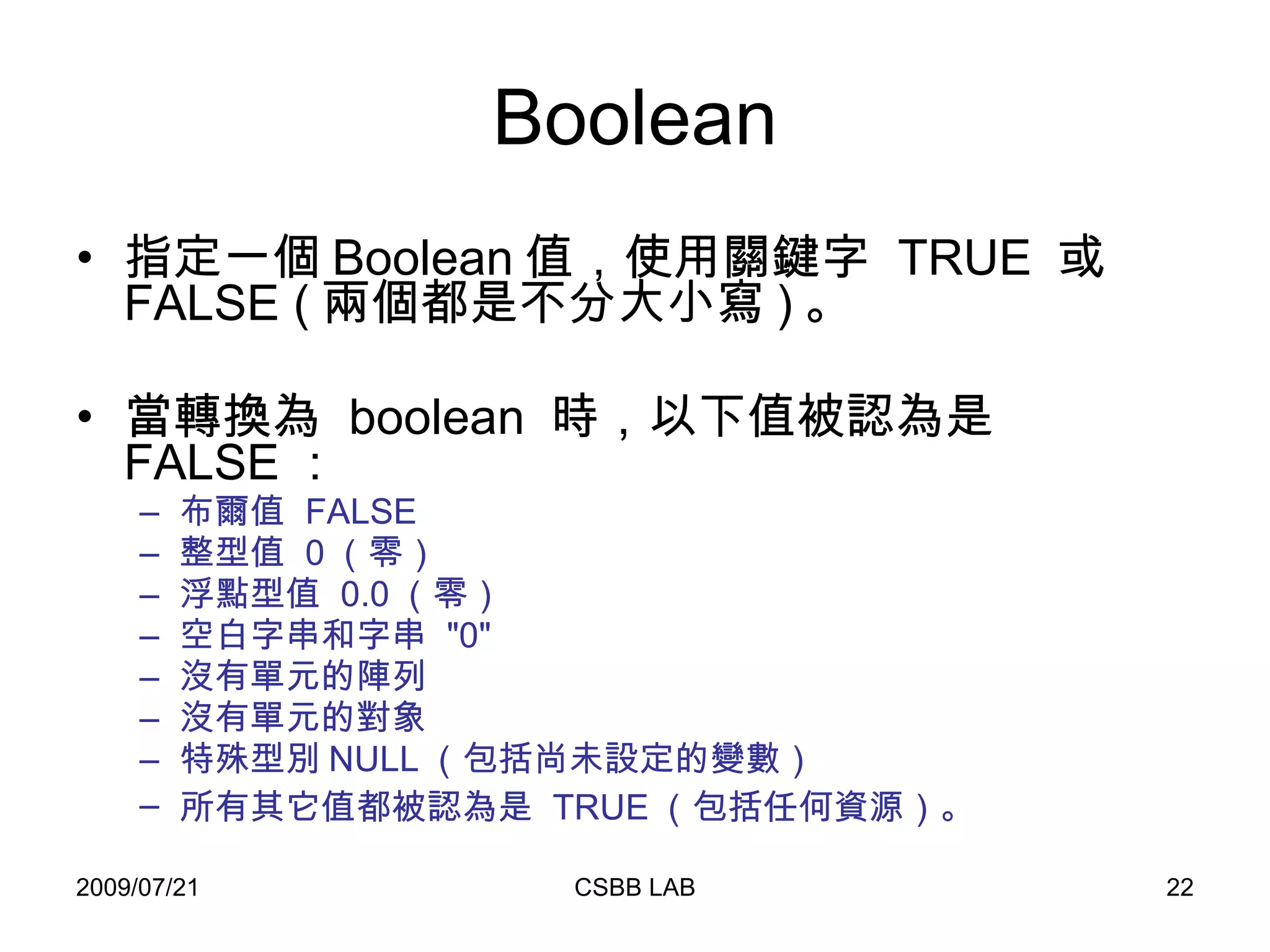
Boolean 指定一個 Boolean 值,使用關鍵字  TRUE  或  FALSE ( 兩個都是不分大小寫 ) 。 當轉換為  boolean  時,以下值被認為是  FALSE :  布爾值  FALSE 整型值  0 (零) 浮點型值  0.0 (零) 空白字串和字串  &quot;0&quot; 沒有單元的陣列 沒有單元的對象 特殊型別 NULL (包括尚未設定的變數) 所有其它值都被認為是  TRUE (包括任何資源)。
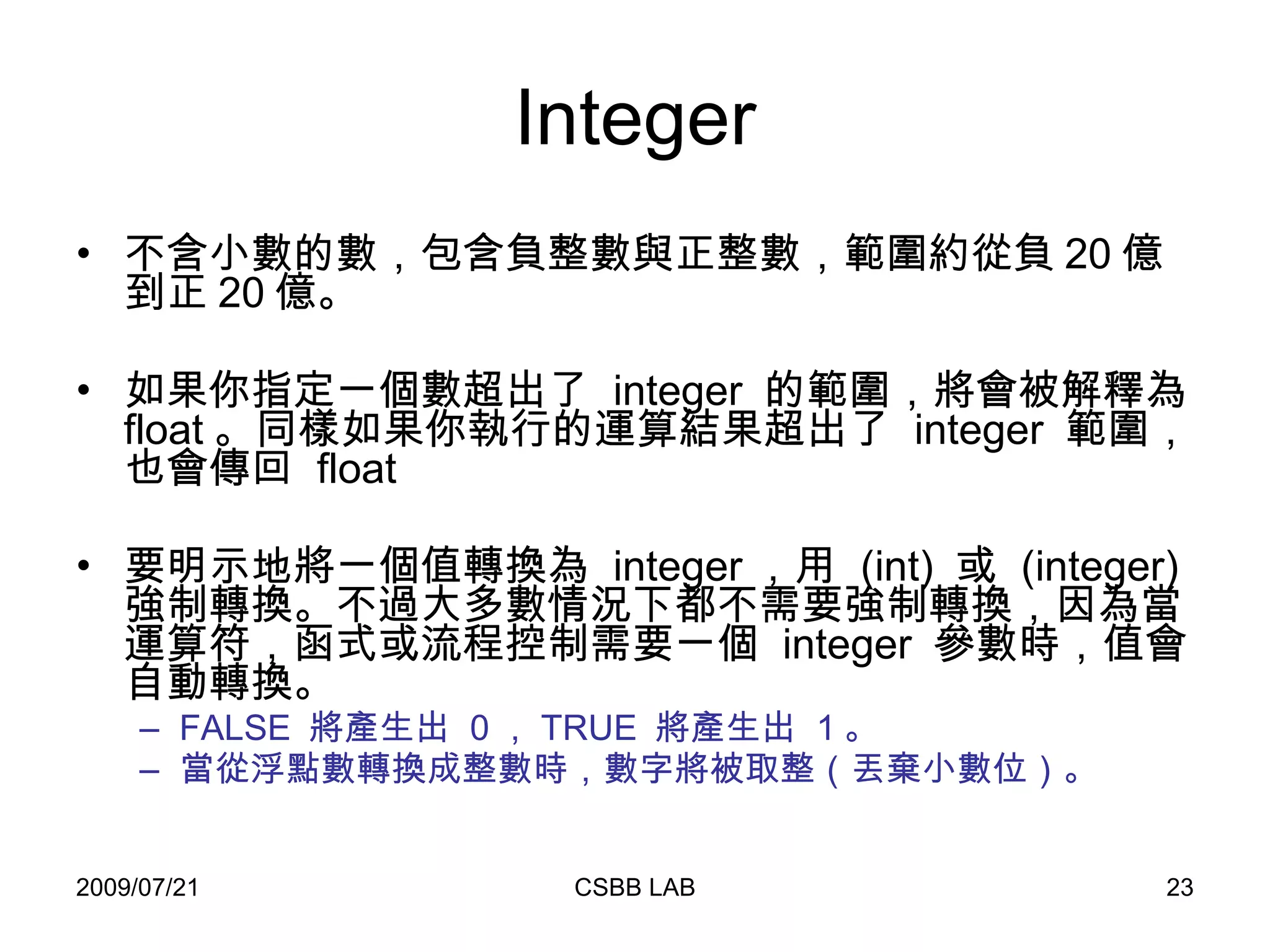
Integer 不含小數的數,包含負整數與正整數,範圍約從負 20 億到正 20 億。 如果你指定一個數超出了  integer  的範圍,將會被解釋為  float 。同樣如果你執行的運算結果超出了  integer  範圍,也會傳回  float 要明示地將一個值轉換為  integer ,用  (int)  或  (integer)  強制轉換。不過大多數情況下都不需要強制轉換,因為當運算符,函式或流程控制需要一個  integer  參數時,值會自動轉換。  FALSE  將產生出  0 , TRUE  將產生出  1 。  當從浮點數轉換成整數時,數字將被取整(丟棄小數位)。
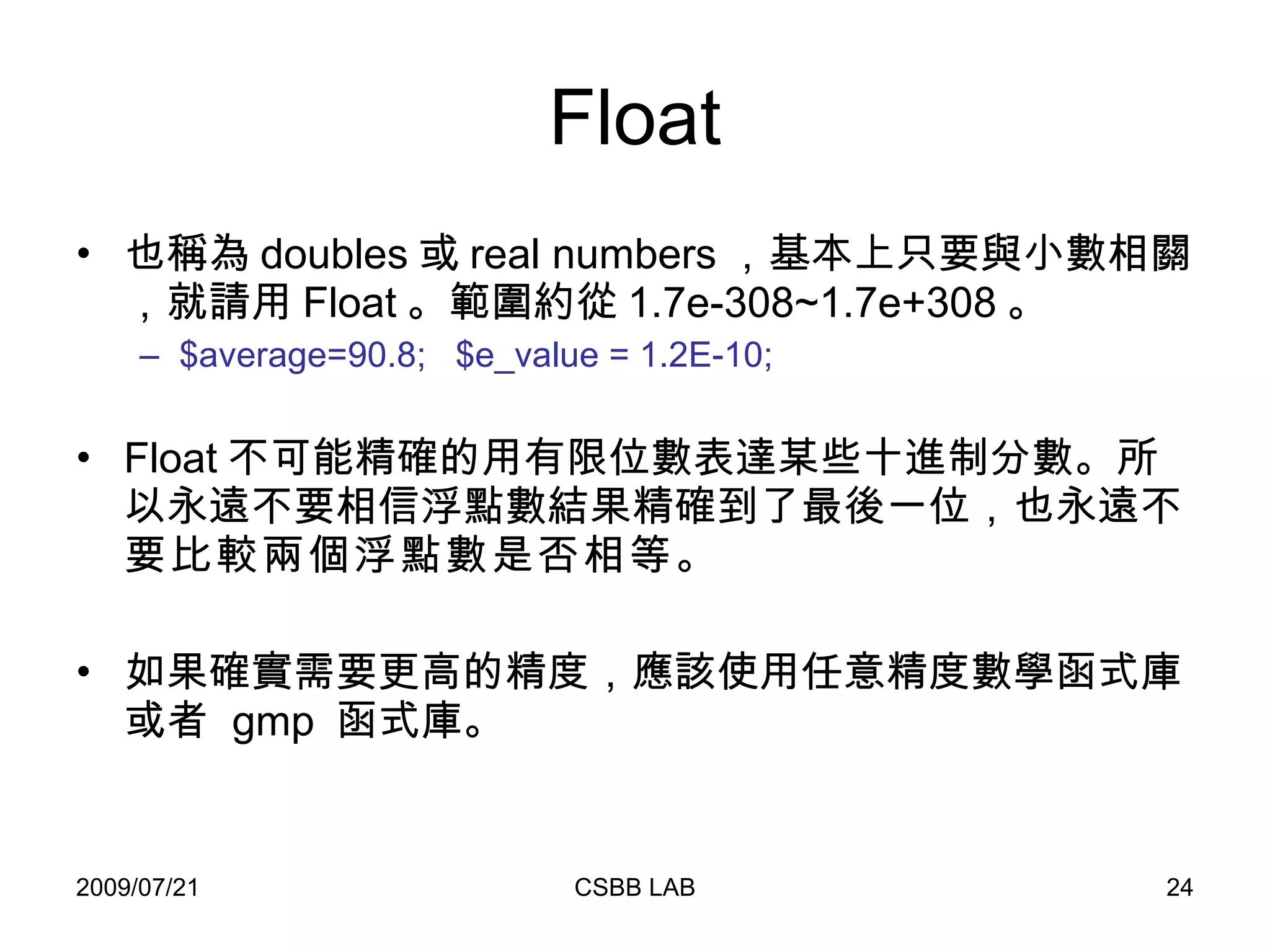
Float 也稱為 doubles 或 real numbers ,基本上只要與小數相關,就請用 Float 。範圍約從 1.7e-308~1.7e+308 。 $average=90.8;  $e_value = 1.2E-10;   Float 不可能精確的用有限位數表達某些十進制分數。所以永遠不要相信浮點數結果精確到了最後一位,也永遠 不要比較兩個浮點數是否相等 。 如果確實需要更高的精度,應該使用任意精度數學函式庫或者  gmp  函式庫。
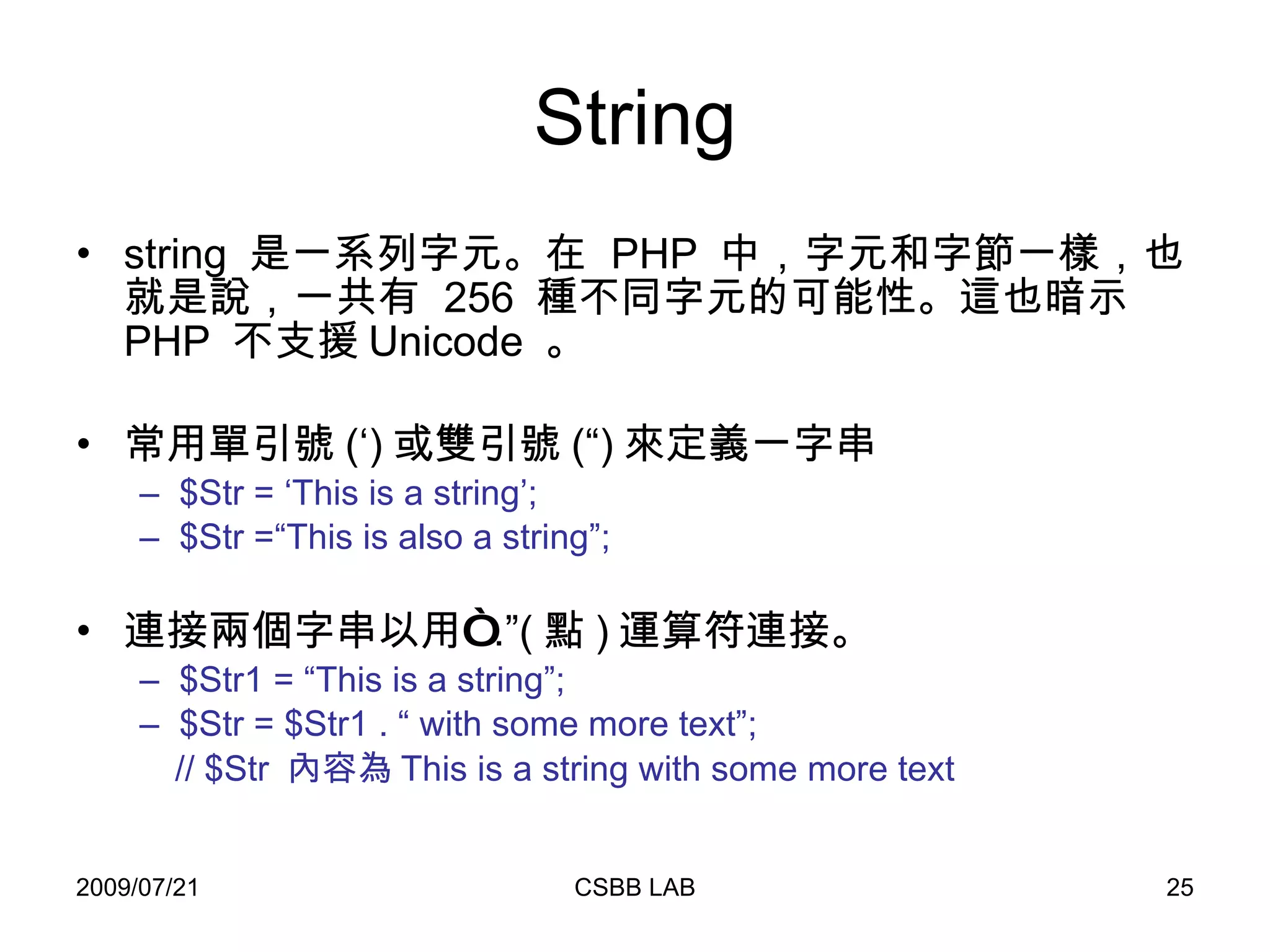
String string  是一系列字元。在  PHP  中,字元和字節一樣,也就是說,一共有  256  種不同字元的可能性。這也暗示  PHP  不支援 Unicode  。 常用單引號 (‘) 或雙引號 (“) 來定義一字串 $Str = ‘This is a string’; $Str =“This is also a string”; 連接兩個字串以用“ .”( 點 ) 運算符連接。 $Str1 = “This is a string”; $Str = $Str1 . “ with some more text”; // $Str  內容為 This is a string with some more text
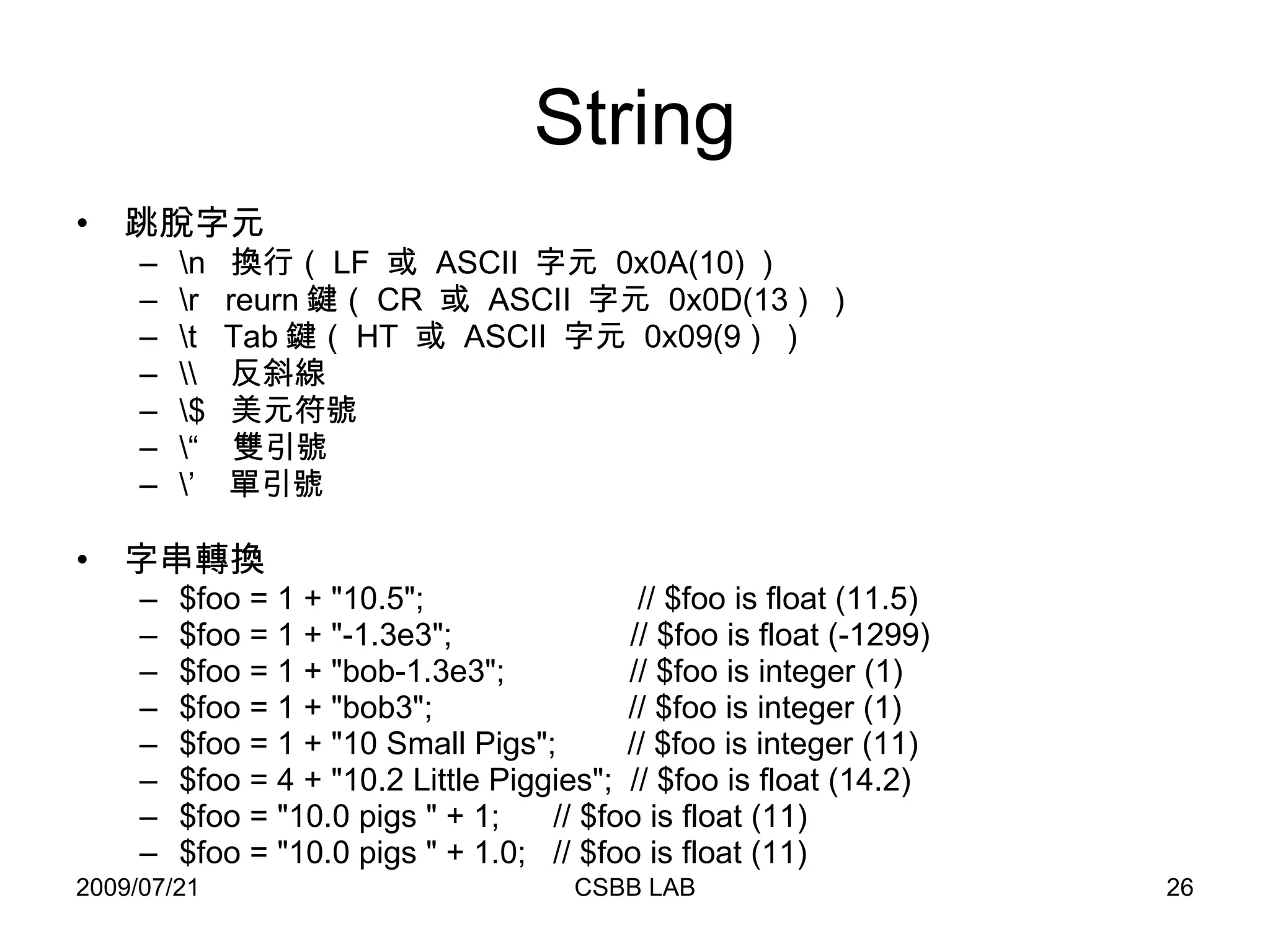
String 跳脫字元 \n  換行( LF  或  ASCII  字元  0x0A(10) ) \r  reurn 鍵( CR  或  ASCII  字元  0x0D(13 )  ) \t  Tab 鍵( HT  或  ASCII  字元  0x09(9 )  ) \\  反斜線 \$  美元符號 \“  雙引號 \’  單引號 字串轉換 $foo = 1 + &quot;10.5&quot;;  // $foo is float (11.5)  $foo = 1 + &quot;-1.3e3&quot;;  // $foo is float (-1299)  $foo = 1 + &quot;bob-1.3e3&quot;;  // $foo is integer (1)  $foo = 1 + &quot;bob3&quot;;  // $foo is integer (1)  $foo = 1 + &quot;10 Small Pigs&quot;;  // $foo is integer (11)  $foo = 4 + &quot;10.2 Little Piggies&quot;;  // $foo is float (14.2)  $foo = &quot;10.0 pigs &quot; + 1;  // $foo is float (11)  $foo = &quot;10.0 pigs &quot; + 1.0;  // $foo is float (11)
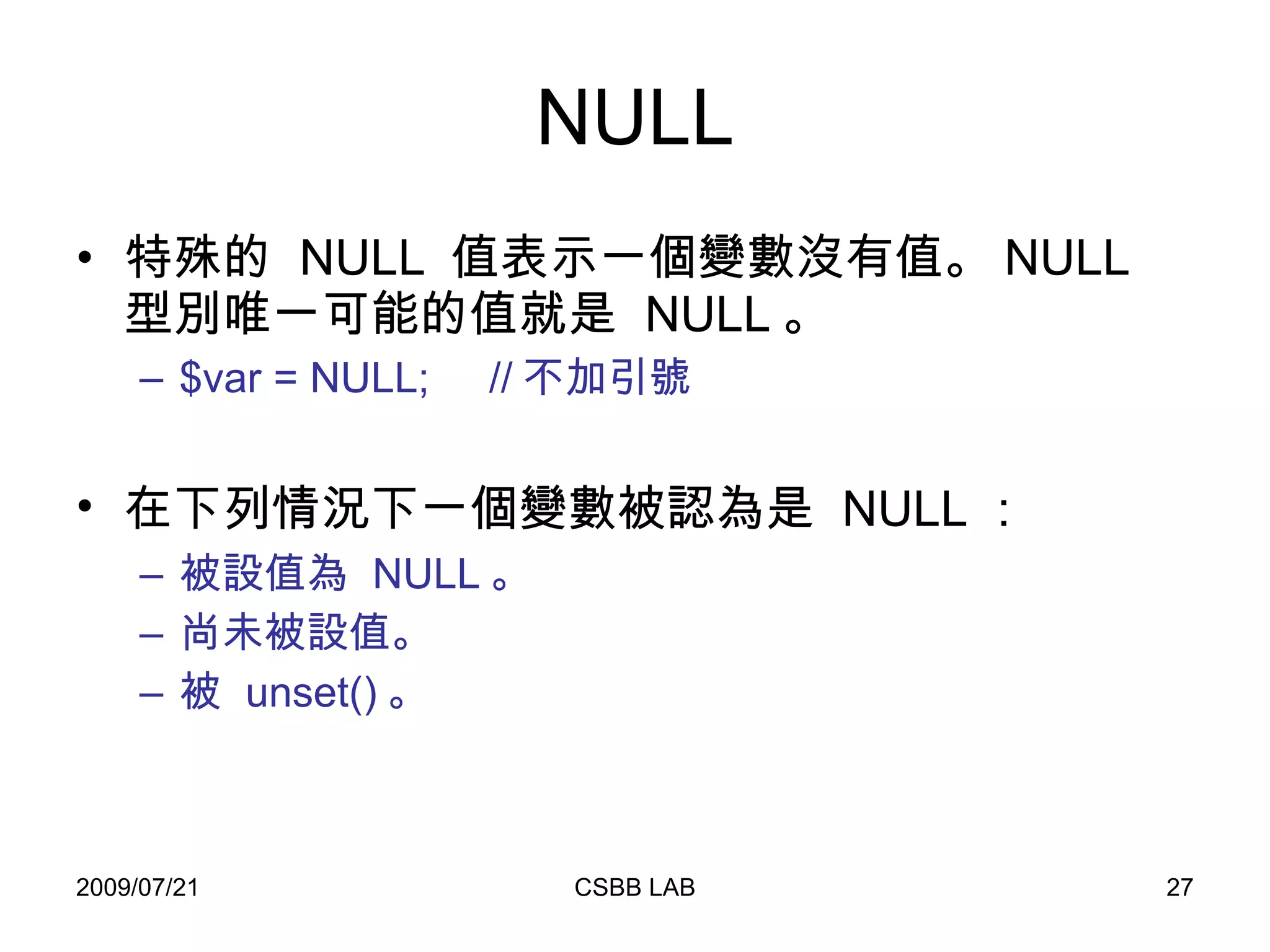
NULL 特殊的  NULL  值表示一個變數沒有值。 NULL  型別唯一可能的值就是  NULL 。 $var = NULL;  // 不加引號 在下列情況下一個變數被認為是  NULL :   被設值為  NULL 。  尚未被設值。  被  unset() 。
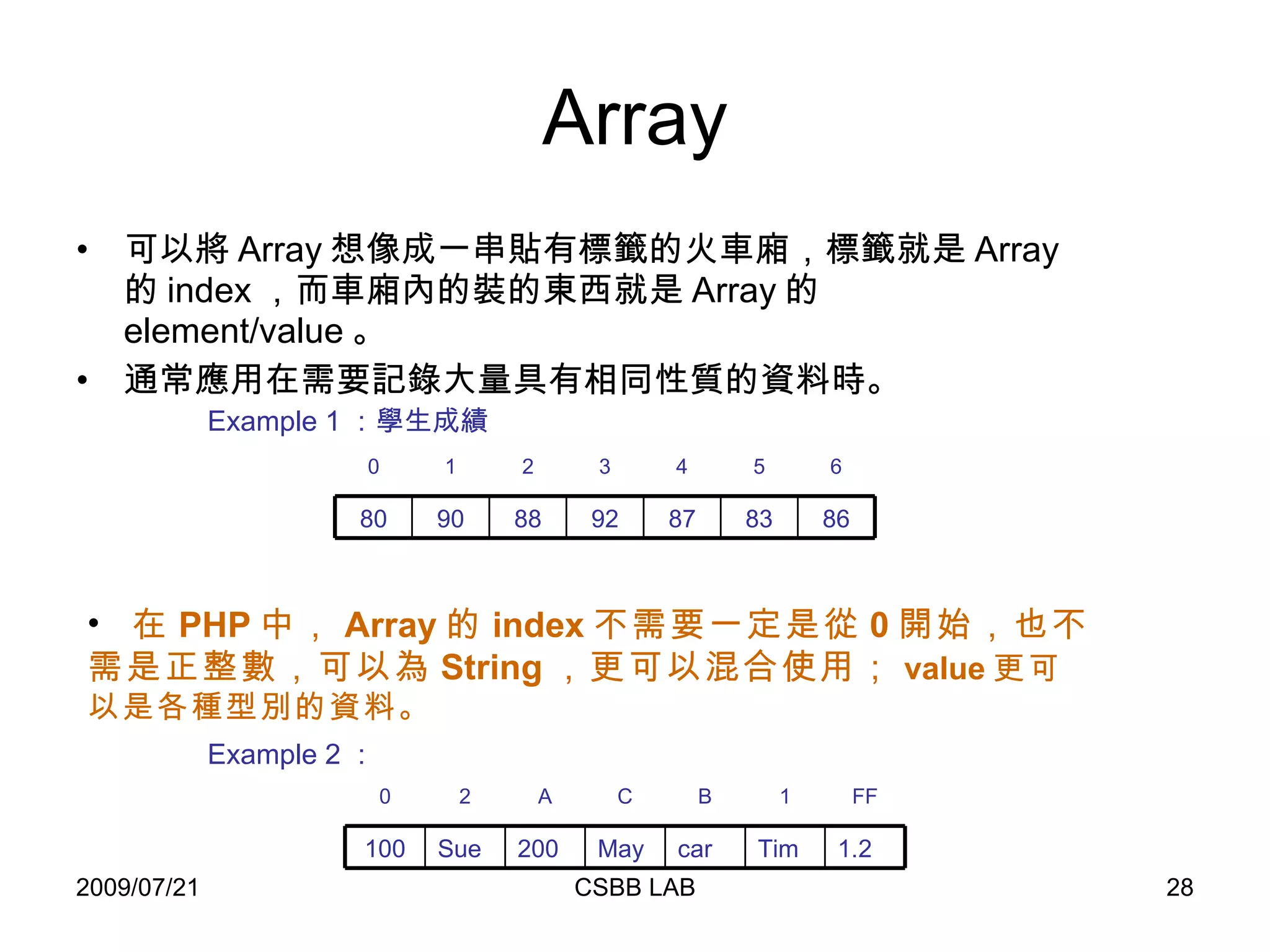
Array 可以將 Array 想像成一串貼有標籤的火車廂,標籤就是 Array 的 index ,而車廂內的裝的東西就是 Array 的 element/value 。 通常應用在需要記錄大量具有相同性質的資料時。 Example 1 :學生成績 在 PHP 中, Array 的 index 不需要一定是從 0 開始,也不需是正整數,可以為 String ,更可以混合使用; value 更可以是各種型別的資料。 Example 2 : 0 2 FF 1 B C A 100 Sue 1.2 Tim car May 200 0 1 6 5 4 3 2 80 90 86 83 87 92 88
Array 定義一 Array 的方式有: 使用 array() 函式。 透過 index 。 // 單純設值 // 使用 array()   $animals = array( &quot;cat&quot;, &quot;dog&quot;,   &quot;bird&quot; , &quot;turtle&quot; ); // 利用 index $animals[0] = &quot;cat&quot;; $animals[1] = &quot;dog&quot;; $animals[2] = &quot;bird&quot;; $animals[3] = &quot;turtle&quot;; // 指定 index // 使用 array()   $fruit = array (&quot;o&quot;=>&quot;orange&quot;,    &quot;b&quot;=>&quot;banana&quot; ,    &quot;a&quot;=>&quot;apple&quot; ); // 利用 index $fruit[&quot;o&quot;] = &quot;orange&quot;; $fruit[&quot;b&quot;] = &quot;banana&quot;; $fruit[&quot;a&quot;] = &quot;apple&quot;; Question : if we defined $array = array( 1, 1, 1, 1, 1, 8=>1, 4=>1, 19, 3=>13) , what indexs/values are in the $array?
Array 定義二維 Array 。 // 方法一 $team_member = array( &quot;team1&quot; => array( &quot;Tom&quot; , &quot;Bob&quot;) , &quot;team2&quot; => array( &quot;Sue&quot; , &quot;John&quot;) ,  &quot;team3&quot; => array( &quot;Ann&quot; , &quot;Joe&quot;)  ); // 方法二 $team_member[&quot;team1&quot;] = array (&quot;Tom&quot; , &quot;Bob&quot;);  $team_member[&quot;team2&quot;] = array (&quot;Sue&quot; , &quot;John&quot;); $team_member[&quot;team3&quot;] = array (&quot;Ann&quot; , &quot;Joe&quot;); // 方法三 $team_member[&quot;team1&quot;][0] = &quot;Tom&quot;;  $team_member[&quot;team1&quot;][1] = &quot;Bob&quot;; $team_member[&quot;team2&quot;][0] = &quot;Sue&quot;; $team_member[&quot;team2&quot;][1] = &quot;John&quot;; $team_member[&quot;team3&quot;][0] = &quot;Ann&quot;; $team_member[&quot;team3&quot;][1] = &quot;Joe&quot;;
Array 動態增加陣列。 刪除陣列元素。 其他陣列相關函式 // 不指定 index $animals[] = &quot;fish&quot;;   $animals[] = &quot;lion&quot;; // 使用 array_push array_push ($animals , &quot;fish&quot; , &quot;lion&quot;); // 使用 unset() unset($animals[0]);  //$animals[0]  資料將被刪去,其他 index / value 不變。 sort ($animals);  //  依 Array 中的 value 對 Array 做排序,並修改 index 。 rsort ($animals);  //  依 Array 中的 value 對 Array 做倒序,並修改 index 。 count($animals);  //  計算變數中元素的數目
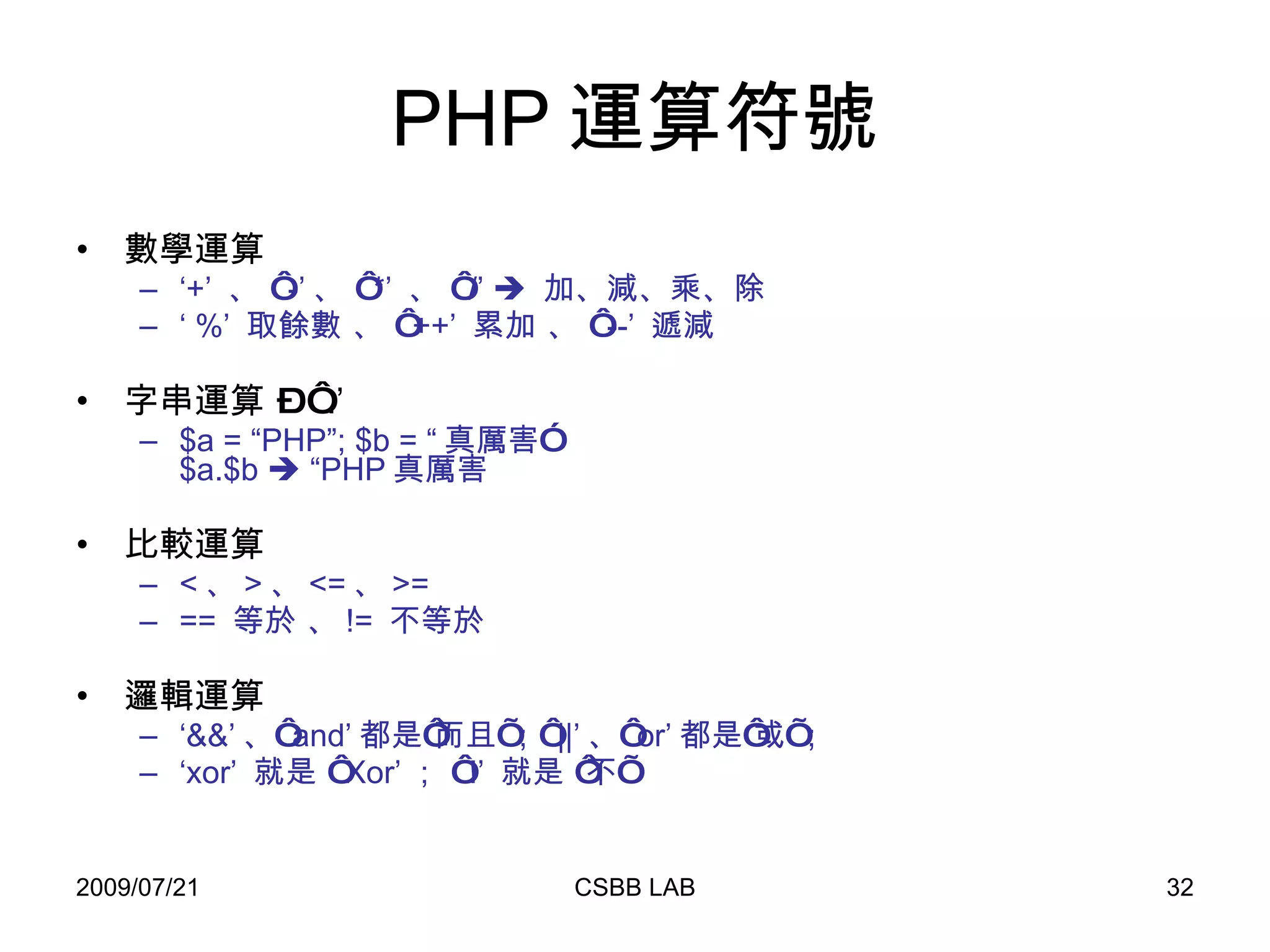
PHP 運算符號 數學運算 ‘ +’  、 ‘ -’ 、 ‘ *’  、 ‘ /’     加、減、乘、除 ‘  %’  取餘數 、 ‘ ++’  累加 、 ‘ --’  遞減 字串運算 – ‘ .’ $a = “PHP”; $b = “ 真厲害” $a.$b    “PHP 真厲害 比較運算 < 、 > 、 <= 、 >= ==  等於 、 !=  不等於 邏輯運算 ‘ &&’ 、‘ and’ 都是‘而且’;‘ ||’ 、‘ or’ 都是‘或’; ‘ xor’  就是 ‘ Xor’ ; ‘ !’  就是 ‘不’
PHP 流程控制  If .. else switch While do..while for foreach Break  continue
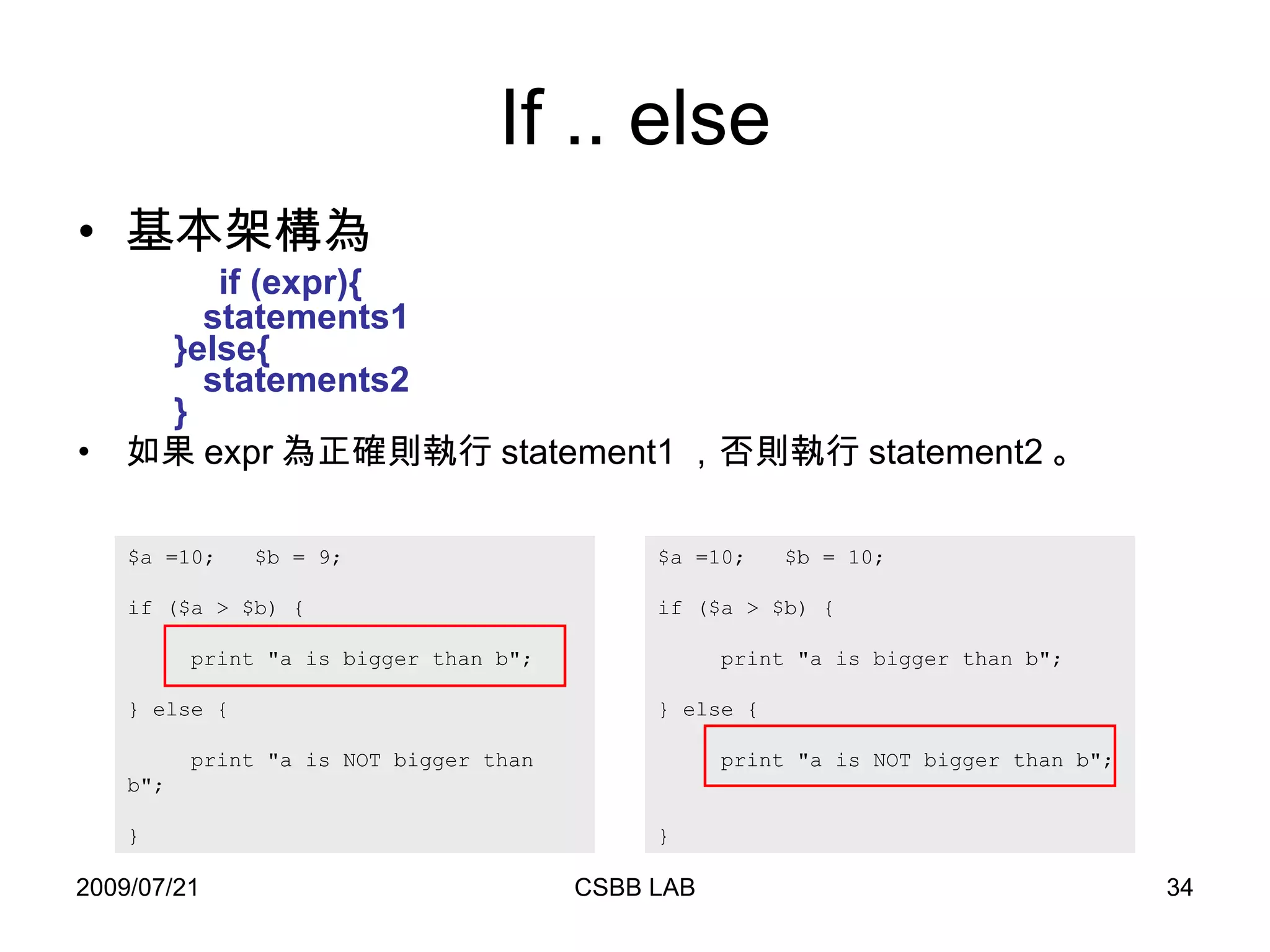
If .. else 基本架構為   if (expr){    statements1    }else{    statements2   } 如果 expr 為正確則執行 statement1 ,否則執行 statement2 。 $a =10;  $b = 9;  if ($a > $b) {    print &quot;a is bigger than b&quot;;  } else {    print &quot;a is NOT bigger than b&quot;;  } $a =10;  $b = 10;  if ($a > $b) {    print &quot;a is bigger than b&quot;;  } else {    print &quot;a is NOT bigger than b&quot;;  }
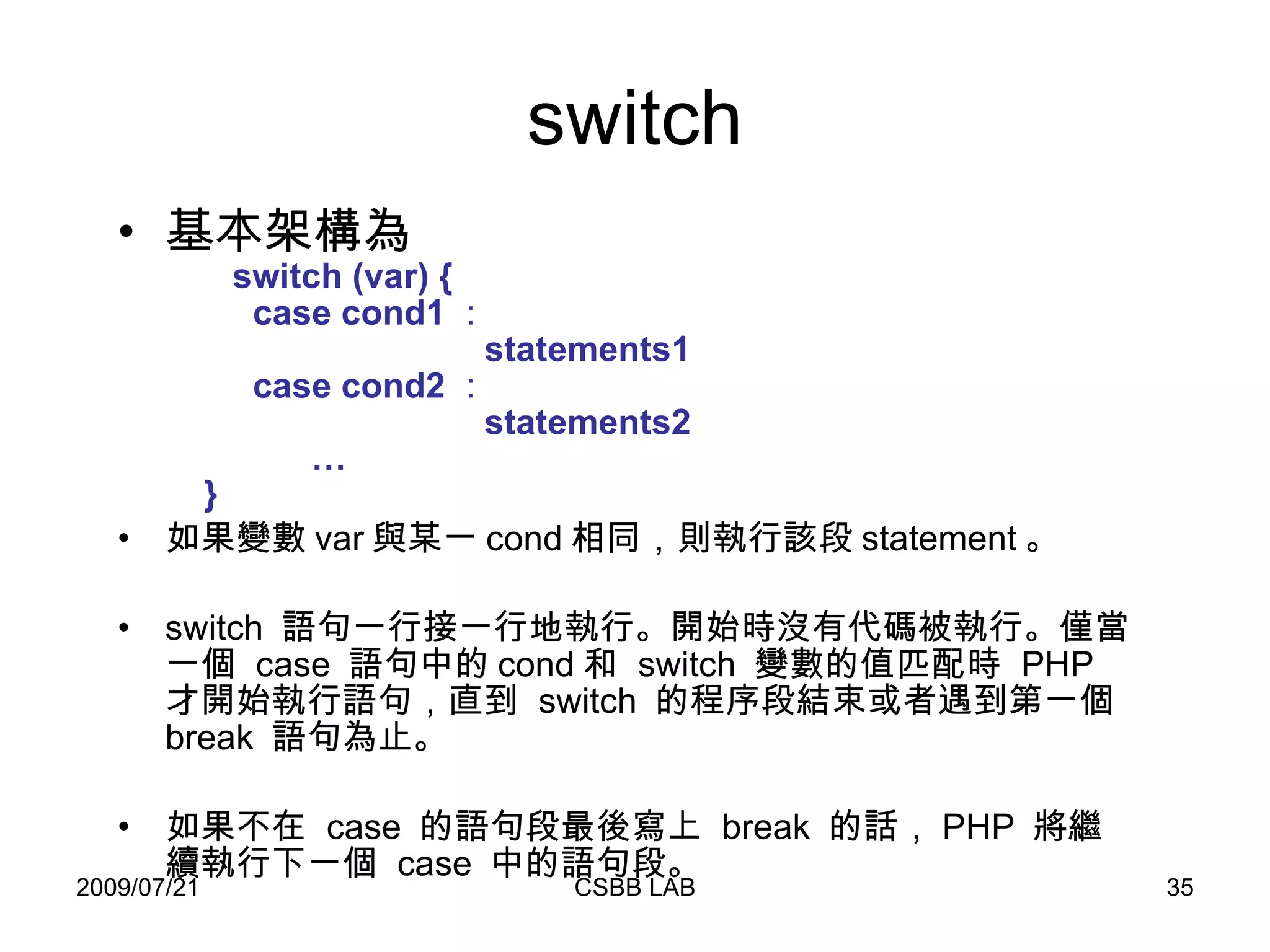
switch 基本架構為   switch (var) {   case cond1 :   statements1    case cond2 :    statements2   …   } 如果變數 var 與某一 cond 相同,則執行該段 statement 。  switch  語句一行接一行地執行。開始時沒有代碼被執行。僅當一個  case  語句中的 cond 和  switch  變數的值匹配時  PHP  才開始執行語句,直到  switch  的程序段結束或者遇到第一個  break  語句為止。 如果不在  case  的語句段最後寫上  break  的話, PHP  將繼續執行下一個  case  中的語句段。
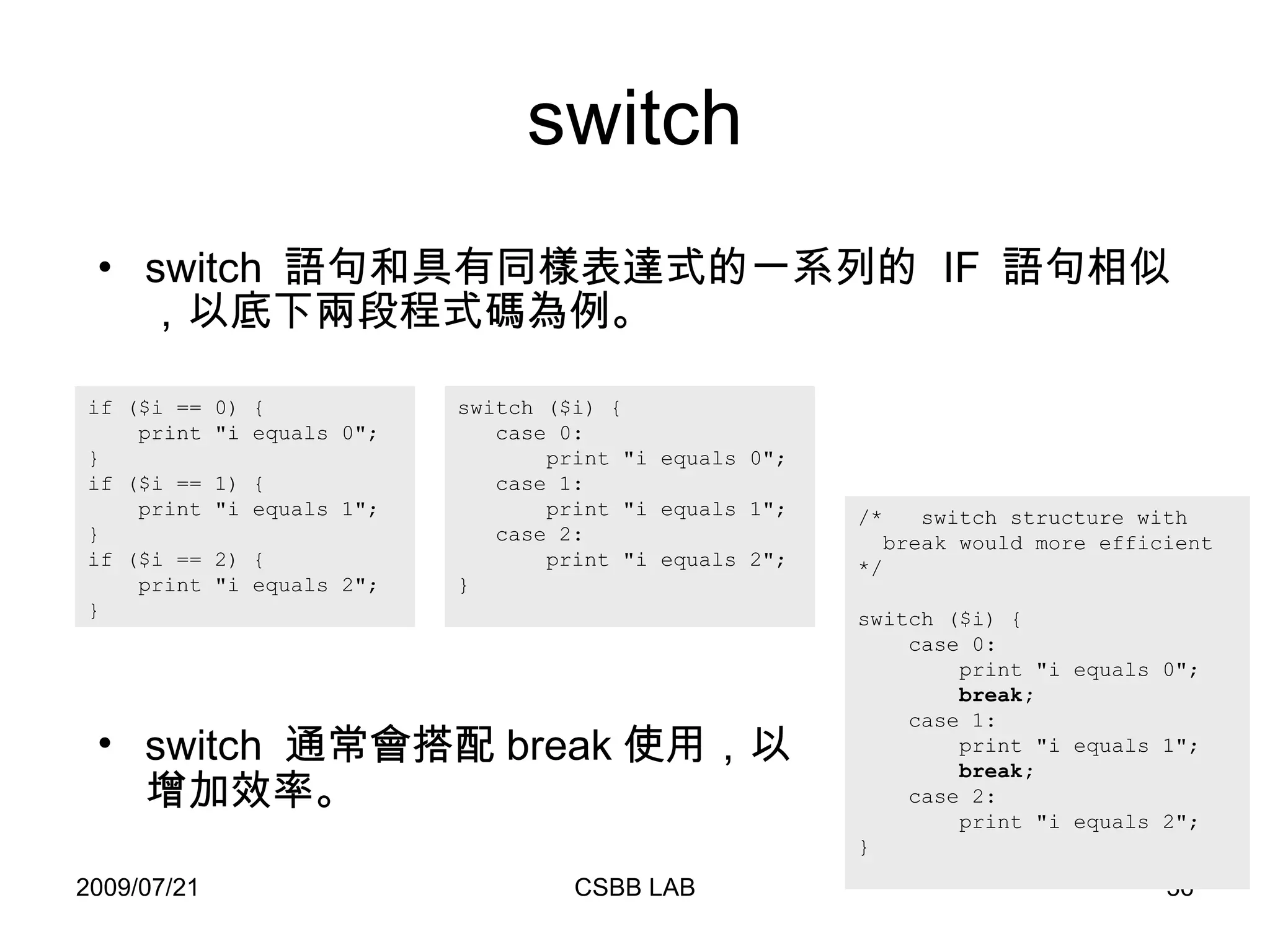
switch switch  語句和具有同樣表達式的一系列的  IF  語句相似,以底下兩段程式碼為例。 if ($i == 0) {  print &quot;i equals 0&quot;;  } if ($i == 1) { print &quot;i equals 1&quot;; } if ($i == 2) { print &quot;i equals 2&quot;;  }  switch ($i) { case 0: print &quot;i equals 0&quot;; case 1: print &quot;i equals 1&quot;; case 2: print &quot;i equals 2&quot;; } /*  switch structure with   break would more efficient */ switch ($i) { case 0: print &quot;i equals 0&quot;;   break; case 1: print &quot;i equals 1&quot;;   break; case 2: print &quot;i equals 2&quot;; } switch  通常會搭配 break 使用,以增加效率。
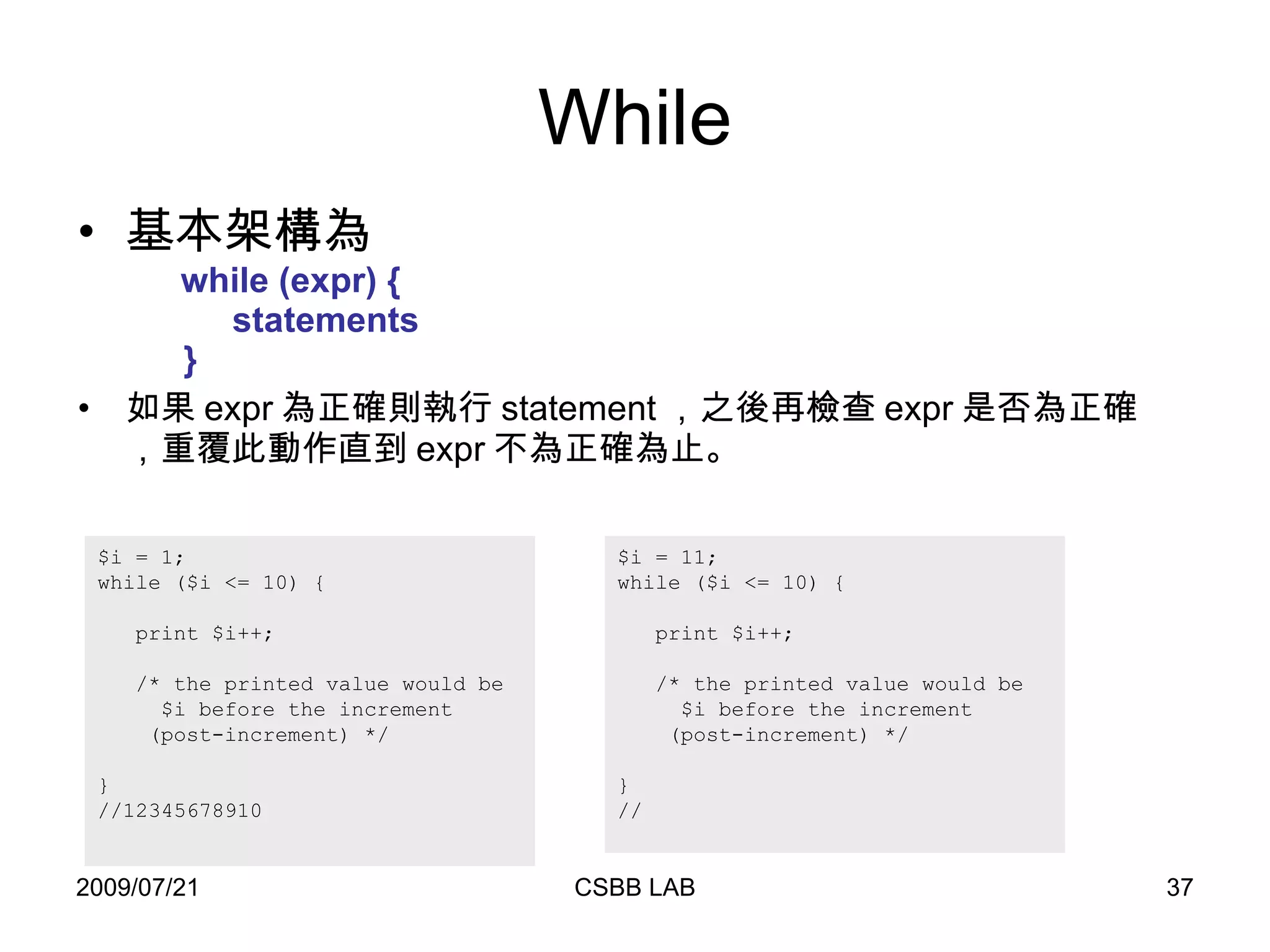
While 基本架構為   while (expr) {   statements   } 如果 expr 為正確則執行 statement ,之後再檢查 expr 是否為正確,重覆此動作直到 expr 不為正確為止。 $i = 1; while ($i <= 10) { print $i++;  /* the printed value would be $i before the increment (post-increment) */ } //12345678910  $i = 11; while ($i <= 10) { print $i++;  /* the printed value would be $i before the increment (post-increment) */ } //
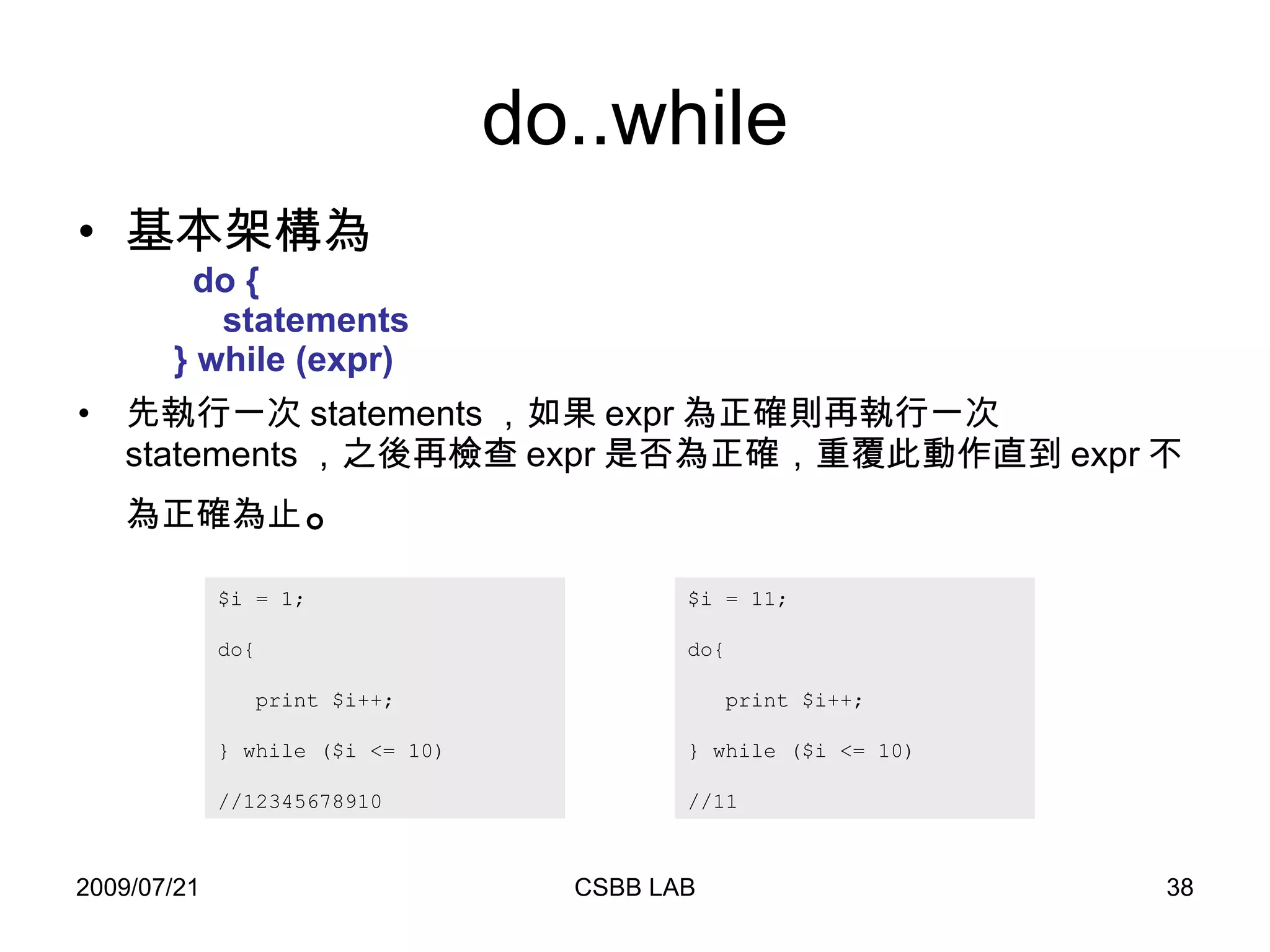
do..while 基本架構為   do   {   statements   } while (expr)  先執行一次 statements ,如果 expr 為正確則再執行一次 statements ,之後再檢查 expr 是否為正確,重覆此動作直到 expr 不為正確為止 。 $i = 1; do{ print $i++;  } while ($i <= 10)  //12345678910  $i = 11; do{ print $i++;  } while ($i <= 10)  //11
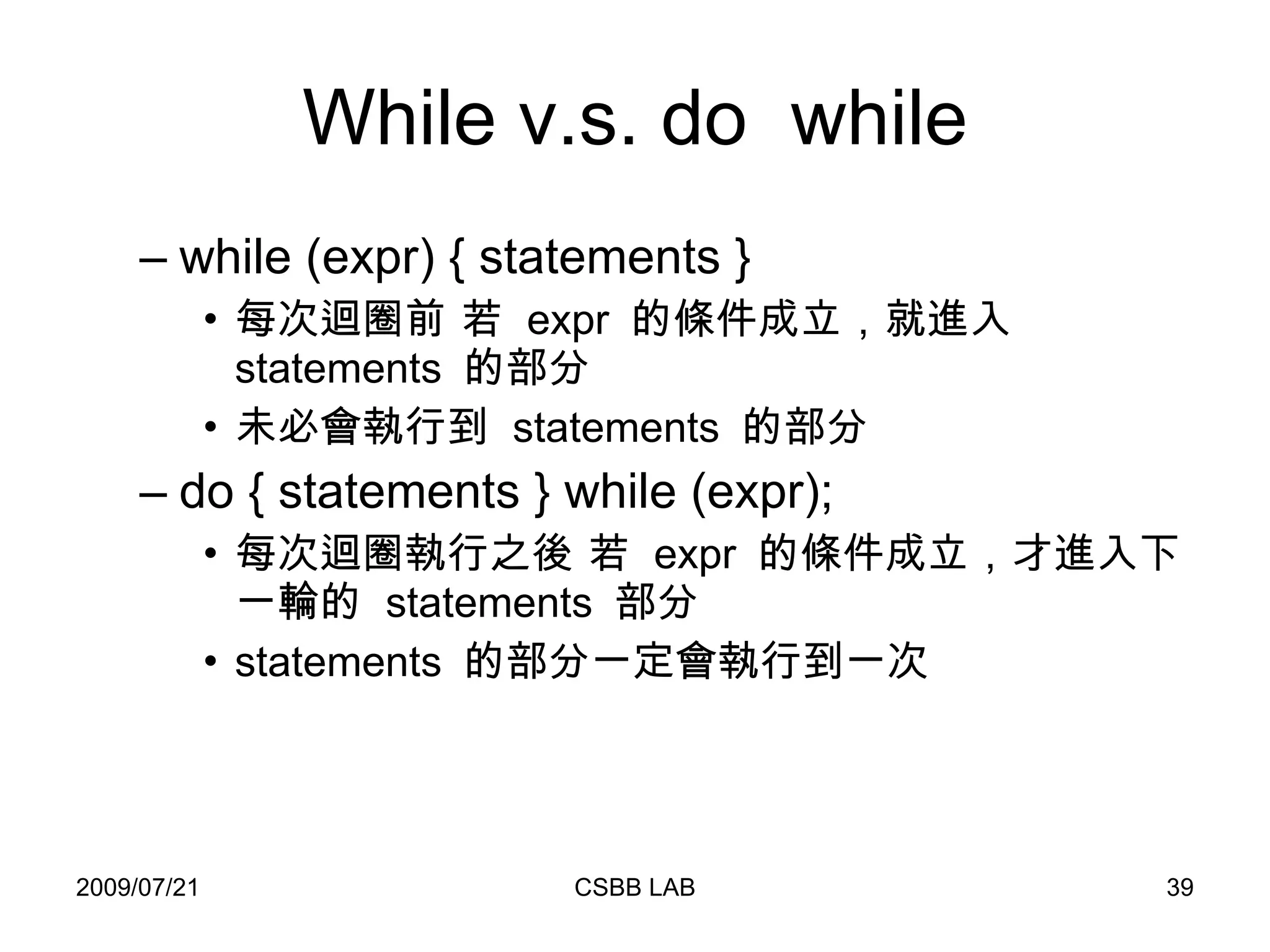
While v.s. do  while while (expr) { statements } 每次迴圈前 若  expr  的條件成立,就進入  statements  的部分 未必會執行到  statements  的部分 do { statements } while (expr); 每次迴圈執行之後 若  expr  的條件成立,才進入下一輪的  statements  部分 statements  的部分一定會執行到一次
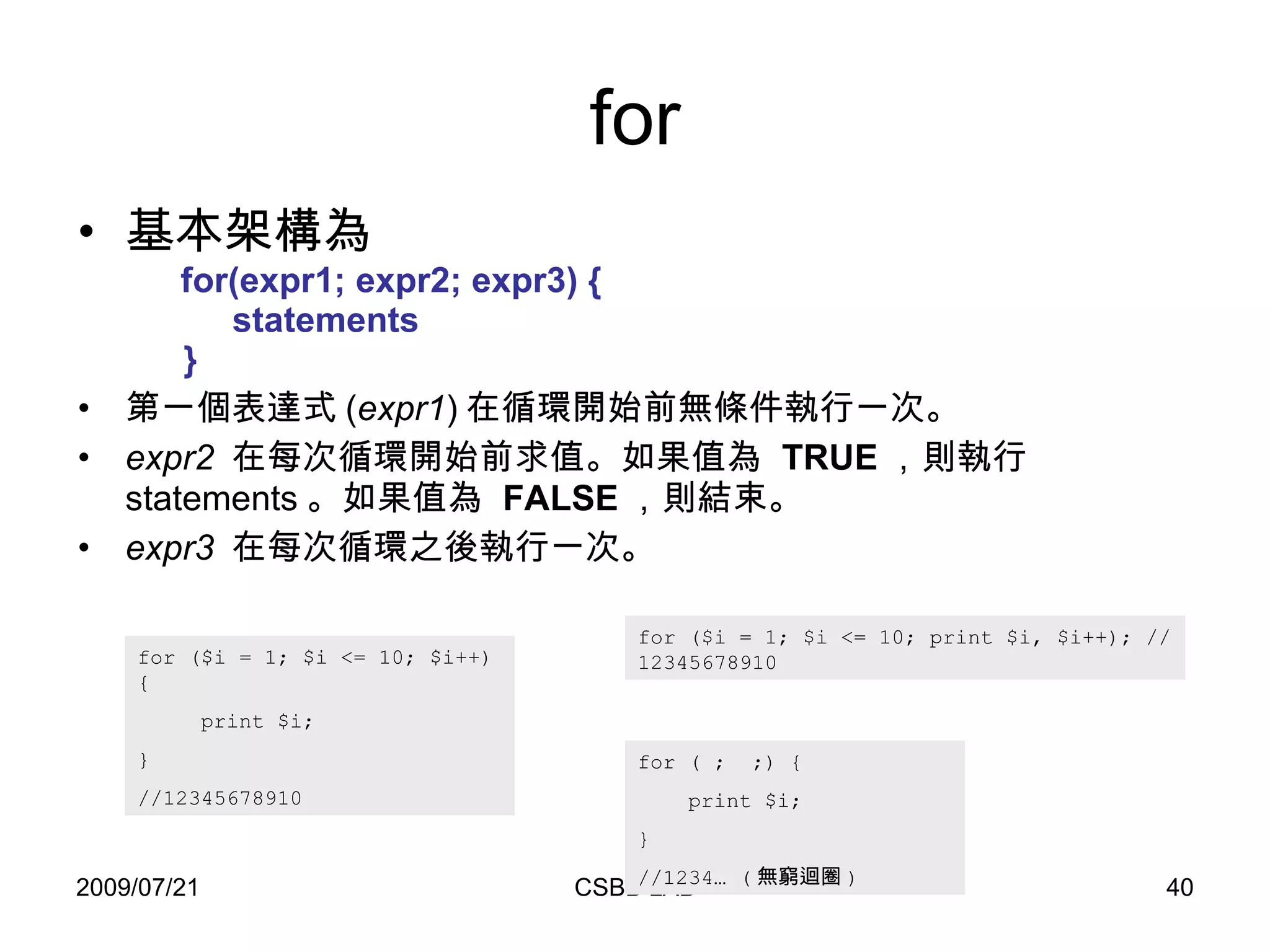
for 基本架構為   for(expr1; expr2; expr3) {   statements   } 第一個表達式 ( expr1 ) 在循環開始前無條件執行一次。  expr2   在每次循環開始前求值。如果值為  TRUE ,則執行 statements 。如果值為  FALSE ,則結束。  expr3   在每次循環之後執行一次。  for ($i = 1; $i <= 10; $i++) {  print $i;  }  //12345678910  for ($i = 1; $i <= 10; print $i, $i++); //12345678910  for ( ;  ;) {  print $i;  }  //1234… ( 無窮迴圈 )
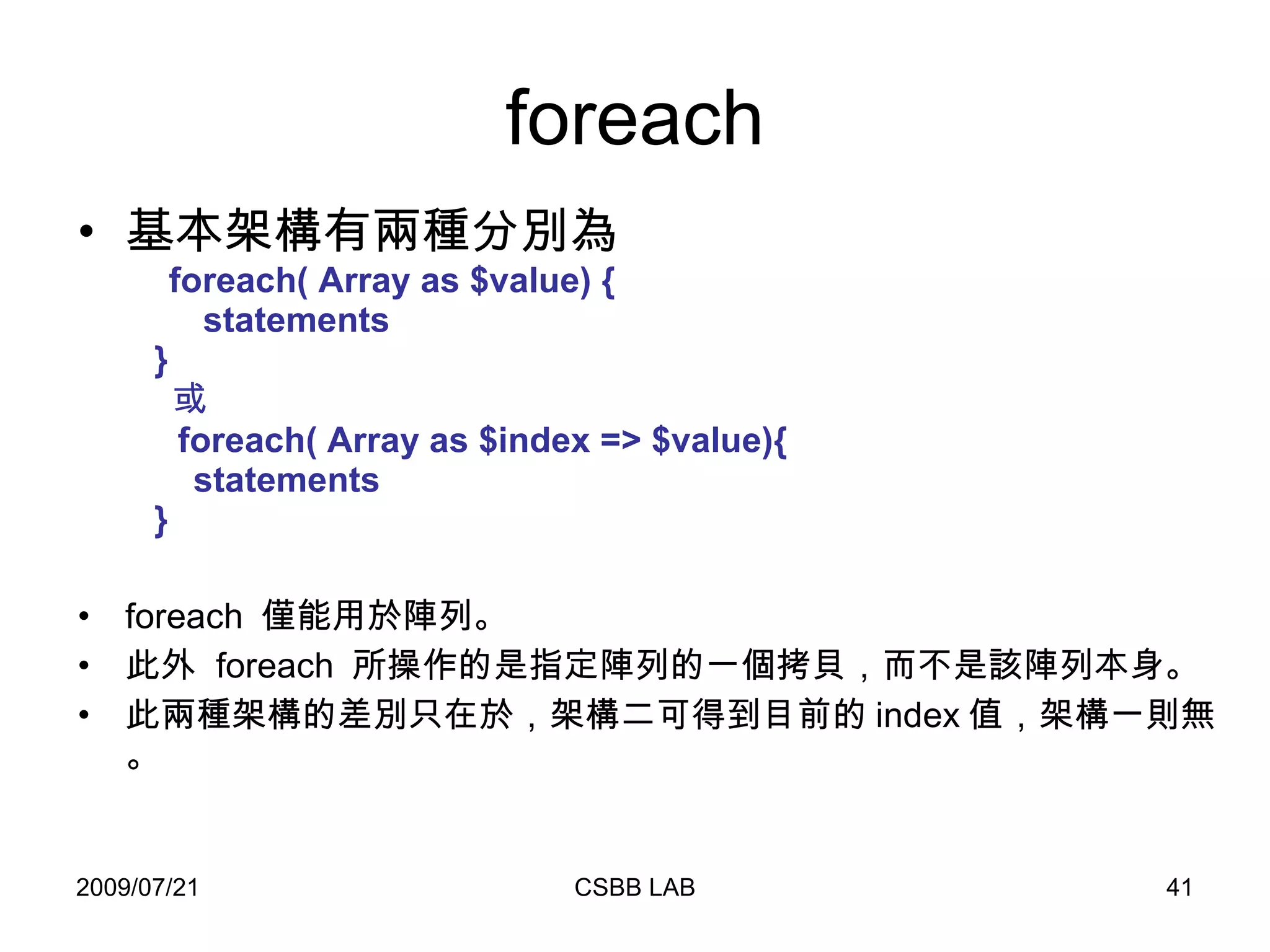
foreach 基本架構有兩種分別為   foreach( Array as $value) {   statements   }    或   foreach( Array as $index => $value){   statements   } foreach  僅能用於陣列。 此外  foreach  所操作的是指定陣列的一個拷貝,而不是該陣列本身。 此兩種架構的差別只在於,架構二可得到目前的 index 值,架構一則無。
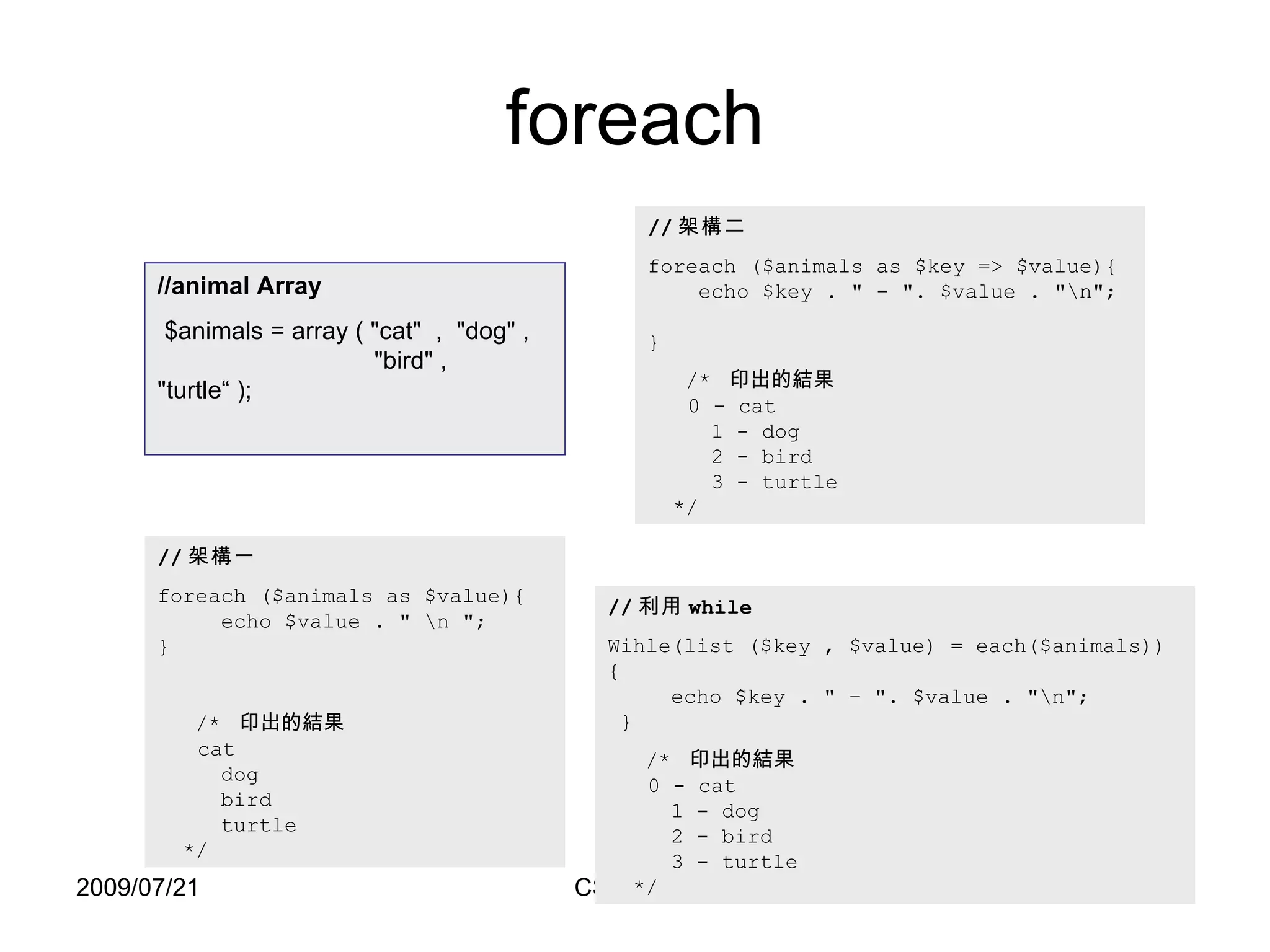
foreach // 架構一 foreach ($animals as $value){   echo $value .  &quot;  \n  &quot; ;  } /*  印出的結果   cat   dog   bird   turtle   */ // 架構二 foreach ($animals as $key => $value){   echo $key . &quot; - &quot;. $value . &quot;\n&quot;;  } /*  印出的結果   0 - cat   1 - dog   2 - bird   3 - turtle   */ //animal Array $animals = array ( &quot;cat&quot;  ,  &quot;dog&quot; ,   &quot;bird&quot; ,  &quot;turtle“ ); // 利用 while Wihle(list ($key , $value) = each($animals)) {   echo $key . &quot; – &quot;. $value . &quot;\n&quot;;   } /*  印出的結果   0 - cat   1 - dog   2 - bird   3 - turtle   */
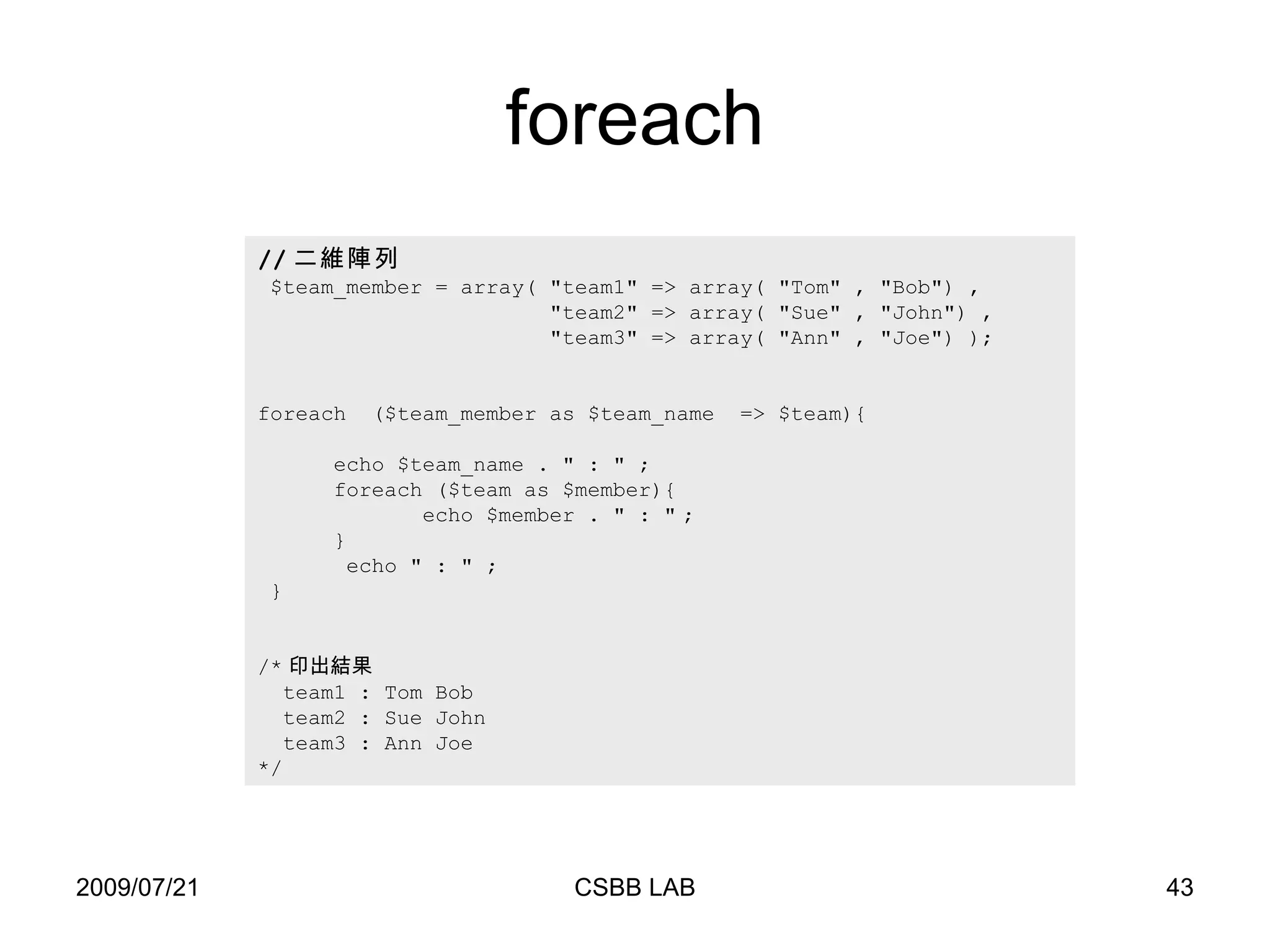
foreach // 二維陣列 $team_member = array( &quot;team1&quot; => array( &quot;Tom&quot; , &quot;Bob&quot;) ,    &quot;team2&quot; => array( &quot;Sue&quot; , &quot;John &quot; ) ,  &quot;team3&quot; => array( &quot;Ann&quot; , &quot;Joe&quot;) ); foreach  ($team_member as $team_name  => $team){   echo $team_name .  &quot;  :  &quot;  ;   foreach ($team as $member){   echo $member .  &quot; : &quot;   ; } echo  &quot; : &quot;  ;  } /* 印出結果 team1 : Tom Bob team2 : Sue John  team3 : Ann Joe  */
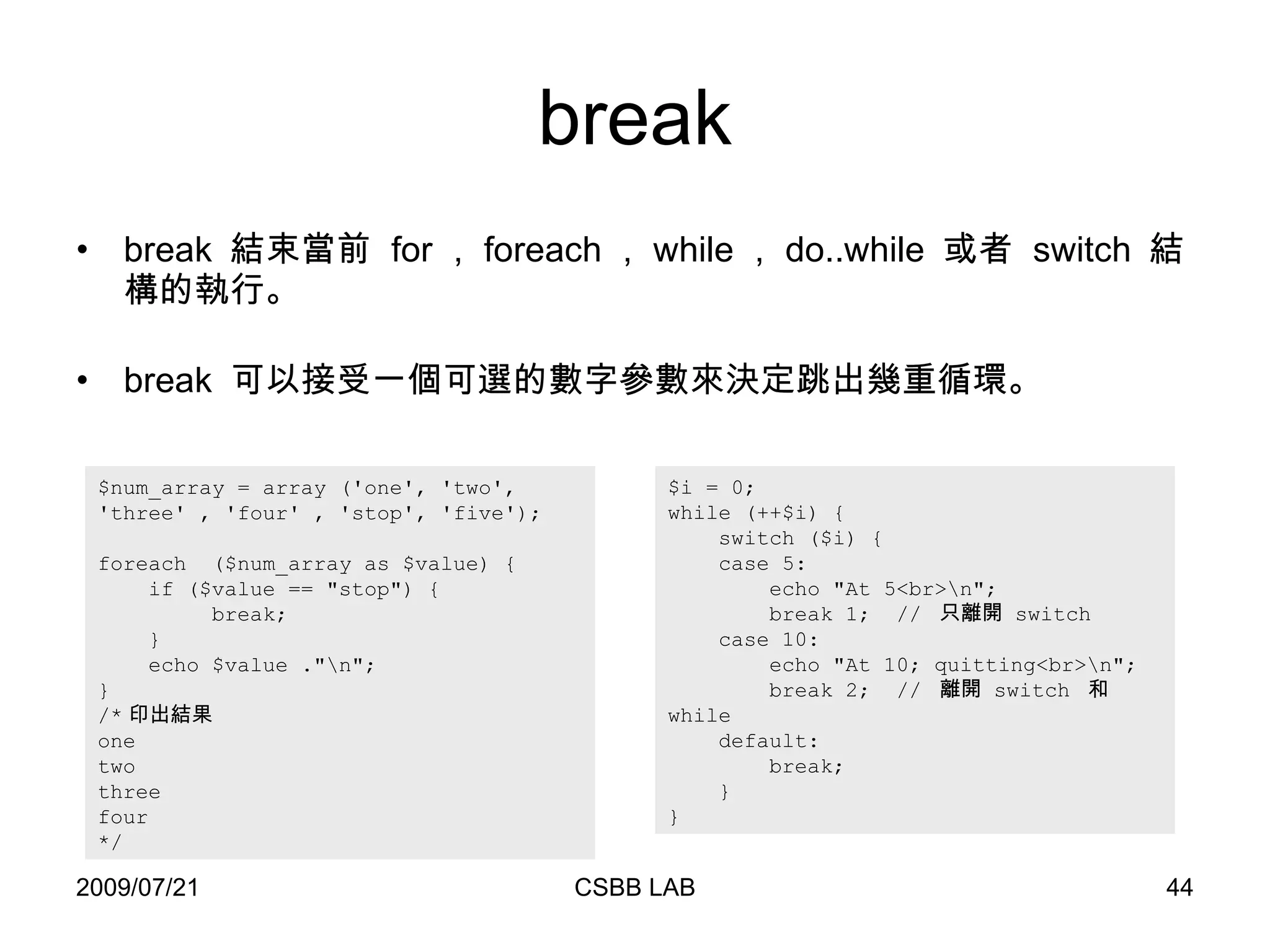
break break  結束當前  for , foreach , while , do..while  或者  switch  結構的執行。 break  可以接受一個可選的數字參數來決定跳出幾重循環。 $i = 0; while (++$i) { switch ($i) { case 5: echo &quot;At 5<br>\n&quot;; break 1;  //  只離開  switch  case 10: echo &quot;At 10; quitting<br>\n&quot;; break 2;  //  離開  switch  和  while  default: break; } } $num_array = array ('one', 'two',  'three '  , 'four' , 'stop', 'five'); foreach  ($num_array as $value) { if ($value == &quot;stop&quot;) { break;  } echo $value  .&quot;\n&quot;; } /* 印出結果 one two three four */
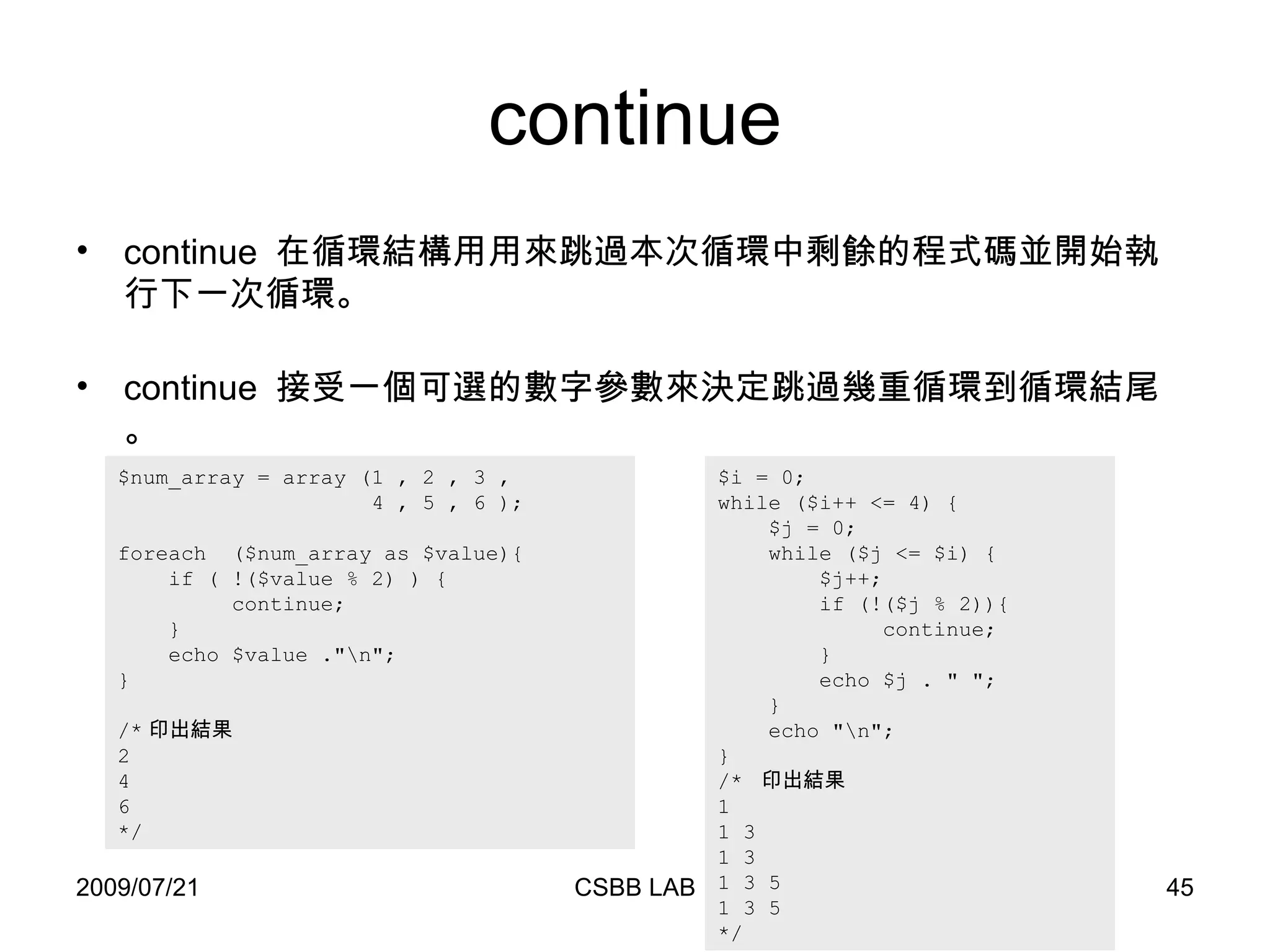
continue $i = 0; while ($i++ <= 4) { $j = 0; while ($j <= $i) { $j++; if (!($j % 2)){ continue; } echo $j . &quot; &quot;; } echo &quot;\n&quot;; } /*  印出結果 1  1 3  1 3  1 3 5  1 3 5  */ $num_array = array (1 , 2 , 3 ,   4 , 5 , 6 ); foreach  ($num_array as $value){ if ( !($value % 2) ) { continue;  } echo $value .&quot;\n&quot;; } /* 印出結果 2 4 6 */ continue  在循環結構用用來跳過本次循環中剩餘的程式碼並開始執行下一次循環。 continue  接受一個可選的數字參數來決定跳過幾重循環到循環結尾。
引用文件 Require() 通常放在  PHP  程式的最前面 會先讀入指定的文件,使它變成 網頁的一部份 常用的函數,可以這個方法將它引入網頁中 引入的文件若有錯誤,網頁將停止執行  Include() 一般是放在流程控制的處理部分中 讀到  include  的文件時,才將它讀進來 這種方式,可以把程式執行時的流程簡單化 若讀入的文件有錯,網頁將提出警告,仍會繼續執行
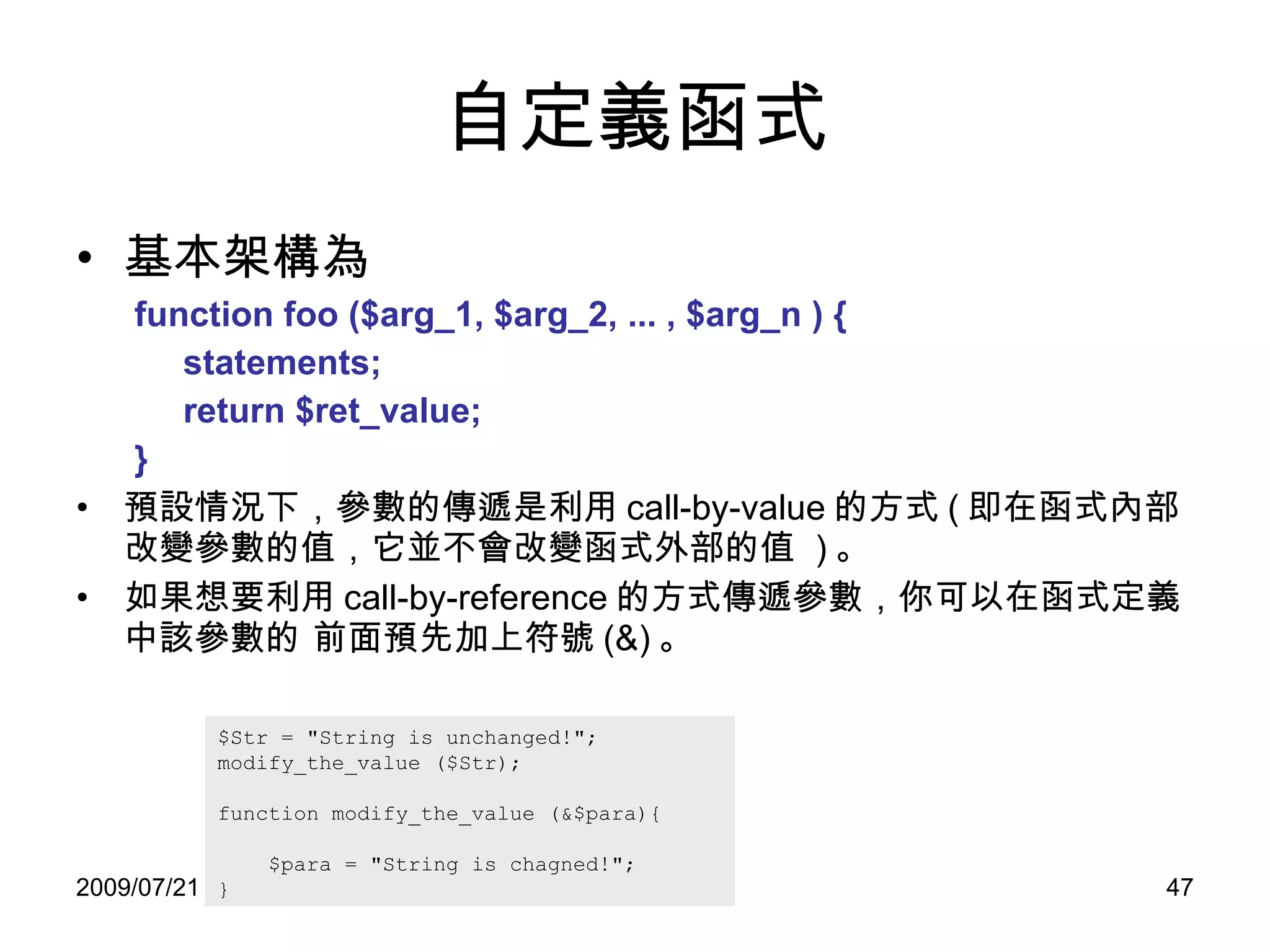
自定義函式 基本架構為 function foo ($arg_1, $arg_2, ... , $arg_n ) {  statements; return $ret_value; } 預設情況下,參數的傳遞是利用 call-by-value 的方式 ( 即在函式內部改變參數的值,它並不會改變函式外部的值  ) 。 如果想要利用 call-by-reference 的方式傳遞參數,你可以在函式定義中該參數的 前面預先加上符號 (&) 。 $Str = &quot;String is unchanged!&quot;; modify_the_value ($Str); function modify_the_value (&$para){ $para = &quot;String is chagned!&quot;; }
其他 開始遠端檔案 上傳文件 $file = fopen (&quot;test.txt&quot;, &quot;r&quot;);  // 本地檔案 $file = fopen ( &quot; http://www.php.net/ &quot; ,  &quot;r&quot;);  // 遠端的文件 $file = fopen (&quot;ftp://example/test.txt&quot;, &quot;r&quot;);  // 遠端的文件 <form enctype=&quot;multipart/form-data&quot; action=&quot;_URL_&quot; method=&quot;post&quot;>   <input type=&quot;hidden&quot; name=&quot;MAX_FILE_SIZE&quot; value=&quot;1000&quot;>   Send this file: <input name=&quot;userfile&quot; type=&quot;file&quot;>   <input type=&quot;submit&quot; value=&quot;Send File&quot;> </form> <?php    copy($_FILES['userfile']['tmp_name'], &quot;/place/to/put/uploaded/file&quot;); /* ...or... */ move_uploaded_file($_FILES['userfile']['tmp_name'], &quot;/place/to/put/uploaded/file&quot;); ?>
其他 正規表示法 對文件進行 parse 時,善用正規語言將會讓你事半功倍。
HTML
HTML 概念 HTML 的全名是 HyperText Markup Language 。 1982  年, Tim Berners-Lee  為使世界各地的物理學家能夠方便的進行合作研究,建立了使用於其系統的  HTML 。 利用 HTTP ( HyperText Transfer Protocol)  網路通訊協定,便能夠在世界各地透過  WWW (World Wide Web)  的架構做跨平台的交流。 HTML 不是一種程式語言,而是透過在文章中插入標籤  (Tags)  來賦予文字一些特性,如標題,段落,連結等。
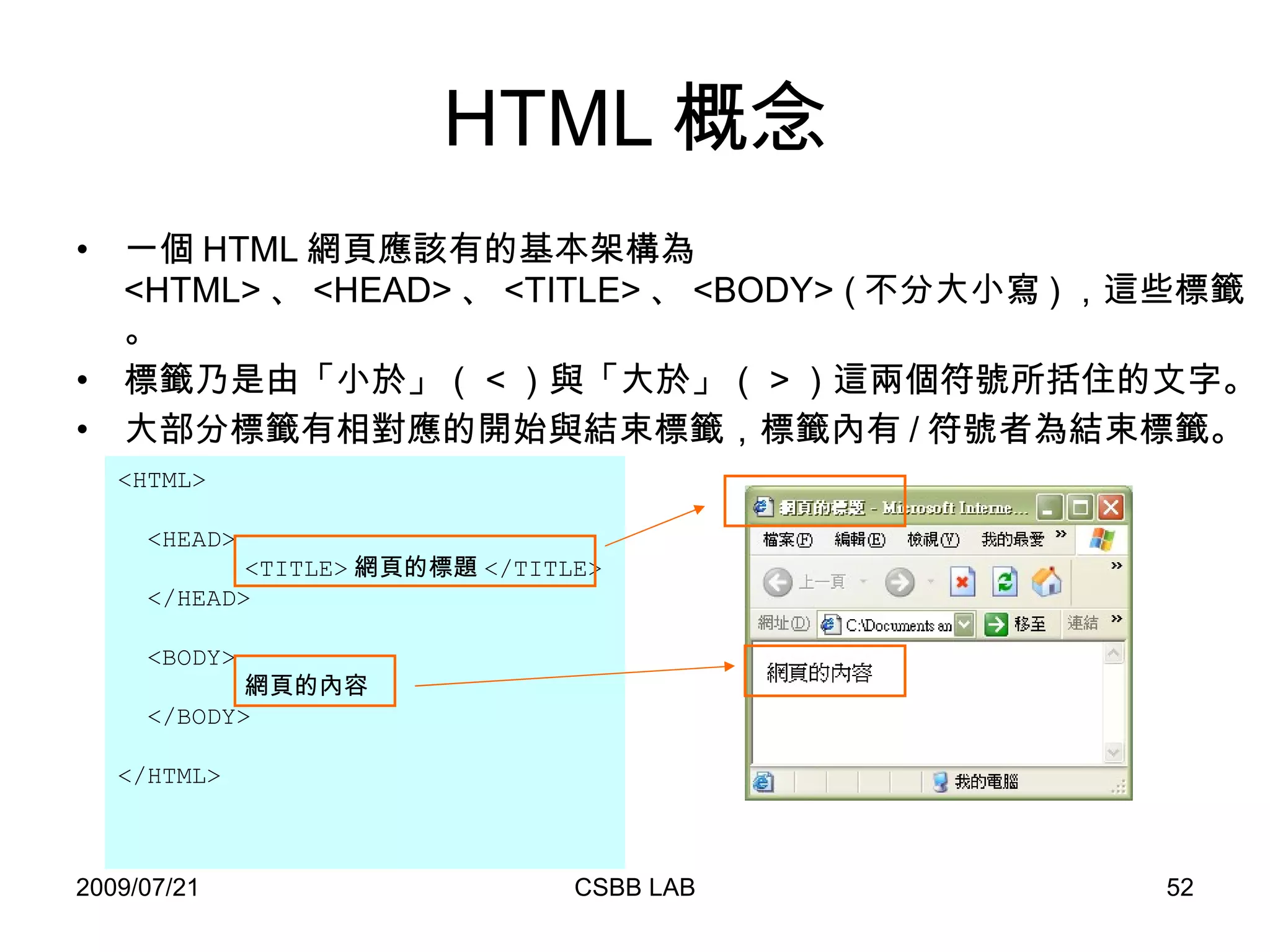
HTML 概念 一個 HTML 網頁應該有的基本架構為 <HTML> 、 <HEAD> 、 <TITLE> 、 <BODY> ( 不分大小寫 ) ,這些標籤。 標籤乃是由「小於」( < )與「大於」( > )這兩個符號所括住的文字。 大部分標籤有相對應的開始與結束標籤,標籤內有 / 符號者為結束標籤。 <HTML> <HEAD> <TITLE> 網頁的標題 </TITLE> </HEAD> <BODY> 網頁的內容 </BODY> </HTML>
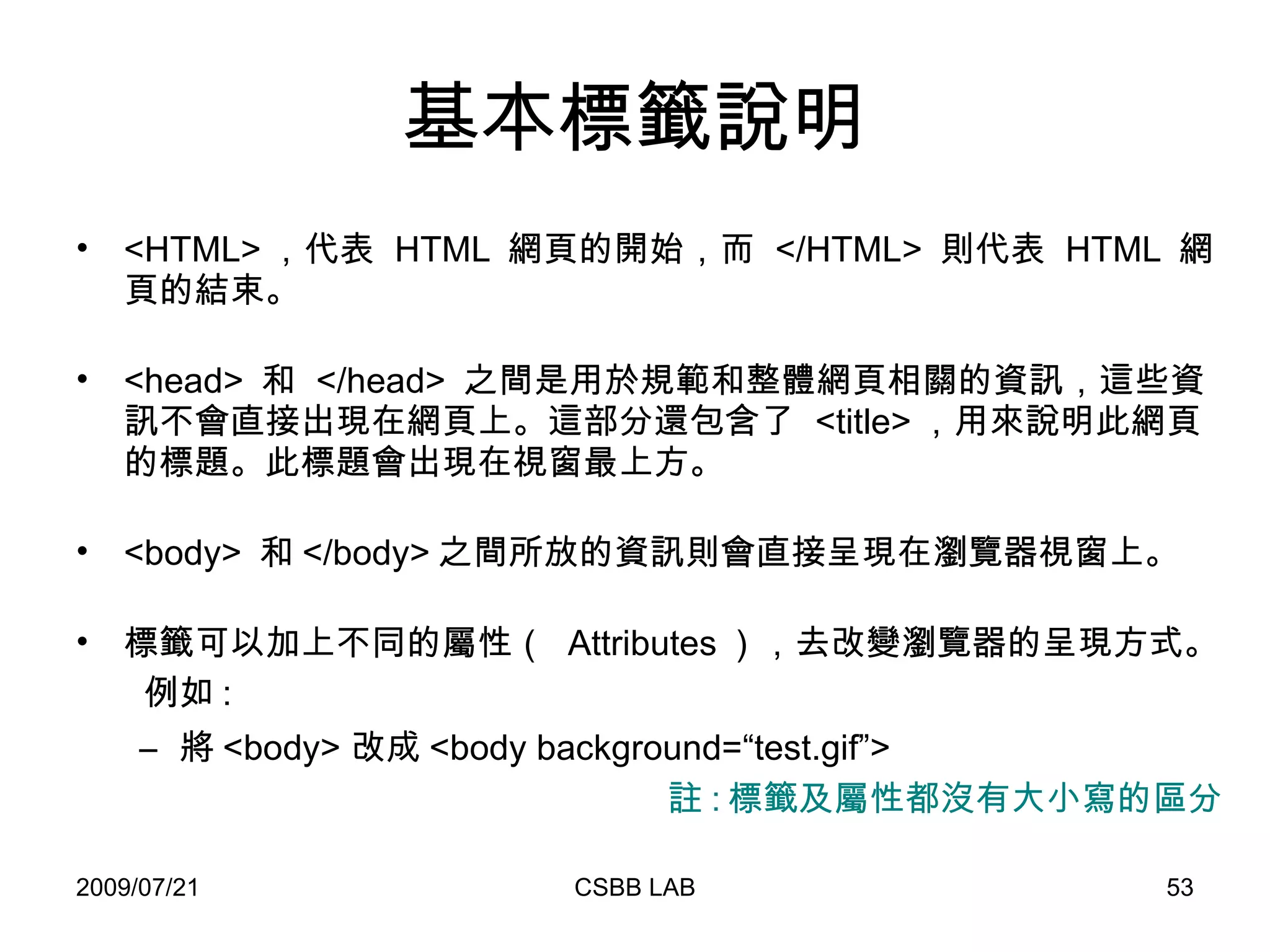
基本標籤說明 <HTML> ,代表  HTML  網頁的開始,而  </HTML>  則代表  HTML  網頁的結束。 <head>  和  </head>  之間是用於規範和整體網頁相關的資訊,這些資訊不會直接出現在網頁上。這部分還包含了  <title> ,用來說明此網頁的標題。此標題會出現在視窗最上方。 <body>  和 </body> 之間所放的資訊則會直接呈現在瀏覽器視窗上。 標籤可以加上不同的屬性(  Attributes ),去改變瀏覽器的呈現方式。  例如 : 將 <body> 改成 <body background=“ test.gif”> 註 : 標籤及屬性都沒有大小寫的區分
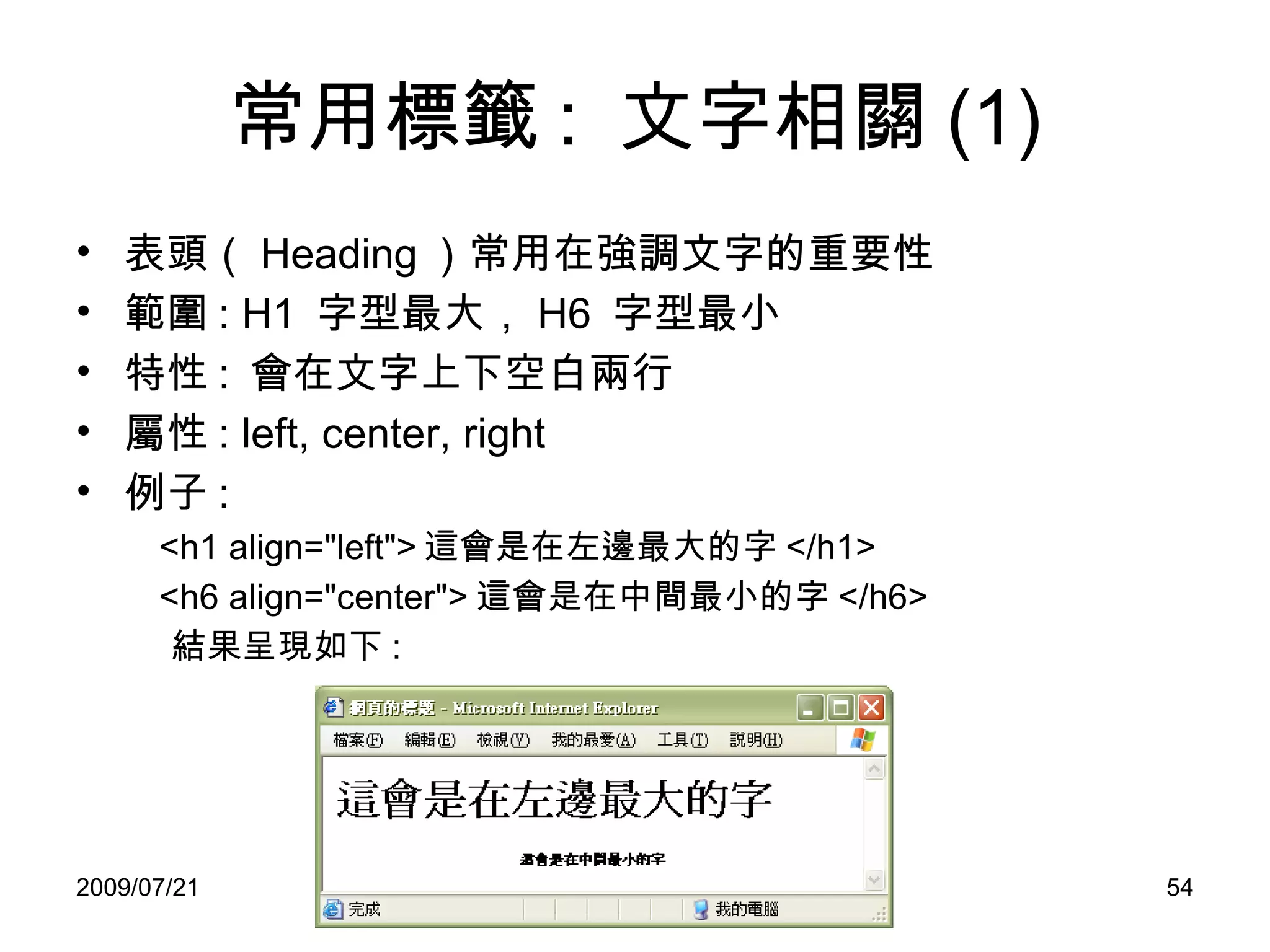
常用標籤 :  文字相關 (1) 表頭( Heading )常用在強調文字的重要性 範圍 : H1  字型最大, H6  字型最小 特性 :  會在文字上下空白兩行 屬性 : left, center, right 例子 : <h1 align=&quot;left&quot;> 這會是在左邊最大的字 </h1> <h6 align=&quot;center&quot;> 這會是在中間最小的字 </h6> 結果呈現如下 :
常用標籤 :  文字相關 (2) <p>  代表「段落」  (Paragraph)  ,可讓 web 內容更清楚分辨每一個區段內容 屬性 : left, center, right 特性 :  會和上一個段落隔開一列 <br> 代表換行  (break),  沒有其他屬性 <pre> (Preformatted Text)  ,原貌完整呈現在網頁上,但是若有 HTML 標籤則會先處理後呈現。 <xmp> 如果我們想顯示標籤存在,就可以改用  <xmp> 標籤,此標籤會將所有其它的  HTML  標籤原封不動地呈現出來。
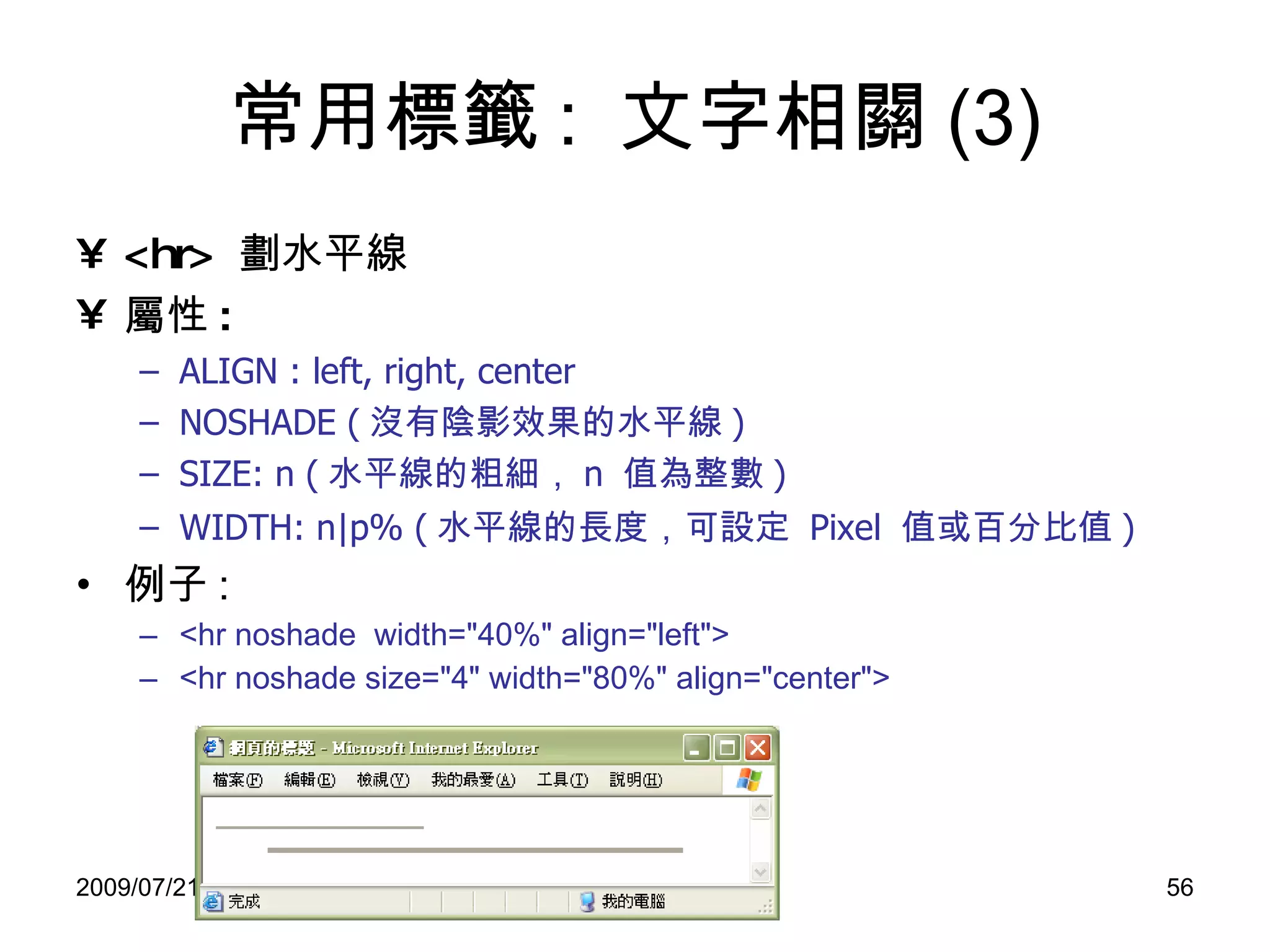
常用標籤 :  文字相關 (3) <hr>  劃水平線 屬性 :   ALIGN : left, right, center NOSHADE ( 沒有陰影效果的水平線 ) SIZE: n ( 水平線的粗細, n  值為整數 ) WIDTH: n|p% ( 水平線的長度,可 設定   Pixel  值 或 百分比值 ) 例子 : <hr noshade  width=&quot;40%&quot; align=&quot;left&quot;> <hr noshade size=&quot;4&quot; width=&quot;80%&quot; align=&quot;center&quot;>
常用標籤 :  文字相關 (4) <font> :  設定字型 屬性 : SIZE:  字體大小 , 1~7 COLOR:  顏色 FACE:  字體類別 例子 : <font size=3 face=“ 標楷體”  color=green> 測試 </font> 另一個例子 :  可將 size 作更大的調整 <basefont size=3> <font size=+2> 測試 </font> <font> 設定字型不會自動換行 ,  與 <h> 不同
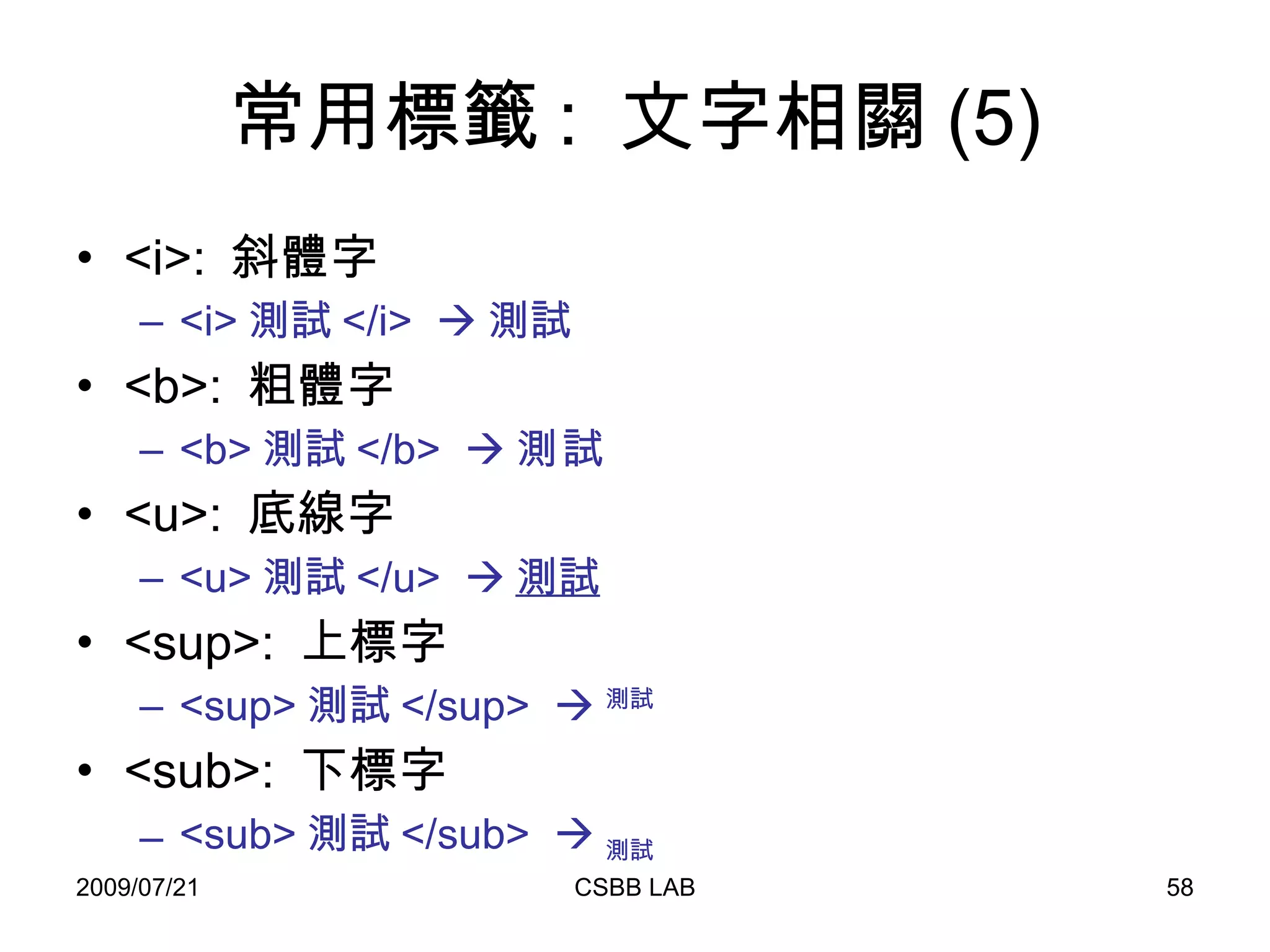
常用標籤 :  文字相關 (5) <i>:  斜體字 <i> 測試 </i>   測試 <b>:  粗體字 <b> 測試 </b>   測試 <u>:  底線字 <u> 測試 </u>   測試 <sup>:  上標字 <sup> 測試 </sup>   測試 <sub>:  下標字 <sub> 測試 </sub>   測試
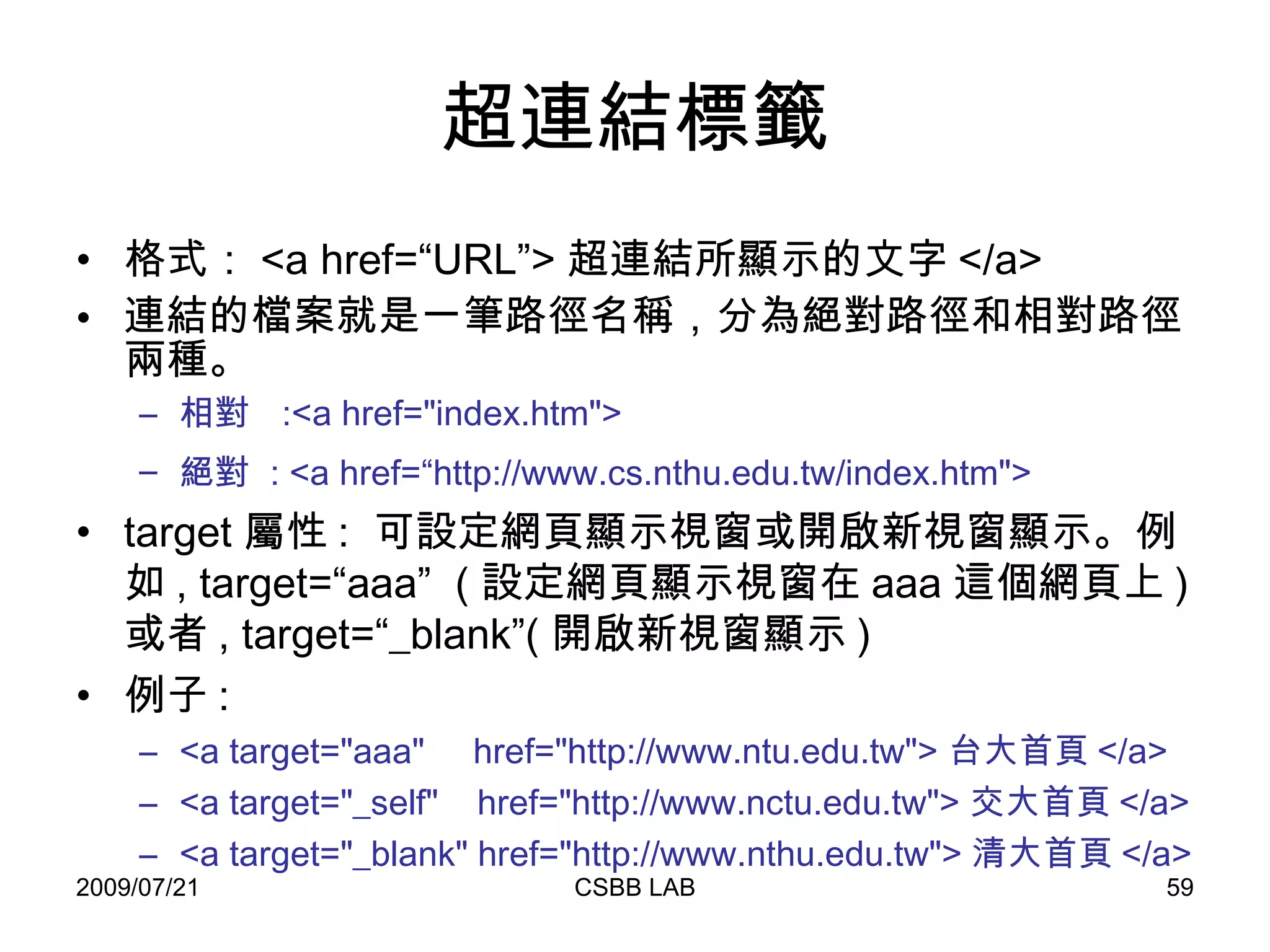
超連結標籤 格式: <a href=“URL”> 超連結所顯示的文字 </a>  連結的檔案就是一筆路徑名稱,分為絕對路徑和相對路徑兩種。 相對  :<a href=&quot;index.htm&quot;>  絕對  : <a href=“http://www.cs.nthu.edu.tw/index.htm&quot;>   target 屬性 :  可設定網頁顯示視窗或開啟新視窗顯示。例如 , target=“aaa”  ( 設定網頁顯示視窗在 aaa 這個網頁上 ) 或者 , target=“_blank”( 開啟新視窗顯示 ) 例子 : <a target=&quot;aaa&quot;  href=&quot;http://www.ntu.edu.tw&quot;> 台大首頁 </a>  <a target=&quot;_self&quot;  href=&quot;http://www.nctu.edu.tw&quot;> 交大首頁 </a> <a target=&quot;_blank&quot; href=&quot;http://www.nthu.edu.tw&quot;> 清大首頁 </a>
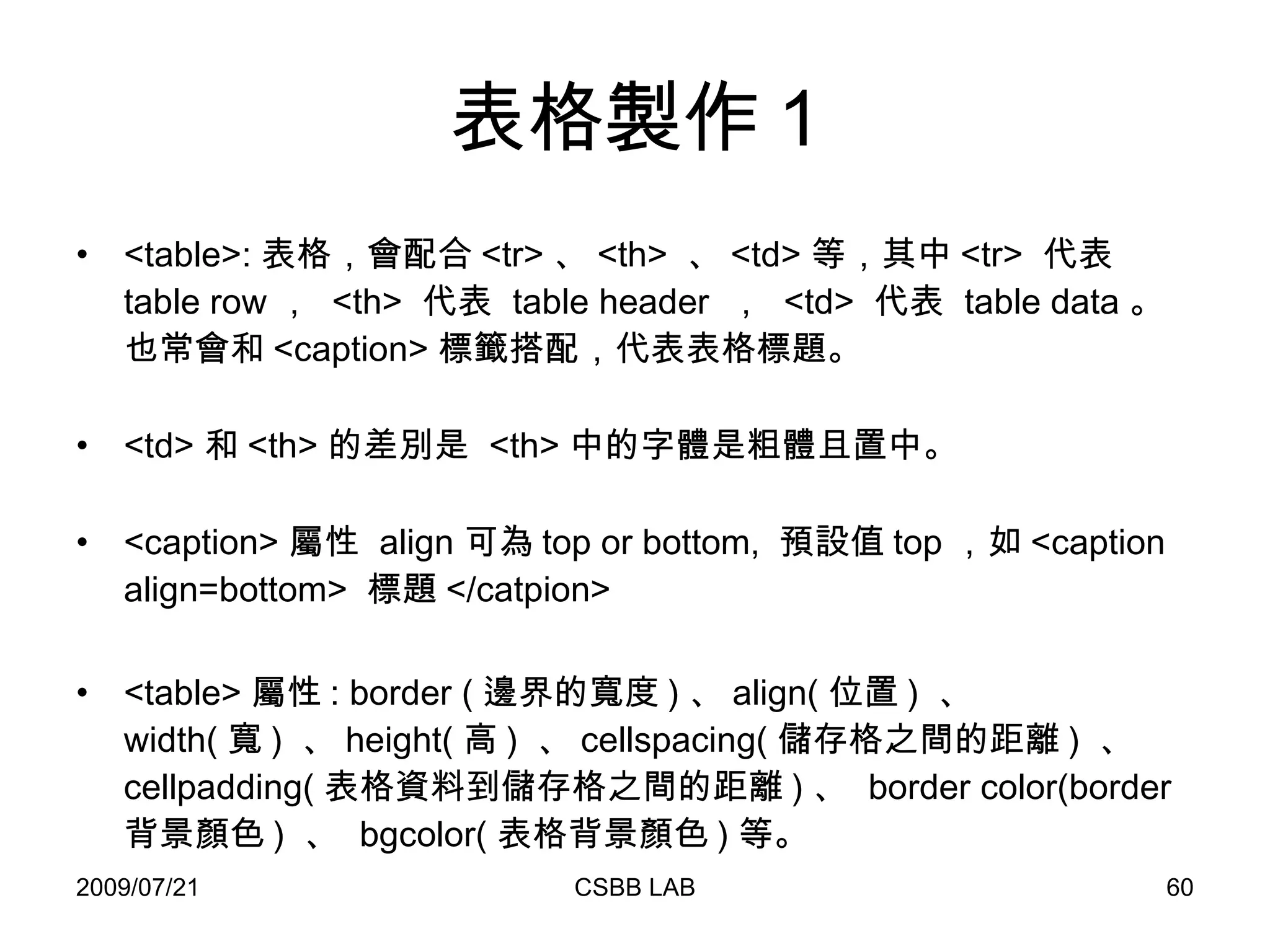
表格製作 1 <table>: 表格,會配合 <tr> 、 <th>  、 <td> 等,其中 <tr>  代表  table row ,  <th>  代表  table header  ,  <td>  代表  table data 。也常會和 <caption> 標籤搭配,代表表格標題。 <td> 和 <th> 的差別是  <th> 中的字體是粗體且置中。 <caption> 屬性  align 可為 top or bottom,  預設值 top ,如 <caption align=bottom>  標題 </catpion> <table> 屬性 : border ( 邊界的寬度 ) 、 align( 位置 )  、 width( 寬 )  、 height( 高 )  、 cellspacing( 儲存格之間的距離 )  、 cellpadding( 表格資料到儲存格之間的距離 ) 、  border color(border 背景顏色 )  、  bgcolor( 表格背景顏色 ) 等。
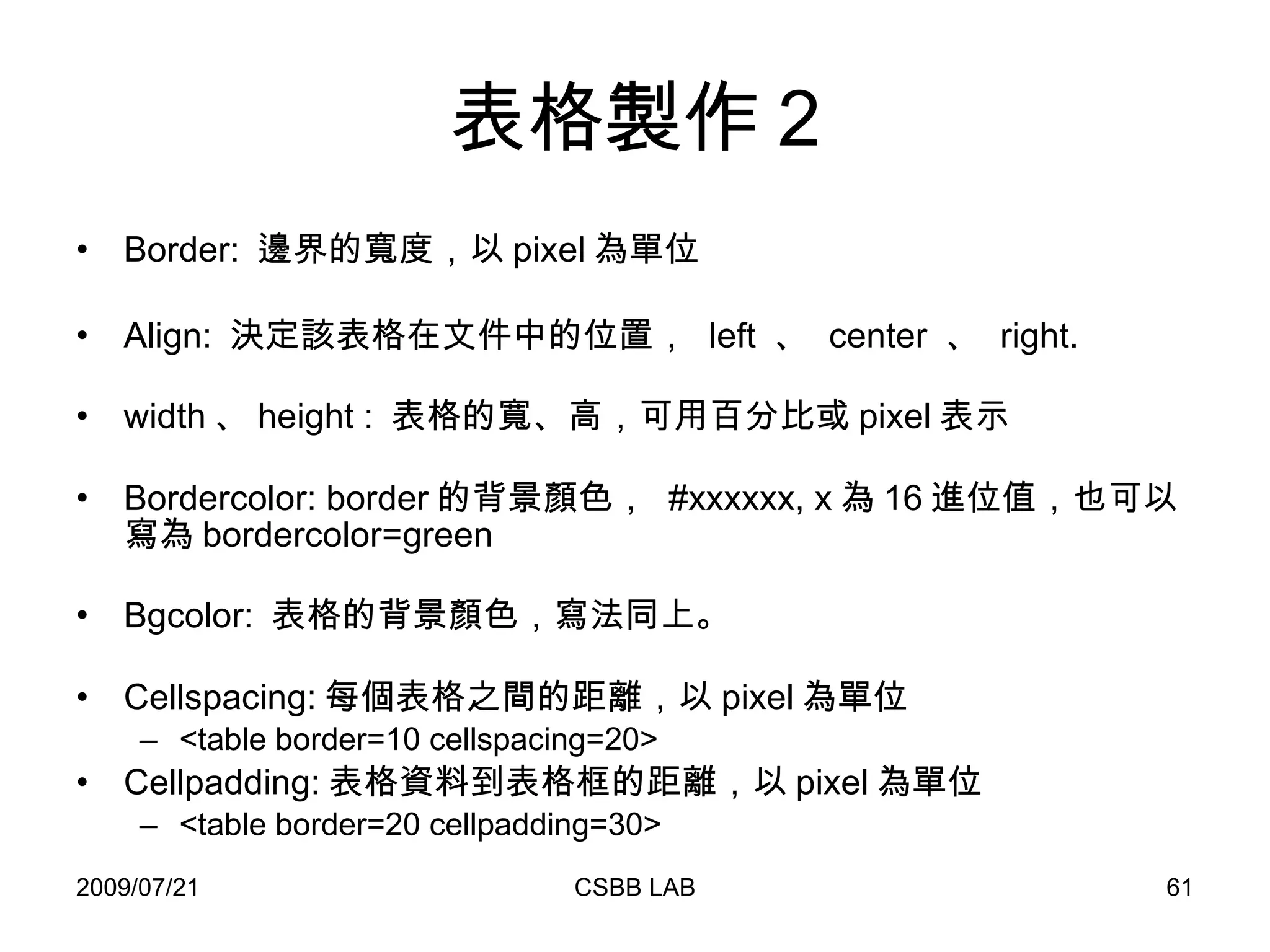
表格製作 2 Border:  邊界的寬度,以 pixel 為單位 Align:  決定該表格在文件中的位置 ,   left  、  center  、  right. width 、 height :  表格的寬、高,可用百分比或 pixel 表示 Bordercolor: border 的背景顏色,  #xxxxxx, x 為 16 進位值,也可以寫為 bordercolor=green Bgcolor:  表格的背景顏色,寫法同上。 Cellspacing: 每個表格 之間的距離 ,以 pixel 為單位 <table border=10 cellspacing=20> Cellpadding: 表格資料到表格框的距離,以 pixel 為單位 <table border=20 cellpadding=30>
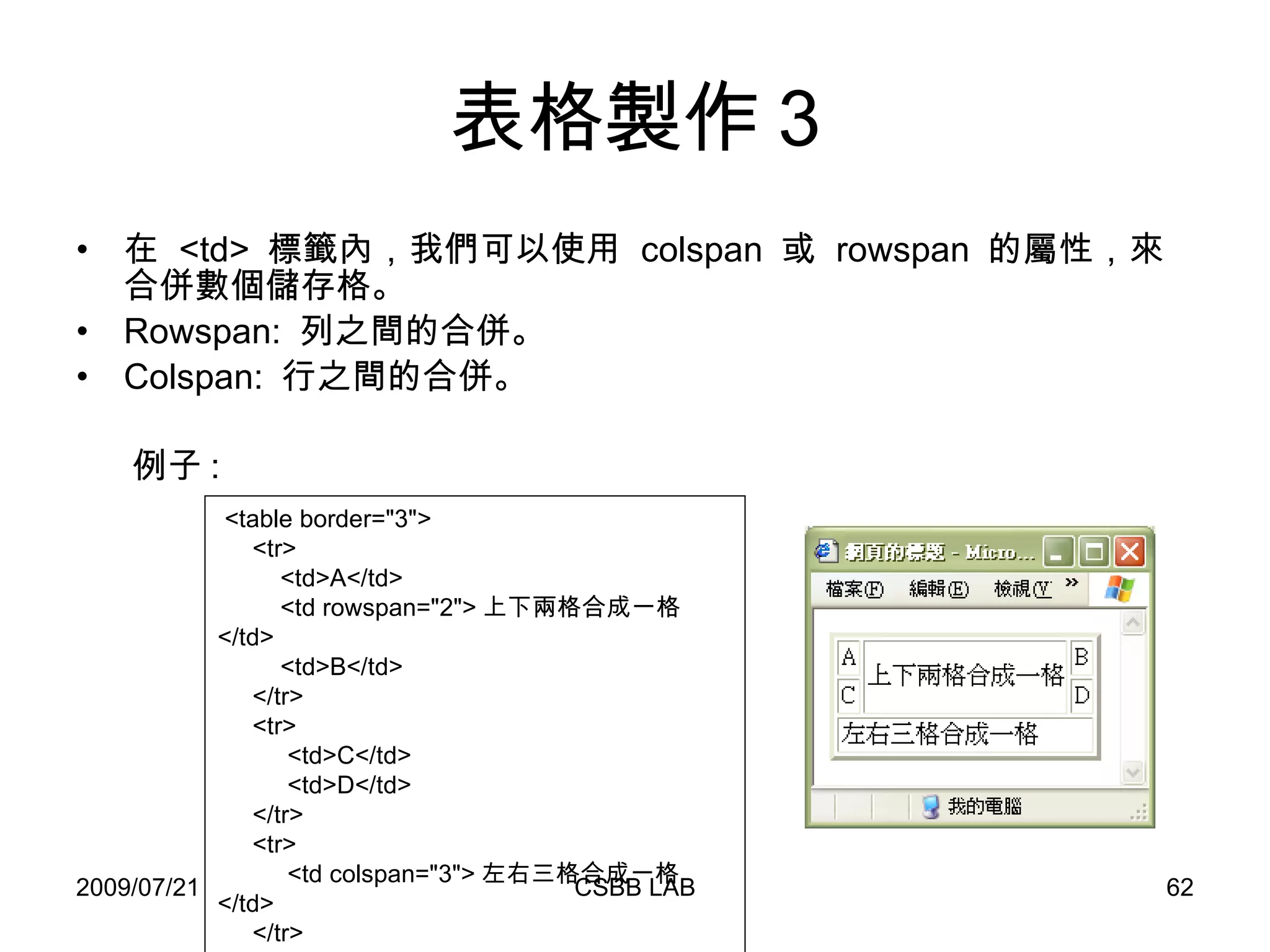
表格製作 3 在  <td>  標籤內,我們可以使用  colspan  或  rowspan  的屬性,來合併數個儲存格。 Rowspan:  列之間的合併。 Colspan:  行之間的合併。 例子 : <table border=&quot;3&quot;> <tr> <td>A</td>  <td rowspan=&quot;2&quot;> 上下兩格合成一格 </td> <td>B</td> </tr>  <tr> <td>C</td> <td>D</td> </tr> <tr> <td colspan=&quot;3&quot;> 左右三格合成一格 </td> </tr> </table>
常用符號 空白表示 : &nbsp (non-blank space) 大於 : &gt; 小於 : &lt; 雙引號 : &quot; ( 單引號直接打 ‘ 即可 ) & : &amp; 註解表示 : <!-- your comments --> Browser  不會去處理註解裡面所寫的內容
Form 表單( Form )是  HTML  的一個重要標籤。 表單不只是有呈現資訊的功能,更重要的是,它包含了數種表單元素( Form Elements ),可以 讓使用者進行資料填寫或選取的功能 ,並將使用者所填寫的資料送到伺服器端,進行必要的處理。 因此我們可以說,表單就是客戶端和伺服器進行資訊溝通的第一個門面。 表單傳遞方法有兩種,分別為 POST 與 GET 。
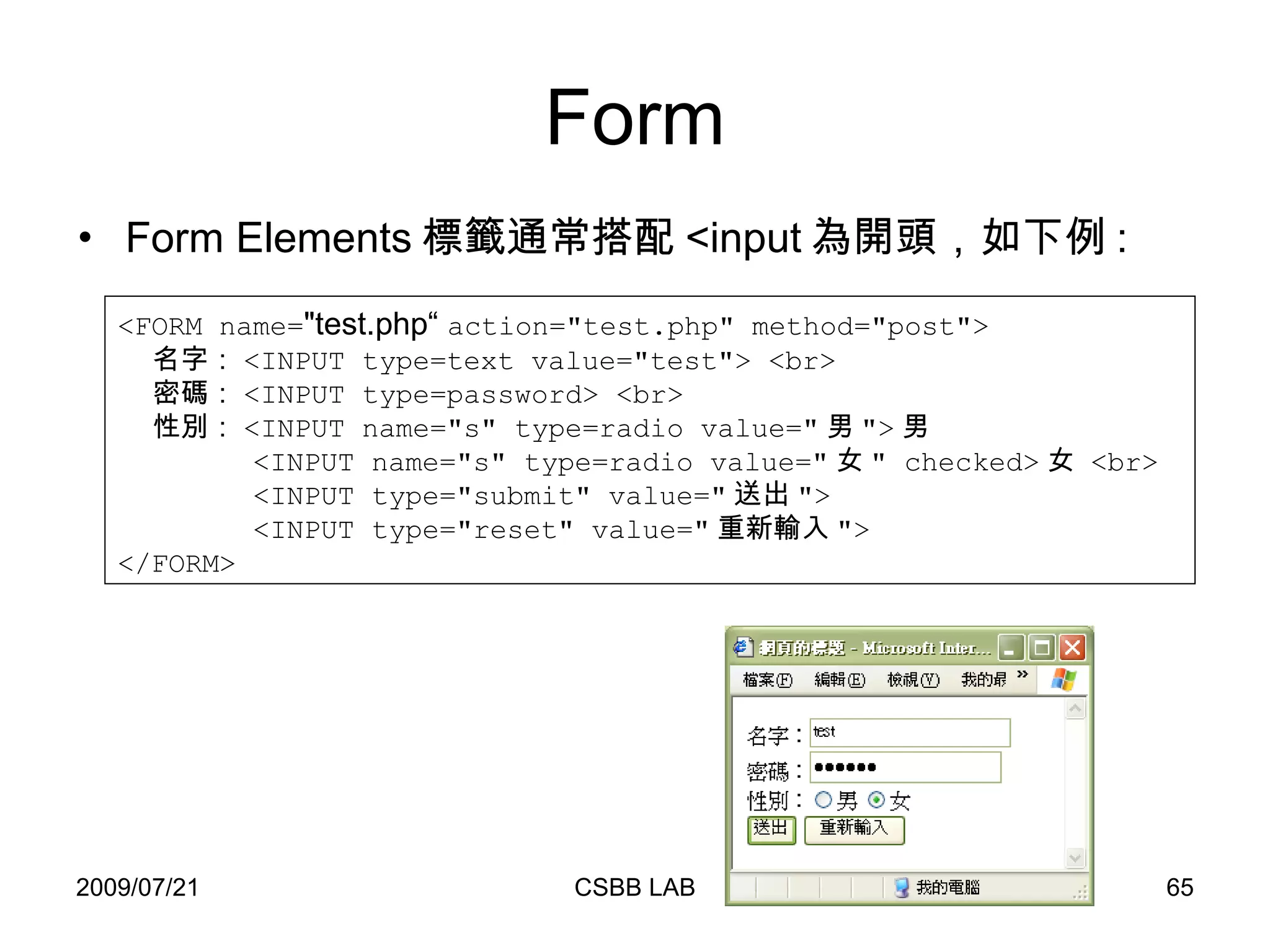
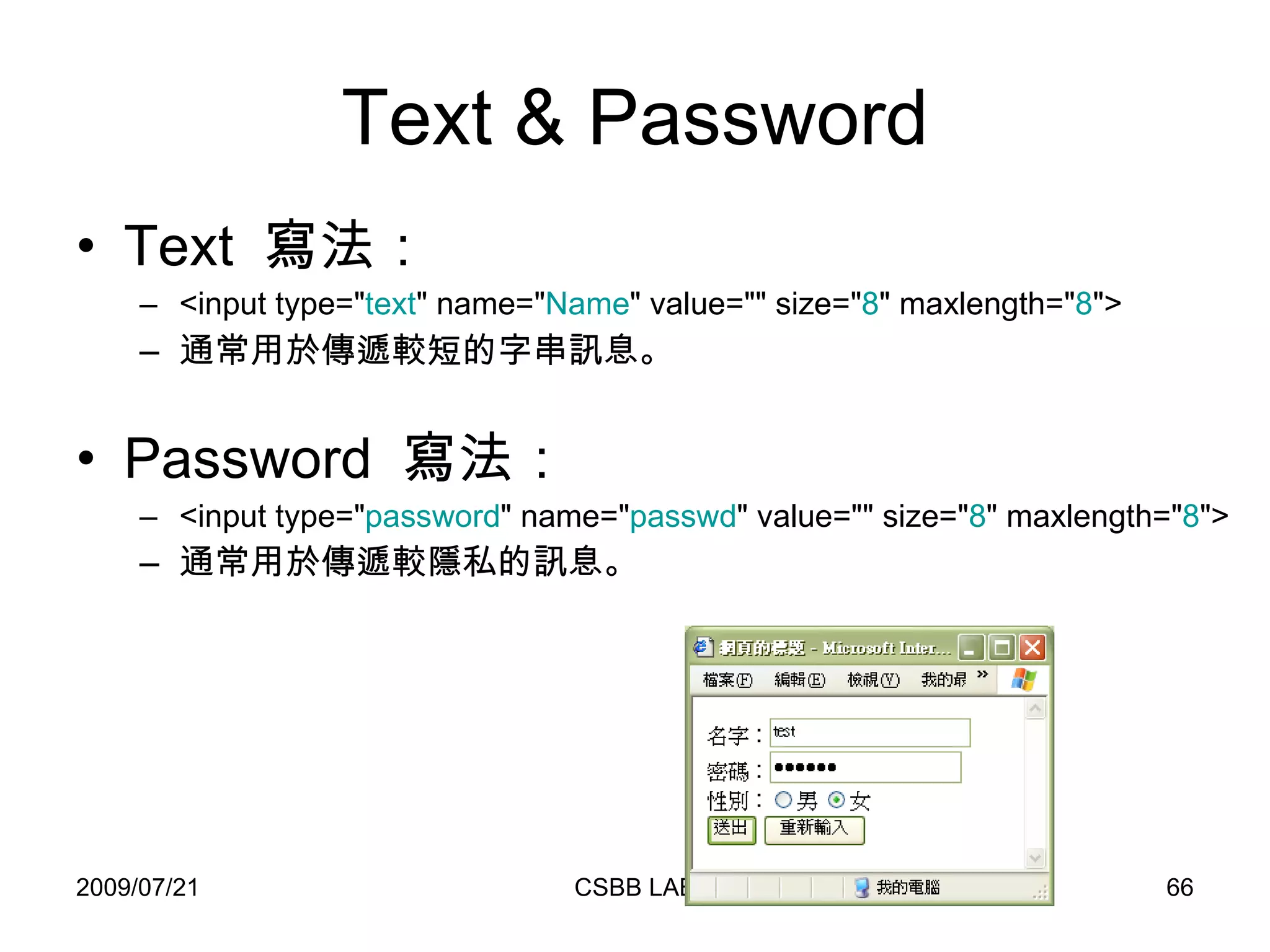
Form Form Elements 標籤通常搭配 <input 為開頭,如下例 : <FORM name= &quot;test.php“  action=&quot;test.php&quot; method=&quot;post&quot;> 名字: <INPUT type=text value=&quot;test&quot;> <br> 密碼: <INPUT type=password> <br> 性別: <INPUT name=&quot;s&quot; type=radio value=&quot; 男 &quot;> 男 <INPUT name=&quot;s&quot; type=radio value=&quot; 女 &quot; checked> 女  <br> <INPUT type=&quot;submit&quot; value=&quot; 送出 &quot;> <INPUT type=&quot;reset&quot; value=&quot; 重新輸入 &quot;> </FORM>
Text & Password Text  寫法: <input type=&quot; text &quot; name=&quot; Name &quot; value=&quot;&quot; size=&quot; 8 &quot; maxlength=&quot; 8 &quot;>  通常用於傳遞較短的字串訊息。 Password  寫法: <input type=&quot; password &quot; name=&quot; passwd &quot; value=&quot;&quot; size=&quot; 8 &quot; maxlength=&quot; 8 &quot;> 通常用於傳遞較隱私的訊息。
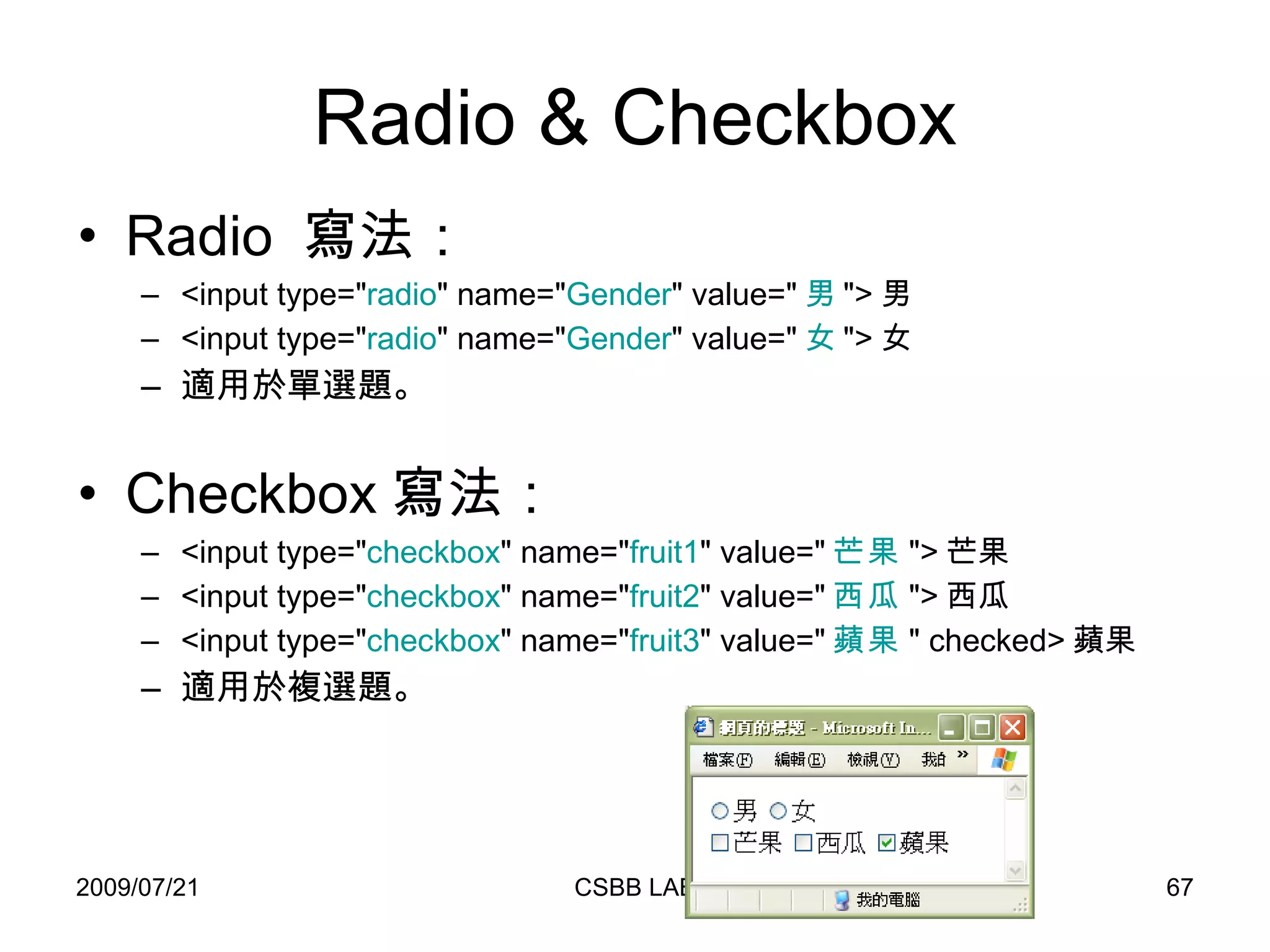
Radio & Checkbox Radio  寫法: <input type=&quot; radio &quot; name=&quot; Gender &quot; value=&quot; 男 &quot;> 男 <input type=&quot; radio &quot; name=&quot; Gender &quot; value=&quot; 女 &quot;> 女 適用於單選題。 Checkbox 寫法: <input type=&quot; checkbox &quot; name=&quot; fruit1 &quot; value=&quot; 芒果 &quot;> 芒果 <input type=&quot; checkbox &quot; name=&quot; fruit2 &quot; value=&quot; 西瓜 &quot;> 西瓜 <input type=&quot; checkbox &quot; name=&quot; fruit3 &quot; value=&quot; 蘋果 &quot; checked> 蘋果 適用於複選題。
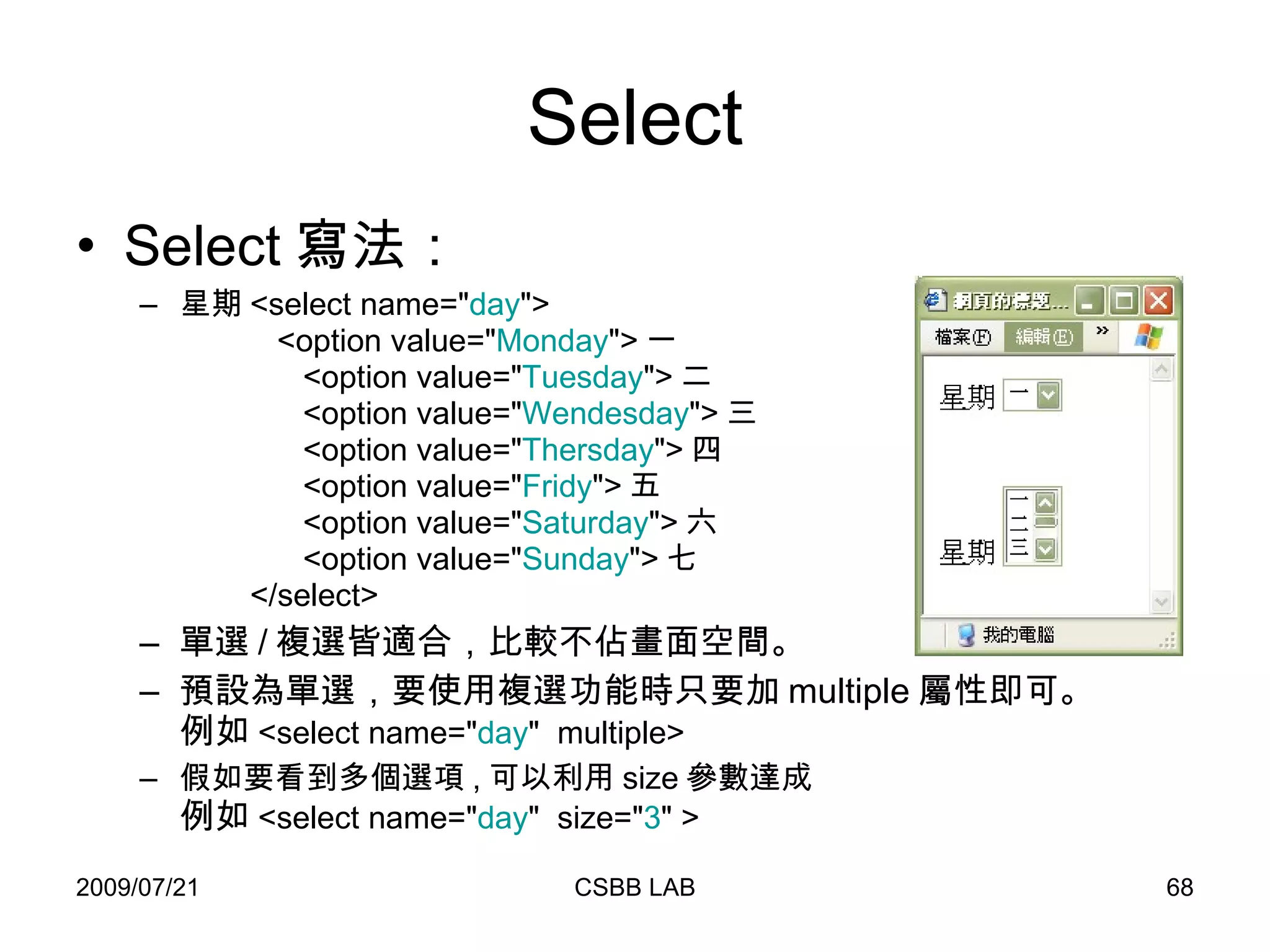
Select Select 寫法: 星期 <select name=&quot; day &quot;>   <option value=&quot; Monday &quot;> 一   <option value=&quot; Tuesday &quot;> 二   <option value=&quot; Wendesday &quot;> 三   <option value=&quot; Thersday &quot;> 四   <option value=&quot; Fridy &quot;> 五   <option value=&quot; Saturday &quot;> 六   <option value=&quot; Sunday &quot;> 七   </select> 單選 / 複選皆適合,比較不佔畫面空間。 預設為單選,要使用複選功能時只要加 multiple 屬性即可。 例如 <select name=&quot; day &quot;  multiple> 假如要看到多個選項 , 可以利用 size 參數達成 例如 <select name=&quot; day &quot;  size=&quot; 3 &quot; >
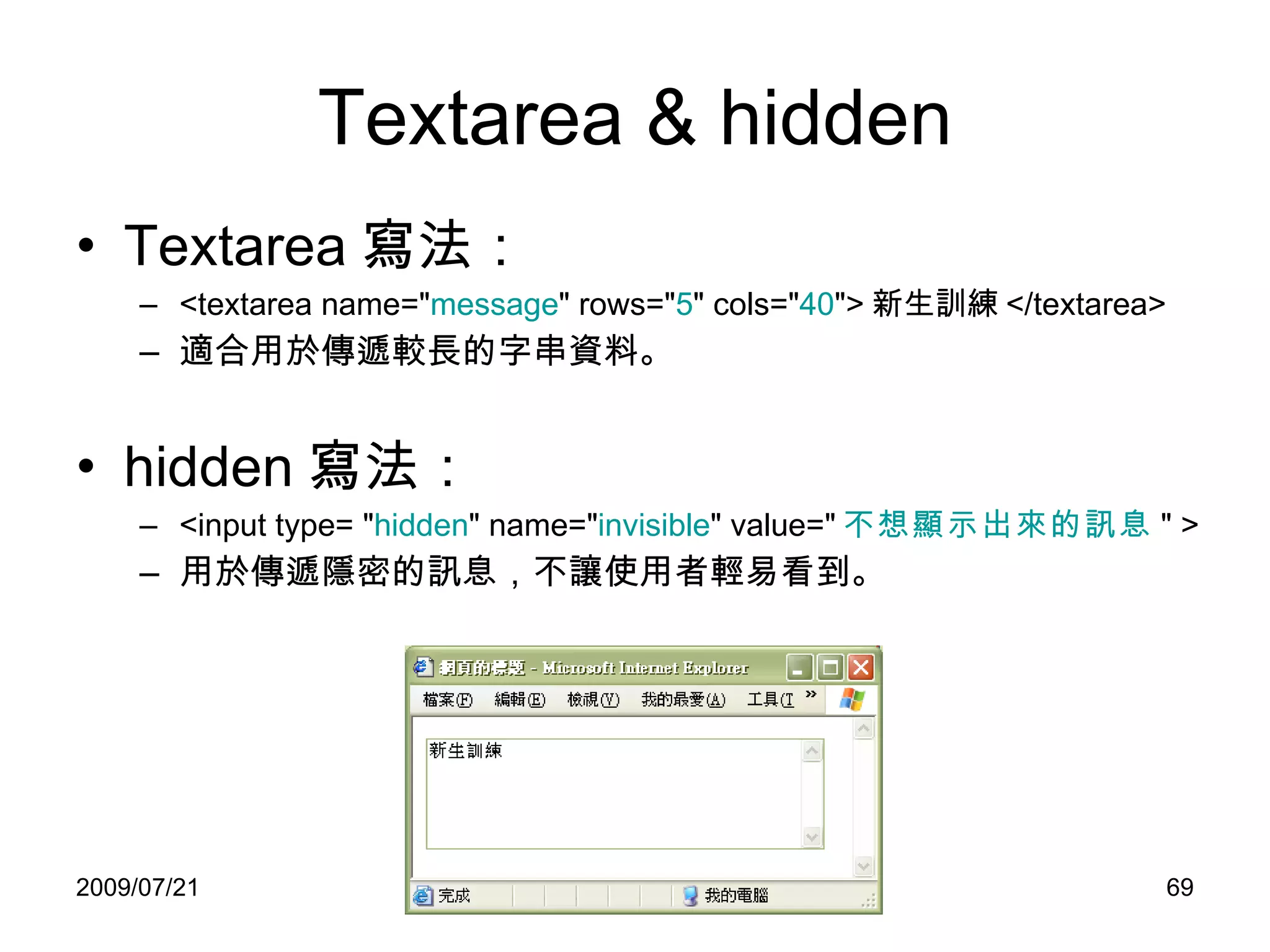
Textarea & hidden Textarea 寫法: <textarea name=&quot; message &quot; rows=&quot; 5 &quot; cols=&quot; 40 &quot;> 新生訓練 </textarea> 適合用於傳遞較長的字串資料。 hidden 寫法: <input type= &quot; hidden &quot; name=&quot; invisible &quot; value=&quot; 不想顯示出來的訊息 &quot; >  用於傳遞隱密的訊息,不讓使用者輕易看到。
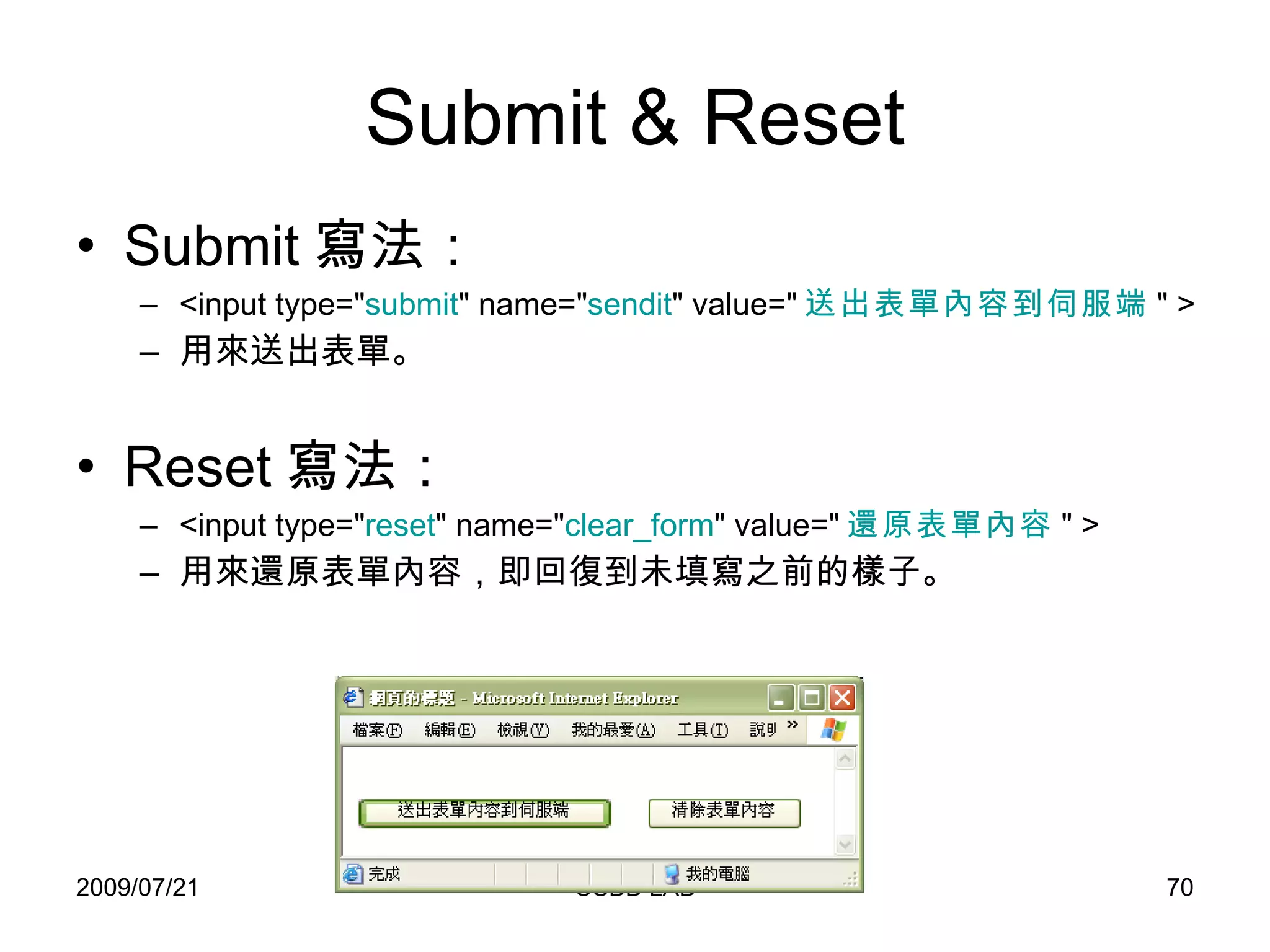
Submit & Reset Submit 寫法: <input type=&quot; submit &quot; name=&quot; sendit &quot; value=&quot; 送出表單內容到伺服端 &quot; > 用來送出表單。 Reset 寫法: <input type=&quot; reset &quot; name=&quot; clear_form &quot; value=&quot; 還原表單內容 &quot; > 用來還原表單內容,即回復到未填寫之前的樣子。
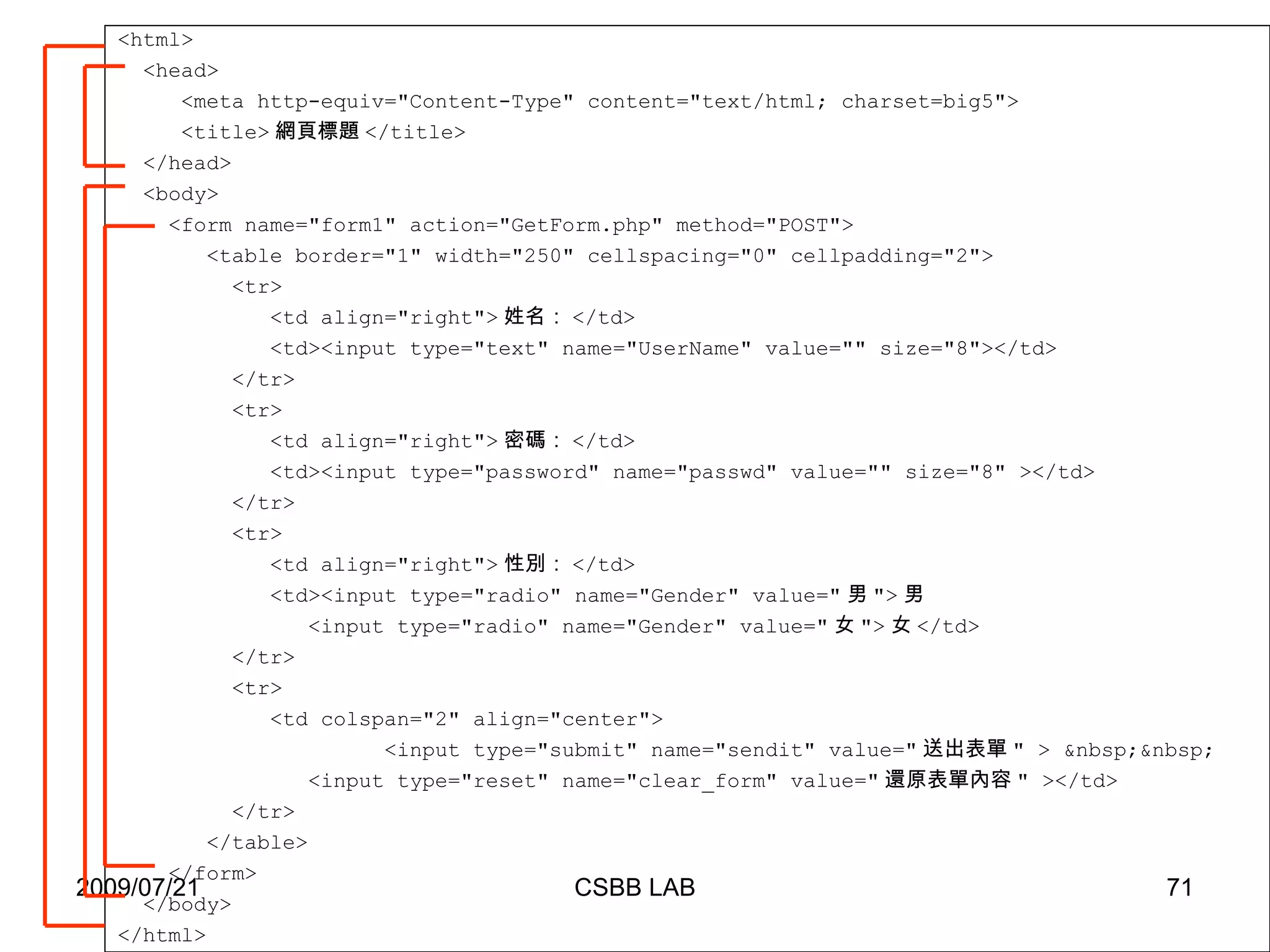
<html> <head> <meta http-equiv=&quot;Content-Type&quot; content=&quot;text/html; charset=big5&quot;> <title> 網頁標題 </title> </head> <body> <form name=&quot;form1&quot; action=&quot;GetForm.php&quot; method=&quot;POST&quot;> <table border=&quot;1&quot; width=&quot;250&quot; cellspacing=&quot;0&quot; cellpadding=&quot;2&quot;> <tr> <td align=&quot;right&quot;> 姓名: </td> <td><input type=&quot;text&quot; name=&quot;UserName&quot; value=&quot;&quot; size=&quot;8&quot;></td> </tr> <tr> <td align=&quot;right&quot;> 密碼: </td> <td><input type=&quot;password&quot; name=&quot;passwd&quot; value=&quot;&quot; size=&quot;8&quot; ></td> </tr>  <tr> <td align=&quot;right&quot;> 性別: </td> <td><input type=&quot;radio&quot; name=&quot;Gender&quot; value=&quot; 男 &quot;> 男 <input type=&quot;radio&quot; name=&quot;Gender&quot; value=&quot; 女 &quot;> 女 </td> </tr>  <tr> <td colspan=&quot;2&quot; align=&quot;center&quot;>   <input type=&quot;submit&quot; name=&quot;sendit&quot; value=&quot; 送出表單 &quot; > &nbsp;&nbsp; <input type=&quot;reset&quot; name=&quot;clear_form&quot; value=&quot; 還原表單內容 &quot; ></td> </tr>  </table> </form> </body> </html>
<html> <head> <meta http-equiv=&quot;Content-Type&quot; content=&quot;text/html; charset=big5&quot;> <title> 我是接收網頁 </title> </head> <body> <?php $UserName = $_POST[&quot;UserName&quot;]; $passwd = $_POST[&quot;passwd&quot;]; $Gender = $_POST[&quot;Gender&quot;]; echo &quot; 你的名字是  &quot; . $UserName .&quot;<br>&quot;; echo &quot; 你的密碼是  &quot; . $passwd .&quot;<br>&quot;; echo &quot; 你的性別是  &quot; . $Gender .&quot;<br>&quot;; ?> </body> </html> GetForm.php
Question Form 裡的 Select 元件,可以做為複選用,但是上了研究所的小明,依照單選時的方式,卻接收不到多個選項。請問他的網頁與程式要修改哪些地方。 <select name=&quot;desserts&quot; size=&quot;6&quot; multiple> <option value=&quot; 珍奶 &quot;> 珍奶 <option value=&quot; 鬆餅 &quot;> 鬆餅 <option value=&quot; 蛋糕 &quot;> 蛋糕 <option value=&quot; 餅乾 &quot;> 餅乾 <option value=&quot; 比薩 &quot;> 比薩 <option value=&quot; 可頌 &quot;> 可頌 </select> <?php $desserts = $_POST[&quot;desserts&quot;]; ?>
Javascript 撰寫網頁時,常常需要用 Javascript 在使用者端作一些輔助,例如檢查表單驗證,因此多了解 Javascript 對網頁撰寫是很有幫助的。 張智星老師網頁: http:// neural.cs.nthu.edu.tw/jang /
 
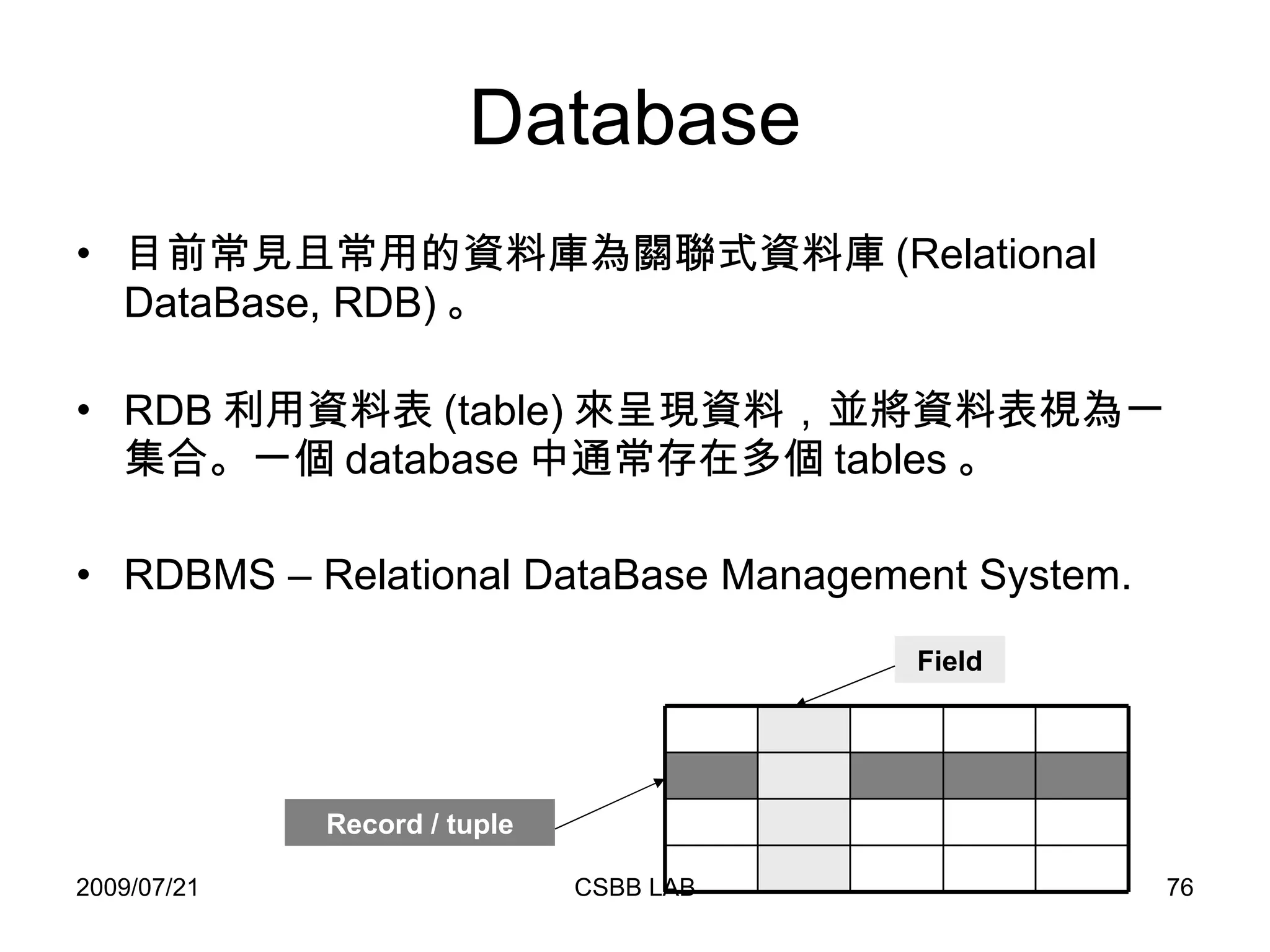
Database 目前常見且常用的資料庫為關聯式資料庫 (Relational DataBase, RDB) 。 RDB 利用資料表 (table) 來呈現資料,並將資料表視為一集合。一個 database 中通常存在多個 tables 。 RDBMS – Relational DataBase Management System. Record / tuple Field
MySQL MySQL 為一種 RDBMS ,為昇陽電腦 (Sun) 旗下的一項產品,大部分情況下為免費軟體。 目前最新的版本為 5.4 。 許多生物資料庫也使用 MySQL 來處理資料,例如 Gene ontology 、 ensembl 。 昇陽電腦不久前被甲骨文 (Oracle) 以 74 億美元併購。
MySQL 資料型態  文字型態   列舉 (Enumeration) , Enum 單選、 Set 複選 集合最大數目為 65535 Enum 最大長度 4294967295 個字元  (2^32-1)  LongText 最大長度 4294967295 個字元  (2^32-1)  LongBlob 最大長度  16777215  個字元 (2^24-1 MediumText 最大長度  16777215  個字元 (2^24-1)  MediumBlob 最大長度 65535 個字元 (2^16-1)  Text  最大長度 65535 個字元 (2^16-1)  Blob 最大長度 255 個字元 (2^8-1) TinyText Blob (Binary large objects) 儲存二進位資料,且有分大小寫    最大長度 255 個字元 (2^8-1) TinyBlob 可變長度 N=1~255  個字元  binary  :分辨大小寫  VarChar(N) [ binary]  固定長度 N=1~255  個字元  binary  :分辨大小寫  Char(N) [ binary]  說明 範圍 種類
MySQL 資料型態 數值 -1.79E+308~1.79E+308(  約  )  Double [(M,D)]  註:  M  為長度,  D  為小數 ,Float 4 bytes,Double 8 bytes  -3.4E+38~3.4E+38(  約  )  Float [(M,D)]    -2^63~2^63-1 UNSIGNED  :  0~2^64  BigInt[M] [UNSIGNED]    -2^31~2^31-1 UNSIGNED  :  0~2^32  Int[M] [UNSIGNED]    -8388608~8388607 UNSIGNED  : 0~16777215 MediumInt[M] [UNSIGNED]    -32768~32767 UNSIGNED  : 0~ 65535  SmallInt[M] [UNSIGNED]    -128~127  UNSIGNED  :  0~255  TinyInt[M] [UNSIGNED]  說明 範圍 種類
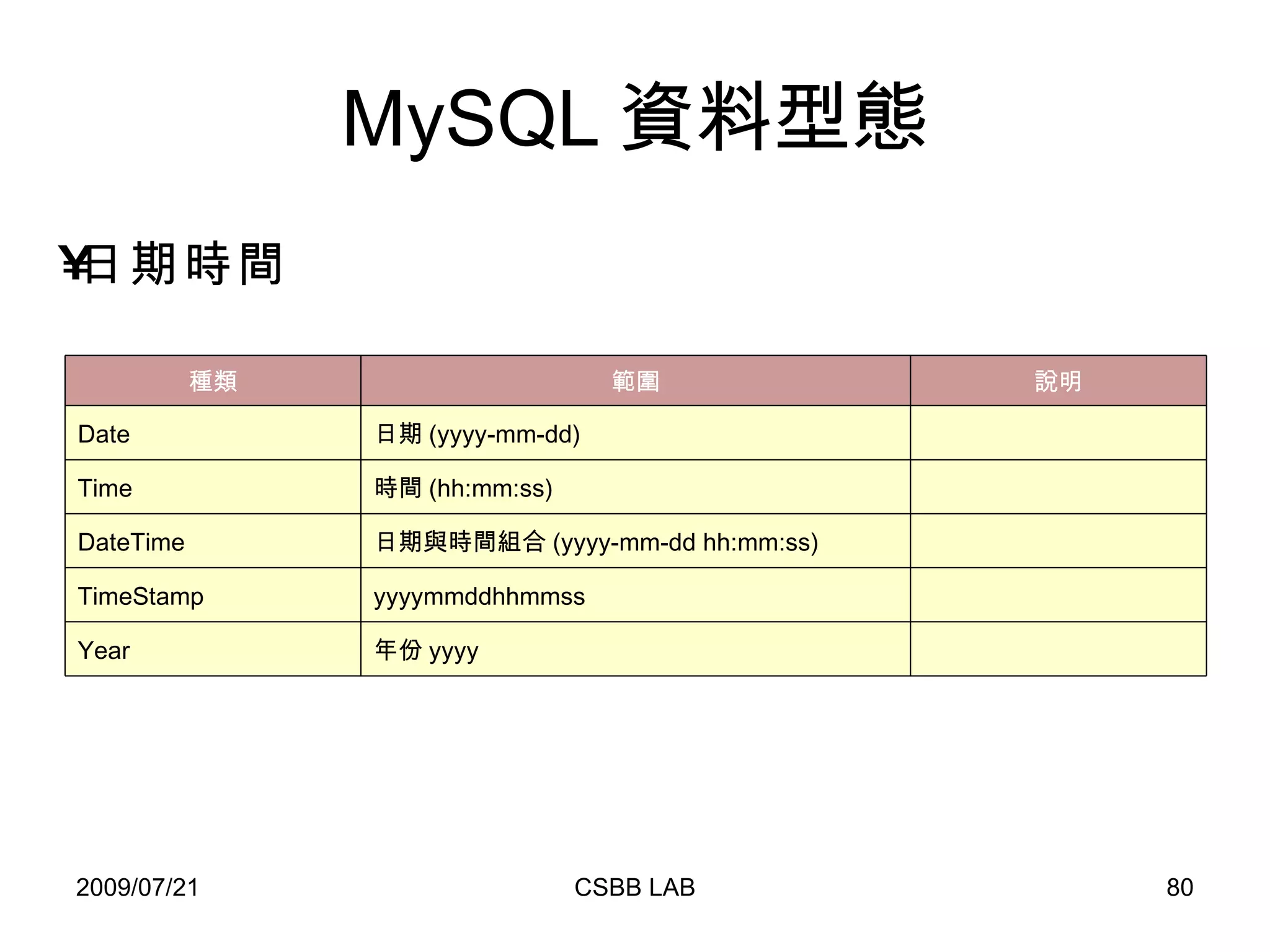
MySQL 資料型態 日期時間   年份 yyyy Year   yyyymmddhhmmss TimeStamp   日期與時間組合 (yyyy-mm-dd hh:mm:ss) DateTime   時間 (hh:mm:ss) Time   日期 (yyyy-mm-dd) Date 說明 範圍 種類
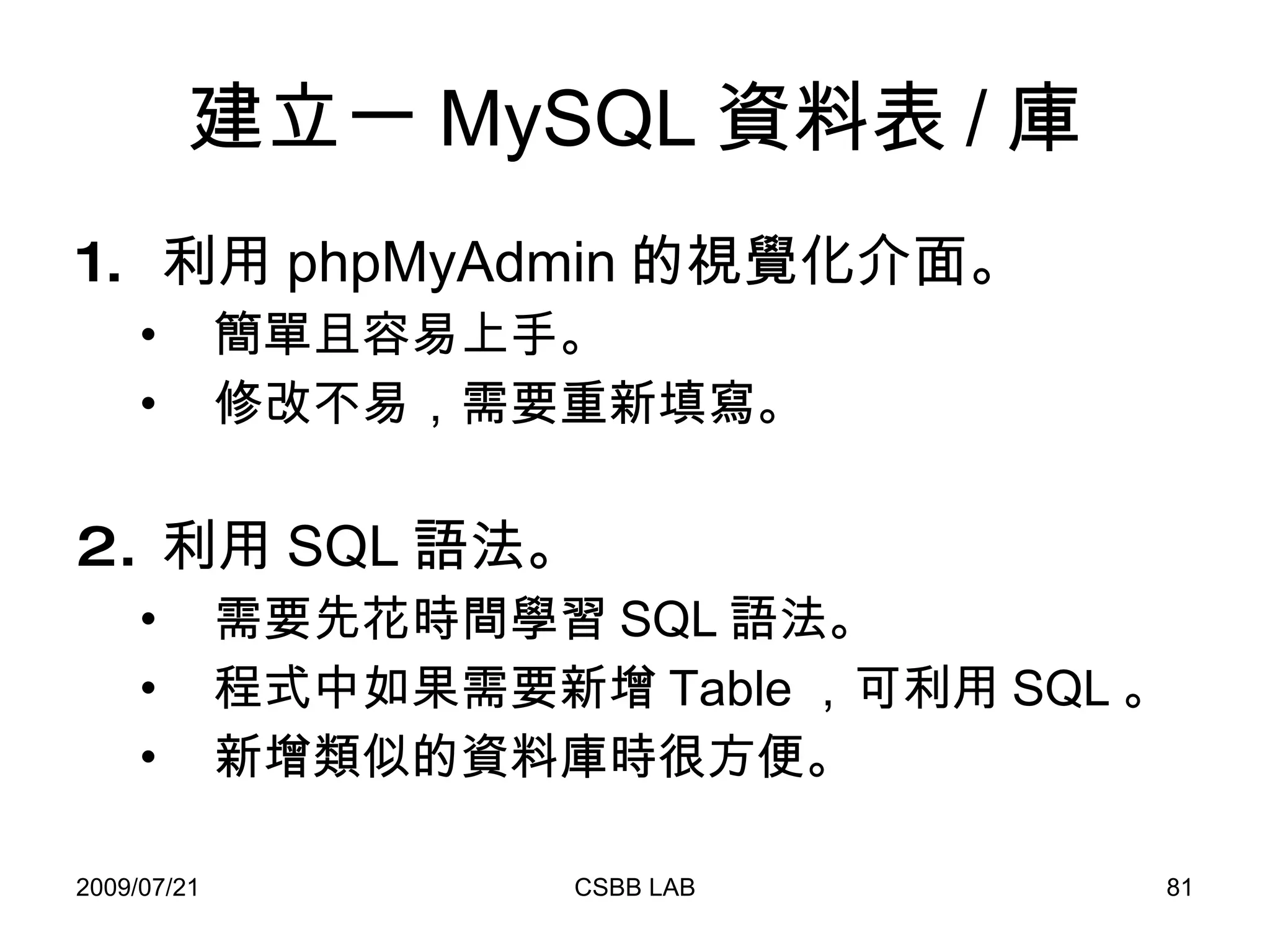
建立一 MySQL 資料表 / 庫 利用 phpMyAdmin 的視覺化介面。 簡單且容易上手。 修改不易,需要重新填寫。 利用 SQL 語法。 需要先花時間學習 SQL 語法。 程式中如果需要新增 Table ,可利用 SQL 。 新增類似的資料庫時很方便。
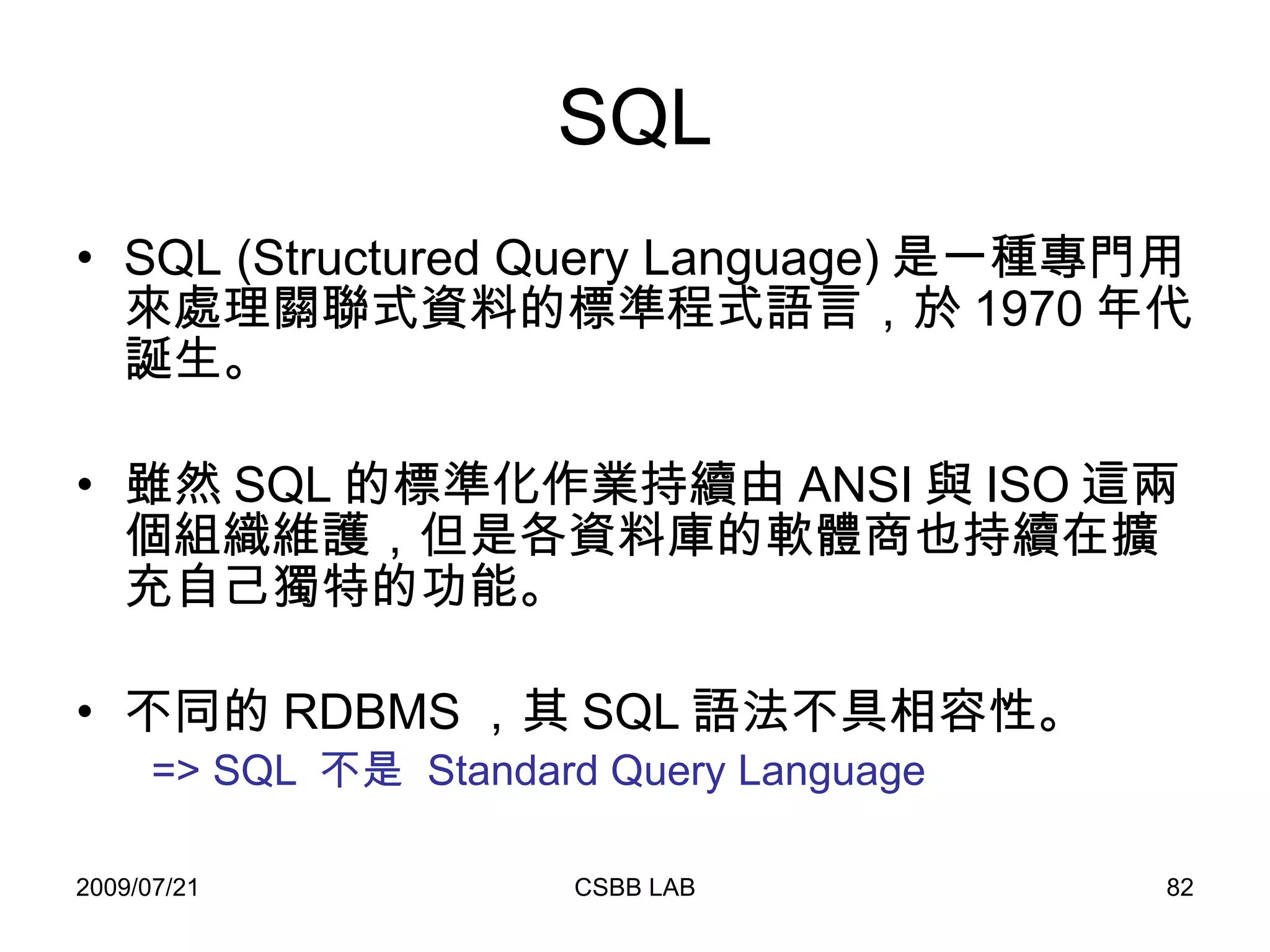
SQL SQL (Structured Query Language) 是一種專門用來處理關聯式資料的標準程式語言,於 1970 年代誕生。 雖然 SQL 的標準化作業持續由 ANSI 與 ISO 這兩個組織維護,但是各資料庫的軟體商也持續在擴充自己獨特的功能。 不同的 RDBMS ,其 SQL 語法不具相容性。 => SQL  不是  Standard Query Language
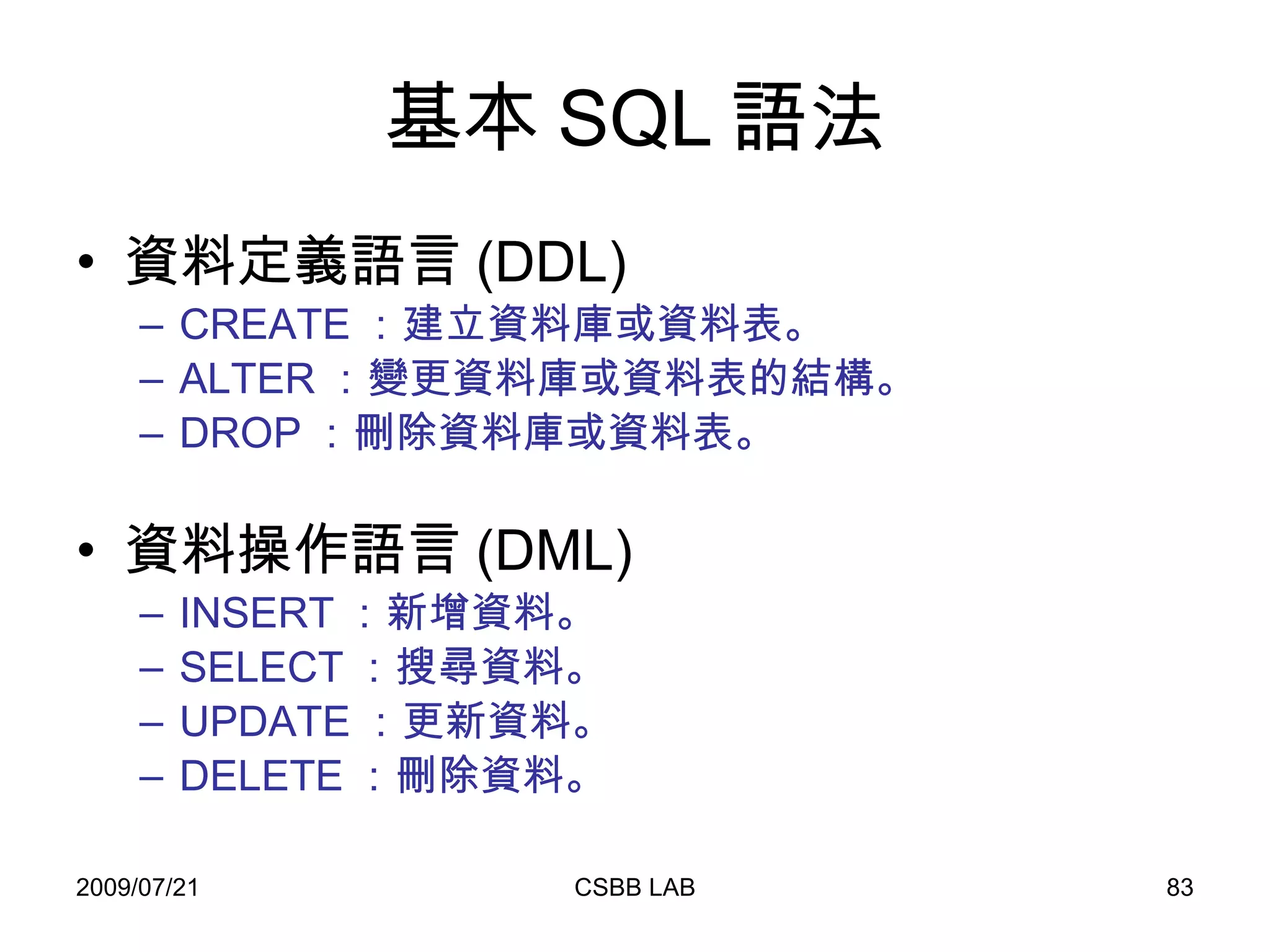
基本 SQL 語法 資料定義語言 (DDL) CREATE :建立資料庫或資料表。 ALTER :變更資料庫或資料表的結構。 DROP :刪除資料庫或資料表。 資料操作語言 (DML) INSERT :新增資料。 SELECT :搜尋資料。 UPDATE :更新資料。 DELETE :刪除資料。
CREATE 新增資料庫。 CREATE DATABASE db_name; 新增資料表。 CREATE TABLE [if not exists]  table_name   (col_name column_definition,…)   [table options];
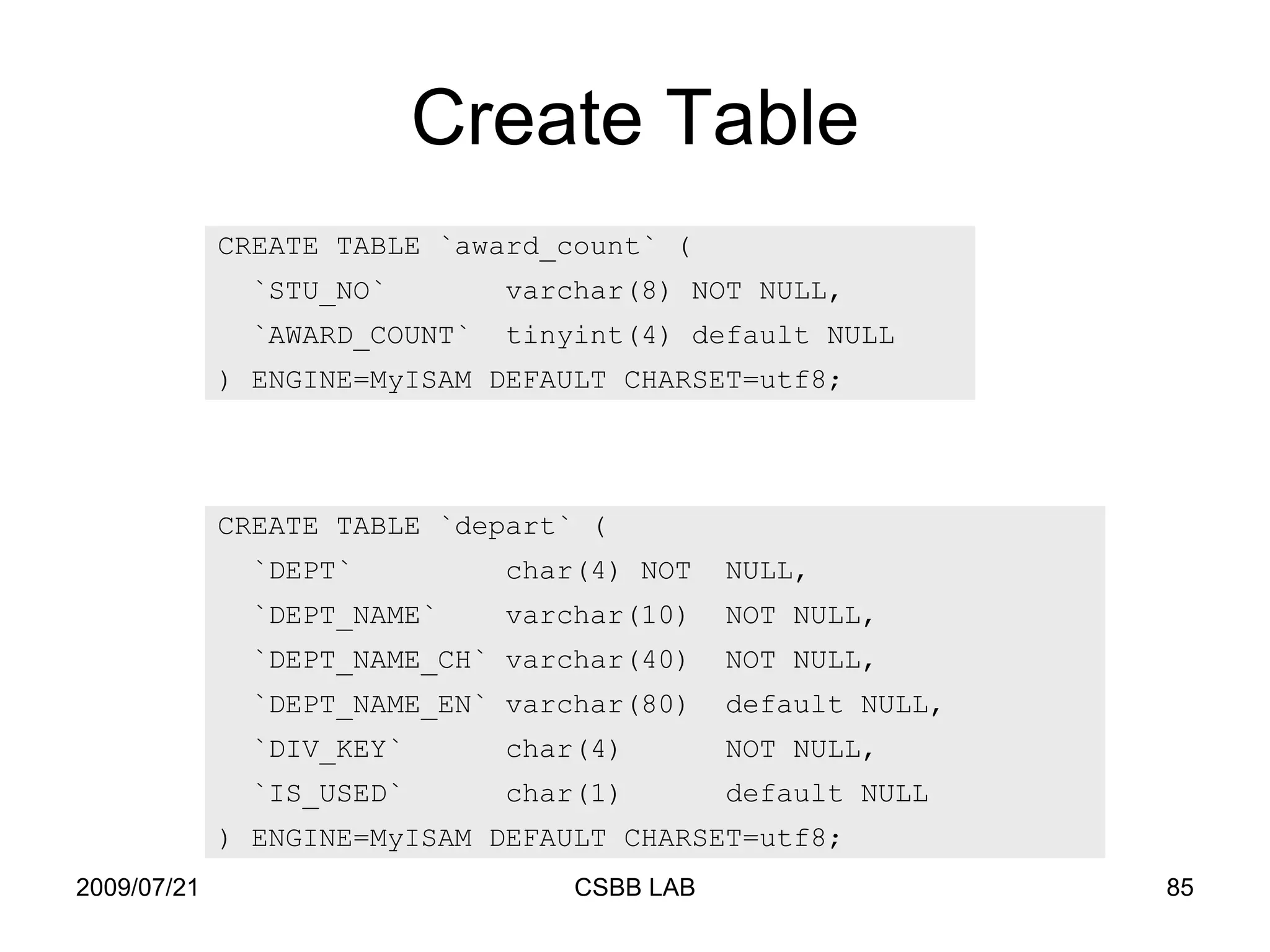
Create Table CREATE TABLE `award_count` ( `STU_NO`  varchar(8) NOT NULL, `AWARD_COUNT`  tinyint(4) default NULL ) ENGINE=MyISAM DEFAULT CHARSET=utf8; CREATE TABLE `depart` ( `DEPT`  char(4) NOT  NULL, `DEPT_NAME`  varchar(10)  NOT NULL, `DEPT_NAME_CH` varchar(40)  NOT NULL, `DEPT_NAME_EN` varchar(80)  default NULL, `DIV_KEY`  char(4)  NOT NULL, `IS_USED`  char(1)  default NULL ) ENGINE=MyISAM DEFAULT CHARSET=utf8;
ALTER ALTER [ONLINE | OFFLINE] [IGNORE] TABLE tbl_name alter_specification  [, alter_specification] ... alter_specification : table_options | ADD [COLUMN] col_name column_definition [FIRST | AFTER col_name ] | ADD [COLUMN] (col_name column_definition,...) | ADD {INDEX|KEY} [index_name] | CHANGE [COLUMN] old_col_name create_definition | DROP [COLUMN] col_name | DROP PRIMARY KEY | DROP INDEX index_name 修改資料表
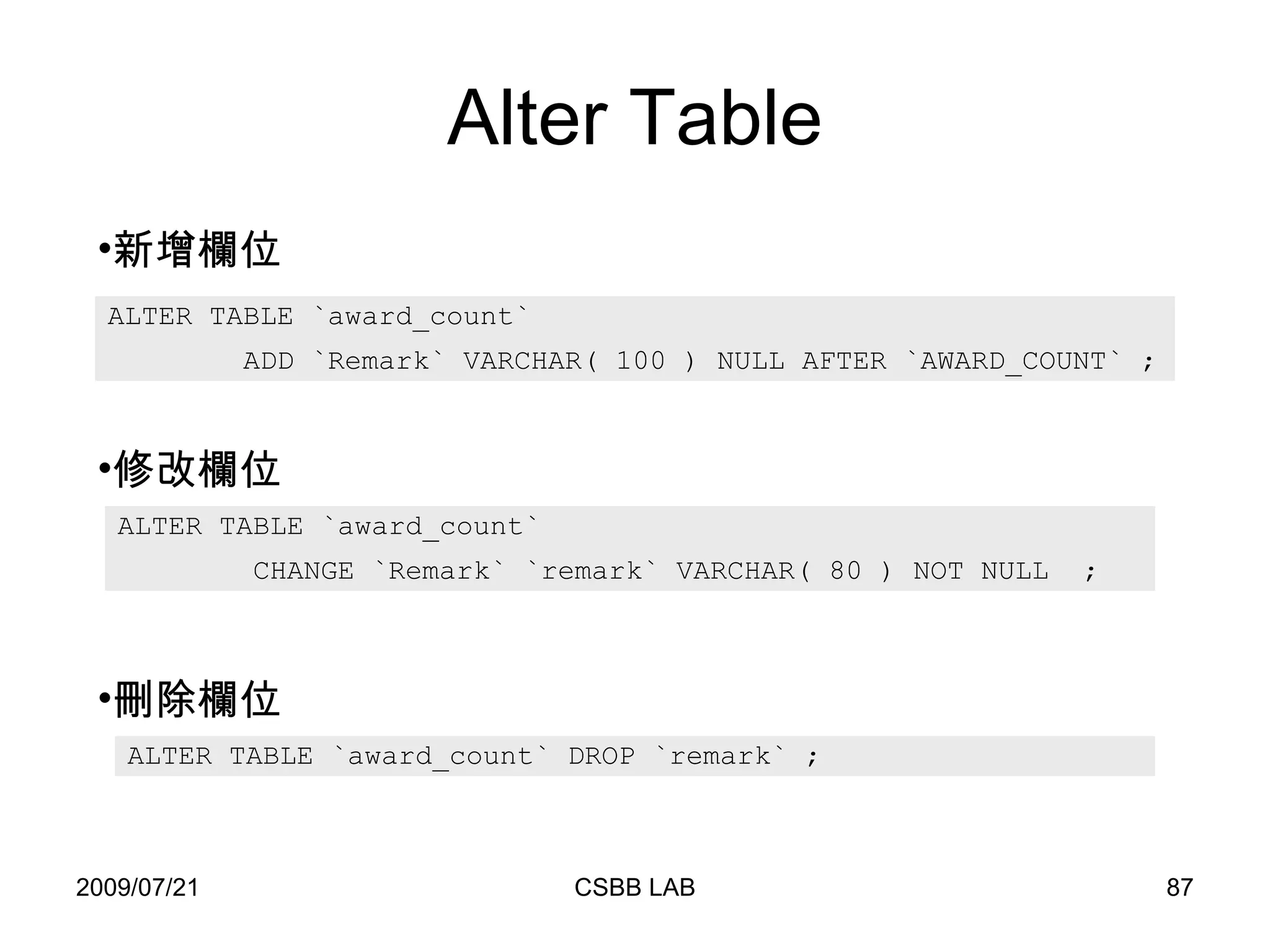
Alter Table ALTER TABLE `award_count`  ADD `Remark` VARCHAR( 100 ) NULL AFTER `AWARD_COUNT` ; ALTER TABLE `award_count` DROP `remark` ; ALTER TABLE `award_count`  CHANGE `Remark` `remark` VARCHAR( 80 ) NOT NULL  ; 新增欄位 修改欄位 刪除欄位
DROP DROP {DATABASE | SCHEMA} [IF EXISTS] db_name DROP [TEMPORARY] TABLE [IF EXISTS] tbl_name [, tbl_name] ... 刪除資料庫 刪除資料表
資料操作語言 (DML) INSERT :新增資料。  SELECT :搜尋資料。 UPDATE :更新資料。 DELETE :刪除資料。
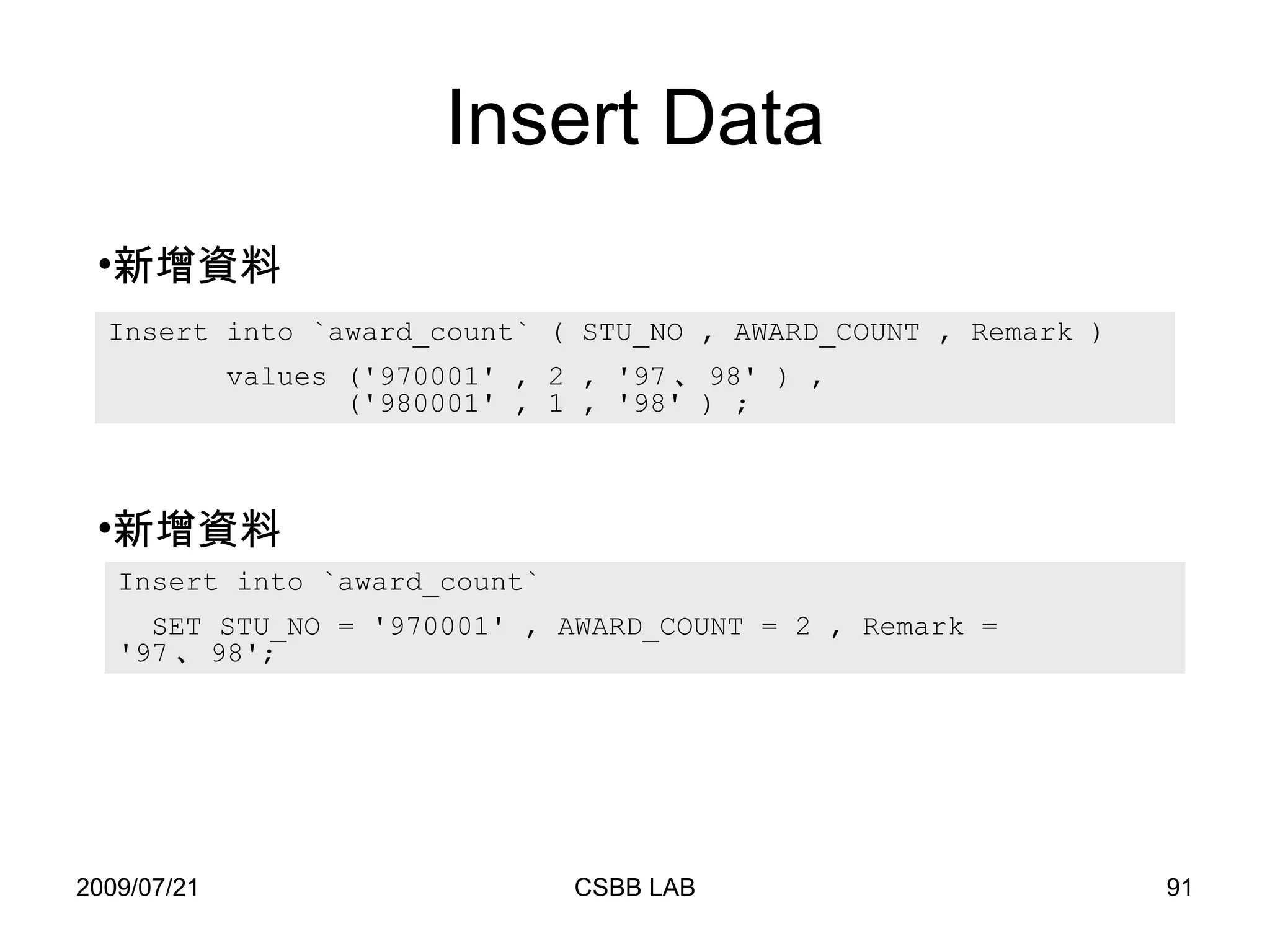
INSERT 新增資料 INSERT [LOW_PRIORITY | DELAYED] [IGNORE] [INTO] tbl_name [(col_name,...)] VALUES (expression,...),(...),... 或  INSERT [LOW_PRIORITY | DELAYED] [IGNORE] [INTO] tbl_name [(col_name,...)] SELECT ... 或  INSERT [LOW_PRIORITY | DELAYED] [IGNORE] [INTO] tbl_name SET col_name=expression, col_name=expression, ...
Insert Data Insert into `award_count` ( STU_NO , AWARD_COUNT , Remark )  values ('970001' , 2 , '97 、 98' ) ,    ('980001' , 1 , '98' ) ; Insert into `award_count`  SET STU_NO = '970001' , AWARD_COUNT = 2 , Remark = '97 、 98'; 新增資料 新增資料
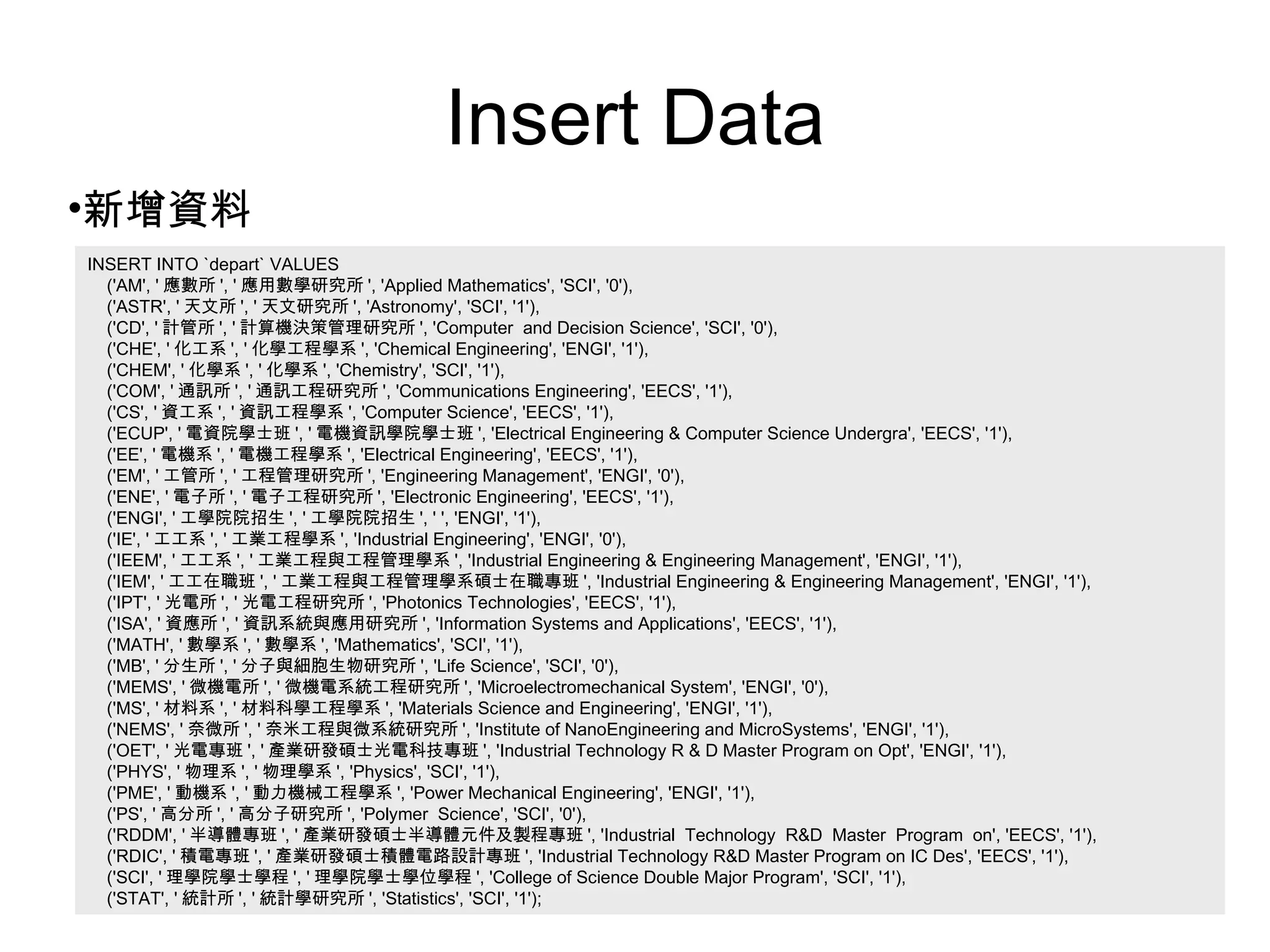
Insert Data INSERT INTO `depart` VALUES  ('AM', ' 應數所 ', ' 應用數學研究所 ', 'Applied Mathematics', 'SCI', '0'), ('ASTR', ' 天文所 ', ' 天文研究所 ', 'Astronomy', 'SCI', '1'), ('CD', ' 計管所 ', ' 計算機決策管理研究所 ', 'Computer  and Decision Science', 'SCI', '0'), ('CHE', ' 化工系 ', ' 化學工程學系 ', 'Chemical Engineering', 'ENGI', '1'), ('CHEM', ' 化學系 ', ' 化學系 ', 'Chemistry', 'SCI', '1'), ('COM', ' 通訊所 ', ' 通訊工程研究所 ', 'Communications Engineering', 'EECS', '1'), ('CS', ' 資工系 ', ' 資訊工程學系 ', 'Computer Science', 'EECS', '1'), ('ECUP', ' 電資院學士班 ', ' 電機資訊學院學士班 ', 'Electrical Engineering & Computer Science Undergra', 'EECS', '1'), ('EE', ' 電機系 ', ' 電機工程學系 ', 'Electrical Engineering', 'EECS', '1'), ('EM', ' 工管所 ', ' 工程管理研究所 ', 'Engineering Management', 'ENGI', '0'), ('ENE', ' 電子所 ', ' 電子工程研究所 ', 'Electronic Engineering', 'EECS', '1'), ('ENGI', ' 工學院院招生 ', ' 工學院院招生 ', ' ', 'ENGI', '1'), ('IE', ' 工工系 ', ' 工業工程學系 ', 'Industrial Engineering', 'ENGI', '0'), ('IEEM', ' 工工系 ', ' 工業工程與工程管理學系 ', 'Industrial Engineering & Engineering Management', 'ENGI', '1'), ('IEM', ' 工工在職班 ', ' 工業工程與工程管理學系碩士在職專班 ', 'Industrial Engineering & Engineering Management', 'ENGI', '1'), ('IPT', ' 光電所 ', ' 光電工程研究所 ', 'Photonics Technologies', 'EECS', '1'), ('ISA', ' 資應所 ', ' 資訊系統與應用研究所 ', 'Information Systems and Applications', 'EECS', '1'), ('MATH', ' 數學系 ', ' 數學系 ', 'Mathematics', 'SCI', '1'), ('MB', ' 分生所 ', ' 分子與細胞生物研究所 ', 'Life Science', 'SCI', '0'), ('MEMS', ' 微機電所 ', ' 微機電系統工程研究所 ', 'Microelectromechanical System', 'ENGI', '0'), ('MS', ' 材料系 ', ' 材料科學工程學系 ', 'Materials Science and Engineering', 'ENGI', '1'), ('NEMS', ' 奈微所 ', ' 奈米工程與微系統研究所 ', 'Institute of NanoEngineering and MicroSystems', 'ENGI', '1'), ('OET', ' 光電專班 ', ' 產業研發碩士光電科技專班 ', 'Industrial Technology R & D Master Program on Opt', 'ENGI', '1'), ('PHYS', ' 物理系 ', ' 物理學系 ', 'Physics', 'SCI', '1'), ('PME', ' 動機系 ', ' 動力機械工程學系 ', 'Power Mechanical Engineering', 'ENGI', '1'), ('PS', ' 高分所 ', ' 高分子研究所 ', 'Polymer  Science', 'SCI', '0'), ('RDDM', ' 半導體專班 ', ' 產業研發碩士半導體元件及製程專班 ', 'Industrial  Technology  R&D  Master  Program  on', 'EECS', '1'), ('RDIC', ' 積電專班 ', ' 產業研發碩士積體電路設計專班 ', 'Industrial Technology R&D Master Program on IC Des', 'EECS', '1'), ('SCI', ' 理學院學士學程 ', ' 理學院學士學位學程 ', 'College of Science Double Major Program', 'SCI', '1'), ('STAT', ' 統計所 ', ' 統計學研究所 ', 'Statistics', 'SCI', '1'); 新增資料
SELECT 搜尋資料 SELECT  select_expr [, select_expr ...] [FROM table_references [WHERE where_condition] [GROUP BY {col_name | expr | position} [ASC | DESC], ... [WITH ROLLUP]] [HAVING where_condition] [ORDER BY {col_name | expr | position} [ASC | DESC], ...] [LIMIT {[offset,] row_count | row_count OFFSET offset}]
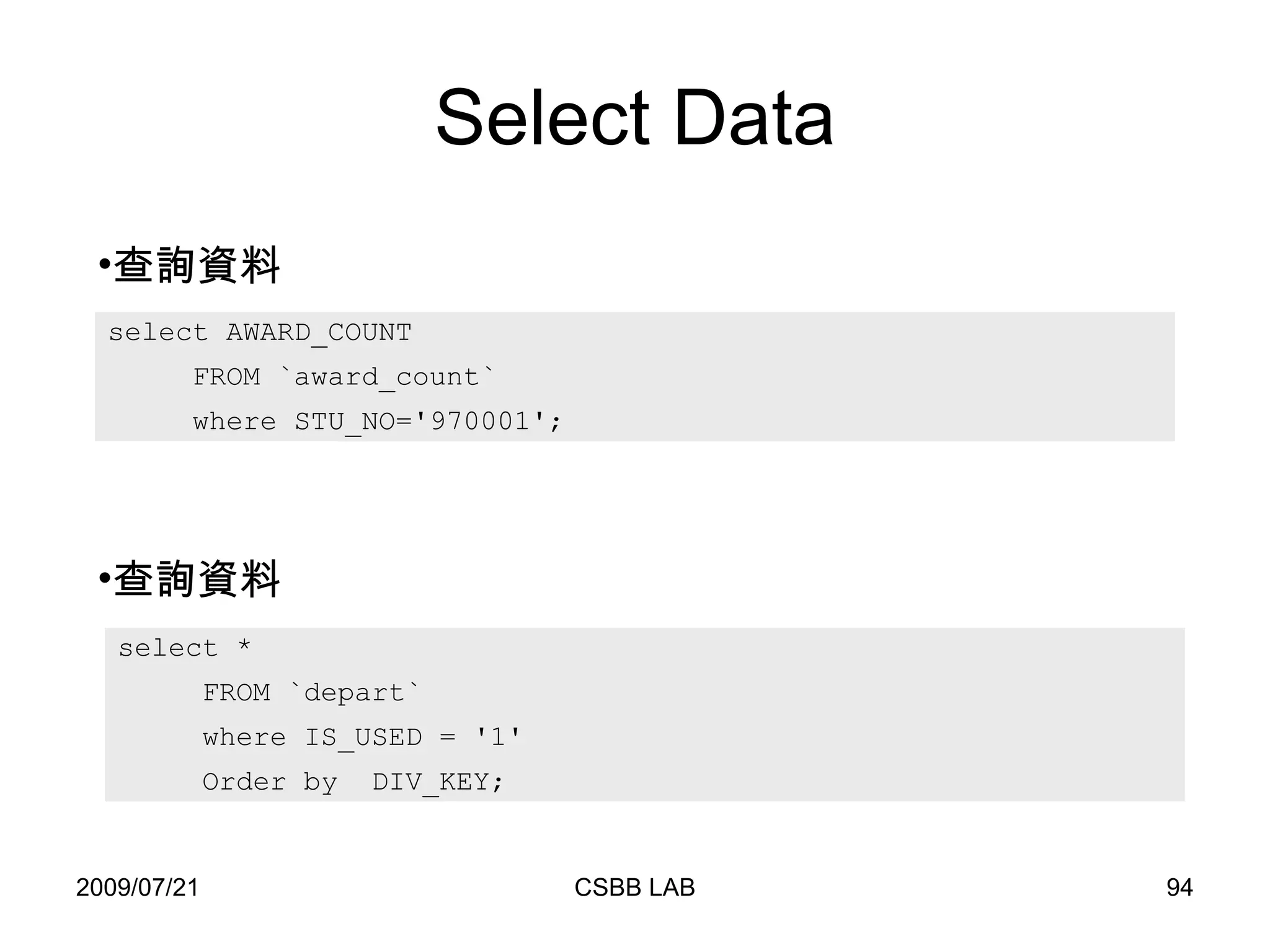
Select Data select AWARD_COUNT  FROM `award_count`  where STU_NO='970001'; 查詢資料 查詢資料 select *  FROM `depart`  where IS_USED = '1' Order by  DIV_KEY;
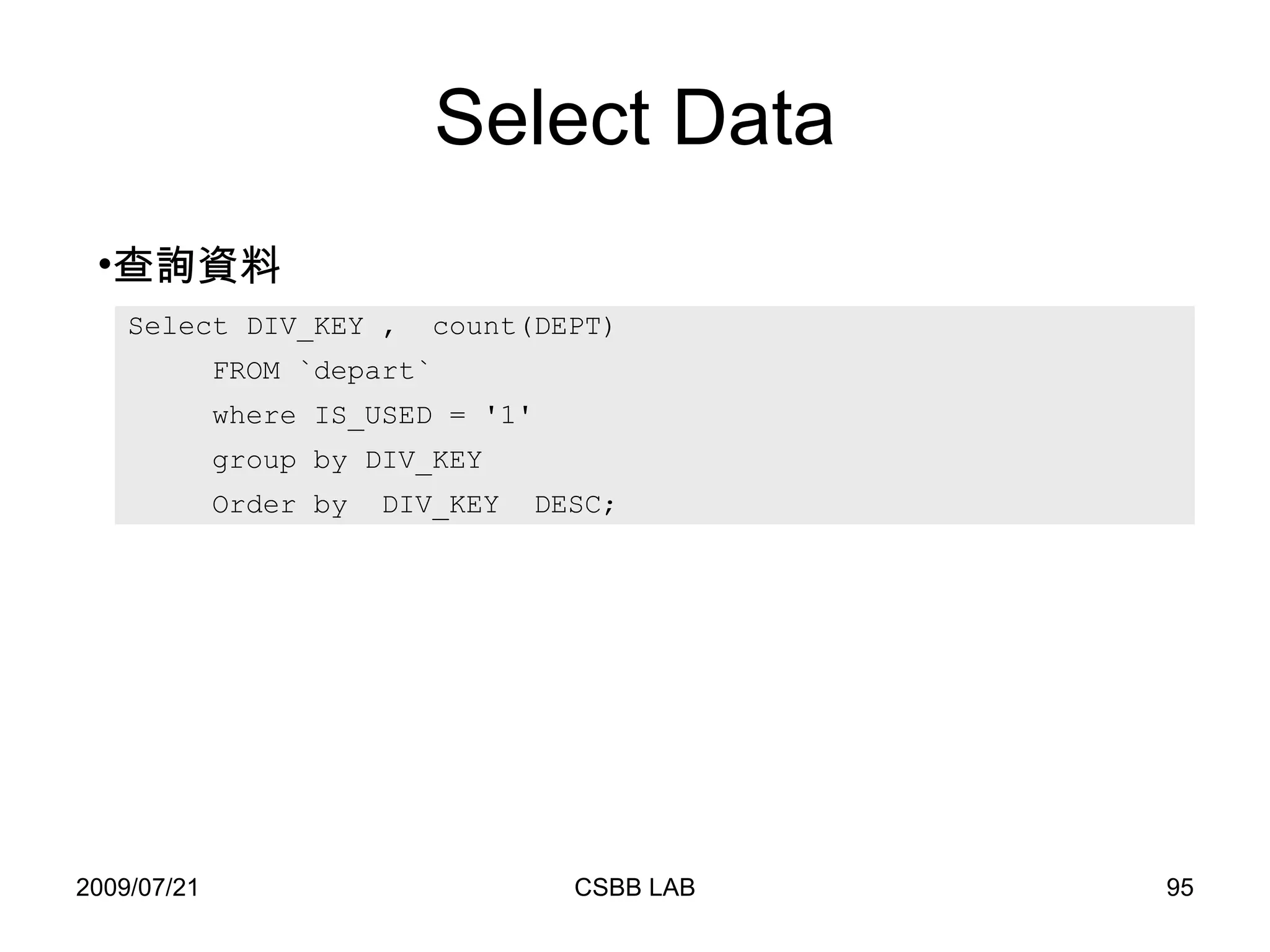
Select Data 查詢資料 Select DIV_KEY ,  count(DEPT)  FROM `depart`  where IS_USED = '1' group by DIV_KEY  Order by  DIV_KEY  DESC;
UPDATE 更新資料 UPDATE [LOW_PRIORITY] tbl_name  SET col_name1=expr1,col_name2=expr2,... [WHERE where_definition] [LIMIT #]
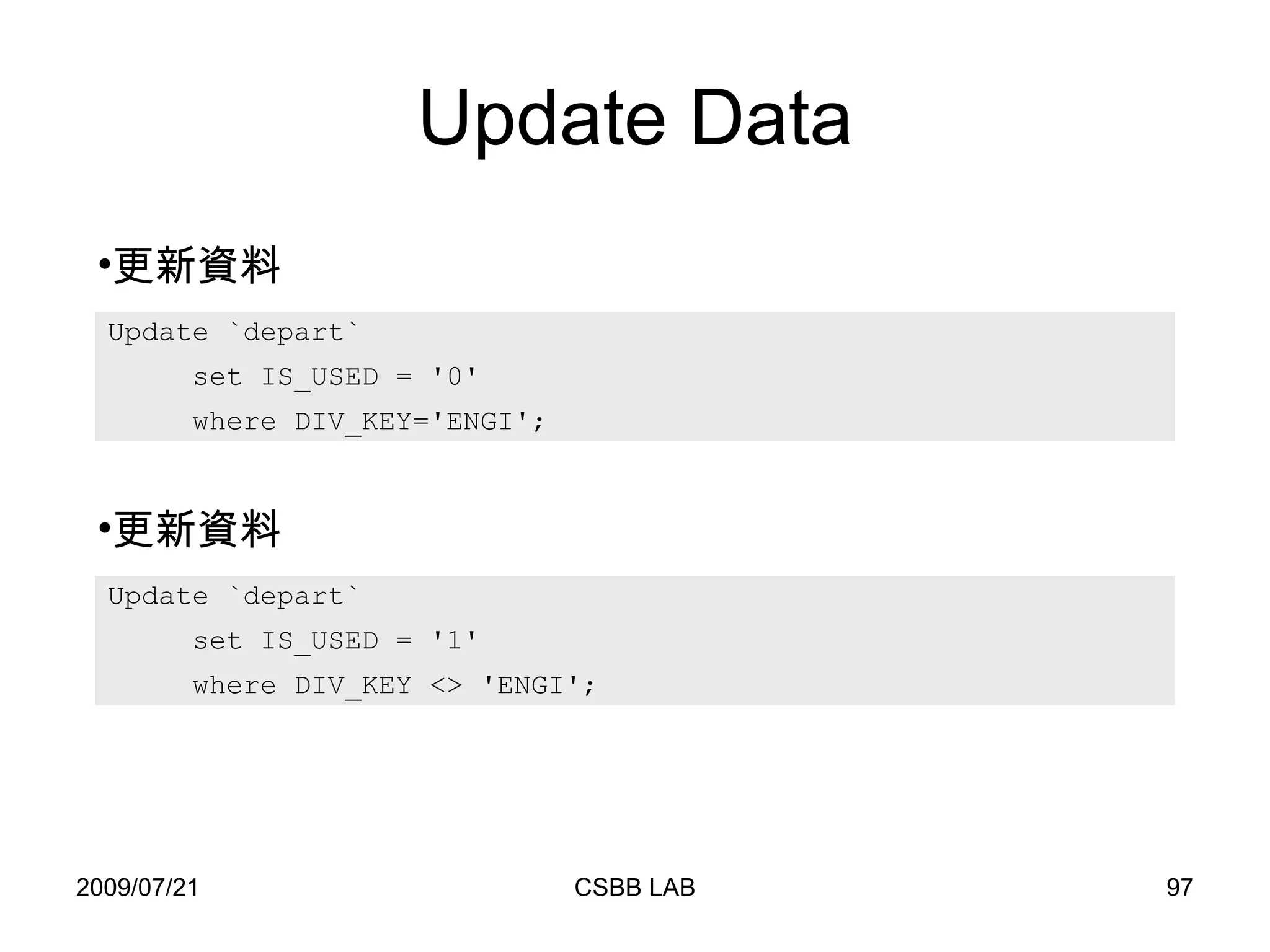
Update Data Update `depart`  set IS_USED = '0'  where DIV_KEY='ENGI'; 更新資料 Update `depart`  set IS_USED = '1'  where DIV_KEY <> 'ENGI'; 更新資料
DELETE 刪除資料 DELETE [LOW_PRIORITY] FROM tbl_name [WHERE where_definition] [LIMIT rows] Delete from `depart`  where IS_USED = '0' ; 刪除資料
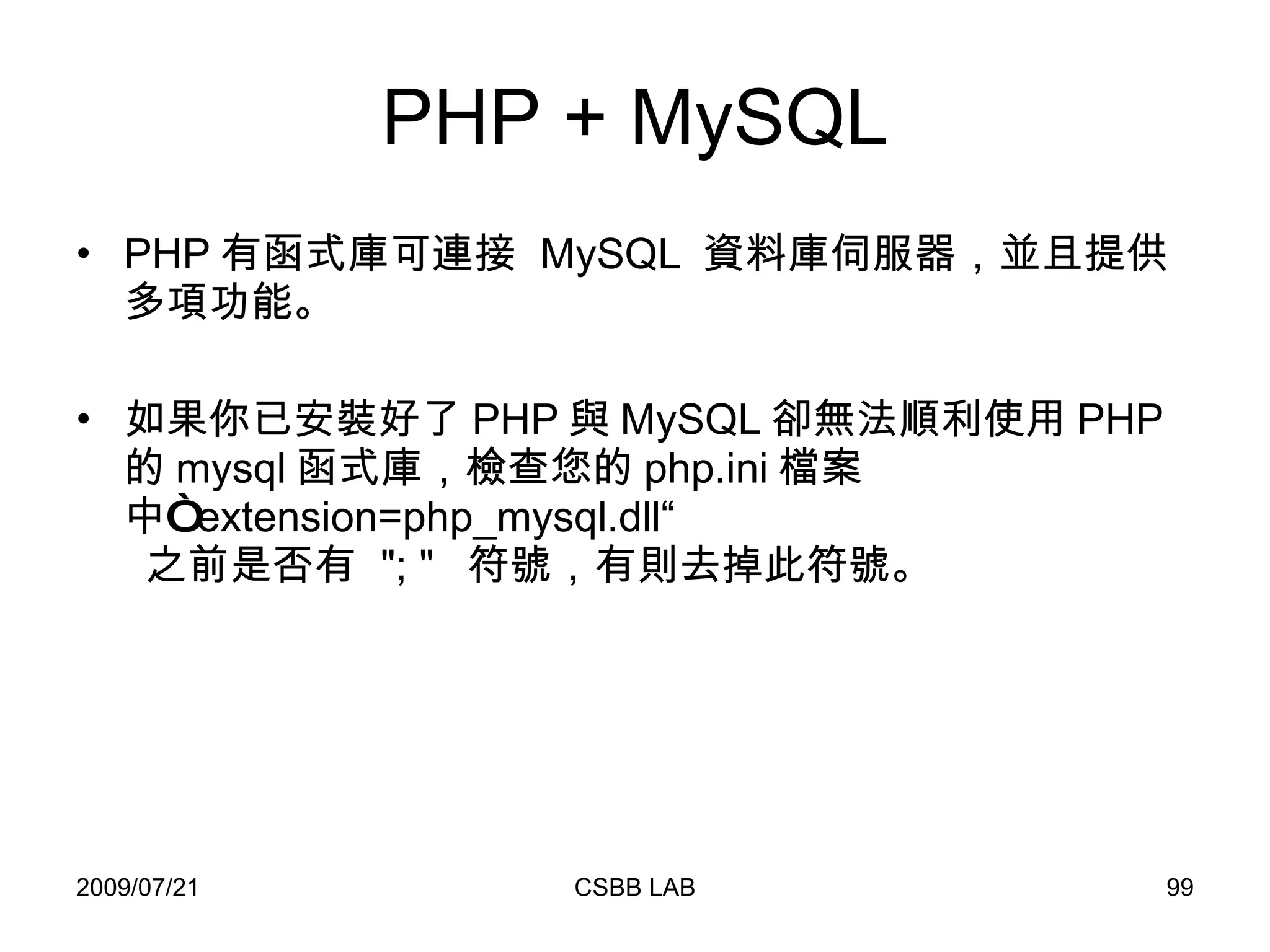
PHP + MySQL PHP 有函式庫可連接  MySQL  資料庫伺服器,並且提供多項功能。 如果你已安裝好了 PHP 與 MySQL 卻無法順利使用 PHP 的 mysql 函式庫,檢查您的 php.ini 檔案中“ extension=php_mysql.dll“   之前是否有  &quot;; &quot;  符號,有則去掉此符號。
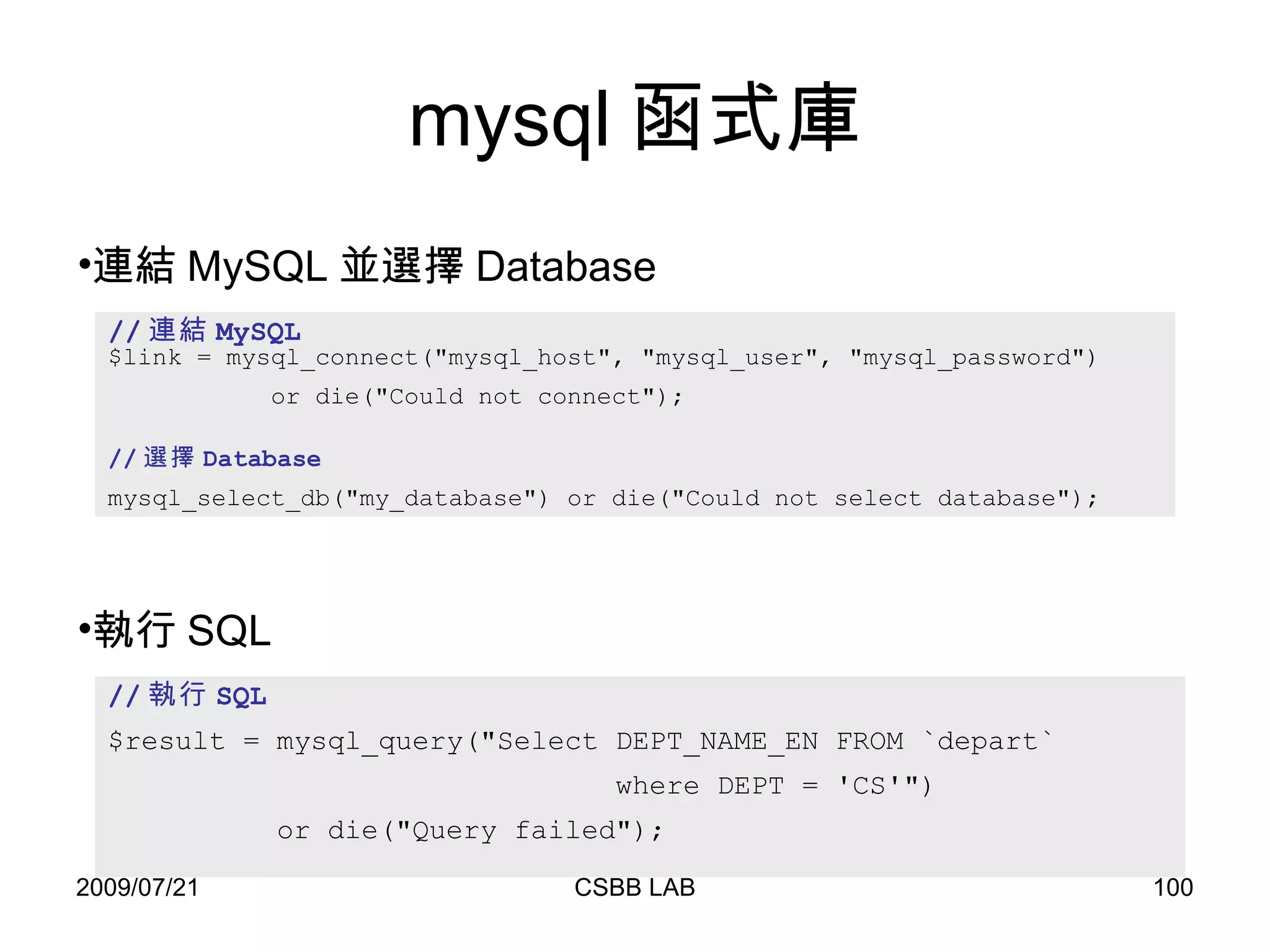
mysql 函式庫 // 連結 MySQL $link = mysql_connect(&quot;mysql_host&quot;, &quot;mysql_user&quot;, &quot;mysql_password&quot;) or die(&quot;Could not connect&quot;); // 選擇 Database mysql_select_db(&quot;my_database&quot;) or die(&quot;Could not select database&quot;); 連結 MySQL 並選擇 Database // 執行 SQL $result = mysql_query(&quot;Select DEPT_NAME_EN FROM `depart`  where DEPT = 'CS'&quot;)  or die(&quot;Query failed&quot;); 執行 SQL
mysql 函式庫 $result = mysql_query( &quot;Select DEPT , DEPT_NAME_CH FROM  `depart`  where DIV_KEY = 'EECS' &quot;); // 利用 mysql_fetch_row  處理查詢出來的資料   while ($row = mysql_fetch_row($result)) { echo $row[0] . &quot;&nbsp;&quot;. $row[1] . &quot;<br>&quot;; } 處理查詢出來的資料。 // 利用 mysql_fetch_array  處理查詢出來的資料   while ($row = mysql_fetch_array( $result, MYSQL_ASSOC)) { echo $row[&quot;DEPT&quot;] . &quot;&nbsp;&quot;. $row[&quot;DEPT_NAME_CH&quot;] . &quot;<br>&quot;; }
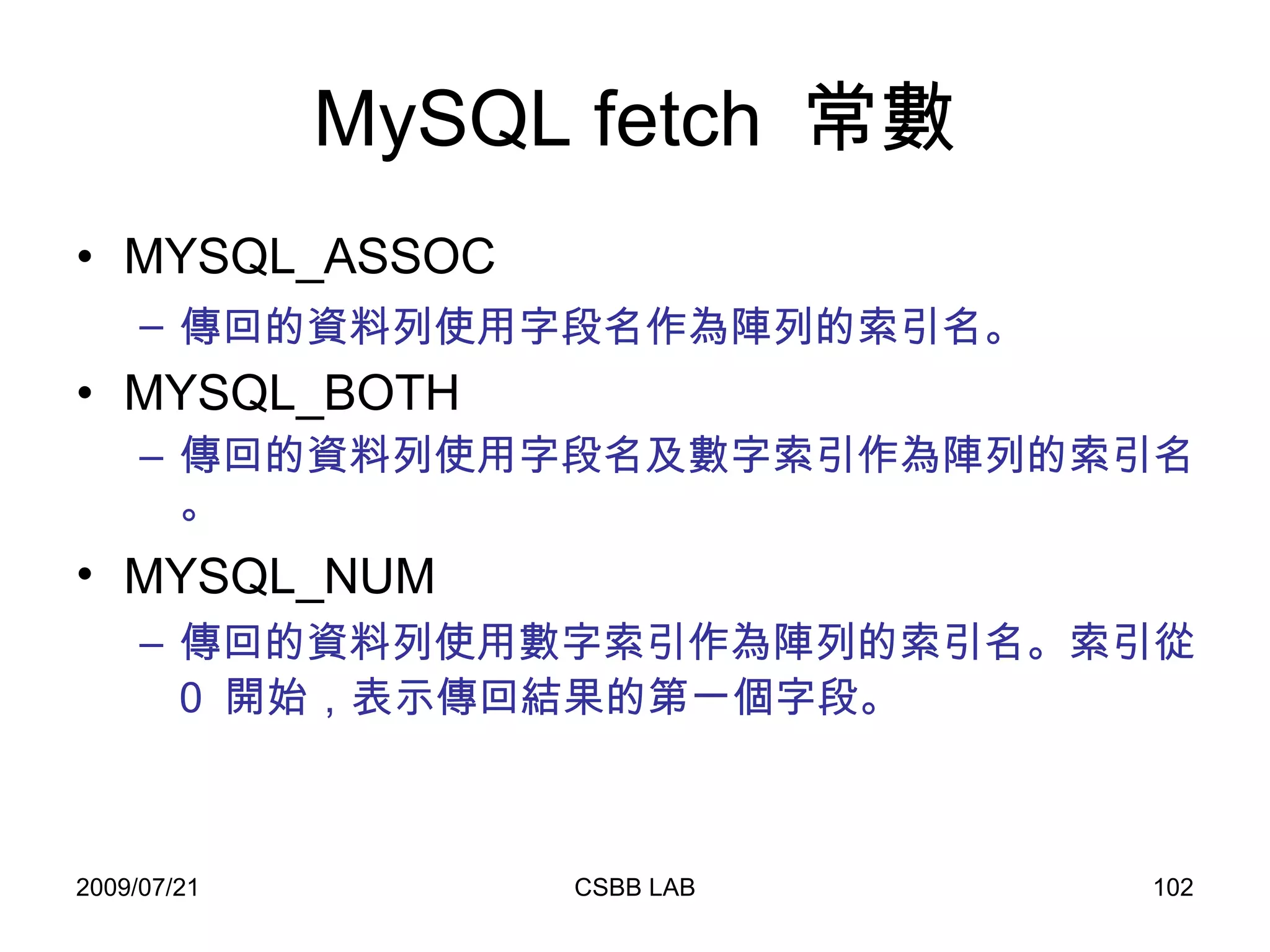
MySQL fetch  常數 MYSQL_ASSOC  傳回的資料列使用字段名作為陣列的索引名。   MYSQL_BOTH  傳回的資料列使用字段名及數字索引作為陣列的索引名。 MYSQL_NUM   傳回的資料列使用數字索引作為陣列的索引名。索引從  0  開始,表示傳回結果的第一個字段。
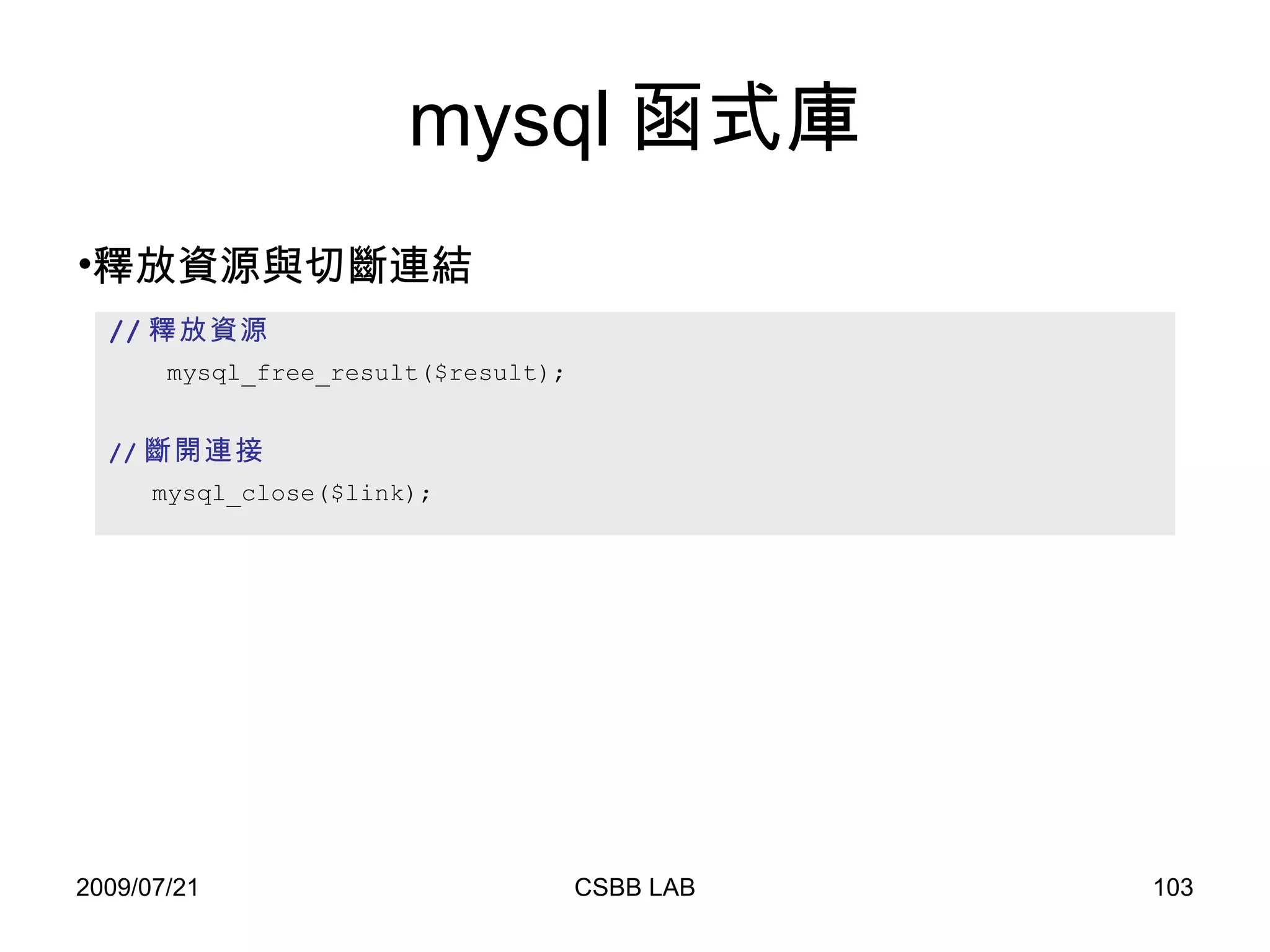
mysql 函式庫 // 釋放資源 mysql_free_result($result); // 斷開連接   mysql_close($link); 釋放資源與切斷連結
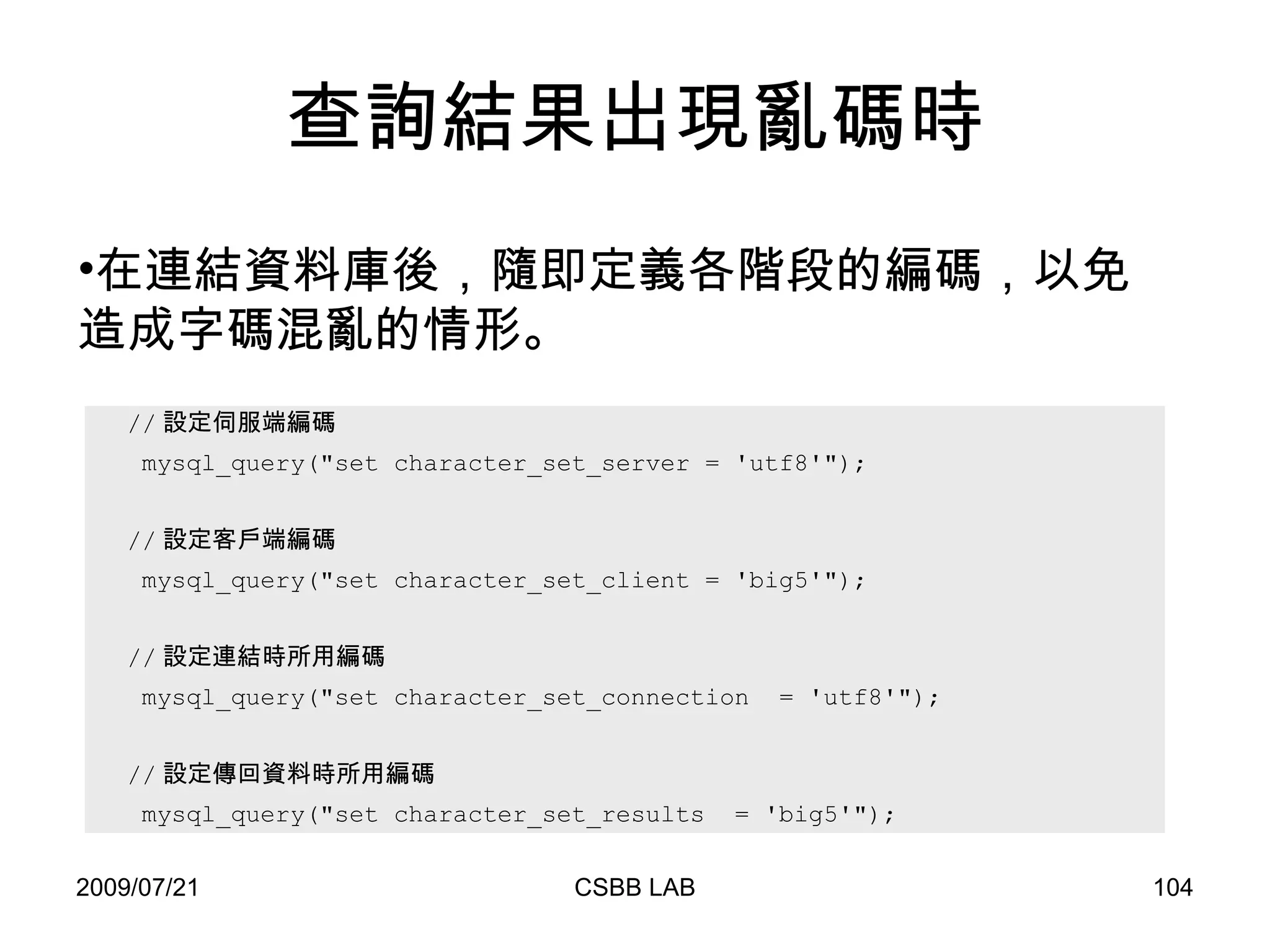
查詢結果出現亂碼時 // 設定伺服端編碼  mysql_query(&quot;set character_set_server = 'utf8'&quot;); // 設定客戶端編碼 mysql_query(&quot;set character_set_client = 'big5'&quot;); // 設定連結時所用編碼 mysql_query(&quot;set character_set_connection  = 'utf8'&quot;); // 設定傳回資料時所用編碼 mysql_query(&quot;set character_set_results  = 'big5'&quot;);  在連結資料庫後,隨即定義各階段的編碼,以免造成字碼混亂的情形。
Homework 親手建立一個可以上傳訊息與檔案的網頁,並將訊息紀錄在資料庫中。 訊息:至少包含文字、日期。 檔案:至少可以上傳一文字檔。 Bonus :利用 javascript 檢查是否有填寫訊息。

2009 CSBB LAB 新生訓練

  • 1.
    PHP + HTML+ MySQL + Smarty Speaker :張智宏
  • 2.
    Profile 張智宏 1999~2003清華大學資訊工程學系 2003~2005 清華大學資訊工程學系 碩士班 2005~200? 清華大學資訊工程學系 博士班
  • 3.
    大綱 PHP 簡介語法 HTML 基本架構 利用 PHP 接收表單 MySQL 利用 PHP 連結 MySQL SQL 語法
  • 4.
  • 5.
    什麼是 PHP PHP 是一種跨平台、嵌入式的伺服器端執行的描述語言。 在網路上的運作如下: WWW server HTML PHP DB server PHP 直譯器
  • 6.
    PHP 歷史 RasmusLerdorf 於 1994 年開始發展的“個人主頁工具” (Personal Home Page Tools) 。 1995 年發表 PHP 的第一個版本 (PHP/FI) ,同年又發表了第二版本 (PHP/FI2) 並加入 mSQL 資料庫。 1997 年 Zeev Suraki 和 Andi Futmans 重寫直譯器將 PHP/FI2 移植到 PHP 3 ( 並更名為 PHP: Hypertext Preprocessor ) 。
  • 7.
    PHP 歷史 ( 續 ) 1998 年, Andi Gutmans 和 Zeev Suraski 開始重新編寫 PHP 代碼,引入 Zend Engine ,於 2000 年發表了 PHP 4 。 目前最新發表的版本為 PHP 5 , 並搭配 Zend Engine 2.0 。
  • 8.
    PHP 特色 支援物件導向PHP 5 具有完整的物件導向功能。 跨平台 Unix 系列與 Windows 系列。 嵌入式 PHP 可嵌入在 HTML 中執行。 開放原始碼 支援多種資料庫 Oracle 、 Sybase 、 MySQL 、 ODBC 。
  • 9.
    PHP 特色 (續 ) 通訊協定服務 POP3 、 SNMP 等,可開發相關的應用程式,例如:網頁式收發電子郵件。 多項輸出模式 除了輸出 HTML 外,還可輸出圖像、 PDF 、 XHTML 、 XML 。
  • 10.
    PHP 安裝至 PHP 官方網站 (http://www.php.net) ,下載適合的版本,並依照其指示進行安裝。 懶人安裝法 – 至 Appserv 官方網站下載適合的 AppServ ( http://www.appservnetwork.com ) 。 可以快速一併安裝 Apache 、 MySQL 與 phpMyAdmin 。 Apache 、 PHP 、 MySQL 是架設網站最常見的搭配。
  • 11.
    Appserv 安裝Figure 2  GNU/GPL License Agreement screen.   Figure 1  AppServ Welcome Screen
  • 12.
    Appserv 安裝Figure 3  Choose Install location screen. Figure 4  Choose Package Components screen.
  • 13.
    Appserv 安裝Figure 5  Apache Web Server configure screen. Figure 6  MySQL Database configure screen.
  • 14.
    Appserv 安裝Figure 7  Complete AppServ Setup screen. 安裝完畢之後,你的電腦裡就有了 Apache 網頁伺服器 PHP 直譯器 MySQL 資料庫 預設下,網頁目錄在 C:\AppServ\www 若要修改這些應用程式的參數,只需開啟底下檔案進行修改即可。 httpd.conf (Apache) php.ini (PHP) my.ini (MySQL)
  • 15.
    Appserv 安裝http://localhost http://localhost/phpinfo.php ( 需要事先建立 phpinfo.php , 稍後講述 )
  • 16.
    Appserv 安裝http://localhost/phpMyAdmin ( 帳號: root 密碼: 安裝時設定的密碼 ) 如果以上三個網頁皆成功顯示出來,代表安裝成功。
  • 17.
    PHP 程式起始標記 <?php ehco (“Hello World!!”); // 單行註解 /* 這是 多行註解 */ ?> <? ehco (“Hello World!!”); // 單行註解 /* 這是 多行註解 */ ?> <script language=“php”> ehco (“Hello World!!”); // 單行註解 /* 這是 多行註解 */ </script>
  • 18.
    PHP 變數 原則上不需要先宣告變數。PHP 中一個美元符號後面跟上一個變數名稱,即表示一個變數。 變數的名稱是對大小寫敏感的。 $My_cat 、 $my_cat 。 一個有效的變數名由 字母 或者 下劃線 開頭,後面跟上任意數量的字母,數字,或者下劃線。 $valid_variable 、 $_valid_variable 。 $1_invalid 、 $-invalid 。 使用傳位址設值,簡單地追加一個 & 符號到將要設值的變數前。 $bar = &$foo; // Reference $foo via $bar
  • 19.
    PHP 變數 常見的預定義變數(predefined-variable) $_SERVER 變數由 Web 伺服器設定或者直接與當前腳本的執行環境相關聯。 $_GET 經由 HTTP GET 方法送出至腳本的變數。 $_POST 經由 HTTP POST 方法送出至腳本的變數。 $_FILES 經由 HTTP POST 文件上傳而送出至腳本的變數。 $_SESSION 當前註冊給腳本的變數。
  • 20.
    PHP 變數 可變變數 (PHP 特色之ㄧ ) 變數名字是可變的變數。 $a = &quot;Sport&quot;; $Sport = &quot;Golf&quot;; $Music = &quot;Rock&quot;; Echo $$a; // 印出 Golf ; $Sport = “Volleyball&quot;; Echo $$a; // 印出 Volleyball ; $a = &quot;Music&quot;; Echo $$a; // 印出 Rock ; $$a= &quot;Classic&quot;; Echo $$a; // 印出 Classic;
  • 21.
    PHP 資料型態 BooleanInteger Float String NULL Array Object
  • 22.
    Boolean 指定一個 Boolean值,使用關鍵字 TRUE 或 FALSE ( 兩個都是不分大小寫 ) 。 當轉換為 boolean 時,以下值被認為是 FALSE : 布爾值 FALSE 整型值 0 (零) 浮點型值 0.0 (零) 空白字串和字串 &quot;0&quot; 沒有單元的陣列 沒有單元的對象 特殊型別 NULL (包括尚未設定的變數) 所有其它值都被認為是 TRUE (包括任何資源)。
  • 23.
    Integer 不含小數的數,包含負整數與正整數,範圍約從負 20億到正 20 億。 如果你指定一個數超出了 integer 的範圍,將會被解釋為 float 。同樣如果你執行的運算結果超出了 integer 範圍,也會傳回 float 要明示地將一個值轉換為 integer ,用 (int) 或 (integer) 強制轉換。不過大多數情況下都不需要強制轉換,因為當運算符,函式或流程控制需要一個 integer 參數時,值會自動轉換。 FALSE 將產生出 0 , TRUE 將產生出 1 。 當從浮點數轉換成整數時,數字將被取整(丟棄小數位)。
  • 24.
    Float 也稱為 doubles或 real numbers ,基本上只要與小數相關,就請用 Float 。範圍約從 1.7e-308~1.7e+308 。 $average=90.8; $e_value = 1.2E-10; Float 不可能精確的用有限位數表達某些十進制分數。所以永遠不要相信浮點數結果精確到了最後一位,也永遠 不要比較兩個浮點數是否相等 。 如果確實需要更高的精度,應該使用任意精度數學函式庫或者 gmp 函式庫。
  • 25.
    String string 是一系列字元。在 PHP 中,字元和字節一樣,也就是說,一共有 256 種不同字元的可能性。這也暗示 PHP 不支援 Unicode 。 常用單引號 (‘) 或雙引號 (“) 來定義一字串 $Str = ‘This is a string’; $Str =“This is also a string”; 連接兩個字串以用“ .”( 點 ) 運算符連接。 $Str1 = “This is a string”; $Str = $Str1 . “ with some more text”; // $Str 內容為 This is a string with some more text
  • 26.
    String 跳脫字元 \n 換行( LF 或 ASCII 字元 0x0A(10) ) \r reurn 鍵( CR 或 ASCII 字元 0x0D(13 ) ) \t Tab 鍵( HT 或 ASCII 字元 0x09(9 ) ) \\ 反斜線 \$ 美元符號 \“ 雙引號 \’ 單引號 字串轉換 $foo = 1 + &quot;10.5&quot;; // $foo is float (11.5) $foo = 1 + &quot;-1.3e3&quot;; // $foo is float (-1299) $foo = 1 + &quot;bob-1.3e3&quot;; // $foo is integer (1) $foo = 1 + &quot;bob3&quot;; // $foo is integer (1) $foo = 1 + &quot;10 Small Pigs&quot;; // $foo is integer (11) $foo = 4 + &quot;10.2 Little Piggies&quot;; // $foo is float (14.2) $foo = &quot;10.0 pigs &quot; + 1; // $foo is float (11) $foo = &quot;10.0 pigs &quot; + 1.0; // $foo is float (11)
  • 27.
    NULL 特殊的 NULL 值表示一個變數沒有值。 NULL 型別唯一可能的值就是 NULL 。 $var = NULL; // 不加引號 在下列情況下一個變數被認為是 NULL : 被設值為 NULL 。 尚未被設值。 被 unset() 。
  • 28.
    Array 可以將 Array想像成一串貼有標籤的火車廂,標籤就是 Array 的 index ,而車廂內的裝的東西就是 Array 的 element/value 。 通常應用在需要記錄大量具有相同性質的資料時。 Example 1 :學生成績 在 PHP 中, Array 的 index 不需要一定是從 0 開始,也不需是正整數,可以為 String ,更可以混合使用; value 更可以是各種型別的資料。 Example 2 : 0 2 FF 1 B C A 100 Sue 1.2 Tim car May 200 0 1 6 5 4 3 2 80 90 86 83 87 92 88
  • 29.
    Array 定義一 Array的方式有: 使用 array() 函式。 透過 index 。 // 單純設值 // 使用 array() $animals = array( &quot;cat&quot;, &quot;dog&quot;, &quot;bird&quot; , &quot;turtle&quot; ); // 利用 index $animals[0] = &quot;cat&quot;; $animals[1] = &quot;dog&quot;; $animals[2] = &quot;bird&quot;; $animals[3] = &quot;turtle&quot;; // 指定 index // 使用 array() $fruit = array (&quot;o&quot;=>&quot;orange&quot;, &quot;b&quot;=>&quot;banana&quot; , &quot;a&quot;=>&quot;apple&quot; ); // 利用 index $fruit[&quot;o&quot;] = &quot;orange&quot;; $fruit[&quot;b&quot;] = &quot;banana&quot;; $fruit[&quot;a&quot;] = &quot;apple&quot;; Question : if we defined $array = array( 1, 1, 1, 1, 1, 8=>1, 4=>1, 19, 3=>13) , what indexs/values are in the $array?
  • 30.
    Array 定義二維 Array。 // 方法一 $team_member = array( &quot;team1&quot; => array( &quot;Tom&quot; , &quot;Bob&quot;) , &quot;team2&quot; => array( &quot;Sue&quot; , &quot;John&quot;) , &quot;team3&quot; => array( &quot;Ann&quot; , &quot;Joe&quot;) ); // 方法二 $team_member[&quot;team1&quot;] = array (&quot;Tom&quot; , &quot;Bob&quot;); $team_member[&quot;team2&quot;] = array (&quot;Sue&quot; , &quot;John&quot;); $team_member[&quot;team3&quot;] = array (&quot;Ann&quot; , &quot;Joe&quot;); // 方法三 $team_member[&quot;team1&quot;][0] = &quot;Tom&quot;; $team_member[&quot;team1&quot;][1] = &quot;Bob&quot;; $team_member[&quot;team2&quot;][0] = &quot;Sue&quot;; $team_member[&quot;team2&quot;][1] = &quot;John&quot;; $team_member[&quot;team3&quot;][0] = &quot;Ann&quot;; $team_member[&quot;team3&quot;][1] = &quot;Joe&quot;;
  • 31.
    Array 動態增加陣列。 刪除陣列元素。其他陣列相關函式 // 不指定 index $animals[] = &quot;fish&quot;; $animals[] = &quot;lion&quot;; // 使用 array_push array_push ($animals , &quot;fish&quot; , &quot;lion&quot;); // 使用 unset() unset($animals[0]); //$animals[0] 資料將被刪去,其他 index / value 不變。 sort ($animals); // 依 Array 中的 value 對 Array 做排序,並修改 index 。 rsort ($animals); // 依 Array 中的 value 對 Array 做倒序,並修改 index 。 count($animals); // 計算變數中元素的數目
  • 32.
    PHP 運算符號 數學運算‘ +’ 、 ‘ -’ 、 ‘ *’ 、 ‘ /’  加、減、乘、除 ‘ %’ 取餘數 、 ‘ ++’ 累加 、 ‘ --’ 遞減 字串運算 – ‘ .’ $a = “PHP”; $b = “ 真厲害” $a.$b  “PHP 真厲害 比較運算 < 、 > 、 <= 、 >= == 等於 、 != 不等於 邏輯運算 ‘ &&’ 、‘ and’ 都是‘而且’;‘ ||’ 、‘ or’ 都是‘或’; ‘ xor’ 就是 ‘ Xor’ ; ‘ !’ 就是 ‘不’
  • 33.
    PHP 流程控制 If .. else switch While do..while for foreach Break continue
  • 34.
    If .. else基本架構為 if (expr){ statements1 }else{ statements2 } 如果 expr 為正確則執行 statement1 ,否則執行 statement2 。 $a =10; $b = 9; if ($a > $b) { print &quot;a is bigger than b&quot;; } else { print &quot;a is NOT bigger than b&quot;; } $a =10; $b = 10; if ($a > $b) { print &quot;a is bigger than b&quot;; } else { print &quot;a is NOT bigger than b&quot;; }
  • 35.
    switch 基本架構為 switch (var) { case cond1 : statements1 case cond2 : statements2 … } 如果變數 var 與某一 cond 相同,則執行該段 statement 。 switch 語句一行接一行地執行。開始時沒有代碼被執行。僅當一個 case 語句中的 cond 和 switch 變數的值匹配時 PHP 才開始執行語句,直到 switch 的程序段結束或者遇到第一個 break 語句為止。 如果不在 case 的語句段最後寫上 break 的話, PHP 將繼續執行下一個 case 中的語句段。
  • 36.
    switch switch 語句和具有同樣表達式的一系列的 IF 語句相似,以底下兩段程式碼為例。 if ($i == 0) { print &quot;i equals 0&quot;; } if ($i == 1) { print &quot;i equals 1&quot;; } if ($i == 2) { print &quot;i equals 2&quot;; } switch ($i) { case 0: print &quot;i equals 0&quot;; case 1: print &quot;i equals 1&quot;; case 2: print &quot;i equals 2&quot;; } /* switch structure with break would more efficient */ switch ($i) { case 0: print &quot;i equals 0&quot;; break; case 1: print &quot;i equals 1&quot;; break; case 2: print &quot;i equals 2&quot;; } switch 通常會搭配 break 使用,以增加效率。
  • 37.
    While 基本架構為 while (expr) { statements } 如果 expr 為正確則執行 statement ,之後再檢查 expr 是否為正確,重覆此動作直到 expr 不為正確為止。 $i = 1; while ($i <= 10) { print $i++; /* the printed value would be $i before the increment (post-increment) */ } //12345678910 $i = 11; while ($i <= 10) { print $i++; /* the printed value would be $i before the increment (post-increment) */ } //
  • 38.
    do..while 基本架構為 do { statements } while (expr) 先執行一次 statements ,如果 expr 為正確則再執行一次 statements ,之後再檢查 expr 是否為正確,重覆此動作直到 expr 不為正確為止 。 $i = 1; do{ print $i++; } while ($i <= 10) //12345678910 $i = 11; do{ print $i++; } while ($i <= 10) //11
  • 39.
    While v.s. do while while (expr) { statements } 每次迴圈前 若 expr 的條件成立,就進入 statements 的部分 未必會執行到 statements 的部分 do { statements } while (expr); 每次迴圈執行之後 若 expr 的條件成立,才進入下一輪的 statements 部分 statements 的部分一定會執行到一次
  • 40.
    for 基本架構為 for(expr1; expr2; expr3) { statements } 第一個表達式 ( expr1 ) 在循環開始前無條件執行一次。 expr2 在每次循環開始前求值。如果值為 TRUE ,則執行 statements 。如果值為 FALSE ,則結束。 expr3 在每次循環之後執行一次。 for ($i = 1; $i <= 10; $i++) { print $i; } //12345678910 for ($i = 1; $i <= 10; print $i, $i++); //12345678910 for ( ; ;) { print $i; } //1234… ( 無窮迴圈 )
  • 41.
    foreach 基本架構有兩種分別為 foreach( Array as $value) { statements } 或 foreach( Array as $index => $value){ statements } foreach 僅能用於陣列。 此外 foreach 所操作的是指定陣列的一個拷貝,而不是該陣列本身。 此兩種架構的差別只在於,架構二可得到目前的 index 值,架構一則無。
  • 42.
    foreach // 架構一foreach ($animals as $value){ echo $value . &quot; \n &quot; ; } /* 印出的結果 cat dog bird turtle */ // 架構二 foreach ($animals as $key => $value){ echo $key . &quot; - &quot;. $value . &quot;\n&quot;; } /* 印出的結果 0 - cat 1 - dog 2 - bird 3 - turtle */ //animal Array $animals = array ( &quot;cat&quot; , &quot;dog&quot; , &quot;bird&quot; , &quot;turtle“ ); // 利用 while Wihle(list ($key , $value) = each($animals)) { echo $key . &quot; – &quot;. $value . &quot;\n&quot;; } /* 印出的結果 0 - cat 1 - dog 2 - bird 3 - turtle */
  • 43.
    foreach // 二維陣列$team_member = array( &quot;team1&quot; => array( &quot;Tom&quot; , &quot;Bob&quot;) , &quot;team2&quot; => array( &quot;Sue&quot; , &quot;John &quot; ) , &quot;team3&quot; => array( &quot;Ann&quot; , &quot;Joe&quot;) ); foreach ($team_member as $team_name => $team){ echo $team_name . &quot; : &quot; ; foreach ($team as $member){ echo $member . &quot; : &quot; ; } echo &quot; : &quot; ; } /* 印出結果 team1 : Tom Bob team2 : Sue John team3 : Ann Joe */
  • 44.
    break break 結束當前 for , foreach , while , do..while 或者 switch 結構的執行。 break 可以接受一個可選的數字參數來決定跳出幾重循環。 $i = 0; while (++$i) { switch ($i) { case 5: echo &quot;At 5<br>\n&quot;; break 1; // 只離開 switch case 10: echo &quot;At 10; quitting<br>\n&quot;; break 2; // 離開 switch 和 while default: break; } } $num_array = array ('one', 'two', 'three ' , 'four' , 'stop', 'five'); foreach ($num_array as $value) { if ($value == &quot;stop&quot;) { break; } echo $value .&quot;\n&quot;; } /* 印出結果 one two three four */
  • 45.
    continue $i =0; while ($i++ <= 4) { $j = 0; while ($j <= $i) { $j++; if (!($j % 2)){ continue; } echo $j . &quot; &quot;; } echo &quot;\n&quot;; } /* 印出結果 1 1 3 1 3 1 3 5 1 3 5 */ $num_array = array (1 , 2 , 3 , 4 , 5 , 6 ); foreach ($num_array as $value){ if ( !($value % 2) ) { continue; } echo $value .&quot;\n&quot;; } /* 印出結果 2 4 6 */ continue 在循環結構用用來跳過本次循環中剩餘的程式碼並開始執行下一次循環。 continue 接受一個可選的數字參數來決定跳過幾重循環到循環結尾。
  • 46.
    引用文件 Require() 通常放在 PHP 程式的最前面 會先讀入指定的文件,使它變成 網頁的一部份 常用的函數,可以這個方法將它引入網頁中 引入的文件若有錯誤,網頁將停止執行 Include() 一般是放在流程控制的處理部分中 讀到 include 的文件時,才將它讀進來 這種方式,可以把程式執行時的流程簡單化 若讀入的文件有錯,網頁將提出警告,仍會繼續執行
  • 47.
    自定義函式 基本架構為 functionfoo ($arg_1, $arg_2, ... , $arg_n ) { statements; return $ret_value; } 預設情況下,參數的傳遞是利用 call-by-value 的方式 ( 即在函式內部改變參數的值,它並不會改變函式外部的值 ) 。 如果想要利用 call-by-reference 的方式傳遞參數,你可以在函式定義中該參數的 前面預先加上符號 (&) 。 $Str = &quot;String is unchanged!&quot;; modify_the_value ($Str); function modify_the_value (&$para){ $para = &quot;String is chagned!&quot;; }
  • 48.
    其他 開始遠端檔案 上傳文件$file = fopen (&quot;test.txt&quot;, &quot;r&quot;); // 本地檔案 $file = fopen ( &quot; http://www.php.net/ &quot; , &quot;r&quot;); // 遠端的文件 $file = fopen (&quot;ftp://example/test.txt&quot;, &quot;r&quot;); // 遠端的文件 <form enctype=&quot;multipart/form-data&quot; action=&quot;_URL_&quot; method=&quot;post&quot;> <input type=&quot;hidden&quot; name=&quot;MAX_FILE_SIZE&quot; value=&quot;1000&quot;> Send this file: <input name=&quot;userfile&quot; type=&quot;file&quot;> <input type=&quot;submit&quot; value=&quot;Send File&quot;> </form> <?php copy($_FILES['userfile']['tmp_name'], &quot;/place/to/put/uploaded/file&quot;); /* ...or... */ move_uploaded_file($_FILES['userfile']['tmp_name'], &quot;/place/to/put/uploaded/file&quot;); ?>
  • 49.
    其他 正規表示法 對文件進行parse 時,善用正規語言將會讓你事半功倍。
  • 50.
  • 51.
    HTML 概念 HTML的全名是 HyperText Markup Language 。 1982 年, Tim Berners-Lee 為使世界各地的物理學家能夠方便的進行合作研究,建立了使用於其系統的 HTML 。 利用 HTTP ( HyperText Transfer Protocol) 網路通訊協定,便能夠在世界各地透過 WWW (World Wide Web) 的架構做跨平台的交流。 HTML 不是一種程式語言,而是透過在文章中插入標籤 (Tags) 來賦予文字一些特性,如標題,段落,連結等。
  • 52.
    HTML 概念 一個HTML 網頁應該有的基本架構為 <HTML> 、 <HEAD> 、 <TITLE> 、 <BODY> ( 不分大小寫 ) ,這些標籤。 標籤乃是由「小於」( < )與「大於」( > )這兩個符號所括住的文字。 大部分標籤有相對應的開始與結束標籤,標籤內有 / 符號者為結束標籤。 <HTML> <HEAD> <TITLE> 網頁的標題 </TITLE> </HEAD> <BODY> 網頁的內容 </BODY> </HTML>
  • 53.
    基本標籤說明 <HTML> ,代表 HTML 網頁的開始,而 </HTML> 則代表 HTML 網頁的結束。 <head> 和 </head> 之間是用於規範和整體網頁相關的資訊,這些資訊不會直接出現在網頁上。這部分還包含了 <title> ,用來說明此網頁的標題。此標題會出現在視窗最上方。 <body> 和 </body> 之間所放的資訊則會直接呈現在瀏覽器視窗上。 標籤可以加上不同的屬性( Attributes ),去改變瀏覽器的呈現方式。 例如 : 將 <body> 改成 <body background=“ test.gif”> 註 : 標籤及屬性都沒有大小寫的區分
  • 54.
    常用標籤 : 文字相關 (1) 表頭( Heading )常用在強調文字的重要性 範圍 : H1 字型最大, H6 字型最小 特性 : 會在文字上下空白兩行 屬性 : left, center, right 例子 : <h1 align=&quot;left&quot;> 這會是在左邊最大的字 </h1> <h6 align=&quot;center&quot;> 這會是在中間最小的字 </h6> 結果呈現如下 :
  • 55.
    常用標籤 : 文字相關 (2) <p> 代表「段落」 (Paragraph) ,可讓 web 內容更清楚分辨每一個區段內容 屬性 : left, center, right 特性 : 會和上一個段落隔開一列 <br> 代表換行 (break), 沒有其他屬性 <pre> (Preformatted Text) ,原貌完整呈現在網頁上,但是若有 HTML 標籤則會先處理後呈現。 <xmp> 如果我們想顯示標籤存在,就可以改用 <xmp> 標籤,此標籤會將所有其它的 HTML 標籤原封不動地呈現出來。
  • 56.
    常用標籤 : 文字相關 (3) <hr> 劃水平線 屬性 : ALIGN : left, right, center NOSHADE ( 沒有陰影效果的水平線 ) SIZE: n ( 水平線的粗細, n 值為整數 ) WIDTH: n|p% ( 水平線的長度,可 設定 Pixel 值 或 百分比值 ) 例子 : <hr noshade width=&quot;40%&quot; align=&quot;left&quot;> <hr noshade size=&quot;4&quot; width=&quot;80%&quot; align=&quot;center&quot;>
  • 57.
    常用標籤 : 文字相關 (4) <font> : 設定字型 屬性 : SIZE: 字體大小 , 1~7 COLOR: 顏色 FACE: 字體類別 例子 : <font size=3 face=“ 標楷體” color=green> 測試 </font> 另一個例子 : 可將 size 作更大的調整 <basefont size=3> <font size=+2> 測試 </font> <font> 設定字型不會自動換行 , 與 <h> 不同
  • 58.
    常用標籤 : 文字相關 (5) <i>: 斜體字 <i> 測試 </i>  測試 <b>: 粗體字 <b> 測試 </b>  測試 <u>: 底線字 <u> 測試 </u>  測試 <sup>: 上標字 <sup> 測試 </sup>  測試 <sub>: 下標字 <sub> 測試 </sub>  測試
  • 59.
    超連結標籤 格式: <ahref=“URL”> 超連結所顯示的文字 </a> 連結的檔案就是一筆路徑名稱,分為絕對路徑和相對路徑兩種。 相對 :<a href=&quot;index.htm&quot;> 絕對 : <a href=“http://www.cs.nthu.edu.tw/index.htm&quot;> target 屬性 : 可設定網頁顯示視窗或開啟新視窗顯示。例如 , target=“aaa” ( 設定網頁顯示視窗在 aaa 這個網頁上 ) 或者 , target=“_blank”( 開啟新視窗顯示 ) 例子 : <a target=&quot;aaa&quot; href=&quot;http://www.ntu.edu.tw&quot;> 台大首頁 </a> <a target=&quot;_self&quot; href=&quot;http://www.nctu.edu.tw&quot;> 交大首頁 </a> <a target=&quot;_blank&quot; href=&quot;http://www.nthu.edu.tw&quot;> 清大首頁 </a>
  • 60.
    表格製作 1 <table>:表格,會配合 <tr> 、 <th> 、 <td> 等,其中 <tr> 代表 table row , <th> 代表 table header , <td> 代表 table data 。也常會和 <caption> 標籤搭配,代表表格標題。 <td> 和 <th> 的差別是 <th> 中的字體是粗體且置中。 <caption> 屬性 align 可為 top or bottom, 預設值 top ,如 <caption align=bottom> 標題 </catpion> <table> 屬性 : border ( 邊界的寬度 ) 、 align( 位置 ) 、 width( 寬 ) 、 height( 高 ) 、 cellspacing( 儲存格之間的距離 ) 、 cellpadding( 表格資料到儲存格之間的距離 ) 、 border color(border 背景顏色 ) 、 bgcolor( 表格背景顏色 ) 等。
  • 61.
    表格製作 2 Border: 邊界的寬度,以 pixel 為單位 Align: 決定該表格在文件中的位置 , left 、 center 、 right. width 、 height : 表格的寬、高,可用百分比或 pixel 表示 Bordercolor: border 的背景顏色, #xxxxxx, x 為 16 進位值,也可以寫為 bordercolor=green Bgcolor: 表格的背景顏色,寫法同上。 Cellspacing: 每個表格 之間的距離 ,以 pixel 為單位 <table border=10 cellspacing=20> Cellpadding: 表格資料到表格框的距離,以 pixel 為單位 <table border=20 cellpadding=30>
  • 62.
    表格製作 3 在 <td> 標籤內,我們可以使用 colspan 或 rowspan 的屬性,來合併數個儲存格。 Rowspan: 列之間的合併。 Colspan: 行之間的合併。 例子 : <table border=&quot;3&quot;> <tr> <td>A</td> <td rowspan=&quot;2&quot;> 上下兩格合成一格 </td> <td>B</td> </tr> <tr> <td>C</td> <td>D</td> </tr> <tr> <td colspan=&quot;3&quot;> 左右三格合成一格 </td> </tr> </table>
  • 63.
    常用符號 空白表示 :&nbsp (non-blank space) 大於 : &gt; 小於 : &lt; 雙引號 : &quot; ( 單引號直接打 ‘ 即可 ) & : &amp; 註解表示 : <!-- your comments --> Browser 不會去處理註解裡面所寫的內容
  • 64.
    Form 表單( Form)是 HTML 的一個重要標籤。 表單不只是有呈現資訊的功能,更重要的是,它包含了數種表單元素( Form Elements ),可以 讓使用者進行資料填寫或選取的功能 ,並將使用者所填寫的資料送到伺服器端,進行必要的處理。 因此我們可以說,表單就是客戶端和伺服器進行資訊溝通的第一個門面。 表單傳遞方法有兩種,分別為 POST 與 GET 。
  • 65.
    Form Form Elements標籤通常搭配 <input 為開頭,如下例 : <FORM name= &quot;test.php“ action=&quot;test.php&quot; method=&quot;post&quot;> 名字: <INPUT type=text value=&quot;test&quot;> <br> 密碼: <INPUT type=password> <br> 性別: <INPUT name=&quot;s&quot; type=radio value=&quot; 男 &quot;> 男 <INPUT name=&quot;s&quot; type=radio value=&quot; 女 &quot; checked> 女 <br> <INPUT type=&quot;submit&quot; value=&quot; 送出 &quot;> <INPUT type=&quot;reset&quot; value=&quot; 重新輸入 &quot;> </FORM>
  • 66.
    Text & PasswordText 寫法: <input type=&quot; text &quot; name=&quot; Name &quot; value=&quot;&quot; size=&quot; 8 &quot; maxlength=&quot; 8 &quot;> 通常用於傳遞較短的字串訊息。 Password 寫法: <input type=&quot; password &quot; name=&quot; passwd &quot; value=&quot;&quot; size=&quot; 8 &quot; maxlength=&quot; 8 &quot;> 通常用於傳遞較隱私的訊息。
  • 67.
    Radio & CheckboxRadio 寫法: <input type=&quot; radio &quot; name=&quot; Gender &quot; value=&quot; 男 &quot;> 男 <input type=&quot; radio &quot; name=&quot; Gender &quot; value=&quot; 女 &quot;> 女 適用於單選題。 Checkbox 寫法: <input type=&quot; checkbox &quot; name=&quot; fruit1 &quot; value=&quot; 芒果 &quot;> 芒果 <input type=&quot; checkbox &quot; name=&quot; fruit2 &quot; value=&quot; 西瓜 &quot;> 西瓜 <input type=&quot; checkbox &quot; name=&quot; fruit3 &quot; value=&quot; 蘋果 &quot; checked> 蘋果 適用於複選題。
  • 68.
    Select Select 寫法:星期 <select name=&quot; day &quot;> <option value=&quot; Monday &quot;> 一 <option value=&quot; Tuesday &quot;> 二 <option value=&quot; Wendesday &quot;> 三 <option value=&quot; Thersday &quot;> 四 <option value=&quot; Fridy &quot;> 五 <option value=&quot; Saturday &quot;> 六 <option value=&quot; Sunday &quot;> 七 </select> 單選 / 複選皆適合,比較不佔畫面空間。 預設為單選,要使用複選功能時只要加 multiple 屬性即可。 例如 <select name=&quot; day &quot; multiple> 假如要看到多個選項 , 可以利用 size 參數達成 例如 <select name=&quot; day &quot; size=&quot; 3 &quot; >
  • 69.
    Textarea & hiddenTextarea 寫法: <textarea name=&quot; message &quot; rows=&quot; 5 &quot; cols=&quot; 40 &quot;> 新生訓練 </textarea> 適合用於傳遞較長的字串資料。 hidden 寫法: <input type= &quot; hidden &quot; name=&quot; invisible &quot; value=&quot; 不想顯示出來的訊息 &quot; > 用於傳遞隱密的訊息,不讓使用者輕易看到。
  • 70.
    Submit & ResetSubmit 寫法: <input type=&quot; submit &quot; name=&quot; sendit &quot; value=&quot; 送出表單內容到伺服端 &quot; > 用來送出表單。 Reset 寫法: <input type=&quot; reset &quot; name=&quot; clear_form &quot; value=&quot; 還原表單內容 &quot; > 用來還原表單內容,即回復到未填寫之前的樣子。
  • 71.
    <html> <head> <metahttp-equiv=&quot;Content-Type&quot; content=&quot;text/html; charset=big5&quot;> <title> 網頁標題 </title> </head> <body> <form name=&quot;form1&quot; action=&quot;GetForm.php&quot; method=&quot;POST&quot;> <table border=&quot;1&quot; width=&quot;250&quot; cellspacing=&quot;0&quot; cellpadding=&quot;2&quot;> <tr> <td align=&quot;right&quot;> 姓名: </td> <td><input type=&quot;text&quot; name=&quot;UserName&quot; value=&quot;&quot; size=&quot;8&quot;></td> </tr> <tr> <td align=&quot;right&quot;> 密碼: </td> <td><input type=&quot;password&quot; name=&quot;passwd&quot; value=&quot;&quot; size=&quot;8&quot; ></td> </tr> <tr> <td align=&quot;right&quot;> 性別: </td> <td><input type=&quot;radio&quot; name=&quot;Gender&quot; value=&quot; 男 &quot;> 男 <input type=&quot;radio&quot; name=&quot;Gender&quot; value=&quot; 女 &quot;> 女 </td> </tr> <tr> <td colspan=&quot;2&quot; align=&quot;center&quot;> <input type=&quot;submit&quot; name=&quot;sendit&quot; value=&quot; 送出表單 &quot; > &nbsp;&nbsp; <input type=&quot;reset&quot; name=&quot;clear_form&quot; value=&quot; 還原表單內容 &quot; ></td> </tr> </table> </form> </body> </html>
  • 72.
    <html> <head> <metahttp-equiv=&quot;Content-Type&quot; content=&quot;text/html; charset=big5&quot;> <title> 我是接收網頁 </title> </head> <body> <?php $UserName = $_POST[&quot;UserName&quot;]; $passwd = $_POST[&quot;passwd&quot;]; $Gender = $_POST[&quot;Gender&quot;]; echo &quot; 你的名字是 &quot; . $UserName .&quot;<br>&quot;; echo &quot; 你的密碼是 &quot; . $passwd .&quot;<br>&quot;; echo &quot; 你的性別是 &quot; . $Gender .&quot;<br>&quot;; ?> </body> </html> GetForm.php
  • 73.
    Question Form 裡的Select 元件,可以做為複選用,但是上了研究所的小明,依照單選時的方式,卻接收不到多個選項。請問他的網頁與程式要修改哪些地方。 <select name=&quot;desserts&quot; size=&quot;6&quot; multiple> <option value=&quot; 珍奶 &quot;> 珍奶 <option value=&quot; 鬆餅 &quot;> 鬆餅 <option value=&quot; 蛋糕 &quot;> 蛋糕 <option value=&quot; 餅乾 &quot;> 餅乾 <option value=&quot; 比薩 &quot;> 比薩 <option value=&quot; 可頌 &quot;> 可頌 </select> <?php $desserts = $_POST[&quot;desserts&quot;]; ?>
  • 74.
    Javascript 撰寫網頁時,常常需要用 Javascript在使用者端作一些輔助,例如檢查表單驗證,因此多了解 Javascript 對網頁撰寫是很有幫助的。 張智星老師網頁: http:// neural.cs.nthu.edu.tw/jang /
  • 75.
  • 76.
    Database 目前常見且常用的資料庫為關聯式資料庫 (RelationalDataBase, RDB) 。 RDB 利用資料表 (table) 來呈現資料,並將資料表視為一集合。一個 database 中通常存在多個 tables 。 RDBMS – Relational DataBase Management System. Record / tuple Field
  • 77.
    MySQL MySQL 為一種RDBMS ,為昇陽電腦 (Sun) 旗下的一項產品,大部分情況下為免費軟體。 目前最新的版本為 5.4 。 許多生物資料庫也使用 MySQL 來處理資料,例如 Gene ontology 、 ensembl 。 昇陽電腦不久前被甲骨文 (Oracle) 以 74 億美元併購。
  • 78.
    MySQL 資料型態 文字型態 列舉 (Enumeration) , Enum 單選、 Set 複選 集合最大數目為 65535 Enum 最大長度 4294967295 個字元 (2^32-1) LongText 最大長度 4294967295 個字元 (2^32-1) LongBlob 最大長度 16777215 個字元 (2^24-1 MediumText 最大長度 16777215 個字元 (2^24-1) MediumBlob 最大長度 65535 個字元 (2^16-1) Text 最大長度 65535 個字元 (2^16-1) Blob 最大長度 255 個字元 (2^8-1) TinyText Blob (Binary large objects) 儲存二進位資料,且有分大小寫   最大長度 255 個字元 (2^8-1) TinyBlob 可變長度 N=1~255 個字元 binary :分辨大小寫 VarChar(N) [ binary] 固定長度 N=1~255 個字元 binary :分辨大小寫 Char(N) [ binary] 說明 範圍 種類
  • 79.
    MySQL 資料型態 數值-1.79E+308~1.79E+308( 約 ) Double [(M,D)] 註: M 為長度, D 為小數 ,Float 4 bytes,Double 8 bytes -3.4E+38~3.4E+38( 約 ) Float [(M,D)]   -2^63~2^63-1 UNSIGNED : 0~2^64 BigInt[M] [UNSIGNED]   -2^31~2^31-1 UNSIGNED : 0~2^32 Int[M] [UNSIGNED]   -8388608~8388607 UNSIGNED : 0~16777215 MediumInt[M] [UNSIGNED]   -32768~32767 UNSIGNED : 0~ 65535 SmallInt[M] [UNSIGNED]   -128~127 UNSIGNED : 0~255 TinyInt[M] [UNSIGNED] 說明 範圍 種類
  • 80.
    MySQL 資料型態 日期時間  年份 yyyy Year   yyyymmddhhmmss TimeStamp   日期與時間組合 (yyyy-mm-dd hh:mm:ss) DateTime   時間 (hh:mm:ss) Time   日期 (yyyy-mm-dd) Date 說明 範圍 種類
  • 81.
    建立一 MySQL 資料表/ 庫 利用 phpMyAdmin 的視覺化介面。 簡單且容易上手。 修改不易,需要重新填寫。 利用 SQL 語法。 需要先花時間學習 SQL 語法。 程式中如果需要新增 Table ,可利用 SQL 。 新增類似的資料庫時很方便。
  • 82.
    SQL SQL (StructuredQuery Language) 是一種專門用來處理關聯式資料的標準程式語言,於 1970 年代誕生。 雖然 SQL 的標準化作業持續由 ANSI 與 ISO 這兩個組織維護,但是各資料庫的軟體商也持續在擴充自己獨特的功能。 不同的 RDBMS ,其 SQL 語法不具相容性。 => SQL 不是 Standard Query Language
  • 83.
    基本 SQL 語法資料定義語言 (DDL) CREATE :建立資料庫或資料表。 ALTER :變更資料庫或資料表的結構。 DROP :刪除資料庫或資料表。 資料操作語言 (DML) INSERT :新增資料。 SELECT :搜尋資料。 UPDATE :更新資料。 DELETE :刪除資料。
  • 84.
    CREATE 新增資料庫。 CREATEDATABASE db_name; 新增資料表。 CREATE TABLE [if not exists] table_name (col_name column_definition,…) [table options];
  • 85.
    Create Table CREATETABLE `award_count` ( `STU_NO` varchar(8) NOT NULL, `AWARD_COUNT` tinyint(4) default NULL ) ENGINE=MyISAM DEFAULT CHARSET=utf8; CREATE TABLE `depart` ( `DEPT` char(4) NOT NULL, `DEPT_NAME` varchar(10) NOT NULL, `DEPT_NAME_CH` varchar(40) NOT NULL, `DEPT_NAME_EN` varchar(80) default NULL, `DIV_KEY` char(4) NOT NULL, `IS_USED` char(1) default NULL ) ENGINE=MyISAM DEFAULT CHARSET=utf8;
  • 86.
    ALTER ALTER [ONLINE| OFFLINE] [IGNORE] TABLE tbl_name alter_specification [, alter_specification] ... alter_specification : table_options | ADD [COLUMN] col_name column_definition [FIRST | AFTER col_name ] | ADD [COLUMN] (col_name column_definition,...) | ADD {INDEX|KEY} [index_name] | CHANGE [COLUMN] old_col_name create_definition | DROP [COLUMN] col_name | DROP PRIMARY KEY | DROP INDEX index_name 修改資料表
  • 87.
    Alter Table ALTERTABLE `award_count` ADD `Remark` VARCHAR( 100 ) NULL AFTER `AWARD_COUNT` ; ALTER TABLE `award_count` DROP `remark` ; ALTER TABLE `award_count` CHANGE `Remark` `remark` VARCHAR( 80 ) NOT NULL ; 新增欄位 修改欄位 刪除欄位
  • 88.
    DROP DROP {DATABASE| SCHEMA} [IF EXISTS] db_name DROP [TEMPORARY] TABLE [IF EXISTS] tbl_name [, tbl_name] ... 刪除資料庫 刪除資料表
  • 89.
    資料操作語言 (DML) INSERT:新增資料。 SELECT :搜尋資料。 UPDATE :更新資料。 DELETE :刪除資料。
  • 90.
    INSERT 新增資料 INSERT[LOW_PRIORITY | DELAYED] [IGNORE] [INTO] tbl_name [(col_name,...)] VALUES (expression,...),(...),... 或 INSERT [LOW_PRIORITY | DELAYED] [IGNORE] [INTO] tbl_name [(col_name,...)] SELECT ... 或 INSERT [LOW_PRIORITY | DELAYED] [IGNORE] [INTO] tbl_name SET col_name=expression, col_name=expression, ...
  • 91.
    Insert Data Insertinto `award_count` ( STU_NO , AWARD_COUNT , Remark ) values ('970001' , 2 , '97 、 98' ) , ('980001' , 1 , '98' ) ; Insert into `award_count` SET STU_NO = '970001' , AWARD_COUNT = 2 , Remark = '97 、 98'; 新增資料 新增資料
  • 92.
    Insert Data INSERTINTO `depart` VALUES ('AM', ' 應數所 ', ' 應用數學研究所 ', 'Applied Mathematics', 'SCI', '0'), ('ASTR', ' 天文所 ', ' 天文研究所 ', 'Astronomy', 'SCI', '1'), ('CD', ' 計管所 ', ' 計算機決策管理研究所 ', 'Computer and Decision Science', 'SCI', '0'), ('CHE', ' 化工系 ', ' 化學工程學系 ', 'Chemical Engineering', 'ENGI', '1'), ('CHEM', ' 化學系 ', ' 化學系 ', 'Chemistry', 'SCI', '1'), ('COM', ' 通訊所 ', ' 通訊工程研究所 ', 'Communications Engineering', 'EECS', '1'), ('CS', ' 資工系 ', ' 資訊工程學系 ', 'Computer Science', 'EECS', '1'), ('ECUP', ' 電資院學士班 ', ' 電機資訊學院學士班 ', 'Electrical Engineering & Computer Science Undergra', 'EECS', '1'), ('EE', ' 電機系 ', ' 電機工程學系 ', 'Electrical Engineering', 'EECS', '1'), ('EM', ' 工管所 ', ' 工程管理研究所 ', 'Engineering Management', 'ENGI', '0'), ('ENE', ' 電子所 ', ' 電子工程研究所 ', 'Electronic Engineering', 'EECS', '1'), ('ENGI', ' 工學院院招生 ', ' 工學院院招生 ', ' ', 'ENGI', '1'), ('IE', ' 工工系 ', ' 工業工程學系 ', 'Industrial Engineering', 'ENGI', '0'), ('IEEM', ' 工工系 ', ' 工業工程與工程管理學系 ', 'Industrial Engineering & Engineering Management', 'ENGI', '1'), ('IEM', ' 工工在職班 ', ' 工業工程與工程管理學系碩士在職專班 ', 'Industrial Engineering & Engineering Management', 'ENGI', '1'), ('IPT', ' 光電所 ', ' 光電工程研究所 ', 'Photonics Technologies', 'EECS', '1'), ('ISA', ' 資應所 ', ' 資訊系統與應用研究所 ', 'Information Systems and Applications', 'EECS', '1'), ('MATH', ' 數學系 ', ' 數學系 ', 'Mathematics', 'SCI', '1'), ('MB', ' 分生所 ', ' 分子與細胞生物研究所 ', 'Life Science', 'SCI', '0'), ('MEMS', ' 微機電所 ', ' 微機電系統工程研究所 ', 'Microelectromechanical System', 'ENGI', '0'), ('MS', ' 材料系 ', ' 材料科學工程學系 ', 'Materials Science and Engineering', 'ENGI', '1'), ('NEMS', ' 奈微所 ', ' 奈米工程與微系統研究所 ', 'Institute of NanoEngineering and MicroSystems', 'ENGI', '1'), ('OET', ' 光電專班 ', ' 產業研發碩士光電科技專班 ', 'Industrial Technology R & D Master Program on Opt', 'ENGI', '1'), ('PHYS', ' 物理系 ', ' 物理學系 ', 'Physics', 'SCI', '1'), ('PME', ' 動機系 ', ' 動力機械工程學系 ', 'Power Mechanical Engineering', 'ENGI', '1'), ('PS', ' 高分所 ', ' 高分子研究所 ', 'Polymer Science', 'SCI', '0'), ('RDDM', ' 半導體專班 ', ' 產業研發碩士半導體元件及製程專班 ', 'Industrial Technology R&D Master Program on', 'EECS', '1'), ('RDIC', ' 積電專班 ', ' 產業研發碩士積體電路設計專班 ', 'Industrial Technology R&D Master Program on IC Des', 'EECS', '1'), ('SCI', ' 理學院學士學程 ', ' 理學院學士學位學程 ', 'College of Science Double Major Program', 'SCI', '1'), ('STAT', ' 統計所 ', ' 統計學研究所 ', 'Statistics', 'SCI', '1'); 新增資料
  • 93.
    SELECT 搜尋資料 SELECT select_expr [, select_expr ...] [FROM table_references [WHERE where_condition] [GROUP BY {col_name | expr | position} [ASC | DESC], ... [WITH ROLLUP]] [HAVING where_condition] [ORDER BY {col_name | expr | position} [ASC | DESC], ...] [LIMIT {[offset,] row_count | row_count OFFSET offset}]
  • 94.
    Select Data selectAWARD_COUNT FROM `award_count` where STU_NO='970001'; 查詢資料 查詢資料 select * FROM `depart` where IS_USED = '1' Order by DIV_KEY;
  • 95.
    Select Data 查詢資料Select DIV_KEY , count(DEPT) FROM `depart` where IS_USED = '1' group by DIV_KEY Order by DIV_KEY DESC;
  • 96.
    UPDATE 更新資料 UPDATE[LOW_PRIORITY] tbl_name SET col_name1=expr1,col_name2=expr2,... [WHERE where_definition] [LIMIT #]
  • 97.
    Update Data Update`depart` set IS_USED = '0' where DIV_KEY='ENGI'; 更新資料 Update `depart` set IS_USED = '1' where DIV_KEY <> 'ENGI'; 更新資料
  • 98.
    DELETE 刪除資料 DELETE[LOW_PRIORITY] FROM tbl_name [WHERE where_definition] [LIMIT rows] Delete from `depart` where IS_USED = '0' ; 刪除資料
  • 99.
    PHP + MySQLPHP 有函式庫可連接 MySQL 資料庫伺服器,並且提供多項功能。 如果你已安裝好了 PHP 與 MySQL 卻無法順利使用 PHP 的 mysql 函式庫,檢查您的 php.ini 檔案中“ extension=php_mysql.dll“ 之前是否有 &quot;; &quot; 符號,有則去掉此符號。
  • 100.
    mysql 函式庫 //連結 MySQL $link = mysql_connect(&quot;mysql_host&quot;, &quot;mysql_user&quot;, &quot;mysql_password&quot;) or die(&quot;Could not connect&quot;); // 選擇 Database mysql_select_db(&quot;my_database&quot;) or die(&quot;Could not select database&quot;); 連結 MySQL 並選擇 Database // 執行 SQL $result = mysql_query(&quot;Select DEPT_NAME_EN FROM `depart` where DEPT = 'CS'&quot;) or die(&quot;Query failed&quot;); 執行 SQL
  • 101.
    mysql 函式庫 $result= mysql_query( &quot;Select DEPT , DEPT_NAME_CH FROM `depart` where DIV_KEY = 'EECS' &quot;); // 利用 mysql_fetch_row 處理查詢出來的資料 while ($row = mysql_fetch_row($result)) { echo $row[0] . &quot;&nbsp;&quot;. $row[1] . &quot;<br>&quot;; } 處理查詢出來的資料。 // 利用 mysql_fetch_array 處理查詢出來的資料 while ($row = mysql_fetch_array( $result, MYSQL_ASSOC)) { echo $row[&quot;DEPT&quot;] . &quot;&nbsp;&quot;. $row[&quot;DEPT_NAME_CH&quot;] . &quot;<br>&quot;; }
  • 102.
    MySQL fetch 常數 MYSQL_ASSOC 傳回的資料列使用字段名作為陣列的索引名。 MYSQL_BOTH 傳回的資料列使用字段名及數字索引作為陣列的索引名。 MYSQL_NUM 傳回的資料列使用數字索引作為陣列的索引名。索引從 0 開始,表示傳回結果的第一個字段。
  • 103.
    mysql 函式庫 //釋放資源 mysql_free_result($result); // 斷開連接 mysql_close($link); 釋放資源與切斷連結
  • 104.
    查詢結果出現亂碼時 // 設定伺服端編碼 mysql_query(&quot;set character_set_server = 'utf8'&quot;); // 設定客戶端編碼 mysql_query(&quot;set character_set_client = 'big5'&quot;); // 設定連結時所用編碼 mysql_query(&quot;set character_set_connection = 'utf8'&quot;); // 設定傳回資料時所用編碼 mysql_query(&quot;set character_set_results = 'big5'&quot;); 在連結資料庫後,隨即定義各階段的編碼,以免造成字碼混亂的情形。
  • 105.
    Homework 親手建立一個可以上傳訊息與檔案的網頁,並將訊息紀錄在資料庫中。 訊息:至少包含文字、日期。檔案:至少可以上傳一文字檔。 Bonus :利用 javascript 檢查是否有填寫訊息。