Intro to Javascript
CS380
1
Client Side Scripting
CS380
2
Why use client-side
programming?
PHP already allows us to create dynamic web
pages. Why also use client-side scripting?
 client-side scripting (JavaScript) benefits:
 usability: can modify a page without having to
post back to the server (faster UI)
 efficiency: can make small, quick changes to
page without waiting for server
 event-driven: can respond to user actions like
clicks and key presses
CS380
3
Why use client-side
programming?
 server-side programming (PHP) benefits:
 security: has access to server's private data;
client can't see source code
 compatibility: not subject to browser
compatibility issues
 power: can write files, open connections to
servers, connect to databases, ...
CS380
4
What is Javascript?
 a lightweight programming language
("scripting language")
 used to make web pages interactive
 insert dynamic text into HTML (ex: user name)
 react to events (ex: page load user click)
 get information about a user's computer (ex:
browser type)
 perform calculations on user's computer (ex: form
validation)
CS380
5
What is Javascript?
 a web standard (but not supported identically
by all browsers)
 NOT related to Java other than by name and
some syntactic similarities
CS380
6
Javascript vs Java
 interpreted, not compiled
 more relaxed syntax and rules
 fewer and "looser" data types
 variables don't need to be declared
 errors often silent (few exceptions)
 key construct is the function rather than the
class
 "first-class" functions are used in many situations
 contained within a web page and integrates
with its HTML/CSS content
CS380
7
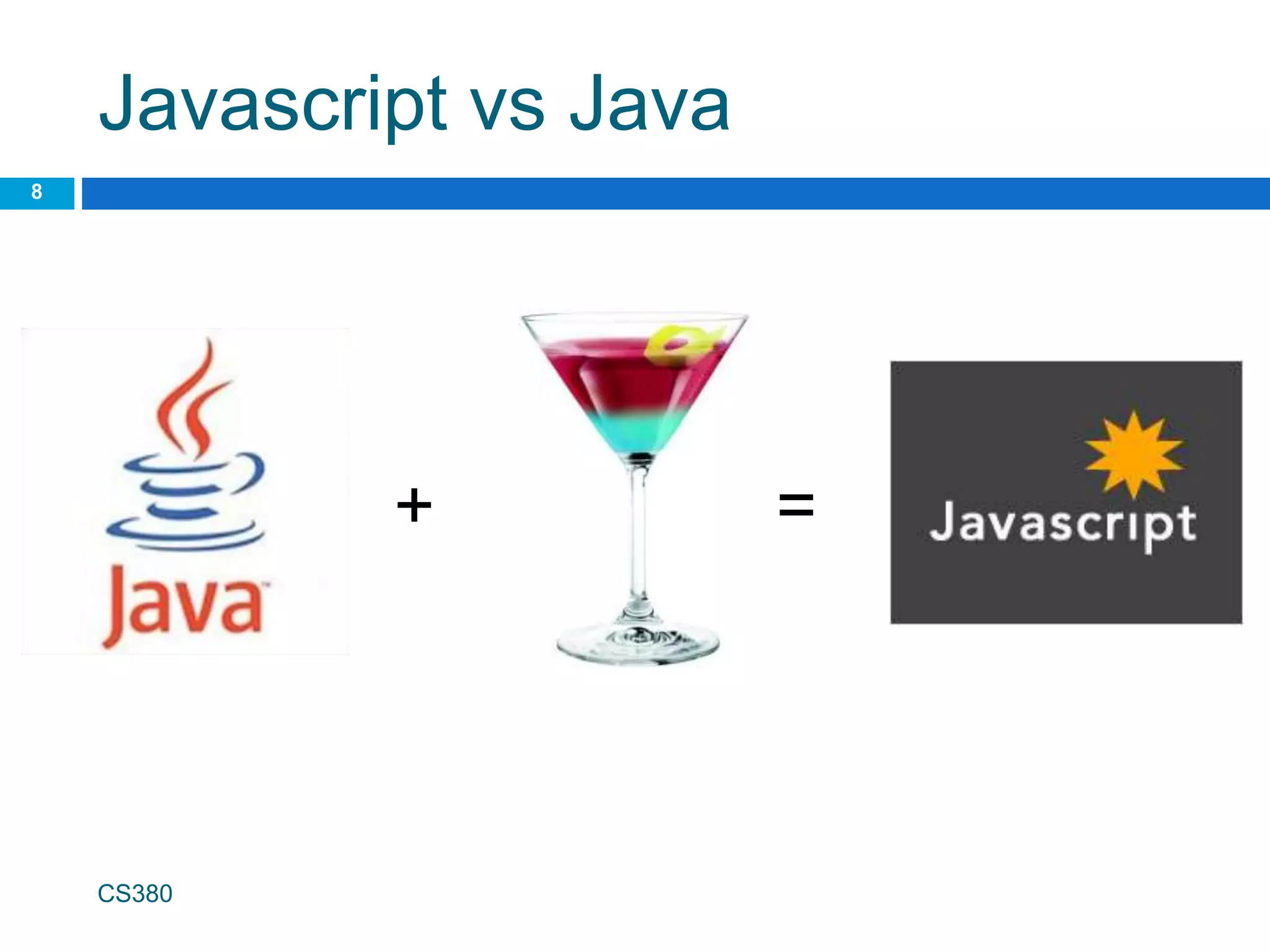
Javascript vs Java
CS380
8
+ =
JavaScript vs. PHP
 similarities:
 both are interpreted, not compiled
 both are relaxed about syntax, rules, and
types
 both are case-sensitive
 both have built-in regular expressions for
powerful text processing
CS380
9
JavaScript vs. PHP
 differences:
 JS is more object-oriented: noun.verb(), less
procedural: verb(noun)
 JS focuses on user interfaces and interacting
with a document; PHP is geared toward HTML
output and file/form processing
 JS code runs on the client's browser; PHP
code runs on the web server
CS380
10
JS <3
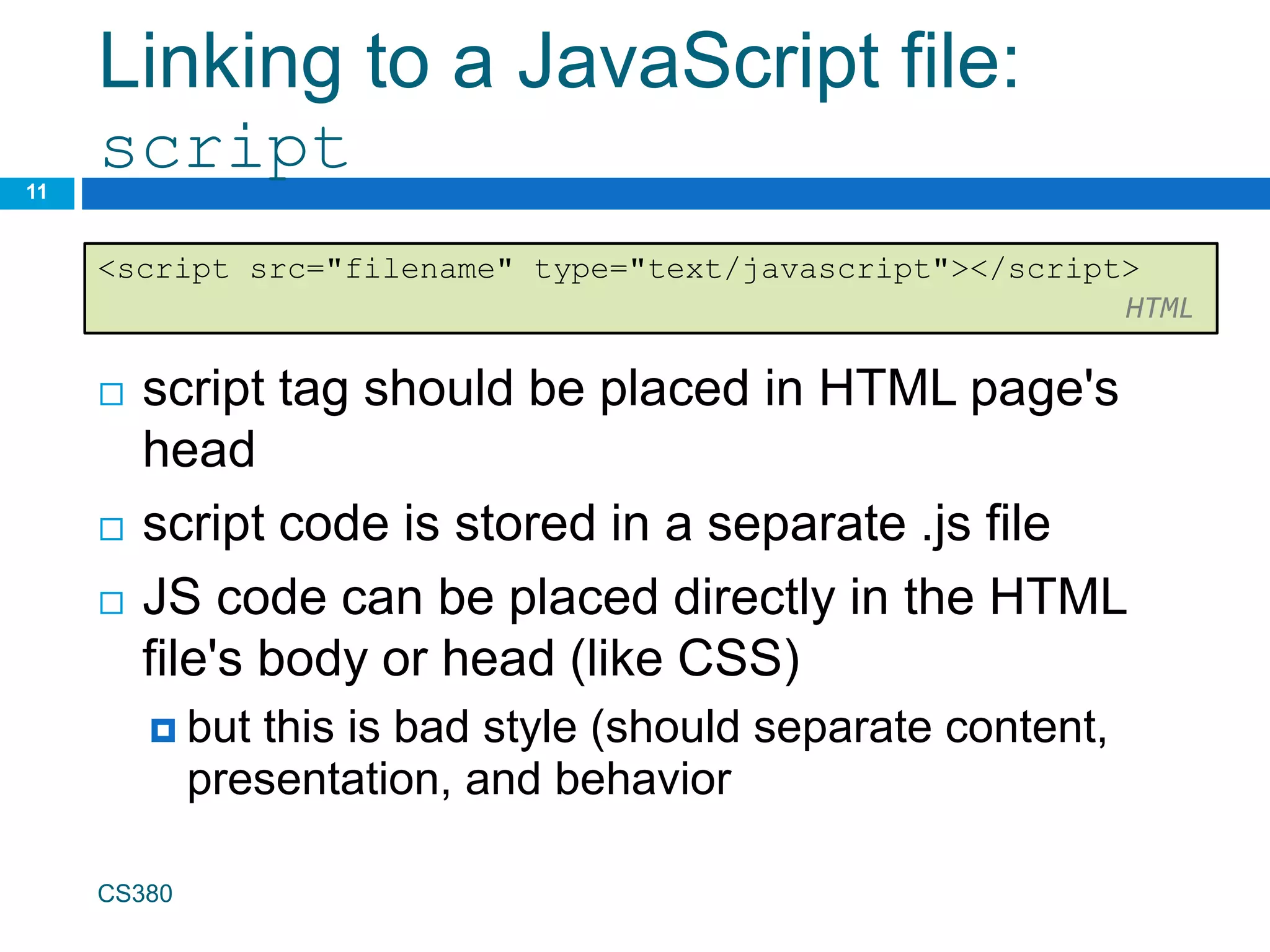
Linking to a JavaScript file:
script
 script tag should be placed in HTML page's
head
 script code is stored in a separate .js file
 JS code can be placed directly in the HTML
file's body or head (like CSS)
 but this is bad style (should separate content,
presentation, and behavior
CS380
11
<script src="filename" type="text/javascript"></script>
HTML
Event-driven programming
12
 split breaks apart a string into an array using a
delimiter
 can also be used with regular expressions (seen
later)
 join merges an array into a single string,
placing a delimiter between them
CS380
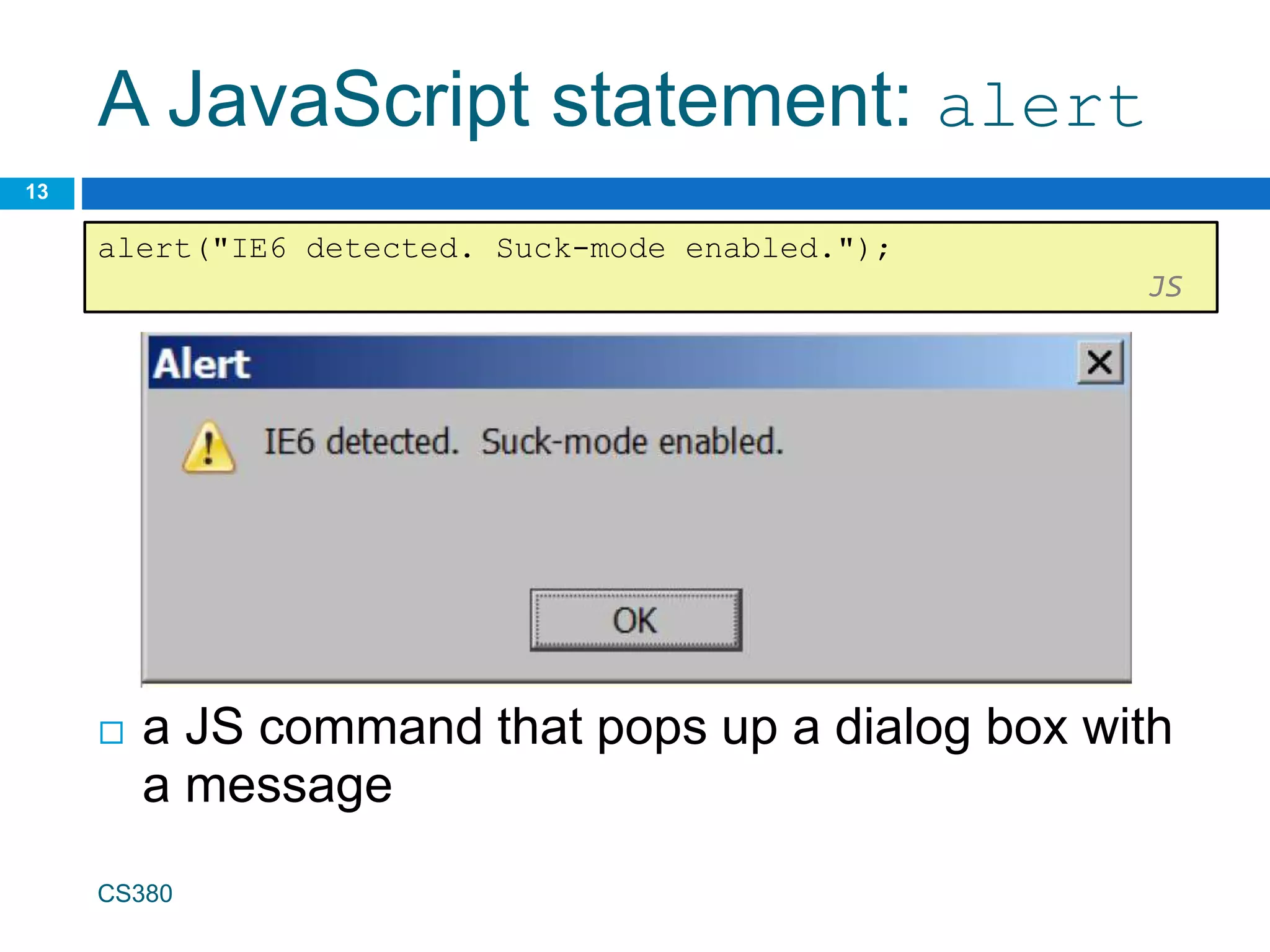
A JavaScript statement: alert
 a JS command that pops up a dialog box with
a message
CS380
13
alert("IE6 detected. Suck-mode enabled.");
JS
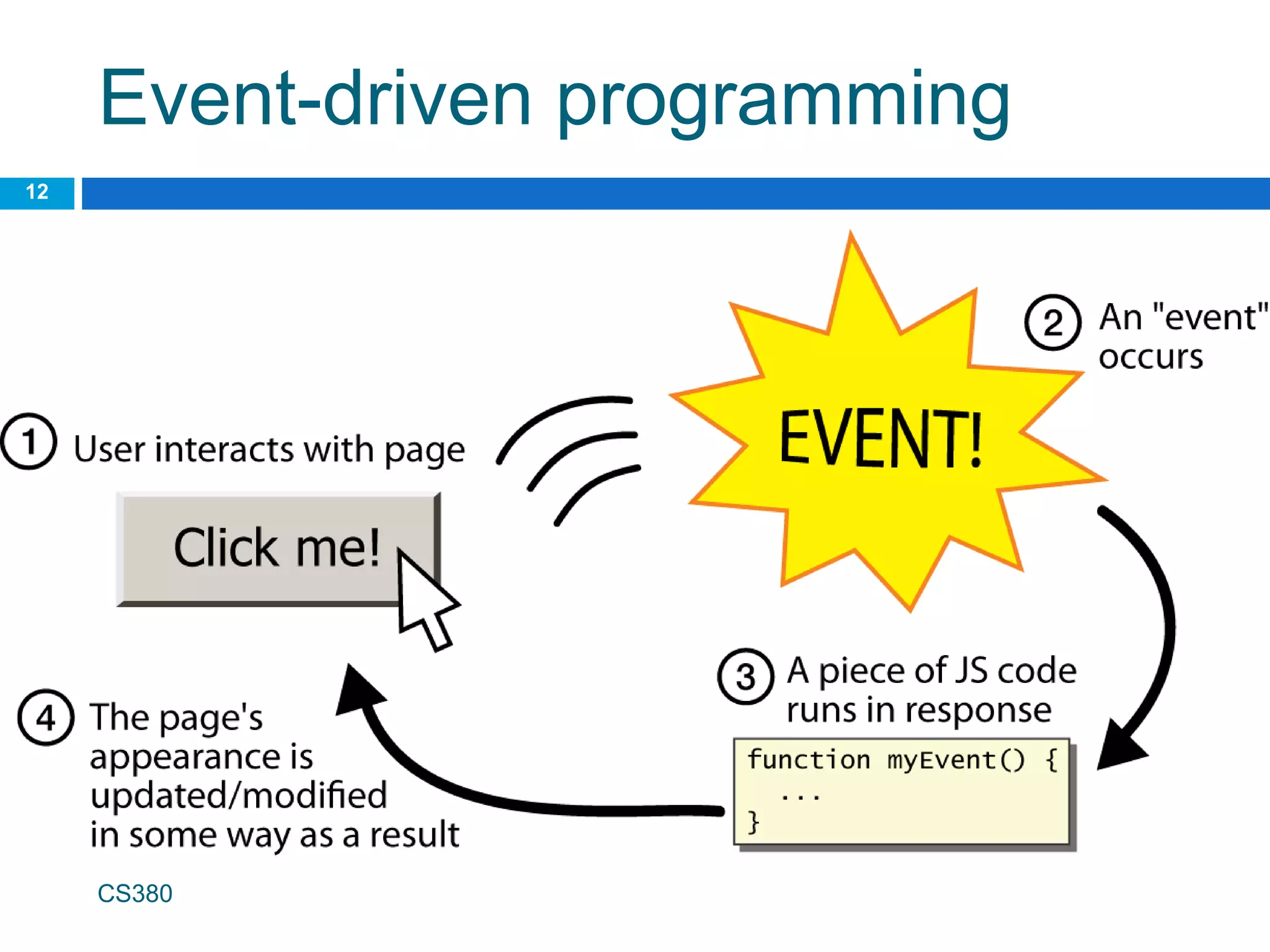
Event-driven programming
14
 you are used to programs start with a main
method (or implicit main like in PHP)
 JavaScript programs instead wait for user
actions called events and respond to them
 event-driven programming: writing programs
driven by user events
 Let's write a page with a clickable button that
pops up a "Hello, World" window...
CS380
Buttons
 button's text appears inside tag; can also
contain images
 To make a responsive button or other UI
control:
1. choose the control (e.g. button) and event (e.g.
mouse 1. click) of interest
2. write a JavaScript function to run when the
event occurs
3. attach the function to the event on the control
CS380
15
<button>Click me!</button> HTML
JavaScript functions
16
function name() {
statement ;
statement ;
...
statement ;
} JS
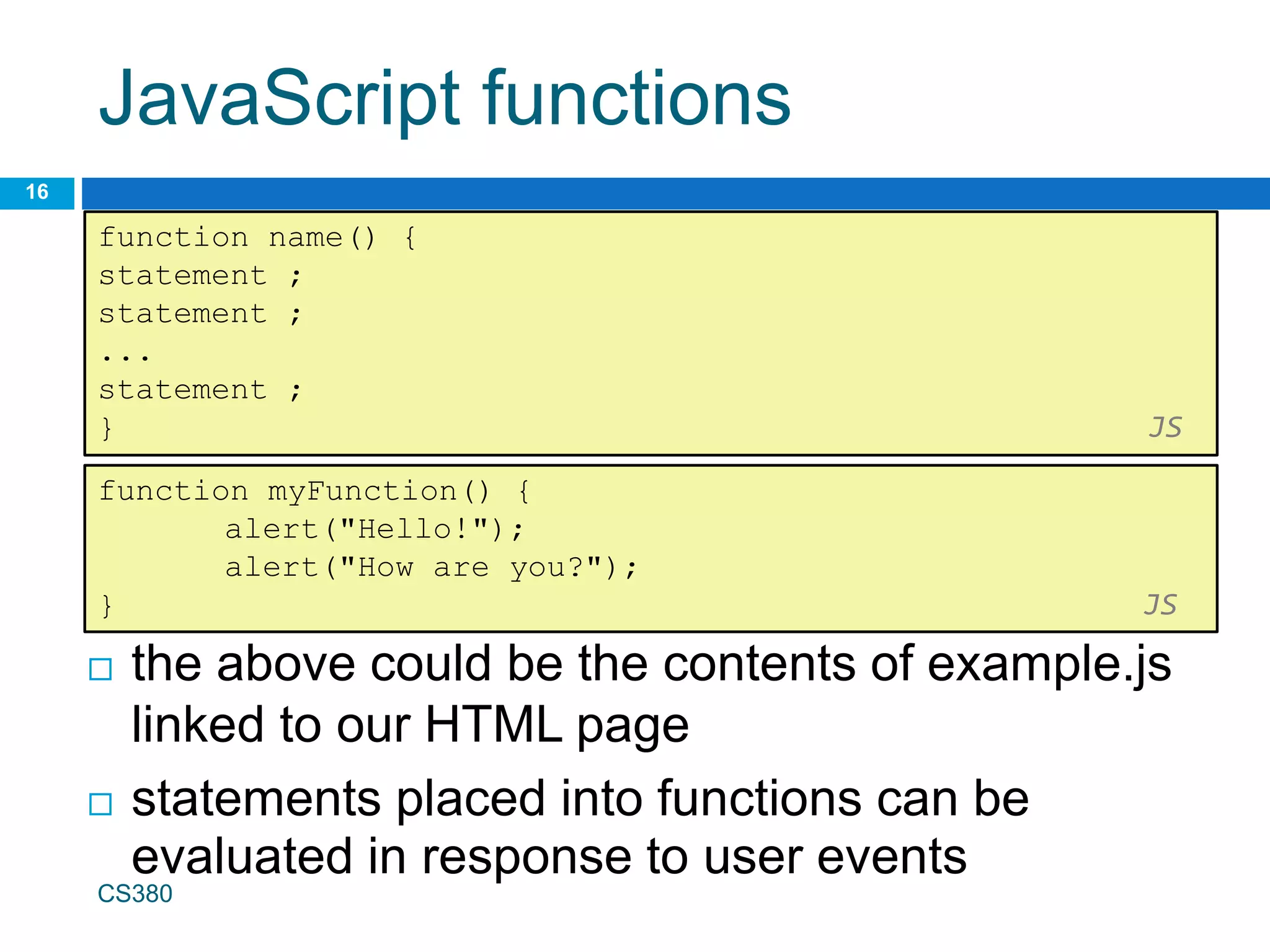
 the above could be the contents of example.js
linked to our HTML page
 statements placed into functions can be
evaluated in response to user events
function myFunction() {
alert("Hello!");
alert("How are you?");
} JS
CS380
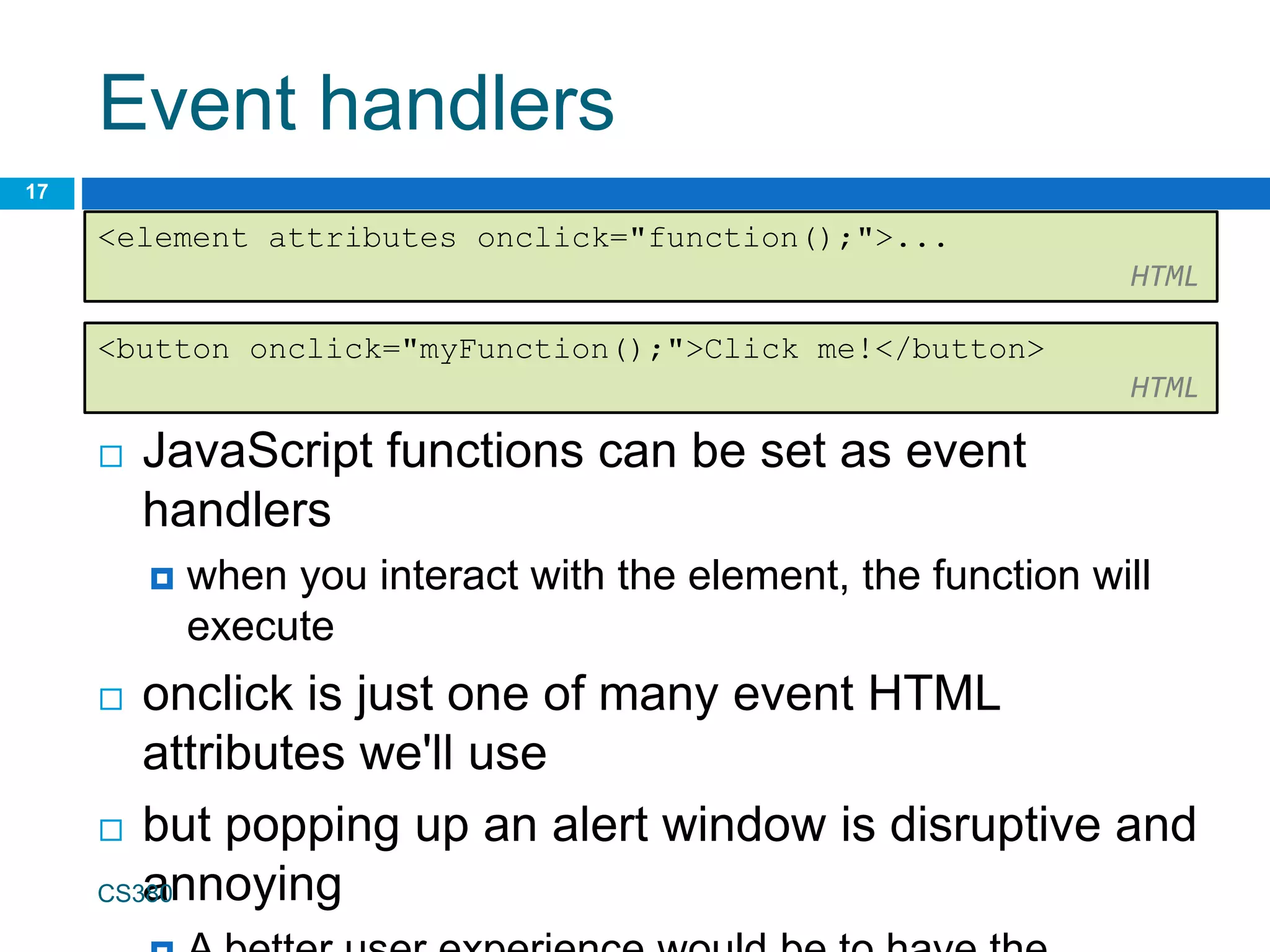
Event handlers
 JavaScript functions can be set as event
handlers
 when you interact with the element, the function will
execute
 onclick is just one of many event HTML
attributes we'll use
 but popping up an alert window is disruptive and
annoying
CS380
17
<element attributes onclick="function();">...
HTML
<button onclick="myFunction();">Click me!</button>
HTML
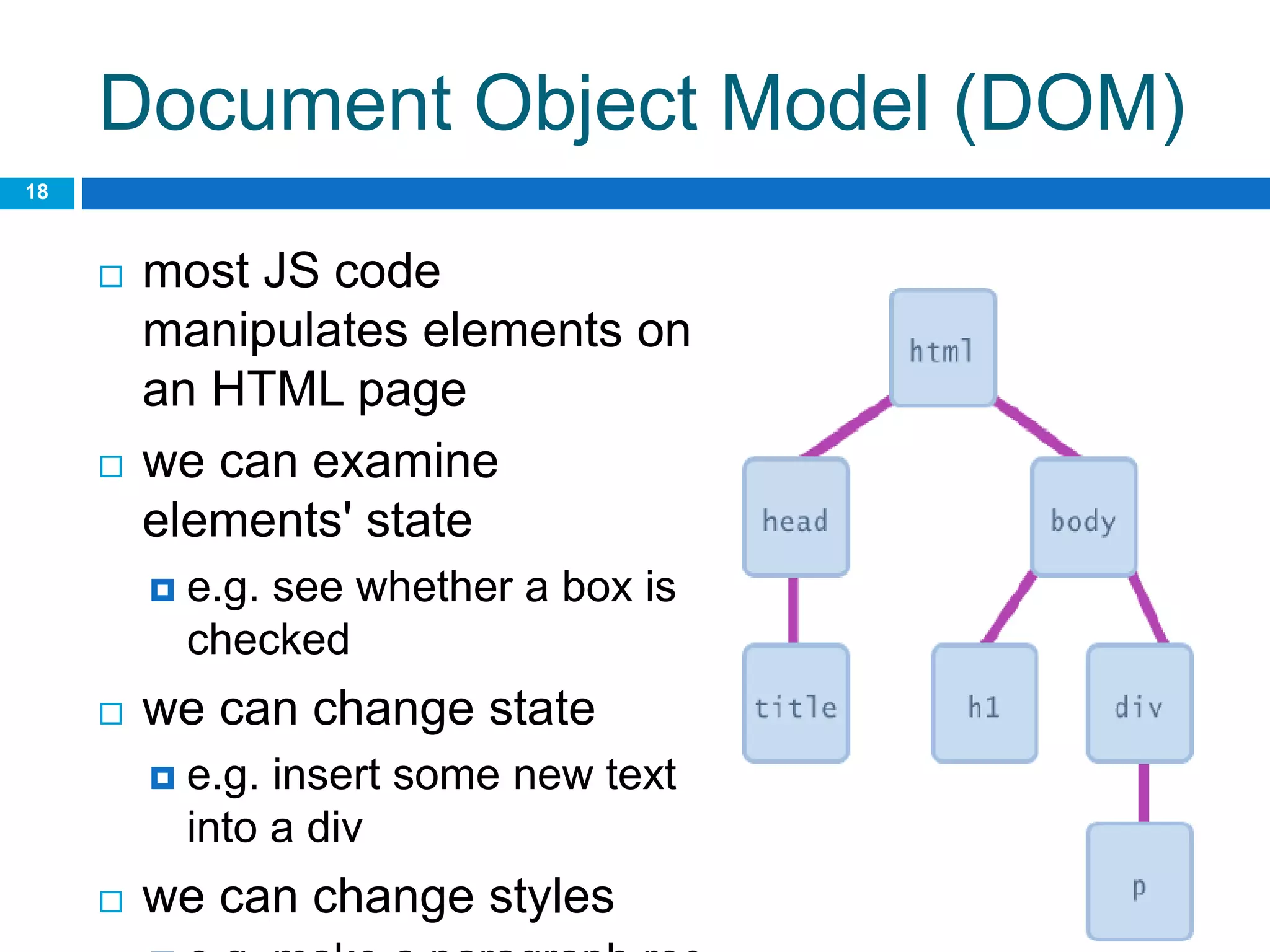
Document Object Model (DOM)
 most JS code
manipulates elements on
an HTML page
 we can examine
elements' state
 e.g. see whether a box is
checked
 we can change state
 e.g. insert some new text
into a div
 we can change styles
18
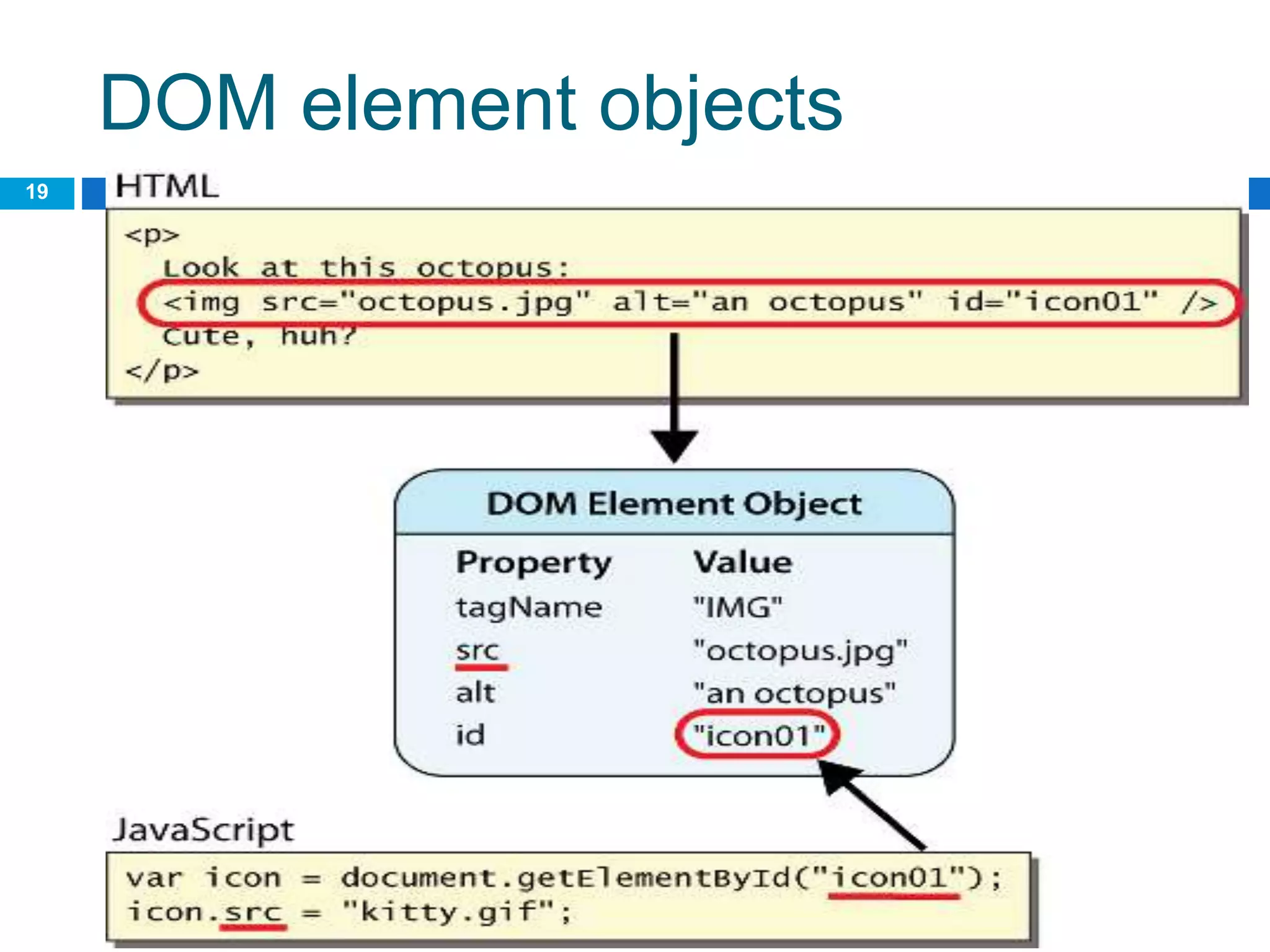
DOM element objects
19
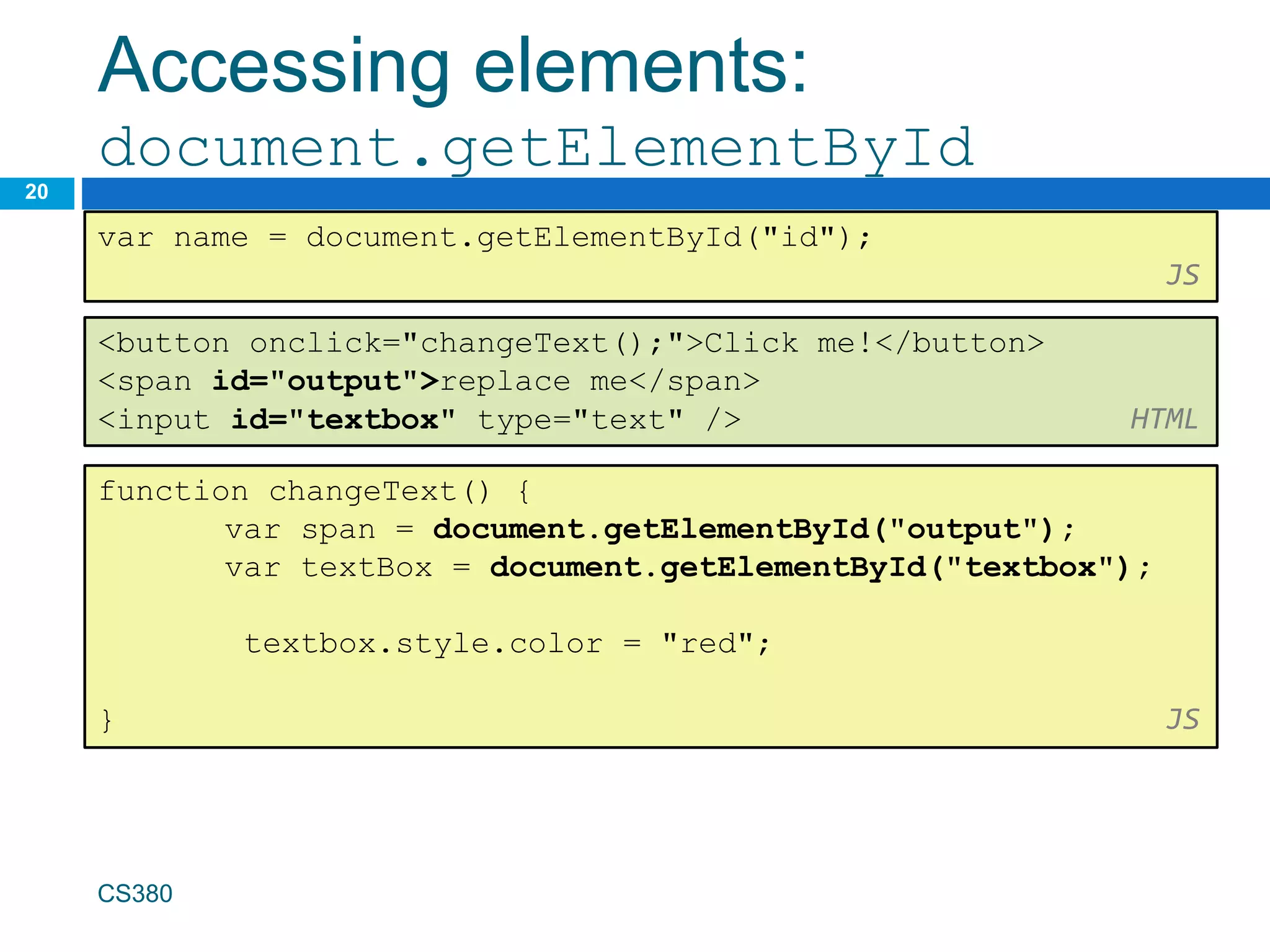
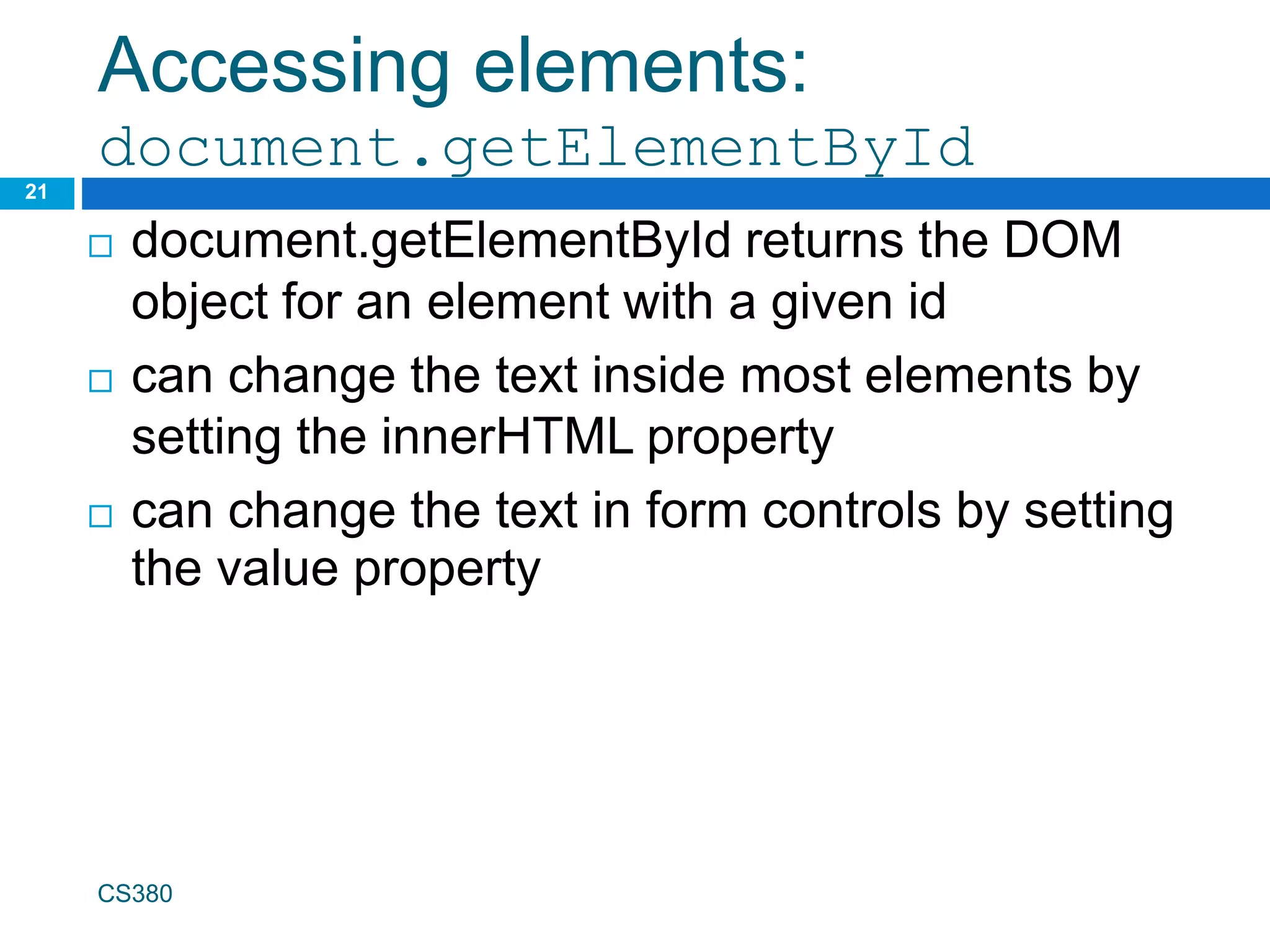
Accessing elements:
document.getElementById
20
var name = document.getElementById("id");
JS
CS380
<button onclick="changeText();">Click me!</button>
<span id="output">replace me</span>
<input id="textbox" type="text" /> HTML
function changeText() {
var span = document.getElementById("output");
var textBox = document.getElementById("textbox");
textbox.style.color = "red";
} JS
Accessing elements:
document.getElementById
21
 document.getElementById returns the DOM
object for an element with a given id
 can change the text inside most elements by
setting the innerHTML property
 can change the text in form controls by setting
the value property
CS380
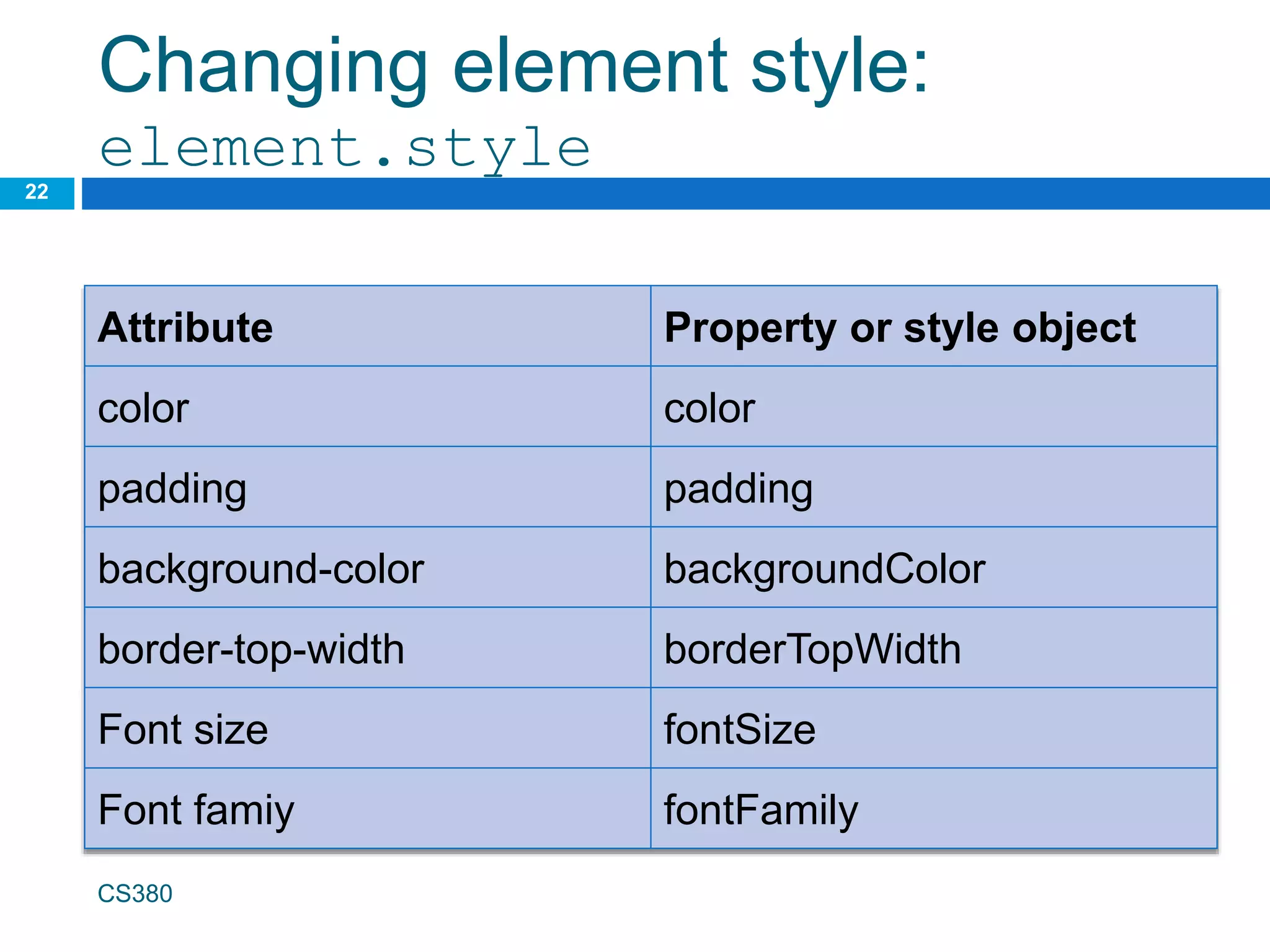
Changing element style:
element.style
22
CS380
Attribute Property or style object
color color
padding padding
background-color backgroundColor
border-top-width borderTopWidth
Font size fontSize
Font famiy fontFamily
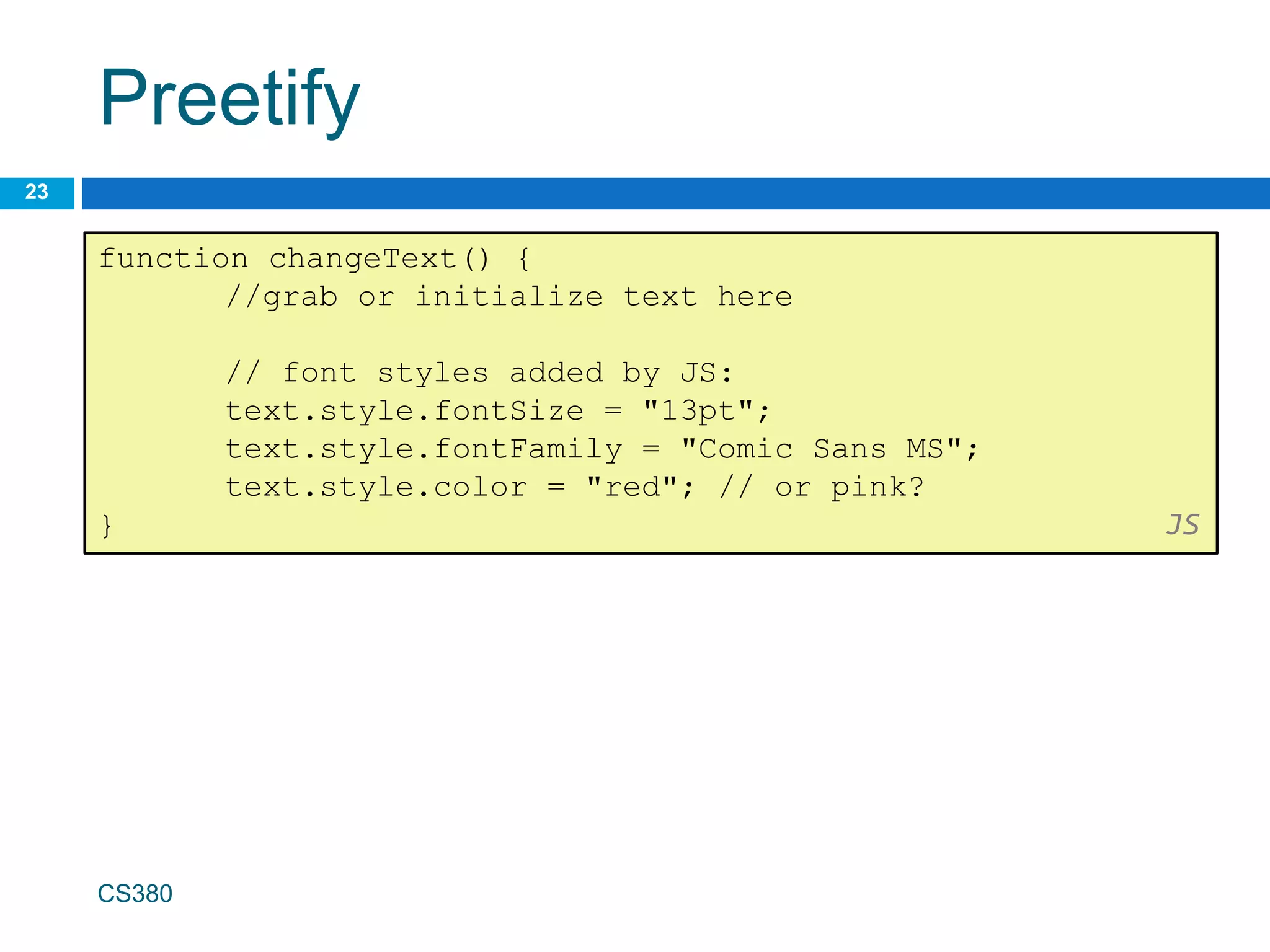
Preetify
23
CS380
function changeText() {
//grab or initialize text here
// font styles added by JS:
text.style.fontSize = "13pt";
text.style.fontFamily = "Comic Sans MS";
text.style.color = "red"; // or pink?
} JS
More Javascript Syntax
24
CS380
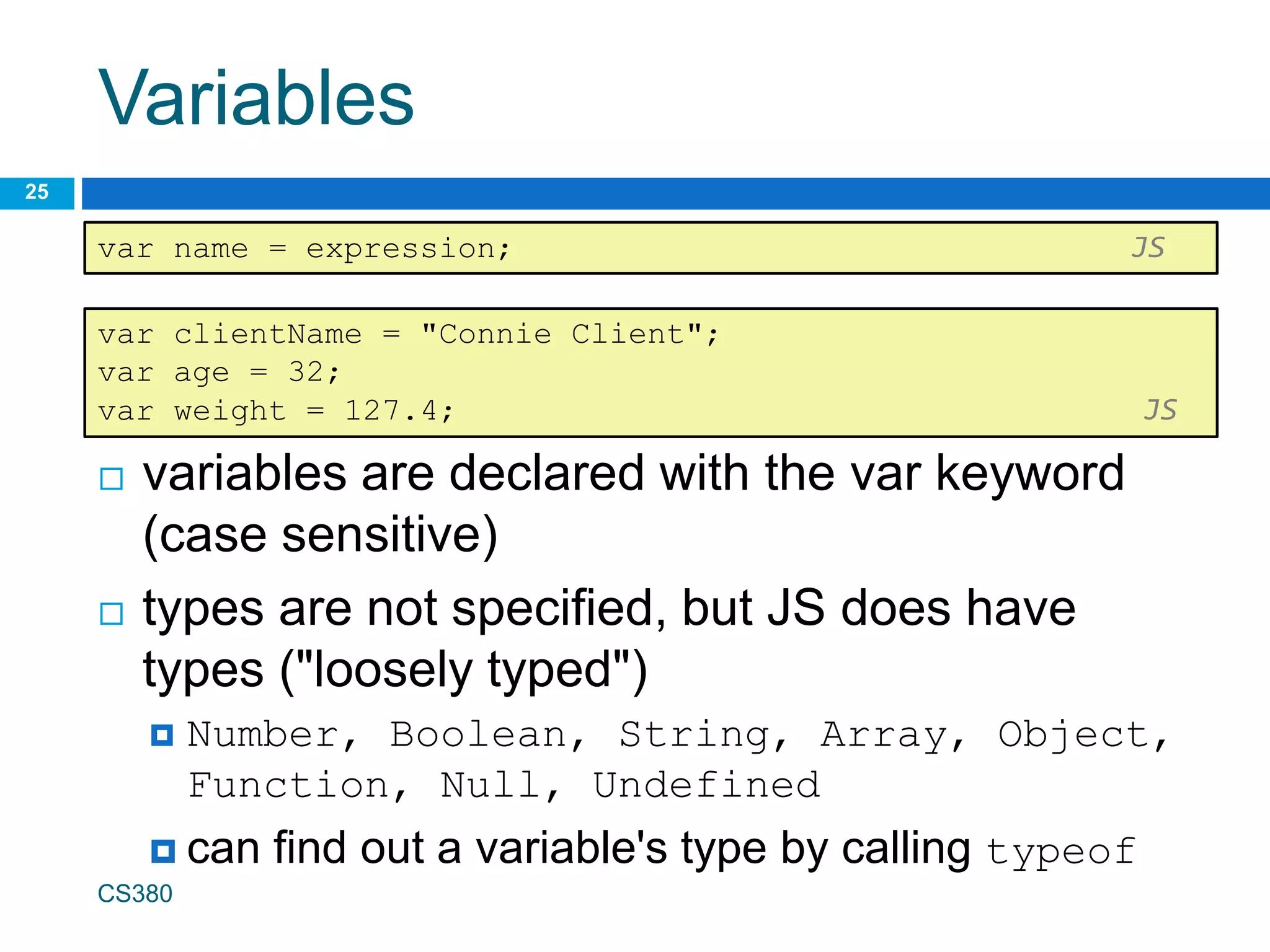
Variables
 variables are declared with the var keyword
(case sensitive)
 types are not specified, but JS does have
types ("loosely typed")
 Number, Boolean, String, Array, Object,
Function, Null, Undefined
 can find out a variable's type by calling typeof
CS380
25
var name = expression; JS
var clientName = "Connie Client";
var age = 32;
var weight = 127.4; JS
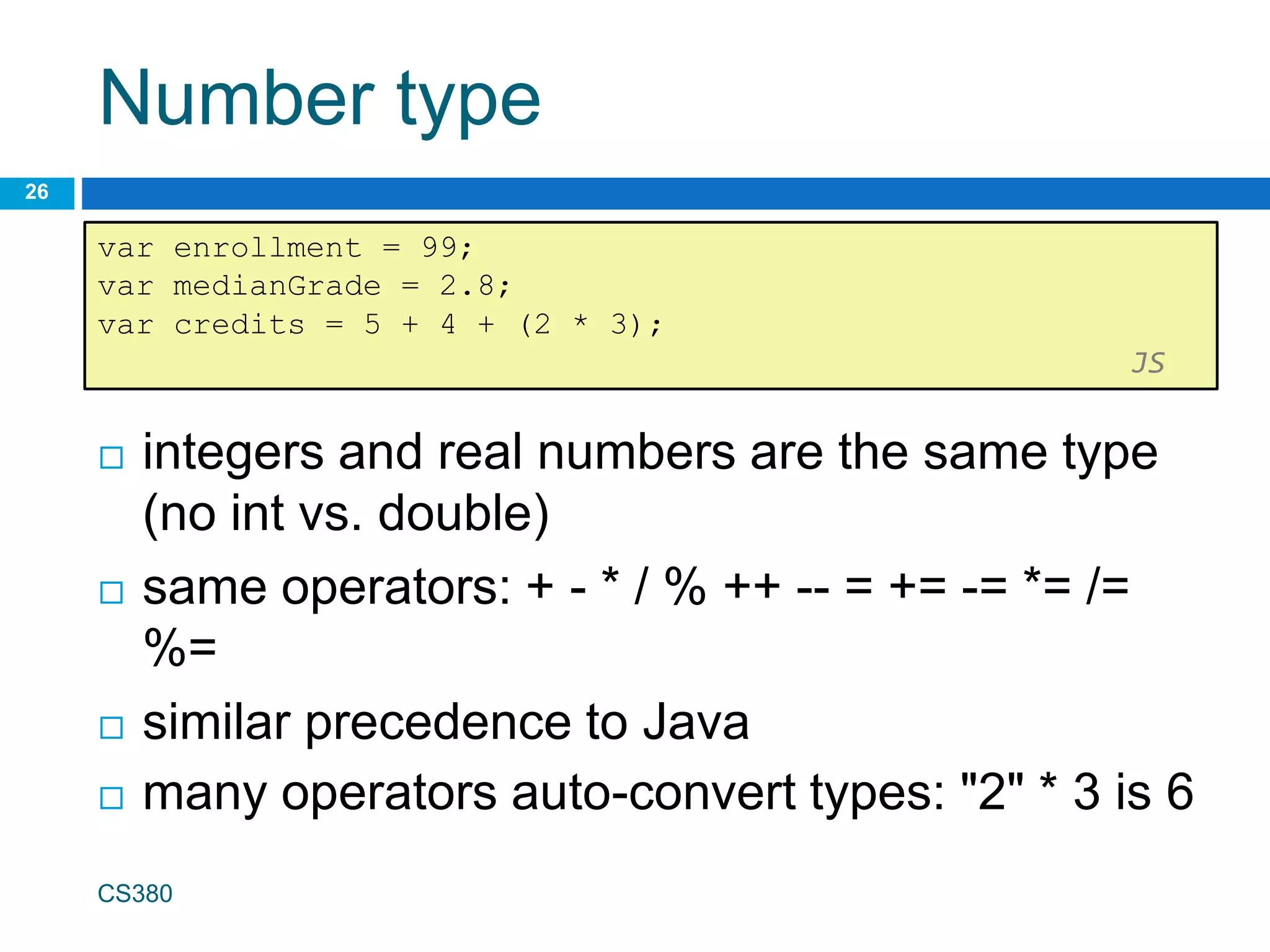
Number type
 integers and real numbers are the same type
(no int vs. double)
 same operators: + - * / % ++ -- = += -= *= /=
%=
 similar precedence to Java
 many operators auto-convert types: "2" * 3 is 6
CS380
26
var enrollment = 99;
var medianGrade = 2.8;
var credits = 5 + 4 + (2 * 3);
JS
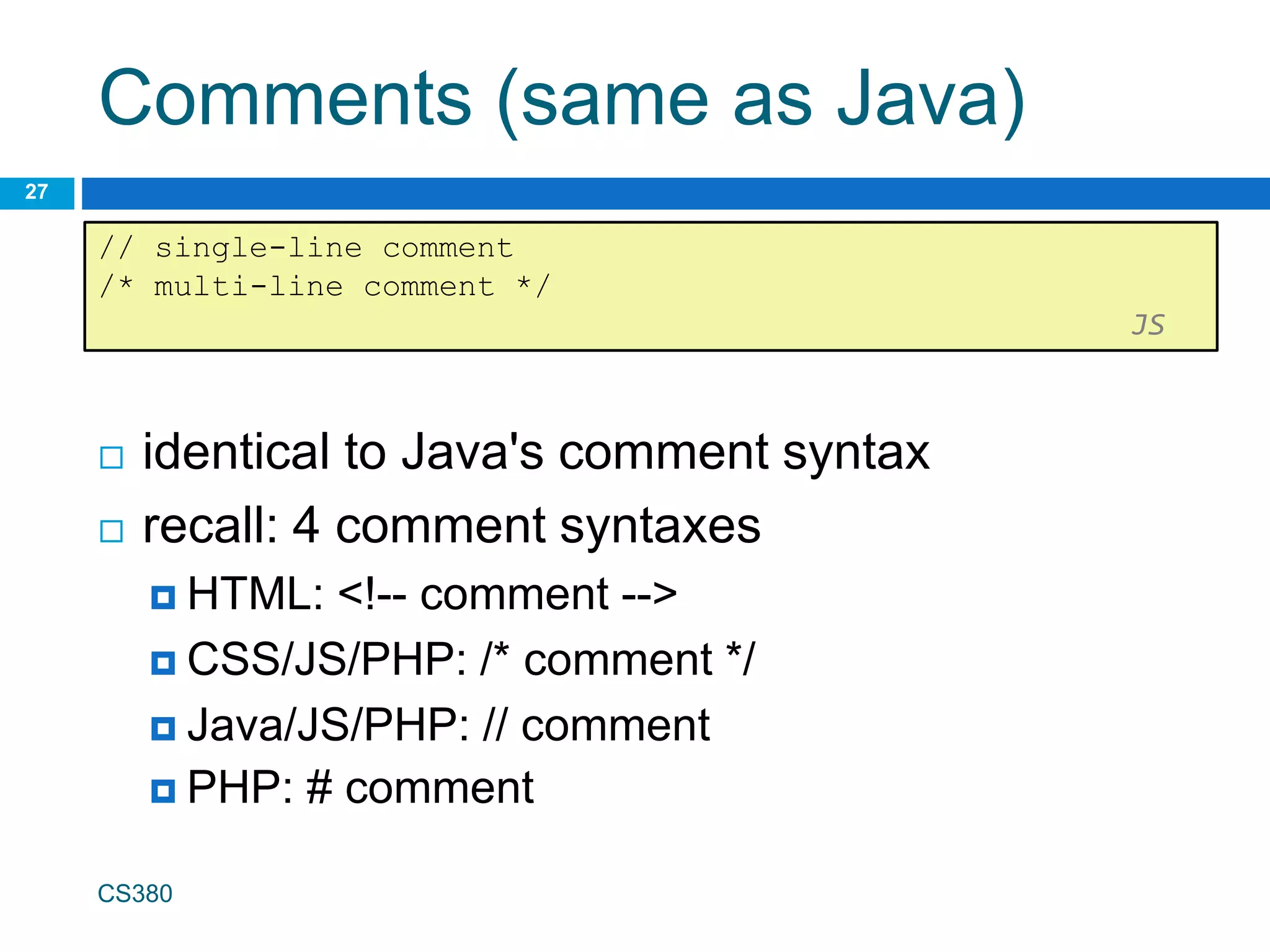
Comments (same as Java)
 identical to Java's comment syntax
 recall: 4 comment syntaxes
 HTML: <!-- comment -->
 CSS/JS/PHP: /* comment */
 Java/JS/PHP: // comment
 PHP: # comment
CS380
27
// single-line comment
/* multi-line comment */
JS
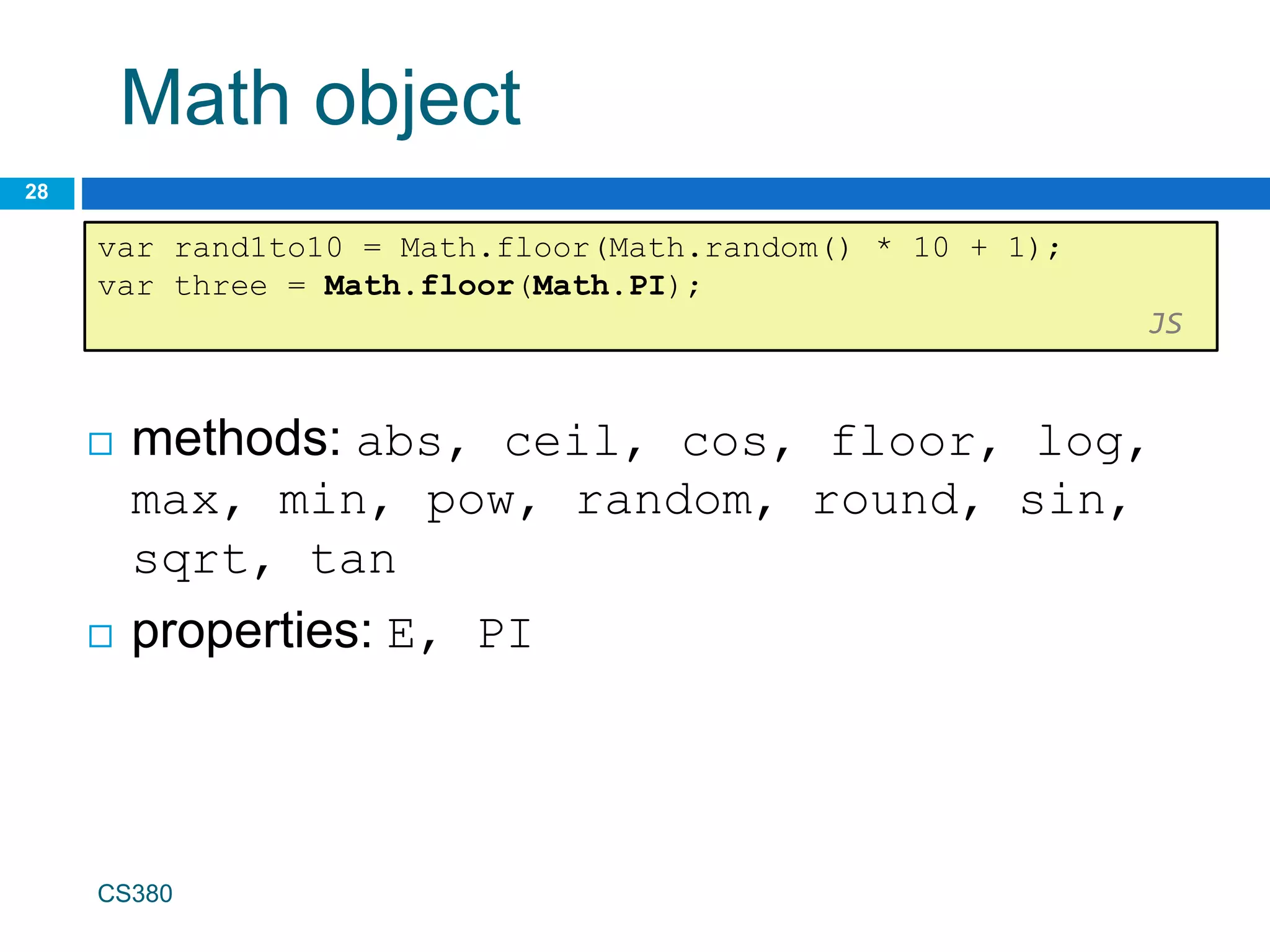
Math object
28
var rand1to10 = Math.floor(Math.random() * 10 + 1);
var three = Math.floor(Math.PI);
JS
CS380
 methods: abs, ceil, cos, floor, log,
max, min, pow, random, round, sin,
sqrt, tan
 properties: E, PI
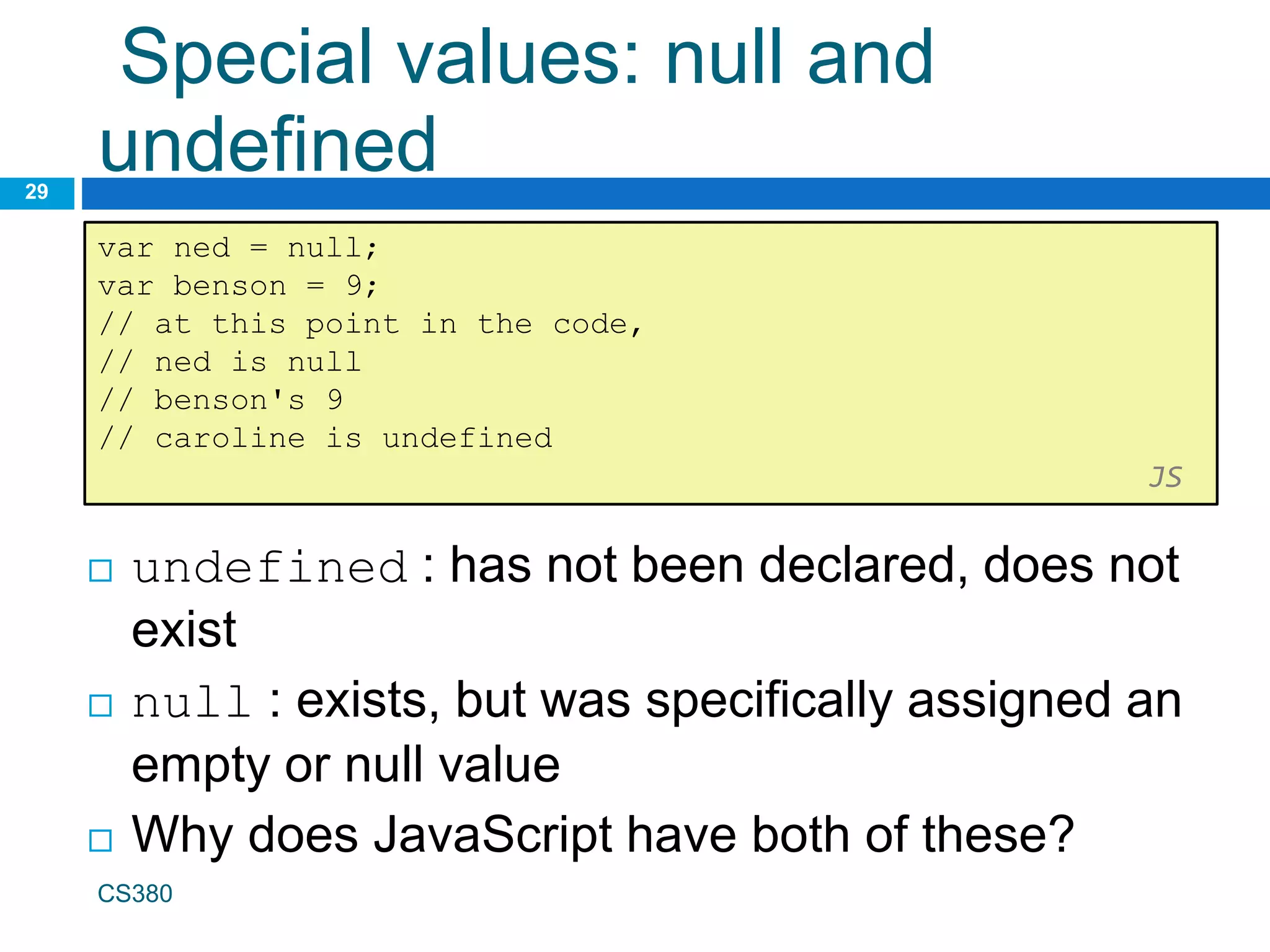
Special values: null and
undefined
29
var ned = null;
var benson = 9;
// at this point in the code,
// ned is null
// benson's 9
// caroline is undefined
JS
CS380
 undefined : has not been declared, does not
exist
 null : exists, but was specifically assigned an
empty or null value
 Why does JavaScript have both of these?
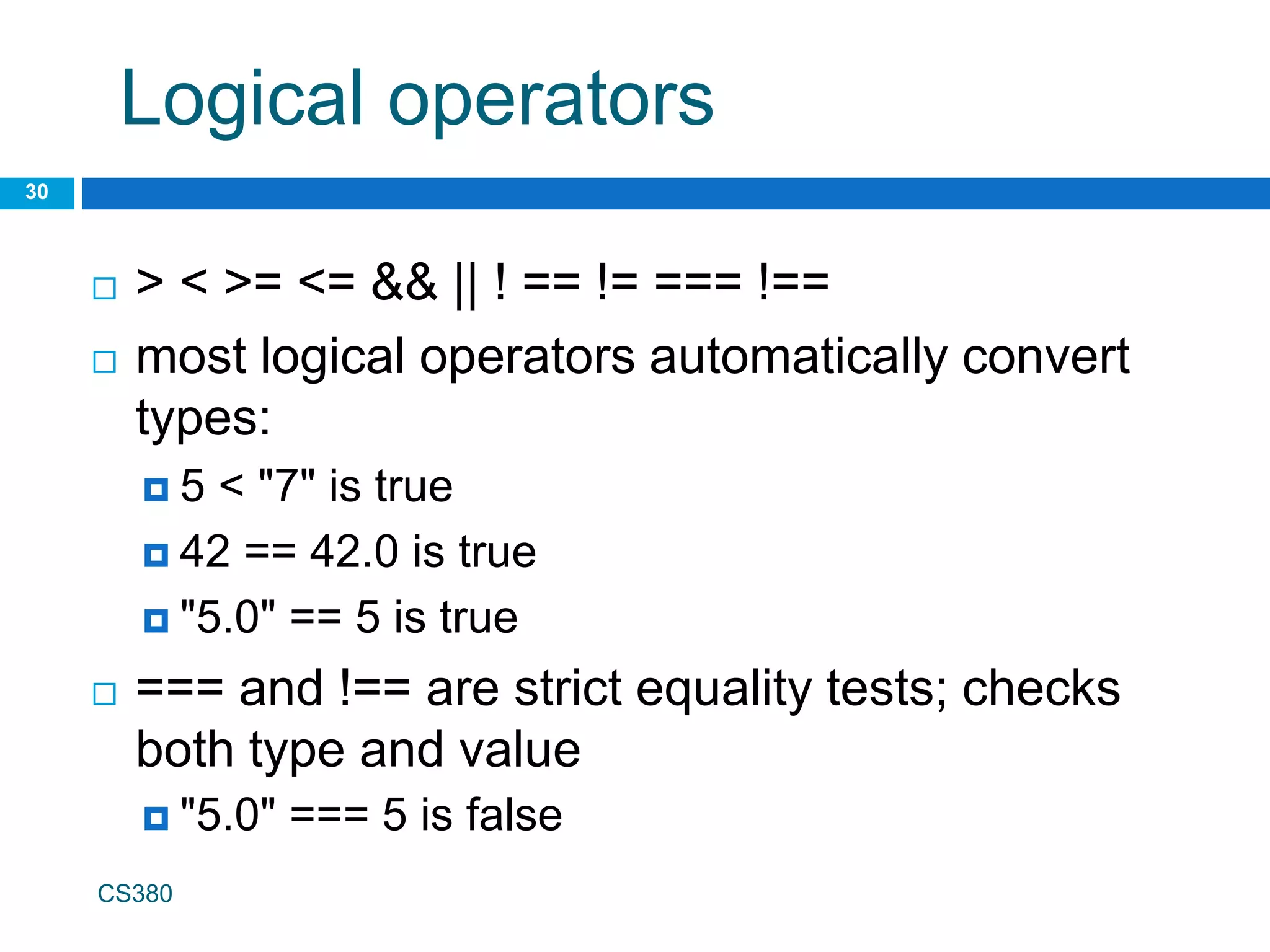
Logical operators
30
CS380
 > < >= <= && || ! == != === !==
 most logical operators automatically convert
types:
 5 < "7" is true
 42 == 42.0 is true
 "5.0" == 5 is true
 === and !== are strict equality tests; checks
both type and value
 "5.0" === 5 is false
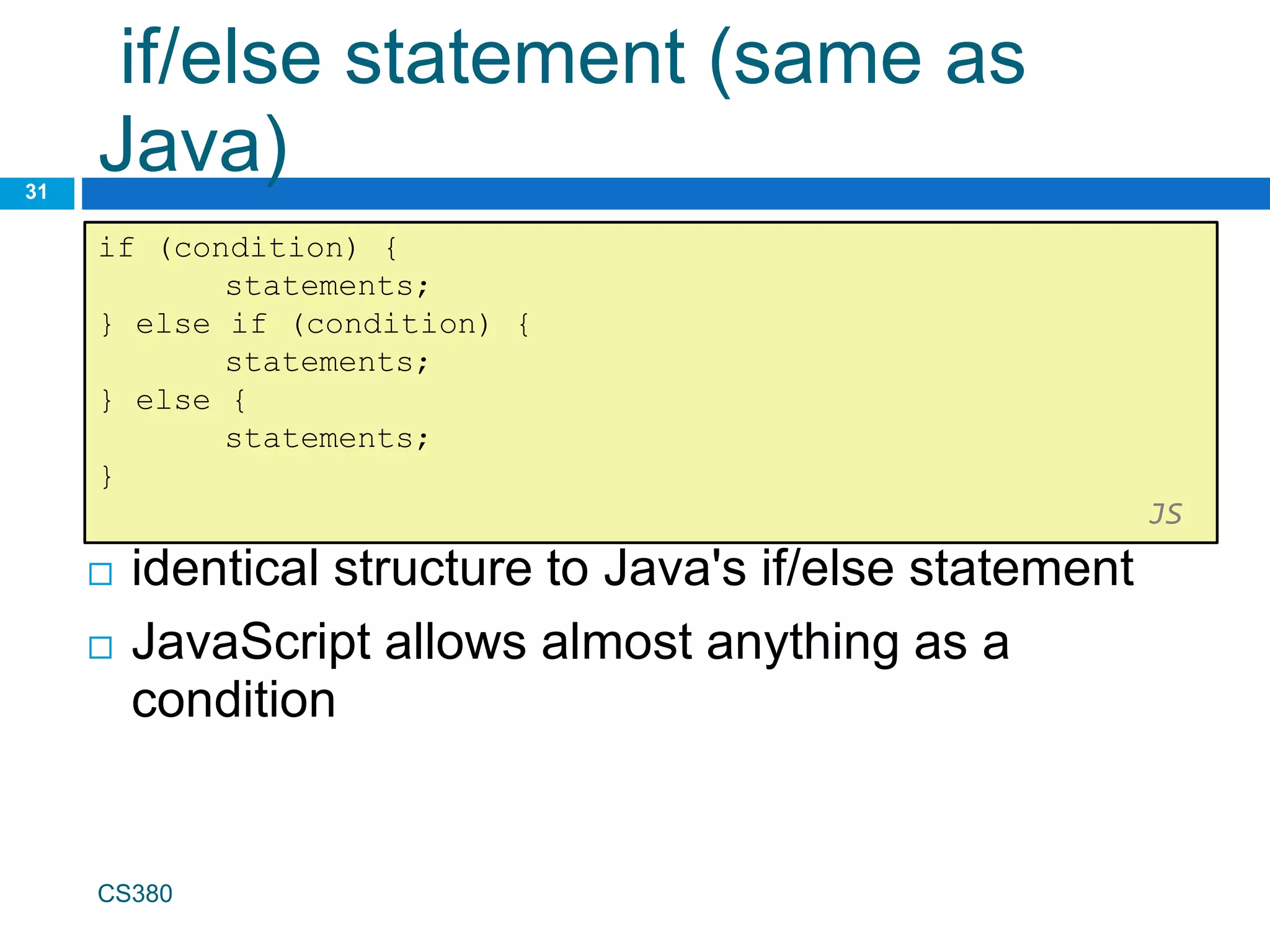
if/else statement (same as
Java)
31
if (condition) {
statements;
} else if (condition) {
statements;
} else {
statements;
}
JS
CS380
 identical structure to Java's if/else statement
 JavaScript allows almost anything as a
condition
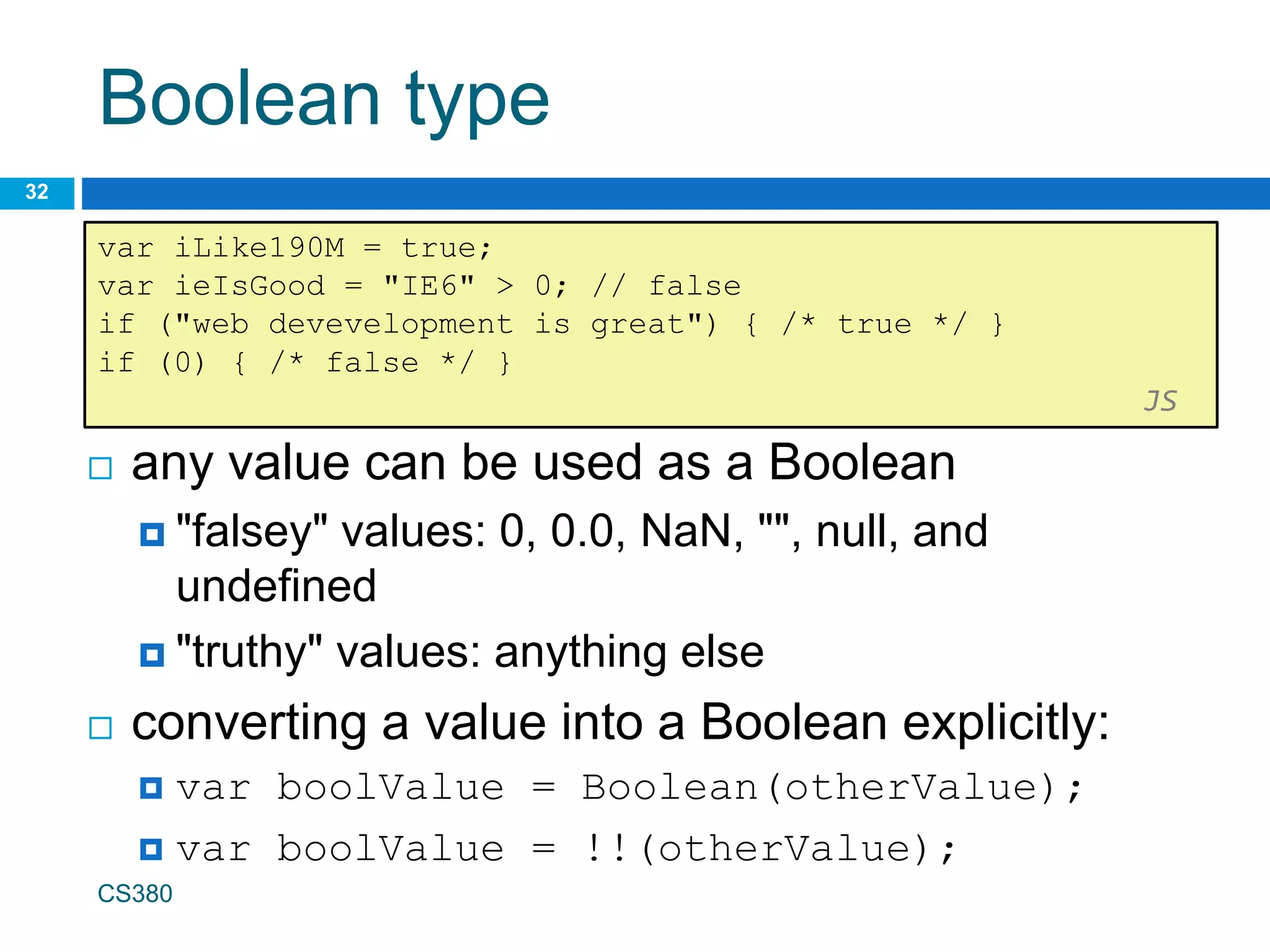
Boolean type
32
var iLike190M = true;
var ieIsGood = "IE6" > 0; // false
if ("web devevelopment is great") { /* true */ }
if (0) { /* false */ }
JS
CS380
 any value can be used as a Boolean
 "falsey" values: 0, 0.0, NaN, "", null, and
undefined
 "truthy" values: anything else
 converting a value into a Boolean explicitly:
 var boolValue = Boolean(otherValue);
 var boolValue = !!(otherValue);
for loop (same as Java)
33
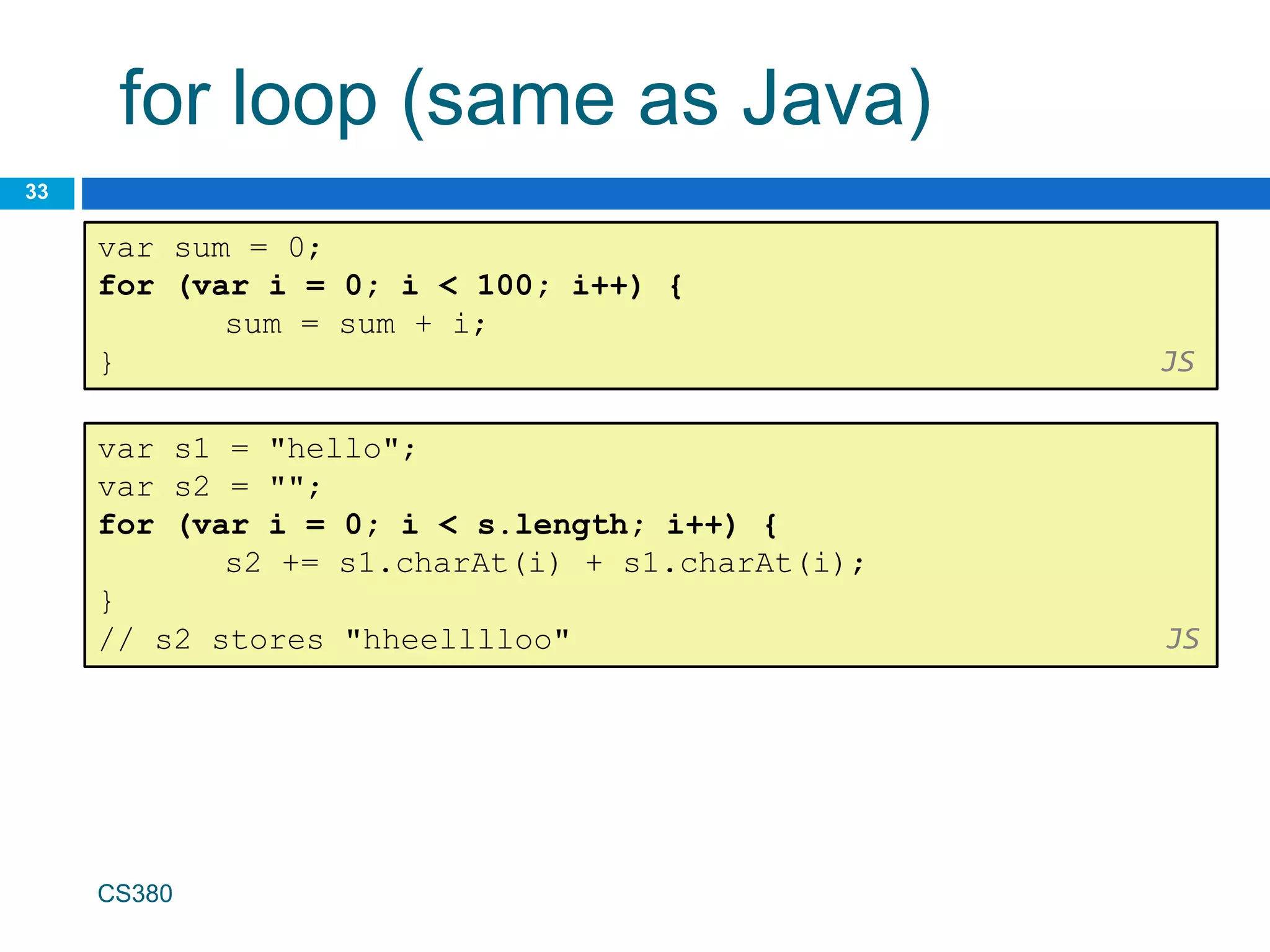
var sum = 0;
for (var i = 0; i < 100; i++) {
sum = sum + i;
} JS
var s1 = "hello";
var s2 = "";
for (var i = 0; i < s.length; i++) {
s2 += s1.charAt(i) + s1.charAt(i);
}
// s2 stores "hheelllloo" JS
CS380
while loops (same as Java)
34
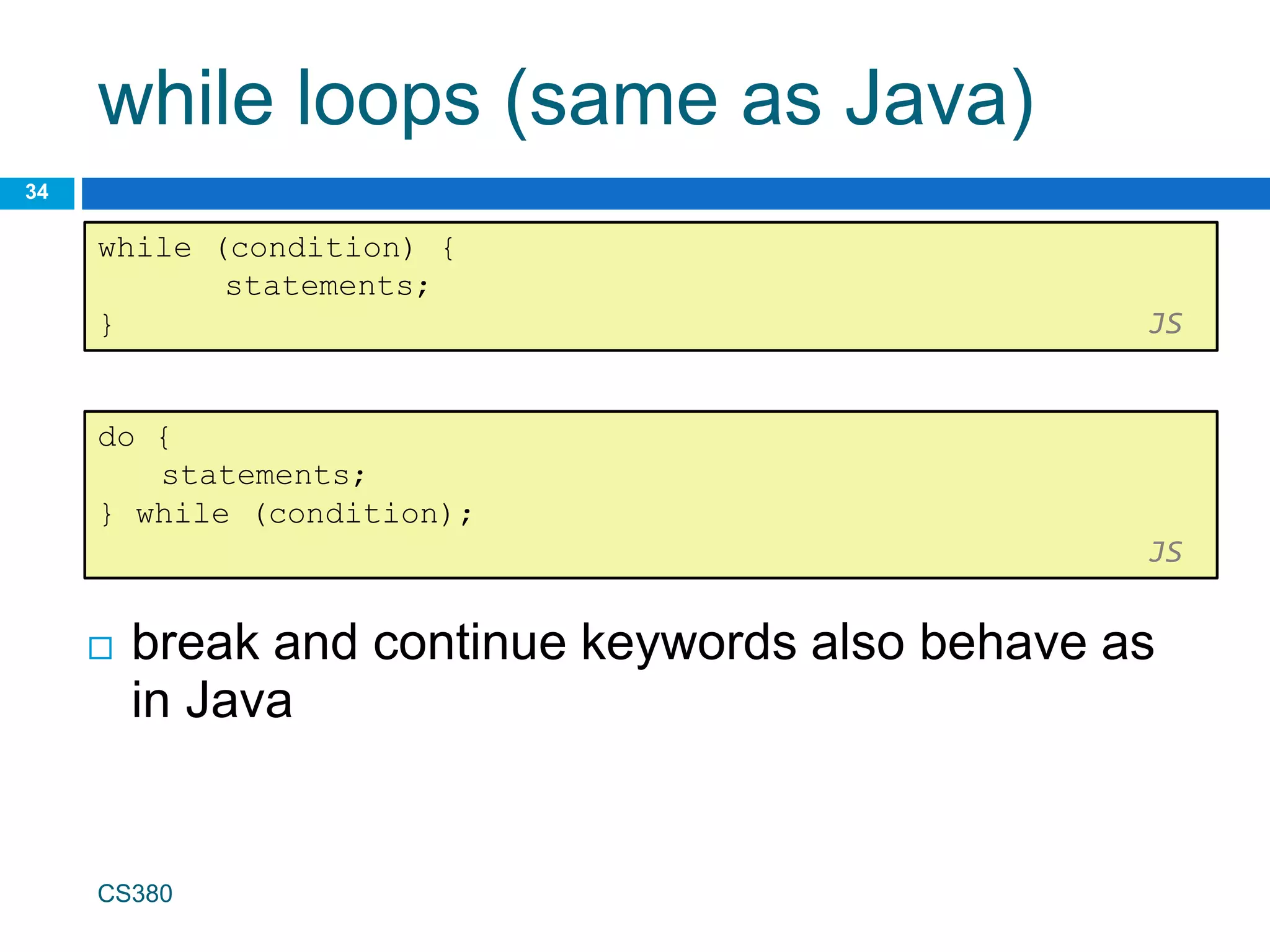
while (condition) {
statements;
} JS
CS380
 break and continue keywords also behave as
in Java
do {
statements;
} while (condition);
JS
Popup boxes
35
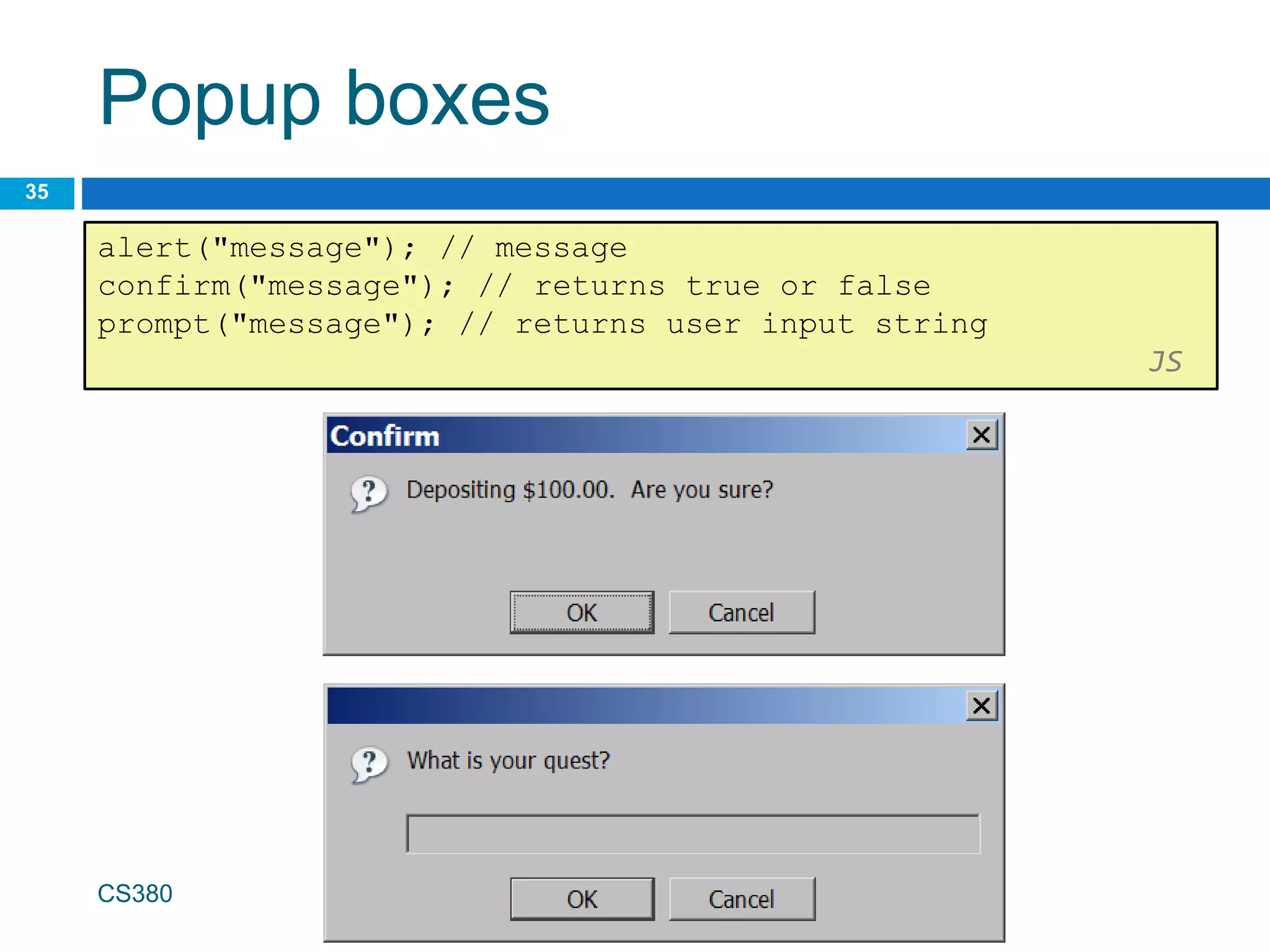
alert("message"); // message
confirm("message"); // returns true or false
prompt("message"); // returns user input string
JS
CS380
Arrays
36
var name = []; // empty array
var name = [value, value, ..., value]; // pre-filled
name[index] = value; // store element
JS
CS380
var ducks = ["Huey", "Dewey", "Louie"];
var stooges = []; // stooges.length is 0
stooges[0] = "Larry"; // stooges.length is 1
stooges[1] = "Moe"; // stooges.length is 2
stooges[4] = "Curly"; // stooges.length is 5
stooges[4] = "Shemp"; // stooges.length is 5
JS
Array methods
37
var a = ["Stef", "Jason"]; // Stef, Jason
a.push("Brian"); // Stef, Jason, Brian
a.unshift("Kelly"); // Kelly, Stef, Jason, Brian
a.pop(); // Kelly, Stef, Jason
a.shift(); // Stef, Jason
a.sort(); // Jason, Stef
JS
 array serves as many data structures: list,
queue, stack, ...
 methods: concat, join, pop, push, reverse,
shift, slice, sort, splice, toString, unshift
 push and pop add / remove from back
 unshift and shift add / remove from front
 shift and pop return the element that is removed
String type
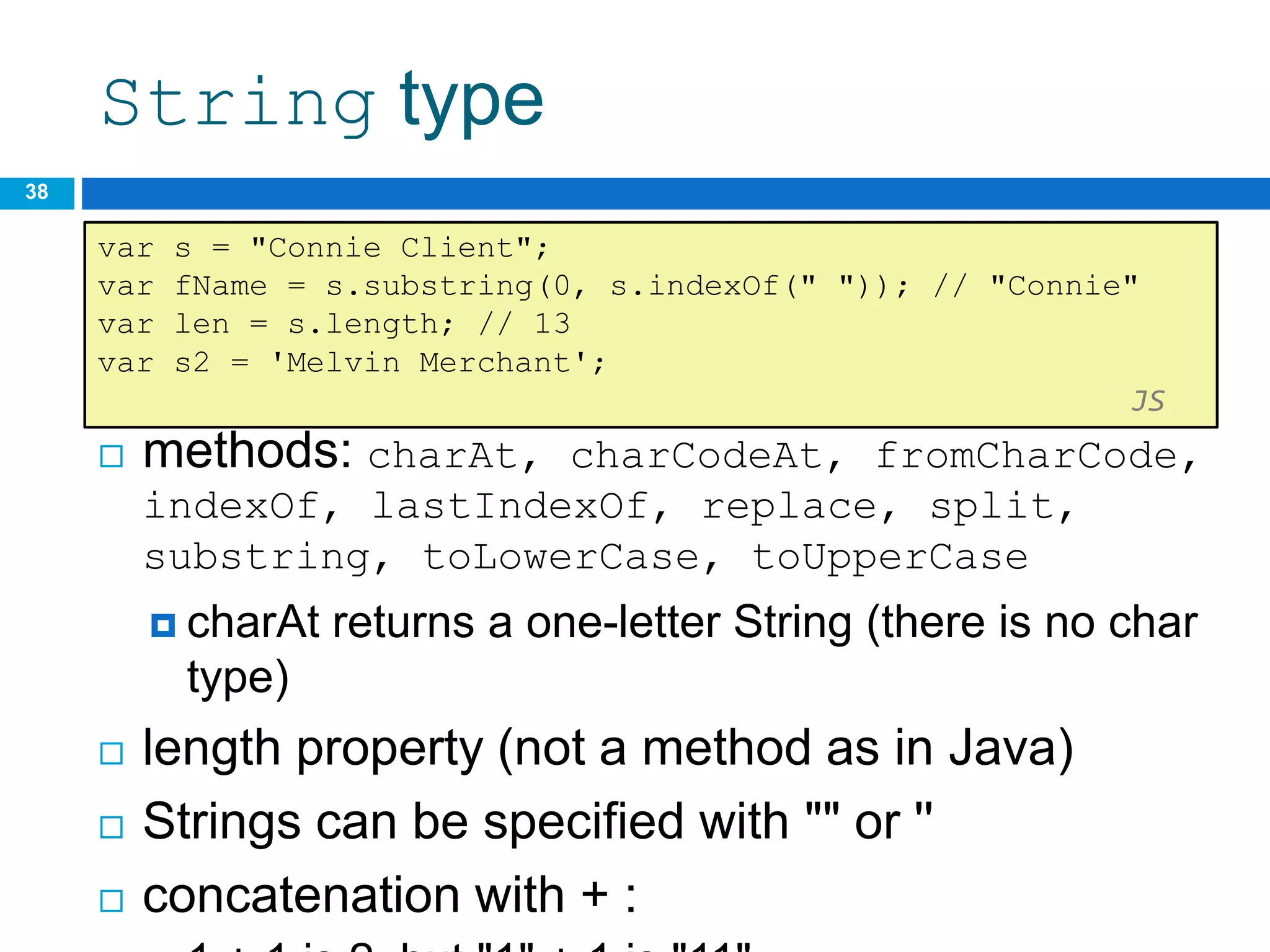
 methods: charAt, charCodeAt, fromCharCode,
indexOf, lastIndexOf, replace, split,
substring, toLowerCase, toUpperCase
 charAt returns a one-letter String (there is no char
type)
 length property (not a method as in Java)
 Strings can be specified with "" or ''
 concatenation with + :
38
var s = "Connie Client";
var fName = s.substring(0, s.indexOf(" ")); // "Connie"
var len = s.length; // 13
var s2 = 'Melvin Merchant';
JS
More about String
 accessing the letters of a String:
39
var count = 10;
var s1 = "" + count; // "10"
var s2 = count + " bananas, ah ah ah!"; // "10 bananas, ah
ah ah!"
var n1 = parseInt("42 is the answer"); // 42
var n2 = parseFloat("booyah"); // NaN JS
 escape sequences behave as in Java: ' " &
n t 
 converting between numbers and Strings:
var firstLetter = s[0]; // fails in IE
var firstLetter = s.charAt(0); // does work in IE
var lastLetter = s.charAt(s.length - 1); JS
CS380
Splitting strings: split and join
40
var s = "the quick brown fox";
var a = s.split(" "); // ["the", "quick", "brown", "fox"]
a.reverse(); // ["fox", "brown", "quick", "the"]
s = a.join("!"); // "fox!brown!quick!the"
JS
 split breaks apart a string into an array using a
delimiter
 can also be used with regular expressions (seen
later)
 join merges an array into a single string,
placing a delimiter between them

13-IntroJavascript.pptx

  • 1.
  • 2.
  • 3.
    Why use client-side programming? PHPalready allows us to create dynamic web pages. Why also use client-side scripting?  client-side scripting (JavaScript) benefits:  usability: can modify a page without having to post back to the server (faster UI)  efficiency: can make small, quick changes to page without waiting for server  event-driven: can respond to user actions like clicks and key presses CS380 3
  • 4.
    Why use client-side programming? server-side programming (PHP) benefits:  security: has access to server's private data; client can't see source code  compatibility: not subject to browser compatibility issues  power: can write files, open connections to servers, connect to databases, ... CS380 4
  • 5.
    What is Javascript? a lightweight programming language ("scripting language")  used to make web pages interactive  insert dynamic text into HTML (ex: user name)  react to events (ex: page load user click)  get information about a user's computer (ex: browser type)  perform calculations on user's computer (ex: form validation) CS380 5
  • 6.
    What is Javascript? a web standard (but not supported identically by all browsers)  NOT related to Java other than by name and some syntactic similarities CS380 6
  • 7.
    Javascript vs Java interpreted, not compiled  more relaxed syntax and rules  fewer and "looser" data types  variables don't need to be declared  errors often silent (few exceptions)  key construct is the function rather than the class  "first-class" functions are used in many situations  contained within a web page and integrates with its HTML/CSS content CS380 7
  • 8.
  • 9.
    JavaScript vs. PHP similarities:  both are interpreted, not compiled  both are relaxed about syntax, rules, and types  both are case-sensitive  both have built-in regular expressions for powerful text processing CS380 9
  • 10.
    JavaScript vs. PHP differences:  JS is more object-oriented: noun.verb(), less procedural: verb(noun)  JS focuses on user interfaces and interacting with a document; PHP is geared toward HTML output and file/form processing  JS code runs on the client's browser; PHP code runs on the web server CS380 10 JS <3
  • 11.
    Linking to aJavaScript file: script  script tag should be placed in HTML page's head  script code is stored in a separate .js file  JS code can be placed directly in the HTML file's body or head (like CSS)  but this is bad style (should separate content, presentation, and behavior CS380 11 <script src="filename" type="text/javascript"></script> HTML
  • 12.
    Event-driven programming 12  splitbreaks apart a string into an array using a delimiter  can also be used with regular expressions (seen later)  join merges an array into a single string, placing a delimiter between them CS380
  • 13.
    A JavaScript statement:alert  a JS command that pops up a dialog box with a message CS380 13 alert("IE6 detected. Suck-mode enabled."); JS
  • 14.
    Event-driven programming 14  youare used to programs start with a main method (or implicit main like in PHP)  JavaScript programs instead wait for user actions called events and respond to them  event-driven programming: writing programs driven by user events  Let's write a page with a clickable button that pops up a "Hello, World" window... CS380
  • 15.
    Buttons  button's textappears inside tag; can also contain images  To make a responsive button or other UI control: 1. choose the control (e.g. button) and event (e.g. mouse 1. click) of interest 2. write a JavaScript function to run when the event occurs 3. attach the function to the event on the control CS380 15 <button>Click me!</button> HTML
  • 16.
    JavaScript functions 16 function name(){ statement ; statement ; ... statement ; } JS  the above could be the contents of example.js linked to our HTML page  statements placed into functions can be evaluated in response to user events function myFunction() { alert("Hello!"); alert("How are you?"); } JS CS380
  • 17.
    Event handlers  JavaScriptfunctions can be set as event handlers  when you interact with the element, the function will execute  onclick is just one of many event HTML attributes we'll use  but popping up an alert window is disruptive and annoying CS380 17 <element attributes onclick="function();">... HTML <button onclick="myFunction();">Click me!</button> HTML
  • 18.
    Document Object Model(DOM)  most JS code manipulates elements on an HTML page  we can examine elements' state  e.g. see whether a box is checked  we can change state  e.g. insert some new text into a div  we can change styles 18
  • 19.
  • 20.
    Accessing elements: document.getElementById 20 var name= document.getElementById("id"); JS CS380 <button onclick="changeText();">Click me!</button> <span id="output">replace me</span> <input id="textbox" type="text" /> HTML function changeText() { var span = document.getElementById("output"); var textBox = document.getElementById("textbox"); textbox.style.color = "red"; } JS
  • 21.
    Accessing elements: document.getElementById 21  document.getElementByIdreturns the DOM object for an element with a given id  can change the text inside most elements by setting the innerHTML property  can change the text in form controls by setting the value property CS380
  • 22.
    Changing element style: element.style 22 CS380 AttributeProperty or style object color color padding padding background-color backgroundColor border-top-width borderTopWidth Font size fontSize Font famiy fontFamily
  • 23.
    Preetify 23 CS380 function changeText() { //grabor initialize text here // font styles added by JS: text.style.fontSize = "13pt"; text.style.fontFamily = "Comic Sans MS"; text.style.color = "red"; // or pink? } JS
  • 24.
  • 25.
    Variables  variables aredeclared with the var keyword (case sensitive)  types are not specified, but JS does have types ("loosely typed")  Number, Boolean, String, Array, Object, Function, Null, Undefined  can find out a variable's type by calling typeof CS380 25 var name = expression; JS var clientName = "Connie Client"; var age = 32; var weight = 127.4; JS
  • 26.
    Number type  integersand real numbers are the same type (no int vs. double)  same operators: + - * / % ++ -- = += -= *= /= %=  similar precedence to Java  many operators auto-convert types: "2" * 3 is 6 CS380 26 var enrollment = 99; var medianGrade = 2.8; var credits = 5 + 4 + (2 * 3); JS
  • 27.
    Comments (same asJava)  identical to Java's comment syntax  recall: 4 comment syntaxes  HTML: <!-- comment -->  CSS/JS/PHP: /* comment */  Java/JS/PHP: // comment  PHP: # comment CS380 27 // single-line comment /* multi-line comment */ JS
  • 28.
    Math object 28 var rand1to10= Math.floor(Math.random() * 10 + 1); var three = Math.floor(Math.PI); JS CS380  methods: abs, ceil, cos, floor, log, max, min, pow, random, round, sin, sqrt, tan  properties: E, PI
  • 29.
    Special values: nulland undefined 29 var ned = null; var benson = 9; // at this point in the code, // ned is null // benson's 9 // caroline is undefined JS CS380  undefined : has not been declared, does not exist  null : exists, but was specifically assigned an empty or null value  Why does JavaScript have both of these?
  • 30.
    Logical operators 30 CS380  >< >= <= && || ! == != === !==  most logical operators automatically convert types:  5 < "7" is true  42 == 42.0 is true  "5.0" == 5 is true  === and !== are strict equality tests; checks both type and value  "5.0" === 5 is false
  • 31.
    if/else statement (sameas Java) 31 if (condition) { statements; } else if (condition) { statements; } else { statements; } JS CS380  identical structure to Java's if/else statement  JavaScript allows almost anything as a condition
  • 32.
    Boolean type 32 var iLike190M= true; var ieIsGood = "IE6" > 0; // false if ("web devevelopment is great") { /* true */ } if (0) { /* false */ } JS CS380  any value can be used as a Boolean  "falsey" values: 0, 0.0, NaN, "", null, and undefined  "truthy" values: anything else  converting a value into a Boolean explicitly:  var boolValue = Boolean(otherValue);  var boolValue = !!(otherValue);
  • 33.
    for loop (sameas Java) 33 var sum = 0; for (var i = 0; i < 100; i++) { sum = sum + i; } JS var s1 = "hello"; var s2 = ""; for (var i = 0; i < s.length; i++) { s2 += s1.charAt(i) + s1.charAt(i); } // s2 stores "hheelllloo" JS CS380
  • 34.
    while loops (sameas Java) 34 while (condition) { statements; } JS CS380  break and continue keywords also behave as in Java do { statements; } while (condition); JS
  • 35.
    Popup boxes 35 alert("message"); //message confirm("message"); // returns true or false prompt("message"); // returns user input string JS CS380
  • 36.
    Arrays 36 var name =[]; // empty array var name = [value, value, ..., value]; // pre-filled name[index] = value; // store element JS CS380 var ducks = ["Huey", "Dewey", "Louie"]; var stooges = []; // stooges.length is 0 stooges[0] = "Larry"; // stooges.length is 1 stooges[1] = "Moe"; // stooges.length is 2 stooges[4] = "Curly"; // stooges.length is 5 stooges[4] = "Shemp"; // stooges.length is 5 JS
  • 37.
    Array methods 37 var a= ["Stef", "Jason"]; // Stef, Jason a.push("Brian"); // Stef, Jason, Brian a.unshift("Kelly"); // Kelly, Stef, Jason, Brian a.pop(); // Kelly, Stef, Jason a.shift(); // Stef, Jason a.sort(); // Jason, Stef JS  array serves as many data structures: list, queue, stack, ...  methods: concat, join, pop, push, reverse, shift, slice, sort, splice, toString, unshift  push and pop add / remove from back  unshift and shift add / remove from front  shift and pop return the element that is removed
  • 38.
    String type  methods:charAt, charCodeAt, fromCharCode, indexOf, lastIndexOf, replace, split, substring, toLowerCase, toUpperCase  charAt returns a one-letter String (there is no char type)  length property (not a method as in Java)  Strings can be specified with "" or ''  concatenation with + : 38 var s = "Connie Client"; var fName = s.substring(0, s.indexOf(" ")); // "Connie" var len = s.length; // 13 var s2 = 'Melvin Merchant'; JS
  • 39.
    More about String accessing the letters of a String: 39 var count = 10; var s1 = "" + count; // "10" var s2 = count + " bananas, ah ah ah!"; // "10 bananas, ah ah ah!" var n1 = parseInt("42 is the answer"); // 42 var n2 = parseFloat("booyah"); // NaN JS  escape sequences behave as in Java: ' " & n t  converting between numbers and Strings: var firstLetter = s[0]; // fails in IE var firstLetter = s.charAt(0); // does work in IE var lastLetter = s.charAt(s.length - 1); JS CS380
  • 40.
    Splitting strings: splitand join 40 var s = "the quick brown fox"; var a = s.split(" "); // ["the", "quick", "brown", "fox"] a.reverse(); // ["fox", "brown", "quick", "the"] s = a.join("!"); // "fox!brown!quick!the" JS  split breaks apart a string into an array using a delimiter  can also be used with regular expressions (seen later)  join merges an array into a single string, placing a delimiter between them

Editor's Notes

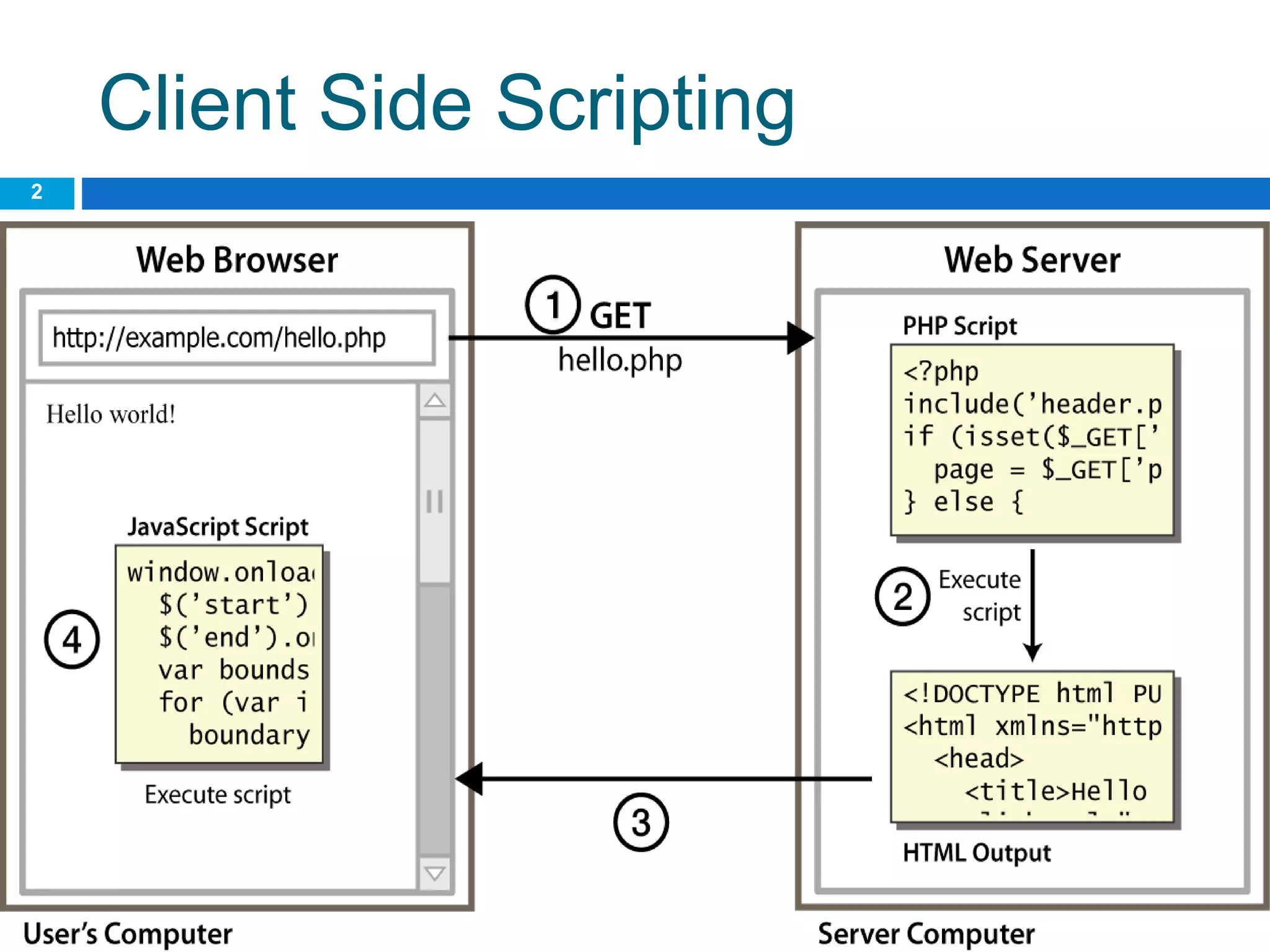
  • #3 client-side script: code runs in browser after page is sent back from server often this code manipulates the page or responds to user actions
  • #16 Reset is not working here! Debug! test1.html
  • #20 every element on the page has a corresponding DOM object access/modify the attributes of the DOM object with objectName.attributeName
  • #21 span.innerHTML = textBox.value;
  • #37 two ways to initialize an array length property (grows as needed when elements are added)