JavaScript 101JavaScript 101
NETS 212 TA teamNETS 212 TA team
09/13/13 1
OutlineOutline
09/13/13 2
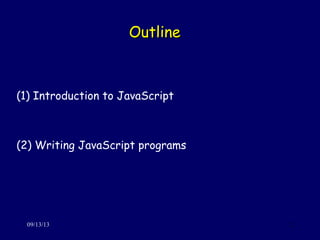
(1) Introduction to JavaScript
(2) Writing JavaScript programs
(1) Introduction to JavaScript(1) Introduction to JavaScript
09/13/13 3
JavaScript: FactsJavaScript: Facts
09/13/13 4
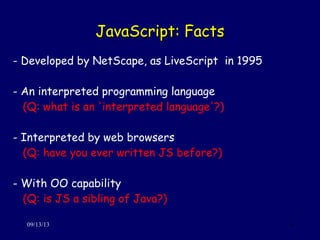
- Developed by NetScape, as LiveScript in 1995
- An interpreted programming language
(Q: what is an 'interpreted language'?)
- Interpreted by web browsers
(Q: have you ever written JS before?)
- With OO capability
(Q: is JS a sibling of Java?)
JavaScript: UsesJavaScript: Uses
09/13/13 5
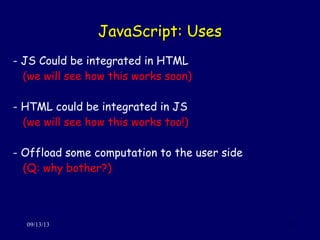
- JS Could be integrated in HTML
(we will see how this works soon)
- HTML could be integrated in JS
(we will see how this works too!)
- Offload some computation to the user side
(Q: why bother?)
JavaScript: LimitationsJavaScript: Limitations
09/13/13 6
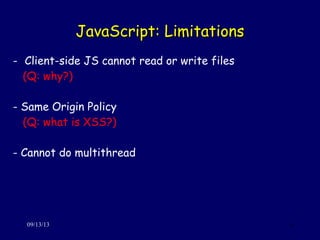
- Client-side JS cannot read or write files
(Q: why?)
- Same Origin Policy
(Q: what is XSS?)
- Cannot do multithread
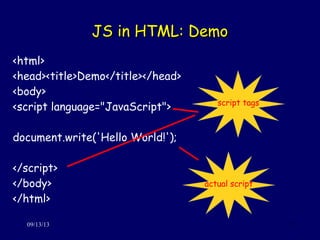
JS in HTML: DemoJS in HTML: Demo
09/13/13 7
<html>
<head><title>Demo</title></head>
<body>
<script language="JavaScript">
document.write('Hello World!');
</script>
</body>
</html>
script tags
actual script
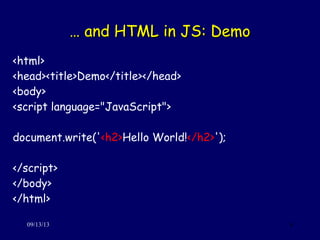
…… and HTML in JS: Demoand HTML in JS: Demo
09/13/13 8
<html>
<head><title>Demo</title></head>
<body>
<script language="JavaScript">
document.write('<h2>Hello World!</h2>');
</script>
</body>
</html>
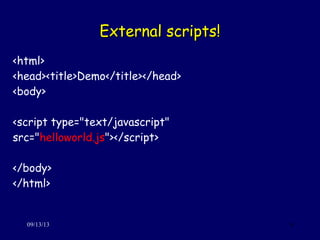
External scripts!External scripts!
09/13/13 9
<html>
<head><title>Demo</title></head>
<body>
<script type="text/javascript"
src="helloworld.js"></script>
</body>
</html>
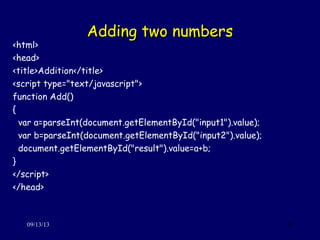
Adding two numbersAdding two numbers
09/13/13 10
<html>
<head>
<title>Addition</title>
<script type="text/javascript">
function Add()
{
var a=parseInt(document.getElementById("input1").value);
var b=parseInt(document.getElementById("input2").value);
document.getElementById("result").value=a+b;
}
</script>
</head>
Adding two numbers (cont'd)Adding two numbers (cont'd)
09/13/13 11
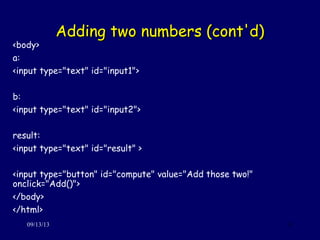
<body>
a:
<input type="text" id="input1">
b:
<input type="text" id="input2">
result:
<input type="text" id="result" >
<input type="button" id="compute" value="Add those two!"
onclick="Add()">
</body>
</html>
JavaScript: basic syntaxJavaScript: basic syntax
09/13/13 12
- Eloquent JavaScript;
http://eloquentjavascript.net/
- Variables, Functions, Structures:
http://www.tutorialspoint.com/javascript/javascript_variables.htm
Try it out!Try it out!
09/13/13 13
1. Reproduce the HelloWorld page
2. Write it using ’window.alert()'
3. Write a Minus page instead of Addition
4. Read the online tutorials for more advanced syntax
(2) Writing JavaScript Programs(2) Writing JavaScript Programs
09/13/13 14
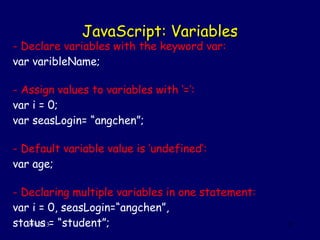
JavaScript: VariablesJavaScript: Variables
09/13/13 15
- Declare variables with the keyword var:
var varibleName;
- Assign values to variables with ‘=’:
var i = 0;
var seasLogin= “angchen”;
- Default variable value is ‘undefined’:
var age;
- Declaring multiple variables in one statement:
var i = 0, seasLogin=“angchen”,
status = “student”;
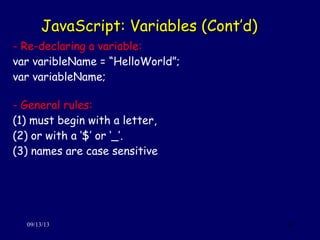
JavaScript: Variables (Cont’d)JavaScript: Variables (Cont’d)
09/13/13 16
- Re-declaring a variable:
var varibleName = “HelloWorld”;
var variableName;
- General rules:
(1) must begin with a letter,
(2) or with a ‘$’ or ‘_’.
(3) names are case sensitive
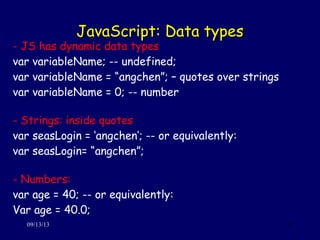
JavaScript: Data typesJavaScript: Data types
09/13/13 17
- JS has dynamic data types
var variableName; -- undefined;
var variableName = “angchen”; – quotes over strings
var variableName = 0; -- number
- Strings: inside quotes
var seasLogin = ‘angchen’; -- or equivalently:
var seasLogin= “angchen”;
- Numbers:
var age = 40; -- or equivalently:
Var age = 40.0;
JavaScript: Data types (Cont’d)JavaScript: Data types (Cont’d)
09/13/13 18
- Booleans:
var x = false;
var y = true;
- Arrays: indices are zero-based
var names = new Array ();
names[0] = “antonis”;
names[1] = “vishwa”;
names[2] = “ang”;
Or:
var names = new Array(“antonis”, “vishwa”, “ang”);
JavaScript: Data types (Cont’d)JavaScript: Data types (Cont’d)
09/13/13 19
- Objects: defined by name and value pairs
var student = {
firstname : “Ang”,
lastname : “Chen”,
seaslogin : “angchen”
};
- You can address the properties by:
name = student.lastname;
id = student[“seaslogin”];
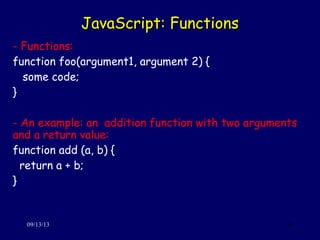
JavaScript: FunctionsJavaScript: Functions
09/13/13 20
- Functions:
function foo(argument1, argument 2) {
some code;
}
- An example: an addition function with two arguments
and a return value:
function add (a, b) {
return a + b;
}
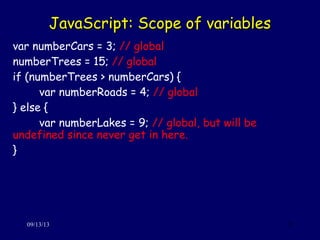
JavaScript: Scope of variablesJavaScript: Scope of variables
09/13/13 21
var numberCars = 3; // global
numberTrees = 15; // global
if (numberTrees > numberCars) {
var numberRoads = 4; // global
} else {
var numberLakes = 9; // global, but will be
undefined since never get in here.
}
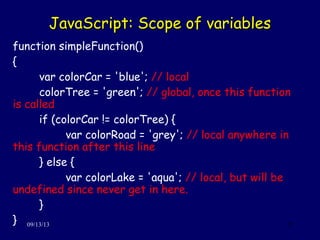
JavaScript: Scope of variablesJavaScript: Scope of variables
09/13/13 22
function simpleFunction()
{
var colorCar = 'blue'; // local
colorTree = 'green'; // global, once this function
is called
if (colorCar != colorTree) {
var colorRoad = 'grey'; // local anywhere in
this function after this line
} else {
var colorLake = 'aqua'; // local, but will be
undefined since never get in here.
}
}
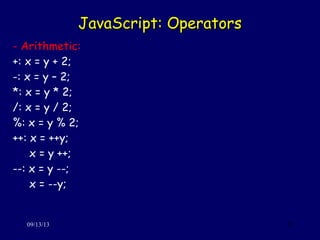
JavaScript: OperatorsJavaScript: Operators
09/13/13 23
- Arithmetic:
+: x = y + 2;
-: x = y – 2;
*: x = y * 2;
/: x = y / 2;
%: x = y % 2;
++: x = ++y;
x = y ++;
--: x = y --;
x = --y;
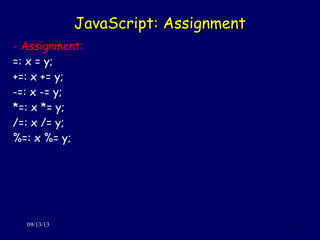
JavaScript: AssignmentJavaScript: Assignment
09/13/13 24
- Assignment:
=: x = y;
+=: x += y;
-=: x -= y;
*=: x *= y;
/=: x /= y;
%=: x %= y;
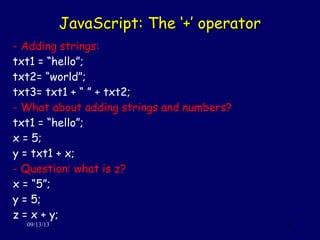
JavaScript: The ‘+’ operatorJavaScript: The ‘+’ operator
09/13/13 25
- Adding strings:
txt1 = “hello”;
txt2= “world”;
txt3= txt1 + “ ” + txt2;
- What about adding strings and numbers?
txt1 = “hello”;
x = 5;
y = txt1 + x;
- Question: what is z?
x = “5”;
y = 5;
z = x + y;
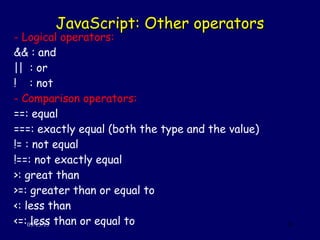
JavaScript: Other operatorsJavaScript: Other operators
09/13/13 26
- Logical operators:
&& : and
|| : or
! : not
- Comparison operators:
==: equal
===: exactly equal (both the type and the value)
!= : not equal
!==: not exactly equal
>: great than
>=: greater than or equal to
<: less than
<=: less than or equal to
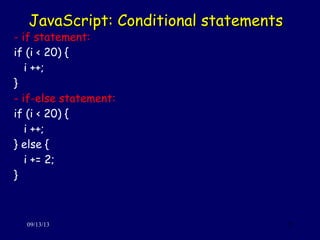
JavaScript: Conditional statementsJavaScript: Conditional statements
09/13/13 27
- if statement:
if (i < 20) {
i ++;
}
- if-else statement:
if (i < 20) {
i ++;
} else {
i += 2;
}
JavaScript: Conditional statementsJavaScript: Conditional statements
09/13/13 28
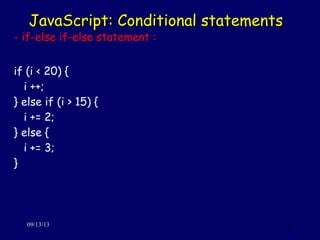
- if-else if-else statement :
if (i < 20) {
i ++;
} else if (i > 15) {
i += 2;
} else {
i += 3;
}
JavaScript: SwitchJavaScript: Switch statementsstatements
09/13/13 29
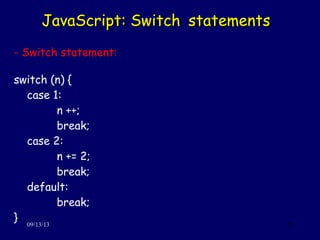
- Switch statement:
switch (n) {
case 1:
n ++;
break;
case 2:
n += 2;
break;
default:
break;
}
JavaScript: For-loopJavaScript: For-loop
09/13/13 30
- for-loop:
for (var i = 0; i <= names.length; i ++) {
document.write( names[i] );
}
- for/in-loop: loop through properties of an object:
var student = {
firstname : “Ang”,
lastname : “Chen”,
seaslogin : “angchen”
};
for (x in student) {
txt += x;
}
JavaScript: While-loopJavaScript: While-loop
09/13/13 31
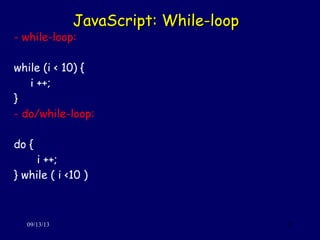
- while-loop:
while (i < 10) {
i ++;
}
- do/while-loop:
do {
i ++;
} while ( i <10 )
JavaScript: BreakJavaScript: Break
09/13/13 32
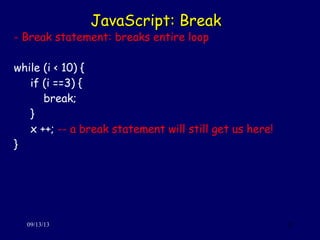
- Break statement: breaks entire loop
while (i < 10) {
if (i ==3) {
break;
}
x ++; -- a break statement will still get us here!
}
JavaScript: ContinueJavaScript: Continue
09/13/13 33
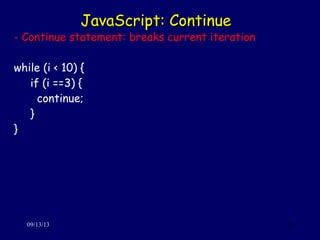
- Continue statement: breaks current iteration
while (i < 10) {
if (i ==3) {
continue;
}
}
JavaScript: ExceptionsJavaScript: Exceptions
09/13/13 34
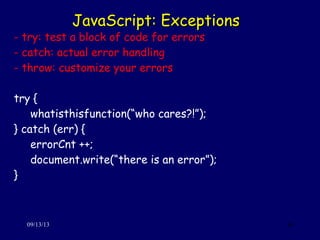
- try: test a block of code for errors
- catch: actual error handling
- throw: customize your errors
try {
whatisthisfunction(“who cares?!”);
} catch (err) {
errorCnt ++;
document.write(“there is an error”);
}
JavaScript: Exceptions (cont’d)JavaScript: Exceptions (cont’d)
09/13/13 35
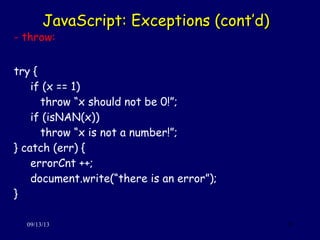
- throw:
try {
if (x == 1)
throw “x should not be 0!”;
if (isNAN(x))
throw “x is not a number!”;
} catch (err) {
errorCnt ++;
document.write(“there is an error”);
}
Try it out!Try it out!
09/13/13 36
Write a script that:
(1) takes one user input, say, i
(2) computes the i-th Fibonacci number
(3) prints it on the webpage
ResourcesResources
09/13/13 37
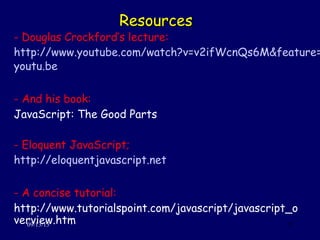
- Douglas Crockford’s lecture:
http://www.youtube.com/watch?v=v2ifWcnQs6M&feature=
youtu.be
- And his book:
JavaScript: The Good Parts
- Eloquent JavaScript;
http://eloquentjavascript.net
- A concise tutorial:
http://www.tutorialspoint.com/javascript/javascript_o
verview.htm

Javascript

  • 1.
    JavaScript 101JavaScript 101 NETS212 TA teamNETS 212 TA team 09/13/13 1
  • 2.
    OutlineOutline 09/13/13 2 (1) Introductionto JavaScript (2) Writing JavaScript programs
  • 3.
    (1) Introduction toJavaScript(1) Introduction to JavaScript 09/13/13 3
  • 4.
    JavaScript: FactsJavaScript: Facts 09/13/134 - Developed by NetScape, as LiveScript in 1995 - An interpreted programming language (Q: what is an 'interpreted language'?) - Interpreted by web browsers (Q: have you ever written JS before?) - With OO capability (Q: is JS a sibling of Java?)
  • 5.
    JavaScript: UsesJavaScript: Uses 09/13/135 - JS Could be integrated in HTML (we will see how this works soon) - HTML could be integrated in JS (we will see how this works too!) - Offload some computation to the user side (Q: why bother?)
  • 6.
    JavaScript: LimitationsJavaScript: Limitations 09/13/136 - Client-side JS cannot read or write files (Q: why?) - Same Origin Policy (Q: what is XSS?) - Cannot do multithread
  • 7.
    JS in HTML:DemoJS in HTML: Demo 09/13/13 7 <html> <head><title>Demo</title></head> <body> <script language="JavaScript"> document.write('Hello World!'); </script> </body> </html> script tags actual script
  • 8.
    …… and HTMLin JS: Demoand HTML in JS: Demo 09/13/13 8 <html> <head><title>Demo</title></head> <body> <script language="JavaScript"> document.write('<h2>Hello World!</h2>'); </script> </body> </html>
  • 9.
    External scripts!External scripts! 09/13/139 <html> <head><title>Demo</title></head> <body> <script type="text/javascript" src="helloworld.js"></script> </body> </html>
  • 10.
    Adding two numbersAddingtwo numbers 09/13/13 10 <html> <head> <title>Addition</title> <script type="text/javascript"> function Add() { var a=parseInt(document.getElementById("input1").value); var b=parseInt(document.getElementById("input2").value); document.getElementById("result").value=a+b; } </script> </head>
  • 11.
    Adding two numbers(cont'd)Adding two numbers (cont'd) 09/13/13 11 <body> a: <input type="text" id="input1"> b: <input type="text" id="input2"> result: <input type="text" id="result" > <input type="button" id="compute" value="Add those two!" onclick="Add()"> </body> </html>
  • 12.
    JavaScript: basic syntaxJavaScript:basic syntax 09/13/13 12 - Eloquent JavaScript; http://eloquentjavascript.net/ - Variables, Functions, Structures: http://www.tutorialspoint.com/javascript/javascript_variables.htm
  • 13.
    Try it out!Tryit out! 09/13/13 13 1. Reproduce the HelloWorld page 2. Write it using ’window.alert()' 3. Write a Minus page instead of Addition 4. Read the online tutorials for more advanced syntax
  • 14.
    (2) Writing JavaScriptPrograms(2) Writing JavaScript Programs 09/13/13 14
  • 15.
    JavaScript: VariablesJavaScript: Variables 09/13/1315 - Declare variables with the keyword var: var varibleName; - Assign values to variables with ‘=’: var i = 0; var seasLogin= “angchen”; - Default variable value is ‘undefined’: var age; - Declaring multiple variables in one statement: var i = 0, seasLogin=“angchen”, status = “student”;
  • 16.
    JavaScript: Variables (Cont’d)JavaScript:Variables (Cont’d) 09/13/13 16 - Re-declaring a variable: var varibleName = “HelloWorld”; var variableName; - General rules: (1) must begin with a letter, (2) or with a ‘$’ or ‘_’. (3) names are case sensitive
  • 17.
    JavaScript: Data typesJavaScript:Data types 09/13/13 17 - JS has dynamic data types var variableName; -- undefined; var variableName = “angchen”; – quotes over strings var variableName = 0; -- number - Strings: inside quotes var seasLogin = ‘angchen’; -- or equivalently: var seasLogin= “angchen”; - Numbers: var age = 40; -- or equivalently: Var age = 40.0;
  • 18.
    JavaScript: Data types(Cont’d)JavaScript: Data types (Cont’d) 09/13/13 18 - Booleans: var x = false; var y = true; - Arrays: indices are zero-based var names = new Array (); names[0] = “antonis”; names[1] = “vishwa”; names[2] = “ang”; Or: var names = new Array(“antonis”, “vishwa”, “ang”);
  • 19.
    JavaScript: Data types(Cont’d)JavaScript: Data types (Cont’d) 09/13/13 19 - Objects: defined by name and value pairs var student = { firstname : “Ang”, lastname : “Chen”, seaslogin : “angchen” }; - You can address the properties by: name = student.lastname; id = student[“seaslogin”];
  • 20.
    JavaScript: FunctionsJavaScript: Functions 09/13/1320 - Functions: function foo(argument1, argument 2) { some code; } - An example: an addition function with two arguments and a return value: function add (a, b) { return a + b; }
  • 21.
    JavaScript: Scope ofvariablesJavaScript: Scope of variables 09/13/13 21 var numberCars = 3; // global numberTrees = 15; // global if (numberTrees > numberCars) { var numberRoads = 4; // global } else { var numberLakes = 9; // global, but will be undefined since never get in here. }
  • 22.
    JavaScript: Scope ofvariablesJavaScript: Scope of variables 09/13/13 22 function simpleFunction() { var colorCar = 'blue'; // local colorTree = 'green'; // global, once this function is called if (colorCar != colorTree) { var colorRoad = 'grey'; // local anywhere in this function after this line } else { var colorLake = 'aqua'; // local, but will be undefined since never get in here. } }
  • 23.
    JavaScript: OperatorsJavaScript: Operators 09/13/1323 - Arithmetic: +: x = y + 2; -: x = y – 2; *: x = y * 2; /: x = y / 2; %: x = y % 2; ++: x = ++y; x = y ++; --: x = y --; x = --y;
  • 24.
    JavaScript: AssignmentJavaScript: Assignment 09/13/1324 - Assignment: =: x = y; +=: x += y; -=: x -= y; *=: x *= y; /=: x /= y; %=: x %= y;
  • 25.
    JavaScript: The ‘+’operatorJavaScript: The ‘+’ operator 09/13/13 25 - Adding strings: txt1 = “hello”; txt2= “world”; txt3= txt1 + “ ” + txt2; - What about adding strings and numbers? txt1 = “hello”; x = 5; y = txt1 + x; - Question: what is z? x = “5”; y = 5; z = x + y;
  • 26.
    JavaScript: Other operatorsJavaScript:Other operators 09/13/13 26 - Logical operators: && : and || : or ! : not - Comparison operators: ==: equal ===: exactly equal (both the type and the value) != : not equal !==: not exactly equal >: great than >=: greater than or equal to <: less than <=: less than or equal to
  • 27.
    JavaScript: Conditional statementsJavaScript:Conditional statements 09/13/13 27 - if statement: if (i < 20) { i ++; } - if-else statement: if (i < 20) { i ++; } else { i += 2; }
  • 28.
    JavaScript: Conditional statementsJavaScript:Conditional statements 09/13/13 28 - if-else if-else statement : if (i < 20) { i ++; } else if (i > 15) { i += 2; } else { i += 3; }
  • 29.
    JavaScript: SwitchJavaScript: Switchstatementsstatements 09/13/13 29 - Switch statement: switch (n) { case 1: n ++; break; case 2: n += 2; break; default: break; }
  • 30.
    JavaScript: For-loopJavaScript: For-loop 09/13/1330 - for-loop: for (var i = 0; i <= names.length; i ++) { document.write( names[i] ); } - for/in-loop: loop through properties of an object: var student = { firstname : “Ang”, lastname : “Chen”, seaslogin : “angchen” }; for (x in student) { txt += x; }
  • 31.
    JavaScript: While-loopJavaScript: While-loop 09/13/1331 - while-loop: while (i < 10) { i ++; } - do/while-loop: do { i ++; } while ( i <10 )
  • 32.
    JavaScript: BreakJavaScript: Break 09/13/1332 - Break statement: breaks entire loop while (i < 10) { if (i ==3) { break; } x ++; -- a break statement will still get us here! }
  • 33.
    JavaScript: ContinueJavaScript: Continue 09/13/1333 - Continue statement: breaks current iteration while (i < 10) { if (i ==3) { continue; } }
  • 34.
    JavaScript: ExceptionsJavaScript: Exceptions 09/13/1334 - try: test a block of code for errors - catch: actual error handling - throw: customize your errors try { whatisthisfunction(“who cares?!”); } catch (err) { errorCnt ++; document.write(“there is an error”); }
  • 35.
    JavaScript: Exceptions (cont’d)JavaScript:Exceptions (cont’d) 09/13/13 35 - throw: try { if (x == 1) throw “x should not be 0!”; if (isNAN(x)) throw “x is not a number!”; } catch (err) { errorCnt ++; document.write(“there is an error”); }
  • 36.
    Try it out!Tryit out! 09/13/13 36 Write a script that: (1) takes one user input, say, i (2) computes the i-th Fibonacci number (3) prints it on the webpage
  • 37.
    ResourcesResources 09/13/13 37 - DouglasCrockford’s lecture: http://www.youtube.com/watch?v=v2ifWcnQs6M&feature= youtu.be - And his book: JavaScript: The Good Parts - Eloquent JavaScript; http://eloquentjavascript.net - A concise tutorial: http://www.tutorialspoint.com/javascript/javascript_o verview.htm