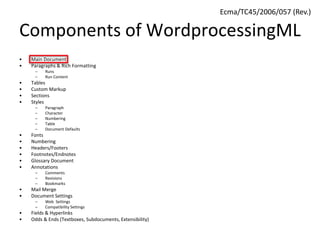
Components of WordprocessingML
• Main Document
• Paragraphs & Rich Formatting
– Runs
– Run Content
• Tables
• Custom Markup
• Sections
• Styles
– Paragraph
– Character
– Numbering
– Table
– Document Defaults
• Fonts
• Numbering
• Headers/Footers
• Footnotes/Endnotes
• Glossary Document
• Annotations
– Comments
– Revisions
– Bookmarks
• Mail Merge
• Document Settings
– Web Settings
– Compatibility Settings
• Fields & Hyperlinks
• Odds & Ends (Textboxes, Subdocuments, Extensibility)
Ecma/TC45/2006/057 (Rev.)
WordprocessingML – Main
Document
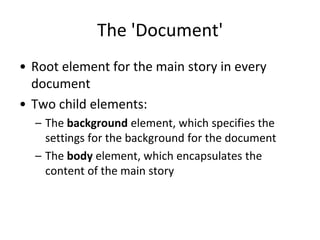
The 'Document'
• Root element for the main story in every
document
• Two child elements:
– The background element, which specifies the
settings for the background for the document
– The body element, which encapsulates the
content of the main story
Document Background
• The main story must only have a single
background
– This applies to all printed pages in that document
• The background can be any of the following:
– Single color
– Color gradient/pattern
– Tiled/stretched image
Document Background
• All background information is stored using the
VML (Vector Markup Language) syntax
– The single exception to this is the background
color, which is stored natively in
WordprocessingML
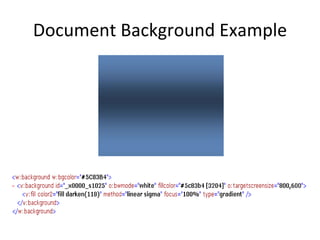
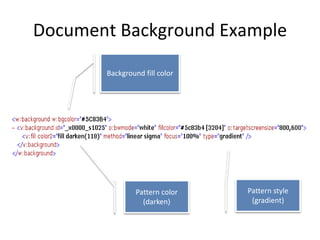
Document Background Example
Background fill color
Pattern style
(gradient)
Pattern color
(darken)
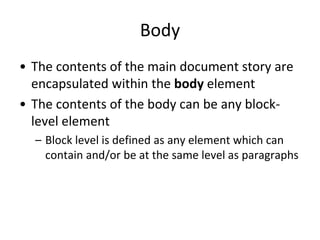
Body
• The contents of the main document story are
encapsulated within the body element
• The contents of the body can be any block-
level element
– Block level is defined as any element which can
contain and/or be at the same level as paragraphs
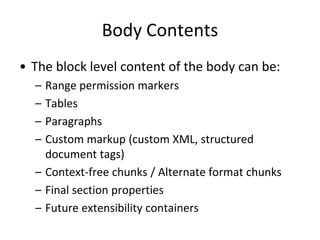
Body Contents
• The block level content of the body can be:
– Range permission markers
– Tables
– Paragraphs
– Custom markup (custom XML, structured
document tags)
– Context-free chunks / Alternate format chunks
– Final section properties
– Future extensibility containers
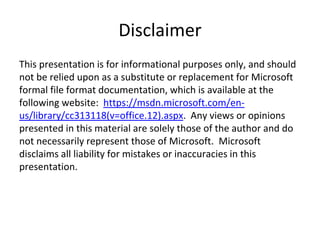
Disclaimer
This presentation is for informational purposes only, and should
not be relied upon as a substitute or replacement for Microsoft
formal file format documentation, which is available at the
following website: https://msdn.microsoft.com/en-
us/library/cc313118(v=office.12).aspx. Any views or opinions
presented in this material are solely those of the author and do
not necessarily represent those of Microsoft. Microsoft
disclaims all liability for mistakes or inaccuracies in this
presentation.

1 wordprocessing ml subject - main document

  • 1.
    Components of WordprocessingML •Main Document • Paragraphs & Rich Formatting – Runs – Run Content • Tables • Custom Markup • Sections • Styles – Paragraph – Character – Numbering – Table – Document Defaults • Fonts • Numbering • Headers/Footers • Footnotes/Endnotes • Glossary Document • Annotations – Comments – Revisions – Bookmarks • Mail Merge • Document Settings – Web Settings – Compatibility Settings • Fields & Hyperlinks • Odds & Ends (Textboxes, Subdocuments, Extensibility) Ecma/TC45/2006/057 (Rev.)
  • 2.
  • 3.
    The 'Document' • Rootelement for the main story in every document • Two child elements: – The background element, which specifies the settings for the background for the document – The body element, which encapsulates the content of the main story
  • 4.
    Document Background • Themain story must only have a single background – This applies to all printed pages in that document • The background can be any of the following: – Single color – Color gradient/pattern – Tiled/stretched image
  • 5.
    Document Background • Allbackground information is stored using the VML (Vector Markup Language) syntax – The single exception to this is the background color, which is stored natively in WordprocessingML
  • 6.
  • 7.
    Document Background Example Backgroundfill color Pattern style (gradient) Pattern color (darken)
  • 8.
    Body • The contentsof the main document story are encapsulated within the body element • The contents of the body can be any block- level element – Block level is defined as any element which can contain and/or be at the same level as paragraphs
  • 9.
    Body Contents • Theblock level content of the body can be: – Range permission markers – Tables – Paragraphs – Custom markup (custom XML, structured document tags) – Context-free chunks / Alternate format chunks – Final section properties – Future extensibility containers
  • 10.
    Disclaimer This presentation isfor informational purposes only, and should not be relied upon as a substitute or replacement for Microsoft formal file format documentation, which is available at the following website: https://msdn.microsoft.com/en- us/library/cc313118(v=office.12).aspx. Any views or opinions presented in this material are solely those of the author and do not necessarily represent those of Microsoft. Microsoft disclaims all liability for mistakes or inaccuracies in this presentation.