XPages OneUIv2 Theme Deep Dive Lance Spellman   |   President, WorkFlow Studios
Agenda What's an Xpages theme?
Discussion Database Demo
Trying different out-of-the-box themes
Extending themes with your changes
What's an XPages theme? Themes are powerful design elements that control overall layout of Domino web applications. With themes, you can give all your web applications a consistent look and feel, and include corporate branding.
Themes are much more than styles. They can include various style sheets and can also override/ specify individual control's look and feel. For example, in a theme you can specify a particular style class for all submit buttons in your application.
And last but not least: you can define multiple themes within an application, and then simple switch between themes via the application properties:
Discussion Database Demo The 8.5.2 Discussion template is based on the OneUIv2 theme
Preview the database  http://127.0.0.1/discussion.nsf
In Application Properties in Domino Designer, go to the XPages tab
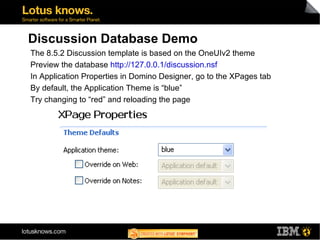
By default, the Application Theme is “blue”
Try changing to “red” and reloading the page
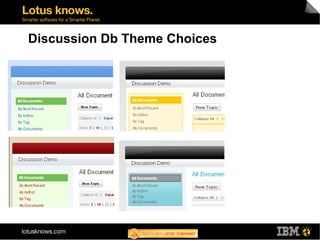
Discussion Db Theme Choices
Theme Options Can be server-wide by specifying a server default
Can be application specific
Can even be XPage specific
Dissecting a theme, finding all the files on the server
Using Server Default Theme For Discussion Db, change theme to “Server Default”
Preview the page
Ouch!
Server Default: Where does it get set? The server looks for an xsp.properties file in data\properties directory
If found, it looks for the entry xsp.theme.web
If blank, it looks for the entry xsp.theme
If the xsp.properties file doesn't exist, or the entries don't exist, then the webstandard theme is applied as shown below
Set a theme for Server Default In data\properties there is a xsp.properties.sample file
Make a copy of it named xsp.properties
Edit the file and uncomment the #xsp.theme=webstandard to xsp.theme=oneuiv2 Save the file
Tell http quit on the server console
After http's shutdown, issue load http on the server console
Preview the page again
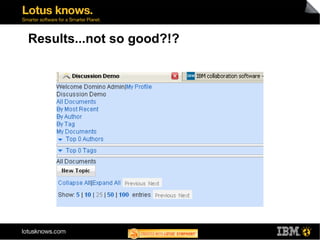
Results...not so good?!?
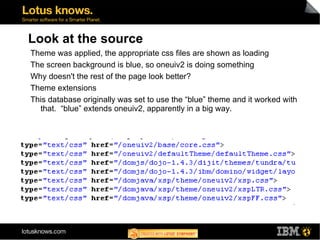
Look at the source Theme was applied, the appropriate css files are shown as loading

XPages OneUIv2 Theme Deep Dive