









High performance Web Sites
richardchang
腾讯技术大讲堂
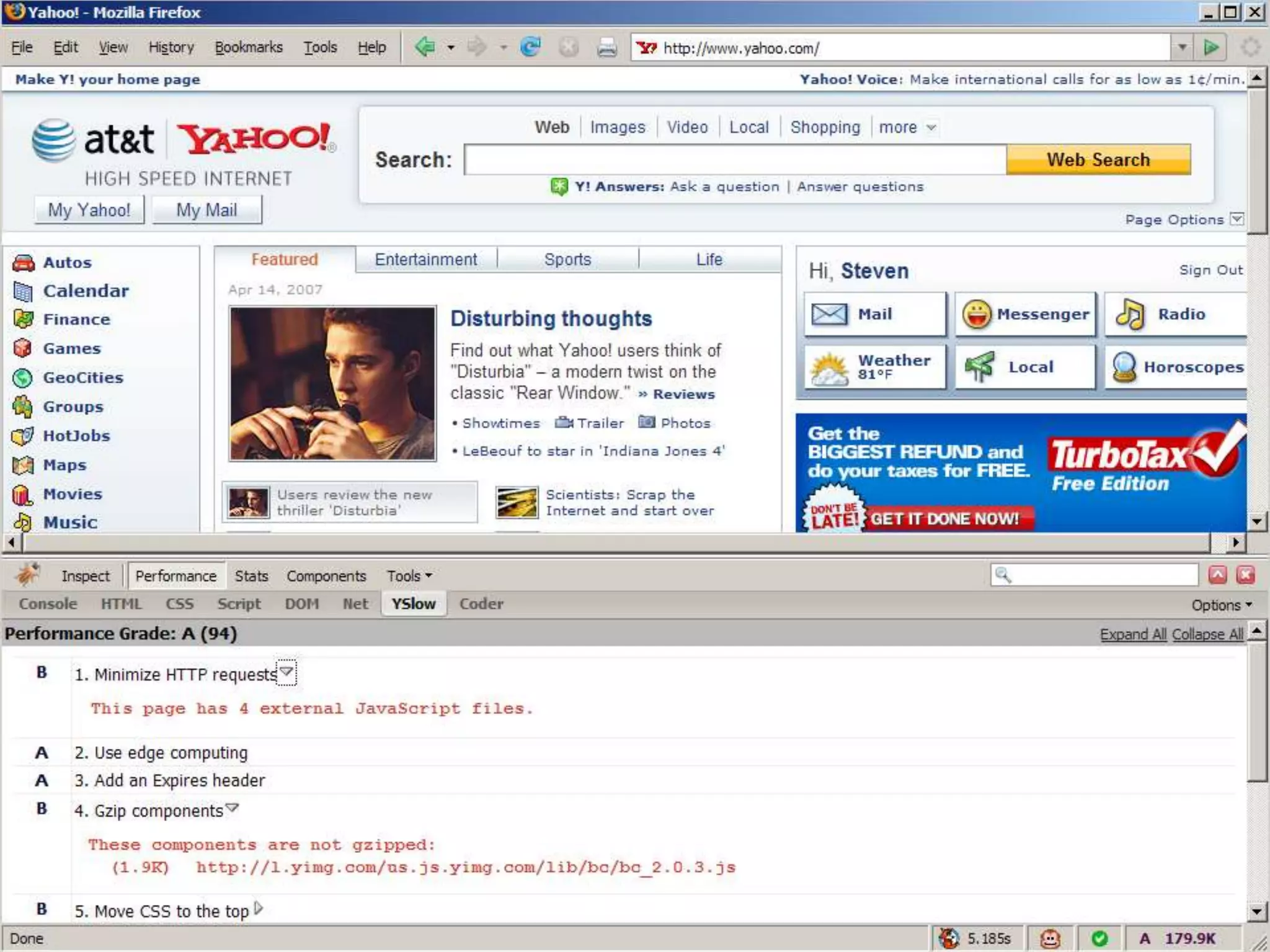
不知大家有没有看过这个ppt
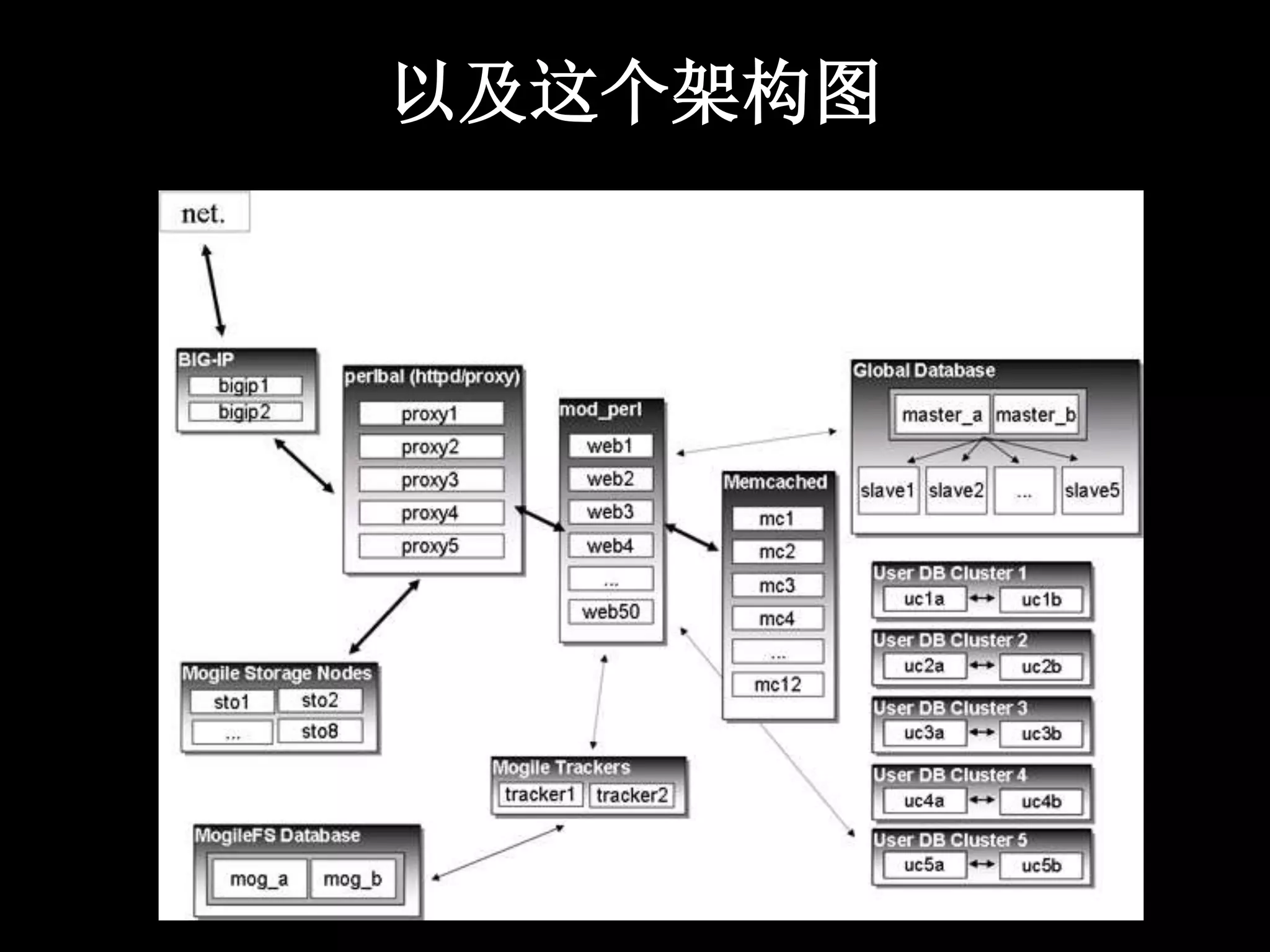
以及这个架构图
Yahoo’s Case
Performance research and 14 rules
Exceptional Performance
started in 2004
quantify and improve the performance of
all Yahoo! products worldwide
center of expertise
build tools, analyze data
gather, research, and evangelize best
practices
Scope
performance breaks into two categories
– response time
– efficiency
current focus is response time
of web products
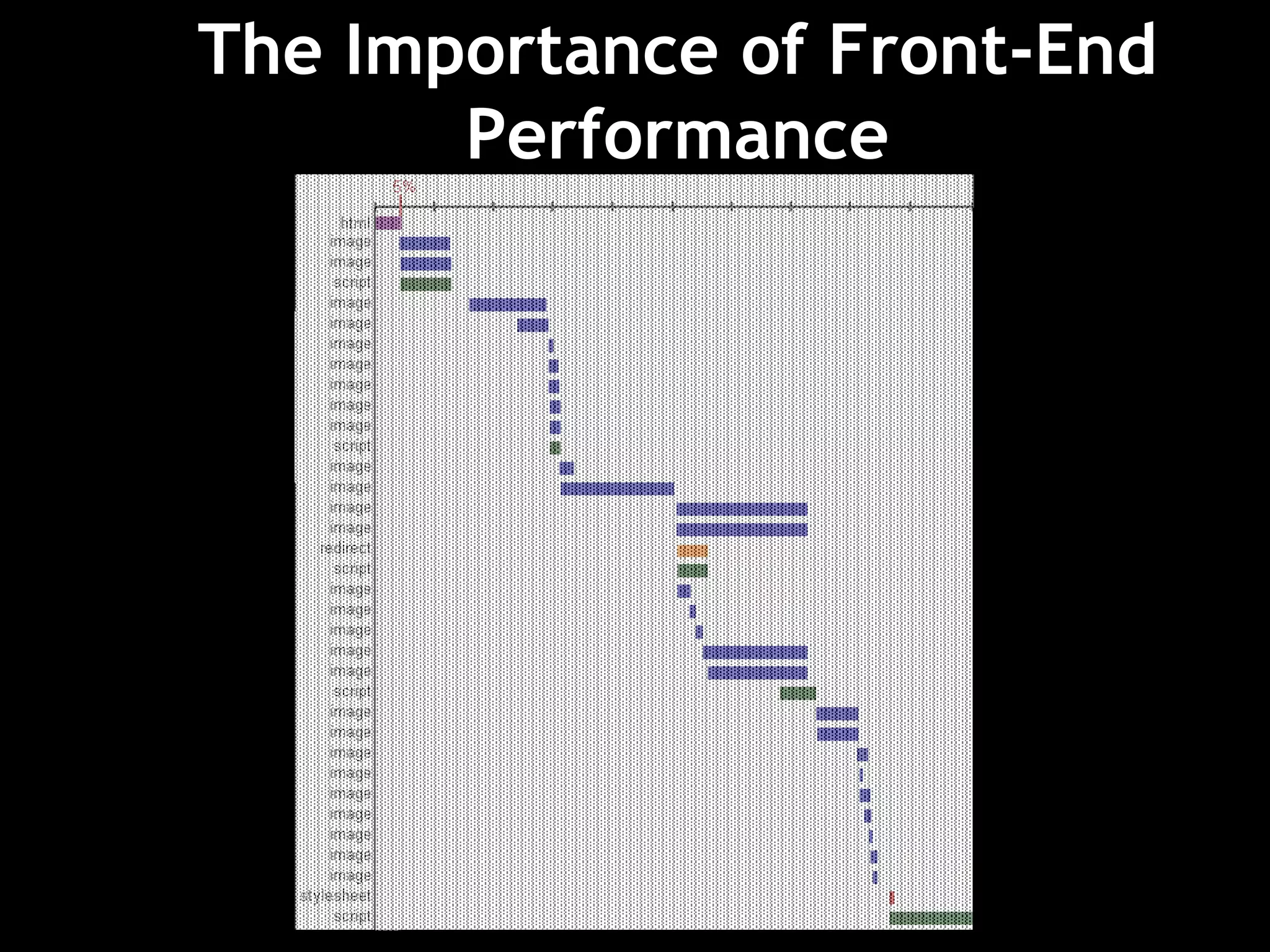
The Importance of Front-End
Performance
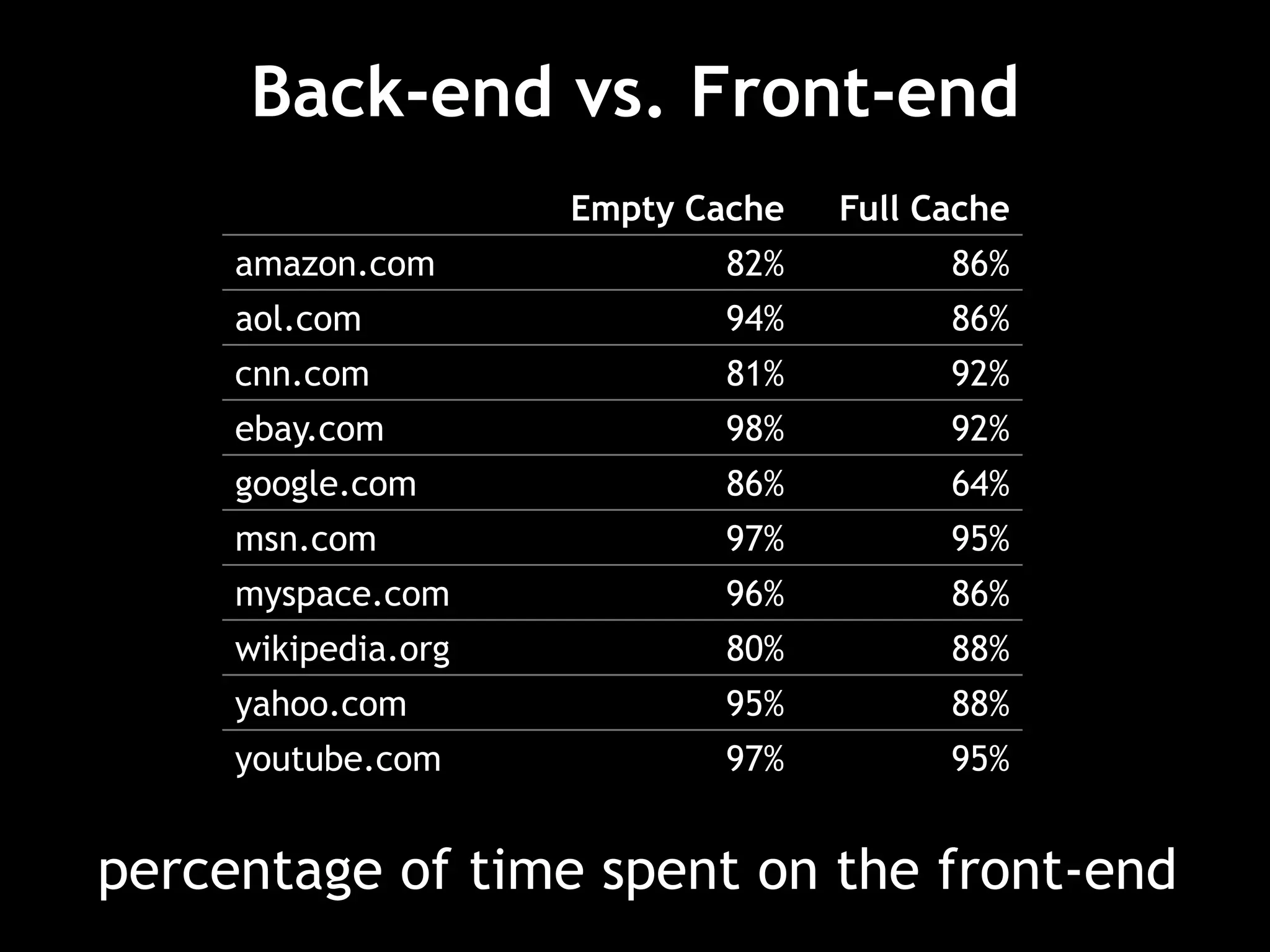
percentage of time spent on the front-end
Back-end vs. Front-end
Empty Cache Full Cache
amazon.com 82% 86%
aol.com 94% 86%
cnn.com 81% 92%
ebay.com 98% 92%
google.com 86% 64%
msn.com 97% 95%
myspace.com 96% 86%
wikipedia.org 80% 88%
yahoo.com 95% 88%
youtube.com 97% 95%
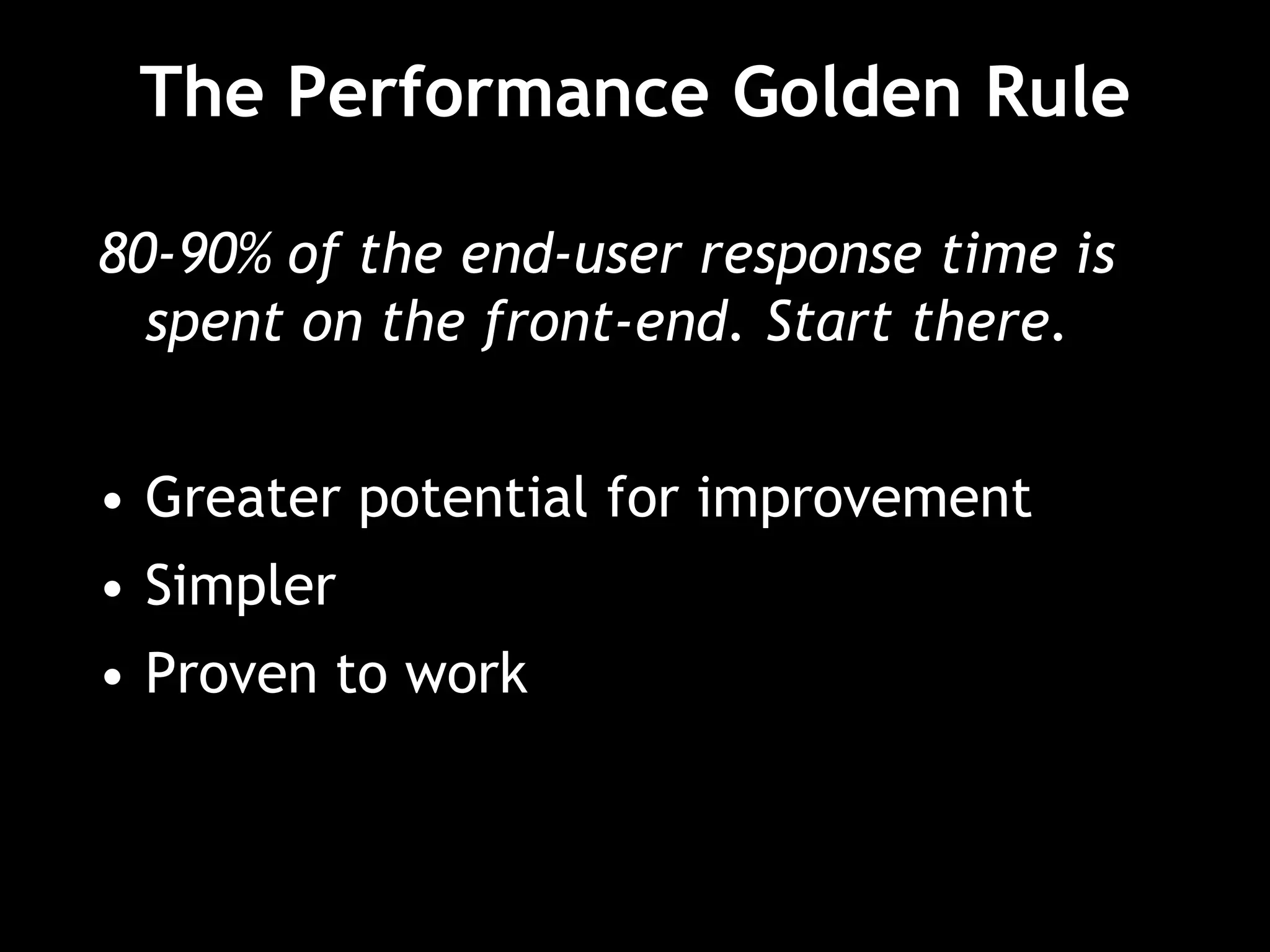
The Performance Golden Rule
80-90% of the end-user response time is
spent on the front-end. Start there.
• Greater potential for improvement
• Simpler
• Proven to work
Performance
Research
http://yuiblog.com/blog/2006/11/28/performance-research-part-1/
80/20 Performance Rule
Vilfredo Pareto:
80% of consequences come from 20% of causes
Focus on the 20% that affects 80% of the
end-user response time.
Start at the front-end.
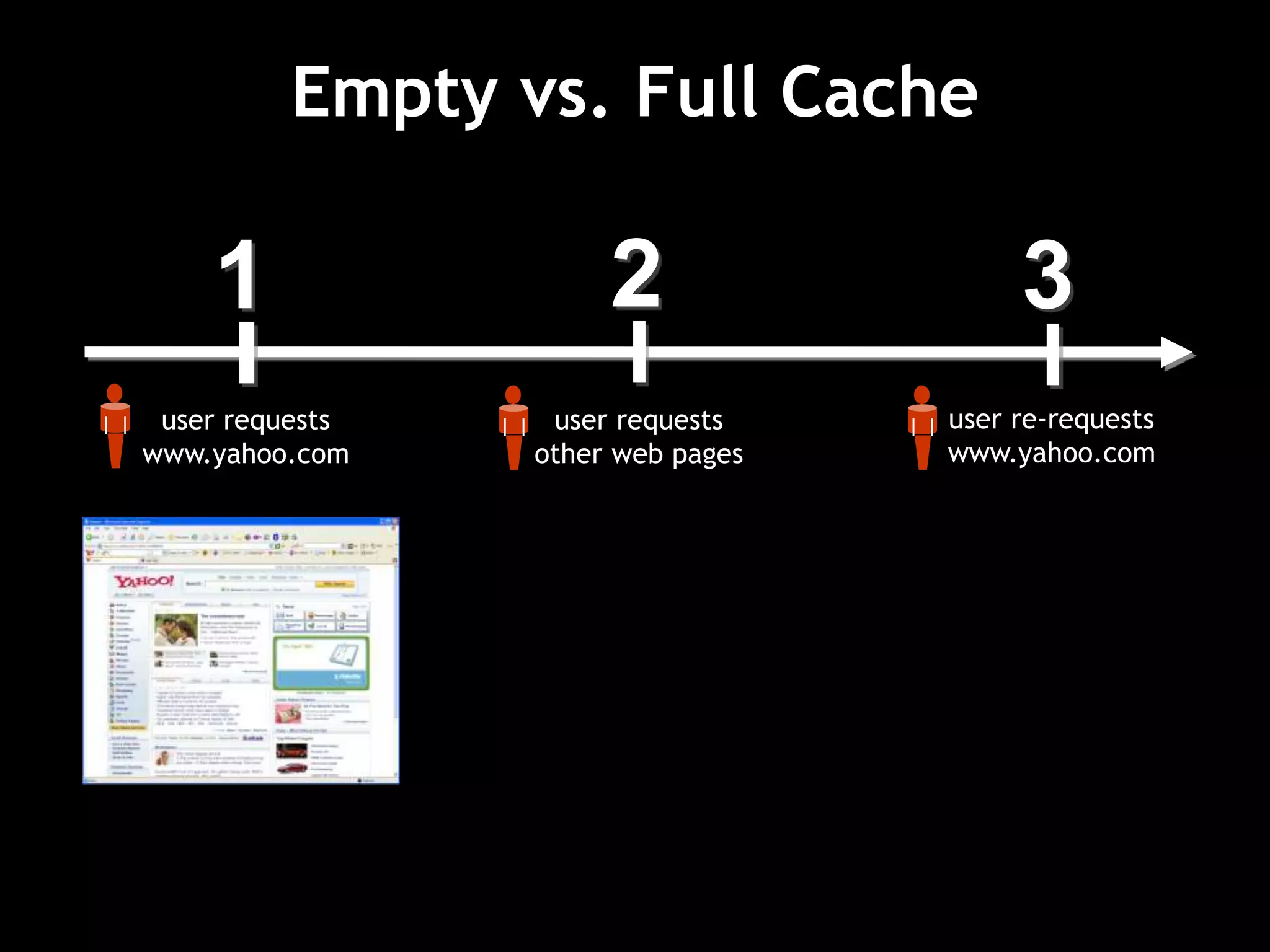
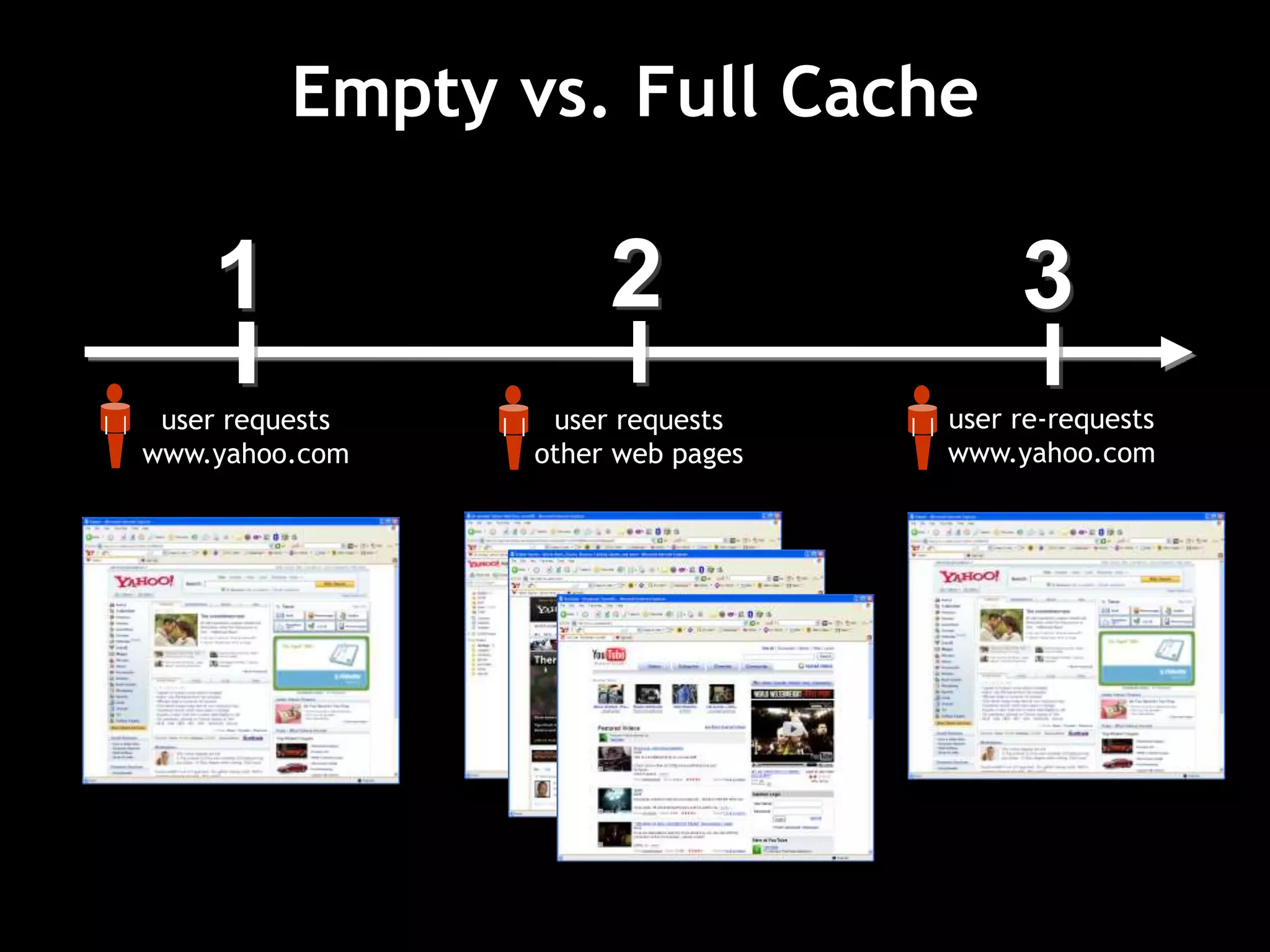
1
user requests
www.yahoo.com
2
user requests
other web pages
3
user re-requests
www.yahoo.com
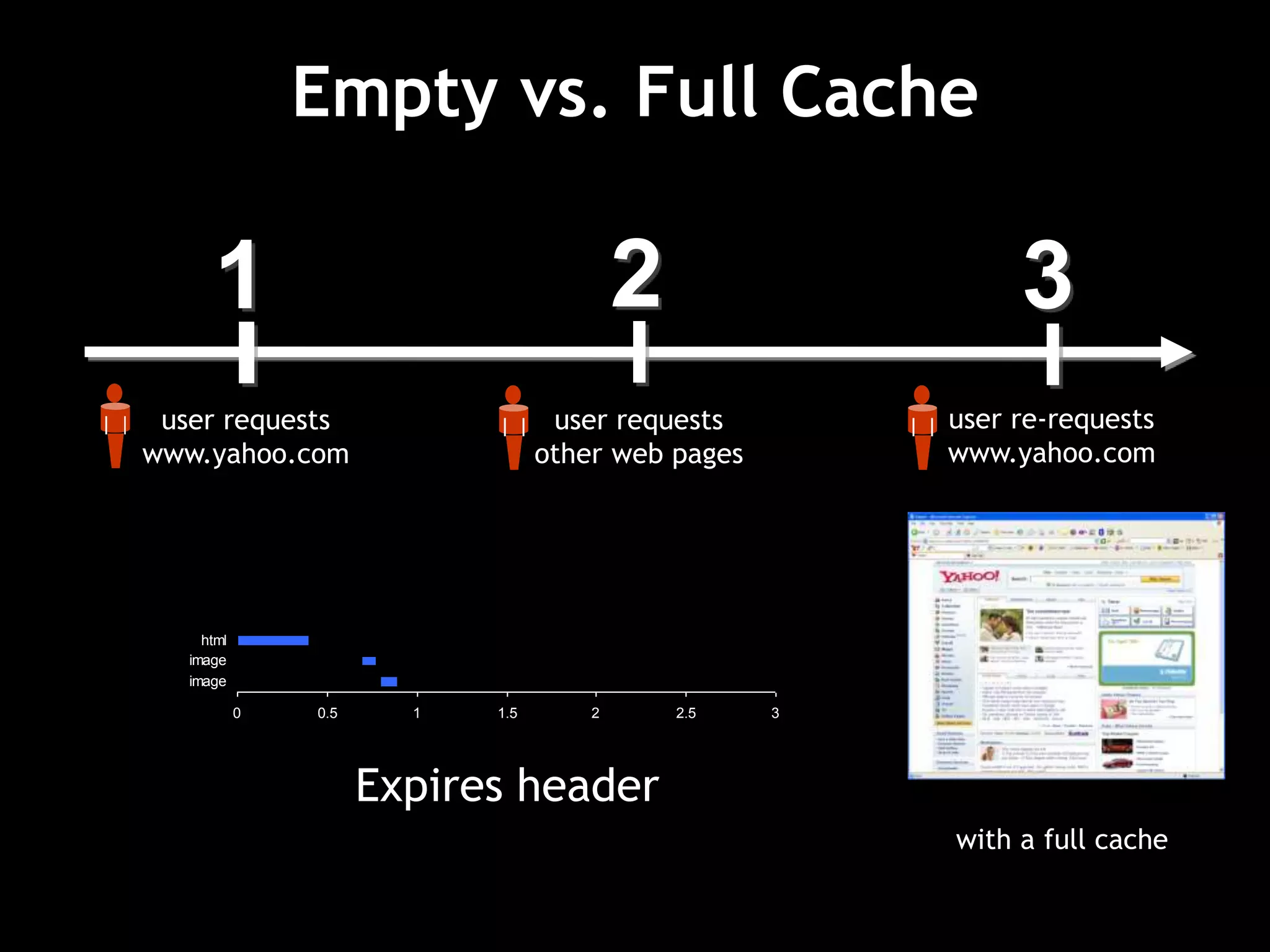
Empty vs. Full Cache
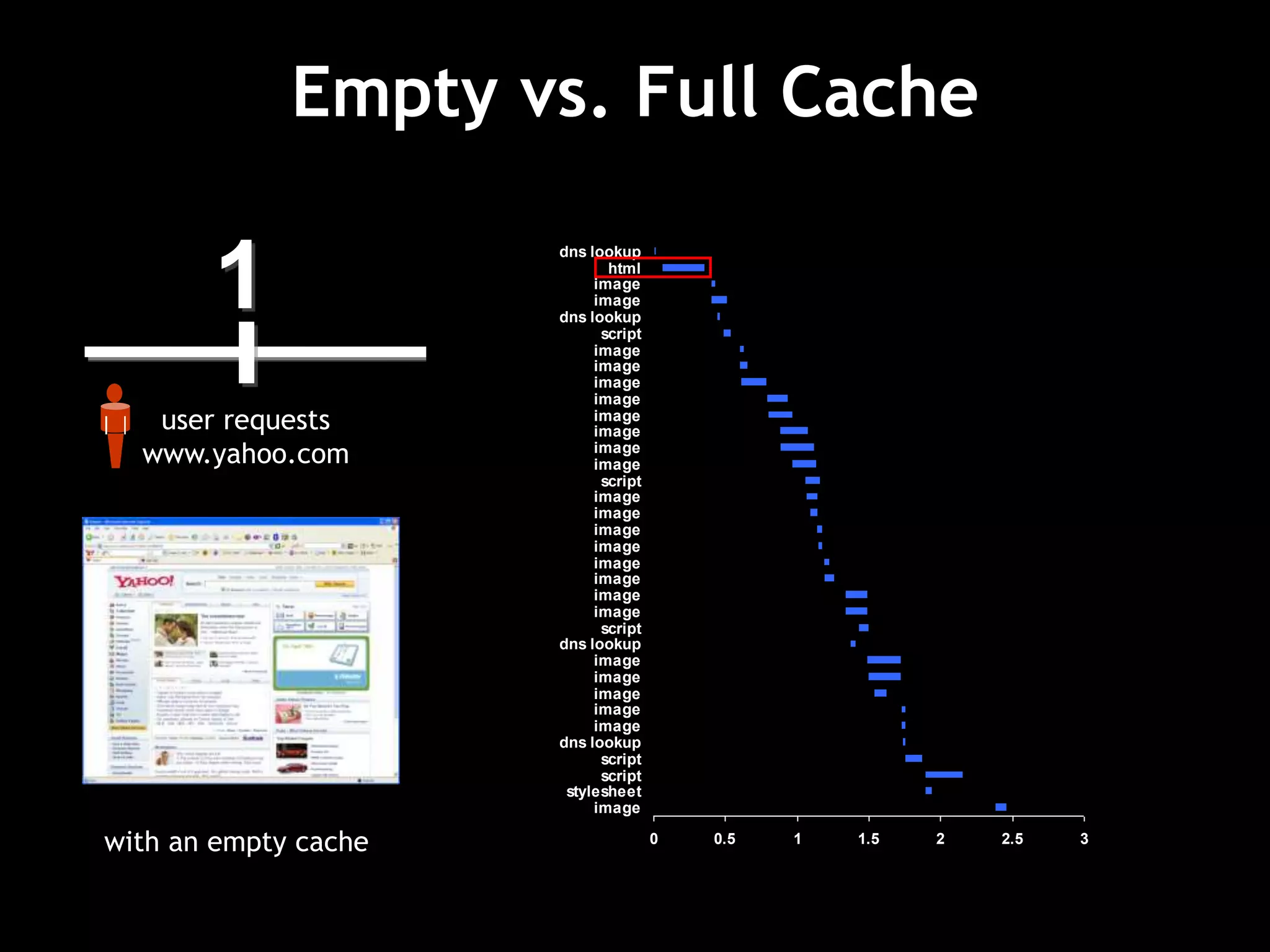
1
user requests
www.yahoo.com
2
user requests
other web pages
3
user re-requests
www.yahoo.com
Empty vs. Full Cache
0 0.5 1 1.5 2 2.5 3
image
stylesheet
script
script
dns lookup
image
image
image
image
image
dns lookup
script
image
image
image
image
image
image
image
image
script
image
image
image
image
image
image
image
image
script
dns lookup
image
image
html
dns lookup
with an empty cache
1
user requests
www.yahoo.com
2
user requests
other web pages
3
user re-requests
www.yahoo.com
Empty vs. Full Cache
0 0.5 1 1.5 2 2.5 3
image
image
html
Expires header
1
user requests
www.yahoo.com
2
user requests
other web pages
3
user re-requests
www.yahoo.com
with a full cache
Empty vs. Full Cache
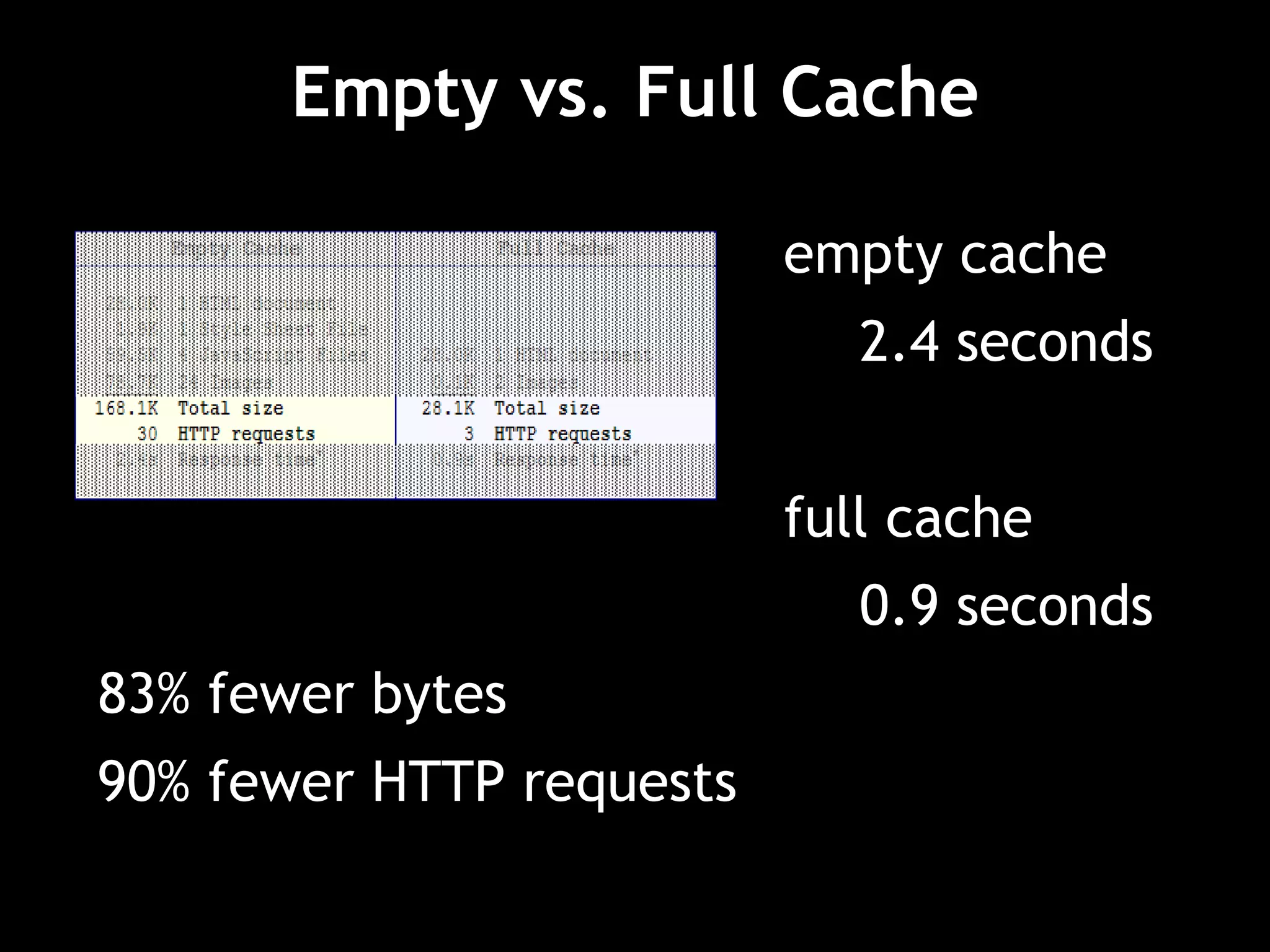
empty cache
2.4 seconds
full cache
0.9 seconds
83% fewer bytes
90% fewer HTTP requests
How much does this benefit our users?
It depends on how many users have
components in cache.
• What percentage of users view a page with
an empty cache*?
* “Empty cache” means the browser has to request the components
instead of pulling them from the browser disk cache.
• What percentage of page views are done
with an empty cache*?
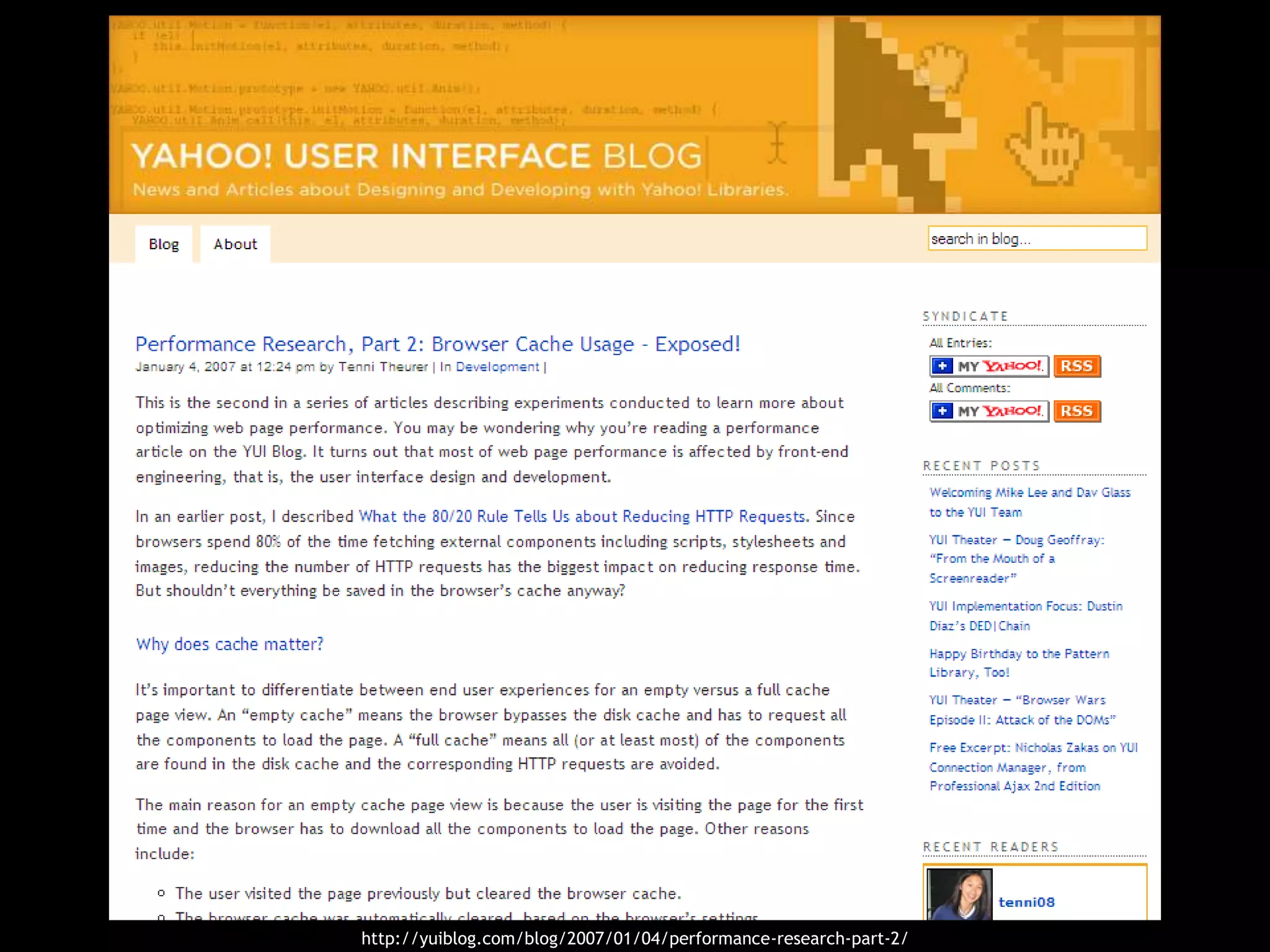
http://yuiblog.com/blog/2007/01/04/performance-research-part-2/
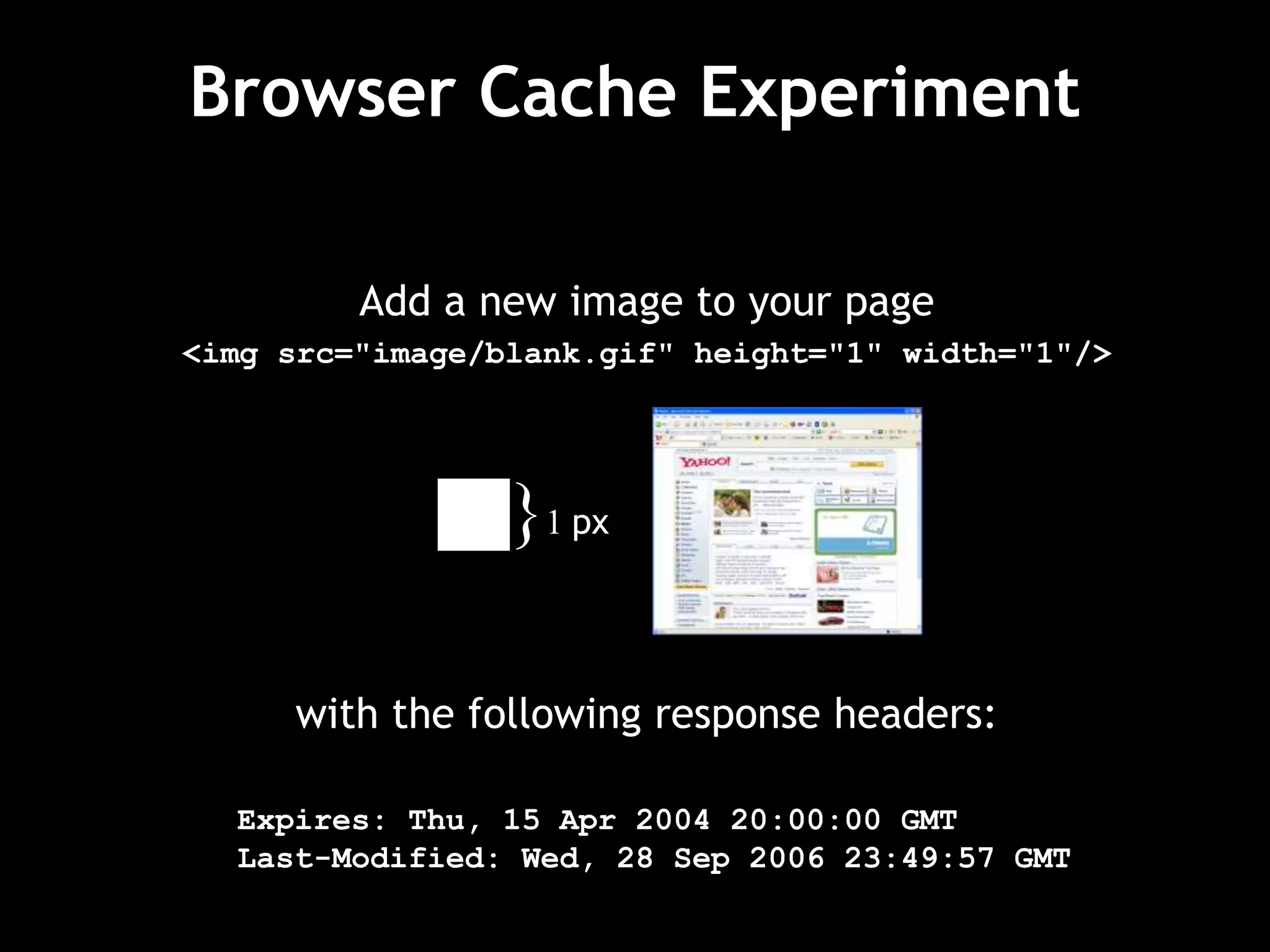
Add a new image to your page
<img src="image/blank.gif" height="1" width="1"/>
with the following response headers:
Expires: Thu, 15 Apr 2004 20:00:00 GMT
Last-Modified: Wed, 28 Sep 2006 23:49:57 GMT
}1 px
Browser Cache Experiment
Requests from the browser will have
one of these response status codes:
200 – The browser does not have the image
in its cache.
304 – The browser has the image in its cache,
but needs to verify the last modified date.
Browser Cache Experiment
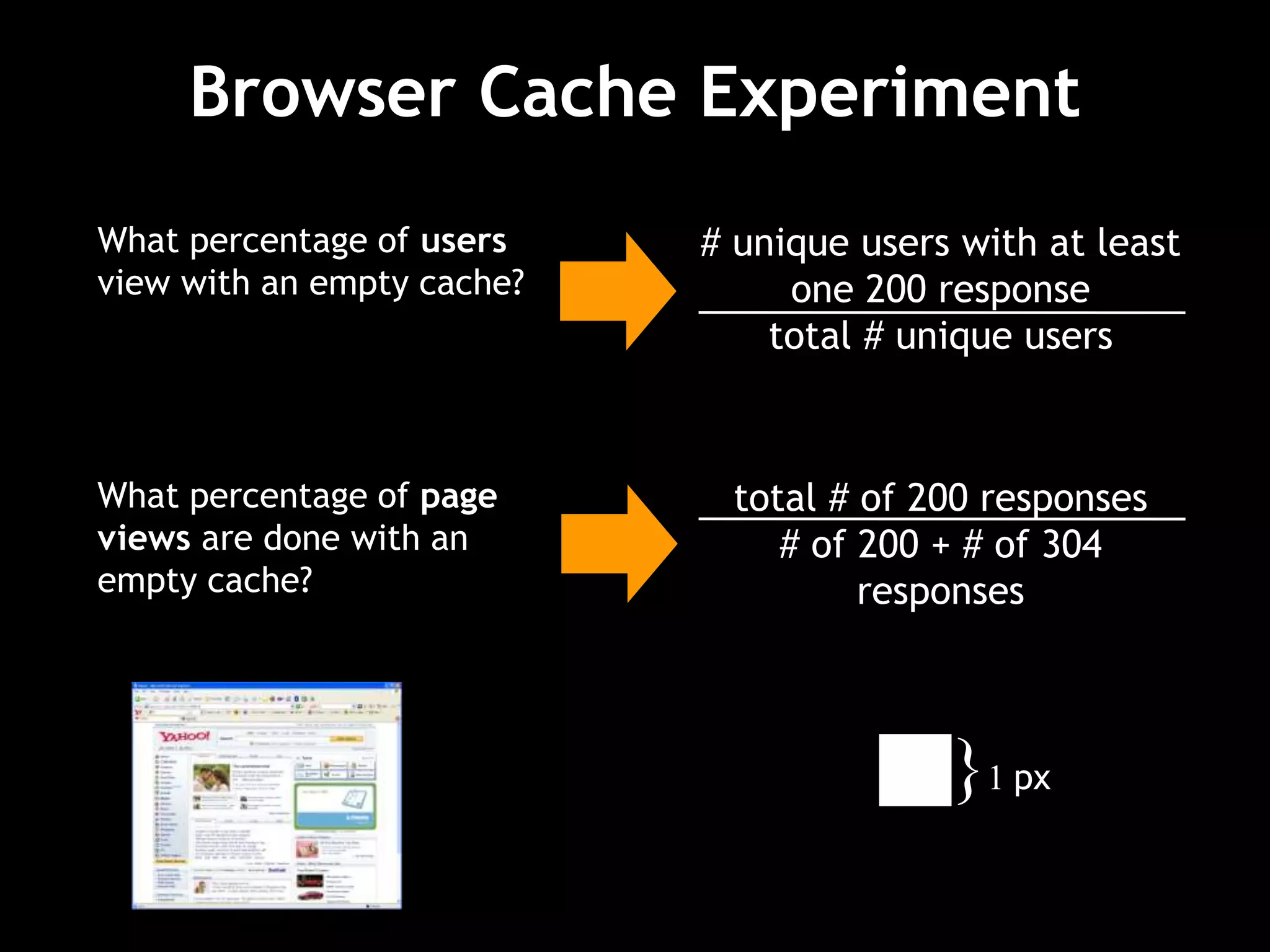
What percentage of users
view with an empty cache?
# unique users with at least
one 200 response
total # unique users
What percentage of page
views are done with an
empty cache?
total # of 200 responses
# of 200 + # of 304
responses
}1 px
0.0%
10.0%
20.0%
30.0%
40.0%
50.0%
60.0%
70.0%
80.0%
90.0%
100.0%
0 1 2 3 4 5 6 7 8 9 10 11 12 13 14 15 16 17 18 19 20
day of experiment
percentage
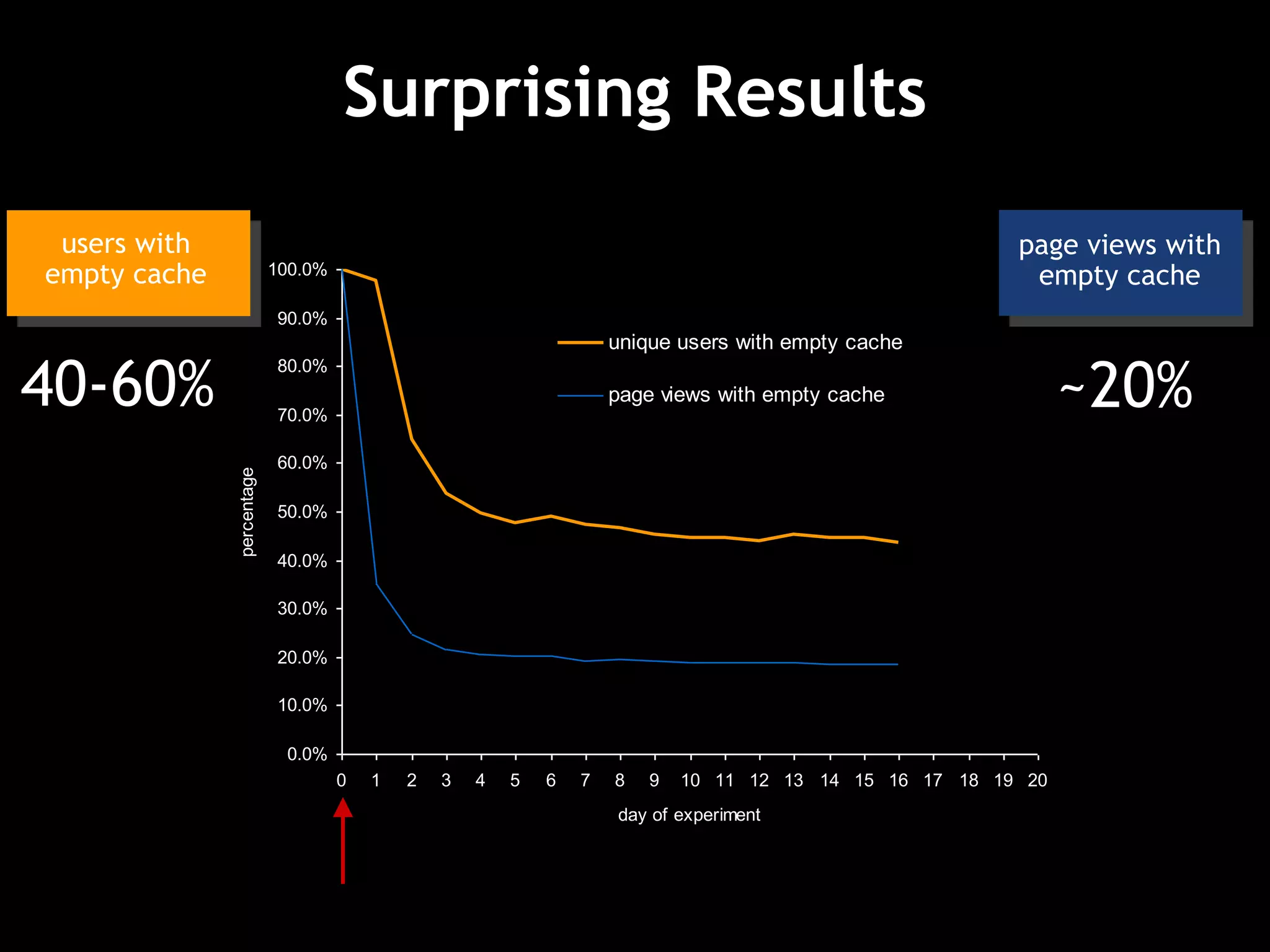
unique users with empty cache
page views with empty cache
Surprising Results
page views with
empty cache
40-60% ~20%
users with
empty cache
Experiment Takeaways
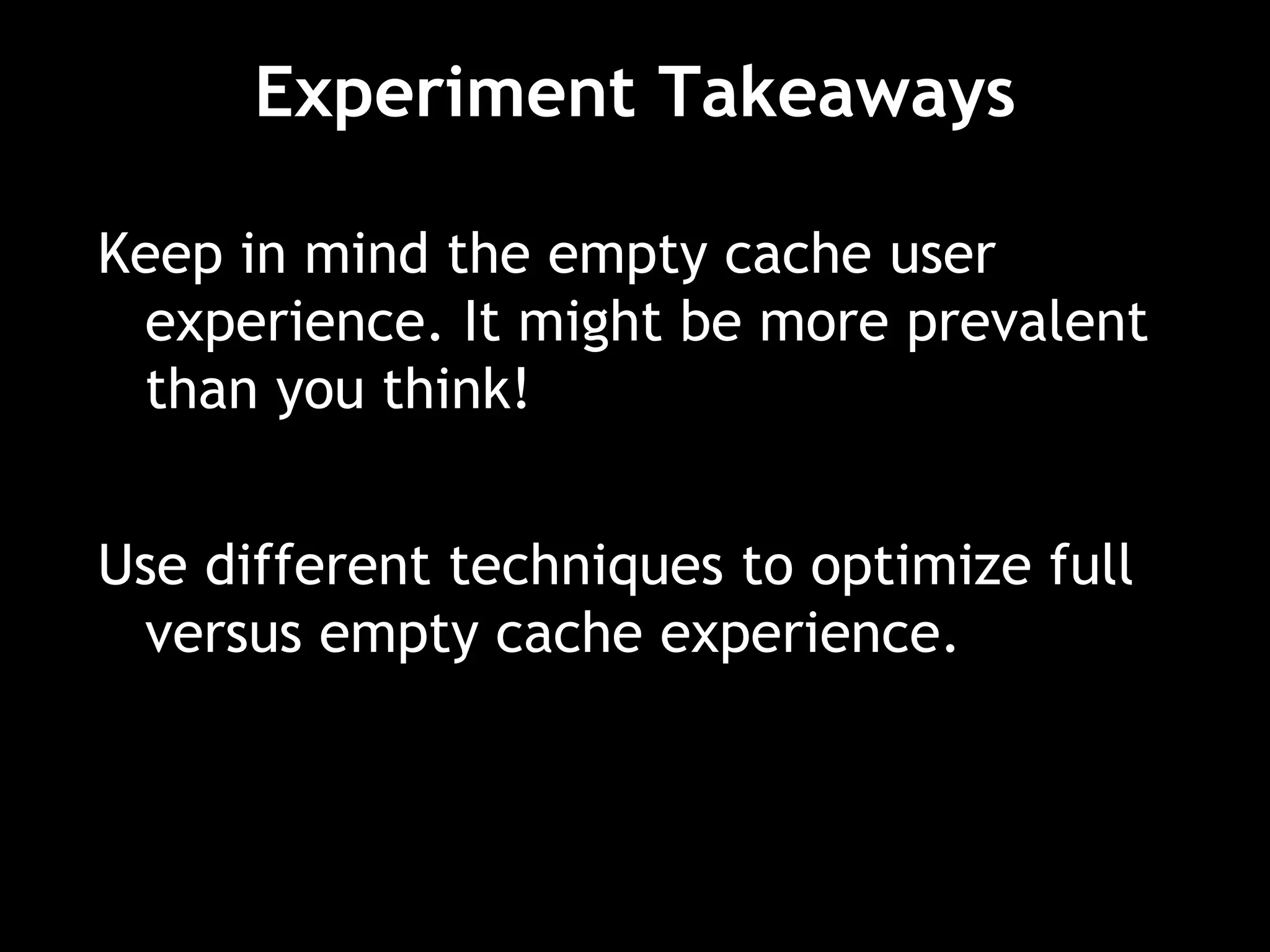
Keep in mind the empty cache user
experience. It might be more prevalent
than you think!
Use different techniques to optimize full
versus empty cache experience.
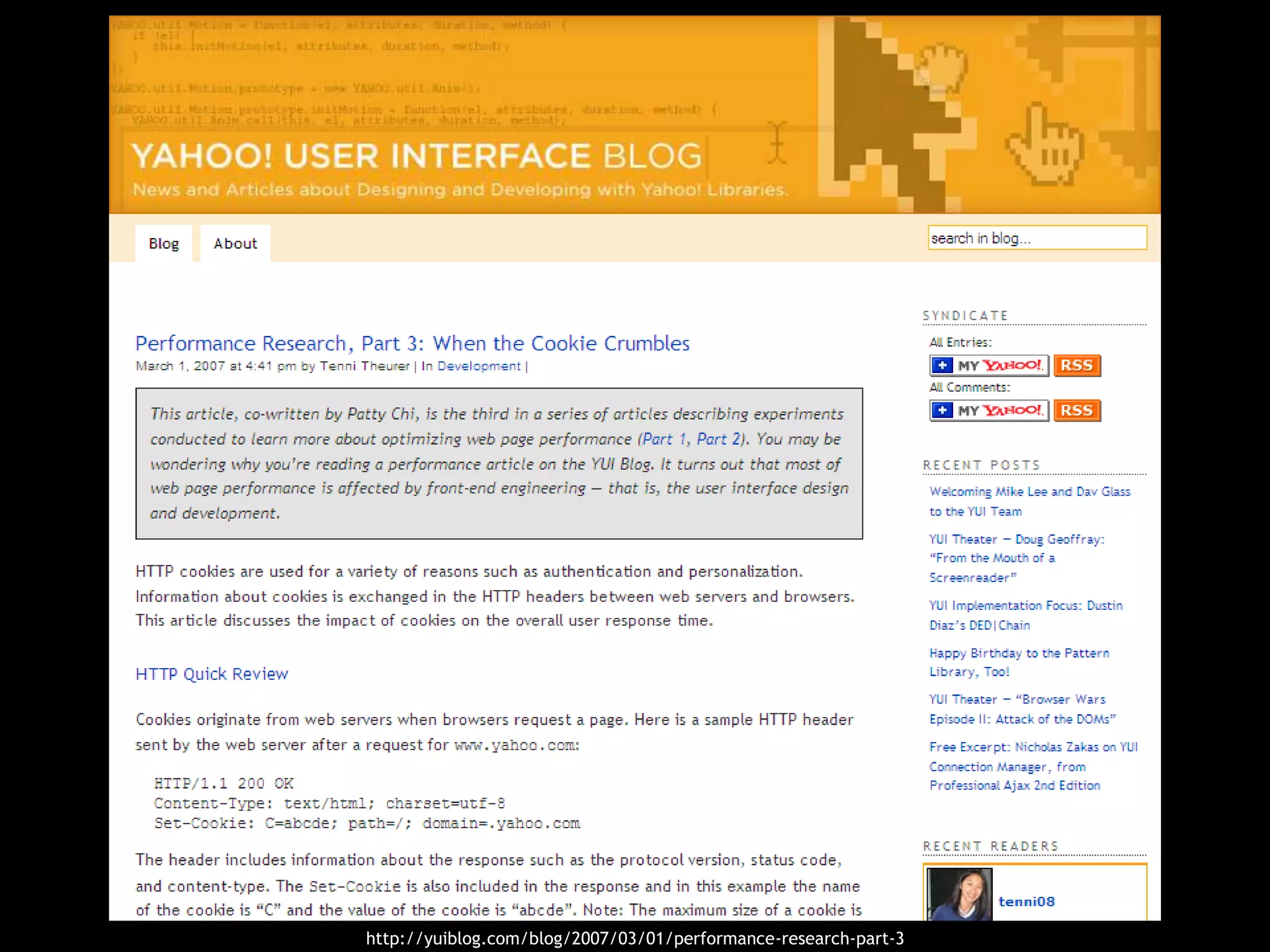
http://yuiblog.com/blog/2007/03/01/performance-research-part-3
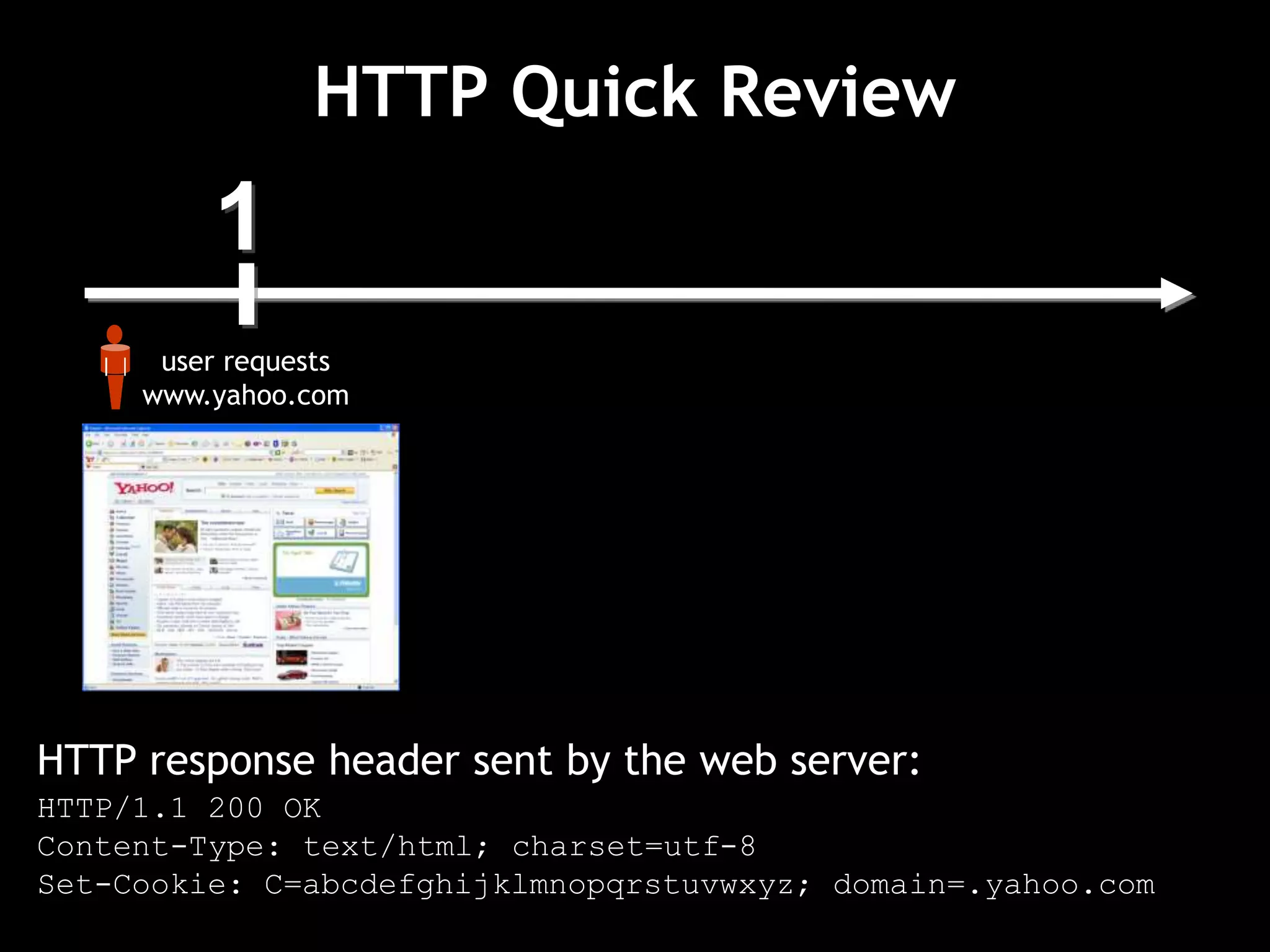
1
user requests
www.yahoo.com
HTTP Quick Review
HTTP response header sent by the web server:
HTTP/1.1 200 OK
Content-Type: text/html; charset=utf-8
Set-Cookie: C=abcdefghijklmnopqrstuvwxyz; domain=.yahoo.com
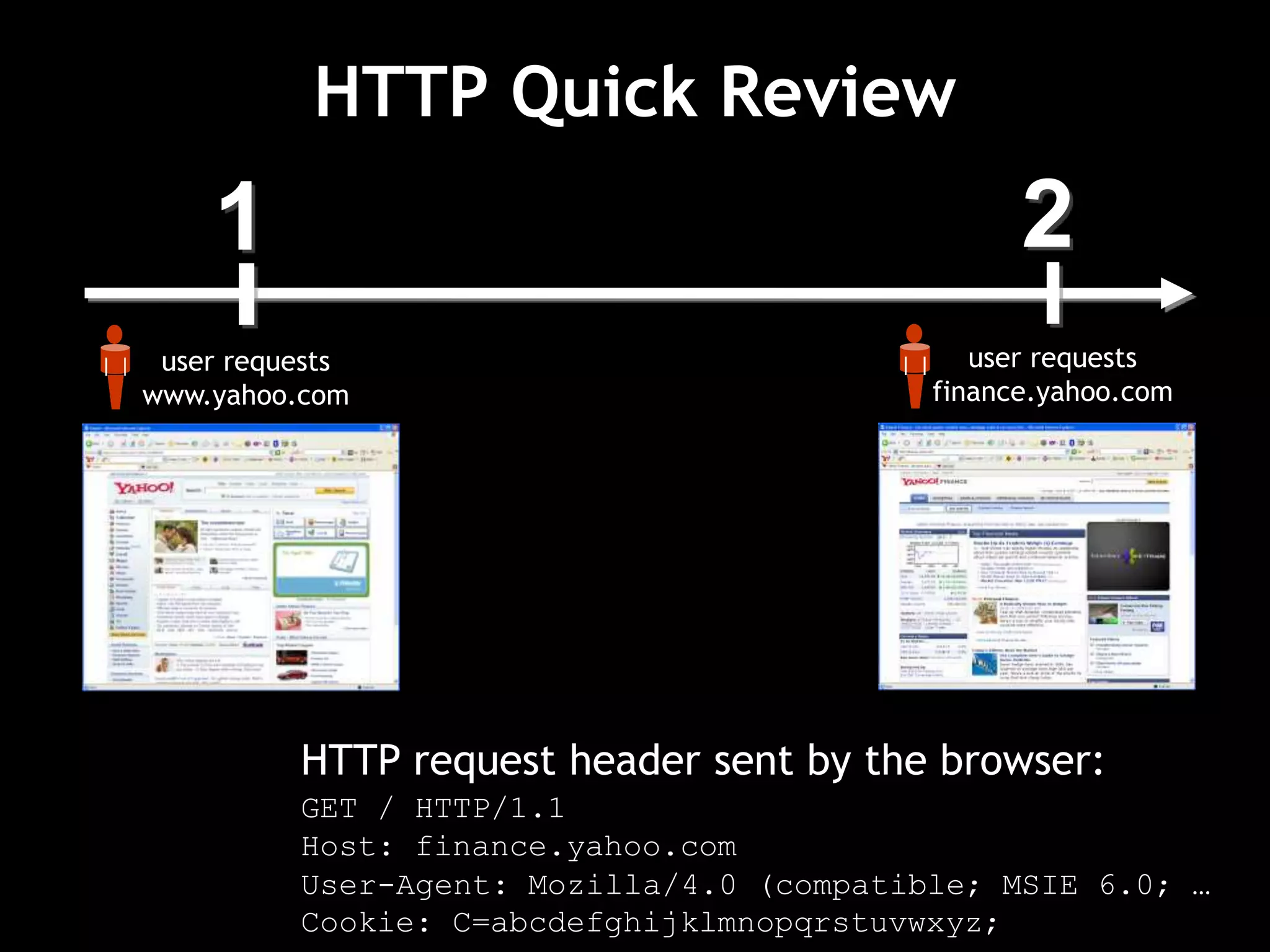
1
user requests
www.yahoo.com
HTTP Quick Review
2
user requests
finance.yahoo.com
HTTP request header sent by the browser:
GET / HTTP/1.1
Host: finance.yahoo.com
User-Agent: Mozilla/4.0 (compatible; MSIE 6.0; …
Cookie: C=abcdefghijklmnopqrstuvwxyz;
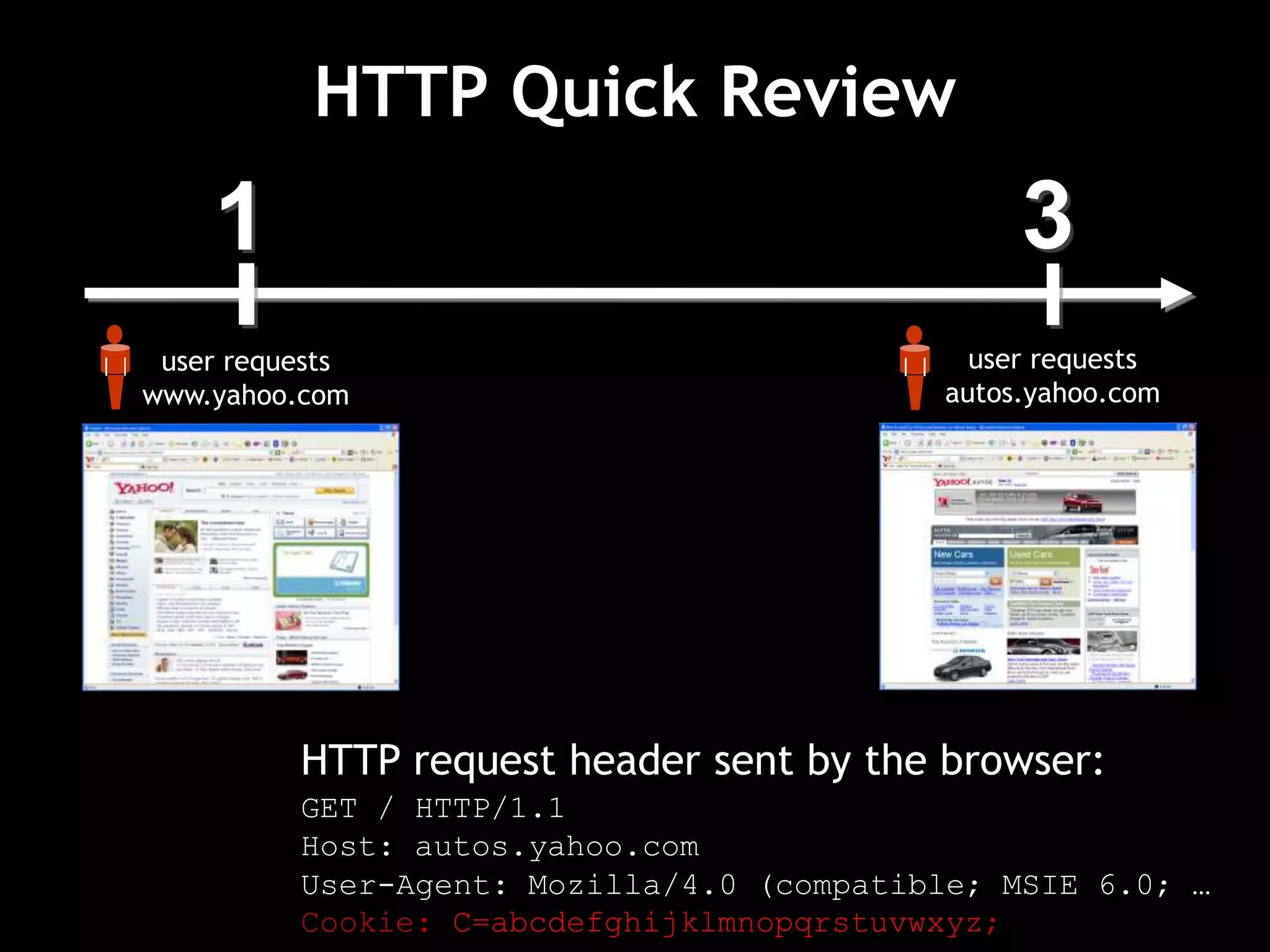
1
user requests
www.yahoo.com
3
user requests
autos.yahoo.com
HTTP Quick Review
HTTP request header sent by the browser:
GET / HTTP/1.1
Host: autos.yahoo.com
User-Agent: Mozilla/4.0 (compatible; MSIE 6.0; …
Cookie: C=abcdefghijklmnopqrstuvwxyz;
1
user requests
www.yahoo.com
4
user requests
mail.yahoo.com
HTTP Quick Review
HTTP request header sent by the browser:
GET / HTTP/1.1
Host: mail.yahoo.com
User-Agent: Mozilla/4.0 (compatible; MSIE 6.0; …
Cookie: C=abcdefghijklmnopqrstuvwxyz;
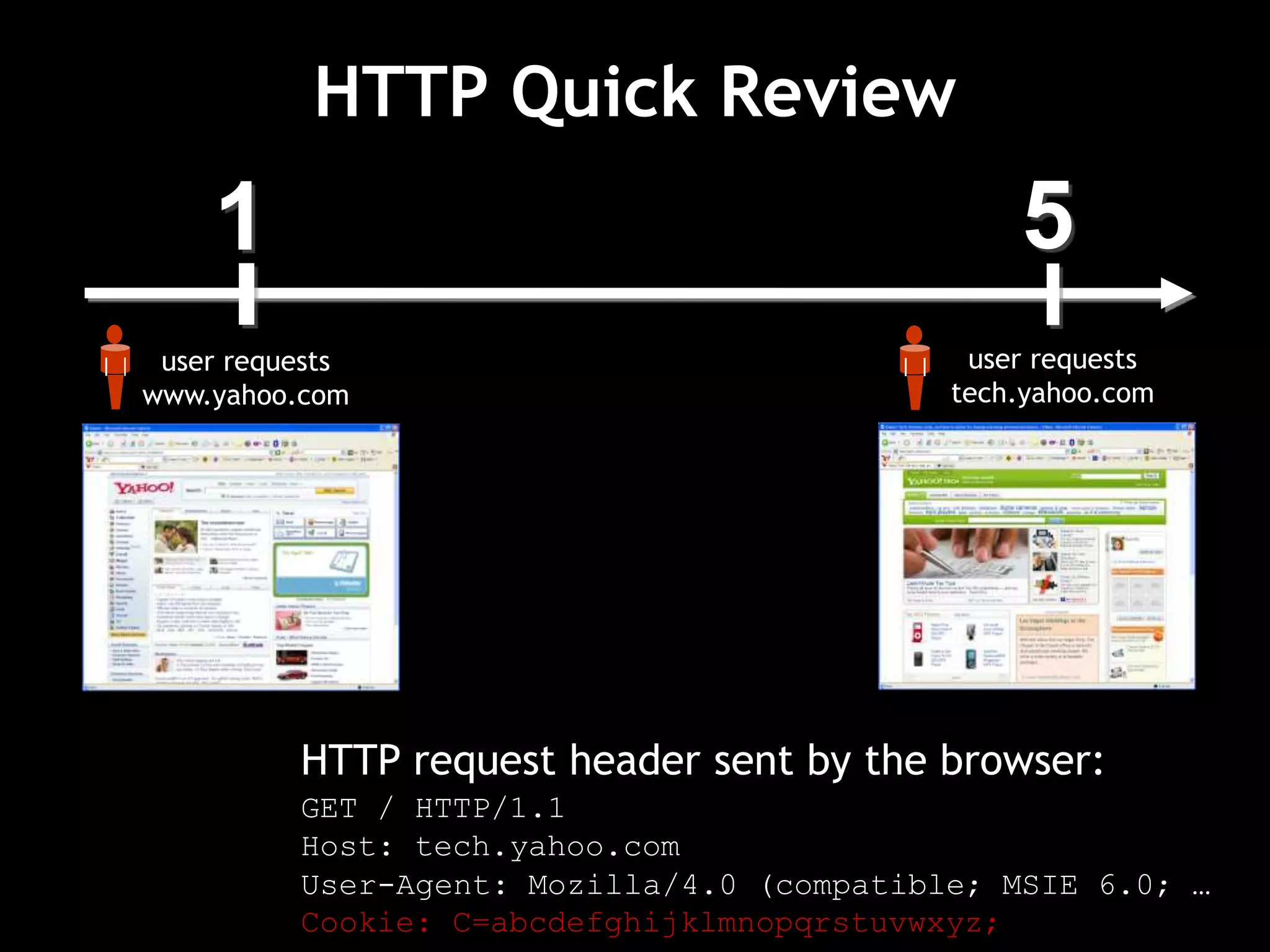
1
user requests
www.yahoo.com
5
user requests
tech.yahoo.com
HTTP Quick Review
HTTP request header sent by the browser:
GET / HTTP/1.1
Host: tech.yahoo.com
User-Agent: Mozilla/4.0 (compatible; MSIE 6.0; …
Cookie: C=abcdefghijklmnopqrstuvwxyz;
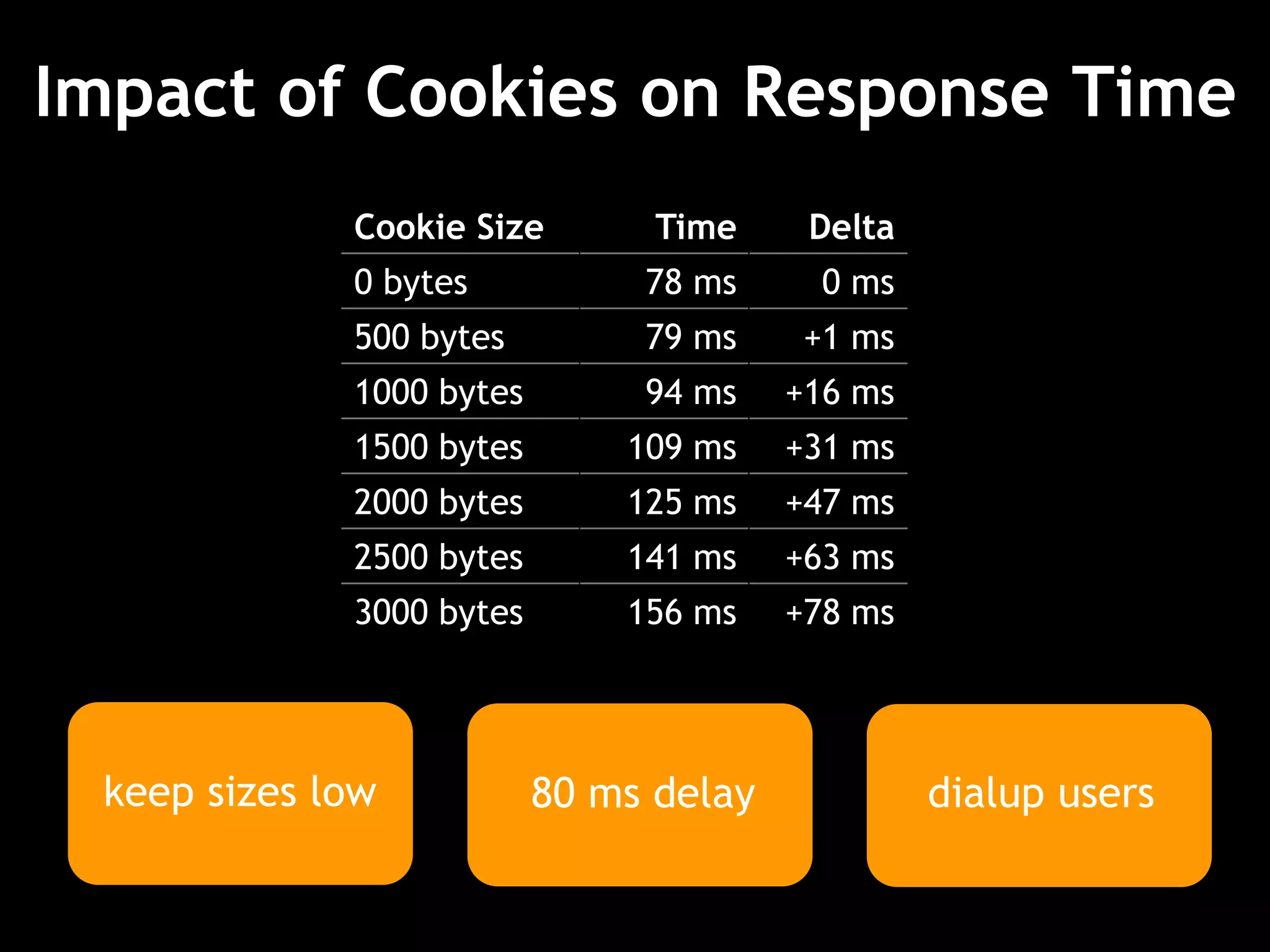
Impact of Cookies on Response Time
80 ms delay dialup users
Cookie Size Time Delta
0 bytes 78 ms 0 ms
500 bytes 79 ms +1 ms
1000 bytes 94 ms +16 ms
1500 bytes 109 ms +31 ms
2000 bytes 125 ms +47 ms
2500 bytes 141 ms +63 ms
3000 bytes 156 ms +78 ms
keep sizes low
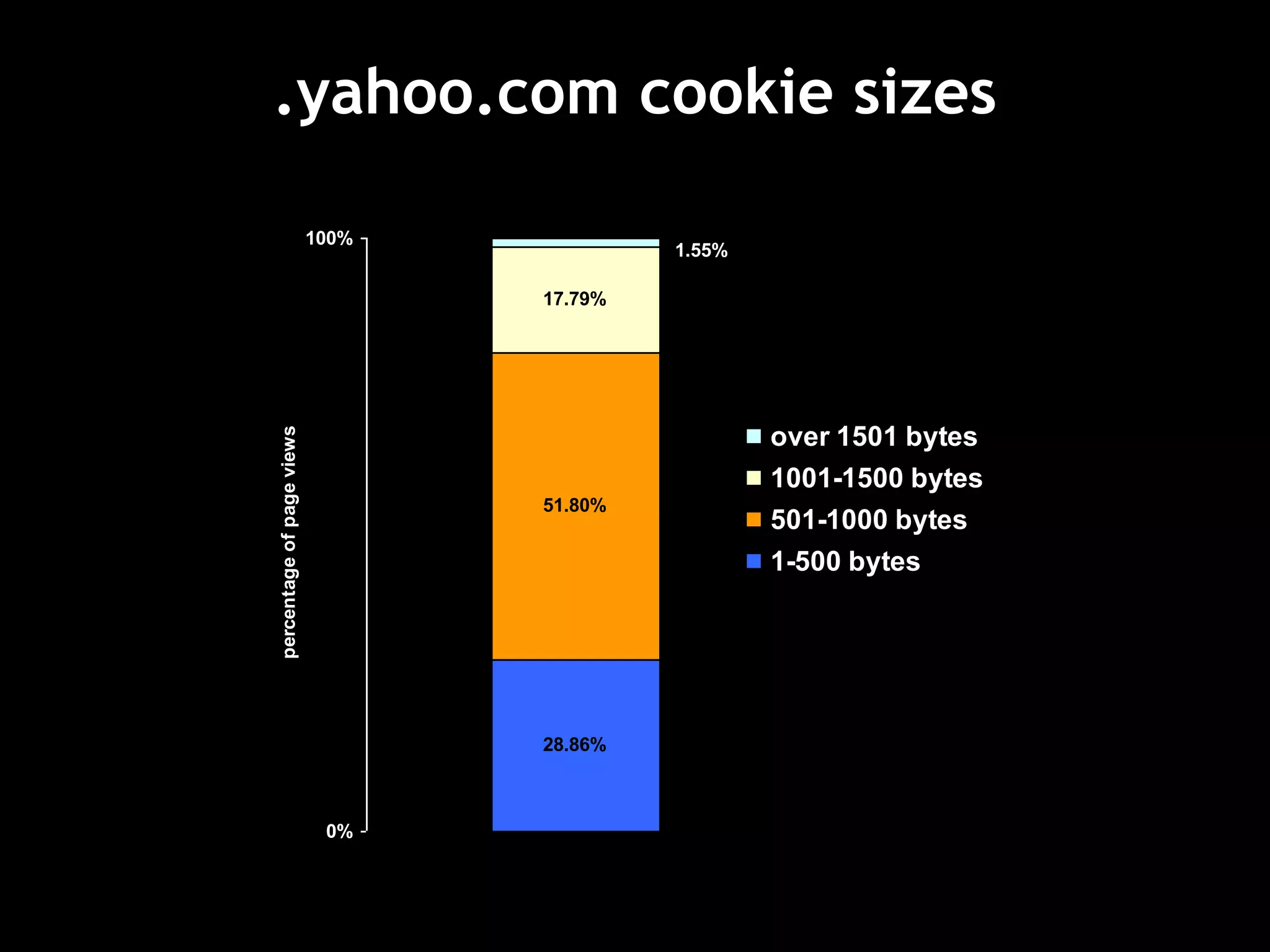
.yahoo.com cookie sizes
28.86%
51.80%
17.79%
1.55%
0%
100%
percentageofpageviews
over 1501 bytes
1001-1500 bytes
501-1000 bytes
1-500 bytes
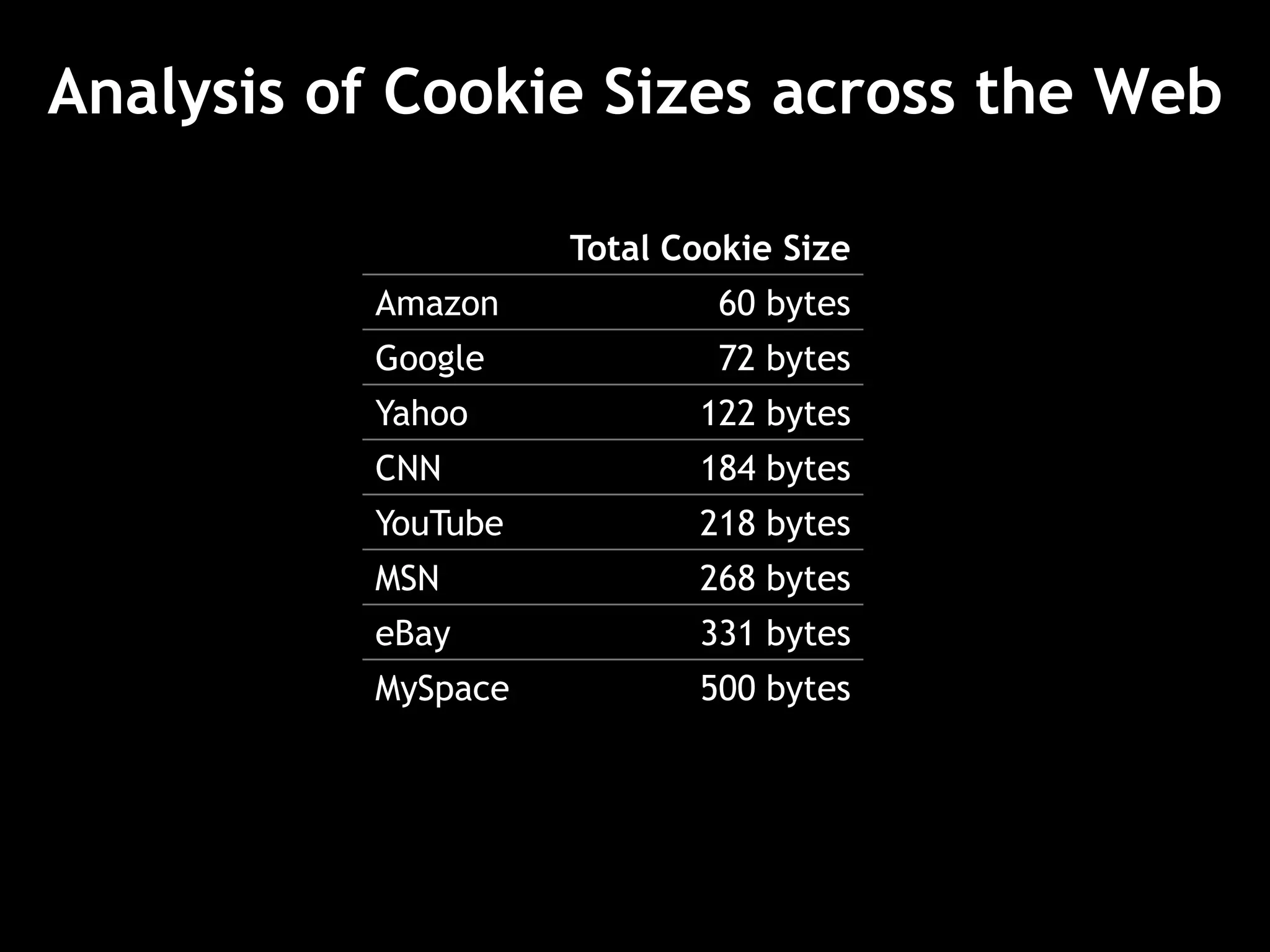
Analysis of Cookie Sizes across the Web
Total Cookie Size
Amazon 60 bytes
Google 72 bytes
Yahoo 122 bytes
CNN 184 bytes
YouTube 218 bytes
MSN 268 bytes
eBay 331 bytes
MySpace 500 bytes
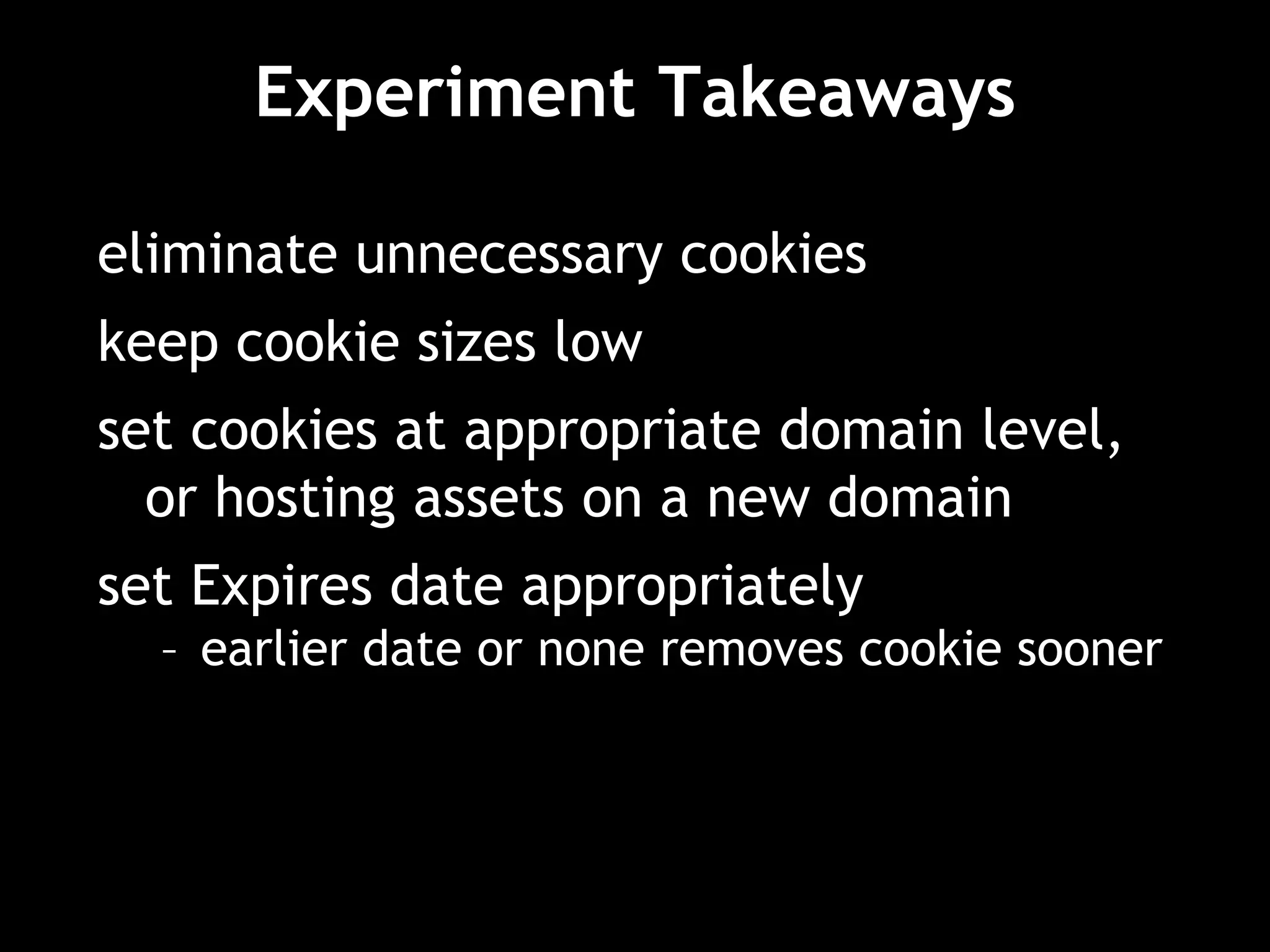
Experiment Takeaways
eliminate unnecessary cookies
keep cookie sizes low
set cookies at appropriate domain level,
or hosting assets on a new domain
set Expires date appropriately
– earlier date or none removes cookie sooner
http://yuiblog.com/blog/2007/04/11/performance-research-part-4/
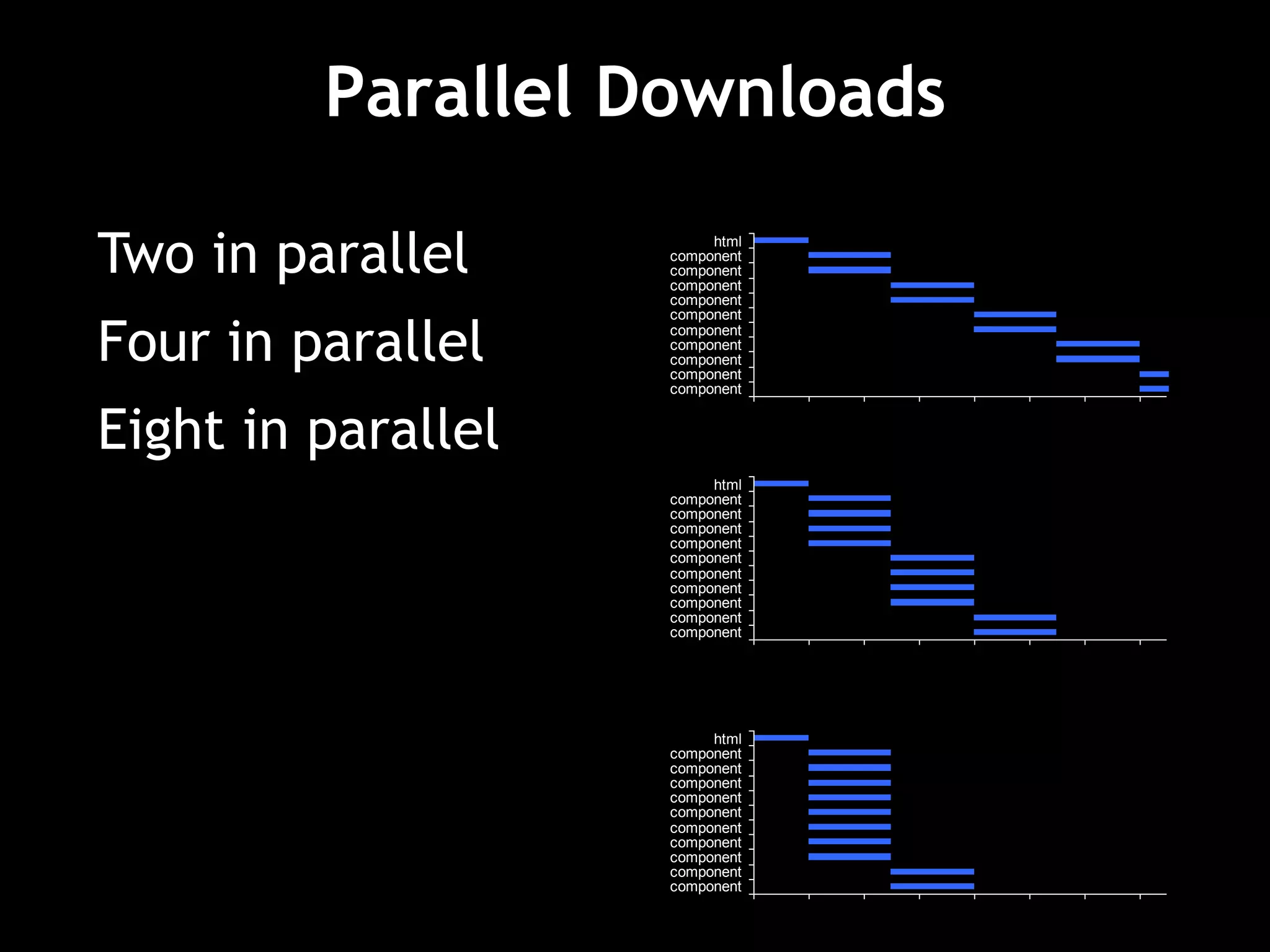
Parallel Downloads
Two components in parallel per hostname
GIF GIF
GIF
GIF
GIF
GIF
HTTP/1.1
Parallel Downloads
0 0.2 0.4 0.6 0.8 1 1.2 1.4
component
component
component
component
component
component
component
component
component
component
html
0 0.2 0.4 0.6 0.8 1 1.2 1.4
component
component
component
component
component
component
component
component
component
component
html
Two in parallel
Four in parallel
Eight in parallel 0 0.2 0.4 0.6 0.8 1 1.2 1.4
component
component
component
component
component
component
component
component
component
component
html
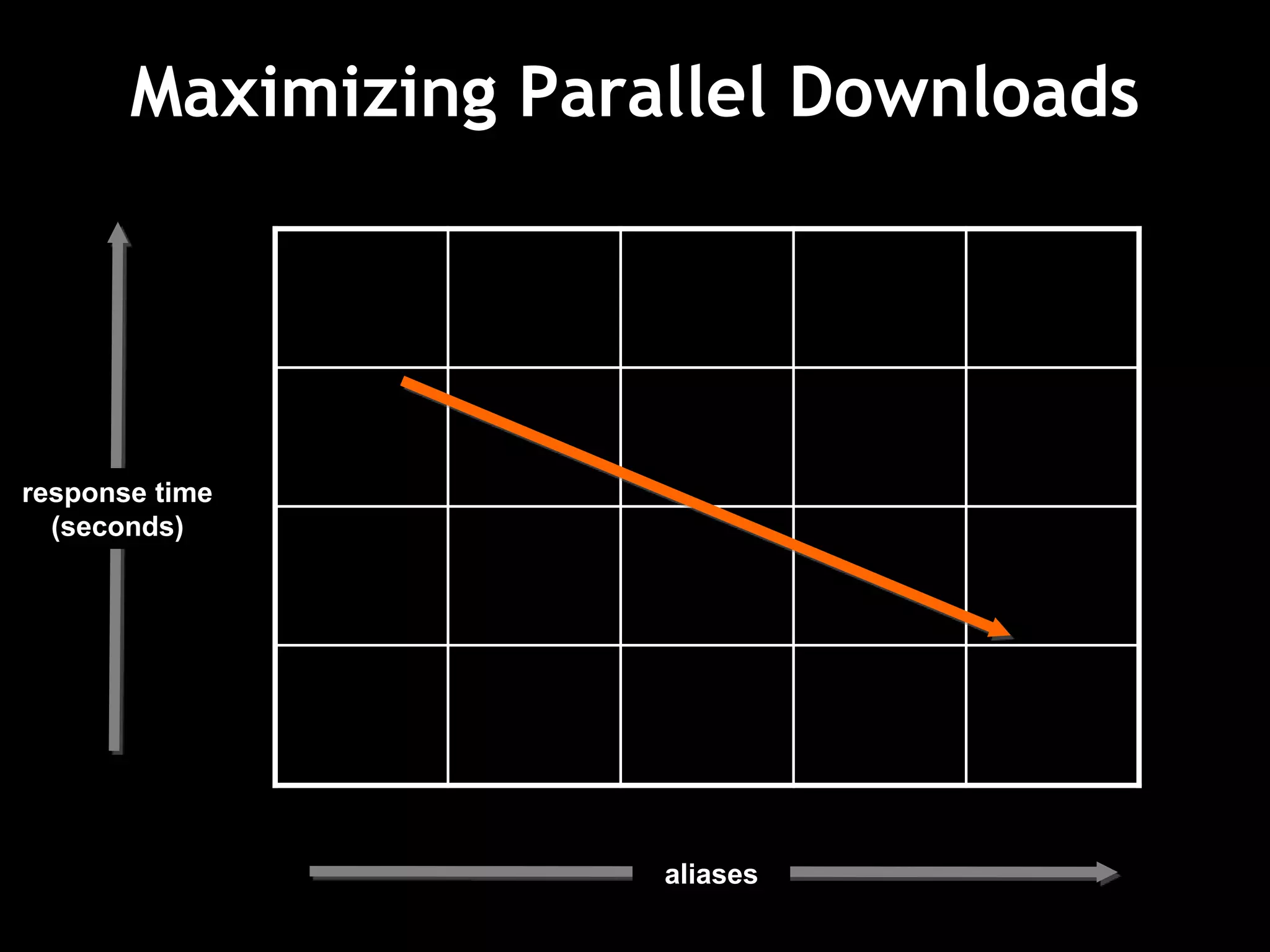
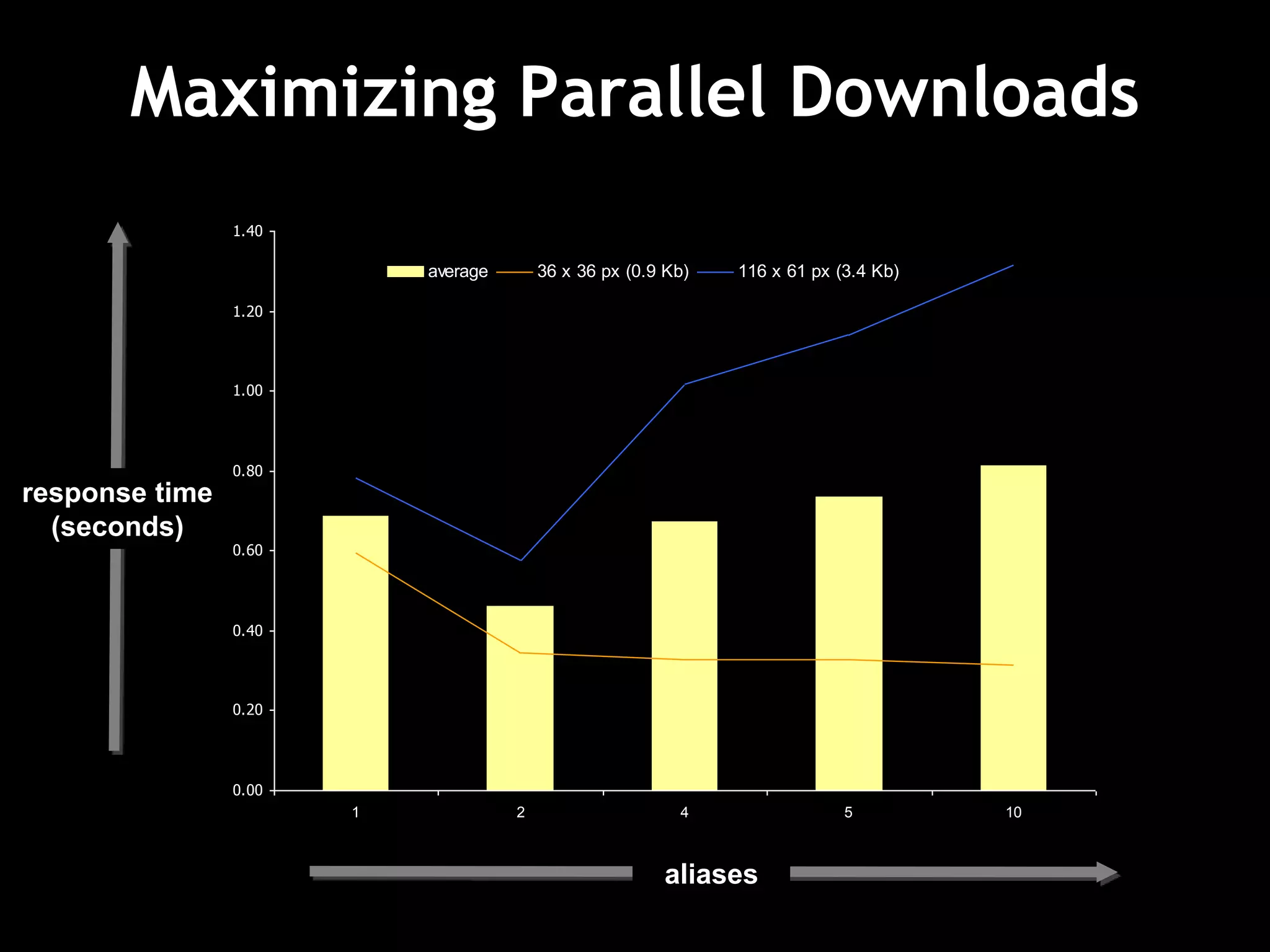
Maximizing Parallel Downloads
response time
(seconds)
aliases
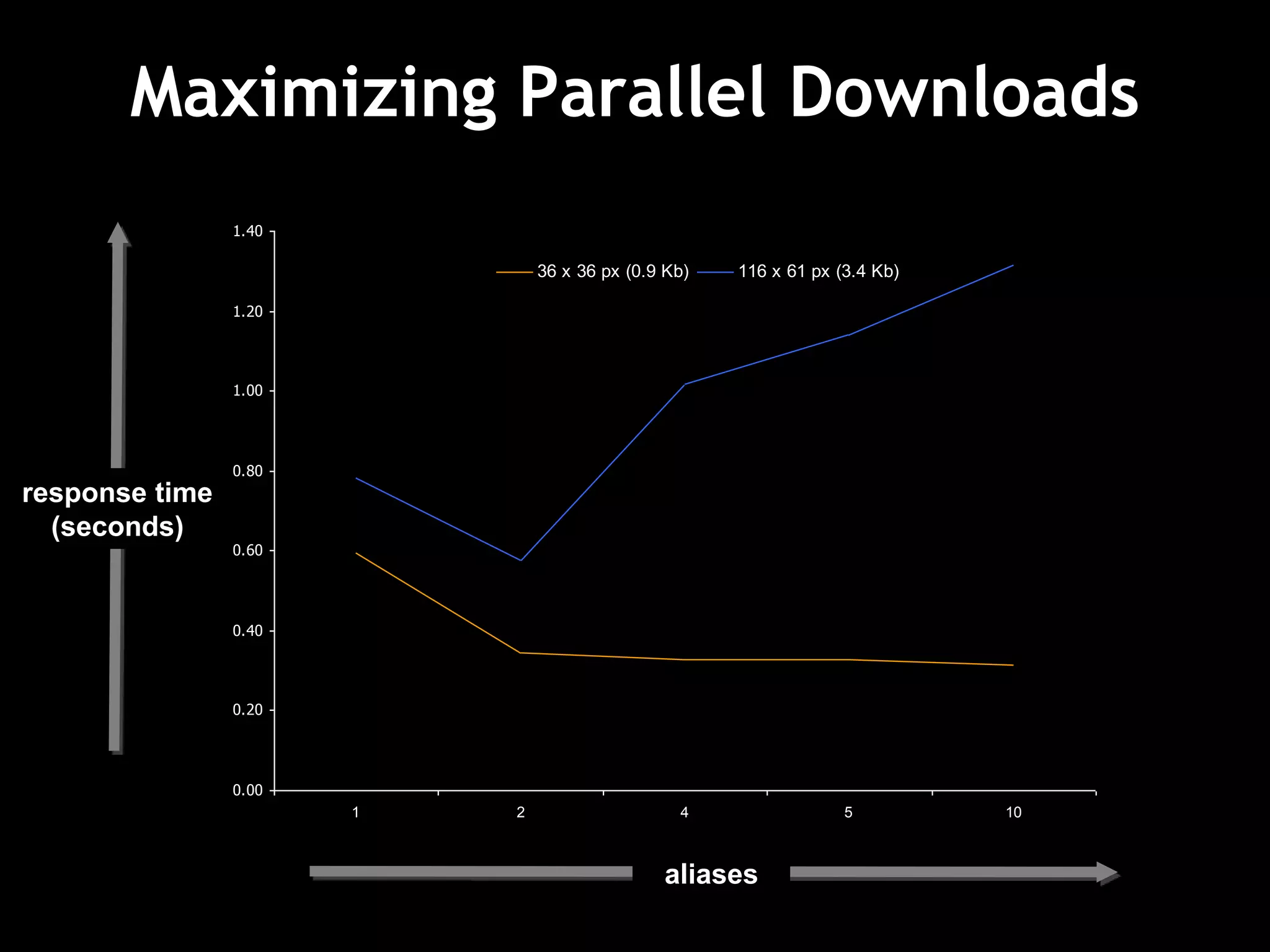
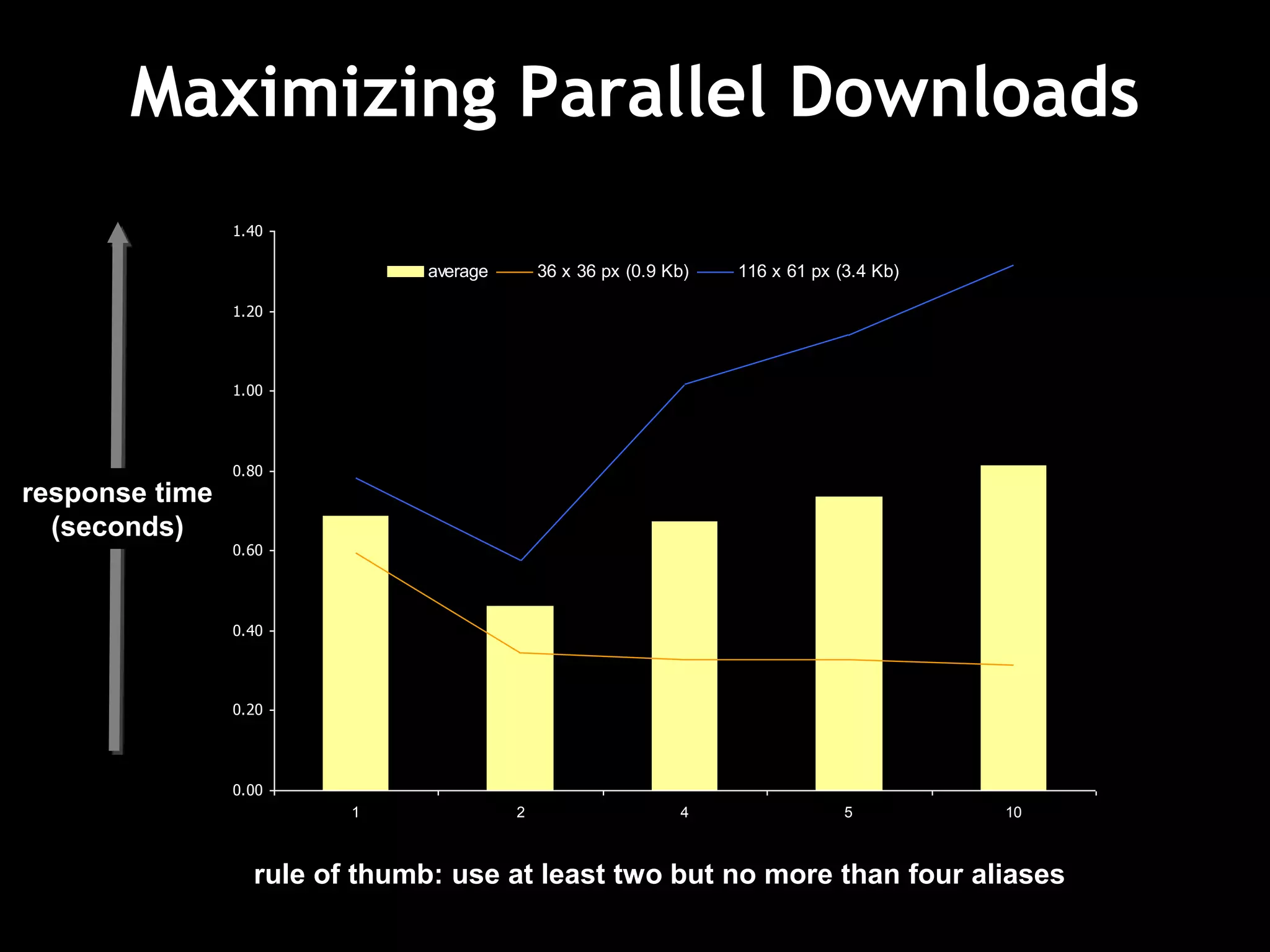
Maximizing Parallel Downloads
response time
(seconds)
aliases
0.00
0.20
0.40
0.60
0.80
1.00
1.20
1.40
1 2 4 5 10
36 x 36 px (0.9 Kb) 116 x 61 px (3.4 Kb)
Maximizing Parallel Downloads
response time
(seconds)
aliases
0.00
0.20
0.40
0.60
0.80
1.00
1.20
1.40
1 2 4 5 10
average 36 x 36 px (0.9 Kb) 116 x 61 px (3.4 Kb)
Maximizing Parallel Downloads
response time
(seconds)
rule of thumb: use at least two but no more than four aliases
0.00
0.20
0.40
0.60
0.80
1.00
1.20
1.40
1 2 4 5 10
average 36 x 36 px (0.9 Kb) 116 x 61 px (3.4 Kb)
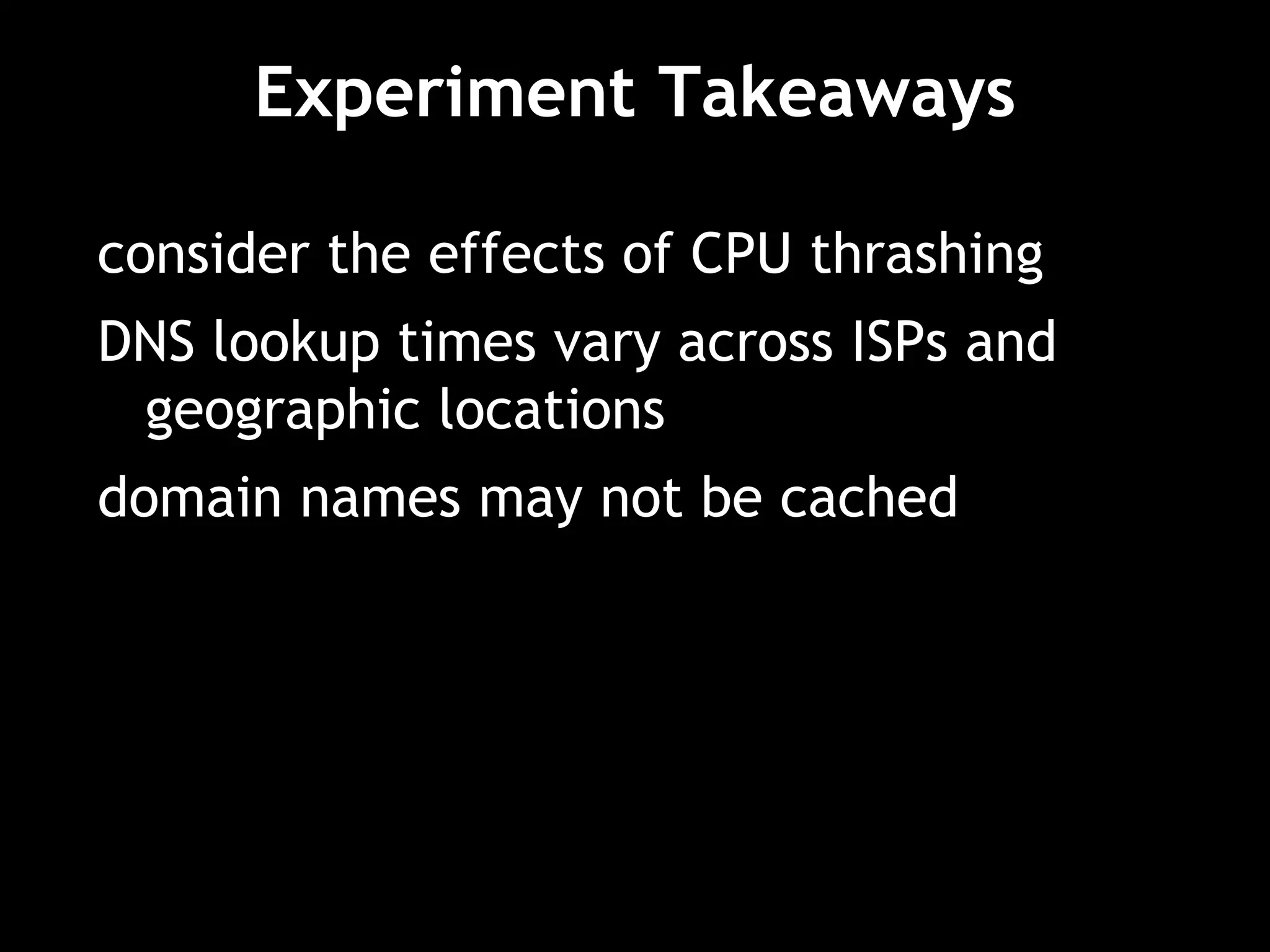
Experiment Takeaways
consider the effects of CPU thrashing
DNS lookup times vary across ISPs and
geographic locations
domain names may not be cached
14 Rules
How to optimize?
• basic optimization rules
• optimizing assets (images, scripts, and
styles)
• optimizations specific to scripts
• optimizations specific to styles
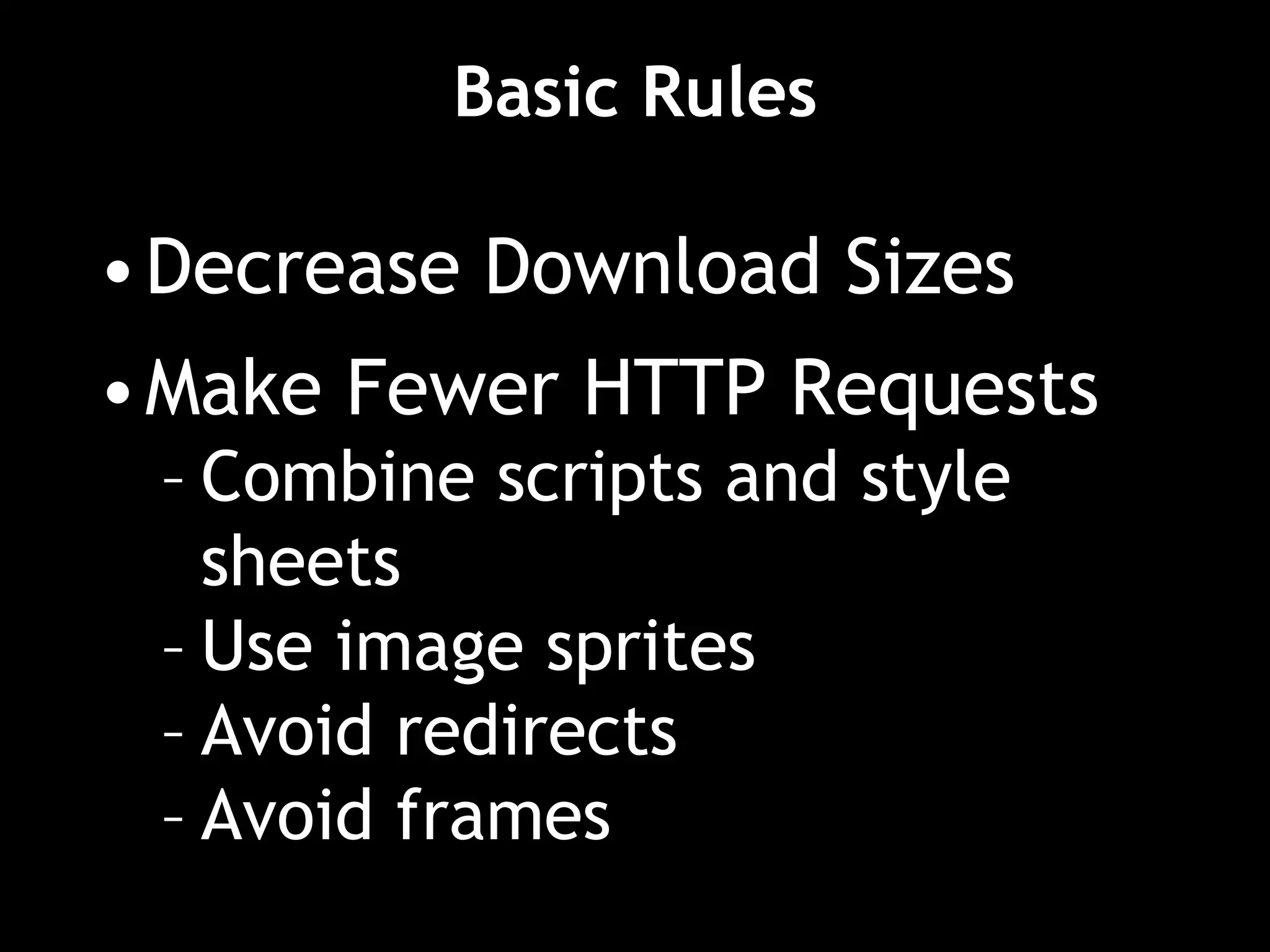
Basic Rules
•Decrease Download Sizes
•Make Fewer HTTP Requests
– Combine scripts and style
sheets
– Use image sprites
– Avoid redirects
– Avoid frames
14 things to check
1. Make fewer HTTP requests
2. Use a CDN
3. Add an Expires header
4. Gzip components
5. Put CSS at the top
6. Move JS to the bottom
7. Avoid CSS expressions
8. Make JS and CSS external
9. Reduce DNS lookups
10. Minify JS
11. Avoid redirects
12. Remove duplicate scripts
13. Turn off ETags
14. Make AJAX cacheable and small
Rule 1: Make fewer HTTP requests
image maps
CSS sprites
inline images
combined scripts, combined stylesheets
Image maps
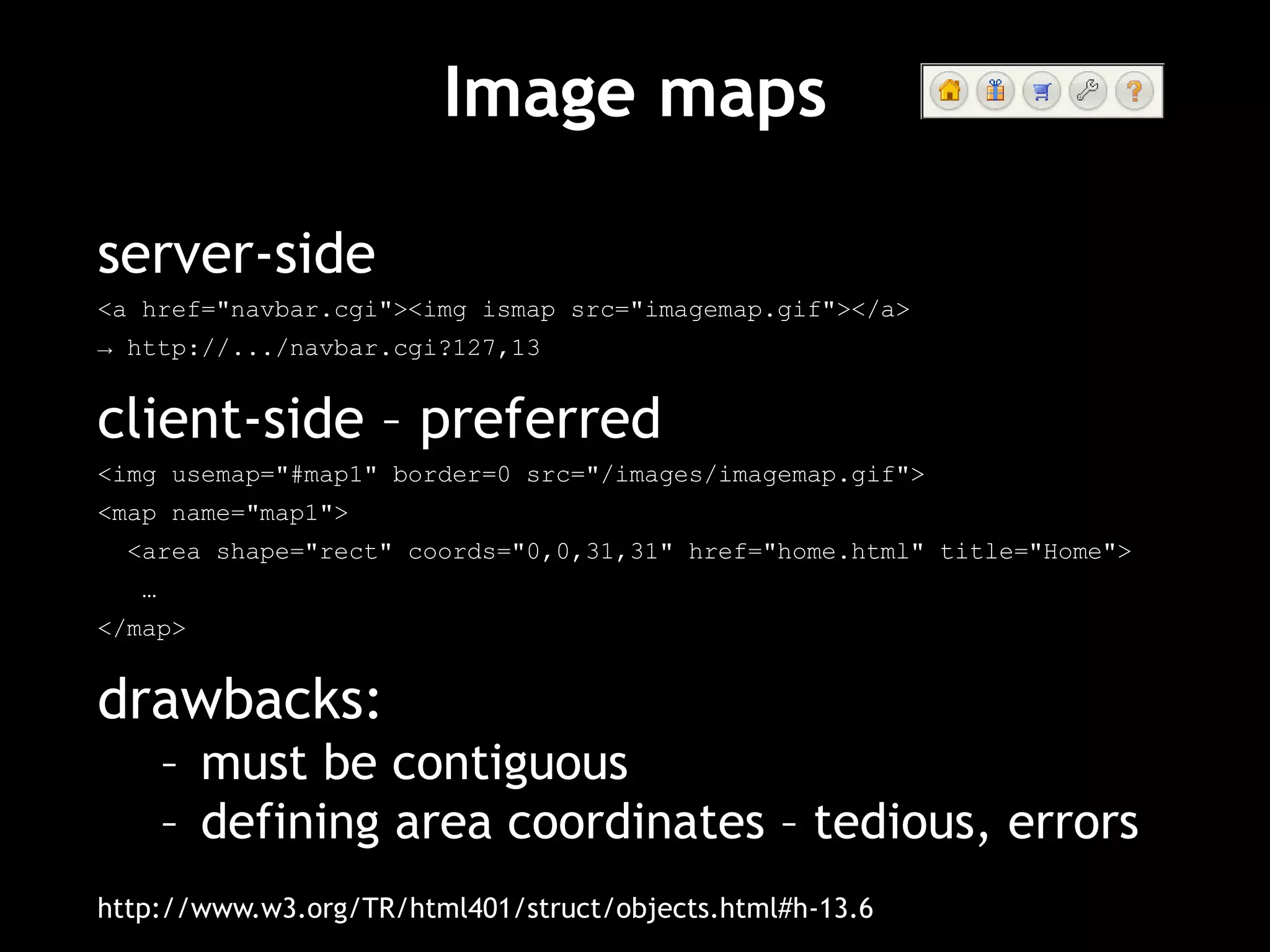
server-side
<a href="navbar.cgi"><img ismap src="imagemap.gif"></a>
→ http://.../navbar.cgi?127,13
client-side – preferred
<img usemap="#map1" border=0 src="/images/imagemap.gif">
<map name="map1">
<area shape="rect" coords="0,0,31,31" href="home.html" title="Home">
…
</map>
drawbacks:
– must be contiguous
– defining area coordinates – tedious, errors
http://www.w3.org/TR/html401/struct/objects.html#h-13.6
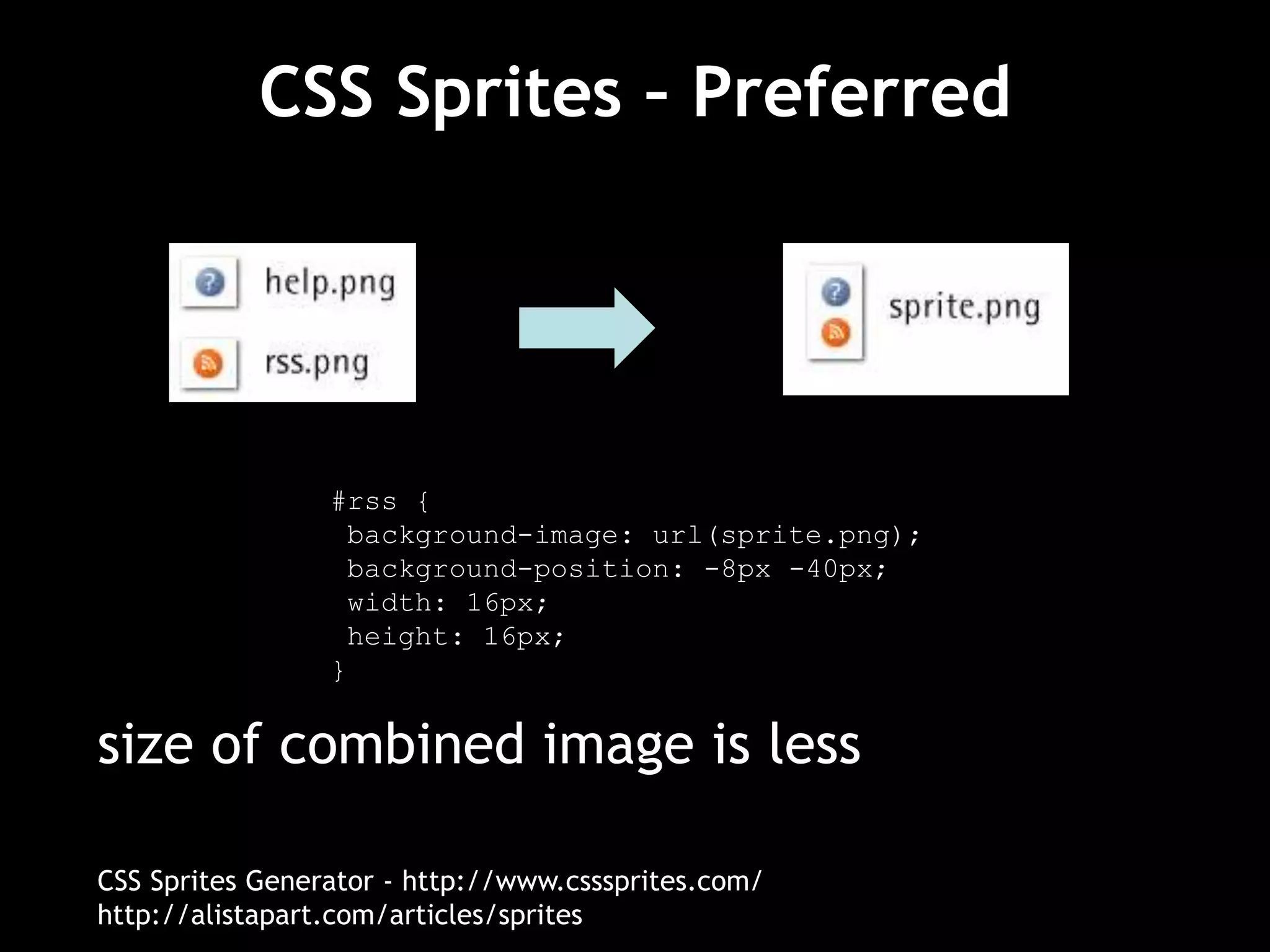
CSS Sprites – Preferred
size of combined image is less
CSS Sprites Generator - http://www.csssprites.com/
http://alistapart.com/articles/sprites
#rss {
background-image: url(sprite.png);
background-position: -8px -40px;
width: 16px;
height: 16px;
}
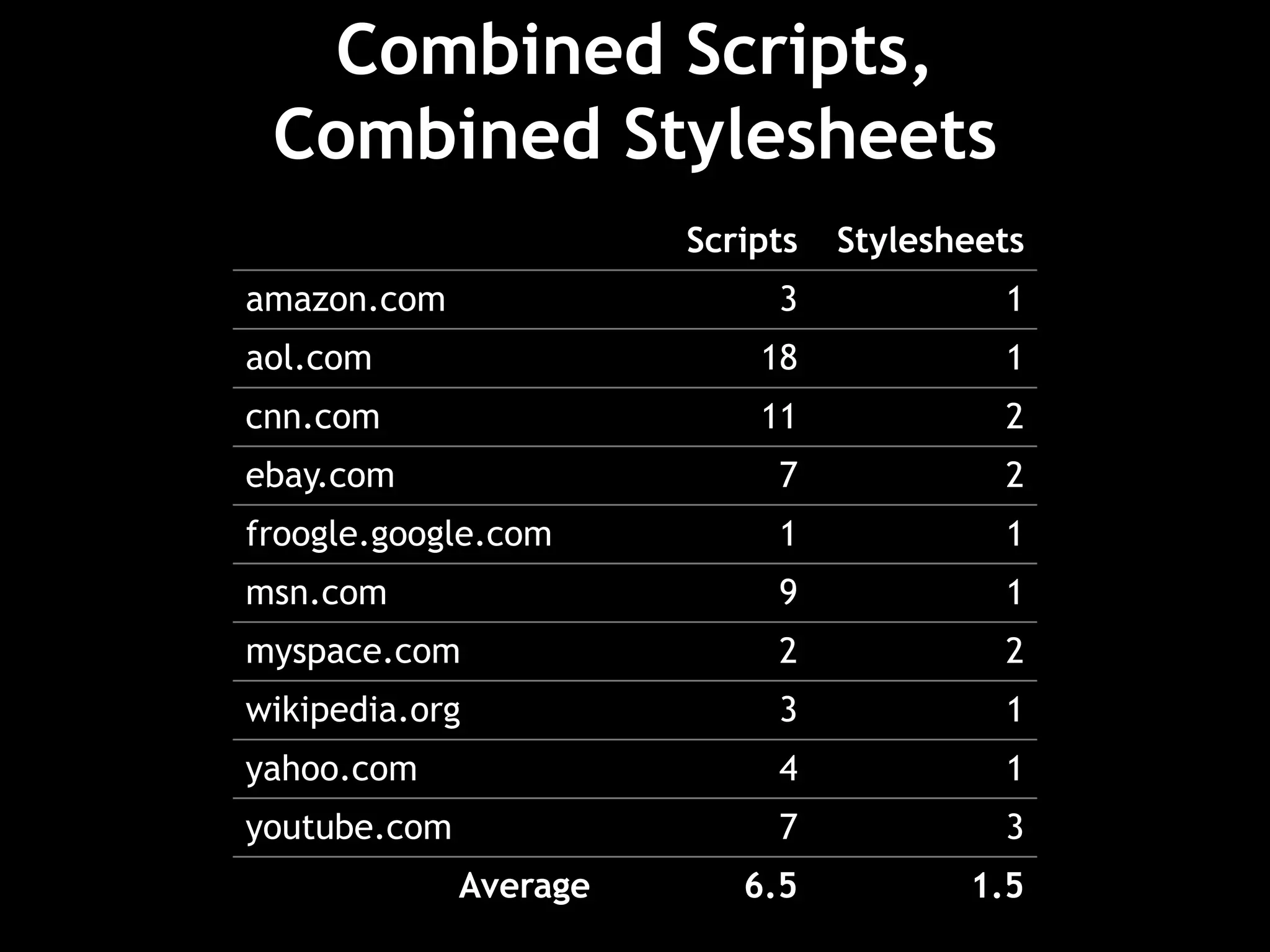
Combined Scripts,
Combined Stylesheets
Scripts Stylesheets
amazon.com 3 1
aol.com 18 1
cnn.com 11 2
ebay.com 7 2
froogle.google.com 1 1
msn.com 9 1
myspace.com 2 2
wikipedia.org 3 1
yahoo.com 4 1
youtube.com 7 3
Average 6.5 1.5
Combined Scripts,
Combined Stylesheets
combining six scripts into one eliminates
five HTTP requests
challenges:
– develop as separate modules
– number of possible combinations vs. loading
more than needed
– maximize browser cache
one solution:
– dynamically combine and cache
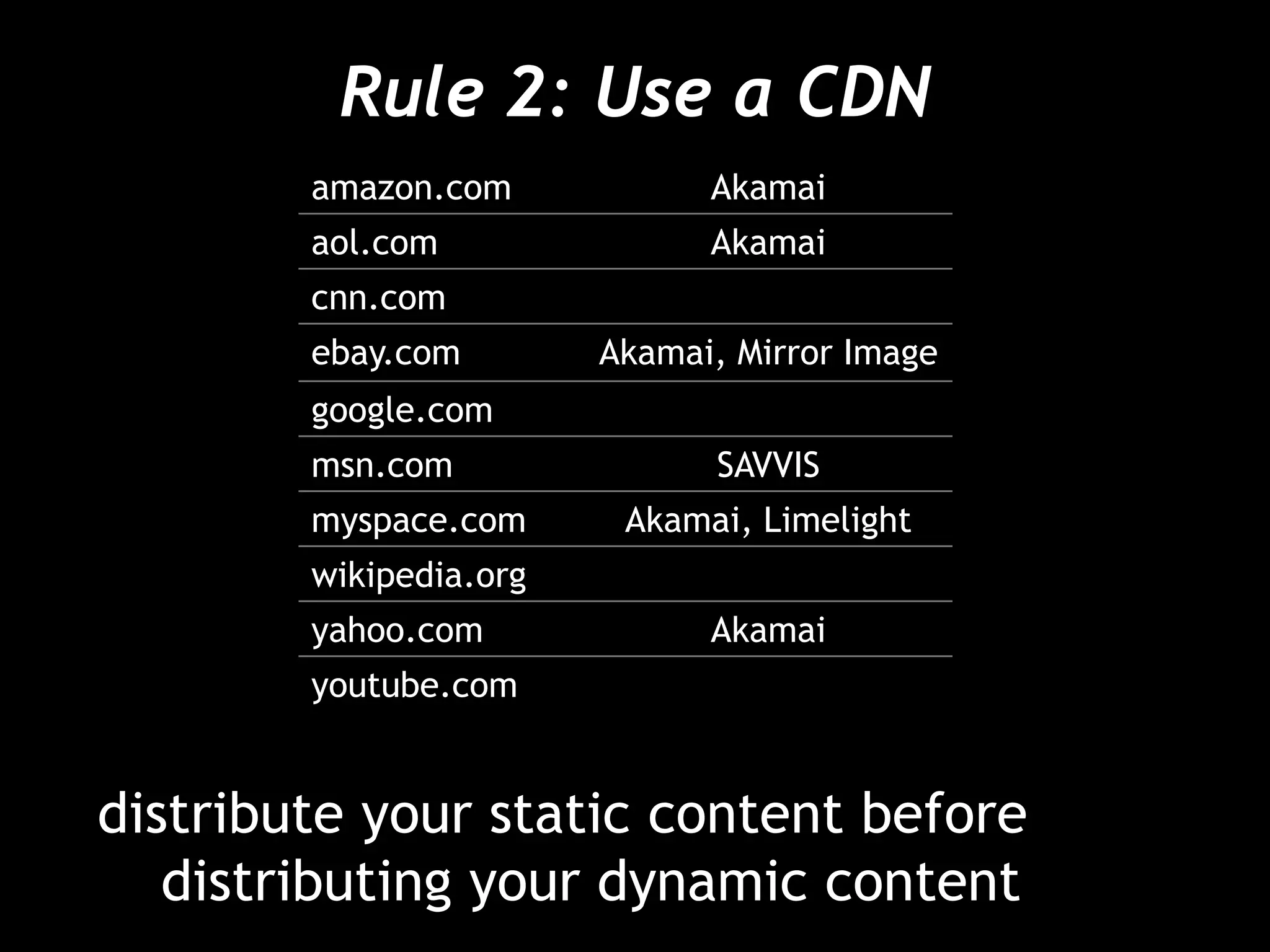
Rule 2: Use a CDN
distribute your static content before
distributing your dynamic content
amazon.com Akamai
aol.com Akamai
cnn.com
ebay.com Akamai, Mirror Image
google.com
msn.com SAVVIS
myspace.com Akamai, Limelight
wikipedia.org
yahoo.com Akamai
youtube.com
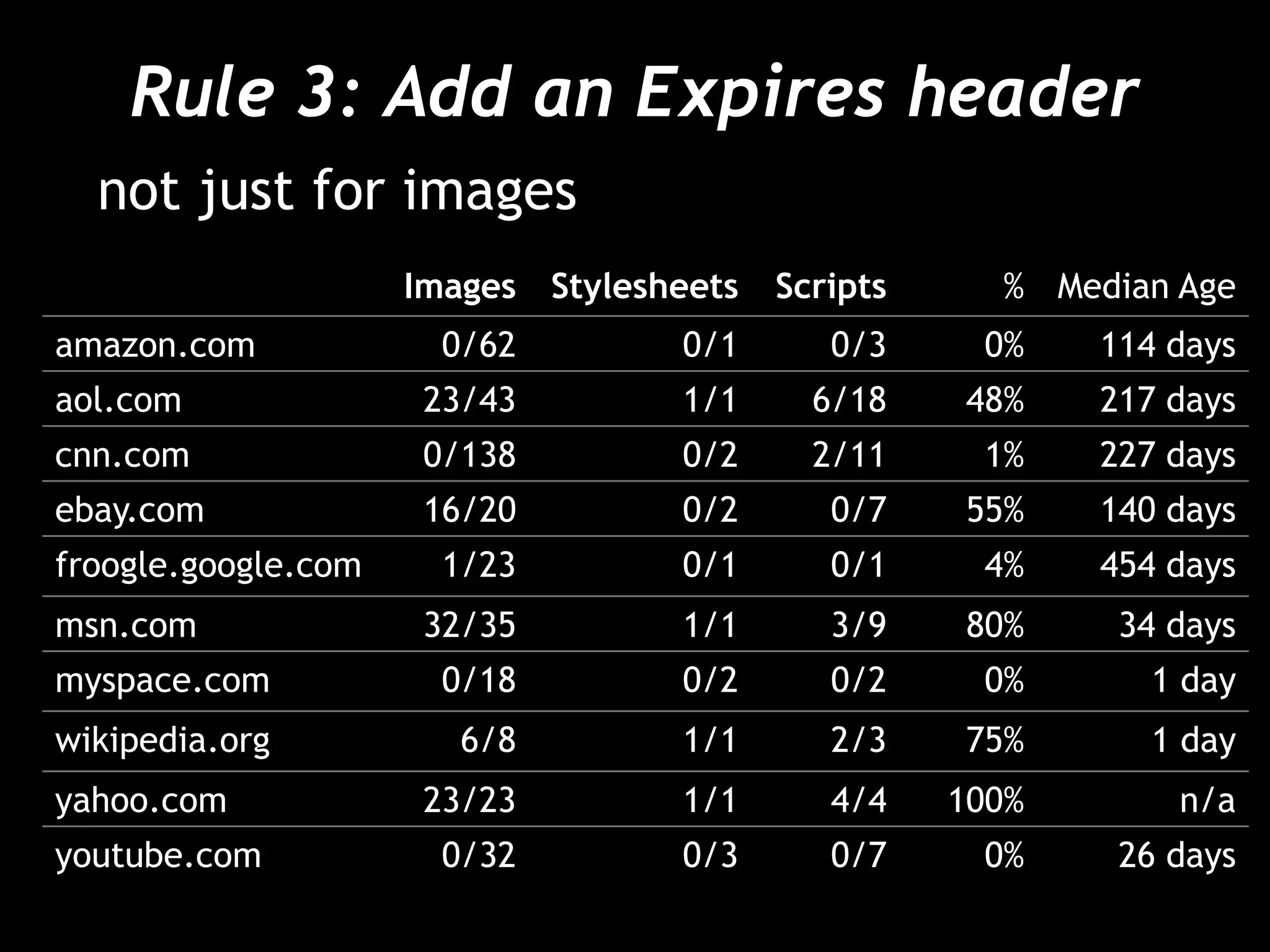
Rule 3: Add an Expires header
not just for images
Images Stylesheets Scripts % Median Age
amazon.com 0/62 0/1 0/3 0% 114 days
aol.com 23/43 1/1 6/18 48% 217 days
cnn.com 0/138 0/2 2/11 1% 227 days
ebay.com 16/20 0/2 0/7 55% 140 days
froogle.google.com 1/23 0/1 0/1 4% 454 days
msn.com 32/35 1/1 3/9 80% 34 days
myspace.com 0/18 0/2 0/2 0% 1 day
wikipedia.org 6/8 1/1 2/3 75% 1 day
yahoo.com 23/23 1/1 4/4 100% n/a
youtube.com 0/32 0/3 0/7 0% 26 days
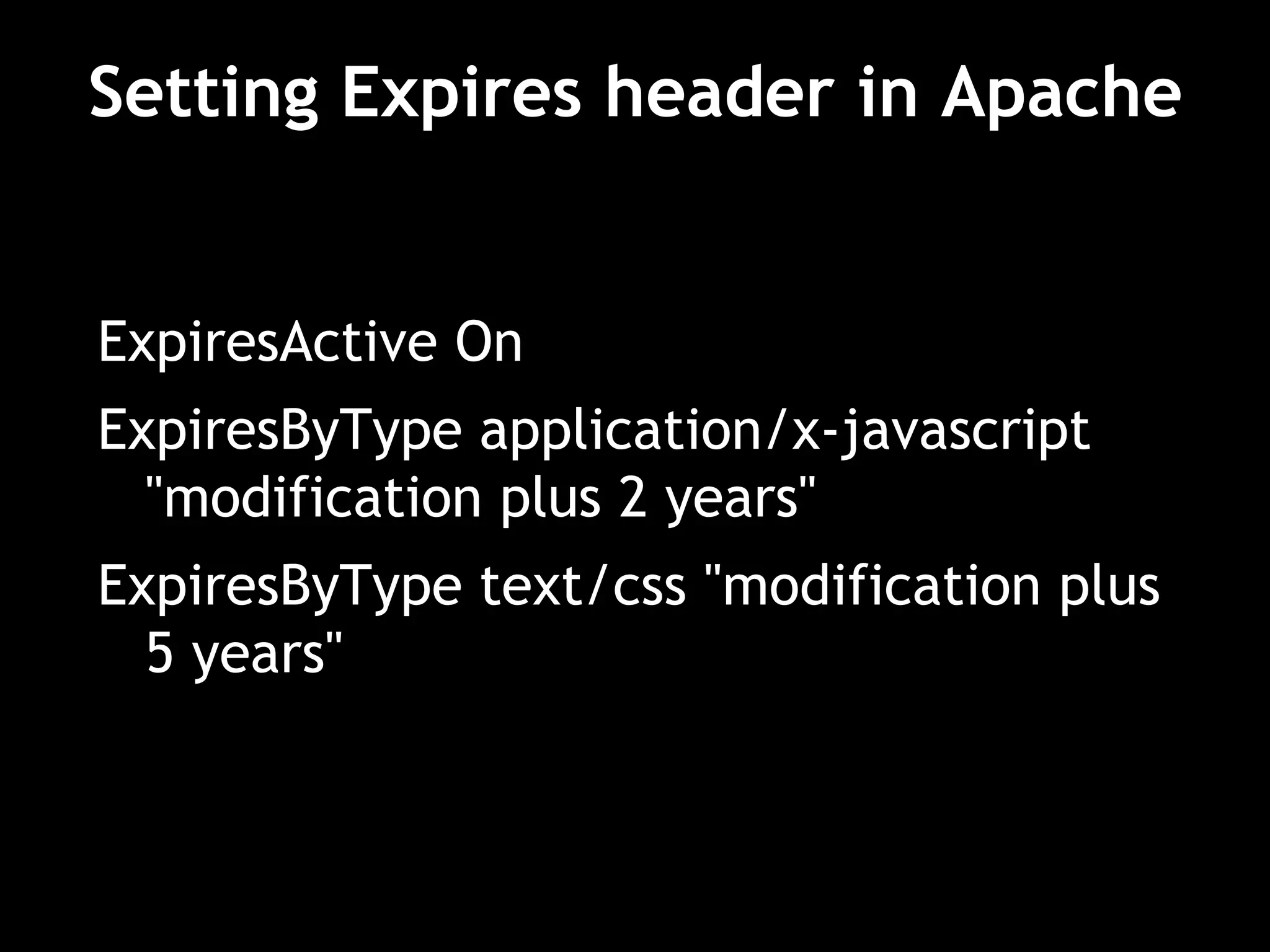
Setting Expires header in Apache
ExpiresActive On
ExpiresByType application/x-javascript
"modification plus 2 years"
ExpiresByType text/css "modification plus
5 years"
When modifing an asset?
• Modify the asset name (automatically)!
– Append an epoch timestamp to the file
name, e.g. img_1185403733.png.
– Use the version number from your source
control system (cvs or svn for example),
e.g. img_1.1.png.
– Manually increment a number in the file
name (e.g. when you see a file named
img1.png, simply save the modified image
as img2.png).
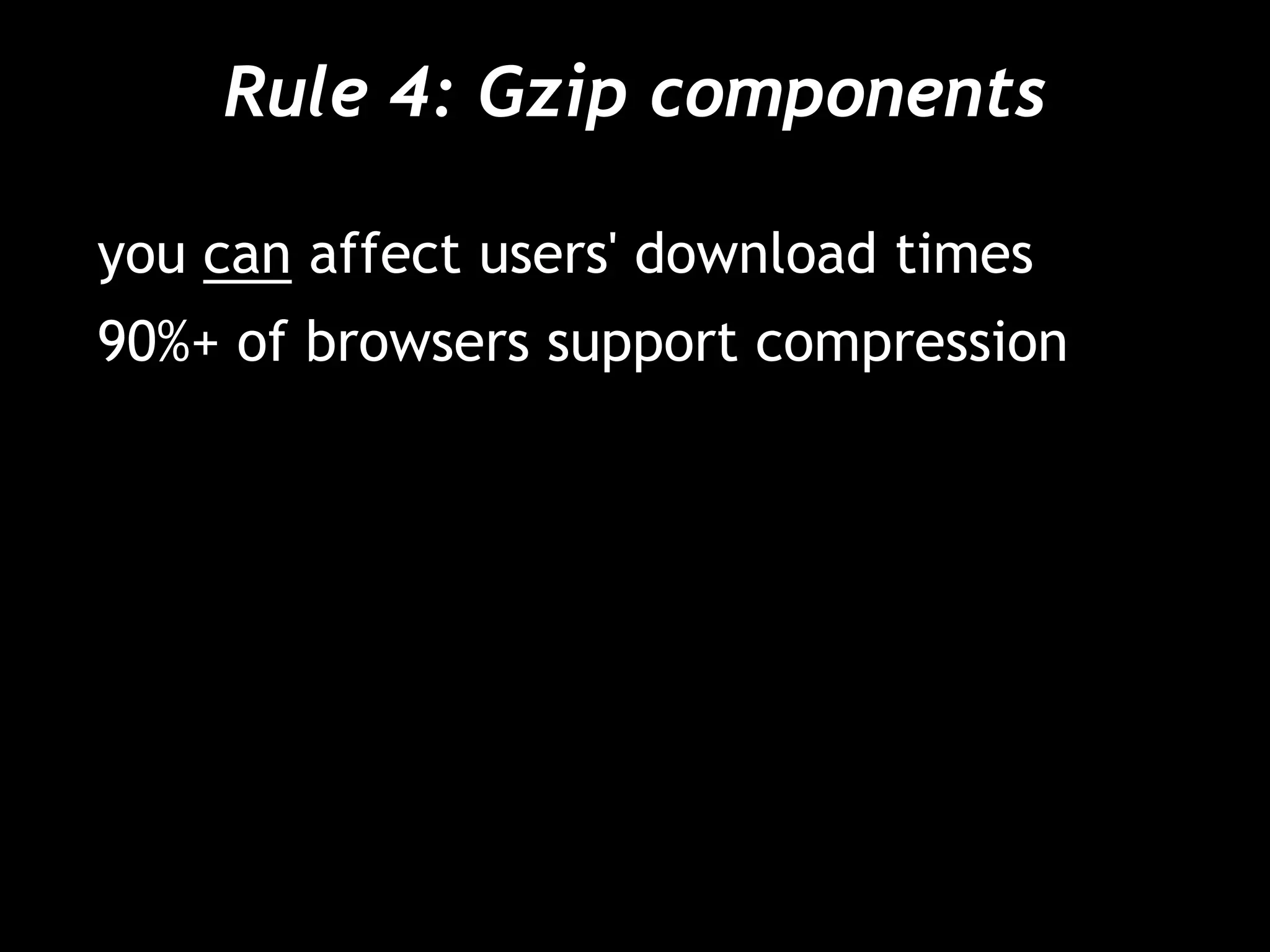
Rule 4: Gzip components
you can affect users' download times
90%+ of browsers support compression
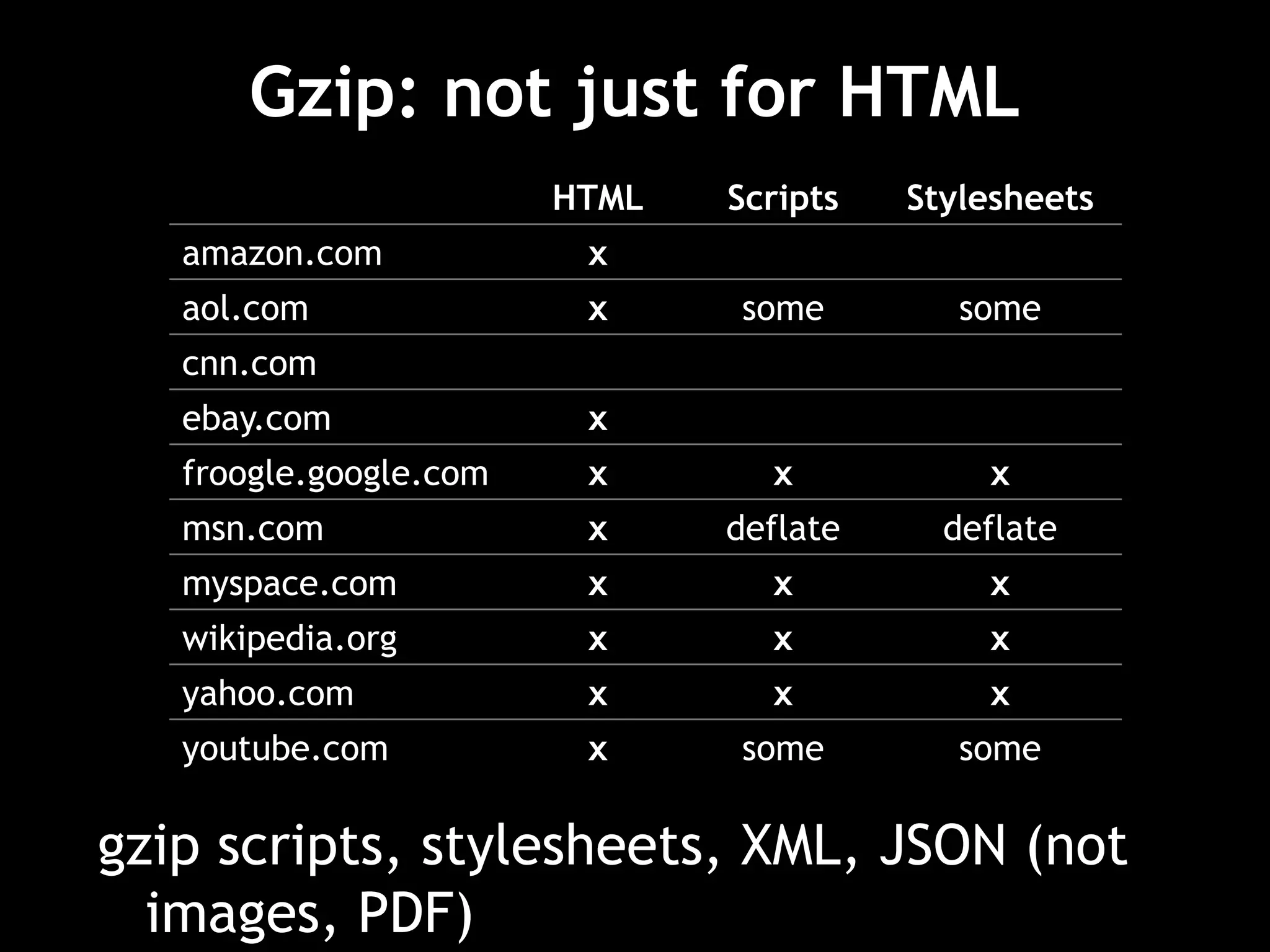
Gzip: not just for HTML
HTML Scripts Stylesheets
amazon.com x
aol.com x some some
cnn.com
ebay.com x
froogle.google.com x x x
msn.com x deflate deflate
myspace.com x x x
wikipedia.org x x x
yahoo.com x x x
youtube.com x some some
gzip scripts, stylesheets, XML, JSON (not
images, PDF)
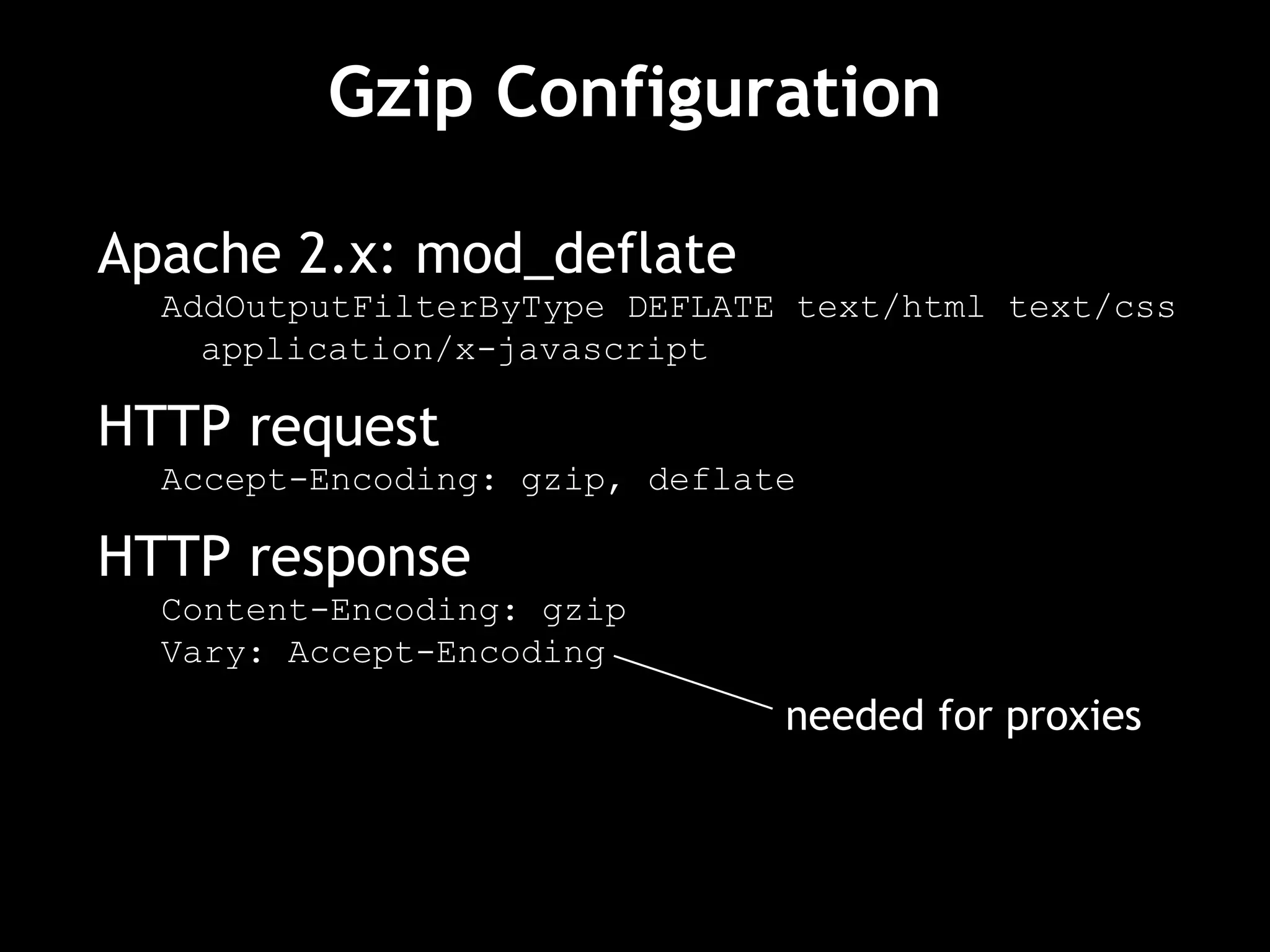
Gzip Configuration
Apache 2.x: mod_deflate
AddOutputFilterByType DEFLATE text/html text/css
application/x-javascript
HTTP request
Accept-Encoding: gzip, deflate
HTTP response
Content-Encoding: gzip
Vary: Accept-Encoding
needed for proxies
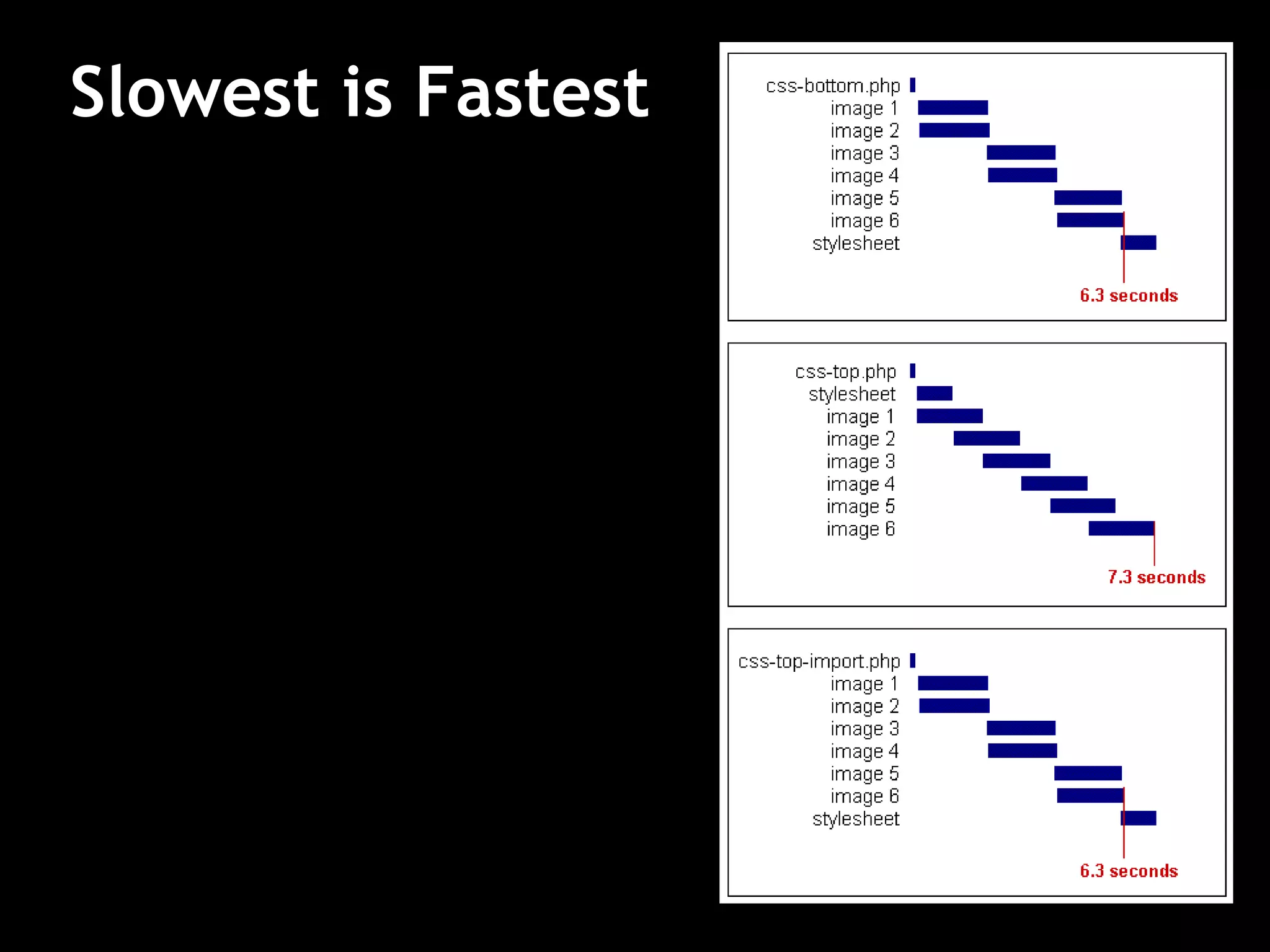
Rule 5: Put CSS at the top
stylesheets block rendering in IE
http://stevesouders.com/examples/css-bottom.php
solution: put stylesheets in HEAD (per spec)
avoids Flash of Unstyled Content
use LINK (not @import)
Slowest is Fastest
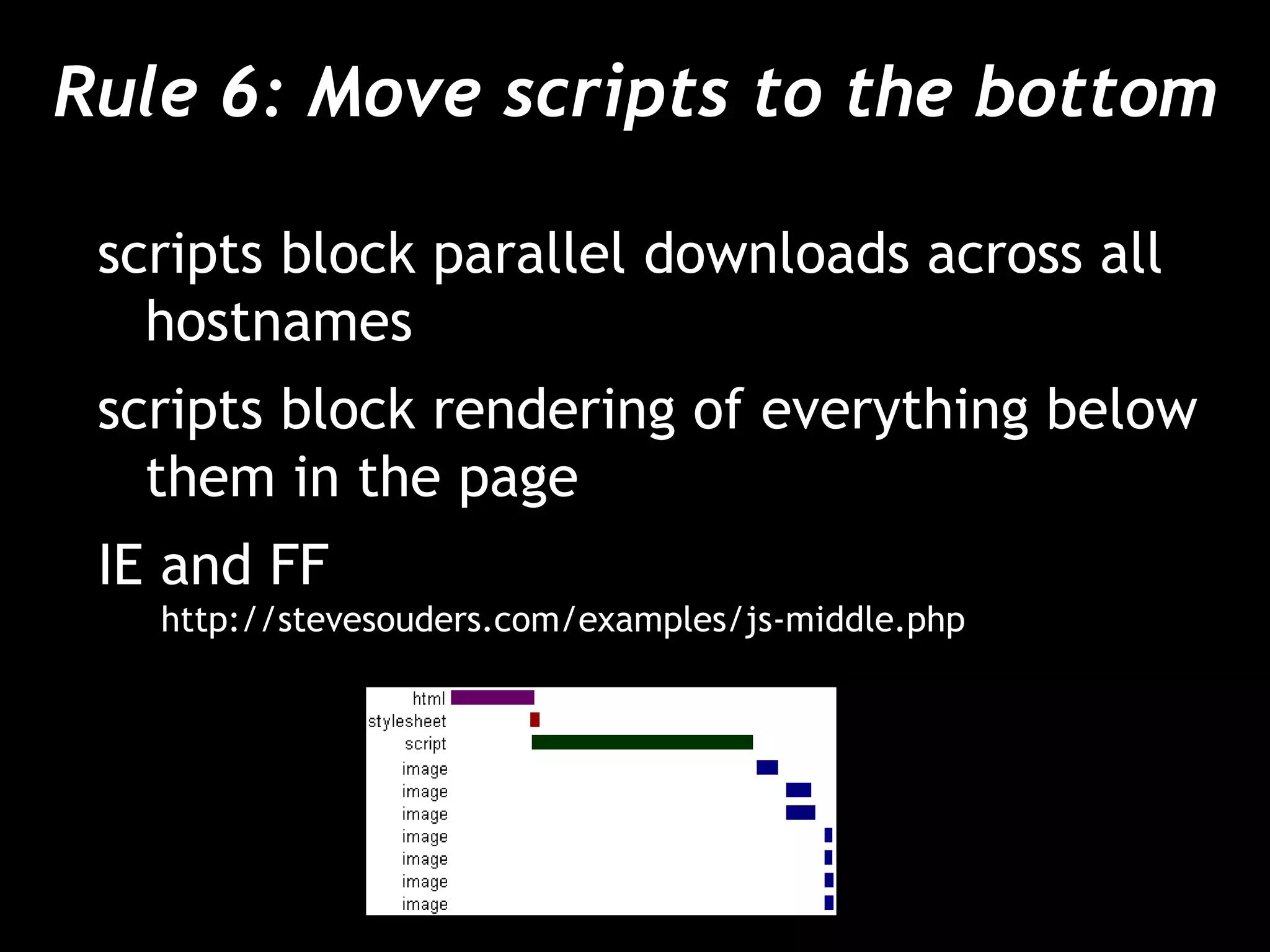
Rule 6: Move scripts to the bottom
scripts block parallel downloads across all
hostnames
scripts block rendering of everything below
them in the page
IE and FF
http://stevesouders.com/examples/js-middle.php
Rule 6: Move scripts to the bottom
script defer attribute is not a solution
– blocks rendering and downloads in FF
– slight blocking in IE
solution: move them as low in the page as
possible
Rule 7: Avoid CSS expressions
used to set CSS properties dynamically in IE
width: expression(
document.body.clientWidth < 600 ?
“600px” : “auto” );
problem: expressions execute many times
– mouse move, key press, resize, scroll, etc.
http://stevesouders.com/examples/expression-counter.php
Rule 8: Make JS and CSS external
inline: HTML document is bigger
external: more HTTP requests, but cached
variables
– page views per user (per session)
– empty vs. full cache stats
– component re-use
external is typically better
– home pages may be an exception
Post-Onload Download
inline in front page
download external files after onload
window.onload = downloadComponents;
function downloadComponents() {
var elem = document.createElement("script");
elem.src = "http://.../file1.js";
document.body.appendChild(elem);
...
}
speeds up secondary pages
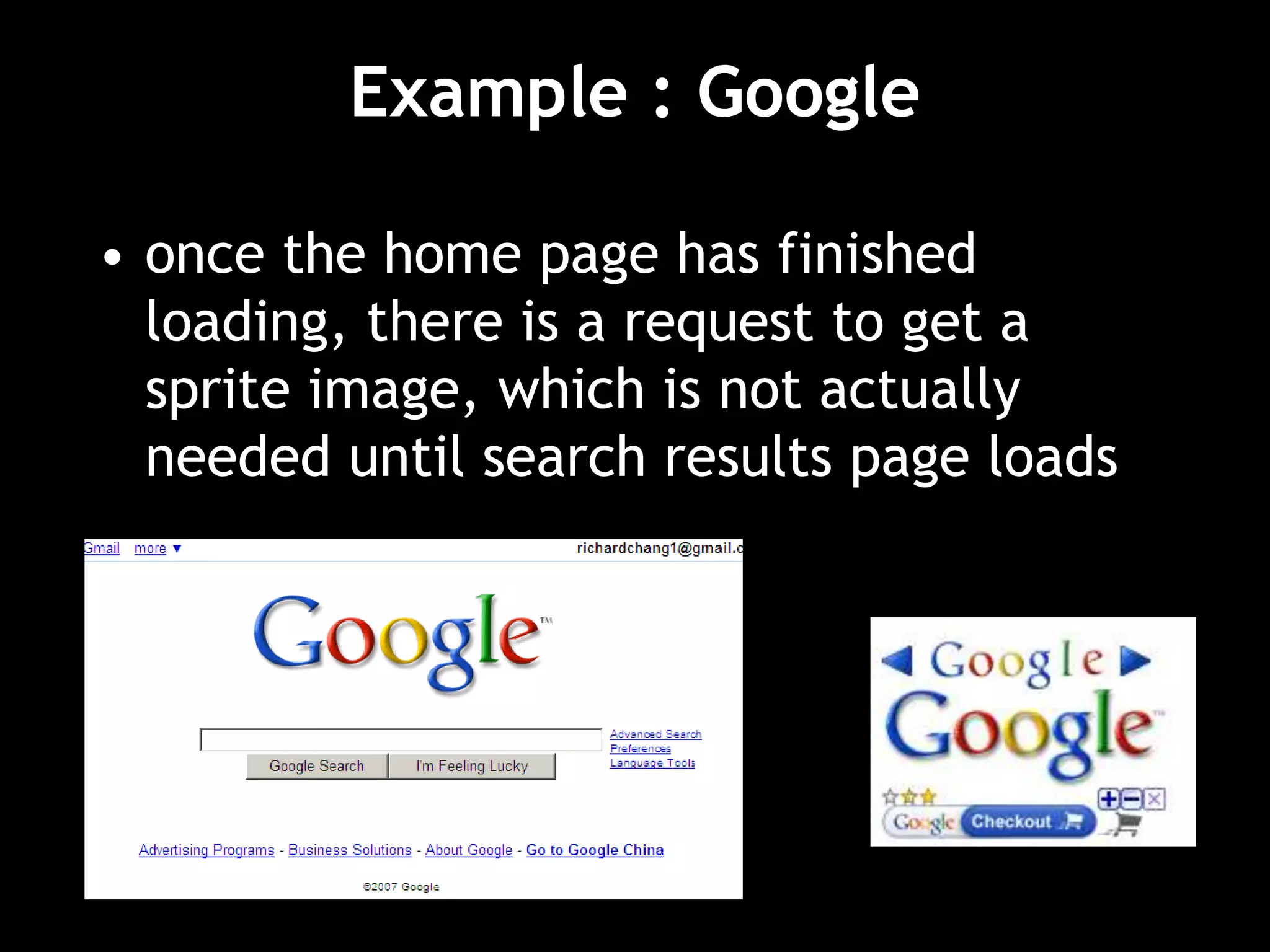
Example : Google
• once the home page has finished
loading, there is a request to get a
sprite image, which is not actually
needed until search results page loads
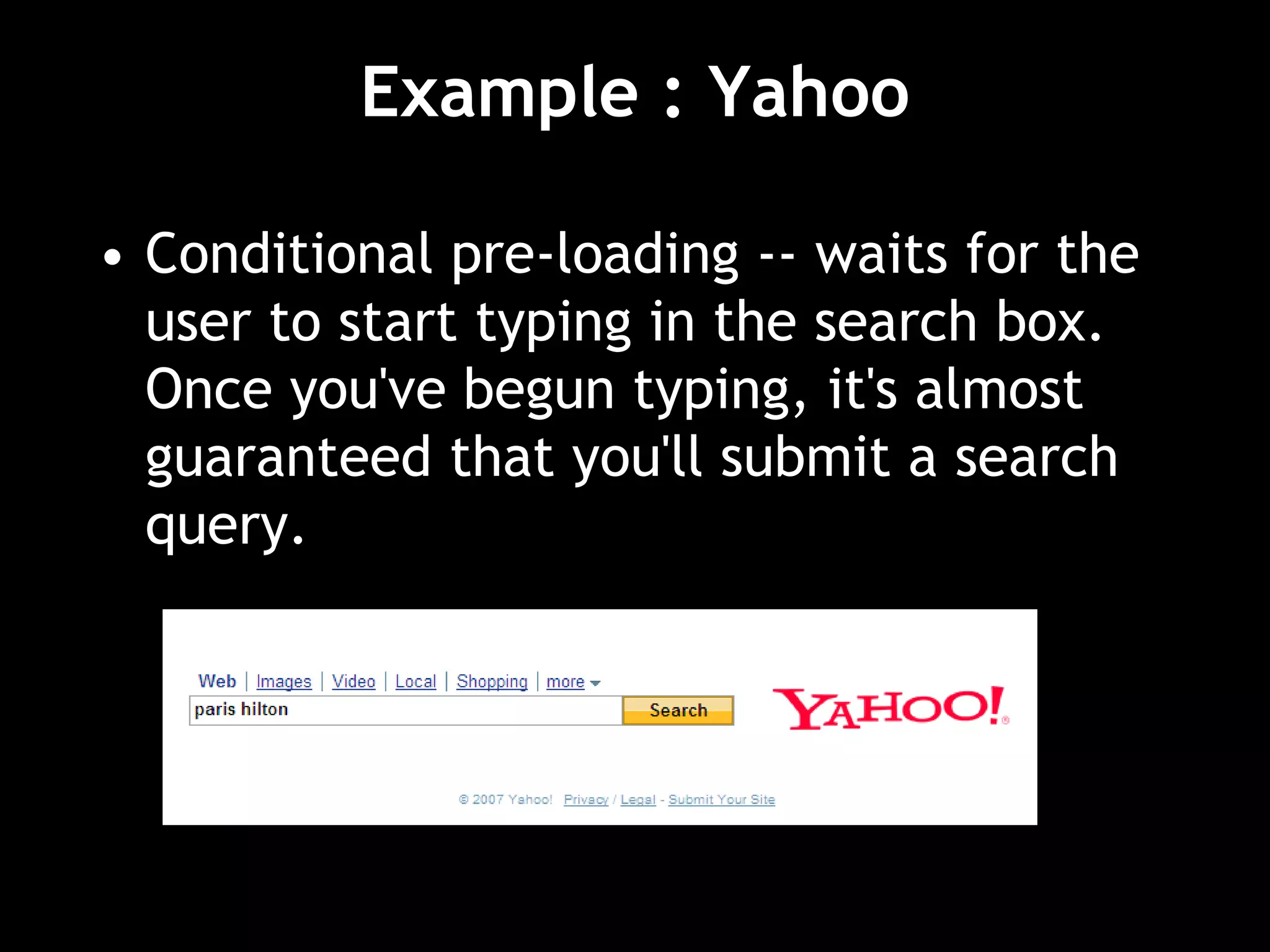
Example : Yahoo
• Conditional pre-loading -- waits for the
user to start typing in the search box.
Once you've begun typing, it's almost
guaranteed that you'll submit a search
query.
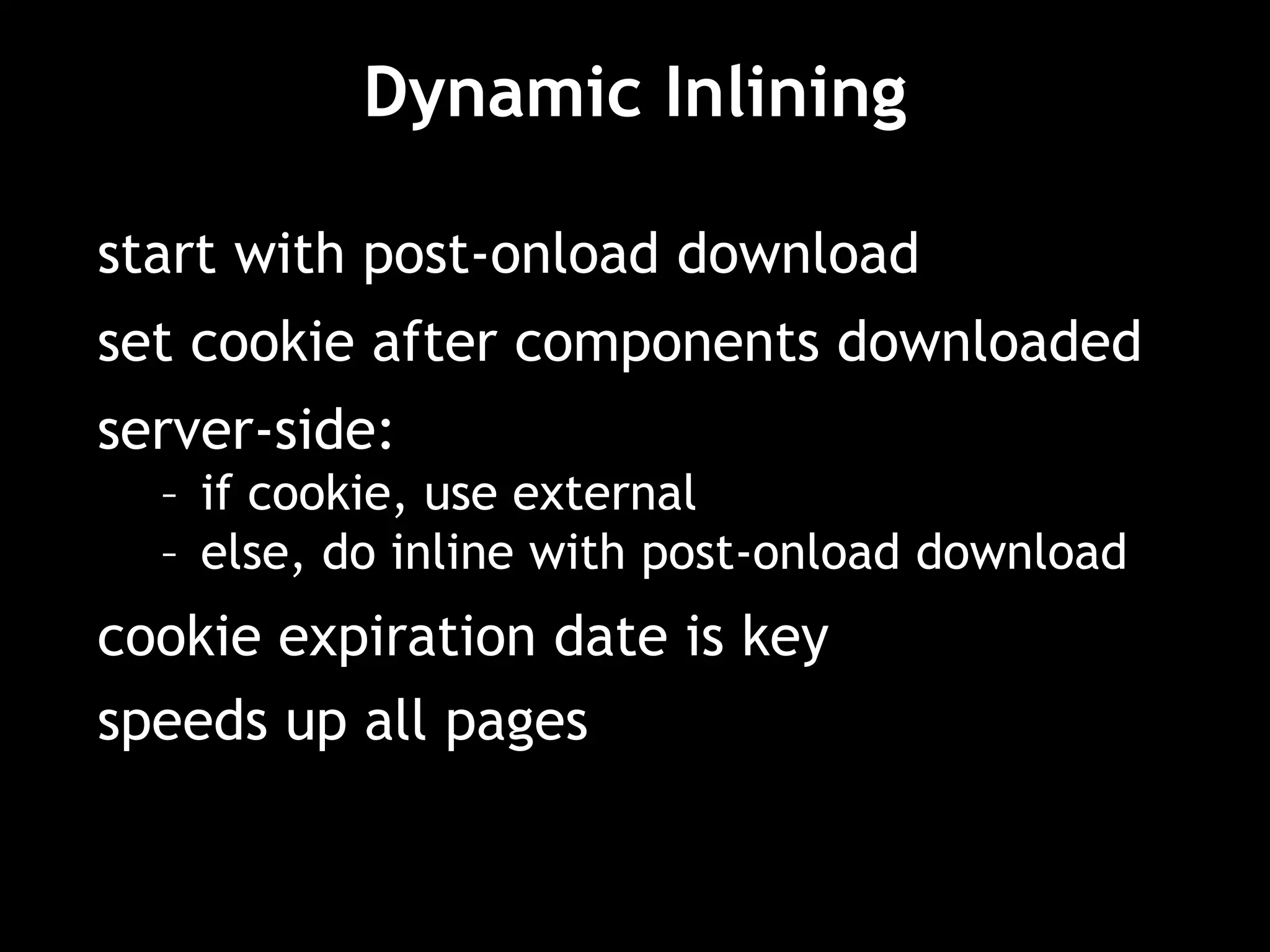
Dynamic Inlining
start with post-onload download
set cookie after components downloaded
server-side:
– if cookie, use external
– else, do inline with post-onload download
cookie expiration date is key
speeds up all pages
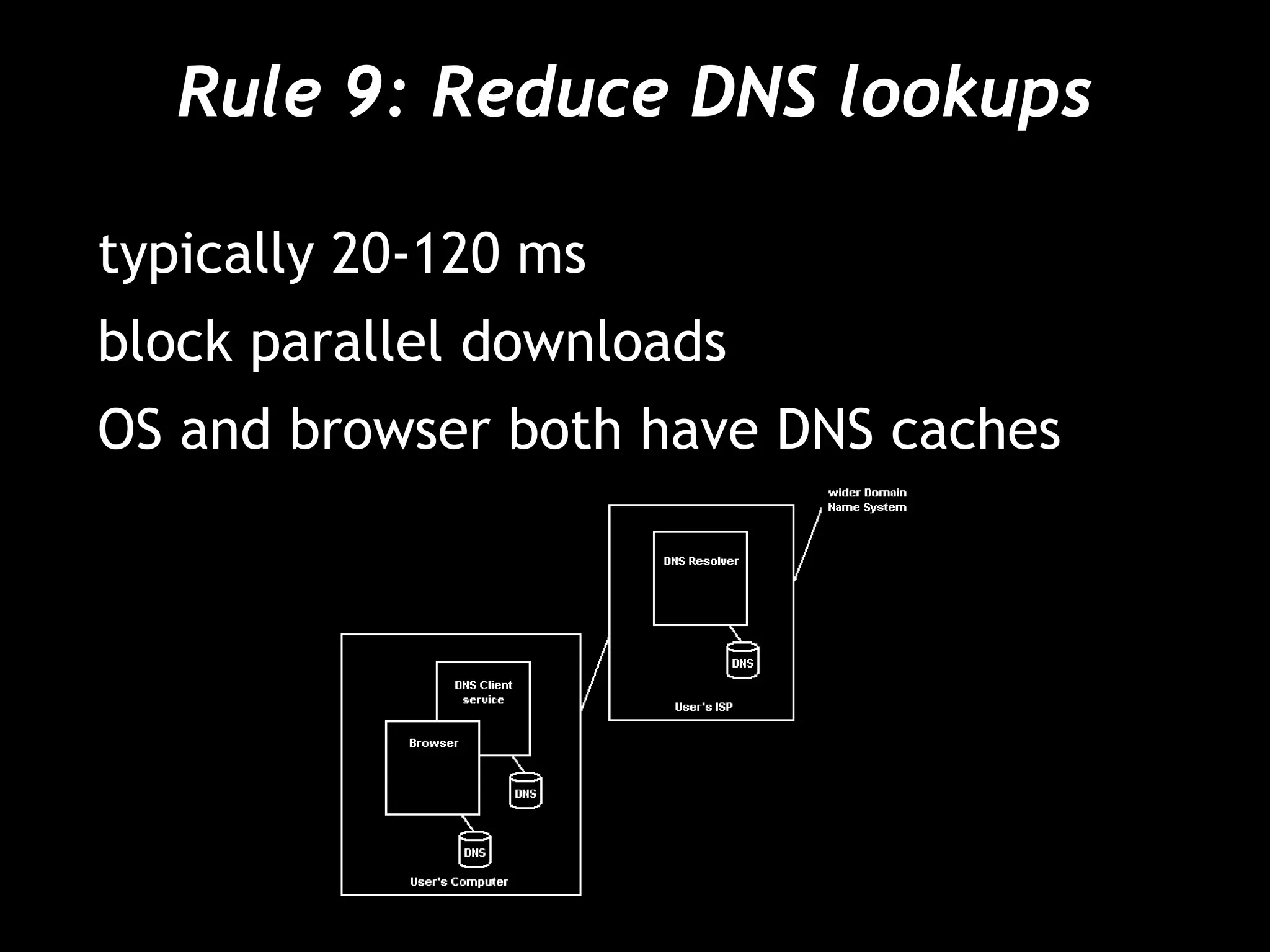
Rule 9: Reduce DNS lookups
typically 20-120 ms
block parallel downloads
OS and browser both have DNS caches
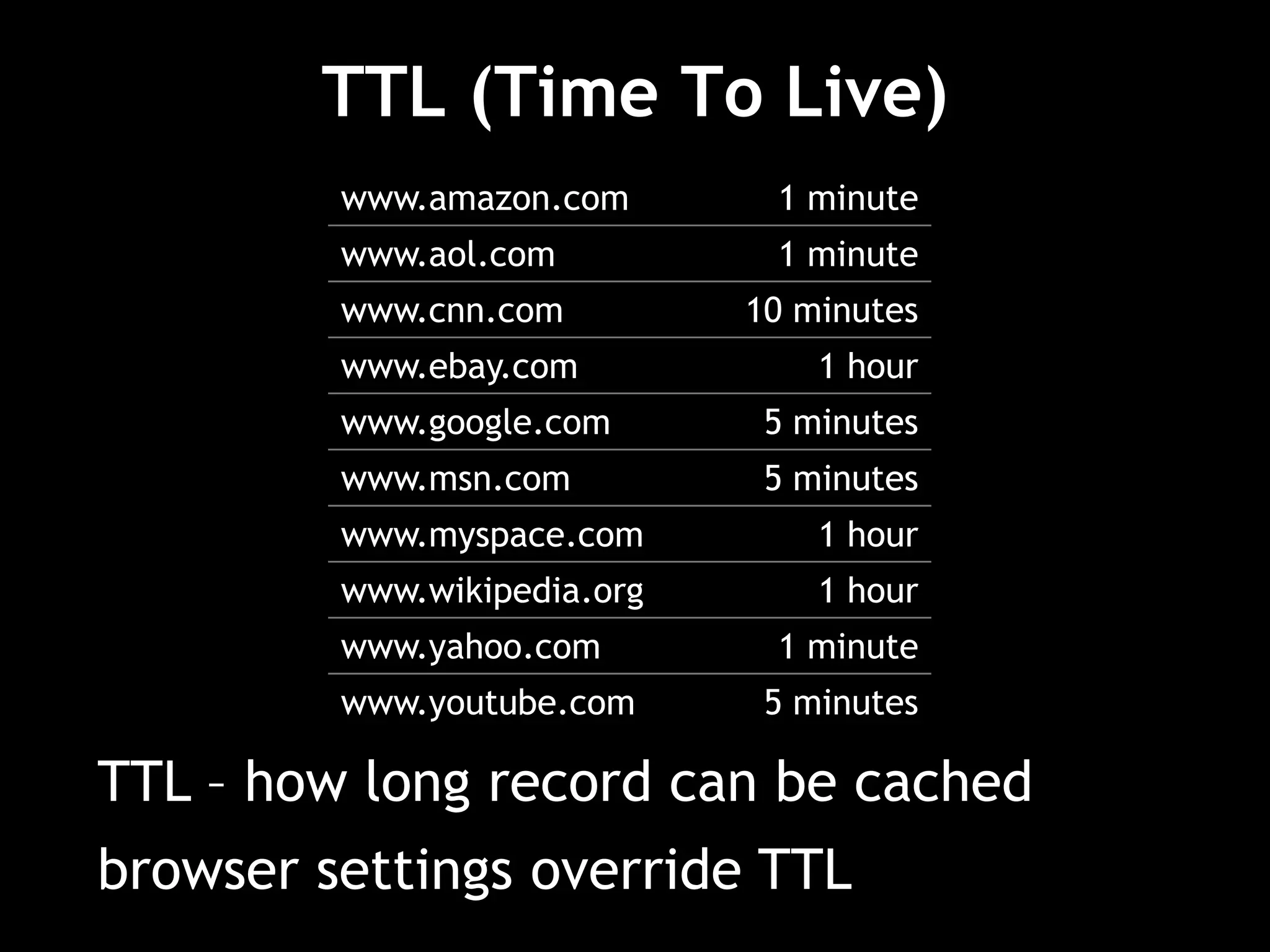
TTL (Time To Live)
www.amazon.com 1 minute
www.aol.com 1 minute
www.cnn.com 10 minutes
www.ebay.com 1 hour
www.google.com 5 minutes
www.msn.com 5 minutes
www.myspace.com 1 hour
www.wikipedia.org 1 hour
www.yahoo.com 1 minute
www.youtube.com 5 minutes
TTL – how long record can be cached
browser settings override TTL
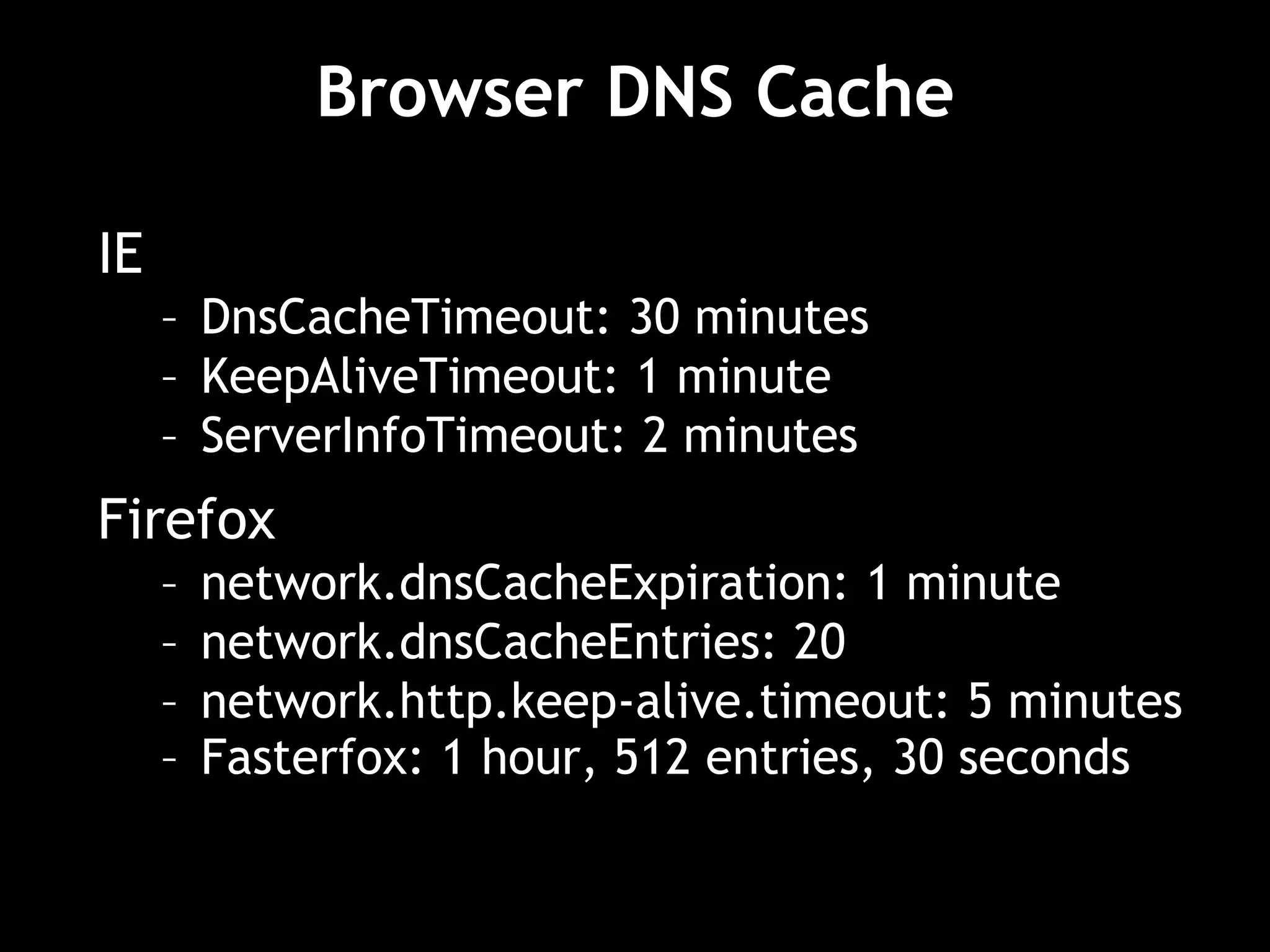
Browser DNS Cache
IE
– DnsCacheTimeout: 30 minutes
– KeepAliveTimeout: 1 minute
– ServerInfoTimeout: 2 minutes
Firefox
– network.dnsCacheExpiration: 1 minute
– network.dnsCacheEntries: 20
– network.http.keep-alive.timeout: 5 minutes
– Fasterfox: 1 hour, 512 entries, 30 seconds
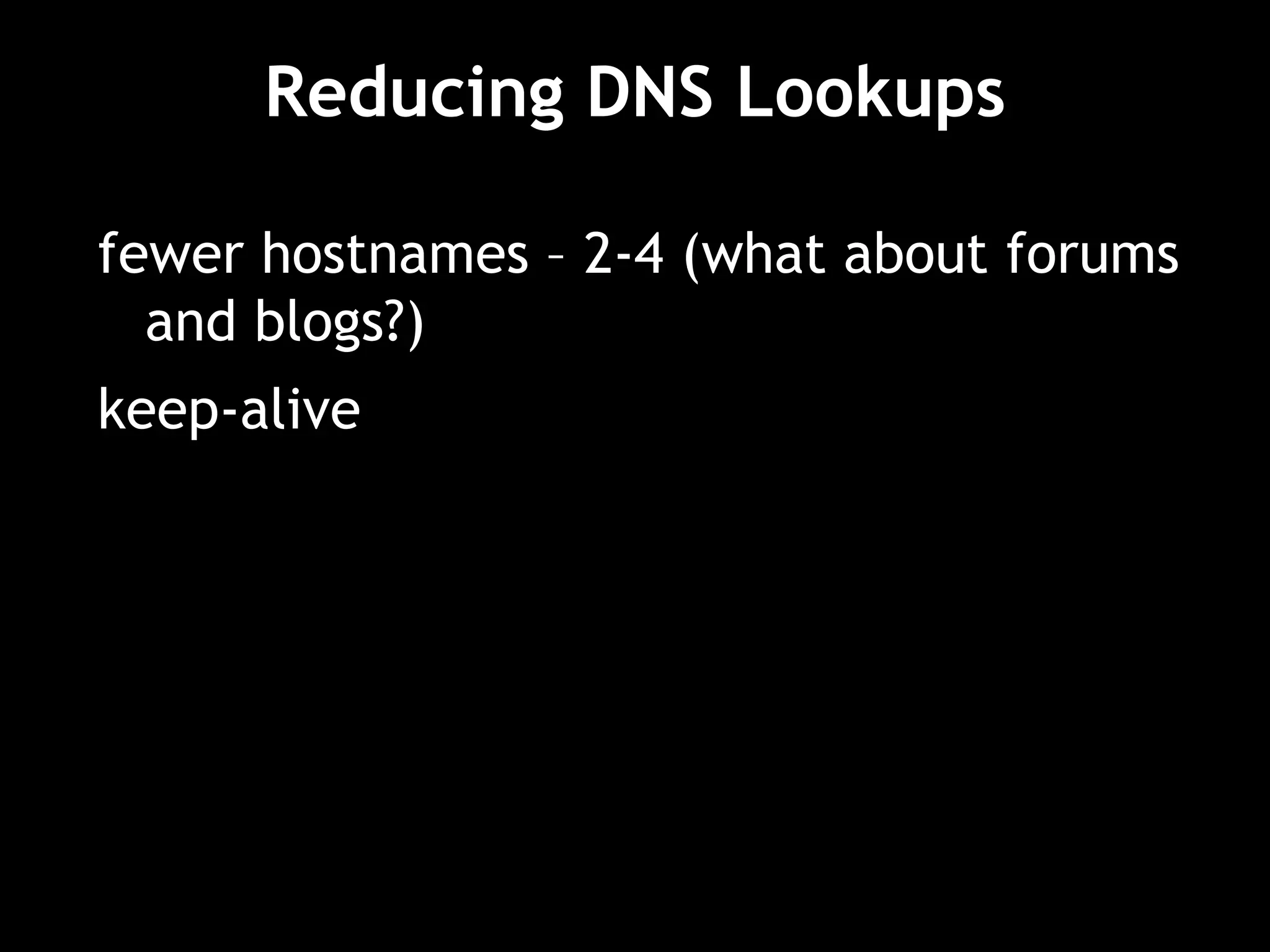
Reducing DNS Lookups
fewer hostnames – 2-4 (what about forums
and blogs?)
keep-alive
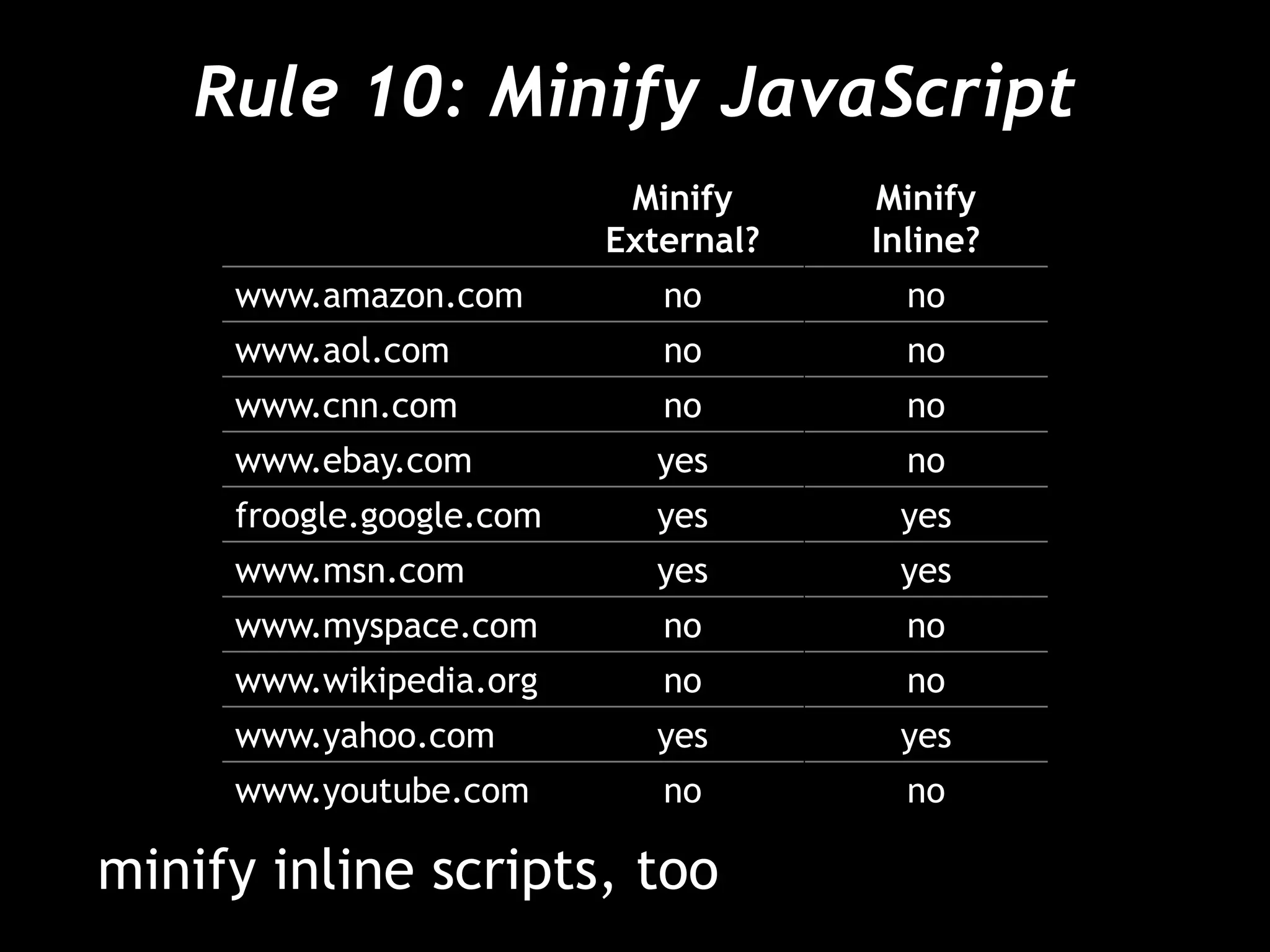
Rule 10: Minify JavaScript
Minify
External?
Minify
Inline?
www.amazon.com no no
www.aol.com no no
www.cnn.com no no
www.ebay.com yes no
froogle.google.com yes yes
www.msn.com yes yes
www.myspace.com no no
www.wikipedia.org no no
www.yahoo.com yes yes
www.youtube.com no no
minify inline scripts, too
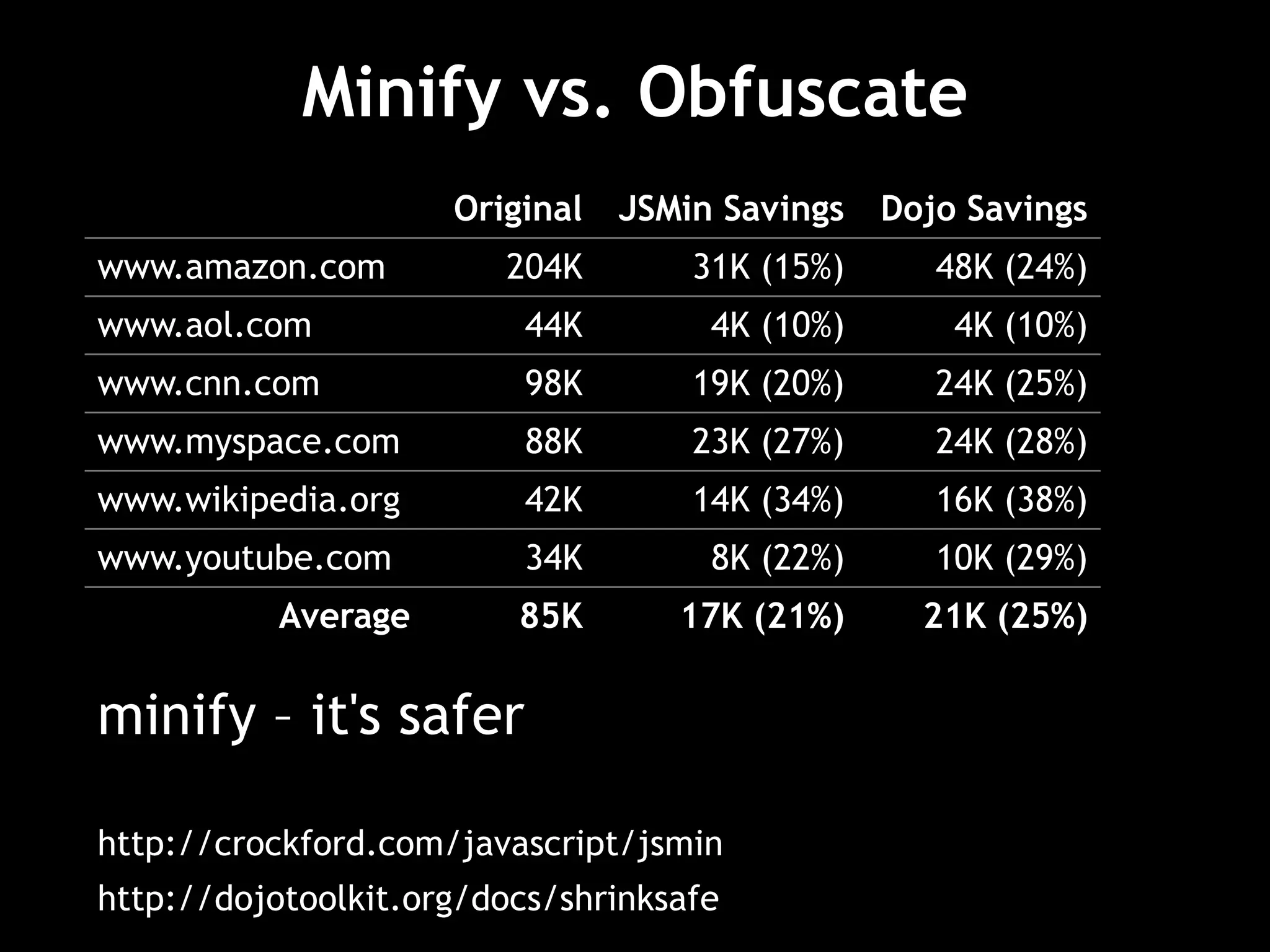
Minify vs. Obfuscate
Original JSMin Savings Dojo Savings
www.amazon.com 204K 31K (15%) 48K (24%)
www.aol.com 44K 4K (10%) 4K (10%)
www.cnn.com 98K 19K (20%) 24K (25%)
www.myspace.com 88K 23K (27%) 24K (28%)
www.wikipedia.org 42K 14K (34%) 16K (38%)
www.youtube.com 34K 8K (22%) 10K (29%)
Average 85K 17K (21%) 21K (25%)
minify – it's safer
http://crockford.com/javascript/jsmin
http://dojotoolkit.org/docs/shrinksafe
Rule 11: Avoid redirects
3xx status codes – mostly 301 and 302
HTTP/1.1 301 Moved Permanently
Location: http://stevesouders.com/newuri
add Expires headers to cache redirects
worst form of blocking
http://www.w3.org/Protocols/rfc2616/rfc2616-sec10.html
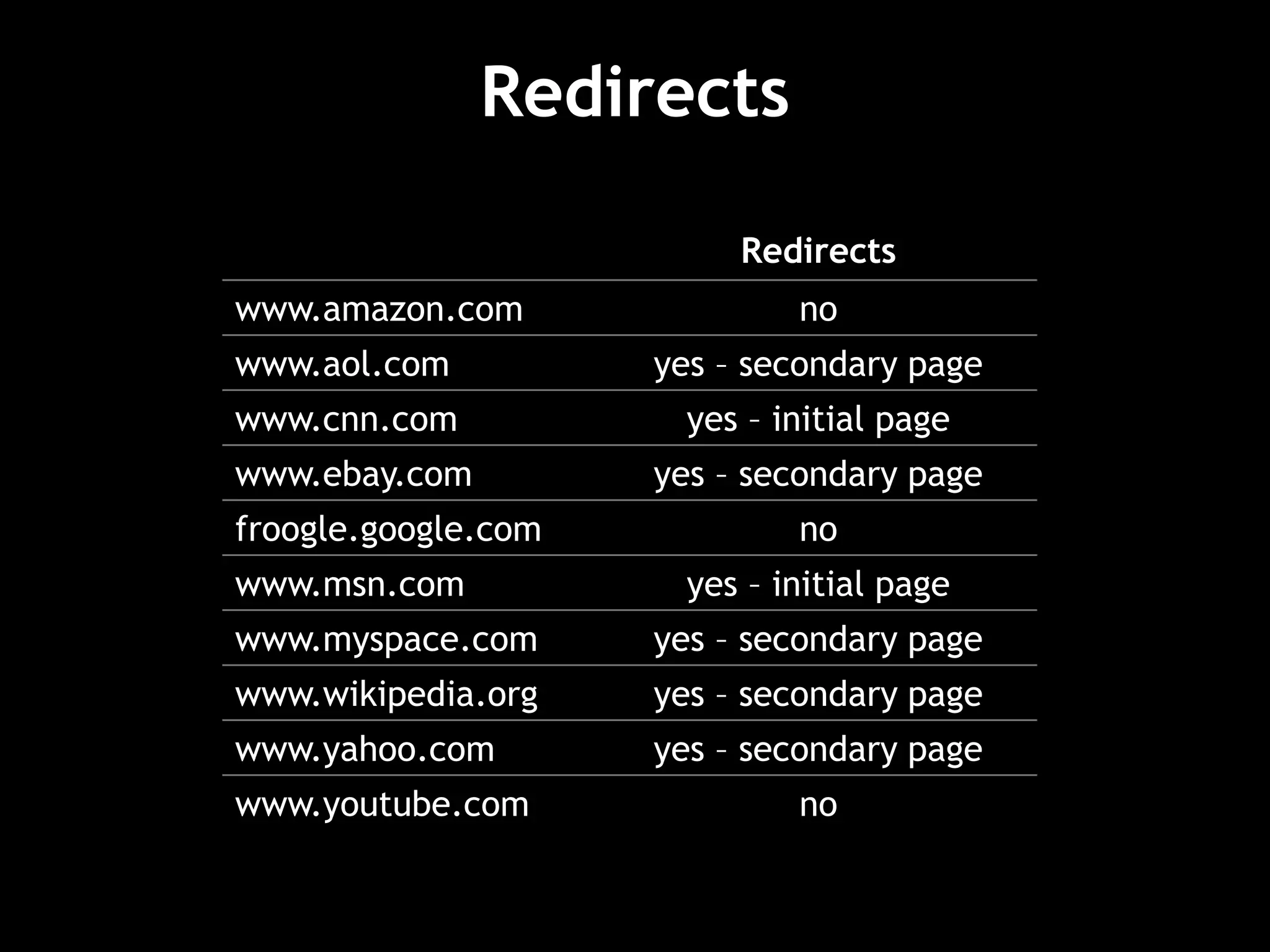
Redirects
Redirects
www.amazon.com no
www.aol.com yes – secondary page
www.cnn.com yes – initial page
www.ebay.com yes – secondary page
froogle.google.com no
www.msn.com yes – initial page
www.myspace.com yes – secondary page
www.wikipedia.org yes – secondary page
www.yahoo.com yes – secondary page
www.youtube.com no
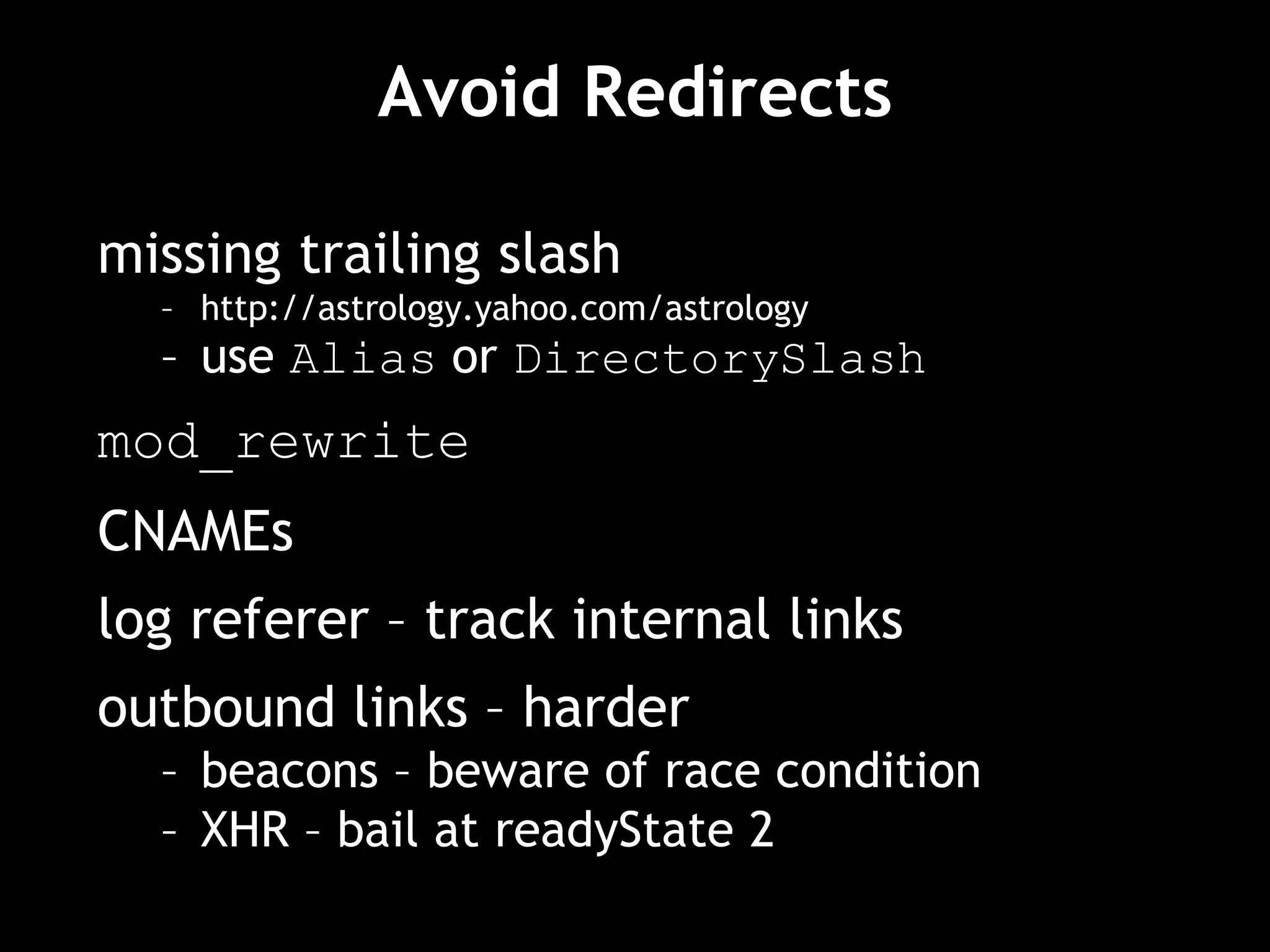
Avoid Redirects
missing trailing slash
– http://astrology.yahoo.com/astrology
– use Alias or DirectorySlash
mod_rewrite
CNAMEs
log referer – track internal links
outbound links – harder
– beacons – beware of race condition
– XHR – bail at readyState 2
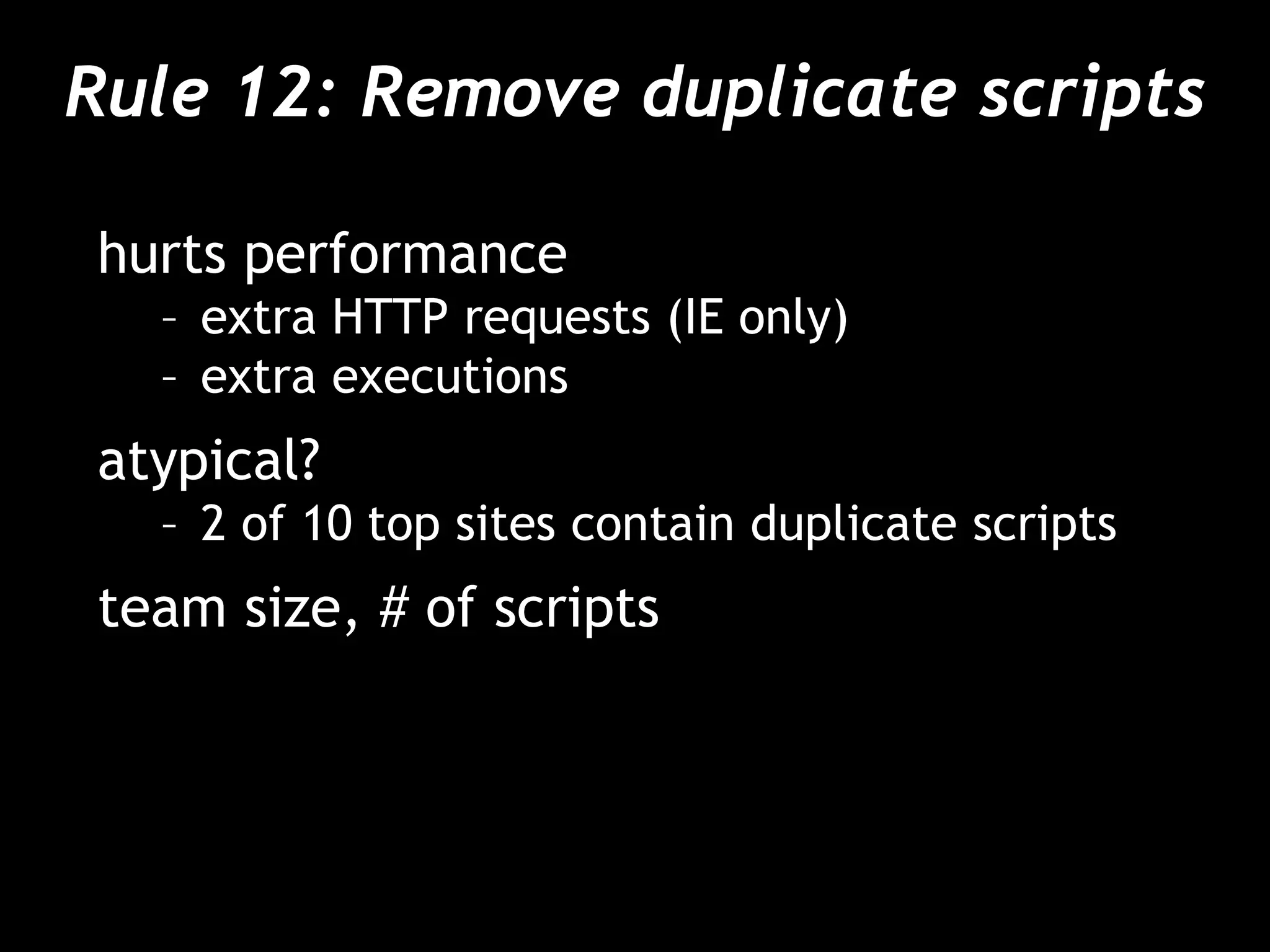
Rule 12: Remove duplicate scripts
hurts performance
– extra HTTP requests (IE only)
– extra executions
atypical?
– 2 of 10 top sites contain duplicate scripts
team size, # of scripts
Script Insertion Functions
<?php
function insertScript($jsfile) {
if ( alreadyInserted($jsfile) ) { return; }
pushInserted($jsfile);
if ( hasDependencies($jsfile) ) {
$dependencies = getDependencies($jsfile);
for ( $i = 0; $i < count($dependencies); $i++ ) {
insertScript($dependencies[$i]);
}
}
echo '<script type="text/javascript" src="' .
getVersion($jsfile) . '"></script>";
}
?>
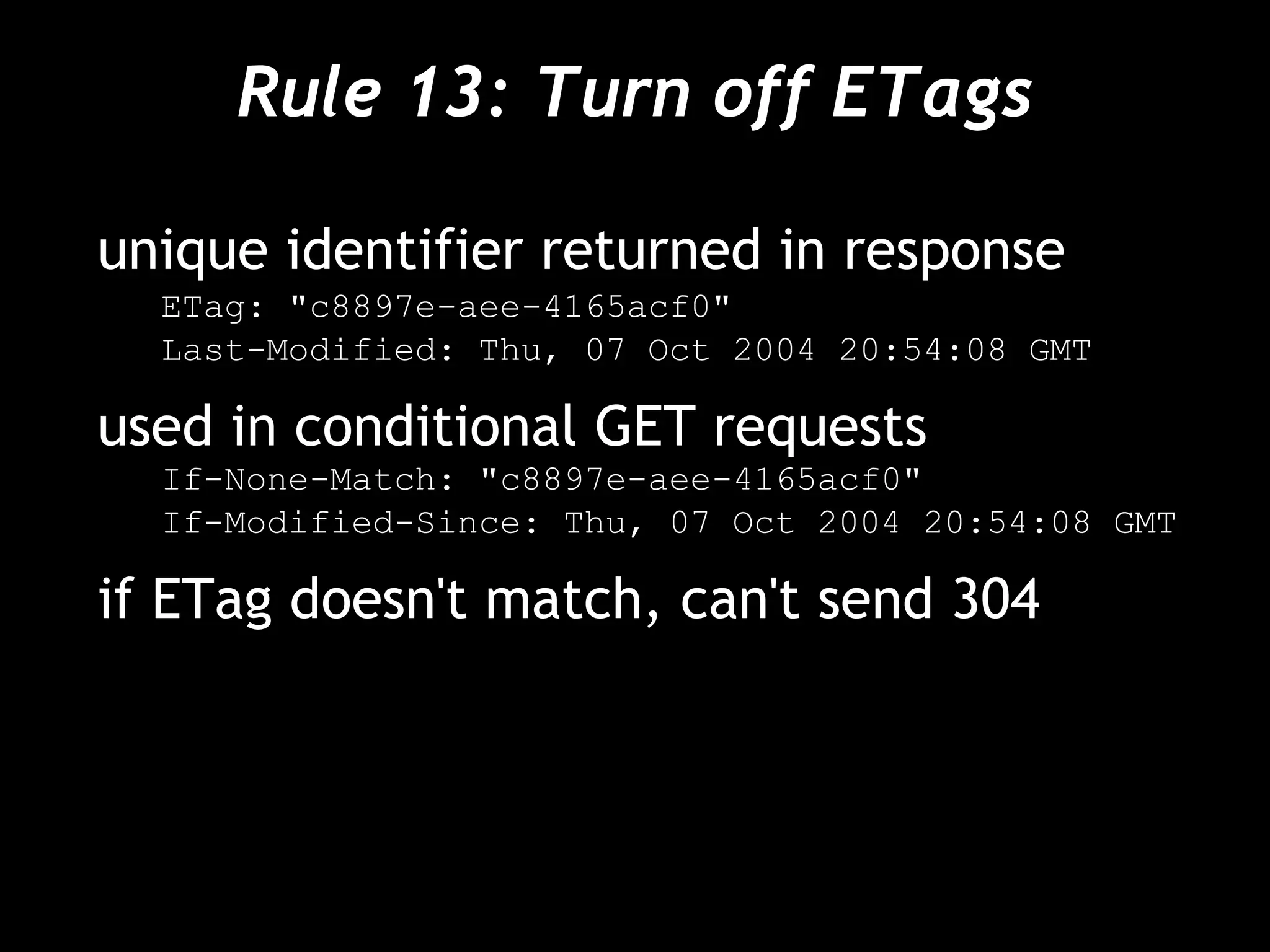
Rule 13: Turn off ETags
unique identifier returned in response
ETag: "c8897e-aee-4165acf0"
Last-Modified: Thu, 07 Oct 2004 20:54:08 GMT
used in conditional GET requests
If-None-Match: "c8897e-aee-4165acf0"
If-Modified-Since: Thu, 07 Oct 2004 20:54:08 GMT
if ETag doesn't match, can't send 304
The Problem with ETags
ETag for a single entity is always different
across servers
ETag format
– Apache: inode-size-timestamp
– IIS: Filetimestamp:ChangeNumber
Sites with >1 server return too few 304s
– (n-1)/n
Remove them
– Apache: FileETag none
– IIS: http://support.microsoft.com/kb/922703/
Rule 14: Make AJAX cacheable
and small
XHR, JSON, iframe, dynamic scripts can
still be cached, minified, and gzipped
a personalized response should still be
cacheable by that person
AJAX Example: Yahoo! Mail Beta
address book XML request
→ GET /yab/[...]&r=0.5289571053069156 HTTP/1.1
Host: us.xxx.mail.yahoo.com
← HTTP/1.1 200 OK
Date: Thu, 12 Apr 2007 19:39:09 GMT
Cache-Control: private,max-age=0
Last-Modified: Sat, 31 Mar 2007 01:17:17 GMT
Content-Type: text/xml; charset=utf-8
Content-Encoding: gzip
address book changes infrequently
– cache it; add last-modified-time in URL
Live Analysis
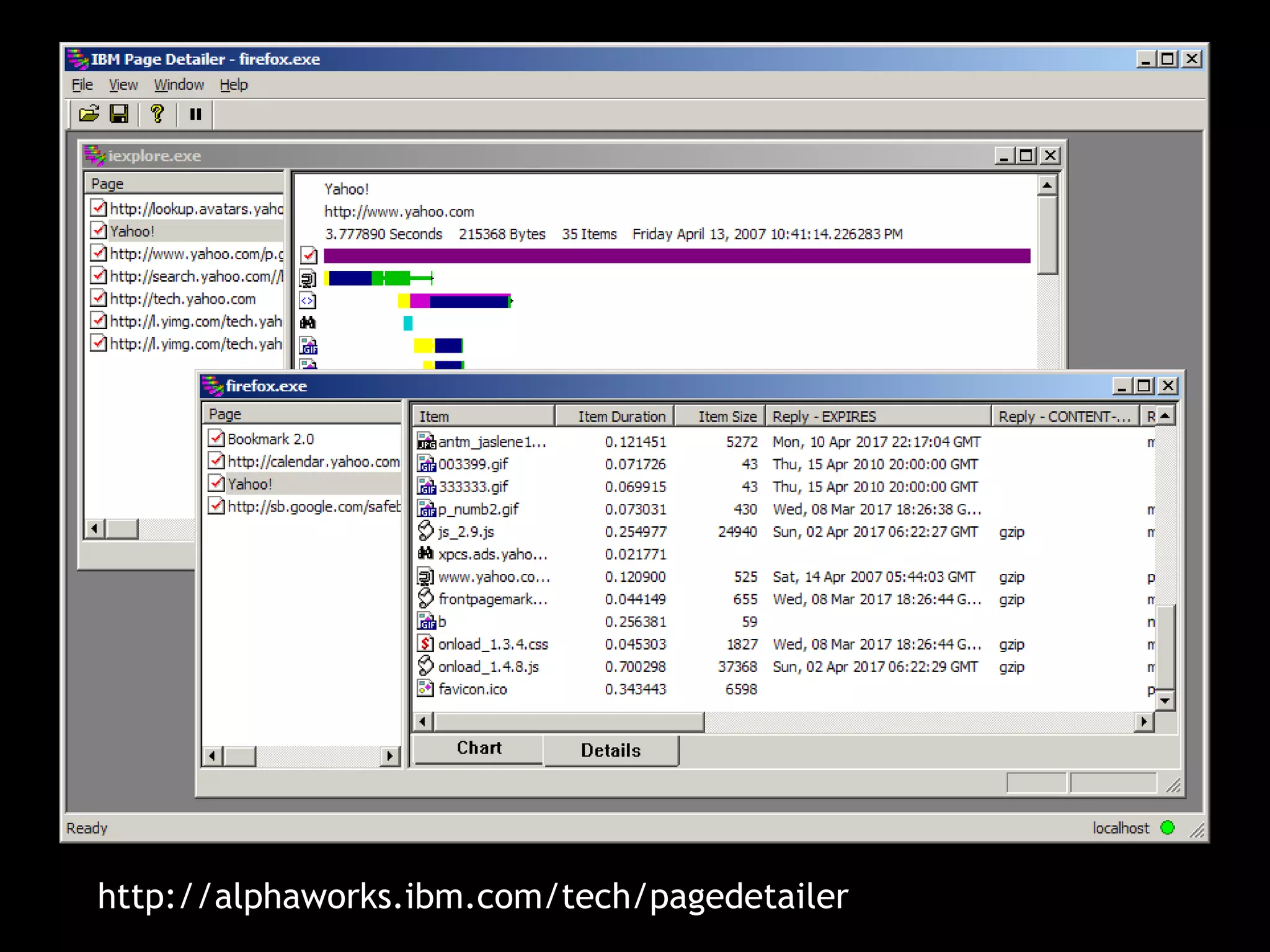
IBM Page Detailer
packet sniffer
Windows only
IE, FF, any .exe
c:windowswd_WS2s.ini
Executable=(NETSCAPE.EXE),(NETSCP6.EXE),(firefox.exe)
free trial, $300 license
http://alphaworks.ibm.com/tech/pagedetailer
Fasterfox
measures load time of pages
alters config settings for faster loading
Firefox extension
free
http://fasterfox.mozdev.org/
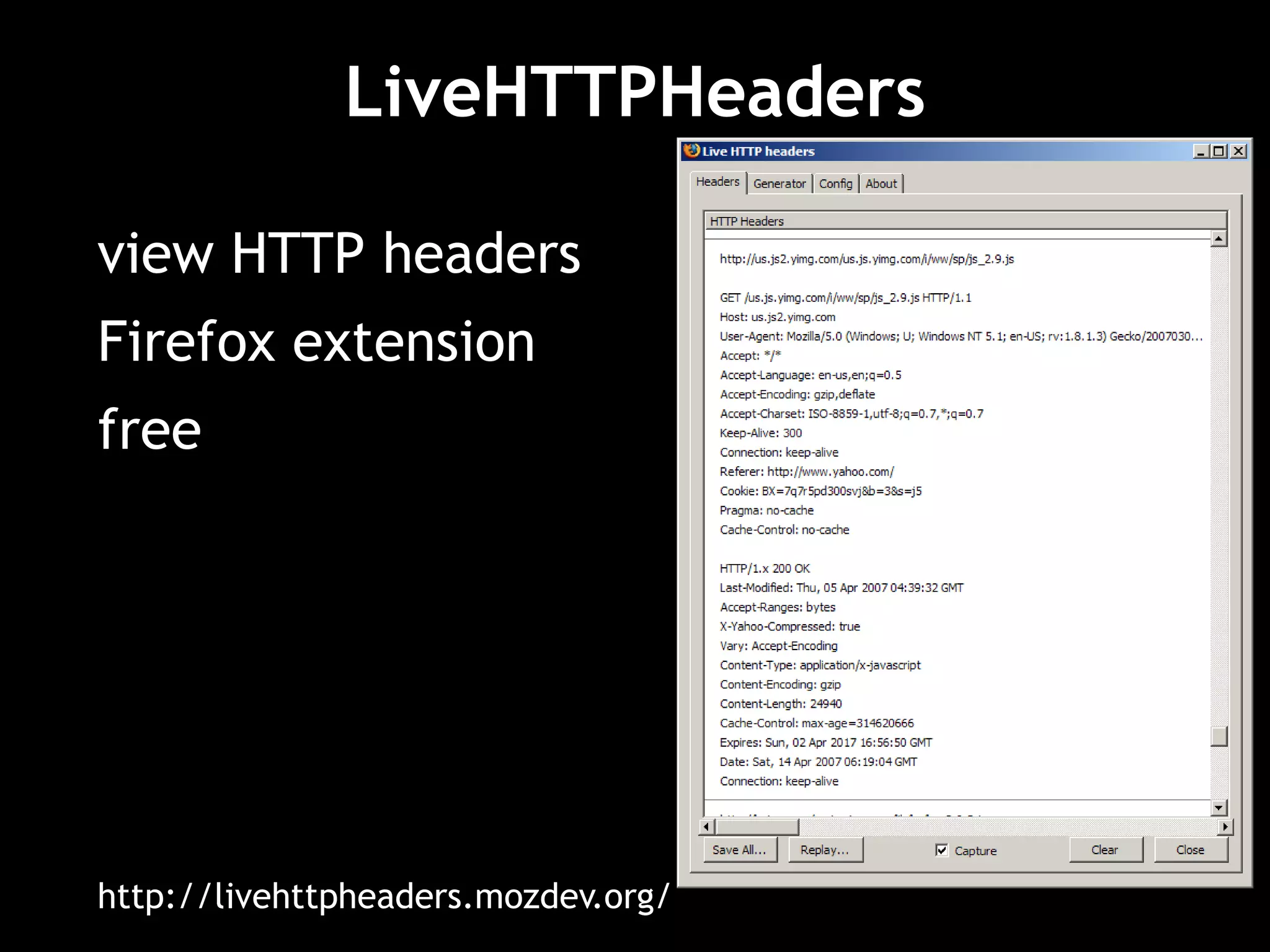
LiveHTTPHeaders
view HTTP headers
Firefox extension
free
http://livehttpheaders.mozdev.org/
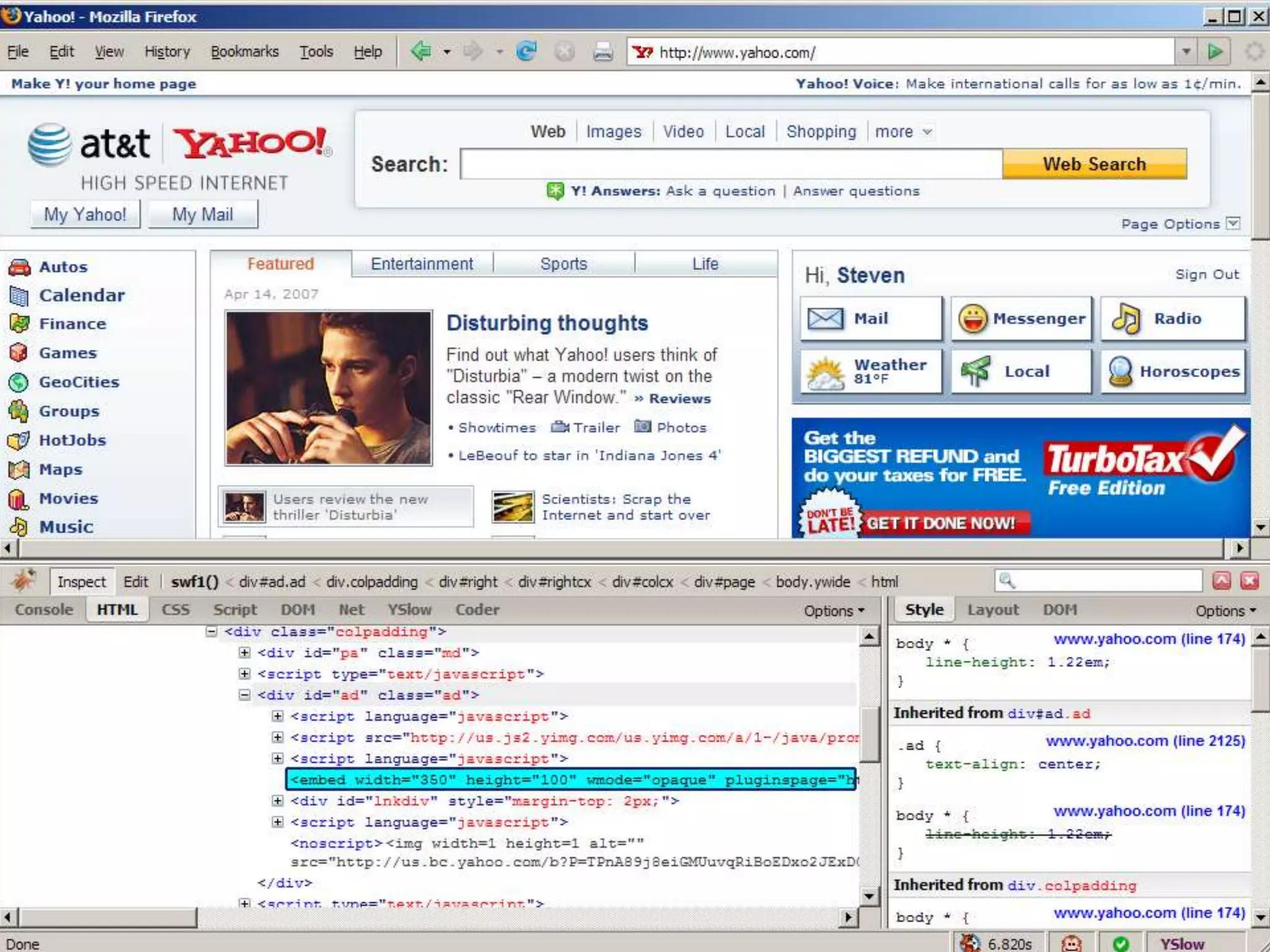
web development evolved
inspect and edit HTML
tweak and visualize CSS
debug and profile JavaScript
monitor network activity (caveat)
Firefox extension
free
http://getfirebug.com/
YSlow
performance lint tool
grades web pages for each rule
Firefox extension
Yahoo! internal tool
http://developer.yahoo.com/yslow/
Conclusion
Takeaways
focus on the front-end
harvest the low-hanging fruit
you do control user response times
LOFNO – be an advocate for your users

腾讯大讲堂09 如何建设高性能网站

  • 1.
    High performance WebSites richardchang 腾讯技术大讲堂
  • 2.
  • 3.
  • 4.
  • 5.
    Exceptional Performance started in2004 quantify and improve the performance of all Yahoo! products worldwide center of expertise build tools, analyze data gather, research, and evangelize best practices
  • 6.
    Scope performance breaks intotwo categories – response time – efficiency current focus is response time of web products
  • 7.
    The Importance ofFront-End Performance
  • 8.
    percentage of timespent on the front-end Back-end vs. Front-end Empty Cache Full Cache amazon.com 82% 86% aol.com 94% 86% cnn.com 81% 92% ebay.com 98% 92% google.com 86% 64% msn.com 97% 95% myspace.com 96% 86% wikipedia.org 80% 88% yahoo.com 95% 88% youtube.com 97% 95%
  • 9.
    The Performance GoldenRule 80-90% of the end-user response time is spent on the front-end. Start there. • Greater potential for improvement • Simpler • Proven to work
  • 10.
  • 11.
  • 12.
    80/20 Performance Rule VilfredoPareto: 80% of consequences come from 20% of causes Focus on the 20% that affects 80% of the end-user response time. Start at the front-end.
  • 13.
    1 user requests www.yahoo.com 2 user requests otherweb pages 3 user re-requests www.yahoo.com Empty vs. Full Cache
  • 14.
    1 user requests www.yahoo.com 2 user requests otherweb pages 3 user re-requests www.yahoo.com Empty vs. Full Cache 0 0.5 1 1.5 2 2.5 3 image stylesheet script script dns lookup image image image image image dns lookup script image image image image image image image image script image image image image image image image image script dns lookup image image html dns lookup with an empty cache
  • 15.
    1 user requests www.yahoo.com 2 user requests otherweb pages 3 user re-requests www.yahoo.com Empty vs. Full Cache
  • 16.
    Empty vs. FullCache 0 0.5 1 1.5 2 2.5 3 image image html Expires header 1 user requests www.yahoo.com 2 user requests other web pages 3 user re-requests www.yahoo.com with a full cache
  • 17.
    Empty vs. FullCache empty cache 2.4 seconds full cache 0.9 seconds 83% fewer bytes 90% fewer HTTP requests
  • 18.
    How much doesthis benefit our users? It depends on how many users have components in cache. • What percentage of users view a page with an empty cache*? * “Empty cache” means the browser has to request the components instead of pulling them from the browser disk cache. • What percentage of page views are done with an empty cache*?
  • 19.
  • 20.
    Add a newimage to your page <img src="image/blank.gif" height="1" width="1"/> with the following response headers: Expires: Thu, 15 Apr 2004 20:00:00 GMT Last-Modified: Wed, 28 Sep 2006 23:49:57 GMT }1 px Browser Cache Experiment
  • 21.
    Browser Cache Experiment Requestsfrom the browser will have one of these response status codes: 200 – The browser does not have the image in its cache. 304 – The browser has the image in its cache, but needs to verify the last modified date.
  • 22.
    Browser Cache Experiment Whatpercentage of users view with an empty cache? # unique users with at least one 200 response total # unique users What percentage of page views are done with an empty cache? total # of 200 responses # of 200 + # of 304 responses }1 px
  • 23.
    0.0% 10.0% 20.0% 30.0% 40.0% 50.0% 60.0% 70.0% 80.0% 90.0% 100.0% 0 1 23 4 5 6 7 8 9 10 11 12 13 14 15 16 17 18 19 20 day of experiment percentage unique users with empty cache page views with empty cache Surprising Results page views with empty cache 40-60% ~20% users with empty cache
  • 24.
    Experiment Takeaways Keep inmind the empty cache user experience. It might be more prevalent than you think! Use different techniques to optimize full versus empty cache experience.
  • 25.
  • 26.
    1 user requests www.yahoo.com HTTP QuickReview HTTP response header sent by the web server: HTTP/1.1 200 OK Content-Type: text/html; charset=utf-8 Set-Cookie: C=abcdefghijklmnopqrstuvwxyz; domain=.yahoo.com
  • 27.
    1 user requests www.yahoo.com HTTP QuickReview 2 user requests finance.yahoo.com HTTP request header sent by the browser: GET / HTTP/1.1 Host: finance.yahoo.com User-Agent: Mozilla/4.0 (compatible; MSIE 6.0; … Cookie: C=abcdefghijklmnopqrstuvwxyz;
  • 28.
    1 user requests www.yahoo.com 3 user requests autos.yahoo.com HTTPQuick Review HTTP request header sent by the browser: GET / HTTP/1.1 Host: autos.yahoo.com User-Agent: Mozilla/4.0 (compatible; MSIE 6.0; … Cookie: C=abcdefghijklmnopqrstuvwxyz;
  • 29.
    1 user requests www.yahoo.com 4 user requests mail.yahoo.com HTTPQuick Review HTTP request header sent by the browser: GET / HTTP/1.1 Host: mail.yahoo.com User-Agent: Mozilla/4.0 (compatible; MSIE 6.0; … Cookie: C=abcdefghijklmnopqrstuvwxyz;
  • 30.
    1 user requests www.yahoo.com 5 user requests tech.yahoo.com HTTPQuick Review HTTP request header sent by the browser: GET / HTTP/1.1 Host: tech.yahoo.com User-Agent: Mozilla/4.0 (compatible; MSIE 6.0; … Cookie: C=abcdefghijklmnopqrstuvwxyz;
  • 31.
    Impact of Cookieson Response Time 80 ms delay dialup users Cookie Size Time Delta 0 bytes 78 ms 0 ms 500 bytes 79 ms +1 ms 1000 bytes 94 ms +16 ms 1500 bytes 109 ms +31 ms 2000 bytes 125 ms +47 ms 2500 bytes 141 ms +63 ms 3000 bytes 156 ms +78 ms keep sizes low
  • 32.
  • 33.
    Analysis of CookieSizes across the Web Total Cookie Size Amazon 60 bytes Google 72 bytes Yahoo 122 bytes CNN 184 bytes YouTube 218 bytes MSN 268 bytes eBay 331 bytes MySpace 500 bytes
  • 34.
    Experiment Takeaways eliminate unnecessarycookies keep cookie sizes low set cookies at appropriate domain level, or hosting assets on a new domain set Expires date appropriately – earlier date or none removes cookie sooner
  • 35.
  • 36.
    Parallel Downloads Two componentsin parallel per hostname GIF GIF GIF GIF GIF GIF HTTP/1.1
  • 37.
    Parallel Downloads 0 0.20.4 0.6 0.8 1 1.2 1.4 component component component component component component component component component component html 0 0.2 0.4 0.6 0.8 1 1.2 1.4 component component component component component component component component component component html Two in parallel Four in parallel Eight in parallel 0 0.2 0.4 0.6 0.8 1 1.2 1.4 component component component component component component component component component component html
  • 38.
  • 39.
    Maximizing Parallel Downloads responsetime (seconds) aliases 0.00 0.20 0.40 0.60 0.80 1.00 1.20 1.40 1 2 4 5 10 36 x 36 px (0.9 Kb) 116 x 61 px (3.4 Kb)
  • 40.
    Maximizing Parallel Downloads responsetime (seconds) aliases 0.00 0.20 0.40 0.60 0.80 1.00 1.20 1.40 1 2 4 5 10 average 36 x 36 px (0.9 Kb) 116 x 61 px (3.4 Kb)
  • 41.
    Maximizing Parallel Downloads responsetime (seconds) rule of thumb: use at least two but no more than four aliases 0.00 0.20 0.40 0.60 0.80 1.00 1.20 1.40 1 2 4 5 10 average 36 x 36 px (0.9 Kb) 116 x 61 px (3.4 Kb)
  • 42.
    Experiment Takeaways consider theeffects of CPU thrashing DNS lookup times vary across ISPs and geographic locations domain names may not be cached
  • 43.
  • 44.
    How to optimize? •basic optimization rules • optimizing assets (images, scripts, and styles) • optimizations specific to scripts • optimizations specific to styles
  • 45.
    Basic Rules •Decrease DownloadSizes •Make Fewer HTTP Requests – Combine scripts and style sheets – Use image sprites – Avoid redirects – Avoid frames
  • 46.
    14 things tocheck 1. Make fewer HTTP requests 2. Use a CDN 3. Add an Expires header 4. Gzip components 5. Put CSS at the top 6. Move JS to the bottom 7. Avoid CSS expressions 8. Make JS and CSS external 9. Reduce DNS lookups 10. Minify JS 11. Avoid redirects 12. Remove duplicate scripts 13. Turn off ETags 14. Make AJAX cacheable and small
  • 47.
    Rule 1: Makefewer HTTP requests image maps CSS sprites inline images combined scripts, combined stylesheets
  • 48.
    Image maps server-side <a href="navbar.cgi"><imgismap src="imagemap.gif"></a> → http://.../navbar.cgi?127,13 client-side – preferred <img usemap="#map1" border=0 src="/images/imagemap.gif"> <map name="map1"> <area shape="rect" coords="0,0,31,31" href="home.html" title="Home"> … </map> drawbacks: – must be contiguous – defining area coordinates – tedious, errors http://www.w3.org/TR/html401/struct/objects.html#h-13.6
  • 49.
    CSS Sprites –Preferred size of combined image is less CSS Sprites Generator - http://www.csssprites.com/ http://alistapart.com/articles/sprites #rss { background-image: url(sprite.png); background-position: -8px -40px; width: 16px; height: 16px; }
  • 50.
    Combined Scripts, Combined Stylesheets ScriptsStylesheets amazon.com 3 1 aol.com 18 1 cnn.com 11 2 ebay.com 7 2 froogle.google.com 1 1 msn.com 9 1 myspace.com 2 2 wikipedia.org 3 1 yahoo.com 4 1 youtube.com 7 3 Average 6.5 1.5
  • 51.
    Combined Scripts, Combined Stylesheets combiningsix scripts into one eliminates five HTTP requests challenges: – develop as separate modules – number of possible combinations vs. loading more than needed – maximize browser cache one solution: – dynamically combine and cache
  • 52.
    Rule 2: Usea CDN distribute your static content before distributing your dynamic content amazon.com Akamai aol.com Akamai cnn.com ebay.com Akamai, Mirror Image google.com msn.com SAVVIS myspace.com Akamai, Limelight wikipedia.org yahoo.com Akamai youtube.com
  • 53.
    Rule 3: Addan Expires header not just for images Images Stylesheets Scripts % Median Age amazon.com 0/62 0/1 0/3 0% 114 days aol.com 23/43 1/1 6/18 48% 217 days cnn.com 0/138 0/2 2/11 1% 227 days ebay.com 16/20 0/2 0/7 55% 140 days froogle.google.com 1/23 0/1 0/1 4% 454 days msn.com 32/35 1/1 3/9 80% 34 days myspace.com 0/18 0/2 0/2 0% 1 day wikipedia.org 6/8 1/1 2/3 75% 1 day yahoo.com 23/23 1/1 4/4 100% n/a youtube.com 0/32 0/3 0/7 0% 26 days
  • 54.
    Setting Expires headerin Apache ExpiresActive On ExpiresByType application/x-javascript "modification plus 2 years" ExpiresByType text/css "modification plus 5 years"
  • 55.
    When modifing anasset? • Modify the asset name (automatically)! – Append an epoch timestamp to the file name, e.g. img_1185403733.png. – Use the version number from your source control system (cvs or svn for example), e.g. img_1.1.png. – Manually increment a number in the file name (e.g. when you see a file named img1.png, simply save the modified image as img2.png).
  • 56.
    Rule 4: Gzipcomponents you can affect users' download times 90%+ of browsers support compression
  • 57.
    Gzip: not justfor HTML HTML Scripts Stylesheets amazon.com x aol.com x some some cnn.com ebay.com x froogle.google.com x x x msn.com x deflate deflate myspace.com x x x wikipedia.org x x x yahoo.com x x x youtube.com x some some gzip scripts, stylesheets, XML, JSON (not images, PDF)
  • 58.
    Gzip Configuration Apache 2.x:mod_deflate AddOutputFilterByType DEFLATE text/html text/css application/x-javascript HTTP request Accept-Encoding: gzip, deflate HTTP response Content-Encoding: gzip Vary: Accept-Encoding needed for proxies
  • 59.
    Rule 5: PutCSS at the top stylesheets block rendering in IE http://stevesouders.com/examples/css-bottom.php solution: put stylesheets in HEAD (per spec) avoids Flash of Unstyled Content use LINK (not @import)
  • 60.
  • 61.
    Rule 6: Movescripts to the bottom scripts block parallel downloads across all hostnames scripts block rendering of everything below them in the page IE and FF http://stevesouders.com/examples/js-middle.php
  • 62.
    Rule 6: Movescripts to the bottom script defer attribute is not a solution – blocks rendering and downloads in FF – slight blocking in IE solution: move them as low in the page as possible
  • 63.
    Rule 7: AvoidCSS expressions used to set CSS properties dynamically in IE width: expression( document.body.clientWidth < 600 ? “600px” : “auto” ); problem: expressions execute many times – mouse move, key press, resize, scroll, etc. http://stevesouders.com/examples/expression-counter.php
  • 64.
    Rule 8: MakeJS and CSS external inline: HTML document is bigger external: more HTTP requests, but cached variables – page views per user (per session) – empty vs. full cache stats – component re-use external is typically better – home pages may be an exception
  • 65.
    Post-Onload Download inline infront page download external files after onload window.onload = downloadComponents; function downloadComponents() { var elem = document.createElement("script"); elem.src = "http://.../file1.js"; document.body.appendChild(elem); ... } speeds up secondary pages
  • 66.
    Example : Google •once the home page has finished loading, there is a request to get a sprite image, which is not actually needed until search results page loads
  • 67.
    Example : Yahoo •Conditional pre-loading -- waits for the user to start typing in the search box. Once you've begun typing, it's almost guaranteed that you'll submit a search query.
  • 68.
    Dynamic Inlining start withpost-onload download set cookie after components downloaded server-side: – if cookie, use external – else, do inline with post-onload download cookie expiration date is key speeds up all pages
  • 69.
    Rule 9: ReduceDNS lookups typically 20-120 ms block parallel downloads OS and browser both have DNS caches
  • 70.
    TTL (Time ToLive) www.amazon.com 1 minute www.aol.com 1 minute www.cnn.com 10 minutes www.ebay.com 1 hour www.google.com 5 minutes www.msn.com 5 minutes www.myspace.com 1 hour www.wikipedia.org 1 hour www.yahoo.com 1 minute www.youtube.com 5 minutes TTL – how long record can be cached browser settings override TTL
  • 71.
    Browser DNS Cache IE –DnsCacheTimeout: 30 minutes – KeepAliveTimeout: 1 minute – ServerInfoTimeout: 2 minutes Firefox – network.dnsCacheExpiration: 1 minute – network.dnsCacheEntries: 20 – network.http.keep-alive.timeout: 5 minutes – Fasterfox: 1 hour, 512 entries, 30 seconds
  • 72.
    Reducing DNS Lookups fewerhostnames – 2-4 (what about forums and blogs?) keep-alive
  • 73.
    Rule 10: MinifyJavaScript Minify External? Minify Inline? www.amazon.com no no www.aol.com no no www.cnn.com no no www.ebay.com yes no froogle.google.com yes yes www.msn.com yes yes www.myspace.com no no www.wikipedia.org no no www.yahoo.com yes yes www.youtube.com no no minify inline scripts, too
  • 74.
    Minify vs. Obfuscate OriginalJSMin Savings Dojo Savings www.amazon.com 204K 31K (15%) 48K (24%) www.aol.com 44K 4K (10%) 4K (10%) www.cnn.com 98K 19K (20%) 24K (25%) www.myspace.com 88K 23K (27%) 24K (28%) www.wikipedia.org 42K 14K (34%) 16K (38%) www.youtube.com 34K 8K (22%) 10K (29%) Average 85K 17K (21%) 21K (25%) minify – it's safer http://crockford.com/javascript/jsmin http://dojotoolkit.org/docs/shrinksafe
  • 75.
    Rule 11: Avoidredirects 3xx status codes – mostly 301 and 302 HTTP/1.1 301 Moved Permanently Location: http://stevesouders.com/newuri add Expires headers to cache redirects worst form of blocking http://www.w3.org/Protocols/rfc2616/rfc2616-sec10.html
  • 76.
    Redirects Redirects www.amazon.com no www.aol.com yes– secondary page www.cnn.com yes – initial page www.ebay.com yes – secondary page froogle.google.com no www.msn.com yes – initial page www.myspace.com yes – secondary page www.wikipedia.org yes – secondary page www.yahoo.com yes – secondary page www.youtube.com no
  • 77.
    Avoid Redirects missing trailingslash – http://astrology.yahoo.com/astrology – use Alias or DirectorySlash mod_rewrite CNAMEs log referer – track internal links outbound links – harder – beacons – beware of race condition – XHR – bail at readyState 2
  • 78.
    Rule 12: Removeduplicate scripts hurts performance – extra HTTP requests (IE only) – extra executions atypical? – 2 of 10 top sites contain duplicate scripts team size, # of scripts
  • 79.
    Script Insertion Functions <?php functioninsertScript($jsfile) { if ( alreadyInserted($jsfile) ) { return; } pushInserted($jsfile); if ( hasDependencies($jsfile) ) { $dependencies = getDependencies($jsfile); for ( $i = 0; $i < count($dependencies); $i++ ) { insertScript($dependencies[$i]); } } echo '<script type="text/javascript" src="' . getVersion($jsfile) . '"></script>"; } ?>
  • 80.
    Rule 13: Turnoff ETags unique identifier returned in response ETag: "c8897e-aee-4165acf0" Last-Modified: Thu, 07 Oct 2004 20:54:08 GMT used in conditional GET requests If-None-Match: "c8897e-aee-4165acf0" If-Modified-Since: Thu, 07 Oct 2004 20:54:08 GMT if ETag doesn't match, can't send 304
  • 81.
    The Problem withETags ETag for a single entity is always different across servers ETag format – Apache: inode-size-timestamp – IIS: Filetimestamp:ChangeNumber Sites with >1 server return too few 304s – (n-1)/n Remove them – Apache: FileETag none – IIS: http://support.microsoft.com/kb/922703/
  • 82.
    Rule 14: MakeAJAX cacheable and small XHR, JSON, iframe, dynamic scripts can still be cached, minified, and gzipped a personalized response should still be cacheable by that person
  • 83.
    AJAX Example: Yahoo!Mail Beta address book XML request → GET /yab/[...]&r=0.5289571053069156 HTTP/1.1 Host: us.xxx.mail.yahoo.com ← HTTP/1.1 200 OK Date: Thu, 12 Apr 2007 19:39:09 GMT Cache-Control: private,max-age=0 Last-Modified: Sat, 31 Mar 2007 01:17:17 GMT Content-Type: text/xml; charset=utf-8 Content-Encoding: gzip address book changes infrequently – cache it; add last-modified-time in URL
  • 84.
  • 85.
    IBM Page Detailer packetsniffer Windows only IE, FF, any .exe c:windowswd_WS2s.ini Executable=(NETSCAPE.EXE),(NETSCP6.EXE),(firefox.exe) free trial, $300 license http://alphaworks.ibm.com/tech/pagedetailer
  • 86.
  • 87.
    Fasterfox measures load timeof pages alters config settings for faster loading Firefox extension free http://fasterfox.mozdev.org/
  • 88.
    LiveHTTPHeaders view HTTP headers Firefoxextension free http://livehttpheaders.mozdev.org/
  • 89.
    web development evolved inspectand edit HTML tweak and visualize CSS debug and profile JavaScript monitor network activity (caveat) Firefox extension free http://getfirebug.com/
  • 90.
  • 91.
    YSlow performance lint tool gradesweb pages for each rule Firefox extension Yahoo! internal tool http://developer.yahoo.com/yslow/
  • 96.
  • 97.
    Takeaways focus on thefront-end harvest the low-hanging fruit you do control user response times LOFNO – be an advocate for your users

Editor's Notes

  • #3 Mysql conf 2005
  • #4 Perlbal + memcached, both developed and shared by LJ team
  • #8 用了 packet sniffer 以后,下图显示如果用户没有 cache ( empty cache )的情况下读取 www.yahoo.com 的情况,可以看到其实只有 5 % 的时间花在了读取最开始的 html 上( 0.24 ),其他的 90% 时间花在了读取其他组件,例如 image , css 和 scripts 。
  • #9 我们又对其他大型网站做了测试,发现情况也很类似,大部分的时间都是花在了读取非 html 的其他组件。
  • #10 目前很多常用的性能优化技巧都集中在 html 生成( generating html )的部分( apache , C++, database , etc )但是实际上用户反应时间( response time )中只有 20% 是和这一部分相关的,所以我们还是将时间花在另外那 80% 的问题吧。
  • #13 2/8 定律
  • #18 结论:要让用户感觉网页反应最快, full cache 的优势很大
  • #19 有多少比例的用户在看主页的时候是 empty cache 有多少比例的 PV 是在 empty cache 的情况下产生的
  • #21 在 yahoo 的首页增加一个透明的小图 (1x1) , header 设置成 ” Expires: Thu, 15 Apr 2004 20:00:00 GMT , Last-Modified: Wed, 28 Sep 2006 23:49:57 GMT“ 。每天跟踪有多少比例的用户请求的这个小图,以及多少比例的 page view 中请求了这个小图 When the browser saves a component in its cache, it also saves the Expires and Last Modified values. Specifying an Expires date in the past forces the browser to request the image every time the page is viewed (with a few exceptions, such as when users click the browser’s “back” button to return to a page).
  • #22 从浏览器返回的 response 应该是 200 ( The browser does not have the image in its cache )或者 304 ( The browser has the image in its cache, but needs to verify the last modified date )。
  • #24 On the first day of the experiment, no one had these images cached so the empty cache percentage was 100%. As the days passed more users had the images cached, so the percentages dropped until at some point it reached a constant steady state.
  • #25 However, we found in our study that regardless of usage patterns, the percentage of page views with an empty cache is always ~20%. empty cache 的用户很可能比你想像中要多得多
  • #27 The browser saves the “C” cookie on the user’s computer and sends it back in future requests. The “domain=.yahoo.com” specifies that the browser should include the cookie in future requests within the .yahoo.com domain and all its sub-domains. For example, if the user then visits finance.yahoo.com, the browser includes the “C” cookie in the request. Since an Expires attribute is not included in this example, the cookie expires at the end of the session.
  • #32 Cookies 的大小也会对用户的反应时间造成很大影响,
  • #33 While the data shows that the majority of page views aren’t impacted by a significant delay, it also shows that about 2% of page views have over 1500 bytes of cookies set at the .yahoo.com domain. Although 2% sounds insignificant, at Yahoo! this translates to millions of page views per day,
  • #34 The data in Table 2 reflects only cookies set at the top domain levels to eliminate any cookies that may have been set by ads
  • #35 A cookie set at the .yahoo.com domain impacts the response time for every Yahoo! page in the .yahoo.com domain that a user visits. 尽量减少不必要的 cookies 将 cookie 的 size 缩小 将 cookie 放到 domain level 的时候要谨慎小心,尽量不要影响其他的 sub domain 将 expiration date 合理设置
  • #37 既然对最终用户反应时间的最大影响来自与有多少个组件要被请求,为什么不能一次同时将他们下载完呢?主要是因为 http/1.1 的规范,浏览器每次只能同时从单个 hostname 下载两个组件
  • #38 但是如果一个网站将自己的组件平均地分配到两个 hostname 上,就会像下图
  • #40 那么到底是不是将组件分配到越多 hostname 越好呢,我们也做了测试。 The experiment measured an empty HTML document with 20 images on the page. The images were fetched from the same servers as those used by real Yahoo! pages. We ran the experiment in a controlled environment using a test harness that fetches a set of URLs repeatedly while measuring how long it takes to load the page on DSL.
  • #42 We fetch 20 smaller-sized images (36 x 36 px) and 20 medium-sized images (116 x 61 px). To our surprise, increasing the number of aliases for loading the medium-size images (116 x 61px) worsens the response times using four or more aliases. Increasing the number of aliases by more than two for smaller-sized images (36 x 36px) doesn’t make much of an impact on the overall response time. On average, using two aliases is best. One possible contributor for slower response times is the amount of CPU thrashing on the client caused by increasing the number of parallel downloads. Another issue to consider is that DNS lookup times vary significantly across ISPs and geographic locations.
  • #50 check out this image, used on Yahoo!&apos;s homepage , or this one from Google&apos;s .
  • #58 serving compressed HTML, CSS, client-side scripts, and any other type of text content. If you make XMLHttpRequests to services that return XML (or JSON, or plain text), make sure your server gzips as well
  • #59 There&apos;s one gotcha when it comes to serving gzipped content: you must make sure that proxies do not get in your way. If an ISP&apos;s proxy caches your gzipped content and serves it to all of its customers, chances are that someone with a browser that doesn&apos;t support compression will receive your compressed content. To avoid this you can use the Vary: Accept-Encoding response header to tell the proxy to cache this response only for clients that send the same Accept-Encoding request header.
  • #62 due to the nature of the scripts (they could potentially change anything on a page), browsers block all downloads when they encounters a &lt;script&gt; tag. So until a script is downloaded and parsed, no other downloads will be initiated.
  • #98 Look out for the Number One