Get up to Speed with Office 2007
Donald E. Hester
CISSP, CISA, CAP, MCT, MCSE Security, MCSA Security, MCDST, Security+, CTT+
July 25, 2007
For audio call Toll Free 1-866-826-6337 and use PIN/code 89044350
Housekeeping
• Maximize your CCC Confer window.
• Mute your phone (*6) if you have visitors or noise in your office.
• Please note phone audio may be in presenter-only mode.
• Ask questions over the phone when the presenter prompts.
• Ask questions throughout presentation via the chat window.
Second installment in a 3 part series
May 10, 2007
Covered new features, versions, and product line up

July 25, 2007
Word, Excel, OneNote & SharePoint Designer
August 1, 2007
PowerPoint, Outlook, Access & Visio
Microsoft Office Word 2007
Word 2007 is out. It’s exciting,
and it’s designed to be better
and more productive than the
version you’re used to.
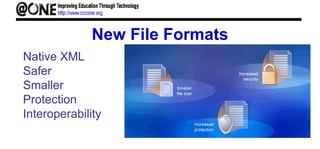
New File Formats
Native XML
Safer
Smaller
Protection
Interoperability
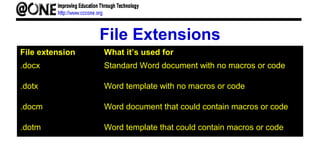
File Extensions
File extension What it’s used for
.docx Standard Word document with no macros or code
.dotx Word template with no macros or code
.docm Word document that could contain macros or code
.dotm Word template that could contain macros or code
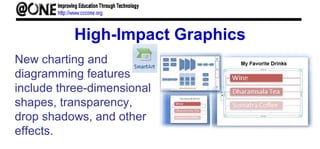
High-Impact Graphics
New charting and
diagramming features
include three-dimensional
shapes, transparency,
drop shadows, and other
effects.
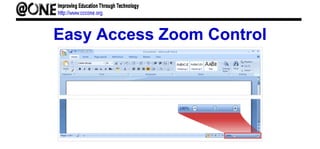
Easy Access Zoom Control
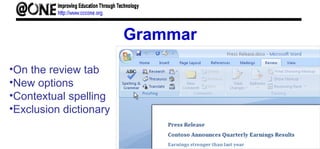
Grammar
•On the review tab
•New options
•Contextual spelling
•Exclusion dictionary
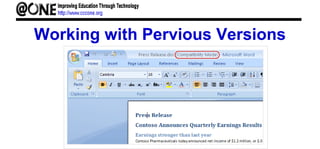
Working with Pervious Versions
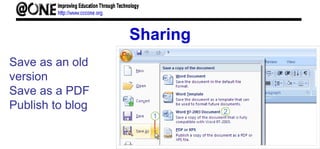
Sharing
Save as an old
version
Save as a PDF
Publish to blog
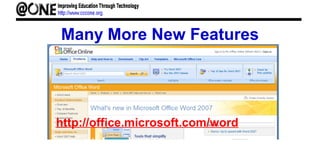
Many More New Features
http://office.microsoft.com/word
Microsoft Office Excel 2007
Excel 2007 has a new look!
It’s got the familiar worksheets
you’re accustomed to, but with
some changes.
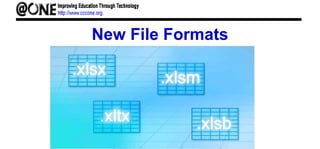
New File Formats
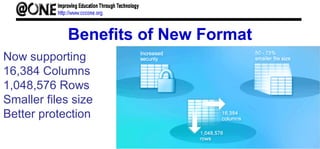
Benefits of New Format
Now supporting
16,384 Columns
1,048,576 Rows
Smaller files size
Better protection
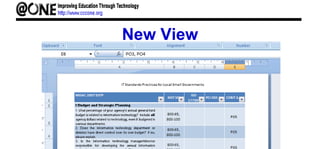
New View
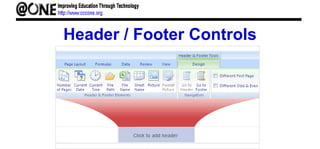
Header / Footer Controls
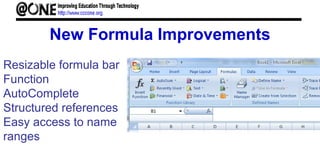
New Formula Improvements
Resizable formula bar
Function
AutoComplete
Structured references
Easy access to name
ranges
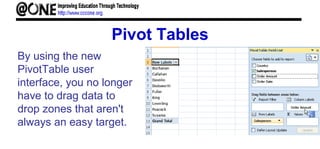
Pivot Tables
By using the new
PivotTable user
interface, you no longer
have to drag data to
drop zones that aren't
always an easy target.
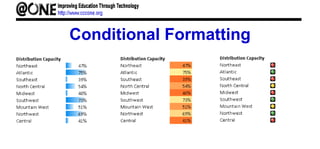
Conditional Formatting
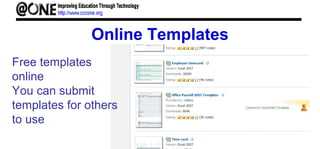
Online Templates
Free templates
online
You can submit
templates for others
to use

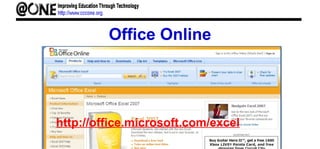
Office Online
http://office.microsoft.com/excel
Microsoft Office OneNote 2007
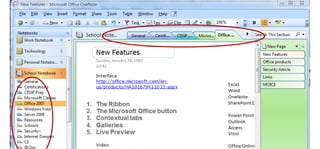
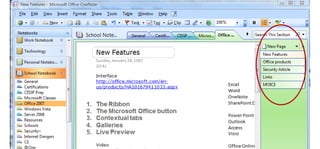
Office OneNote 2007 is a digital notebook that
provides people one place to gather their notes
and information, powerful search to find what
they are looking for quickly, and easy-to-use
shared notebooks so that they can manage
information overload and work together more
effectively.
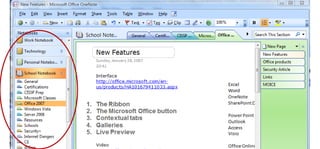
OneNote Setup
OneNote Setup
OneNote Setup
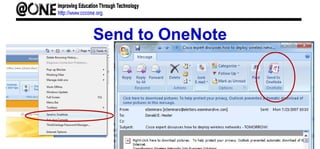
Send to OneNote
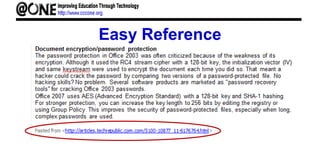
Easy Reference
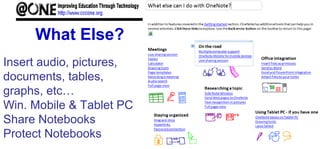
What Else?
Insert audio, pictures,
documents, tables,
graphs, etc…
Win. Mobile & Tablet PC
Share Notebooks
Protect Notebooks
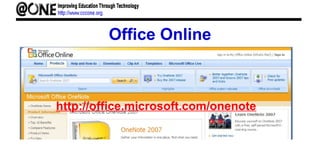
Office Online
http://office.microsoft.com/onenote
Microsoft SharePoint Designer
Office SharePoint Designer 2007 provides
professional tools for building interactive
solutions on the SharePoint platform without
writing code, for designing custom SharePoint
sites, and for maintaining site performance
with reports and managed permissions.
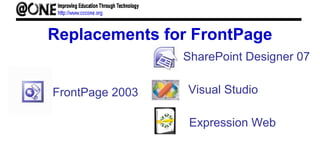
Replacements for FrontPage
FrontPage 2003
SharePoint Designer 07
Visual Studio
Expression Web
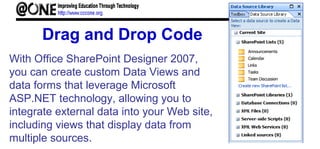
Drag and Drop Code
With Office SharePoint Designer 2007,
you can create custom Data Views and
data forms that leverage Microsoft
ASP.NET technology, allowing you to
integrate external data into your Web site,
including views that display data from
multiple sources.
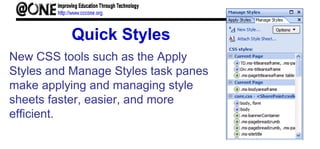
Quick Styles
New CSS tools such as the Apply
Styles and Manage Styles task panes
make applying and managing style
sheets faster, easier, and more
efficient.
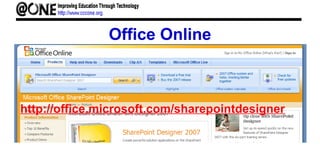
Office Online
http://office.microsoft.com/sharepointdesigner
Q & A
Evaluation Survey Link
http://tinyurl.com/2sjafw
Upcoming/Archived Seminars
For upcoming desktop seminars and links to recently archived seminars,
check the @ONE Web site at:
http://www.cccone.org/de/07summer/seminars/index.htm
Thanks for Attending
For information on Distance Education Workshops go to:
http://www.cccone.org/de/index.htm

07 su 2007office1

Editor's Notes

  • #6 One more big change in the new version of Word: an improved file format. What does that mean to you? Helps make your documents safer. Helps make your document file sizes smaller. Helps make your documents less susceptible to damage.
  • #9 After you insert something, you may need a closer look at the details. So you’ll definitely want to know where to find the zoom control.
  • #10 Make no mistake! When you’ve done most of the work in your document, you’ll want to check spelling and grammar before printing it or sending it in e-mail. The Spelling & Grammar command is on the Review tab, because this is part of reviewing your work. When you are writing a document for others to see, you certainly don't want spelling errors to detract from your message or to undermine your professionalism. New features of the spelling checker make it easier for you to distribute your work with confidence: The spelling checker is now more consistent across the 2007 Microsoft Office system programs. Examples of this change include: Several spelling checker options are now global. If you change one of these options in one Office program, that option is also changed for all the other Office programs. For more information, see Change the way spelling and grammar checking work. In addition to sharing the same custom dictionaries, all programs can manage them by using the same dialog box. For more information, see Use custom dictionaries to add words to the spelling checker. The 2007 Microsoft Office system spelling checker includes the post-reform French dictionary. In Microsoft Office 2003, this was an add-in that had to be separately installed. For more information, see Change the way spelling and grammar checking work. An exclusion dictionary is automatically created for a language the first time that language is used. Exclusion dictionaries let you force the spelling checker to flag words that you want to avoid using. They are handy for avoiding words that are obscene or that don't match your style guide. For more information, see Use exclusion dictionaries to specify a preferred spelling for a word. The spelling checker can find and flag some contextual spelling errors. Have you ever typed a mistake similar to the following? I will see you their. In Office Word 2007, you can enable the Use contextual spelling option to get help with finding and fixing this type of mistake. This option is available when checking the spelling of documents in English, German, or Spanish. For more information, see Choose how spelling and grammar checking work. You can disable spelling and grammar checking for a document or for all documents that you create.
  • #11 You’re probably wondering, “What happens when I open my older documents in the new version of Word?” Word 2007 can open files created in all previous versions of Word, 1.0 through 2003. Word opens older documents in compatibility mode. You know this because at the top of the document “(Compatibility Mode)” appears next to the file name.
  • #12 Concerned that John doesn’t have his installation of Office 2000 fully updated? Save your document with an older file format before sending it to him. Click the Microsoft Office Button, and on the menu, point to the arrow at the end of the Save As command. Click Word 97-2003 format in the list of options.
  • #13 Check Out Office Online http://office.microsoft.com/word
  • #15 Excel Workbook (*.xlsx). Use when there are no macros or VBA code. Excel Macro-Enabled Workbook (*.xlsm). Use when there are macros or VBA code. Excel Template (*.xltx). Use when you need a template. Excel Binary Workbook (*.xlsb). Use with an especially large workbook. Excel Macro-Enabled Template (*.xltm). Use when you need a template and the workbook contains macros or VBA. Microsoft Excel 5.0/95 Workbook (*.xls). Use when you need to share with someone using Microsoft Excel 5.0. Excel 97-Excel 2003 Workbook (*.xls). Use when you need to share with someone working in a previous version of Excel.
  • #16 columns now end at XFD instead of IV
  • #17 Page Layout View
  • #19 The following improvements make formula writing much easier in Office Excel 2007. Resizable formula bar   The formula bar automatically resizes to accommodate long, complex formulas, which prevents the formulas from covering other data in your worksheet. You can also write longer formulas with more levels of nesting than you could in earlier versions of Excel. Function AutoComplete   With Function AutoComplete, you can quickly write the proper formula syntax. From easily detecting the functions that you want to use to getting help completing the formula arguments, you will be able to get formulas right the first time and every time. Structured references   In addition to cell references, such as A1 and R1C1, Office Excel 2007 provides structured references that reference named ranges and tables in a formula. Easy access to named ranges   By using the Office Excel 2007 name manager, you can organize, update, and manage multiple named ranges in a central location, which helps anyone who needs to work on your worksheet interpret its formulas and data.
  • #20 In Office Excel 2007, PivotTables are much easier to use than in earlier versions of Excel. By using the new PivotTable user interface, the information that you want to view about your data is just a few clicks away—you no longer have to drag data to drop zones that aren't always an easy target. Instead, you can simply select the fields that you want to see in a new PivotTable field list. And after you create a PivotTable, you can take advantage of many other new or improved features to summarize, analyze, and format your PivotTable data. Using Undo in PivotTables   You can now undo most actions that you take to create or rearrange a PivotTable. Plus and minus drill-down indicators   These indicators are used to indicate whether you can expand or collapse parts of the PivotTable to see more or less information. Sorting and filtering   Sorting is now as simple as selecting an item in the column that you want to sort and using sort buttons. You can filter data by using PivotTable filters, such as date filters, label filters, value filters, or manual filters. Conditional formatting   You can apply conditional formatting to an Office Excel 2007 Pivot Table by cell or by intersection of cells. PivotTable style and layout   Just like you can for Excel tables and charts, you can quickly apply a predefined or custom style to a PivotTable. And changing the layout of a PivotTable is also much easier to do in the new user interface. PivotCharts   Like PivotTables, PivotCharts are much easier to create in the new user interface. All of the filtering improvements are also available for PivotCharts. When you create a PivotChart, specific PivotChart tools and context menus are available so that you can analyze the data in the chart. You can also change the layout, style, and format of the chart or its elements the same way that you can for a regular chart. In Office Excel 2007, the chart formatting that you apply is preserved when you make changes to the PivotChart, which is an improvement over the way it worked in earlier versions of Excel.
  • #21 Another way you can make your data easier to interpret is to have Microsoft Office Excel 2007 change the appearance of your data based on its value. These formats are called conditional formats because the data must meet certain conditions to have a format applied to it. For instance, if chief operating officer Jenny Lysaker wanted to highlight any Thursdays with higher-than-average weekday package volumes, she could define a conditional format that tests the value in the cell recording total sales, which changes the format of the cell’s contents when the condition is met. In previous versions of Excel, you could have a maximum of three conditional formats. There’s no such limit in Office Excel 2007; you may have as many conditional formats as you like. The other major limitation of conditional formats in Office Excel 2003 and earlier versions was that Excel stopped evaluating conditional formats as soon as it found one that applied to a cell. In other words, you couldn’t have multiple conditions be true for the same cell! In Office Excel 2007, you can control whether Office Excel 2007 stops or continues after it discovers that a specific condition applies to a cell.