Cross Platform Design
●   Windows Mobile 6.5
●   Android 2.1 +
●   Two Form Designs
●   One set of
    ●   Functions
    ●   Menus
    ●   Data structures
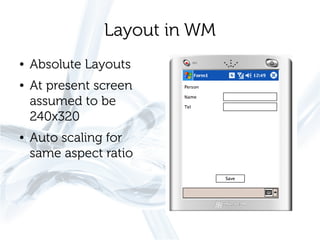
Layout in WM
●   Absolute Layouts
●   At present screen
    assumed to be
    240x320
●   Auto scaling for
    same aspect ratio
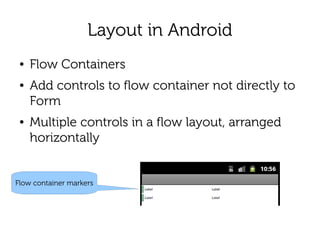
Layout in Android
 ●   Flow Containers
 ●   Add controls to flow container not directly to
     Form
 ●   Multiple controls in a flow layout, arranged
     horizontally


Flow container markers
Layout in Android
●   Flow containers can be dragged about
●   Layout width – space divided between
    controls
●   Layout height – default
    ●   But image-items a special case
    ●   Image height determines control height
Layout in Android
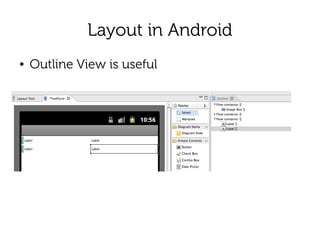
●   Outline View is useful
Linked Screen Designs
For any form
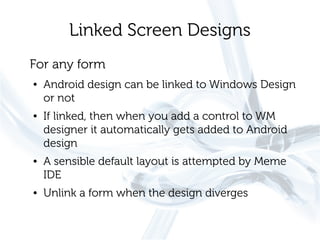
●   Android design can be linked to Windows Design
    or not
●   If linked, then when you add a control to WM
    designer it automatically gets added to Android
    design
●   A sensible default layout is attempted by Meme
    IDE
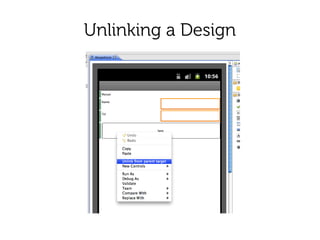
●   Unlink a form when the design diverges
Unlinking a Design
Primary Platform
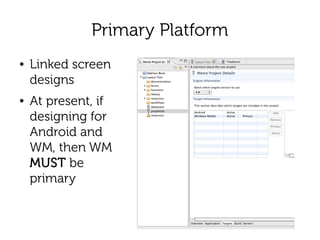
●   Linked screen
    designs
●   At present, if
    designing for
    Android and
    WM, then WM
    MUST be
    primary
Re-linking
●   If you re-link after making unlinked changes
    ●   Those changes vanish
    ●   They will reappear if you unlink again straight
        away
Summary
●   Two platforms
●   WM – absolute layout
●   Android – layout containers
●   Linked or unlinked designs

03 cross platform design

  • 1.
    Cross Platform Design ● Windows Mobile 6.5 ● Android 2.1 + ● Two Form Designs ● One set of ● Functions ● Menus ● Data structures
  • 2.
    Layout in WM ● Absolute Layouts ● At present screen assumed to be 240x320 ● Auto scaling for same aspect ratio
  • 3.
    Layout in Android ● Flow Containers ● Add controls to flow container not directly to Form ● Multiple controls in a flow layout, arranged horizontally Flow container markers
  • 4.
    Layout in Android ● Flow containers can be dragged about ● Layout width – space divided between controls ● Layout height – default ● But image-items a special case ● Image height determines control height
  • 5.
    Layout in Android ● Outline View is useful
  • 6.
    Linked Screen Designs Forany form ● Android design can be linked to Windows Design or not ● If linked, then when you add a control to WM designer it automatically gets added to Android design ● A sensible default layout is attempted by Meme IDE ● Unlink a form when the design diverges
  • 7.
  • 8.
    Primary Platform ● Linked screen designs ● At present, if designing for Android and WM, then WM MUST be primary
  • 9.
    Re-linking ● If you re-link after making unlinked changes ● Those changes vanish ● They will reappear if you unlink again straight away
  • 10.
    Summary ● Two platforms ● WM – absolute layout ● Android – layout containers ● Linked or unlinked designs