


Nitesh Luharuka
Entrepreneur | Programmer | C# Corner MVP |
C# Corner Kolkata Chapter Lead
@niteshluharuka
http://www.niteshluharuka.com
 Hosting your application in Azure – Different Offerings
 Azure Websites
 Understanding Authentication
 Web Hosting Plans
 Deploy to Websites
 Configure your Website
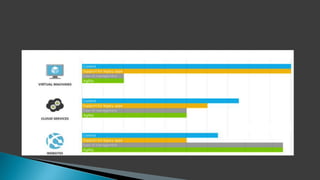
 Azure Websites
 Virtual Machines
 Cloud Services
 Supports most popular web development frameworks (even
non-Microsoft ones!)
 Deploy using the tools you want to use
 Set it up in seconds … for free
 Scale up and out as needed, pay only for the amount you use
 Monitoring, logging, etc.
 Impervious to hardware failures
 Scott Guthrie: Choose Azure Websites 99% of the time
 Very little responsibility, and (relatively) less control
 You will not use Azure websites only if you have any special
requirement for your project where you need any specific
software installed on the server.
 You have total control, but you have all the responsibility
 The original cloud-based website hosting option from
Microsoft (aka “Web Role” and “Worker Role”)
 Remote desktop, MSI installers
 Benefits over VMs:
◦ Multiple deployment environments
◦ Automatic operating system update management
◦ Seamless platform switching between 32bit and 64bit
◦ You lose: deployment options
◦ Cannot use FTP
◦ Cannot deploy from Git/Web deploy etc.
 Create a website and publish to Azure
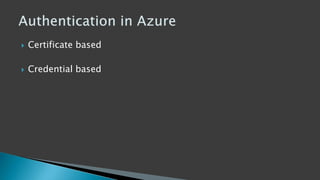
 Certificate based
 Credential based
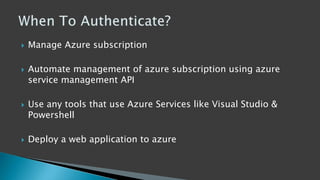
 Manage Azure subscription
 Automate management of azure subscription using azure
service management API
 Use any tools that use Azure Services like Visual Studio &
Powershell
 Deploy a web application to azure
 Use Username & Password to Authenticate your Azure
Subscription
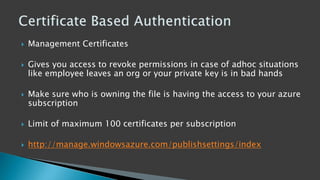
 Management Certificates
 Gives you access to revoke permissions in case of adhoc situations
like employee leaves an org or your private key is in bad hands
 Make sure who is owning the file is having the access to your azure
subscription
 Limit of maximum 100 certificates per subscription
 http://manage.windowsazure.com/publishsettings/index
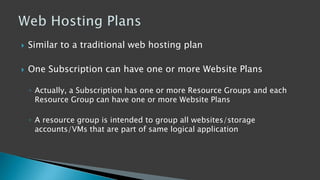
 Similar to a traditional web hosting plan
 One Subscription can have one or more Website Plans
◦ Actually, a Subscription has one or more Resource Groups and each
Resource Group can have one or more Website Plans
◦ A resource group is intended to group all websites/storage
accounts/VMs that are part of same logical application
 Azure Websites deployed into the same Subscription,
Resource Group and Geographic Location can share a single
Web Hosting Plan.
 Each Azure Website sharing a Web Hosting Plan can leverage
all the capabilities in that plan
 Azure Websites deployed into the same Subscription,
Resource Group and Geographic Location can share a single
Web Hosting Plan.
 Each Azure Website sharing a Web Hosting Plan can leverage
all the capabilities in that plan
 In fact, they sit in the same “compute instance” meaning they
share the same set of resources
 Compute instance means a server for layman people
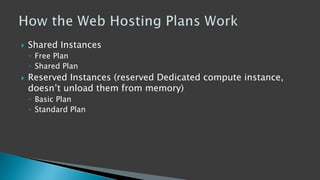
 Shared Instances
◦ Free Plan
Storage
Controller
IIS
Application
Request
Router
AzureLoadBalancer
Hosting
Sites DB
Site’s
Content DB
?
Storage
Controller
IIS
Application
Request
Router
AzureLoadBalancer
Hosting
Sites DB
Site’s
Content DB
?
Storage
Controller
IIS
Application
Request
Router
AzureLoadBalancer
Hosting
Sites DB
Site’s
Content DB
Storage
Controller
IIS
Application
Request
Router
AzureLoadBalancer
Hosting
Sites DB
Site’s
Content DB
Web Worker
Storage
Controller
IIS
Application
Request
Router
AzureLoadBalancer
Hosting
Sites DB
Site’s
Content DB
Web Worker
Storage
Controller
IIS
Application
Request
Router
AzureLoadBalancer
Hosting
Sites DB
Site’s
Content DB
Web Worker
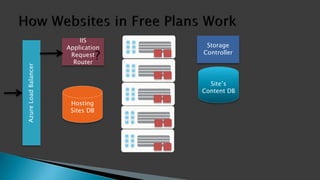
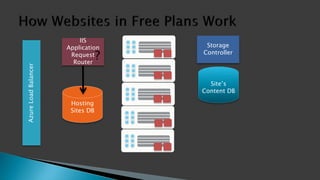
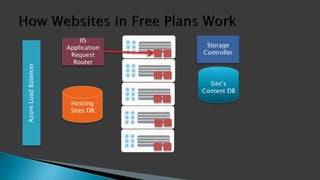
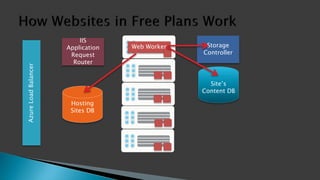
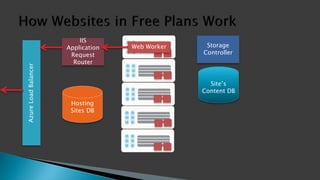
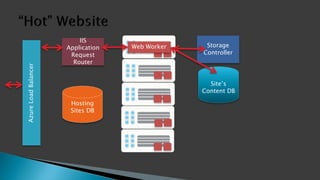
 In free plan, your website is removed from the web worker
role if it not being used for sometime to free up resources
that can be used by other users.
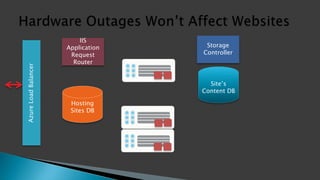
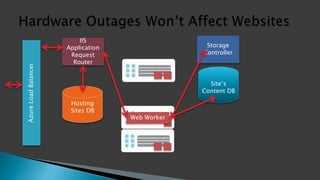
 In Azure, if a machine fails the request router will go through
the provisioning process again and provision your website to
a new web worker role and your site is up again
Storage
Controller
IIS
Application
Request
Router
AzureLoadBalancer
Hosting
Sites DB
Site’s
Content DB
Storage
Controller
IIS
Application
Request
Router
AzureLoadBalancer
Hosting
Sites DB
Site’s
Content DB
Web Worker
 Shared Instances
◦ Free Plan
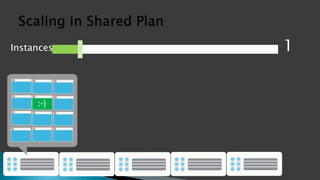
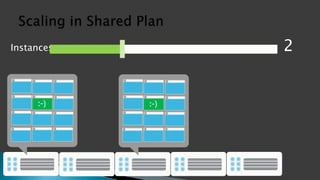
◦ Shared Plan – you are paying so you’re in a high density multi tenant
environment but fewer websites and more power/scaling/load
balancing etc…
Instances 1
Instances 2
 Shared Instances
◦ Free Plan
◦ Shared Plan
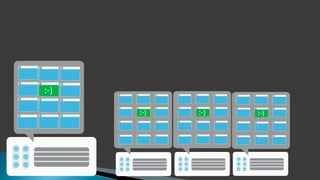
 Reserved Instances (reserved Dedicated compute instance,
doesn’t unload them from memory)
◦ Basic Plan
◦ Standard Plan
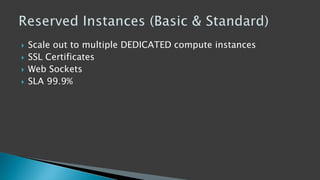
 Scale out to multiple DEDICATED compute instances
 SSL Certificates
 Web Sockets
 SLA 99.9%
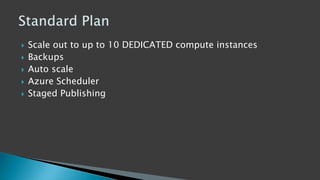
 Scale out to up to 10 DEDICATED compute instances
 Backups
 Auto scale
 Azure Scheduler
 Staged Publishing
 Run code at scheduled time at a specific frequency
 Clean up log files or do some data processing
 3 ways –
◦ On a schedule (once a day/hour/minute/between period of date)
◦ Manually
◦ Run continuously
 Scaling up a website mean scaling up the Web Job as well
 Link VS with Azure account via VS accounts section on portal
 Publish using DEBUG configuration and not RELEASE
 Server Explorer > Websites > Select Website > Attach to
Process
 Bingo!!!!
Understanding Azure websites

Understanding Azure websites

Editor's Notes

  • #7 This means I am responsible of virtually nothing – no server updates/no patches/no network management etc… We’re travelling..we don’t need to worry about updates at all
  • #8 You own everything and you can do anything as you can do on your on premise server but that comes with a responsibility
  • #13 No matter how you touch azure, you need to establish trust by authenticating yourself or your tool. And its not about adding usernames/passwords in your applciation. Like allowing VS to publish to azure
  • #15 Require a Username & Password to deploy the website to Azure
  • #16 Any Azure AD user can be associated with a group that is accessible to perform some task
  • #17 16
  • #18 In simple words, it allows you to categorize like VS solutions
  • #34 Scaling Up(more processing power on any given instance) vs. Scaling Out (multiple compute instances working on multiple requests at same time)
  • #37 10 because they found 10 istances can run almost 99% of the websites runnign today
  • #39 Dashboard Tab Set up deployment credentials Note ftp details and Connect via FTP