Green Screen
Split Screen
Using Key Frames
Colour Manipulation and Effects
FINAL CUT MASTER CLASSES
TECHNIQUES EXPLAINED
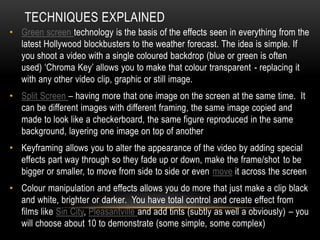
• Green screen technology is the basis of the effects seen in everything from the
latest Hollywood blockbusters to the weather forecast. The idea is simple. If
you shoot a video with a single coloured backdrop (blue or green is often
used) ‘Chroma Key’ allows you to make that colour transparent - replacing it
with any other video clip, graphic or still image.
• Split Screen – having more that one image on the screen at the same time. It
can be different images with different framing, the same image copied and
made to look like a checkerboard, the same figure reproduced in the same
background, layering one image on top of another
• Keyframing allows you to alter the appearance of the video by adding special
effects part way through so they fade up or down, make the frame/shot to be
bigger or smaller, to move from side to side or even move it across the screen
• Colour manipulation and effects allows you do more that just make a clip black
and white, brighter or darker. You have total control and create effect from
films like Sin City, Pleasantville and add tints (subtly as well a obviously) – you
will choose about 10 to demonstrate (some simple, some complex)
PAST STUDENT WORK – WHAT TECHNIQUES
CAN YOU SPOT?
• Turning Day – Get Up
• Mumford and Son – The Cave
• Vampire Weekend – A Punk (Student Resources)
• Regina Spektor – US (Student Resources)
• Rust Root – Send me on my way
• Kate Perry – I kissed a girl
• Marina and the Diamonds – Radioactive
OTHER EXAMPLES OF PAST WORK TO WATCH IN
YOUR OWN TIME.
• Lou Bega – Mambo Number 5
• Bullet for My Valentine – Dignity
• Madness – The Sun and The Rain
• The Summer Set – Punch Drunk Love
• The XX – Islands
• Kanye West – Street Lights
• Six Sixty – Crash
• And don’t forget there are lots on the blog
TASK – TO CREATE ‘SCREEN CASTS’ THAT
DEMONSTRATE HOW TO DO YOUR FINAL CUT SKILL
1. In your groups plan what skills you are going to demonstrate
2. Plan what footage you need
3. Film that footage as a group
4. Learn how to do your skill (using youtube tutorials, expertise of group
members , online manuals etc)
5. Script your screencast
6. Make your screencast using Quicktime or Final Cut (I will show you how to
do this)
7. If necessary edit your screencast and create a file for the student recourses
folder. Good chance to play with the new version of Final Cut

Final cut master classes for blog

  • 1.
    Green Screen Split Screen UsingKey Frames Colour Manipulation and Effects FINAL CUT MASTER CLASSES
  • 2.
    TECHNIQUES EXPLAINED • Greenscreen technology is the basis of the effects seen in everything from the latest Hollywood blockbusters to the weather forecast. The idea is simple. If you shoot a video with a single coloured backdrop (blue or green is often used) ‘Chroma Key’ allows you to make that colour transparent - replacing it with any other video clip, graphic or still image. • Split Screen – having more that one image on the screen at the same time. It can be different images with different framing, the same image copied and made to look like a checkerboard, the same figure reproduced in the same background, layering one image on top of another • Keyframing allows you to alter the appearance of the video by adding special effects part way through so they fade up or down, make the frame/shot to be bigger or smaller, to move from side to side or even move it across the screen • Colour manipulation and effects allows you do more that just make a clip black and white, brighter or darker. You have total control and create effect from films like Sin City, Pleasantville and add tints (subtly as well a obviously) – you will choose about 10 to demonstrate (some simple, some complex)
  • 3.
    PAST STUDENT WORK– WHAT TECHNIQUES CAN YOU SPOT? • Turning Day – Get Up • Mumford and Son – The Cave • Vampire Weekend – A Punk (Student Resources) • Regina Spektor – US (Student Resources) • Rust Root – Send me on my way • Kate Perry – I kissed a girl • Marina and the Diamonds – Radioactive
  • 4.
    OTHER EXAMPLES OFPAST WORK TO WATCH IN YOUR OWN TIME. • Lou Bega – Mambo Number 5 • Bullet for My Valentine – Dignity • Madness – The Sun and The Rain • The Summer Set – Punch Drunk Love • The XX – Islands • Kanye West – Street Lights • Six Sixty – Crash • And don’t forget there are lots on the blog
  • 5.
    TASK – TOCREATE ‘SCREEN CASTS’ THAT DEMONSTRATE HOW TO DO YOUR FINAL CUT SKILL 1. In your groups plan what skills you are going to demonstrate 2. Plan what footage you need 3. Film that footage as a group 4. Learn how to do your skill (using youtube tutorials, expertise of group members , online manuals etc) 5. Script your screencast 6. Make your screencast using Quicktime or Final Cut (I will show you how to do this) 7. If necessary edit your screencast and create a file for the student recourses folder. Good chance to play with the new version of Final Cut

Editor's Notes

  • #3 Green Screen - https://www.youtube.com/watch?v=clnozSXyF4k Split Screen - https://www.youtube.com/watch?v=EN9auBn6Jys Keyframing - https://www.youtube.com/watch?v=h7DT2nu2Ii0 Sin City - https://www.youtube.com/watch?v=YKFLrTYKIXk Pleasantville - https://www.youtube.com/watch?v=YMAqmYE53wE&feature=related
  • #4 https://www.youtube.com/watch?feature=player_embedded&v=Rn-t0bZI-FM https://www.youtube.com/watch?feature=player_embedded&v=r3XEB2OXYhs https://www.youtube.com/watch?v=8rUdeUBP5yg&feature=youtu.be https://www.youtube.com/watch?v=1WiMFbMnKO0&feature=youtu.be https://www.youtube.com/watch?v=NGK1eou3xKc&feature=player_embedded
  • #5 Blog http://tcca2media.blogspot.co.uk/