
Android App Security: What (not) to do!


             Android App Security: What (not) to do!
About me
●   Thomas Methlie
●   Consultant @Capgemini, Bergen
●   Member of Vestenfjeldske SikkerhetsCompagnie
●   CISSP (Associate) certification


                    Android App Security: What (not) to do!
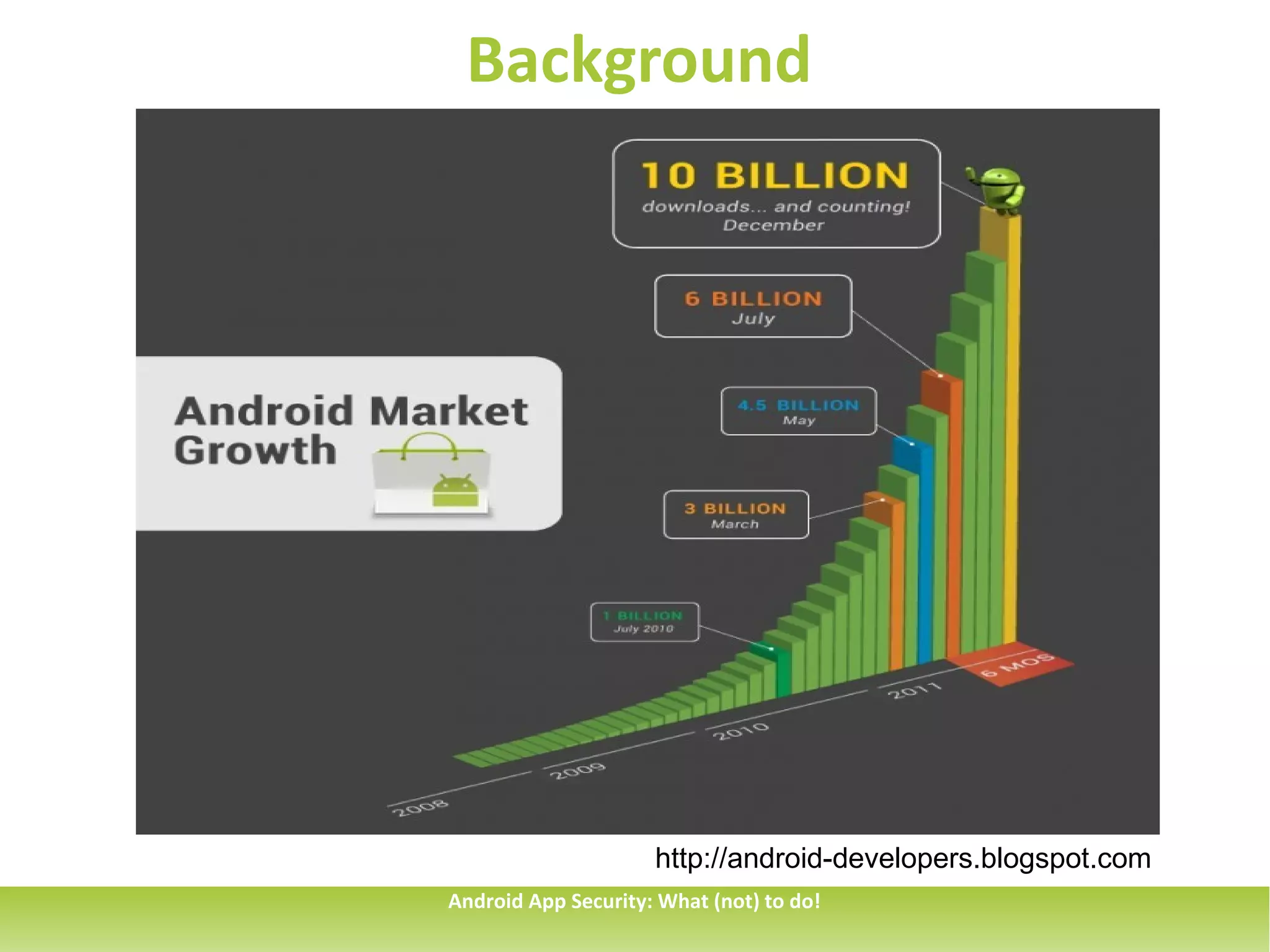
Background


                     http://android-developers.blogspot.com
Android App Security: What (not) to do!
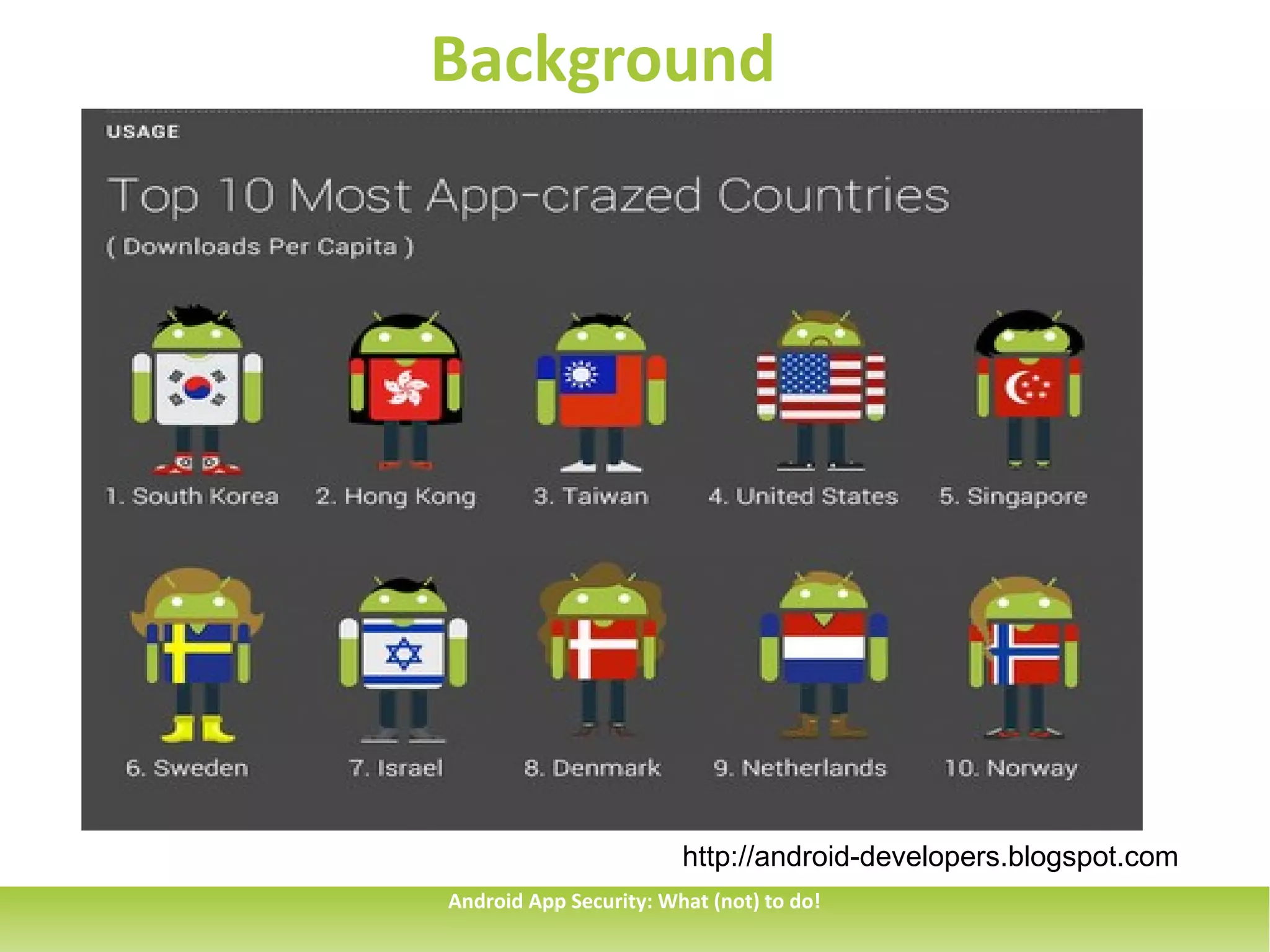
Background


                        http://android-developers.blogspot.com
Android App Security: What (not) to do!
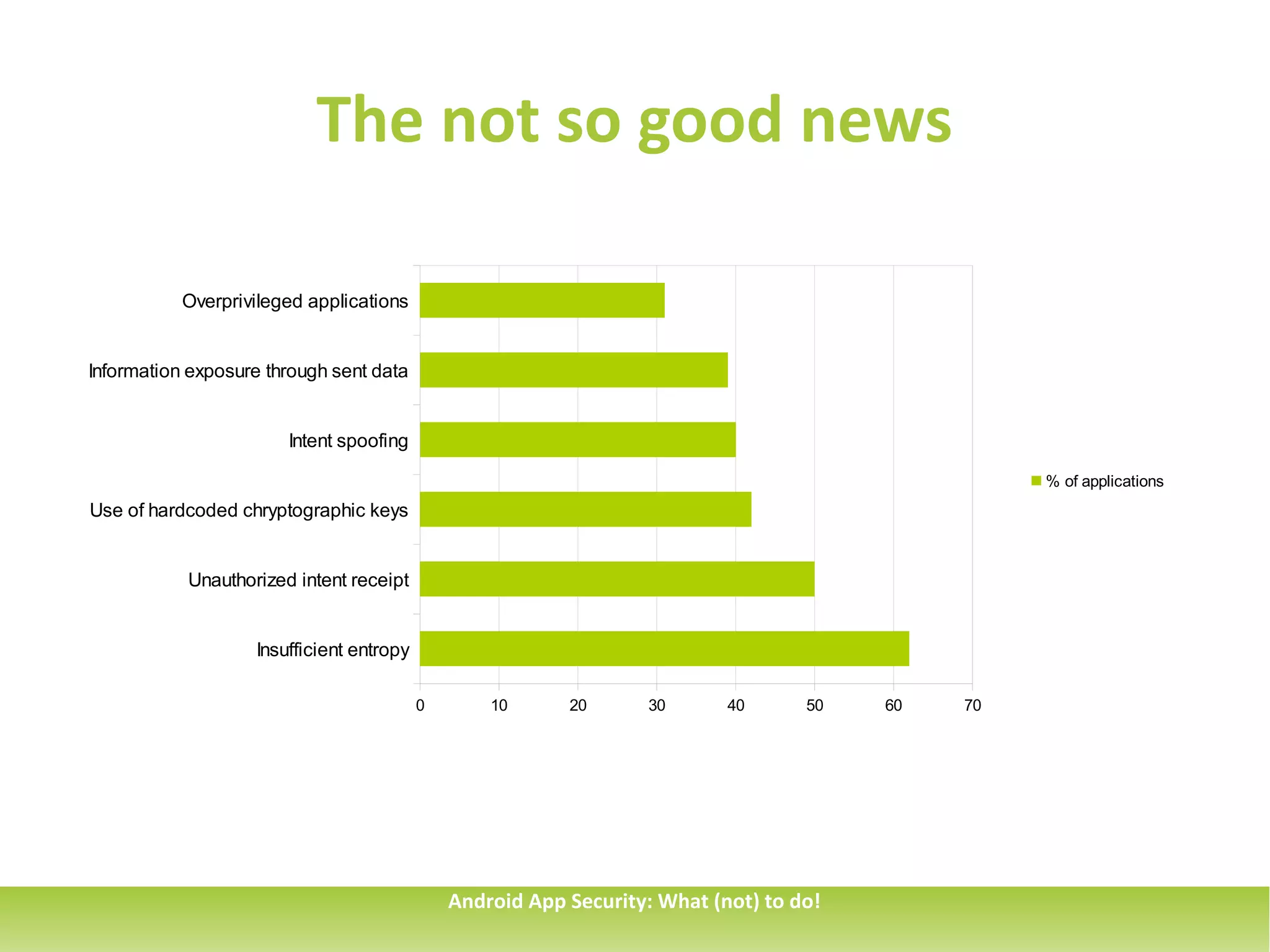
The not so good news

           Overprivileged applications


Information exposure through sent data


                       Intent spoofing

                                                                                                  % of applications
Use of hardcoded chryptographic keys


           Unauthorized intent receipt


                   Insufficient entropy

                                          0       10      20      30       40      50   60   70


                                              Android App Security: What (not) to do!
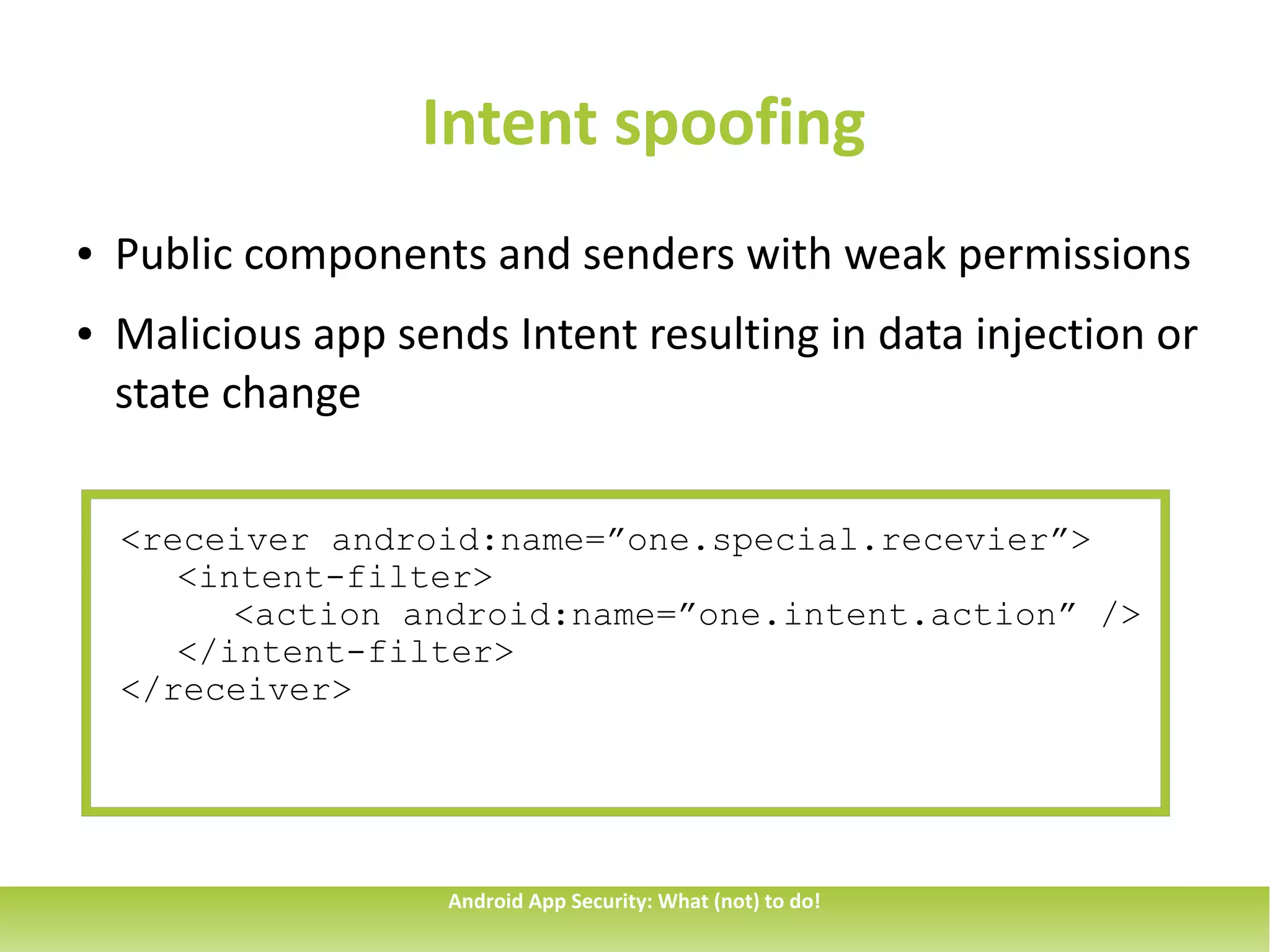
Intent spoofing
●   Public components and senders with weak permissions
●   Malicious app sends Intent resulting in data injection or
    state change

    <receiver android:name=”one.special.recevier”>
       <intent-filter>
          <action android:name=”one.intent.action” />
       </intent-filter>
    </receiver>


                     Android App Security: What (not) to do!
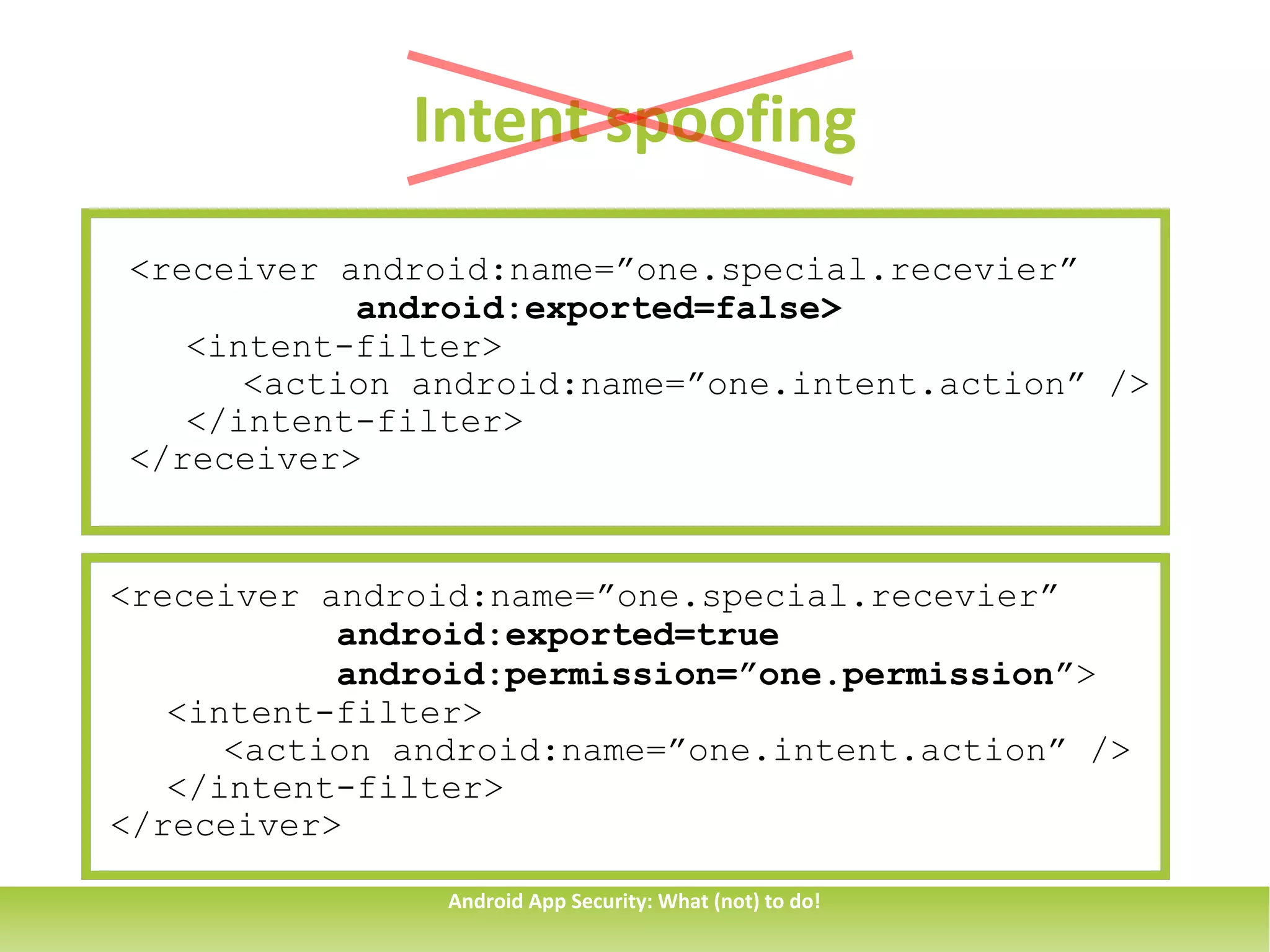
Intent spoofing
<receiver android:name=”one.special.recevier”
           android:exported=false>
   <intent-filter>
      <action android:name=”one.intent.action” />
   </intent-filter>
</receiver>


<receiver android:name=”one.special.recevier”
           android:exported=true
           android:permission=”one.permission”>
   <intent-filter>
      <action android:name=”one.intent.action” />
   </intent-filter>
</receiver>

                Android App Security: What (not) to do!
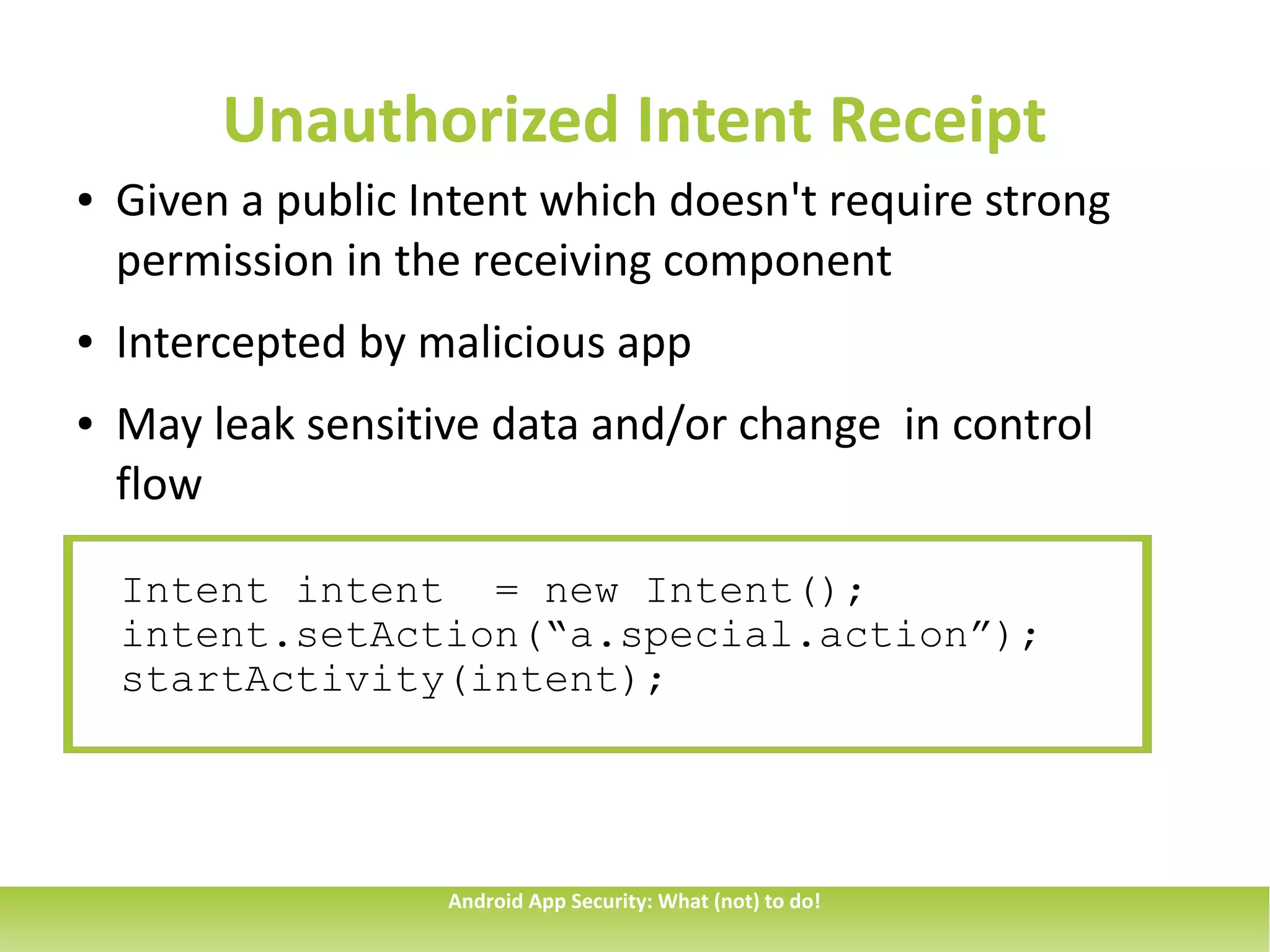
Unauthorized Intent Receipt
●   Given a public Intent which doesn't require strong
    permission in the receiving component
●   Intercepted by malicious app
●   May leak sensitive data and/or change in control
    flow

    Intent intent = new Intent();
    intent.setAction(“a.special.action”);
    startActivity(intent);


                    Android App Security: What (not) to do!
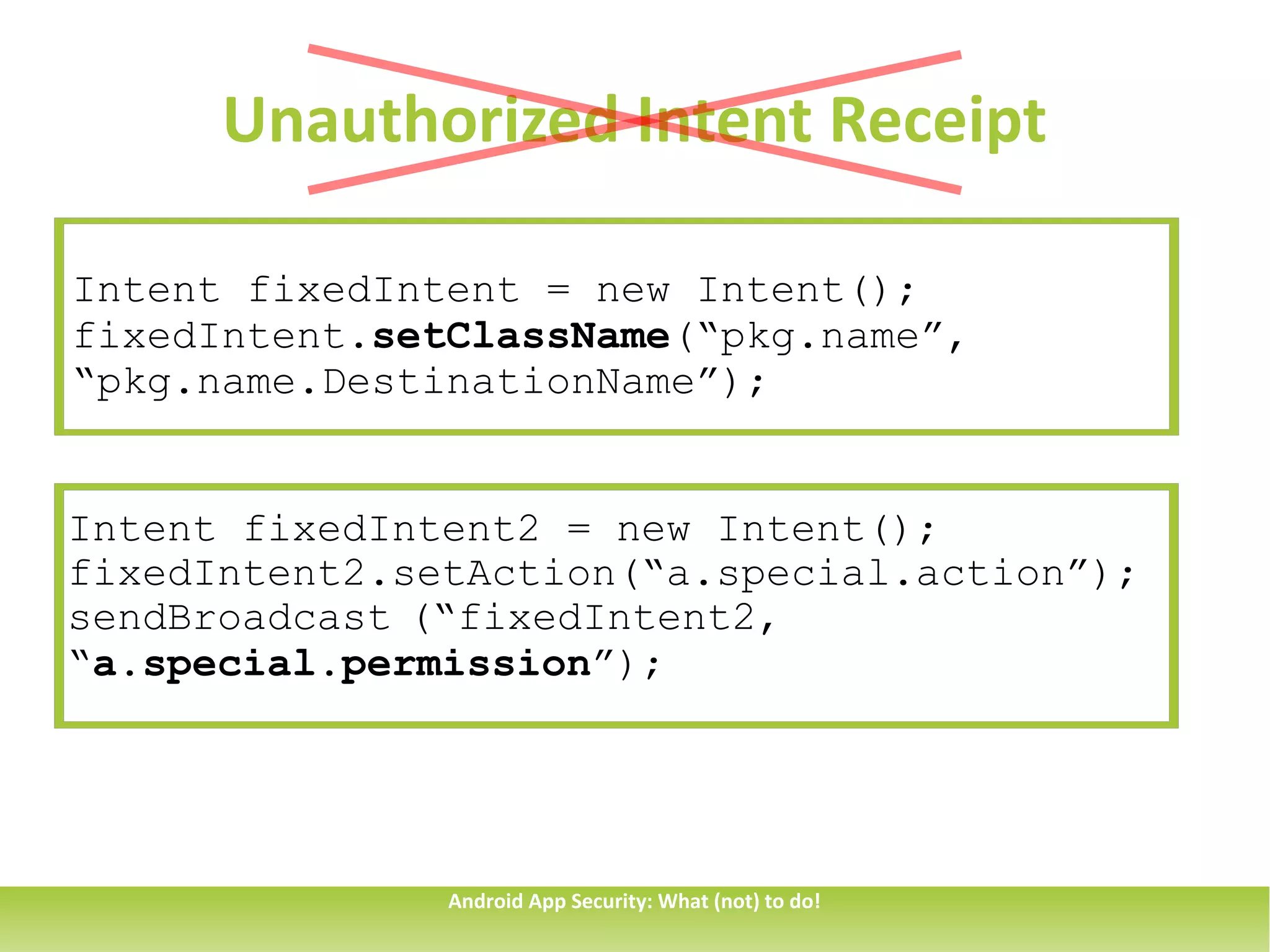
Unauthorized Intent Receipt

Intent fixedIntent = new Intent();
fixedIntent.setClassName(“pkg.name”,
“pkg.name.DestinationName”);


Intent fixedIntent2 = new Intent();
fixedIntent2.setAction(“a.special.action”);
sendBroadcast (“fixedIntent2,
“a.special.permission”);


               Android App Security: What (not) to do!
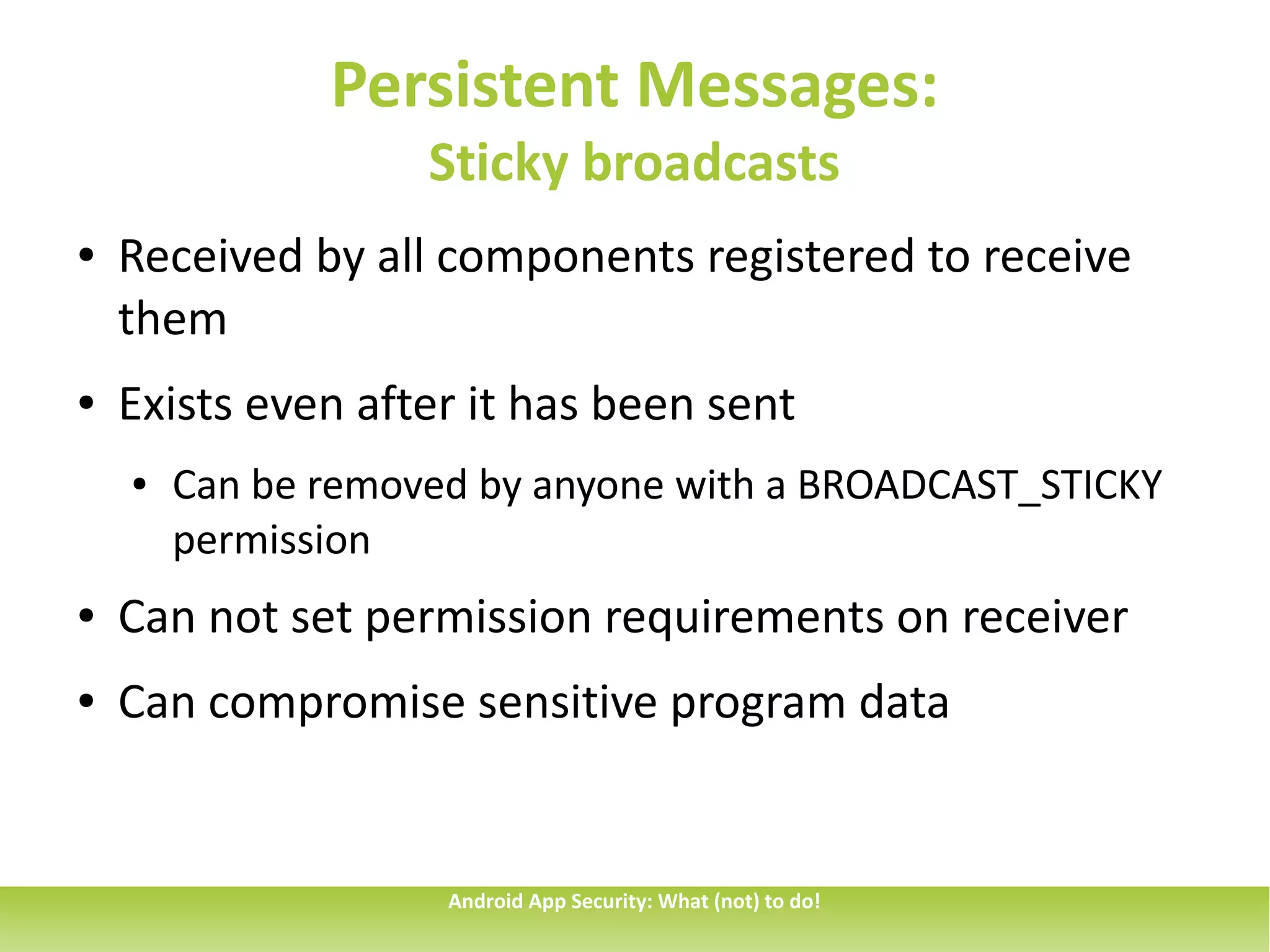
Persistent Messages:
                    Sticky broadcasts
●   Received by all components registered to receive
    them
●   Exists even after it has been sent
    ●   Can be removed by anyone with a BROADCAST_STICKY
        permission
●   Can not set permission requirements on receiver
●   Can compromise sensitive program data


                     Android App Security: What (not) to do!
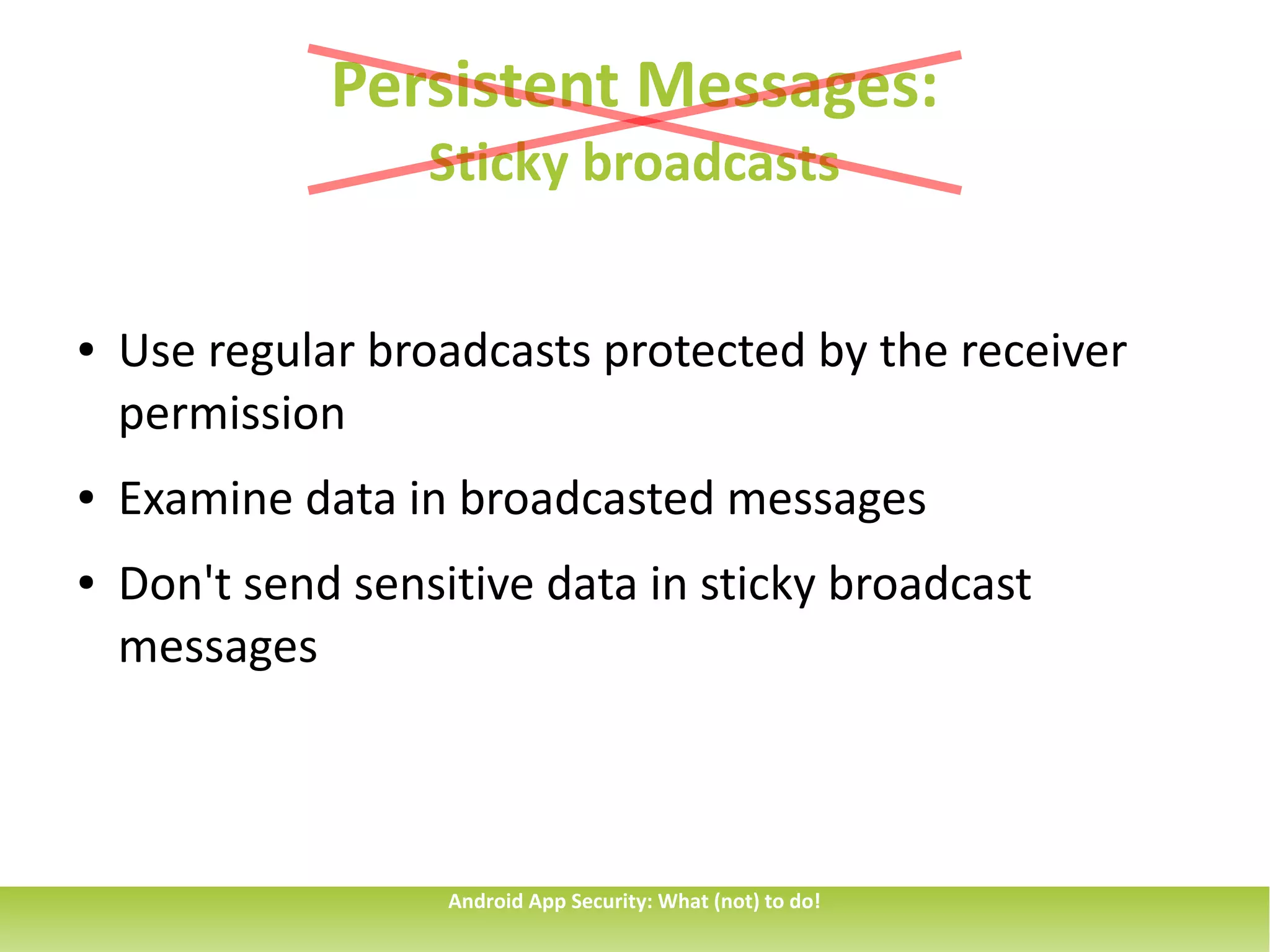
Persistent Messages:
                   Sticky broadcasts


●   Use regular broadcasts protected by the receiver
    permission
●   Examine data in broadcasted messages
●   Don't send sensitive data in sticky broadcast
    messages


                    Android App Security: What (not) to do!
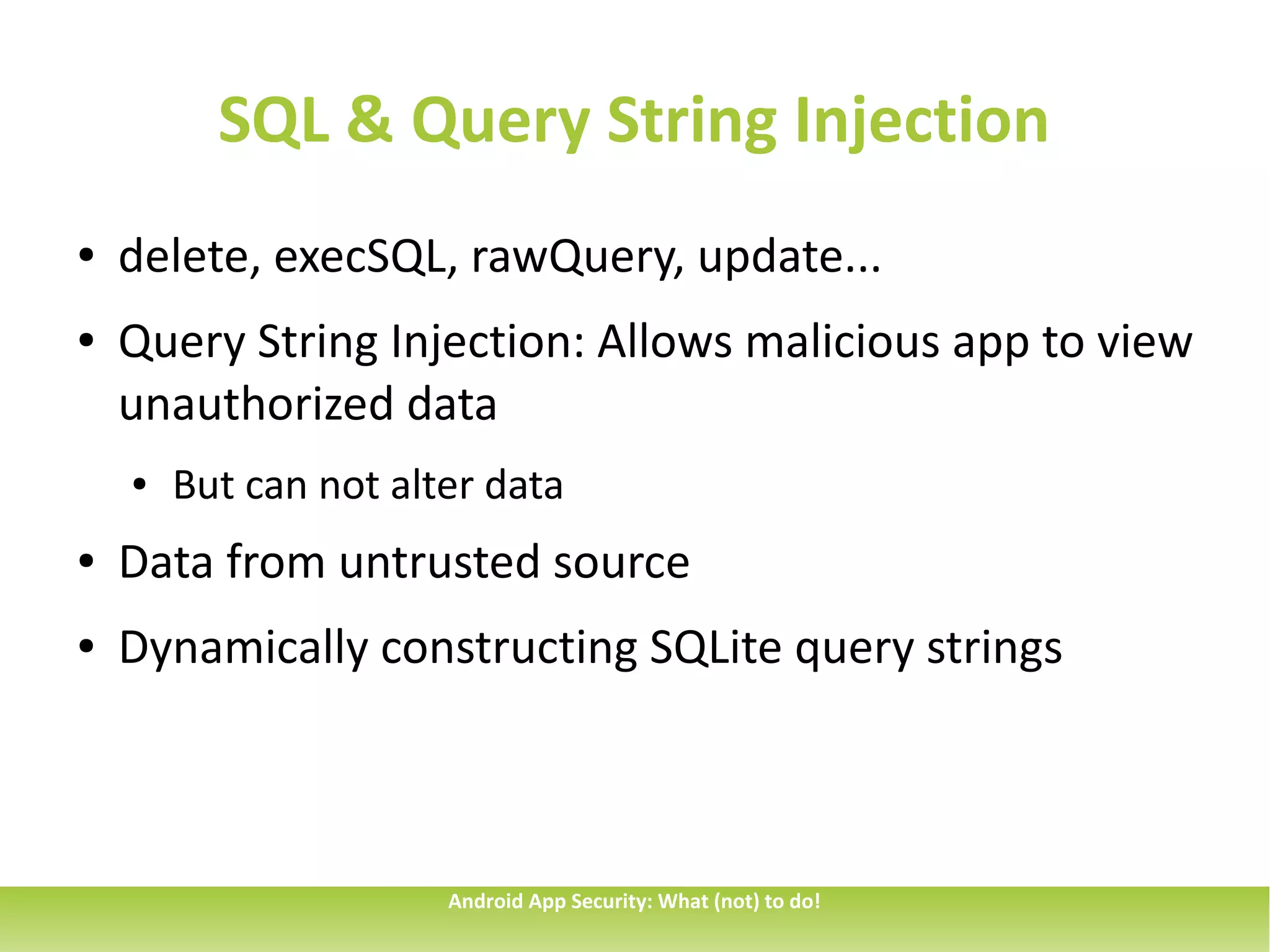
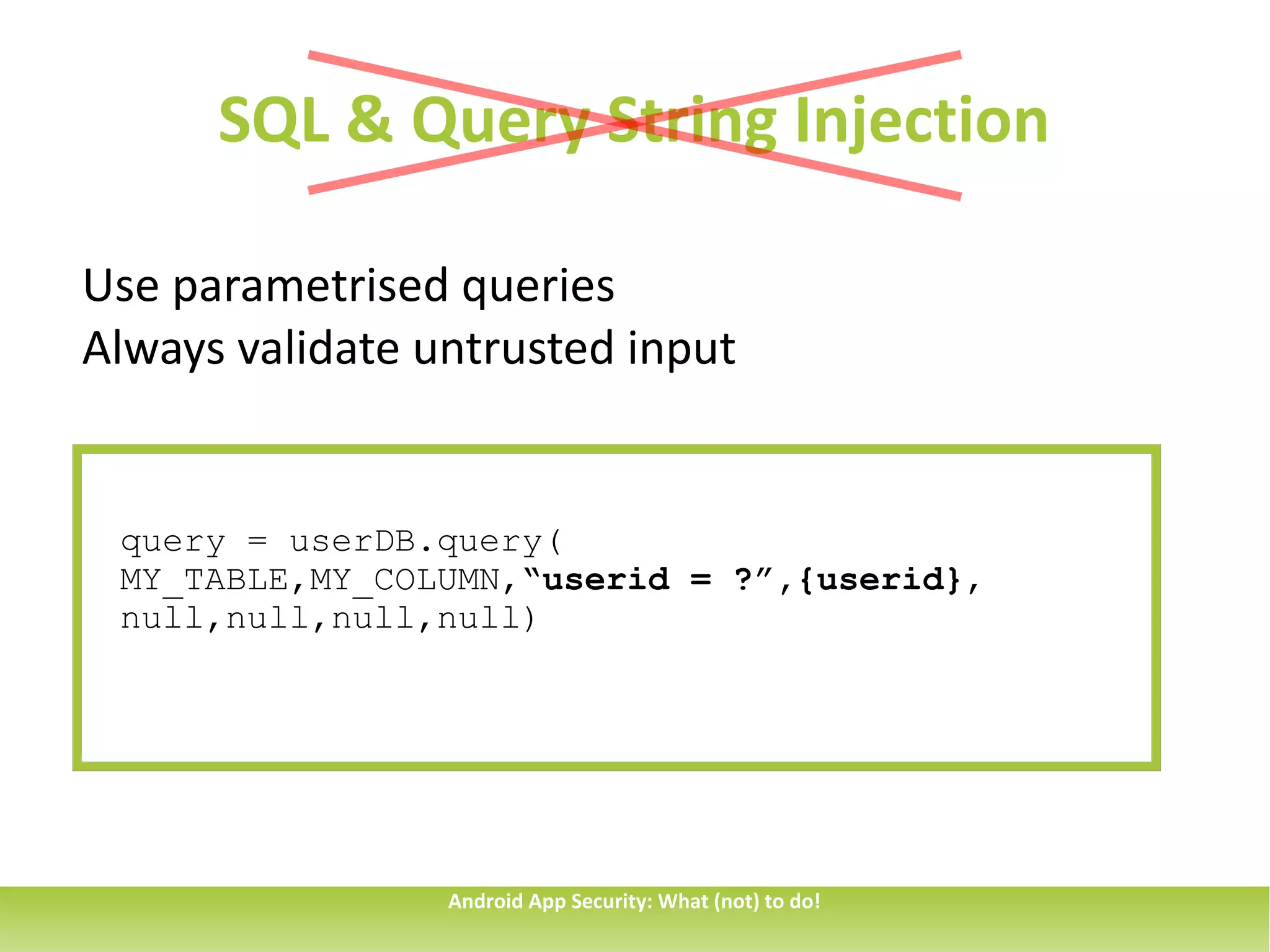
SQL & Query String Injection
●   delete, execSQL, rawQuery, update...
●   Query String Injection: Allows malicious app to view
    unauthorized data
    ●   But can not alter data
●   Data from untrusted source
●   Dynamically constructing SQLite query strings


                       Android App Security: What (not) to do!
SQL & Query String Injection

Use parametrised queries
Always validate untrusted input


 query = userDB.query(
 MY_TABLE,MY_COLUMN,“userid = ?”,{userid},
 null,null,null,null)


                 Android App Security: What (not) to do!
More vulnerabilities
Insecure Communication
Over privileged Applications
Insecure Storage
Insufficient cryptographic entropy
Use of hard-coded cryptographic keys


                   Android App Security: What (not) to do!
Sources
1.Seven ways to hang yourself with Google Android. Y. O'Neil and E.
Chin
2.Veracode State of Software Security v04
3.http://android-developers.blogspot.com


                      Android App Security: What (not) to do!
Thank you for listening!
     @tsmethlie

     no.linkedin.com/in/thomasmethlie

     thomas.methlie@gmail.com

     thomas.methlie@capgemini.com


          Android App Security: What (not) to do!

Android App Security: What (not) to do!

  • 1.
    Android App Security:What (not) to do! Android App Security: What (not) to do!
  • 2.
    About me ● Thomas Methlie ● Consultant @Capgemini, Bergen ● Member of Vestenfjeldske SikkerhetsCompagnie ● CISSP (Associate) certification Android App Security: What (not) to do!
  • 3.
    Background http://android-developers.blogspot.com Android App Security: What (not) to do!
  • 4.
    Background http://android-developers.blogspot.com Android App Security: What (not) to do!
  • 5.
    The not sogood news Overprivileged applications Information exposure through sent data Intent spoofing % of applications Use of hardcoded chryptographic keys Unauthorized intent receipt Insufficient entropy 0 10 20 30 40 50 60 70 Android App Security: What (not) to do!
  • 6.
    Intent spoofing ● Public components and senders with weak permissions ● Malicious app sends Intent resulting in data injection or state change <receiver android:name=”one.special.recevier”> <intent-filter> <action android:name=”one.intent.action” /> </intent-filter> </receiver> Android App Security: What (not) to do!
  • 7.
    Intent spoofing <receiver android:name=”one.special.recevier” android:exported=false> <intent-filter> <action android:name=”one.intent.action” /> </intent-filter> </receiver> <receiver android:name=”one.special.recevier” android:exported=true android:permission=”one.permission”> <intent-filter> <action android:name=”one.intent.action” /> </intent-filter> </receiver> Android App Security: What (not) to do!
  • 8.
    Unauthorized Intent Receipt ● Given a public Intent which doesn't require strong permission in the receiving component ● Intercepted by malicious app ● May leak sensitive data and/or change in control flow Intent intent = new Intent(); intent.setAction(“a.special.action”); startActivity(intent); Android App Security: What (not) to do!
  • 9.
    Unauthorized Intent Receipt IntentfixedIntent = new Intent(); fixedIntent.setClassName(“pkg.name”, “pkg.name.DestinationName”); Intent fixedIntent2 = new Intent(); fixedIntent2.setAction(“a.special.action”); sendBroadcast (“fixedIntent2, “a.special.permission”); Android App Security: What (not) to do!
  • 10.
    Persistent Messages: Sticky broadcasts ● Received by all components registered to receive them ● Exists even after it has been sent ● Can be removed by anyone with a BROADCAST_STICKY permission ● Can not set permission requirements on receiver ● Can compromise sensitive program data Android App Security: What (not) to do!
  • 11.
    Persistent Messages: Sticky broadcasts ● Use regular broadcasts protected by the receiver permission ● Examine data in broadcasted messages ● Don't send sensitive data in sticky broadcast messages Android App Security: What (not) to do!
  • 12.
    SQL & QueryString Injection ● delete, execSQL, rawQuery, update... ● Query String Injection: Allows malicious app to view unauthorized data ● But can not alter data ● Data from untrusted source ● Dynamically constructing SQLite query strings Android App Security: What (not) to do!
  • 13.
    SQL & QueryString Injection Use parametrised queries Always validate untrusted input query = userDB.query( MY_TABLE,MY_COLUMN,“userid = ?”,{userid}, null,null,null,null) Android App Security: What (not) to do!
  • 14.
    More vulnerabilities Insecure Communication Overprivileged Applications Insecure Storage Insufficient cryptographic entropy Use of hard-coded cryptographic keys Android App Security: What (not) to do!
  • 15.
    Sources 1.Seven ways tohang yourself with Google Android. Y. O'Neil and E. Chin 2.Veracode State of Software Security v04 3.http://android-developers.blogspot.com Android App Security: What (not) to do!
  • 16.
    Thank you forlistening! @tsmethlie no.linkedin.com/in/thomasmethlie thomas.methlie@gmail.com thomas.methlie@capgemini.com Android App Security: What (not) to do!