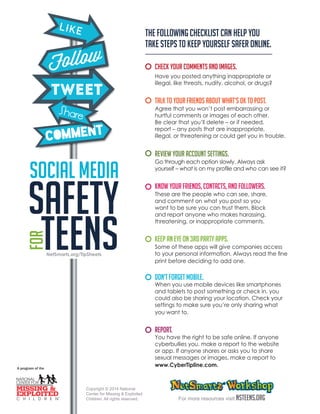
The following checklist can help you 
take steps to keep yourself safer online. 
Check your comments and images. 
Have you posted anything inappropriate or 
illegal, like threats, nudity, alcohol, or drugs? 
Talk to your friends about what’s OK to post. 
Agree that you won’t post embarrassing or 
hurtful comments or images of each other. 
Be clear that you’ll delete – or if needed, 
report – any posts that are inappropriate, 
illegal, or threatening or could get you in trouble. 
Review your account settings. 
Go through each option slowly. Always ask 
yourself – what is on my profile and who can see it? 
Know your friends, contacts, and followers. 
These are the people who can see, share, 
and comment on what you post so you 
want to be sure you can trust them. Block 
and report anyone who makes harassing, 
threatening, or inappropriate comments. 
Keep an eye on 3rd party apps. 
Some of these apps will give companies access 
to your personal information. Always read the fine 
print before deciding to add one. 
Don’t forget mobile. 
When you use mobile devices like smartphones 
and tablets to post something or check in, you 
could also be sharing your location. Check your 
settings to make sure you’re only sharing what 
you want to. 
REPORT. 
You have the right to be safe online. If anyone 
cyberbullies you, make a report to the website 
or app. If anyone shares or asks you to share 
sexual messages or images, make a report to 
www.CyberTipline.com. 
For more resources visit NSTeens.org 
Copyright © 2014 National 
Center for Missing & Exploited 
Children. All rights reserved. 
NetSmartz.org/TipSheets

Social Media Safety Teens - From NetSmartz

  • 1.
    The following checklistcan help you take steps to keep yourself safer online. Check your comments and images. Have you posted anything inappropriate or illegal, like threats, nudity, alcohol, or drugs? Talk to your friends about what’s OK to post. Agree that you won’t post embarrassing or hurtful comments or images of each other. Be clear that you’ll delete – or if needed, report – any posts that are inappropriate, illegal, or threatening or could get you in trouble. Review your account settings. Go through each option slowly. Always ask yourself – what is on my profile and who can see it? Know your friends, contacts, and followers. These are the people who can see, share, and comment on what you post so you want to be sure you can trust them. Block and report anyone who makes harassing, threatening, or inappropriate comments. Keep an eye on 3rd party apps. Some of these apps will give companies access to your personal information. Always read the fine print before deciding to add one. Don’t forget mobile. When you use mobile devices like smartphones and tablets to post something or check in, you could also be sharing your location. Check your settings to make sure you’re only sharing what you want to. REPORT. You have the right to be safe online. If anyone cyberbullies you, make a report to the website or app. If anyone shares or asks you to share sexual messages or images, make a report to www.CyberTipline.com. For more resources visit NSTeens.org Copyright © 2014 National Center for Missing & Exploited Children. All rights reserved. NetSmartz.org/TipSheets