Free Your Website
From Its Straitjacket
Justin Kinser
Topics for today

• Understanding key CMS elements
  & functionality
• Selecting the best CMS
• Deploying a CMS: implementation
  considerations and keys to success
• Using a CMS for powerful integrated marketing
Understanding a Content Management
System

• Anatomy of a CMS
• Names you might have heard
• Elements and functionality
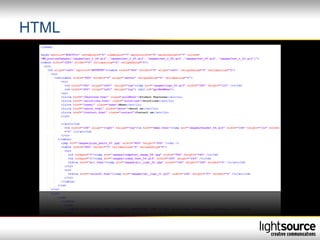
HTML
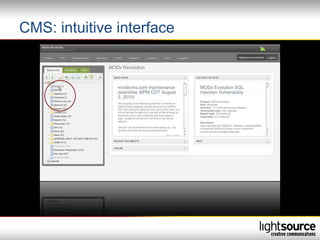
CMS: intuitive interface
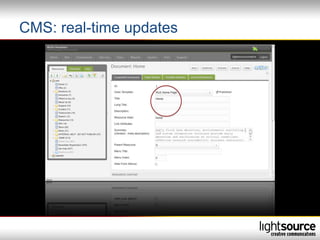
CMS: real-time updates
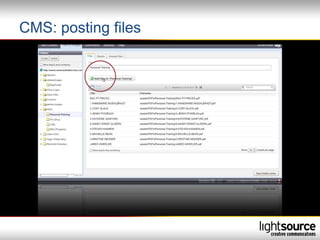
CMS: posting files
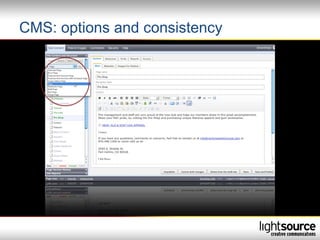
CMS: options and consistency
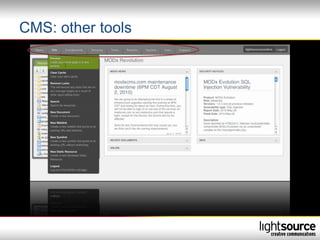
CMS: other tools
CMS for your website

• Website foundation
• What it means for your website
Selecting the best CMS

• Key needs vs. the “nice-to-haves”
• Needs now vs. needs in the future
• Maintenance plan and process
Deploying a CMS: implementation
considerations and keys to success

• Content management know-how
• Stakeholder involvement
• Metrics capture
Using a CMS for powerful
integrated marketing

•   Social media
•   Email campaigns
•   Direct mail
•   Quick Response code (QR)
•   Advertising
•   Search Engine Marketing (SEM) / Pay-Per-Click (PPC)
•   Search Engine Optimization (SEO)
Using a CMS for Search Engine
Optimization (SEO)

• Organic SEO
• CMS managed SEO
  to include: URL rewriting,
  title tags, meta tags,
  H1, H2 styles
• Subscription alternative
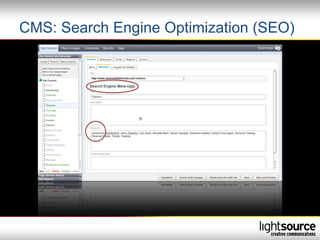
CMS: Search Engine Optimization (SEO)
Boundaries

• Experience required
• Limiting font options
• Navigation restrictions
Myths about a CMS

•   Implementing a CMS is free
•   Implementing a CMS is expensive
•   A CMS does not support Flash or videos
•   There are limited templates for a CMS
•   HTML knowledge is required to use a CMS
Ready to get started

• Is a CMS the right fit for me?
   – Website size
   – Dynamic or static content
   – Additional functionality
Increase return on CMS

• Getting the most from your CMS
  – Implementing SEO improvements
  – Routine process for updates
  – Using customized landing pages
Takeaways

•   Easy to use/real-time updates
•   Integration with operations
•   Campaign support
•   Additional functionality
•   Scalable
Thanks!

Justin Kinser
Director of Business Development
Justin@LightsourceCreative.com

www.LightsourceCreative.com

CMS Presentation

  • 1.
    Free Your Website FromIts Straitjacket Justin Kinser
  • 2.
    Topics for today •Understanding key CMS elements & functionality • Selecting the best CMS • Deploying a CMS: implementation considerations and keys to success • Using a CMS for powerful integrated marketing
  • 3.
    Understanding a ContentManagement System • Anatomy of a CMS • Names you might have heard • Elements and functionality
  • 4.
  • 5.
  • 6.
  • 7.
  • 8.
    CMS: options andconsistency
  • 9.
  • 10.
    CMS for yourwebsite • Website foundation • What it means for your website
  • 11.
    Selecting the bestCMS • Key needs vs. the “nice-to-haves” • Needs now vs. needs in the future • Maintenance plan and process
  • 12.
    Deploying a CMS:implementation considerations and keys to success • Content management know-how • Stakeholder involvement • Metrics capture
  • 13.
    Using a CMSfor powerful integrated marketing • Social media • Email campaigns • Direct mail • Quick Response code (QR) • Advertising • Search Engine Marketing (SEM) / Pay-Per-Click (PPC) • Search Engine Optimization (SEO)
  • 14.
    Using a CMSfor Search Engine Optimization (SEO) • Organic SEO • CMS managed SEO to include: URL rewriting, title tags, meta tags, H1, H2 styles • Subscription alternative
  • 15.
    CMS: Search EngineOptimization (SEO)
  • 16.
    Boundaries • Experience required •Limiting font options • Navigation restrictions
  • 17.
    Myths about aCMS • Implementing a CMS is free • Implementing a CMS is expensive • A CMS does not support Flash or videos • There are limited templates for a CMS • HTML knowledge is required to use a CMS
  • 18.
    Ready to getstarted • Is a CMS the right fit for me? – Website size – Dynamic or static content – Additional functionality
  • 19.
    Increase return onCMS • Getting the most from your CMS – Implementing SEO improvements – Routine process for updates – Using customized landing pages
  • 20.
    Takeaways • Easy to use/real-time updates • Integration with operations • Campaign support • Additional functionality • Scalable
  • 21.
    Thanks! Justin Kinser Director ofBusiness Development Justin@LightsourceCreative.com www.LightsourceCreative.com