Karsten Dambekalns


       Persistence in FLOW3
            with Doctrine 2


               FLOW3 Experience 2012

                                       1
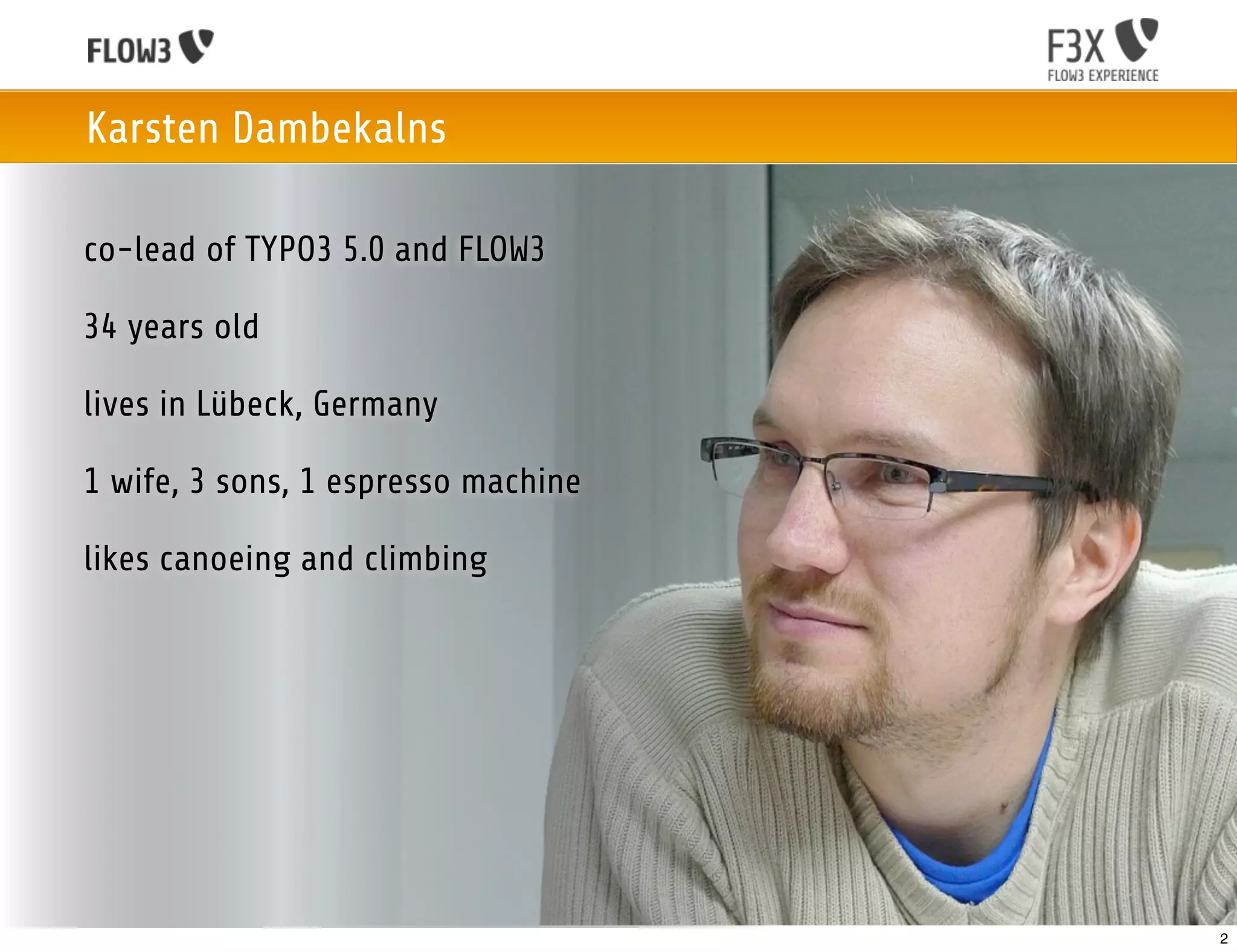
Karsten Dambekalns

co-lead of TYPO3 5.0 and FLOW3

34 years old

lives in Lübeck, Germany

1 wife, 3 sons, 1 espresso machine

likes canoeing and climbing


                                     2
Persistence in FLOW3 with Doctrine 2

Object Persistence in the Flow
 • Based on Doctrine 2

 • Seamless integration into FLOW3

 • Provides the great Doctrine 2 features

 • Uses UUIDs

 • Our low-level persistence API

   • Allows for own, custom persistence
     backends (instead of Doctrine 2)

   • CouchDB is supported natively

                                            3
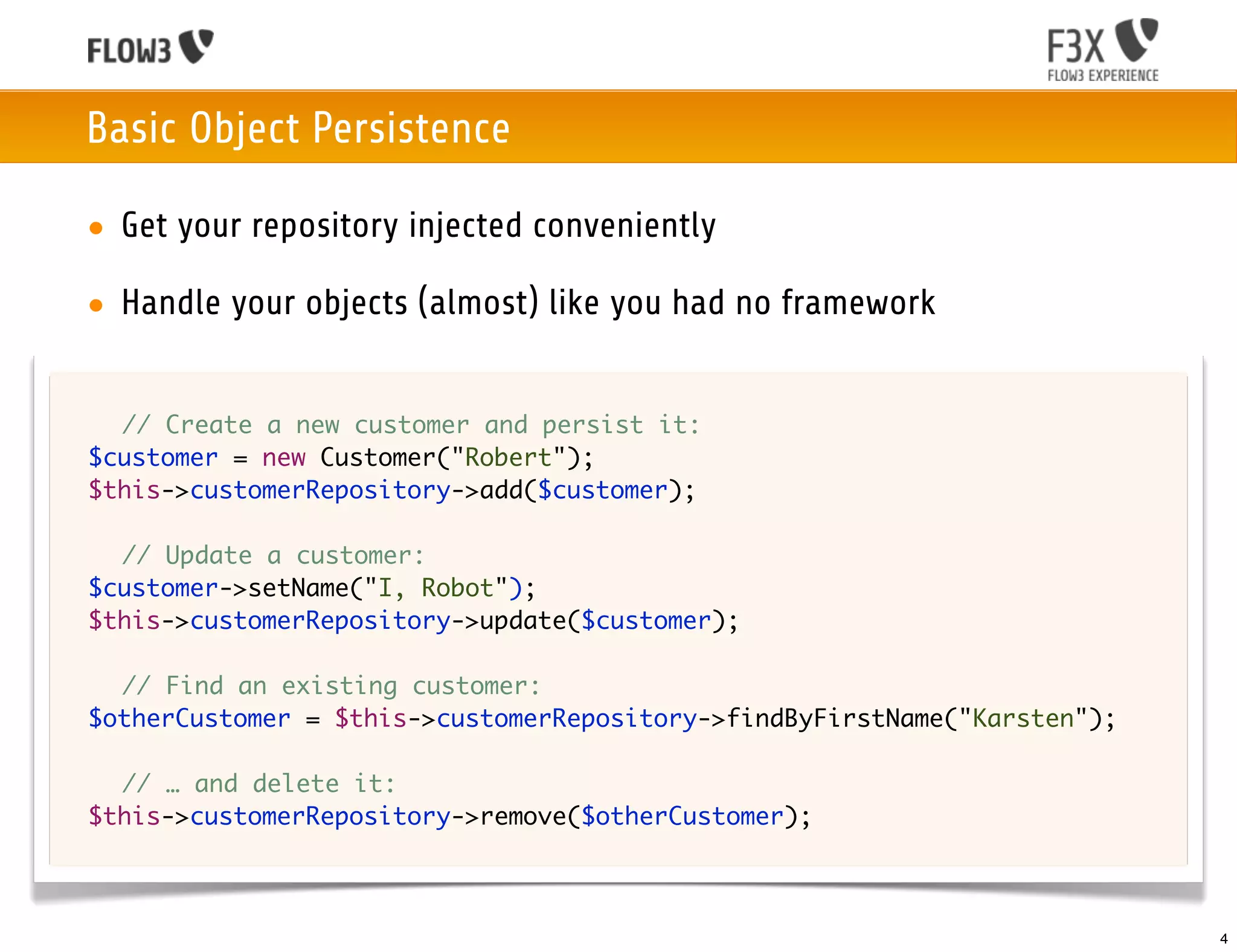
Basic Object Persistence

    • Get your repository injected conveniently

    • Handle your objects (almost) like you had no framework


	 	 // Create a new customer and persist it:
	 $customer = new Customer("Robert");
	 $this->customerRepository->add($customer);

	 	 // Update a customer:
	 $customer->setName("I, Robot");
	 $this->customerRepository->update($customer);

	   	 // Find an existing customer:
	   $otherCustomer = $this->customerRepository->findByFirstName("Karsten");
	
	   	 // … and delete it:
	   $this->customerRepository->remove($otherCustomer);


                                                                              4
Persistence in FLOW3 with Doctrine 2

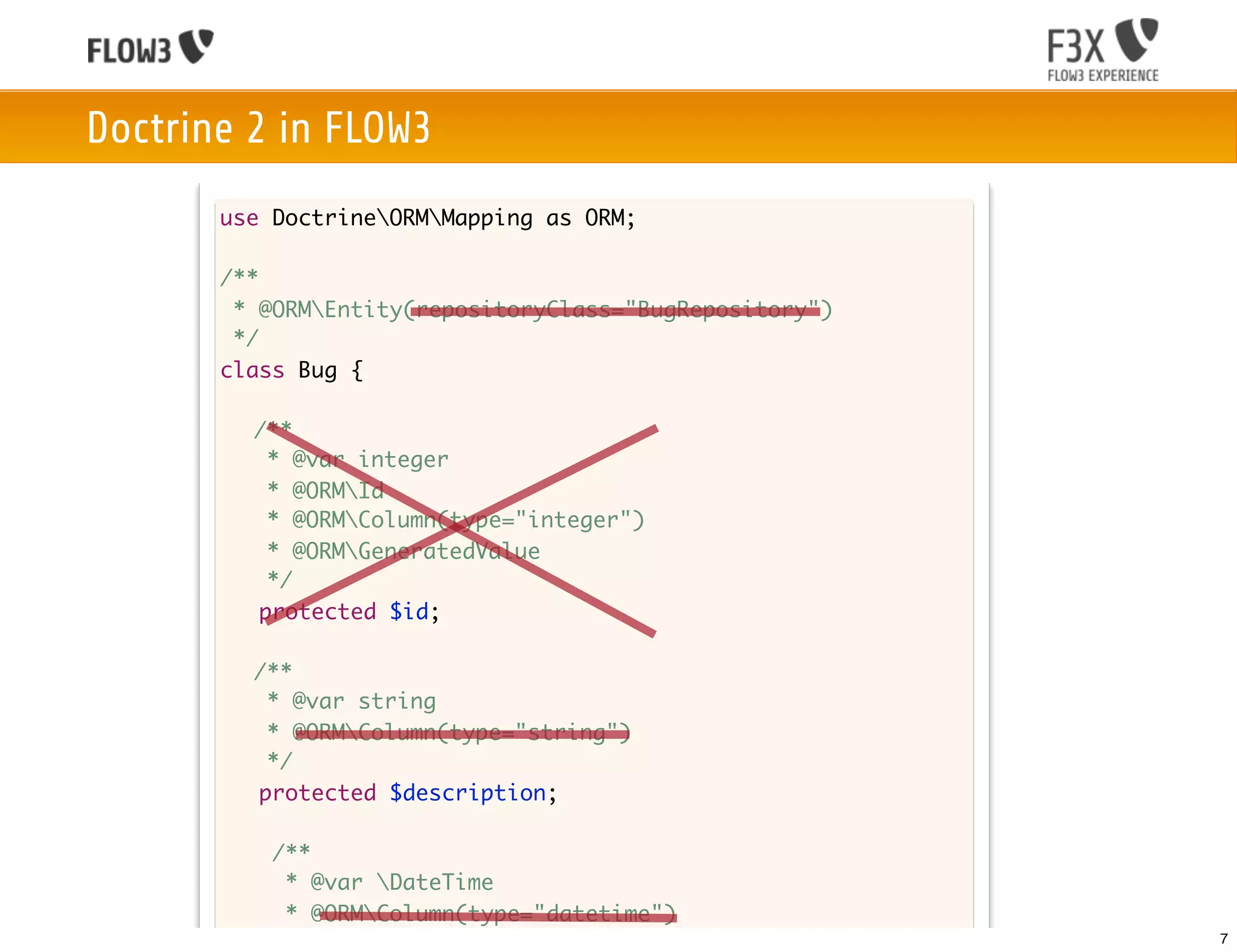
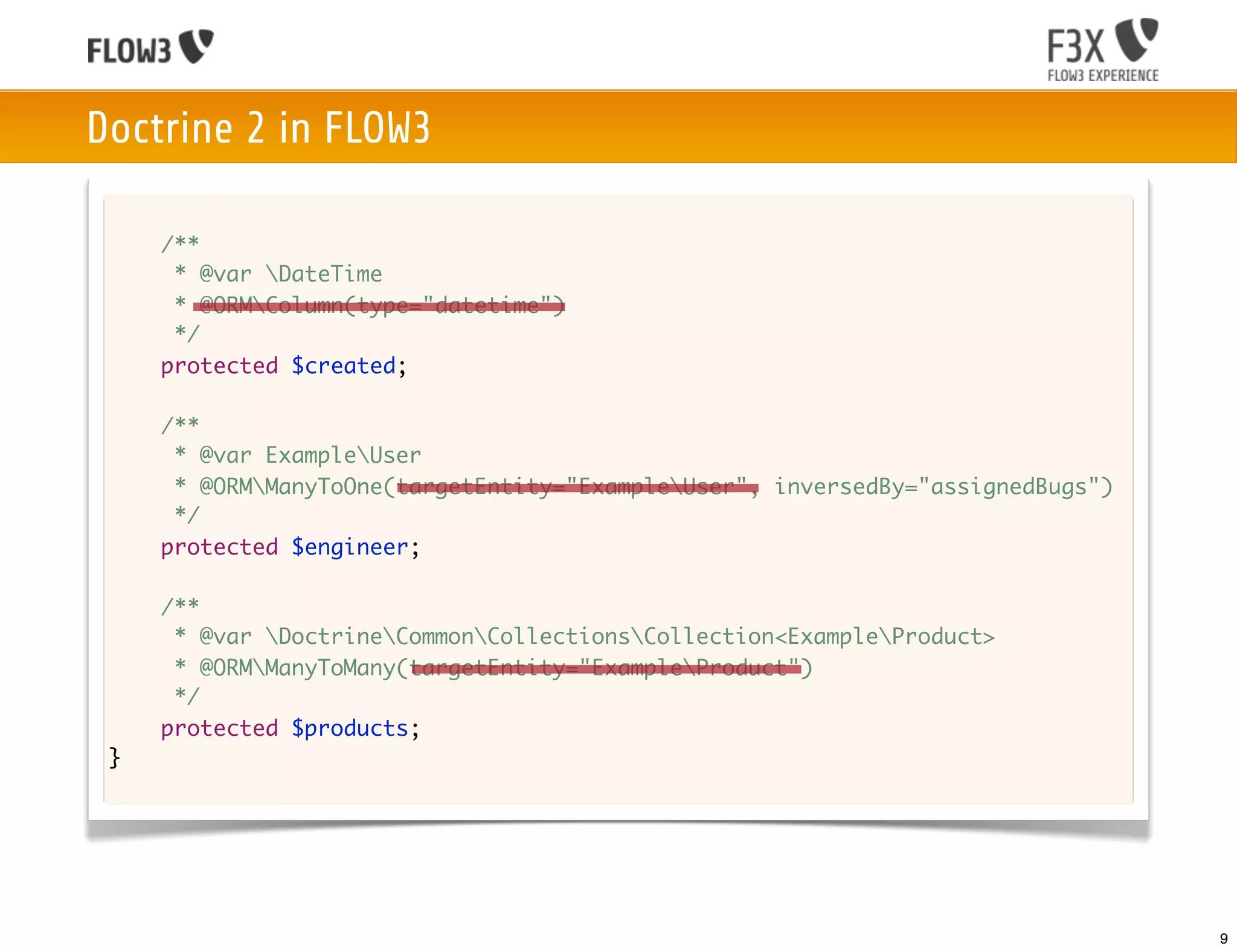
Differences to plain Doctrine 2 in modeling
• Identifier properties are added transparently

• FLOW3 does autodetection for

 • repository class names, column types, referenced column names

 • target entity types, cascade attributes

• All Doctrine annotations work as usual

 • Whatever you specify wins over automation

 • Allows for full flexibility


                                                                   5
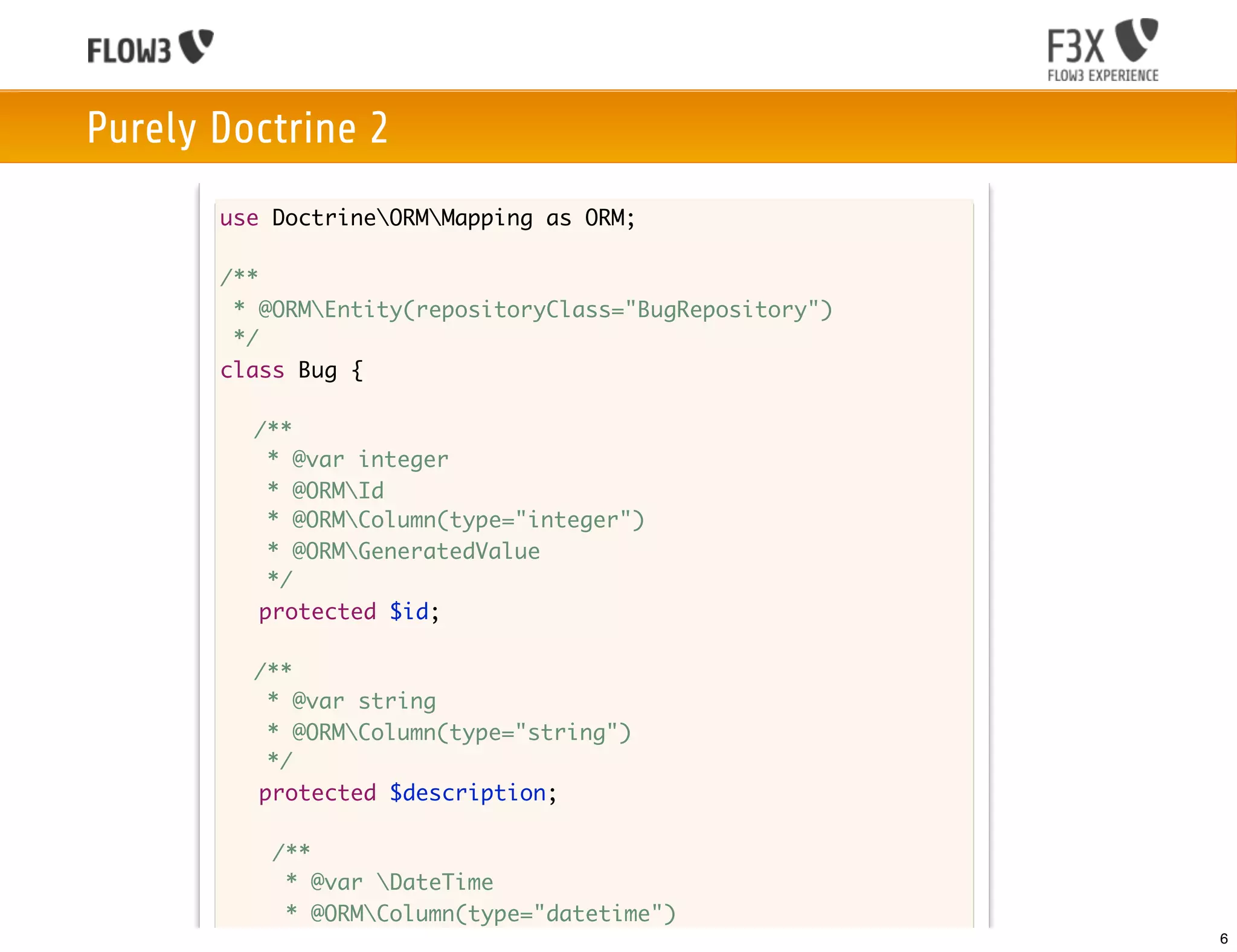
Purely Doctrine 2
       use DoctrineORMMapping as ORM;

       /**
        * @ORMEntity(repositoryClass="BugRepository")
        */
       class Bug {

       	 /**
       	    * @var integer
       	    * @ORMId
         	 * @ORMColumn(type="integer")
       	    * @ORMGeneratedValue
       	    */
           protected $id;

       	 /**
       	  * @var string
       	  * @ORMColumn(type="string")
       	  */
         protected $description;

           /**
            * @var DateTime
            * @ORMColumn(type="datetime")
            */                                           6
Doctrine 2 in FLOW3
       use DoctrineORMMapping as ORM;

       /**
        * @ORMEntity(repositoryClass="BugRepository")
        */
       class Bug {

       	 /**
       	    * @var integer
       	    * @ORMId
         	 * @ORMColumn(type="integer")
       	    * @ORMGeneratedValue
       	    */
           protected $id;

       	 /**
       	  * @var string
       	  * @ORMColumn(type="string")
       	  */
         protected $description;

           /**
            * @var DateTime
            * @ORMColumn(type="datetime")
            */                                           7
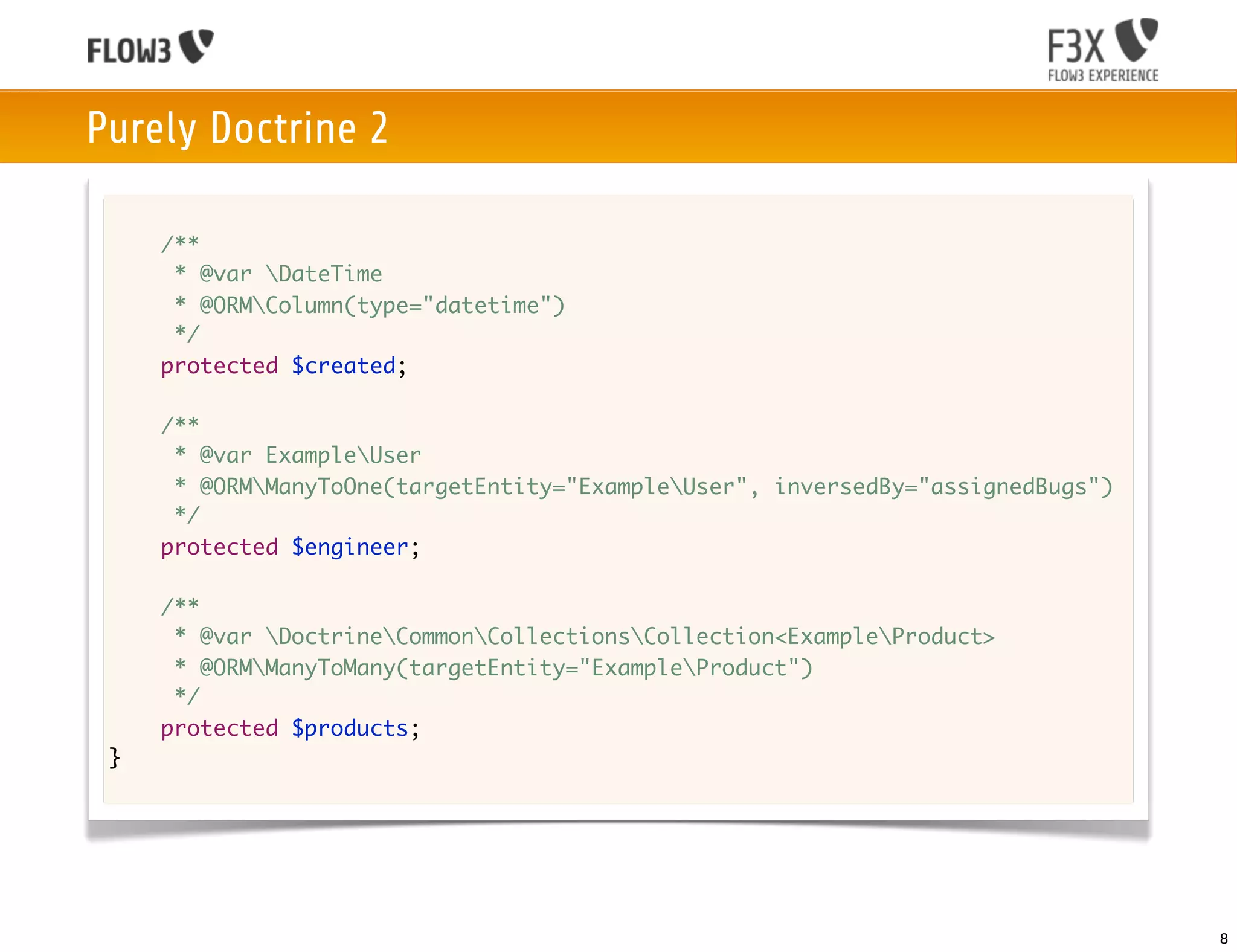
Purely Doctrine 2

     /**
      * @var DateTime
      * @ORMColumn(type="datetime")
      */
     protected $created;

     /**
      * @var ExampleUser
      * @ORMManyToOne(targetEntity="ExampleUser", inversedBy="assignedBugs")
      */
     protected $engineer;

     /**
      * @var DoctrineCommonCollectionsCollection<ExampleProduct>
      * @ORMManyToMany(targetEntity="ExampleProduct")
      */
     protected $products;
 }


                                                                                 8
Doctrine 2 in FLOW3

     /**
      * @var DateTime
      * @ORMColumn(type="datetime")
      */
     protected $created;

     /**
      * @var ExampleUser
      * @ORMManyToOne(targetEntity="ExampleUser", inversedBy="assignedBugs")
      */
     protected $engineer;

     /**
      * @var DoctrineCommonCollectionsCollection<ExampleProduct>
      * @ORMManyToMany(targetEntity="ExampleProduct")
      */
     protected $products;
 }


                                                                                 9
Using Repositories

Choose between the generic base repository to support any backend or
the Doctrine base repository to access advanced Doctrine functionality.


Extending the base repositories of FLOW3

 • Provides basic methods like:
   findAll(), countAll(), remove(), removeAll()

 • Provides automatic finder methods to retrieve by property:
   findByPropertyName($value), findOneByPropertyName($value)


Add specialized finder methods to your own repository.


                                                                          10
Advanced Queries using the QOM
PostRepository.php

class PostRepository extends FLOW3PersistenceRepository {

	   /**
	    * Finds most recent posts excluding the given post
	    *
	    * @param TYPO3BlogDomainModelPost $post Post to exclude from result
	    * @param integer $limit The number of posts to return at max
	    * @return array All posts of the $post's blog except for $post
	    */
	   public function findRecentExceptThis(TYPO3BlogDomainModelPost $post, $limit = 20) {
	   	 $query = $this->createQuery();
	   	 $posts = $query->matching($query->equals('blog', $post->getBlog()))
	   	 	 ->setOrderings(array(
             'date' => TYPO3FLOW3PersistenceQueryInterface::ORDER_DESCENDING
         ))
	   	 	 ->setLimit($limit)
	   	 	 ->execute()
	   	 	 ->toArray();

	   	   unset($posts[array_search($post, $posts)]);
	   	   return $posts;
	   }
}


                                                                                               11
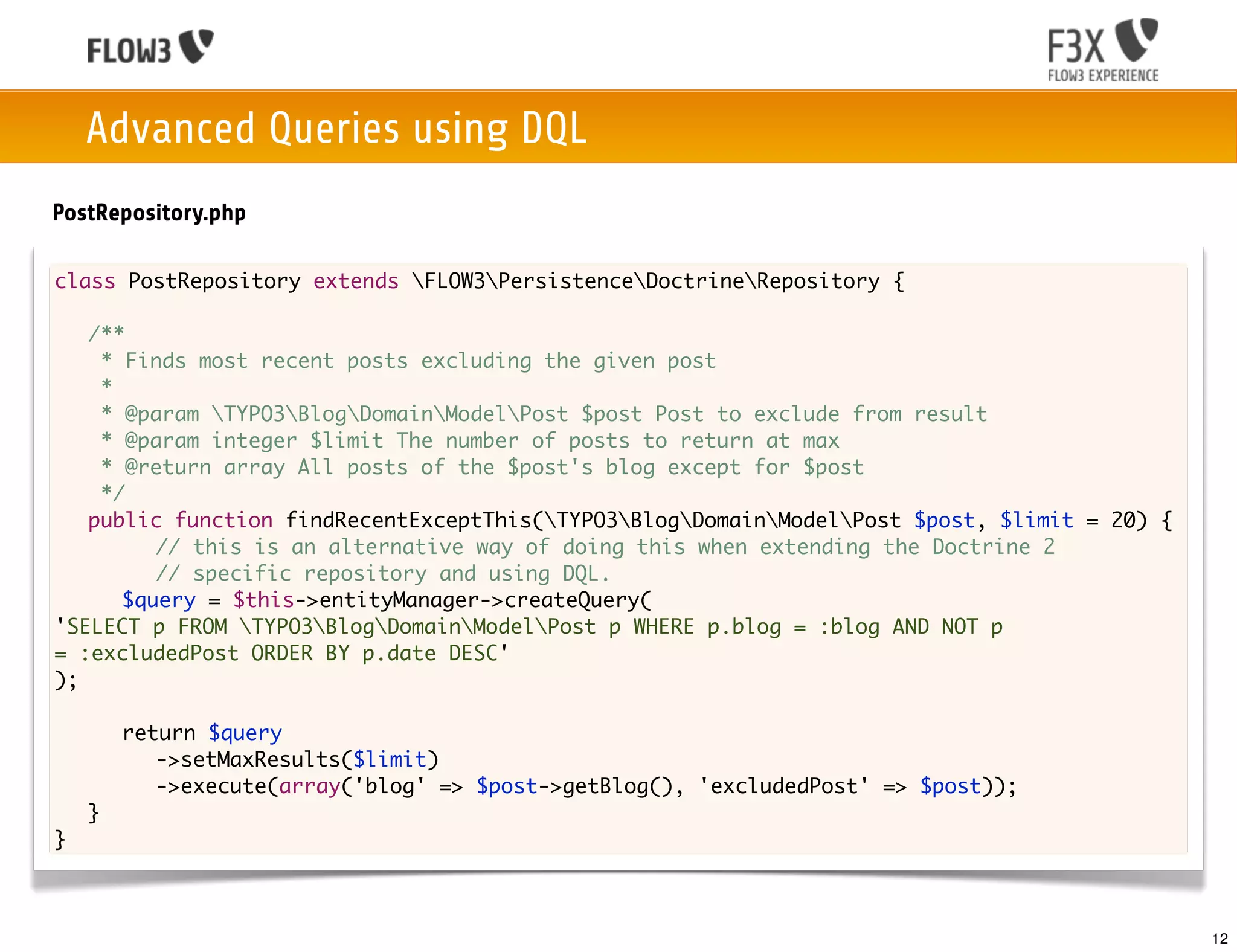
Advanced Queries using DQL
PostRepository.php

class PostRepository extends FLOW3PersistenceDoctrineRepository {

	 /**
	   * Finds most recent posts excluding the given post
	   *
	   * @param TYPO3BlogDomainModelPost $post Post to exclude from result
	   * @param integer $limit The number of posts to return at max
	   * @return array All posts of the $post's blog except for $post
	   */
	 public function findRecentExceptThis(TYPO3BlogDomainModelPost $post, $limit = 20) {
	 	 	 // this is an alternative way of doing this when extending the Doctrine 2
	 	 	 // specific repository and using DQL.
	 	 $query = $this->entityManager->createQuery(
'SELECT p FROM TYPO3BlogDomainModelPost p WHERE p.blog = :blog AND NOT p
= :excludedPost ORDER BY p.date DESC'
);

	   	   return $query
	   	   	 ->setMaxResults($limit)
	   	   	 ->execute(array('blog' => $post->getBlog(), 'excludedPost' => $post));
	   }
}


                                                                                             12
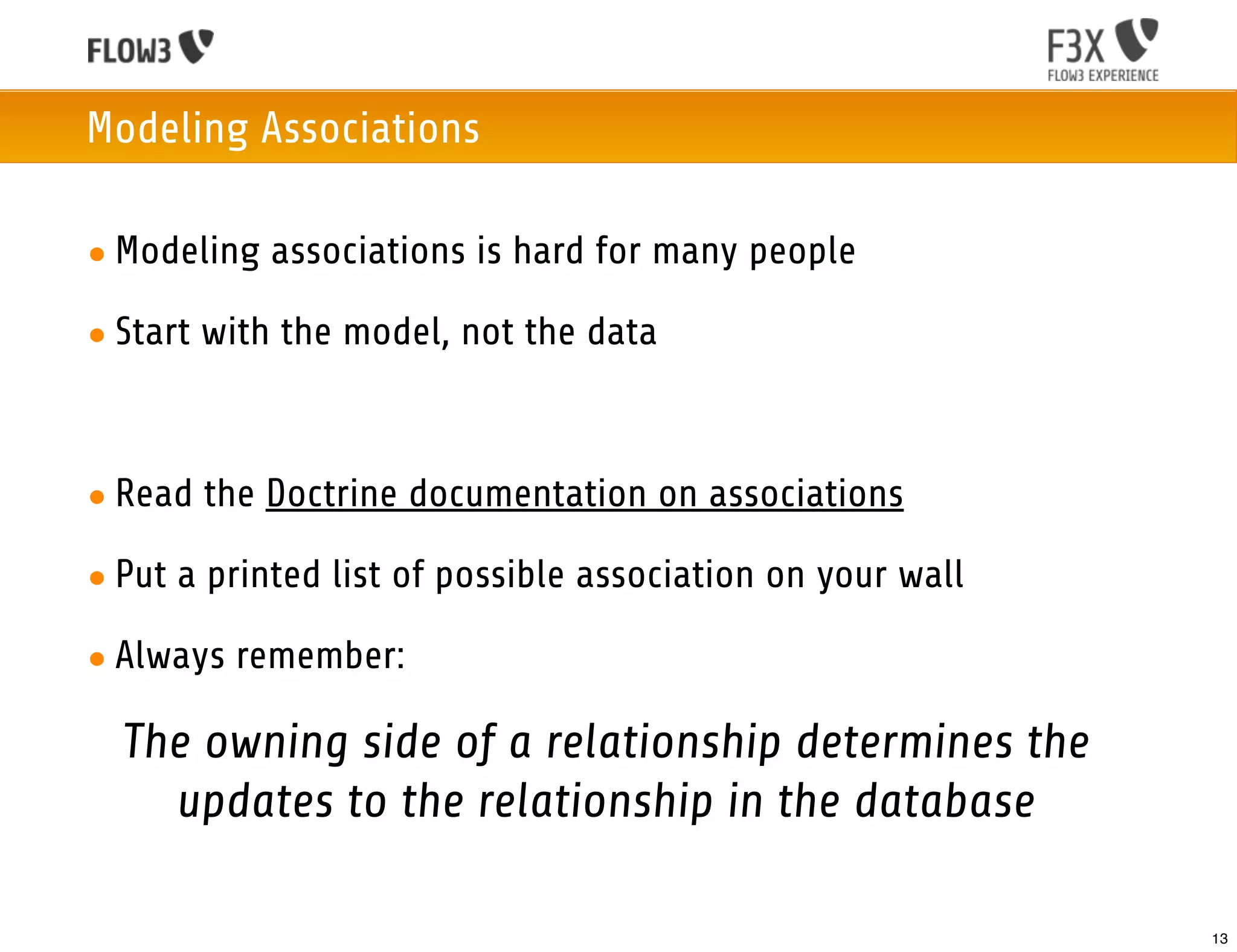
Modeling Associations

• Modeling associations is hard for many people

• Start with the model, not the data


• Read the Doctrine documentation on associations

• Put a printed list of possible association on your wall

• Always remember:

  The owning side of a relationship determines the
    updates to the relationship in the database

                                                            13
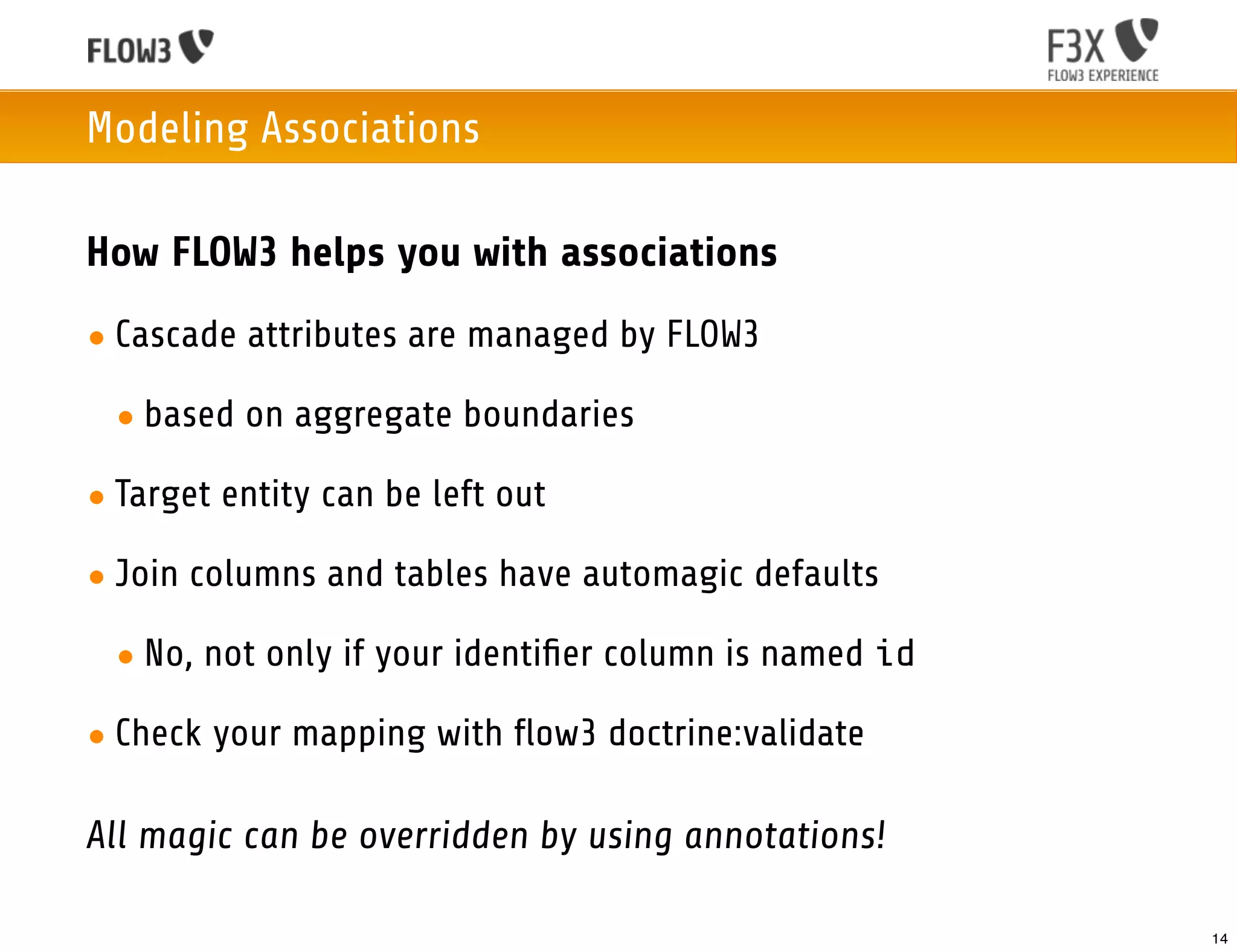
Modeling Associations

How FLOW3 helps you with associations
• Cascade attributes are managed by FLOW3

 • based on aggregate boundaries

• Target entity can be left out

• Join columns and tables have automagic defaults

 • No, not only if your identifier column is named id

• Check your mapping with flow3 doctrine:validate

All magic can be overridden by using annotations!

                                                       14
Schema Management

Doctrine 2 Migrations
• Migrations allow schema versioning
  and change deployment

• Migrations are the recommended way
  for schema updates

• Can also be used to deploy predefined
  and update existing data

• Tools to create and deploy migrations
  are integrated with FLOW3


                                          15
Schema Management

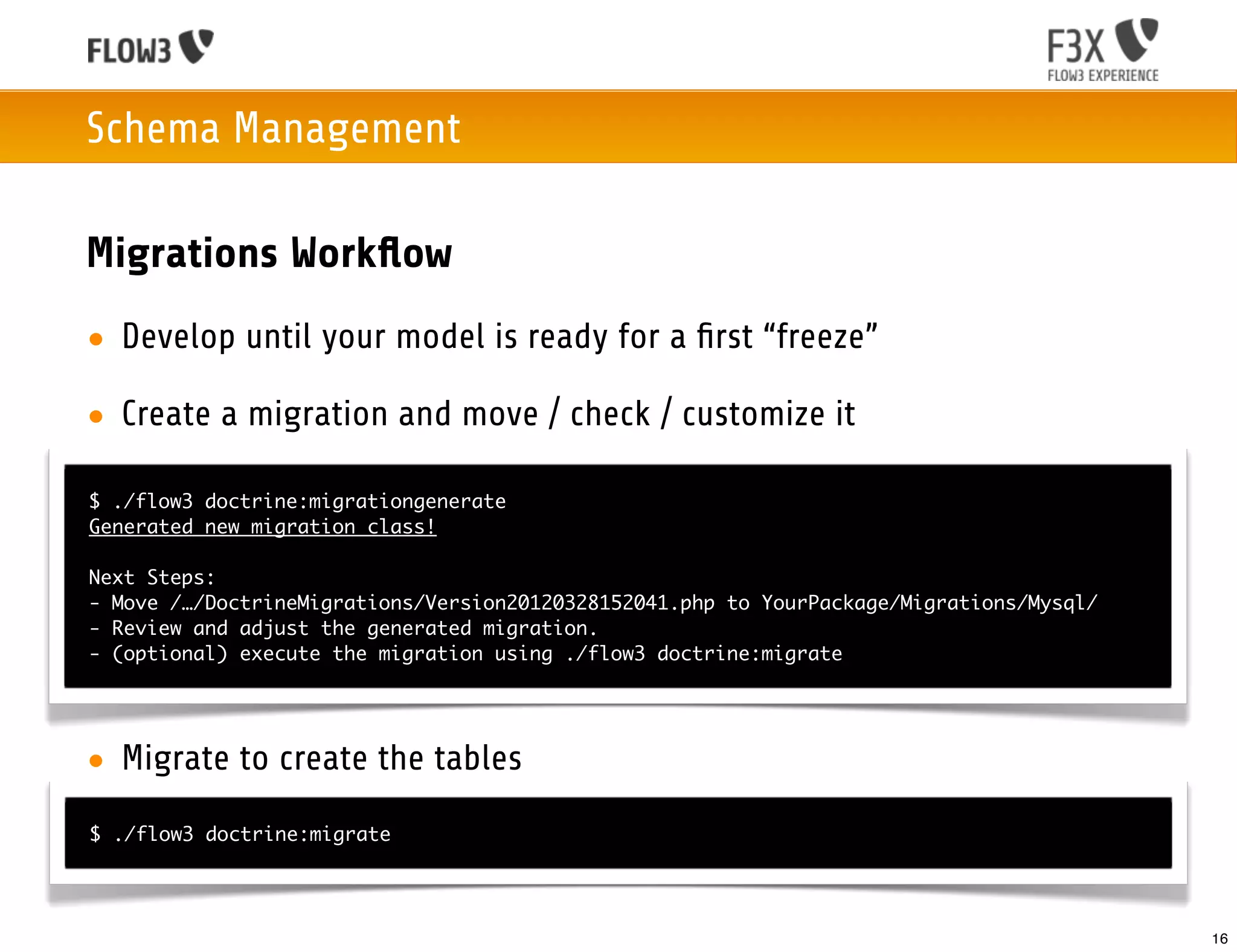
Migrations Workflow
• Develop until your model is ready for a first “freeze”

• Create a migration and move / check / customize it

$ ./flow3 doctrine:migrationgenerate
Generated new migration class!

Next Steps:
- Move /…/DoctrineMigrations/Version20120328152041.php to YourPackage/Migrations/Mysql/
- Review and adjust the generated migration.
- (optional) execute the migration using ./flow3 doctrine:migrate


• Migrate to create the tables
$ ./flow3 doctrine:migrate


                                                                                          16
Schema Management
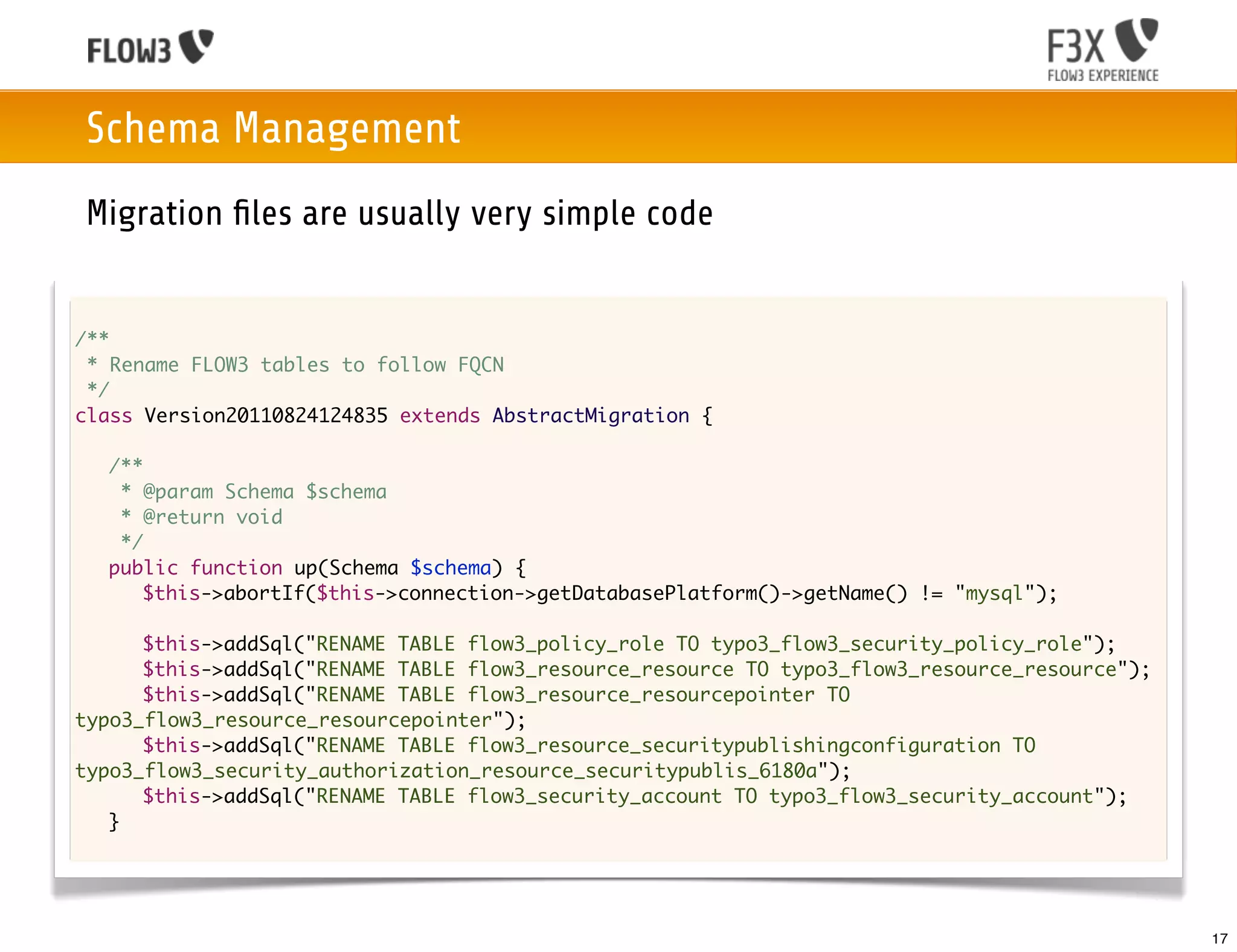
Migration files are usually very simple code


/**
 * Rename FLOW3 tables to follow FQCN
 */
class Version20110824124835 extends AbstractMigration {

	   /**
	    * @param Schema $schema
	    * @return void
	    */
	   public function up(Schema $schema) {
	   	 $this->abortIf($this->connection->getDatabasePlatform()->getName() != "mysql");

	 	 $this->addSql("RENAME TABLE flow3_policy_role TO typo3_flow3_security_policy_role");
	 	 $this->addSql("RENAME TABLE flow3_resource_resource TO typo3_flow3_resource_resource");
	 	 $this->addSql("RENAME TABLE flow3_resource_resourcepointer TO
typo3_flow3_resource_resourcepointer");
	 	 $this->addSql("RENAME TABLE flow3_resource_securitypublishingconfiguration TO
typo3_flow3_security_authorization_resource_securitypublis_6180a");
	 	 $this->addSql("RENAME TABLE flow3_security_account TO typo3_flow3_security_account");
	 }


                                                                                              17
Schema Management
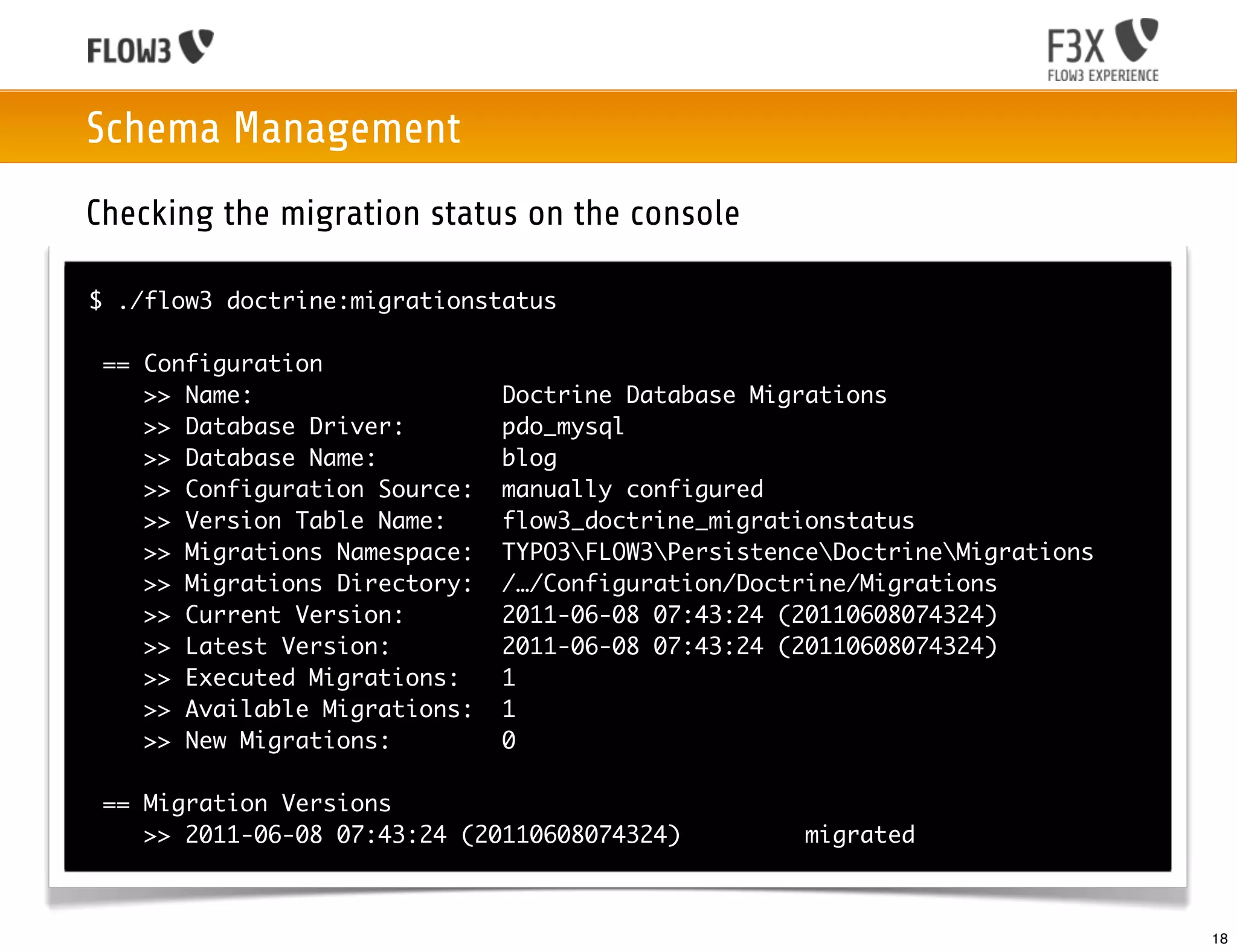
Checking the migration status on the console

$ ./flow3 doctrine:migrationstatus

 == Configuration
    >> Name:                   Doctrine Database Migrations
    >> Database Driver:        pdo_mysql
    >> Database Name:          blog
    >> Configuration Source:   manually configured
    >> Version Table Name:     flow3_doctrine_migrationstatus
    >> Migrations Namespace:   TYPO3FLOW3PersistenceDoctrineMigrations
    >> Migrations Directory:   /…/Configuration/Doctrine/Migrations
    >> Current Version:        2011-06-08 07:43:24 (20110608074324)
    >> Latest Version:         2011-06-08 07:43:24 (20110608074324)
    >> Executed Migrations:    1
    >> Available Migrations:   1
    >> New Migrations:         0

 == Migration Versions
    >> 2011-06-08 07:43:24 (20110608074324)          migrated


                                                                             18
Schema Management

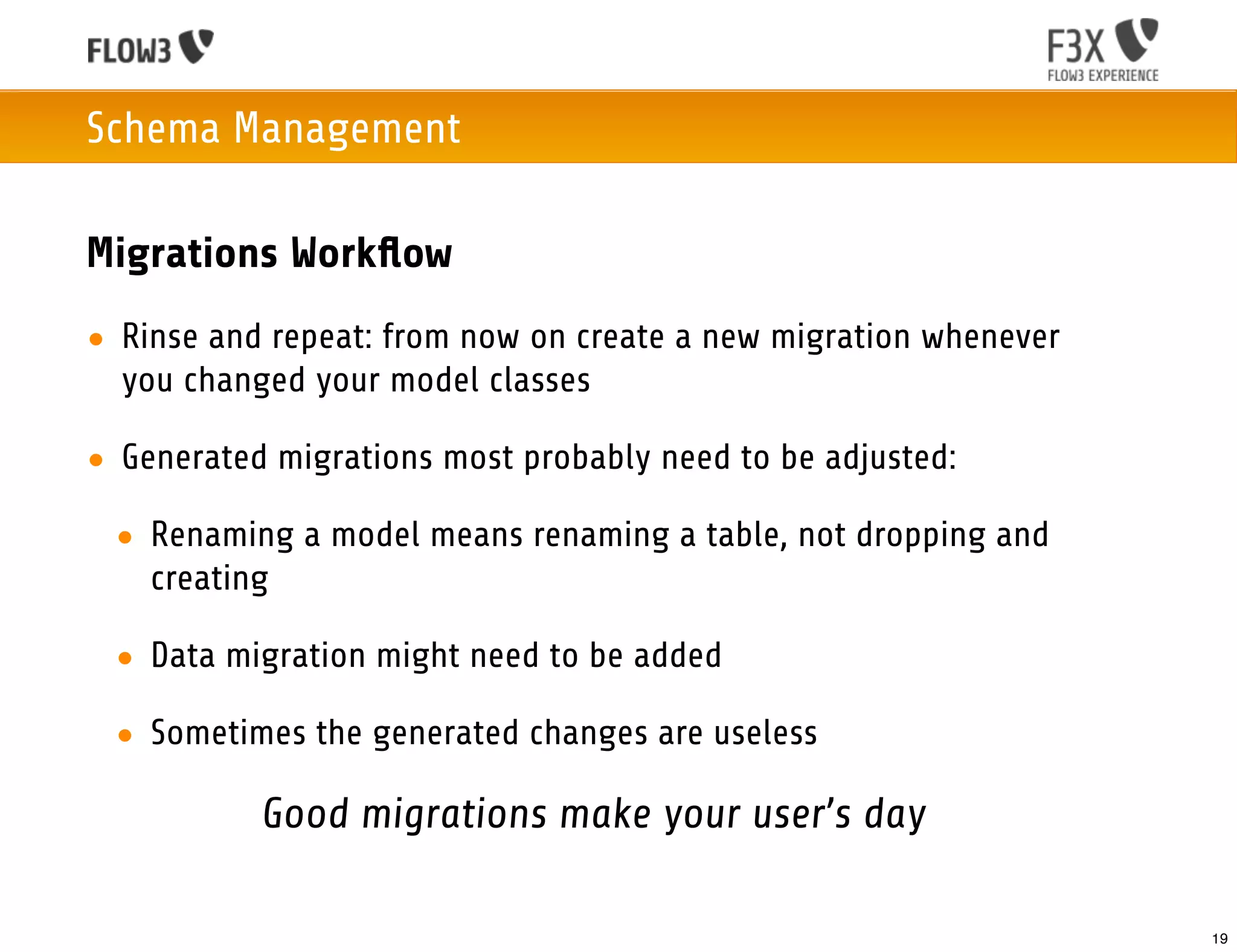
Migrations Workflow
• Rinse and repeat: from now on create a new migration whenever
  you changed your model classes

• Generated migrations most probably need to be adjusted:

 • Renaming a model means renaming a table, not dropping and
   creating

 • Data migration might need to be added

 • Sometimes the generated changes are useless

           Good migrations make your user’s day

                                                                  19
Schema Management

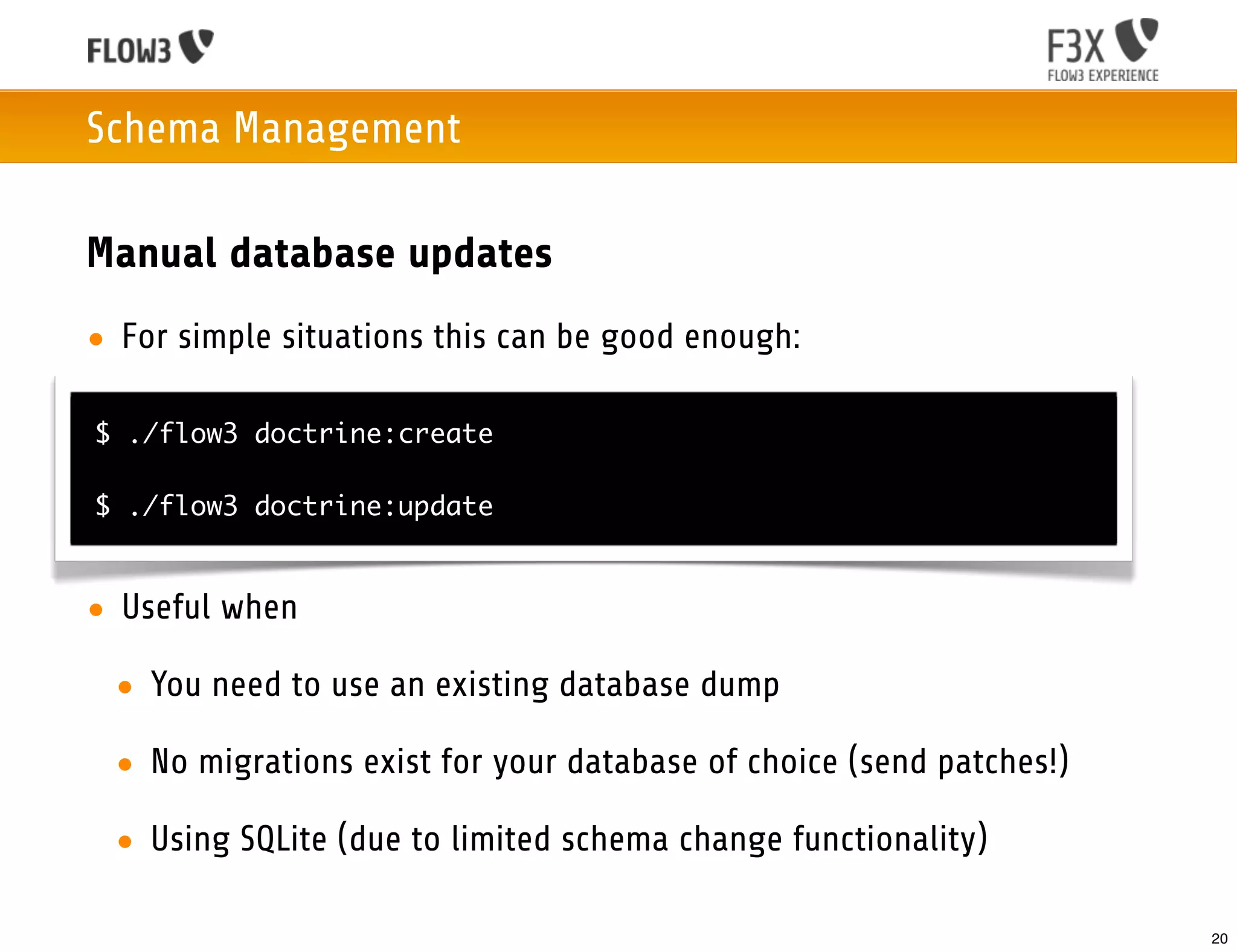
Manual database updates
• For simple situations this can be good enough:

$ ./flow3 doctrine:create

$ ./flow3 doctrine:update


• Useful when

 • You need to use an existing database dump

 • No migrations exist for your database of choice (send patches!)

 • Using SQLite (due to limited schema change functionality)

                                                                     20
Integrating existing database tables

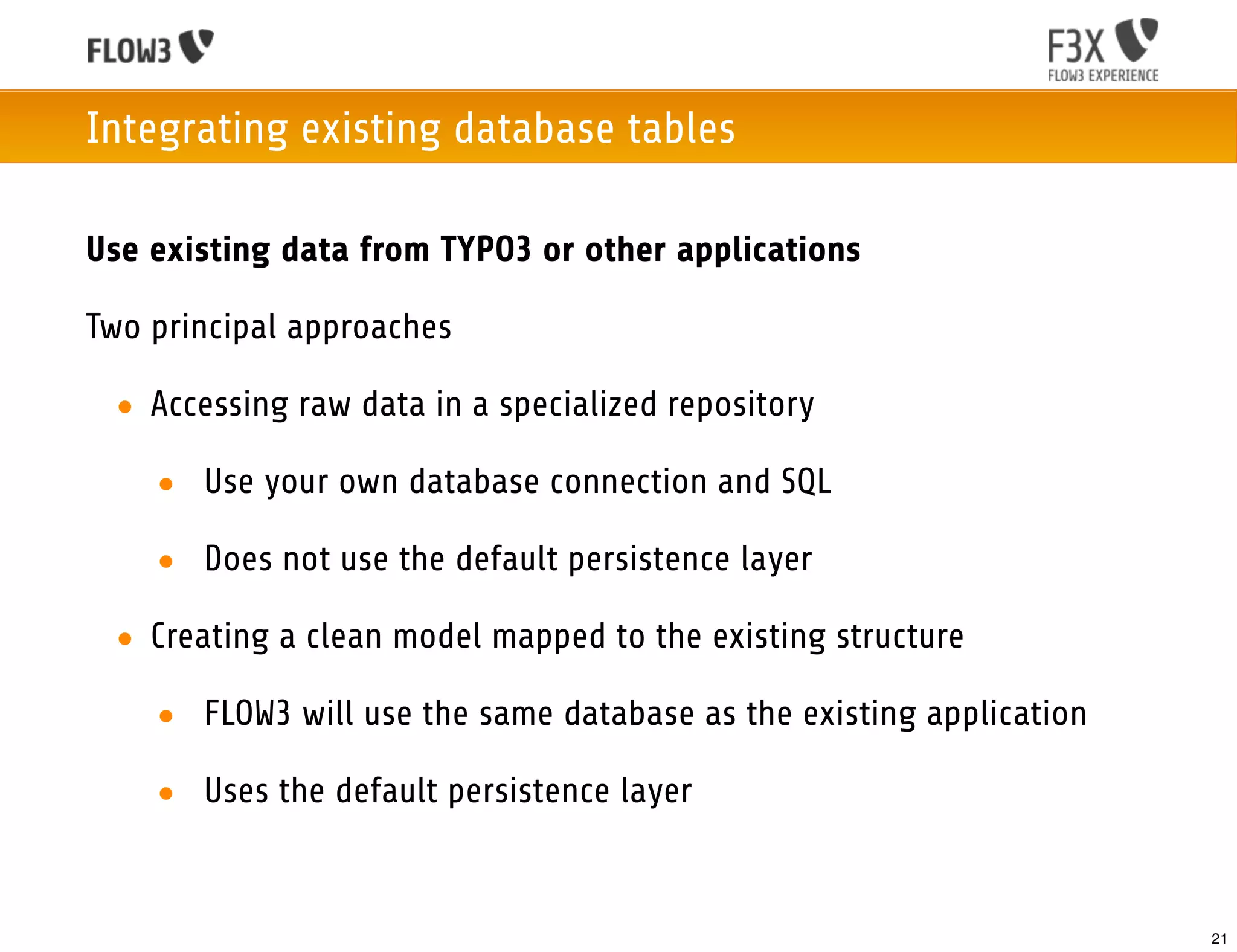
Use existing data from TYPO3 or other applications

Two principal approaches

 • Accessing raw data in a specialized repository

    • Use your own database connection and SQL

    • Does not use the default persistence layer

 • Creating a clean model mapped to the existing structure

    • FLOW3 will use the same database as the existing application

    • Uses the default persistence layer


                                                                     21
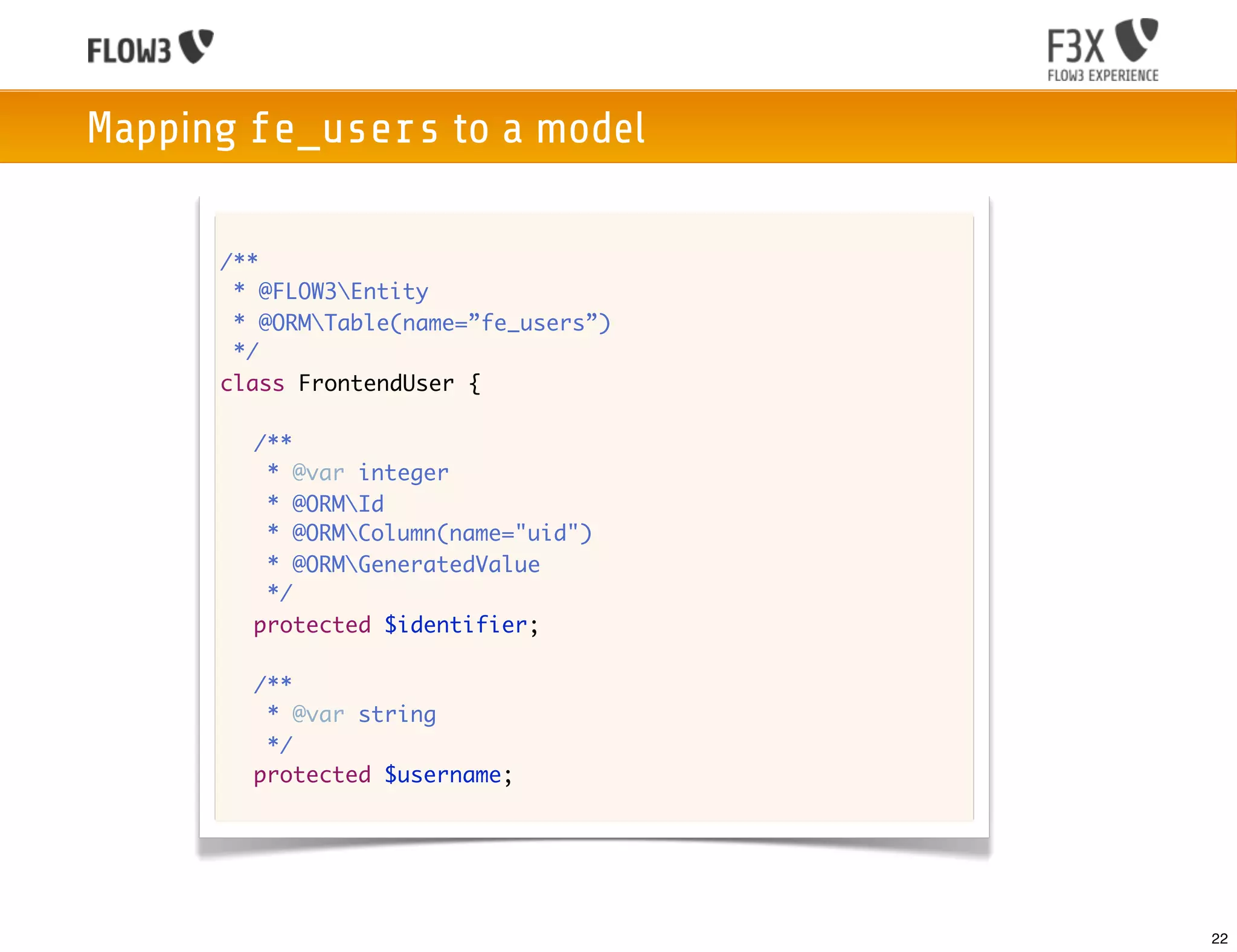
Mapping fe_users to a model

      /**
       * @FLOW3Entity
       * @ORMTable(name=”fe_users”)
       */
      class FrontendUser {

      	 /**
      	  * @var integer
      	  * @ORMId
      	  * @ORMColumn(name="uid")
      	  * @ORMGeneratedValue
      	  */
      	 protected $identifier;

      	 /**
      	  * @var string
      	  */
      	 protected $username;


                                       22
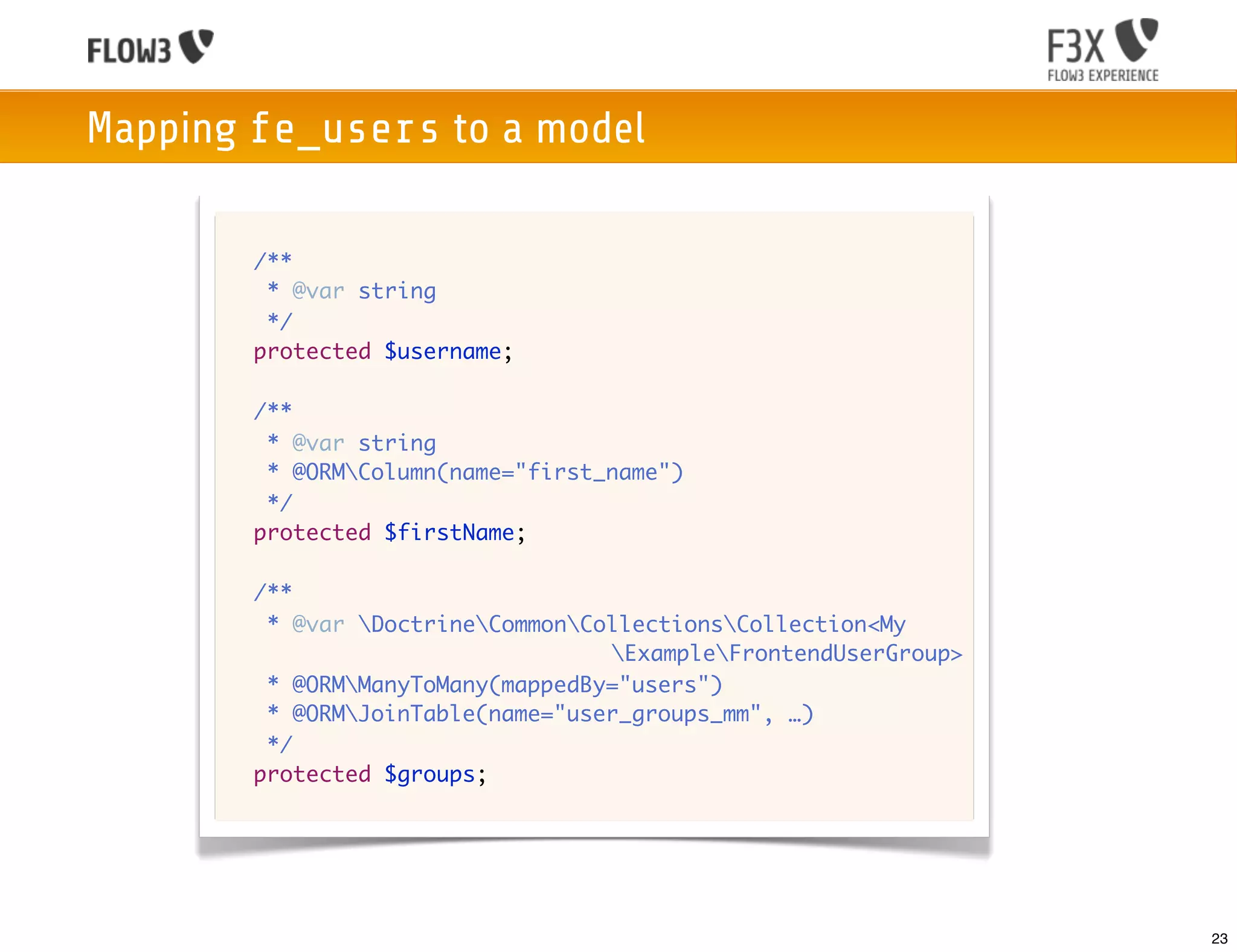
Mapping fe_users to a model

      	 /**
      	  * @var string
      	  */
      	 protected $username;

      	 /**
      	  * @var string
      	  * @ORMColumn(name="first_name")
      	  */
      	 protected $firstName;

      	 /**
      	  * @var DoctrineCommonCollectionsCollection<My
                                   ExampleFrontendUserGroup>
      	  * @ORMManyToMany(mappedBy="users")
      	  * @ORMJoinTable(name="user_groups_mm", …)
      	  */
      	 protected $groups;


                                                                 23
Integrating existing database tables

Pitfalls
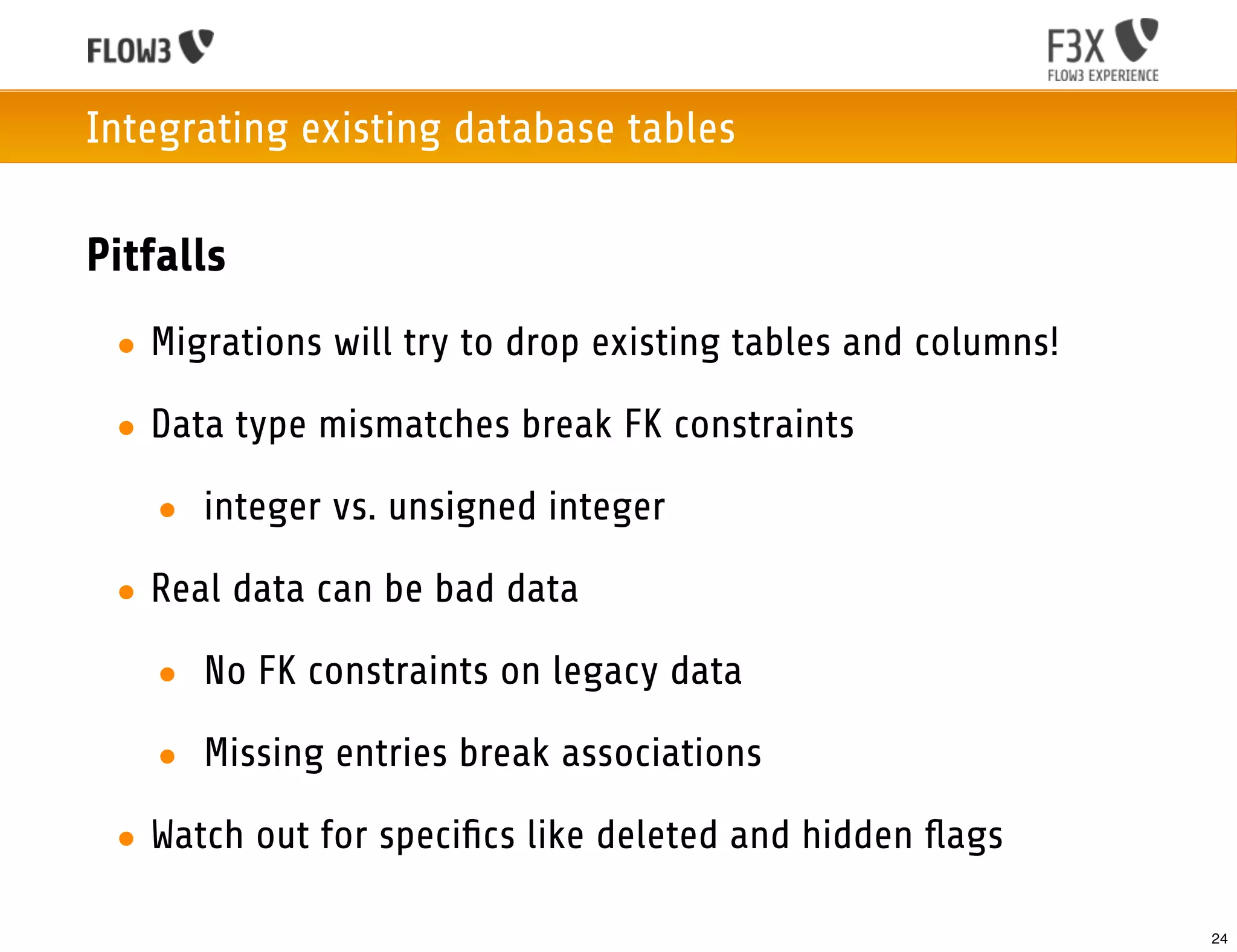
 • Migrations will try to drop existing tables and columns!

 • Data type mismatches break FK constraints

   • integer vs. unsigned integer

 • Real data can be bad data

   • No FK constraints on legacy data

   • Missing entries break associations
 • Watch out for specifics like deleted and hidden flags

                                                              24
Persistence in FLOW3 with Doctrine 2


       Questions?
                                       25
Thank You!

 • These slides can be found at:
   http://speakerdeck.com/u/kdambekalns | http://slideshare.net/kfish

 • Give me feedback:
   karsten@typo3.org | karsten@dambekalns.de

 • Download FLOW3: http://flow3.typo3.org

 • Follow me on twitter: @kdambekalns


 • Support me using


                                                                       26

Doctrine in FLOW3

  • 1.
    Karsten Dambekalns Persistence in FLOW3 with Doctrine 2 FLOW3 Experience 2012 1
  • 2.
    Karsten Dambekalns co-lead ofTYPO3 5.0 and FLOW3 34 years old lives in Lübeck, Germany 1 wife, 3 sons, 1 espresso machine likes canoeing and climbing 2
  • 3.
    Persistence in FLOW3with Doctrine 2 Object Persistence in the Flow • Based on Doctrine 2 • Seamless integration into FLOW3 • Provides the great Doctrine 2 features • Uses UUIDs • Our low-level persistence API • Allows for own, custom persistence backends (instead of Doctrine 2) • CouchDB is supported natively 3
  • 4.
    Basic Object Persistence • Get your repository injected conveniently • Handle your objects (almost) like you had no framework // Create a new customer and persist it: $customer = new Customer("Robert"); $this->customerRepository->add($customer); // Update a customer: $customer->setName("I, Robot"); $this->customerRepository->update($customer); // Find an existing customer: $otherCustomer = $this->customerRepository->findByFirstName("Karsten"); // … and delete it: $this->customerRepository->remove($otherCustomer); 4
  • 5.
    Persistence in FLOW3with Doctrine 2 Differences to plain Doctrine 2 in modeling • Identifier properties are added transparently • FLOW3 does autodetection for • repository class names, column types, referenced column names • target entity types, cascade attributes • All Doctrine annotations work as usual • Whatever you specify wins over automation • Allows for full flexibility 5
  • 6.
    Purely Doctrine 2 use DoctrineORMMapping as ORM; /** * @ORMEntity(repositoryClass="BugRepository") */ class Bug { /** * @var integer * @ORMId * @ORMColumn(type="integer") * @ORMGeneratedValue */ protected $id; /** * @var string * @ORMColumn(type="string") */ protected $description; /** * @var DateTime * @ORMColumn(type="datetime") */ 6
  • 7.
    Doctrine 2 inFLOW3 use DoctrineORMMapping as ORM; /** * @ORMEntity(repositoryClass="BugRepository") */ class Bug { /** * @var integer * @ORMId * @ORMColumn(type="integer") * @ORMGeneratedValue */ protected $id; /** * @var string * @ORMColumn(type="string") */ protected $description; /** * @var DateTime * @ORMColumn(type="datetime") */ 7
  • 8.
    Purely Doctrine 2 /** * @var DateTime * @ORMColumn(type="datetime") */ protected $created; /** * @var ExampleUser * @ORMManyToOne(targetEntity="ExampleUser", inversedBy="assignedBugs") */ protected $engineer; /** * @var DoctrineCommonCollectionsCollection<ExampleProduct> * @ORMManyToMany(targetEntity="ExampleProduct") */ protected $products; } 8
  • 9.
    Doctrine 2 inFLOW3 /** * @var DateTime * @ORMColumn(type="datetime") */ protected $created; /** * @var ExampleUser * @ORMManyToOne(targetEntity="ExampleUser", inversedBy="assignedBugs") */ protected $engineer; /** * @var DoctrineCommonCollectionsCollection<ExampleProduct> * @ORMManyToMany(targetEntity="ExampleProduct") */ protected $products; } 9
  • 10.
    Using Repositories Choose betweenthe generic base repository to support any backend or the Doctrine base repository to access advanced Doctrine functionality. Extending the base repositories of FLOW3 • Provides basic methods like: findAll(), countAll(), remove(), removeAll() • Provides automatic finder methods to retrieve by property: findByPropertyName($value), findOneByPropertyName($value) Add specialized finder methods to your own repository. 10
  • 11.
    Advanced Queries usingthe QOM PostRepository.php class PostRepository extends FLOW3PersistenceRepository { /** * Finds most recent posts excluding the given post * * @param TYPO3BlogDomainModelPost $post Post to exclude from result * @param integer $limit The number of posts to return at max * @return array All posts of the $post's blog except for $post */ public function findRecentExceptThis(TYPO3BlogDomainModelPost $post, $limit = 20) { $query = $this->createQuery(); $posts = $query->matching($query->equals('blog', $post->getBlog())) ->setOrderings(array( 'date' => TYPO3FLOW3PersistenceQueryInterface::ORDER_DESCENDING )) ->setLimit($limit) ->execute() ->toArray(); unset($posts[array_search($post, $posts)]); return $posts; } } 11
  • 12.
    Advanced Queries usingDQL PostRepository.php class PostRepository extends FLOW3PersistenceDoctrineRepository { /** * Finds most recent posts excluding the given post * * @param TYPO3BlogDomainModelPost $post Post to exclude from result * @param integer $limit The number of posts to return at max * @return array All posts of the $post's blog except for $post */ public function findRecentExceptThis(TYPO3BlogDomainModelPost $post, $limit = 20) { // this is an alternative way of doing this when extending the Doctrine 2 // specific repository and using DQL. $query = $this->entityManager->createQuery( 'SELECT p FROM TYPO3BlogDomainModelPost p WHERE p.blog = :blog AND NOT p = :excludedPost ORDER BY p.date DESC' ); return $query ->setMaxResults($limit) ->execute(array('blog' => $post->getBlog(), 'excludedPost' => $post)); } } 12
  • 13.
    Modeling Associations • Modelingassociations is hard for many people • Start with the model, not the data • Read the Doctrine documentation on associations • Put a printed list of possible association on your wall • Always remember: The owning side of a relationship determines the updates to the relationship in the database 13
  • 14.
    Modeling Associations How FLOW3helps you with associations • Cascade attributes are managed by FLOW3 • based on aggregate boundaries • Target entity can be left out • Join columns and tables have automagic defaults • No, not only if your identifier column is named id • Check your mapping with flow3 doctrine:validate All magic can be overridden by using annotations! 14
  • 15.
    Schema Management Doctrine 2Migrations • Migrations allow schema versioning and change deployment • Migrations are the recommended way for schema updates • Can also be used to deploy predefined and update existing data • Tools to create and deploy migrations are integrated with FLOW3 15
  • 16.
    Schema Management Migrations Workflow •Develop until your model is ready for a first “freeze” • Create a migration and move / check / customize it $ ./flow3 doctrine:migrationgenerate Generated new migration class! Next Steps: - Move /…/DoctrineMigrations/Version20120328152041.php to YourPackage/Migrations/Mysql/ - Review and adjust the generated migration. - (optional) execute the migration using ./flow3 doctrine:migrate • Migrate to create the tables $ ./flow3 doctrine:migrate 16
  • 17.
    Schema Management Migration filesare usually very simple code /** * Rename FLOW3 tables to follow FQCN */ class Version20110824124835 extends AbstractMigration { /** * @param Schema $schema * @return void */ public function up(Schema $schema) { $this->abortIf($this->connection->getDatabasePlatform()->getName() != "mysql"); $this->addSql("RENAME TABLE flow3_policy_role TO typo3_flow3_security_policy_role"); $this->addSql("RENAME TABLE flow3_resource_resource TO typo3_flow3_resource_resource"); $this->addSql("RENAME TABLE flow3_resource_resourcepointer TO typo3_flow3_resource_resourcepointer"); $this->addSql("RENAME TABLE flow3_resource_securitypublishingconfiguration TO typo3_flow3_security_authorization_resource_securitypublis_6180a"); $this->addSql("RENAME TABLE flow3_security_account TO typo3_flow3_security_account"); } 17
  • 18.
    Schema Management Checking themigration status on the console $ ./flow3 doctrine:migrationstatus == Configuration >> Name: Doctrine Database Migrations >> Database Driver: pdo_mysql >> Database Name: blog >> Configuration Source: manually configured >> Version Table Name: flow3_doctrine_migrationstatus >> Migrations Namespace: TYPO3FLOW3PersistenceDoctrineMigrations >> Migrations Directory: /…/Configuration/Doctrine/Migrations >> Current Version: 2011-06-08 07:43:24 (20110608074324) >> Latest Version: 2011-06-08 07:43:24 (20110608074324) >> Executed Migrations: 1 >> Available Migrations: 1 >> New Migrations: 0 == Migration Versions >> 2011-06-08 07:43:24 (20110608074324) migrated 18
  • 19.
    Schema Management Migrations Workflow •Rinse and repeat: from now on create a new migration whenever you changed your model classes • Generated migrations most probably need to be adjusted: • Renaming a model means renaming a table, not dropping and creating • Data migration might need to be added • Sometimes the generated changes are useless Good migrations make your user’s day 19
  • 20.
    Schema Management Manual databaseupdates • For simple situations this can be good enough: $ ./flow3 doctrine:create $ ./flow3 doctrine:update • Useful when • You need to use an existing database dump • No migrations exist for your database of choice (send patches!) • Using SQLite (due to limited schema change functionality) 20
  • 21.
    Integrating existing databasetables Use existing data from TYPO3 or other applications Two principal approaches • Accessing raw data in a specialized repository • Use your own database connection and SQL • Does not use the default persistence layer • Creating a clean model mapped to the existing structure • FLOW3 will use the same database as the existing application • Uses the default persistence layer 21
  • 22.
    Mapping fe_users toa model /** * @FLOW3Entity * @ORMTable(name=”fe_users”) */ class FrontendUser { /** * @var integer * @ORMId * @ORMColumn(name="uid") * @ORMGeneratedValue */ protected $identifier; /** * @var string */ protected $username; 22
  • 23.
    Mapping fe_users toa model /** * @var string */ protected $username; /** * @var string * @ORMColumn(name="first_name") */ protected $firstName; /** * @var DoctrineCommonCollectionsCollection<My ExampleFrontendUserGroup> * @ORMManyToMany(mappedBy="users") * @ORMJoinTable(name="user_groups_mm", …) */ protected $groups; 23
  • 24.
    Integrating existing databasetables Pitfalls • Migrations will try to drop existing tables and columns! • Data type mismatches break FK constraints • integer vs. unsigned integer • Real data can be bad data • No FK constraints on legacy data • Missing entries break associations • Watch out for specifics like deleted and hidden flags 24
  • 25.
    Persistence in FLOW3with Doctrine 2 Questions? 25
  • 26.
    Thank You! •These slides can be found at: http://speakerdeck.com/u/kdambekalns | http://slideshare.net/kfish • Give me feedback: karsten@typo3.org | karsten@dambekalns.de • Download FLOW3: http://flow3.typo3.org • Follow me on twitter: @kdambekalns • Support me using 26