AWS IAM
AWS Identity and Access Management
Document Version: 2013-04-03
API Version: 2010-05-08
AWS ā¼‹å…«ā¼ˆäŗŗå£Æā¼ å£«åœ˜ č®€ę›øęœƒ
Ernest Chiang
@dwchiang
dwchiang@gmail.com
http://talk.ernestchiang.com
Thursday, September 26, 13
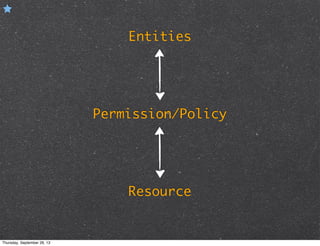
Entities
Resource
Permission/Policy
Thursday, September 26, 13
Thank you!
Thursday, September 26, 13
Outline
Before we start.
Getting started.
Thursday, September 26, 13
Before we start.
Thursday, September 26, 13
WHO IAM
What’s IAM
AWS Identity and Access Management is a web service
that enables AWS customers to manage users and user
permissions in AWS.
Without IAM:
multiple AWS accounts...
employees must all share the security credentials
have no control over the tasks a particular user
or system can do...
etc...
Thursday, September 26, 13
Video Introduction to IAM
http://www.youtube.com/watch?v=ySl1gdH_7bY
Thursday, September 26, 13
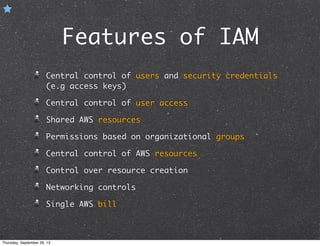
Features of IAM
Central control of users and security credentials
(e.g access keys)
Central control of user access
Shared AWS resources
Permissions based on organizational groups
Central control of AWS resources
Control over resource creation
Networking controls
Single AWS bill
Thursday, September 26, 13
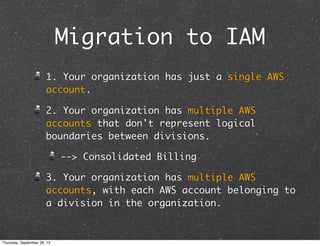
Migration to IAM
1. Your organization has just a single AWS
account.
2. Your organization has multiple AWS
accounts that don't represent logical
boundaries between divisions.
--> Consolidated Billing
3. Your organization has multiple AWS
accounts, with each AWS account belonging to
a division in the organization.
Thursday, September 26, 13
IAM Concepts
Concepts Related to AWS Account
Entities
Concepts Related to Permissions
Thursday, September 26, 13
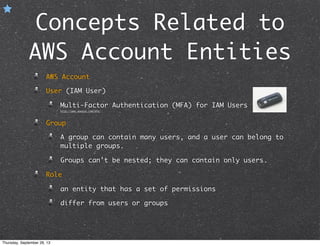
Concepts Related to
AWS Account Entities
AWS Account
User (IAM User)
Multi-Factor Authentication (MFA) for IAM Users
http://aws.amazon.com/mfa/
Group
A group can contain many users, and a user can belong to
multiple groups.
Groups can't be nested; they can contain only users.
Role
an entity that has a set of permissions
differ from users or groups
Thursday, September 26, 13
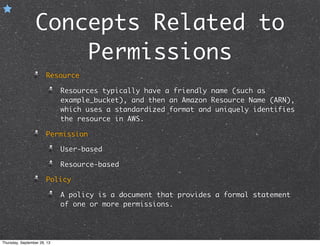
Concepts Related to
Permissions
Resource
Resources typically have a friendly name (such as
example_bucket), and then an Amazon Resource Name (ARN),
which uses a standardized format and uniquely identifies
the resource in AWS.
Permission
User-based
Resource-based
Policy
A policy is a document that provides a formal statement
of one or more permissions.
Thursday, September 26, 13
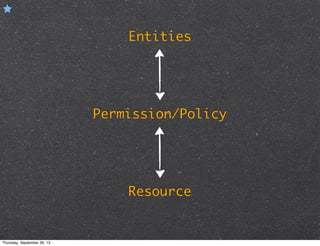
Entities
Resource
Permission/Policy
Thursday, September 26, 13
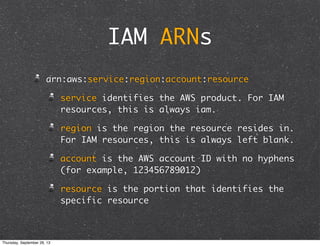
IAM ARNs
arn:aws:service:region:account:resource
service identifies the AWS product. For IAM
resources, this is always iam.
region is the region the resource resides in.
For IAM resources, this is always left blank.
account is the AWS account ID with no hyphens
(for example, 123456789012)
resource is the portion that identifies the
specific resource
Thursday, September 26, 13
ARN Examples
Example 1: iam-ug.pdf Page.14
Example 2: iam-ug.pdf Page.15
Thursday, September 26, 13
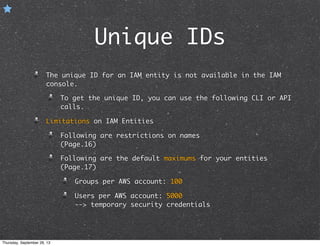
Unique IDs
The unique ID for an IAM entity is not available in the IAM
console.
To get the unique ID, you can use the following CLI or API
calls.
Limitations on IAM Entities
Following are restrictions on names
(Page.16)
Following are the default maximums for your entities
(Page.17)
Groups per AWS account: 100
Users per AWS account: 5000
--> temporary security credentials
Thursday, September 26, 13
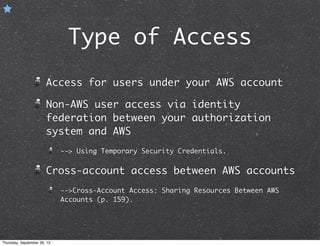
Type of Access
Access for users under your AWS account
Non-AWS user access via identity
federation between your authorization
system and AWS
--> Using Temporary Security Credentials.
Cross-account access between AWS accounts
-->Cross-Account Access: Sharing Resources Between AWS
Accounts (p. 159).
Thursday, September 26, 13
Getting started.
Thursday, September 26, 13
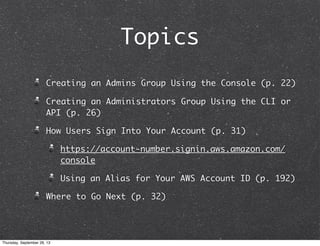
Topics
Creating an Admins Group Using the Console (p. 22)
Creating an Administrators Group Using the CLI or
API (p. 26)
How Users Sign Into Your Account (p. 31)
https://account-number.signin.aws.amazon.com/
console
Using an Alias for Your AWS Account ID (p. 192)
Where to Go Next (p. 32)
Thursday, September 26, 13
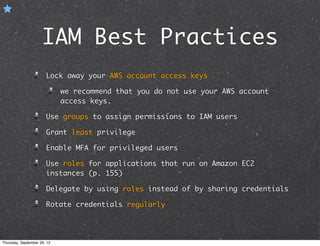
IAM Best Practices
Lock away your AWS account access keys
we recommend that you do not use your AWS account
access keys.
Use groups to assign permissions to IAM users
Grant least privilege
Enable MFA for privileged users
Use roles for applications that run on Amazon EC2
instances (p. 155)
Delegate by using roles instead of by sharing credentials
Rotate credentials regularly
Thursday, September 26, 13
Integration with a
Third-Party Business
Organizations often work with partner
companies, consultants, and
contractors.
Create a group for 3rd-party, and
create a policy for the group.
Thursday, September 26, 13
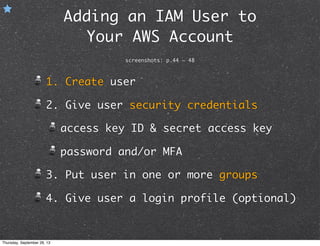
Adding an IAM User to
Your AWS Account
screenshots: p.44 ~ 48
1. Create user
2. Give user security credentials
access key ID & secret access key
password and/or MFA
3. Put user in one or more groups
4. Give user a login profile (optional)
Thursday, September 26, 13
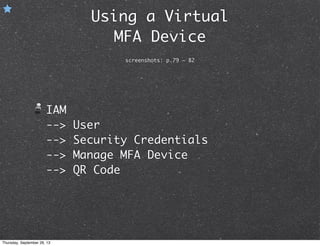
Using a Virtual
MFA Device
screenshots: p.79 ~ 82
IAM
--> User
--> Security Credentials
--> Manage MFA Device
--> QR Code
Thursday, September 26, 13
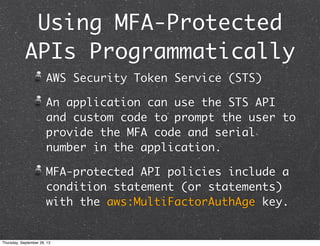
Using MFA-Protected
APIs Programmatically
AWS Security Token Service (STS)
An application can use the STS API
and custom code to prompt the user to
provide the MFA code and serial
number in the application.
MFA-protected API policies include a
condition statement (or statements)
with the aws:MultiFactorAuthAge key.
Thursday, September 26, 13
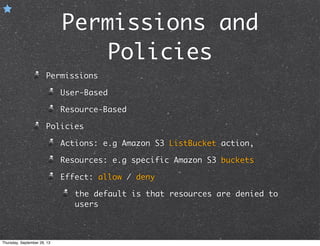
Permissions and
Policies
Permissions
User-Based
Resource-Based
Policies
Actions: e.g Amazon S3 ListBucket action,
Resources: e.g specific Amazon S3 buckets
Effect: allow / deny
the default is that resources are denied to
users
Thursday, September 26, 13
Policy Example
{
"Version":"2012-10-17",
"Statement":[{
"Effect":"Allow",
"Action":"s3:ListBucket",
"Resource":"arn:aws:s3:::example_bucket"
}]
}
More examples: p. 117 ~ 123
Thursday, September 26, 13
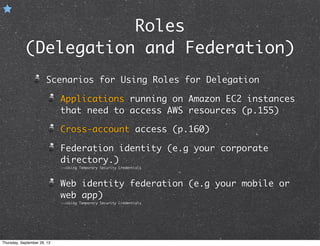
Roles
(Delegation and Federation)
Scenarios for Using Roles for Delegation
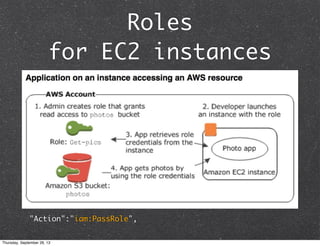
Applications running on Amazon EC2 instances
that need to access AWS resources (p.155)
Cross-account access (p.160)
Federation identity (e.g your corporate
directory.)
-->Using Temporary Security Credentials
Web identity federation (e.g your mobile or
web app)
-->Using Temporary Security Credentials
Thursday, September 26, 13
Roles
for EC2 instances
"Action":"iam:PassRole",
Thursday, September 26, 13
Reference
IAM Documentation
http://aws.amazon.com/documentation/iam/
PDF:Using Temporary Security
Credentials
Thursday, September 26, 13
Thank you!
AWS ā¼‹å…«ā¼ˆäŗŗå£Æā¼ å£«åœ˜ č®€ę›øęœƒ
Ernest Chiang
@dwchiang
dwchiang@gmail.com
http://talk.ernestchiang.com
Thursday, September 26, 13

AWS IAM -- Notes of 20130403 Doc Version

  • 1.
    AWS IAM AWS Identityand Access Management Document Version: 2013-04-03 API Version: 2010-05-08 AWS ā¼‹å…«ā¼ˆäŗŗå£Æā¼ å£«åœ˜ č®€ę›øęœƒ Ernest Chiang @dwchiang dwchiang@gmail.com http://talk.ernestchiang.com Thursday, September 26, 13
  • 2.
  • 3.
  • 4.
    Outline Before we start. Gettingstarted. Thursday, September 26, 13
  • 5.
  • 6.
    WHO IAM What’s IAM AWSIdentity and Access Management is a web service that enables AWS customers to manage users and user permissions in AWS. Without IAM: multiple AWS accounts... employees must all share the security credentials have no control over the tasks a particular user or system can do... etc... Thursday, September 26, 13
  • 7.
    Video Introduction toIAM http://www.youtube.com/watch?v=ySl1gdH_7bY Thursday, September 26, 13
  • 8.
    Features of IAM Centralcontrol of users and security credentials (e.g access keys) Central control of user access Shared AWS resources Permissions based on organizational groups Central control of AWS resources Control over resource creation Networking controls Single AWS bill Thursday, September 26, 13
  • 9.
    Migration to IAM 1.Your organization has just a single AWS account. 2. Your organization has multiple AWS accounts that don't represent logical boundaries between divisions. --> Consolidated Billing 3. Your organization has multiple AWS accounts, with each AWS account belonging to a division in the organization. Thursday, September 26, 13
  • 10.
    IAM Concepts Concepts Relatedto AWS Account Entities Concepts Related to Permissions Thursday, September 26, 13
  • 11.
    Concepts Related to AWSAccount Entities AWS Account User (IAM User) Multi-Factor Authentication (MFA) for IAM Users http://aws.amazon.com/mfa/ Group A group can contain many users, and a user can belong to multiple groups. Groups can't be nested; they can contain only users. Role an entity that has a set of permissions differ from users or groups Thursday, September 26, 13
  • 12.
    Concepts Related to Permissions Resource Resourcestypically have a friendly name (such as example_bucket), and then an Amazon Resource Name (ARN), which uses a standardized format and uniquely identifies the resource in AWS. Permission User-based Resource-based Policy A policy is a document that provides a formal statement of one or more permissions. Thursday, September 26, 13
  • 13.
  • 14.
    IAM ARNs arn:aws:service:region:account:resource service identifiesthe AWS product. For IAM resources, this is always iam. region is the region the resource resides in. For IAM resources, this is always left blank. account is the AWS account ID with no hyphens (for example, 123456789012) resource is the portion that identifies the specific resource Thursday, September 26, 13
  • 15.
    ARN Examples Example 1:iam-ug.pdf Page.14 Example 2: iam-ug.pdf Page.15 Thursday, September 26, 13
  • 16.
    Unique IDs The uniqueID for an IAM entity is not available in the IAM console. To get the unique ID, you can use the following CLI or API calls. Limitations on IAM Entities Following are restrictions on names (Page.16) Following are the default maximums for your entities (Page.17) Groups per AWS account: 100 Users per AWS account: 5000 --> temporary security credentials Thursday, September 26, 13
  • 17.
    Type of Access Accessfor users under your AWS account Non-AWS user access via identity federation between your authorization system and AWS --> Using Temporary Security Credentials. Cross-account access between AWS accounts -->Cross-Account Access: Sharing Resources Between AWS Accounts (p. 159). Thursday, September 26, 13
  • 18.
  • 19.
    Topics Creating an AdminsGroup Using the Console (p. 22) Creating an Administrators Group Using the CLI or API (p. 26) How Users Sign Into Your Account (p. 31) https://account-number.signin.aws.amazon.com/ console Using an Alias for Your AWS Account ID (p. 192) Where to Go Next (p. 32) Thursday, September 26, 13
  • 20.
    IAM Best Practices Lockaway your AWS account access keys we recommend that you do not use your AWS account access keys. Use groups to assign permissions to IAM users Grant least privilege Enable MFA for privileged users Use roles for applications that run on Amazon EC2 instances (p. 155) Delegate by using roles instead of by sharing credentials Rotate credentials regularly Thursday, September 26, 13
  • 21.
    Integration with a Third-PartyBusiness Organizations often work with partner companies, consultants, and contractors. Create a group for 3rd-party, and create a policy for the group. Thursday, September 26, 13
  • 22.
    Adding an IAMUser to Your AWS Account screenshots: p.44 ~ 48 1. Create user 2. Give user security credentials access key ID & secret access key password and/or MFA 3. Put user in one or more groups 4. Give user a login profile (optional) Thursday, September 26, 13
  • 23.
    Using a Virtual MFADevice screenshots: p.79 ~ 82 IAM --> User --> Security Credentials --> Manage MFA Device --> QR Code Thursday, September 26, 13
  • 24.
    Using MFA-Protected APIs Programmatically AWSSecurity Token Service (STS) An application can use the STS API and custom code to prompt the user to provide the MFA code and serial number in the application. MFA-protected API policies include a condition statement (or statements) with the aws:MultiFactorAuthAge key. Thursday, September 26, 13
  • 25.
    Permissions and Policies Permissions User-Based Resource-Based Policies Actions: e.gAmazon S3 ListBucket action, Resources: e.g specific Amazon S3 buckets Effect: allow / deny the default is that resources are denied to users Thursday, September 26, 13
  • 26.
  • 27.
    Roles (Delegation and Federation) Scenariosfor Using Roles for Delegation Applications running on Amazon EC2 instances that need to access AWS resources (p.155) Cross-account access (p.160) Federation identity (e.g your corporate directory.) -->Using Temporary Security Credentials Web identity federation (e.g your mobile or web app) -->Using Temporary Security Credentials Thursday, September 26, 13
  • 28.
  • 29.
  • 30.
    Thank you! AWS ā¼‹å…«ā¼ˆäŗŗå£Æā¼ å£«åœ˜č®€ę›øęœƒ Ernest Chiang @dwchiang dwchiang@gmail.com http://talk.ernestchiang.com Thursday, September 26, 13