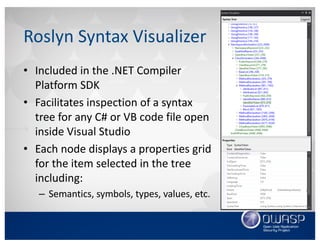
Download as PDF, PPTX
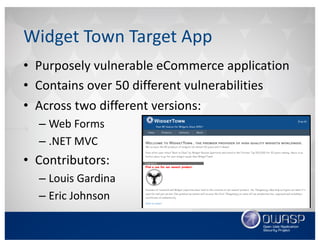
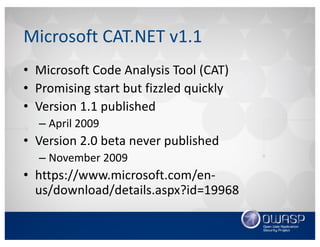
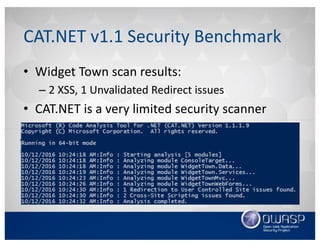
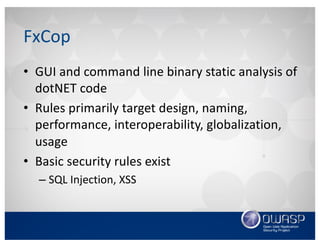
![• Decorate the custom analyzer with the
DiagnosticAnalyzer attribute
• Inherit from the DiagnosticAnalyzer base class
Diagnostic Analyzer Class
[DiagnosticAnalyzer(LanguageNames.CSharp)]
public class MyAwesomeAnalyzer : DiagnosticAnalyzer
{
//Insert awesome analyzer logic here
}
1
2
3
4
5](https://image.slidesharecdn.com/cilivecodeanalysisusingvisualstudioandtheroslynapi-161018020543/85/Continuous-Integration-Live-Static-Analysis-with-Puma-Scan-20-320.jpg)
![• Define the diagnostic’s id, title, message, severity,
and description
Diagnostic Descriptor Class
[…]
private static DiagnosticDescriptor Rule =
new DiagnosticDescriptor(Id, Title, MessageFormat,
Category, DiagnosticSeverity.Warning,
isEnabledByDefault: true, description: Description);
public override ImmutableArray<DiagnosticDescriptor>
SupportedDiagnostics {
get { return ImmutableArray.Create(Rule); }
}
1
2
3
4
5
6
7
8
9
10](https://image.slidesharecdn.com/cilivecodeanalysisusingvisualstudioandtheroslynapi-161018020543/85/Continuous-Integration-Live-Static-Analysis-with-Puma-Scan-21-320.jpg)
![• Add the diagnostic descriptor to the rule’s list of
supported diagnostics
Diagnostic Descriptor List
[…]
private static DiagnosticDescriptor Rule =
new DiagnosticDescriptor(Id, Title, MessageFormat,
Category, DiagnosticSeverity.Warning,
isEnabledByDefault: true, description: Description);
public override ImmutableArray<DiagnosticDescriptor>
SupportedDiagnostics {
get { return ImmutableArray.Create(Rule); }
}
1
2
3
4
5
6
7
8
9
10](https://image.slidesharecdn.com/cilivecodeanalysisusingvisualstudioandtheroslynapi-161018020543/85/Continuous-Integration-Live-Static-Analysis-with-Puma-Scan-22-320.jpg)
![• Override the Initialize method
• Register the SyntaxNodeAction event listener
• Target the ObjectCreateExpression nodes
Initializing an Analysis Context
[DiagnosticAnalyzer(LanguageNames.CSharp)]
public class MyAwesomeAnalyzer : DiagnosticAnalyzer
{
[…]
public override void Initialize(AnalysisContext context)
{
context.RegisterSyntaxNodeAction(AnalyzeSyntaxNode
,SyntaxKind.ObjectCreationExpression);
}
}
1
2
3
4
5
6
7
8
9
10](https://image.slidesharecdn.com/cilivecodeanalysisusingvisualstudioandtheroslynapi-161018020543/85/Continuous-Integration-Live-Static-Analysis-with-Puma-Scan-26-320.jpg)
![• Retrieve the incoming object creation node
Identity Password Length Analyzer
[…]
private static void AnalyzeSyntaxNode(SyntaxNodeAnalysisContext
context)
{
var statement=context.Node as ObjectCreationExpressionSyntax;
if(string.Compare(statement?.Type.ToString()
, "PasswordValidator", StringComparison.Ordinal) != 0)
return;
var symbol = context.SemanticModel.GetSymbolInfo(statement)
.Symbol as ISymbol;
if (string.Compare(symbol?.ContainingNamespace.ToString()
,"Microsoft.AspNet.Identity", StringComparison.Ordinal) != 0)
return;
1
2
3
4
5
6
7
8
9
10
11
12
13
14
15](https://image.slidesharecdn.com/cilivecodeanalysisusingvisualstudioandtheroslynapi-161018020543/85/Continuous-Integration-Live-Static-Analysis-with-Puma-Scan-27-320.jpg)
![• Check the object type’s name
Identity Password Length Analyzer
[…]
private static void AnalyzeSyntaxNode(SyntaxNodeAnalysisContext
context)
{
var statement=context.Node as ObjectCreationExpressionSyntax;
if(string.Compare(statement?.Type.ToString()
, "PasswordValidator", StringComparison.Ordinal) != 0)
return;
var symbol = context.SemanticModel.GetSymbolInfo(statement)
.Symbol as ISymbol;
if (string.Compare(symbol?.ContainingNamespace.ToString()
,"Microsoft.AspNet.Identity", StringComparison.Ordinal) != 0)
return;
1
2
3
4
5
6
7
8
9
10
11
12
13
14
15](https://image.slidesharecdn.com/cilivecodeanalysisusingvisualstudioandtheroslynapi-161018020543/85/Continuous-Integration-Live-Static-Analysis-with-Puma-Scan-28-320.jpg)
![• Verify the symbol is in the Identity namespace
Identity Password Length Analyzer
[…]
private static void AnalyzeSyntaxNode(SyntaxNodeAnalysisContext
context)
{
var statement=context.Node as ObjectCreationExpressionSyntax;
if(string.Compare(statement?.Type.ToString()
, "PasswordValidator", StringComparison.Ordinal) != 0)
return;
var symbol = context.SemanticModel.GetSymbolInfo(statement)
.Symbol as ISymbol;
if (string.Compare(symbol?.ContainingNamespace.ToString()
,"Microsoft.AspNet.Identity", StringComparison.Ordinal) != 0)
return;
1
2
3
4
5
6
7
8
9
10
11
12
13
14
15](https://image.slidesharecdn.com/cilivecodeanalysisusingvisualstudioandtheroslynapi-161018020543/85/Continuous-Integration-Live-Static-Analysis-with-Puma-Scan-29-320.jpg)
![• Retrieve the initializer expressions
Identity Password Length Analyzer
[…]
var initializer = statement.Initializer as
InitializerExpressionSyntax;
if (initializer?.Expressions.Count == 0)
return;
int minLength = 0;
foreach (AssignmentExpressionSyntax expression in
initializer.Expressions)
{
var value = context.SemanticModel.GetConstantValue
(expression.Right);
if (value.HasValue &&
expression.Left.ToString().Equals("RequiredLength"))
minLength = (int)value.Value;
}
19
20
21
22
23
24
25
26
27
28
29
30
31
32
33
34
35](https://image.slidesharecdn.com/cilivecodeanalysisusingvisualstudioandtheroslynapi-161018020543/85/Continuous-Integration-Live-Static-Analysis-with-Puma-Scan-30-320.jpg)
![• Find and read the expression’s constant value
Identity Password Length Analyzer
[…]
var initializer = statement.Initializer as
InitializerExpressionSyntax;
if (initializer?.Expressions.Count == 0)
return;
int minLength = 0;
foreach (AssignmentExpressionSyntax expression in
initializer.Expressions)
{
var value = context.SemanticModel.GetConstantValue
(expression.Right);
if (value.HasValue &&
expression.Left.ToString().Equals("RequiredLength"))
minLength = (int)value.Value;
}
19
20
21
22
23
24
25
26
27
28
29
30
31
32
33
34
35](https://image.slidesharecdn.com/cilivecodeanalysisusingvisualstudioandtheroslynapi-161018020543/85/Continuous-Integration-Live-Static-Analysis-with-Puma-Scan-31-320.jpg)
![• Minimum length requirement check
Identity Password Length Analyzer
[…]
//Warn if length < 12 chars
if(minLength < 12)
{
var diagnostic = Diagnostic.Create(Rule,
statement.GetLocation());
context.ReportDiagnostic(diagnostic);
}
}
}
}
36
37
38
39
40
41
42
43
44
45
46](https://image.slidesharecdn.com/cilivecodeanalysisusingvisualstudioandtheroslynapi-161018020543/85/Continuous-Integration-Live-Static-Analysis-with-Puma-Scan-32-320.jpg)
![• Report the diagnostic to the compiler
Identity Password Length Analyzer
[…]
//Warn if length < 12 chars
if(minLength < 12)
{
var diagnostic = Diagnostic.Create(Rule,
statement.GetLocation());
context.ReportDiagnostic(diagnostic);
}
}
}
}
36
37
38
39
40
41
42
43
44
45
46](https://image.slidesharecdn.com/cilivecodeanalysisusingvisualstudioandtheroslynapi-161018020543/85/Continuous-Integration-Live-Static-Analysis-with-Puma-Scan-33-320.jpg)
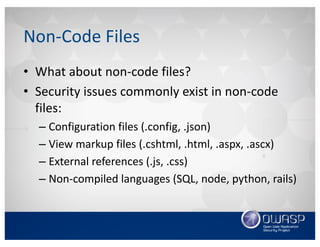
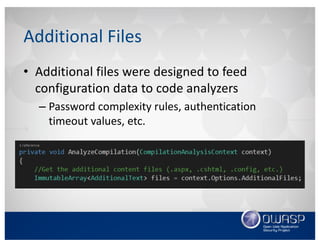
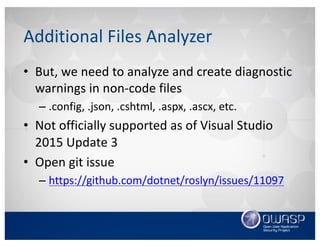
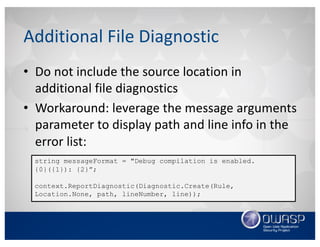
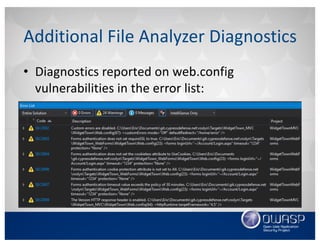
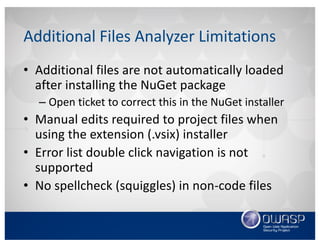
![Additional File Item Names
• Each project file targeted for analysis must set
its additional file item names property group
to all content files:
<PropertyGroup>
[…]
<AdditionalFileItemNames>
$(AdditionalFileItemNames);Content
</AdditionalFileItemNames>
</PropertyGroup>](https://image.slidesharecdn.com/cilivecodeanalysisusingvisualstudioandtheroslynapi-161018020543/85/Continuous-Integration-Live-Static-Analysis-with-Puma-Scan-40-320.jpg)
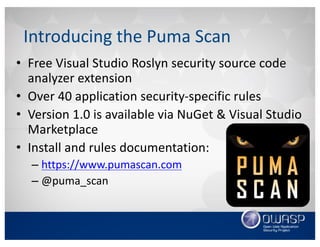
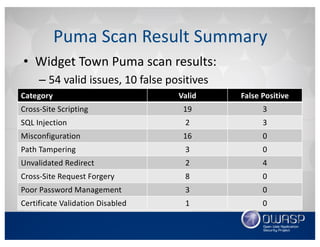
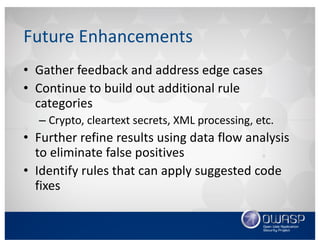


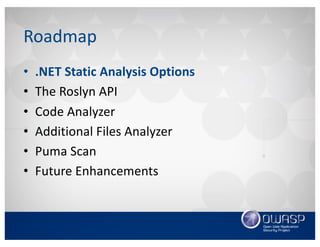
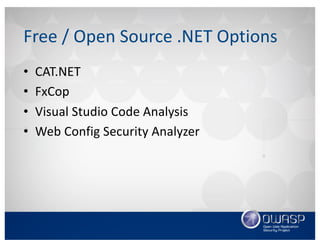
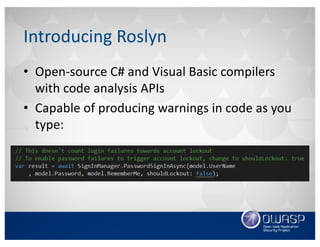
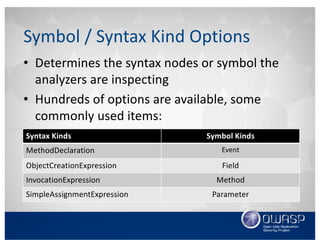
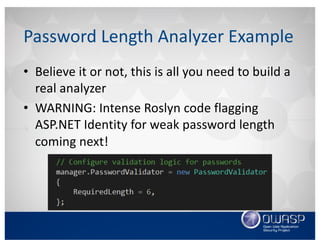
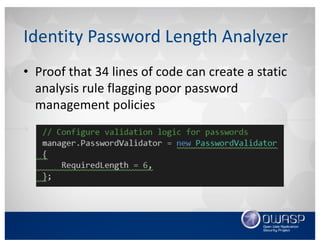
This document discusses using the Roslyn compiler API to build .NET static code analyzers. It begins with an overview of existing free and open source .NET static analysis tools. It then covers the basics of the Roslyn API and how to create a code analyzer that checks for weak password lengths in ASP.NET Identity. It also discusses challenges with analyzing non-code files and demonstrates a tool called Puma Scan that contains over 40 security rules for .NET applications. The document encourages contributions to help expand analysis capabilities and rule coverage.


