How to look at a form
Caroline Jarrett @cjformsIndustryconf 2016
Paying for a parking ticket
2
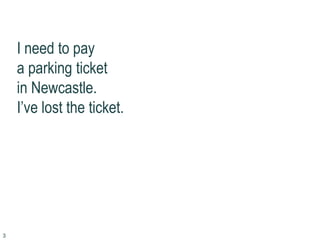
I need to pay
a parking ticket
in Newcastle.
I’ve lost the ticket.
3
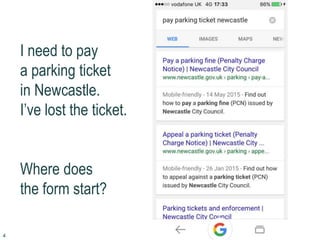
I need to pay
a parking ticket
in Newcastle.
I’ve lost the ticket.
Where does
the form start?
4
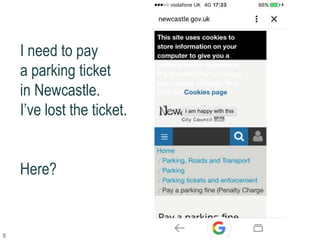
I need to pay
a parking ticket
in Newcastle.
I’ve lost the ticket.
Here?
5
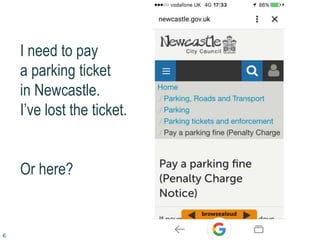
I need to pay
a parking ticket
in Newcastle.
I’ve lost the ticket.
Or here?
6
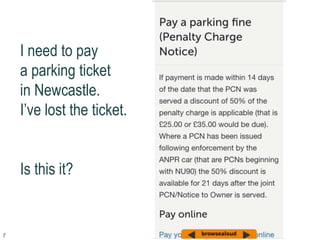
I need to pay
a parking ticket
in Newcastle.
I’ve lost the ticket.
Is this it?
7
I need to pay
a parking ticket
in Newcastle.
I’ve lost the ticket.
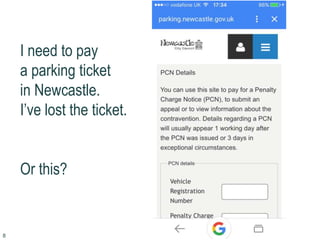
Or this?
8
I need to pay
a parking ticket
in Newcastle.
I’ve lost the ticket.
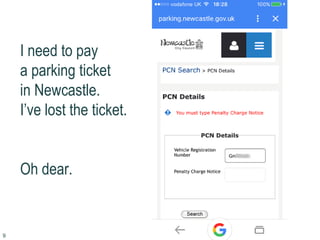
Oh dear.
9
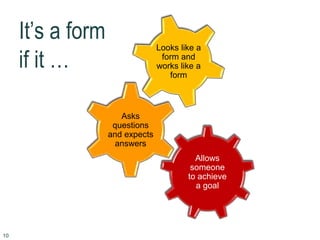
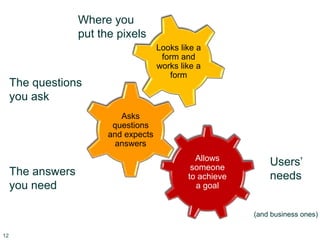
It’s a form
if it …
Looks like a
form and
works like a
form
Asks
questions
and expects
answers
Allows
someone
to achieve
a goal
10
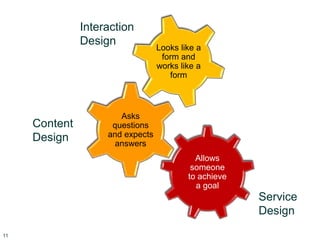
Interaction
Design
Looks like a
form and
works like a
form
Content
Design
Asks
questions
and expects
answers
Service
Design
Allows
someone
to achieve
a goal
11
Users’
needs
(and business ones)
Where you
put the pixels
Looks like a
form and
works like a
form
The questions
you ask
Asks
questions
and expects
answers
The answers
you need
Allows
someone
to achieve
a goal
12
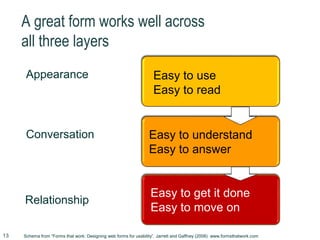
A great form works well across
all three layers
Appearance
Conversation
Relationship
Easy to get it done
Easy to move on
Goals achievedEasy to understand
Easy to answer
Goals achievedEasy to use
Easy to read
Schema from “Forms that work: Designing web forms for usability”, Jarrett and Gaffney (2008) www.formsthatwork.com13
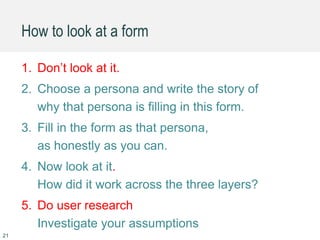
How to look at a form
14
Step 1
Don’t look at it
yet
15
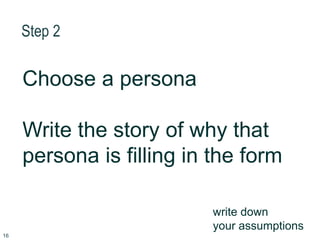
Step 2
Choose a persona
Write the story of why that
persona is filling in the form
write down
your assumptions
16
“I want to work with children”
Image credit: Milton Keynes Museum
@mkmusem used with permission
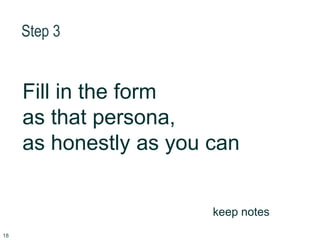
Step 3
Fill in the form
as that persona,
as honestly as you can
keep notes
18
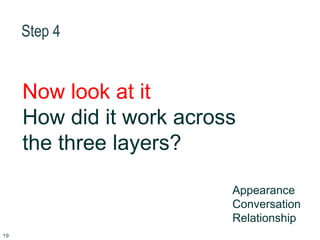
Step 4
Now look at it
How did it work across
the three layers?
Appearance
Conversation
Relationship
19
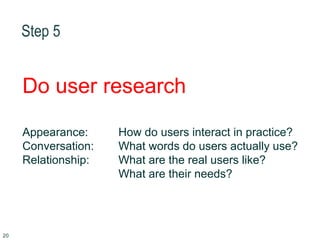
Step 5
Do user research
Appearance: How do users interact in practice?
Conversation: What words do users actually use?
Relationship: What are the real users like?
What are their needs?
20
How to look at a form
1. Don’t look at it.
2. Choose a persona and write the story of
why that persona is filling in this form.
3. Fill in the form as that persona,
as honestly as you can.
4. Now look at it.
How did it work across the three layers?
5. Do user research
Investigate your assumptions
21
Now you try it
22
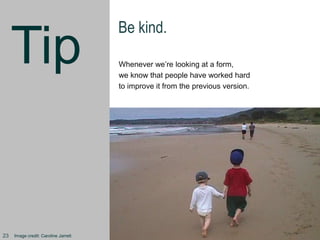
Tip
Be kind.
Whenever we’re looking at a form,
we know that people have worked hard
to improve it from the previous version.
Image credit: Caroline Jarrett23
Remind yourself of the story
24
http://selby.ac.uk/
school-leavers-vocational/application-form/
http://bit.ly/indconftryit
25
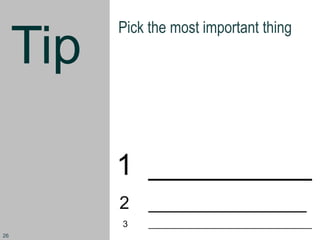
Tip
Pick the most important thing
1 __________
2 ________________
3 _________________________________
26
Easy to use
Easy to read
27
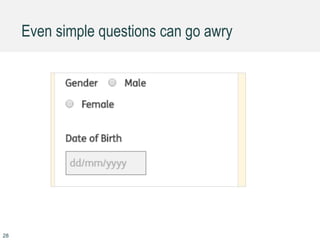
Even simple questions can go awry
28
Tip
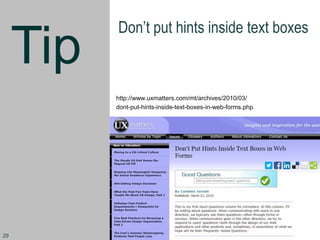
Don’t put hints inside text boxes
http://www.uxmatters.com/mt/archives/2010/03/
dont-put-hints-inside-text-boxes-in-web-forms.php
29
Tip
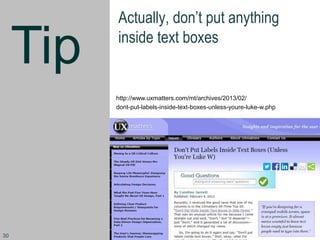
Actually, don’t put anything
inside text boxes
http://www.uxmatters.com/mt/archives/2013/02/
dont-put-labels-inside-text-boxes-unless-youre-luke-w.php
30
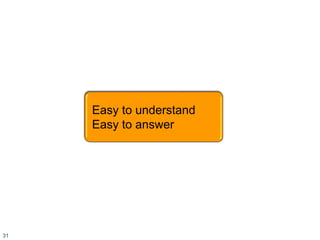
Easy to understand
Easy to answer
31
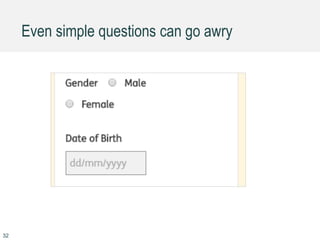
Even simple questions can go awry
32
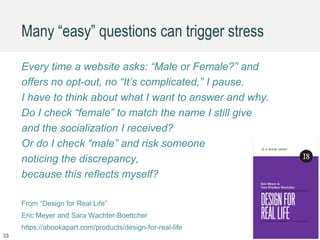
Many “easy” questions can trigger stress
Every time a website asks: “Male or Female?” and
offers no opt-out, no “It’s complicated,” I pause.
I have to think about what I want to answer and why.
Do I check “female” to match the name I still give
and the socialization I received?
Or do I check “male” and risk someone
noticing the discrepancy,
because this reflects myself?
From “Design for Real Life”
Eric Meyer and Sara Wachter-Boettcher
https://abookapart.com/products/design-for-real-life
33
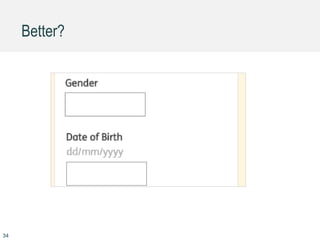
Better?
34
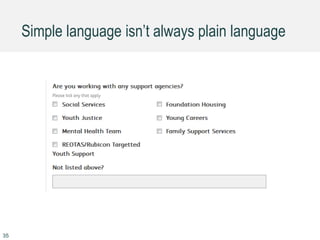
Simple language isn’t always plain language
35
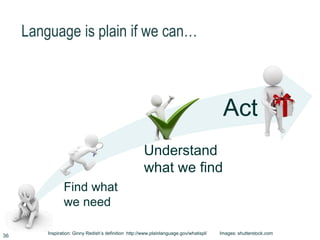
Language is plain if we can…
Find what
we need
Understand
what we find
Act
Inspiration: Ginny Redish’s definition http://www.plainlanguage.gov/whatispl/ Images: shutterstock.com
36
Tip
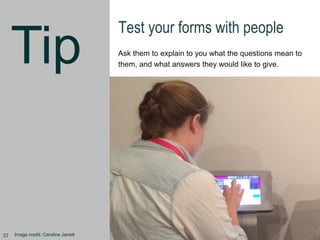
Test your forms with people
Ask them to explain to you what the questions mean to
them, and what answers they would like to give.
Image credit: Caroline Jarrett37
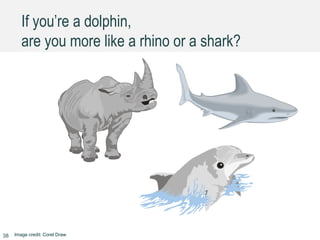
If you’re a dolphin,
are you more like a rhino or a shark?
Image credit: Corel Draw38
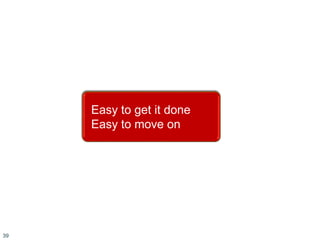
Easy to get it done
Easy to move on
39
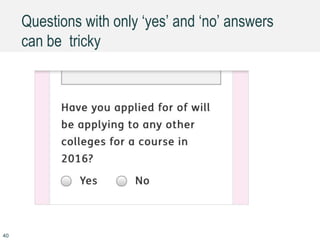
Questions with only ‘yes’ and ‘no’ answers
can be tricky
40
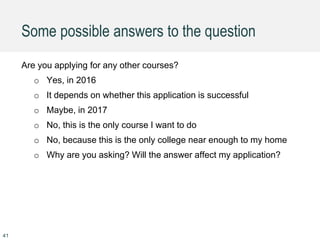
Some possible answers to the question
Are you applying for any other courses?
o Yes, in 2016
o It depends on whether this application is successful
o Maybe, in 2017
o No, this is the only course I want to do
o No, because this is the only college near enough to my home
o Why are you asking? Will the answer affect my application?
41
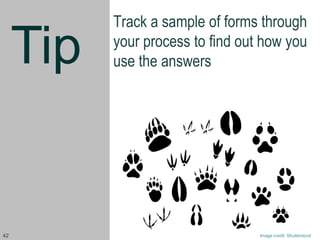
Tip
Track a sample of forms through
your process to find out how you
use the answers
Image credit: Shutterstock42
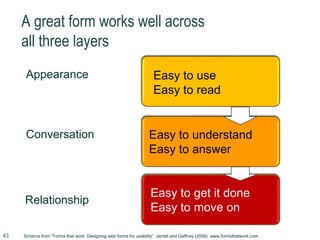
A great form works well across
all three layers
Appearance
Conversation
Relationship
Easy to get it done
Easy to move on
Goals achievedEasy to understand
Easy to answer
Goals achievedEasy to use
Easy to read
Schema from “Forms that work: Designing web forms for usability”, Jarrett and Gaffney (2008) www.formsthatwork.com43
More slides http://www.slideshare.net/cjforms
44
Caroline Jarrett
twitter @cjforms
caroline.jarrett@effortmark.co.uk
www.effortmark.co.uk
45

How to look at a form - Industry Conf 2016

  • 1.
    How to lookat a form Caroline Jarrett @cjformsIndustryconf 2016
  • 2.
    Paying for aparking ticket 2
  • 3.
    I need topay a parking ticket in Newcastle. I’ve lost the ticket. 3
  • 4.
    I need topay a parking ticket in Newcastle. I’ve lost the ticket. Where does the form start? 4
  • 5.
    I need topay a parking ticket in Newcastle. I’ve lost the ticket. Here? 5
  • 6.
    I need topay a parking ticket in Newcastle. I’ve lost the ticket. Or here? 6
  • 7.
    I need topay a parking ticket in Newcastle. I’ve lost the ticket. Is this it? 7
  • 8.
    I need topay a parking ticket in Newcastle. I’ve lost the ticket. Or this? 8
  • 9.
    I need topay a parking ticket in Newcastle. I’ve lost the ticket. Oh dear. 9
  • 10.
    It’s a form ifit … Looks like a form and works like a form Asks questions and expects answers Allows someone to achieve a goal 10
  • 11.
    Interaction Design Looks like a formand works like a form Content Design Asks questions and expects answers Service Design Allows someone to achieve a goal 11
  • 12.
    Users’ needs (and business ones) Whereyou put the pixels Looks like a form and works like a form The questions you ask Asks questions and expects answers The answers you need Allows someone to achieve a goal 12
  • 13.
    A great formworks well across all three layers Appearance Conversation Relationship Easy to get it done Easy to move on Goals achievedEasy to understand Easy to answer Goals achievedEasy to use Easy to read Schema from “Forms that work: Designing web forms for usability”, Jarrett and Gaffney (2008) www.formsthatwork.com13
  • 14.
    How to lookat a form 14
  • 15.
    Step 1 Don’t lookat it yet 15
  • 16.
    Step 2 Choose apersona Write the story of why that persona is filling in the form write down your assumptions 16
  • 17.
    “I want towork with children” Image credit: Milton Keynes Museum @mkmusem used with permission
  • 18.
    Step 3 Fill inthe form as that persona, as honestly as you can keep notes 18
  • 19.
    Step 4 Now lookat it How did it work across the three layers? Appearance Conversation Relationship 19
  • 20.
    Step 5 Do userresearch Appearance: How do users interact in practice? Conversation: What words do users actually use? Relationship: What are the real users like? What are their needs? 20
  • 21.
    How to lookat a form 1. Don’t look at it. 2. Choose a persona and write the story of why that persona is filling in this form. 3. Fill in the form as that persona, as honestly as you can. 4. Now look at it. How did it work across the three layers? 5. Do user research Investigate your assumptions 21
  • 22.
  • 23.
    Tip Be kind. Whenever we’relooking at a form, we know that people have worked hard to improve it from the previous version. Image credit: Caroline Jarrett23
  • 24.
    Remind yourself ofthe story 24
  • 25.
  • 26.
    Tip Pick the mostimportant thing 1 __________ 2 ________________ 3 _________________________________ 26
  • 27.
    Easy to use Easyto read 27
  • 28.
    Even simple questionscan go awry 28
  • 29.
    Tip Don’t put hintsinside text boxes http://www.uxmatters.com/mt/archives/2010/03/ dont-put-hints-inside-text-boxes-in-web-forms.php 29
  • 30.
    Tip Actually, don’t putanything inside text boxes http://www.uxmatters.com/mt/archives/2013/02/ dont-put-labels-inside-text-boxes-unless-youre-luke-w.php 30
  • 31.
  • 32.
    Even simple questionscan go awry 32
  • 33.
    Many “easy” questionscan trigger stress Every time a website asks: “Male or Female?” and offers no opt-out, no “It’s complicated,” I pause. I have to think about what I want to answer and why. Do I check “female” to match the name I still give and the socialization I received? Or do I check “male” and risk someone noticing the discrepancy, because this reflects myself? From “Design for Real Life” Eric Meyer and Sara Wachter-Boettcher https://abookapart.com/products/design-for-real-life 33
  • 34.
  • 35.
    Simple language isn’talways plain language 35
  • 36.
    Language is plainif we can… Find what we need Understand what we find Act Inspiration: Ginny Redish’s definition http://www.plainlanguage.gov/whatispl/ Images: shutterstock.com 36
  • 37.
    Tip Test your formswith people Ask them to explain to you what the questions mean to them, and what answers they would like to give. Image credit: Caroline Jarrett37
  • 38.
    If you’re adolphin, are you more like a rhino or a shark? Image credit: Corel Draw38
  • 39.
    Easy to getit done Easy to move on 39
  • 40.
    Questions with only‘yes’ and ‘no’ answers can be tricky 40
  • 41.
    Some possible answersto the question Are you applying for any other courses? o Yes, in 2016 o It depends on whether this application is successful o Maybe, in 2017 o No, this is the only course I want to do o No, because this is the only college near enough to my home o Why are you asking? Will the answer affect my application? 41
  • 42.
    Tip Track a sampleof forms through your process to find out how you use the answers Image credit: Shutterstock42
  • 43.
    A great formworks well across all three layers Appearance Conversation Relationship Easy to get it done Easy to move on Goals achievedEasy to understand Easy to answer Goals achievedEasy to use Easy to read Schema from “Forms that work: Designing web forms for usability”, Jarrett and Gaffney (2008) www.formsthatwork.com43
  • 44.
  • 45.