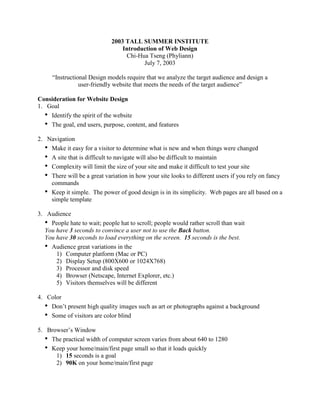
2003 TALL SUMMER INSTITUTE
                                 Introduction of Web Design
                                  Chi-Hua Tseng (Phyliann)
                                        July 7, 2003

     “Instructional Design models require that we analyze the target audience and design a
                user-friendly website that meets the needs of the target audience”

Consideration for Website Design
1. Goal
   • Identify the spirit of the website
   • The goal, end users, purpose, content, and features
2. Navigation
   • Make it easy for a visitor to determine what is new and when things were changed
   • A site that is difficult to navigate will also be difficult to maintain
   • Complexity will limit the size of your site and make it difficult to test your site
   • There will be a great variation in how your site looks to different users if you rely on fancy
     commands
   • Keep it simple. The power of good design is in its simplicity. Web pages are all based on a
     simple template

3. Audience
   • People hate to wait; people hat to scroll; people would rather scroll than wait
   You have 3 seconds to convince a user not to use the Back button.
   You have 30 seconds to load everything on the screen. 15 seconds is the best.
   • Audience great variations in the
       1) Computer platform (Mac or PC)
       2) Display Setup (800X600 or 1024X768)
       3) Processor and disk speed
       4) Browser (Netscape, Internet Explorer, etc.)
       5) Visitors themselves will be different

4. Color
   • Don’t present high quality images such as art or photographs against a background
   • Some of visitors are color blind
5. Browser’s Window
   • The practical width of computer screen varies from about 640 to 1280
   • Keep your home/main/first page small so that it loads quickly
      1) 15 seconds is a goal
      2) 90K on your home/main/first page
6. Images
   • JPEG, GIF and PNG
   • Compressing and resolution
7. Animation
   • .gif (Image Ready) http://www.adobe.com
   • .swf (Flash) http://www.macromedia.com
8. Text
   • Make texts easy to read
   • The viewing area of your browser is much smaller than a normal printed page
   • Don’t run text the full width of the screen
   • Don’t use long paragraphs to text
9. Tables
   • Learn how to use tables and you will be able to control the look of your web pages
   • You can use table to create columns and grids to contain the images and text
10. Frames
   • Some visitors will have browsers that can’t see frames
   • It may produce unexpected results when you click “Back” button
   • Print Problem
   • Bookmark Problem
   • Search Problem
   • Framed-frame
   • Report Problem
   • User preferences-users prefer frame-free
   • Some visitors will have browsers that can’t see frames
11. Table
   • Learn how to use tables and you will be able to control the look of your web pages
   • You can use table to create columns and grids to contain the images and text
12. Sounds
   • Use sound well, or don’t use it at all
   • Sounds used on interface element are funny the first 3 times you roll over them. After that,
     they’re just annoying
13. Java & Java Script
        JavaScript is a simplified programming language developed by Netscape. It can be add to
        HTML pages in order to create interactive, dynamic, or changing elements to an otherwise
        static web page
   • http://www.javascripts.com/ (JavaScripts.com)
   • http://www.builder.com/Programming/JsSpotlight/ (CNET Builder.com)
   • http://htmlgoodies.earthweb.com/primers/jsp (HTML Goodies)
   • http://developer.netscape.com/docs/manuals/communicator/jsguide4/index.htm (Netscape’s
      JavaScript Guide)

13. Testing & Maintenance
   • All content should be error-free to insure the quality of the website
   • Can your site be maintained or modified by someone besides you?
   • Is your site easy to modify?
   • Is it easy to make additions and changes?
14. Disabilities
   • The new regulations became a part of government procurement as of the summer of 2001.
   • Electronic and Information Technology Accessibilities Standards
     http://www.access-board.gov/sec508/508standards.htm

References

Aggarwal A., (2000) Learning and Teaching Technologies: Web-Based Opportunities and
Challenges. Idea Group Publishing

Barron A.E. and Ivers K.S. (1997) The internet and Instruction:Activities and Ideas. Libraries
Unlimited.

Baumgardt M., (1998) Creative Web Design: Tips and tricks Step by Step. Springer

Karp, T. (2002). Art and the Zen of Web Sites. 7/1/2003, from
http://www.tlc-systems.com/webtips.shtml

Margolin, M. (2001). A Primer for Accessible Web Pages. 7/1/2003, from
http://www.oreillynet.com/pub/a/javascript/synd/2001/11/30/accessibility.html

Neilson, J. (1996). Top Ten Mistakes in Web Design. 7/1/2003, from
http://www.useit.com/alertbox/9605.html

Neilson, J. (1999). The Top Ten New Mistakes of Web Design. 7/1/2003, from
http://www.useit.com/alertbox/990530.html
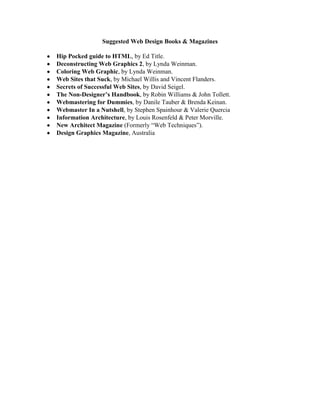
Suggested Web Design Books & Magazines

Hip Pocked guide to HTML, by Ed Title.
Deconstructing Web Graphics 2, by Lynda Weinman.
Coloring Web Graphic, by Lynda Weinman.
Web Sites that Suck, by Michael Willis and Vincent Flanders.
Secrets of Successful Web Sites, by David Seigel.
The Non-Designer’s Handbook, by Robin Williams & John Tollett.
Webmastering for Dummies, by Danile Tauber & Brenda Keinan.
Webmaster In a Nutshell, by Stephen Spainhour & Valerie Quercia
Information Architecture, by Louis Rosenfeld & Peter Morville.
New Architect Magazine (Formerly “Web Techniques”).
Design Graphics Magazine, Australia

PPT3958.doc

  • 1.
    2003 TALL SUMMERINSTITUTE Introduction of Web Design Chi-Hua Tseng (Phyliann) July 7, 2003 “Instructional Design models require that we analyze the target audience and design a user-friendly website that meets the needs of the target audience” Consideration for Website Design 1. Goal • Identify the spirit of the website • The goal, end users, purpose, content, and features 2. Navigation • Make it easy for a visitor to determine what is new and when things were changed • A site that is difficult to navigate will also be difficult to maintain • Complexity will limit the size of your site and make it difficult to test your site • There will be a great variation in how your site looks to different users if you rely on fancy commands • Keep it simple. The power of good design is in its simplicity. Web pages are all based on a simple template 3. Audience • People hate to wait; people hat to scroll; people would rather scroll than wait You have 3 seconds to convince a user not to use the Back button. You have 30 seconds to load everything on the screen. 15 seconds is the best. • Audience great variations in the 1) Computer platform (Mac or PC) 2) Display Setup (800X600 or 1024X768) 3) Processor and disk speed 4) Browser (Netscape, Internet Explorer, etc.) 5) Visitors themselves will be different 4. Color • Don’t present high quality images such as art or photographs against a background • Some of visitors are color blind 5. Browser’s Window • The practical width of computer screen varies from about 640 to 1280 • Keep your home/main/first page small so that it loads quickly 1) 15 seconds is a goal 2) 90K on your home/main/first page
  • 2.
    6. Images • JPEG, GIF and PNG • Compressing and resolution 7. Animation • .gif (Image Ready) http://www.adobe.com • .swf (Flash) http://www.macromedia.com 8. Text • Make texts easy to read • The viewing area of your browser is much smaller than a normal printed page • Don’t run text the full width of the screen • Don’t use long paragraphs to text 9. Tables • Learn how to use tables and you will be able to control the look of your web pages • You can use table to create columns and grids to contain the images and text 10. Frames • Some visitors will have browsers that can’t see frames • It may produce unexpected results when you click “Back” button • Print Problem • Bookmark Problem • Search Problem • Framed-frame • Report Problem • User preferences-users prefer frame-free • Some visitors will have browsers that can’t see frames 11. Table • Learn how to use tables and you will be able to control the look of your web pages • You can use table to create columns and grids to contain the images and text 12. Sounds • Use sound well, or don’t use it at all • Sounds used on interface element are funny the first 3 times you roll over them. After that, they’re just annoying
  • 3.
    13. Java &Java Script JavaScript is a simplified programming language developed by Netscape. It can be add to HTML pages in order to create interactive, dynamic, or changing elements to an otherwise static web page • http://www.javascripts.com/ (JavaScripts.com) • http://www.builder.com/Programming/JsSpotlight/ (CNET Builder.com) • http://htmlgoodies.earthweb.com/primers/jsp (HTML Goodies) • http://developer.netscape.com/docs/manuals/communicator/jsguide4/index.htm (Netscape’s JavaScript Guide) 13. Testing & Maintenance • All content should be error-free to insure the quality of the website • Can your site be maintained or modified by someone besides you? • Is your site easy to modify? • Is it easy to make additions and changes? 14. Disabilities • The new regulations became a part of government procurement as of the summer of 2001. • Electronic and Information Technology Accessibilities Standards http://www.access-board.gov/sec508/508standards.htm References Aggarwal A., (2000) Learning and Teaching Technologies: Web-Based Opportunities and Challenges. Idea Group Publishing Barron A.E. and Ivers K.S. (1997) The internet and Instruction:Activities and Ideas. Libraries Unlimited. Baumgardt M., (1998) Creative Web Design: Tips and tricks Step by Step. Springer Karp, T. (2002). Art and the Zen of Web Sites. 7/1/2003, from http://www.tlc-systems.com/webtips.shtml Margolin, M. (2001). A Primer for Accessible Web Pages. 7/1/2003, from http://www.oreillynet.com/pub/a/javascript/synd/2001/11/30/accessibility.html Neilson, J. (1996). Top Ten Mistakes in Web Design. 7/1/2003, from http://www.useit.com/alertbox/9605.html Neilson, J. (1999). The Top Ten New Mistakes of Web Design. 7/1/2003, from http://www.useit.com/alertbox/990530.html
  • 4.
    Suggested Web DesignBooks & Magazines Hip Pocked guide to HTML, by Ed Title. Deconstructing Web Graphics 2, by Lynda Weinman. Coloring Web Graphic, by Lynda Weinman. Web Sites that Suck, by Michael Willis and Vincent Flanders. Secrets of Successful Web Sites, by David Seigel. The Non-Designer’s Handbook, by Robin Williams & John Tollett. Webmastering for Dummies, by Danile Tauber & Brenda Keinan. Webmaster In a Nutshell, by Stephen Spainhour & Valerie Quercia Information Architecture, by Louis Rosenfeld & Peter Morville. New Architect Magazine (Formerly “Web Techniques”). Design Graphics Magazine, Australia