Openstack Heat
Arun prasath S
Dec 23, 2014
What is Heat ?
Template-driven engine
that allows us to describe and
automate the deployment of
infrastructure
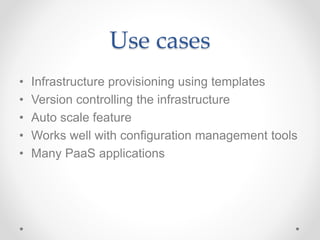
Use cases
• Infrastructure provisioning using templates
• Version controlling the infrastructure
• Auto scale feature
• Works well with configuration management tools
• Many PaaS applications
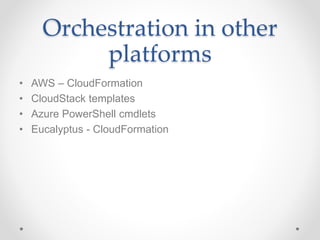
Orchestration in other
platforms
• AWS – CloudFormation
• CloudStack templates
• Azure PowerShell cmdlets
• Eucalyptus - CloudFormation
Heat capabilities
• Provides ability to describe an infrastructure in text file.
• Infrastructure resources include – Servers, network,
router, floating IP, security groups
• We can also specify the relationship between the
resources
• Changes in infrastructure made easy
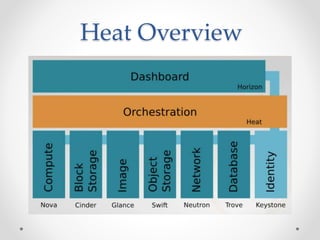
Heat Overview
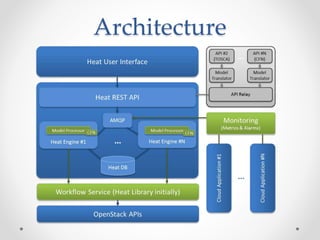
Architecture
• Heat project comprises of number of
python applications
o heat
o heat-api
o heat-api-cfn
o heat-engine
Architecture
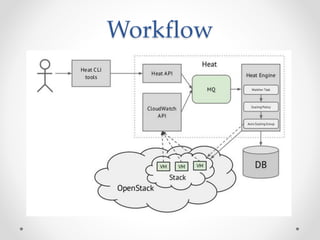
Workflow
Implementation
• Create database for Heat
• Create Keystone users and roles
• Create services and endpoints
• Install necessary packages
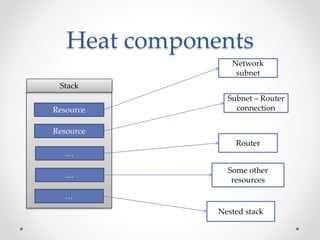
Heat components
Stack
Resource
Resource
…
…
Network
subnet
Router
Subnet – Router
connection
Some other
resources
…
Nested stack
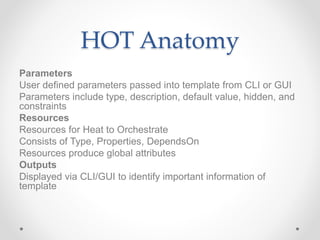
HOT Anatomy
Parameters
User defined parameters passed into template from CLI or GUI
Parameters include type, description, default value, hidden, and
constraints
Resources
Resources for Heat to Orchestrate
Consists of Type, Properties, DependsOn
Resources produce global attributes
Outputs
Displayed via CLI/GUI to identify important information of
template
HOT Anatomy -
Parameters
heat_template_version: 2013-05-23
parameters:
image:
type: string
description: Image to use for the instance to be created.
default: cirros0.3.2x86_64disk
constraints:
- allowed_values: ['cirros0.3.2x86_64disk','fedora20.x86_64']
volume_size:
type: number
description: Size of volume to attach to instance
default: 1
constraints:
- range: {min: 1, max: 10}
HOT Anatomy -
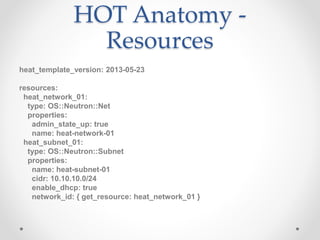
Resources
heat_template_version: 2013-05-23
resources:
heat_network_01:
type: OS::Neutron::Net
properties:
admin_state_up: true
name: heat-network-01
heat_subnet_01:
type: OS::Neutron::Subnet
properties:
name: heat-subnet-01
cidr: 10.10.10.0/24
enable_dhcp: true
network_id: { get_resource: heat_network_01 }
HOT Anatomy - Output
outputs:
instance_ip:
description: The IP address of the deployed Web application
value: { get_attr: [web-app-instance, show] }
Connection_details:
description: The IP address of the deployed Web application
value: { get_attr: [web-app-instance, addresses, public, 0] }
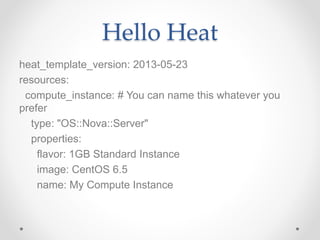
Hello Heat
heat_template_version: 2013-05-23
resources:
compute_instance: # You can name this whatever you
prefer
type: "OS::Nova::Server"
properties:
flavor: 1GB Standard Instance
image: CentOS 6.5
name: My Compute Instance
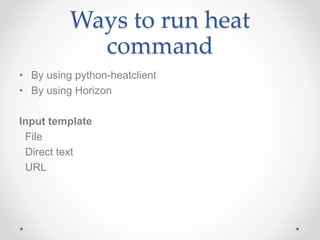
Ways to run heat
command
• By using python-heatclient
• By using Horizon
Input template
File
Direct text
URL
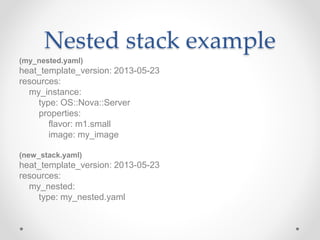
Nested stack example
(my_nested.yaml)
heat_template_version: 2013-05-23
resources:
my_instance:
type: OS::Nova::Server
properties:
flavor: m1.small
image: my_image
(new_stack.yaml)
heat_template_version: 2013-05-23
resources:
my_nested:
type: my_nested.yaml
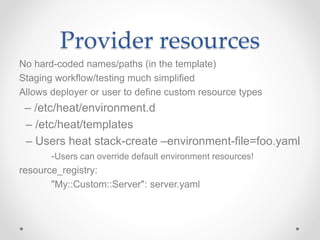
Provider resources
No hard-coded names/paths (in the template)
Staging workflow/testing much simplified
Allows deployer or user to define custom resource types
– /etc/heat/environment.d
– /etc/heat/templates
– Users heat stack-create –environment-file=foo.yaml
-Users can override default environment resources!
resource_registry:
"My::Custom::Server": server.yaml
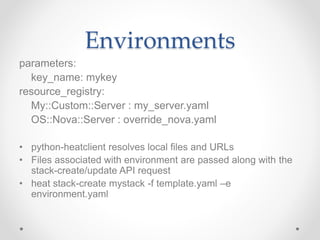
Environments
parameters:
key_name: mykey
resource_registry:
My::Custom::Server : my_server.yaml
OS::Nova::Server : override_nova.yaml
• python-heatclient resolves local files and URLs
• Files associated with environment are passed along with the
stack-create/update API request
• heat stack-create mystack -f template.yaml –e
environment.yaml
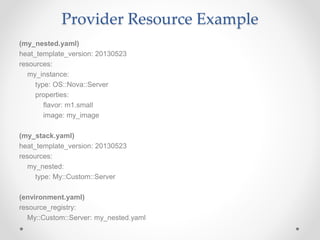
Provider Resource Example
(my_nested.yaml)
heat_template_version: 20130523
resources:
my_instance:
type: OS::Nova::Server
properties:
flavor: m1.small
image: my_image
(my_stack.yaml)
heat_template_version: 20130523
resources:
my_nested:
type: My::Custom::Server
(environment.yaml)
resource_registry:
My::Custom::Server: my_nested.yaml
Demo : Create an instance
Demo : Deploy a web
server using HEAT
Troubleshooting
• Check if you can reach the endpoints
• heat template-validate
• heat template-show
• Check for resources
• Logs - /var/log/heat/*
Important links
• http://docs.openstack.org/developer/heat/template_guide
/hot_guide.html
• http://docs.openstack.org/developer/heat/template_guide
/
• https://github.com/openstack/heat-templates
Questions ?

Openstack Heat

  • 1.
  • 2.
    What is Heat? Template-driven engine that allows us to describe and automate the deployment of infrastructure
  • 3.
    Use cases • Infrastructureprovisioning using templates • Version controlling the infrastructure • Auto scale feature • Works well with configuration management tools • Many PaaS applications
  • 4.
    Orchestration in other platforms •AWS – CloudFormation • CloudStack templates • Azure PowerShell cmdlets • Eucalyptus - CloudFormation
  • 5.
    Heat capabilities • Providesability to describe an infrastructure in text file. • Infrastructure resources include – Servers, network, router, floating IP, security groups • We can also specify the relationship between the resources • Changes in infrastructure made easy
  • 6.
  • 7.
    Architecture • Heat projectcomprises of number of python applications o heat o heat-api o heat-api-cfn o heat-engine
  • 8.
  • 9.
  • 10.
    Implementation • Create databasefor Heat • Create Keystone users and roles • Create services and endpoints • Install necessary packages
  • 11.
    Heat components Stack Resource Resource … … Network subnet Router Subnet –Router connection Some other resources … Nested stack
  • 12.
    HOT Anatomy Parameters User definedparameters passed into template from CLI or GUI Parameters include type, description, default value, hidden, and constraints Resources Resources for Heat to Orchestrate Consists of Type, Properties, DependsOn Resources produce global attributes Outputs Displayed via CLI/GUI to identify important information of template
  • 13.
    HOT Anatomy - Parameters heat_template_version:2013-05-23 parameters: image: type: string description: Image to use for the instance to be created. default: cirros0.3.2x86_64disk constraints: - allowed_values: ['cirros0.3.2x86_64disk','fedora20.x86_64'] volume_size: type: number description: Size of volume to attach to instance default: 1 constraints: - range: {min: 1, max: 10}
  • 14.
    HOT Anatomy - Resources heat_template_version:2013-05-23 resources: heat_network_01: type: OS::Neutron::Net properties: admin_state_up: true name: heat-network-01 heat_subnet_01: type: OS::Neutron::Subnet properties: name: heat-subnet-01 cidr: 10.10.10.0/24 enable_dhcp: true network_id: { get_resource: heat_network_01 }
  • 15.
    HOT Anatomy -Output outputs: instance_ip: description: The IP address of the deployed Web application value: { get_attr: [web-app-instance, show] } Connection_details: description: The IP address of the deployed Web application value: { get_attr: [web-app-instance, addresses, public, 0] }
  • 16.
    Hello Heat heat_template_version: 2013-05-23 resources: compute_instance:# You can name this whatever you prefer type: "OS::Nova::Server" properties: flavor: 1GB Standard Instance image: CentOS 6.5 name: My Compute Instance
  • 17.
    Ways to runheat command • By using python-heatclient • By using Horizon Input template File Direct text URL
  • 18.
    Nested stack example (my_nested.yaml) heat_template_version:2013-05-23 resources: my_instance: type: OS::Nova::Server properties: flavor: m1.small image: my_image (new_stack.yaml) heat_template_version: 2013-05-23 resources: my_nested: type: my_nested.yaml
  • 19.
    Provider resources No hard-codednames/paths (in the template) Staging workflow/testing much simplified Allows deployer or user to define custom resource types – /etc/heat/environment.d – /etc/heat/templates – Users heat stack-create –environment-file=foo.yaml -Users can override default environment resources! resource_registry: "My::Custom::Server": server.yaml
  • 20.
    Environments parameters: key_name: mykey resource_registry: My::Custom::Server :my_server.yaml OS::Nova::Server : override_nova.yaml • python-heatclient resolves local files and URLs • Files associated with environment are passed along with the stack-create/update API request • heat stack-create mystack -f template.yaml –e environment.yaml
  • 21.
    Provider Resource Example (my_nested.yaml) heat_template_version:20130523 resources: my_instance: type: OS::Nova::Server properties: flavor: m1.small image: my_image (my_stack.yaml) heat_template_version: 20130523 resources: my_nested: type: My::Custom::Server (environment.yaml) resource_registry: My::Custom::Server: my_nested.yaml
  • 22.
    Demo : Createan instance
  • 23.
    Demo : Deploya web server using HEAT
  • 24.
    Troubleshooting • Check ifyou can reach the endpoints • heat template-validate • heat template-show • Check for resources • Logs - /var/log/heat/*
  • 25.
    Important links • http://docs.openstack.org/developer/heat/template_guide /hot_guide.html •http://docs.openstack.org/developer/heat/template_guide / • https://github.com/openstack/heat-templates
  • 26.