Hyperconverged OpenStack and Storage
OpenStack Day - Melbourne 2017
Andrew Hatfield
Practice Lead - Cloud Storage and Big Data
June 1st, 2017
2
Agenda
● What is Hyper-converged Infrastructure (HCI)?
● Where should you consider it?
● HCI Resource Isolation
● HCI and NFV
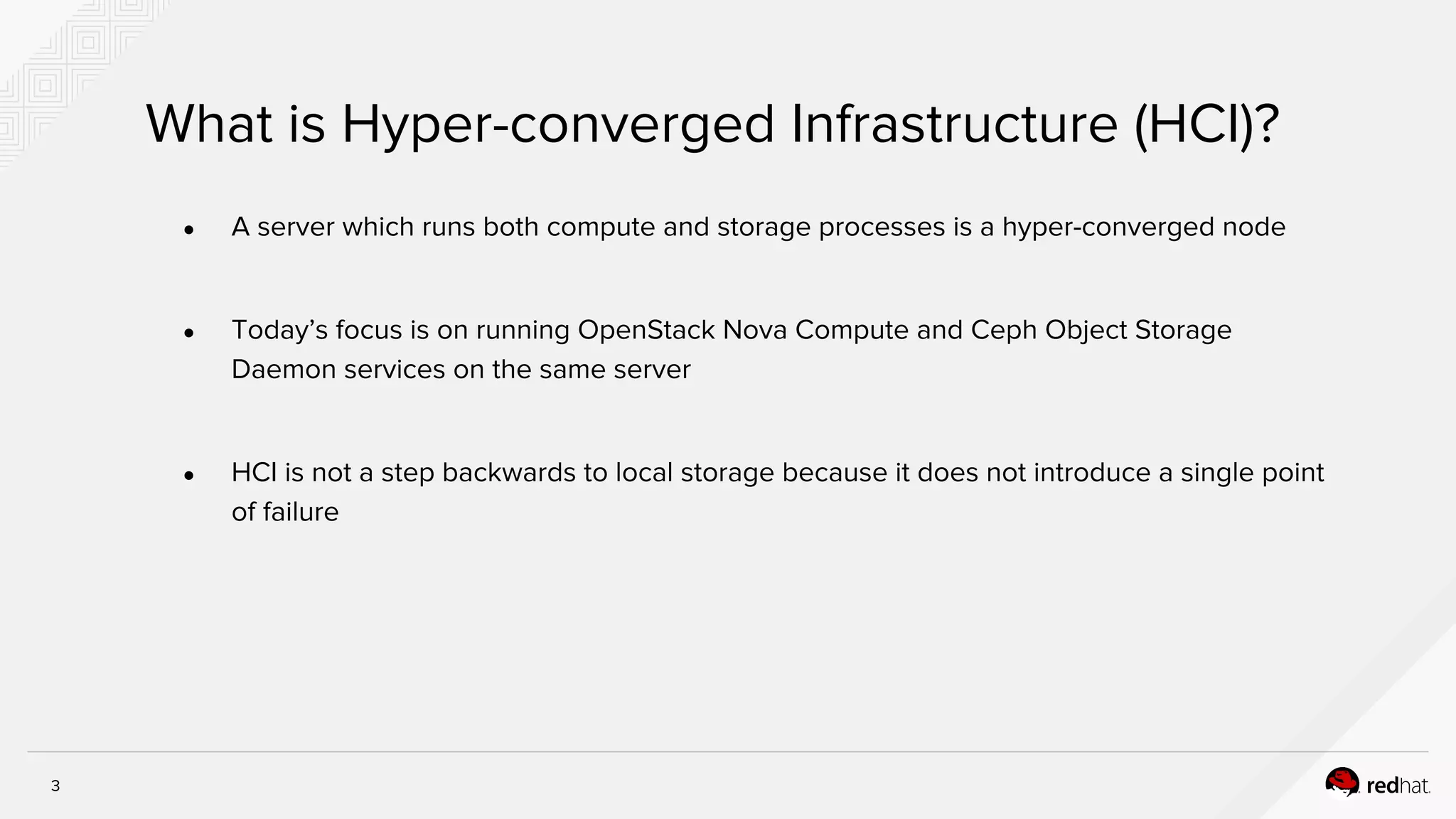
3
What is Hyper-converged Infrastructure (HCI)?
● A server which runs both compute and storage processes is a hyper-converged node
● Today’s focus is on running OpenStack Nova Compute and Ceph Object Storage
Daemon services on the same server
● HCI is not a step backwards to local storage because it does not introduce a single point
of failure
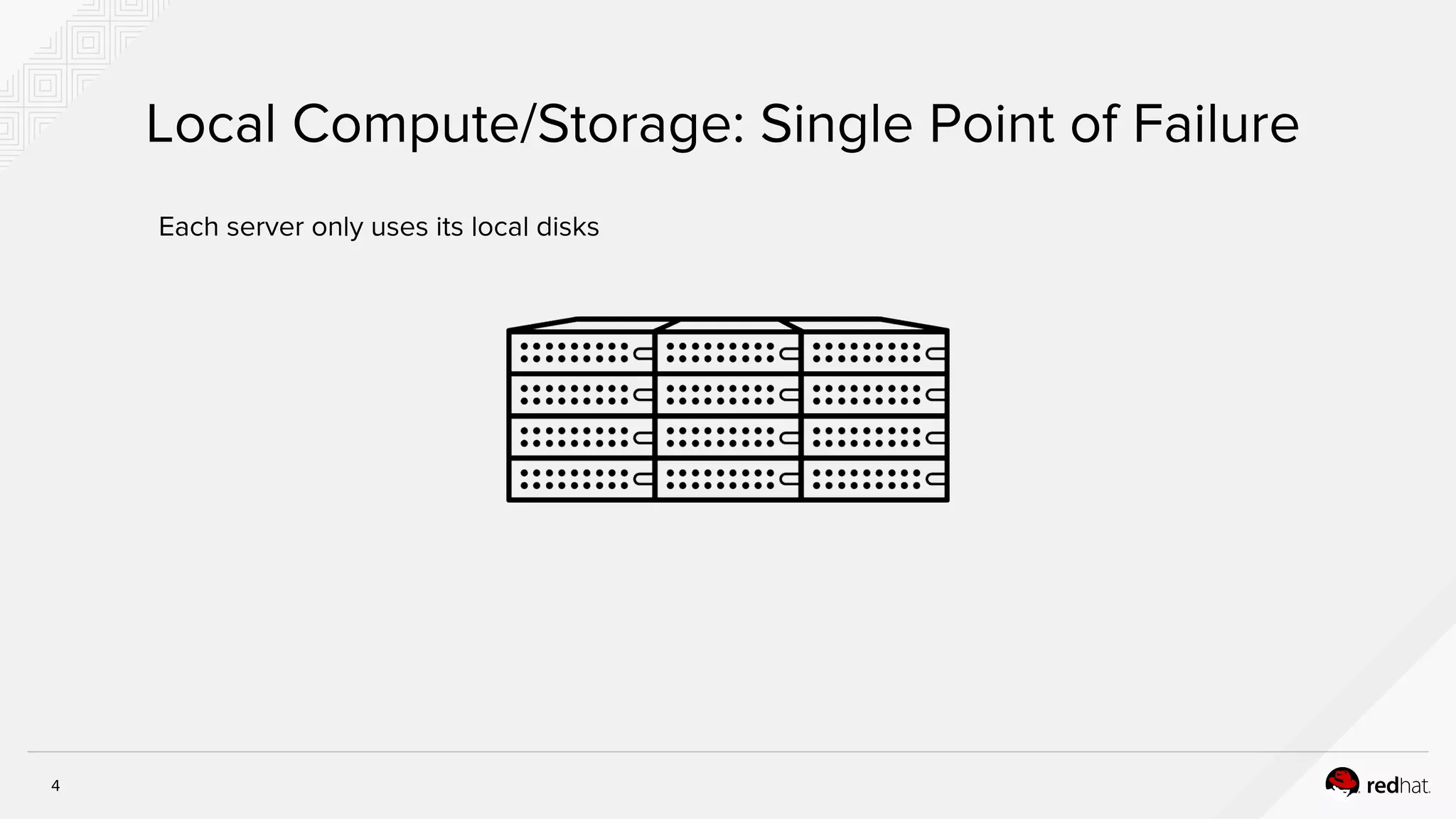
4
Local Compute/Storage: Single Point of Failure
Each server only uses its local disks
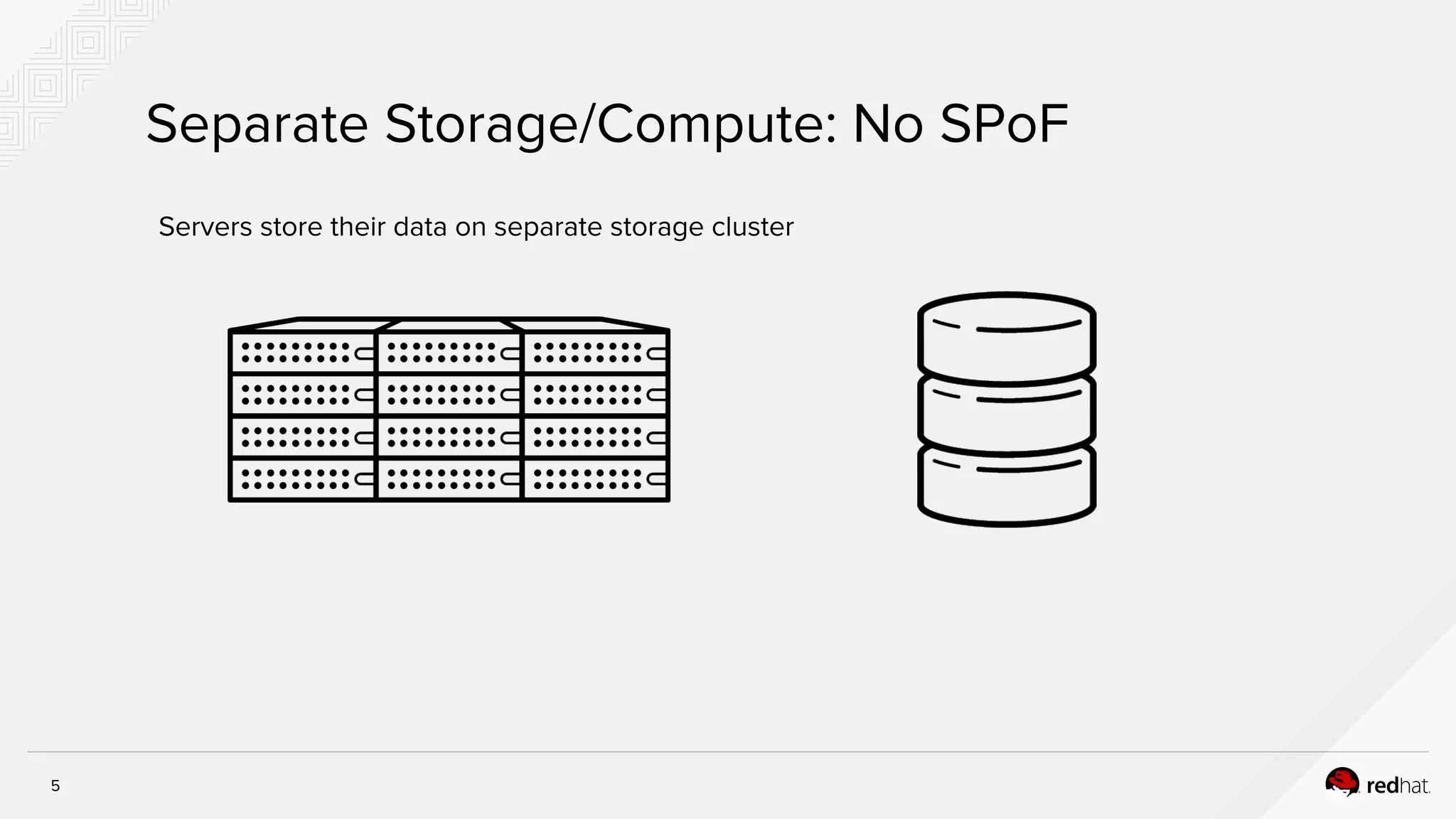
5
Separate Storage/Compute: No SPoF
Servers store their data on separate storage cluster
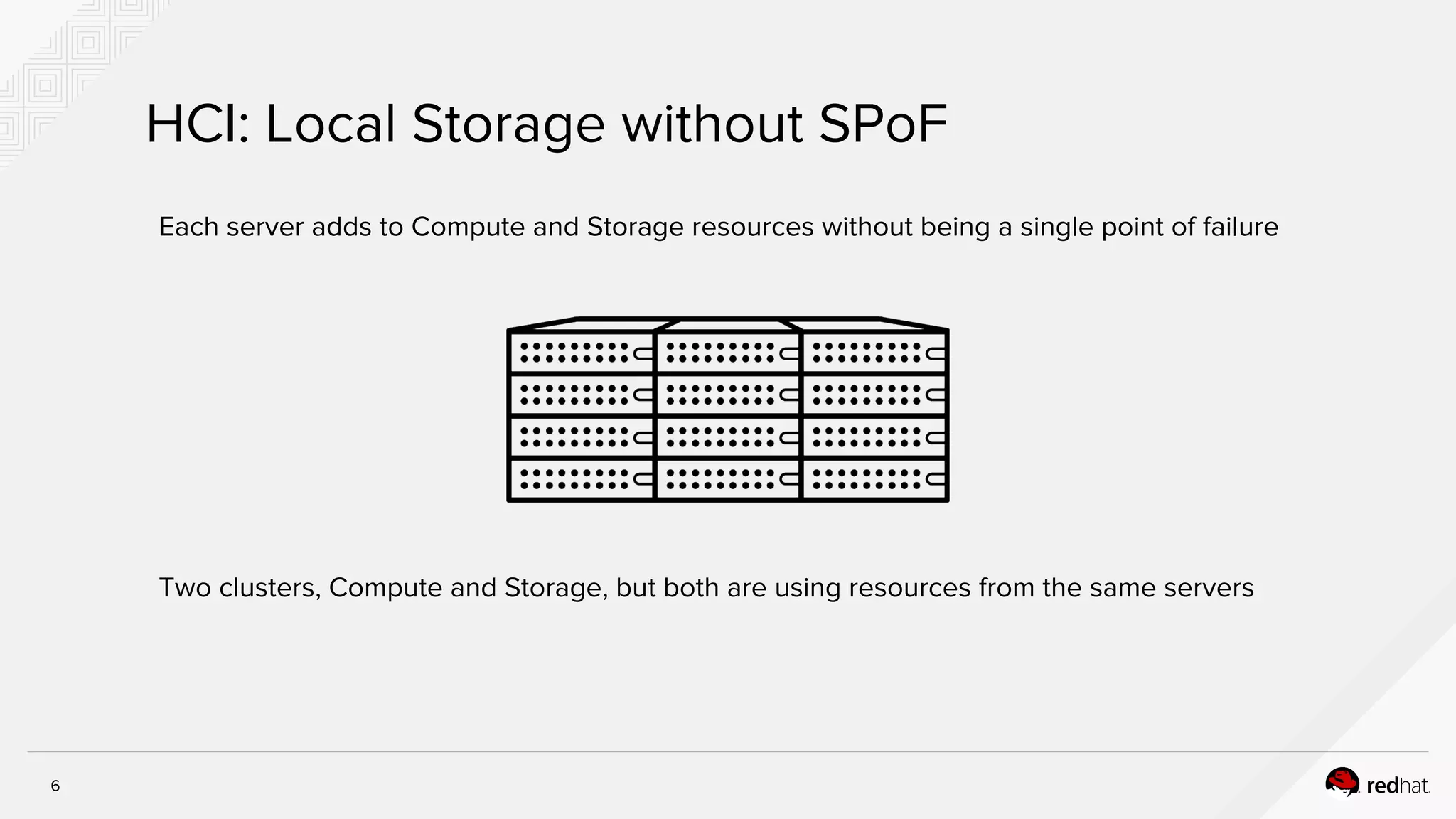
6
HCI: Local Storage without SPoF
Each server adds to Compute and Storage resources without being a single point of failure
Two clusters, Compute and Storage, but both are using resources from the same servers
7
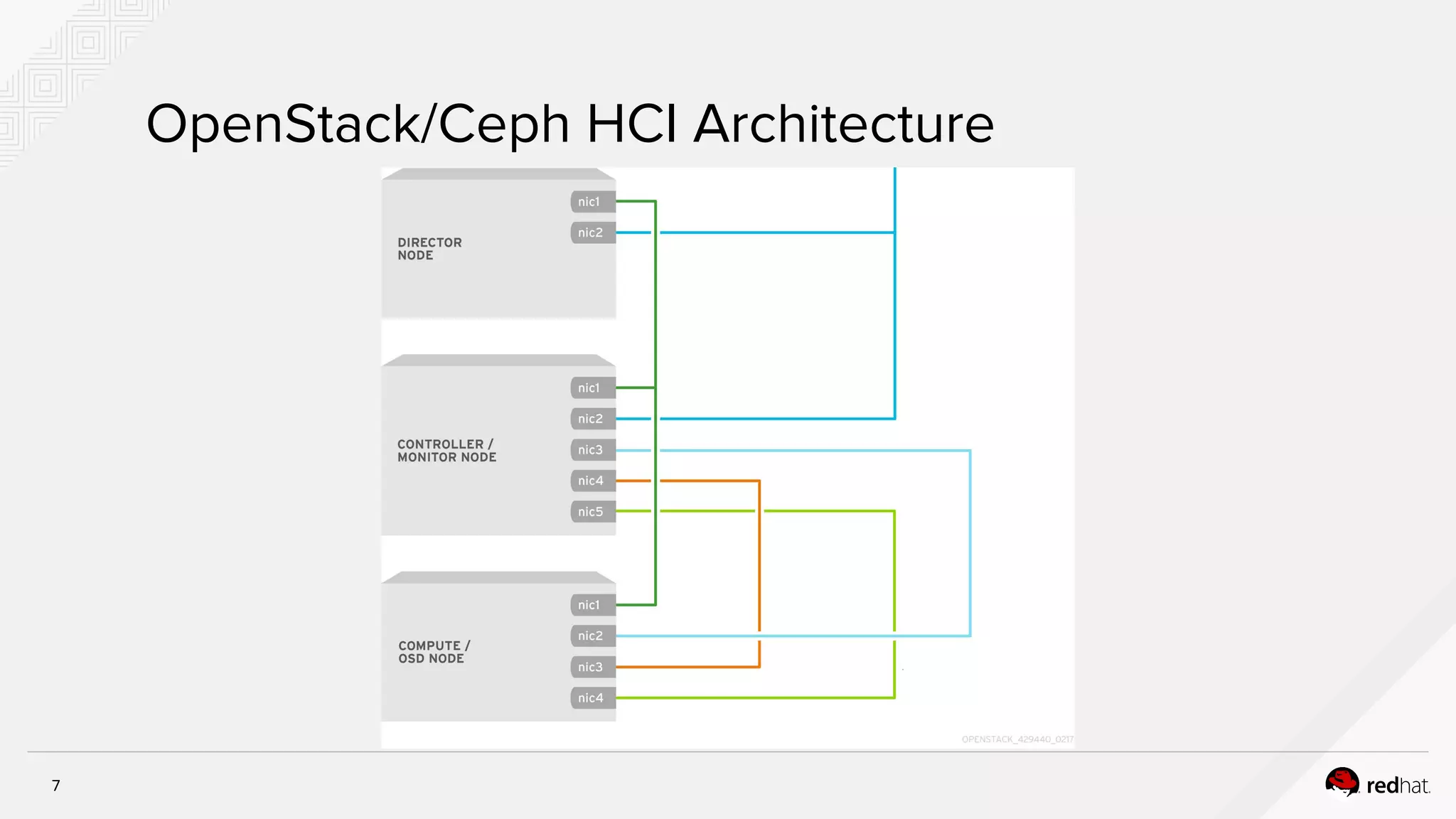
OpenStack/Ceph HCI Architecture
8
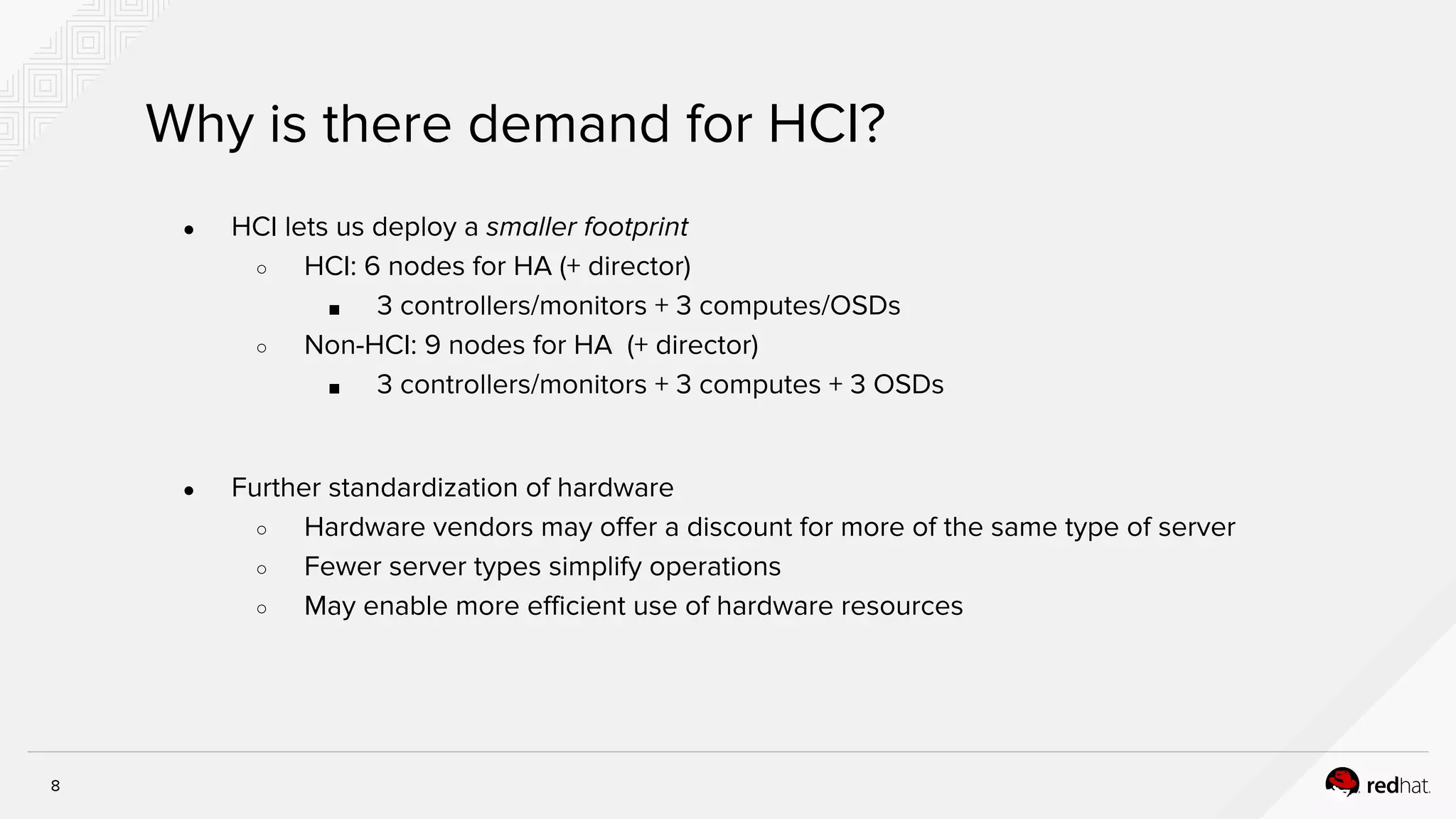
Why is there demand for HCI?
● HCI lets us deploy a smaller footprint
○ HCI: 6 nodes for HA (+ director)
■ 3 controllers/monitors + 3 computes/OSDs
○ Non-HCI: 9 nodes for HA (+ director)
■ 3 controllers/monitors + 3 computes + 3 OSDs
● Further standardization of hardware
○ Hardware vendors may offer a discount for more of the same type of server
○ Fewer server types simplify operations
○ May enable more efficient use of hardware resources
9
Small Footprint Benefits
● An implication of NFV is putting more power on the edge of the network
● Devices put on the edge of the network should be small and dense
● PoC requires a smaller initial investment
10
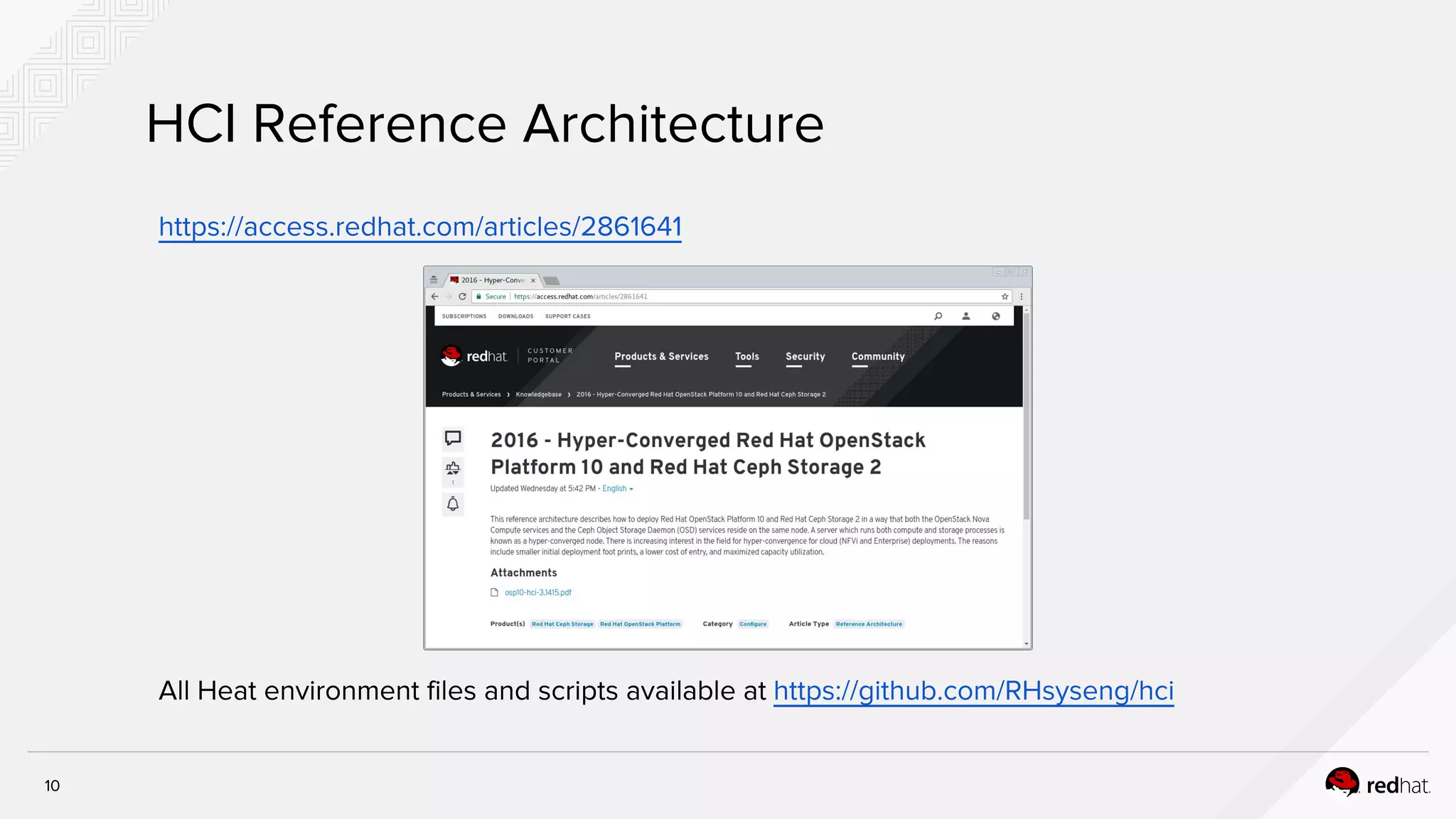
HCI Reference Architecture
https://access.redhat.com/articles/2861641
All Heat environment files and scripts available at https://github.com/RHsyseng/hci
Applying Resource Isolation with
Director
12
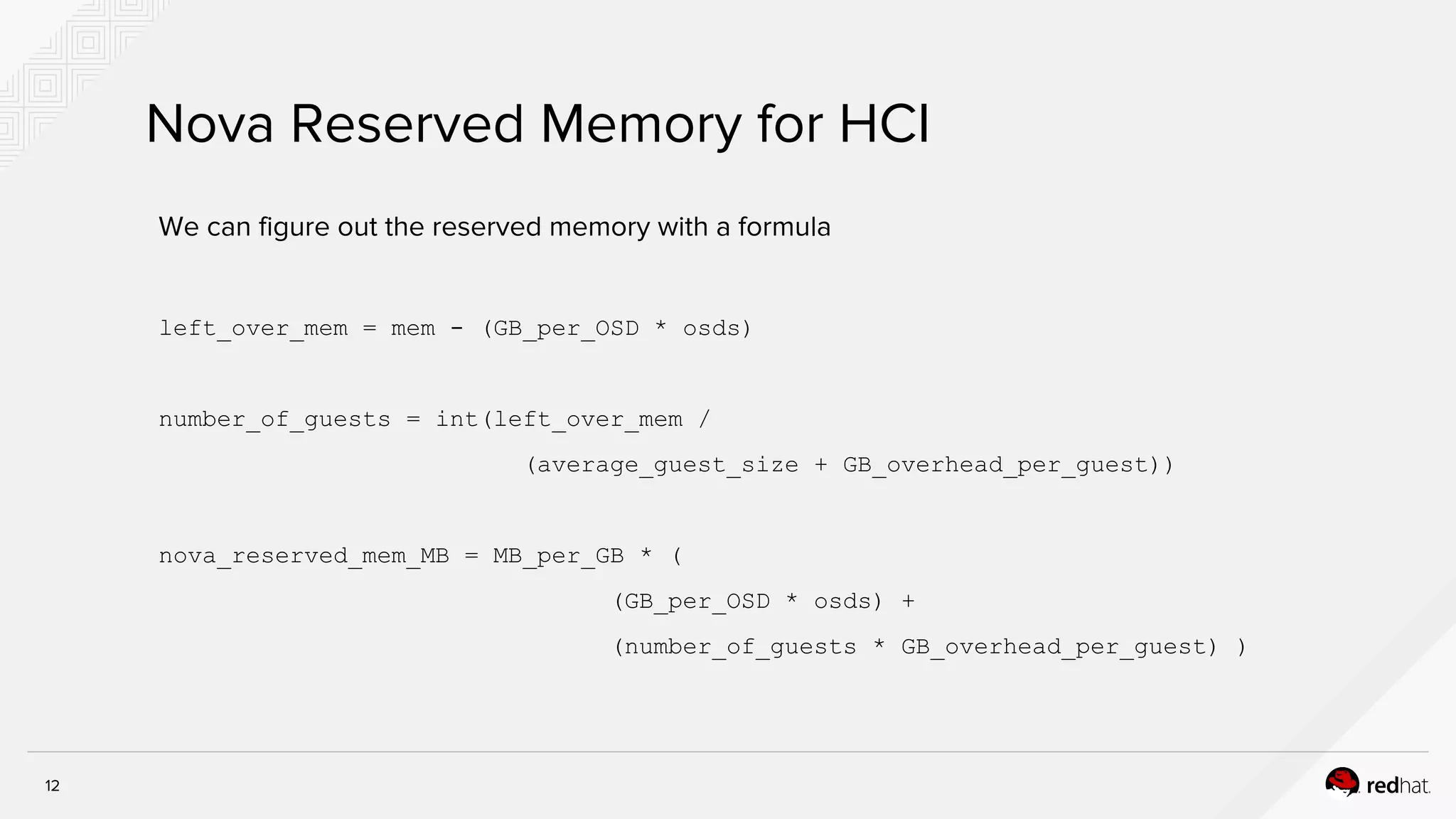
Nova Reserved Memory for HCI
We can figure out the reserved memory with a formula
left_over_mem = mem - (GB_per_OSD * osds)
number_of_guests = int(left_over_mem /
(average_guest_size + GB_overhead_per_guest))
nova_reserved_mem_MB = MB_per_GB * (
(GB_per_OSD * osds) +
(number_of_guests * GB_overhead_per_guest) )
13
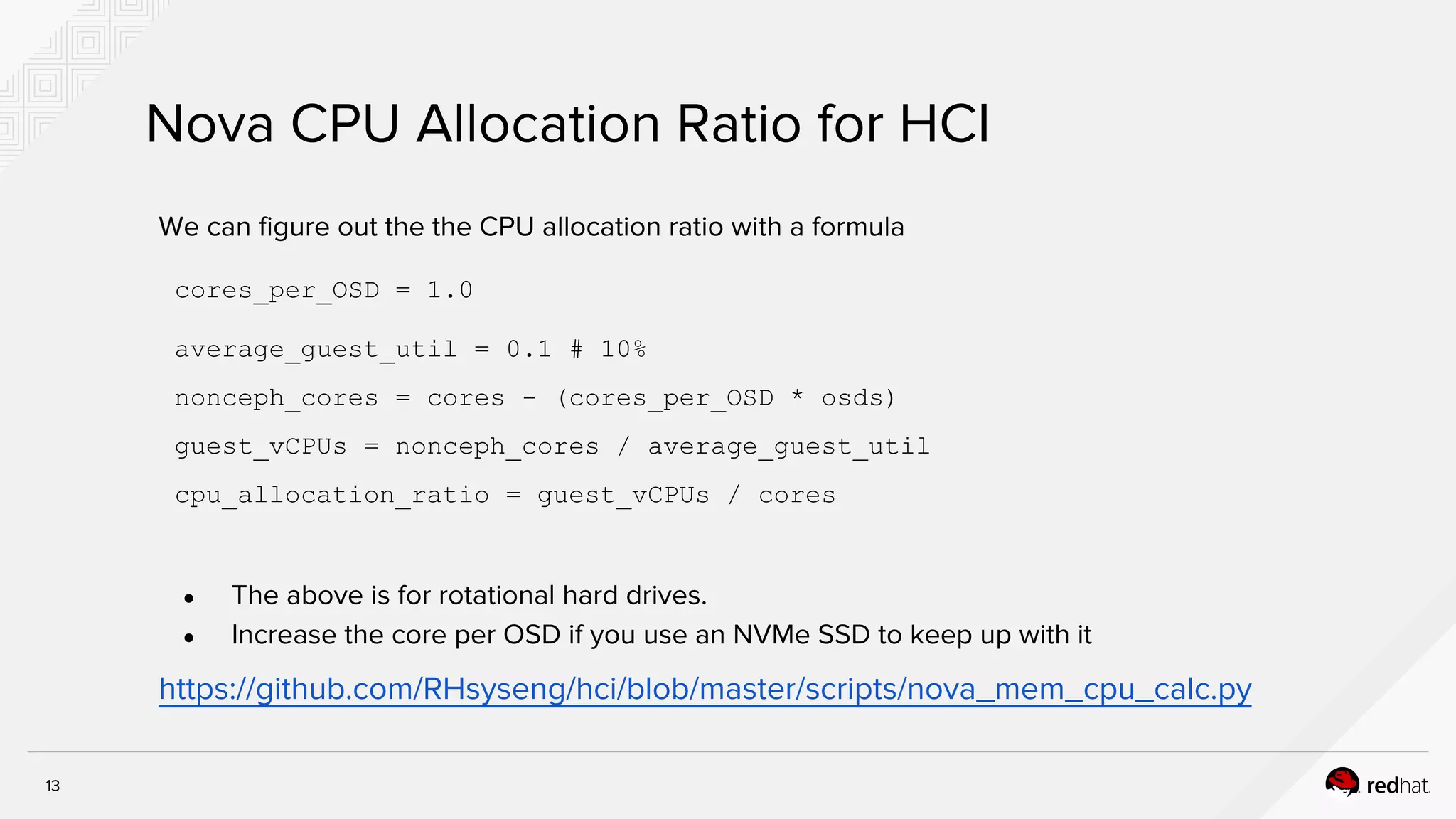
Nova CPU Allocation Ratio for HCI
We can figure out the the CPU allocation ratio with a formula
cores_per_OSD = 1.0
average_guest_util = 0.1 # 10%
nonceph_cores = cores - (cores_per_OSD * osds)
guest_vCPUs = nonceph_cores / average_guest_util
cpu_allocation_ratio = guest_vCPUs / cores
● The above is for rotational hard drives.
● Increase the core per OSD if you use an NVMe SSD to keep up with it
https://github.com/RHsyseng/hci/blob/master/scripts/nova_mem_cpu_calc.py
14
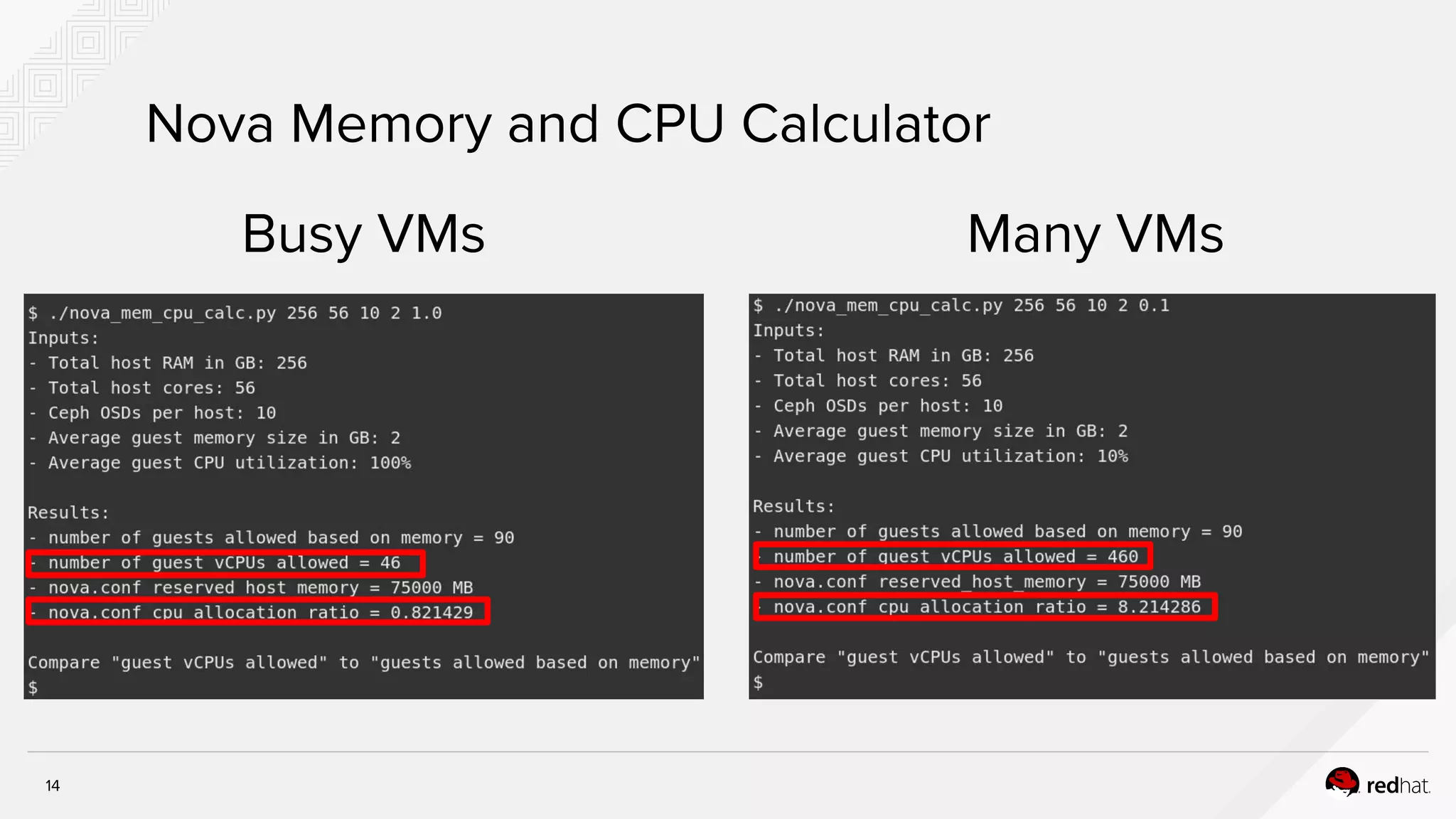
Nova Memory and CPU Calculator
Busy VMs Many VMs
15
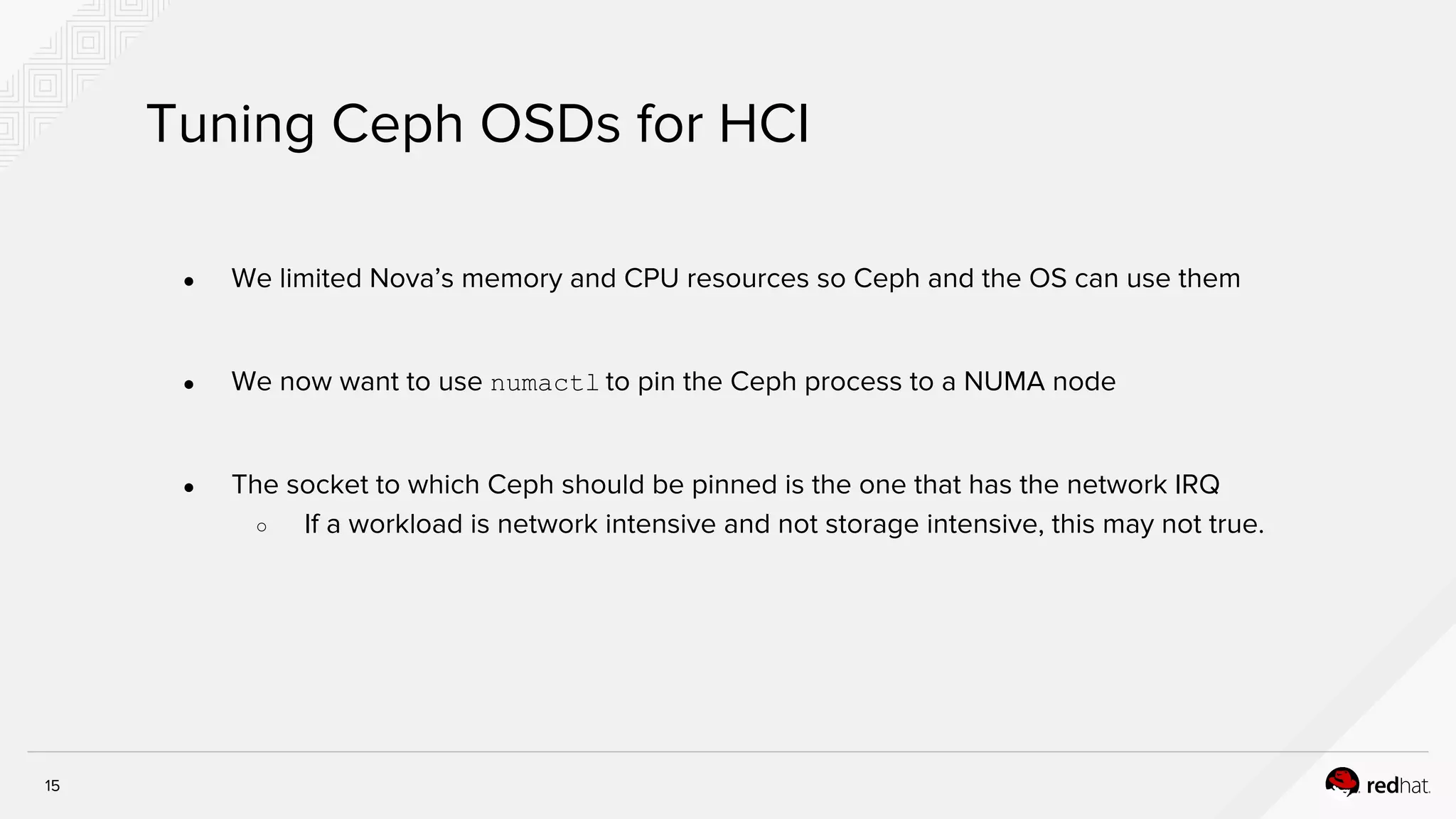
Tuning Ceph OSDs for HCI
● We limited Nova’s memory and CPU resources so Ceph and the OS can use them
● We now want to use numactl to pin the Ceph process to a NUMA node
● The socket to which Ceph should be pinned is the one that has the network IRQ
○ If a workload is network intensive and not storage intensive, this may not true.
HCI for NFV
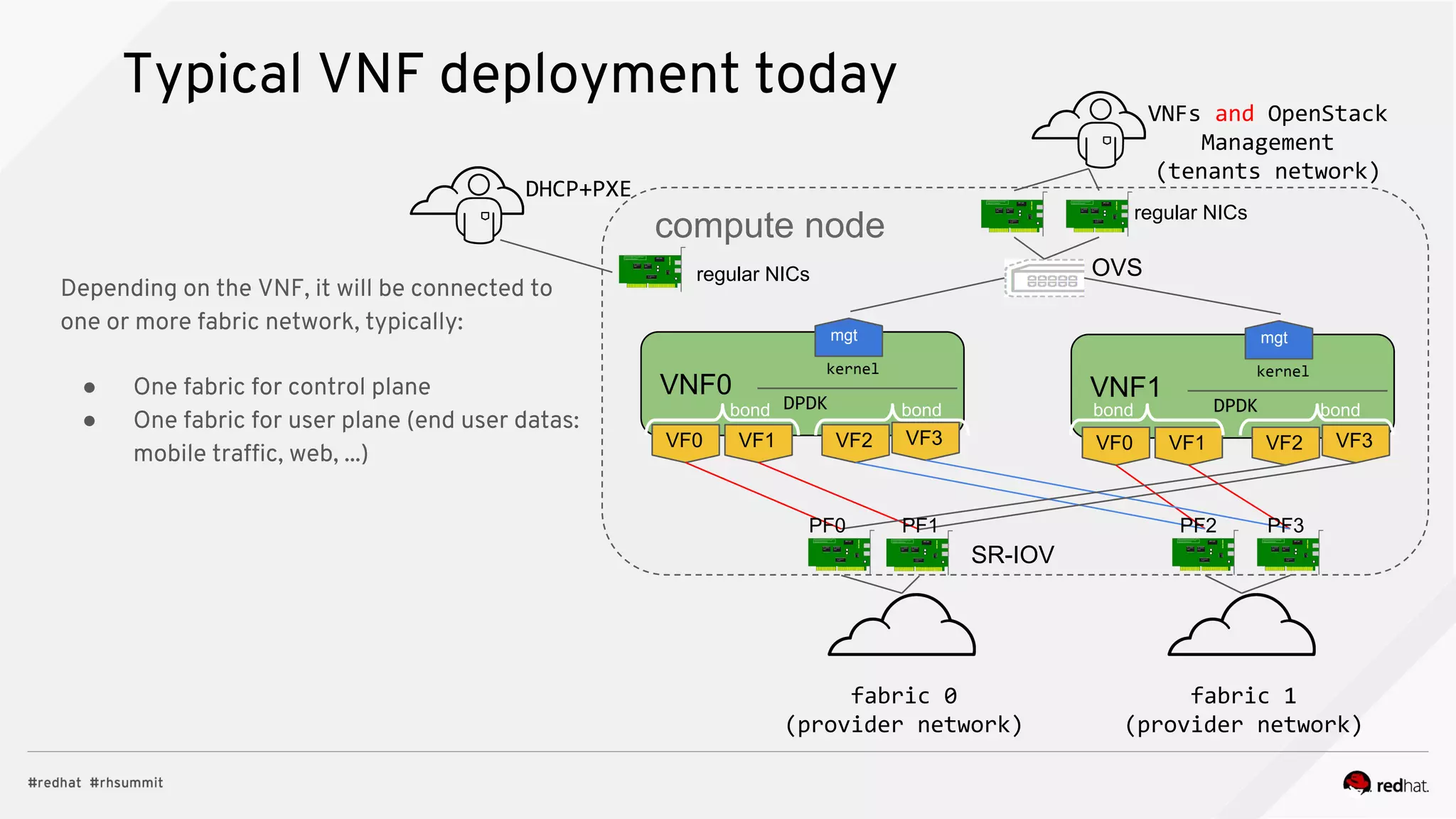
Typical VNF deployment today
fabric 0
(provider network)
VNF0
VF3VF0
mgt
DPDK
kernel
fabric 1
(provider network)
SR-IOV
VNFs and OpenStack
Management
(tenants network)
compute node
OVS
regular NICs
VF1 VF2
VNF1
VF3VF0
mgt
DPDK
kernel
VF1 VF2
Depending on the VNF, it will be connected to
one or more fabric network, typically:
● One fabric for control plane
● One fabric for user plane (end user datas:
mobile traffic, web, ...)
regular NICs
DHCP+PXE
bond bond bond bond
PF0 PF1 PF2 PF3
18
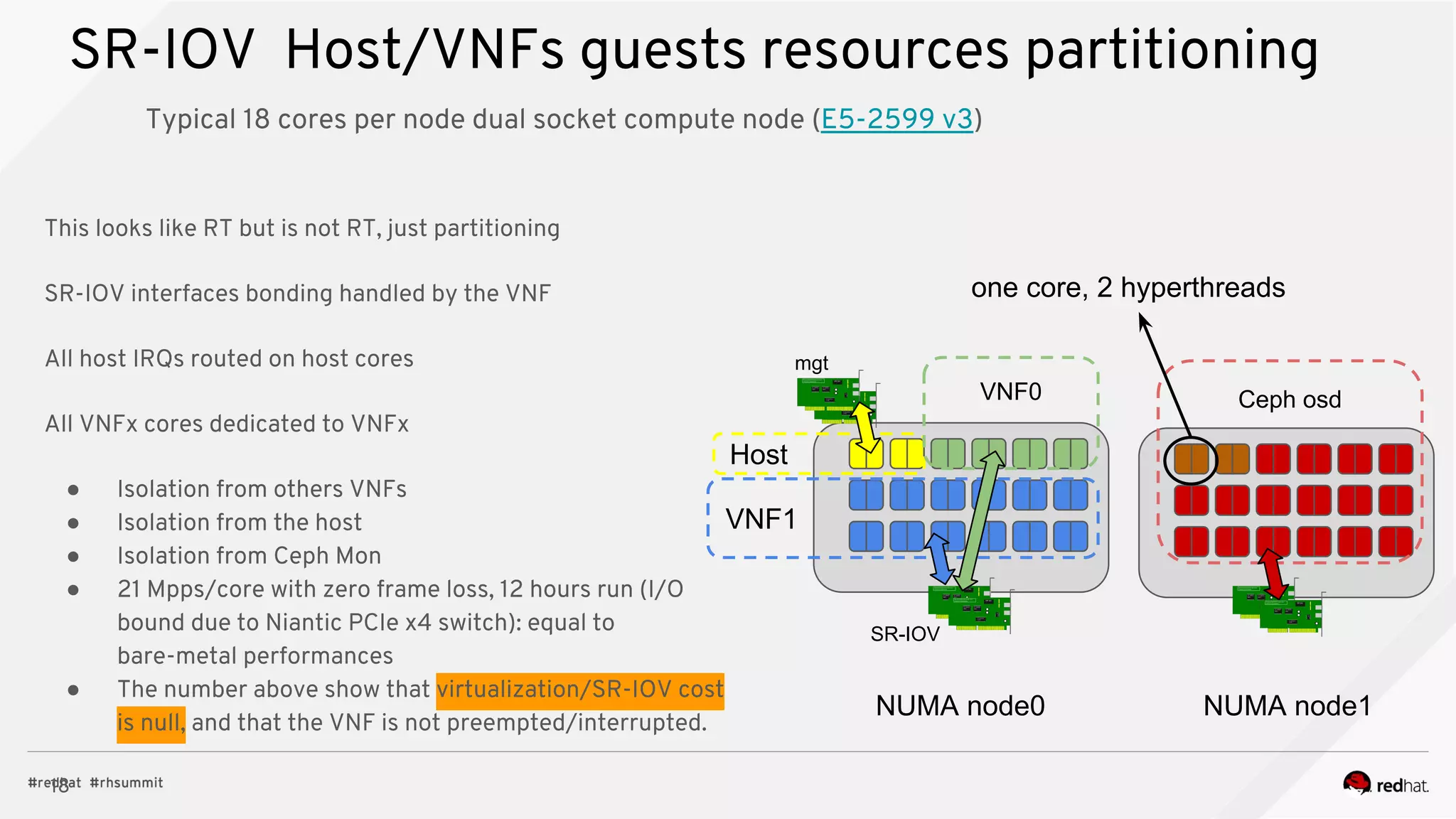
SR-IOV Host/VNFs guests resources partitioning
Typical 18 cores per node dual socket compute node (E5-2599 v3)
Host
VNF1
VNF0 Ceph osd
SR-IOV
mgt
NUMA node0 NUMA node1
one core, 2 hyperthreads
This looks like RT but is not RT, just partitioning
SR-IOV interfaces bonding handled by the VNF
All host IRQs routed on host cores
All VNFx cores dedicated to VNFx
● Isolation from others VNFs
● Isolation from the host
● Isolation from Ceph Mon
● 21 Mpps/core with zero frame loss, 12 hours run (I/O
bound due to Niantic PCIe x4 switch): equal to
bare-metal performances
● The number above show that virtualization/SR-IOV cost
is null, and that the VNF is not preempted/interrupted.
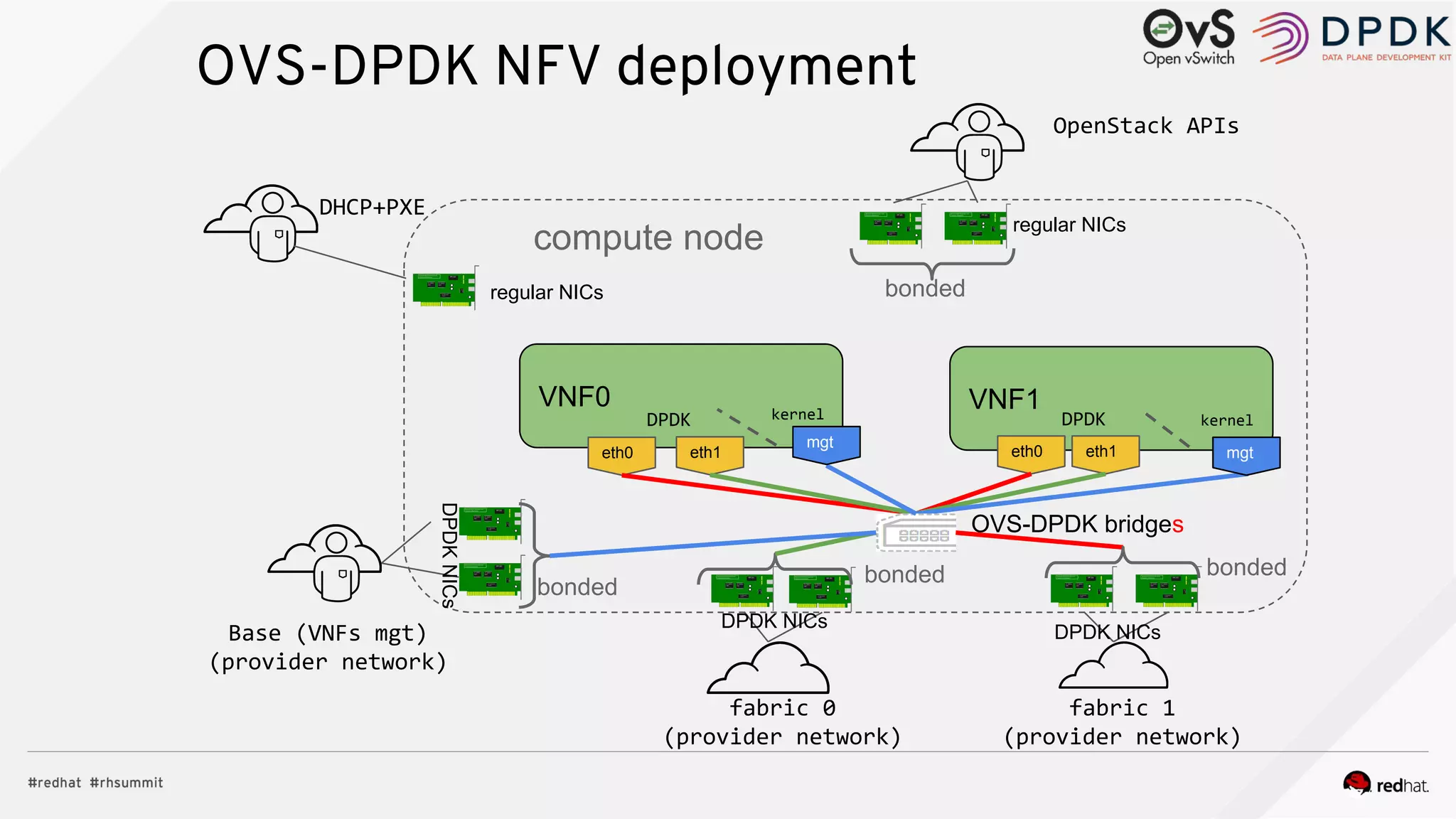
OVS-DPDK NFV deployment
fabric 0
(provider network)
VNF0
eth0
DPDK kernel
fabric 1
(provider network)
OVS-DPDK bridges
OpenStack APIs
compute node regular NICs
eth1
VNF1
eth0
DPDK kernel
eth1
regular NICs
DHCP+PXE
Base (VNFs mgt)
(provider network)
mgt
mgt
bonded
bondedbonded
DPDKNICs
DPDK NICs
DPDK NICs
bonded
20
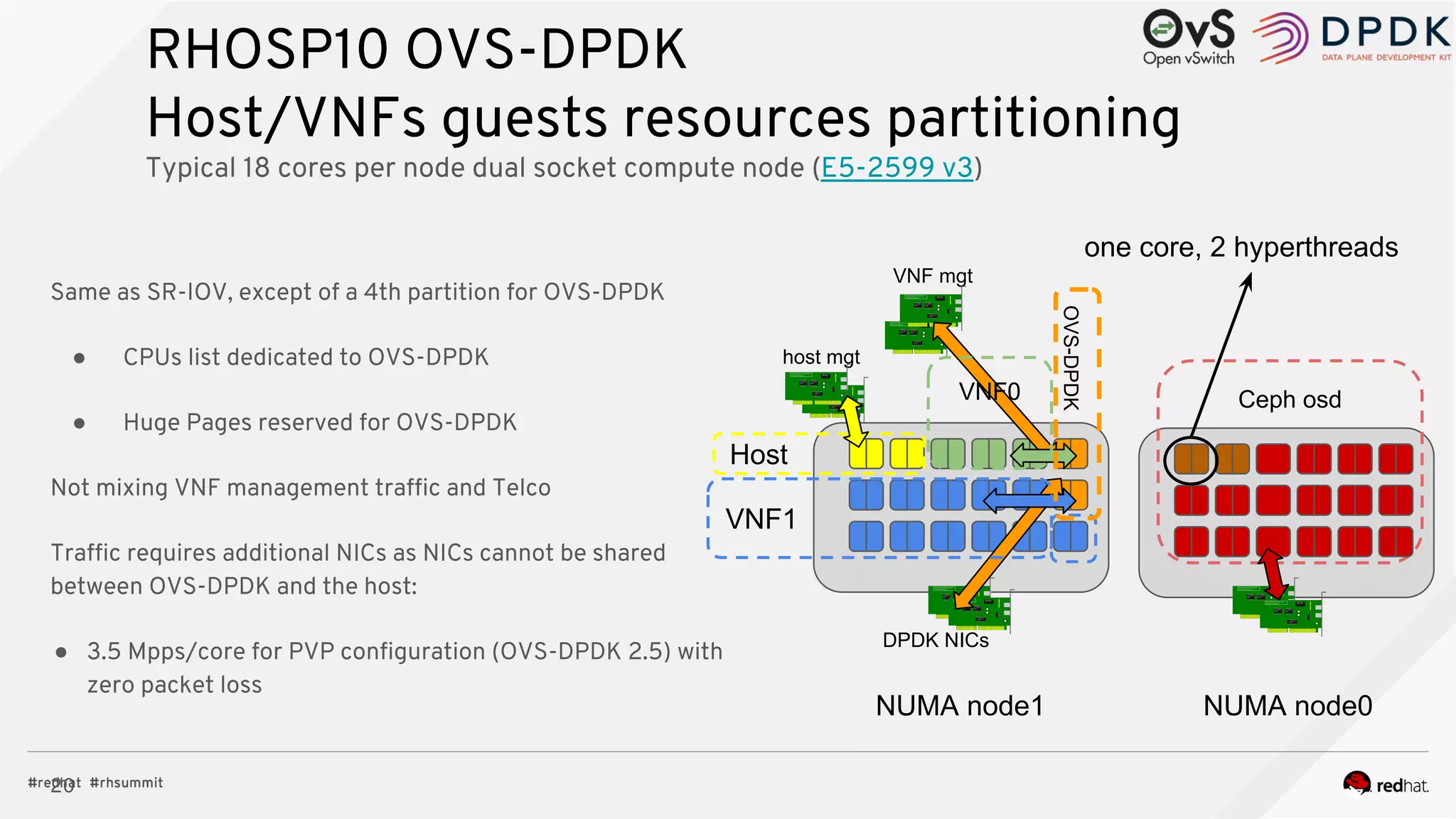
RHOSP10 OVS-DPDK
Host/VNFs guests resources partitioning
Typical 18 cores per node dual socket compute node (E5-2599 v3)
Host
DPDK NICs
VNF mgt
NUMA node1
Same as SR-IOV, except of a 4th partition for OVS-DPDK
● CPUs list dedicated to OVS-DPDK
● Huge Pages reserved for OVS-DPDK
Not mixing VNF management traffic and Telco
Traffic requires additional NICs as NICs cannot be shared
between OVS-DPDK and the host:
● 3.5 Mpps/core for PVP configuration (OVS-DPDK 2.5) with
zero packet loss
VNF0
VNF1
OVS-DPDK
host mgt
Ceph osd
NUMA node0
one core, 2 hyperthreads
21
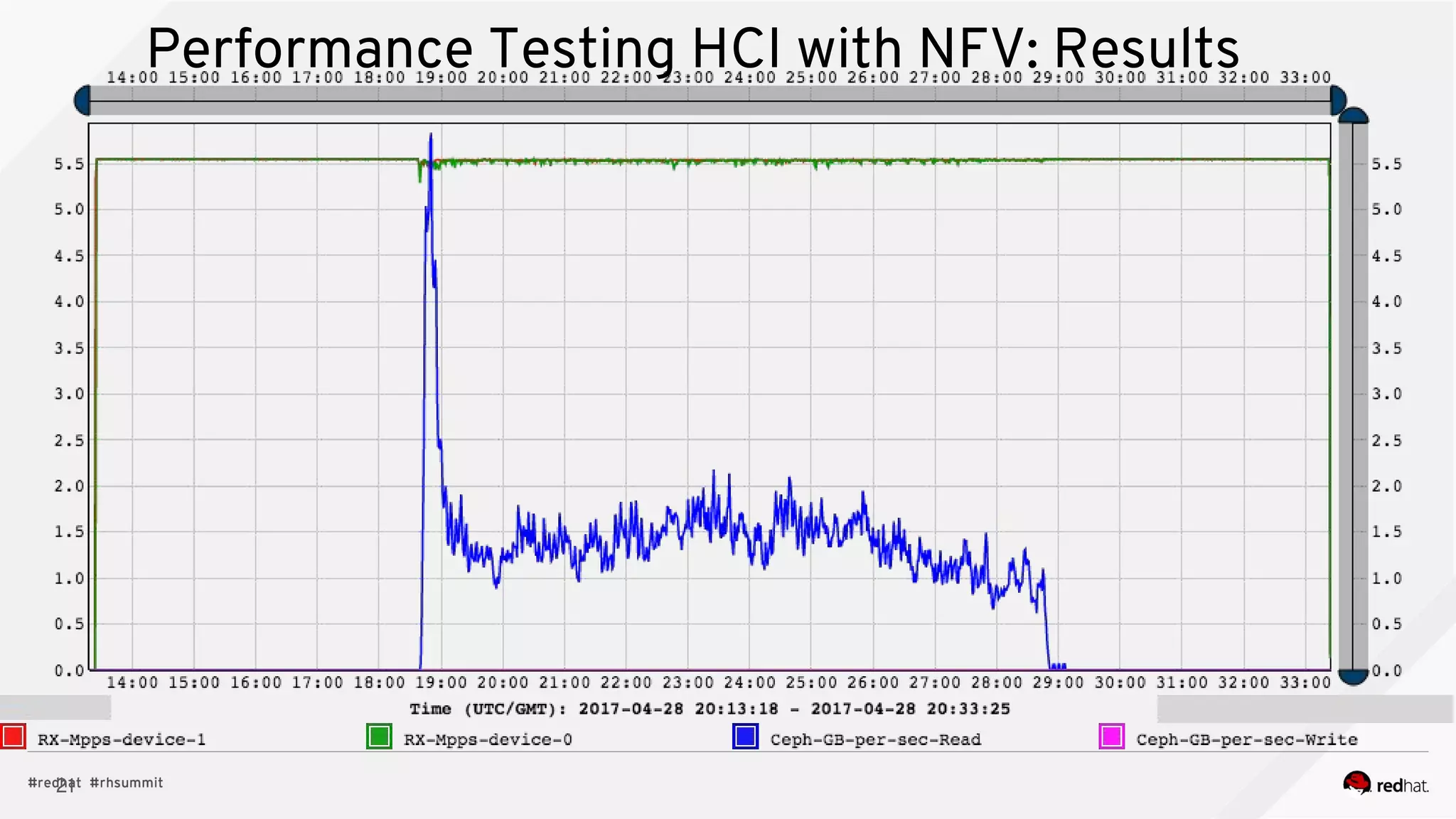
Performance Testing HCI with NFV: Results
22
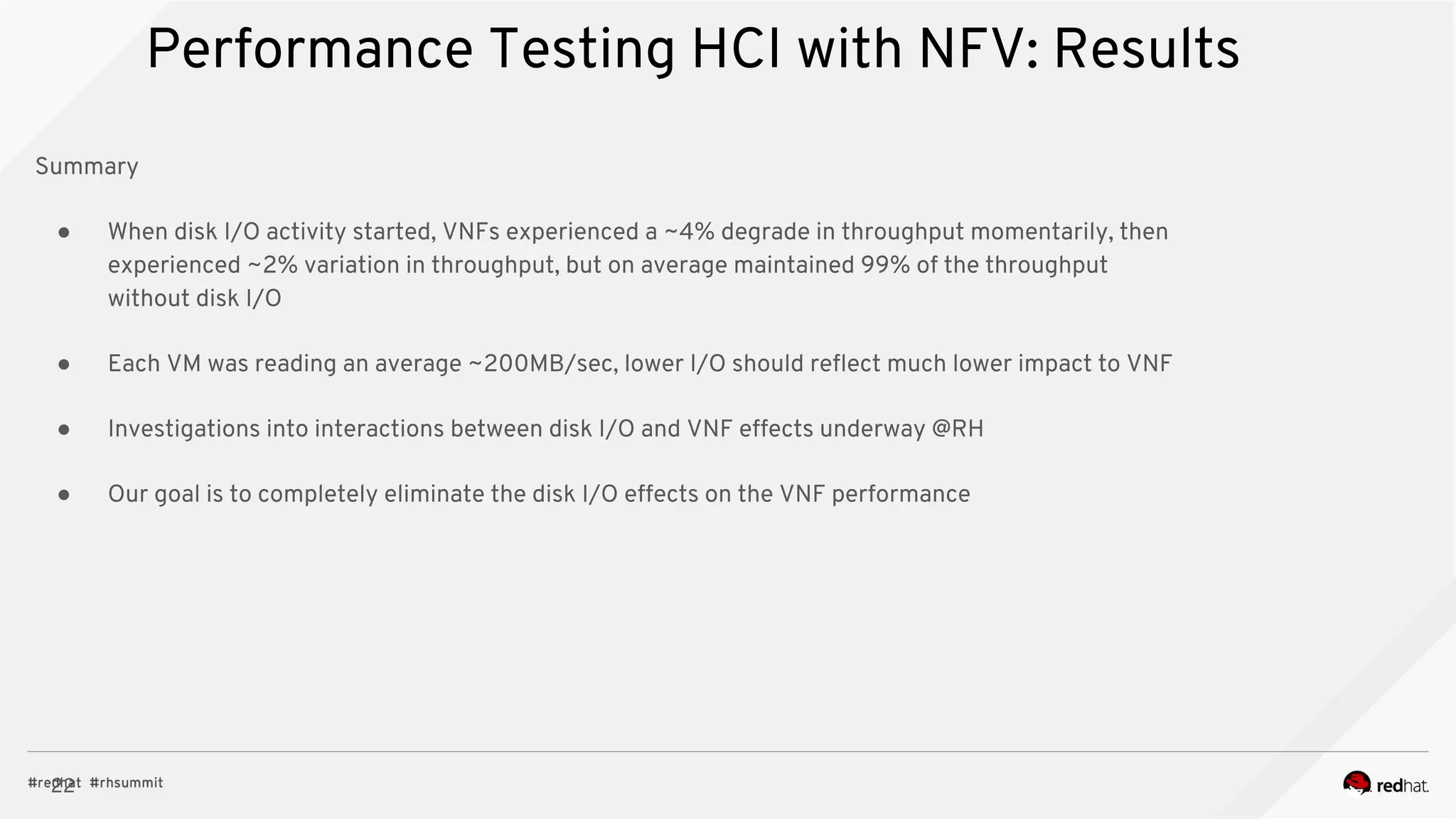
Performance Testing HCI with NFV: Results
Summary
● When disk I/O activity started, VNFs experienced a ~4% degrade in throughput momentarily, then
experienced ~2% variation in throughput, but on average maintained 99% of the throughput
without disk I/O
● Each VM was reading an average ~200MB/sec, lower I/O should reflect much lower impact to VNF
● Investigations into interactions between disk I/O and VNF effects underway @RH
● Our goal is to completely eliminate the disk I/O effects on the VNF performance
THANK YOU
plus.google.com/+RedHat
linkedin.com/company/red-hat
youtube.com/user/RedHatVideos
facebook.com/redhatinc
twitter.com/RedHatNews

Hyperconverged Cloud, Not just a toy anymore - Andrew Hatfield, Red Hat

  • 1.
    Hyperconverged OpenStack andStorage OpenStack Day - Melbourne 2017 Andrew Hatfield Practice Lead - Cloud Storage and Big Data June 1st, 2017
  • 2.
    2 Agenda ● What isHyper-converged Infrastructure (HCI)? ● Where should you consider it? ● HCI Resource Isolation ● HCI and NFV
  • 3.
    3 What is Hyper-convergedInfrastructure (HCI)? ● A server which runs both compute and storage processes is a hyper-converged node ● Today’s focus is on running OpenStack Nova Compute and Ceph Object Storage Daemon services on the same server ● HCI is not a step backwards to local storage because it does not introduce a single point of failure
  • 4.
    4 Local Compute/Storage: SinglePoint of Failure Each server only uses its local disks
  • 5.
    5 Separate Storage/Compute: NoSPoF Servers store their data on separate storage cluster
  • 6.
    6 HCI: Local Storagewithout SPoF Each server adds to Compute and Storage resources without being a single point of failure Two clusters, Compute and Storage, but both are using resources from the same servers
  • 7.
  • 8.
    8 Why is theredemand for HCI? ● HCI lets us deploy a smaller footprint ○ HCI: 6 nodes for HA (+ director) ■ 3 controllers/monitors + 3 computes/OSDs ○ Non-HCI: 9 nodes for HA (+ director) ■ 3 controllers/monitors + 3 computes + 3 OSDs ● Further standardization of hardware ○ Hardware vendors may offer a discount for more of the same type of server ○ Fewer server types simplify operations ○ May enable more efficient use of hardware resources
  • 9.
    9 Small Footprint Benefits ●An implication of NFV is putting more power on the edge of the network ● Devices put on the edge of the network should be small and dense ● PoC requires a smaller initial investment
  • 10.
    10 HCI Reference Architecture https://access.redhat.com/articles/2861641 AllHeat environment files and scripts available at https://github.com/RHsyseng/hci
  • 11.
  • 12.
    12 Nova Reserved Memoryfor HCI We can figure out the reserved memory with a formula left_over_mem = mem - (GB_per_OSD * osds) number_of_guests = int(left_over_mem / (average_guest_size + GB_overhead_per_guest)) nova_reserved_mem_MB = MB_per_GB * ( (GB_per_OSD * osds) + (number_of_guests * GB_overhead_per_guest) )
  • 13.
    13 Nova CPU AllocationRatio for HCI We can figure out the the CPU allocation ratio with a formula cores_per_OSD = 1.0 average_guest_util = 0.1 # 10% nonceph_cores = cores - (cores_per_OSD * osds) guest_vCPUs = nonceph_cores / average_guest_util cpu_allocation_ratio = guest_vCPUs / cores ● The above is for rotational hard drives. ● Increase the core per OSD if you use an NVMe SSD to keep up with it https://github.com/RHsyseng/hci/blob/master/scripts/nova_mem_cpu_calc.py
  • 14.
    14 Nova Memory andCPU Calculator Busy VMs Many VMs
  • 15.
    15 Tuning Ceph OSDsfor HCI ● We limited Nova’s memory and CPU resources so Ceph and the OS can use them ● We now want to use numactl to pin the Ceph process to a NUMA node ● The socket to which Ceph should be pinned is the one that has the network IRQ ○ If a workload is network intensive and not storage intensive, this may not true.
  • 16.
  • 17.
    Typical VNF deploymenttoday fabric 0 (provider network) VNF0 VF3VF0 mgt DPDK kernel fabric 1 (provider network) SR-IOV VNFs and OpenStack Management (tenants network) compute node OVS regular NICs VF1 VF2 VNF1 VF3VF0 mgt DPDK kernel VF1 VF2 Depending on the VNF, it will be connected to one or more fabric network, typically: ● One fabric for control plane ● One fabric for user plane (end user datas: mobile traffic, web, ...) regular NICs DHCP+PXE bond bond bond bond PF0 PF1 PF2 PF3
  • 18.
    18 SR-IOV Host/VNFs guestsresources partitioning Typical 18 cores per node dual socket compute node (E5-2599 v3) Host VNF1 VNF0 Ceph osd SR-IOV mgt NUMA node0 NUMA node1 one core, 2 hyperthreads This looks like RT but is not RT, just partitioning SR-IOV interfaces bonding handled by the VNF All host IRQs routed on host cores All VNFx cores dedicated to VNFx ● Isolation from others VNFs ● Isolation from the host ● Isolation from Ceph Mon ● 21 Mpps/core with zero frame loss, 12 hours run (I/O bound due to Niantic PCIe x4 switch): equal to bare-metal performances ● The number above show that virtualization/SR-IOV cost is null, and that the VNF is not preempted/interrupted.
  • 19.
    OVS-DPDK NFV deployment fabric0 (provider network) VNF0 eth0 DPDK kernel fabric 1 (provider network) OVS-DPDK bridges OpenStack APIs compute node regular NICs eth1 VNF1 eth0 DPDK kernel eth1 regular NICs DHCP+PXE Base (VNFs mgt) (provider network) mgt mgt bonded bondedbonded DPDKNICs DPDK NICs DPDK NICs bonded
  • 20.
    20 RHOSP10 OVS-DPDK Host/VNFs guestsresources partitioning Typical 18 cores per node dual socket compute node (E5-2599 v3) Host DPDK NICs VNF mgt NUMA node1 Same as SR-IOV, except of a 4th partition for OVS-DPDK ● CPUs list dedicated to OVS-DPDK ● Huge Pages reserved for OVS-DPDK Not mixing VNF management traffic and Telco Traffic requires additional NICs as NICs cannot be shared between OVS-DPDK and the host: ● 3.5 Mpps/core for PVP configuration (OVS-DPDK 2.5) with zero packet loss VNF0 VNF1 OVS-DPDK host mgt Ceph osd NUMA node0 one core, 2 hyperthreads
  • 21.
    21 Performance Testing HCIwith NFV: Results
  • 22.
    22 Performance Testing HCIwith NFV: Results Summary ● When disk I/O activity started, VNFs experienced a ~4% degrade in throughput momentarily, then experienced ~2% variation in throughput, but on average maintained 99% of the throughput without disk I/O ● Each VM was reading an average ~200MB/sec, lower I/O should reflect much lower impact to VNF ● Investigations into interactions between disk I/O and VNF effects underway @RH ● Our goal is to completely eliminate the disk I/O effects on the VNF performance
  • 23.