Get to Know AtoM’s Codebase
An introduction for developers and systems administrators covering Symfony,
developer resources, standard practices, and other information.
Dev resources:
Things to know before you begin
Main AtoM webpage: www.accesstomemory.org
- Links to tarball downloads of AtoM
- Version specific documentation
- How to get support
- Forum, Redmine, Github
- The Wiki
- Development Resources
- Links to:
- Coding standards
- Contributing code (contrib agreement)
- Code Review Process
AtoM User Forum on Google Groups: ica-atom-users
- ‘Community -> Get Support’ on above for details on
submitting a post on the Forum
Planning an extensive change? Open a discussion
on User Forum!
AtoM
Technology
overview
AtoM is Symfony 1 based - symfony.com/legacy
● ORM - Propel
● MVC framework
PHP > 5.5, MySql, Nginx (Apache)
Elasticsearch 1.7.5 - (5.2 soon!)
Bootstrap 2.3.2, Less CSS
Javascript - JQuery 1.8.3
Other dependencies:
https://www.accesstomemory.org/docs/latest/admin-manual/installation/
requirements/#installation-requirements
Use to determine:
● Contents of request
● Contents of response
● Route being requested
● User context details
● AtoM application settings
● Plus more!
Turn on debug mode:
1. cd to atom root dir
2. Edit qubit_dev.php to add your ip to array: $allowedIps
3. In atom dir: php symfony cc
4. Update URL to: http://10.10.10.10/qubit_dev.php
5. Browse AtoM as you normally would, ‘qubit_dev’ will ‘stick’
6. sf icon in top right
7. Logs in atom/log: qubit_dev.log
Debug Mode and
AtoM Logs
Tour of AtoM
Codebase
● Modules: Controllers & Views
● Models
● Plugins (themes + more)
● Background jobs
● Migrations
● Vendor
● Javascript
Tour of AtoM
Codebase
Modules: Controllers and Views
Modules found in: atom/apps/qubit/modules
● Each folder here is a module
● Controllers in ‘actions’ (xAction.class.php)
○ Form extends DefaultEditAction
○ Handles both HTTP GET and POST
■ See $request->isMethod()
● Views located in ‘templates’ (xSuccess.class.php)
Example: modules/object/actions import and export
Base templates and layouts:
atom/apps/qubit/templates
Tour of AtoM
Codebase
Models
Class definitions for objects representing db
table rows
E.g. Actors, Information Objects (Archival Descr), Repositories
● Located in: atom/lib/model
○ Inherit from abstract base classes (abc)
● abc’s located in: atom/lib/model/om
○ Almost all major objects extend QubitObject
■ Id’s are unique; from a common pool
■ Base methods are defined once
■ Classes can override base methods if
necessary
General non-ORM classes located in atom/lib
E.g. Parsers, Import and Export classes, Clipboard etc.
Helper functions
● atom/lib/helper/QubitHelper.php
● atom/lib/Qubit.class.php
Tour of AtoM
Codebase
Plugins
Located in atom/plugins
Plugins come in various types:
● Theme (more detail later!)
○ Dominion and Archives Canada
○ Plugin configuration file: summary must include ‘theme’
● Functional
○ ElasticSearch, Install, RestAPI
○ Most of these loaded automatically -
ProjectConfiguration.class.php
● Templating
○ ISAD, ISAAR, ISDIAH, MODS, EAD etc.
○ AtoM disallows deactivation of ISAD, ISAAR, ISDIAH
■ ISAAR & ISDIAH have no alternative templates
■ ISAD plugin is an exception - is extended by DACS
Structure of plugin folder mirrors the AtoM folder
● Used to add models - e.g. ElasticSearch plugin
● Used to override existing module functionality - e.g. AC Theme
● Used to add new controllers - e.g. Rest API
Community contributed plugins
Tour of AtoM
Codebase
Background Jobs
Located in atom/lib/job
Used to make long running processes run
asynchronously
● Prevents http timeouts
● Avoids making user wait for action to complete
Initiating a background job
● Place in queue - use QubitJob::runJob
○ E.g. object export controller
○ creates and returns a QubitJob
○ runJob signals gearman that job is available
Background job launched by gearmand
● Execute in background on server
● Use QubitJob record to communicate completion
● Job classes all extend arBaseJob
● Monitor progress on Manage Jobs page (viewing
QubitJobs)
Migrations modify the database in some fashion
● Used to update existing installations
● New data fixture (setting, menu item etc)
○ E.g. Migration 148, 149
● Database change
○ E.g. Migration 134
Database is versioned - can be viewed on
Settings page
● Note ‘Version’ const in each migration file
Migrations triggered by CLI task
● php symfony tools:upgrade-sql
New installations
● Would not use migrations
● Load fixtures from yml files when database is
populated
Tour of AtoM
Codebase
Migrations
Located in
atom/lib/task/migrate/migrations
Tour of AtoM
Codebase
Vendor
Located in atom/vendor
Contains 3rd party plugins & dependencies
Be aware of license! AtoM is AGPL-v3.
Licenses of all vendor contents
● Must be compatible with AGPL-v3
● Will be listed in AtoM’s COPYRIGHT file
Typically code changes to files in here are
avoided
Plugins can also include vendor items
Tour of AtoM
Codebase
Javascript
Located in atom/js
We have some js to handle client & WebUI
behaviours
Uses JQuery
E.g. See module object export
$this->response->addJavaScript('exportOption
s', 'last');
Tour of AtoM
Codebase
CLI Tasks
Run from root dir of AtoM
AtoM provides variety of CLI administrative
tasks
● Usage: php symfony [options] task_name
[arguments]
User and File permissions important
Some commands can be destructive!
● E.g. tools:purge
Help for each task is provided
● E.g. php symfony help
tools:add-superuser
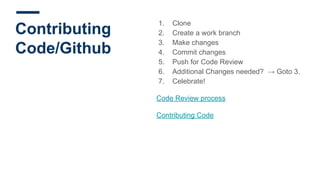
Contributing
Code/Github
1. Clone
2. Create a work branch
3. Make changes
4. Commit changes
5. Push for Code Review
6. Additional Changes needed? → Goto 3.
7. Celebrate!
Code Review process
Contributing Code
Q&A
www.accesstomemory.org
www.artefactual.com

Get to Know AtoM's Codebase

  • 1.
    Get to KnowAtoM’s Codebase An introduction for developers and systems administrators covering Symfony, developer resources, standard practices, and other information.
  • 2.
    Dev resources: Things toknow before you begin Main AtoM webpage: www.accesstomemory.org - Links to tarball downloads of AtoM - Version specific documentation - How to get support - Forum, Redmine, Github - The Wiki - Development Resources - Links to: - Coding standards - Contributing code (contrib agreement) - Code Review Process AtoM User Forum on Google Groups: ica-atom-users - ‘Community -> Get Support’ on above for details on submitting a post on the Forum Planning an extensive change? Open a discussion on User Forum!
  • 3.
    AtoM Technology overview AtoM is Symfony1 based - symfony.com/legacy ● ORM - Propel ● MVC framework PHP > 5.5, MySql, Nginx (Apache) Elasticsearch 1.7.5 - (5.2 soon!) Bootstrap 2.3.2, Less CSS Javascript - JQuery 1.8.3 Other dependencies: https://www.accesstomemory.org/docs/latest/admin-manual/installation/ requirements/#installation-requirements
  • 4.
    Use to determine: ●Contents of request ● Contents of response ● Route being requested ● User context details ● AtoM application settings ● Plus more! Turn on debug mode: 1. cd to atom root dir 2. Edit qubit_dev.php to add your ip to array: $allowedIps 3. In atom dir: php symfony cc 4. Update URL to: http://10.10.10.10/qubit_dev.php 5. Browse AtoM as you normally would, ‘qubit_dev’ will ‘stick’ 6. sf icon in top right 7. Logs in atom/log: qubit_dev.log Debug Mode and AtoM Logs
  • 5.
    Tour of AtoM Codebase ●Modules: Controllers & Views ● Models ● Plugins (themes + more) ● Background jobs ● Migrations ● Vendor ● Javascript
  • 6.
    Tour of AtoM Codebase Modules:Controllers and Views Modules found in: atom/apps/qubit/modules ● Each folder here is a module ● Controllers in ‘actions’ (xAction.class.php) ○ Form extends DefaultEditAction ○ Handles both HTTP GET and POST ■ See $request->isMethod() ● Views located in ‘templates’ (xSuccess.class.php) Example: modules/object/actions import and export Base templates and layouts: atom/apps/qubit/templates
  • 7.
    Tour of AtoM Codebase Models Classdefinitions for objects representing db table rows E.g. Actors, Information Objects (Archival Descr), Repositories ● Located in: atom/lib/model ○ Inherit from abstract base classes (abc) ● abc’s located in: atom/lib/model/om ○ Almost all major objects extend QubitObject ■ Id’s are unique; from a common pool ■ Base methods are defined once ■ Classes can override base methods if necessary General non-ORM classes located in atom/lib E.g. Parsers, Import and Export classes, Clipboard etc. Helper functions ● atom/lib/helper/QubitHelper.php ● atom/lib/Qubit.class.php
  • 8.
    Tour of AtoM Codebase Plugins Locatedin atom/plugins Plugins come in various types: ● Theme (more detail later!) ○ Dominion and Archives Canada ○ Plugin configuration file: summary must include ‘theme’ ● Functional ○ ElasticSearch, Install, RestAPI ○ Most of these loaded automatically - ProjectConfiguration.class.php ● Templating ○ ISAD, ISAAR, ISDIAH, MODS, EAD etc. ○ AtoM disallows deactivation of ISAD, ISAAR, ISDIAH ■ ISAAR & ISDIAH have no alternative templates ■ ISAD plugin is an exception - is extended by DACS Structure of plugin folder mirrors the AtoM folder ● Used to add models - e.g. ElasticSearch plugin ● Used to override existing module functionality - e.g. AC Theme ● Used to add new controllers - e.g. Rest API Community contributed plugins
  • 9.
    Tour of AtoM Codebase BackgroundJobs Located in atom/lib/job Used to make long running processes run asynchronously ● Prevents http timeouts ● Avoids making user wait for action to complete Initiating a background job ● Place in queue - use QubitJob::runJob ○ E.g. object export controller ○ creates and returns a QubitJob ○ runJob signals gearman that job is available Background job launched by gearmand ● Execute in background on server ● Use QubitJob record to communicate completion ● Job classes all extend arBaseJob ● Monitor progress on Manage Jobs page (viewing QubitJobs)
  • 10.
    Migrations modify thedatabase in some fashion ● Used to update existing installations ● New data fixture (setting, menu item etc) ○ E.g. Migration 148, 149 ● Database change ○ E.g. Migration 134 Database is versioned - can be viewed on Settings page ● Note ‘Version’ const in each migration file Migrations triggered by CLI task ● php symfony tools:upgrade-sql New installations ● Would not use migrations ● Load fixtures from yml files when database is populated Tour of AtoM Codebase Migrations Located in atom/lib/task/migrate/migrations
  • 11.
    Tour of AtoM Codebase Vendor Locatedin atom/vendor Contains 3rd party plugins & dependencies Be aware of license! AtoM is AGPL-v3. Licenses of all vendor contents ● Must be compatible with AGPL-v3 ● Will be listed in AtoM’s COPYRIGHT file Typically code changes to files in here are avoided Plugins can also include vendor items
  • 12.
    Tour of AtoM Codebase Javascript Locatedin atom/js We have some js to handle client & WebUI behaviours Uses JQuery E.g. See module object export $this->response->addJavaScript('exportOption s', 'last');
  • 13.
    Tour of AtoM Codebase CLITasks Run from root dir of AtoM AtoM provides variety of CLI administrative tasks ● Usage: php symfony [options] task_name [arguments] User and File permissions important Some commands can be destructive! ● E.g. tools:purge Help for each task is provided ● E.g. php symfony help tools:add-superuser
  • 14.
    Contributing Code/Github 1. Clone 2. Createa work branch 3. Make changes 4. Commit changes 5. Push for Code Review 6. Additional Changes needed? → Goto 3. 7. Celebrate! Code Review process Contributing Code
  • 15.