Create Your First
LINE ChatBot
Toni Haryanto
Requirement
- LINE Messaging Application installed on mobile device
- LINE Business Account (https://business.line.me)
- LINE Messaging API Account
- Postman (https://www.getpostman.com)
- Text Editor (I use Sublime Text 3 https://www.sublimetext.com/3)
- XAMPP/LAMP/WAMP/MAMP (https://www.apachefriends.org)
- Ngrok account (https://ngrok.com/)
- Web Browser
1.
Create LINE Messanging
Bot Account
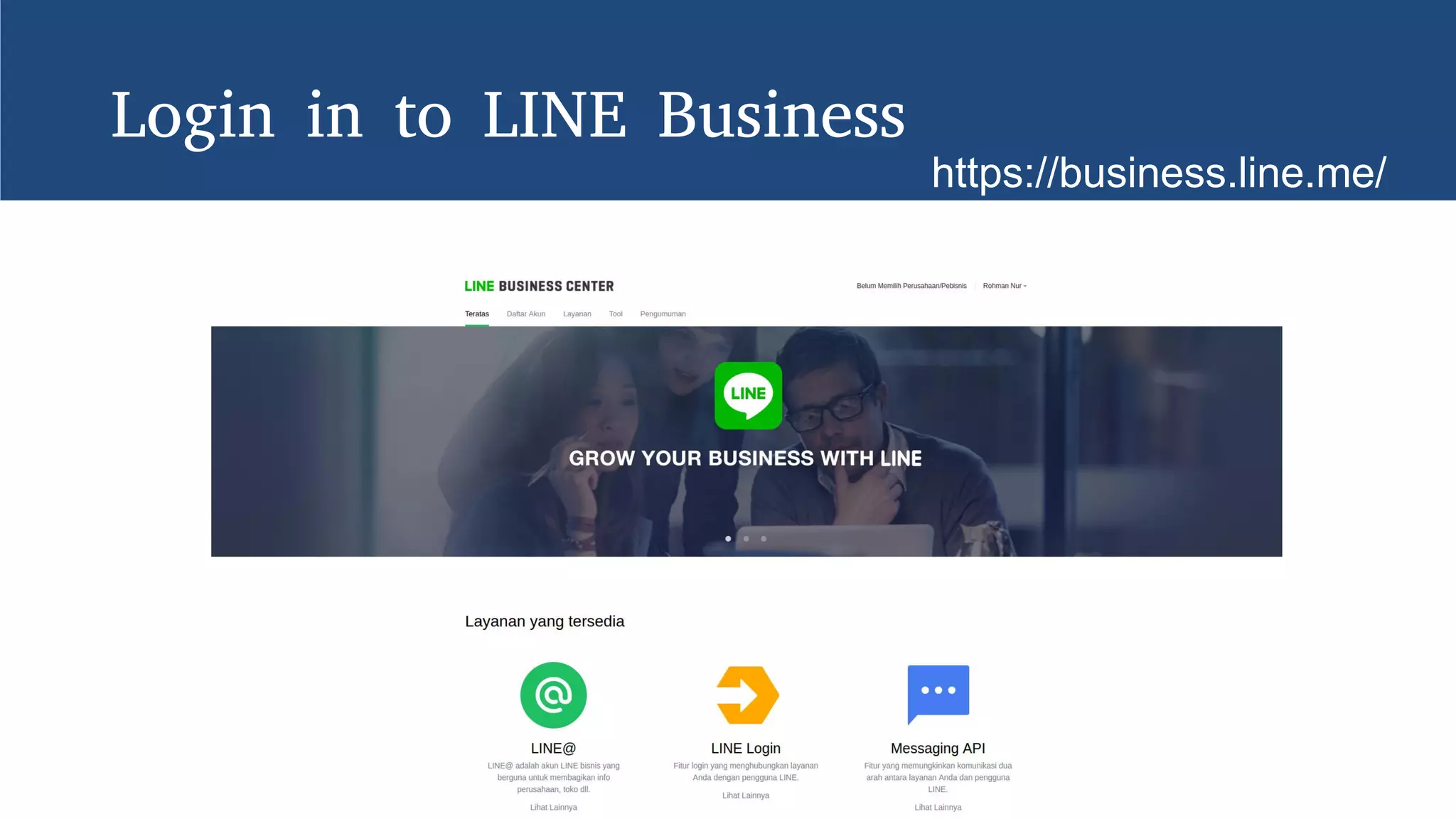
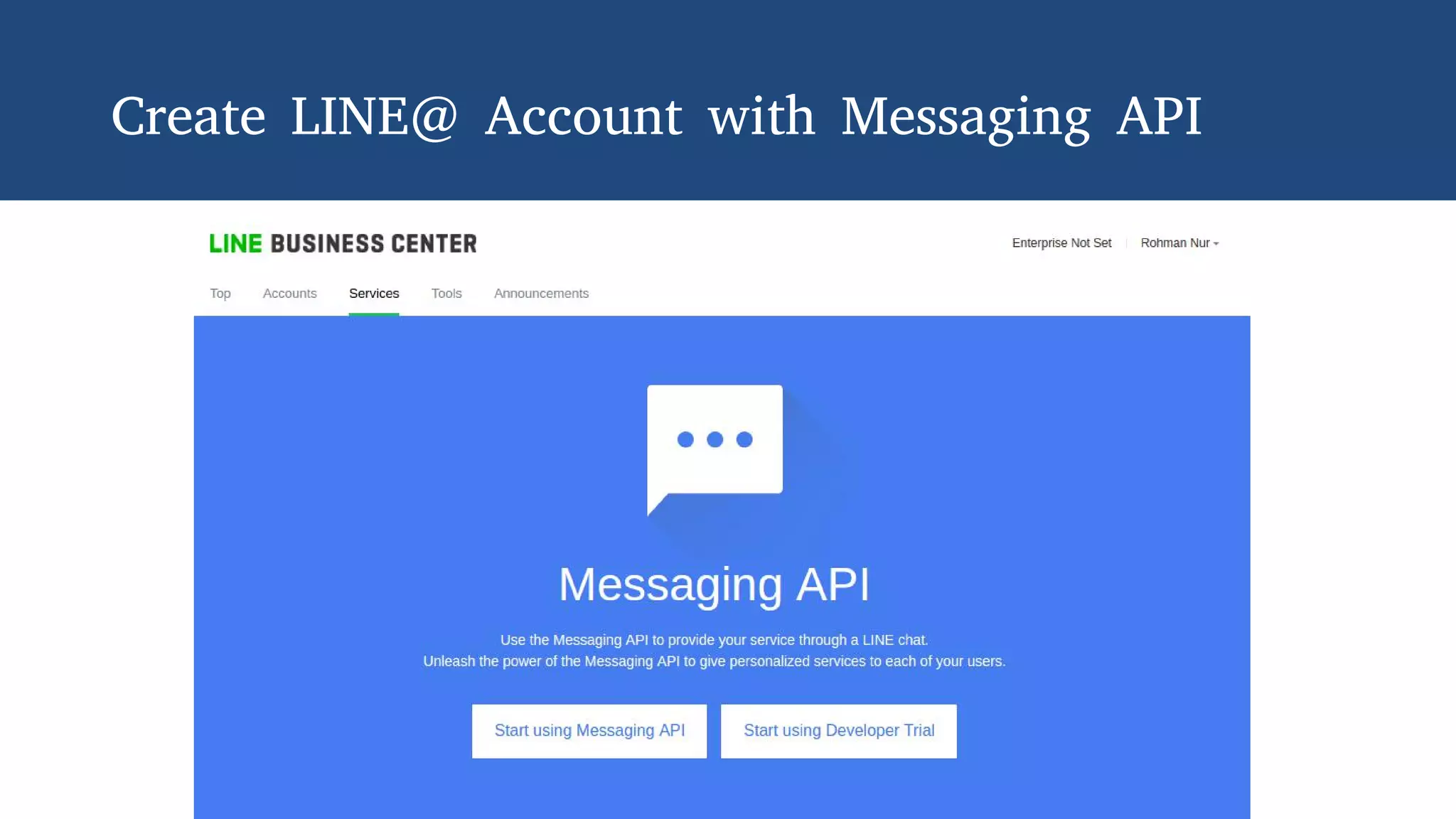
Login in to LINE Business
https://business.line.me/
Create LINE@ Account with Messaging API
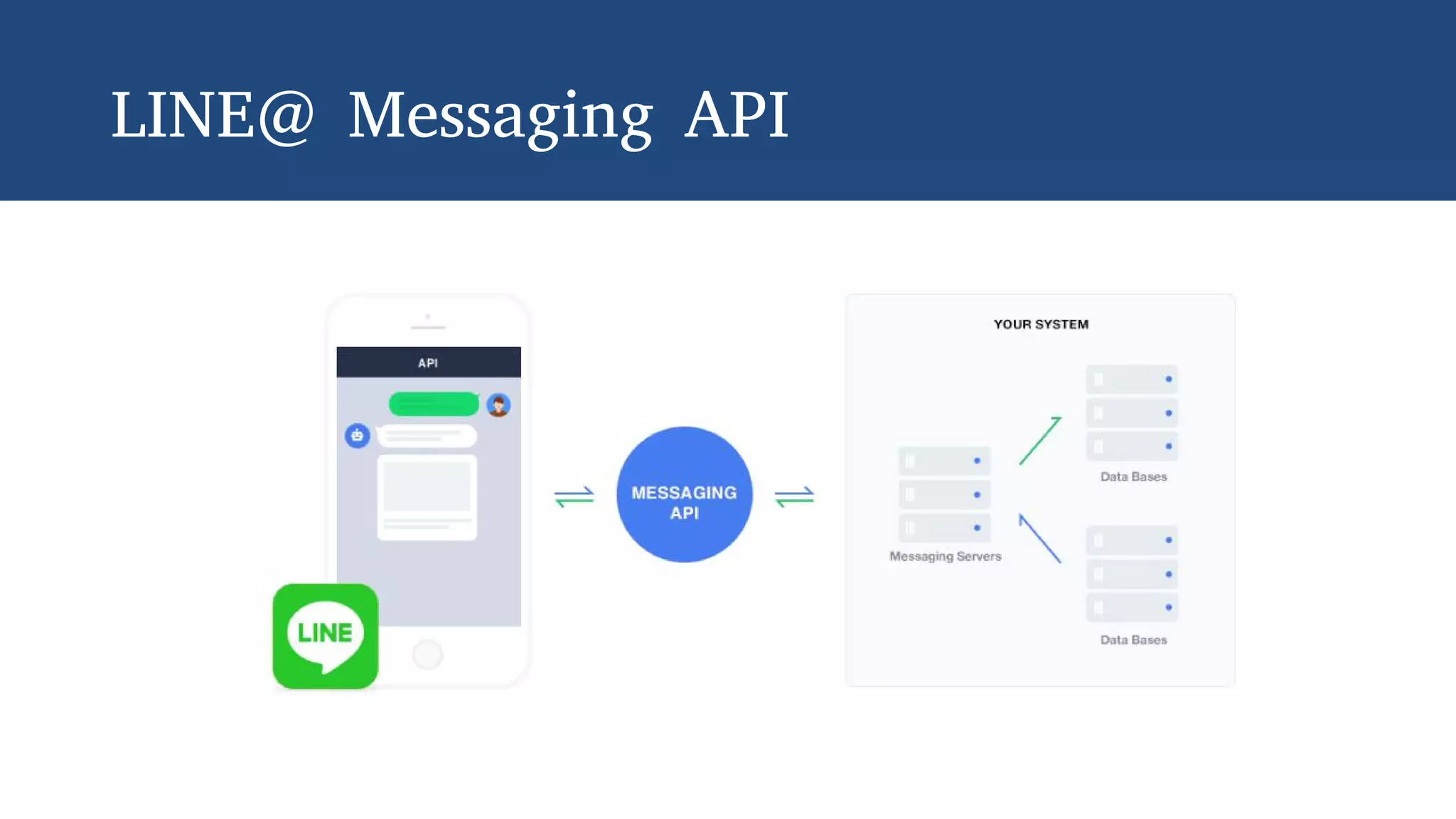
LINE@ Messaging API
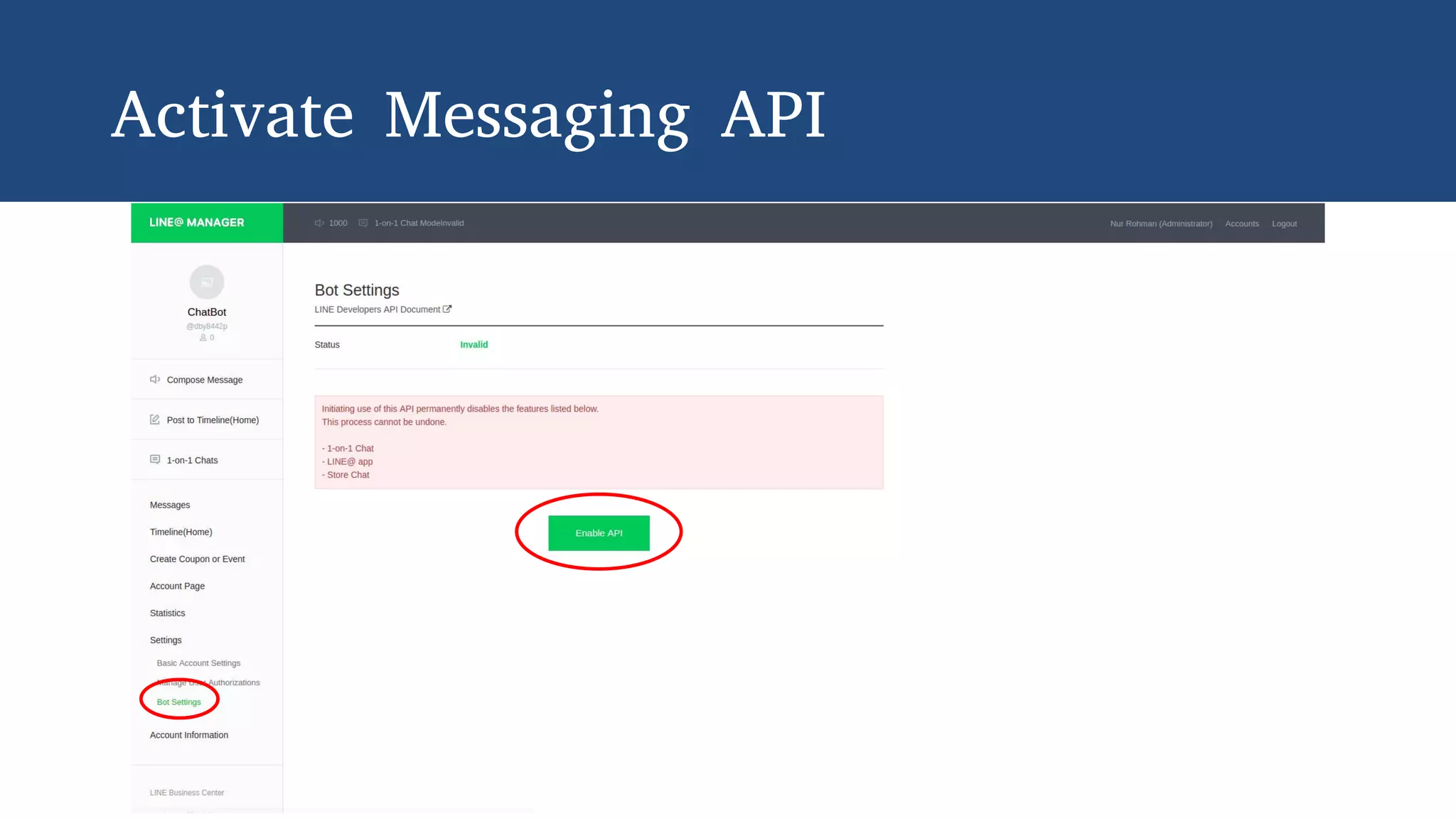
Activate Messaging API
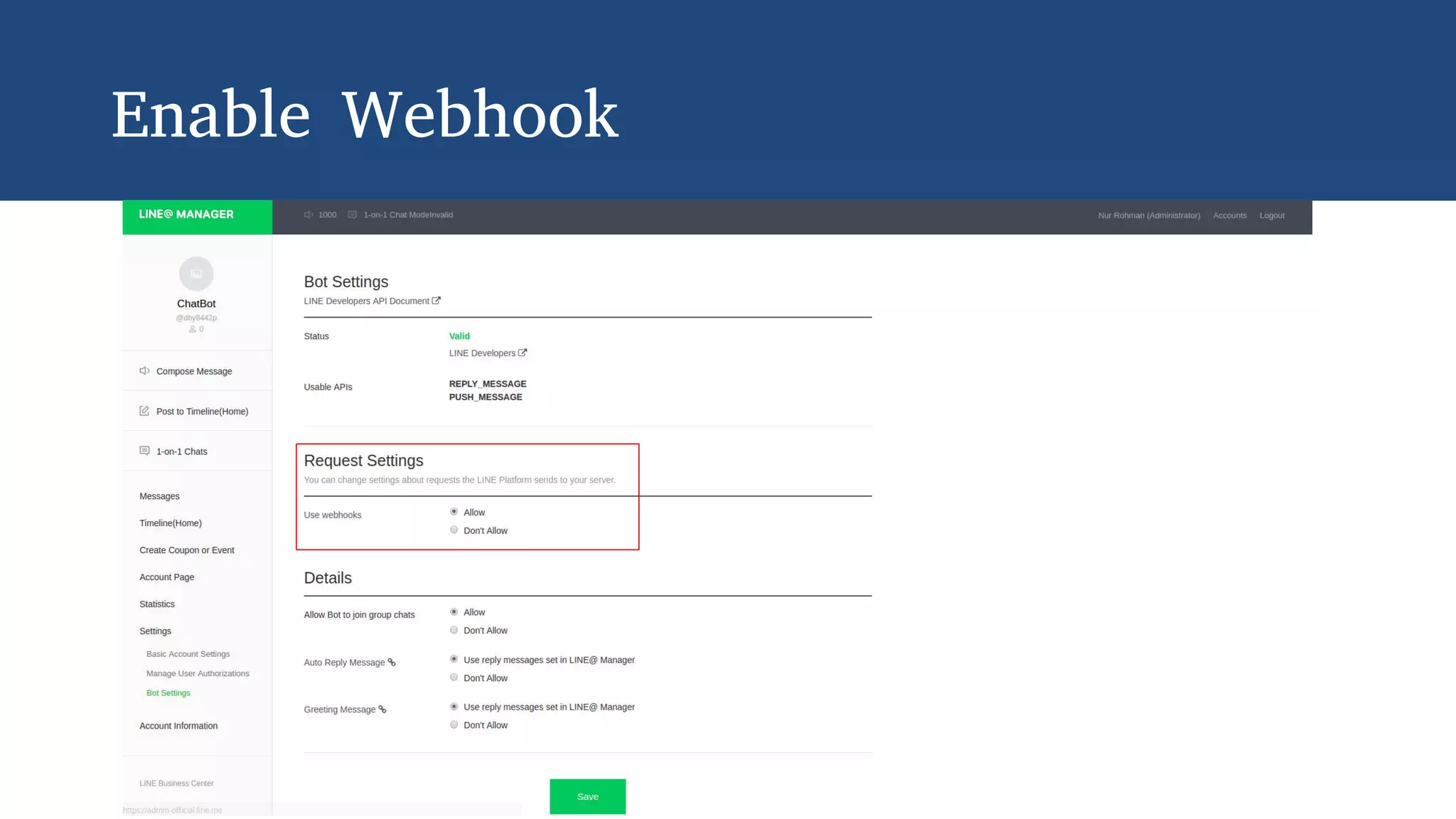
Enable Webhook
2.
Add Bot Account as
Friend
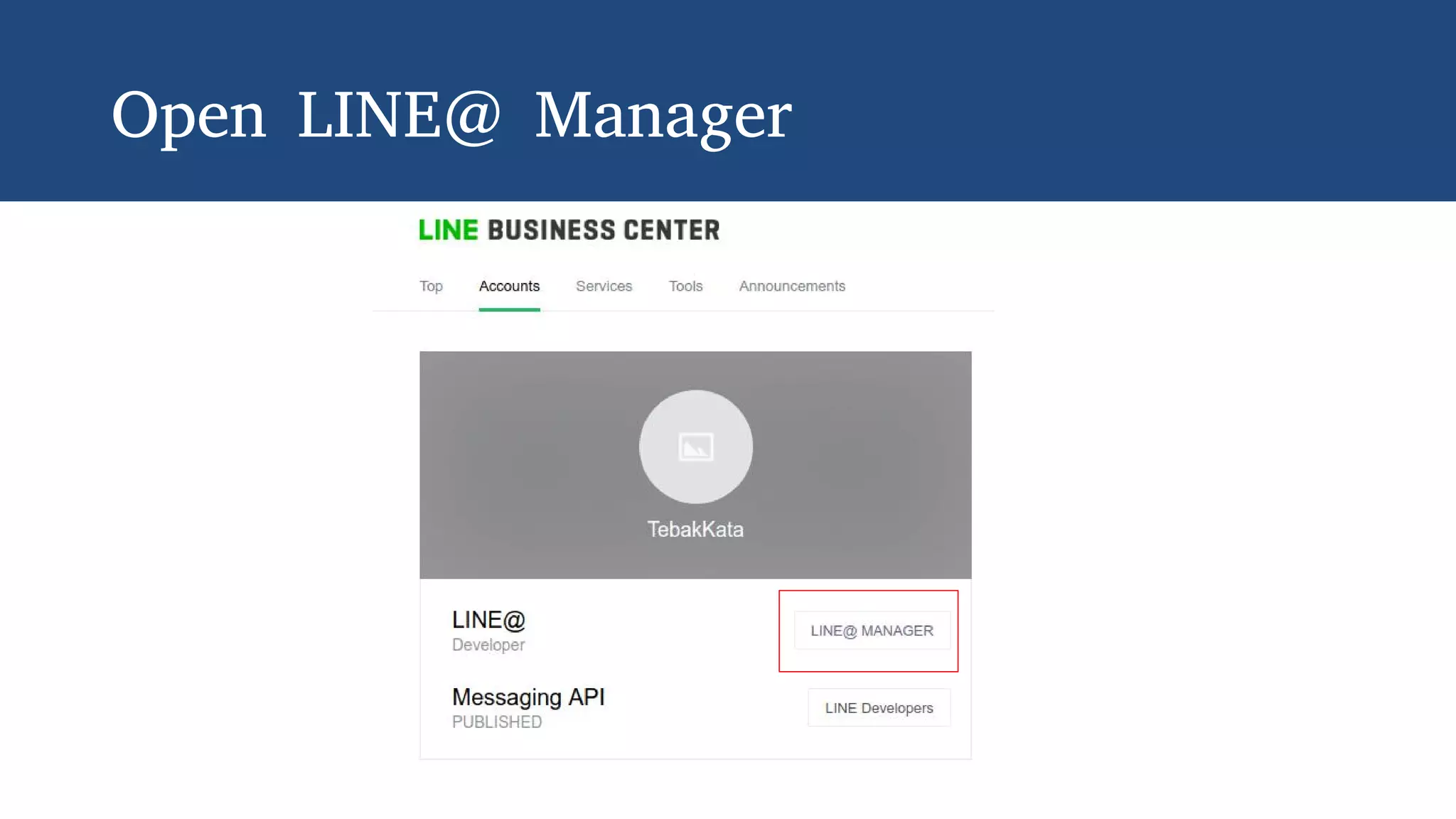
Open LINE@ Manager
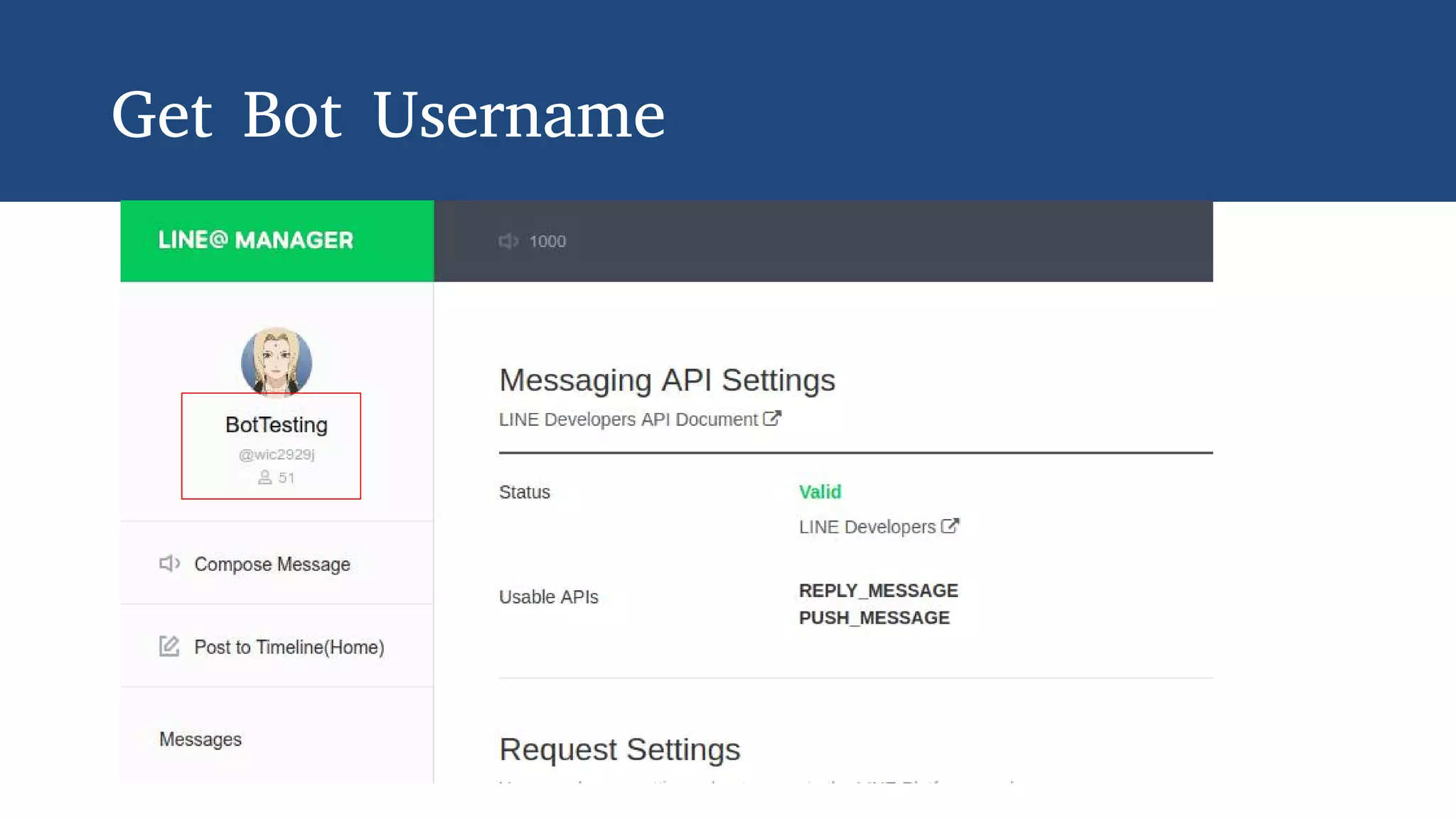
Get Bot Username
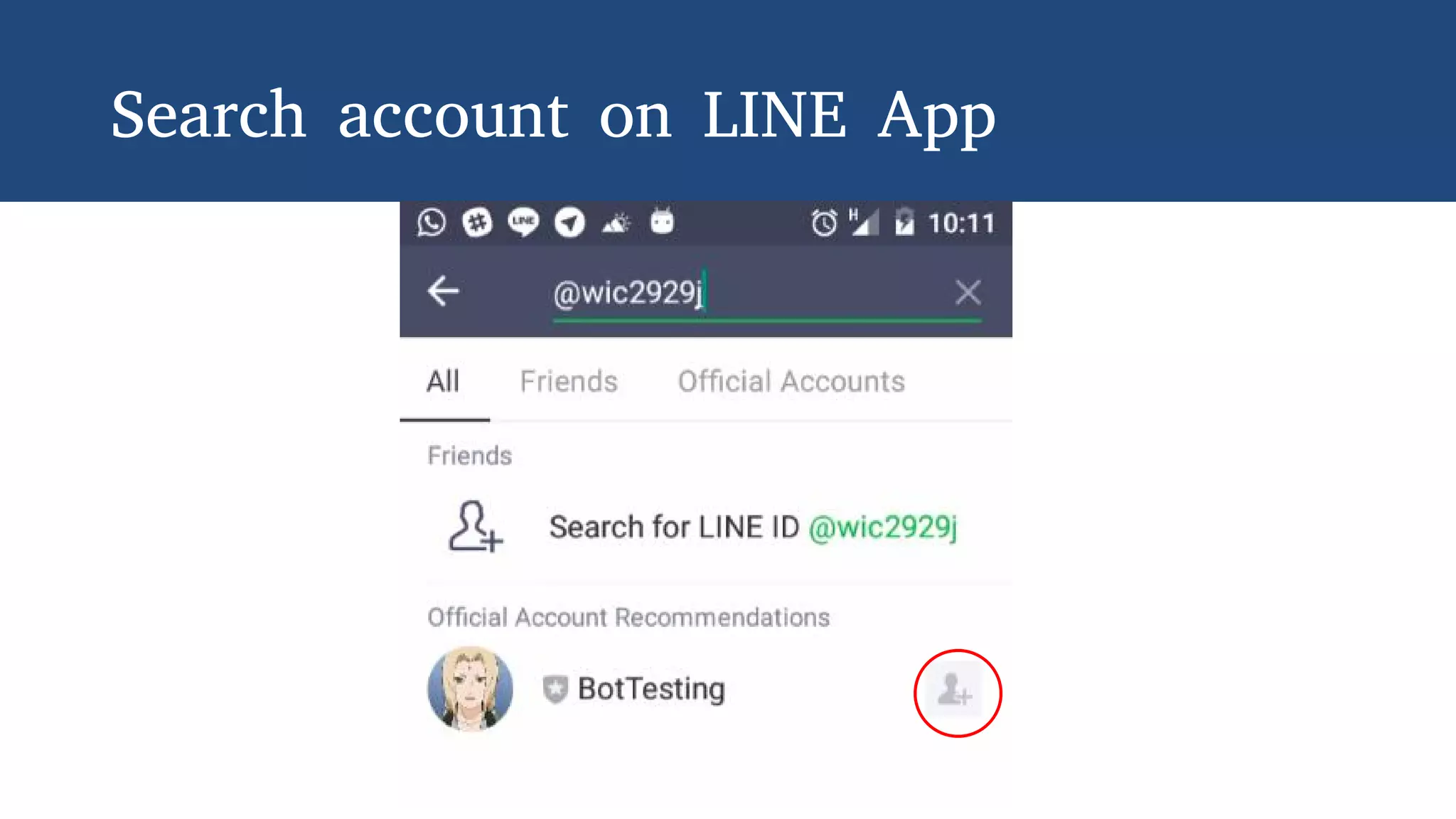
Search account on LINE App
3.
Send First Message
to User
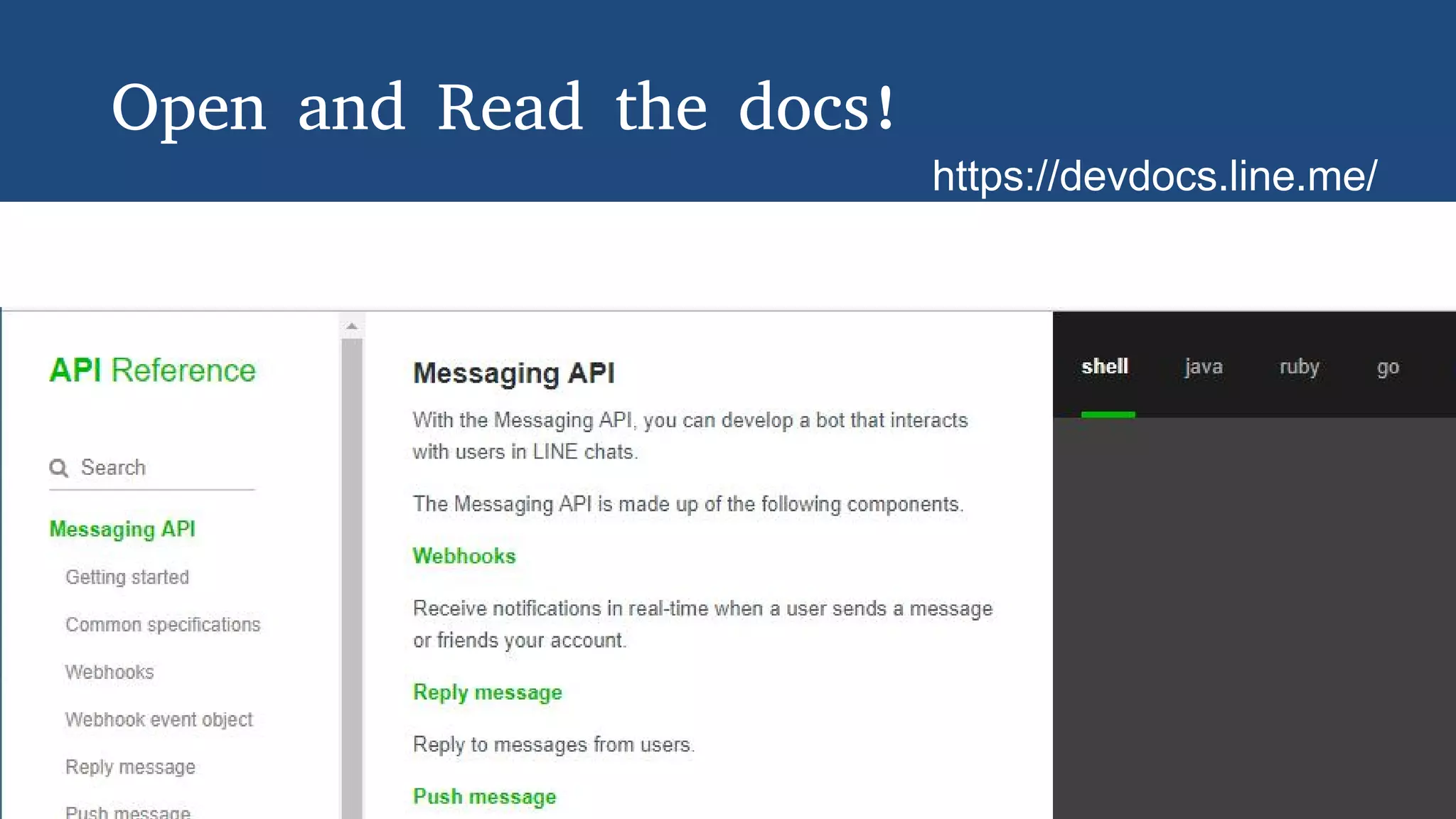
Open and Read the docs!
https://devdocs.line.me/
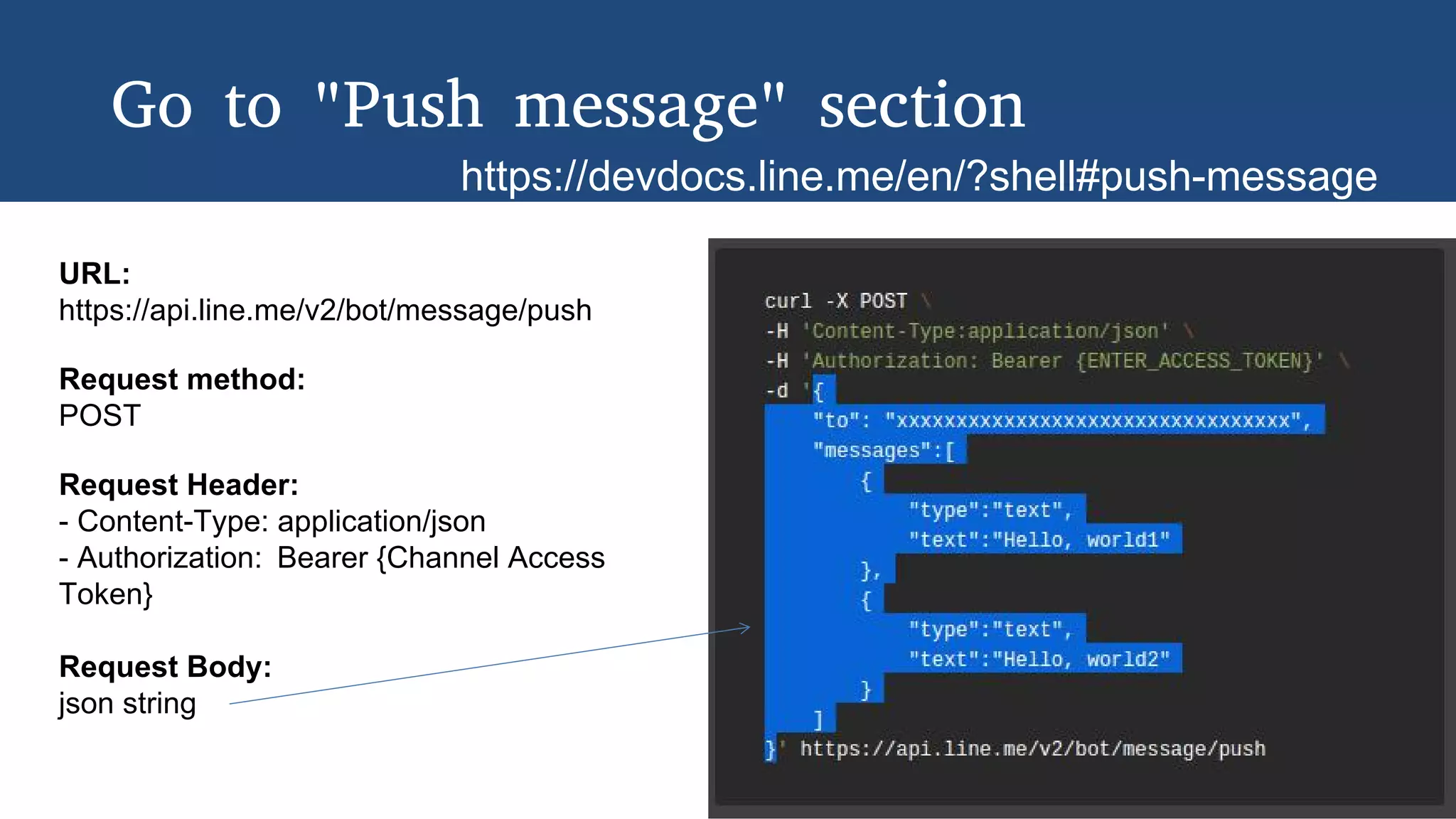
Go to "Push message" section
https://devdocs.line.me/en/?shell#push-message
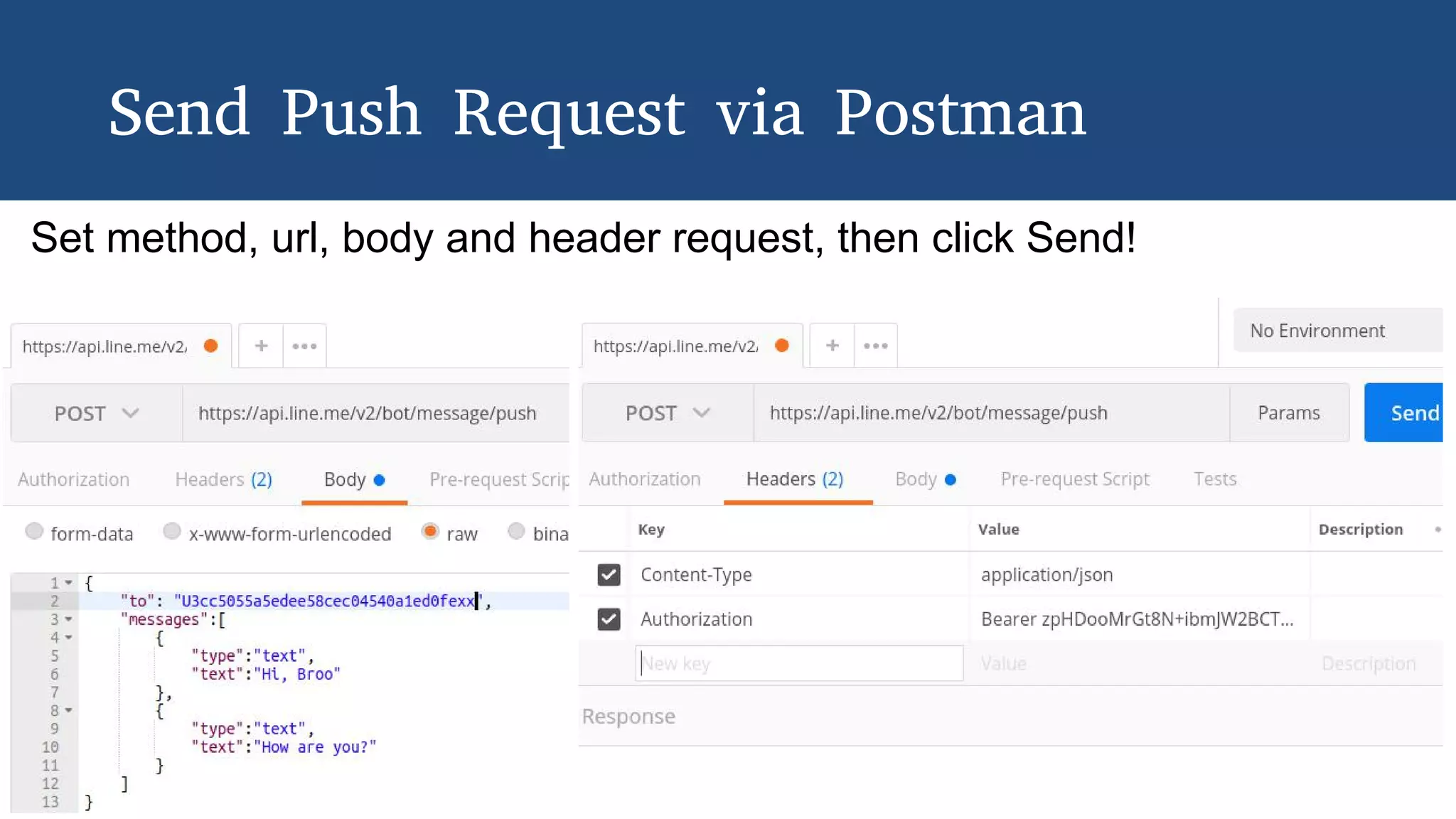
URL:
https://api.line.me/v2/bot/message/push
Request method:
POST
Request Header:
- Content-Type: application/json
- Authorization: Bearer {Channel Access
Token}
Request Body:
json string
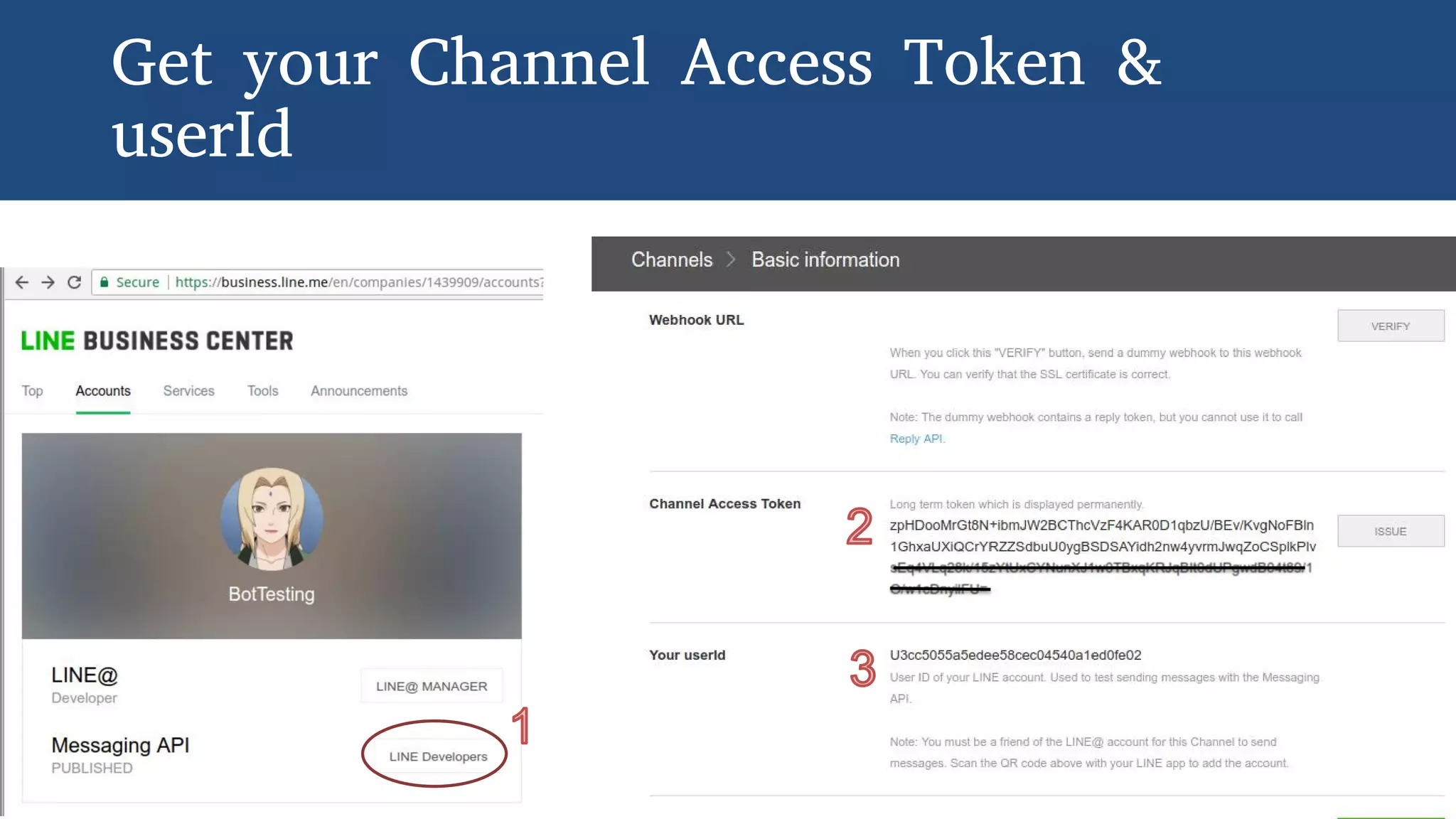
Get your Channel Access Token &
userId
Download Postman
with this we can:
- Send request to LINE
messaging API to send
message
- Simulate the request to
our app as if coming
from LINE bot
https://getpostman.com/
Send Push Request via Postman
Set method, url, body and header request, then click Send!
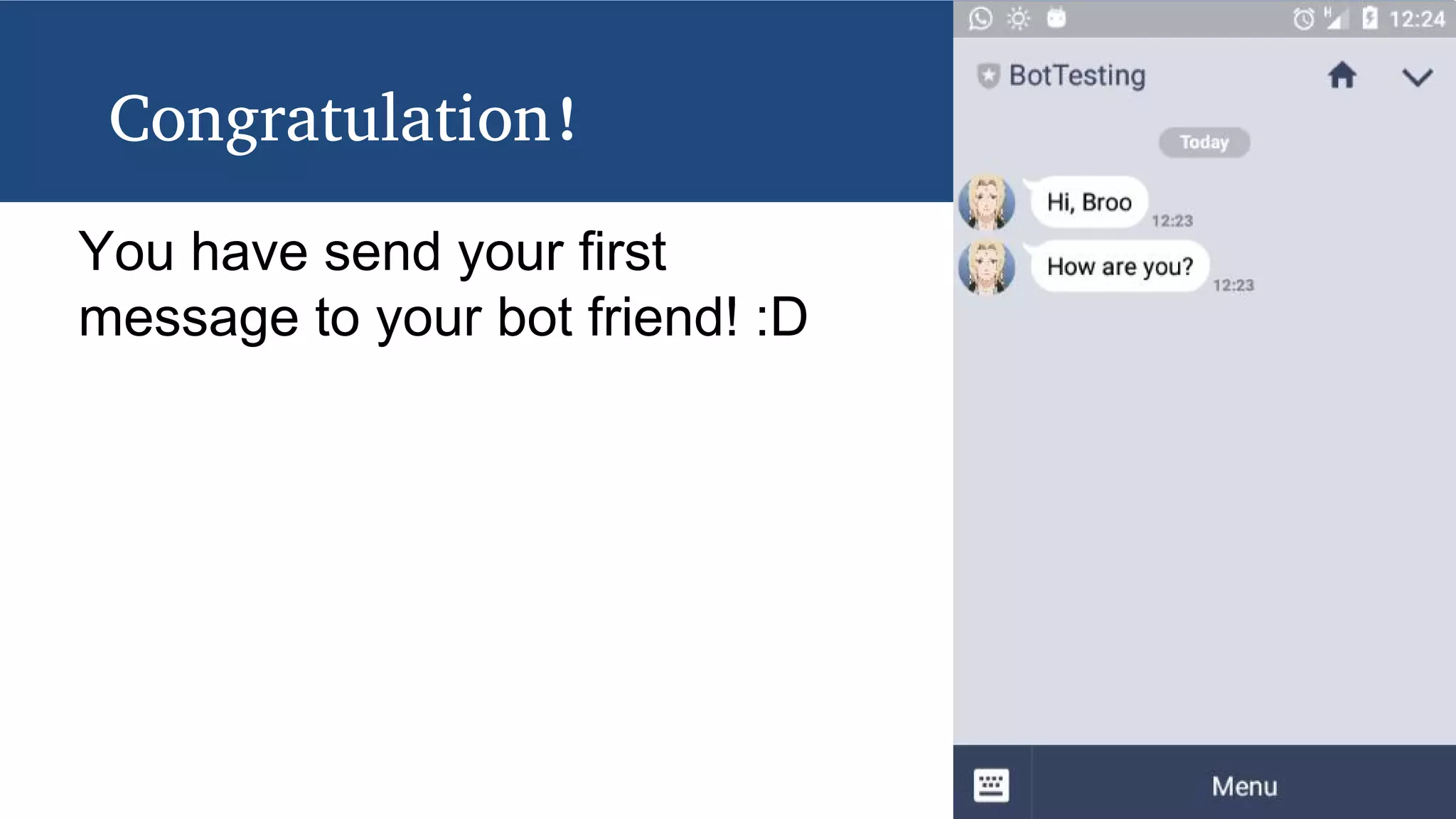
Congratulation!
You have send your first
message to your bot friend! :D
4.
Now, let's see the
complete action in
the code!
Download the codebase
http://s.id/sourceTebakkata
See README.md for installation

LINE Messenger Chatbot - Create Your First LINE Chatbot