502	–	Introduction	to	Sprite	Kit

503	–	Designing	Games	with	
Sprite	Kit
2013/07/28	
Lawrence Tseng
teaualune@gmail.com
Agenda
• Prologue	
• Introduction	
• SKNode	
• SKAction	
• Physic	Engine	
• SKTexture	
• Particle	System	
• Compare	w/	Cocos2d	
• Demo
PROLOGUE
Before	we	start…
• …	what	is	sprite?
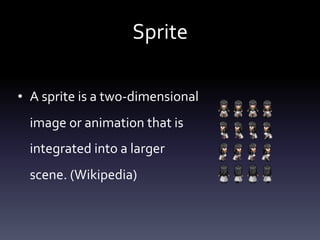
Sprite
• A	sprite	is	a	two-dimensional	
image	or	animation	that	is	
integrated	into	a	larger	
scene.	(Wikipedia)
In	this	talk…
• Introduce	Sprite	Kit	
• Node,	actions,	texture,	etc.	
• Combine	session	502	&	part	of	503	
• Sprite	Kit	v.s.	Cocos2d
Not	in	this	talk…
• Game	Kit	
• Game	development	details	in	session	503	
• Many	code	examples
INTRODUCTION
Basic	structure,	game	loop
What	is	included	in	Sprite	Kit?
• Images	of	sprites,	shapes	and	particles	
• Animations	
• Physics	
• Audio/video	
• Visual	effects
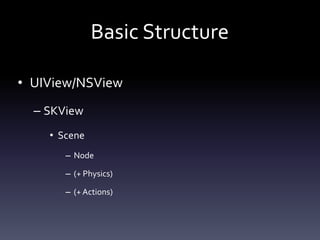
Basic	Structure
• UIView/NSView	
– SKView	
• Scene	
– Node	
– (+	Physics)	
– (+	Actions)
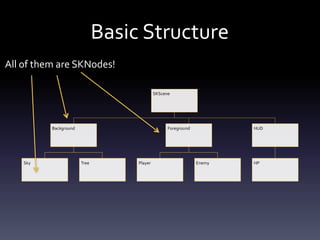
Basic	Structure
SKScene
Background
Sky Tree
Foreground
Player Enemy
HUD
HP
All	of	them	are	SKNodes!
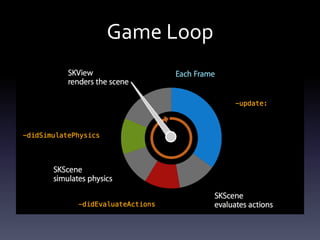
Game	Loop
SPRITE	KIT	NODES
Introduction	to	various	kinds	of	SKNodes
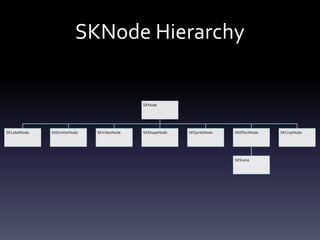
SKNode	Hierarchy
SKNode
SKLabelNode SKEmitterNode SKVideoNode SKShapeNode SKSpriteNode SKEffectNode
SKScene
SKCropNode
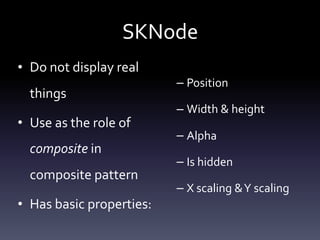
SKNode
• Do	not	display	real	
things	
• Use	as	the	role	of	
composite	in	
composite	pattern	
• Has	basic	properties:	
– Position	
– Width	&	height	
– Alpha	
– Is	hidden	
– X	scaling	&	Y	scaling
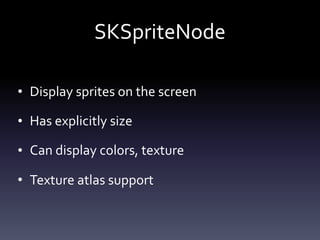
SKSpriteNode
• Display	sprites	on	the	screen	
• Has	explicitly	size	
• Can	display	colors,	texture	
• Texture	atlas	support
SKSpriteNode
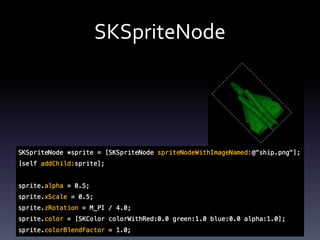
• Convenient	one-line	creation
SKSpriteNode *sprite = [SKSpriteNode spriteNodeWithImageNamed:
@"hero.png"];
SKSpriteNode
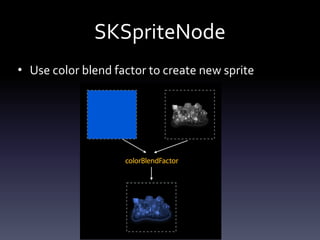
• Use	color	blend	factor	to	create	new	sprite
SKSpriteNode
SKLabelNode
• Similar	as	UILabel	&	CCLabel	
• Single-line	text	as	a	SKNode	
• System	fonts	
• Animatable
SKEmitterNode
• Use	for	particle	system	
• Advanced	keyframe	sequence	controls	
• Built-in	particle	editor
SKVideoNode
• One-line	creation	from	MP4	files	
• One-line	creation	from	AVPlayer	
• Place	anywhere,	e.g.	background	
• Physics	enabled
[SKVideoNode videoNodeWithVideoFileNamed:@"video.mp4"];
SKShapeNode
• Dynamic	shapes	with	CGPath	
• Rendered	in	hardware	
• Stroke/fill
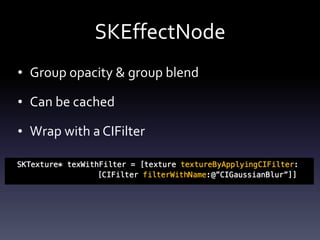
SKEffectNode
• Group	opacity	&	group	blend	
• Can	be	cached	
• Wrap	with	a	CIFilter
SKCropNode
• Use	to	mask	a	node	(any	SKNode)	
• SKCropNode	can	have	children,	can	run	
SKActions…
SKACTION
Actions,	sequences,	groups,	compositions,	specialty,	customs
SKAction	Overview
• Single	class:	SKAction	
– As	a	role	of	Façade	
• Chainable,	reusable,	readable	
• Looks	like	scripting	language
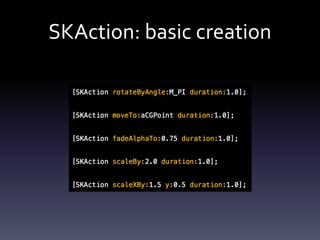
SKAction:	basic	creation
SKAction:	running	actions
• Run	action	immediately	
• Copy	on	add,	remove	on	completion	
• Can	be	repeated	N	times	or	forever
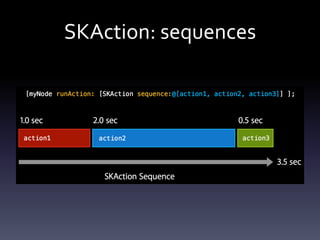
SKAction:	sequences
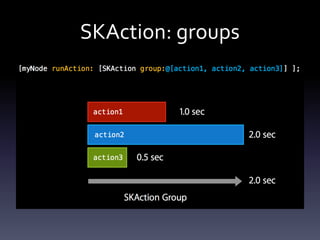
SKAction:	groups
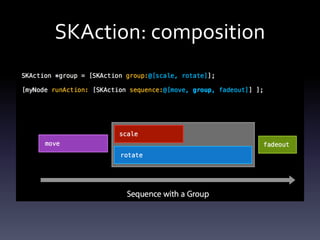
SKAction:	composition
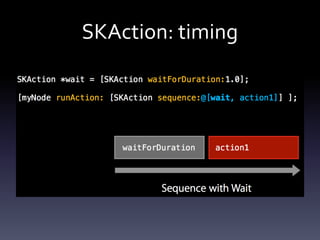
SKAction:	timing
SKAction:	specialty
• Animate	with	textures	
• Animate	with	a	path	(CGPath)	
• Fade	in/out,	remove	from	parent	
• Short	sounds	playback
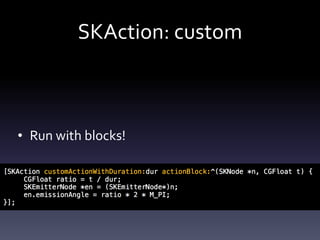
SKAction:	custom
• Run	with	blocks!
PHYSIC	ENGINE
Physics	body,	physics	world,	collision	groups
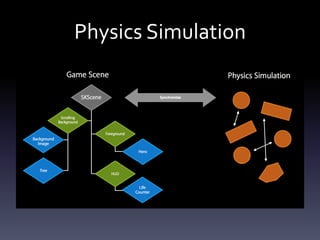
Physics	Simulation
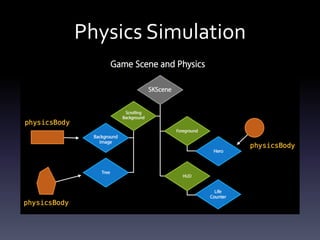
Physics	Simulation
Physics	Simulation
• Sprite	kit	manages	synchronization	details	
• Physic-enabled	nodes	+	no-physic	nodes
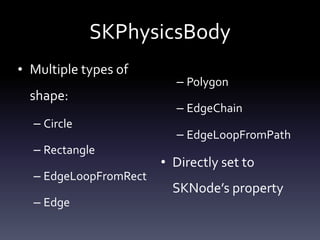
SKPhysicsBody
• Multiple	types	of	
shape:	
– Circle	
– Rectangle	
– EdgeLoopFromRect	
– Edge	
– Polygon	
– EdgeChain	
– EdgeLoopFromPath	
• Directly	set	to	
SKNode’s	property
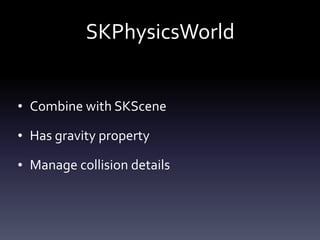
SKPhysicsWorld
• Combine	with	SKScene	
• Has	gravity	property	
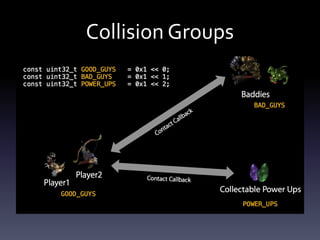
• Manage	collision	details
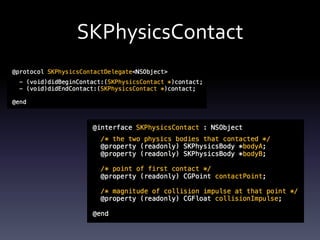
SKPhysicsContact
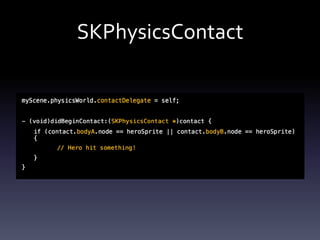
SKPhysicsContact
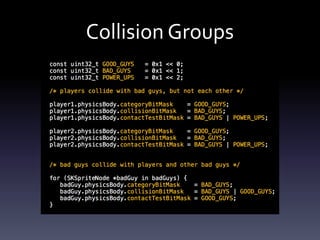
Collision	Groups
Collision	Groups
SKTEXTURE
Texture	creation,	texture	on	SKNodes,	texture	atlas,	texture	in	Xcode
About	SKTexture
• Represents	sprite	bitmap	data	
• Managed	by	framework
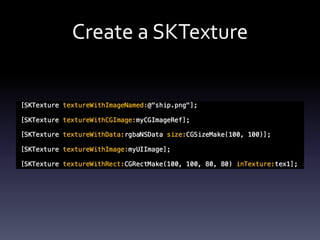
Create	a	SKTexture
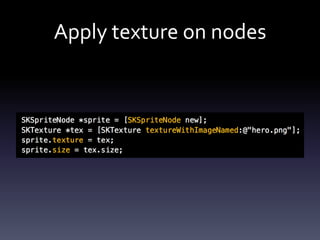
Apply	texture	on	nodes
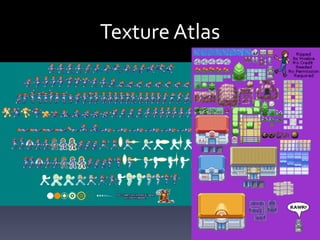
Texture	Atlas
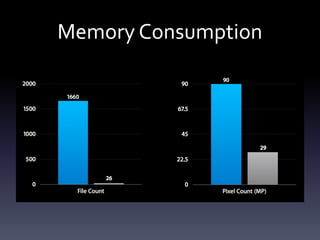
Why	Texture	Atlas?
• Less	memory	consumption	
• Minimizes	disk	I/O	
• Speed	up	render	speed
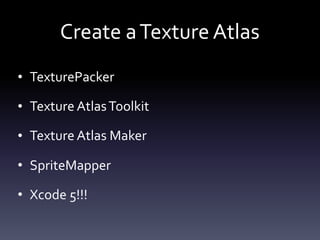
Create	a	Texture	Atlas
• TexturePacker	
• Texture	Atlas	Toolkit	
• Texture	Atlas	Maker	
• SpriteMapper	
• Xcode	5!!!
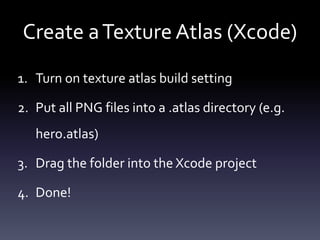
Create	a	Texture	Atlas	(Xcode)
1. Turn	on	texture	atlas	build	setting	
2. Put	all	PNG	files	into	a	.atlas	directory	(e.g.	
hero.atlas)	
3. Drag	the	folder	into	the	Xcode	project	
4. Done!
Memory	Consumption
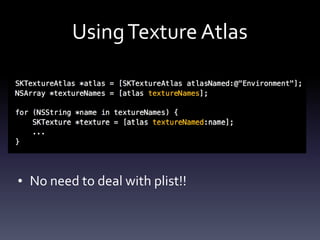
Using	Texture	Atlas
• No	need	to	deal	with	plist!!
PARTICLE	SYSTEM
SKEmitterNode,	particle	effect	editor
Particles	Overview
• Use	particle	system	for	special	effects	
• Xcode	particle	system	editor	
• Apply	sequences,	actions	to	the	particle
Particle	Editor
• Integrated	into	Xcode	
• Edit	all	SKEmitterNode	attributes	visually	
• Don’t	need	to	hardcode	particle	in	codes	
• Each	particle	effect	is	stored	in	a	.sks	file
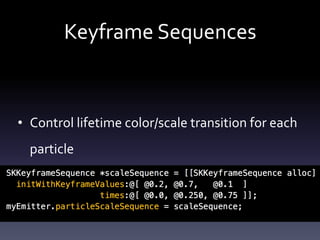
Keyframe	Sequences
• Control	lifetime	color/scale	transition	for	each	
particle
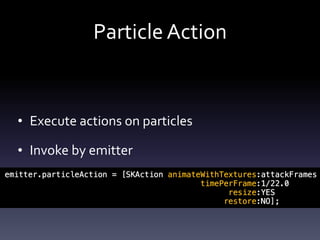
Particle	Action
• Execute	actions	on	particles	
• Invoke	by	emitter
COCOS2D	COMPARISON
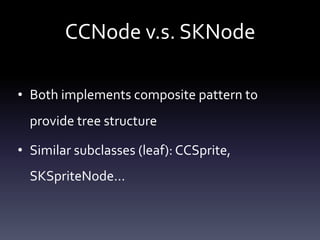
CCNode	v.s.	SKNode
• Both	implements	composite	pattern	to	
provide	tree	structure	
• Similar	subclasses	(leaf):	CCSprite,	
SKSpriteNode…
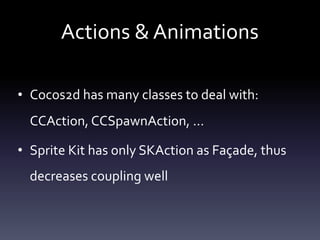
Actions	&	Animations
• Cocos2d	has	many	classes	to	deal	with:	
CCAction,	CCSpawnAction,	…	
• Sprite	Kit	has	only	SKAction	as	Façade,	thus	
decreases	coupling	well
Physic	Engine
• Cocos2d	integrates	with	Box2d/Chipmunk;	
Sprite	Kit	itself	has	one	
• Sprite	Kit	physic	engine	is	more	intuitive	
• Cocos2d	provides	visual	tools	to	build	physic	
body;	In	Sprite	Kit	they	can	only	be	hardcoded
Texture	Atlas
• Picture	&	plist	files	have	to	be	created	by	3rd	
services	for	Cocos2d	
• Sprite	Kit	has	super-lazy	texture	atlas	generator	
– And	it	provides	optimization	feature,	which	is	locked	to	
pay	in	some	tools	
• Unlike	Cocos2d,	Sprite	Kit	does	not	have	to	deal	
with	plist	details
Misc
• Cocos2d	is	somewhat	cross-platform;	Sprite	
Kit	only	targets	for	iOS7	&	OS	X	10.9	
• Cocos2d	is	open	source,	but	Sprite	Kit	is	not	
• Cocos2d	has	stage	editor
DEMO
https://github.com/teaualune/sk-shootduck
THANK	YOU!

Introduction to Sprite Kit