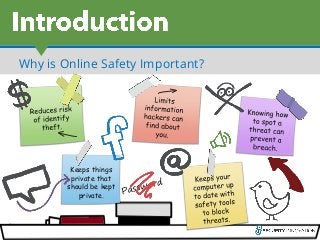
Why is OnlineSafety Important?
Keeps things
private that
should be kept
private.
4.
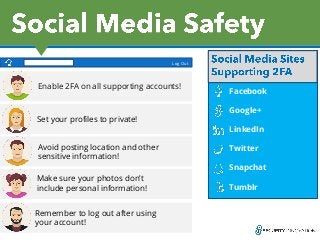
Social Media Sites
Supporting2FA:
Facebook
Google+
LinkedIn
Twitter
Snapchat
Tumblr
Enable 2FA on all supporting accounts!
Set your profiles to private!
Avoid posting location and other
sensitive information!
Make sure your photos don’t
include personal information!
Remember to log out after using
your account!
Log Out
5.
Log Out
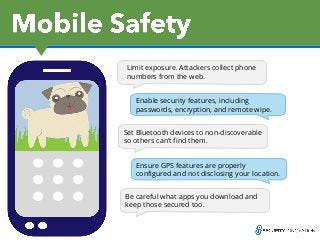
Limit exposure.Attackers collect phone
numbers from the web.
Enable security features, including
passwords, encryption, and remote wipe.
Log OutSet Bluetooth devices to non-discoverable
so others can’t find them.
Ensure GPS features are properly
configured and not disclosing your location.
Be careful what apps you download and
keep those secured too.
6.
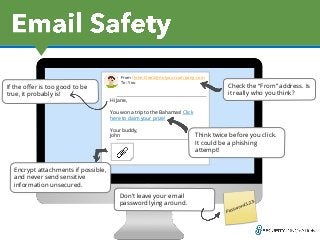
Hi Jane,
You wona trip to the Bahamas! Click
here to claim your prize!
Your buddy,
John
From: John.Doe2@notyourcompany.com
To: You
Check the “From” address. Is
it really who you think?
Encrypt attachments if possible,
and never send sensitive
information unsecured.
Don’t leave your email
password lying around.
If the offer is too good to be
true, it probably is!
Think twice before you click.
It could be a phishing
attempt!
7.
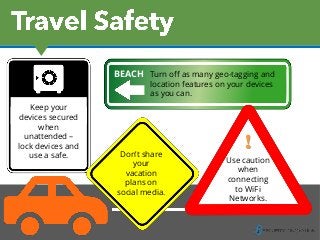
!
Use caution
when
connecting
to WiFi
Networks.
Keepyour
devices secured
when
unattended –
lock devices and
use a safe. Don’t share
your
vacation
plans on
social media.
Turn off as many geo-tagging and
location features on your devices
as you can.
BEACH
8.
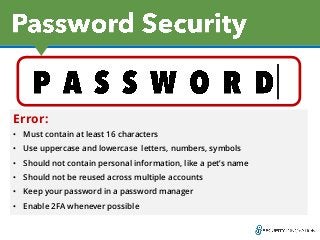
Error:
• Must containat least 16 characters
• Use uppercase and lowercase letters, numbers, symbols
• Should not contain personal information, like a pet’s name
• Should not be reused across multiple accounts
• Keep your password in a password manager
• Enable 2FA whenever possible
9.
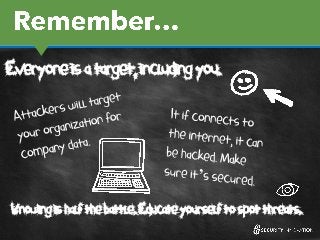
Everyone is atarget, including you.
Knowing is half the battle. Educate yourself to spot threats.