Hi !
Yonatan V.Levin
levin.yonatan parahall
Google Developer Expert
CTO & Co Founder
Why app is crashed when got an update
from widget?
Background
Android 101
Memory @ Android
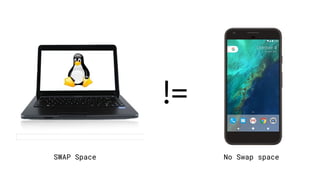
!=
SWAP Space No Swap space
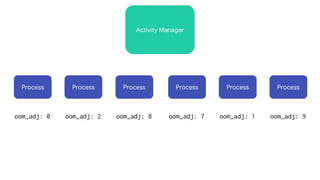
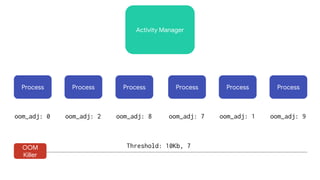
Activity Manager
Process Process Process Process Process Process
oom_adj: 0 oom_adj: 2 oom_adj: 8 oom_adj: 7 oom_adj: 1 oom_adj: 9
Activity Manager
Process Process Process Process Process Process
oom_adj: 0 oom_adj: 2 oom_adj: 8 oom_adj: 7 oom_adj: 1 oom_adj: 9
OOM
Killer
Threshold: 10Kb, 7
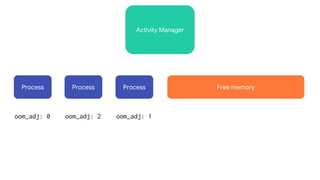
Activity Manager
Process Process Process
oom_adj: 0 oom_adj: 2 oom_adj: 1
Free memory
bash-3.2# logcat -t 1000 | grep "has died"
01-29 15:01:09.577 1278 1283 I ActivityManager: Process
com.motorola.calendar (pid 8595) has died.
01-29 15:07:46.957 1278 1278 I ActivityManager: Process
com.dropbox.android (pid 8606) has died.

bash-3.2# dmesg | grep sigkill
<4>[58305.115783] send sigkill to 8595 (torola.calendar), adj 13, size
3198
<4>[58702.255462] send sigkill to 8606 (dropbox.android), adj 14, size
2942
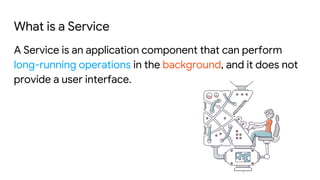
What is a Service
A Service is an application component that can perform
long-running operations in the background, and it does not
provide a user interface.
Why Service
One of 4 core components → App entry points
Stay alive when users navigate out of your app
Can be cached
Can be run on separate process
Rowing direction
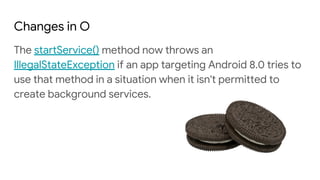
Changes in O
The startService() method now throws an
IllegalStateException if an app targeting Android 8.0 tries to
use that method in a situation when it isn't permitted to
create background services.
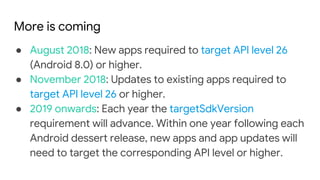
More is coming
● August 2018: New apps required to target API level 26
(Android 8.0) or higher.
● November 2018: Updates to existing apps required to
target API level 26 or higher.
● 2019 onwards: Each year the targetSdkVersion
requirement will advance. Within one year following each
Android dessert release, new apps and app updates will
need to target the corresponding API level or higher.
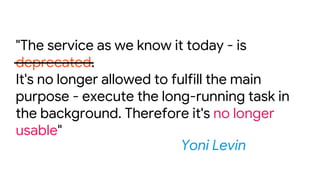
The king is dead. Long live the king
"The service as we know it today - is
deprecated.
It's no longer allowed to fulfill the main
purpose - execute the long-running task in
the background. Therefore it's no longer
usable"
Yoni Levin
Let’s explore very simple scenario
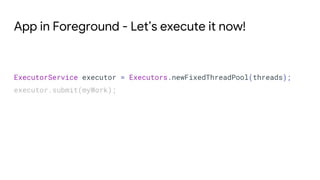
App in Foreground - Let’s execute it now!
ExecutorService executor = Executors.newFixedThreadPool(threads);
executor.submit(myWork);
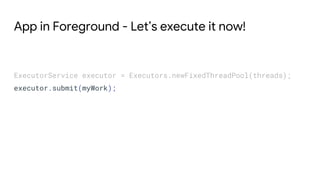
App in Foreground - Let’s execute it now!
ExecutorService executor = Executors.newFixedThreadPool(threads);
executor.submit(myWork);
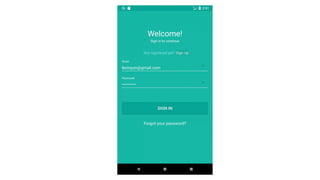
Login succeeded?
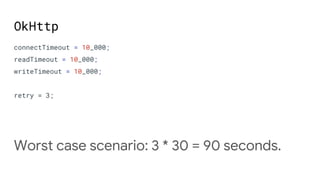
OkHttp
connectTimeout = 10_000;
readTimeout = 10_000;
writeTimeout = 10_000;
retry = 3;
Worst case scenario: 3 * 30 = 90 seconds.
Build long running task
Maybe not so long running task, but it can takes minutes to
execute and update UI when it finished
Wait, but what if the user offline?
So, we need to switch to use a
service.
But you can’t!!!!
Don’t put your hands down
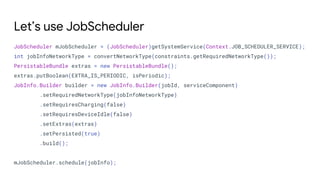
Let’s use JobScheduler
JobScheduler mJobScheduler = (JobScheduler)getSystemService(Context.JOB_SCHEDULER_SERVICE);
int jobInfoNetworkType = convertNetworkType(constraints.getRequiredNetworkType());
PersistableBundle extras = new PersistableBundle();
extras.putBoolean(EXTRA_IS_PERIODIC, isPeriodic);
JobInfo.Builder builder = new JobInfo.Builder(jobId, serviceComponent)
.setRequiredNetworkType(jobInfoNetworkType)
.setRequiresCharging(false)
.setRequiresDeviceIdle(false)
.setExtras(extras)
.setPersisted(true)
.build();
mJobScheduler.schedule(jobInfo);
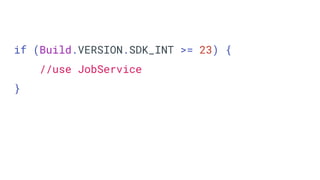
if (Build.VERSION.SDK_INT >= 23) {
//use JobService
}
But I have minSDK < 21 23
JobDispatcher
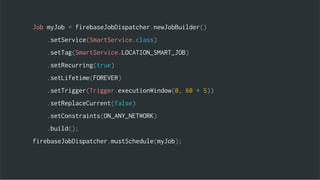
Job myJob = firebaseJobDispatcher.newJobBuilder()
.setService(SmartService.class)
.setTag(SmartService.LOCATION_SMART_JOB)
.setRecurring(true)
.setLifetime(FOREVER)
.setTrigger(Trigger.executionWindow(0, 60 * 5))
.setReplaceCurrent(false)
.setConstraints(ON_ANY_NETWORK)
.build();
firebaseJobDispatcher.mustSchedule(myJob);
No promise when a job executed
And more…
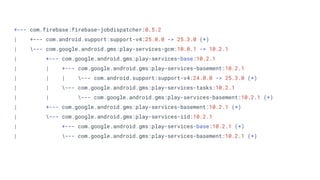
+--- com.firebase:firebase-jobdispatcher:0.5.2
| +--- com.android.support:support-v4:25.0.0 -> 25.3.0 (*)
| --- com.google.android.gms:play-services-gcm:10.0.1 -> 10.2.1
| +--- com.google.android.gms:play-services-base:10.2.1
| | +--- com.google.android.gms:play-services-basement:10.2.1
| | | --- com.android.support:support-v4:24.0.0 -> 25.3.0 (*)
| | --- com.google.android.gms:play-services-tasks:10.2.1
| | --- com.google.android.gms:play-services-basement:10.2.1 (*)
| +--- com.google.android.gms:play-services-basement:10.2.1 (*)
| --- com.google.android.gms:play-services-iid:10.2.1
| +--- com.google.android.gms:play-services-base:10.2.1 (*)
| --- com.google.android.gms:play-services-basement:10.2.1 (*)
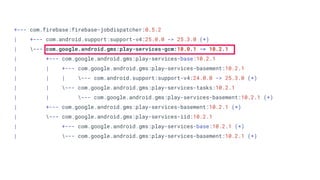
+--- com.firebase:firebase-jobdispatcher:0.5.2
| +--- com.android.support:support-v4:25.0.0 -> 25.3.0 (*)
| --- com.google.android.gms:play-services-gcm:10.0.1 -> 10.2.1
| +--- com.google.android.gms:play-services-base:10.2.1
| | +--- com.google.android.gms:play-services-basement:10.2.1
| | | --- com.android.support:support-v4:24.0.0 -> 25.3.0 (*)
| | --- com.google.android.gms:play-services-tasks:10.2.1
| | --- com.google.android.gms:play-services-basement:10.2.1 (*)
| +--- com.google.android.gms:play-services-basement:10.2.1 (*)
| --- com.google.android.gms:play-services-iid:10.2.1
| +--- com.google.android.gms:play-services-base:10.2.1 (*)
| --- com.google.android.gms:play-services-basement:10.2.1 (*)
Tens millions of devices
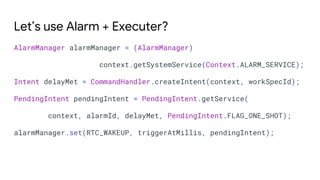
Let’s use Alarm + Executer?
AlarmManager alarmManager = (AlarmManager)
context.getSystemService(Context.ALARM_SERVICE);
Intent delayMet = CommandHandler.createIntent(context, workSpecId);
PendingIntent pendingIntent = PendingIntent.getService(
context, alarmId, delayMet, PendingIntent.FLAG_ONE_SHOT);
alarmManager.set(RTC_WAKEUP, triggerAtMillis, pendingIntent);
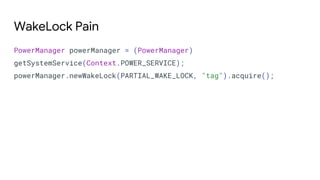
PowerManager powerManager = (PowerManager)
getSystemService(Context.POWER_SERVICE);
powerManager.newWakeLock(PARTIAL_WAKE_LOCK, "tag").acquire();
WakeLock Pain
What about constraints & rescheduling?
Wait.
But I still want to benefit from old
services on pre-O devices!
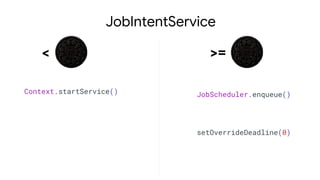
JobIntentService
Context.startService()
< >=
JobScheduler.enqueue()
setOverrideDeadline(0)
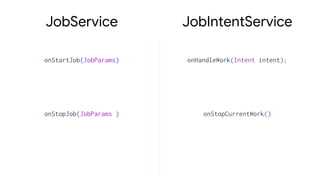
JobIntentService
onStartJob(JobParams)
JobService
onHandleWork(Intent intent);
onStopJob(JobParams ) onStopCurrentWork()
Oh! Someone restarted a phone!
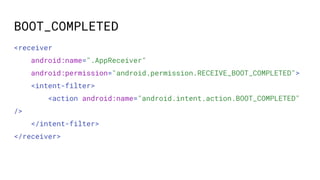
BOOT_COMPLETED
<receiver
android:name=".AppReceiver"
android:permission="android.permission.RECEIVE_BOOT_COMPLETED">
<intent-filter>
<action android:name="android.intent.action.BOOT_COMPLETED"
/>
</intent-filter>
</receiver>
The fight which hard to win
So let’s start to think about more
abstract solution
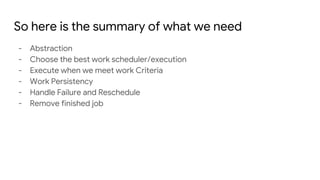
So here is the summary of what we need
- Abstraction
- Choose the best work scheduler/execution
- Execute when we meet work Criteria
- Work Persistency
- Handle Failure and Reschedule
- Remove finished job
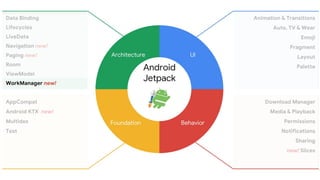
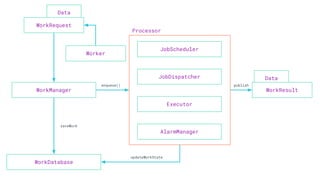
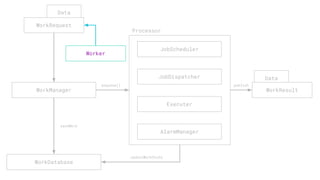
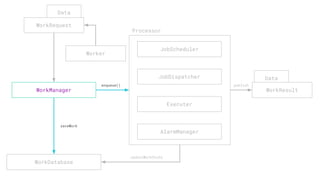
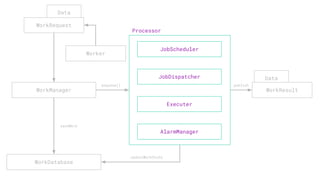
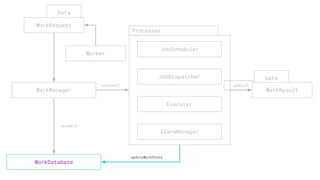
WorkManager
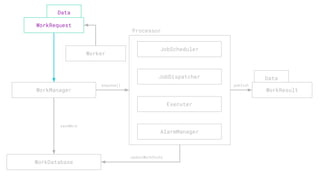
WorkManager aims to simplify the developer experience by
providing a first-class API for system-driven background
processing. It is intended for background jobs that should
run even if the app is no longer in the foreground. Where
possible, it uses JobScheduler or Firebase JobDispatcher to
do the work; if your app is in the foreground, it will even try
to do the work directly in your process.
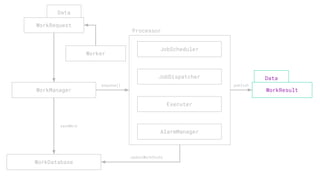
Data
Data
enqueue()
WorkManager
JobScheduler
JobDispatcher
Executor
AlarmManager
WorkDatabase
WorkRequest
saveWork
updateWorkState
publish
Processor
Worker
WorkResult
Data
enqueue()
WorkManager
JobScheduler
JobDispatcher
Executer
AlarmManager
WorkDatabase
WorkRequest
saveWork
updateWorkState
publish
Processor
Worker
Data
WorkResult
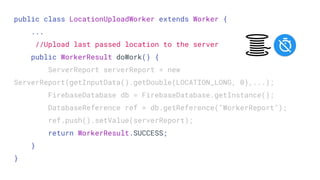
public class LocationUploadWorker extends Worker {
...
//Upload last passed location to the server
public WorkerResult doWork() {
ServerReport serverReport = new
ServerReport(getInputData().getDouble(LOCATION_LONG, 0),...);
FirebaseDatabase db = FirebaseDatabase.getInstance();
DatabaseReference ref = db.getReference("WorkerReport");
ref.push().setValue(serverReport);
return WorkerResult.SUCCESS;
}
}
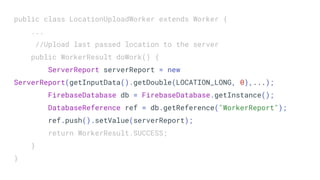
public class LocationUploadWorker extends Worker {
...
//Upload last passed location to the server
public WorkerResult doWork() {
ServerReport serverReport = new
ServerReport(getInputData().getDouble(LOCATION_LONG, 0),...);
FirebaseDatabase db = FirebaseDatabase.getInstance();
DatabaseReference ref = db.getReference("WorkerReport");
ref.push().setValue(serverReport);
return WorkerResult.SUCCESS;
}
}
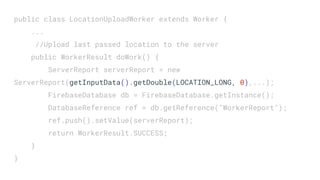
public class LocationUploadWorker extends Worker {
...
//Upload last passed location to the server
public WorkerResult doWork() {
ServerReport serverReport = new
ServerReport(getInputData().getDouble(LOCATION_LONG, 0),...);
FirebaseDatabase db = FirebaseDatabase.getInstance();
DatabaseReference ref = db.getReference("WorkerReport");
ref.push().setValue(serverReport);
return WorkerResult.SUCCESS;
}
}
Data
enqueue()
WorkManager
JobScheduler
JobDispatcher
Executer
AlarmManager
WorkDatabase
WorkRequest
saveWork
updateWorkState
publish
Processor
Worker
Data
WorkResult
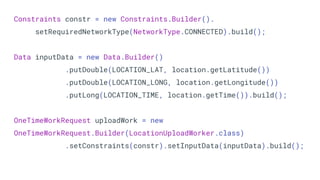
Constraints constr = new Constraints.Builder().
setRequiredNetworkType(NetworkType.CONNECTED).build();
Data inputData = new Data.Builder()
.putDouble(LOCATION_LAT, location.getLatitude())
.putDouble(LOCATION_LONG, location.getLongitude())
.putLong(LOCATION_TIME, location.getTime()).build();
OneTimeWorkRequest uploadWork = new
OneTimeWorkRequest.Builder(LocationUploadWorker.class)
.setConstraints(constr).setInputData(inputData).build();
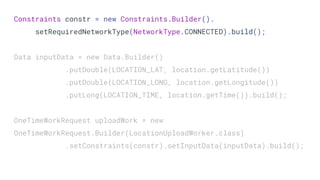
Constraints constr = new Constraints.Builder().
setRequiredNetworkType(NetworkType.CONNECTED).build();
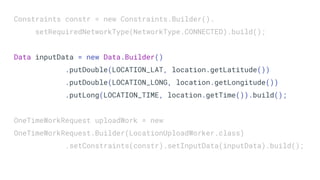
Data inputData = new Data.Builder()
.putDouble(LOCATION_LAT, location.getLatitude())
.putDouble(LOCATION_LONG, location.getLongitude())
.putLong(LOCATION_TIME, location.getTime()).build();
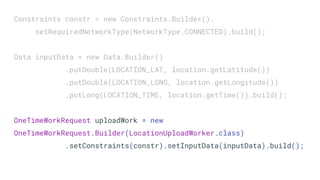
OneTimeWorkRequest uploadWork = new
OneTimeWorkRequest.Builder(LocationUploadWorker.class)
.setConstraints(constr).setInputData(inputData).build();
Constraints constr = new Constraints.Builder().
setRequiredNetworkType(NetworkType.CONNECTED).build();
Data inputData = new Data.Builder()
.putDouble(LOCATION_LAT, location.getLatitude())
.putDouble(LOCATION_LONG, location.getLongitude())
.putLong(LOCATION_TIME, location.getTime()).build();
OneTimeWorkRequest uploadWork = new
OneTimeWorkRequest.Builder(LocationUploadWorker.class)
.setConstraints(constr).setInputData(inputData).build();
Constraints constr = new Constraints.Builder().
setRequiredNetworkType(NetworkType.CONNECTED).build();
Data inputData = new Data.Builder()
.putDouble(LOCATION_LAT, location.getLatitude())
.putDouble(LOCATION_LONG, location.getLongitude())
.putLong(LOCATION_TIME, location.getTime()).build();
OneTimeWorkRequest uploadWork = new
OneTimeWorkRequest.Builder(LocationUploadWorker.class)
.setConstraints(constr).setInputData(inputData).build();
Data
enqueue()
WorkManager
JobScheduler
JobDispatcher
Executer
AlarmManager
WorkDatabase
WorkRequest
saveWork
updateWorkState
publish
Processor
Worker
Data
WorkResult
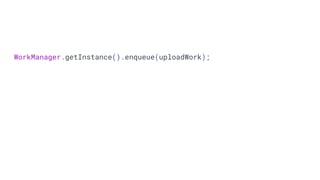
WorkManager.getInstance().enqueue(uploadWork);
Data
Data
enqueue()
WorkManager
JobScheduler
JobDispatcher
Executer
AlarmManager
WorkDatabase
WorkRequest
saveWork
updateWorkState
publish
Processor
Worker
WorkResult
JobScheduler
JobDispatcher
Executer
AlarmManager
WorkDatabase
updateWorkState
publish
Processor
Data
enqueue()
WorkManager
WorkRequest
saveWork
Worker
publish
Data
WorkResult
Data
Data
enqueue()
WorkManager
JobScheduler
JobDispatcher
Executer
AlarmManager
WorkDatabase
WorkRequest
saveWork
updateWorkState
publish
Processor
Worker
WorkResult
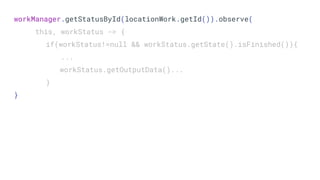
workManager.getStatusById(locationWork.getId()).observe(
this, workStatus -> {
if(workStatus!=null && workStatus.getState().isFinished()){
...
workStatus.getOutputData()...
}
}
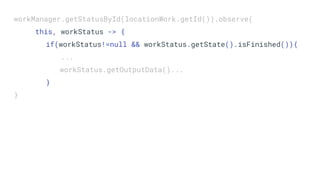
workManager.getStatusById(locationWork.getId()).observe(
this, workStatus -> {
if(workStatus!=null && workStatus.getState().isFinished()){
...
workStatus.getOutputData()...
}
}
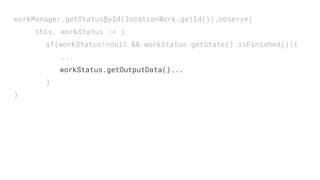
workManager.getStatusById(locationWork.getId()).observe(
this, workStatus -> {
if(workStatus!=null && workStatus.getState().isFinished()){
...
workStatus.getOutputData()...
}
}
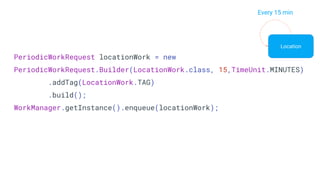
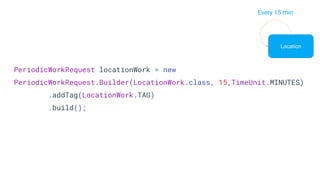
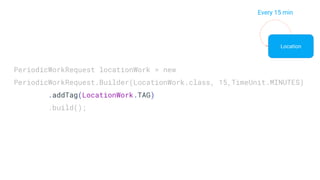
PeriodicWorkRequest locationWork = new
PeriodicWorkRequest.Builder(LocationWork.class, 15,TimeUnit.MINUTES)
.addTag(LocationWork.TAG)
.build();
WorkManager.getInstance().enqueue(locationWork);
Location
Every 15 min
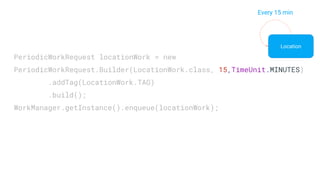
PeriodicWorkRequest locationWork = new
PeriodicWorkRequest.Builder(LocationWork.class, 15,TimeUnit.MINUTES)
.addTag(LocationWork.TAG)
.build();
WorkManager.getInstance().enqueue(locationWork);
Location
Every 15 min
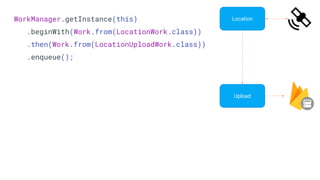
WorkManager.getInstance(this)
.beginWith(Work.from(LocationWork.class))
.then(Work.from(LocationUploadWork.class))
.enqueue();
Upload
Location
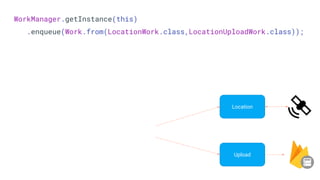
WorkManager.getInstance(this)
.enqueue(Work.from(LocationWork.class,LocationUploadWork.class));
Upload
Location
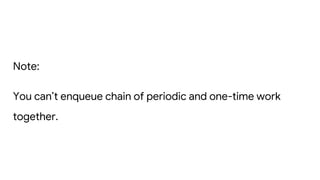
Note:
You can’t enqueue chain of periodic and one-time work
together.
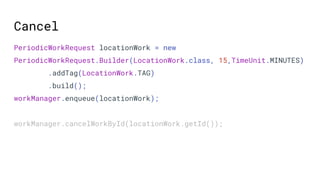
PeriodicWorkRequest locationWork = new
PeriodicWorkRequest.Builder(LocationWork.class, 15,TimeUnit.MINUTES)
.addTag(LocationWork.TAG)
.build();
workManager.enqueue(locationWork);
workManager.cancelWorkById(locationWork.getId());
Cancel
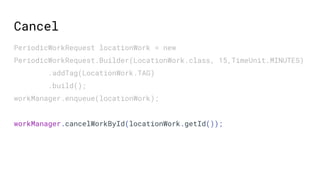
PeriodicWorkRequest locationWork = new
PeriodicWorkRequest.Builder(LocationWork.class, 15,TimeUnit.MINUTES)
.addTag(LocationWork.TAG)
.build();
workManager.enqueue(locationWork);
workManager.cancelWorkById(locationWork.getId());
Cancel
PeriodicWorkRequest locationWork = new
PeriodicWorkRequest.Builder(LocationWork.class, 15,TimeUnit.MINUTES)
.addTag(LocationWork.TAG)
.build();
Location
Every 15 min
Location
Every 15 min
PeriodicWorkRequest locationWork = new
PeriodicWorkRequest.Builder(LocationWork.class, 15,TimeUnit.MINUTES)
.addTag(LocationWork.TAG)
.build();
workManager.cancelAllWorkByTag(LocationWork.TAG);
Real Life
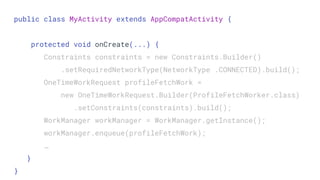
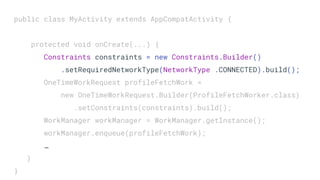
public class MyActivity extends AppCompatActivity {
protected void onCreate(...) {
Constraints constraints = new Constraints.Builder()
.setRequiredNetworkType(NetworkType .CONNECTED).build();
OneTimeWorkRequest profileFetchWork =
new OneTimeWorkRequest.Builder(ProfileFetchWorker.class)
.setConstraints(constraints).build();
WorkManager workManager = WorkManager.getInstance();
workManager.enqueue(profileFetchWork);
…
}
}
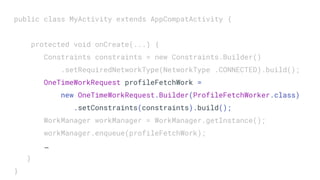
public class MyActivity extends AppCompatActivity {
protected void onCreate(...) {
Constraints constraints = new Constraints.Builder()
.setRequiredNetworkType(NetworkType .CONNECTED).build();
OneTimeWorkRequest profileFetchWork =
new OneTimeWorkRequest.Builder(ProfileFetchWorker.class)
.setConstraints(constraints).build();
WorkManager workManager = WorkManager.getInstance();
workManager.enqueue(profileFetchWork);
…
}
}
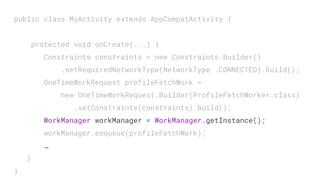
public class MyActivity extends AppCompatActivity {
protected void onCreate(...) {
Constraints constraints = new Constraints.Builder()
.setRequiredNetworkType(NetworkType .CONNECTED).build();
OneTimeWorkRequest profileFetchWork =
new OneTimeWorkRequest.Builder(ProfileFetchWorker.class)
.setConstraints(constraints).build();
WorkManager workManager = WorkManager.getInstance();
workManager.enqueue(profileFetchWork);
…
}
}
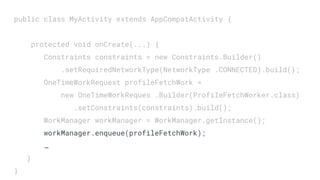
public class MyActivity extends AppCompatActivity {
protected void onCreate(...) {
Constraints constraints = new Constraints.Builder()
.setRequiredNetworkType(NetworkType .CONNECTED).build();
OneTimeWorkRequest profileFetchWork =
new OneTimeWorkRequest.Builder(ProfileFetchWorker.class)
.setConstraints(constraints).build();
WorkManager workManager = WorkManager.getInstance();
workManager.enqueue(profileFetchWork);
…
}
}
public class MyActivity extends AppCompatActivity {
protected void onCreate(...) {
Constraints constraints = new Constraints.Builder()
.setRequiredNetworkType(NetworkType .CONNECTED).build();
OneTimeWorkRequest profileFetchWork =
new OneTimeWorkReques .Builder(ProfileFetchWorker.class)
.setConstraints(constraints).build();
WorkManager workManager = WorkManager.getInstance();
workManager.enqueue(profileFetchWork);
…
}
}
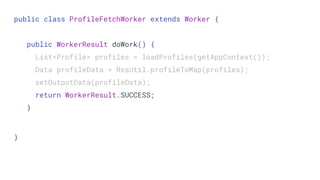
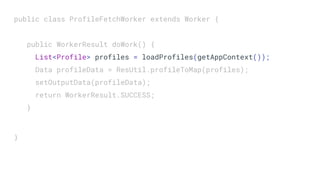
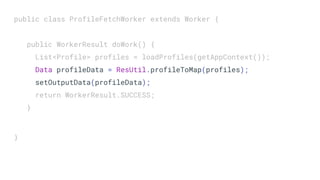
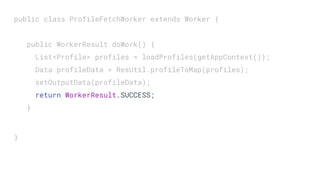
public class ProfileFetchWorker extends Worker {
public WorkerResult doWork() {
List<Profile> profiles = loadProfiles(getAppContext());
Data profileData = ResUtil.profileToMap(profiles);
setOutputData(profileData);
return WorkerResult.SUCCESS;
}
}
public class ProfileFetchWorker extends Worker {
public WorkerResult doWork() {
List<Profile> profiles = loadProfiles(getAppContext());
Data profileData = ResUtil.profileToMap(profiles);
setOutputData(profileData);
return WorkerResult.SUCCESS;
}
}
public class ProfileFetchWorker extends Worker {
public WorkerResult doWork() {
List<Profile> profiles = loadProfiles(getAppContext());
Data profileData = ResUtil.profileToMap(profiles);
setOutputData(profileData);
return WorkerResult.SUCCESS;
}
}
public class ProfileFetchWorker extends Worker {
public WorkerResult doWork() {
List<Profile> profiles = loadProfiles(getAppContext());
Data profileData = ResUtil.profileToMap(profiles);
setOutputData(profileData);
return WorkerResult.SUCCESS;
}
}
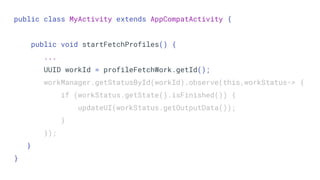
What about status update?
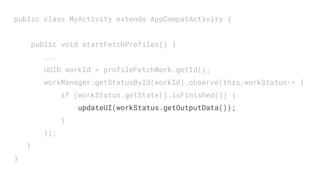
public class MyActivity extends AppCompatActivity {
public void startFetchProfiles() {
...
UUID workId = profileFetchWork.getId();
workManager.getStatusById(workId).observe(this,workStatus-> {
if (workStatus.getState().isFinished()) {
updateUI(workStatus.getOutputData());
}
});
}
}
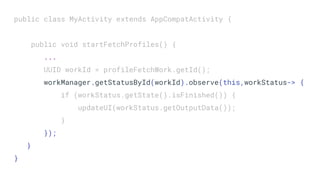
public class MyActivity extends AppCompatActivity {
public void startFetchProfiles() {
...
UUID workId = profileFetchWork.getId();
workManager.getStatusById(workId).observe(this,workStatus-> {
if (workStatus.getState().isFinished()) {
updateUI(workStatus.getOutputData());
}
});
}
}
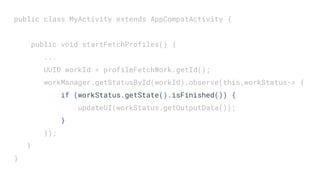
public class MyActivity extends AppCompatActivity {
public void startFetchProfiles() {
...
UUID workId = profileFetchWork.getId();
workManager.getStatusById(workId).observe(this,workStatus-> {
if (workStatus.getState().isFinished()) {
updateUI(workStatus.getOutputData());
}
});
}
}
public class MyActivity extends AppCompatActivity {
public void startFetchProfiles() {
...
UUID workId = profileFetchWork.getId();
workManager.getStatusById(workId).observe(this,workStatus-> {
if (workStatus.getState().isFinished()) {
updateUI(workStatus.getOutputData());
}
});
}
}
MV{x} pattern
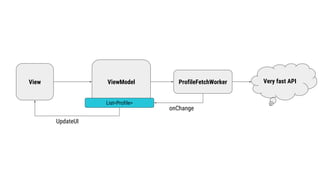
View ViewModel Very fast API
List<Profile>
UpdateUI
ProfileFetchWorker
onChange
Get
Profiles
ProfileDao
View ViewModel
Profile
Repository
ProfileNetworkDataSource
SQLite
Very fast API
Room
LiveData<List<Profile>
LiveData<Profile[]>
Observe
Observe
LifecycleOwner
Load
Profiles
ProfileFetchWorker
Get
Profiles
ProfileDao
View ViewModel
Profile
Repository
ProfileNetworkDataSource
SQLite
Very fast API
Room
LiveData<List<Profile>
MutableLiveData<Profile[]>
Observe
Observe
LifecycleOwner
Load
Profiles
ProfileFetchWorker
LiveData<WorkStatus>
insert
ProfileDao
View ViewModel
Profile
Repository
ProfileNetworkDataSource
SQLite
Very fast API
Room
LiveData<List<Profile>
MutableLiveData<Profile[]>
onChange
LifecycleOwner
ProfileFetchWorker
LiveData<WorkStatus>
onChange
onChange
onChange
success
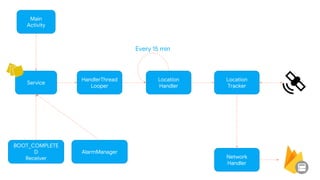
Get Location
Main
Activity
Service
HandlerThread
Looper
Location
Handler
Network
Handler
Location
Tracker
BOOT_COMPLETE
D
Receiver
AlarmManager
Every 15 min
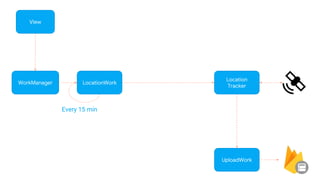
View
WorkManager
UploadWork
Location
Tracker
Every 15 min
LocationWork
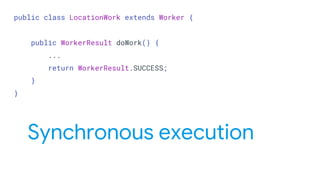
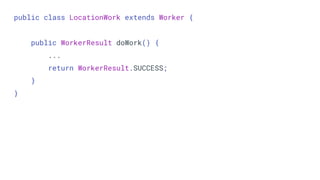
public class LocationWork extends Worker {
public WorkerResult doWork() {
...
return WorkerResult.SUCCESS;
}
}
Synchronous execution
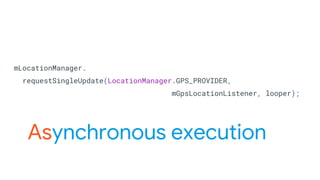
mLocationManager.
requestSingleUpdate(LocationManager.GPS_PROVIDER,
mGpsLocationListener, looper);
Asynchronous execution
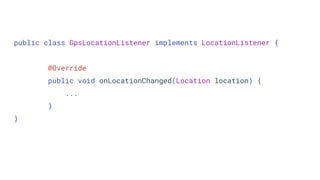
public class GpsLocationListener implements LocationListener {
@Override
public void onLocationChanged(Location location) {
...
}
}
public class LocationWork extends Worker {
public WorkerResult doWork() {
...
return WorkerResult.SUCCESS;
}
}
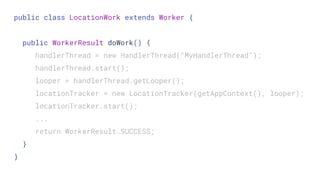
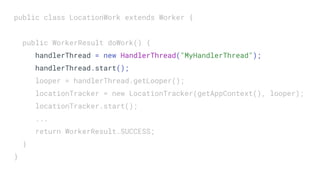
public class LocationWork extends Worker {
public WorkerResult doWork() {
handlerThread = new HandlerThread("MyHandlerThread");
handlerThread.start();
looper = handlerThread.getLooper();
locationTracker = new LocationTracker(getAppContext(), looper);
locationTracker.start();
...
return WorkerResult.SUCCESS;
}
}
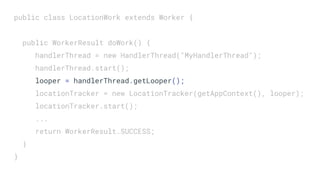
public class LocationWork extends Worker {
public WorkerResult doWork() {
handlerThread = new HandlerThread("MyHandlerThread");
handlerThread.start();
looper = handlerThread.getLooper();
locationTracker = new LocationTracker(getAppContext(), looper);
locationTracker.start();
...
return WorkerResult.SUCCESS;
}
}
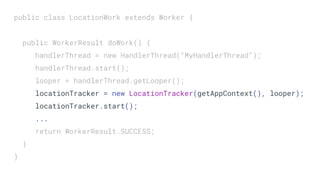
public class LocationWork extends Worker {
public WorkerResult doWork() {
handlerThread = new HandlerThread("MyHandlerThread");
handlerThread.start();
looper = handlerThread.getLooper();
locationTracker = new LocationTracker(getAppContext(), looper);
locationTracker.start();
...
return WorkerResult.SUCCESS;
}
}
public class LocationWork extends Worker {
public WorkerResult doWork() {
handlerThread = new HandlerThread("MyHandlerThread");
handlerThread.start();
looper = handlerThread.getLooper();
locationTracker = new LocationTracker(getAppContext(), looper);
locationTracker.start();
...
return WorkerResult.SUCCESS;
}
}
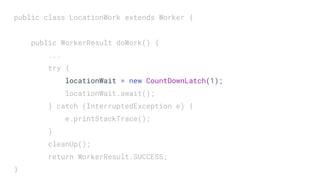
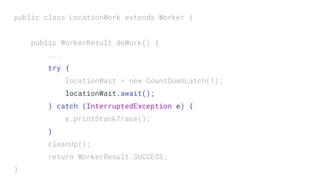
public class LocationWork extends Worker {
public WorkerResult doWork() {
...
try {
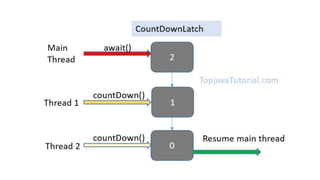
locationWait = new CountDownLatch(1);
locationWait.await();
} catch (InterruptedException e) {
e.printStackTrace();
}
cleanUp();
return WorkerResult.SUCCESS;
}
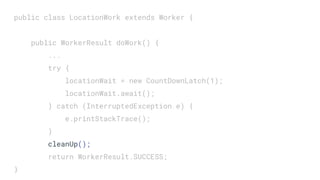
public class LocationWork extends Worker {
public WorkerResult doWork() {
...
try {
locationWait = new CountDownLatch(1);
locationWait.await();
} catch (InterruptedException e) {
e.printStackTrace();
}
cleanUp();
return WorkerResult.SUCCESS;
}
public class LocationWork extends Worker {
public WorkerResult doWork() {
...
try {
locationWait = new CountDownLatch(1);
locationWait.await();
} catch (InterruptedException e) {
e.printStackTrace();
}
cleanUp();
return WorkerResult.SUCCESS;
}
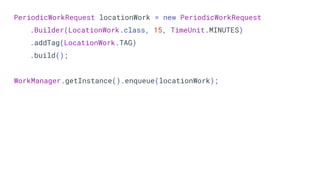
PeriodicWorkRequest locationWork = new PeriodicWorkRequest
.Builder(LocationWork.class, 15, TimeUnit.MINUTES)
.addTag(LocationWork.TAG)
.build();
WorkManager.getInstance().enqueue(locationWork);
What’s next?
UploadWorker
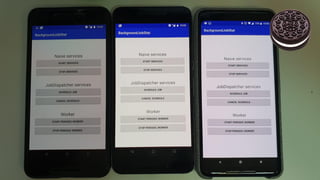
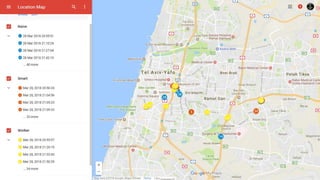
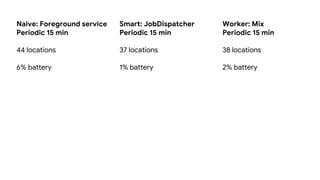
Naive: Foreground service
Periodic 15 min
44 locations
6% battery
Smart: JobDispatcher
Periodic 15 min
37 locations
1% battery
Worker: Mix
Periodic 15 min
38 locations
2% battery
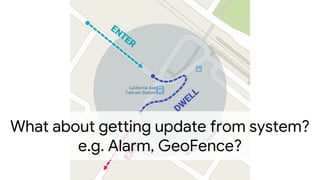
What about getting update from system?
e.g. Alarm, GeoFence?
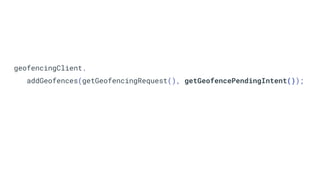
geofencingClient.
addGeofences(getGeofencingRequest(), getGeofencePendingIntent());
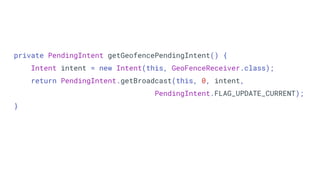
private PendingIntent getGeofencePendingIntent() {
Intent intent = new Intent(this, GeoFenceReceiver.class);
return PendingIntent.getBroadcast(this, 0, intent,
PendingIntent.FLAG_UPDATE_CURRENT);
}
private PendingIntent getGeofencePendingIntent() {
Intent intent = new Intent(this, GeoFenceReceiver.class);
return PendingIntent.getBroadcast(this, 0, intent,
PendingIntent.FLAG_UPDATE_CURRENT);
}
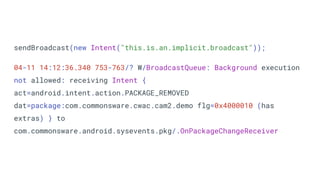
WHY?
sendBroadcast(new Intent("this.is.an.implicit.broadcast"));
04-11 14:12:36.340 753-763/? W/BroadcastQueue: Background execution
not allowed: receiving Intent {
act=android.intent.action.PACKAGE_REMOVED
dat=package:com.commonsware.cwac.cam2.demo flg=0x4000010 (has
extras) } to
com.commonsware.android.sysevents.pkg/.OnPackageChangeReceiver
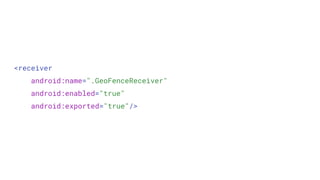
<receiver
android:name=".GeoFenceReceiver"
android:enabled="true"
android:exported="true"/>
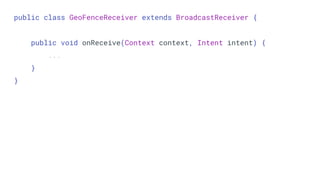
public class GeoFenceReceiver extends BroadcastReceiver {
public void onReceive(Context context, Intent intent) {
...
}
}
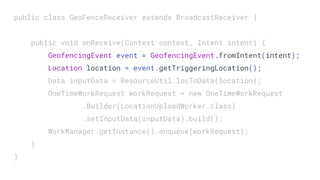
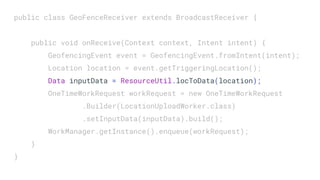
public class GeoFenceReceiver extends BroadcastReceiver {
public void onReceive(Context context, Intent intent) {
GeofencingEvent event = GeofencingEvent.fromIntent(intent);
Location location = event.getTriggeringLocation();
Data inputData = ResourceUtil.locToData(location);
OneTimeWorkRequest workRequest = new OneTimeWorkRequest
.Builder(LocationUploadWorker.class)
.setInputData(inputData).build();
WorkManager.getInstance().enqueue(workRequest);
}
}
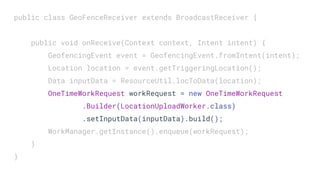
public class GeoFenceReceiver extends BroadcastReceiver {
public void onReceive(Context context, Intent intent) {
GeofencingEvent event = GeofencingEvent.fromIntent(intent);
Location location = event.getTriggeringLocation();
Data inputData = ResourceUtil.locToData(location);
OneTimeWorkRequest workRequest = new OneTimeWorkRequest
.Builder(LocationUploadWorker.class)
.setInputData(inputData).build();
WorkManager.getInstance().enqueue(workRequest);
}
}
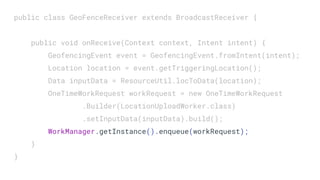
public class GeoFenceReceiver extends BroadcastReceiver {
public void onReceive(Context context, Intent intent) {
GeofencingEvent event = GeofencingEvent.fromIntent(intent);
Location location = event.getTriggeringLocation();
Data inputData = ResourceUtil.locToData(location);
OneTimeWorkRequest workRequest = new OneTimeWorkRequest
.Builder(LocationUploadWorker.class)
.setInputData(inputData).build();
WorkManager.getInstance().enqueue(workRequest);
}
}
public class GeoFenceReceiver extends BroadcastReceiver {
public void onReceive(Context context, Intent intent) {
GeofencingEvent event = GeofencingEvent.fromIntent(intent);
Location location = event.getTriggeringLocation();
Data inputData = ResourceUtil.locToData(location);
OneTimeWorkRequest workRequest = new OneTimeWorkRequest
.Builder(LocationUploadWorker.class)
.setInputData(inputData).build();
WorkManager.getInstance().enqueue(workRequest);
}
}
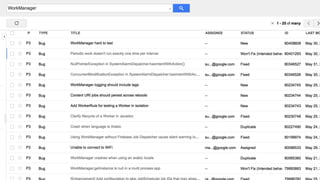
Alpha Version
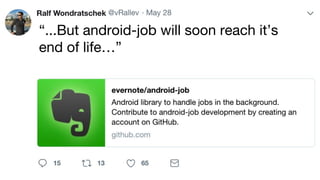
“...But android-job will soon reach it’s
end of life…”
parahall

Mobile Fest 2018. Yonatan Levin. WTF with Android Background Restrictions