Analyzing in Depth Work Manager
@bhatnagar_g @rohankandwal
Existing Problems
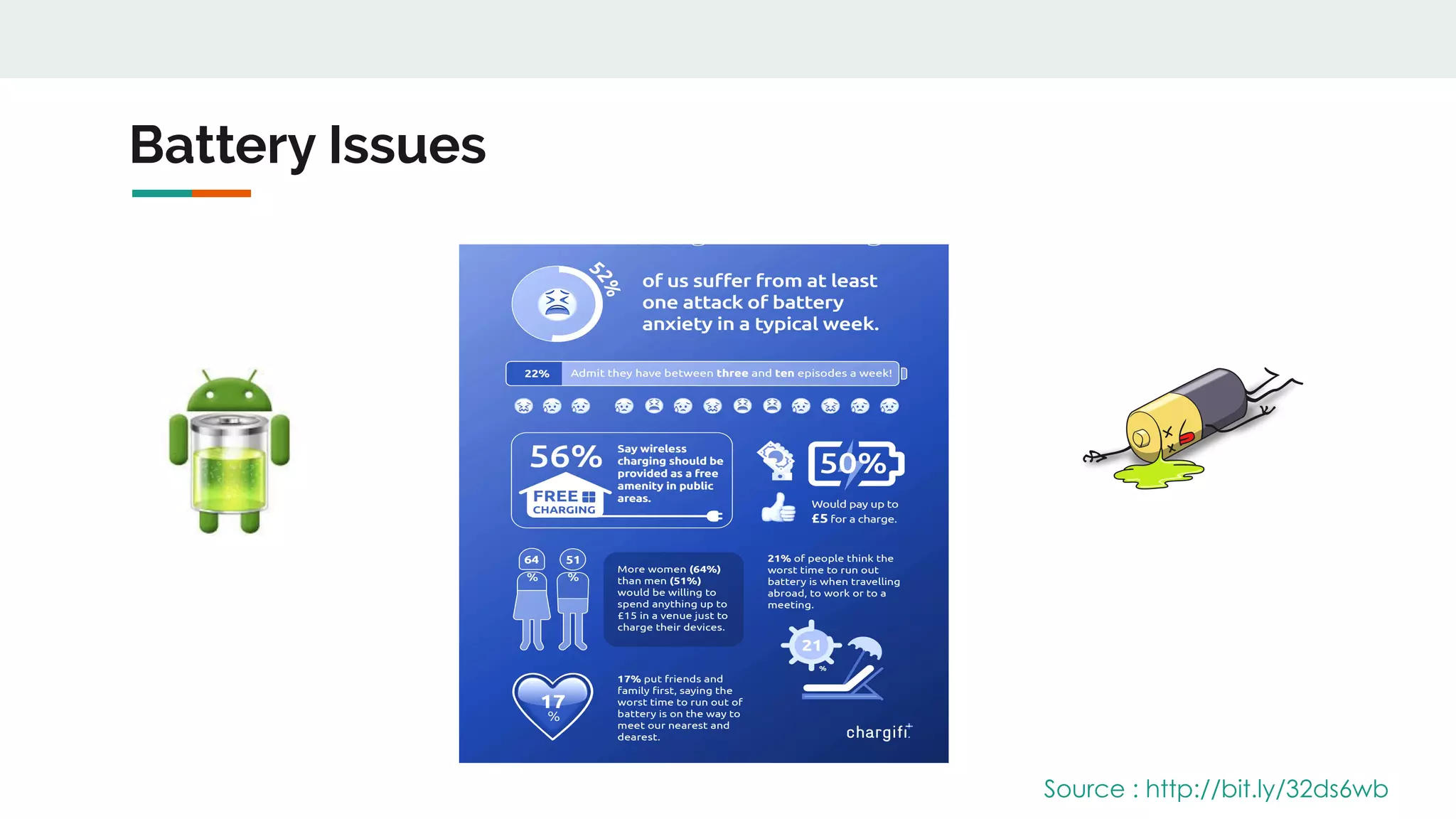
Battery Issues
Source : http://bit.ly/32ds6wb
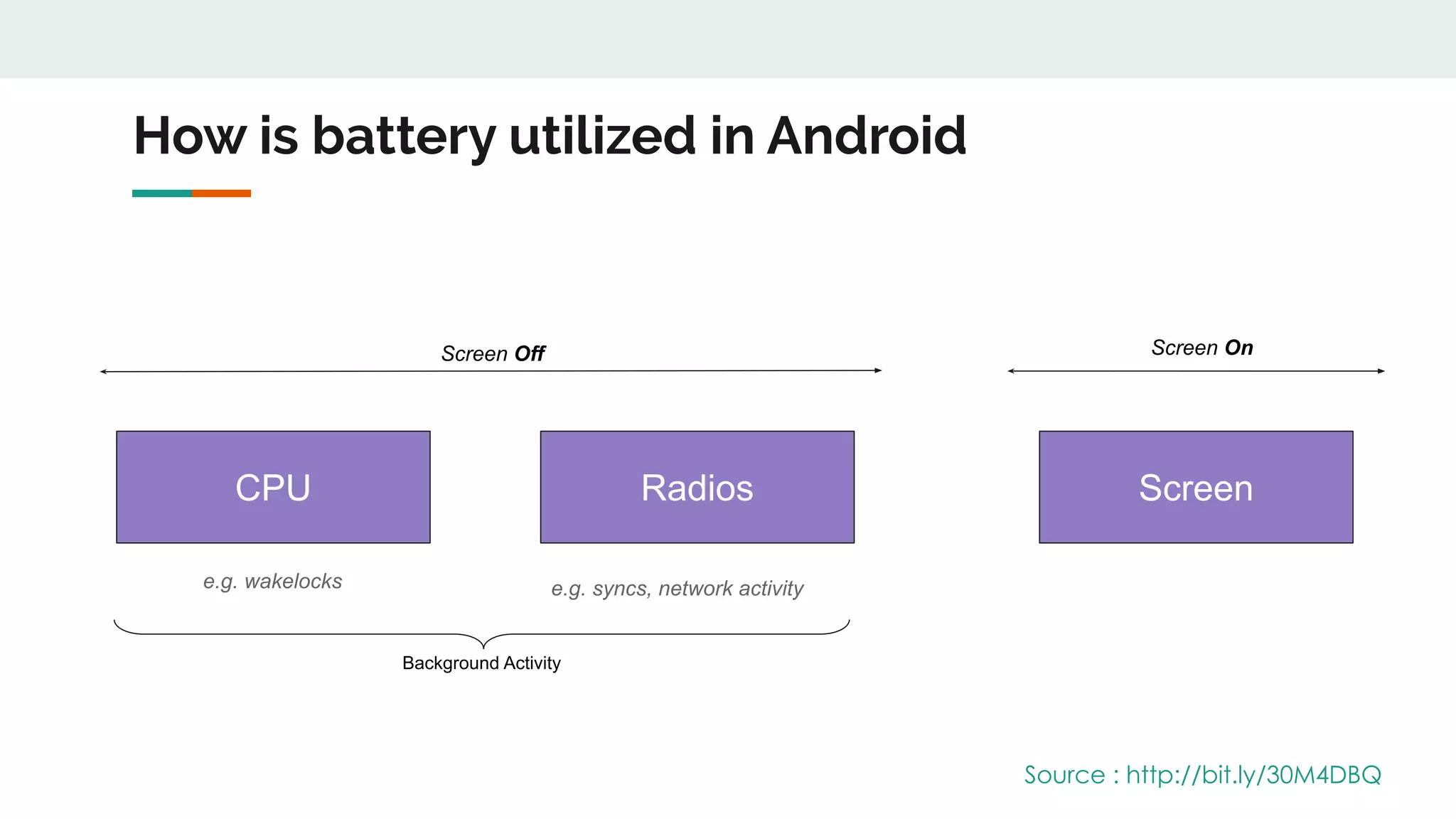
How is battery utilized in Android
Screen Off Screen On
CPU Radios Screen
e.g. wakelocks e.g. syncs, network activity
Background Activity
Source : http://bit.ly/30M4DBQ
Existing battery saving techniques
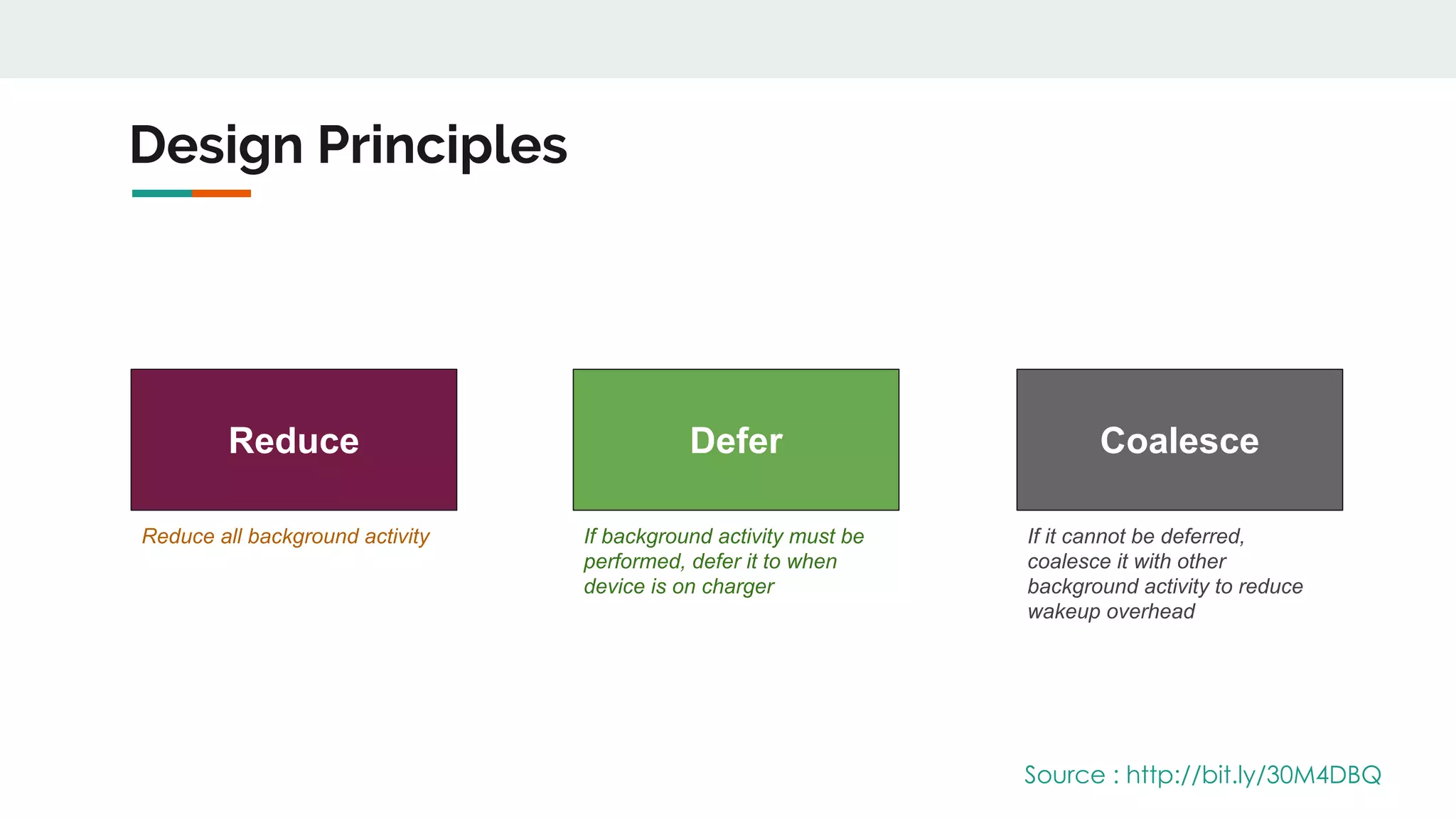
Design Principles
Reduce Defer Coalesce
Reduce all background activity If background activity must be
performed, defer it to when
device is on charger
If it cannot be deferred,
coalesce it with other
background activity to reduce
wakeup overhead
Source : http://bit.ly/30M4DBQ
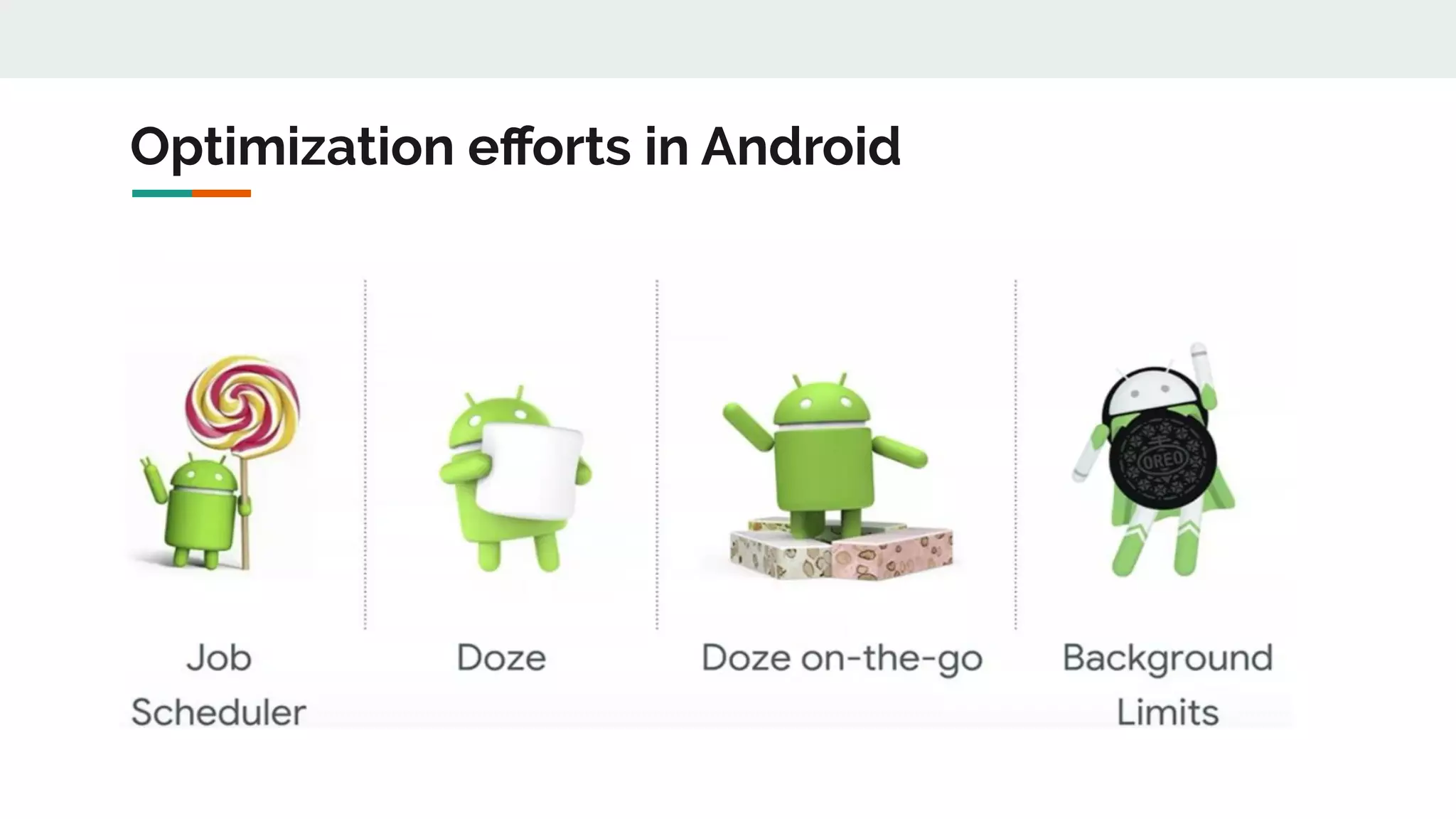
Optimization efforts in Android
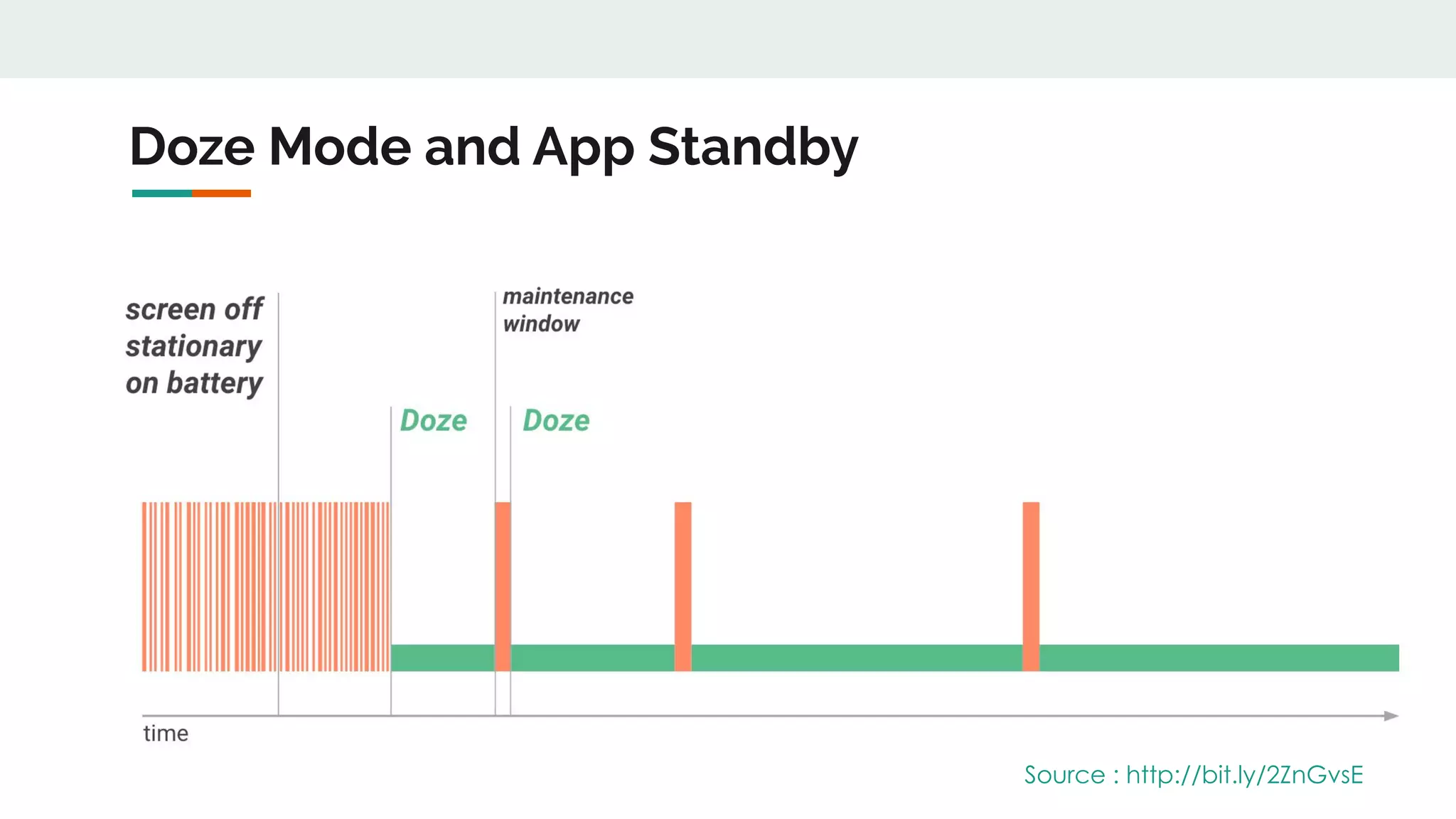
Doze Mode and App Standby
Source : http://bit.ly/2ZnGvsE
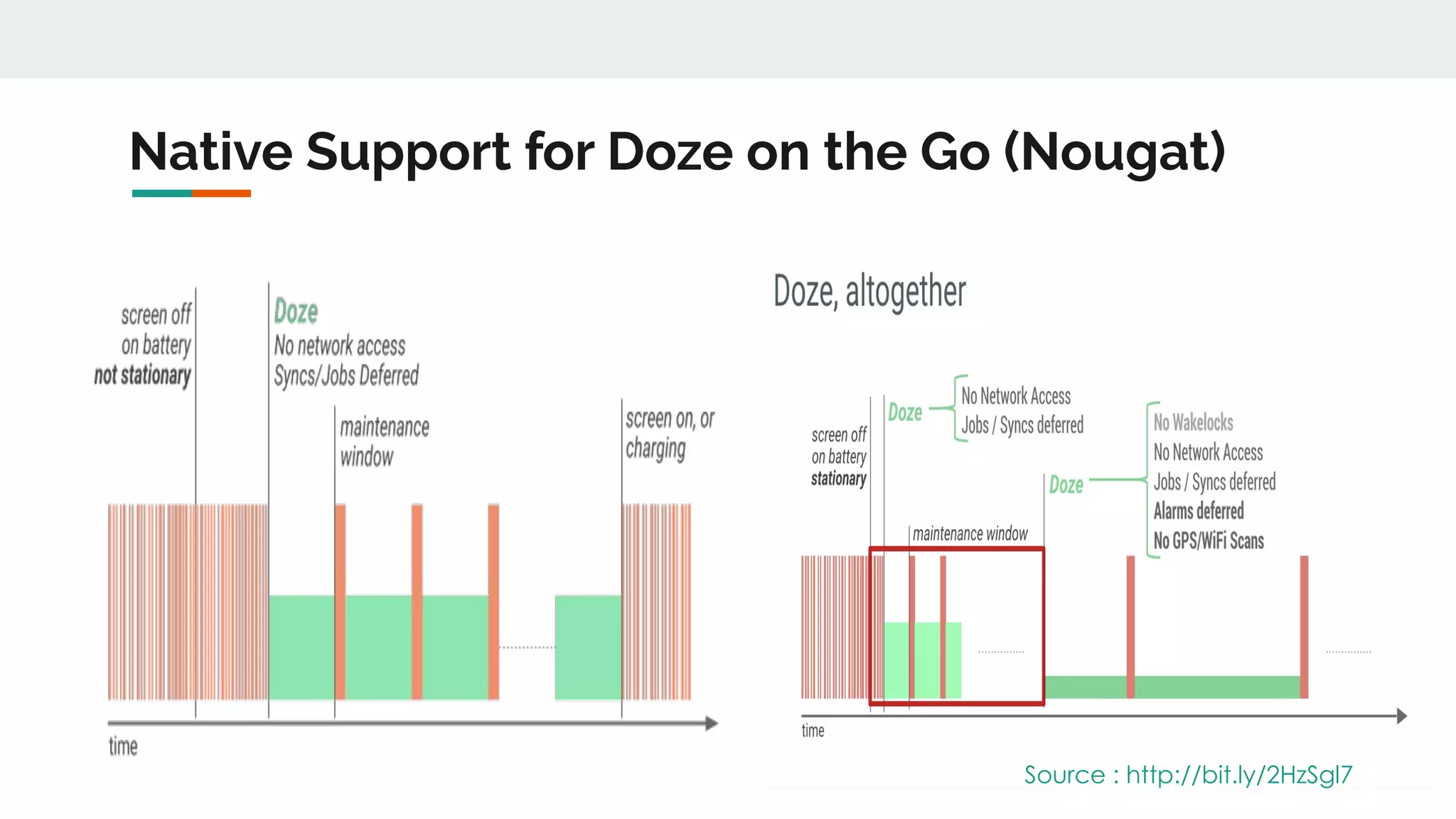
Native Support for Doze on the Go (Nougat)
Source : http://bit.ly/2HzSgl7
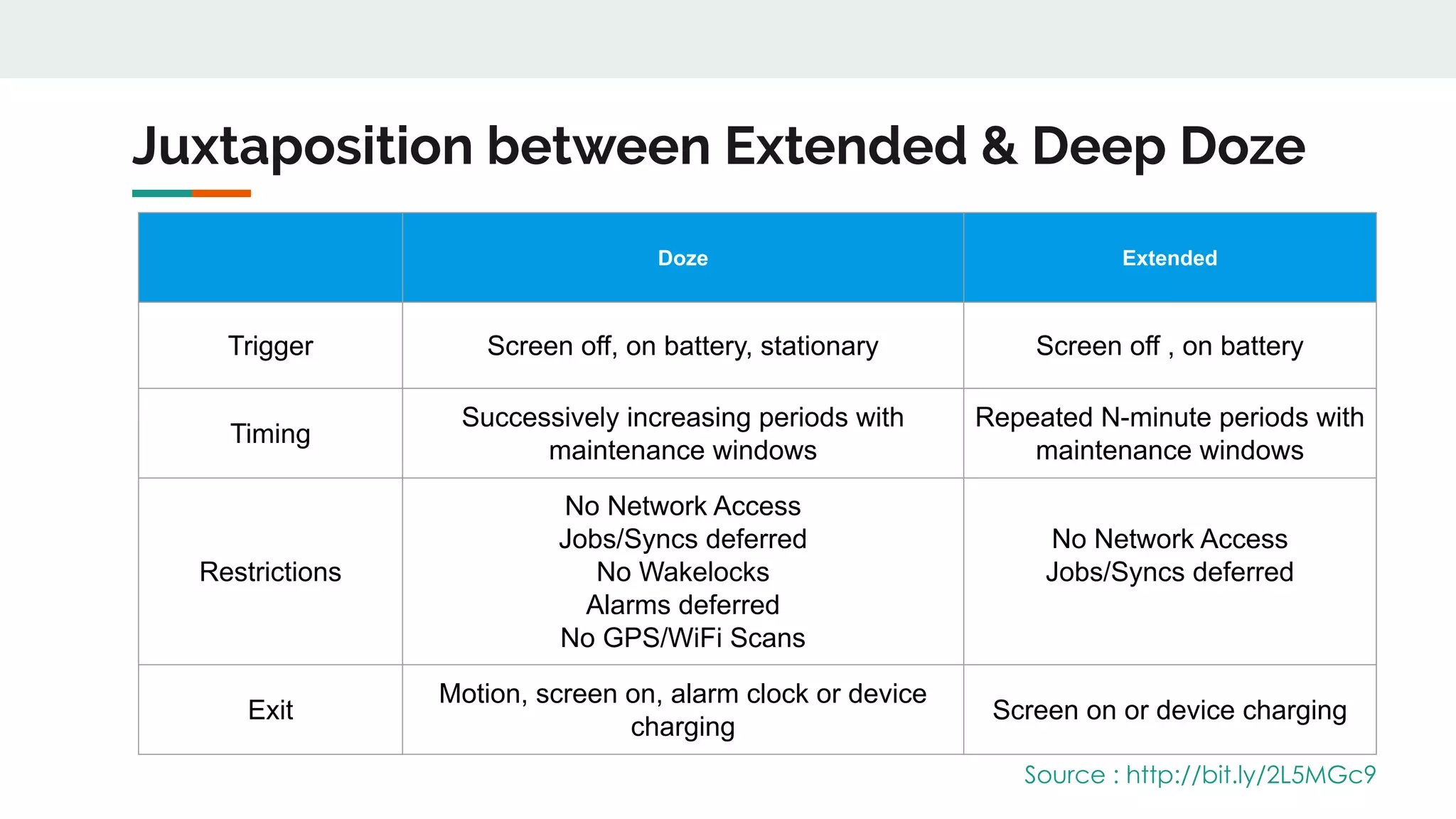
Juxtaposition between Extended & Deep Doze
Doze Extended
Trigger Screen off, on battery, stationary Screen off , on battery
Timing
Successively increasing periods with
maintenance windows
Repeated N-minute periods with
maintenance windows
Restrictions
No Network Access
Jobs/Syncs deferred
No Wakelocks
Alarms deferred
No GPS/WiFi Scans
No Network Access
Jobs/Syncs deferred
Exit
Motion, screen on, alarm clock or device
charging
Screen on or device charging
Source : http://bit.ly/2L5MGc9
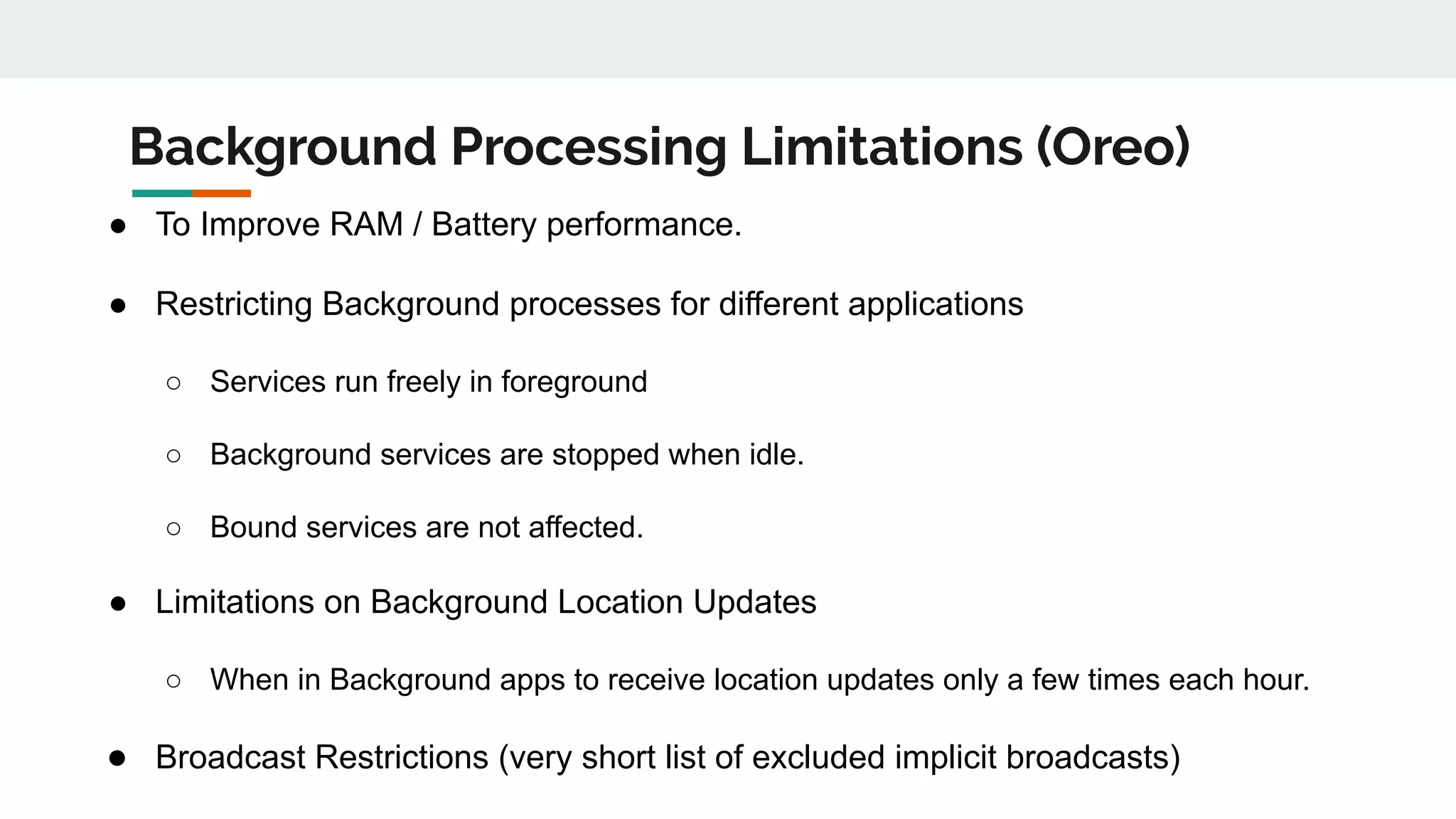
Background Processing Limitations (Oreo)
● To Improve RAM / Battery performance.
● Restricting Background processes for different applications
○ Services run freely in foreground
○ Background services are stopped when idle.
○ Bound services are not affected.
● Limitations on Background Location Updates
○ When in Background apps to receive location updates only a few times each hour.
● Broadcast Restrictions (very short list of excluded implicit broadcasts)
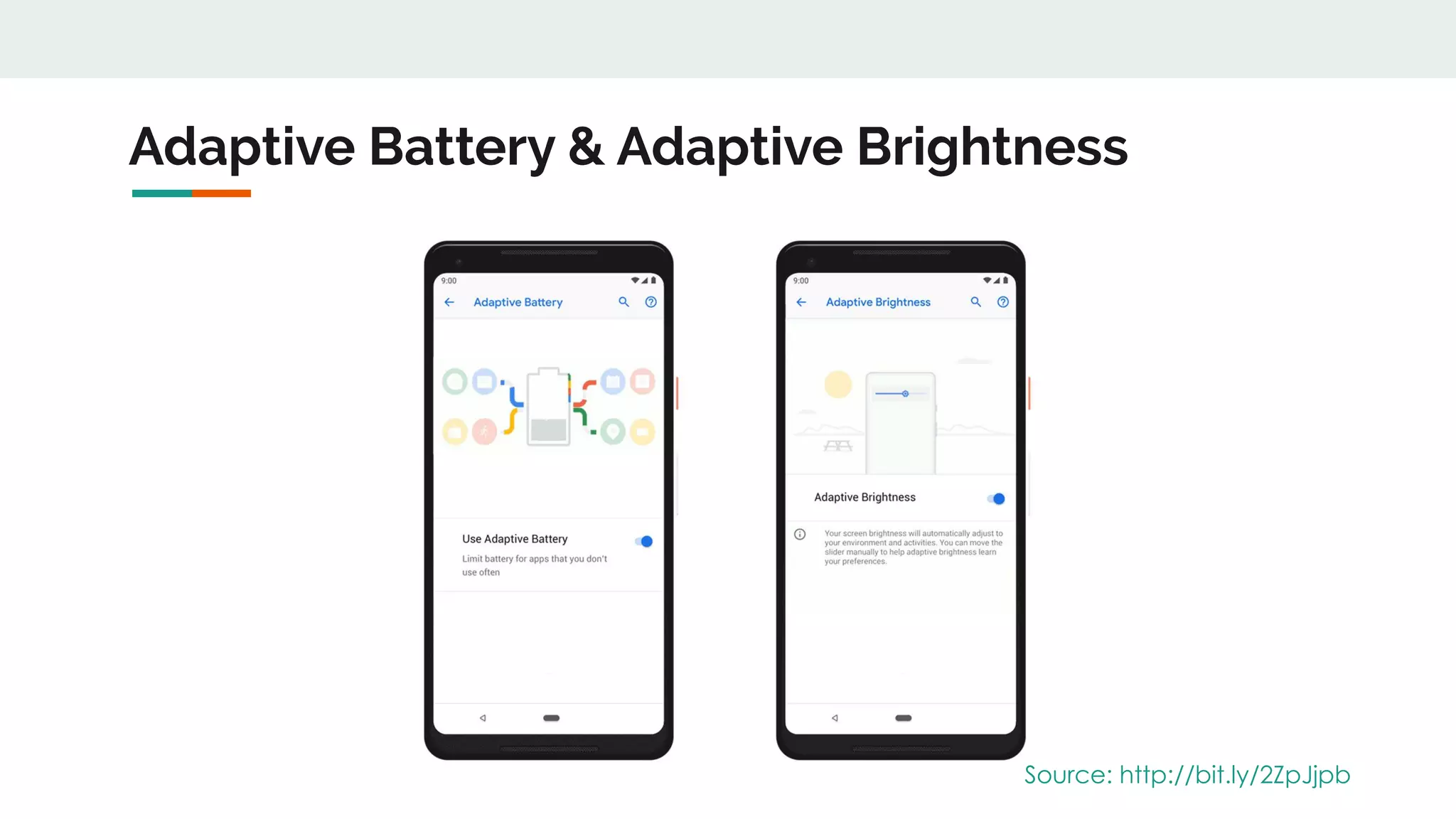
Adaptive Battery & Adaptive Brightness
Source: http://bit.ly/2ZpJjpb
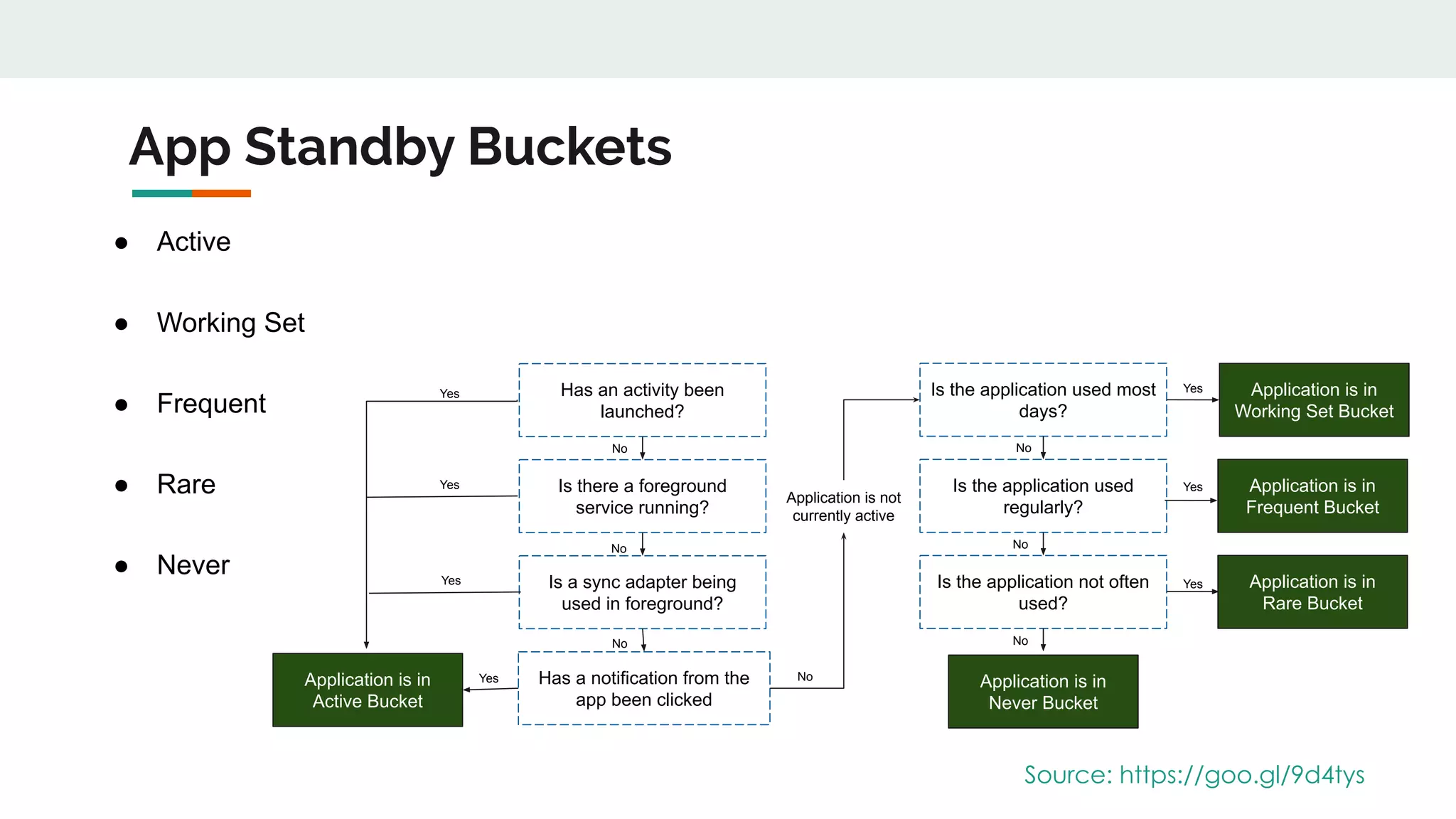
App Standby Buckets
● Active
● Working Set
● Frequent
● Rare
● Never
Source: https://goo.gl/9d4tys
Application is in
Active Bucket
Has a notification from the
app been clicked
Is a sync adapter being
used in foreground?
Is there a foreground
service running?
Has an activity been
launched?
Is the application not often
used?
Is the application used
regularly?
Is the application used most
days?
Application is in
Never Bucket
Application is in
Working Set Bucket
Application is in
Frequent Bucket
Application is in
Rare Bucket
Yes
Yes
Yes
Yes
Yes
Yes
Yes
No
No
No
Application is not
currently active
No
No
No
No
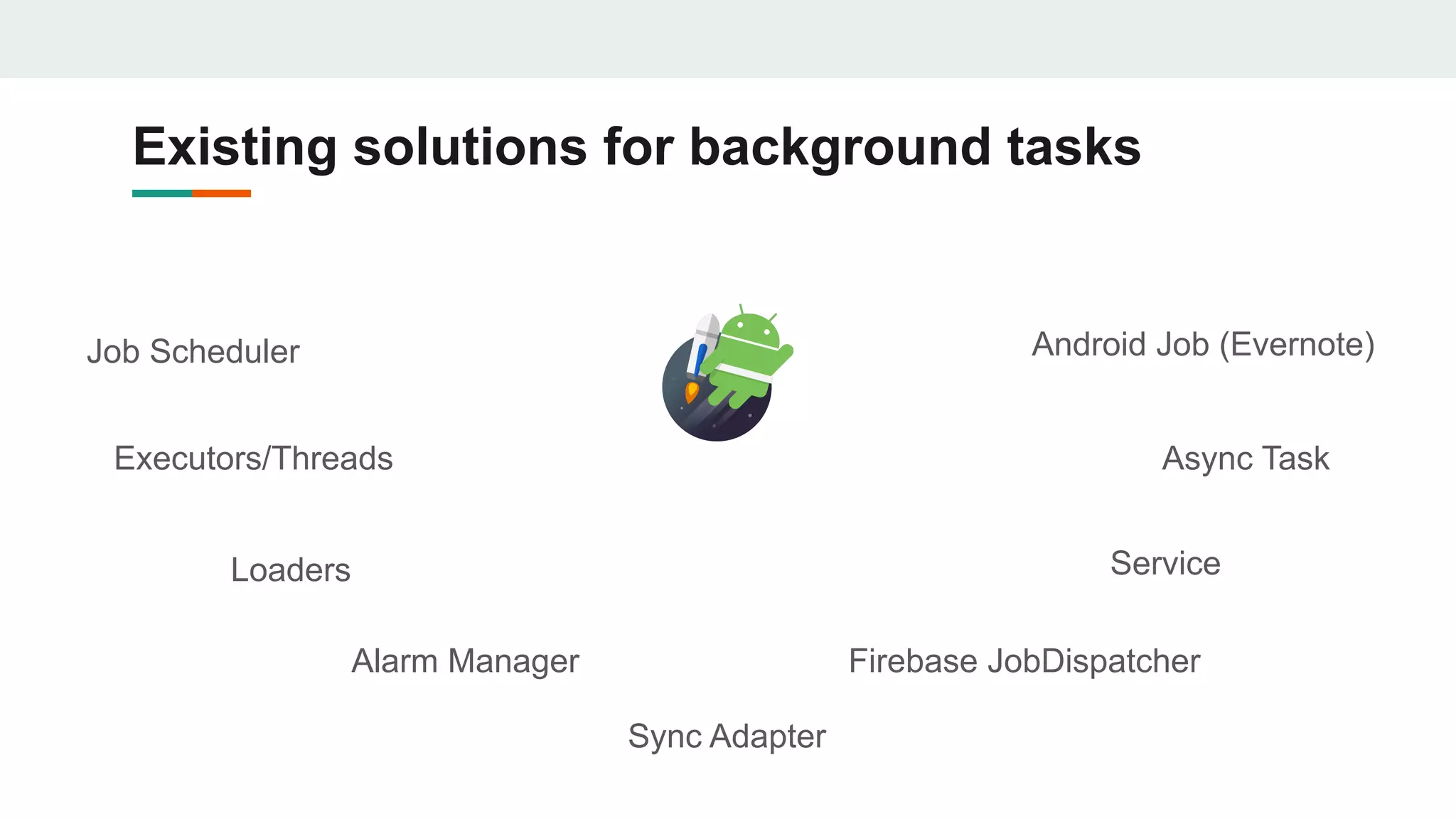
Existing solutions for background tasks
Async Task
Job Scheduler
Loaders
Alarm Manager
Sync Adapter
Firebase JobDispatcher
Service
Executors/Threads
Android Job (Evernote)
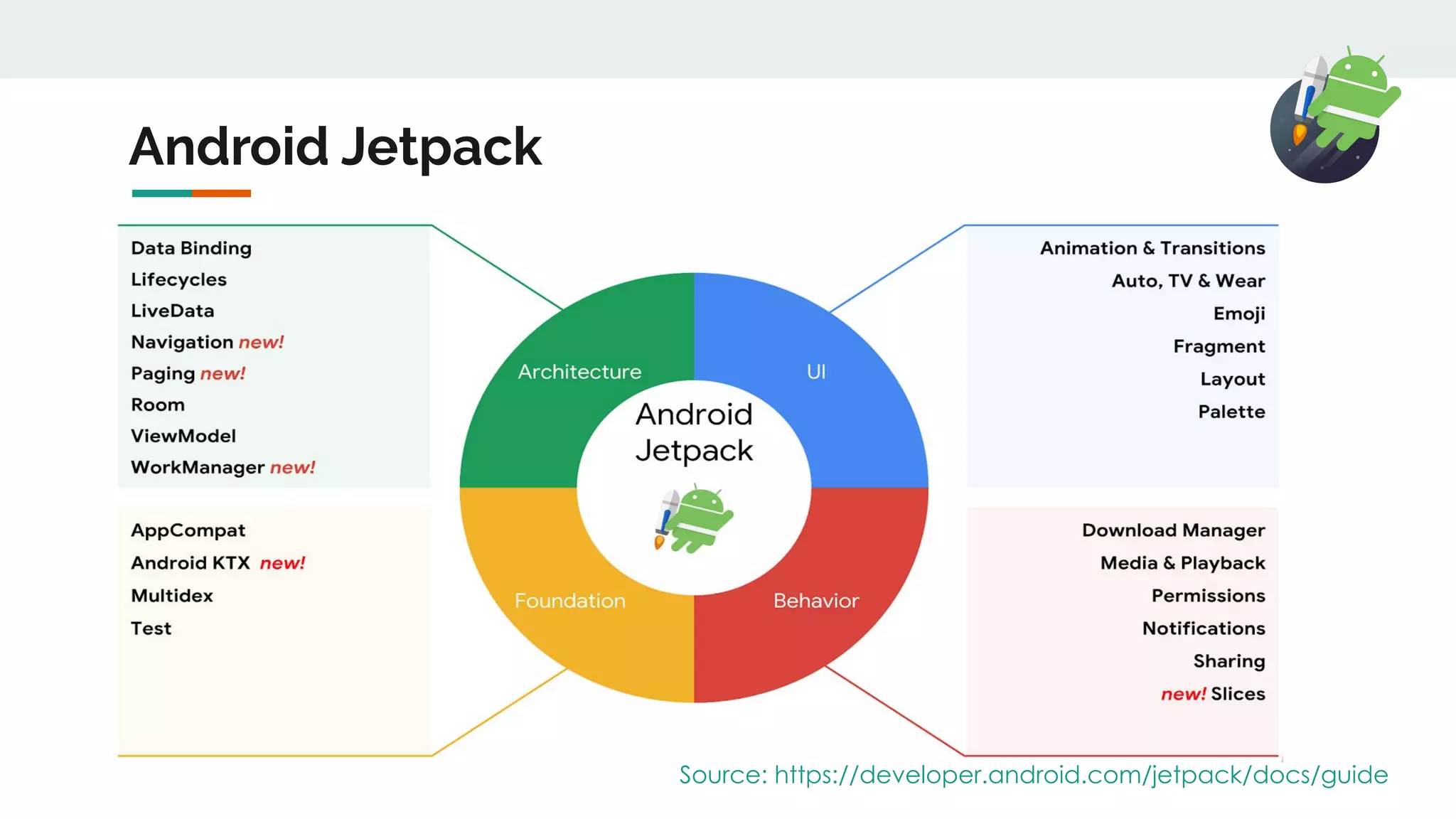
Android Jetpack
Source: https://developer.android.com/jetpack/docs/guide
Work Manager
Work Manager
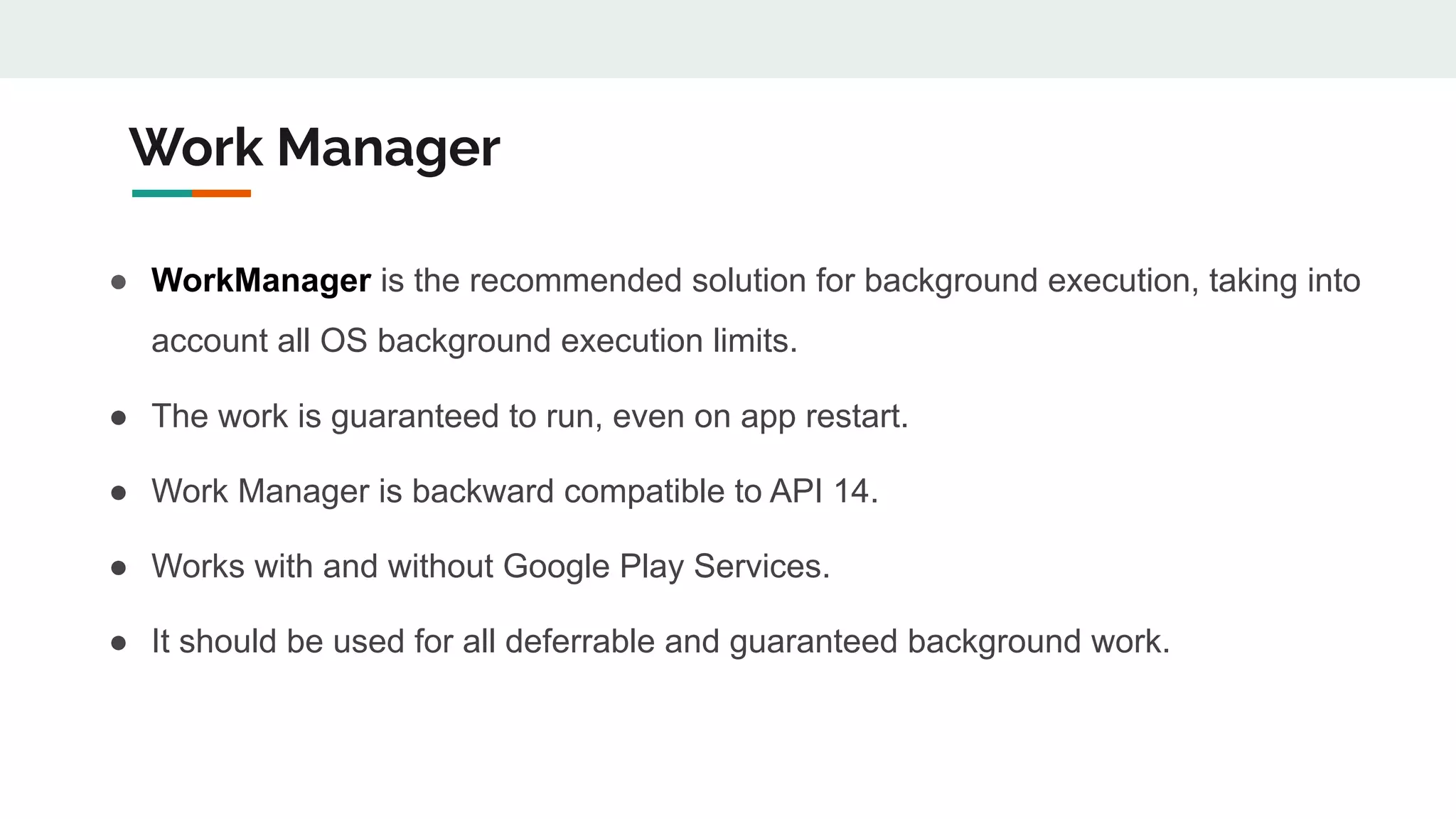
● WorkManager is the recommended solution for background execution, taking into
account all OS background execution limits.
● The work is guaranteed to run, even on app restart.
● Work Manager is backward compatible to API 14.
● Works with and without Google Play Services.
● It should be used for all deferrable and guaranteed background work.
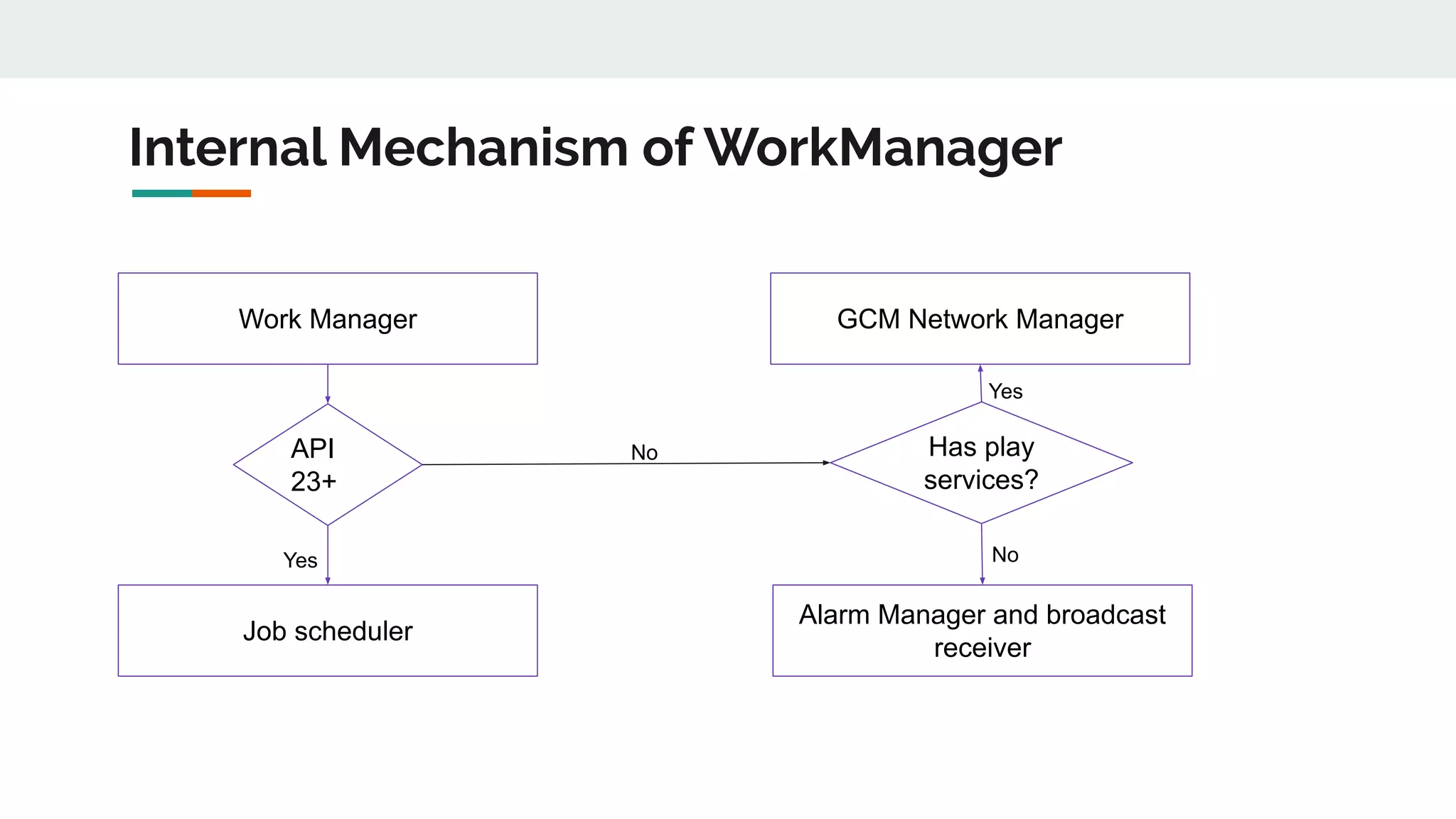
Internal Mechanism of WorkManager
Work Manager
API
23+
Job scheduler
Has play
services?
Alarm Manager and broadcast
receiver
GCM Network Manager
Yes
Yes
No
No
Worker
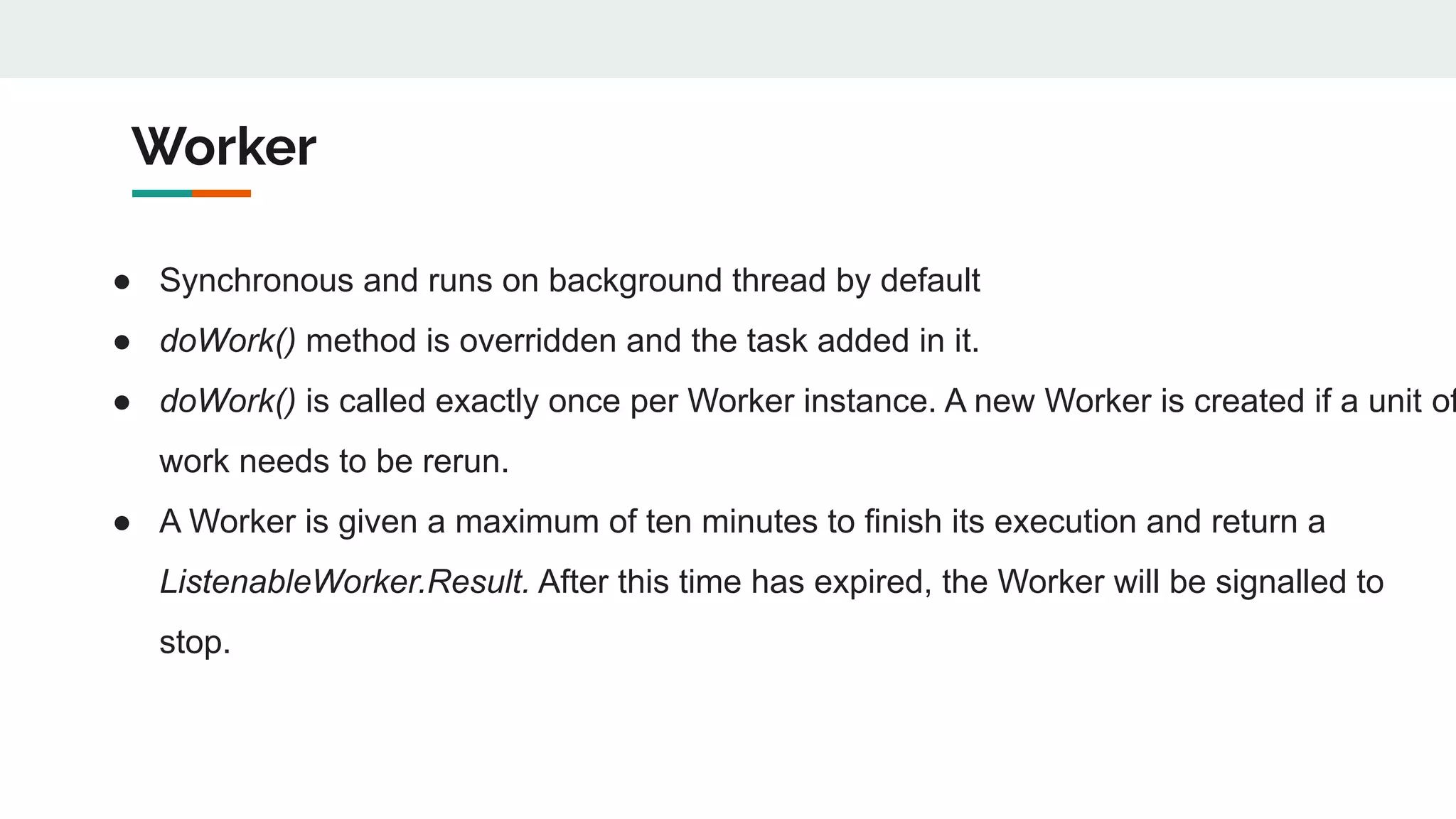
● Synchronous and runs on background thread by default
● doWork() method is overridden and the task added in it.
● doWork() is called exactly once per Worker instance. A new Worker is created if a unit of
work needs to be rerun.
● A Worker is given a maximum of ten minutes to finish its execution and return a
ListenableWorker.Result. After this time has expired, the Worker will be signalled to
stop.
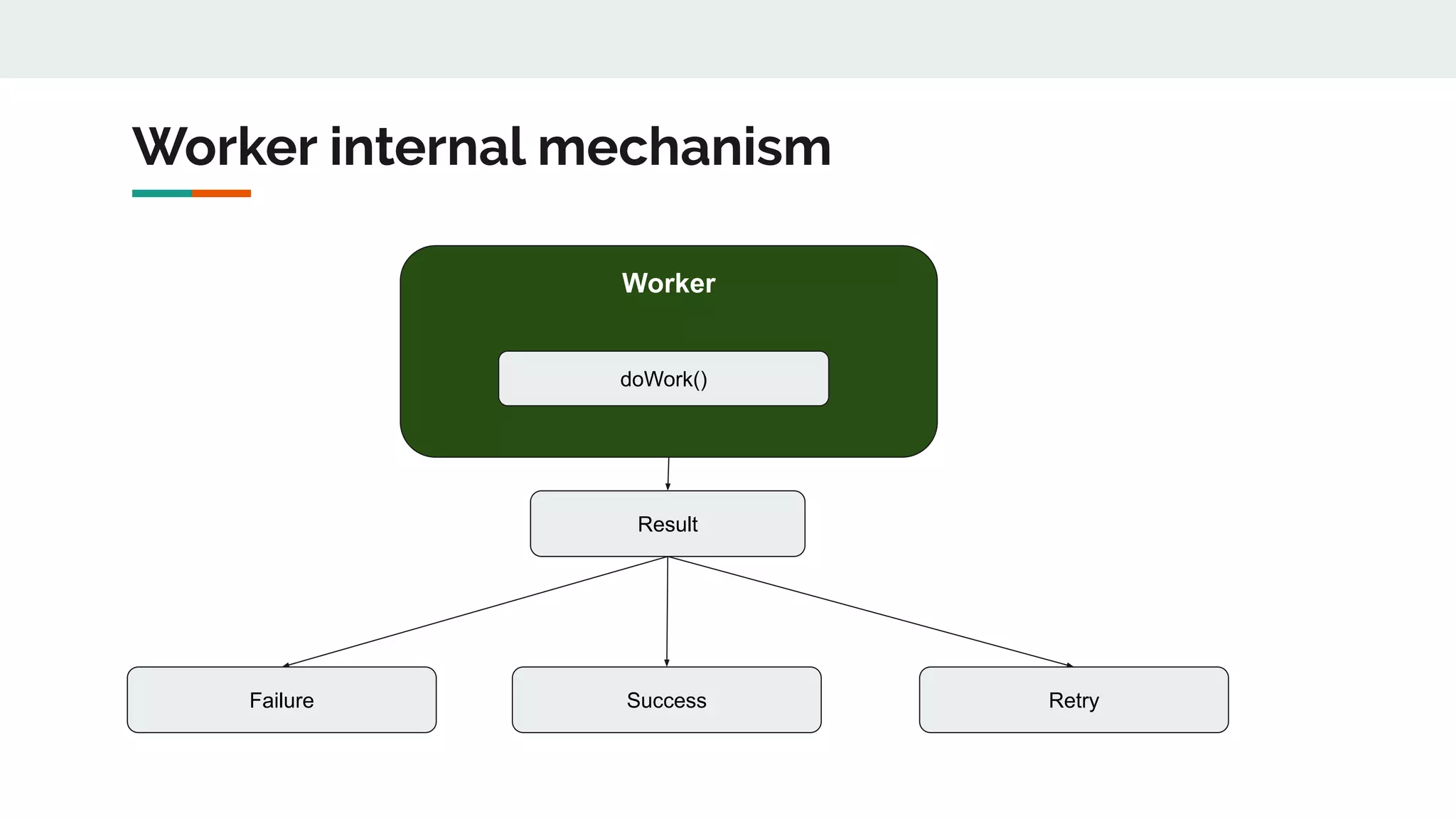
Worker internal mechanism
Worker
doWork()
Result
Failure Success Retry
ListenableWorker
● Work asynchronously
● Instantiated at runtime by the WorkerFactory specified in the Configuration.
● startWork() method performs all the task and runs on the main thread.
● New instance of ListenableWorker is case of a new or restarted work.
● Maximum of ten minutes to finish execution.
● Return a ListenableWorker.Result
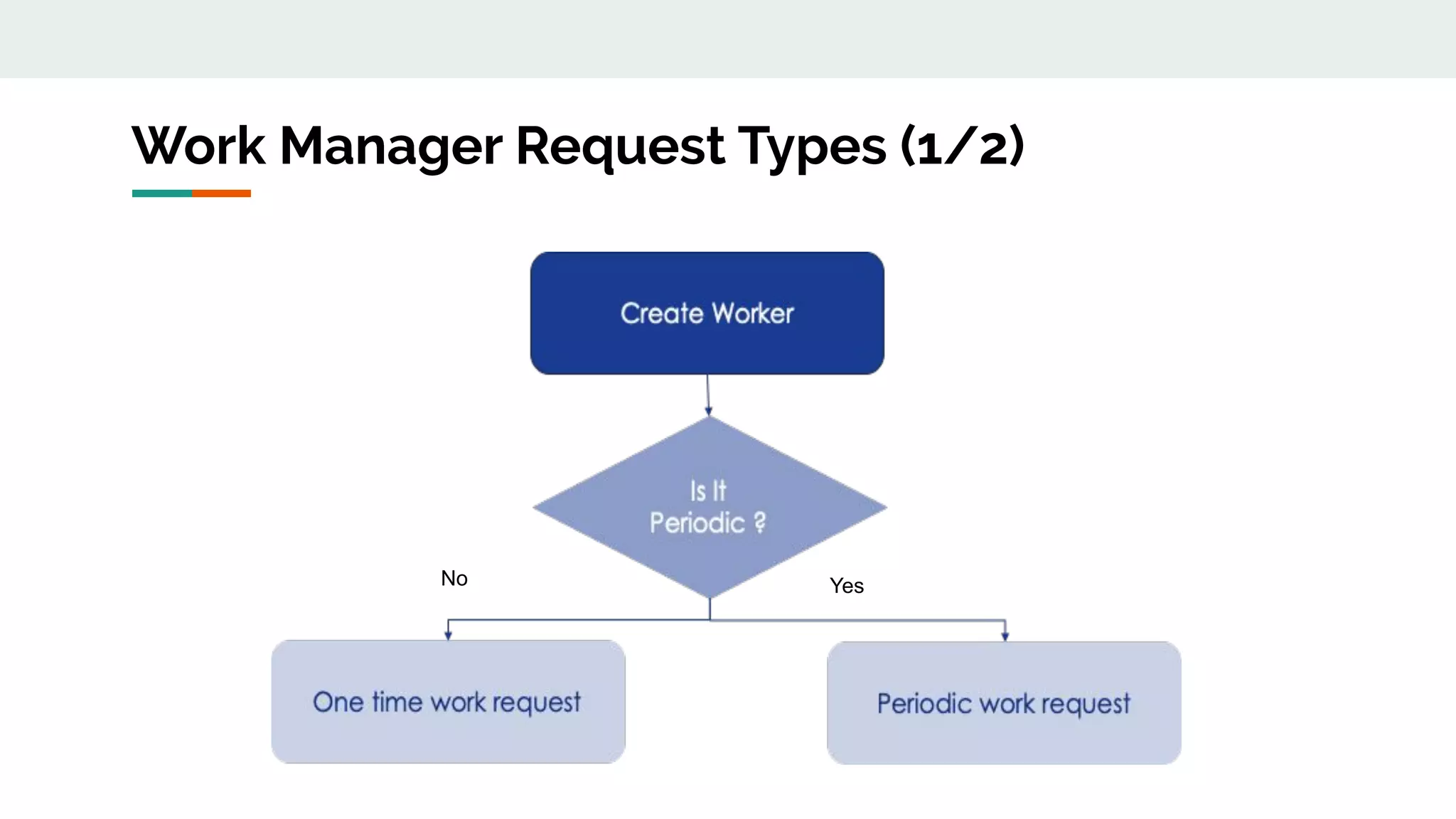
Work Manager Request Types (1/2)
YesNo
Work Manager Request Types (2/2)
1. One Time Request
a. It is used for non-repeating work which can be part of a chain
b. It could have an initial delay
c. It could be part of a chain or graph of work
2. Periodic Request
a. Used for tasks that need to execute periodically but interval has to be more than 15 minutes
which will be be in flex interval.
b. It cannot be part of a chain or graph of work
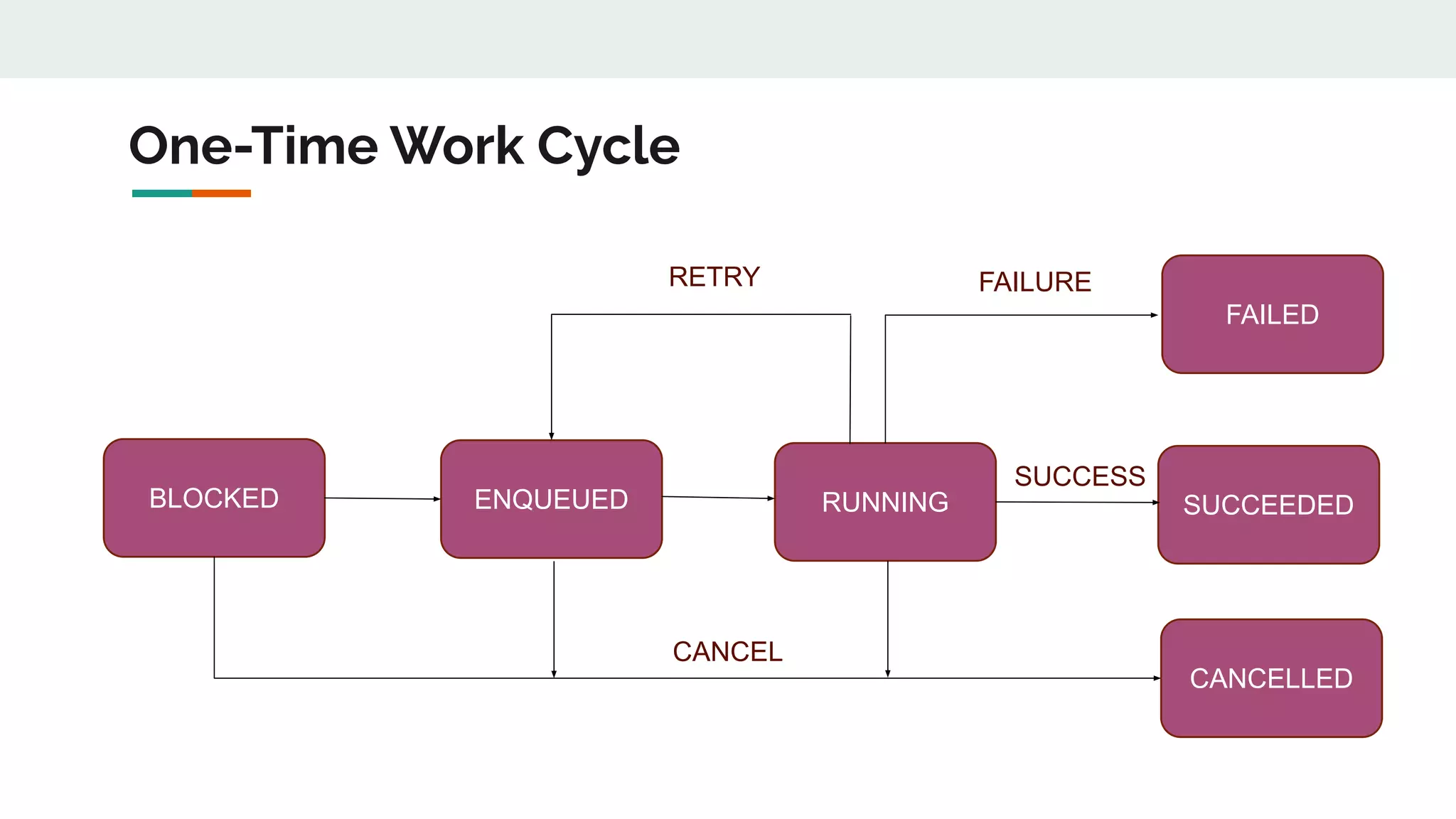
One-Time Work Cycle
BLOCKED ENQUEUED RUNNING SUCCEEDED
CANCELLED
FAILED
RETRY
CANCEL
FAILURE
SUCCESS
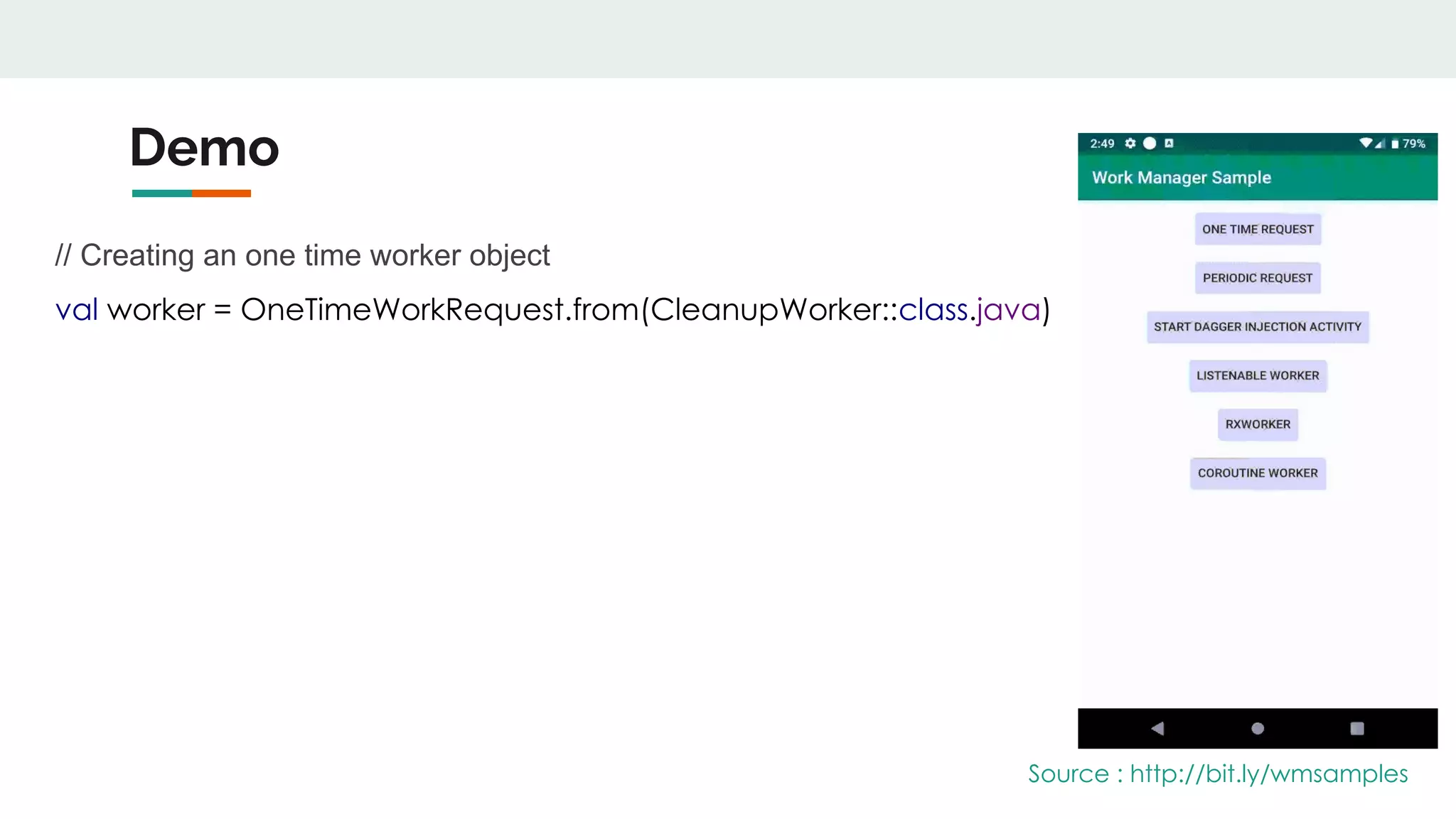
Demo
// Creating an one time worker object
val worker = OneTimeWorkRequest.from(CleanupWorker::class.java)
Source : http://bit.ly/wmsamples
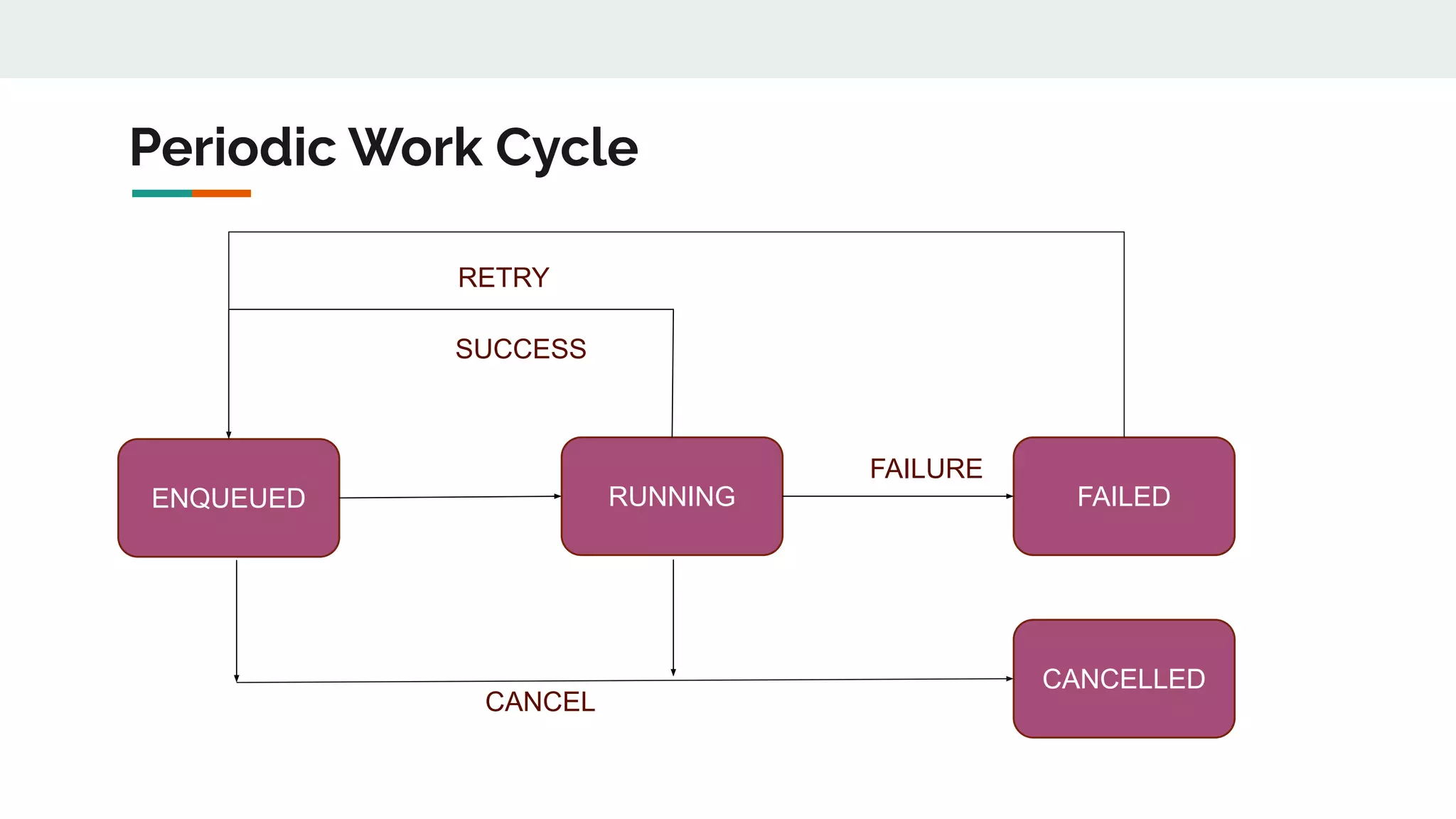
Periodic Work Cycle
ENQUEUED RUNNING
CANCELLED
FAILED
RETRY
CANCEL
SUCCESS
FAILURE
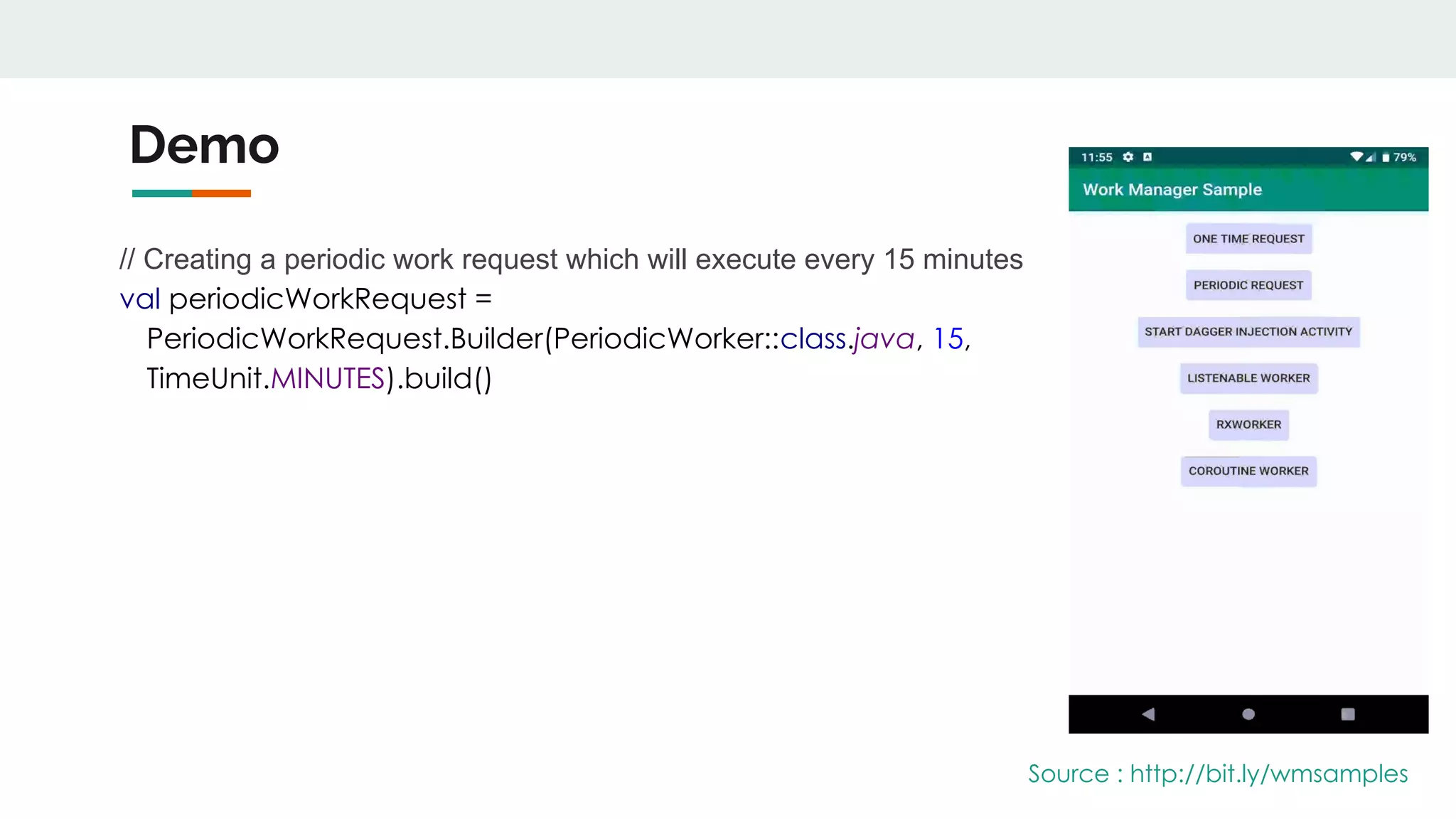
Demo
// Creating a periodic work request which will execute every 15 minutes
val periodicWorkRequest =
PeriodicWorkRequest.Builder(PeriodicWorker::class.java, 15,
TimeUnit.MINUTES).build()
Source : http://bit.ly/wmsamples
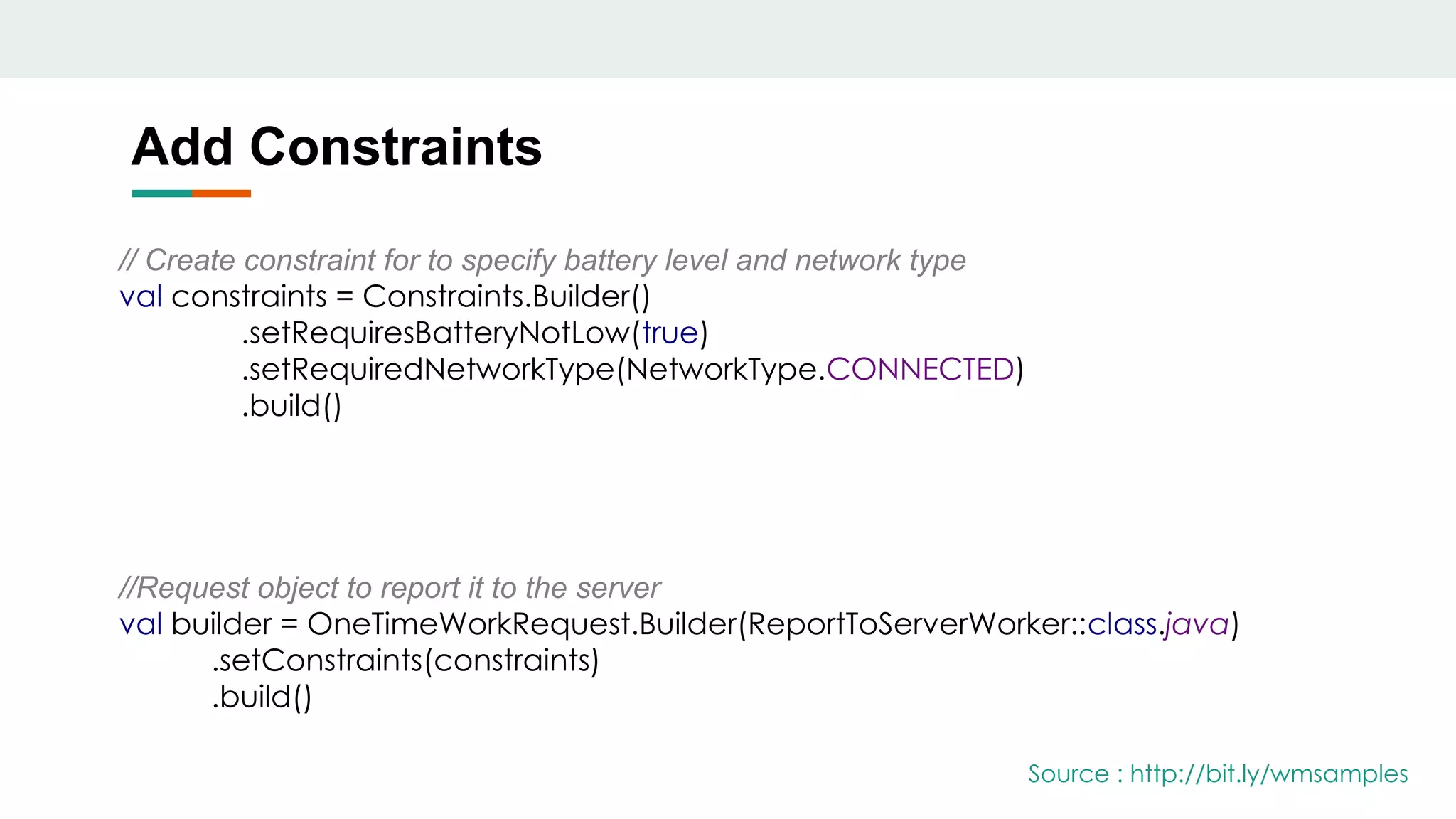
Add Constraints
// Create constraint for to specify battery level and network type
val constraints = Constraints.Builder()
.setRequiresBatteryNotLow(true)
.setRequiredNetworkType(NetworkType.CONNECTED)
.build()
//Request object to report it to the server
val builder = OneTimeWorkRequest.Builder(ReportToServerWorker::class.java)
.setConstraints(constraints)
.build()
Source : http://bit.ly/wmsamples
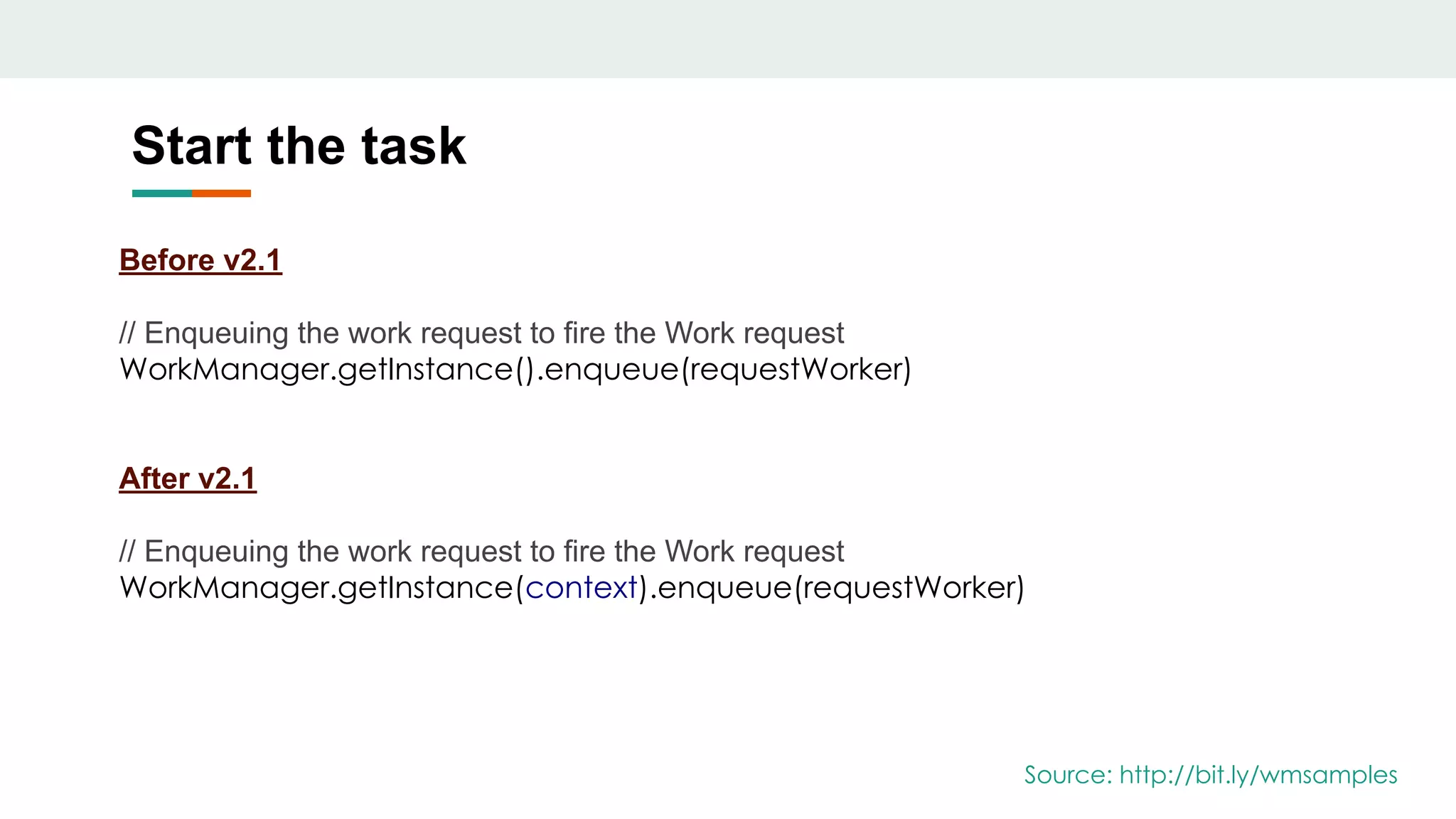
Start the task
Before v2.1
// Enqueuing the work request to fire the Work request
WorkManager.getInstance().enqueue(requestWorker)
After v2.1
// Enqueuing the work request to fire the Work request
WorkManager.getInstance(context).enqueue(requestWorker)
Source: http://bit.ly/wmsamples
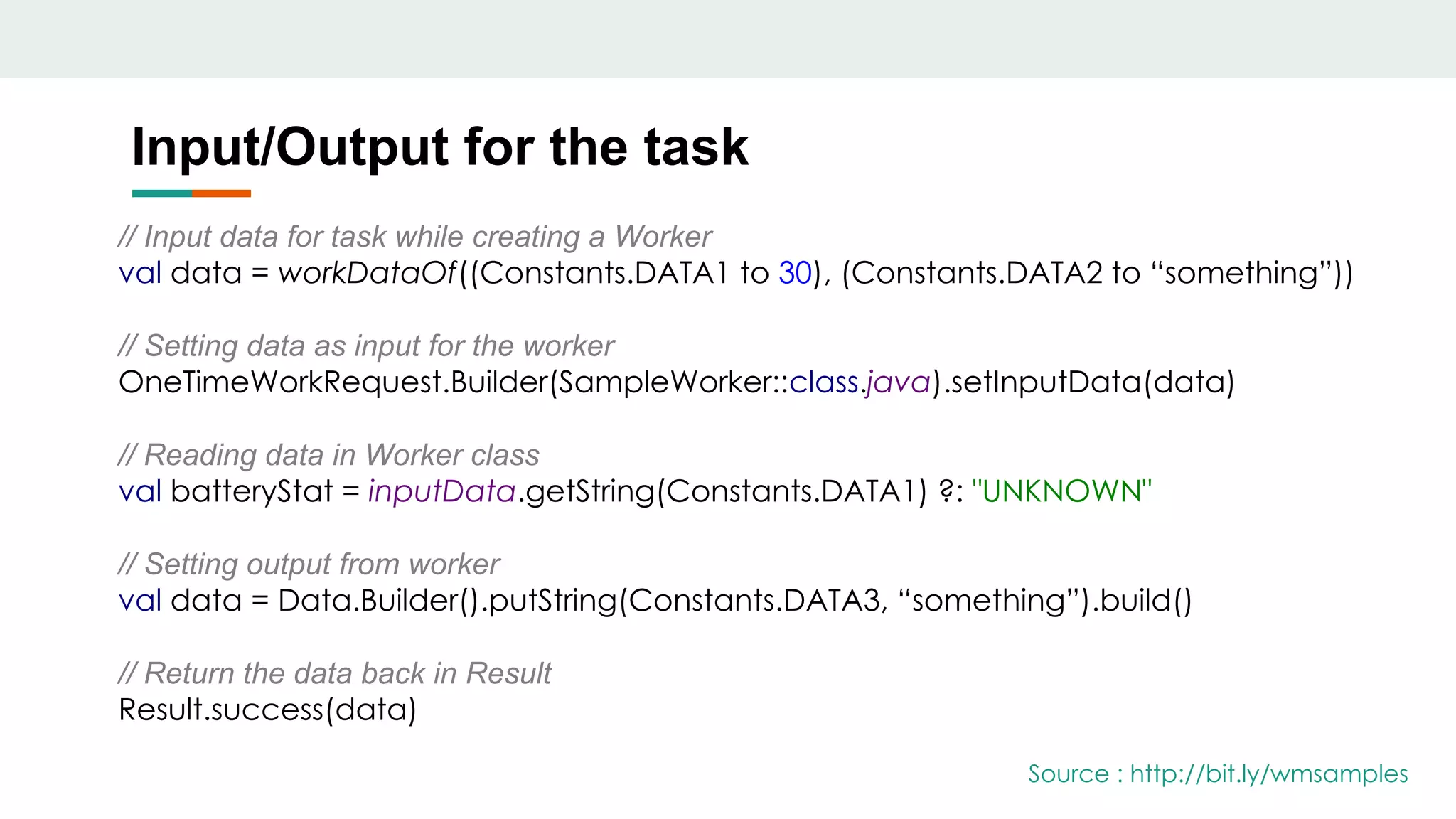
Input/Output for the task
// Input data for task while creating a Worker
val data = workDataOf((Constants.DATA1 to 30), (Constants.DATA2 to “something”))
// Setting data as input for the worker
OneTimeWorkRequest.Builder(SampleWorker::class.java).setInputData(data)
// Reading data in Worker class
val batteryStat = inputData.getString(Constants.DATA1) ?: "UNKNOWN"
// Setting output from worker
val data = Data.Builder().putString(Constants.DATA3, “something”).build()
// Return the data back in Result
Result.success(data)
Source : http://bit.ly/wmsamples
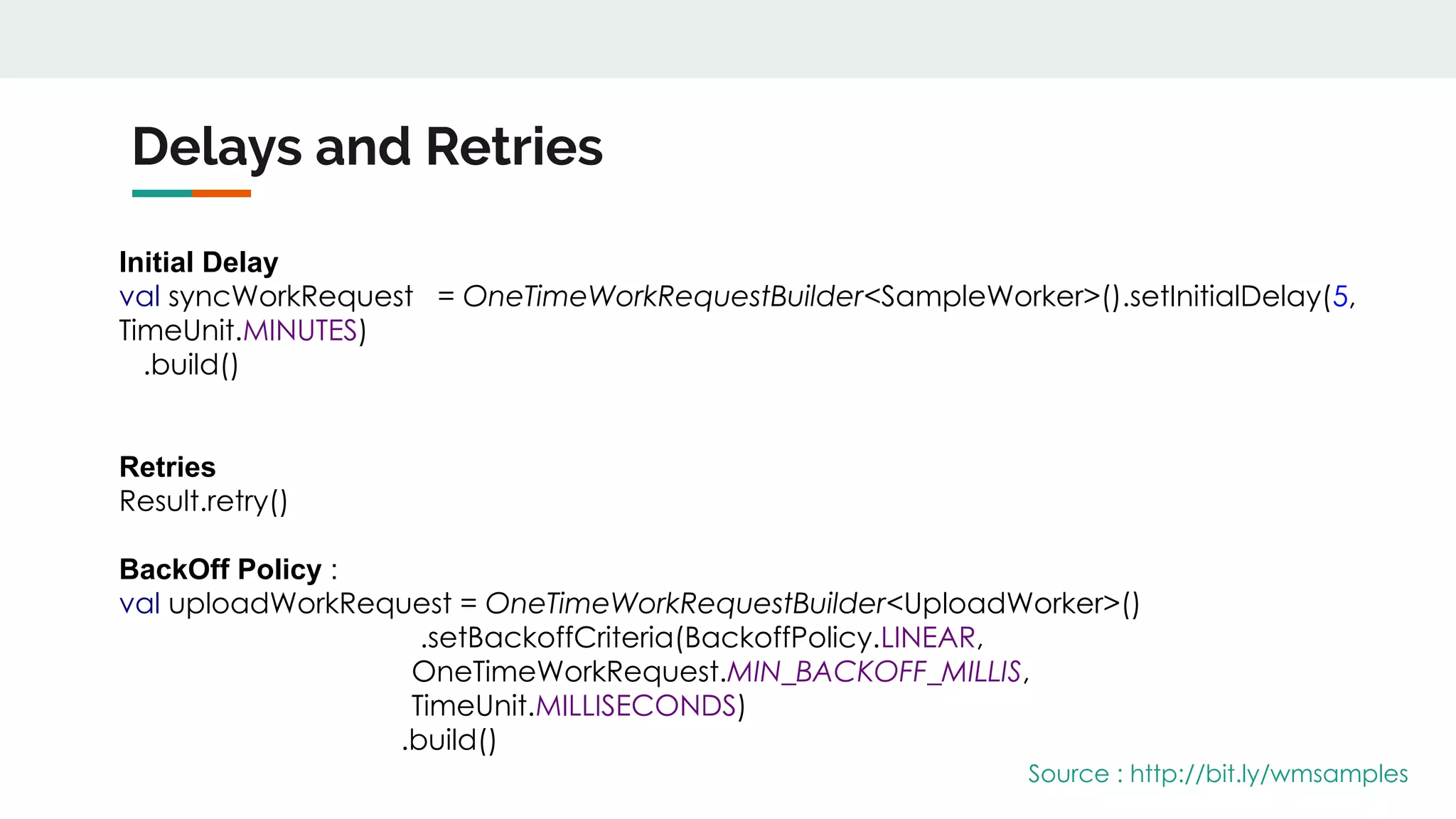
Delays and Retries
Initial Delay
val syncWorkRequest = OneTimeWorkRequestBuilder<SampleWorker>().setInitialDelay(5,
TimeUnit.MINUTES)
.build()
Retries
Result.retry()
BackOff Policy :
val uploadWorkRequest = OneTimeWorkRequestBuilder<UploadWorker>()
.setBackoffCriteria(BackoffPolicy.LINEAR,
OneTimeWorkRequest.MIN_BACKOFF_MILLIS,
TimeUnit.MILLISECONDS)
.build()
Source : http://bit.ly/wmsamples
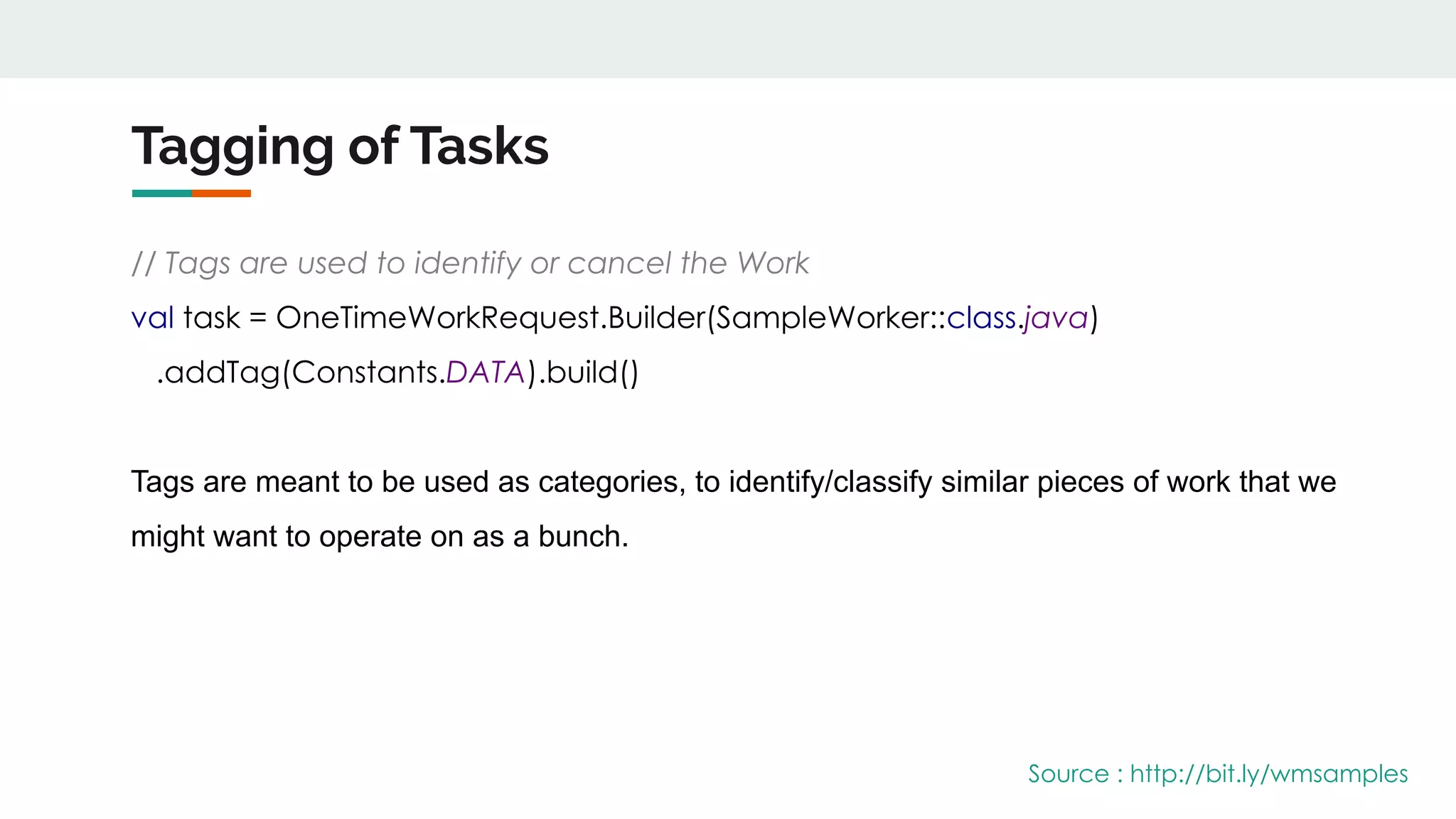
Tagging of Tasks
// Tags are used to identify or cancel the Work
val task = OneTimeWorkRequest.Builder(SampleWorker::class.java)
.addTag(Constants.DATA).build()
Tags are meant to be used as categories, to identify/classify similar pieces of work that we
might want to operate on as a bunch.
Source : http://bit.ly/wmsamples
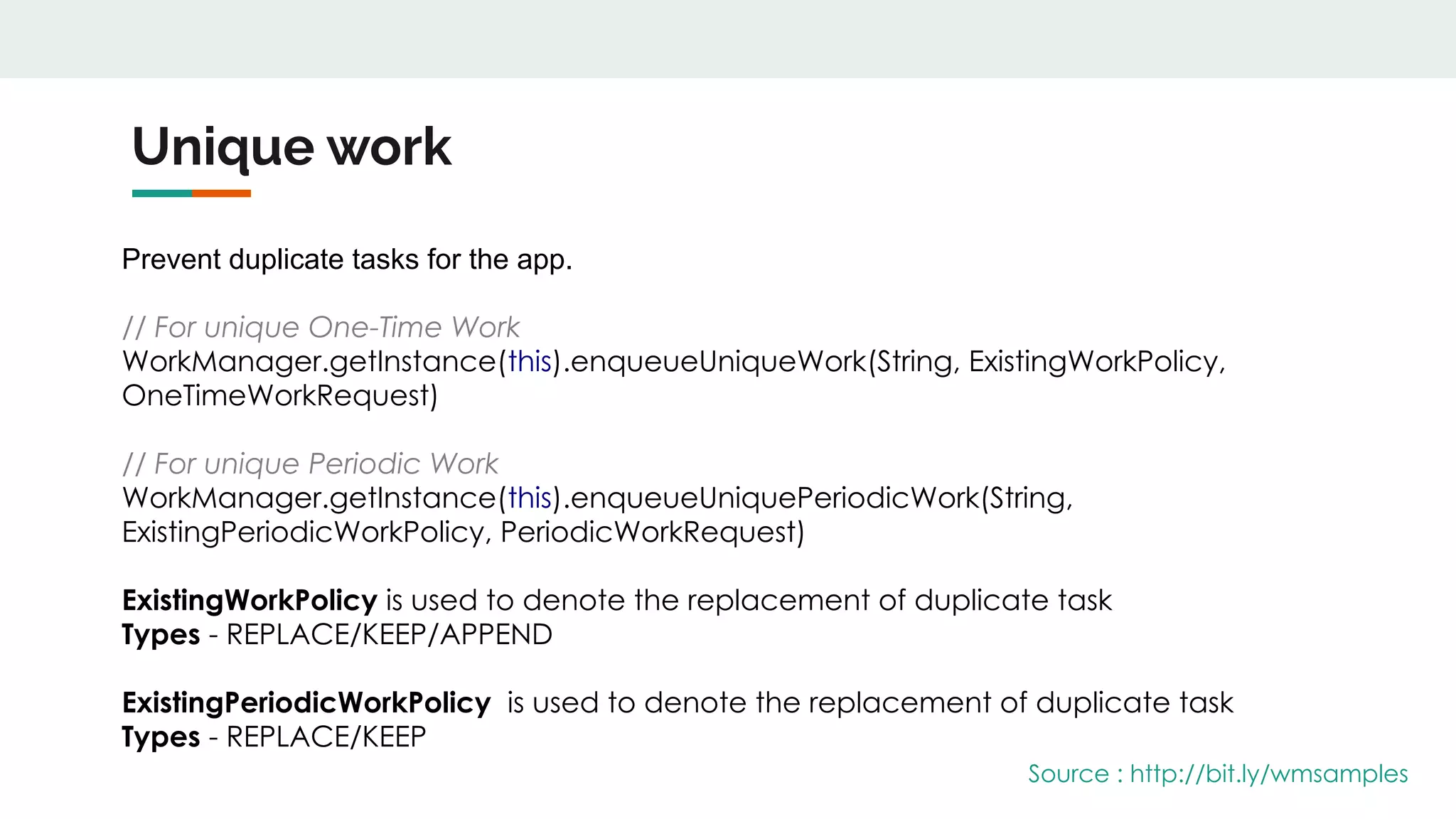
Unique work
Prevent duplicate tasks for the app.
// For unique One-Time Work
WorkManager.getInstance(this).enqueueUniqueWork(String, ExistingWorkPolicy,
OneTimeWorkRequest)
// For unique Periodic Work
WorkManager.getInstance(this).enqueueUniquePeriodicWork(String,
ExistingPeriodicWorkPolicy, PeriodicWorkRequest)
ExistingWorkPolicy is used to denote the replacement of duplicate task
Types - REPLACE/KEEP/APPEND
ExistingPeriodicWorkPolicy is used to denote the replacement of duplicate task
Types - REPLACE/KEEP
Source : http://bit.ly/wmsamples
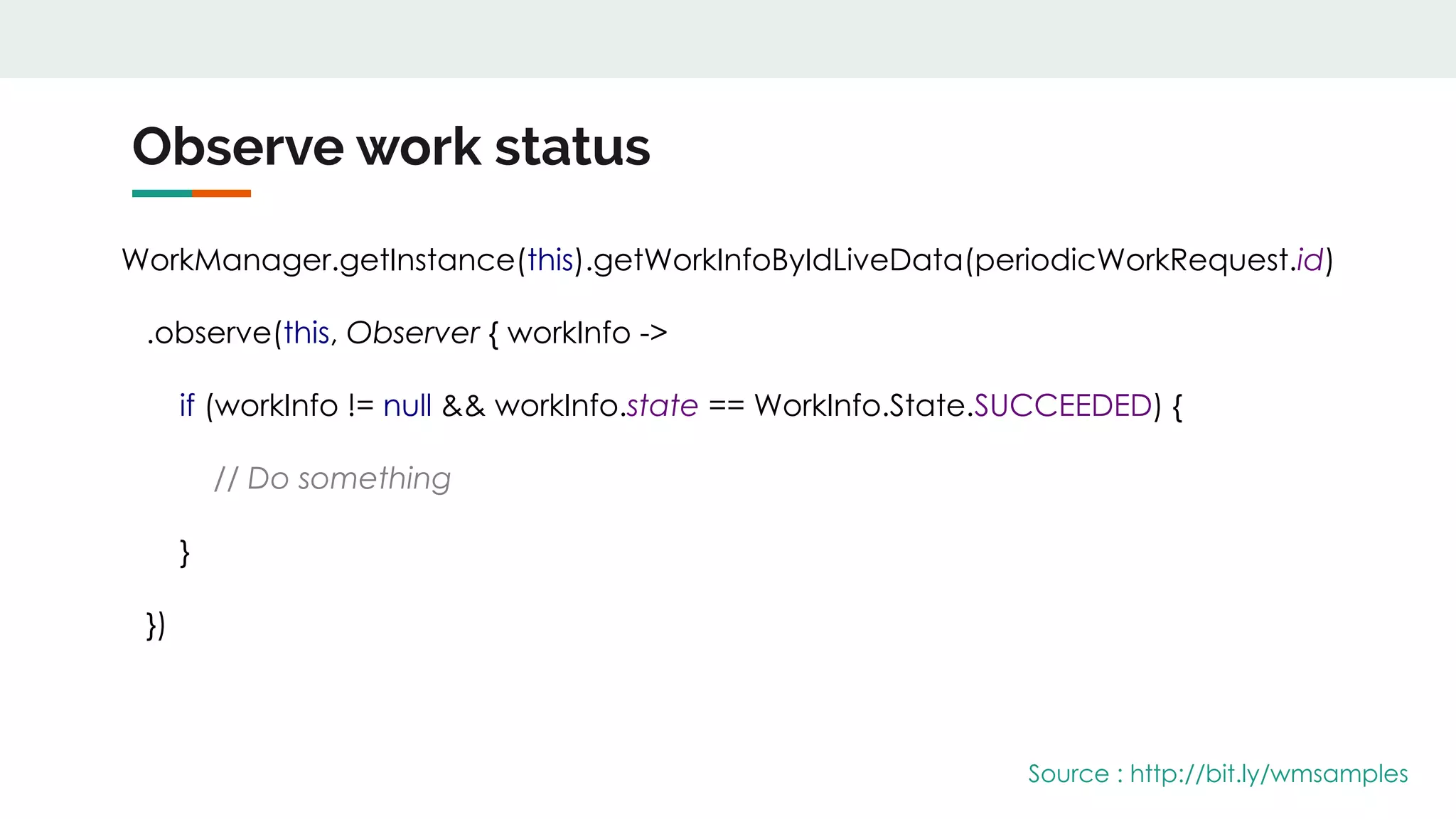
Observe work status
WorkManager.getInstance(this).getWorkInfoByIdLiveData(periodicWorkRequest.id)
.observe(this, Observer { workInfo ->
if (workInfo != null && workInfo.state == WorkInfo.State.SUCCEEDED) {
// Do something
}
})
Source : http://bit.ly/wmsamples
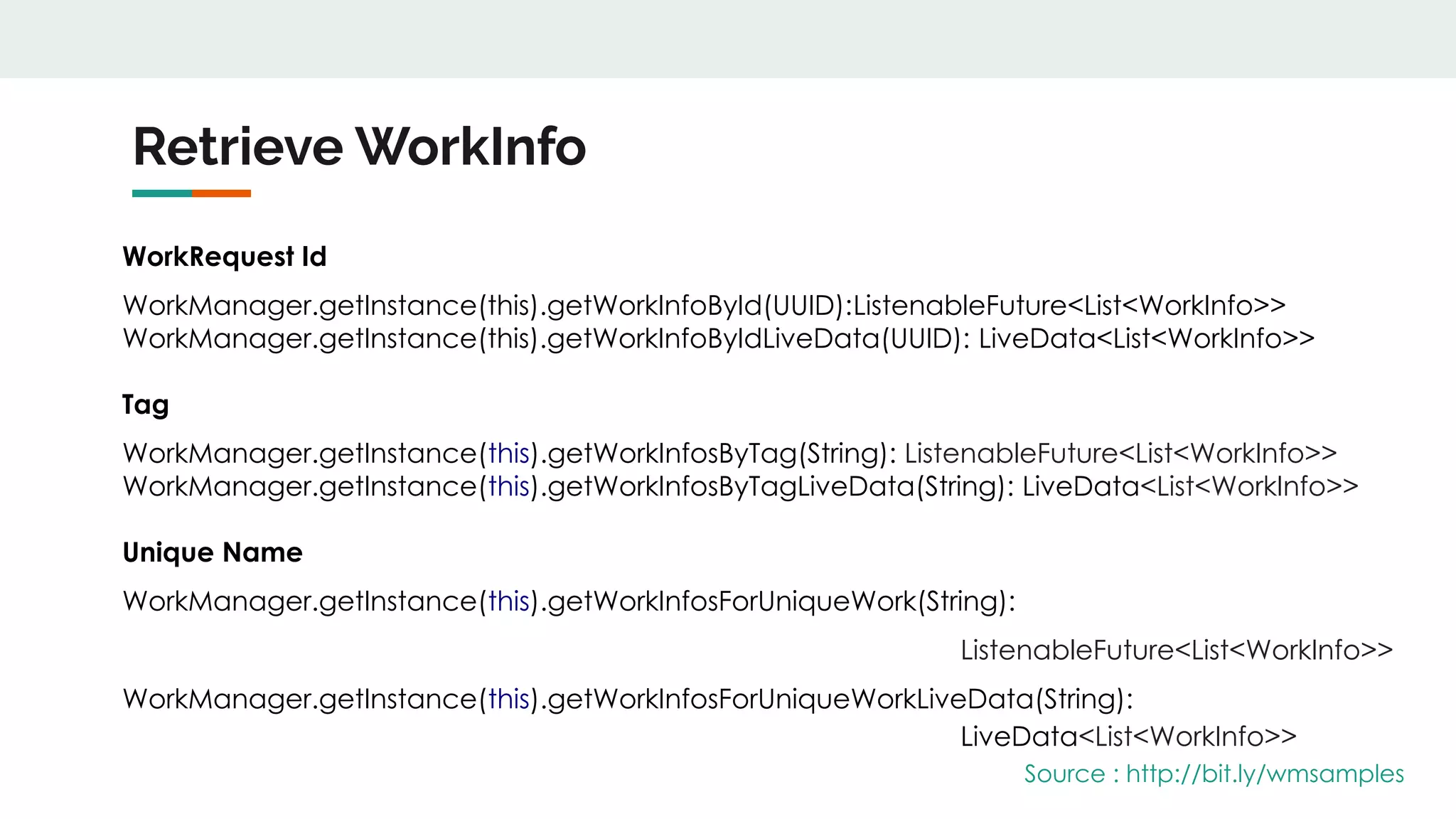
Retrieve WorkInfo
WorkRequest Id
WorkManager.getInstance(this).getWorkInfoById(UUID):ListenableFuture<List<WorkInfo>>
WorkManager.getInstance(this).getWorkInfoByIdLiveData(UUID): LiveData<List<WorkInfo>>
Tag
WorkManager.getInstance(this).getWorkInfosByTag(String): ListenableFuture<List<WorkInfo>>
WorkManager.getInstance(this).getWorkInfosByTagLiveData(String): LiveData<List<WorkInfo>>
Unique Name
WorkManager.getInstance(this).getWorkInfosForUniqueWork(String):
ListenableFuture<List<WorkInfo>>
WorkManager.getInstance(this).getWorkInfosForUniqueWorkLiveData(String):
LiveData<List<WorkInfo>>
Source : http://bit.ly/wmsamples
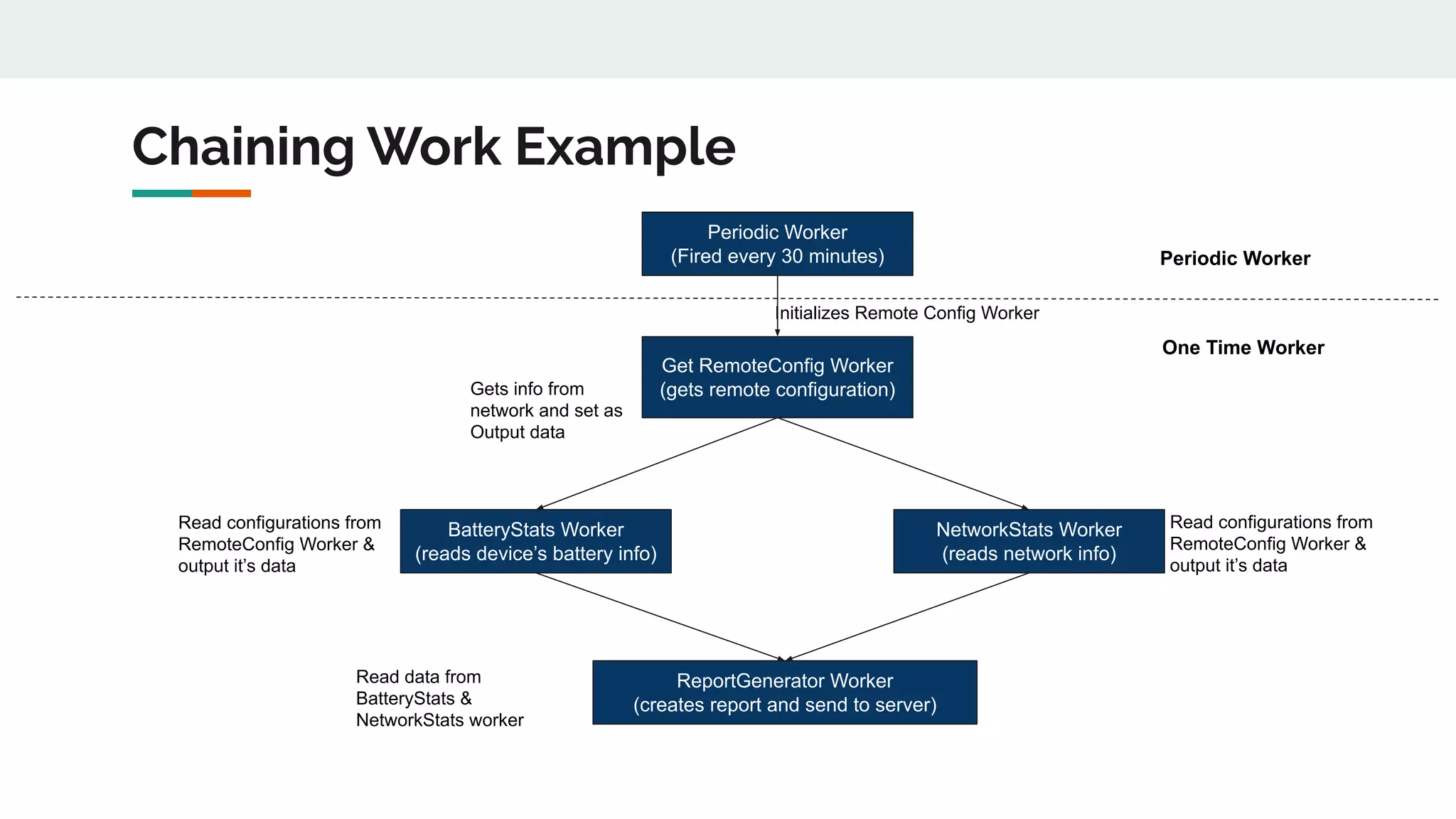
Chaining Work Example
Periodic Worker
(Fired every 30 minutes)
Get RemoteConfig Worker
(gets remote configuration)
BatteryStats Worker
(reads device’s battery info)
NetworkStats Worker
(reads network info)
ReportGenerator Worker
(creates report and send to server)
Initializes Remote Config Worker
Gets info from
network and set as
Output data
Read configurations from
RemoteConfig Worker &
output it’s data
Read data from
BatteryStats &
NetworkStats worker
Read configurations from
RemoteConfig Worker &
output it’s data
One Time Worker
Periodic Worker
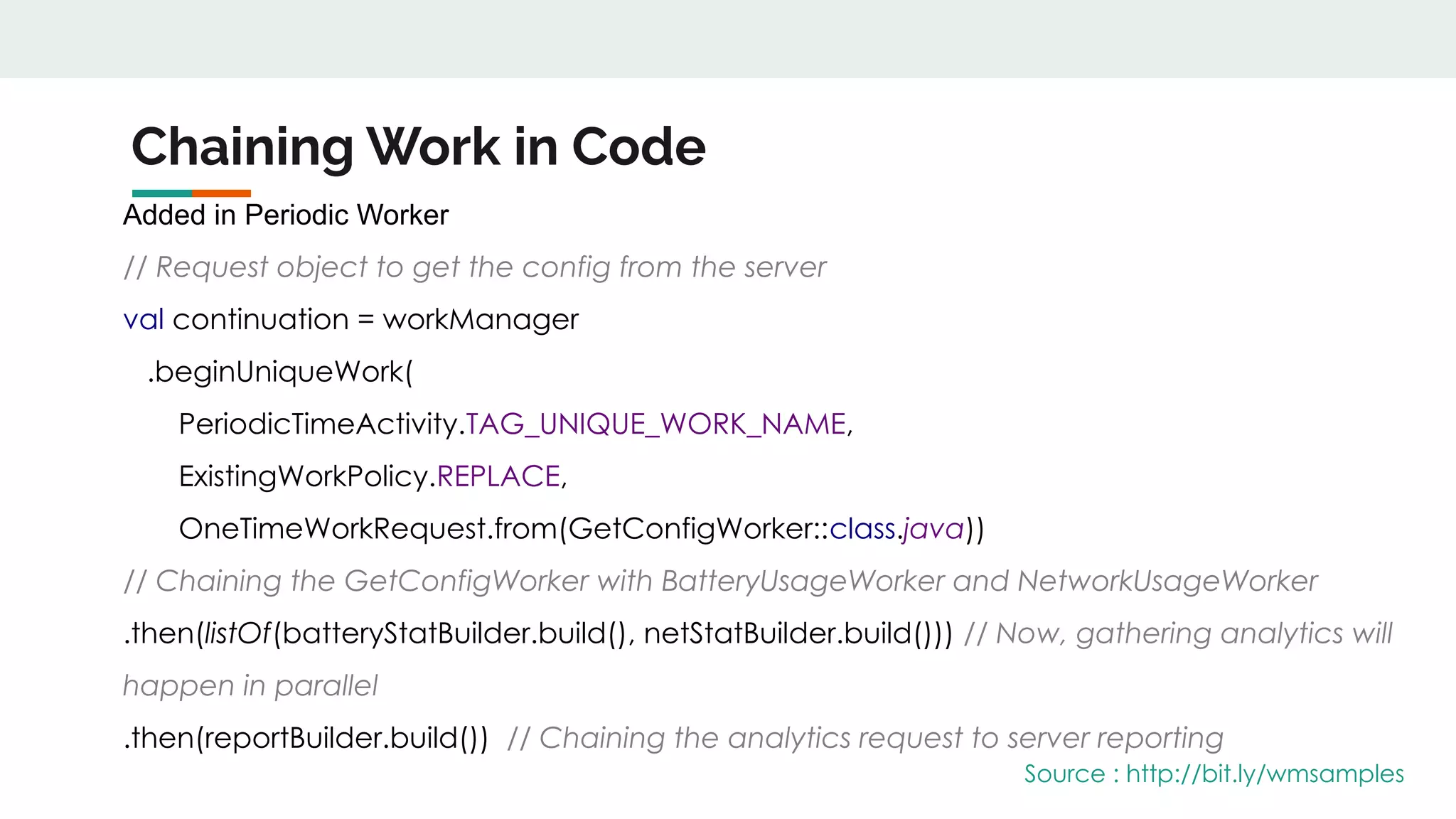
Chaining Work in Code
Added in Periodic Worker
// Request object to get the config from the server
val continuation = workManager
.beginUniqueWork(
PeriodicTimeActivity.TAG_UNIQUE_WORK_NAME,
ExistingWorkPolicy.REPLACE,
OneTimeWorkRequest.from(GetConfigWorker::class.java))
// Chaining the GetConfigWorker with BatteryUsageWorker and NetworkUsageWorker
.then(listOf(batteryStatBuilder.build(), netStatBuilder.build())) // Now, gathering analytics will
happen in parallel
.then(reportBuilder.build()) // Chaining the analytics request to server reporting
Source : http://bit.ly/wmsamples
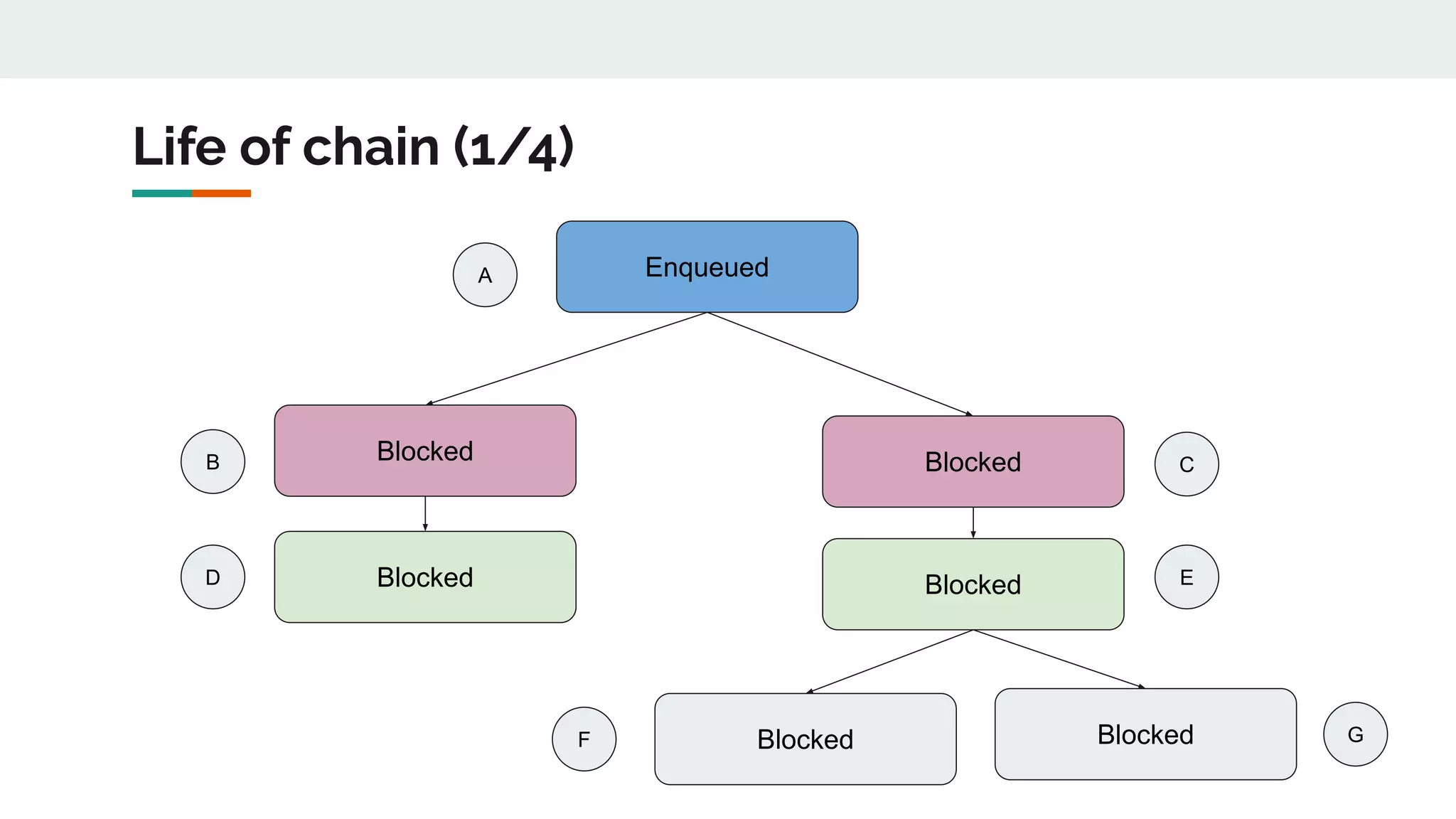
Life of chain (1/4)
Enqueued
Blocked Blocked
Blocked Blocked
Blocked Blocked
A
B
D
F G
E
C
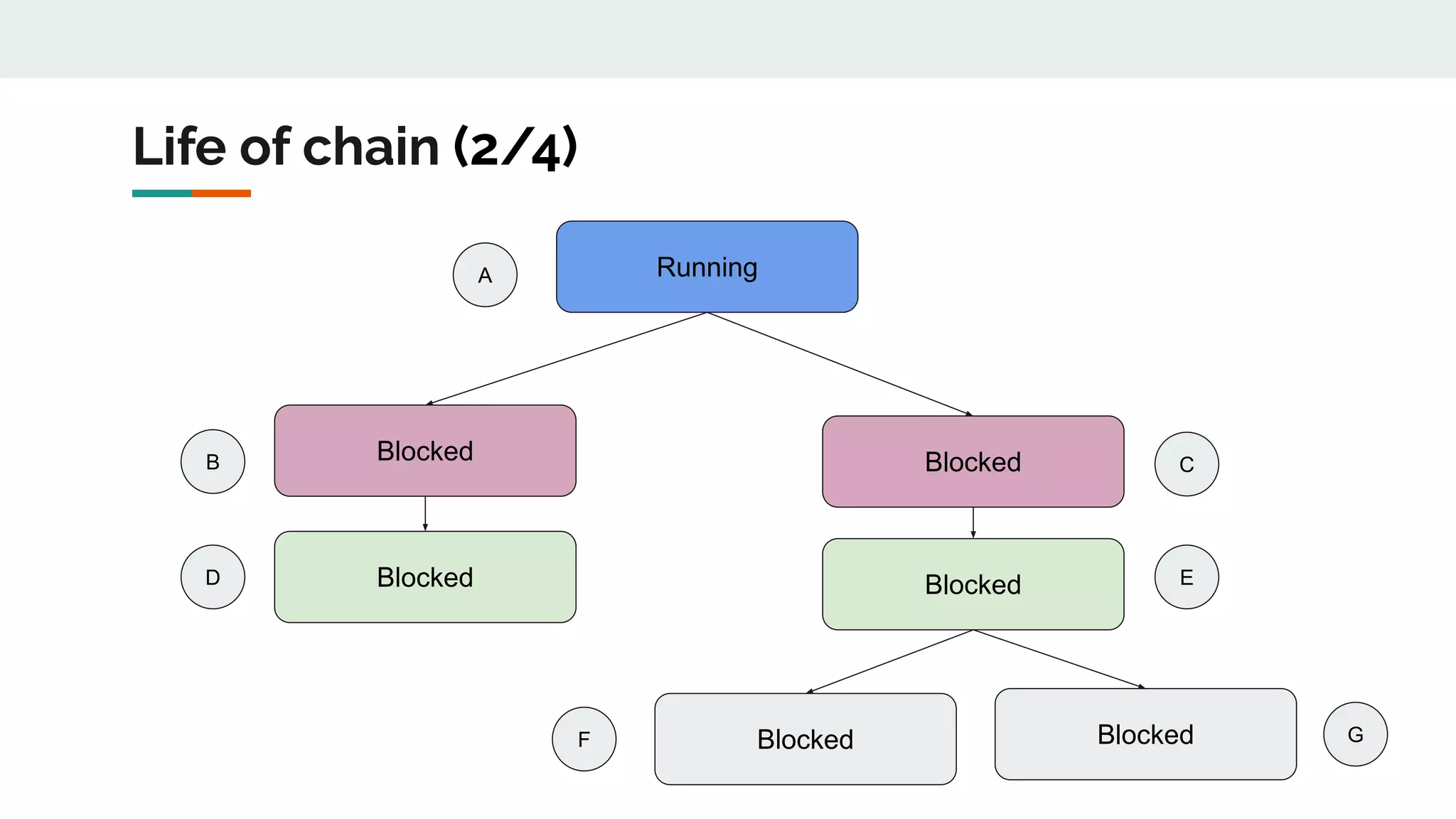
Life of chain (2/4)
Running
Blocked Blocked
Blocked Blocked
Blocked Blocked
A
B
D
F G
E
C
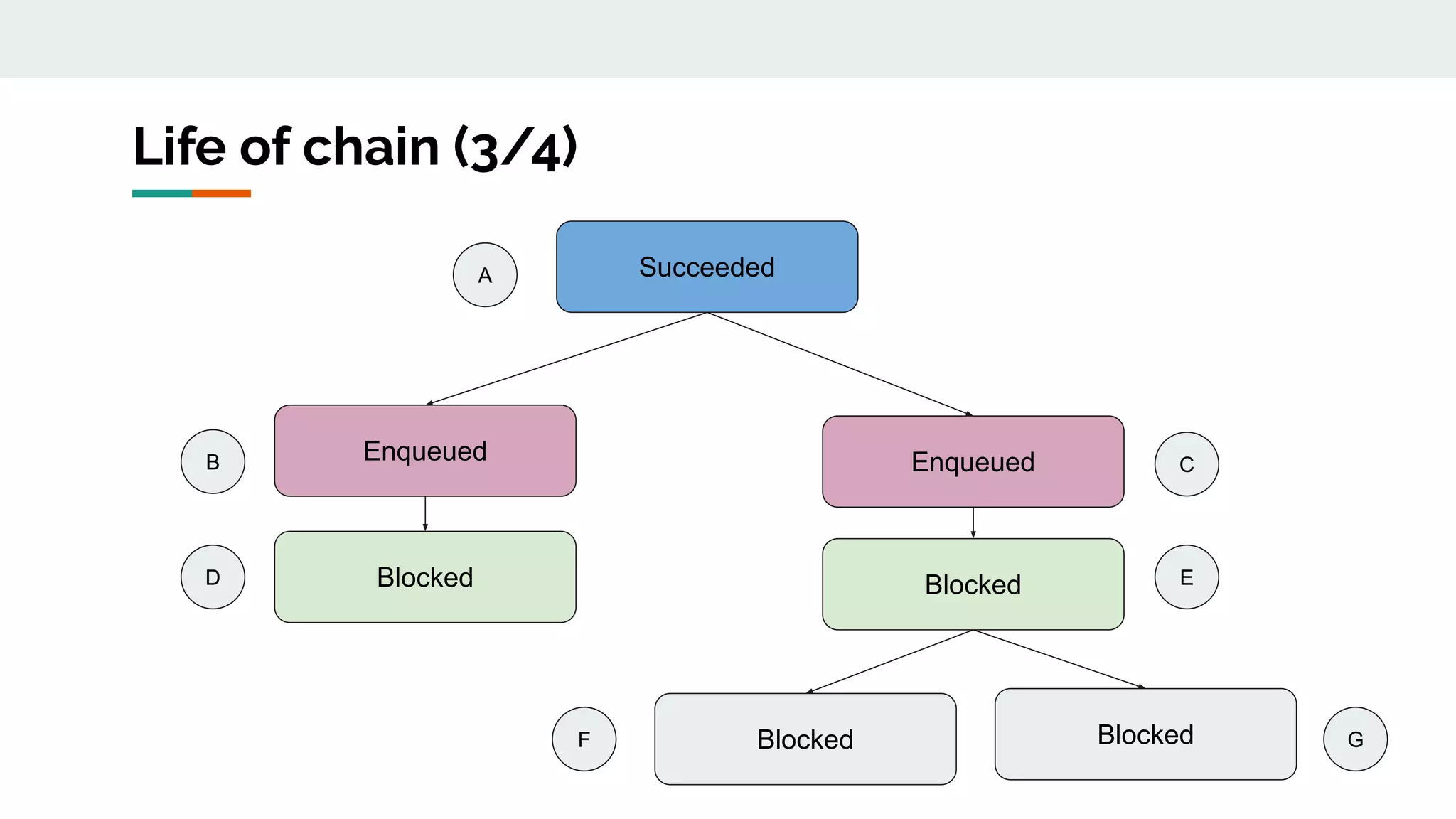
Life of chain (3/4)
Succeeded
Enqueued Enqueued
Blocked Blocked
Blocked Blocked
A
B
D
F G
E
C
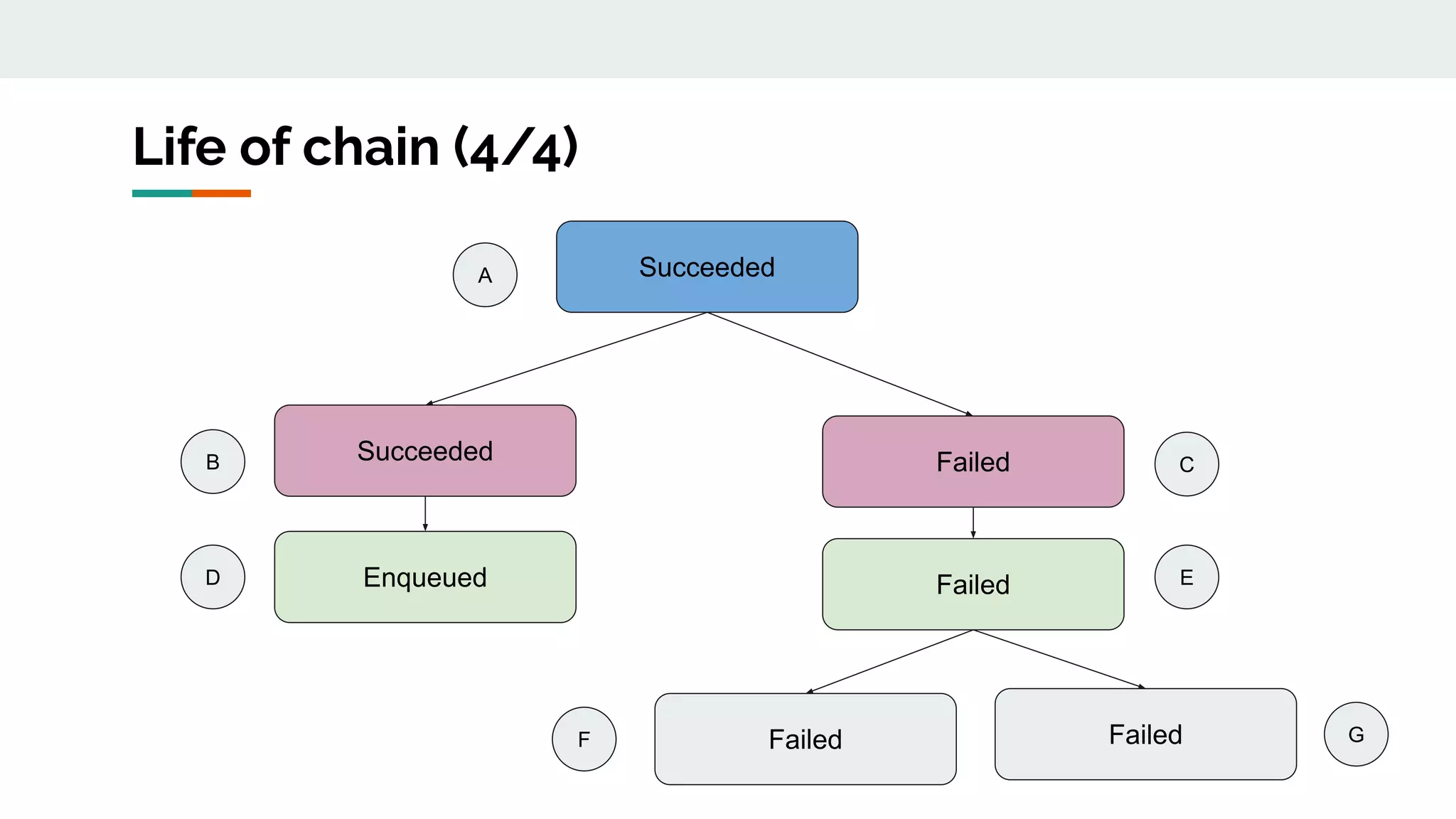
Life of chain (4/4)
Succeeded
Succeeded Failed
Enqueued Failed
Failed Failed
A
B
D
F G
E
C
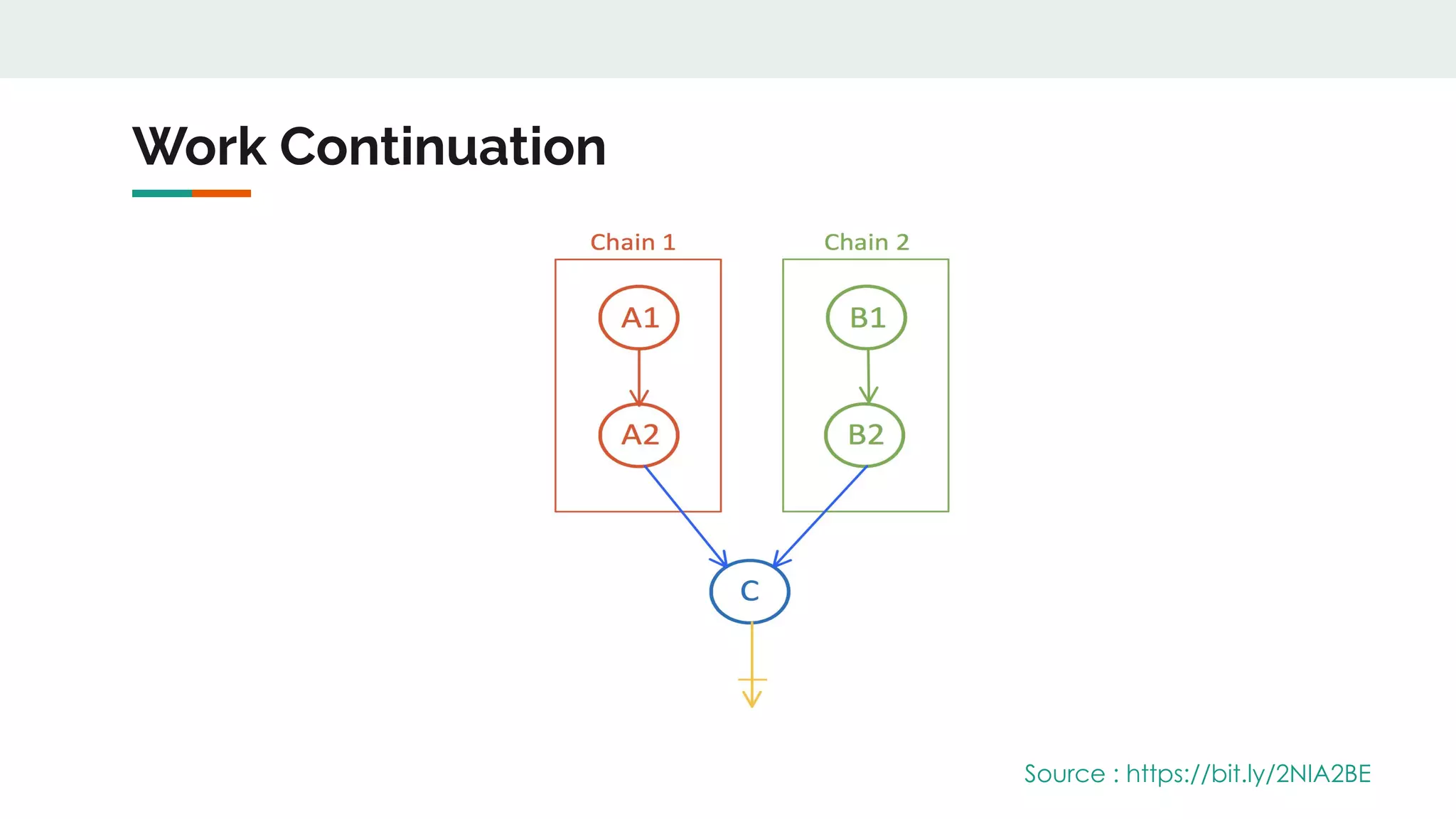
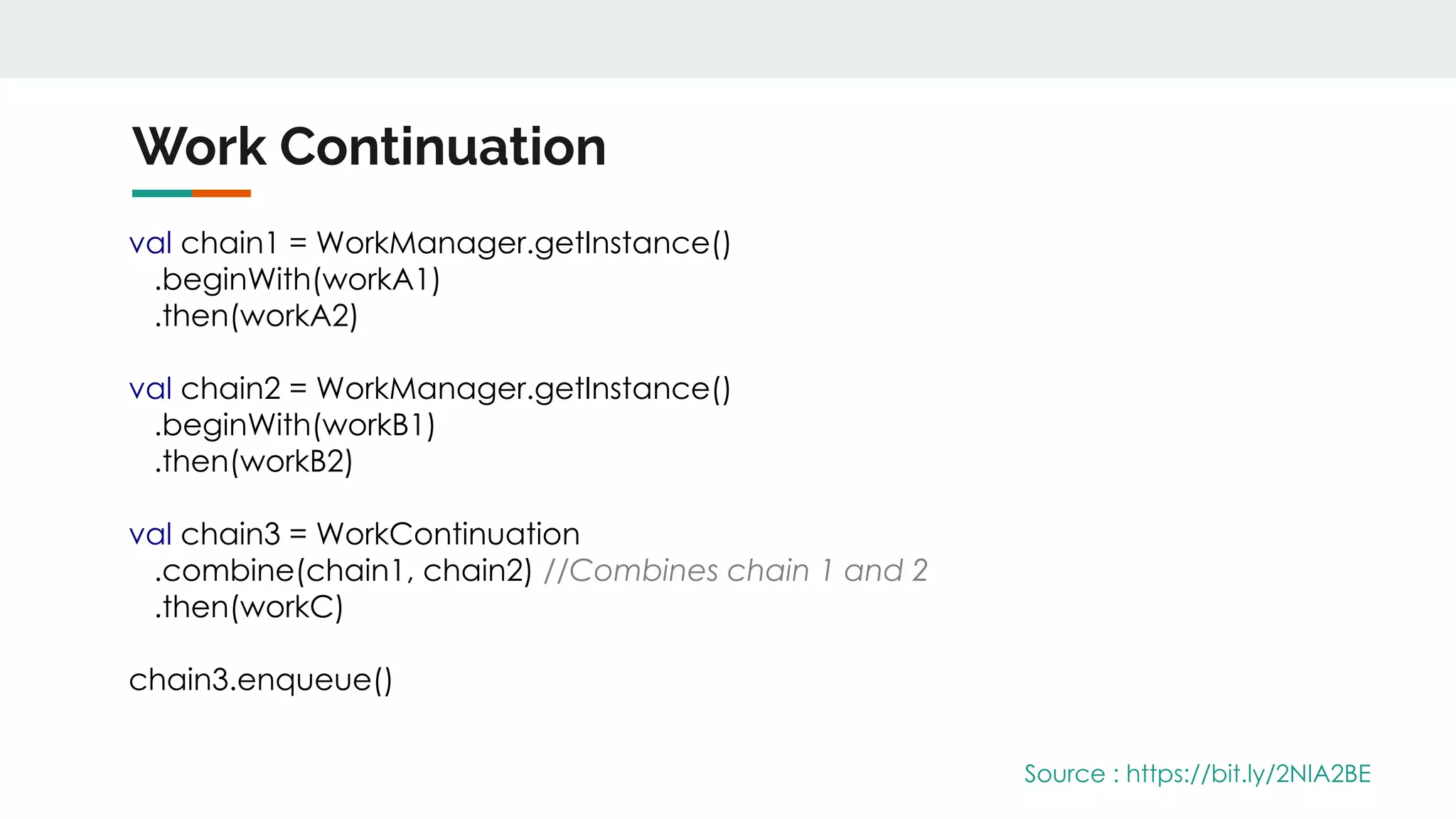
Work Continuation
Source : https://bit.ly/2NIA2BE
Work Continuation
Source : https://bit.ly/2NIA2BE
val chain1 = WorkManager.getInstance()
.beginWith(workA1)
.then(workA2)
val chain2 = WorkManager.getInstance()
.beginWith(workB1)
.then(workB2)
val chain3 = WorkContinuation
.combine(chain1, chain2) //Combines chain 1 and 2
.then(workC)
chain3.enqueue()
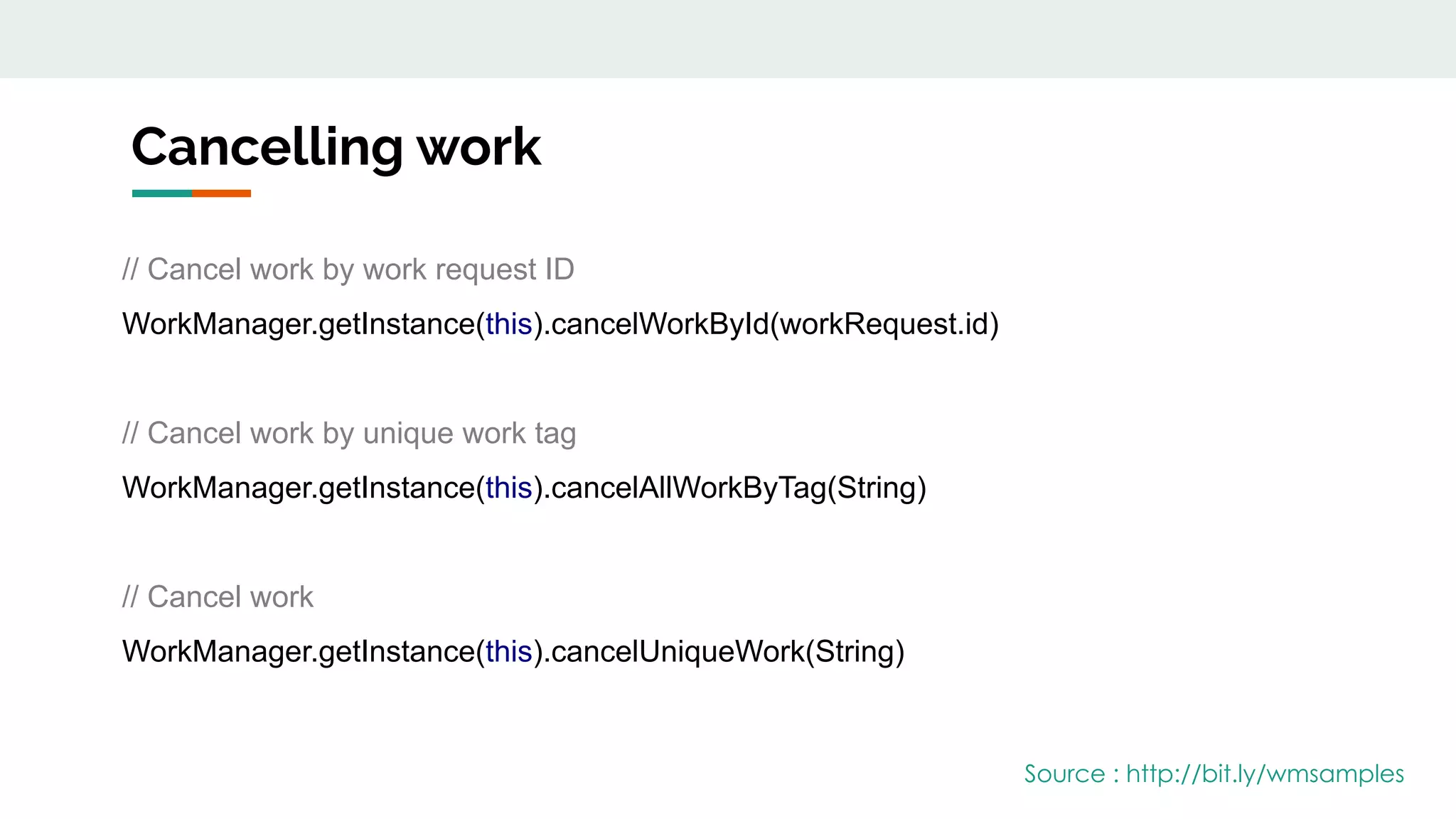
Cancelling work
// Cancel work by work request ID
WorkManager.getInstance(this).cancelWorkById(workRequest.id)
// Cancel work by unique work tag
WorkManager.getInstance(this).cancelAllWorkByTag(String)
// Cancel work
WorkManager.getInstance(this).cancelUniqueWork(String)
Source : http://bit.ly/wmsamples
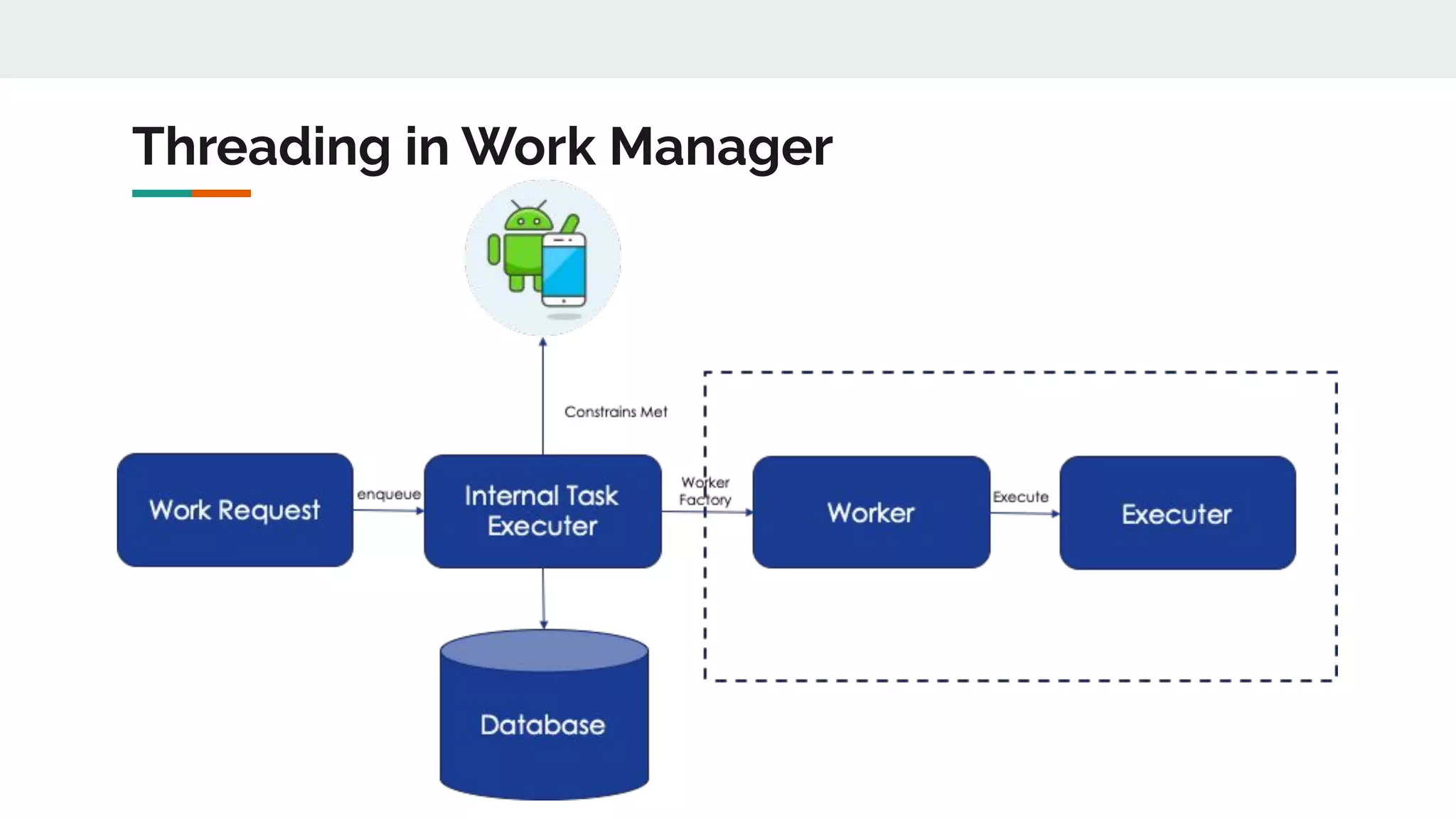
Threading in Work Manager
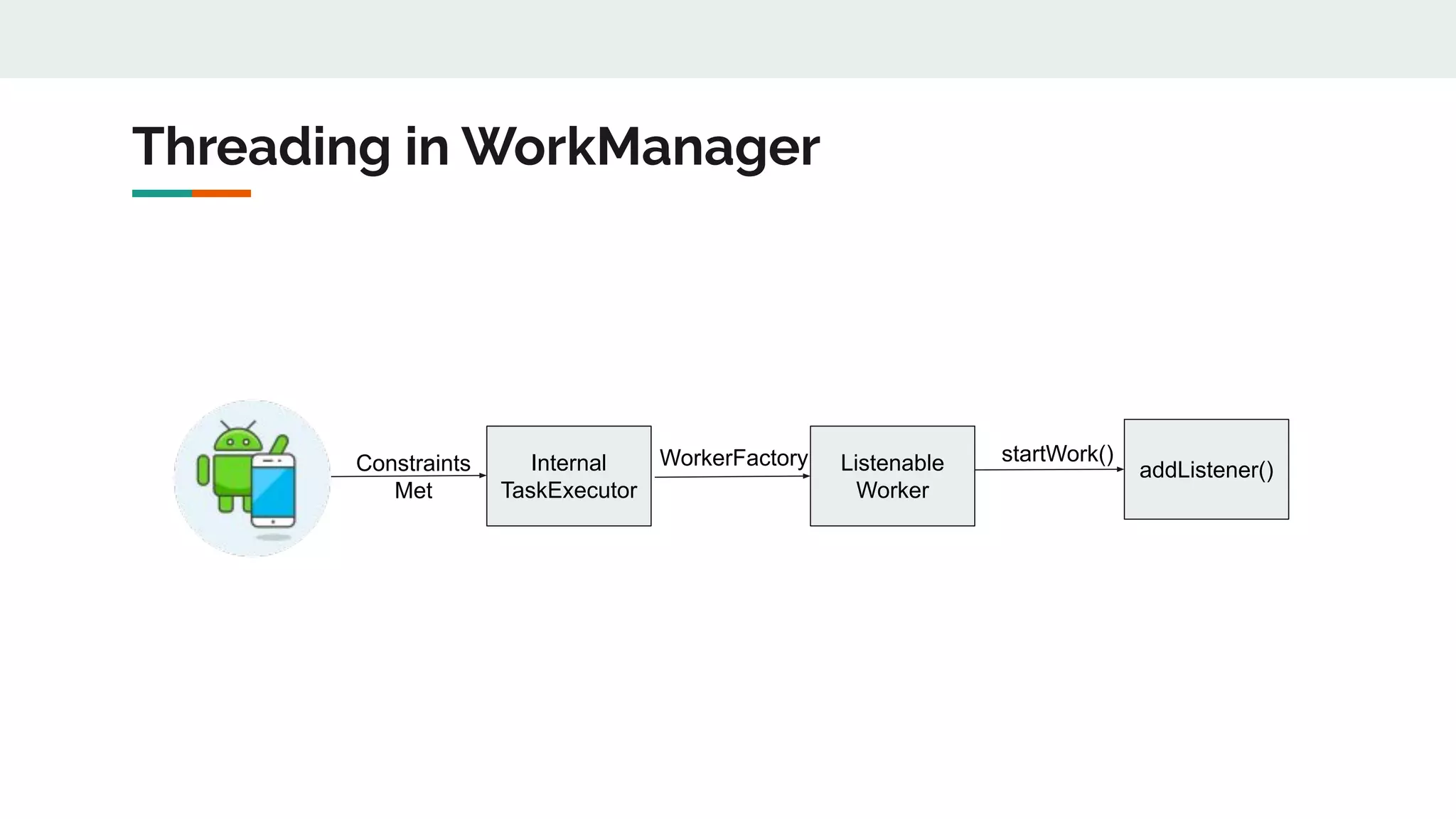
Threading in WorkManager
Internal
TaskExecutor
Listenable
Worker
addListener()Constraints
Met
WorkerFactory startWork()
Work Manager
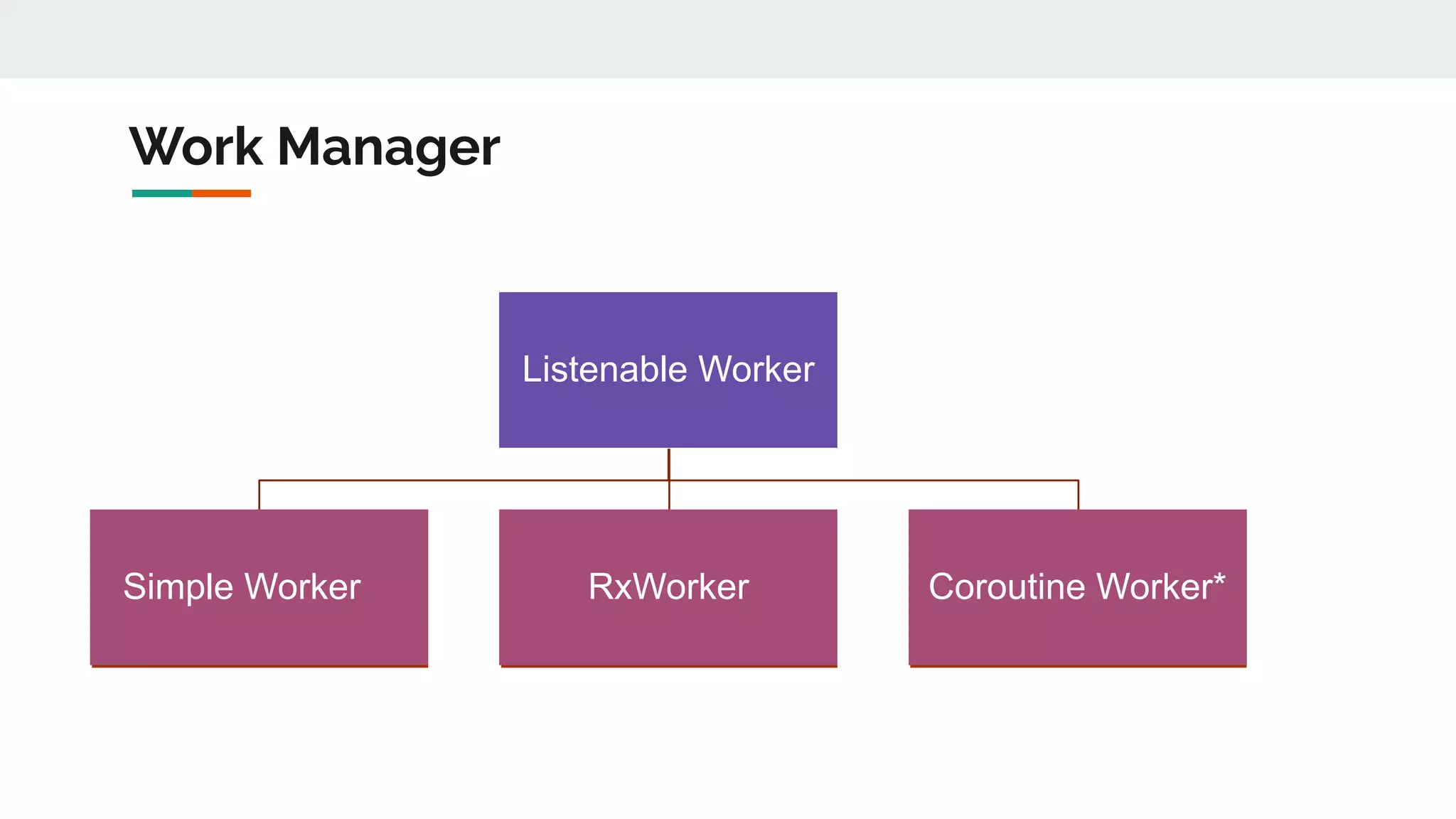
Listenable Worker
Simple Worker RxWorker Coroutine Worker*
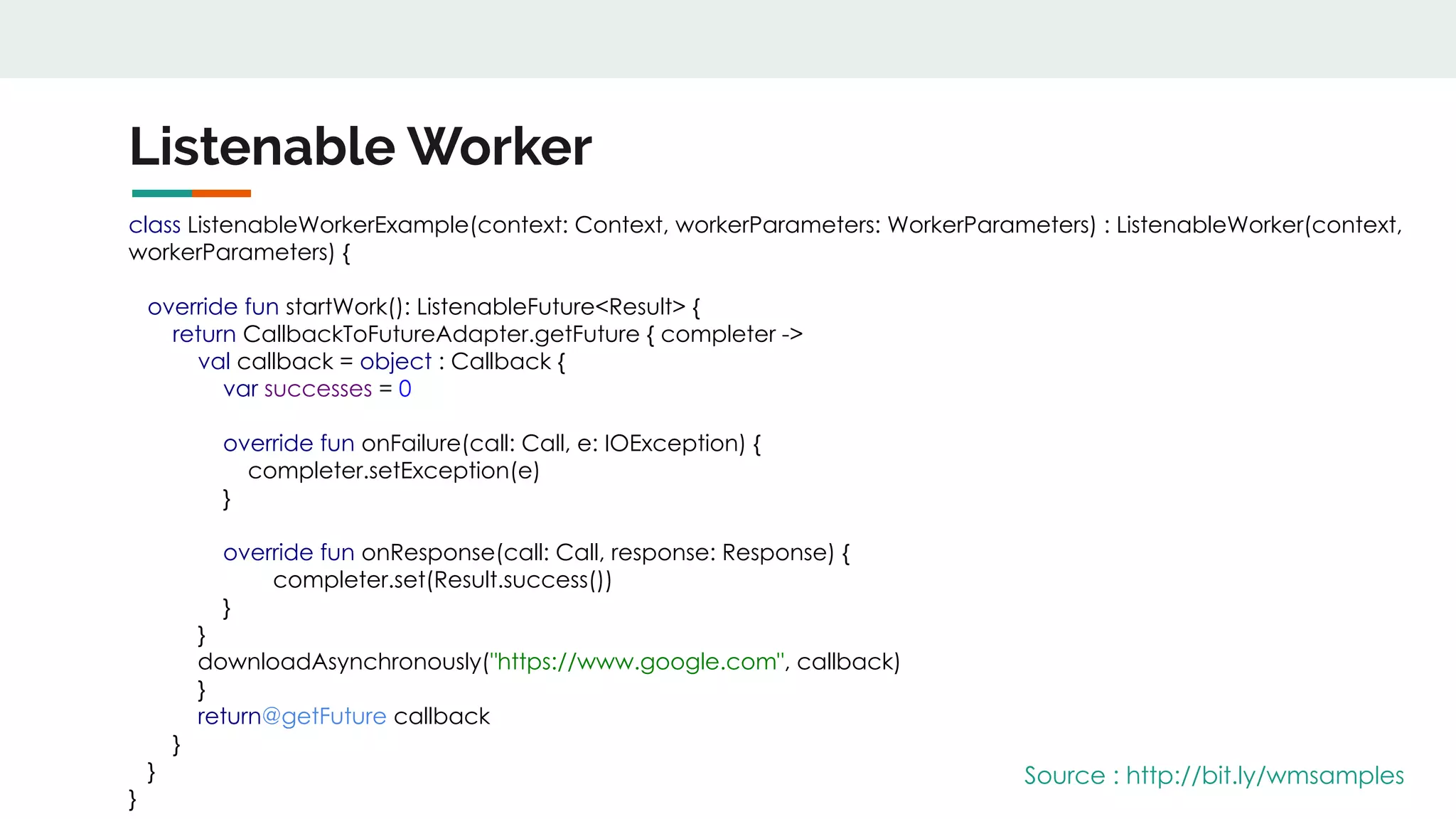
Listenable Worker
class ListenableWorkerExample(context: Context, workerParameters: WorkerParameters) : ListenableWorker(context,
workerParameters) {
override fun startWork(): ListenableFuture<Result> {
return CallbackToFutureAdapter.getFuture { completer ->
val callback = object : Callback {
var successes = 0
override fun onFailure(call: Call, e: IOException) {
completer.setException(e)
}
override fun onResponse(call: Call, response: Response) {
completer.set(Result.success())
}
}
downloadAsynchronously("https://www.google.com", callback)
}
return@getFuture callback
}
}
}
Source : http://bit.ly/wmsamples
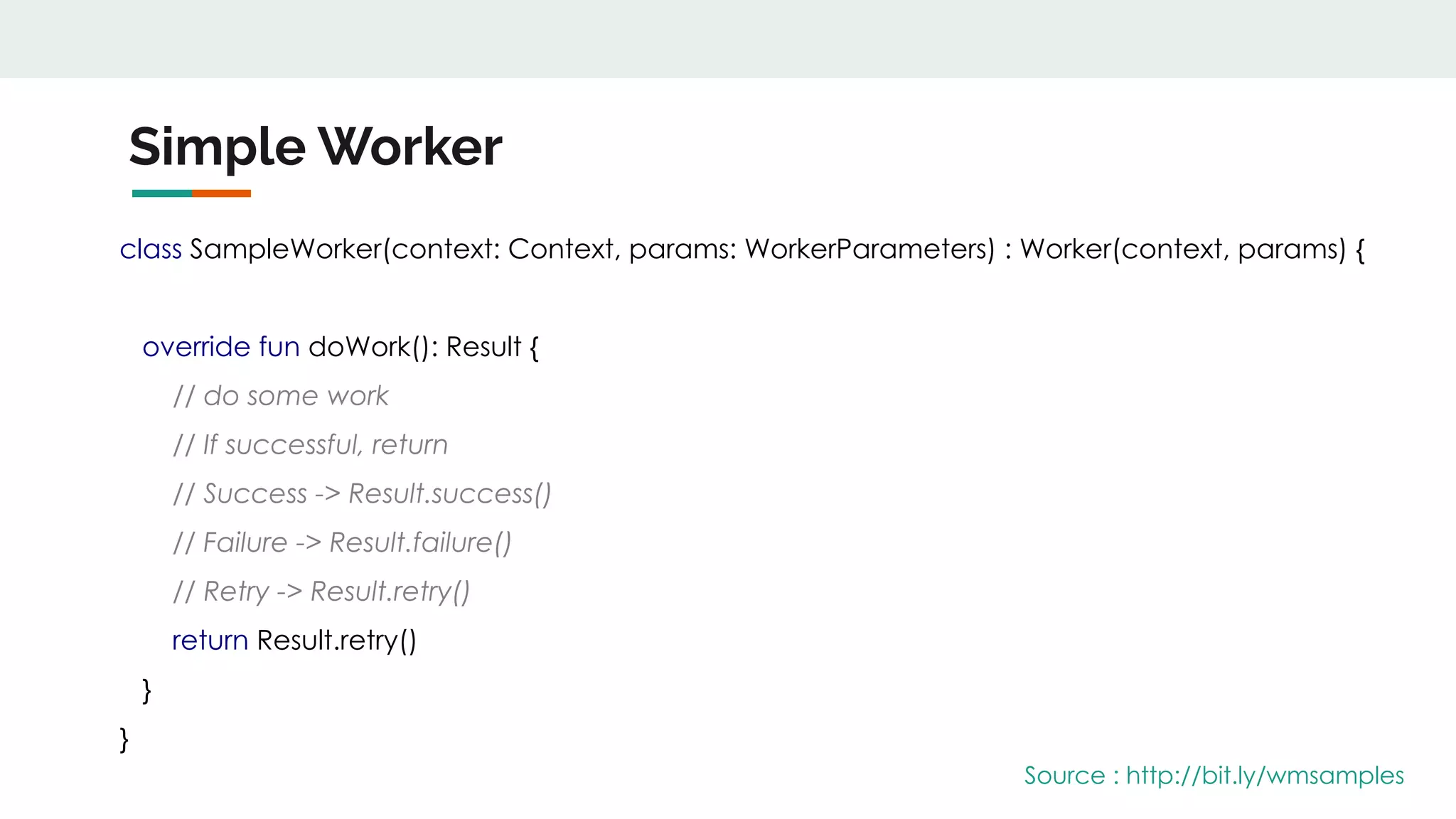
Simple Worker
class SampleWorker(context: Context, params: WorkerParameters) : Worker(context, params) {
override fun doWork(): Result {
// do some work
// If successful, return
// Success -> Result.success()
// Failure -> Result.failure()
// Retry -> Result.retry()
return Result.retry()
}
}
Source : http://bit.ly/wmsamples
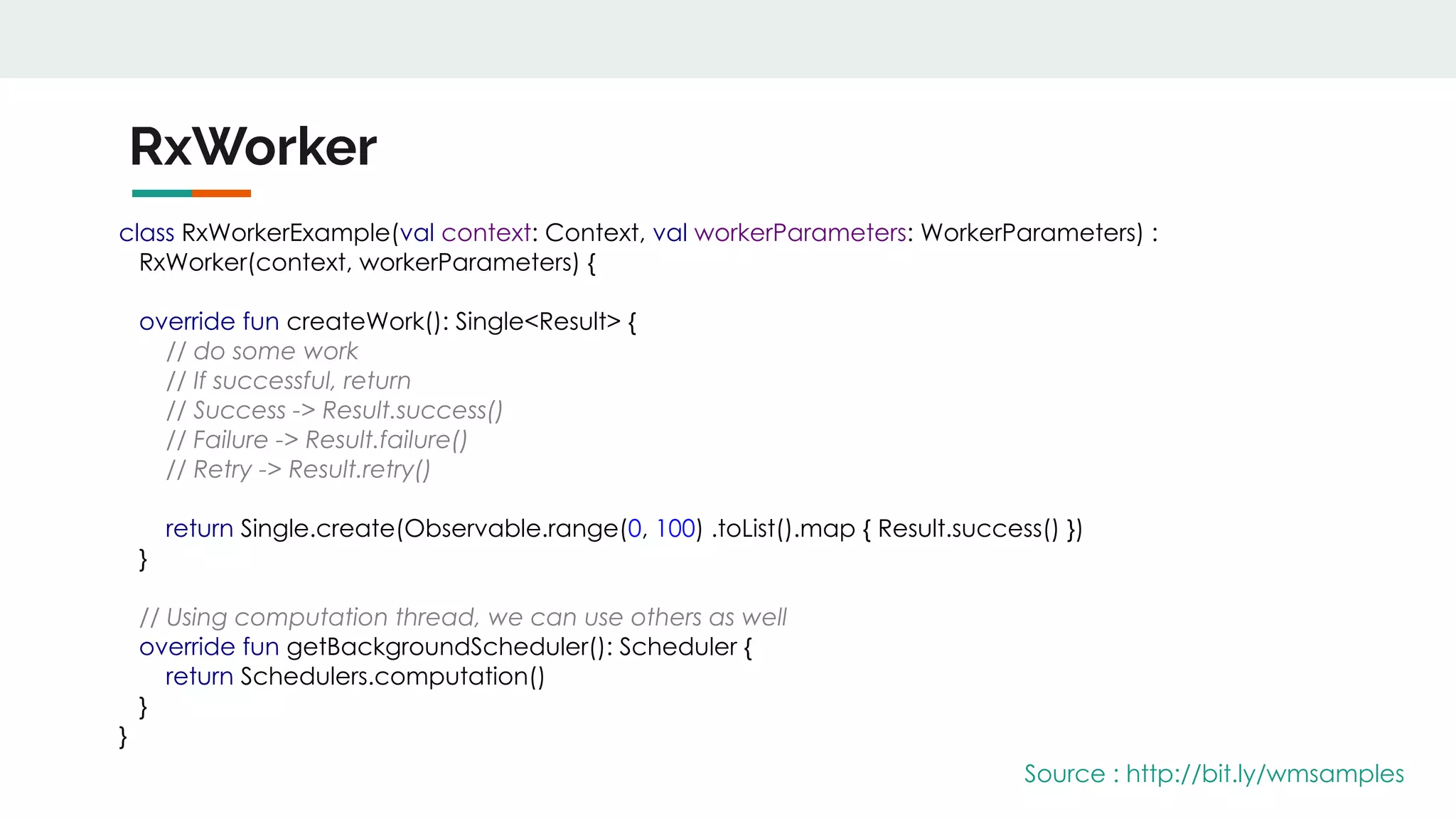
RxWorker
class RxWorkerExample(val context: Context, val workerParameters: WorkerParameters) :
RxWorker(context, workerParameters) {
override fun createWork(): Single<Result> {
// do some work
// If successful, return
// Success -> Result.success()
// Failure -> Result.failure()
// Retry -> Result.retry()
return Single.create(Observable.range(0, 100) .toList().map { Result.success() })
}
// Using computation thread, we can use others as well
override fun getBackgroundScheduler(): Scheduler {
return Schedulers.computation()
}
}
Source : http://bit.ly/wmsamples
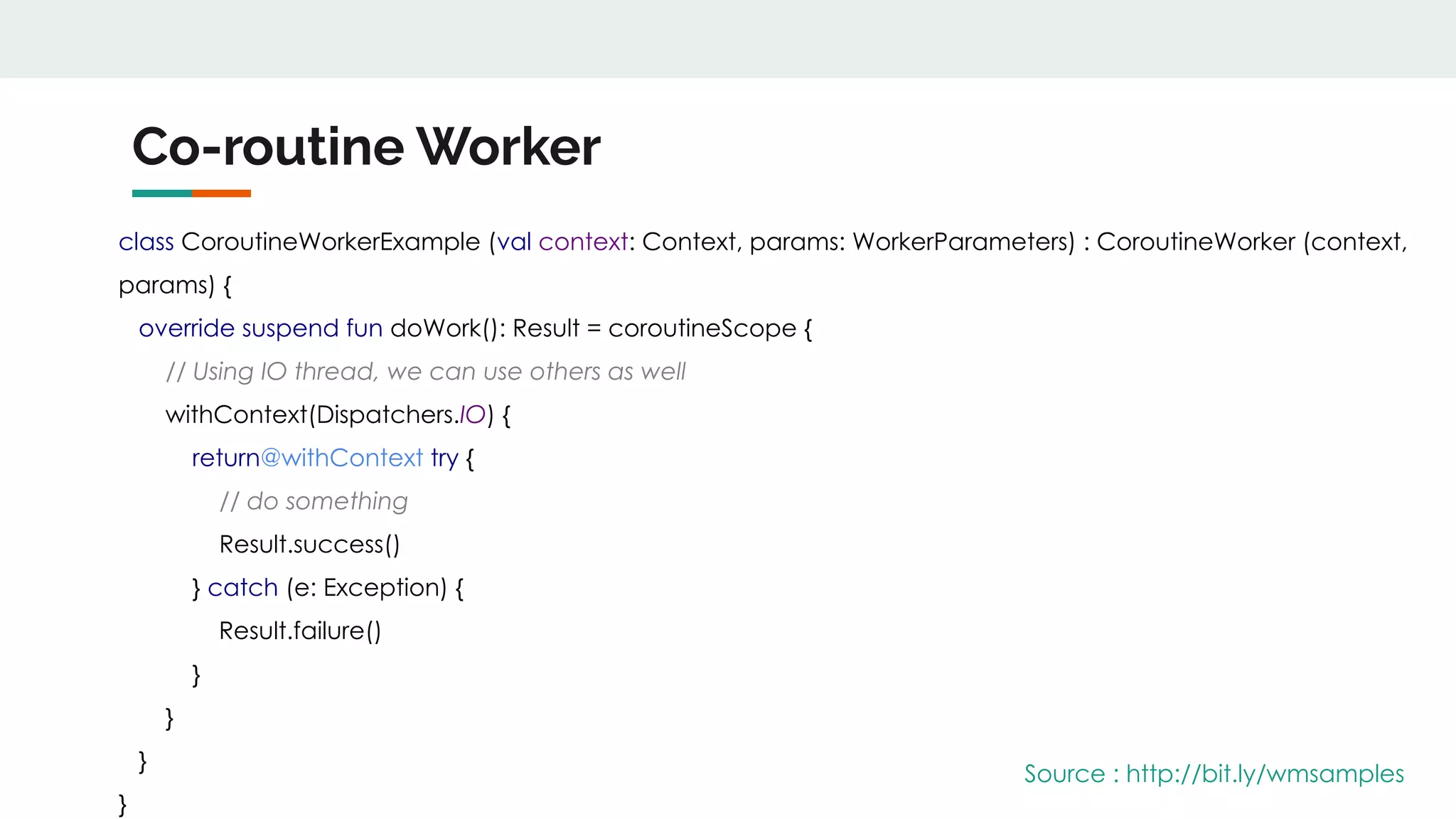
Co-routine Worker
class CoroutineWorkerExample (val context: Context, params: WorkerParameters) : CoroutineWorker (context,
params) {
override suspend fun doWork(): Result = coroutineScope {
// Using IO thread, we can use others as well
withContext(Dispatchers.IO) {
return@withContext try {
// do something
Result.success()
} catch (e: Exception) {
Result.failure()
}
}
}
}
Source : http://bit.ly/wmsamples
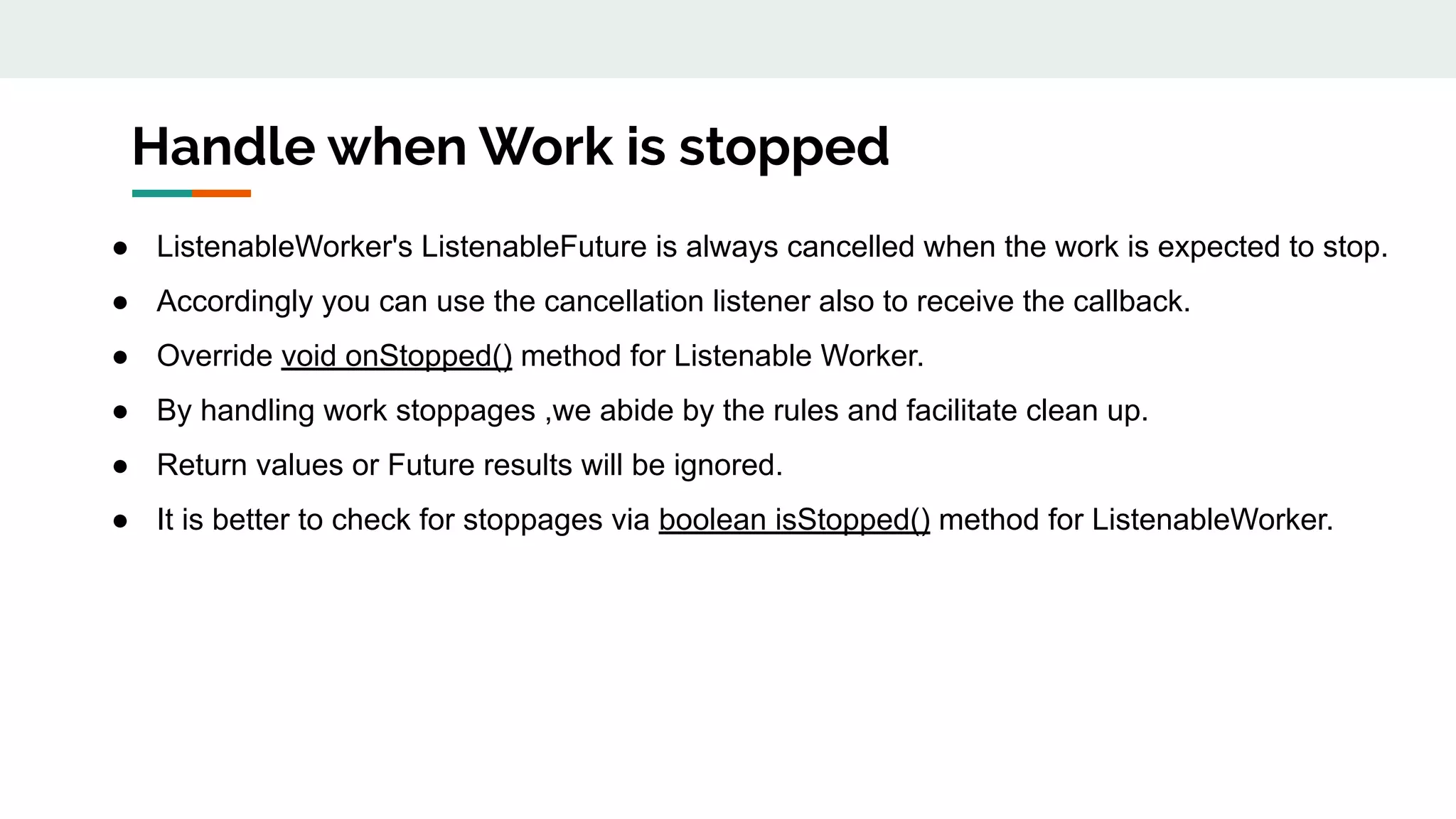
Handle when Work is stopped
● ListenableWorker's ListenableFuture is always cancelled when the work is expected to stop.
● Accordingly you can use the cancellation listener also to receive the callback.
● Override void onStopped() method for Listenable Worker.
● By handling work stoppages ,we abide by the rules and facilitate clean up.
● Return values or Future results will be ignored.
● It is better to check for stoppages via boolean isStopped() method for ListenableWorker.
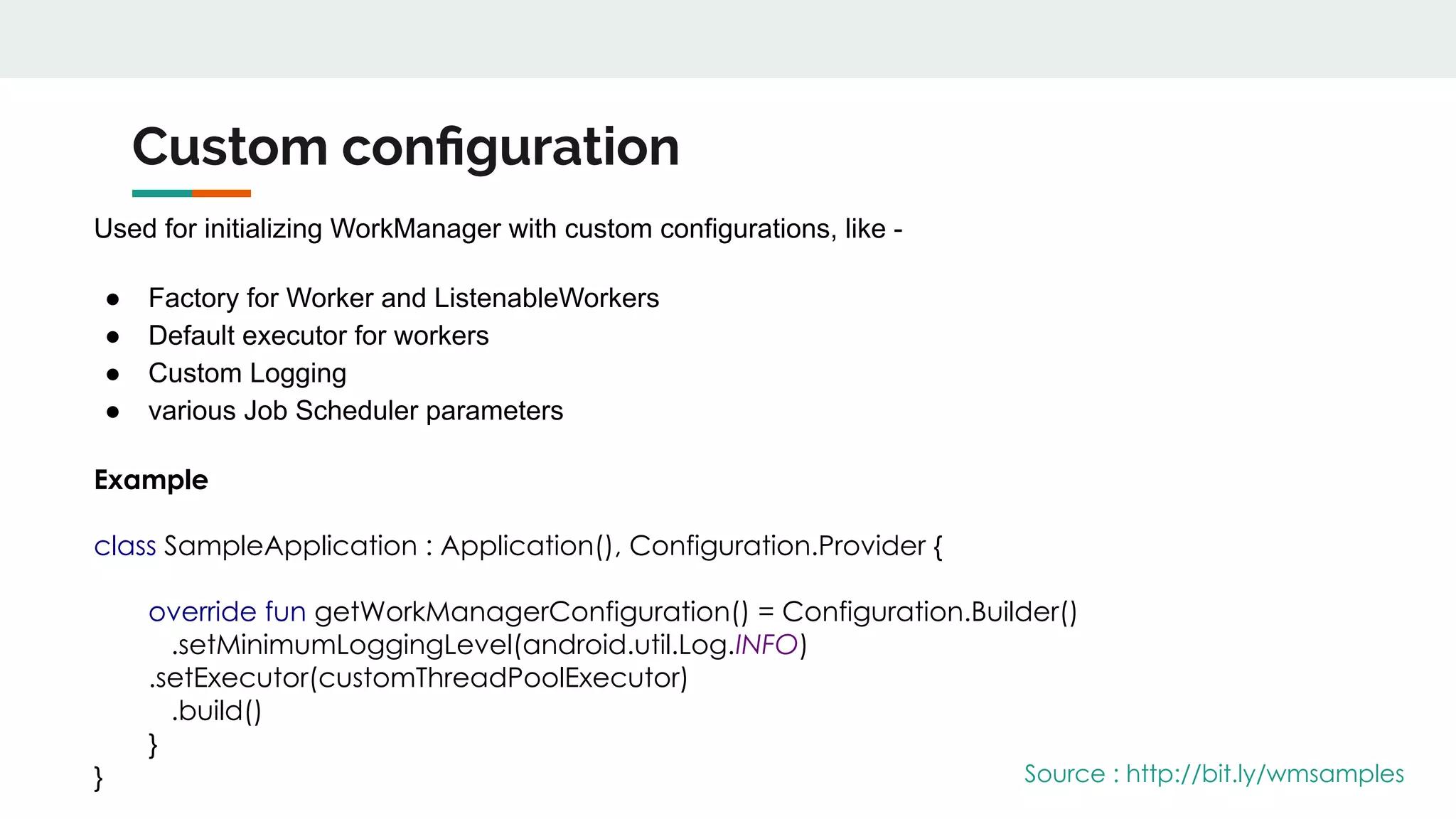
Custom configuration
Used for initializing WorkManager with custom configurations, like -
● Factory for Worker and ListenableWorkers
● Default executor for workers
● Custom Logging
● various Job Scheduler parameters
Example
class SampleApplication : Application(), Configuration.Provider {
override fun getWorkManagerConfiguration() = Configuration.Builder()
.setMinimumLoggingLevel(android.util.Log.INFO)
.setExecutor(customThreadPoolExecutor)
.build()
}
} Source : http://bit.ly/wmsamples
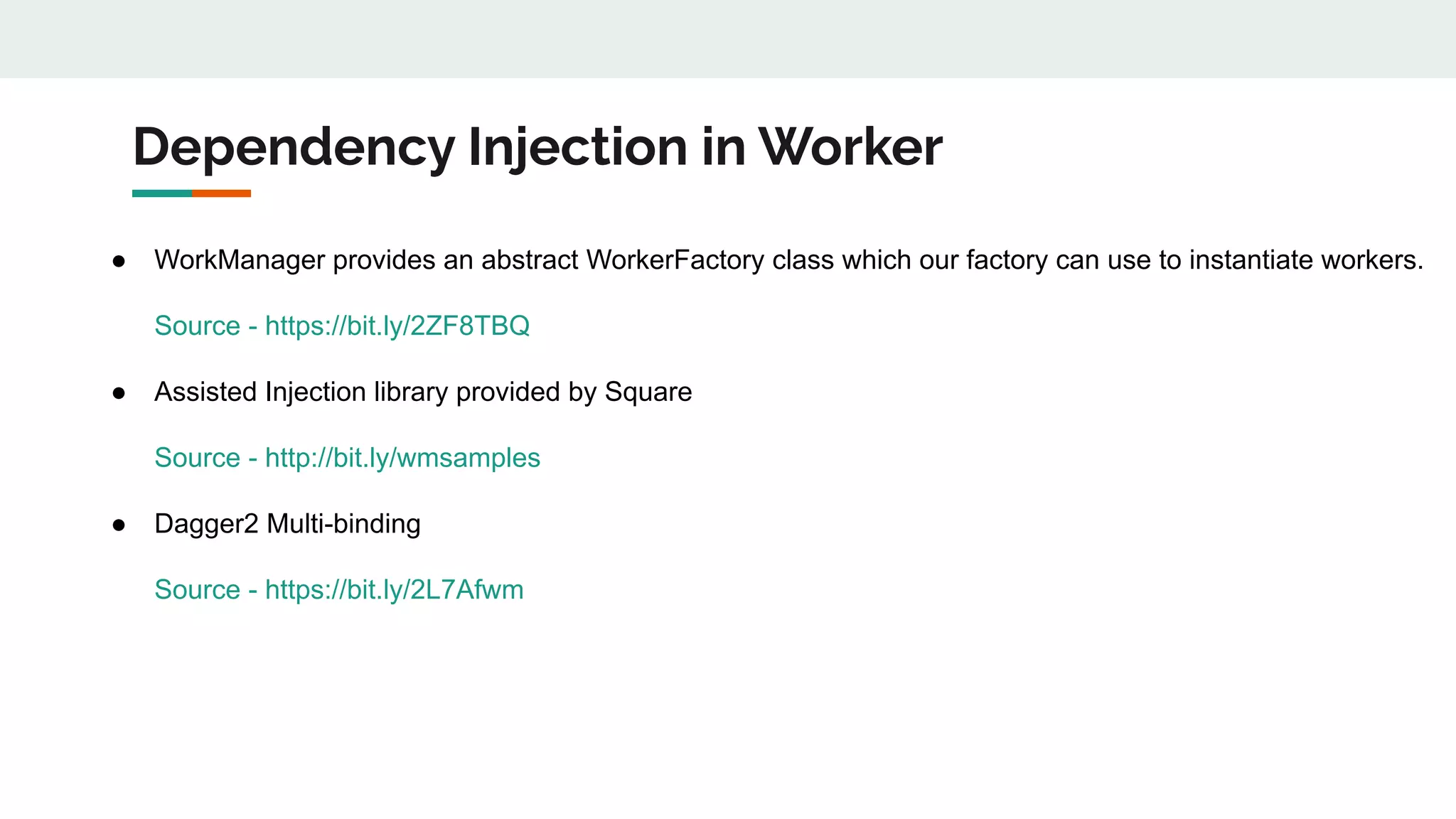
Dependency Injection in Worker
● WorkManager provides an abstract WorkerFactory class which our factory can use to instantiate workers.
Source - https://bit.ly/2ZF8TBQ
● Assisted Injection library provided by Square
Source - http://bit.ly/wmsamples
● Dagger2 Multi-binding
Source - https://bit.ly/2L7Afwm
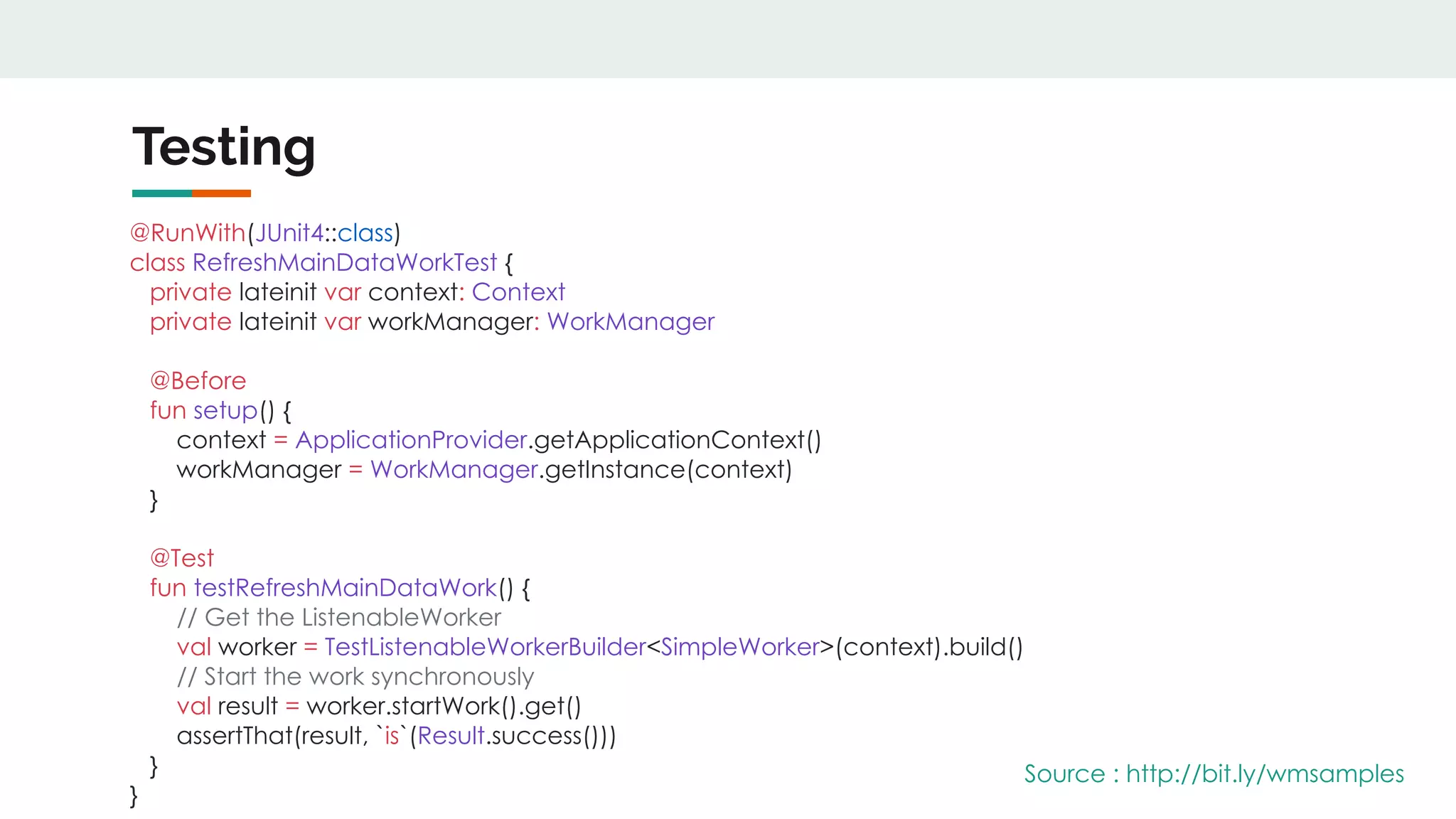
Testing
@RunWith(JUnit4::class)
class RefreshMainDataWorkTest {
private lateinit var context: Context
private lateinit var workManager: WorkManager
@Before
fun setup() {
context = ApplicationProvider.getApplicationContext()
workManager = WorkManager.getInstance(context)
}
@Test
fun testRefreshMainDataWork() {
// Get the ListenableWorker
val worker = TestListenableWorkerBuilder<SimpleWorker>(context).build()
// Start the work synchronously
val result = worker.startWork().get()
assertThat(result, `is`(Result.success()))
}
}
Source : http://bit.ly/wmsamples
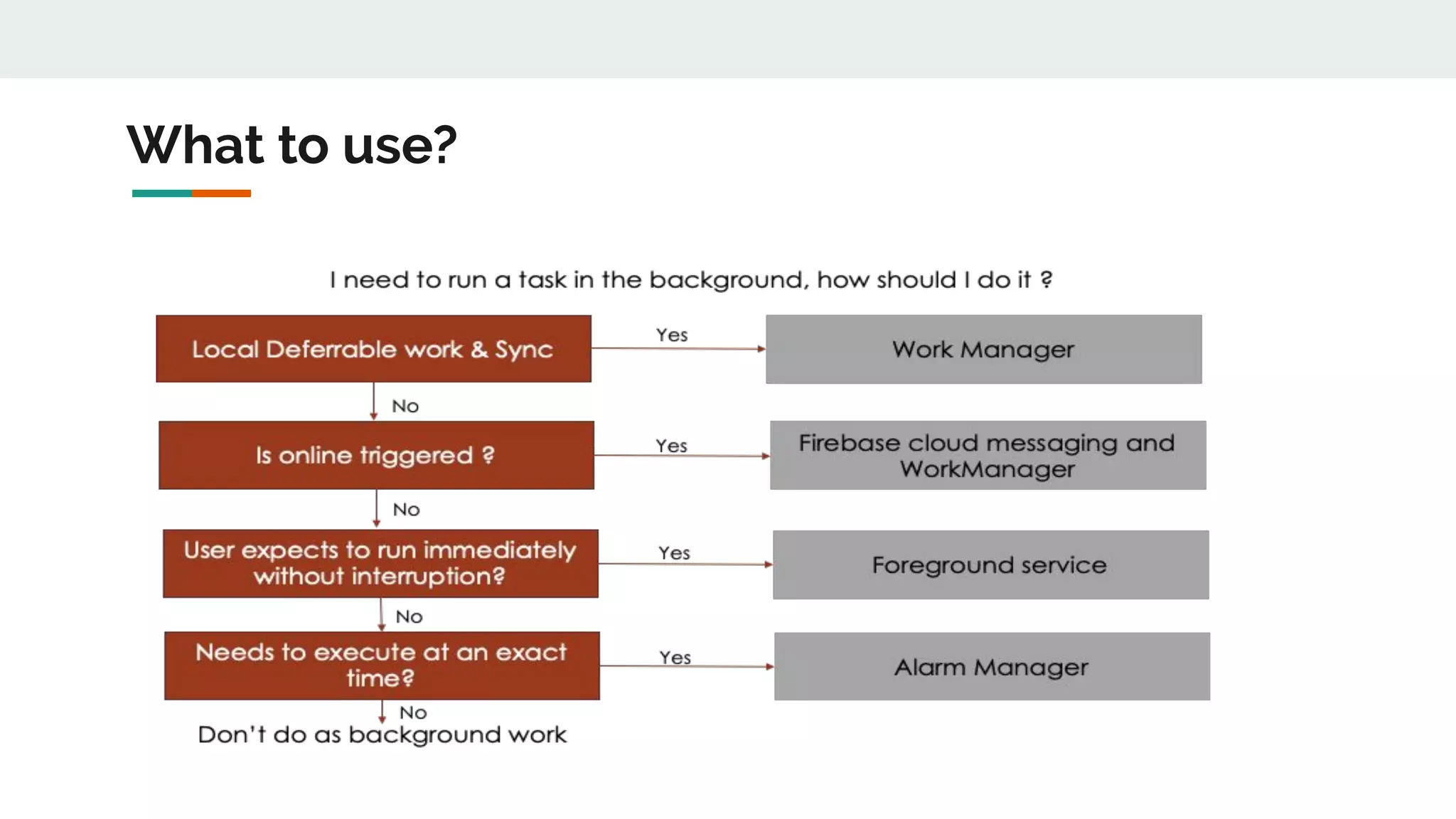
What to use?
References
● http://bit.ly/2ZuNRtT - Work Manager Series by Pietro Maggi
● http://bit.ly/2L7ZNK1 - Work Manager with RxJava by Paulina Sadowska
● http://bit.ly/2NLOkBk - Dagger 2 Setup with Work Manager by Tuan Kiet
● http://bit.ly/2HwX3DS - Listenable Future Explained
● http://bit.ly/2MKKUiL - Android Dev Summit Talk on Work Manager by Sumir Kataria & Rahul Ravikumar
● http://bit.ly/30LlZPt - Workout Your tasks with WorkManager by Magada Miu
● http://bit.ly/2MJKbyc - Android Developers Blog: Power series
● http://bit.ly/2LkCdII - Schedule tasks with WorkManager | Android Developers
● http://bit.ly/30M4DBQ - How does Android Optimize Battery Usage in New Releases?
● http://bit.ly/2L5MGc9 - An ~extended~ Doze mode (Android Development Patterns S3 Ep 3) - YouTube
● http://bit.ly/2ZC3n2P - Android Jetpack: easy background processing with WorkManager - YouTube
Q & A

Analysing in depth work manager

  • 1.
    Analyzing in DepthWork Manager @bhatnagar_g @rohankandwal
  • 2.
  • 3.
    Battery Issues Source :http://bit.ly/32ds6wb
  • 4.
    How is batteryutilized in Android Screen Off Screen On CPU Radios Screen e.g. wakelocks e.g. syncs, network activity Background Activity Source : http://bit.ly/30M4DBQ
  • 5.
  • 6.
    Design Principles Reduce DeferCoalesce Reduce all background activity If background activity must be performed, defer it to when device is on charger If it cannot be deferred, coalesce it with other background activity to reduce wakeup overhead Source : http://bit.ly/30M4DBQ
  • 7.
  • 8.
    Doze Mode andApp Standby Source : http://bit.ly/2ZnGvsE
  • 9.
    Native Support forDoze on the Go (Nougat) Source : http://bit.ly/2HzSgl7
  • 10.
    Juxtaposition between Extended& Deep Doze Doze Extended Trigger Screen off, on battery, stationary Screen off , on battery Timing Successively increasing periods with maintenance windows Repeated N-minute periods with maintenance windows Restrictions No Network Access Jobs/Syncs deferred No Wakelocks Alarms deferred No GPS/WiFi Scans No Network Access Jobs/Syncs deferred Exit Motion, screen on, alarm clock or device charging Screen on or device charging Source : http://bit.ly/2L5MGc9
  • 11.
    Background Processing Limitations(Oreo) ● To Improve RAM / Battery performance. ● Restricting Background processes for different applications ○ Services run freely in foreground ○ Background services are stopped when idle. ○ Bound services are not affected. ● Limitations on Background Location Updates ○ When in Background apps to receive location updates only a few times each hour. ● Broadcast Restrictions (very short list of excluded implicit broadcasts)
  • 12.
    Adaptive Battery &Adaptive Brightness Source: http://bit.ly/2ZpJjpb
  • 13.
    App Standby Buckets ●Active ● Working Set ● Frequent ● Rare ● Never Source: https://goo.gl/9d4tys Application is in Active Bucket Has a notification from the app been clicked Is a sync adapter being used in foreground? Is there a foreground service running? Has an activity been launched? Is the application not often used? Is the application used regularly? Is the application used most days? Application is in Never Bucket Application is in Working Set Bucket Application is in Frequent Bucket Application is in Rare Bucket Yes Yes Yes Yes Yes Yes Yes No No No Application is not currently active No No No No
  • 14.
    Existing solutions forbackground tasks Async Task Job Scheduler Loaders Alarm Manager Sync Adapter Firebase JobDispatcher Service Executors/Threads Android Job (Evernote)
  • 15.
  • 16.
  • 17.
    Work Manager ● WorkManageris the recommended solution for background execution, taking into account all OS background execution limits. ● The work is guaranteed to run, even on app restart. ● Work Manager is backward compatible to API 14. ● Works with and without Google Play Services. ● It should be used for all deferrable and guaranteed background work.
  • 18.
    Internal Mechanism ofWorkManager Work Manager API 23+ Job scheduler Has play services? Alarm Manager and broadcast receiver GCM Network Manager Yes Yes No No
  • 19.
    Worker ● Synchronous andruns on background thread by default ● doWork() method is overridden and the task added in it. ● doWork() is called exactly once per Worker instance. A new Worker is created if a unit of work needs to be rerun. ● A Worker is given a maximum of ten minutes to finish its execution and return a ListenableWorker.Result. After this time has expired, the Worker will be signalled to stop.
  • 20.
  • 21.
    ListenableWorker ● Work asynchronously ●Instantiated at runtime by the WorkerFactory specified in the Configuration. ● startWork() method performs all the task and runs on the main thread. ● New instance of ListenableWorker is case of a new or restarted work. ● Maximum of ten minutes to finish execution. ● Return a ListenableWorker.Result
  • 22.
    Work Manager RequestTypes (1/2) YesNo
  • 23.
    Work Manager RequestTypes (2/2) 1. One Time Request a. It is used for non-repeating work which can be part of a chain b. It could have an initial delay c. It could be part of a chain or graph of work 2. Periodic Request a. Used for tasks that need to execute periodically but interval has to be more than 15 minutes which will be be in flex interval. b. It cannot be part of a chain or graph of work
  • 24.
    One-Time Work Cycle BLOCKEDENQUEUED RUNNING SUCCEEDED CANCELLED FAILED RETRY CANCEL FAILURE SUCCESS
  • 25.
    Demo // Creating anone time worker object val worker = OneTimeWorkRequest.from(CleanupWorker::class.java) Source : http://bit.ly/wmsamples
  • 26.
    Periodic Work Cycle ENQUEUEDRUNNING CANCELLED FAILED RETRY CANCEL SUCCESS FAILURE
  • 27.
    Demo // Creating aperiodic work request which will execute every 15 minutes val periodicWorkRequest = PeriodicWorkRequest.Builder(PeriodicWorker::class.java, 15, TimeUnit.MINUTES).build() Source : http://bit.ly/wmsamples
  • 28.
    Add Constraints // Createconstraint for to specify battery level and network type val constraints = Constraints.Builder() .setRequiresBatteryNotLow(true) .setRequiredNetworkType(NetworkType.CONNECTED) .build() //Request object to report it to the server val builder = OneTimeWorkRequest.Builder(ReportToServerWorker::class.java) .setConstraints(constraints) .build() Source : http://bit.ly/wmsamples
  • 29.
    Start the task Beforev2.1 // Enqueuing the work request to fire the Work request WorkManager.getInstance().enqueue(requestWorker) After v2.1 // Enqueuing the work request to fire the Work request WorkManager.getInstance(context).enqueue(requestWorker) Source: http://bit.ly/wmsamples
  • 30.
    Input/Output for thetask // Input data for task while creating a Worker val data = workDataOf((Constants.DATA1 to 30), (Constants.DATA2 to “something”)) // Setting data as input for the worker OneTimeWorkRequest.Builder(SampleWorker::class.java).setInputData(data) // Reading data in Worker class val batteryStat = inputData.getString(Constants.DATA1) ?: "UNKNOWN" // Setting output from worker val data = Data.Builder().putString(Constants.DATA3, “something”).build() // Return the data back in Result Result.success(data) Source : http://bit.ly/wmsamples
  • 31.
    Delays and Retries InitialDelay val syncWorkRequest = OneTimeWorkRequestBuilder<SampleWorker>().setInitialDelay(5, TimeUnit.MINUTES) .build() Retries Result.retry() BackOff Policy : val uploadWorkRequest = OneTimeWorkRequestBuilder<UploadWorker>() .setBackoffCriteria(BackoffPolicy.LINEAR, OneTimeWorkRequest.MIN_BACKOFF_MILLIS, TimeUnit.MILLISECONDS) .build() Source : http://bit.ly/wmsamples
  • 32.
    Tagging of Tasks //Tags are used to identify or cancel the Work val task = OneTimeWorkRequest.Builder(SampleWorker::class.java) .addTag(Constants.DATA).build() Tags are meant to be used as categories, to identify/classify similar pieces of work that we might want to operate on as a bunch. Source : http://bit.ly/wmsamples
  • 33.
    Unique work Prevent duplicatetasks for the app. // For unique One-Time Work WorkManager.getInstance(this).enqueueUniqueWork(String, ExistingWorkPolicy, OneTimeWorkRequest) // For unique Periodic Work WorkManager.getInstance(this).enqueueUniquePeriodicWork(String, ExistingPeriodicWorkPolicy, PeriodicWorkRequest) ExistingWorkPolicy is used to denote the replacement of duplicate task Types - REPLACE/KEEP/APPEND ExistingPeriodicWorkPolicy is used to denote the replacement of duplicate task Types - REPLACE/KEEP Source : http://bit.ly/wmsamples
  • 34.
    Observe work status WorkManager.getInstance(this).getWorkInfoByIdLiveData(periodicWorkRequest.id) .observe(this,Observer { workInfo -> if (workInfo != null && workInfo.state == WorkInfo.State.SUCCEEDED) { // Do something } }) Source : http://bit.ly/wmsamples
  • 35.
    Retrieve WorkInfo WorkRequest Id WorkManager.getInstance(this).getWorkInfoById(UUID):ListenableFuture<List<WorkInfo>> WorkManager.getInstance(this).getWorkInfoByIdLiveData(UUID):LiveData<List<WorkInfo>> Tag WorkManager.getInstance(this).getWorkInfosByTag(String): ListenableFuture<List<WorkInfo>> WorkManager.getInstance(this).getWorkInfosByTagLiveData(String): LiveData<List<WorkInfo>> Unique Name WorkManager.getInstance(this).getWorkInfosForUniqueWork(String): ListenableFuture<List<WorkInfo>> WorkManager.getInstance(this).getWorkInfosForUniqueWorkLiveData(String): LiveData<List<WorkInfo>> Source : http://bit.ly/wmsamples
  • 36.
    Chaining Work Example PeriodicWorker (Fired every 30 minutes) Get RemoteConfig Worker (gets remote configuration) BatteryStats Worker (reads device’s battery info) NetworkStats Worker (reads network info) ReportGenerator Worker (creates report and send to server) Initializes Remote Config Worker Gets info from network and set as Output data Read configurations from RemoteConfig Worker & output it’s data Read data from BatteryStats & NetworkStats worker Read configurations from RemoteConfig Worker & output it’s data One Time Worker Periodic Worker
  • 37.
    Chaining Work inCode Added in Periodic Worker // Request object to get the config from the server val continuation = workManager .beginUniqueWork( PeriodicTimeActivity.TAG_UNIQUE_WORK_NAME, ExistingWorkPolicy.REPLACE, OneTimeWorkRequest.from(GetConfigWorker::class.java)) // Chaining the GetConfigWorker with BatteryUsageWorker and NetworkUsageWorker .then(listOf(batteryStatBuilder.build(), netStatBuilder.build())) // Now, gathering analytics will happen in parallel .then(reportBuilder.build()) // Chaining the analytics request to server reporting Source : http://bit.ly/wmsamples
  • 38.
    Life of chain(1/4) Enqueued Blocked Blocked Blocked Blocked Blocked Blocked A B D F G E C
  • 39.
    Life of chain(2/4) Running Blocked Blocked Blocked Blocked Blocked Blocked A B D F G E C
  • 40.
    Life of chain(3/4) Succeeded Enqueued Enqueued Blocked Blocked Blocked Blocked A B D F G E C
  • 41.
    Life of chain(4/4) Succeeded Succeeded Failed Enqueued Failed Failed Failed A B D F G E C
  • 42.
    Work Continuation Source :https://bit.ly/2NIA2BE
  • 43.
    Work Continuation Source :https://bit.ly/2NIA2BE val chain1 = WorkManager.getInstance() .beginWith(workA1) .then(workA2) val chain2 = WorkManager.getInstance() .beginWith(workB1) .then(workB2) val chain3 = WorkContinuation .combine(chain1, chain2) //Combines chain 1 and 2 .then(workC) chain3.enqueue()
  • 44.
    Cancelling work // Cancelwork by work request ID WorkManager.getInstance(this).cancelWorkById(workRequest.id) // Cancel work by unique work tag WorkManager.getInstance(this).cancelAllWorkByTag(String) // Cancel work WorkManager.getInstance(this).cancelUniqueWork(String) Source : http://bit.ly/wmsamples
  • 45.
  • 46.
  • 47.
    Work Manager Listenable Worker SimpleWorker RxWorker Coroutine Worker*
  • 48.
    Listenable Worker class ListenableWorkerExample(context:Context, workerParameters: WorkerParameters) : ListenableWorker(context, workerParameters) { override fun startWork(): ListenableFuture<Result> { return CallbackToFutureAdapter.getFuture { completer -> val callback = object : Callback { var successes = 0 override fun onFailure(call: Call, e: IOException) { completer.setException(e) } override fun onResponse(call: Call, response: Response) { completer.set(Result.success()) } } downloadAsynchronously("https://www.google.com", callback) } return@getFuture callback } } } Source : http://bit.ly/wmsamples
  • 49.
    Simple Worker class SampleWorker(context:Context, params: WorkerParameters) : Worker(context, params) { override fun doWork(): Result { // do some work // If successful, return // Success -> Result.success() // Failure -> Result.failure() // Retry -> Result.retry() return Result.retry() } } Source : http://bit.ly/wmsamples
  • 50.
    RxWorker class RxWorkerExample(val context:Context, val workerParameters: WorkerParameters) : RxWorker(context, workerParameters) { override fun createWork(): Single<Result> { // do some work // If successful, return // Success -> Result.success() // Failure -> Result.failure() // Retry -> Result.retry() return Single.create(Observable.range(0, 100) .toList().map { Result.success() }) } // Using computation thread, we can use others as well override fun getBackgroundScheduler(): Scheduler { return Schedulers.computation() } } Source : http://bit.ly/wmsamples
  • 51.
    Co-routine Worker class CoroutineWorkerExample(val context: Context, params: WorkerParameters) : CoroutineWorker (context, params) { override suspend fun doWork(): Result = coroutineScope { // Using IO thread, we can use others as well withContext(Dispatchers.IO) { return@withContext try { // do something Result.success() } catch (e: Exception) { Result.failure() } } } } Source : http://bit.ly/wmsamples
  • 52.
    Handle when Workis stopped ● ListenableWorker's ListenableFuture is always cancelled when the work is expected to stop. ● Accordingly you can use the cancellation listener also to receive the callback. ● Override void onStopped() method for Listenable Worker. ● By handling work stoppages ,we abide by the rules and facilitate clean up. ● Return values or Future results will be ignored. ● It is better to check for stoppages via boolean isStopped() method for ListenableWorker.
  • 53.
    Custom configuration Used forinitializing WorkManager with custom configurations, like - ● Factory for Worker and ListenableWorkers ● Default executor for workers ● Custom Logging ● various Job Scheduler parameters Example class SampleApplication : Application(), Configuration.Provider { override fun getWorkManagerConfiguration() = Configuration.Builder() .setMinimumLoggingLevel(android.util.Log.INFO) .setExecutor(customThreadPoolExecutor) .build() } } Source : http://bit.ly/wmsamples
  • 54.
    Dependency Injection inWorker ● WorkManager provides an abstract WorkerFactory class which our factory can use to instantiate workers. Source - https://bit.ly/2ZF8TBQ ● Assisted Injection library provided by Square Source - http://bit.ly/wmsamples ● Dagger2 Multi-binding Source - https://bit.ly/2L7Afwm
  • 55.
    Testing @RunWith(JUnit4::class) class RefreshMainDataWorkTest { privatelateinit var context: Context private lateinit var workManager: WorkManager @Before fun setup() { context = ApplicationProvider.getApplicationContext() workManager = WorkManager.getInstance(context) } @Test fun testRefreshMainDataWork() { // Get the ListenableWorker val worker = TestListenableWorkerBuilder<SimpleWorker>(context).build() // Start the work synchronously val result = worker.startWork().get() assertThat(result, `is`(Result.success())) } } Source : http://bit.ly/wmsamples
  • 56.
  • 57.
    References ● http://bit.ly/2ZuNRtT -Work Manager Series by Pietro Maggi ● http://bit.ly/2L7ZNK1 - Work Manager with RxJava by Paulina Sadowska ● http://bit.ly/2NLOkBk - Dagger 2 Setup with Work Manager by Tuan Kiet ● http://bit.ly/2HwX3DS - Listenable Future Explained ● http://bit.ly/2MKKUiL - Android Dev Summit Talk on Work Manager by Sumir Kataria & Rahul Ravikumar ● http://bit.ly/30LlZPt - Workout Your tasks with WorkManager by Magada Miu ● http://bit.ly/2MJKbyc - Android Developers Blog: Power series ● http://bit.ly/2LkCdII - Schedule tasks with WorkManager | Android Developers ● http://bit.ly/30M4DBQ - How does Android Optimize Battery Usage in New Releases? ● http://bit.ly/2L5MGc9 - An ~extended~ Doze mode (Android Development Patterns S3 Ep 3) - YouTube ● http://bit.ly/2ZC3n2P - Android Jetpack: easy background processing with WorkManager - YouTube
  • 58.