Create a Hyperlink in
Google Docs or Slides
How to
Marlena Hebern
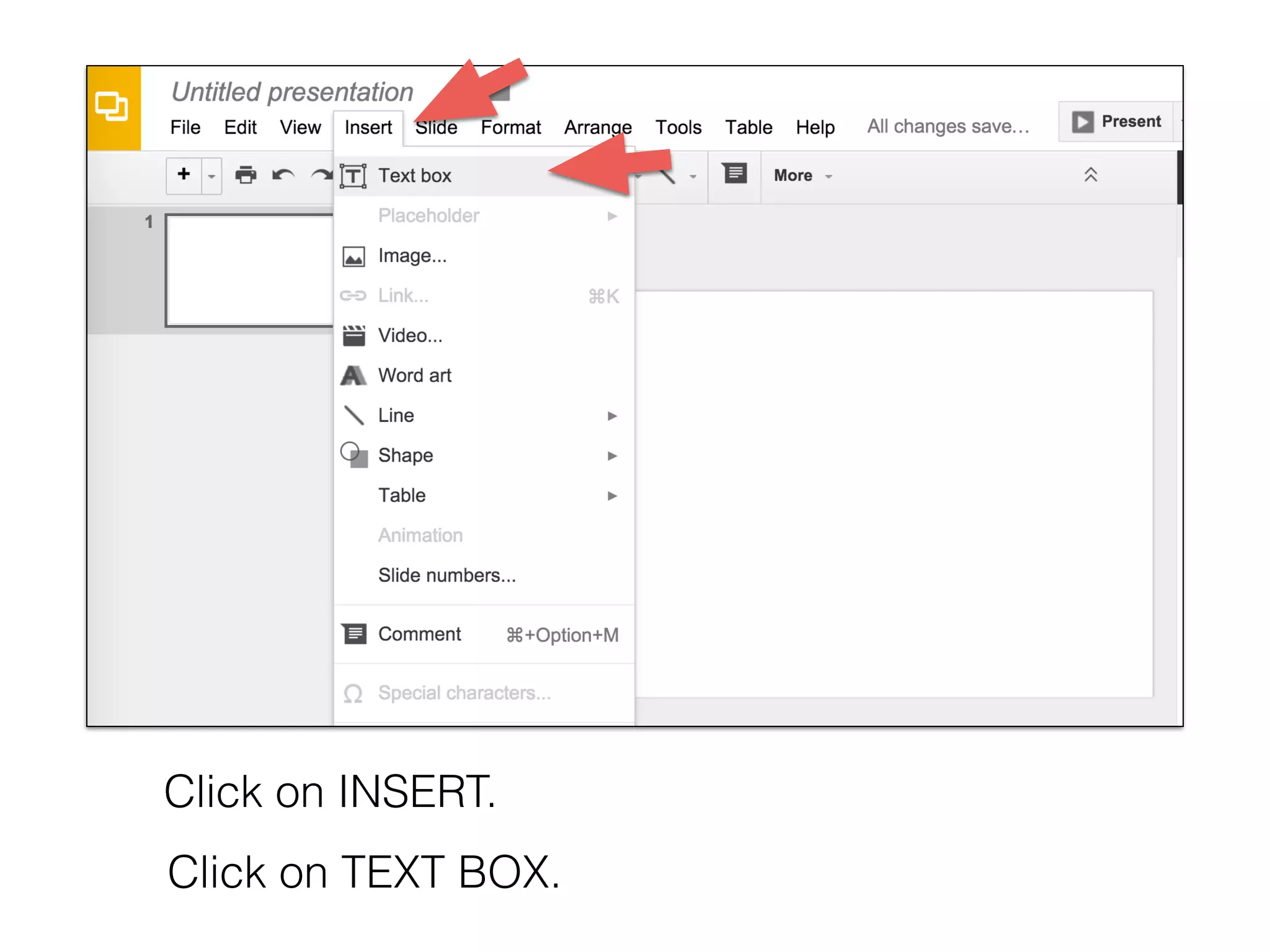
Click on INSERT.
Click on TEXT BOX.
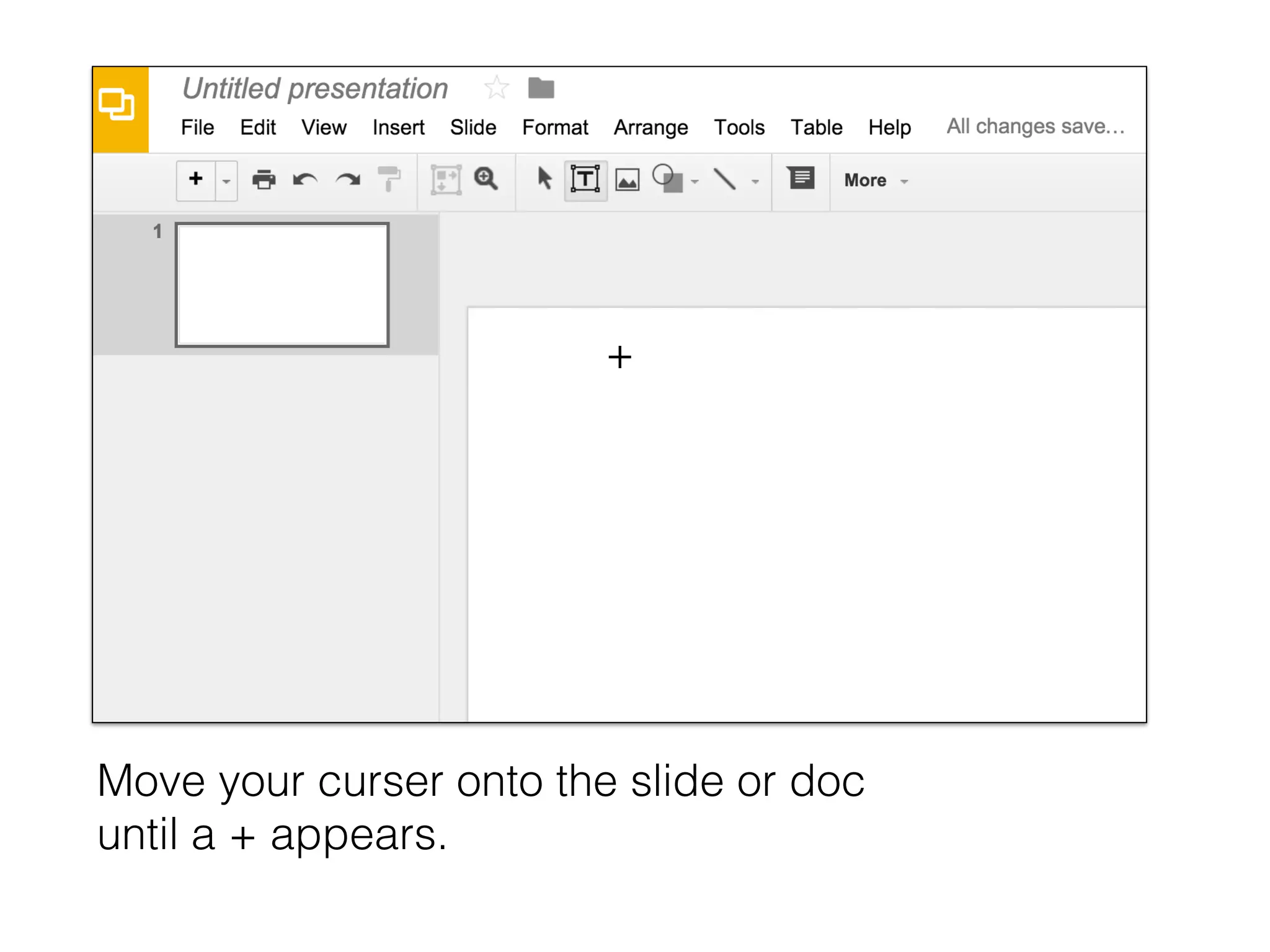
Move your curser onto the slide or doc
until a + appears.
+
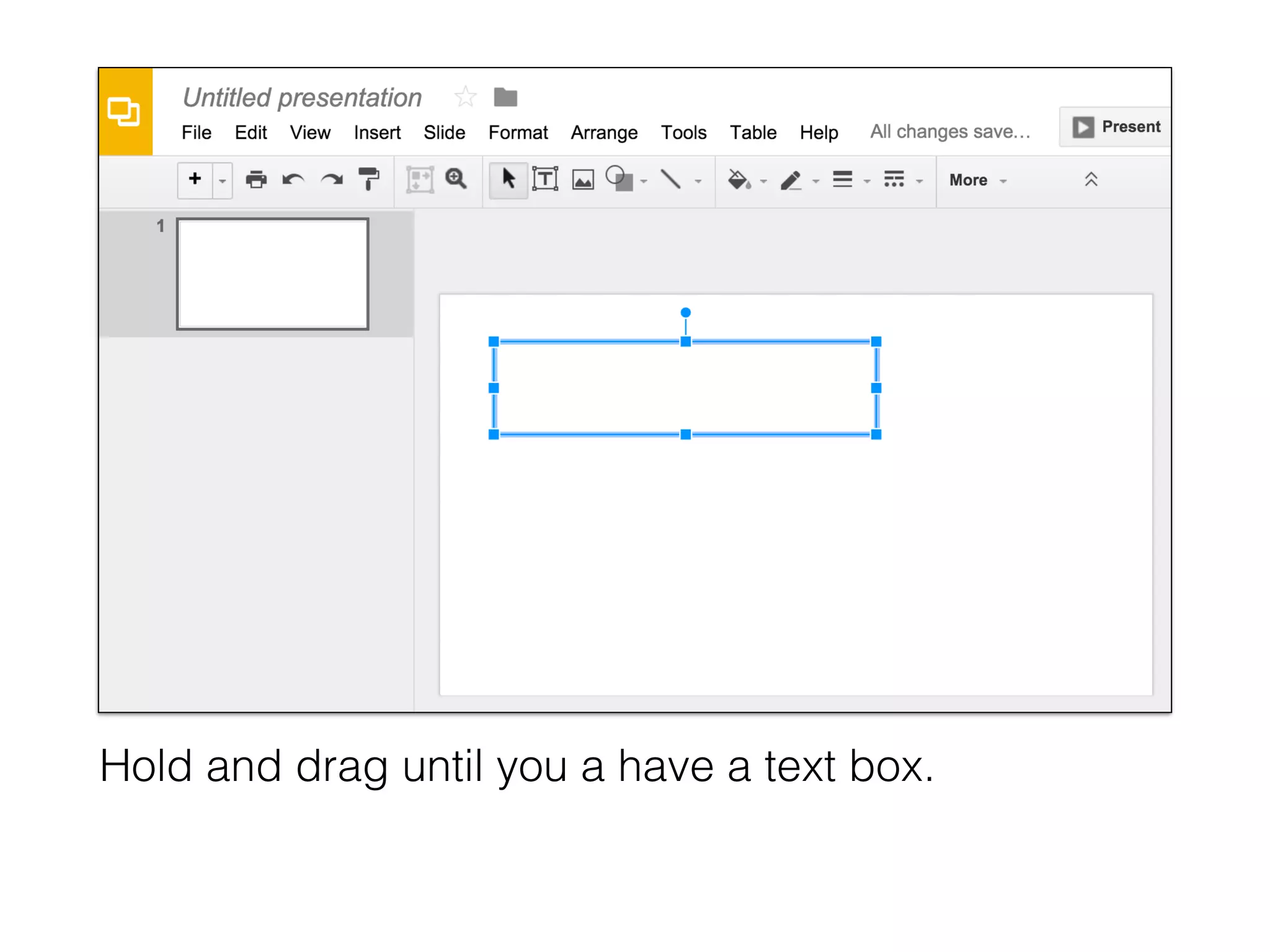
Hold and drag until you a have a text box.
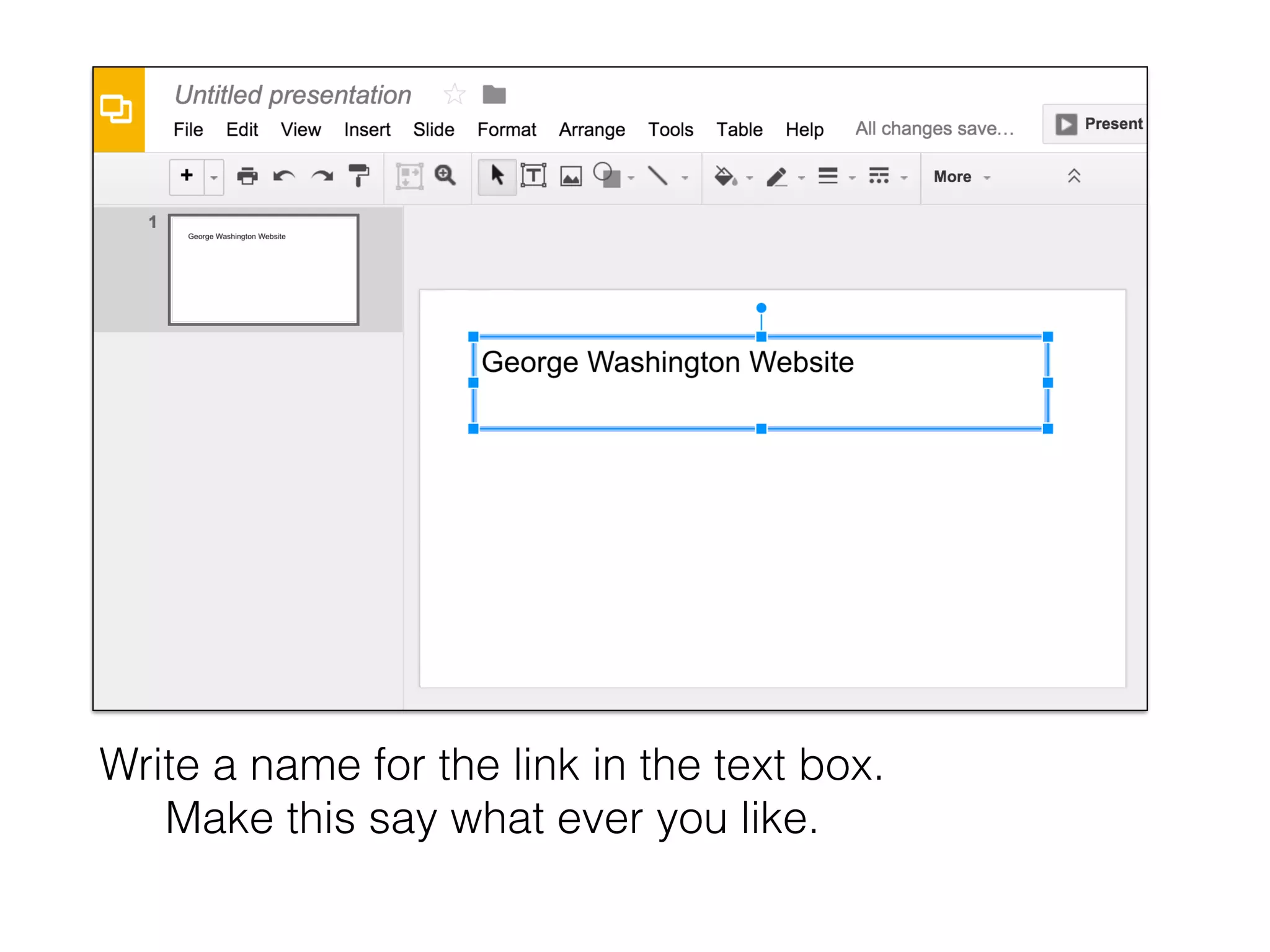
Write a name for the link in the text box.
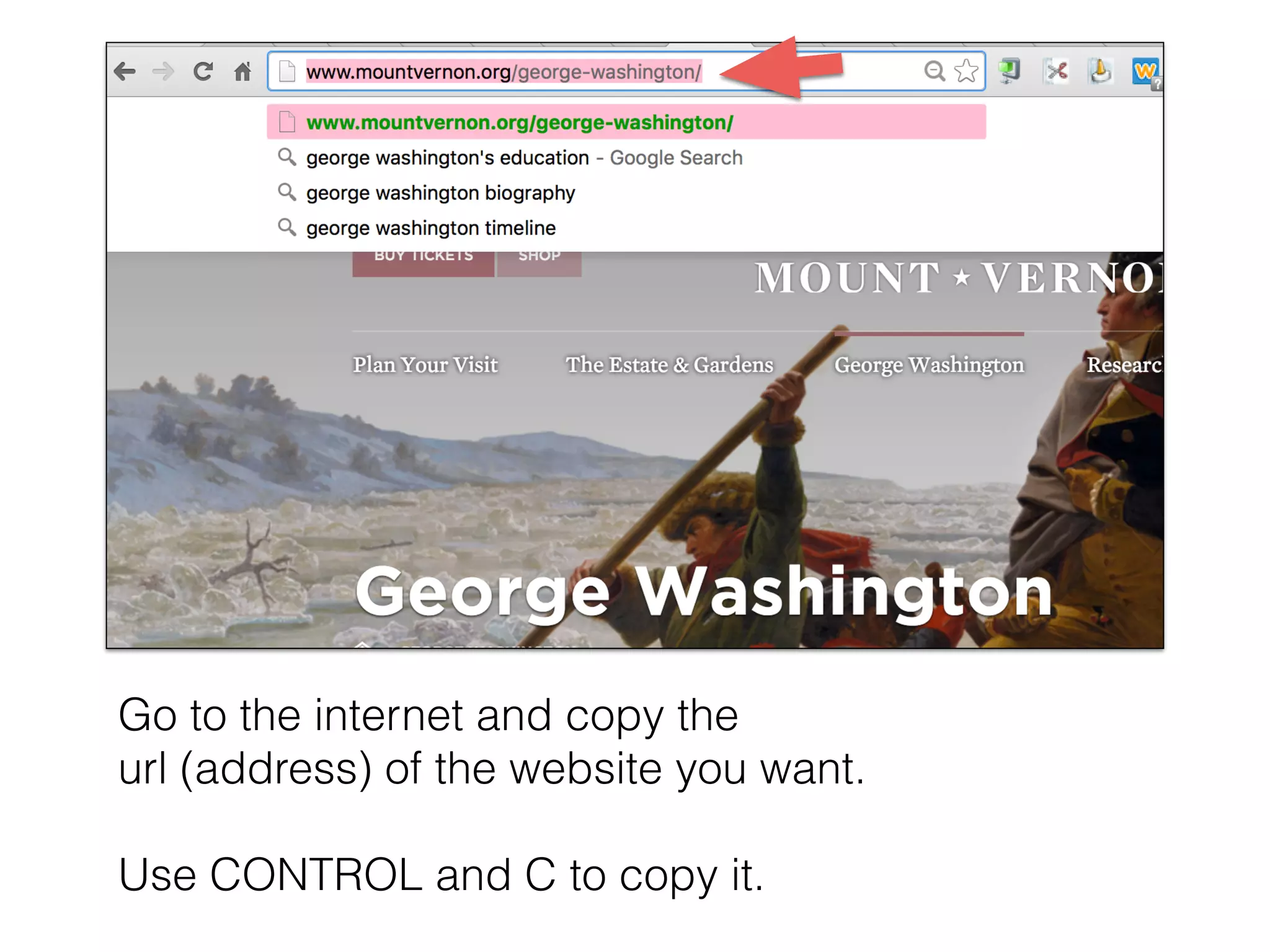
Go to the internet and copy the
url (address) of the website you want.
Use CONTROL and C to copy it.
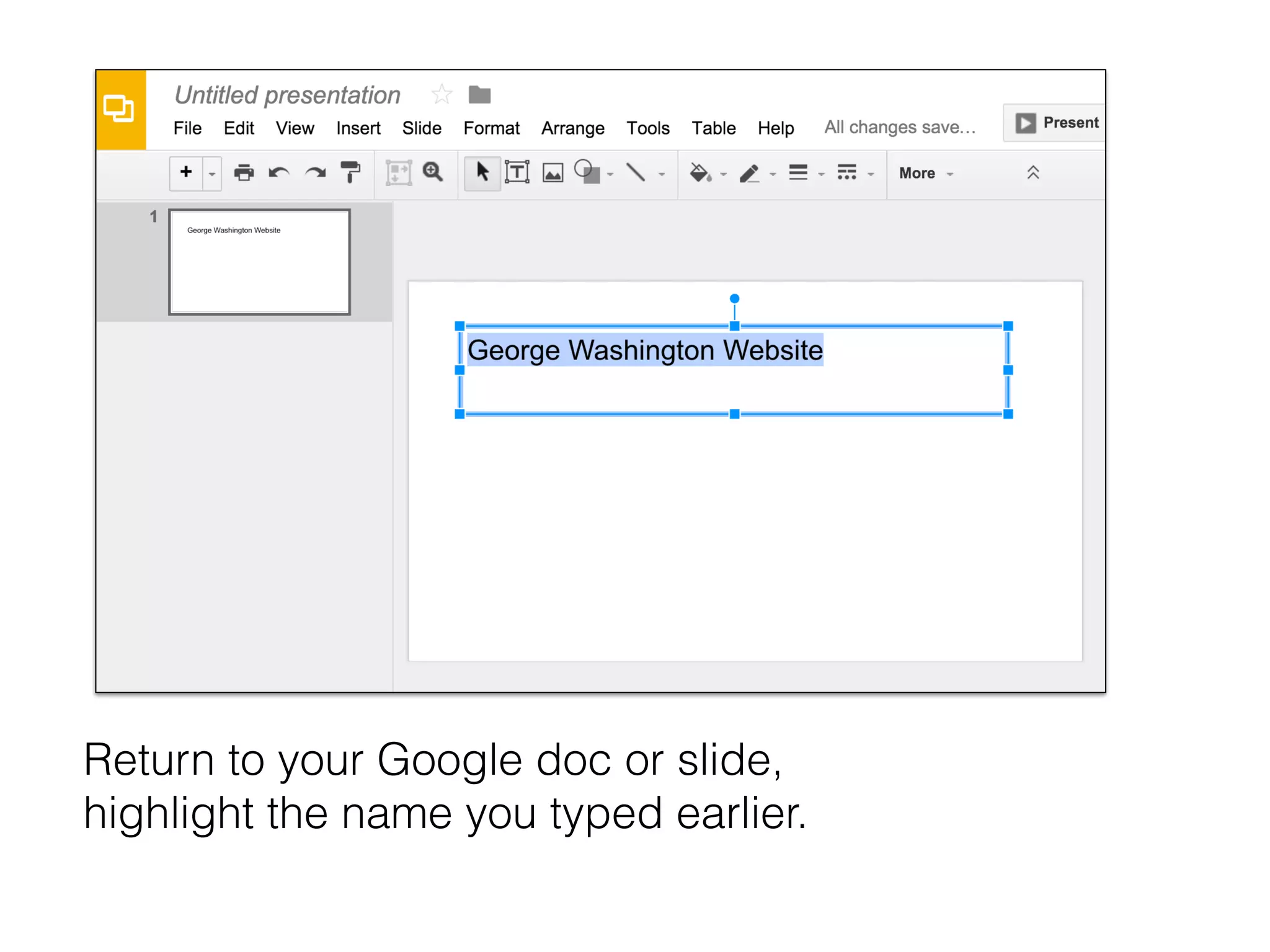
Return to your Google doc or slide,
highlight the name you typed earlier.
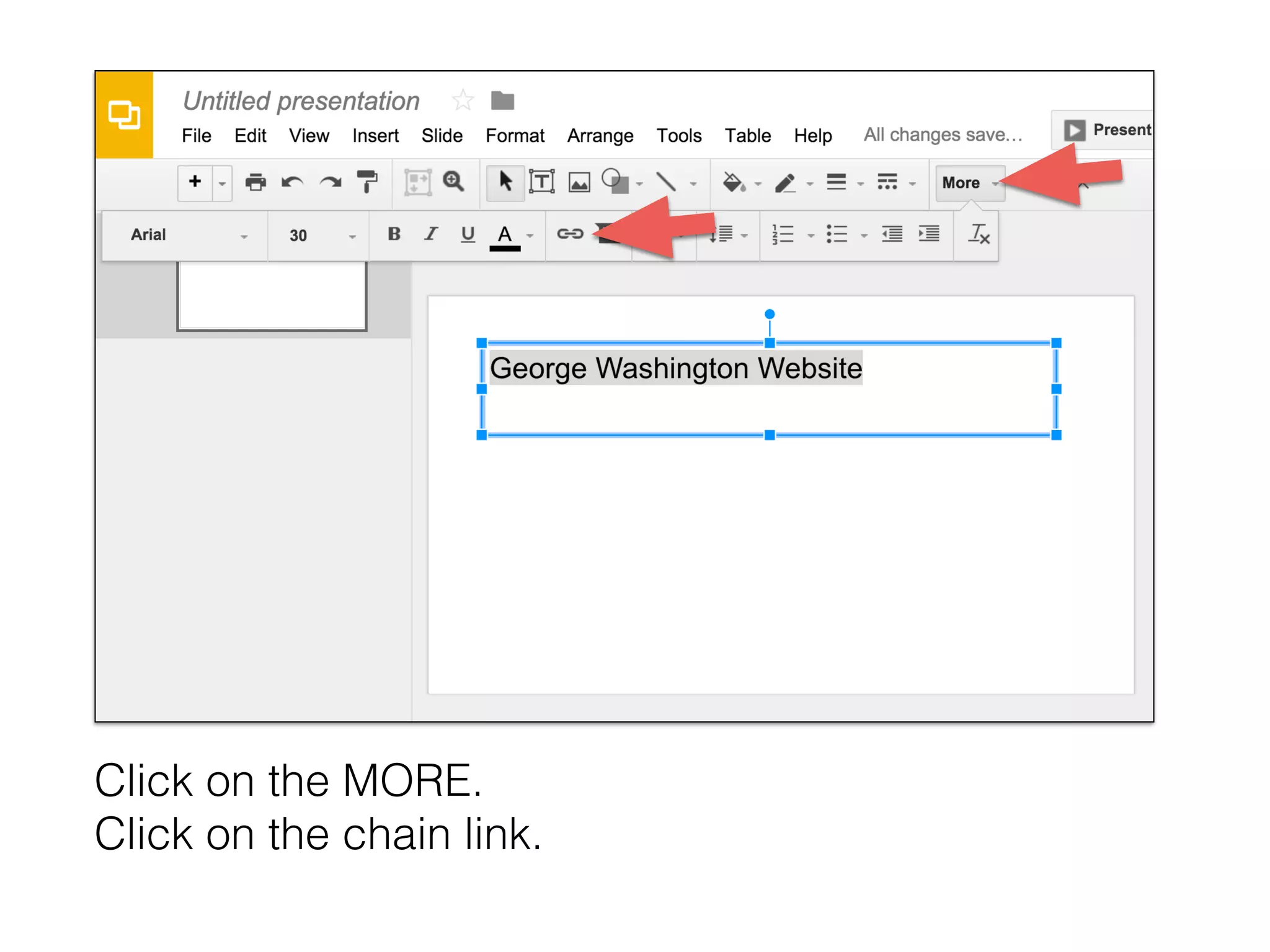
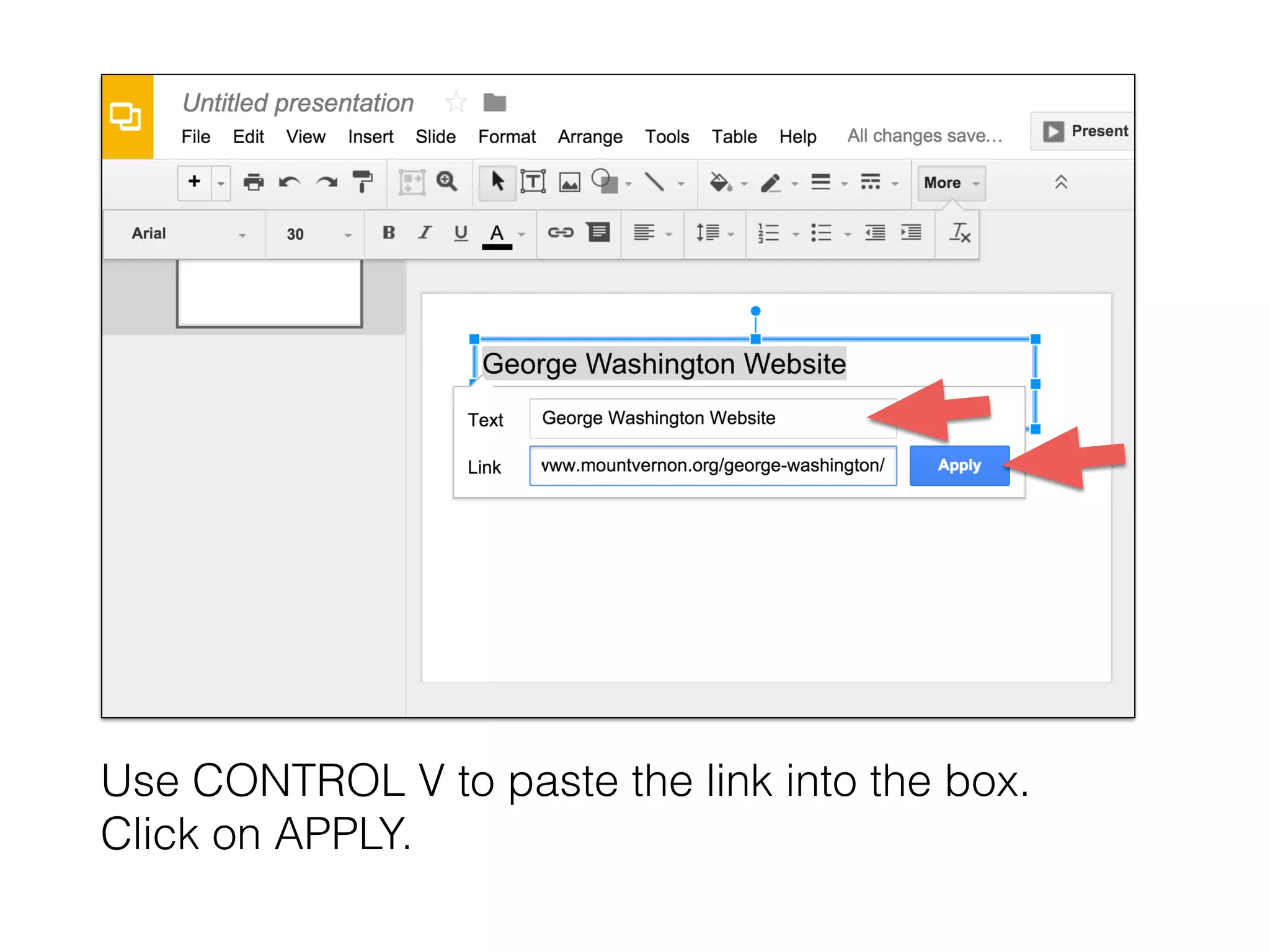
Click on the MORE.
Click on the chain link.
Use CONTROL V to paste the link into the box.
Click on APPLY.
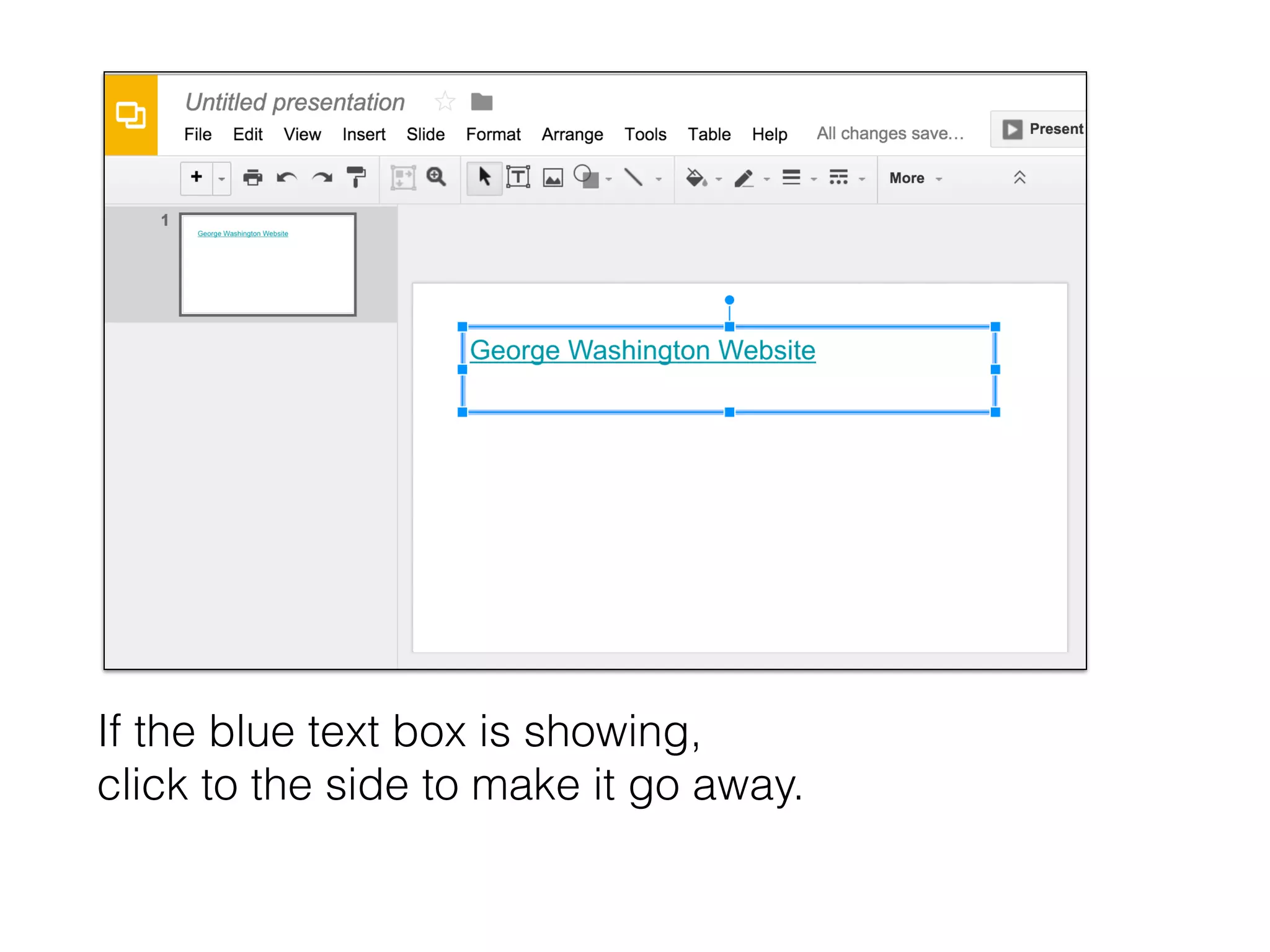
If the blue text box is showing,
click to the side to make it go away.
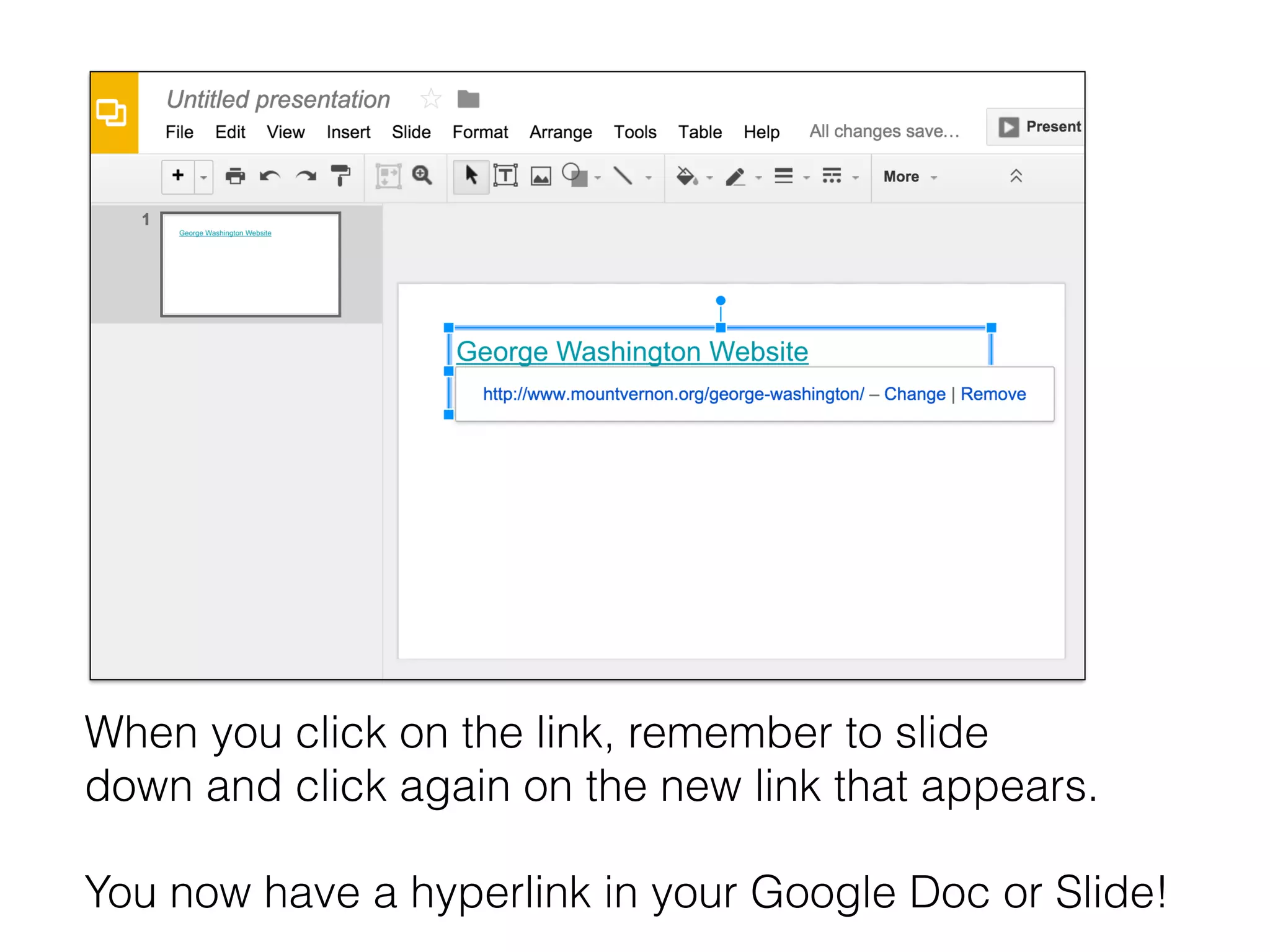
When you click on the link, remember to slide
down and click again on the new link that appears.
You now have a hyperlink in your Google Doc or Slide!

How to Insert a Hyperlink into a Google Doc or Slide

  • 1.
    Create a Hyperlinkin Google Docs or Slides How to Marlena Hebern
  • 2.
  • 3.
    Move your curseronto the slide or doc until a + appears. +
  • 4.
    Hold and draguntil you a have a text box.
  • 5.
    Write a namefor the link in the text box.
  • 6.
    Go to theinternet and copy the url (address) of the website you want. Use CONTROL and C to copy it.
  • 7.
    Return to yourGoogle doc or slide, highlight the name you typed earlier.
  • 8.
    Click on theMORE. Click on the chain link.
  • 9.
    Use CONTROL Vto paste the link into the box. Click on APPLY.
  • 10.
    If the bluetext box is showing, click to the side to make it go away.
  • 11.
    When you clickon the link, remember to slide down and click again on the new link that appears. You now have a hyperlink in your Google Doc or Slide!