Snap This!
A Snapchat Experiment in
Teaching Career Development
Deb Osborn, Ph.D.
Florida State University
Melissa Venable, Ph.D.
HigherEducation.com
Debra S. Osborn, PhD –
Counseling & School
Psychology
Nationally Certified Counselor
Florida State University Associate
Professor
Career Counseling Coordinator
Key Interests: Design & Use of
technology in counseling|
Innovation & effectiveness in
counselor education | Design & use
of assessments in career services
Find me here!
https://www.linkedin.com/in/debosborn/
@dsosborn
dosborn@fsu.edu
Melissa A. Venable, PhD -
Instructional Technology
Job and Career Transition Coach
Writer/Researcher/Social Media:
HigherEducation.com
Adjunct Faculty: Saint Leo University and
University of South Florida
Key Interests: Design and delivery of online
education | Identifying, selecting, and
implementing educational and career services-
related technologies
Find me here!
https://www.linkedin.com/in/
melissavenable/
@Melissa_Venable
melissa.a.venable@gmail.com
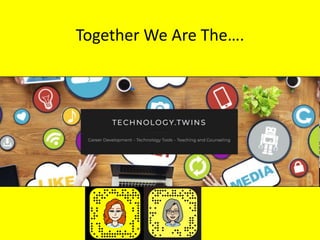
Together We Are The….
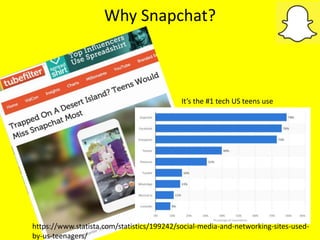
Why Snapchat?
It’s the #1 tech US teens use
https://www.statista.com/statistics/199242/social-media-and-networking-sites-used-
by-us-teenagers/
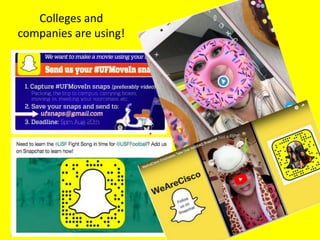
Colleges and
companies are using!
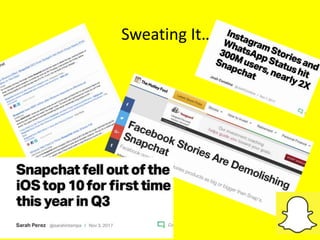
Sweating It….
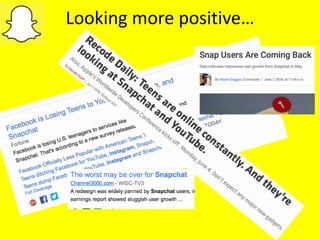
Looking more positive…
What is Snapchat?
• Video/photo-sharing app
• Text chat/Instant messaging feature
• Offers effects, drawings, text, filter overlays
on videos or images shared
• Share with one, a few, or everyone who
follows you
• Images and video disappear after a set
amount of time (Snap vs. Story)
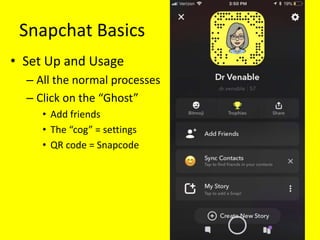
Snapchat Basics
• Set Up and Usage
– All the normal processes
– Click on the “Ghost”
• Add friends
• The “cog” = settings
• QR code = Snapcode
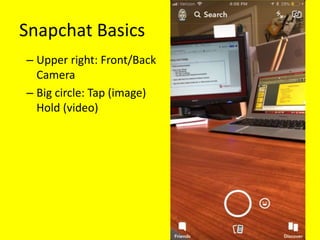
Snapchat Basics
– Upper right: Front/Back
Camera
– Big circle: Tap (image)
Hold (video)
Snapchat Basics
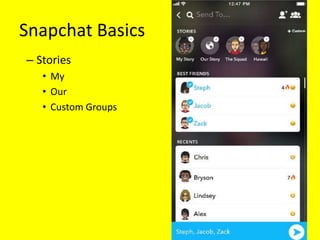
– Stories
• My
• Our
• Custom Groups
Snapchat Basics
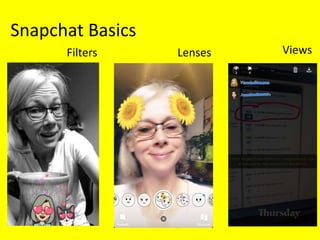
Filters Lenses Views
Let’s try it!
dr.venabledeb_osborn
Deb’s Class
• MHS 5340 Career Development
• 16 week course for MS/EdS and PhD students
• Face-to-face
• Mix of first year and second year students
• Continued experiment for next 2 semesters
– Consultation
– Technology and Counseling
Snapchat Goals
• Learning goals
– Advanced organizer, active engagement, content
reinforcer
• Professional goals
– Mix it up, try something new.
– Answer ?: Can it work? Best/worst approaches.
• Other
– Increase interactivity
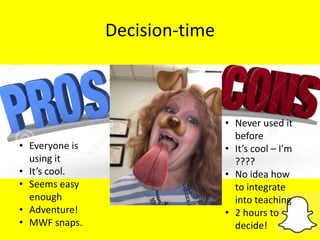
Decision-time
• Never used it
before
• It’s cool – I’m
????
• No idea how
to integrate
into teaching
• 2 hours to
decide!
• Everyone is
using it
• It’s cool.
• Seems easy
enough
• Adventure!
• MWF snaps.
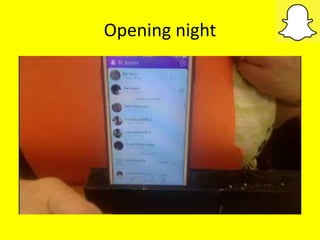
Opening night
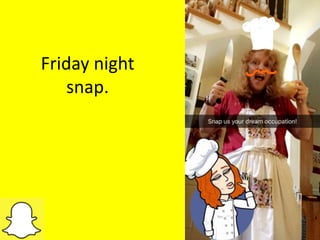
Friday night
snap.
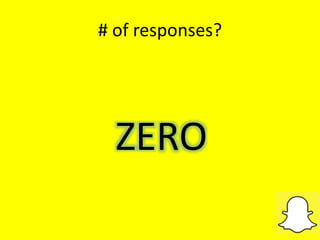
# of responses?
ZERO
Opening Game Night Snap
Which RENEGADE are you admiring right now?
or
Show me….
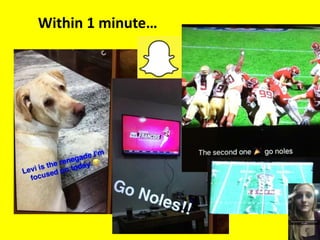
Within 1 minute…
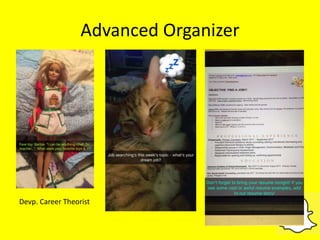
Advanced Organizer
Devp. Career Theorist
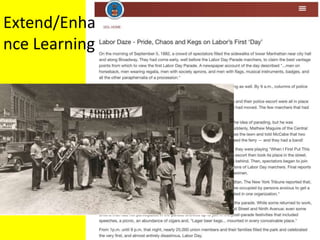
Labor Day Text
Extend/Enha
nce Learning
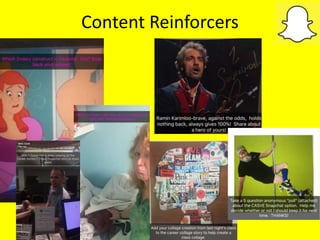
Content Reinforcers
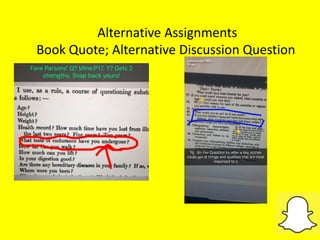
Alternative Assignments
Book Quote; Alternative Discussion Question
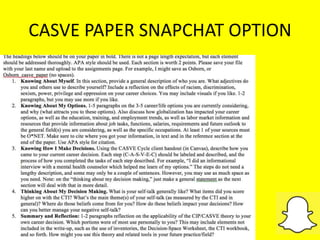
CASVE PAPER SNAPCHAT OPTION
Lessons Learned for
Assignments
• Plan for mixed reactions
• Provide a demo
• Advise them to label/# snaps
• Leave room at top or bottom of photo for text
• Have a partner you can test things out on
• Limit the # of videos for the assignment-make
them vary it up.
Unexpected Way to Build Community:
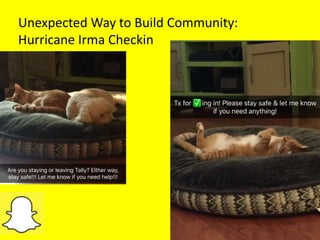
Hurricane Irma Checkin
Fun/
Encourage
ment
2nd Semester – PREP!!!
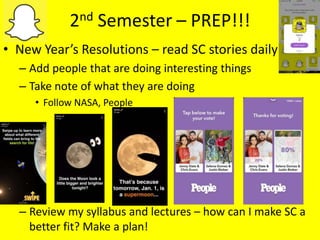
• New Year’s Resolutions – read SC stories daily
– Add people that are doing interesting things
– Take note of what they are doing
• Follow NASA, People
– Review my syllabus and lectures – how can I make SC a
better fit? Make a plan!
3rd Semester
BUT…
Melissa’s Class
EDU 557 - Project Management for
Instructional Design
• M.S. in Instructional Design
• 8 weeks (Spring, Summer 2018)
• Completely online, asynchronous
(no scheduled meetings)
• End of program, synthesizing
program outcomes
• FAQs – career transition and
advancement, jobs
My Goals
1. Enhance instructor presence
2. Interact with students outside of the
course site as a professional network
3. Integrate frequently asked career
questions; not part of curriculum
4. Move out of my (and their) social media
comfort zone; professional development
Tools & Materials Created
• Course Announcements
• Student Guide
• Activity Planning Matrix
• Student Evaluation Surveys
– Did participate
– Did not participate
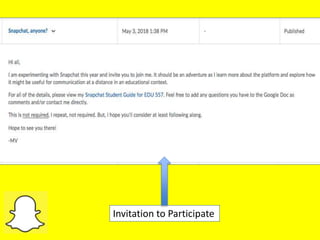
Invitation to Participate
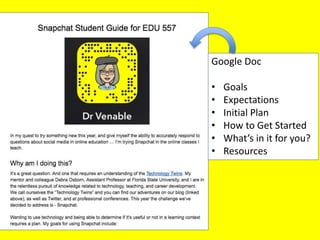
Google Doc
• Goals
• Expectations
• Initial Plan
• How to Get Started
• What’s in it for you?
• Resources
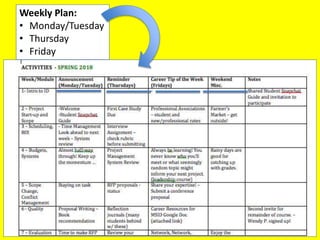
Weekly Plan:
• Monday/Tuesday
• Thursday
• Friday
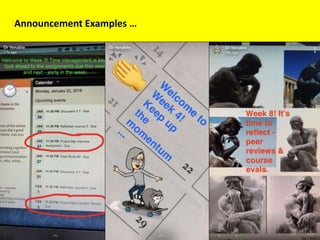
Announcement Examples …
ReminderExamples…
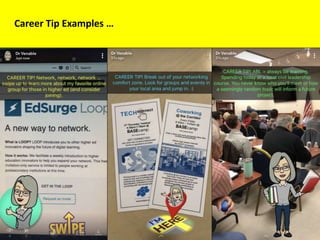
Career Tip Examples …
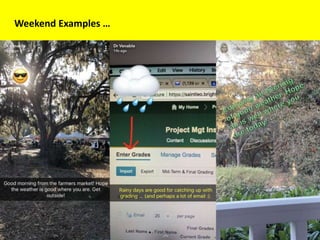
Weekend Examples …
What Happened?
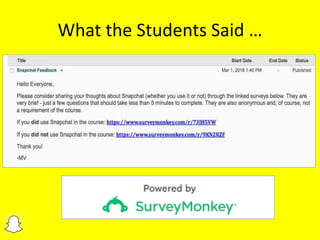
What the Students Said …
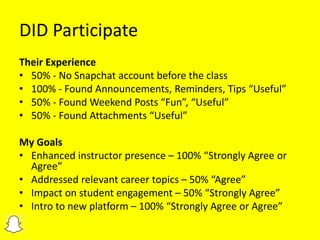
DID Participate
Their Experience
• 50% - No Snapchat account before the class
• 100% - Found Announcements, Reminders, Tips “Useful”
• 50% - Found Weekend Posts “Fun”, “Useful”
• 50% - Found Attachments “Useful”
My Goals
• Enhanced instructor presence – 100% “Strongly Agree or
Agree”
• Addressed relevant career topics – 50% “Agree”
• Impact on student engagement – 50% “Strongly Agree”
• Intro to new platform – 100% “Strongly Agree or Agree”
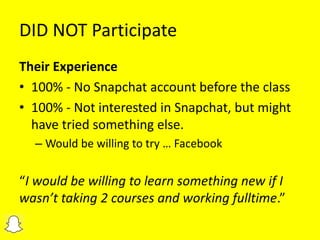
DID NOT Participate
Their Experience
• 100% - No Snapchat account before the class
• 100% - Not interested in Snapchat, but might
have tried something else.
– Would be willing to try … Facebook
“I would be willing to learn something new if I
wasn’t taking 2 courses and working fulltime.”
My Lessons Learned
• Know your audience – time, platform
• Allow for a learning curve
• Invite people to join … and keep asking
• Include a call to action
• Share your expectations
• It’s okay to move off script
• Ask for feedback
Snapchat Activities
How might you use Snapchat in your classroom
delivery?
Possible Snapchat Activities
 Assignments
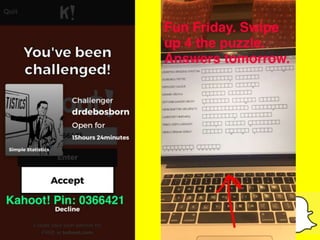
 Reinforce learning (pictures, brief videos, links, polls,
kahoot)
 Break up main points into separate snaps; 1 a day
 Takeovers
 Teasers of what’s to come- metaphors
 Invites – “Snap me something cool/creative/etc.”
 In class pics
 Reminders of what’s due
 Encouragement
 Behind the scenes
 Connecting-being human
Possible Snapchat Activities
Attachments
“Our Story”
Incorporate current events
Send congratulations
Add a sense of humor, memes, etc.
Ask a question, FAQs, Q&A session
Run a contest or “challenge”
“Day in the Life”
Student Takeovers, Employer Takeovers
Snapchat Recommendations
 Use a separate class account from personal.
 Be spontaneous, but also plan your Snaps.
 Integrate tools you already use.
 Polls, kahoot, videos, Powtoon
 Stay active on Snapchat. Learn from influencers.
 Post consistently (daily, same time).
 Use what they’re into (tv, music, hobbies, local news).
 Set up a Google alert about Snapchat.
 For assignments/xtra credit-names/initials, #’s.
 Have fun.
 Don’t follow them back, and let them know you may screengrab.
• Don’t sing.
• Keep your followers/following ratio 2:1 at worst.
• Don’t just lie in bed w/a SC filter
• Use hashtags ironically
• Space out selfies
• Don’t send your SC story to people
• No double-posting.
• Don’t send ab-snaps.
• Be nice.
https://mashable.com/2017/06/02/rules-teens-instagram-snapchat/#miaDmCU8okqb
BONUS
Resources
• 15 Ways to Use Snapchat in Classes and Schools
• 10 Seconds at a Time, A Teacher Tries Snapchat to
Engage Students
• 8 Things You Should Know Before Using Social
Media in Your Course
• Does Snapchat Have a Place in Higher Education
Marketing and Recruitment?
• Miami University’s Career Center Snapchat Info
• Pace University’s Shapchat Challenge
• 32 Tips to Help You Step Up Your Snapchat Game
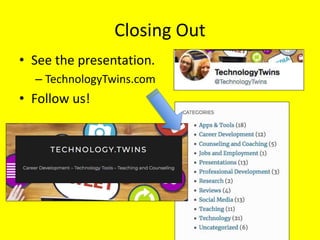
Closing Out
• See the presentation.
– TechnologyTwins.com
• Follow us!
Thank You!!
https://www.linkedin.com/in/melissavenable/
@Melissa_Venable
melissa.a.venable@gmail.com
https://www.linkedin.com/in/debosborn/
@dsosborn
dosborn@fsu.edu

Snap This! A Snapchat Experiment in Teaching Career Development

  • 1.
    Snap This! A SnapchatExperiment in Teaching Career Development Deb Osborn, Ph.D. Florida State University Melissa Venable, Ph.D. HigherEducation.com
  • 2.
    Debra S. Osborn,PhD – Counseling & School Psychology Nationally Certified Counselor Florida State University Associate Professor Career Counseling Coordinator Key Interests: Design & Use of technology in counseling| Innovation & effectiveness in counselor education | Design & use of assessments in career services Find me here! https://www.linkedin.com/in/debosborn/ @dsosborn dosborn@fsu.edu
  • 3.
    Melissa A. Venable,PhD - Instructional Technology Job and Career Transition Coach Writer/Researcher/Social Media: HigherEducation.com Adjunct Faculty: Saint Leo University and University of South Florida Key Interests: Design and delivery of online education | Identifying, selecting, and implementing educational and career services- related technologies Find me here! https://www.linkedin.com/in/ melissavenable/ @Melissa_Venable melissa.a.venable@gmail.com
  • 4.
  • 5.
    Why Snapchat? It’s the#1 tech US teens use https://www.statista.com/statistics/199242/social-media-and-networking-sites-used- by-us-teenagers/
  • 6.
  • 7.
  • 8.
  • 9.
    What is Snapchat? •Video/photo-sharing app • Text chat/Instant messaging feature • Offers effects, drawings, text, filter overlays on videos or images shared • Share with one, a few, or everyone who follows you • Images and video disappear after a set amount of time (Snap vs. Story)
  • 10.
    Snapchat Basics • SetUp and Usage – All the normal processes – Click on the “Ghost” • Add friends • The “cog” = settings • QR code = Snapcode
  • 11.
    Snapchat Basics – Upperright: Front/Back Camera – Big circle: Tap (image) Hold (video)
  • 12.
    Snapchat Basics – Stories •My • Our • Custom Groups
  • 13.
  • 14.
  • 15.
    Deb’s Class • MHS5340 Career Development • 16 week course for MS/EdS and PhD students • Face-to-face • Mix of first year and second year students • Continued experiment for next 2 semesters – Consultation – Technology and Counseling
  • 16.
    Snapchat Goals • Learninggoals – Advanced organizer, active engagement, content reinforcer • Professional goals – Mix it up, try something new. – Answer ?: Can it work? Best/worst approaches. • Other – Increase interactivity
  • 17.
    Decision-time • Never usedit before • It’s cool – I’m ???? • No idea how to integrate into teaching • 2 hours to decide! • Everyone is using it • It’s cool. • Seems easy enough • Adventure! • MWF snaps.
  • 18.
  • 19.
  • 20.
  • 21.
  • 22.
    Which RENEGADE areyou admiring right now? or Show me….
  • 23.
  • 24.
  • 25.
  • 26.
  • 28.
    Alternative Assignments Book Quote;Alternative Discussion Question
  • 29.
  • 30.
    Lessons Learned for Assignments •Plan for mixed reactions • Provide a demo • Advise them to label/# snaps • Leave room at top or bottom of photo for text • Have a partner you can test things out on • Limit the # of videos for the assignment-make them vary it up.
  • 31.
    Unexpected Way toBuild Community: Hurricane Irma Checkin
  • 32.
  • 33.
    2nd Semester –PREP!!! • New Year’s Resolutions – read SC stories daily – Add people that are doing interesting things – Take note of what they are doing • Follow NASA, People – Review my syllabus and lectures – how can I make SC a better fit? Make a plan!
  • 34.
  • 35.
  • 36.
    EDU 557 -Project Management for Instructional Design • M.S. in Instructional Design • 8 weeks (Spring, Summer 2018) • Completely online, asynchronous (no scheduled meetings) • End of program, synthesizing program outcomes • FAQs – career transition and advancement, jobs
  • 37.
    My Goals 1. Enhanceinstructor presence 2. Interact with students outside of the course site as a professional network 3. Integrate frequently asked career questions; not part of curriculum 4. Move out of my (and their) social media comfort zone; professional development
  • 38.
    Tools & MaterialsCreated • Course Announcements • Student Guide • Activity Planning Matrix • Student Evaluation Surveys – Did participate – Did not participate
  • 39.
  • 40.
    Google Doc • Goals •Expectations • Initial Plan • How to Get Started • What’s in it for you? • Resources
  • 41.
  • 42.
  • 43.
  • 44.
  • 45.
  • 46.
  • 52.
  • 53.
    DID Participate Their Experience •50% - No Snapchat account before the class • 100% - Found Announcements, Reminders, Tips “Useful” • 50% - Found Weekend Posts “Fun”, “Useful” • 50% - Found Attachments “Useful” My Goals • Enhanced instructor presence – 100% “Strongly Agree or Agree” • Addressed relevant career topics – 50% “Agree” • Impact on student engagement – 50% “Strongly Agree” • Intro to new platform – 100% “Strongly Agree or Agree”
  • 54.
    DID NOT Participate TheirExperience • 100% - No Snapchat account before the class • 100% - Not interested in Snapchat, but might have tried something else. – Would be willing to try … Facebook “I would be willing to learn something new if I wasn’t taking 2 courses and working fulltime.”
  • 55.
    My Lessons Learned •Know your audience – time, platform • Allow for a learning curve • Invite people to join … and keep asking • Include a call to action • Share your expectations • It’s okay to move off script • Ask for feedback
  • 56.
    Snapchat Activities How mightyou use Snapchat in your classroom delivery?
  • 57.
    Possible Snapchat Activities Assignments  Reinforce learning (pictures, brief videos, links, polls, kahoot)  Break up main points into separate snaps; 1 a day  Takeovers  Teasers of what’s to come- metaphors  Invites – “Snap me something cool/creative/etc.”  In class pics  Reminders of what’s due  Encouragement  Behind the scenes  Connecting-being human
  • 58.
    Possible Snapchat Activities Attachments “OurStory” Incorporate current events Send congratulations Add a sense of humor, memes, etc. Ask a question, FAQs, Q&A session Run a contest or “challenge” “Day in the Life” Student Takeovers, Employer Takeovers
  • 59.
    Snapchat Recommendations  Usea separate class account from personal.  Be spontaneous, but also plan your Snaps.  Integrate tools you already use.  Polls, kahoot, videos, Powtoon  Stay active on Snapchat. Learn from influencers.  Post consistently (daily, same time).  Use what they’re into (tv, music, hobbies, local news).  Set up a Google alert about Snapchat.  For assignments/xtra credit-names/initials, #’s.  Have fun.  Don’t follow them back, and let them know you may screengrab.
  • 60.
    • Don’t sing. •Keep your followers/following ratio 2:1 at worst. • Don’t just lie in bed w/a SC filter • Use hashtags ironically • Space out selfies • Don’t send your SC story to people • No double-posting. • Don’t send ab-snaps. • Be nice. https://mashable.com/2017/06/02/rules-teens-instagram-snapchat/#miaDmCU8okqb BONUS
  • 61.
    Resources • 15 Waysto Use Snapchat in Classes and Schools • 10 Seconds at a Time, A Teacher Tries Snapchat to Engage Students • 8 Things You Should Know Before Using Social Media in Your Course • Does Snapchat Have a Place in Higher Education Marketing and Recruitment? • Miami University’s Career Center Snapchat Info • Pace University’s Shapchat Challenge • 32 Tips to Help You Step Up Your Snapchat Game
  • 62.
    Closing Out • Seethe presentation. – TechnologyTwins.com • Follow us!
  • 63.

Editor's Notes

  • #3 Deb
  • #4 Melissa
  • #7 Recruiting and marketing Reminders and alerts Brand awareness
  • #9 Pendulum – be willing to ride the swing.
  • #11 Melissa – do we want to demo this? Or would a diagram of SC be better? How to see how many people have viewed it.
  • #12 Melissa – do we want to demo this? Or would a diagram of SC be better? How to see how many people have viewed it.
  • #13 Melissa – do we want to demo this? Or would a diagram of SC be better? How to see how many people have viewed it. DEB – I added screen shots on the two slides before, maybe you could add one here to show other features, like how to see how many views?
  • #14 Melissa – do we want to demo this? Or would a diagram of SC be better? How to see how many people have viewed it. DEB – I added screen shots on the two slides before, maybe you could add one here to show other features, like how to see how many views?
  • #15 MELISSA: maybe invite them to connect with us? Invite them to friend us – we might need to create a tech twins snap chat so it’d be easy to add them to a group so they can see how it works DEB: What if we both add a few things to our own story(ies) before the session, then when they friend us they can see? Maybe? I also added our snapcodes to the very last slide Don’t want to get too bogged down in having them try to sign up during our session instead of before. Had this happen a couple of years ago with a session about Twitter.
  • #20 Made a fool of myself – surely they will respond to this!?!
  • #21 (I thought it was cute)!
  • #22 Broke my rule – sent one out at 8 pm.
  • #24 Snapped story and “sent”
  • #26 Added hyperlink to website (with paper clip). Saved as “my story” and also sent individually. Also, created a “group” of the students so I don’t have to send individually. 3 saw it right away. Did not ask them to add to it, although they could.
  • #27 Only my TA responded to slipper; realized I needed to send an alert to it 1st. Follow up poll - http://tinyurl.com/ycwoqeel
  • #29 Bcuz of Hurricane, was off a week, didn’t think to do this until Monday morning. Probably should have sent reminders earlier in the week, as everyone had already posted theirs to the discussion board. One response.
  • #30 Rxn to this – some students unhappy – “not fair to submit a few pictures and that count for a paper.” Another student- think of it as if you were presenting your paper. Challenged to create a demo of how it COULD be done.
  • #32 Immediate responses, mostly with their animals
  • #34 More interaction, daily posts, even on weekends, to keep the story moving. Still not much excitement; a few people would look at it-maybe 5/15 – same group as fall – maybe lost it’s shiny-factor?
  • #35 I was pooped – but they were pumped. No SC alternatives, Extra credit, No schedule of posting, More natural to find snap-worthy items LOTS more engagement.
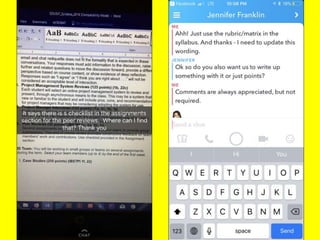
  • #48 Students asked me questions … via Snap and Chat tools Notifications on my smartphone allowed me to respond quickly.
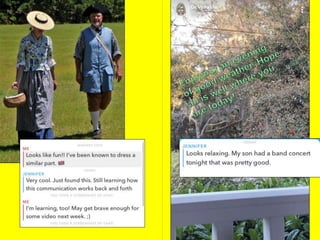
  • #49 Getting to know students (and instructor) outside of class, outside of academic roles.
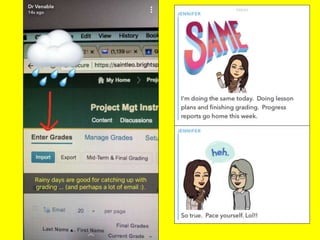
  • #50 Commiseration! Over grading of all things. – In this example: Snap + Chat + Bitmoji
  • #52 INTERACTION!
  • #58 Feel free to add
  • #60 Ask for others?
  • #63 Techtwins blog, twitters, snapcodes. ;)