
Input devices
• To understand the hardware components that
make up networked computer systems.
• To be able to explain how they interact, and how
they affect cost and performance.
Watch this clip - think about inputs and outputs.
What's wrong with the cartoon
http://www.youtube.com/watch?v=Gc217236mF0
• An input device captures data and sends it to a
computer system.
• Input devices convert physical movement, such as
key pressing, or environmental data, such as
temperature, sound or light into electrical signals.
• There are two types of input device: manual and
automatic
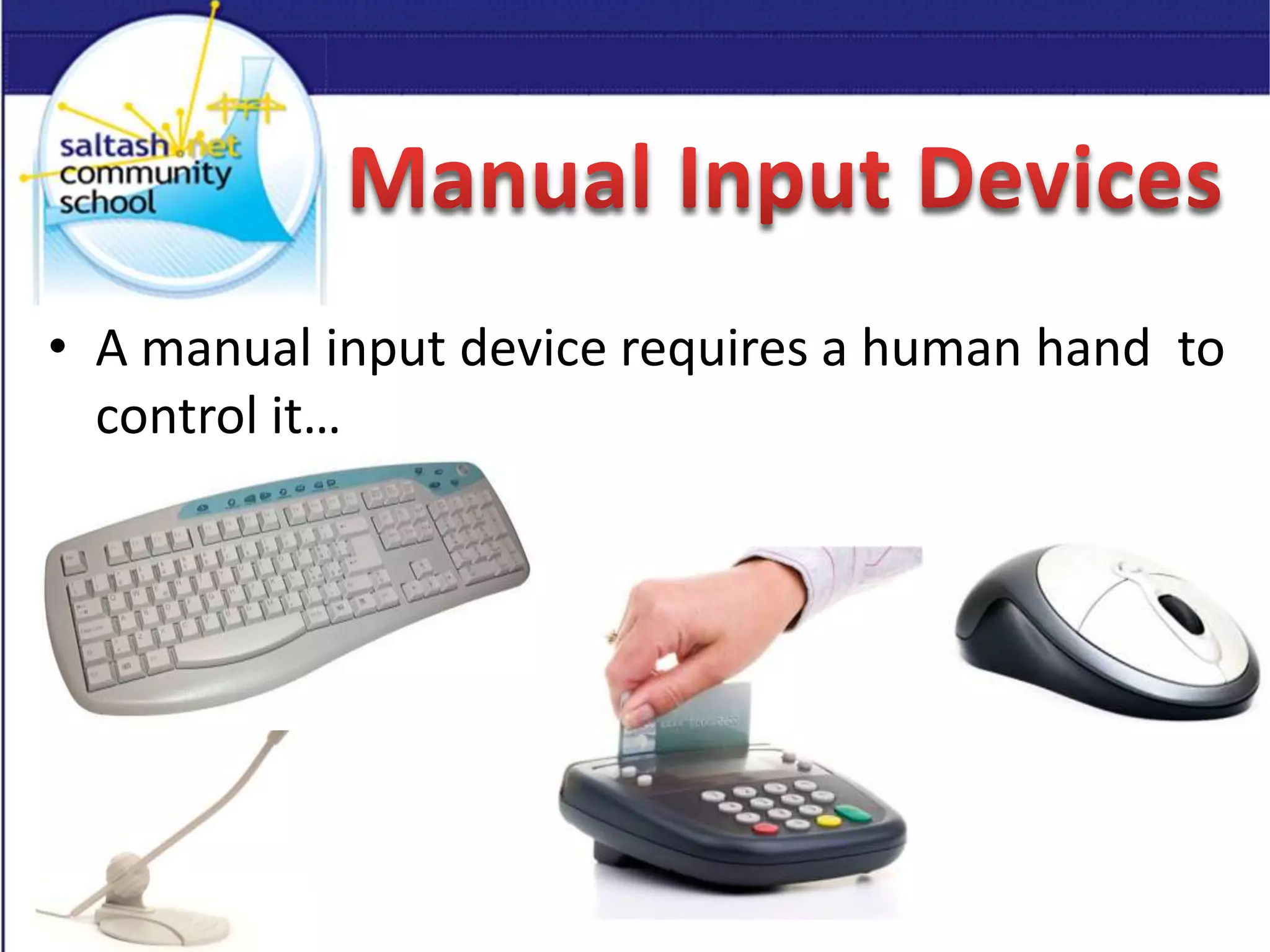
• A manual input device requires a human hand to
control it…
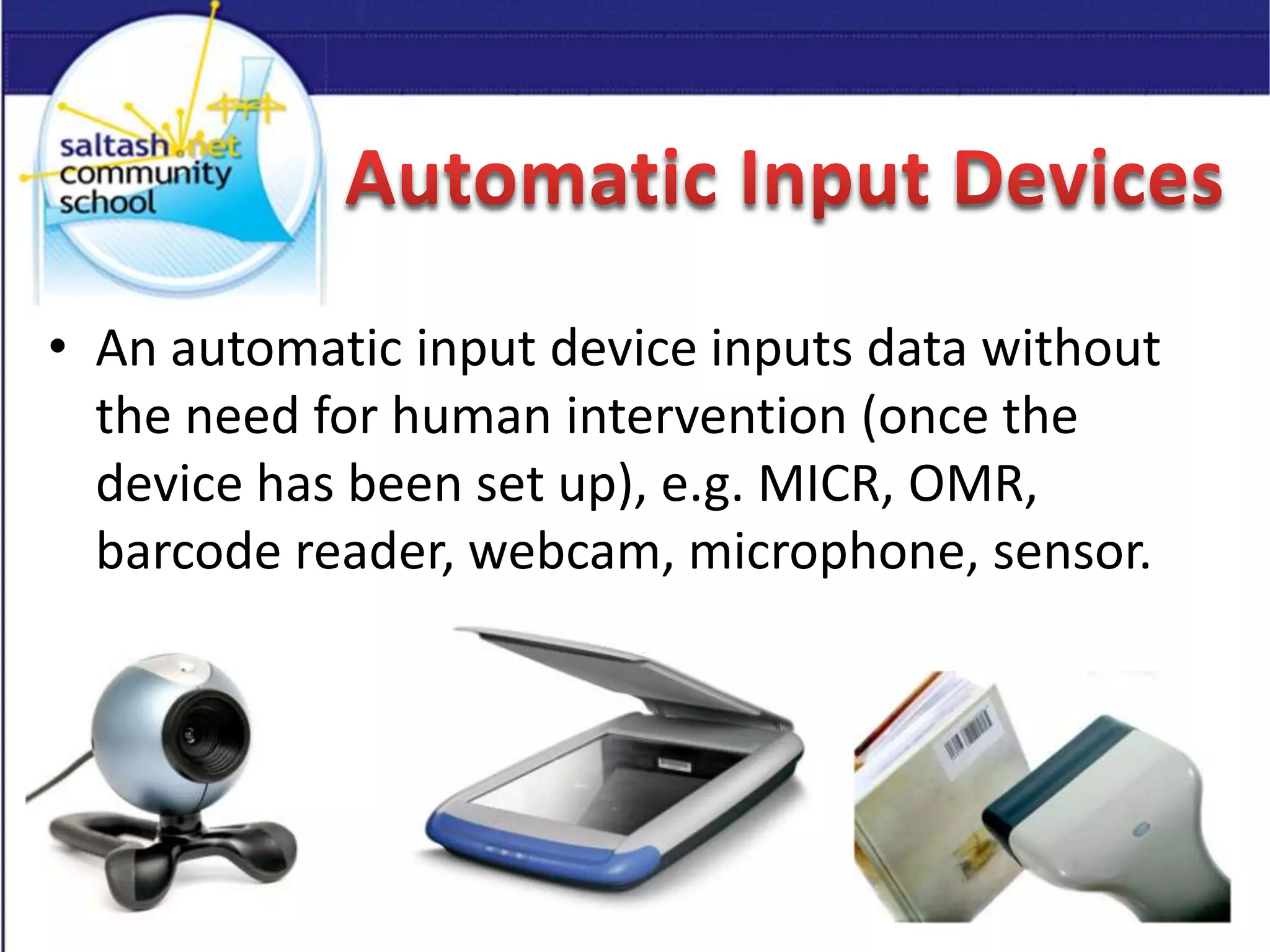
• An automatic input device inputs data without
the need for human intervention (once the
device has been set up), e.g. MICR, OMR,
barcode reader, webcam, microphone, sensor.
• Create a PowerPoint presentation, with separate
slides for different manual and automatic input
devices Explain how the device is used.
• Open www.wordle.net Try to include as many
different manual and automatic input devices as
you can in your word cloud.
In pairs you have 2 minutes to share one thing
you have learnt in today’s lesson and how it will
help you.
That’s 1 minute each to talk about what you
have learnt in todays lesson.

Input devices 2 lessons

  • 1.
  • 3.
    • To understandthe hardware components that make up networked computer systems. • To be able to explain how they interact, and how they affect cost and performance.
  • 4.
    Watch this clip- think about inputs and outputs. What's wrong with the cartoon http://www.youtube.com/watch?v=Gc217236mF0
  • 5.
    • An inputdevice captures data and sends it to a computer system. • Input devices convert physical movement, such as key pressing, or environmental data, such as temperature, sound or light into electrical signals. • There are two types of input device: manual and automatic
  • 6.
    • A manualinput device requires a human hand to control it…
  • 7.
    • An automaticinput device inputs data without the need for human intervention (once the device has been set up), e.g. MICR, OMR, barcode reader, webcam, microphone, sensor.
  • 8.
    • Create aPowerPoint presentation, with separate slides for different manual and automatic input devices Explain how the device is used.
  • 9.
    • Open www.wordle.netTry to include as many different manual and automatic input devices as you can in your word cloud.
  • 10.
    In pairs youhave 2 minutes to share one thing you have learnt in today’s lesson and how it will help you. That’s 1 minute each to talk about what you have learnt in todays lesson.