Computer System Information
Computer support specialists help people use computers. When
something goes wrong, support specialists figure out why. Then,
they try to fix it.
Many support specialists answer questions over the phone or by
e-mail. Others also help people face-to-face. To answer a problem
over the phone, the specialist takes the person through the
necessary steps to fix the problem using his or her own computer.
   A computer support specialist needs to have the following
                          skills or abilities:
 Microsoft Office (2003 Suite), 2007, and 2010.
 Web Site design.
 Computer Troubleshooting and Servicing.
 Computer Programming.
 Computer Networking.
Microsoft Office (2003 Suite, 2007,
and 2010
 Microsoft Office Word (word processing).
 Microsoft Office Access (database)
 Microsoft Office Excel (spreadsheet).
 Microsoft Office Outlook (e-mail & scheduling).
 Microsoft Office PowerPoint (presentation).
Web Site Design
 What exactly is Web design? Web design is a process of
  conceptualization, planning, modeling, and execution of electronic
  media content delivery via Internet (World Wide Web WWW) in
  the form of Markup language such as HTML suitable for
  interpretation by Web browsers (Such as IE and Firefox) that's
  display as a GUI (Graphical user interface).
 The intent of web design is to create a web site, a collection of
  pages that reside on a web server/servers and present content and
  interactive features to the end user in form of Web pages. Such
  elements as text, bitmap images (GIFs, JPEGs, PNGs), and forms
  can be placed on the page using HTML/XHTML/XML tags.
  Displaying more complex media (vector graphics, animations,
  videos, sounds) requires plug-ins such as Flash, QuickTime, Java
  run-time environment, etc.
Computer Troubleshooting and
                servicing
 Troubleshooting is a form of problem solving, often applied
  to repair failed products or processes.
 In general, troubleshooting is the identification of, or
  diagnosis of, "trouble" in the management flow of a
  corporation or a system caused by a failure of some kind.
 The problem is initially described as symptoms of
  malfunction, and troubleshooting is the process of
  determining and remedying to the causes
  of these symptoms.
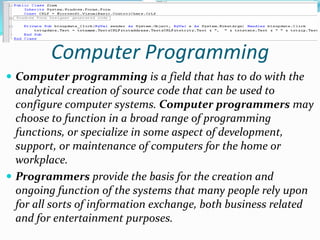
Computer Programming
 Computer programming is a field that has to do with the
  analytical creation of source code that can be used to
  configure computer systems. Computer programmers may
  choose to function in a broad range of programming
  functions, or specialize in some aspect of development,
  support, or maintenance of computers for the home or
  workplace.
 Programmers provide the basis for the creation and
  ongoing function of the systems that many people rely upon
  for all sorts of information exchange, both business related
  and for entertainment purposes.
Computer Networking
 Computer networking permits multiple computers to
  communicate and share resources either through wired
  or wireless access.
 In the world of computers, networking is the practice
  of linking two or more computing devices together for
  the purpose of sharing data. Networks are built with a
  mix of computer hardware and computer software.


                      Copyright © 2011 By Drey Gonzalez
                      Computer Support Specialist Student
Computer system information presentation

Computer system information presentation

  • 1.
    Computer System Information Computersupport specialists help people use computers. When something goes wrong, support specialists figure out why. Then, they try to fix it. Many support specialists answer questions over the phone or by e-mail. Others also help people face-to-face. To answer a problem over the phone, the specialist takes the person through the necessary steps to fix the problem using his or her own computer. A computer support specialist needs to have the following skills or abilities:  Microsoft Office (2003 Suite), 2007, and 2010.  Web Site design.  Computer Troubleshooting and Servicing.  Computer Programming.  Computer Networking.
  • 2.
    Microsoft Office (2003Suite, 2007, and 2010  Microsoft Office Word (word processing).  Microsoft Office Access (database)  Microsoft Office Excel (spreadsheet).  Microsoft Office Outlook (e-mail & scheduling).  Microsoft Office PowerPoint (presentation).
  • 3.
    Web Site Design What exactly is Web design? Web design is a process of conceptualization, planning, modeling, and execution of electronic media content delivery via Internet (World Wide Web WWW) in the form of Markup language such as HTML suitable for interpretation by Web browsers (Such as IE and Firefox) that's display as a GUI (Graphical user interface).  The intent of web design is to create a web site, a collection of pages that reside on a web server/servers and present content and interactive features to the end user in form of Web pages. Such elements as text, bitmap images (GIFs, JPEGs, PNGs), and forms can be placed on the page using HTML/XHTML/XML tags. Displaying more complex media (vector graphics, animations, videos, sounds) requires plug-ins such as Flash, QuickTime, Java run-time environment, etc.
  • 4.
    Computer Troubleshooting and servicing  Troubleshooting is a form of problem solving, often applied to repair failed products or processes.  In general, troubleshooting is the identification of, or diagnosis of, "trouble" in the management flow of a corporation or a system caused by a failure of some kind.  The problem is initially described as symptoms of malfunction, and troubleshooting is the process of determining and remedying to the causes of these symptoms.
  • 5.
    Computer Programming  Computerprogramming is a field that has to do with the analytical creation of source code that can be used to configure computer systems. Computer programmers may choose to function in a broad range of programming functions, or specialize in some aspect of development, support, or maintenance of computers for the home or workplace.  Programmers provide the basis for the creation and ongoing function of the systems that many people rely upon for all sorts of information exchange, both business related and for entertainment purposes.
  • 6.
    Computer Networking  Computernetworking permits multiple computers to communicate and share resources either through wired or wireless access.  In the world of computers, networking is the practice of linking two or more computing devices together for the purpose of sharing data. Networks are built with a mix of computer hardware and computer software. Copyright © 2011 By Drey Gonzalez Computer Support Specialist Student