10월 19일 진행된 '윈도우 애플리케이션 개발자를 위한 DeepDive' 세미나에서 소개된 앱 사용성 분석 기술 AppAnalytics 관련 발표자료 중 Best Practice 관련 내용입니다.
(발췌: 엠바카데로 CodeRageX - AppAnalytics 발표자료)
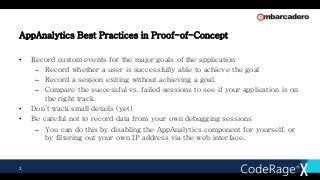
AppAnalytics Best Practicesin Proof-of-Concept
• Record custom events for the major goals of the application
– Record whether a user is successfully able to achieve the goal
– Record a session exiting without achieving a goal.
– Compare the successful vs. failed sessions to see if your application is on
the right track.
• Don’t track small details (yet)
• Be careful not to record data from your own debugging sessions
– You can do this by disabling the AppAnalytics component for yourself, or
by filtering out your own IP address via the web interface.
1
2.
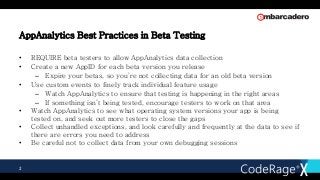
AppAnalytics Best Practicesin Beta Testing
• REQUIRE beta testers to allow AppAnalytics data collection
• Create a new AppID for each beta version you release
– Expire your betas, so you’re not collecting data for an old beta version
• Use custom events to finely track individual feature usage
– Watch AppAnalytics to ensure that testing is happening in the right areas
– If something isn’t being tested, encourage testers to work on that area
• Watch AppAnalytics to see what operating system versions your app is being
tested on, and seek out more testers to close the gaps
• Collect unhandled exceptions, and look carefully and frequently at the data to see if
there are errors you need to address
• Be careful not to collect data from your own debugging sessions
2
3.
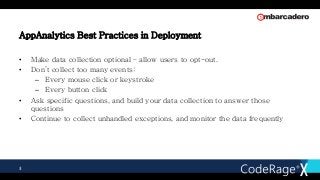
AppAnalytics Best Practicesin Deployment
• Make data collection optional – allow users to opt-out.
• Don’t collect too many events:
– Every mouse click or keystroke
– Every button click
• Ask specific questions, and build your data collection to answer those
questions
• Continue to collect unhandled exceptions, and monitor the data frequently
3

![[mobidays] KM-REPORT(韓国モバイルレポート) 2015年11月号](https://cdn.slidesharecdn.com/ss_thumbnails/kmreport1511published-151114061521-lva1-app6892-thumbnail.jpg?width=640&height=640&fit=bounds)


![[mobidays] KM-REPORT(韓国モバイルレポート) 2015年3月号](https://cdn.slidesharecdn.com/ss_thumbnails/kmreport1503published-150311221547-conversion-gate01-thumbnail.jpg?width=640&height=640&fit=bounds)
![[mobidays] KM-REPORT(韓国モバイルレポート) 2015年7月号](https://cdn.slidesharecdn.com/ss_thumbnails/kmreport1507published-150716015309-lva1-app6891-thumbnail.jpg?width=640&height=640&fit=bounds)

![[mobidays] KM-REPORT(韓国モバイルレポート) 2015年1月号](https://cdn.slidesharecdn.com/ss_thumbnails/kmreport1501published-150113185219-conversion-gate01-thumbnail.jpg?width=640&height=640&fit=bounds)

![[mobidays] KM-REPORT(韓国モバイルレポート) 2015年8月号](https://cdn.slidesharecdn.com/ss_thumbnails/kmreport1508published-150813021923-lva1-app6892-thumbnail.jpg?width=640&height=640&fit=bounds)


![[델파이 Begin...End] 0장. 책 소개/저자 소개/목차](https://cdn.slidesharecdn.com/ss_thumbnails/001-014re-190808015723-thumbnail.jpg?width=640&height=640&fit=bounds)


