ABOUT
FLEXBOX
You can't float anymore
CSS day FAENZA- 25 marzo 2016
About me
I'm Davide Di Pumpo, I'm an UI developer in .
I love graphic novel, competitive videogames and cats.
Objectway
You can nd me on the internet with the nickname
MakhBeth
- -Twitter GitHub LinkedIn
Let's start
MEOW
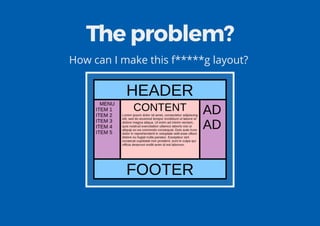
The problem?
How can I make this f*****g layout?
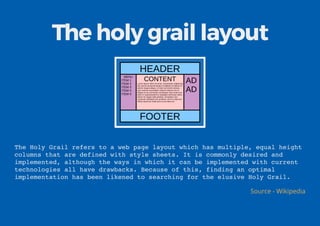
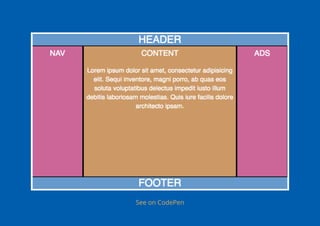
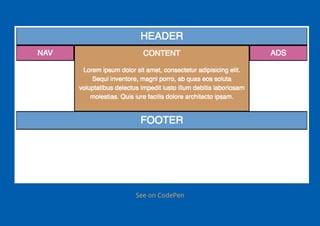
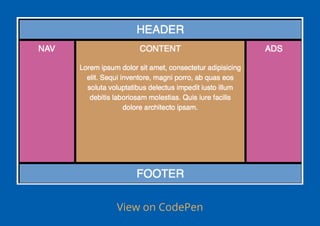
The holy grail layout
The Holy Grail refers to a web page layout which has multiple, equal height
columns that are defined with style sheets. It is commonly desired and
implemented, although the ways in which it can be implemented with current
technologies all have drawbacks. Because of this, finding an optimal
implementation has been likened to searching for the elusive Holy Grail.
Source - Wikipedia
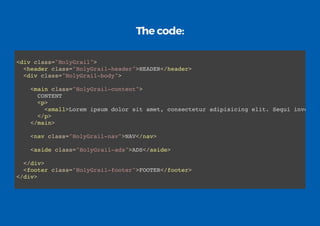
The code:
<div class="HolyGrail">
<header class="HolyGrail-header">HEADER</header>
<div class="HolyGrail-body">
<main class="HolyGrail-content">
CONTENT
<p>
<small>Lorem ipsum dolor sit amet, consectetur adipisicing elit. Sequi inventor
</p>
</main>
<nav class="HolyGrail-nav">NAV</nav>
<aside class="HolyGrail-ads">ADS</aside>
</div>
<footer class="HolyGrail-footer">FOOTER</footer>
</div>
Once upon a time...
...we had:
Tables
Inline blocks
Float
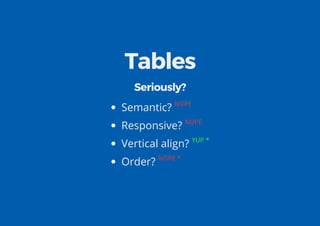
Tables
Seriously?
Semantic? NOPE
Responsive? NOPE
Vertical align? YUP *
Order? NOPE *
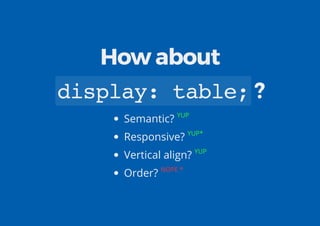
How about
display:table;?
Semantic? YUP
Responsive? YUP*
Vertical align? YUP
Order? NOPE *
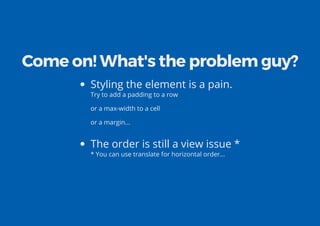
Come on! What's the problem guy?
Styling the element is a pain.
Try to add a padding to a row
or a max-width to a cell
or a margin...
The order is still a view issue *
* You can use translate for horizontal order...
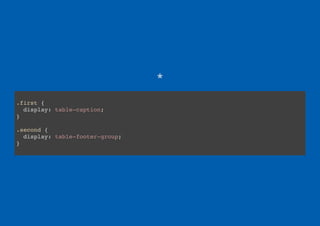
*
.first {
display: table-caption;
}
.second {
display: table-footer-group;
}
See on CodePen
.HolyGrail {
display: table;
height: 100vh;
}
.HolyGrail-header {
display: table-row;
height: 1px;
}
.HolyGrail-footer {
display: table-row;
height: 1px;
}
.HolyGrail-body {
display: table;
height: 100%;
}
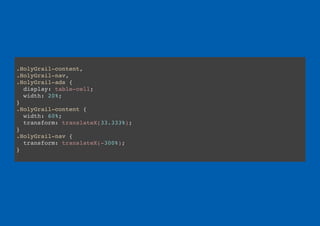
.HolyGrail-content,
.HolyGrail-nav,
.HolyGrail-ads {
display: table-cell;
width: 20%;
}
.HolyGrail-content {
width: 60%;
transform: translateX(33.333%);
}
.HolyGrail-nav {
transform: translateX(-300%);
}
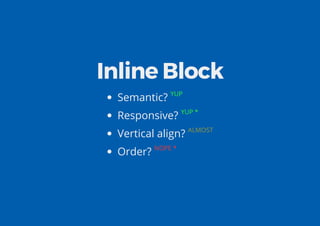
Inline Block
Semantic? YUP
Responsive? YUP *
Vertical align? ALMOST
Order? NOPE *
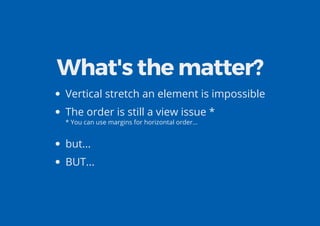
What's the matter?
Vertical stretch an element is impossible
The order is still a view issue *
* You can use margins for horizontal order...
but...
BUT...
White Space
See on CodePen
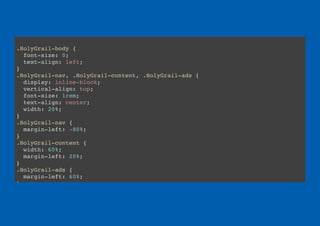
.HolyGrail-body {
font-size: 0;
text-align: left;
}
.HolyGrail-nav, .HolyGrail-content, .HolyGrail-ads {
display: inline-block;
vertical-align: top;
font-size: 1rem;
text-align: center;
width: 20%;
}
.HolyGrail-nav {
margin-left: -80%;
}
.HolyGrail-content {
width: 60%;
margin-left: 20%;
}
.HolyGrail-ads {
margin-left: 60%;
}
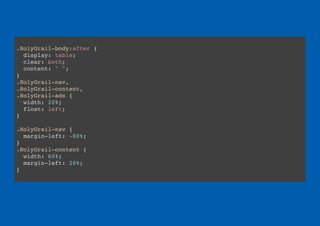
Float
Semantic? YUP
Responsive? YUP
Vertical align? AHAHAHAHAH NOPE
Order? NOPE *
Why not?
The order is still a view issue *
* You can use margins...
Impossible to manage vertical alignment
Clear x
Block Formatting Context
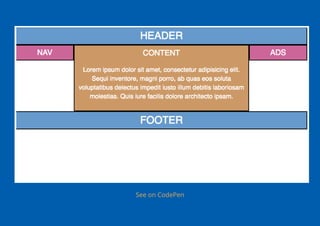
See on CodePen
.HolyGrail-body:after {
display: table;
clear: both;
content: " ";
}
.HolyGrail-nav,
.HolyGrail-content,
.HolyGrail-ads {
width: 20%;
float: left;
}
.HolyGrail-nav {
margin-left: -80%;
}
.HolyGrail-content {
width: 60%;
margin-left: 20%;
}
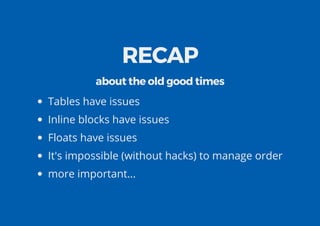
RECAP
about the old good times
Tables have issues
Inline blocks have issues
Floats have issues
It's impossible (without hacks) to manage order
more important...
They are all hacks
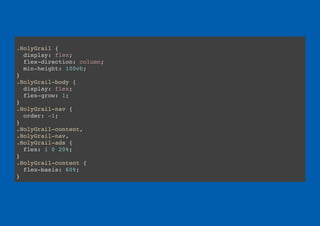
Why Flexbox?
Semantic? YUP
Responsive? YUP
Vertical align? YUP
Order? F*CK YEAH
View on CodePen
.HolyGrail {
display: flex;
flex-direction: column;
min-height: 100vh;
}
.HolyGrail-body {
display: flex;
flex-grow: 1;
}
.HolyGrail-nav {
order: -1;
}
.HolyGrail-content,
.HolyGrail-nav,
.HolyGrail-ads {
flex: 1 0 20%;
}
.HolyGrail-content {
flex-basis: 60%;
}
It's all there?
Nope
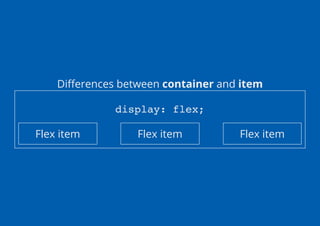
But rst some important knowledge
Di erences between container and item
display: flex;
Flex item Flex item Flex item
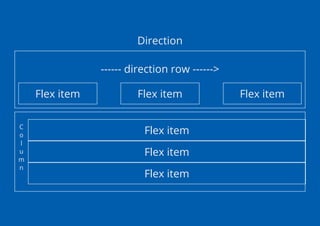
Direction
------ direction row ------>
Flex item Flex item Flex item
C
o
l
u
m
n
Flex item
Flex item
Flex item
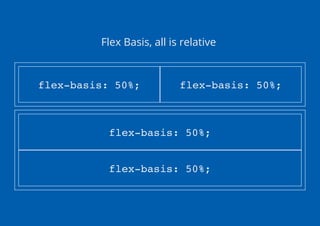
Flex Basis, all is relative
flex-basis: 50%; flex-basis: 50%;
flex-basis: 50%;
flex-basis: 50%;
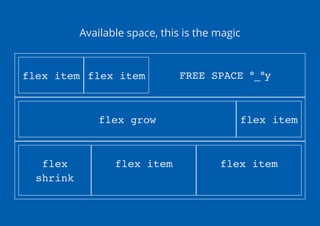
Available space, this is the magic
flex item flex item FREE SPACE °_°y
flex grow flex item
flex
shrink
flex item flex item
Let's see the rules!
CODEPEN
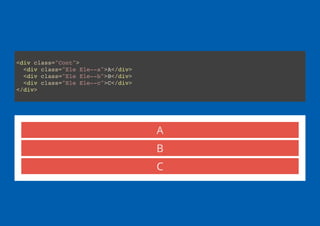
<div class="Cont">
<div class="Ele Ele--a">A</div>
<div class="Ele Ele--b">B</div>
<div class="Ele Ele--c">C</div>
</div>
A
B
C
A B C
.Cont {
display: flex;
}
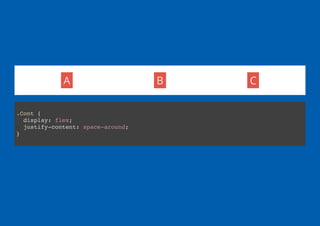
A B C
.Cont {
display: flex;
justify-content: space-around;
}
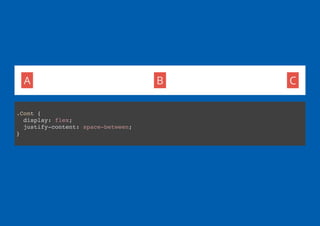
A B C
.Cont {
display: flex;
justify-content: space-between;
}
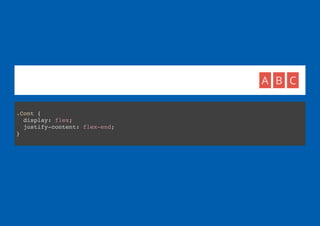
A B C
.Cont {
display: flex;
justify-content: flex-end;
}
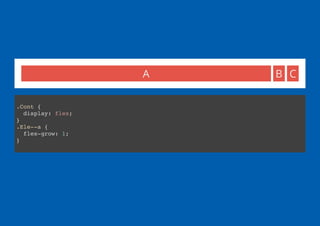
A B C
.Cont {
display: flex;
}
.Ele--a {
flex-grow: 1;
}
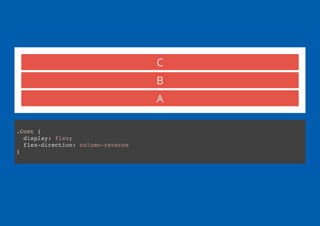
A
B
C
.Cont {
display: flex;
flex-direction: column-reverse
}
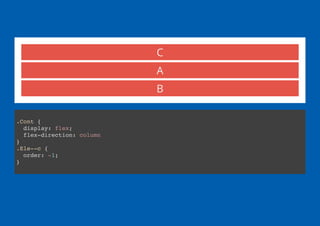
C
A
B
.Cont {
display: flex;
flex-direction: column
}
.Ele--c {
order: -1;
}
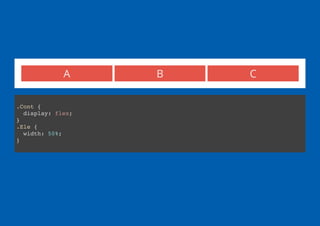
A B C
.Cont {
display: flex;
}
.Ele {
width: 50%;
}
A B
C
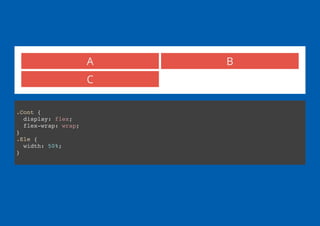
.Cont {
display: flex;
flex-wrap: wrap;
}
.Ele {
width: 50%;
}
A B
C
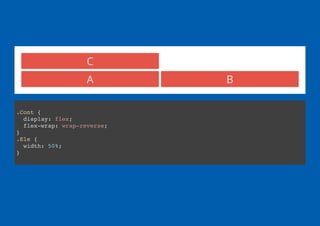
.Cont {
display: flex;
flex-wrap: wrap-reverse;
}
.Ele {
width: 50%;
}
A B C
.Cont {
display: flex;
height: 100px;
}
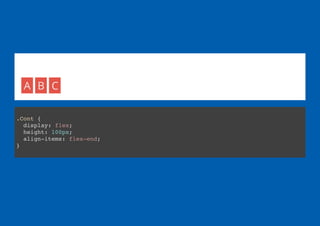
A B C
.Cont {
display: flex;
height: 100px;
align-items: flex-end;
}
A
B
C
.Cont {
display: flex;
height: 100px;
}
.Ele--b {
align-self: center;
}
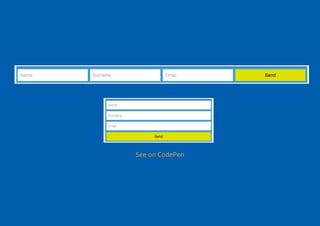
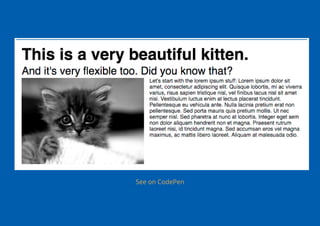
Real stuff
See on CodePen
.FormContainer {
display: flex;
flex-wrap: wrap;
}
.Input {
flex: 1 0 300px;
}
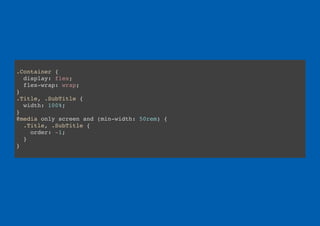
With mediaqueries
See on CodePen
.Container {
display: flex;
flex-wrap: wrap;
}
.Title, .SubTitle {
width: 100%;
}
@media only screen and (min-width: 50rem) {
.Title, .SubTitle {
order: -1;
}
}
RECAP
Flexible
Responsive
Ready for today
What's now?
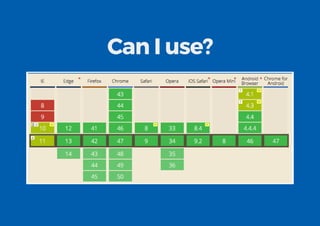
Can I use?
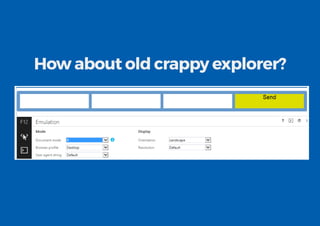
How about old crappy explorer?
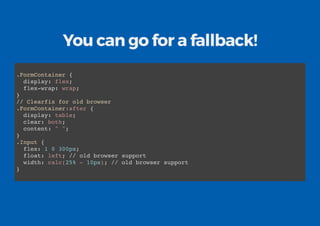
You can go for a fallback!
.FormContainer {
display: flex;
flex-wrap: wrap;
}
// Clearfix for old browser
.FormContainer:after {
display: table;
clear: both;
content: " ";
}
.Input {
flex: 1 0 300px;
float: left; // old browser support
width: calc(25% - 10px); // old browser support
}
Or if you want to:
A poly ll appears!
Is flexbox a
silver bullet?
No
Sorry, I've lied to you
A little
Flexbox is designed basically for:
content driven layout
component
not for grid
Take a look at css grid
But Grid CSS is not supported for
now
Any idea?
There are a few:
And my favourite one...
Flexboxgrid
Bootstrap - alpha 4
Super GiGi
RECAP
Can I use? Yes
It's not for everything, but it's the best we have now
There are a lot of tool to help us.
Links for you:
CSS Tricks guide to exbox
Learn exbox playing with exbox froggy
All the known exbox bugs
Autopre xer
Modernizr
Questions?
http://goo.gl/1jsI7u

Understanding flex box CSS Day 2016