Python for Scientific Computing
Lecture 1: The Python Calculator
Albert DeFusco
Center for Simulation and Modeling
September 23, 2013
Section 1
Computer Programming
a · b =
n
ÿ
i=1
ai bi
Assembler
1 g l o b a l _mult3
2 sum equ 16
3 s e c t i o n . t e x t
4 _mult3 :
5 push ebp
6 mov ebp , esp
7 push e s i
8 push edi
9 sub esp , 4
10 mov esi , [ ebp+12 ]
11 mov edi , [ ebp+8 ]
12 mov dword [ ebp≠sum ] , 0
13 mov ecx , 3
14 . f o r l o o p :
15 mov eax , [ edi ]
16 imul dword [ e s i ]
17 add edi , 4
18 add esi , 4
19 add [ ebp≠sum ] , eax
20 loop . f o r l o o p
21 mov eax , [ ebp≠sum ]
22 add esp , 4
23 pop edi
24 pop e s i
25 pop ebp
26 r e t
C source1
1 i n t mult 3 ( i n t dst , i n t s r c )
2 {
3 i n t sum = 0 , i ;
4
5 f o r ( i = 0 ; i < 3 ; i ++)
6 sum += dst [ i ] s r c [ i ] ;
7
8 return sum ;
9 }
10
11 i n t main ( void )
12 {
13 i n t d [ 3 ] = { 1 , 2 , 3 };
14 i n t s [ 3 ] = {8 , 9 , 10 } ;
15
16 p r i n t f ( "answer is %in" , mult 3 (d , s ) ) ;
17 return 0 ;
18 }
1The first compiler was written by Grace Hopper in 1952 for the A-0 language
a · b =
n
ÿ
i=1
ai bi
Python
1 import numpy
2 d i s t = numpy . a r r a y ( [ 1 , 2 , 3 ] )
3 s r c = numpy . a r r a y ( [ 8 , 9 , 10 ] )
4
5 p r i n t d i s t . dot ( s r c )
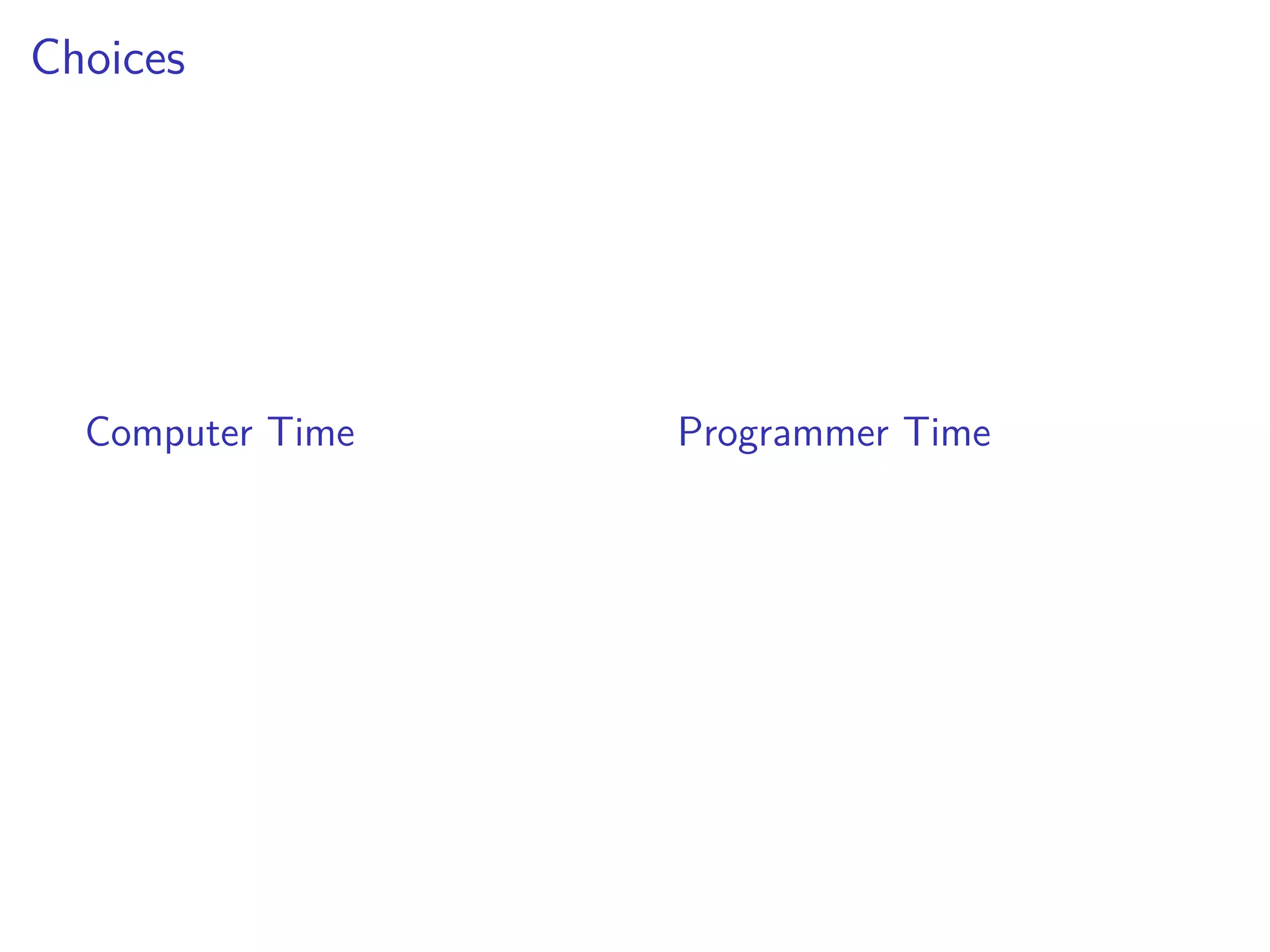
Choices
Computer Time Programmer Time
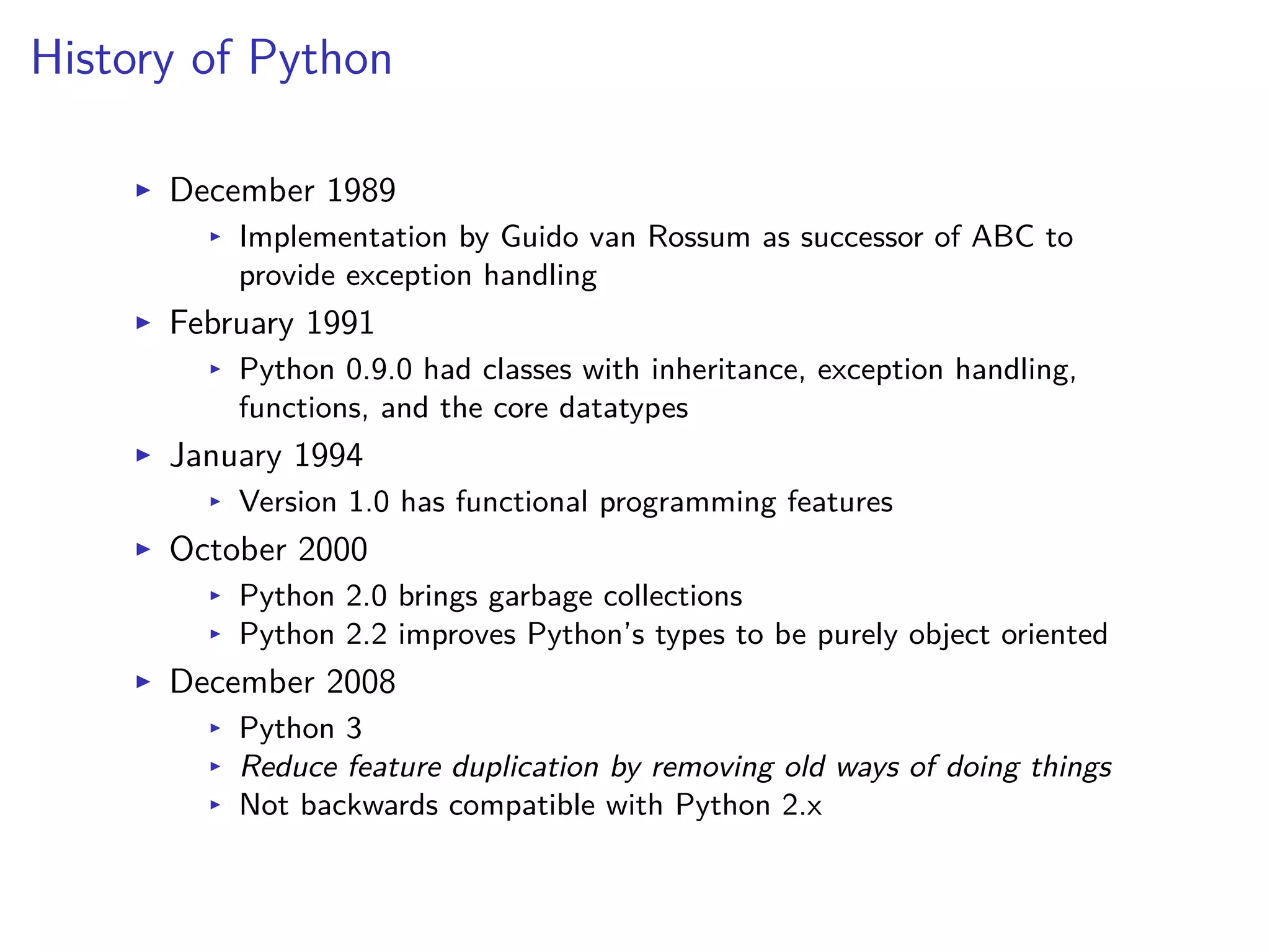
History of Python
I December 1989
I Implementation by Guido van Rossum as successor of ABC to
provide exception handling
I February 1991
I Python 0.9.0 had classes with inheritance, exception handling,
functions, and the core datatypes
I January 1994
I Version 1.0 has functional programming features
I October 2000
I Python 2.0 brings garbage collections
I Python 2.2 improves Python’s types to be purely object oriented
I December 2008
I Python 3
I Reduce feature duplication by removing old ways of doing things
I Not backwards compatible with Python 2.x
What’s so great about Python?
I Portable
I Your program will run if the interpreter works and the modules are
installed
What’s so great about Python?
I E cient
I Rich language features built in
I Simple syntax for ease of reading
I Focus shifts to “algorithm” and away from implementation
What’s so great about Python?
I Flexible
I Imperative
I Object-oriented
I Functional
What’s so great about Python?
I Extendible
I Plenty of easy-to-use modules
I If you can imagine it, then someone has probably developed a module
for it
I Your program can adjust the way the interpreter works
Why use python for science?
I A highly programmable calculator
I Fast proto-typing new algorithms or program design
I Use C or Fortran routines directly
I Many science and mathematics modules already exist
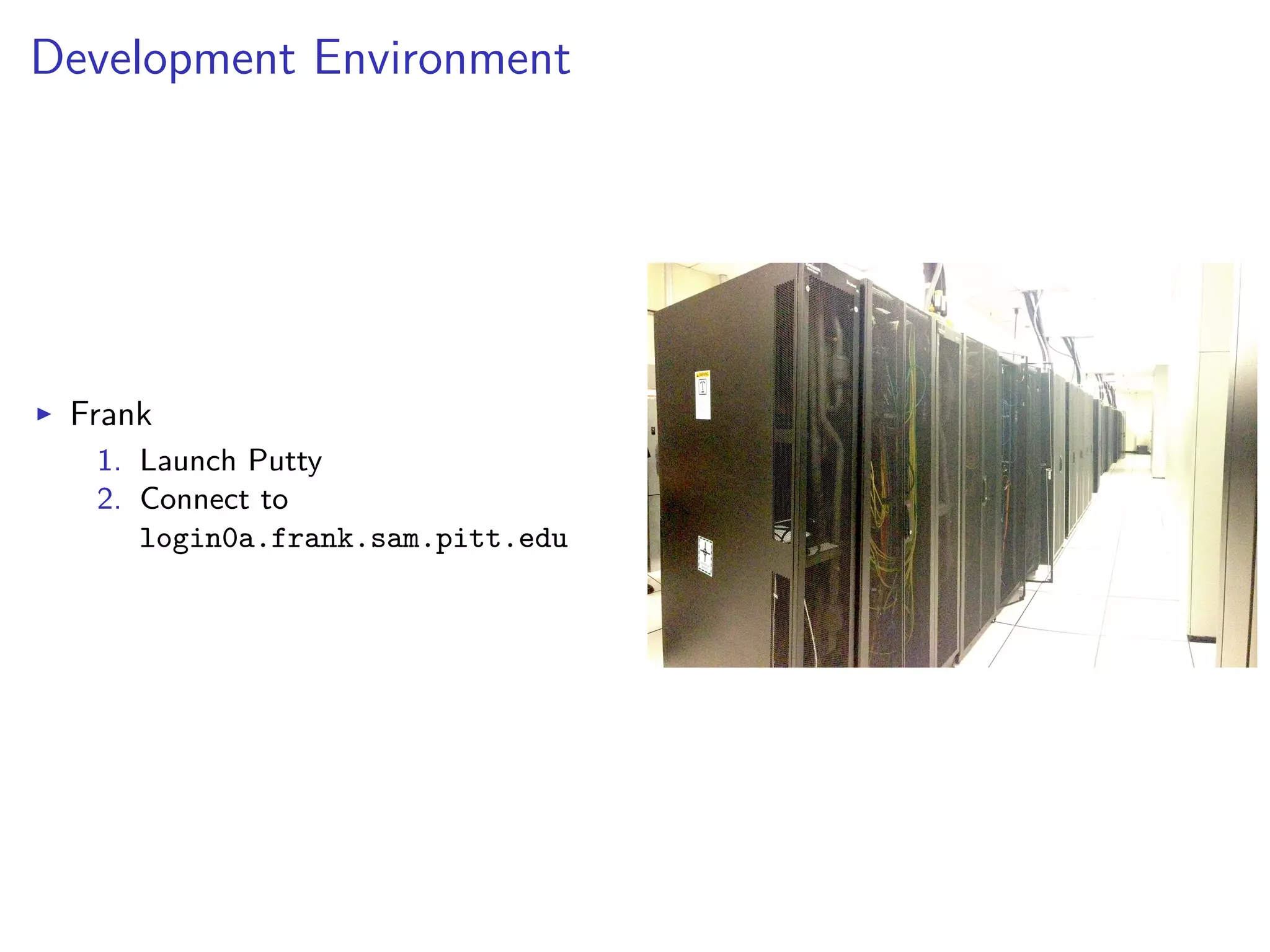
Development Environment
I Frank
1. Launch Putty
2. Connect to
login0a.frank.sam.pitt.edu
Read the documentation
> pydoc
> python
>>> help()
Disclaimer
Python 2.7 ! = 3.0
http://wiki.python.org/moin/Python2orPython3
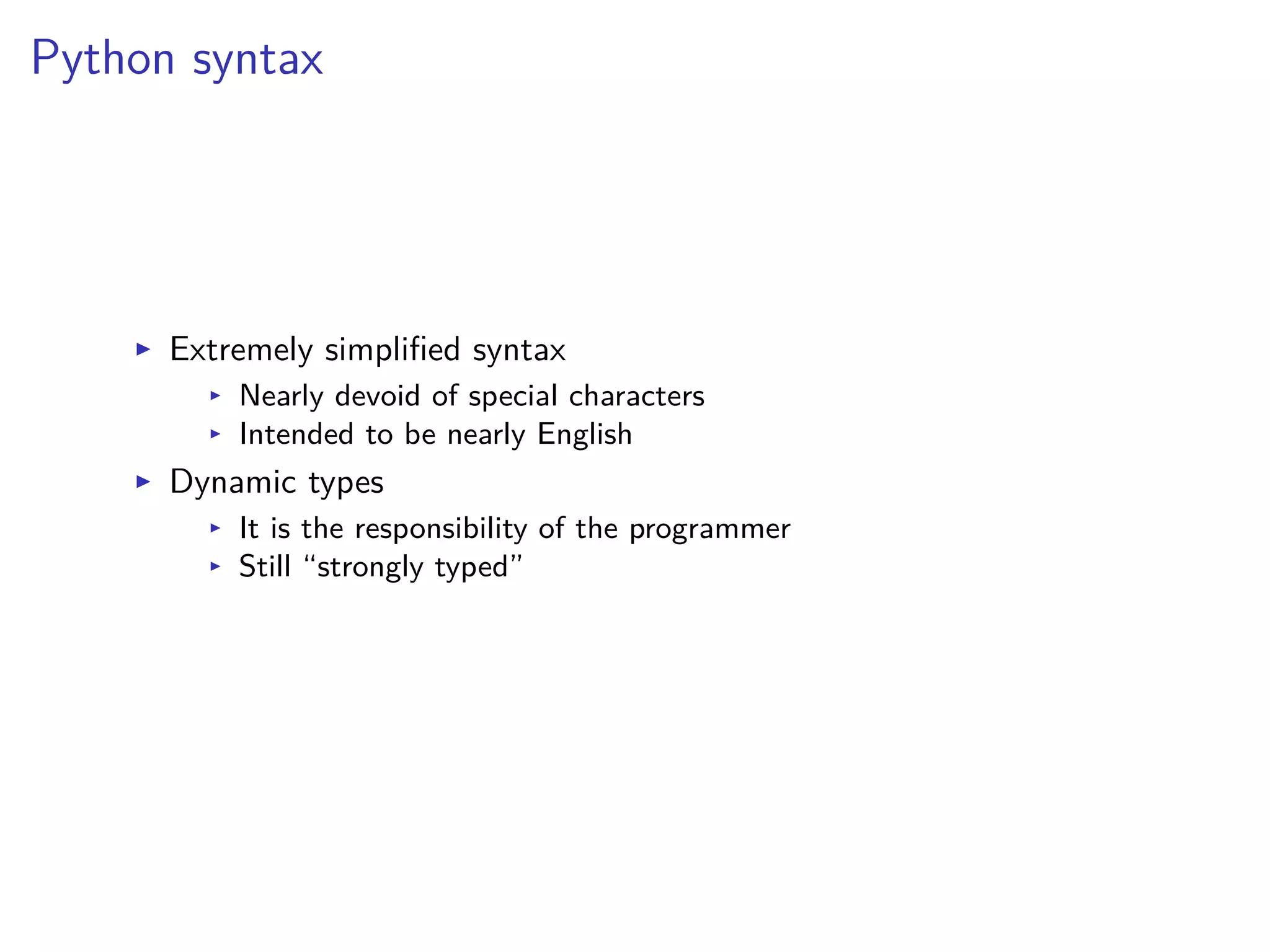
Python syntax
I Extremely simplified syntax
I Nearly devoid of special characters
I Intended to be nearly English
I Dynamic types
I It is the responsibility of the programmer
I Still “strongly typed”
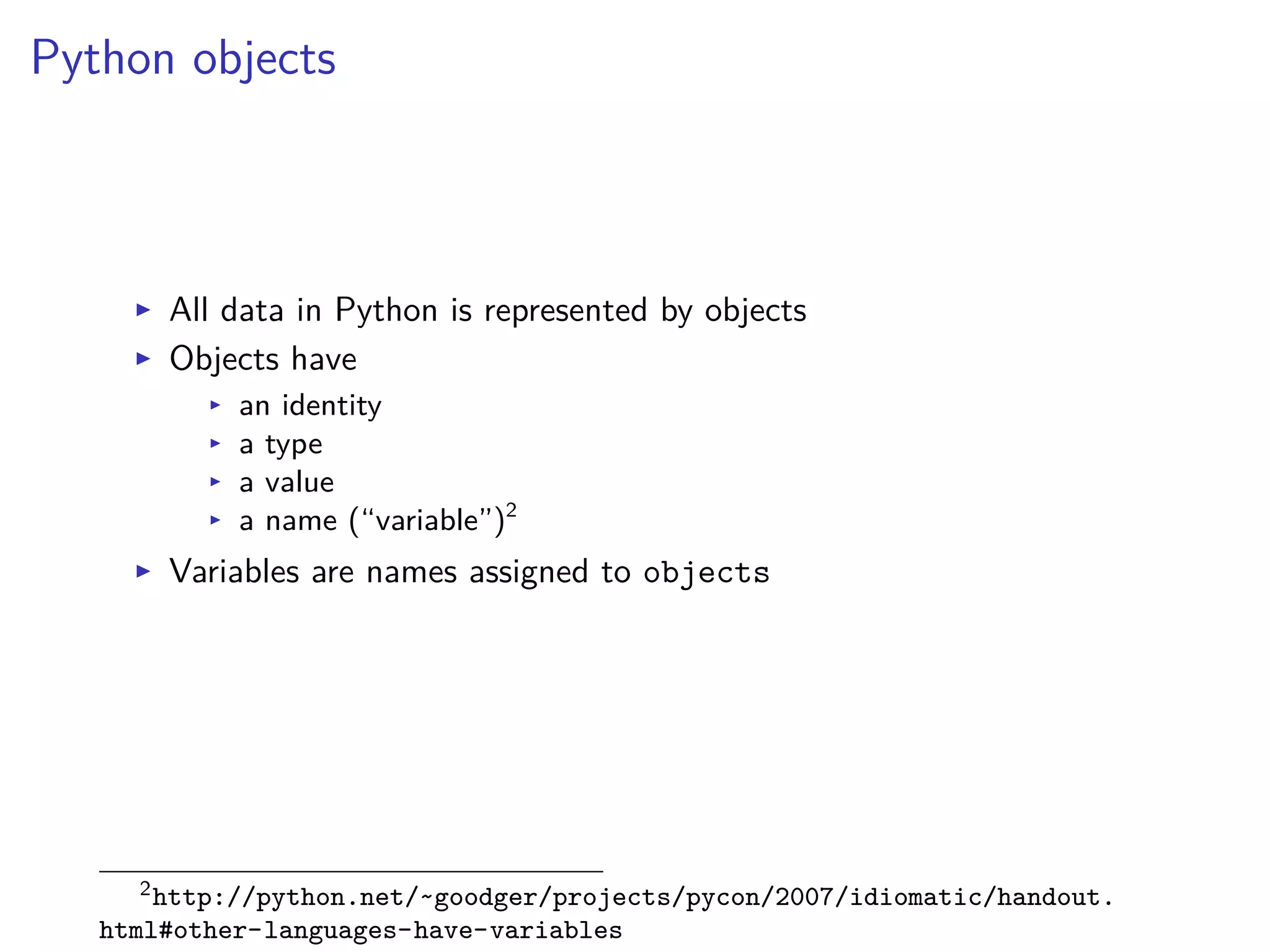
Python objects
I All data in Python is represented by objects
I Objects have
I an identity
I a type
I a value
I a name (“variable”)2
I Variables are names assigned to objects
2http://python.net/~goodger/projects/pycon/2007/idiomatic/handout.
html#other-languages-have-variables
Section 2
Hands-on Python
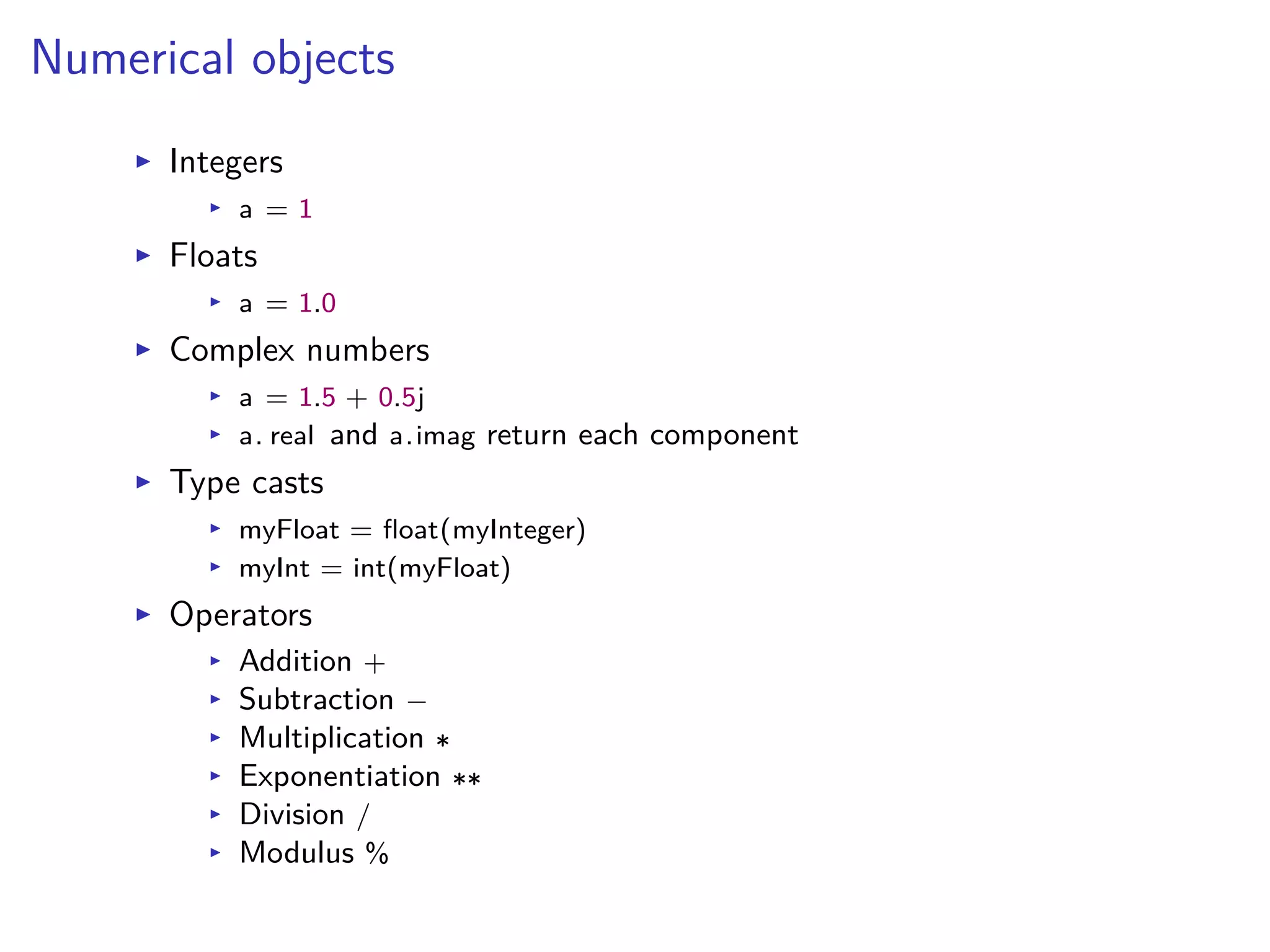
Numerical objects
I Integers
I a = 1
I Floats
I a = 1.0
I Complex numbers
I a = 1.5 + 0.5j
I a. real and a.imag return each component
I Type casts
I myFloat = float(myInteger)
I myInt = int(myFloat)
I Operators
I Addition +
I Subtraction ≠
I Multiplication
I Exponentiation
I Division /
I Modulus %
Mathematical functions
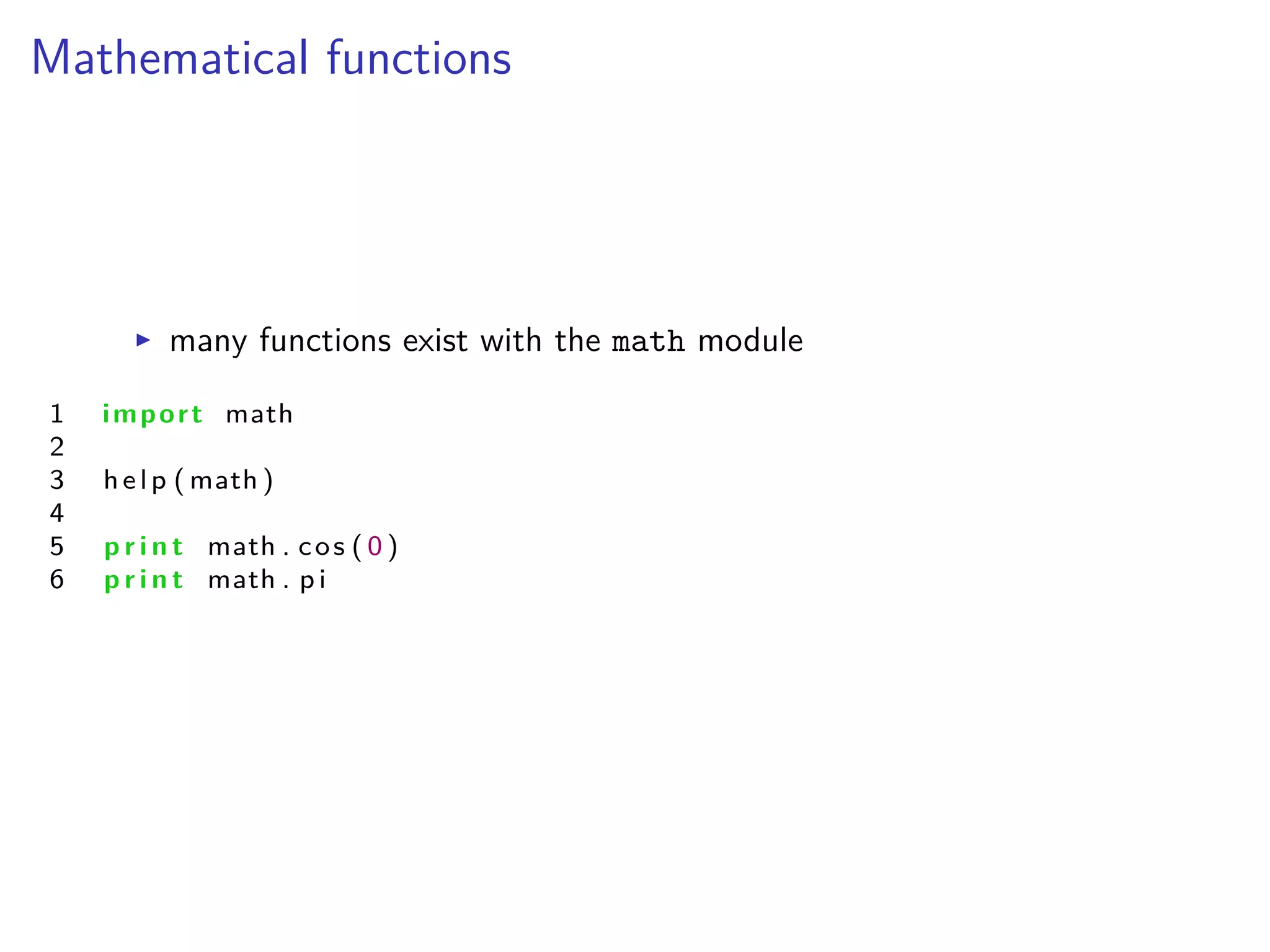
I many functions exist with the math module
1 import math
2
3 help ( math )
4
5 p r i n t math . cos ( 0 )
6 p r i n t math . p i
Logicals
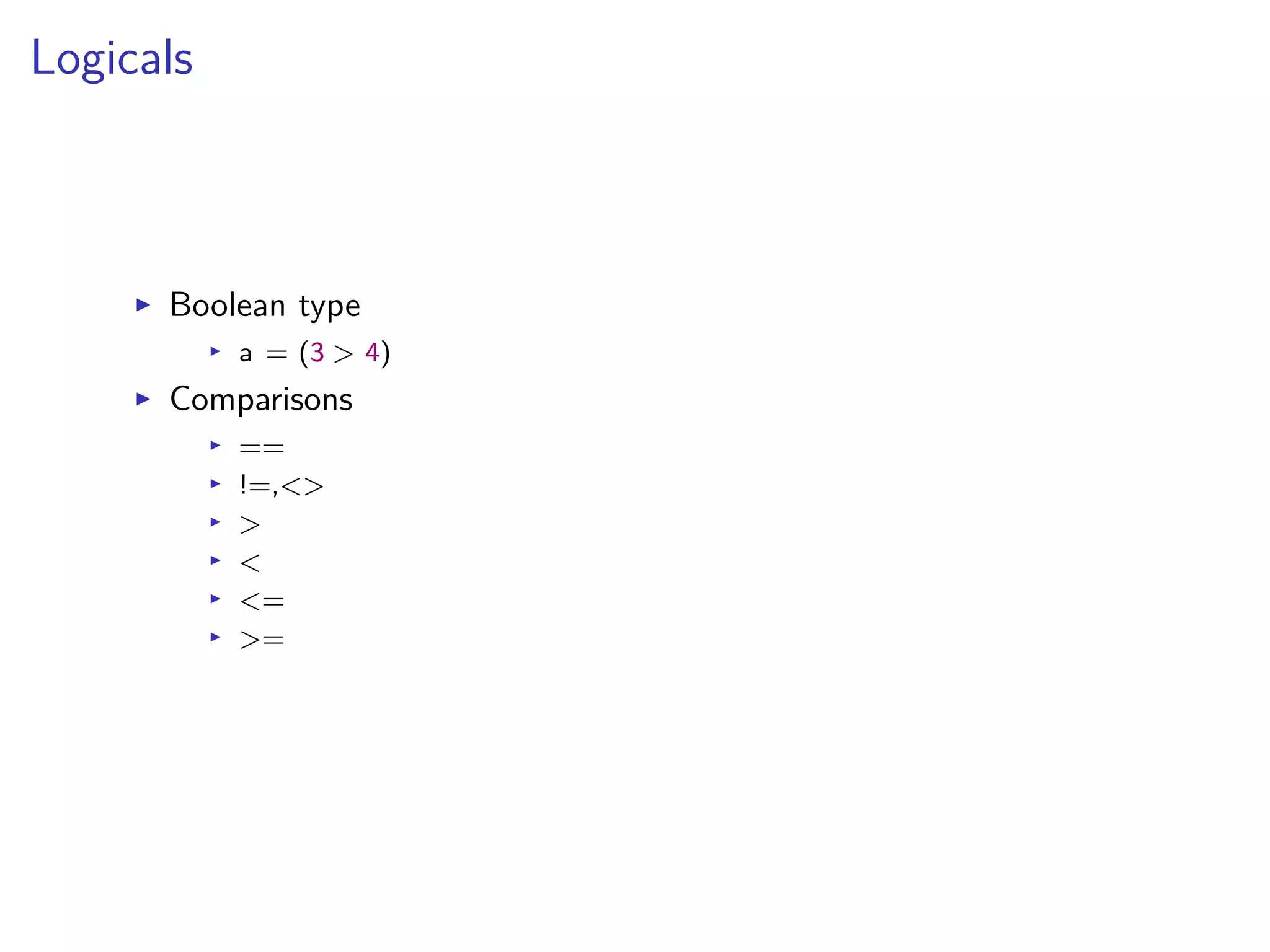
I Boolean type
I a = (3 > 4)
I Comparisons
I ==
I !=,<>
I >
I <
I <=
I >=
Strings
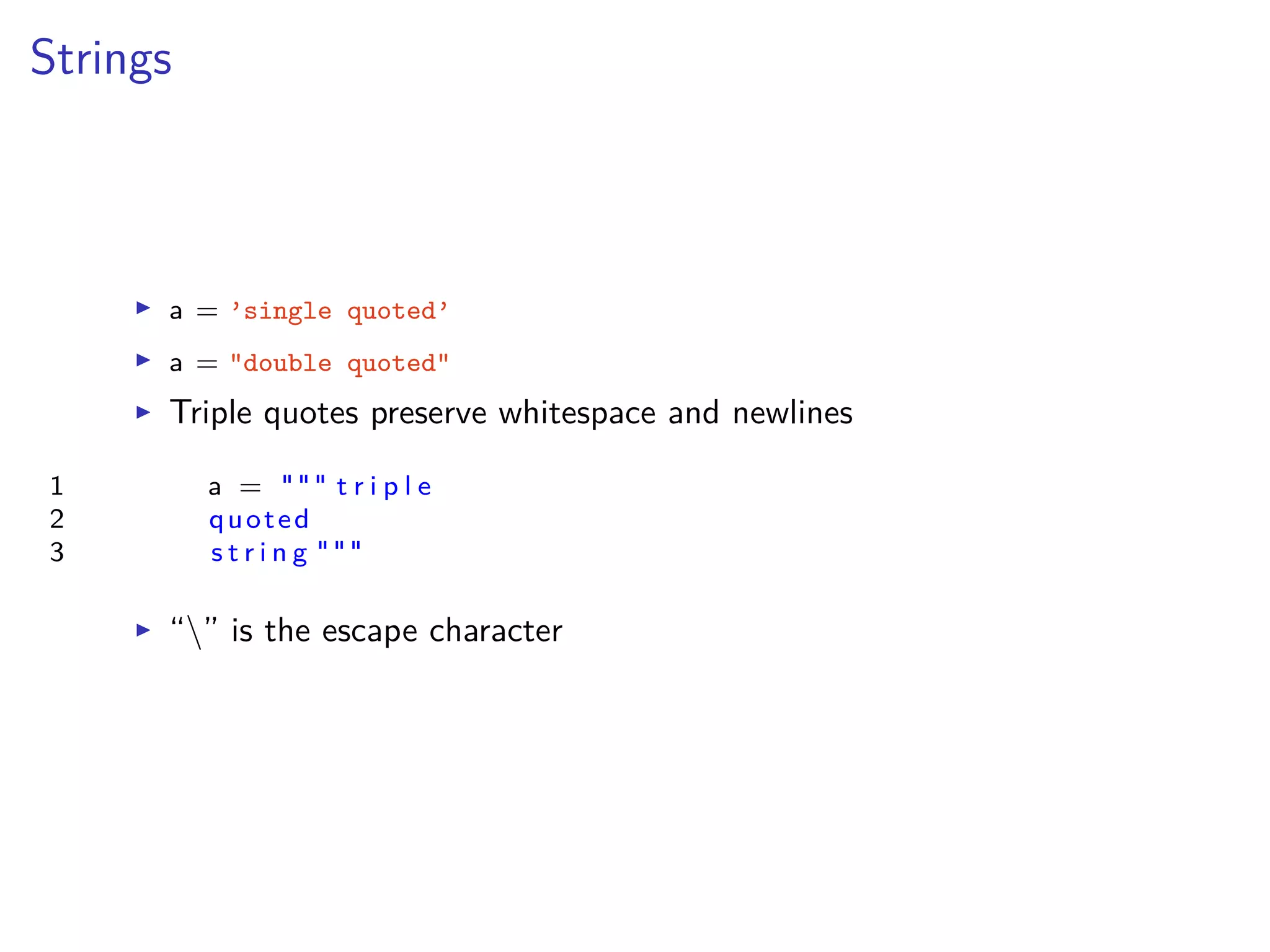
I a = ’single quoted’
I a = "double quoted"
I Triple quotes preserve whitespace and newlines
1 a = """ t r i p l e
2 quoted
3 s t r i n g """
I “” is the escape character
String operations
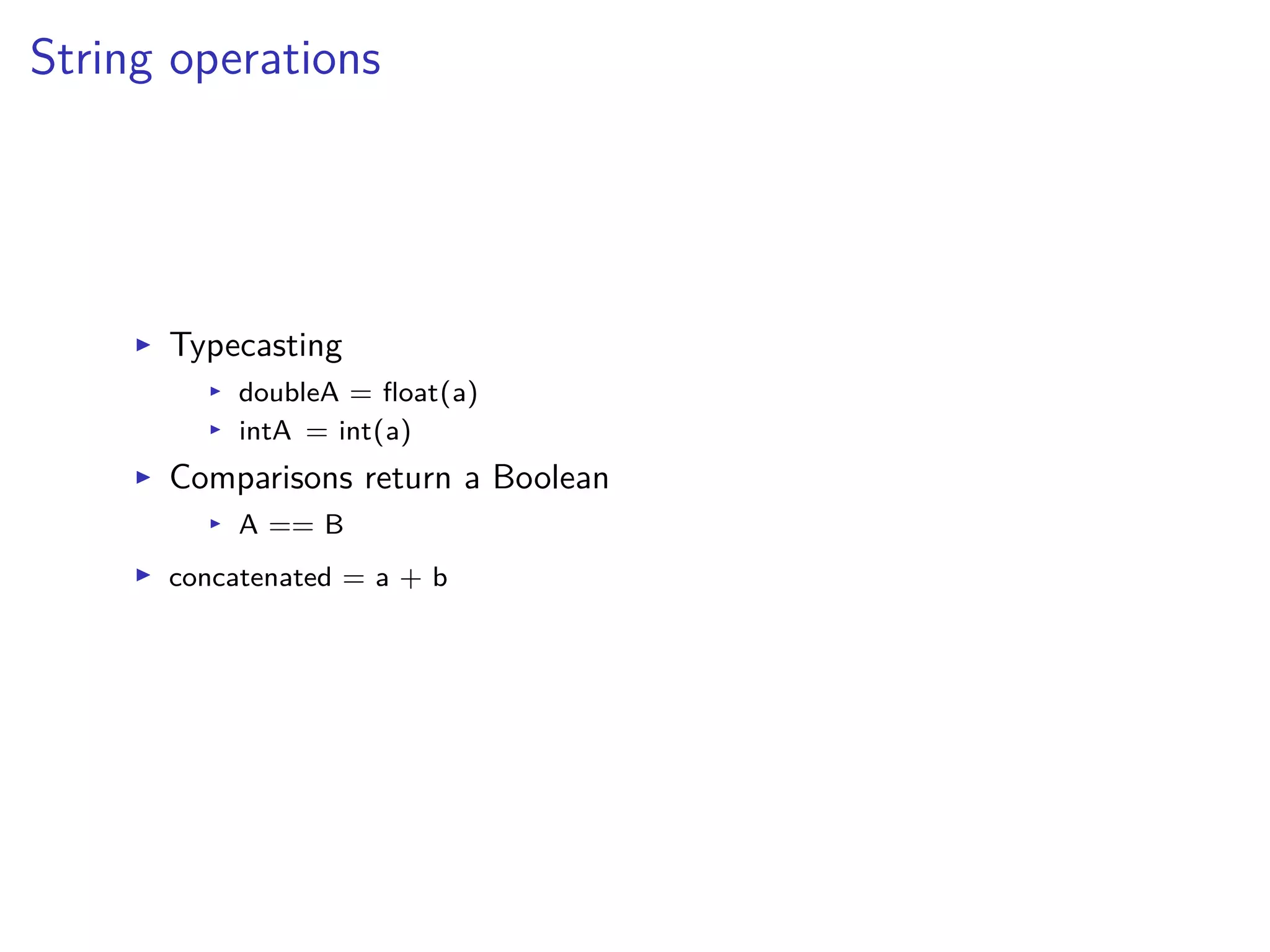
I Typecasting
I doubleA = float(a)
I intA = int(a)
I Comparisons return a Boolean
I A == B
I concatenated = a + b
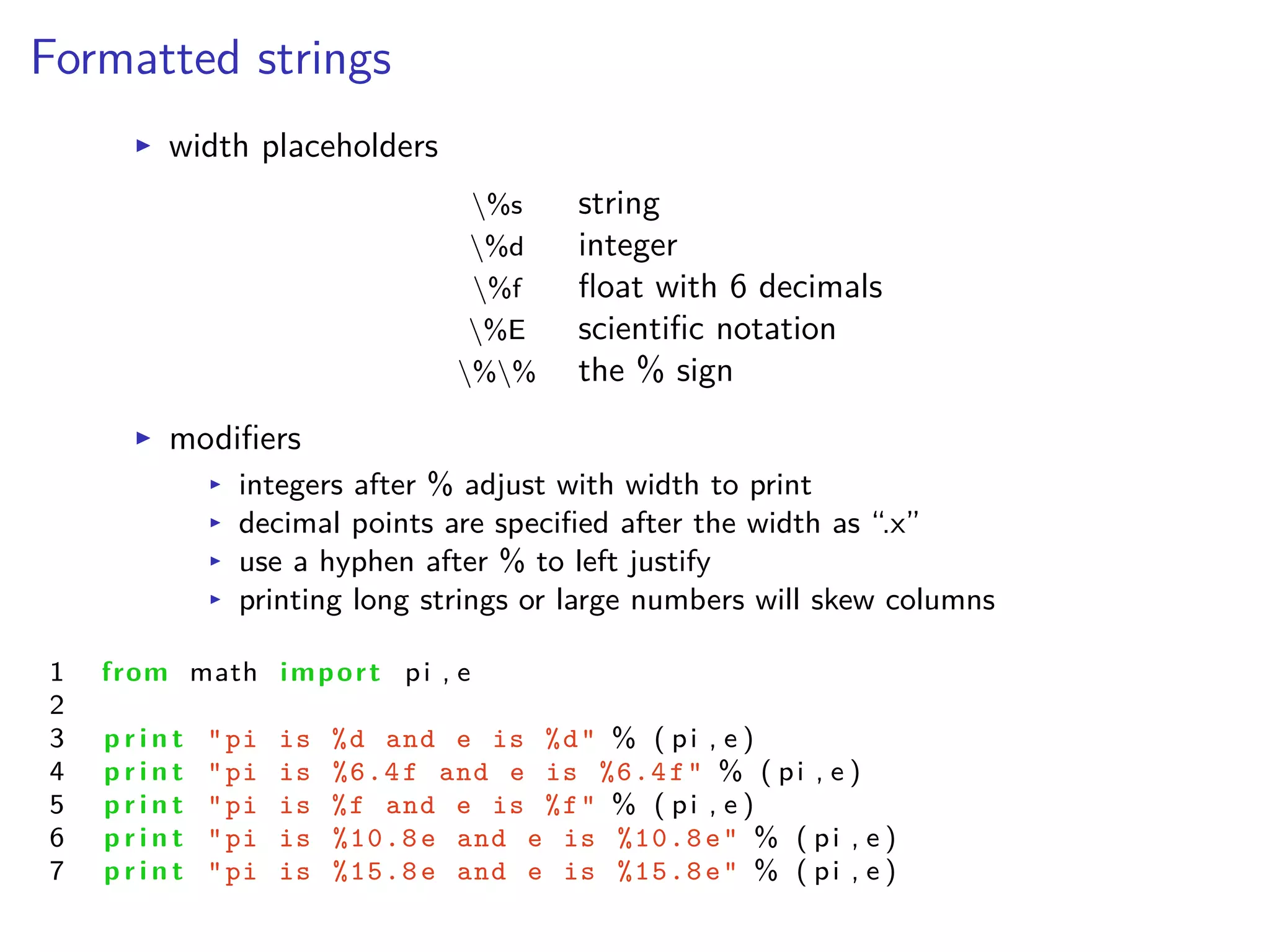
Formatted strings
I width placeholders
%s string
%d integer
%f float with 6 decimals
%E scientific notation
%% the % sign
I modifiers
I integers after % adjust with width to print
I decimal points are specified after the width as “.x”
I use a hyphen after % to left justify
I printing long strings or large numbers will skew columns
1 from math import pi , e
2
3 p r i n t "pi is %d and e is %d" % ( pi , e )
4 p r i n t "pi is %6.4f and e is %6.4f" % ( pi , e )
5 p r i n t "pi is %f and e is %f" % ( pi , e )
6 p r i n t "pi is %10.8e and e is %10.8e" % ( pi , e )
7 p r i n t "pi is %15.8e and e is %15.8e" % ( pi , e )
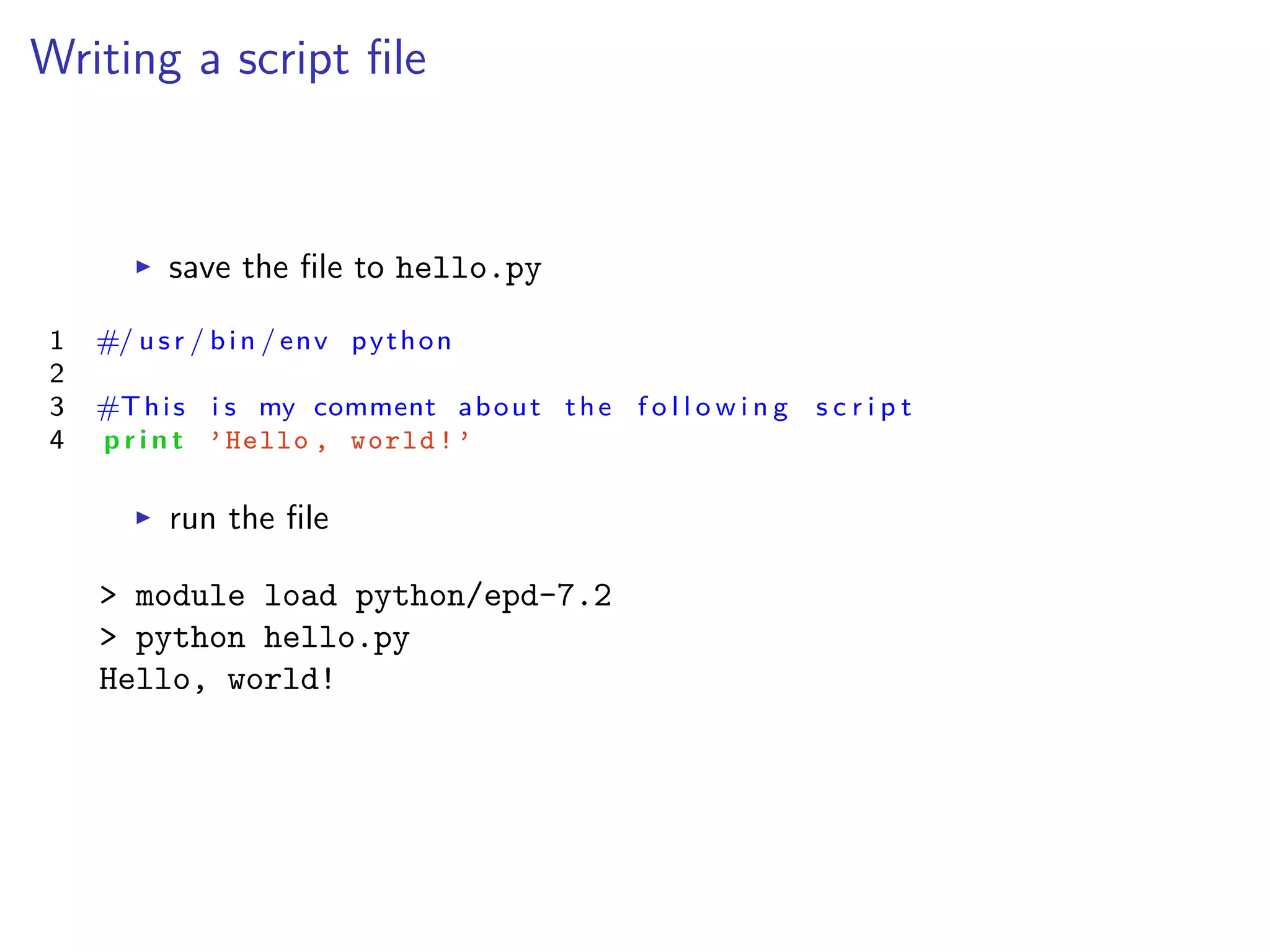
Writing a script file
I save the file to hello.py
1 #/ usr / bin / env python
2
3 #This i s my comment about the f o l l o w i n g s c r i p t
4 p r i n t ’Hello , world!’
I run the file
> module load python/epd-7.2
> python hello.py
Hello, world!
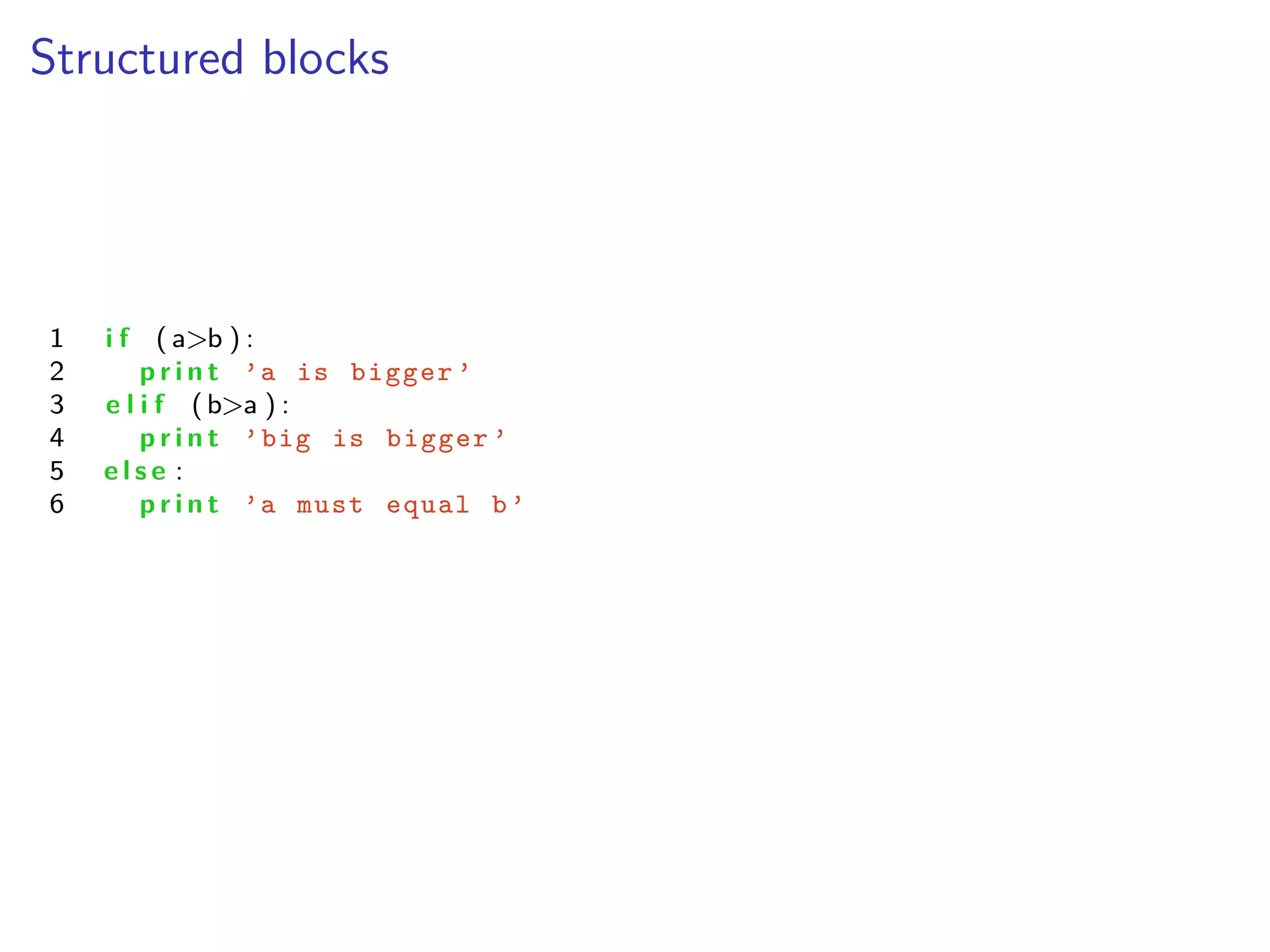
Structured blocks
1 i f ( a>b ) :
2 p r i n t ’a is bigger ’
3 e l i f (b>a ) :
4 p r i n t ’big is bigger ’
5 e l s e :
6 p r i n t ’a must equal b’
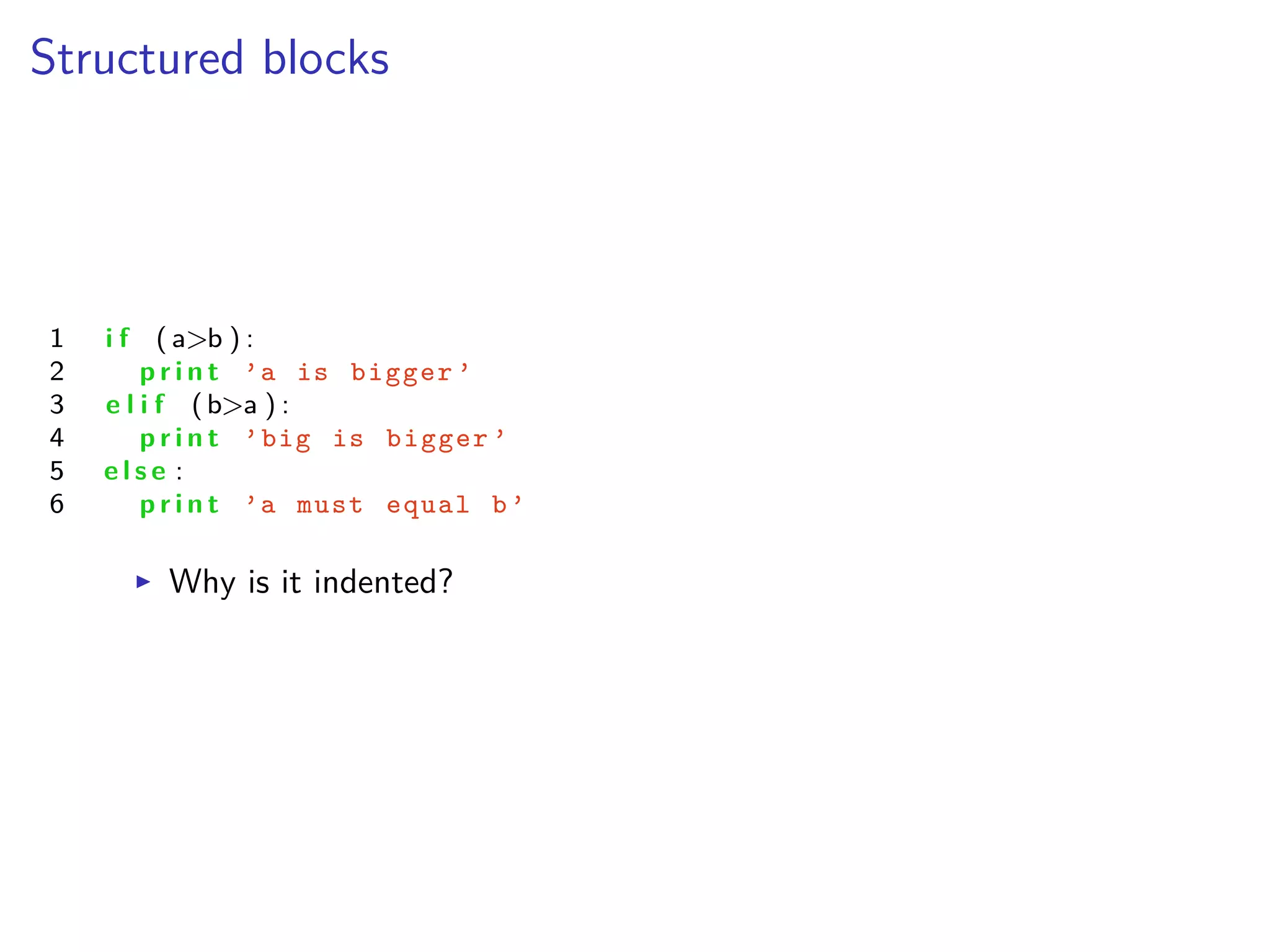
Structured blocks
1 i f ( a>b ) :
2 p r i n t ’a is bigger ’
3 e l i f (b>a ) :
4 p r i n t ’big is bigger ’
5 e l s e :
6 p r i n t ’a must equal b’
I Why is it indented?
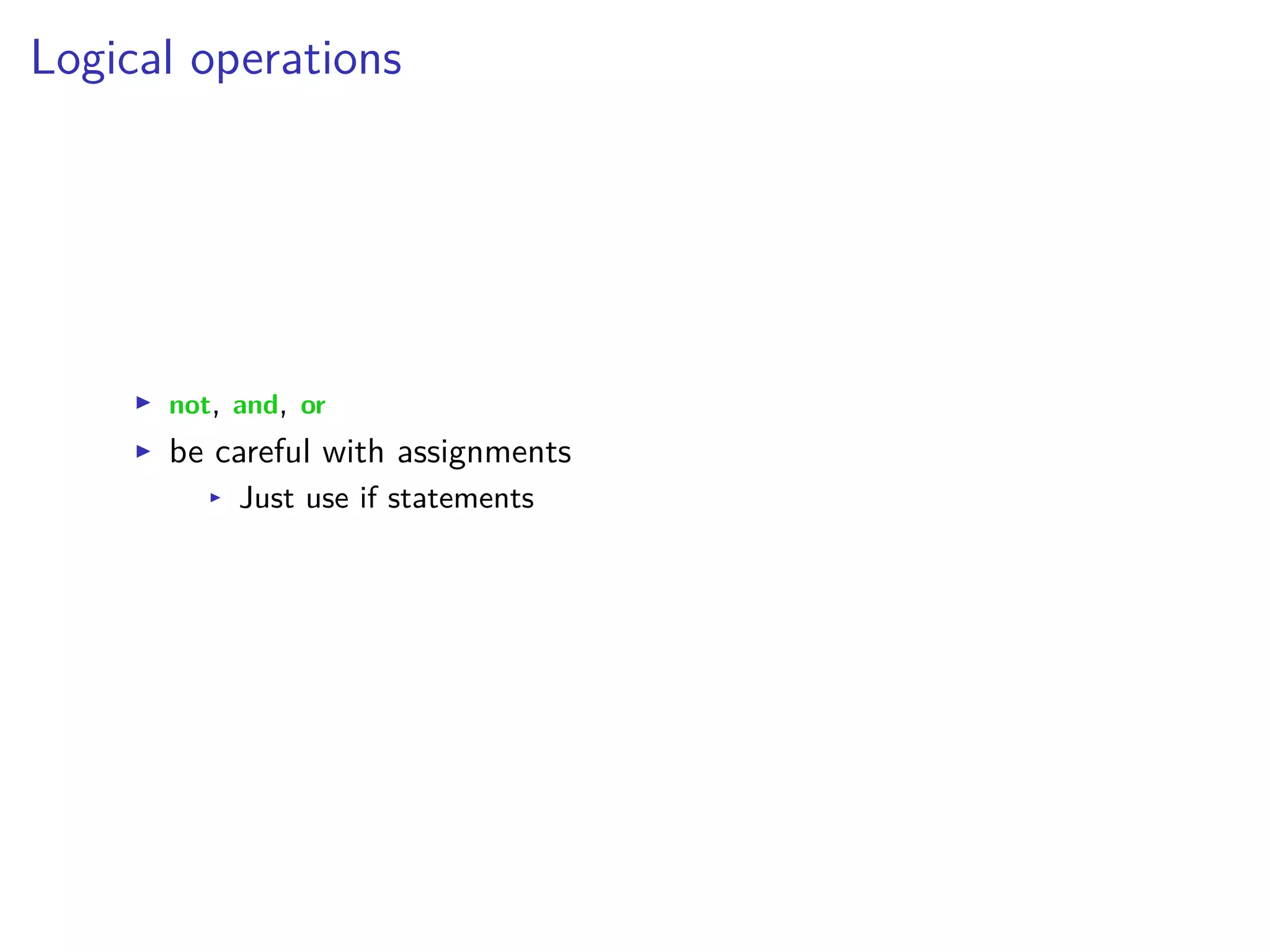
Logical operations
I not, and, or
I be careful with assignments
I Just use if statements
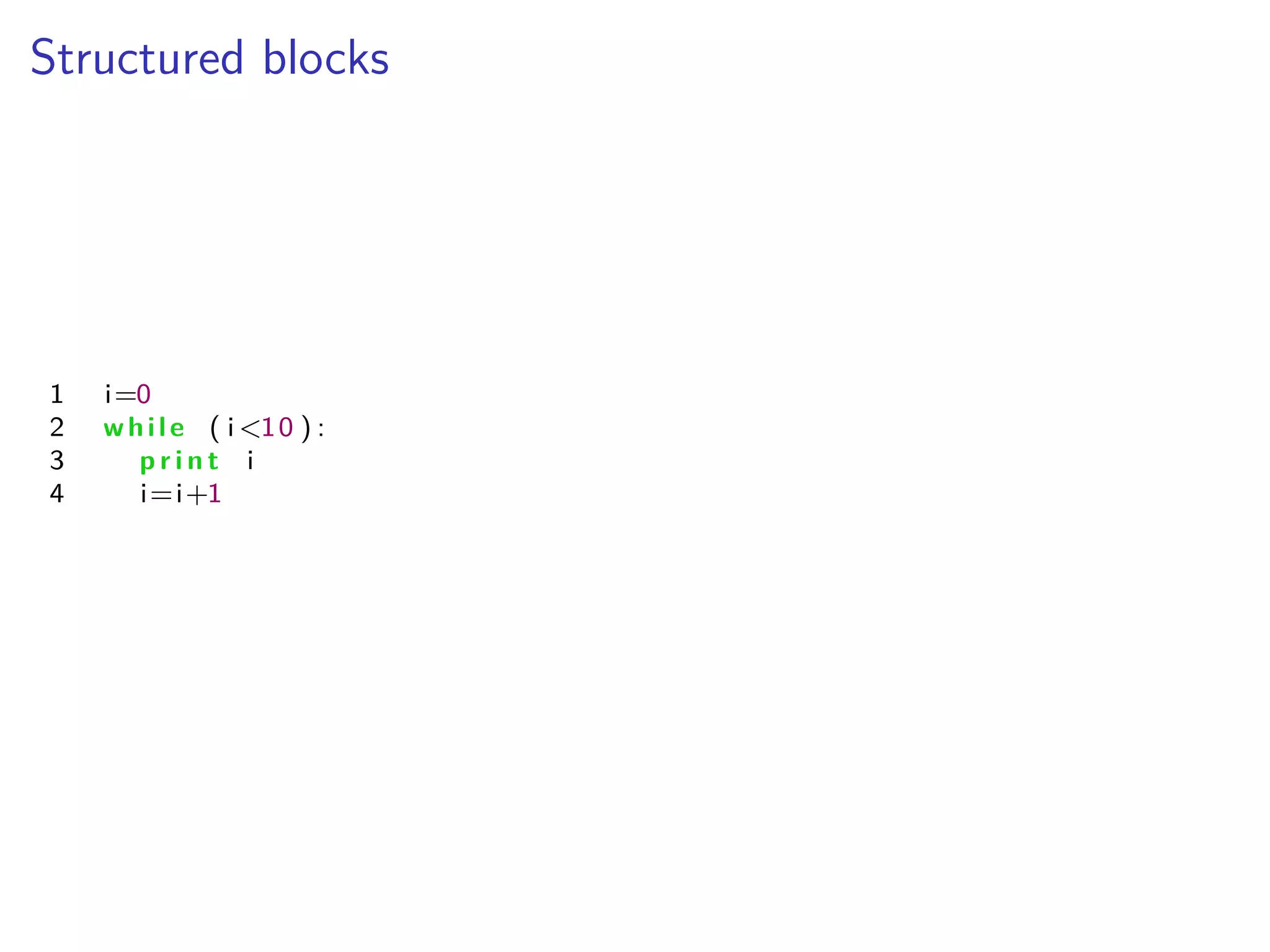
Structured blocks
1 i=0
2 while ( i <10 ) :
3 p r i n t i
4 i=i+1
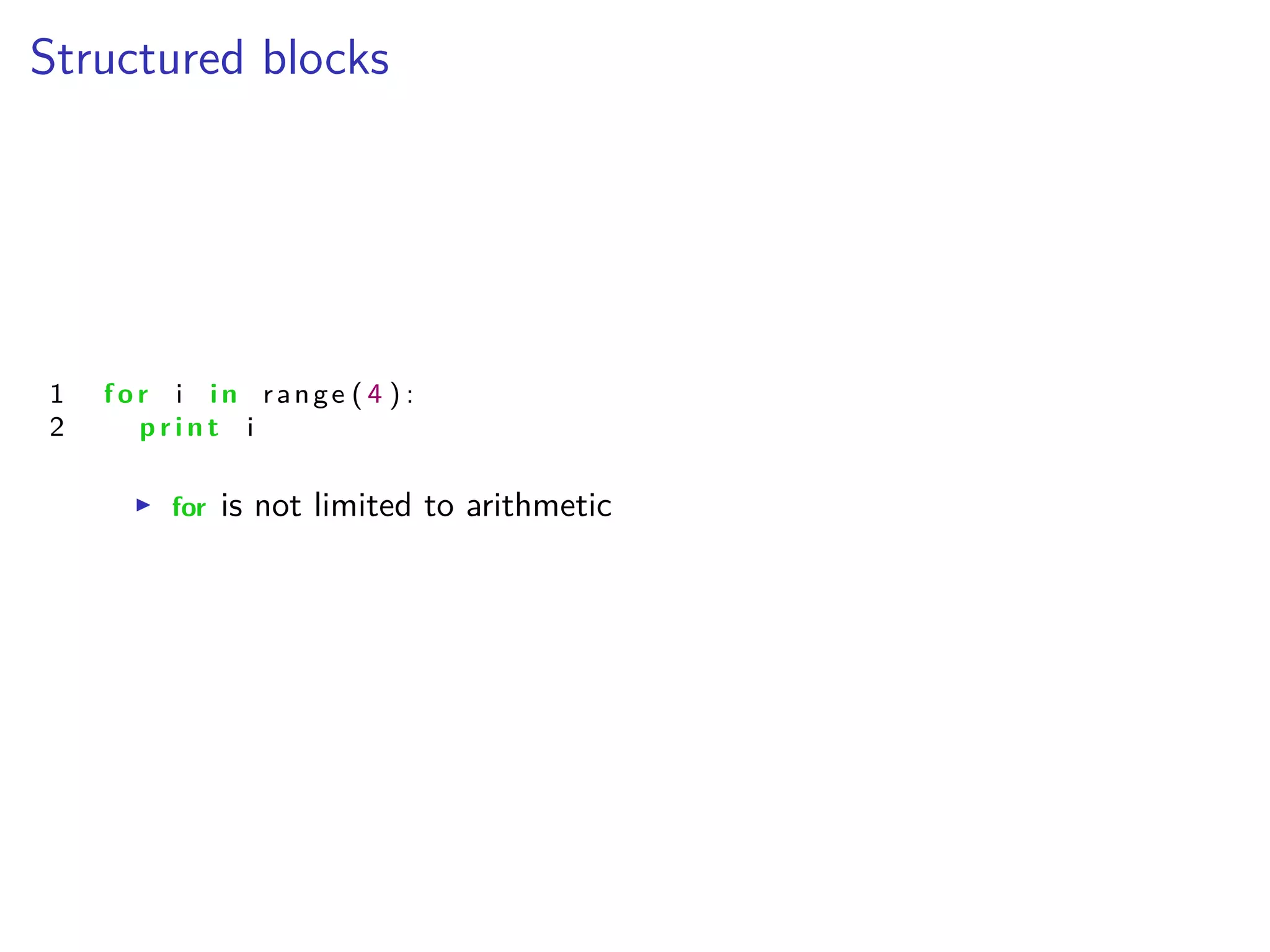
Structured blocks
1 f o r i i n range ( 4 ) :
2 p r i n t i
I for is not limited to arithmetic
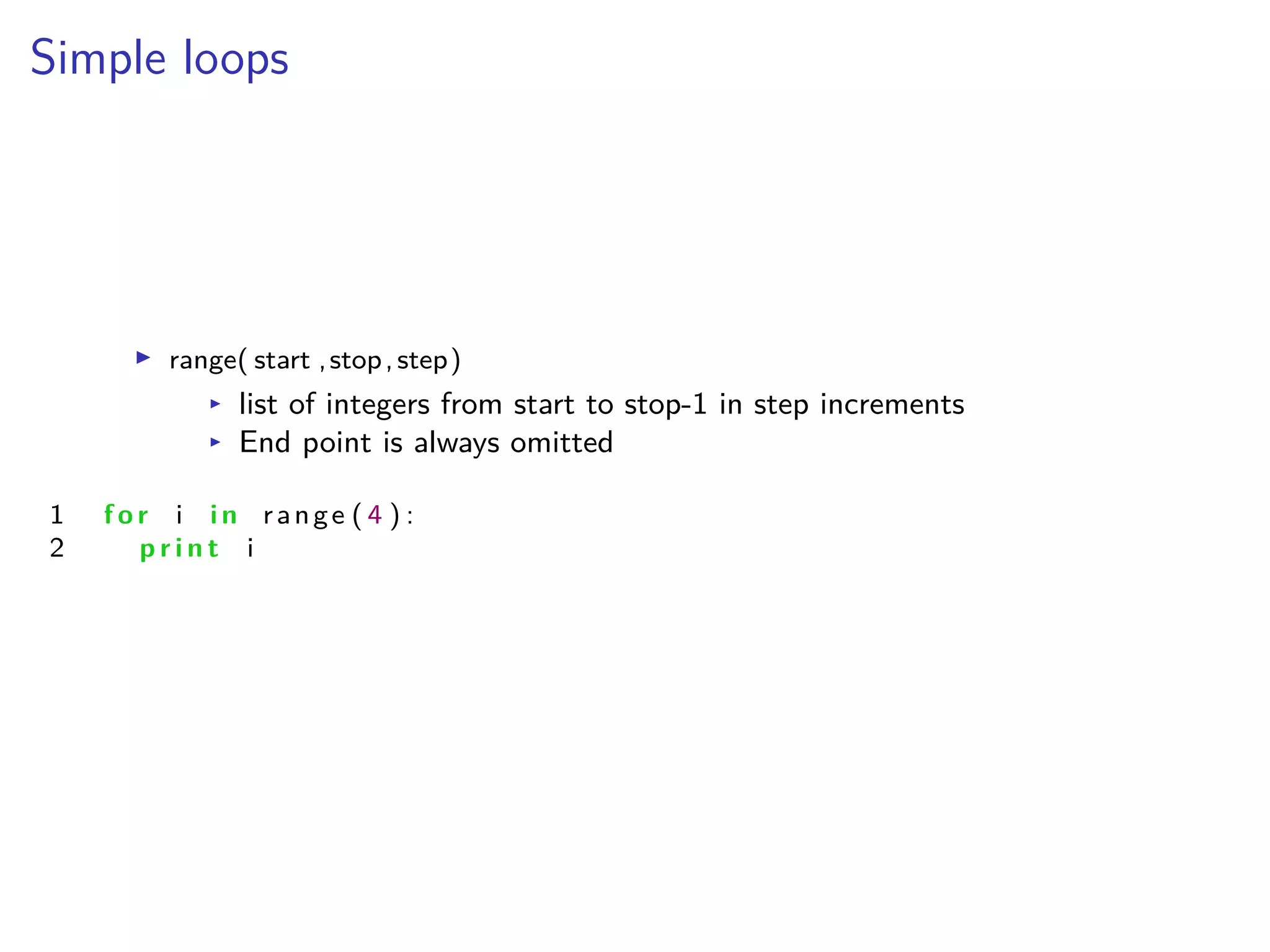
Simple loops
I range( start ,stop,step)
I list of integers from start to stop-1 in step increments
I End point is always omitted
1 f o r i i n range ( 4 ) :
2 p r i n t i
Simple Functions
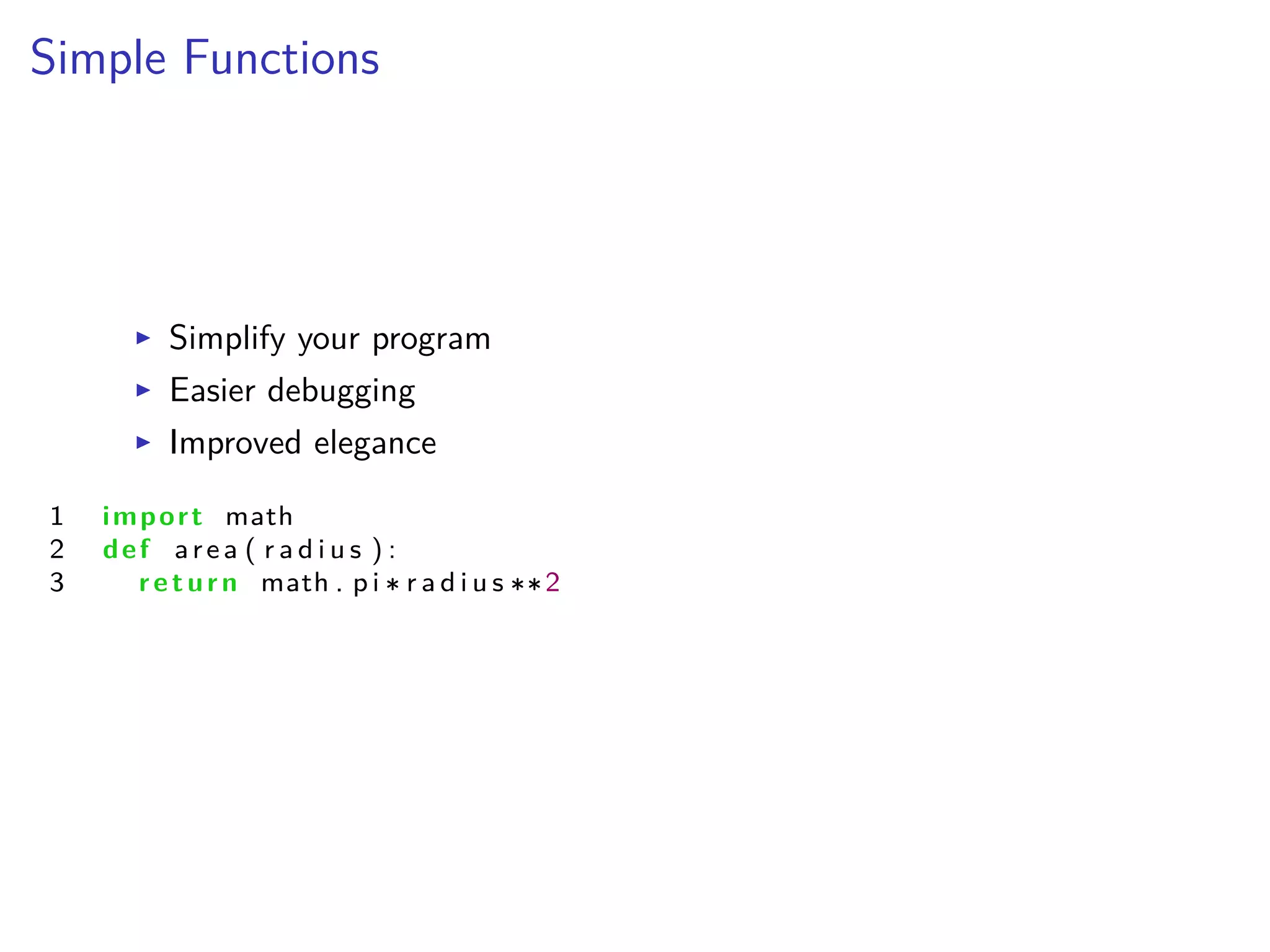
I Simplify your program
I Easier debugging
I Improved elegance
1 import math
2 def area ( r a d i u s ) :
3 return math . p i r a d i u s 2
Simple Functions
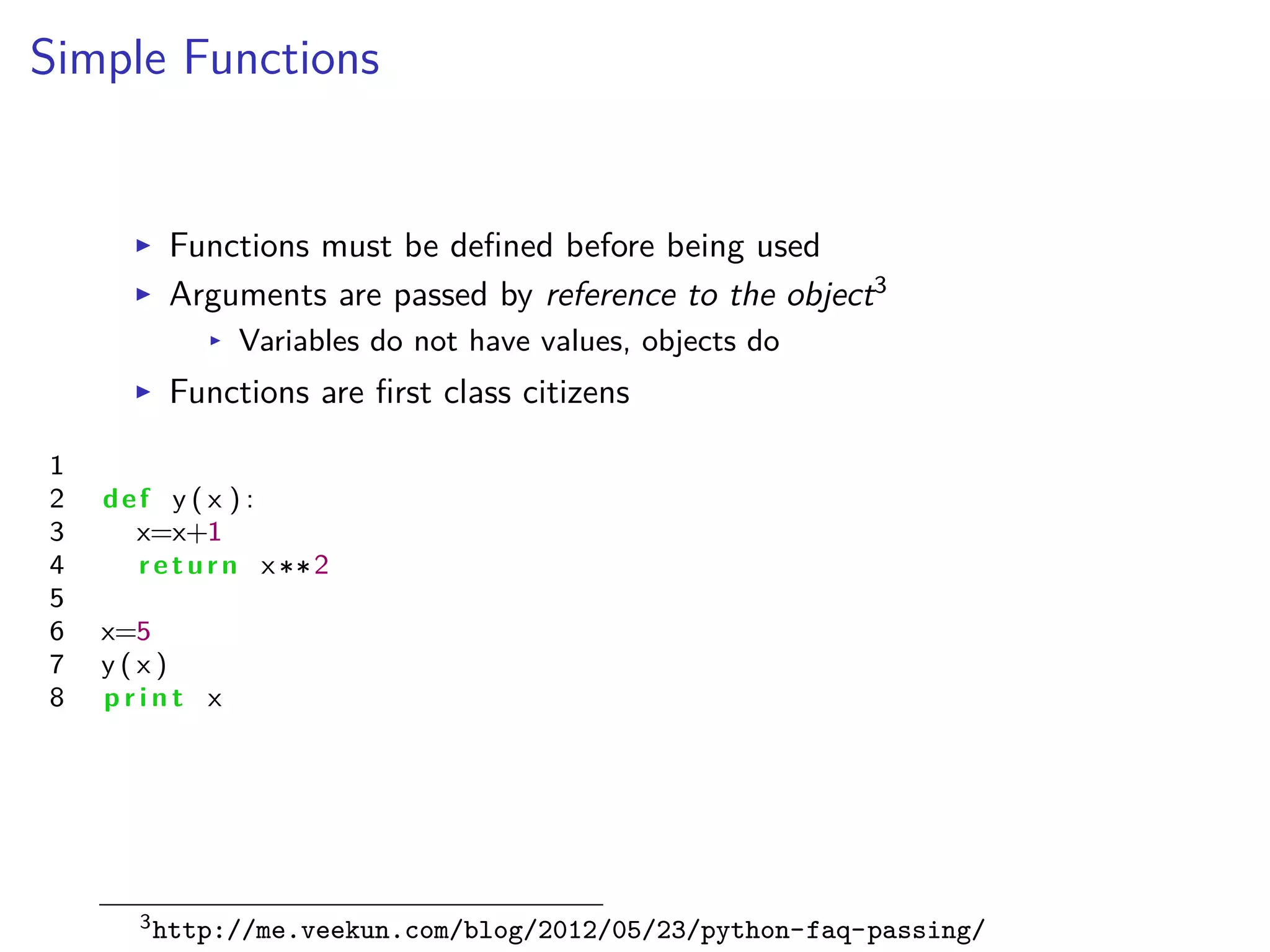
I Functions must be defined before being used
I Arguments are passed by reference to the object3
I Variables do not have values, objects do
I Functions are first class citizens
1
2 def y ( x ) :
3 x=x+1
4 return x 2
5
6 x=5
7 y ( x )
8 p r i n t x
3http://me.veekun.com/blog/2012/05/23/python-faq-passing/
Mathematical Exercises
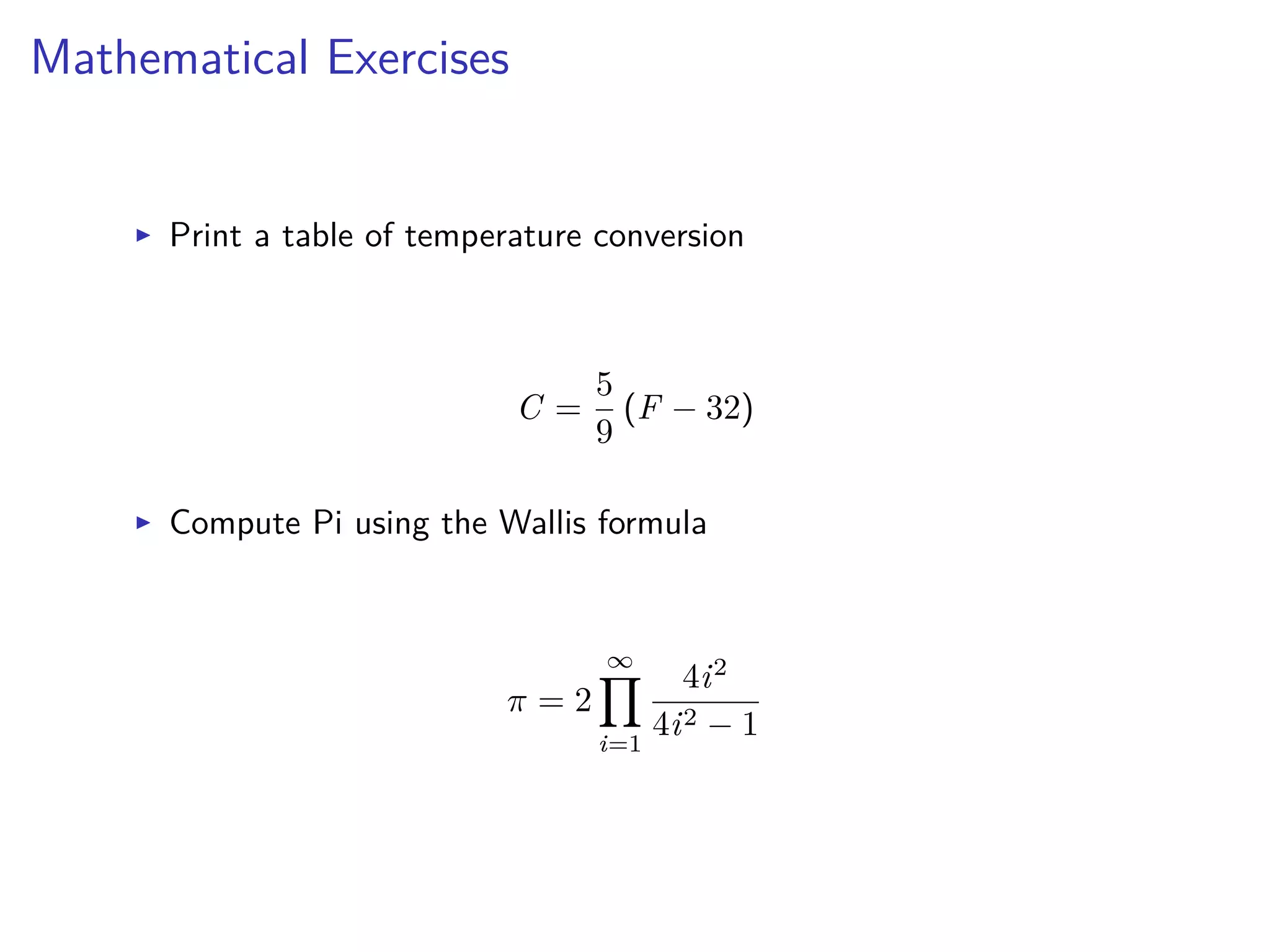
I Print a table of temperature conversion
C =
5
9
(F ≠ 32)
I Compute Pi using the Wallis formula
fi = 2
ŒŸ
i=1
4i2
4i2 ≠ 1
Python for Scientific Computing
Lecture 2: Data Structures
Albert DeFusco
Center for Simulation and Modeling
September 18, 2013
Download your own Python
https://www.enthought.com/products/epd/free/
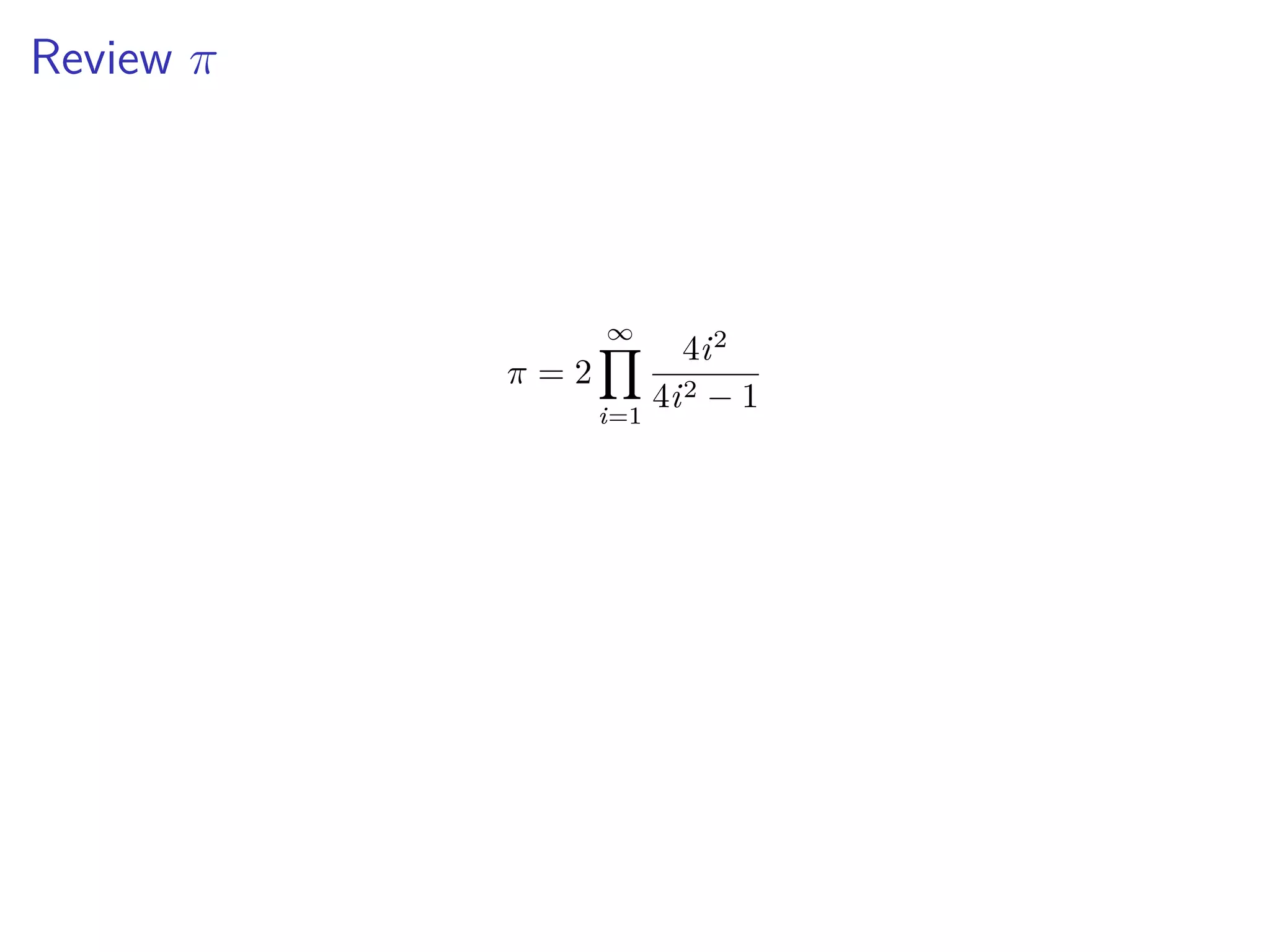
Review fi
fi = 2
ŒŸ
i=1
4i2
4i2 ≠ 1
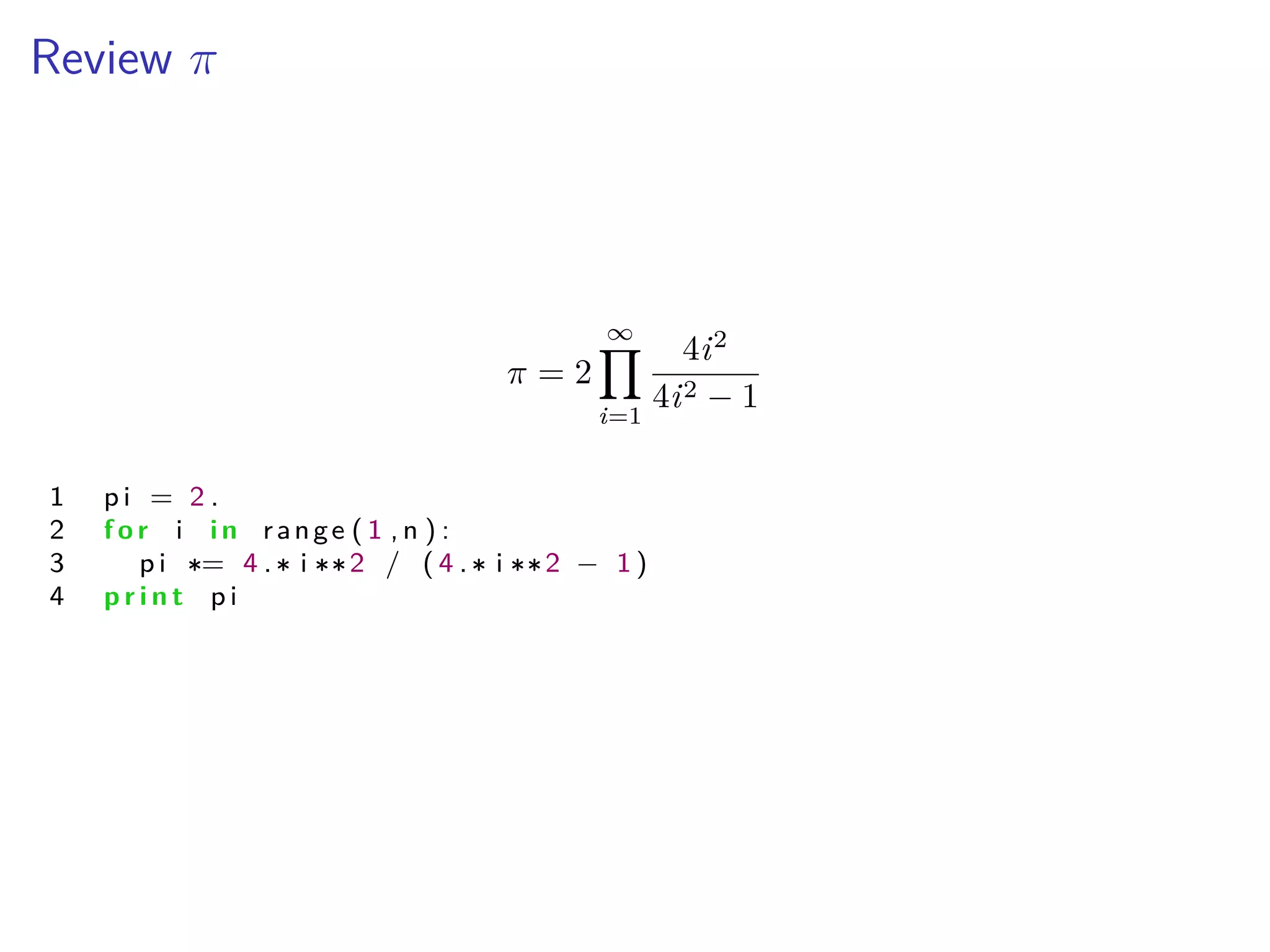
Review fi
fi = 2
ŒŸ
i=1
4i2
4i2 ≠ 1
1 p i = 2 .
2 f o r i i n range ( 1 , n ) :
3 p i = 4 . i 2 / ( 4 . i 2 ≠ 1 )
4 p r i n t p i
Containers
I tuples, lists and strings
I Elements are accessed with container[ ]
I Indexed starting at 0
I Arguments for len(container)
I Each type has special features
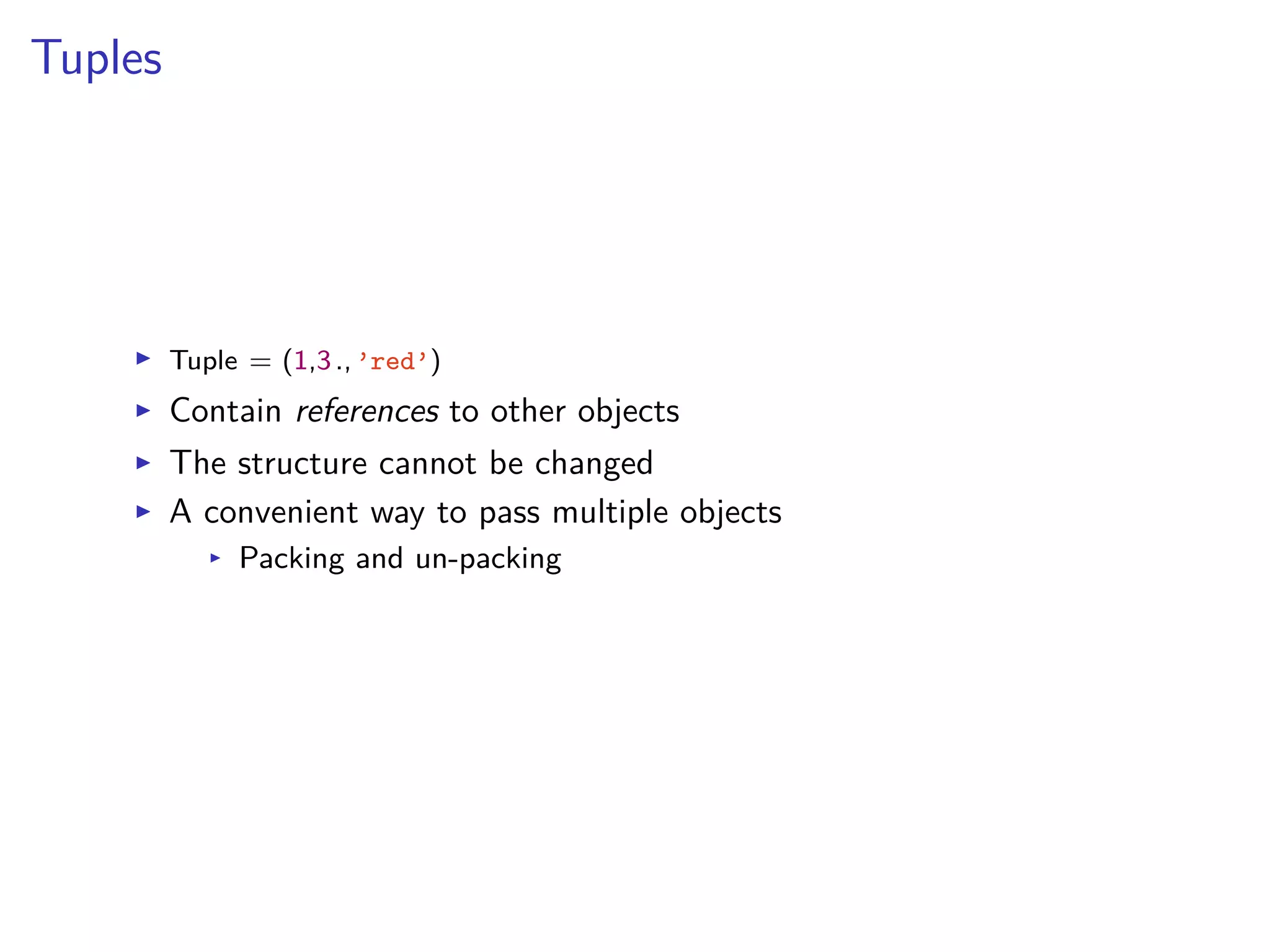
Tuples
I Tuple = (1,3.,’red’)
I Contain references to other objects
I The structure cannot be changed
I A convenient way to pass multiple objects
I Packing and un-packing
Lists
I List = [’red’,’green’,’blue’]
I Resizable
I List-of-Lists is a multi-dimensional list
I Lists are not arrays
I range() is a list
Dictionaries
I Key - value pairs
Protons = {’Oxygen’: 8, ’Hydrogen’: 1}
Protons[’Carbon’] = 6
I Any type can be a key or value
I Look-up tables
I Sorting and searching operations
Indexing Lists and tuples
I Slicing just like Fortran 90
L[ start :stop: stride ]
start Æ i < stop; i+ = stride
I Negative indices start at the end of the list
I -1 is the last element
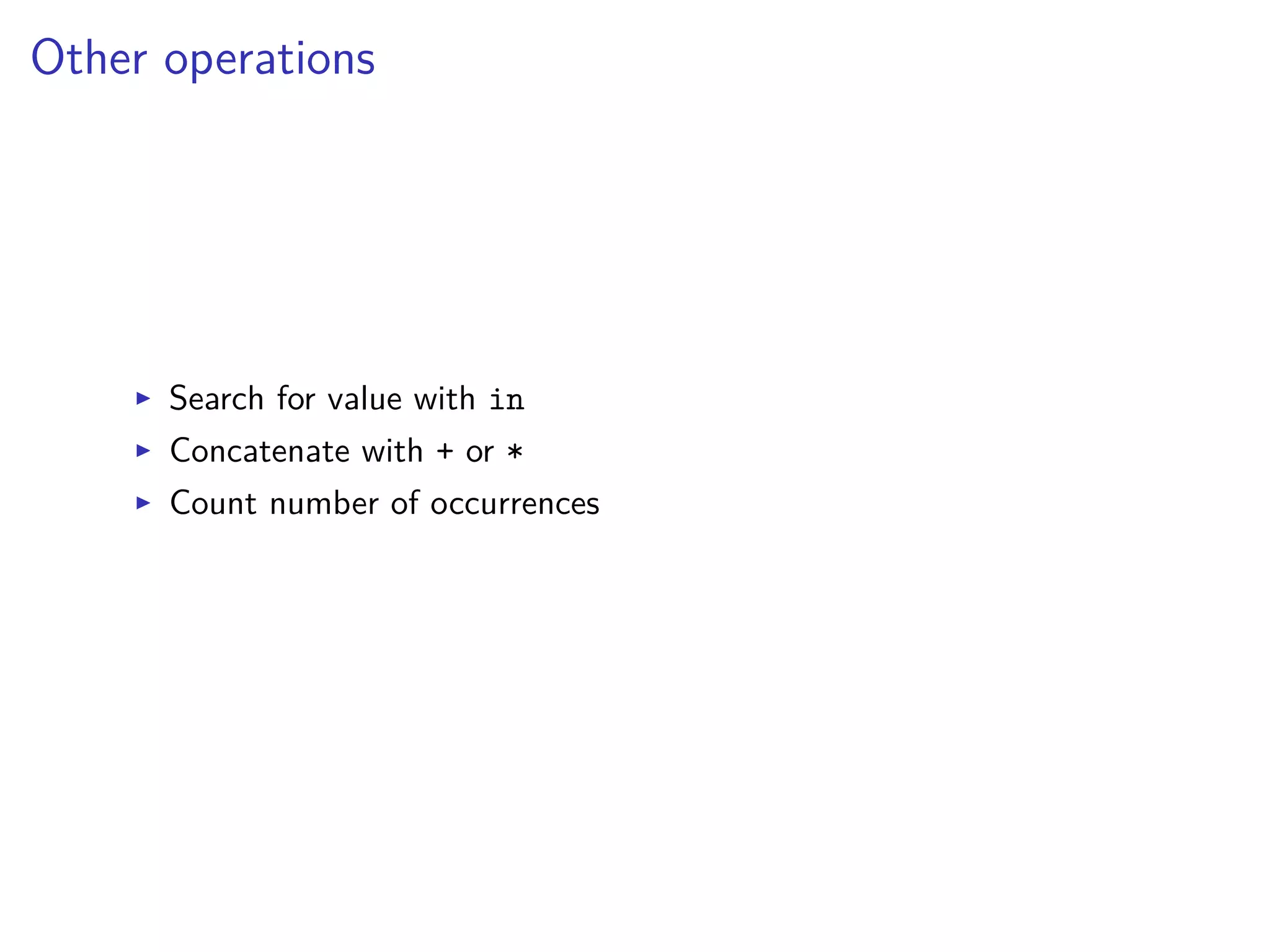
Other operations
I Search for value with in
I Concatenate with + or *
I Count number of occurrences
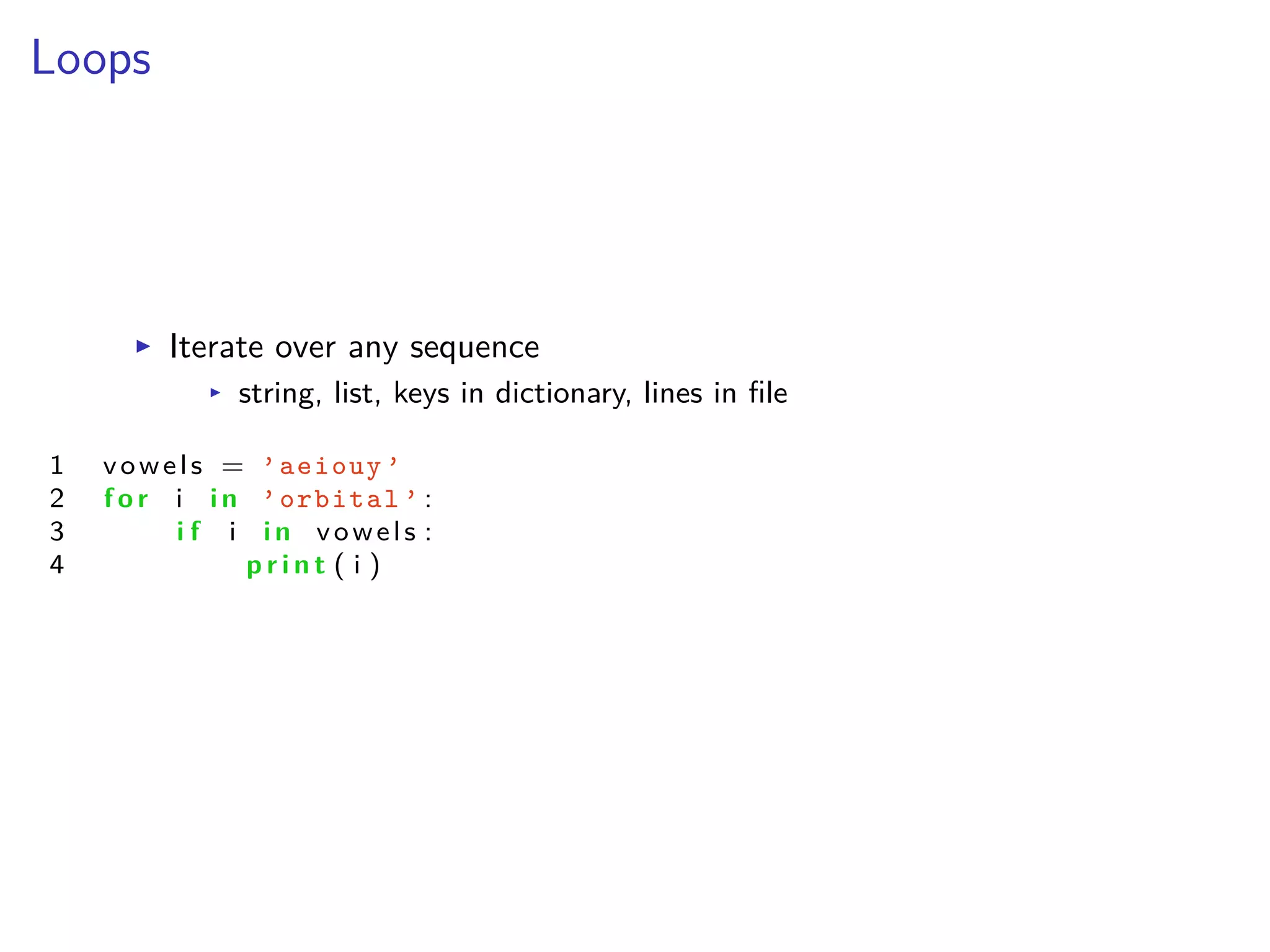
Loops
I Iterate over any sequence
I string, list, keys in dictionary, lines in file
1 vowels = ’aeiouy ’
2 f o r i i n ’orbital ’ :
3 i f i i n vowels :
4 p r i n t ( i )
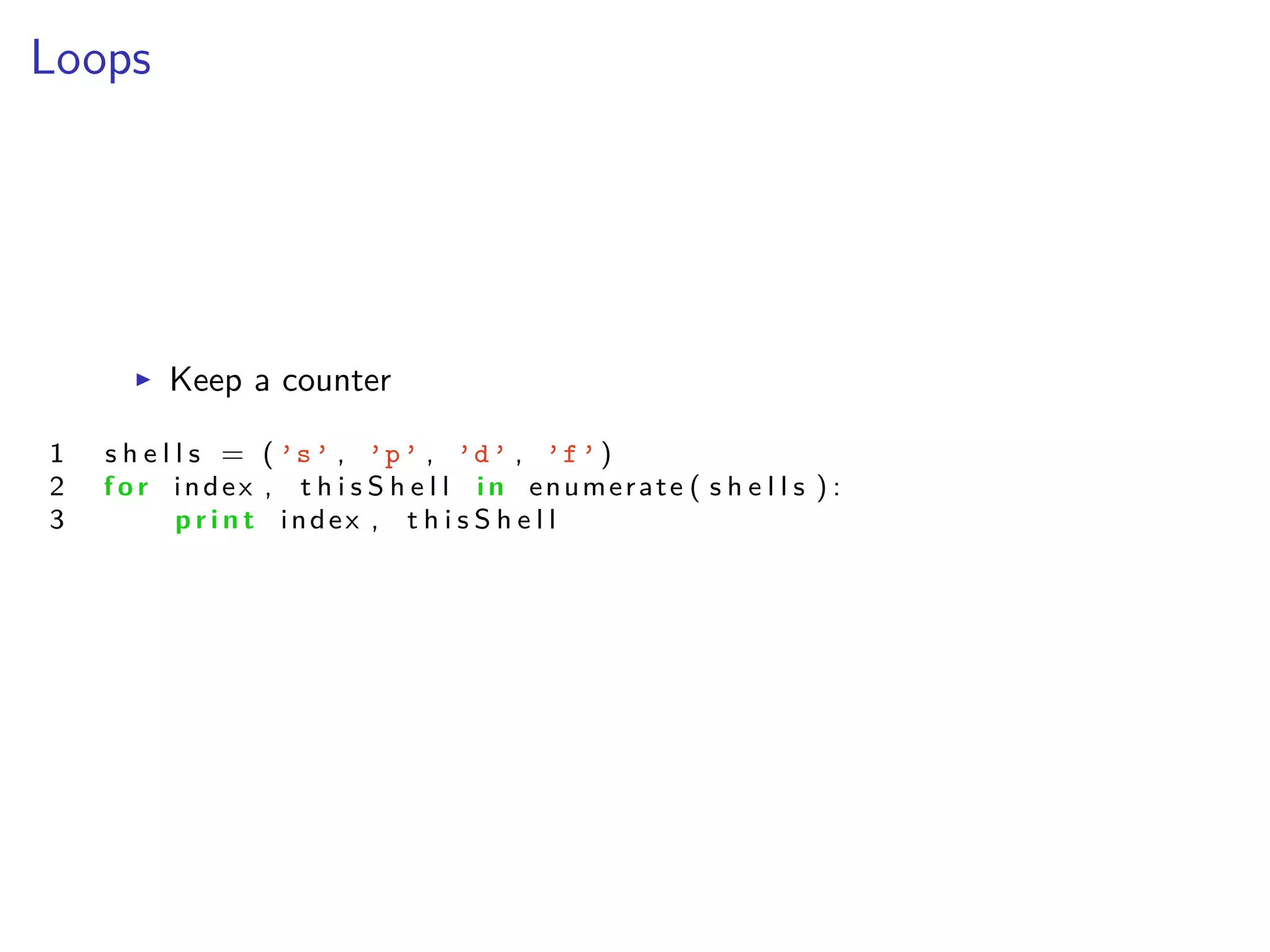
Loops
I Keep a counter
1 s h e l l s = ( ’s’ , ’p’ , ’d’ , ’f’)
2 f o r index , t h i s S h e l l i n enumerate ( s h e l l s ) :
3 p r i n t index , t h i s S h e l l
Loops
I List comprehension
1 even = [ i f o r i i n range ( 100 ) i f i%2 == 0 ]
2
3 l i s t X = [≠1 , 0 , 1 ]
4 l i s t Y = [ 2 , 4 ]
5 myTuple = [ ( x , y ) f o r x i n l i s t X f o r y i n l i s t Y ]
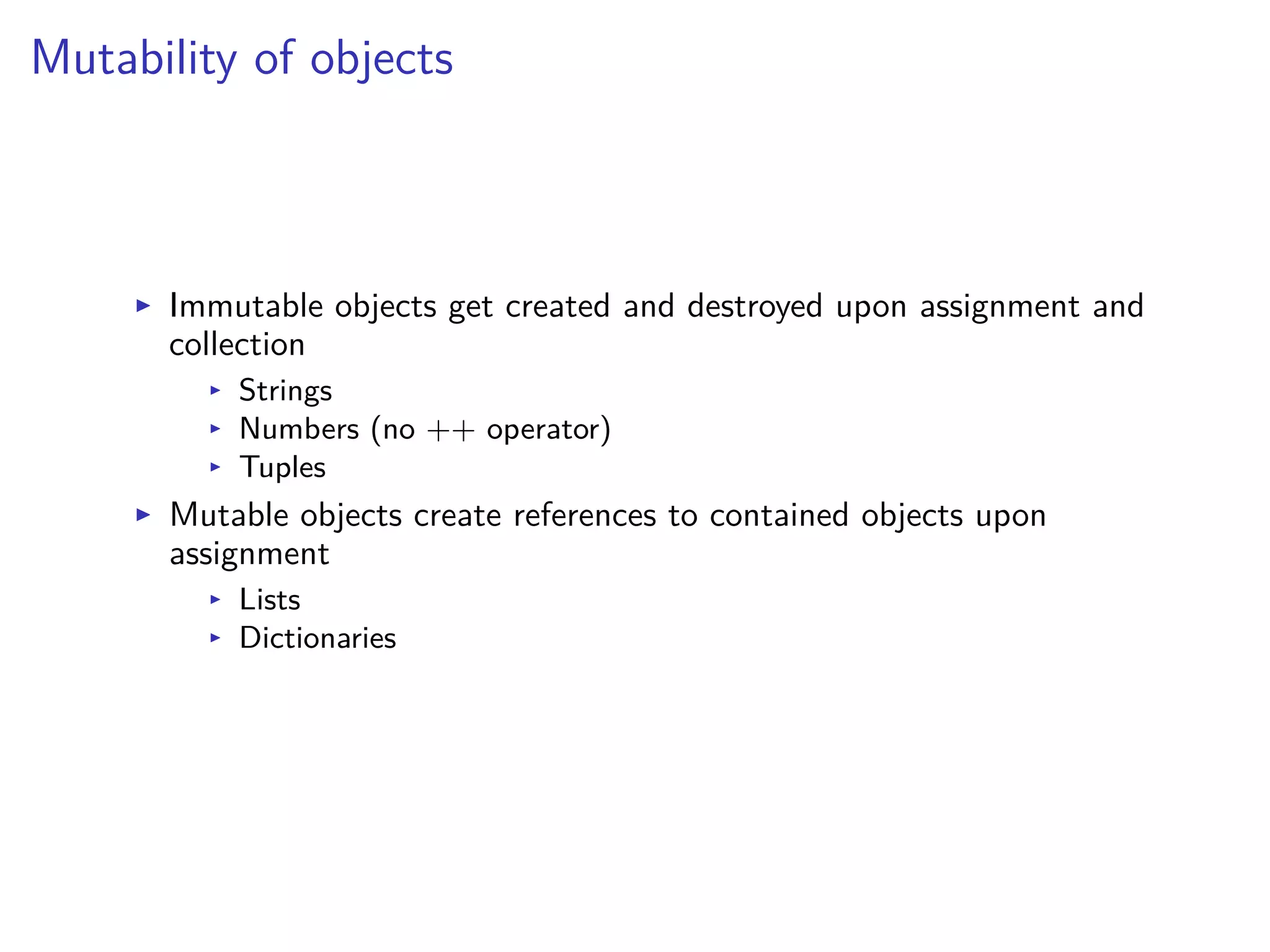
Mutability of objects
I Immutable objects get created and destroyed upon assignment and
collection
I Strings
I Numbers (no ++ operator)
I Tuples
I Mutable objects create references to contained objects upon
assignment
I Lists
I Dictionaries
Hands-on: Mutability
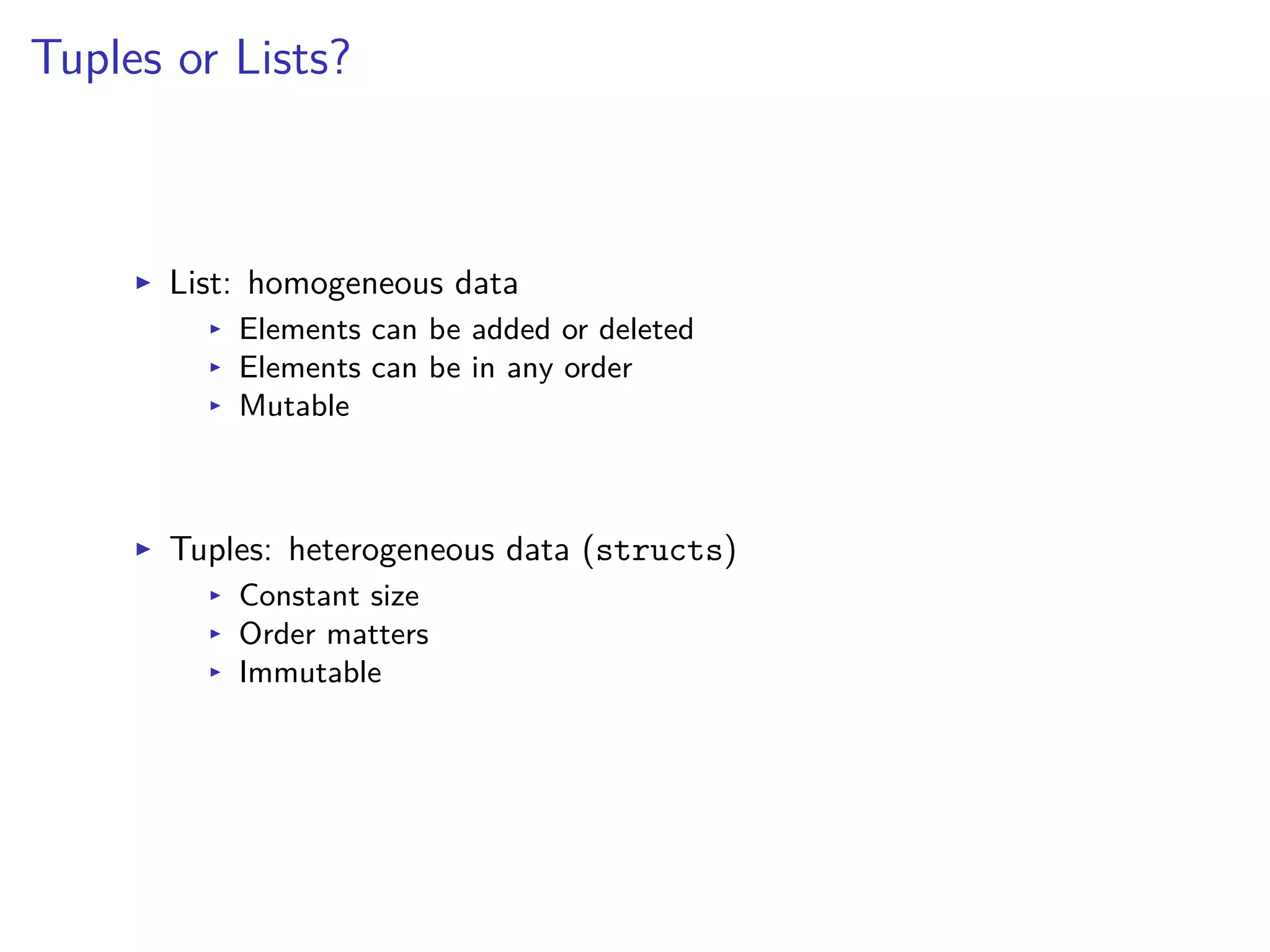
Tuples or Lists?
I List: homogeneous data
I Elements can be added or deleted
I Elements can be in any order
I Mutable
I Tuples: heterogeneous data (structs)
I Constant size
I Order matters
I Immutable
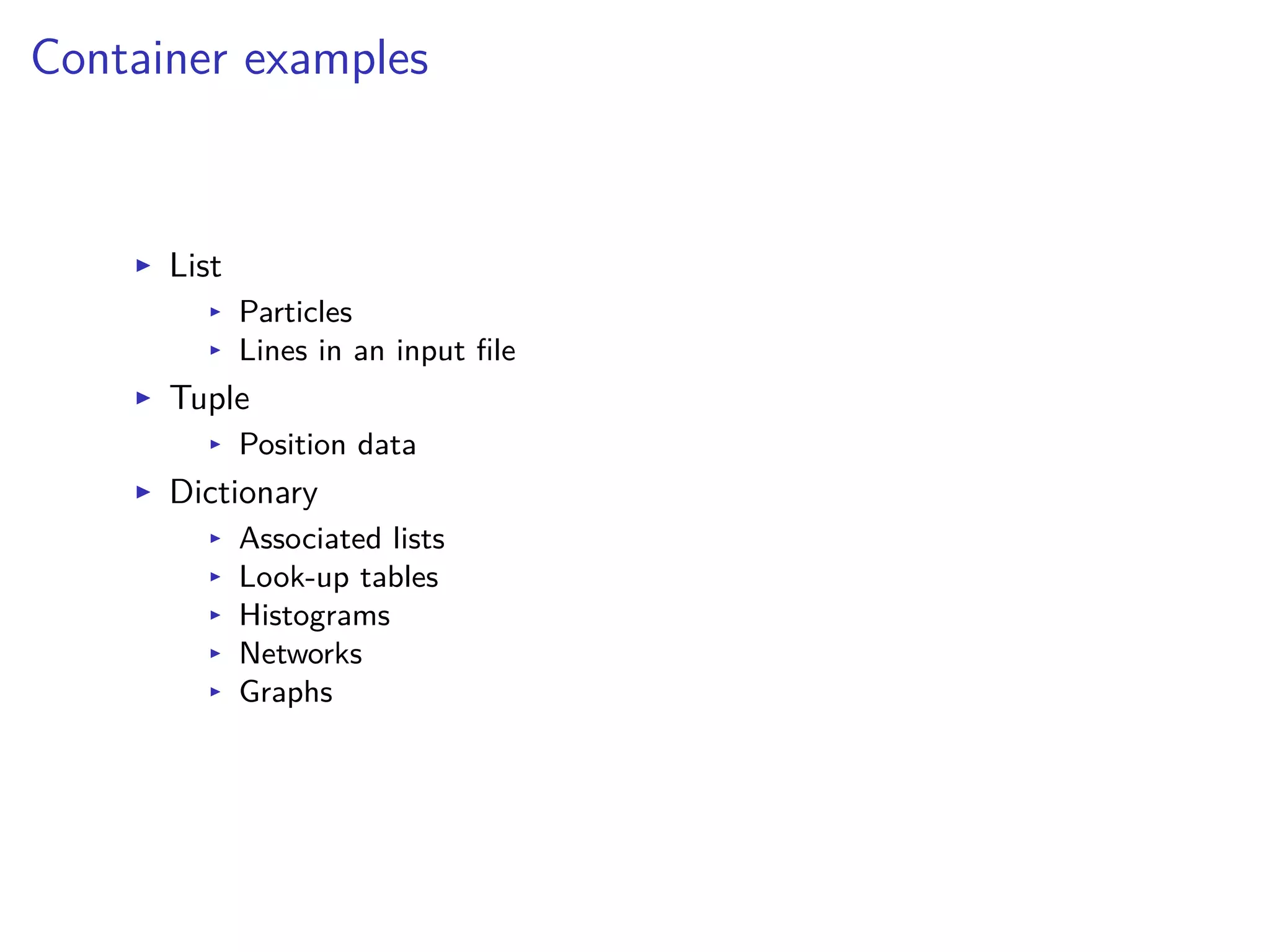
Container examples
I List
I Particles
I Lines in an input file
I Tuple
I Position data
I Dictionary
I Associated lists
I Look-up tables
I Histograms
I Networks
I Graphs
Functions
I Doc strings
I Default values
I Optional arguments
I Returns
Functions
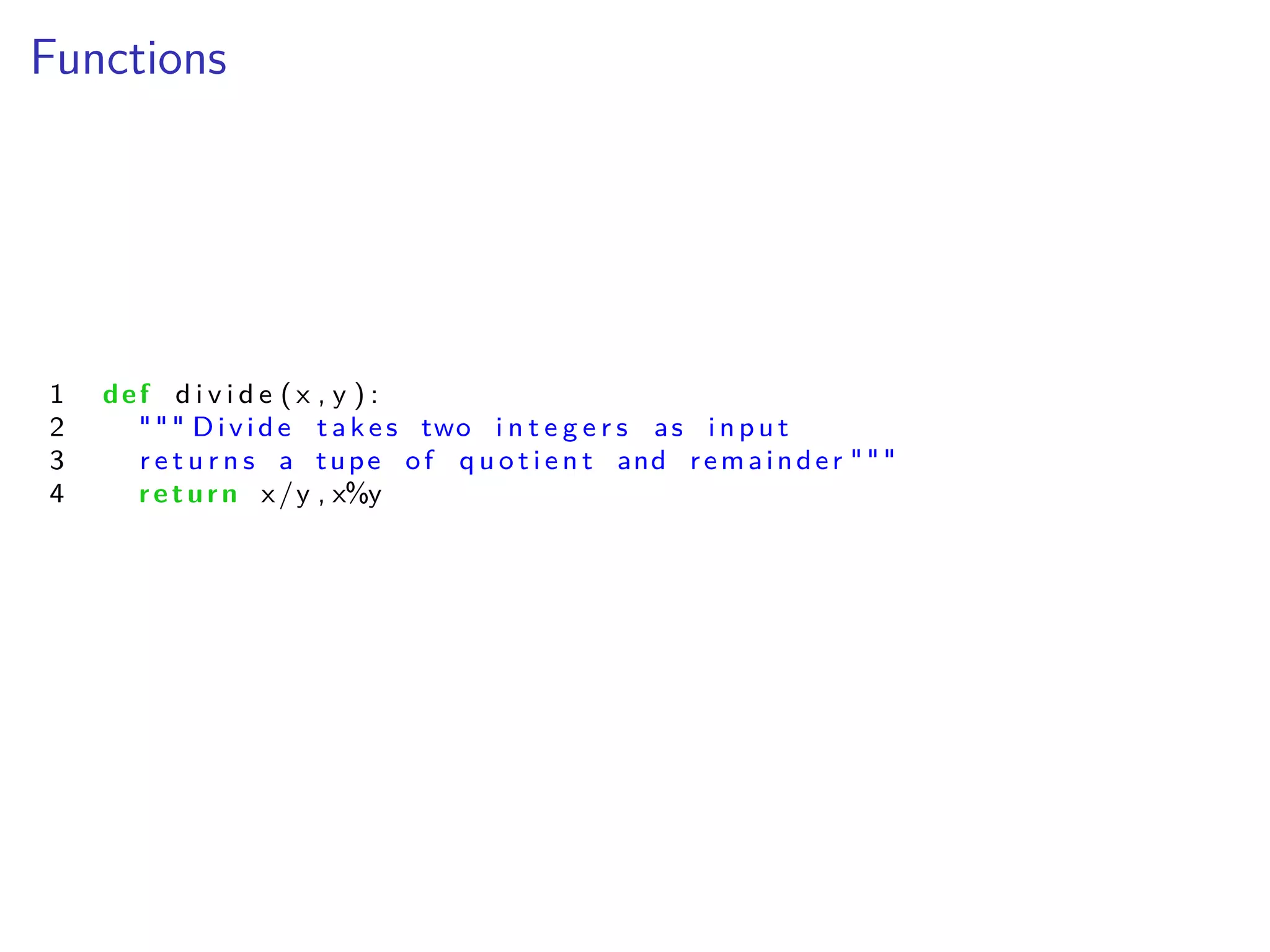
1 def d i v i d e ( x , y ) :
2 """ Divide take s two i n t e g e r s as i np u t
3 r e t u r n s a tupe of q u o t i e n t and remainder """
4 return x/y , x%y
Mathematical Exercises
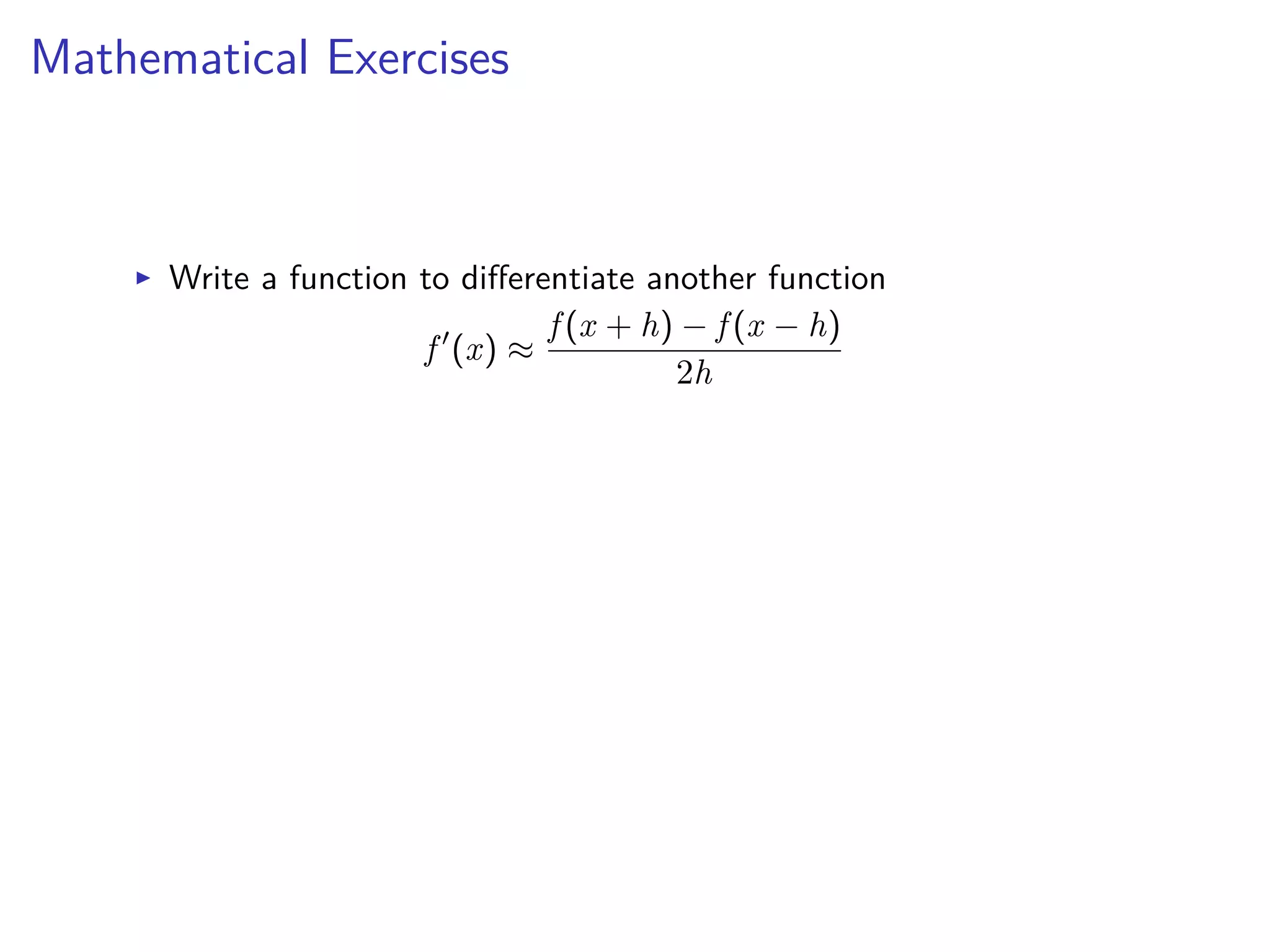
I Write a function to di erentiate another function
f Õ
(x) ¥
f (x + h) ≠ f (x ≠ h)
2h
Mathematical Exercises
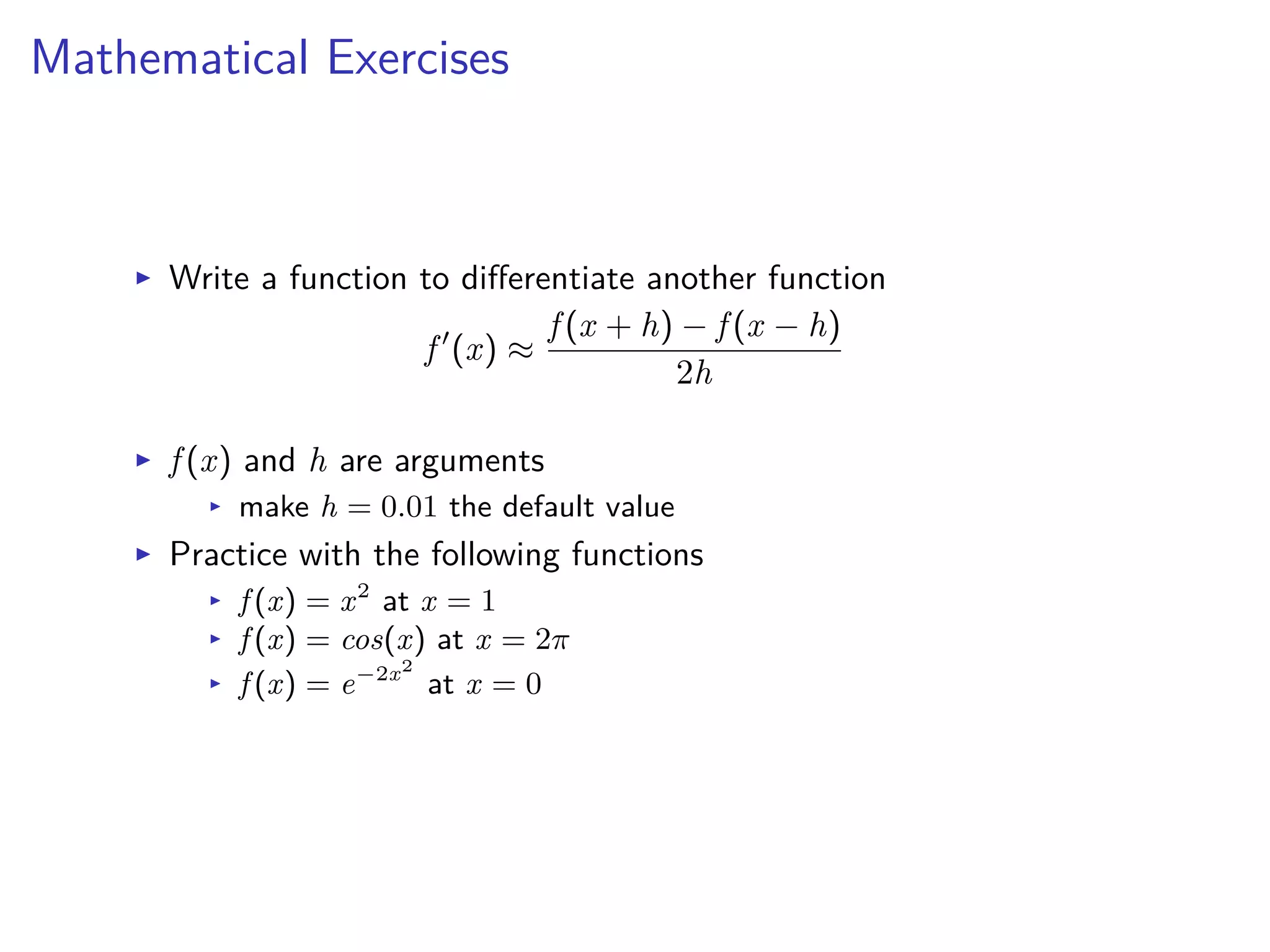
I Write a function to di erentiate another function
f Õ
(x) ¥
f (x + h) ≠ f (x ≠ h)
2h
I f (x) and h are arguments
I make h = 0.01 the default value
I Practice with the following functions
I f (x) = x2
at x = 1
I f (x) = cos(x) at x = 2fi
I f (x) = e≠2x2
at x = 0
recursions
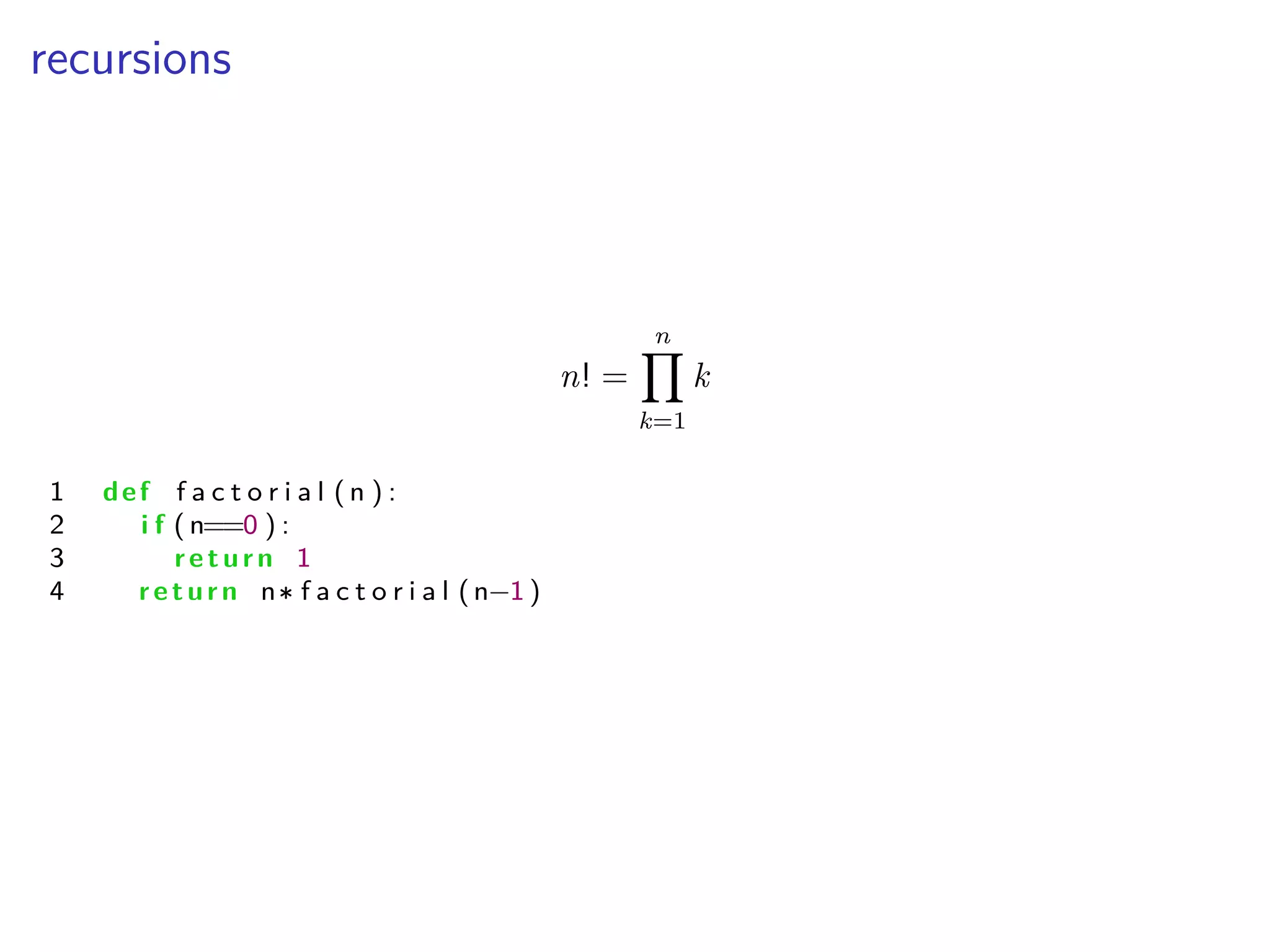
n! =
nŸ
k=1
k
1 def f a c t o r i a l ( n ) :
2 i f ( n==0 ) :
3 return 1
4 return n f a c t o r i a l (n≠1 )
Python for Scientific Computing
Lecture 3: Object-oriented Programming
Albert DeFusco
Center for Simulation and Modeling
September 20, 2013
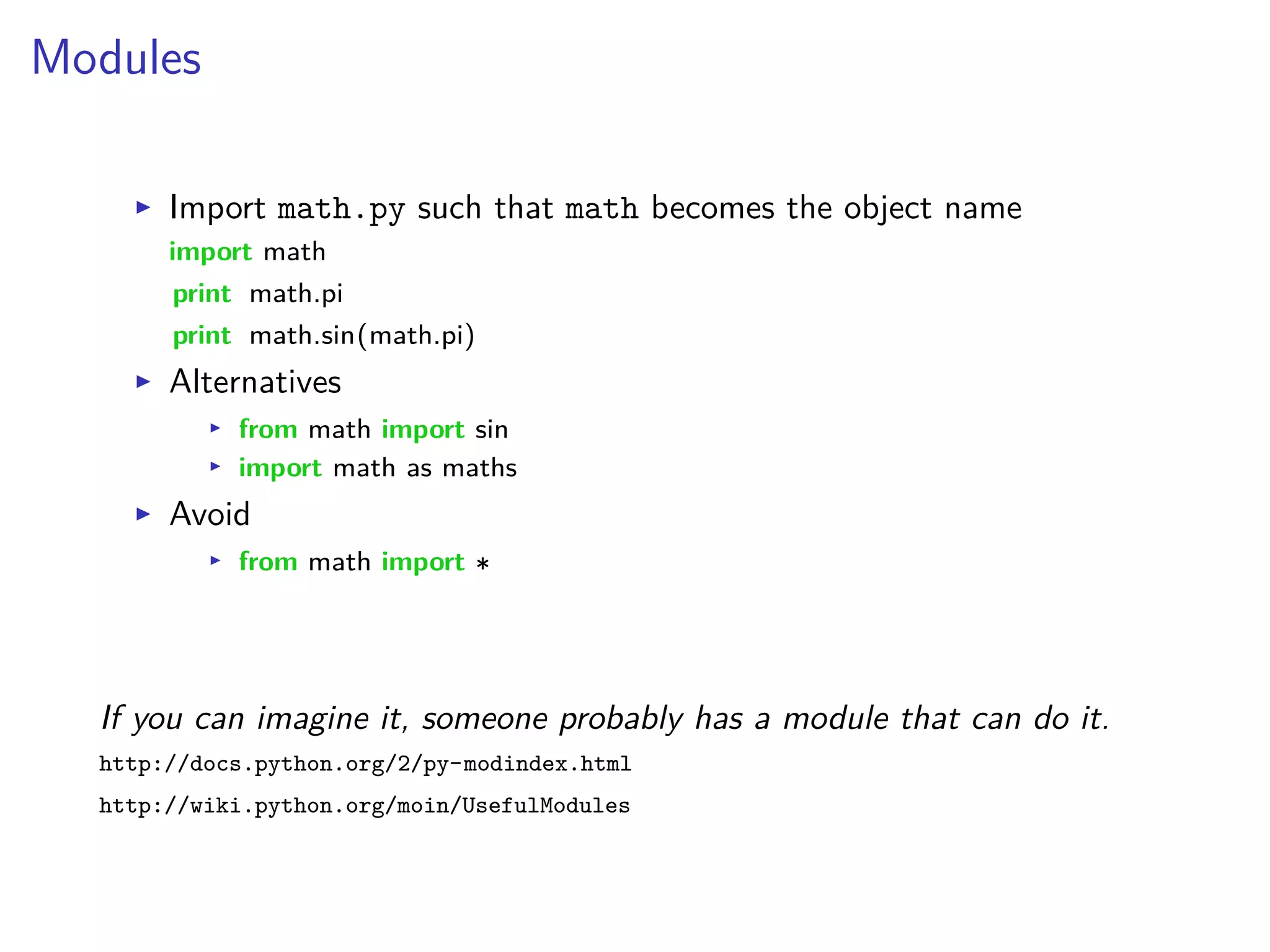
Modules
I Import math.py such that math becomes the object name
import math
print math.pi
print math.sin(math.pi)
I Alternatives
I from math import sin
I import math as maths
I Avoid
I from math import
If you can imagine it, someone probably has a module that can do it.
http://docs.python.org/2/py-modindex.html
http://wiki.python.org/moin/UsefulModules
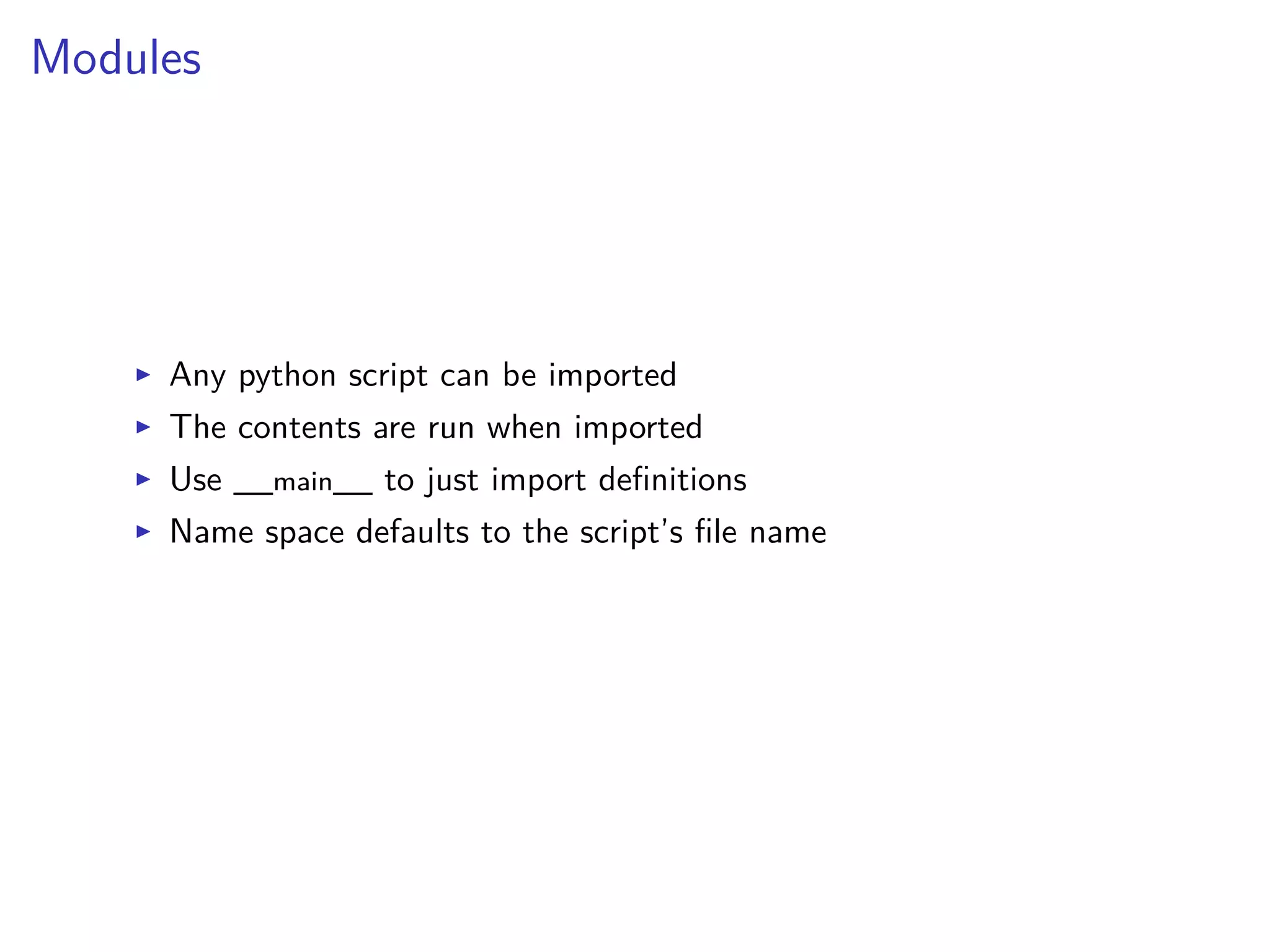
Modules
I Any python script can be imported
I The contents are run when imported
I Use __main__ to just import definitions
I Name space defaults to the script’s file name
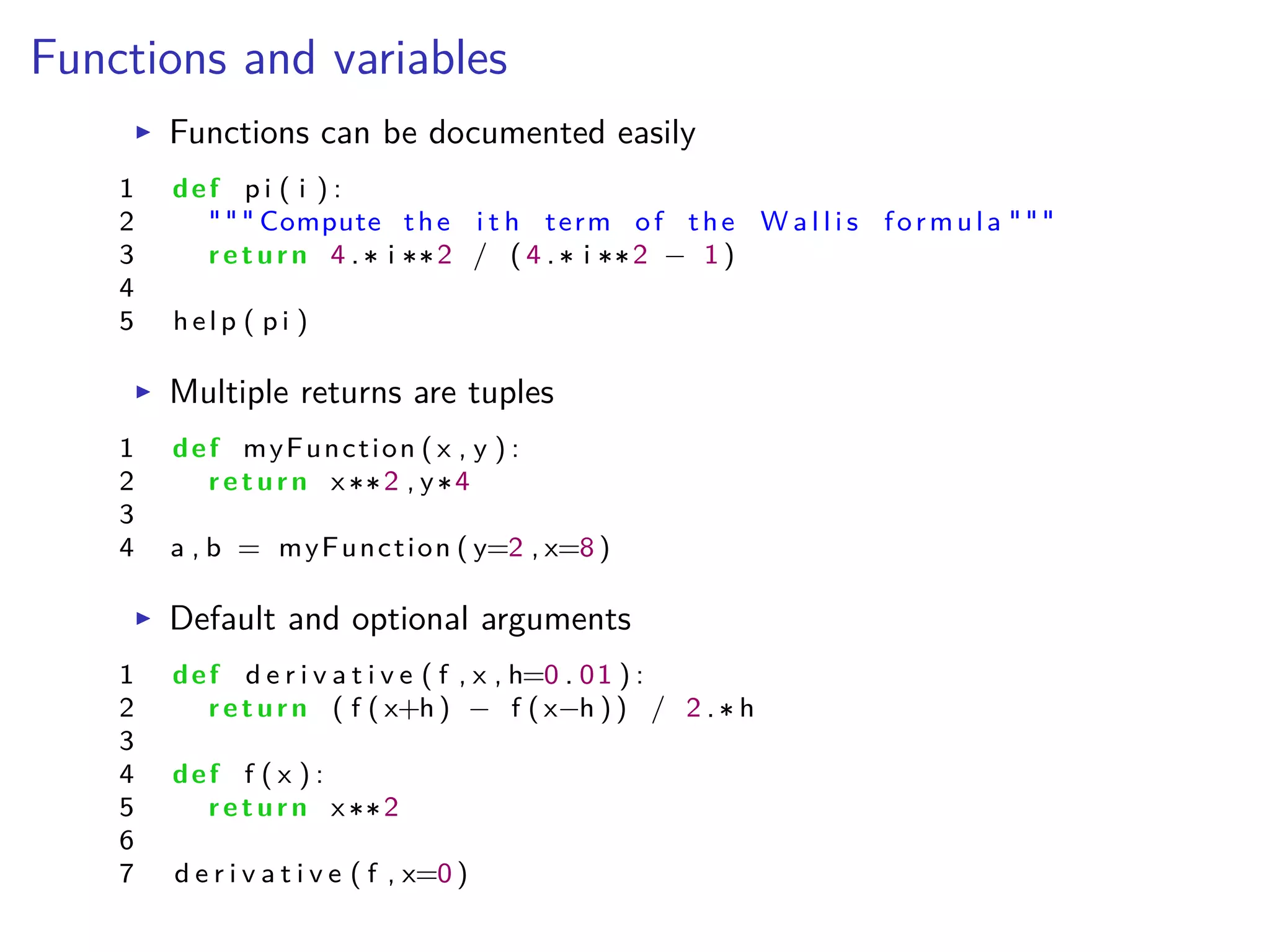
Functions and variables
I Functions can be documented easily
1 def p i ( i ) :
2 """ Compute the i t h term of the W a l l i s formula """
3 return 4 . i 2 / ( 4 . i 2 ≠ 1 )
4
5 help ( p i )
I Multiple returns are tuples
1 def myFunction ( x , y ) :
2 return x 2 , y 4
3
4 a , b = myFunction ( y=2 , x=8 )
I Default and optional arguments
1 def d e r i v a t i v e ( f , x , h=0 . 01 ) :
2 return ( f ( x+h ) ≠ f ( x≠h ) ) / 2 . h
3
4 def f ( x ) :
5 return x 2
6
7 d e r i v a t i v e ( f , x=0 )
Functionals and variables
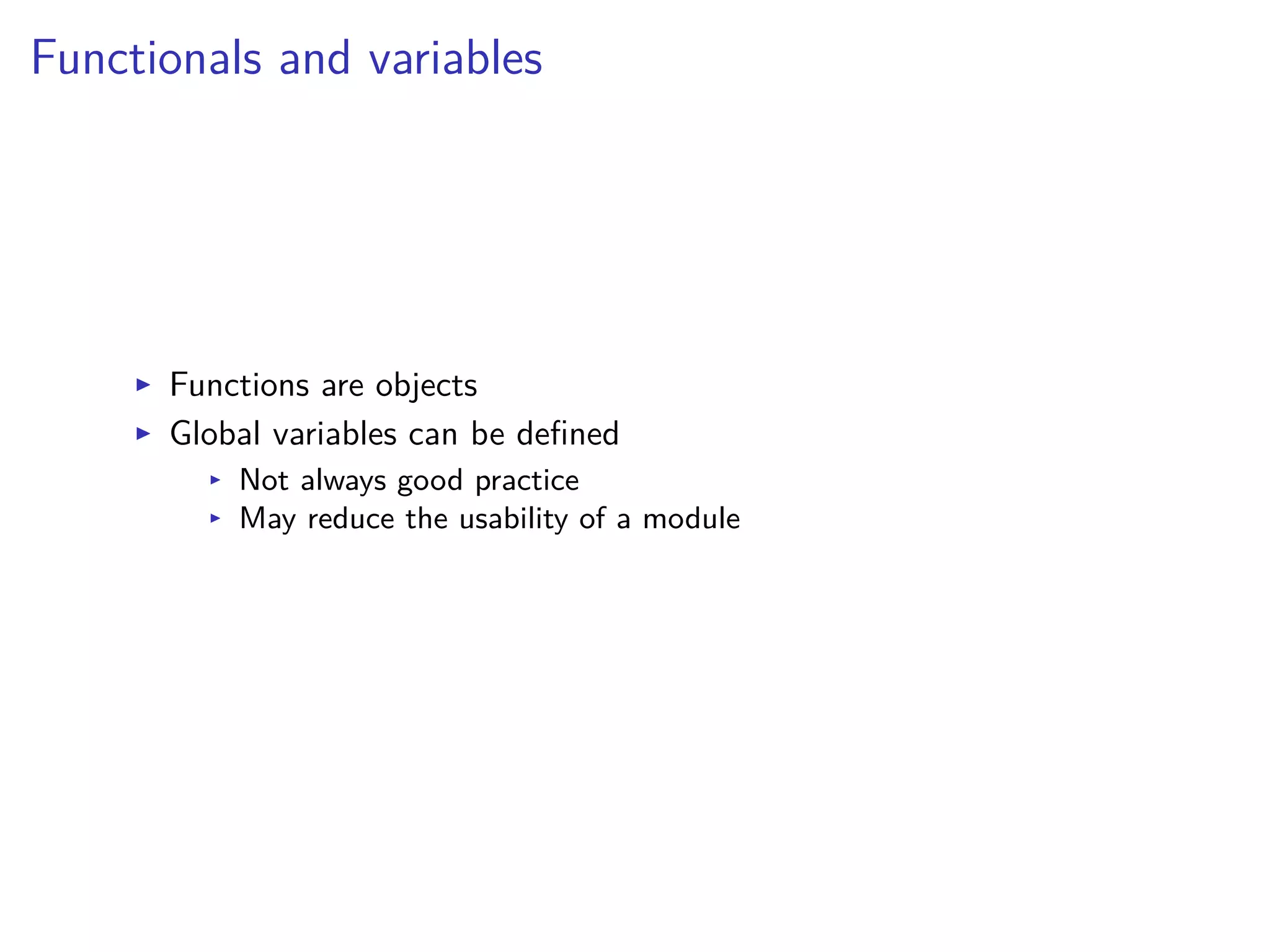
I Functions are objects
I Global variables can be defined
I Not always good practice
I May reduce the usability of a module
Name Spaces and Scopes
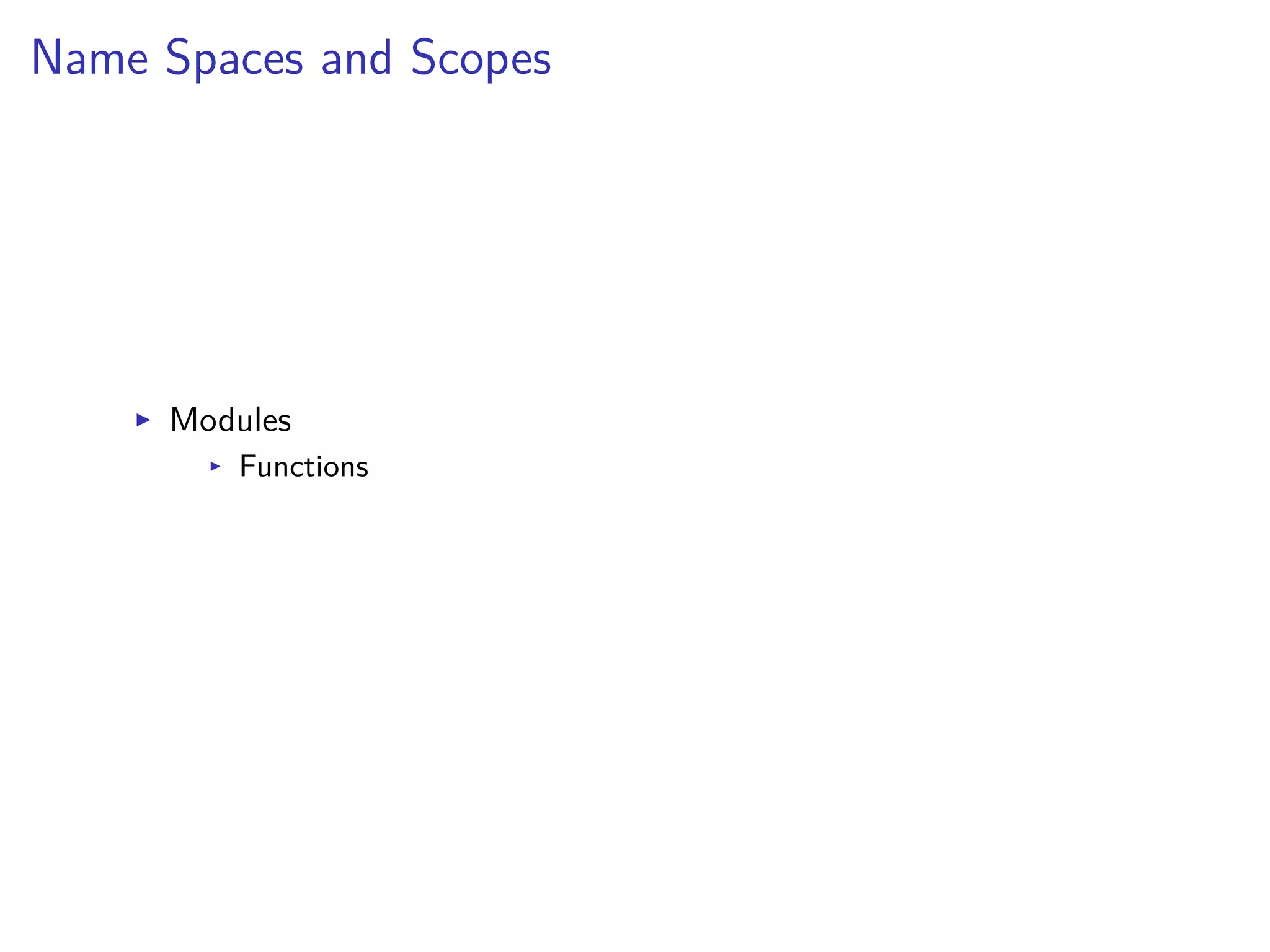
I Modules
I Functions
Function Scope
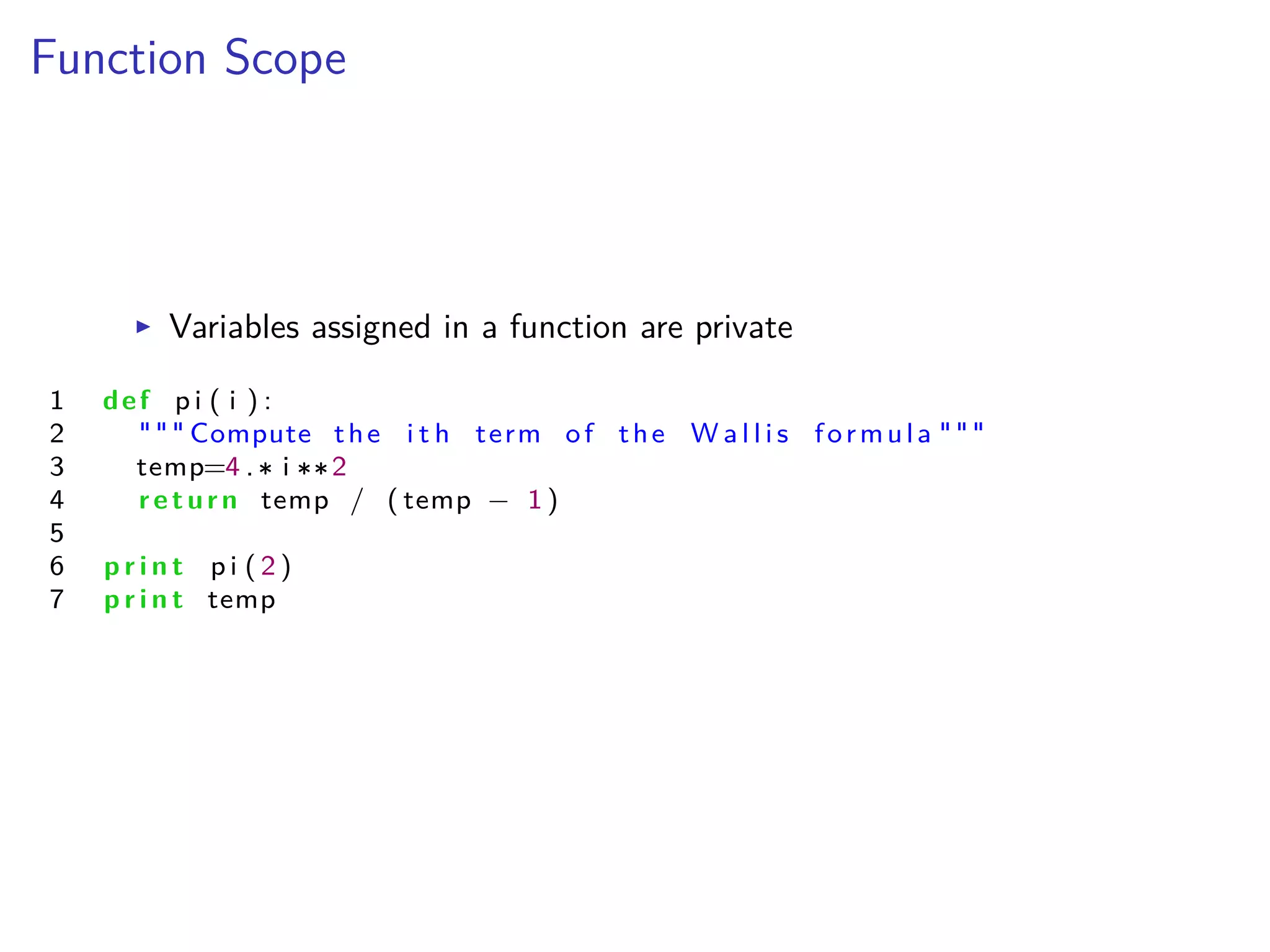
I Variables assigned in a function are private
1 def p i ( i ) :
2 """ Compute the i t h term of the W a l l i s formula """
3 temp=4 . i 2
4 return temp / ( temp ≠ 1 )
5
6 p r i n t p i ( 2 )
7 p r i n t temp
Function Scope
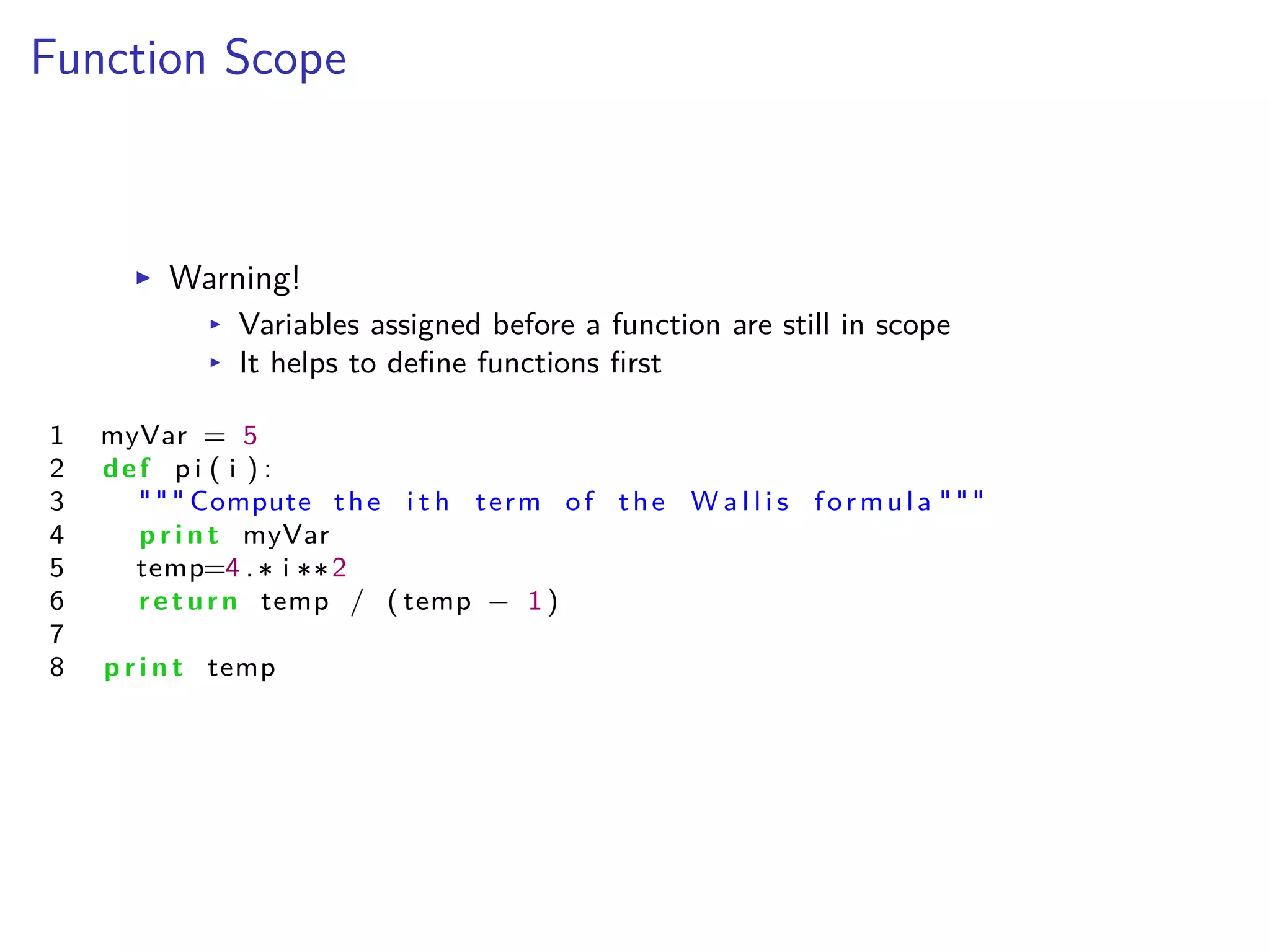
I Warning!
I Variables assigned before a function are still in scope
I It helps to define functions first
1 myVar = 5
2 def p i ( i ) :
3 """ Compute the i t h term of the W a l l i s formula """
4 p r i n t myVar
5 temp=4 . i 2
6 return temp / ( temp ≠ 1 )
7
8 p r i n t temp
Module Scope
I Names assigned in a module are readable by functions
I Names assigned in functions do not a ect the outer scope
Object Oriented Programming
I Focus on data, not on the procedure
I Encapsulate procedures with data
I Create modular code that can be reused
Object Oriented Programming
I Class
I The description of a type of object
I Object
I The realization of the description
I An instance of a class
Object Oriented Programming
I Classes define
I Attributes
I Methods
I Instances have
I data stored in attributes
I Methods to operate on the data
I Objects can interact with each other by passing attributes to
methods
Our modules
/home/sam/training/python/lecture3
http://core.sam.pitt.edu/python-fall2013
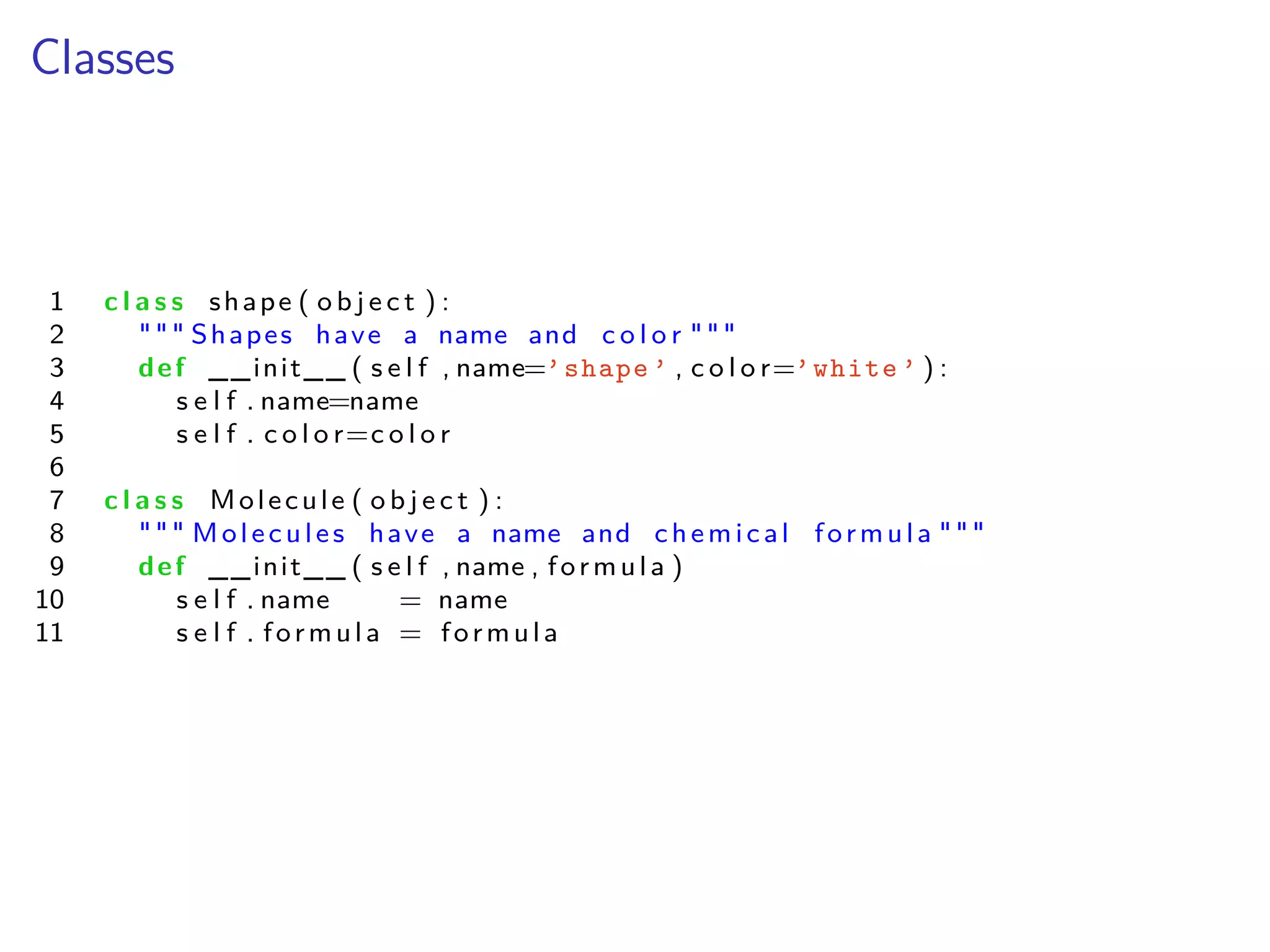
Classes
1 c l a s s shape ( o b j e c t ) :
2 """ Shapes have a name and c o l o r """
3 def __init__ ( s e l f , name=’shape ’ , c o l o r=’white ’ ) :
4 s e l f . name=name
5 s e l f . c o l o r=c o l o r
6
7 c l a s s Molecule ( o b j e c t ) :
8 """ Molecules have a name and chemical formula """
9 def __init__ ( s e l f , name , formula )
10 s e l f . name = name
11 s e l f . formula = formula
Operator Overloading
Change or define the behavior of operations
1 c l a s s Molecule ( o b j e c t ) :
2 . . .
3 def __add__( s e l f , other ) :
4 newName = s e l f . name + " + " + other . name
5 newFormula = "[" + s e l f . formula + "]" + "[" + other . formula +
6 return Molecule (newName , newFormula )
7
8
9 mol1=Molecule ( ’water ’ , ’h2o ’)
10 mol2=Molecule ( ’ammonia ’ , ’nh3 ’)
11
12 mol3 = mol1 + mol2
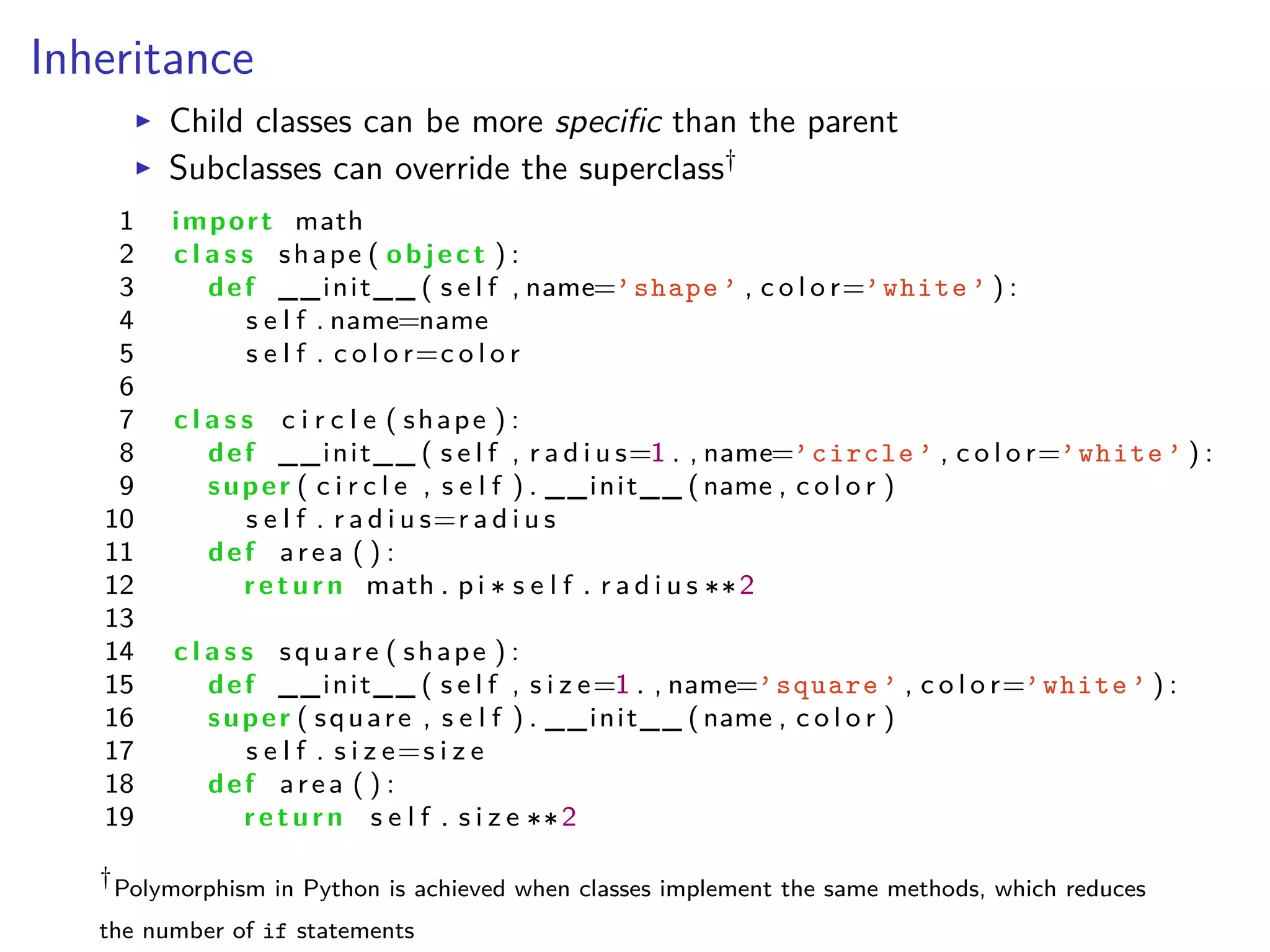
Inheritance
I Child classes can be more specific than the parent
I Subclasses can override the superclass†
1 import math
2 c l a s s shape ( object ) :
3 def __init__ ( s e l f , name=’shape ’ , c o l o r=’white ’ ) :
4 s e l f . name=name
5 s e l f . c o l o r=c o l o r
6
7 c l a s s c i r c l e ( shape ) :
8 def __init__ ( s e l f , r a d i u s=1 . , name=’circle ’ , c o l o r=’white ’ ) :
9 super ( c i r c l e , s e l f ) . __init__ (name , c o l o r )
10 s e l f . r a d i u s=r a d i u s
11 def area ( ) :
12 return math . p i s e l f . r a d i u s 2
13
14 c l a s s square ( shape ) :
15 def __init__ ( s e l f , s i z e=1 . , name=’square ’ , c o l o r=’white ’ ) :
16 super ( square , s e l f ) . __init__ (name , c o l o r )
17 s e l f . s i z e=s i z e
18 def area ( ) :
19 return s e l f . s i z e 2
†
Polymorphism in Python is achieved when classes implement the same methods, which reduces
the number of if statements

Python for Scientific Computing

  • 1.
    Python for ScientificComputing Lecture 1: The Python Calculator Albert DeFusco Center for Simulation and Modeling September 23, 2013
  • 2.
  • 3.
    a · b= n ÿ i=1 ai bi Assembler 1 g l o b a l _mult3 2 sum equ 16 3 s e c t i o n . t e x t 4 _mult3 : 5 push ebp 6 mov ebp , esp 7 push e s i 8 push edi 9 sub esp , 4 10 mov esi , [ ebp+12 ] 11 mov edi , [ ebp+8 ] 12 mov dword [ ebp≠sum ] , 0 13 mov ecx , 3 14 . f o r l o o p : 15 mov eax , [ edi ] 16 imul dword [ e s i ] 17 add edi , 4 18 add esi , 4 19 add [ ebp≠sum ] , eax 20 loop . f o r l o o p 21 mov eax , [ ebp≠sum ] 22 add esp , 4 23 pop edi 24 pop e s i 25 pop ebp 26 r e t C source1 1 i n t mult 3 ( i n t dst , i n t s r c ) 2 { 3 i n t sum = 0 , i ; 4 5 f o r ( i = 0 ; i < 3 ; i ++) 6 sum += dst [ i ] s r c [ i ] ; 7 8 return sum ; 9 } 10 11 i n t main ( void ) 12 { 13 i n t d [ 3 ] = { 1 , 2 , 3 }; 14 i n t s [ 3 ] = {8 , 9 , 10 } ; 15 16 p r i n t f ( "answer is %in" , mult 3 (d , s ) ) ; 17 return 0 ; 18 } 1The first compiler was written by Grace Hopper in 1952 for the A-0 language
  • 4.
    a · b= n ÿ i=1 ai bi Python 1 import numpy 2 d i s t = numpy . a r r a y ( [ 1 , 2 , 3 ] ) 3 s r c = numpy . a r r a y ( [ 8 , 9 , 10 ] ) 4 5 p r i n t d i s t . dot ( s r c )
  • 5.
  • 6.
    History of Python IDecember 1989 I Implementation by Guido van Rossum as successor of ABC to provide exception handling I February 1991 I Python 0.9.0 had classes with inheritance, exception handling, functions, and the core datatypes I January 1994 I Version 1.0 has functional programming features I October 2000 I Python 2.0 brings garbage collections I Python 2.2 improves Python’s types to be purely object oriented I December 2008 I Python 3 I Reduce feature duplication by removing old ways of doing things I Not backwards compatible with Python 2.x
  • 7.
    What’s so greatabout Python? I Portable I Your program will run if the interpreter works and the modules are installed
  • 8.
    What’s so greatabout Python? I E cient I Rich language features built in I Simple syntax for ease of reading I Focus shifts to “algorithm” and away from implementation
  • 9.
    What’s so greatabout Python? I Flexible I Imperative I Object-oriented I Functional
  • 10.
    What’s so greatabout Python? I Extendible I Plenty of easy-to-use modules I If you can imagine it, then someone has probably developed a module for it I Your program can adjust the way the interpreter works
  • 11.
    Why use pythonfor science? I A highly programmable calculator I Fast proto-typing new algorithms or program design I Use C or Fortran routines directly I Many science and mathematics modules already exist
  • 12.
    Development Environment I Frank 1.Launch Putty 2. Connect to login0a.frank.sam.pitt.edu
  • 13.
    Read the documentation >pydoc > python >>> help()
  • 14.
    Disclaimer Python 2.7 != 3.0 http://wiki.python.org/moin/Python2orPython3
  • 15.
    Python syntax I Extremelysimplified syntax I Nearly devoid of special characters I Intended to be nearly English I Dynamic types I It is the responsibility of the programmer I Still “strongly typed”
  • 16.
    Python objects I Alldata in Python is represented by objects I Objects have I an identity I a type I a value I a name (“variable”)2 I Variables are names assigned to objects 2http://python.net/~goodger/projects/pycon/2007/idiomatic/handout. html#other-languages-have-variables
  • 17.
  • 18.
    Numerical objects I Integers Ia = 1 I Floats I a = 1.0 I Complex numbers I a = 1.5 + 0.5j I a. real and a.imag return each component I Type casts I myFloat = float(myInteger) I myInt = int(myFloat) I Operators I Addition + I Subtraction ≠ I Multiplication I Exponentiation I Division / I Modulus %
  • 19.
    Mathematical functions I manyfunctions exist with the math module 1 import math 2 3 help ( math ) 4 5 p r i n t math . cos ( 0 ) 6 p r i n t math . p i
  • 20.
    Logicals I Boolean type Ia = (3 > 4) I Comparisons I == I !=,<> I > I < I <= I >=
  • 21.
    Strings I a =’single quoted’ I a = "double quoted" I Triple quotes preserve whitespace and newlines 1 a = """ t r i p l e 2 quoted 3 s t r i n g """ I “” is the escape character
  • 22.
    String operations I Typecasting IdoubleA = float(a) I intA = int(a) I Comparisons return a Boolean I A == B I concatenated = a + b
  • 23.
    Formatted strings I widthplaceholders %s string %d integer %f float with 6 decimals %E scientific notation %% the % sign I modifiers I integers after % adjust with width to print I decimal points are specified after the width as “.x” I use a hyphen after % to left justify I printing long strings or large numbers will skew columns 1 from math import pi , e 2 3 p r i n t "pi is %d and e is %d" % ( pi , e ) 4 p r i n t "pi is %6.4f and e is %6.4f" % ( pi , e ) 5 p r i n t "pi is %f and e is %f" % ( pi , e ) 6 p r i n t "pi is %10.8e and e is %10.8e" % ( pi , e ) 7 p r i n t "pi is %15.8e and e is %15.8e" % ( pi , e )
  • 24.
    Writing a scriptfile I save the file to hello.py 1 #/ usr / bin / env python 2 3 #This i s my comment about the f o l l o w i n g s c r i p t 4 p r i n t ’Hello , world!’ I run the file > module load python/epd-7.2 > python hello.py Hello, world!
  • 25.
    Structured blocks 1 if ( a>b ) : 2 p r i n t ’a is bigger ’ 3 e l i f (b>a ) : 4 p r i n t ’big is bigger ’ 5 e l s e : 6 p r i n t ’a must equal b’
  • 26.
    Structured blocks 1 if ( a>b ) : 2 p r i n t ’a is bigger ’ 3 e l i f (b>a ) : 4 p r i n t ’big is bigger ’ 5 e l s e : 6 p r i n t ’a must equal b’ I Why is it indented?
  • 27.
    Logical operations I not,and, or I be careful with assignments I Just use if statements
  • 28.
    Structured blocks 1 i=0 2while ( i <10 ) : 3 p r i n t i 4 i=i+1
  • 29.
    Structured blocks 1 fo r i i n range ( 4 ) : 2 p r i n t i I for is not limited to arithmetic
  • 30.
    Simple loops I range(start ,stop,step) I list of integers from start to stop-1 in step increments I End point is always omitted 1 f o r i i n range ( 4 ) : 2 p r i n t i
  • 31.
    Simple Functions I Simplifyyour program I Easier debugging I Improved elegance 1 import math 2 def area ( r a d i u s ) : 3 return math . p i r a d i u s 2
  • 32.
    Simple Functions I Functionsmust be defined before being used I Arguments are passed by reference to the object3 I Variables do not have values, objects do I Functions are first class citizens 1 2 def y ( x ) : 3 x=x+1 4 return x 2 5 6 x=5 7 y ( x ) 8 p r i n t x 3http://me.veekun.com/blog/2012/05/23/python-faq-passing/
  • 33.
    Mathematical Exercises I Printa table of temperature conversion C = 5 9 (F ≠ 32) I Compute Pi using the Wallis formula fi = 2 ŒŸ i=1 4i2 4i2 ≠ 1
  • 34.
    Python for ScientificComputing Lecture 2: Data Structures Albert DeFusco Center for Simulation and Modeling September 18, 2013
  • 35.
    Download your ownPython https://www.enthought.com/products/epd/free/
  • 36.
    Review fi fi =2 ŒŸ i=1 4i2 4i2 ≠ 1
  • 37.
    Review fi fi =2 ŒŸ i=1 4i2 4i2 ≠ 1 1 p i = 2 . 2 f o r i i n range ( 1 , n ) : 3 p i = 4 . i 2 / ( 4 . i 2 ≠ 1 ) 4 p r i n t p i
  • 38.
    Containers I tuples, listsand strings I Elements are accessed with container[ ] I Indexed starting at 0 I Arguments for len(container) I Each type has special features
  • 39.
    Tuples I Tuple =(1,3.,’red’) I Contain references to other objects I The structure cannot be changed I A convenient way to pass multiple objects I Packing and un-packing
  • 40.
    Lists I List =[’red’,’green’,’blue’] I Resizable I List-of-Lists is a multi-dimensional list I Lists are not arrays I range() is a list
  • 41.
    Dictionaries I Key -value pairs Protons = {’Oxygen’: 8, ’Hydrogen’: 1} Protons[’Carbon’] = 6 I Any type can be a key or value I Look-up tables I Sorting and searching operations
  • 42.
    Indexing Lists andtuples I Slicing just like Fortran 90 L[ start :stop: stride ] start Æ i < stop; i+ = stride I Negative indices start at the end of the list I -1 is the last element
  • 43.
    Other operations I Searchfor value with in I Concatenate with + or * I Count number of occurrences
  • 44.
    Loops I Iterate overany sequence I string, list, keys in dictionary, lines in file 1 vowels = ’aeiouy ’ 2 f o r i i n ’orbital ’ : 3 i f i i n vowels : 4 p r i n t ( i )
  • 45.
    Loops I Keep acounter 1 s h e l l s = ( ’s’ , ’p’ , ’d’ , ’f’) 2 f o r index , t h i s S h e l l i n enumerate ( s h e l l s ) : 3 p r i n t index , t h i s S h e l l
  • 46.
    Loops I List comprehension 1even = [ i f o r i i n range ( 100 ) i f i%2 == 0 ] 2 3 l i s t X = [≠1 , 0 , 1 ] 4 l i s t Y = [ 2 , 4 ] 5 myTuple = [ ( x , y ) f o r x i n l i s t X f o r y i n l i s t Y ]
  • 47.
    Mutability of objects IImmutable objects get created and destroyed upon assignment and collection I Strings I Numbers (no ++ operator) I Tuples I Mutable objects create references to contained objects upon assignment I Lists I Dictionaries
  • 48.
  • 49.
    Tuples or Lists? IList: homogeneous data I Elements can be added or deleted I Elements can be in any order I Mutable I Tuples: heterogeneous data (structs) I Constant size I Order matters I Immutable
  • 50.
    Container examples I List IParticles I Lines in an input file I Tuple I Position data I Dictionary I Associated lists I Look-up tables I Histograms I Networks I Graphs
  • 52.
    Functions I Doc strings IDefault values I Optional arguments I Returns
  • 53.
    Functions 1 def di v i d e ( x , y ) : 2 """ Divide take s two i n t e g e r s as i np u t 3 r e t u r n s a tupe of q u o t i e n t and remainder """ 4 return x/y , x%y
  • 54.
    Mathematical Exercises I Writea function to di erentiate another function f Õ (x) ¥ f (x + h) ≠ f (x ≠ h) 2h
  • 55.
    Mathematical Exercises I Writea function to di erentiate another function f Õ (x) ¥ f (x + h) ≠ f (x ≠ h) 2h I f (x) and h are arguments I make h = 0.01 the default value I Practice with the following functions I f (x) = x2 at x = 1 I f (x) = cos(x) at x = 2fi I f (x) = e≠2x2 at x = 0
  • 56.
    recursions n! = nŸ k=1 k 1 deff a c t o r i a l ( n ) : 2 i f ( n==0 ) : 3 return 1 4 return n f a c t o r i a l (n≠1 )
  • 57.
    Python for ScientificComputing Lecture 3: Object-oriented Programming Albert DeFusco Center for Simulation and Modeling September 20, 2013
  • 58.
    Modules I Import math.pysuch that math becomes the object name import math print math.pi print math.sin(math.pi) I Alternatives I from math import sin I import math as maths I Avoid I from math import If you can imagine it, someone probably has a module that can do it. http://docs.python.org/2/py-modindex.html http://wiki.python.org/moin/UsefulModules
  • 59.
    Modules I Any pythonscript can be imported I The contents are run when imported I Use __main__ to just import definitions I Name space defaults to the script’s file name
  • 60.
    Functions and variables IFunctions can be documented easily 1 def p i ( i ) : 2 """ Compute the i t h term of the W a l l i s formula """ 3 return 4 . i 2 / ( 4 . i 2 ≠ 1 ) 4 5 help ( p i ) I Multiple returns are tuples 1 def myFunction ( x , y ) : 2 return x 2 , y 4 3 4 a , b = myFunction ( y=2 , x=8 ) I Default and optional arguments 1 def d e r i v a t i v e ( f , x , h=0 . 01 ) : 2 return ( f ( x+h ) ≠ f ( x≠h ) ) / 2 . h 3 4 def f ( x ) : 5 return x 2 6 7 d e r i v a t i v e ( f , x=0 )
  • 61.
    Functionals and variables IFunctions are objects I Global variables can be defined I Not always good practice I May reduce the usability of a module
  • 62.
    Name Spaces andScopes I Modules I Functions
  • 63.
    Function Scope I Variablesassigned in a function are private 1 def p i ( i ) : 2 """ Compute the i t h term of the W a l l i s formula """ 3 temp=4 . i 2 4 return temp / ( temp ≠ 1 ) 5 6 p r i n t p i ( 2 ) 7 p r i n t temp
  • 64.
    Function Scope I Warning! IVariables assigned before a function are still in scope I It helps to define functions first 1 myVar = 5 2 def p i ( i ) : 3 """ Compute the i t h term of the W a l l i s formula """ 4 p r i n t myVar 5 temp=4 . i 2 6 return temp / ( temp ≠ 1 ) 7 8 p r i n t temp
  • 65.
    Module Scope I Namesassigned in a module are readable by functions I Names assigned in functions do not a ect the outer scope
  • 66.
    Object Oriented Programming IFocus on data, not on the procedure I Encapsulate procedures with data I Create modular code that can be reused
  • 67.
    Object Oriented Programming IClass I The description of a type of object I Object I The realization of the description I An instance of a class
  • 68.
    Object Oriented Programming IClasses define I Attributes I Methods I Instances have I data stored in attributes I Methods to operate on the data I Objects can interact with each other by passing attributes to methods
  • 69.
  • 70.
    Classes 1 c la s s shape ( o b j e c t ) : 2 """ Shapes have a name and c o l o r """ 3 def __init__ ( s e l f , name=’shape ’ , c o l o r=’white ’ ) : 4 s e l f . name=name 5 s e l f . c o l o r=c o l o r 6 7 c l a s s Molecule ( o b j e c t ) : 8 """ Molecules have a name and chemical formula """ 9 def __init__ ( s e l f , name , formula ) 10 s e l f . name = name 11 s e l f . formula = formula
  • 71.
    Operator Overloading Change ordefine the behavior of operations 1 c l a s s Molecule ( o b j e c t ) : 2 . . . 3 def __add__( s e l f , other ) : 4 newName = s e l f . name + " + " + other . name 5 newFormula = "[" + s e l f . formula + "]" + "[" + other . formula + 6 return Molecule (newName , newFormula ) 7 8 9 mol1=Molecule ( ’water ’ , ’h2o ’) 10 mol2=Molecule ( ’ammonia ’ , ’nh3 ’) 11 12 mol3 = mol1 + mol2
  • 72.
    Inheritance I Child classescan be more specific than the parent I Subclasses can override the superclass† 1 import math 2 c l a s s shape ( object ) : 3 def __init__ ( s e l f , name=’shape ’ , c o l o r=’white ’ ) : 4 s e l f . name=name 5 s e l f . c o l o r=c o l o r 6 7 c l a s s c i r c l e ( shape ) : 8 def __init__ ( s e l f , r a d i u s=1 . , name=’circle ’ , c o l o r=’white ’ ) : 9 super ( c i r c l e , s e l f ) . __init__ (name , c o l o r ) 10 s e l f . r a d i u s=r a d i u s 11 def area ( ) : 12 return math . p i s e l f . r a d i u s 2 13 14 c l a s s square ( shape ) : 15 def __init__ ( s e l f , s i z e=1 . , name=’square ’ , c o l o r=’white ’ ) : 16 super ( square , s e l f ) . __init__ (name , c o l o r ) 17 s e l f . s i z e=s i z e 18 def area ( ) : 19 return s e l f . s i z e 2 † Polymorphism in Python is achieved when classes implement the same methods, which reduces the number of if statements