SAP
Business Warehouse (BW)
Prepared & Presented By Abi
(CS, SD, BW Functional Consultant, LE
India)
123/04/2014
Business Warehouse (BW)
Objective of this Training
Make the beginners in BW for a clear
understanding of BW Reports & the
technical data behind BW
2
Business Warehouse (BW)
Objective of BW Reports
To reduce the SAP Server dependency in
fetching various business reports
The SAP users can extract reports on various
Business Functions via BW
3
Business Warehouse (BW)
The training covers:
1. Brief introduction to BW
1. Explanation of how to fetch reports from BW
4
What is BW ?
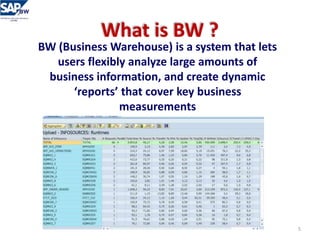
BW (Business Warehouse) is a system that lets
users flexibly analyze large amounts of
business information, and create dynamic
‘reports’ that cover key business
measurements
5
How BW works ?
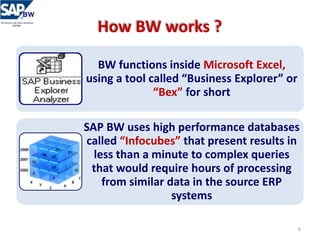
BW functions inside Microsoft Excel,
using a tool called “Business Explorer” or
“Bex” for short
SAP BW uses high performance databases
called “Infocubes” that present results in
less than a minute to complex queries
that would require hours of processing
from similar data in the source ERP
systems
6
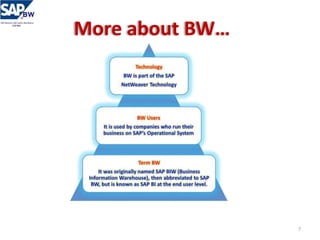
More about BW…
7
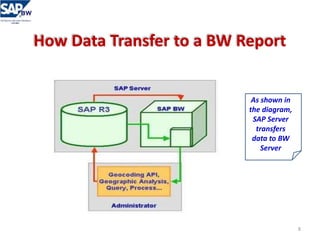
How Data Transfer to a BW Report
As shown in
the diagram,
SAP Server
transfers
data to BW
Server
8
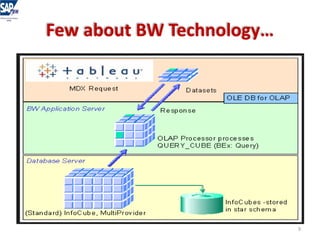
Few about BW Technology…
9
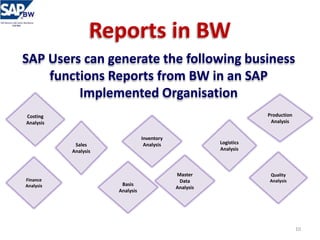
Reports in BW
SAP Users can generate the following business
functions Reports from BW in an SAP
Implemented Organisation
Logistics
Analysis
Sales
Analysis
Finance
Analysis
Production
Analysis
Quality
Analysis
Master
Data
Analysis
Costing
Analysis
Inventory
Analysis
Basis
Analysis
10
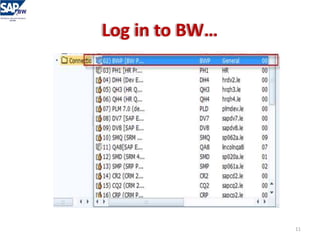
Log in to BW…
11
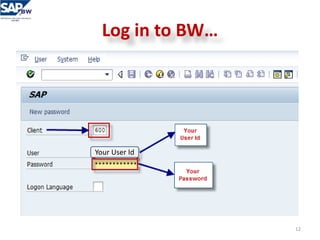
Log in to BW…
12
Your User Id
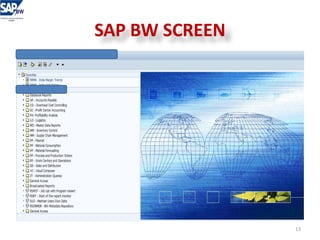
SAP BW SCREEN
13
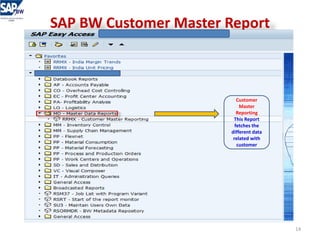
SAP BW Customer Master Report
Customer
Master
Reporting
This Report
fetches the
different data
related with
customer
14
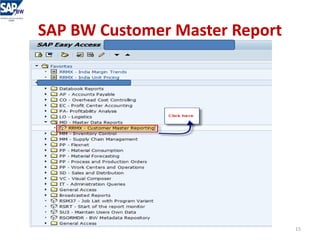
SAP BW Customer Master Report
15
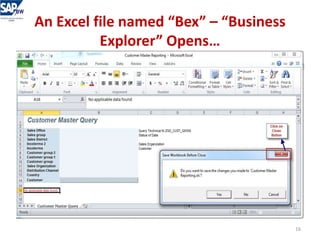
An Excel file named “Bex” – “Business
Explorer” Opens…
16
Click on the Icon Add-Ins
17
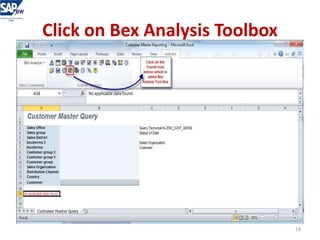
Click on Bex Analysis Toolbox
18
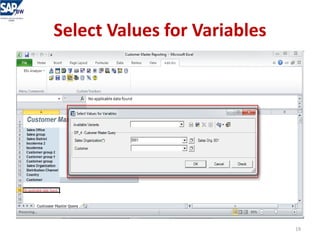
Select Values for Variables
19
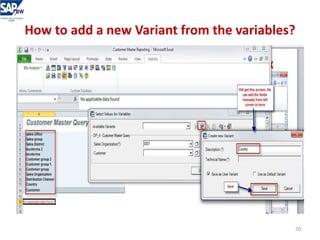
How to add a new Variant from the variables?
20
We can add all the variables one by
one & Save ….
21
Add & Save the Variables
22
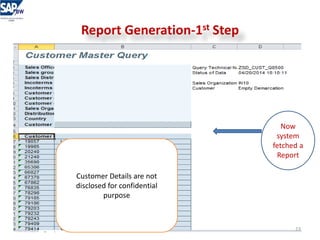
Report Generation-1st Step
Now
system
fetched a
Report
23
Customer Details are not
disclosed for confidential
purpose
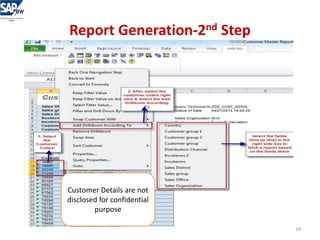
Report Generation-2nd Step
24
Customer Details are not
disclosed for confidential
purpose
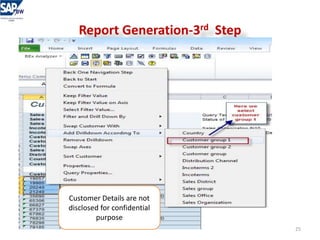
Report Generation-3rd Step
25
Customer Details are not
disclosed for confidential
purpose
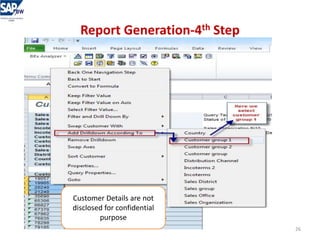
Report Generation-4th Step
26
Customer Details are not
disclosed for confidential
purpose
Report Generated as per the Customer Group
Here we
can see
the
Customer
Group of
the
customer
27
Customer Details are
not disclosed for
confidential purpose
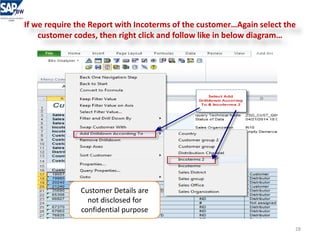
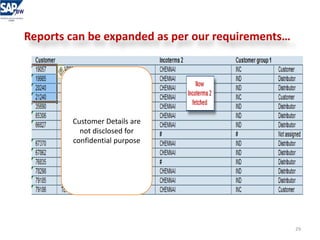
If we require the Report with Incoterms of the customer…Again select the
customer codes, then right click and follow like in below diagram…
28
Customer Details are
not disclosed for
confidential purpose
Reports can be expanded as per our requirements…
29
Customer Details are
not disclosed for
confidential purpose
Few Sales Reports in BW
We can fetch different Sales related reports from BW
30
SAP BW
ANY QUESTIONS?
31
SAP BW
For any queries please contact
abiskm@gmail.com
32
SAP BW
THANK YOU
33

SAP BW Reports - Copy