How to Build an Accessible Web Application (Easy Chirp) Presented by Dennis Lembrée Accessibility DC Meet-up Martin Luther King (MLK) Library November 15, 2011
Agenda Intro Foundation HTML CSS [and Design] JavaScript ARIA Writing Tips Results Other Resources Contact Questions
Intro Author of Easy Chirp. Author of Web Axe. Day job at PayPal. Also worked for RIM, Ford, Google & Disney. Live in Cupertino, CA with wife and 2 boys.
Foundations HTML CSS JavaScript ARIA 5 Layers of Web Accessibility   by Dirk Ginader +CSS for JavaScript
Foundations Our example:  Easy Chirp Web-accessible and standards-compliant Twitter web application. Winner of the  AFB 2011 Access Award . Winner of the  2009 Access IT @web2.0 Award .
HTML Semantics Accessibility Graceful degradation Easier to maintain SEO Content Order = Source Order = Tab Order
HTML Headings Forms Tables Lists Use the title attribute sparingly. Not HTML: Put CSS & JavaScript in external files.
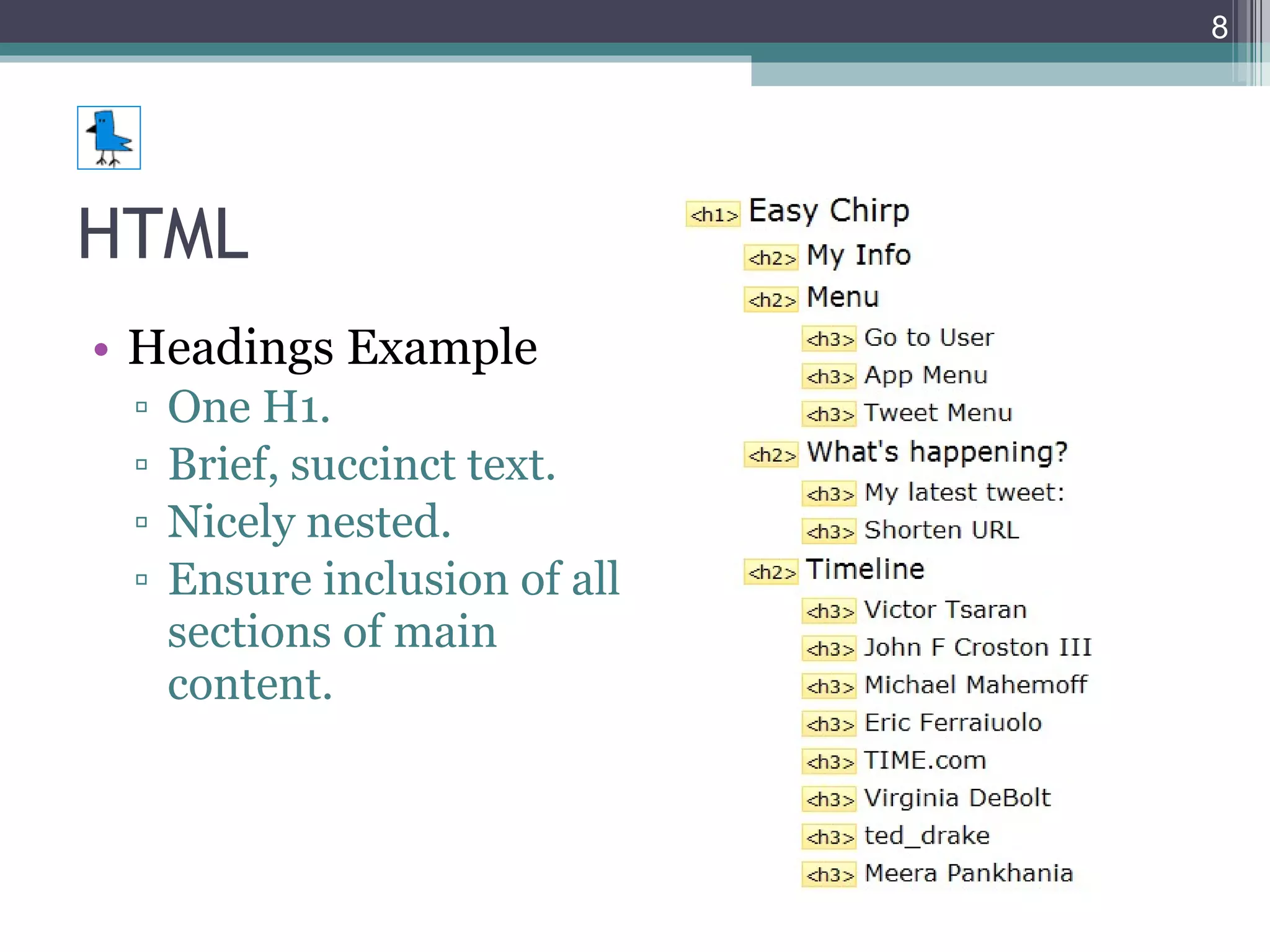
HTML Headings Example One H1. Brief, succinct text. Nicely nested. Ensure inclusion of all sections of main content.
HTML Validate. Important, but don’t go overboard. User experience is ultimate test. Test semantics, order. Turn off CSS. Check doc structure. Text-only browser such as Lynx. Check often on different browsers and devices.
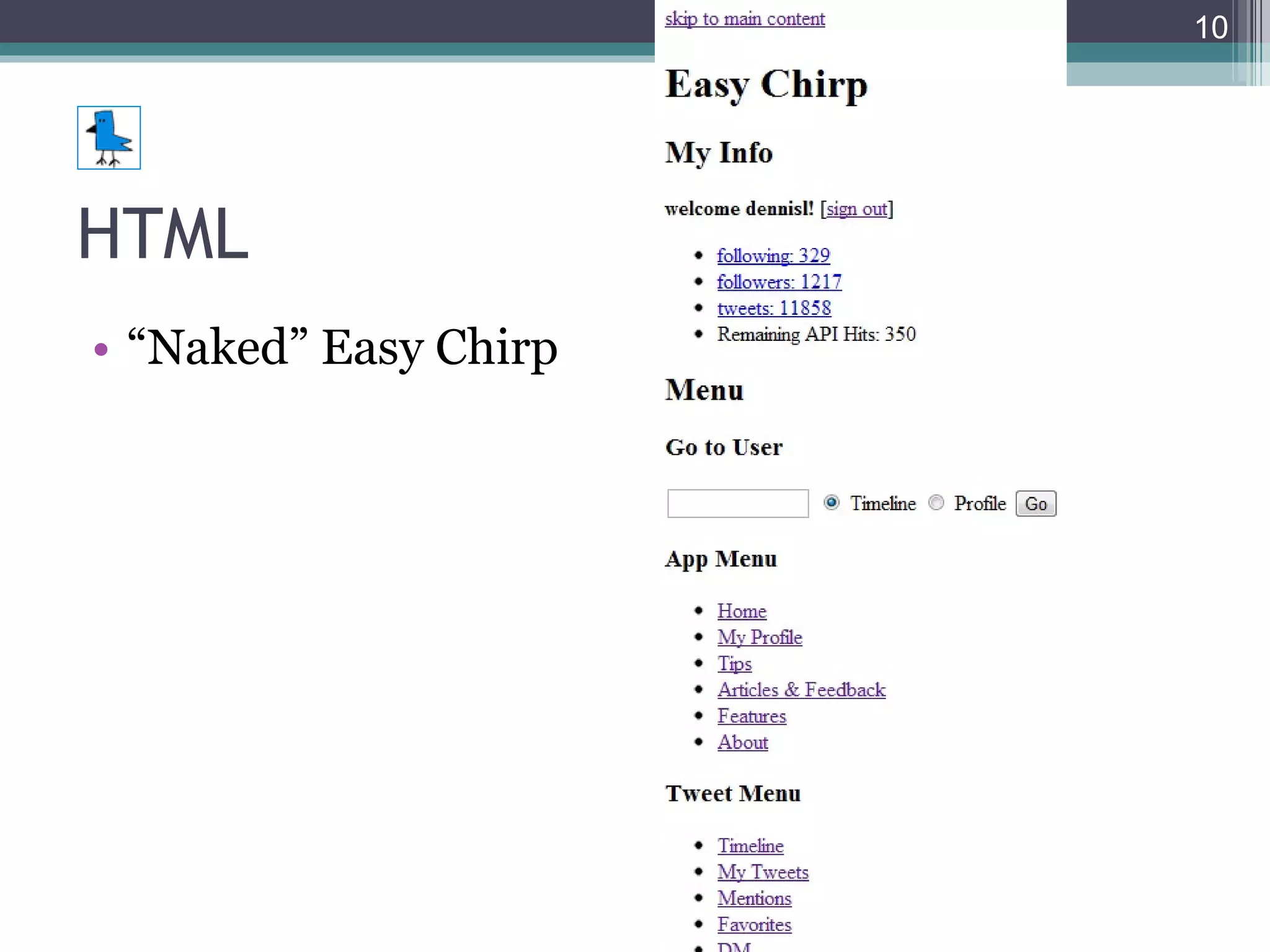
HTML “ Naked” Easy Chirp
HTML HTML5 More native power Lighter code Exciting Currently browser and accessibility/AT issues http://html5accessibility.com/ Use carefully and with fallbacks.
CSS & Design Consistent layout & navigation. Display account name/info. Opportunity to logout. Provide search.
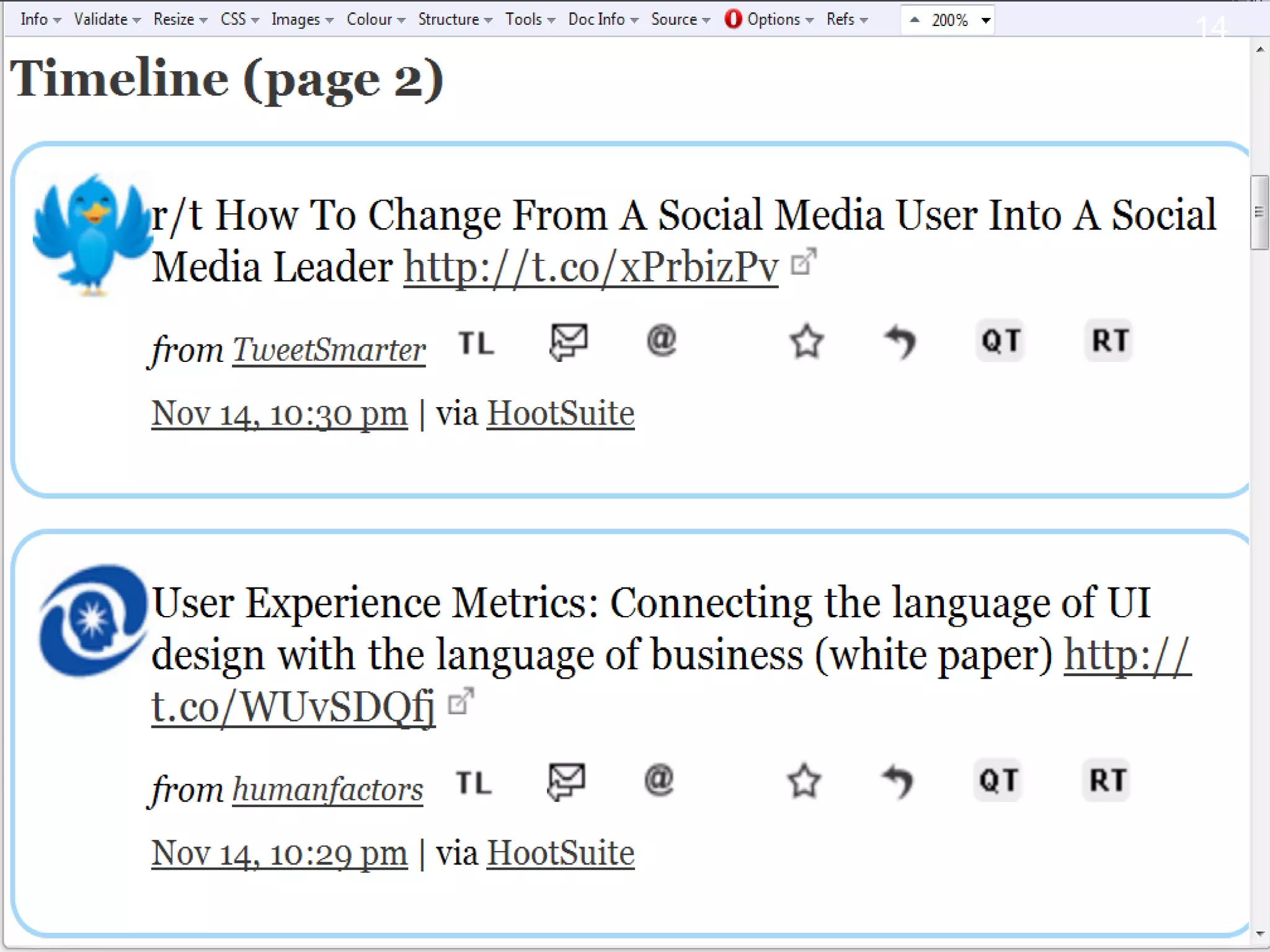
CSS & Design Relative sizing Flexible width Adaptive layout For different screen resolutions For different devices Responsive Web Design  (ALA) media query Next slide: Easy Chirp at 1024 x 768, 200%
CSS & Design Sufficient text size. 16 PIXELS For Body Copy . Anything Less Is A Costly Mistake. Make links focusable and visually clear. Use :focus with :hover Don’t remove the link underline in body copy. Never do :focus { outline: 0; } outlinenone.com
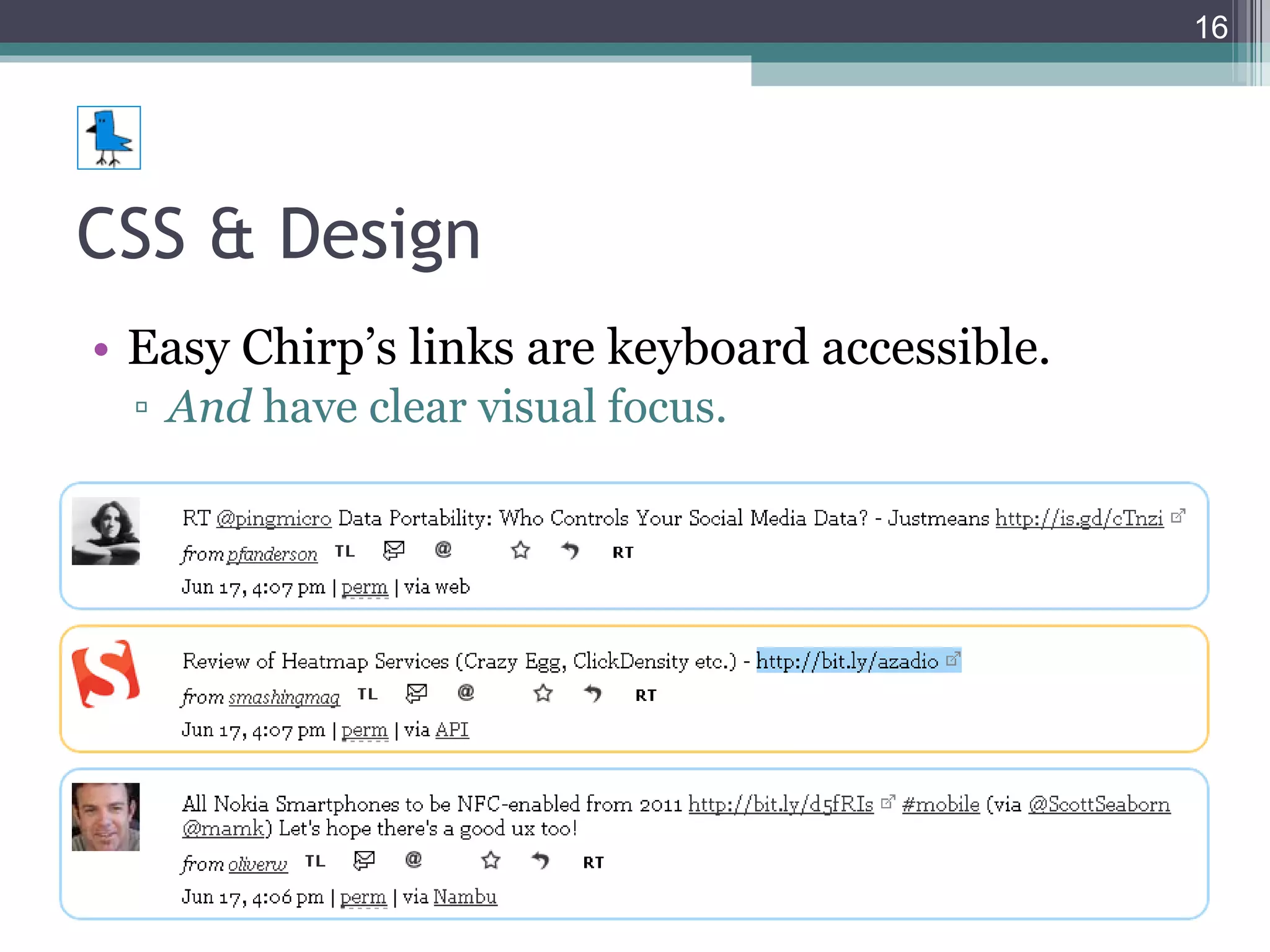
CSS & Design Easy Chirp’s links are keyboard accessible. And  have clear visual focus.
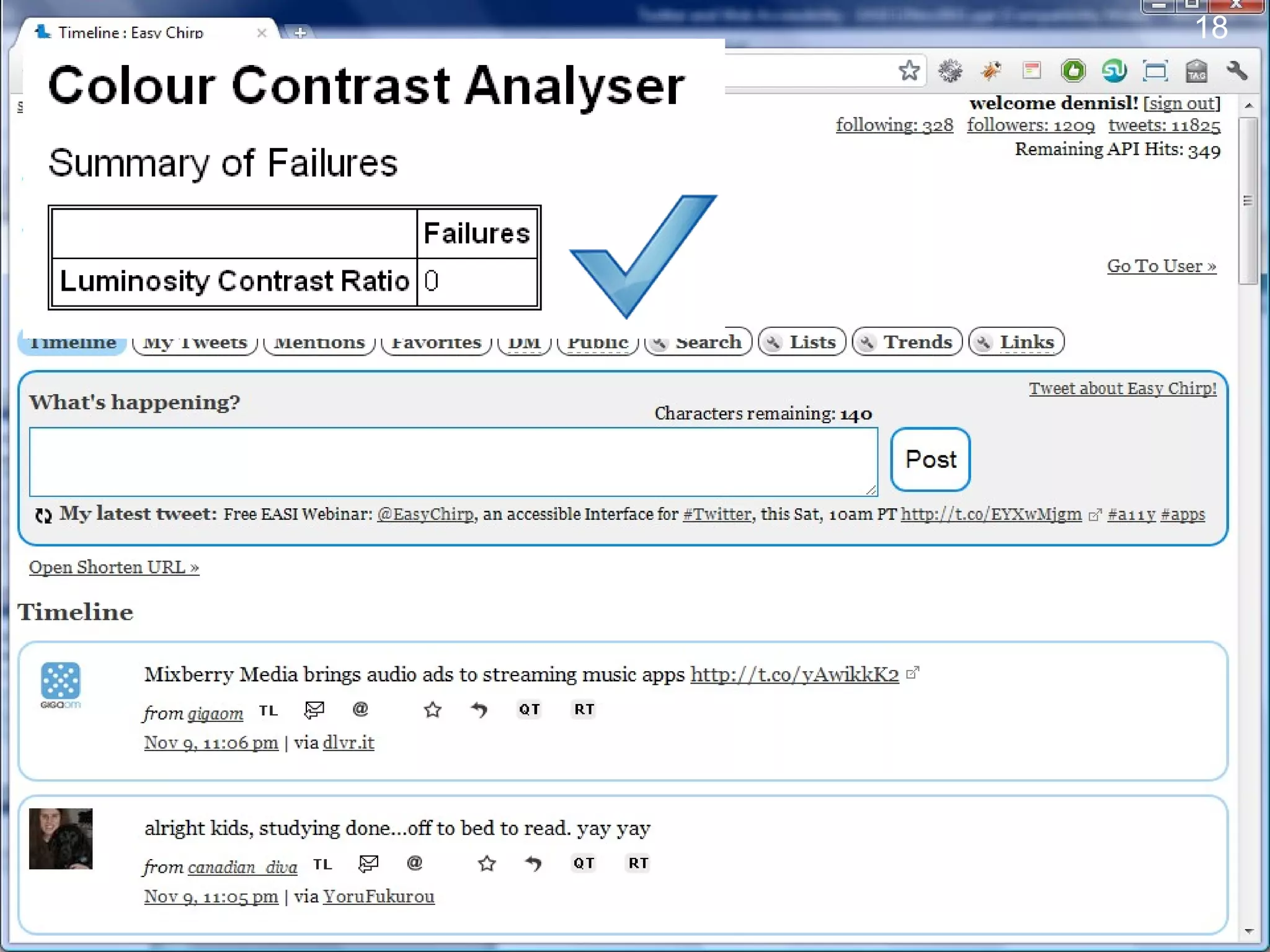
CSS & Design Colors Not for meaning alone. Also use shapes as well as textual content. Provide sufficient contrast. Contrast Rebellion
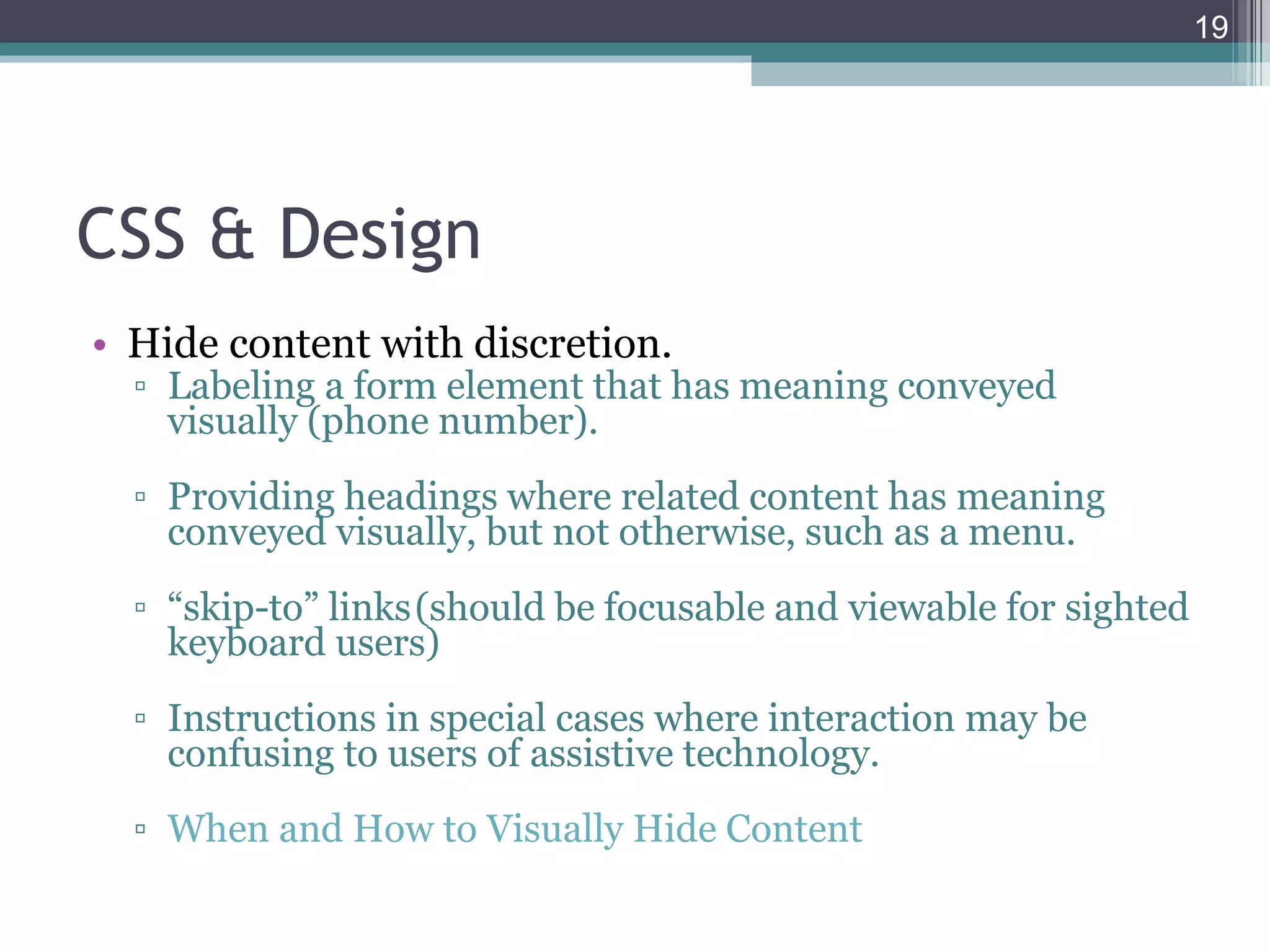
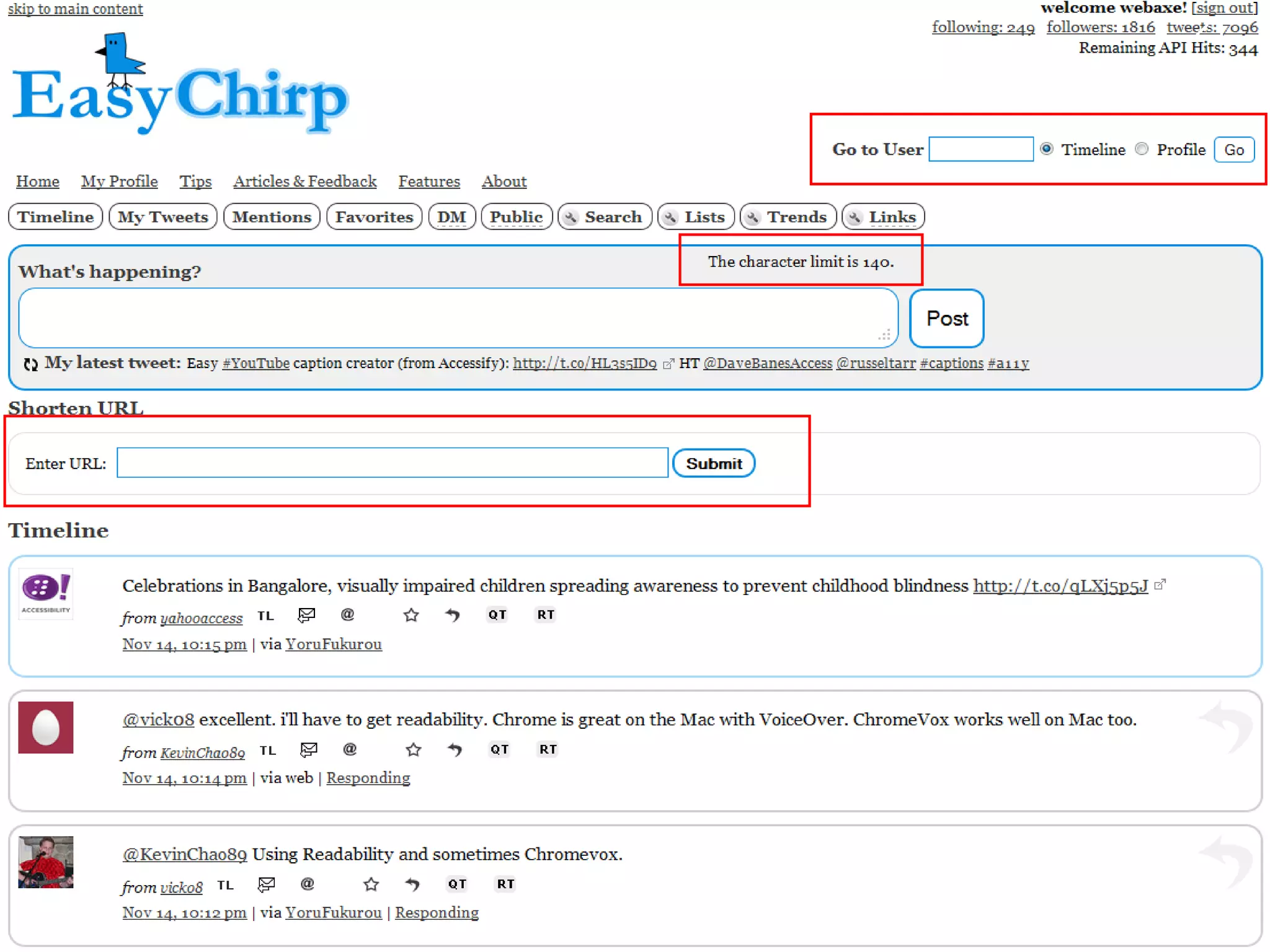
CSS & Design Hide content with discretion. Labeling a form element that has meaning conveyed visually (phone number). Providing headings where related content has meaning conveyed visually, but not otherwise, such as a menu. “ skip-​​to” links (should be focusable and viewable for sighted keyboard users) Instructions in special cases where interaction may be confusing to users of assistive technology. When and How to Visually Hide Content
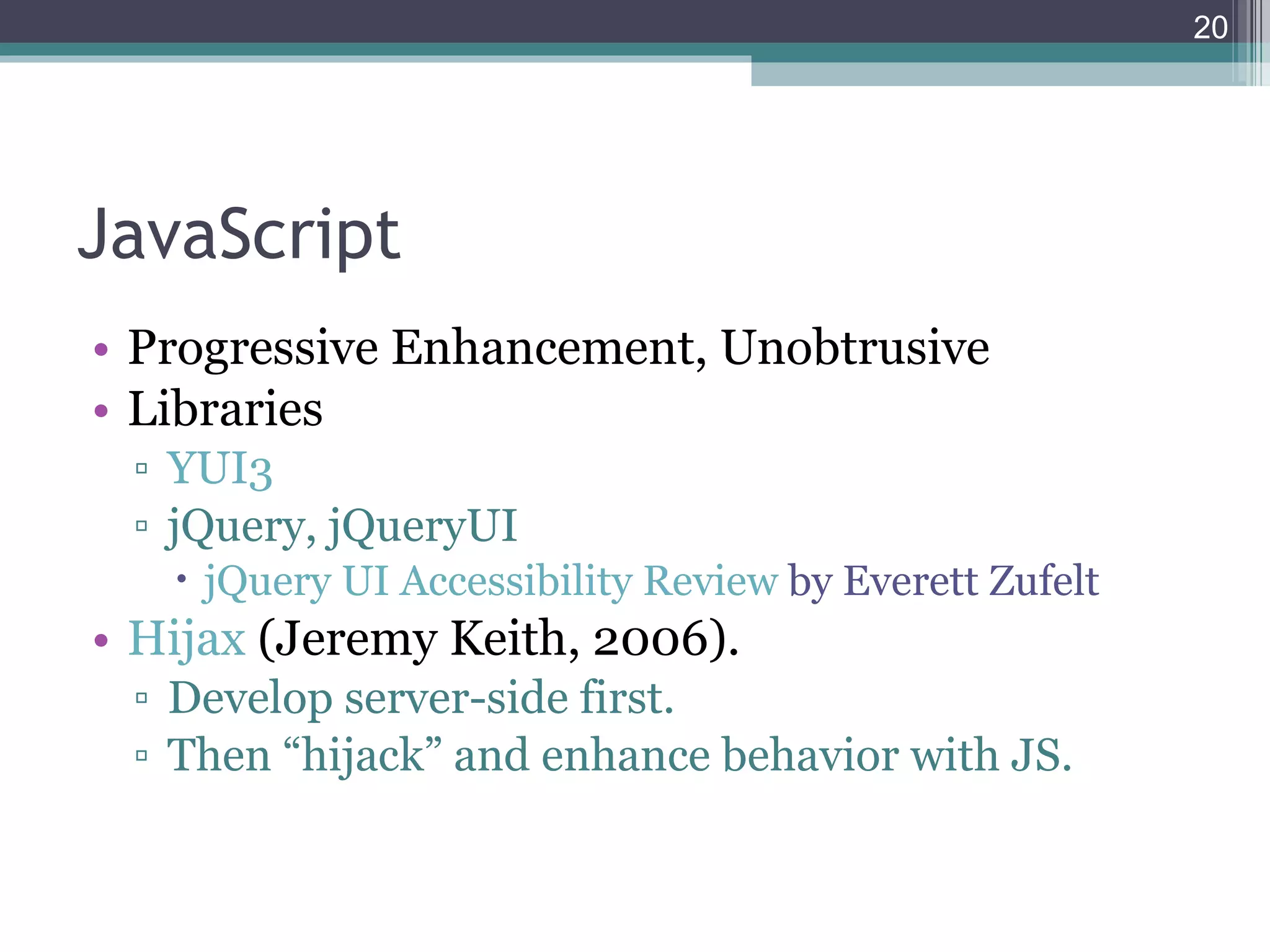
JavaScript Progressive Enhancement, Unobtrusive Libraries YUI3 jQuery, jQueryUI jQuery UI Accessibility Review  by Everett Zufelt Hijax  (Jeremy Keith, 2006) . Develop server-side first. Then “hijack” and enhance behavior with JS.
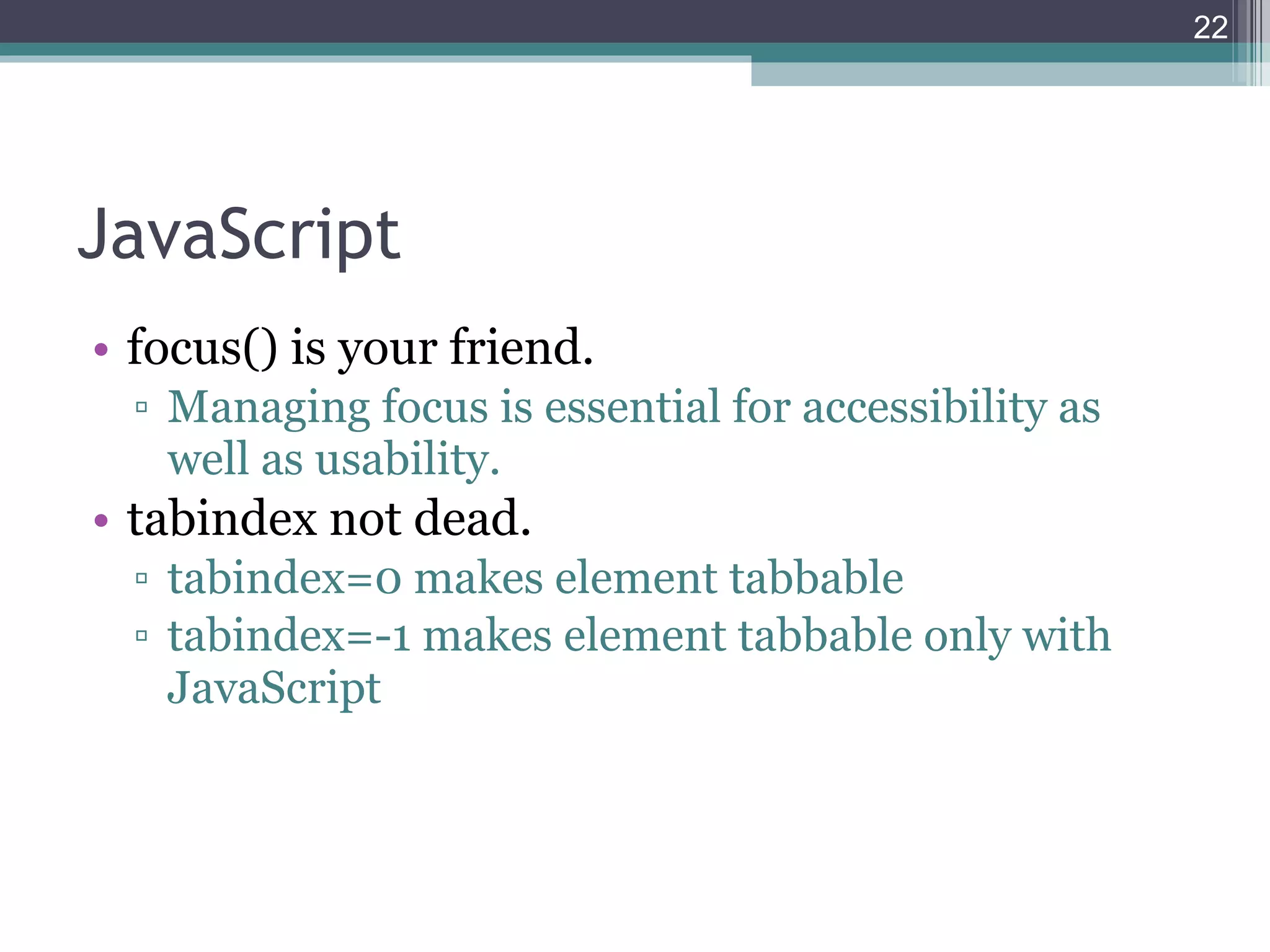
JavaScript focus() is your friend. Managing focus is essential for accessibility as well as usability. tabindex not dead. tabindex=0 makes element tabbable tabindex=-1 makes element tabbable only with JavaScript
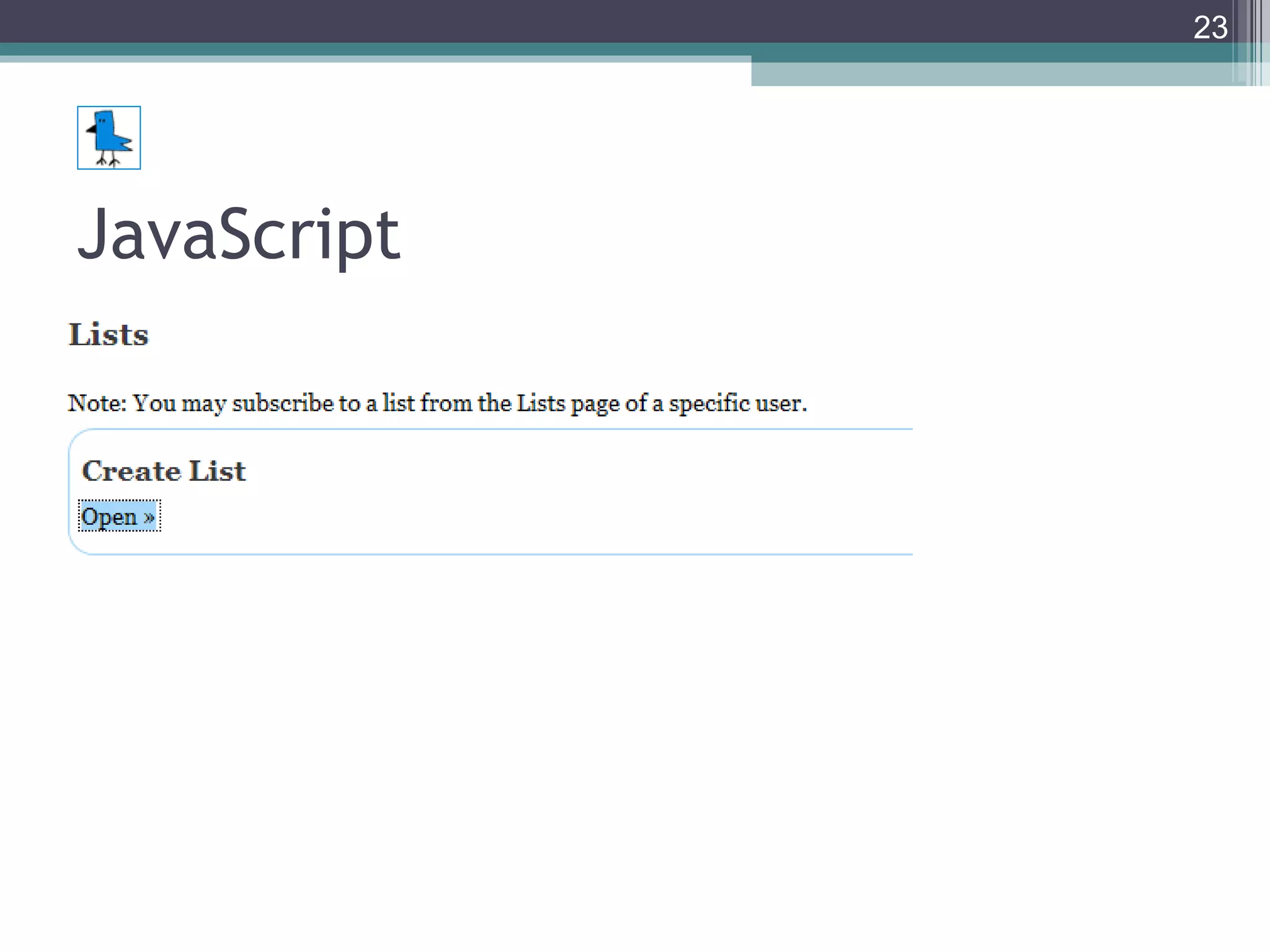
JavaScript
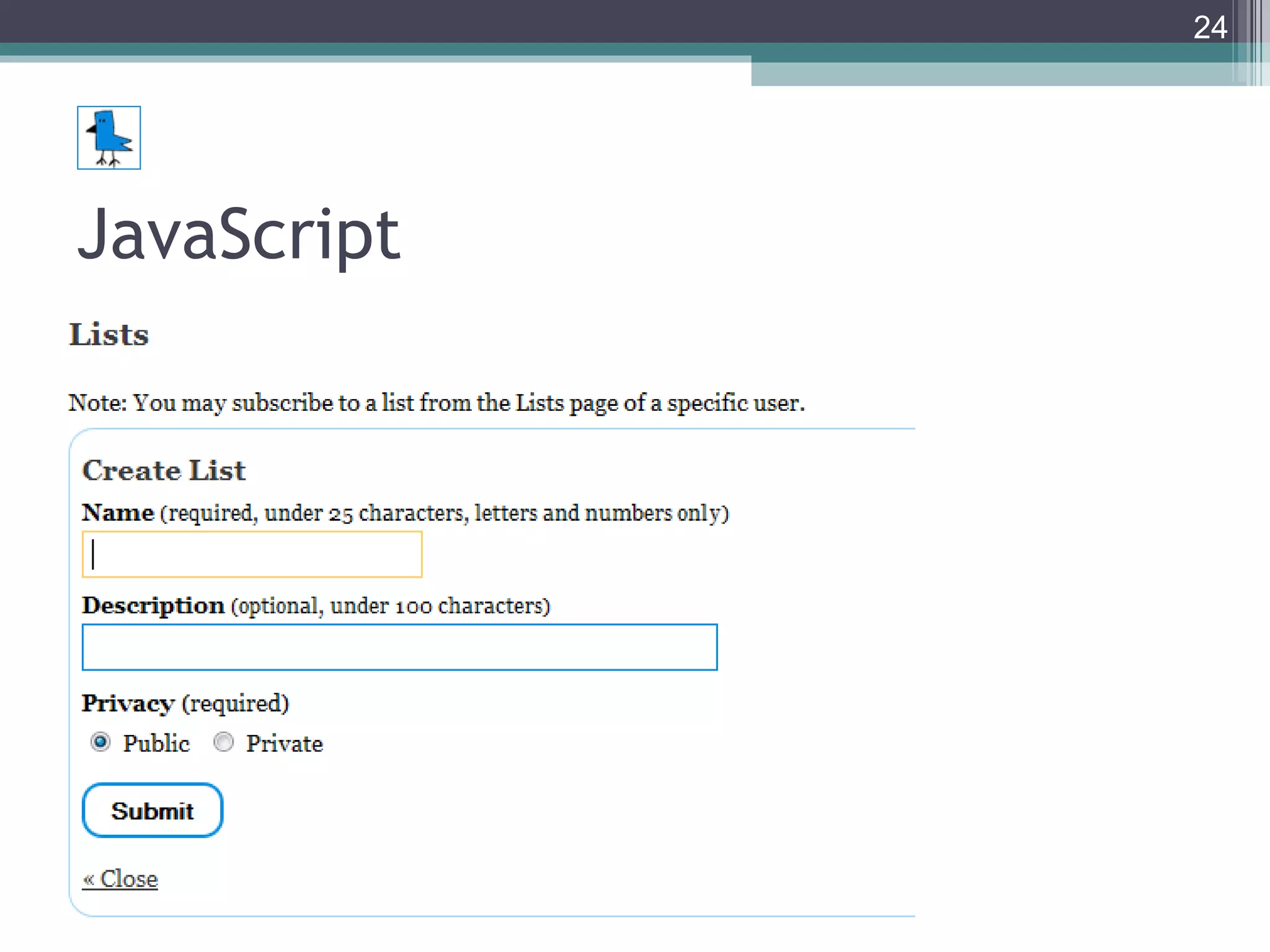
JavaScript
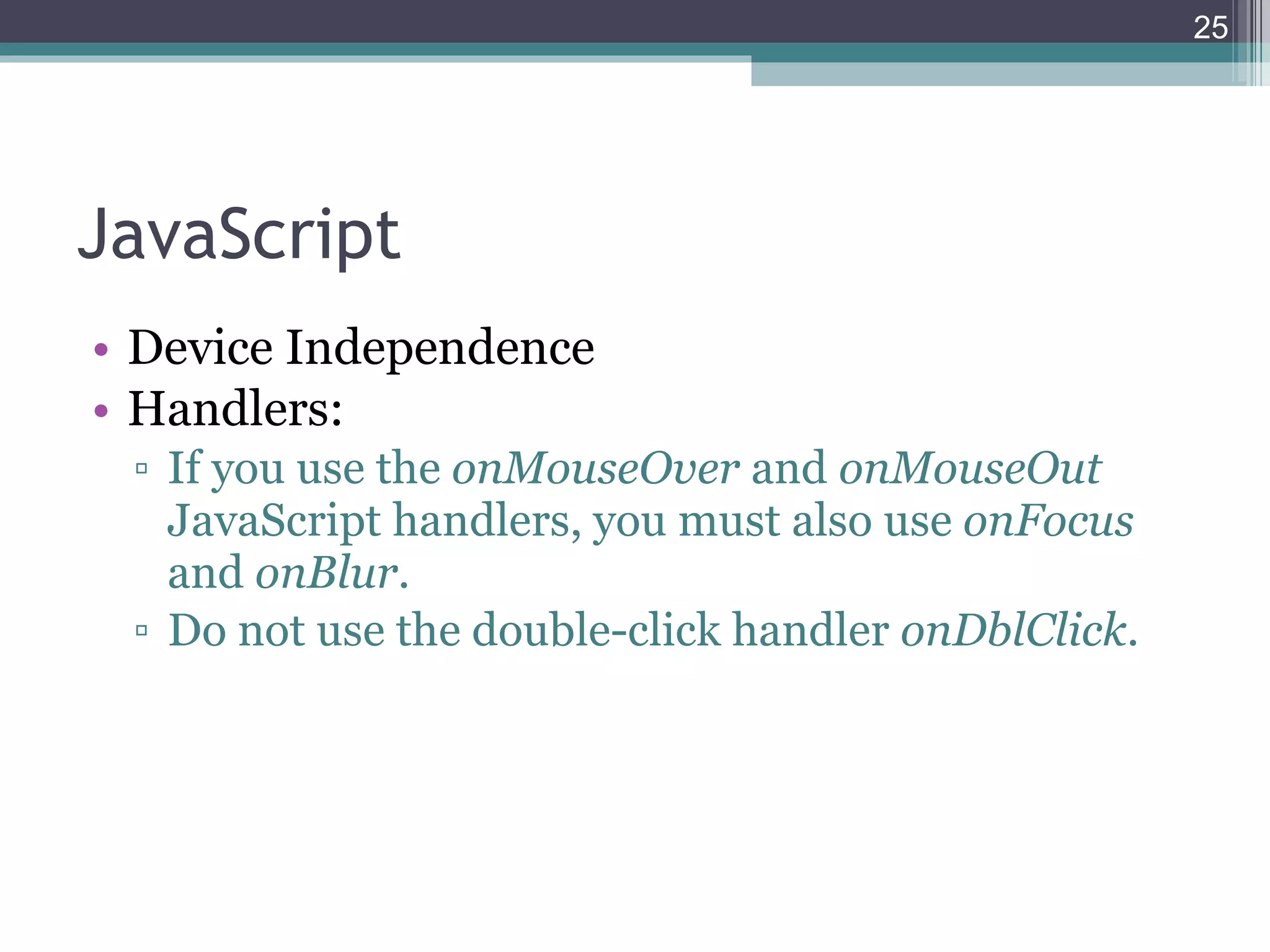
JavaScript Device Independence Handlers: If you use the  onMouseOver  and  onMouseOut  JavaScript handlers, you must also use  onFocus  and  onBlur . Do not use the double-click handler  onDblClick .
ARIA Accessible Rich Internet Applications (WAI-ARIA) 1.0 http://www.w3.org/TR/wai-aria/ Landmark Roles States and Properties Live Regions
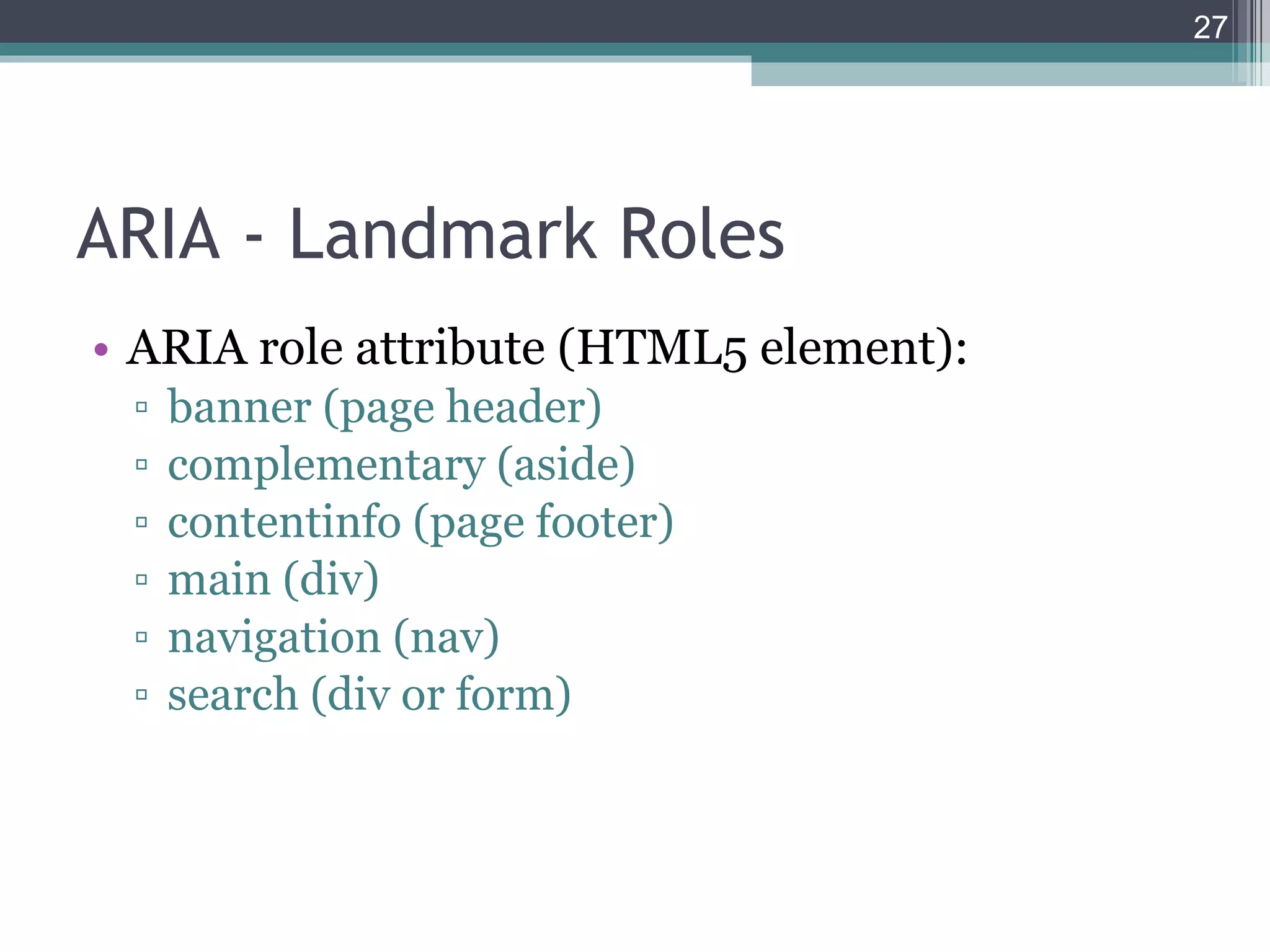
ARIA - Landmark Roles ARIA role attribute (HTML5 element): banner (page header) complementary (aside) contentinfo (page footer) main (div) navigation (nav) search (div or form)
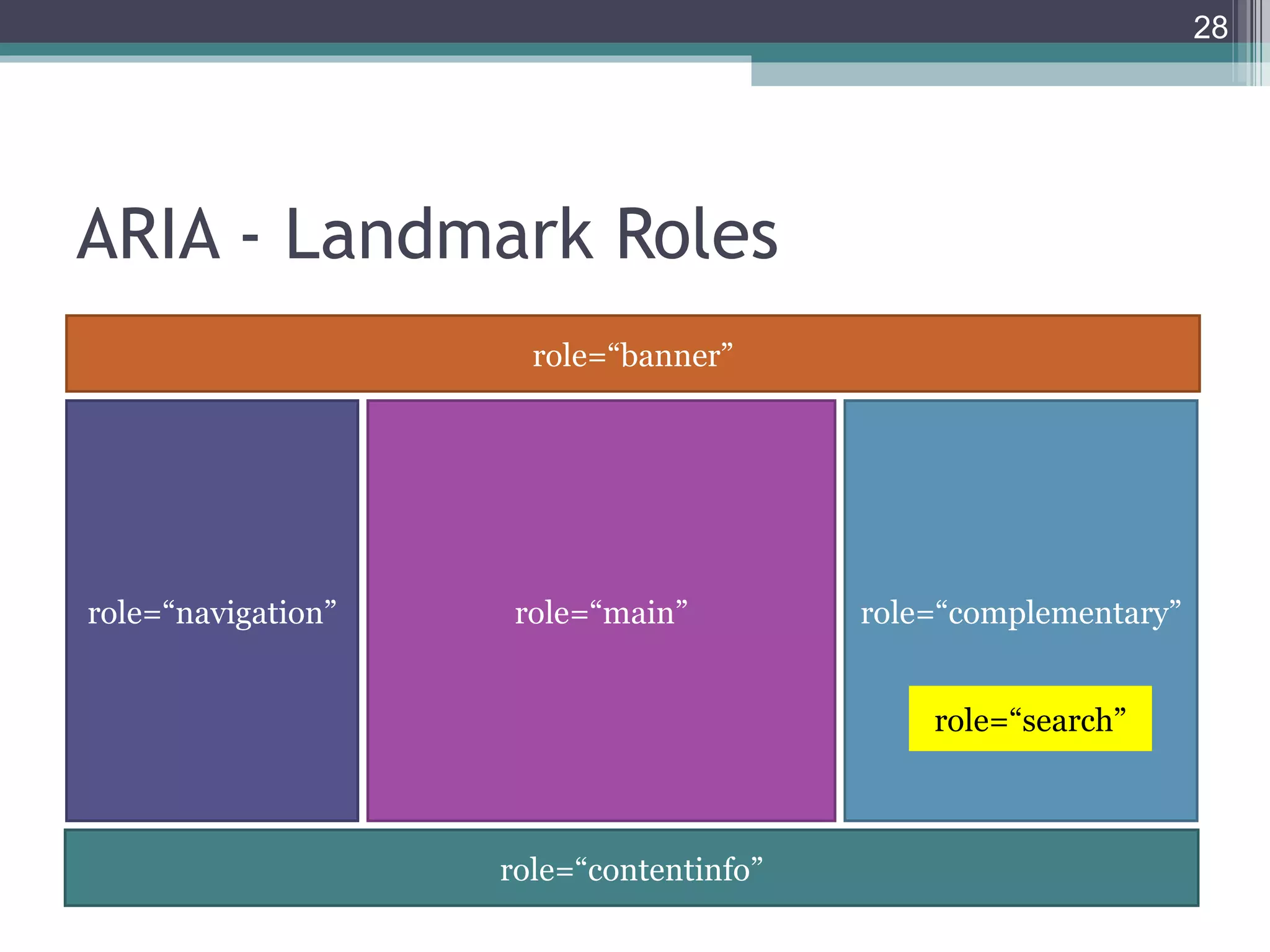
ARIA - Landmark Roles role=“banner” role=“navigation” role=“contentinfo” role=“main” role=“complementary” role=“search”
ARIA - States and Properties aria-describedby (property) Kinda like longdesc. aria-labelledby (property) Kinda like form label. aria-checked (state) Indicates the current "checked" state of checkboxes, radio buttons, and other widgets.  aria-required (property) Like HTML5 required.
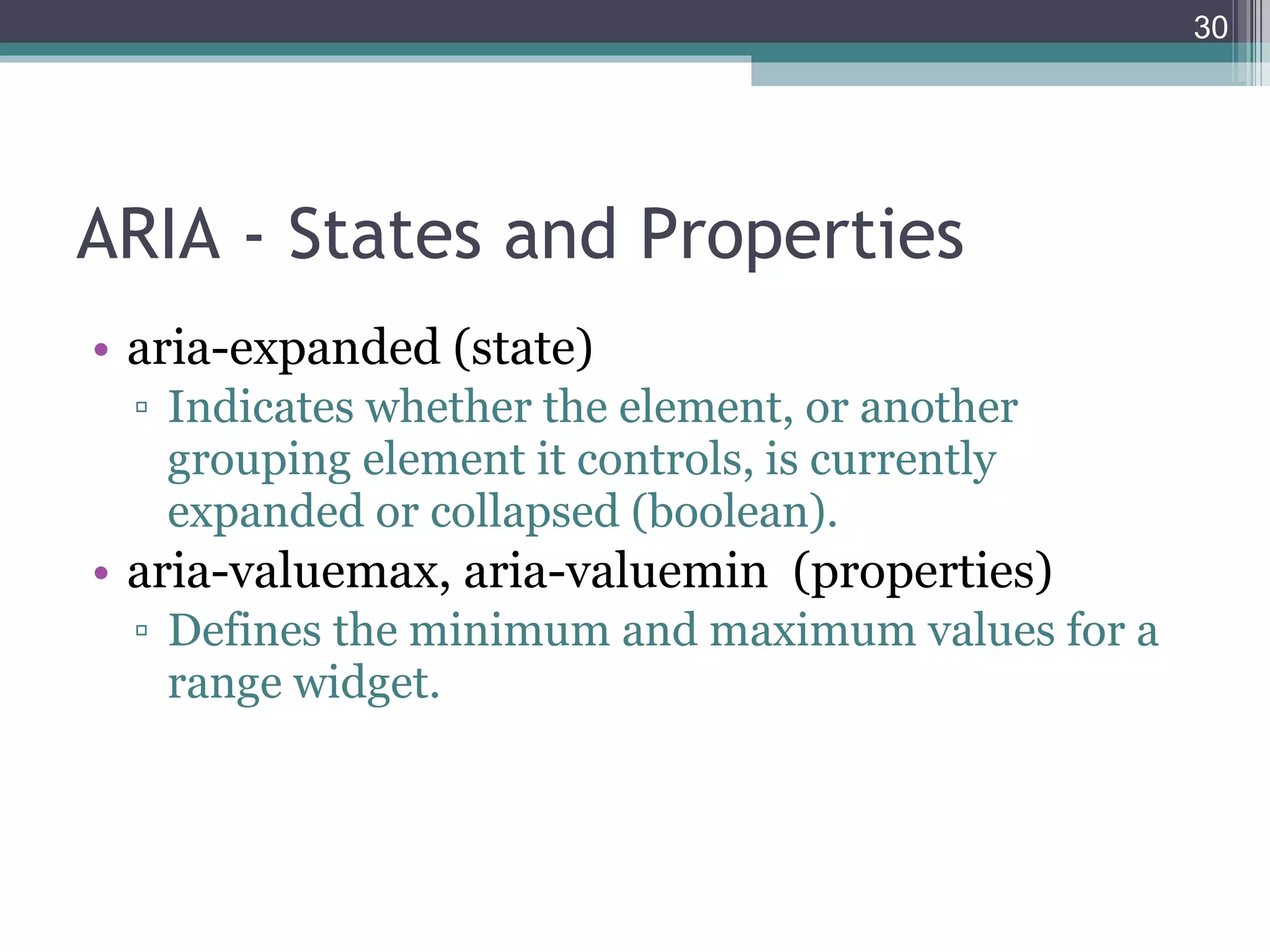
ARIA - States and Properties aria-expanded (state) Indicates whether the element, or another grouping element it controls, is currently expanded or collapsed (boolean). aria-valuemax, aria-valuemin  (properties) Defines the minimum and maximum values for a range widget.
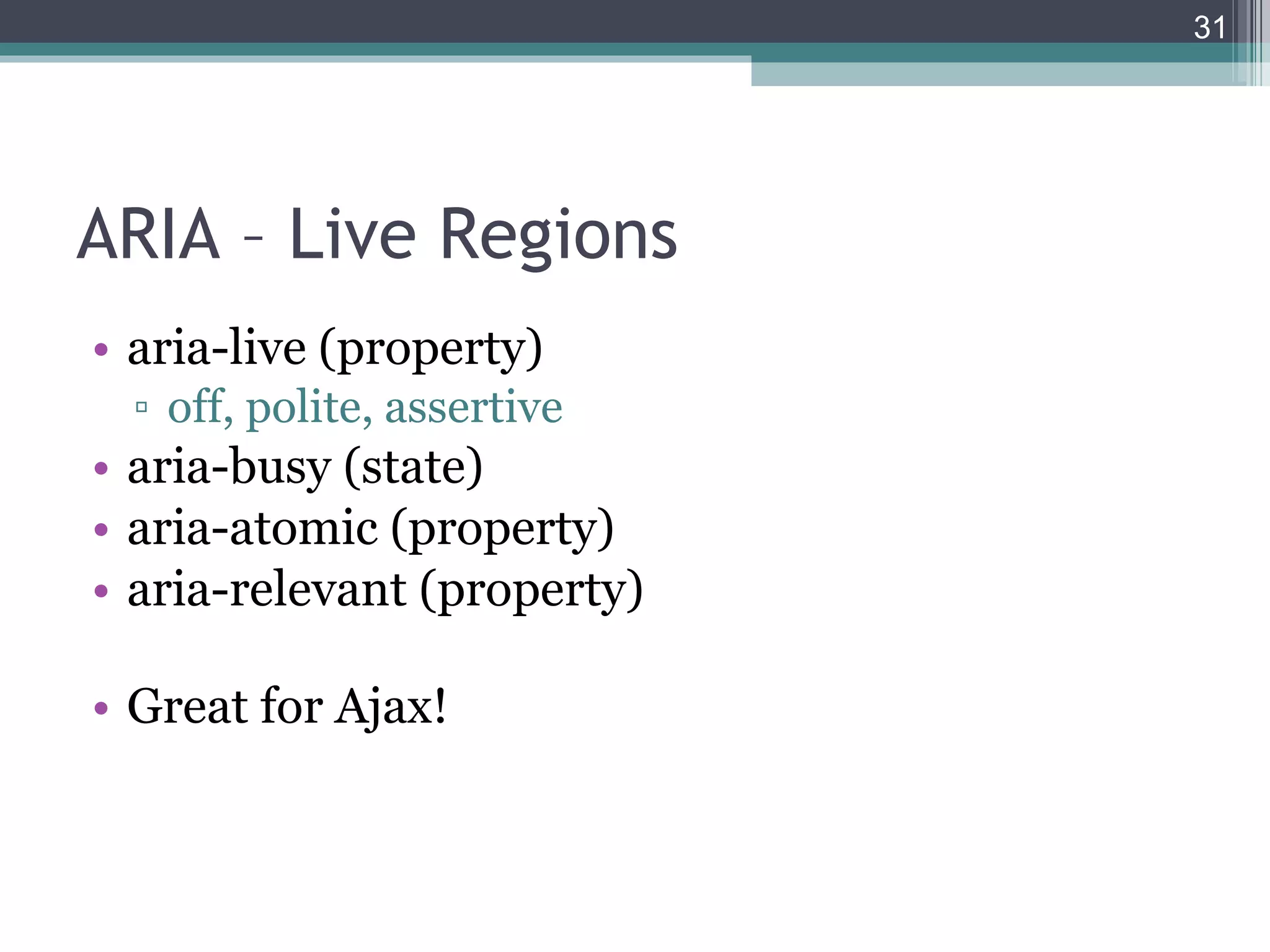
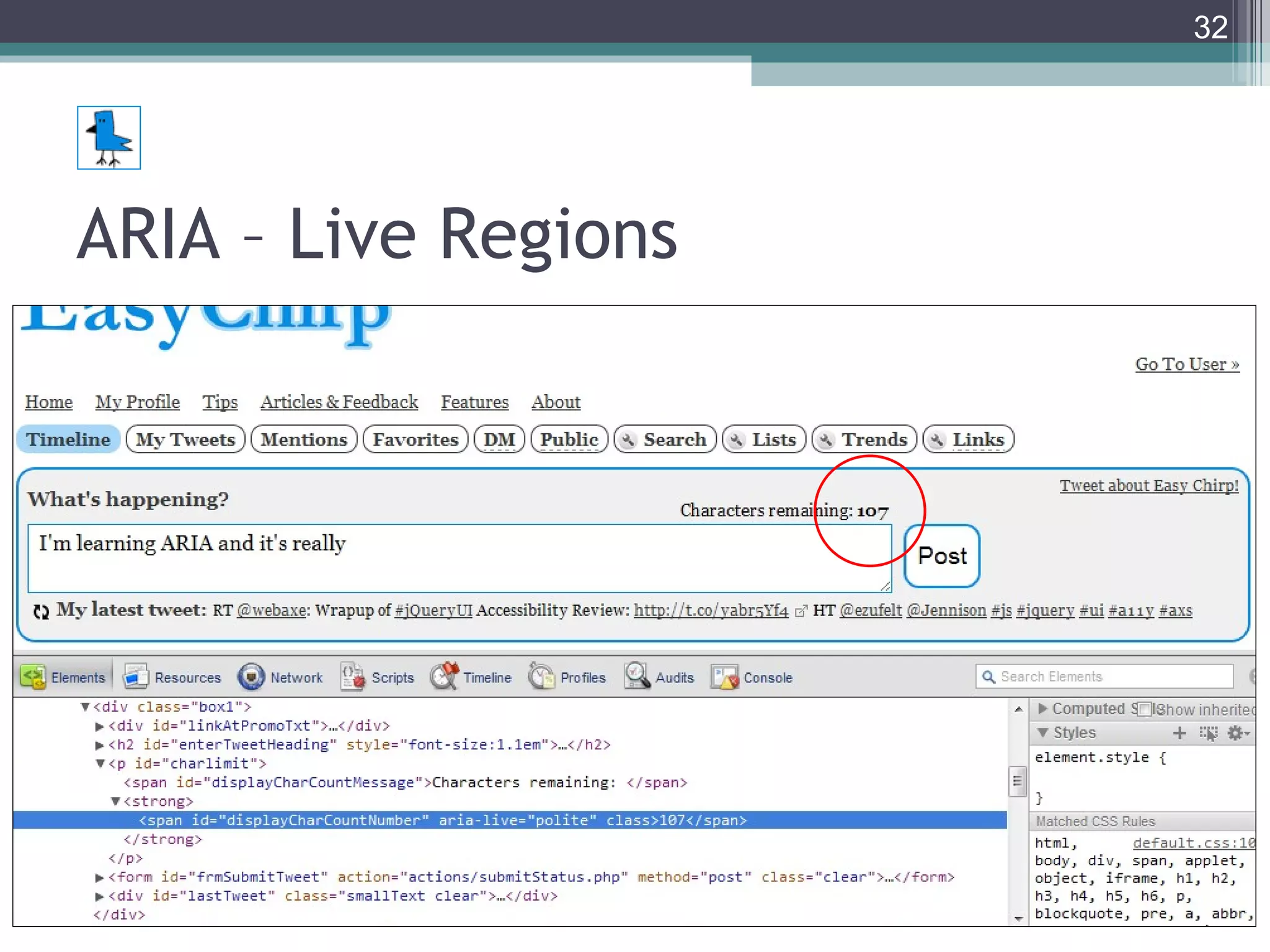
ARIA – Live Regions aria-live (property) off, polite, assertive aria-busy (state) aria-atomic (property) aria-relevant (property) Great for Ajax!
ARIA – Live Regions
ARIA – Live Regions More Ajax tips: Show that something’s happening such as displaying a ‘spinner’. Show yellow flash for visual indication of change. JSON is easy and light. Returning HTML can save a step. Plan from beginning, implement at the end.
Writing Page title (unique) Headings Descriptive link text (meaningful on own) Abbreviations (abbr; acronym deprecated)  Alternative text Transcriptions, captions Legends and Labels (brief and succinct) Define language (page level and inline)
Tips Plan accessibility from the very start. Small file sizes (low-band, mobile). NVDA is free. Error handling is important. Screen readers use JavaScript. Warn user when linking to anything other than an HTML page.
Results Easy Chirp  works with All operating systems All major browsers  No JavaScript, no CSS Mobile devices (iPhone, Droid, Blackberry, etc.) Screen readers Tablets Text-only (Lynx) Kindle Low-band connections
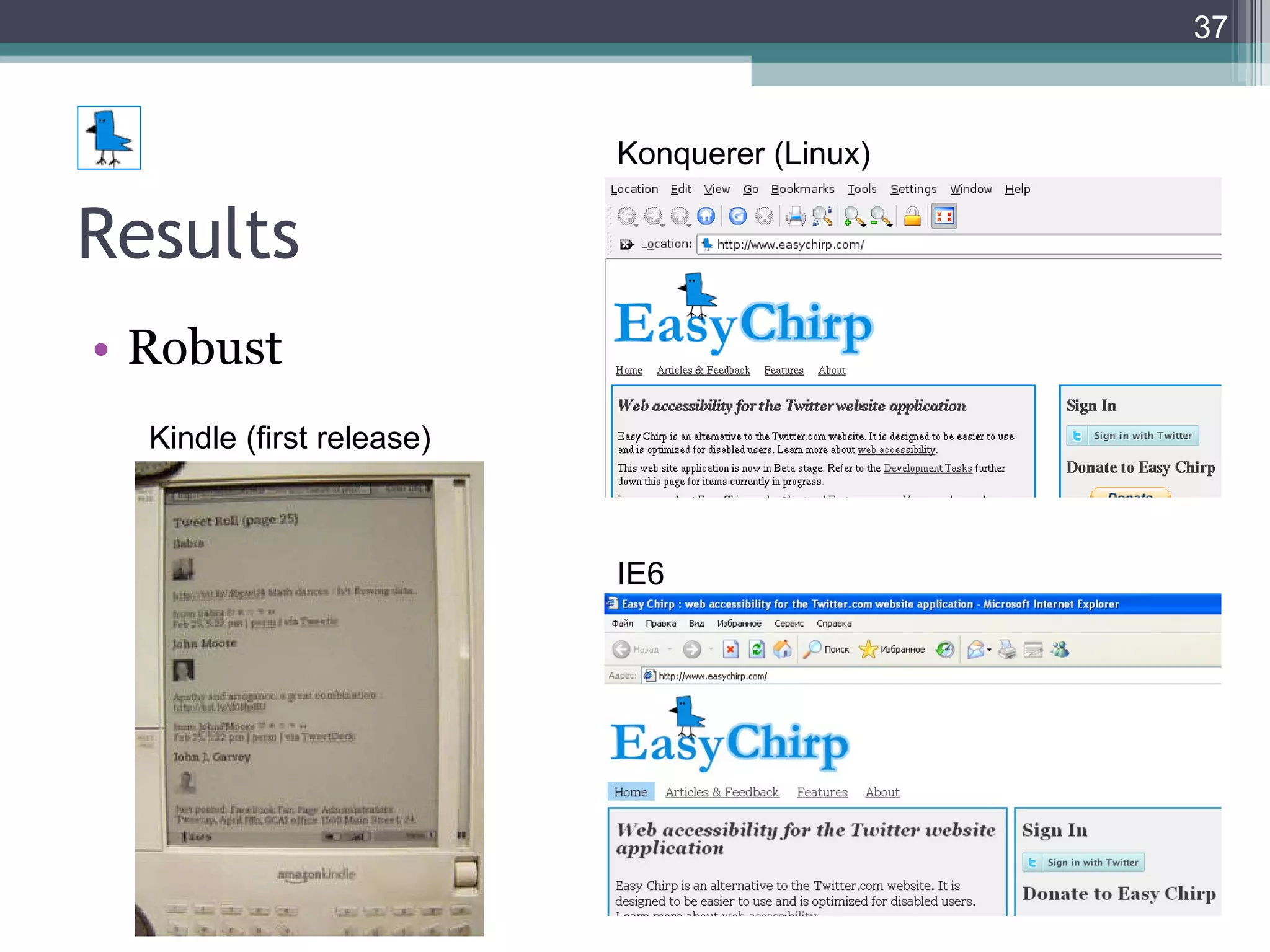
Results Robust Konquerer (Linux) IE6 Kindle (first release)
Results “ You can  easily navigate  by several methods; skip links, form fields, headings. Very effective with a screen reader.” [and now ARIA] “ really easy with a  Braille  Display to use” “ From now on my default web interface for Twitter!  Keyboard  accessible == touch accessible!”
Results More  usable . Better functionality with  assistive technology  such as text browsers & Braille devices. Keyboard accessibility opens gate for many other types of  input devices . Providing clear, consistent content and navigation benefits those with  cognitive  impairments (and is more usable in general). Use with a  mobile  device is possible.
Other Resources Companies: WebAIM, Yahoo, IBM, Adobe, Nomensa, Knowbility, Deque Systems, Paciello Group People: too many, check Twitter! #a11y on Twitter Not a tweep? Try:  Facebook.com/WebAxe 25 Ways To Make Your Site More Accessible Attend events (like this one!)
Contact Details Web Sites www.EasyChirp.com WebAxe.blogspot.com www.DennisLembree.com Twitter Accounts @EasyChirp @WebAxe @DennisL SlideShare www.slideshare.net/webaxe/presentations
Questions?

How To Build An Accessible Web Application

  • 1.
    How to Buildan Accessible Web Application (Easy Chirp) Presented by Dennis Lembrée Accessibility DC Meet-up Martin Luther King (MLK) Library November 15, 2011
  • 2.
    Agenda Intro FoundationHTML CSS [and Design] JavaScript ARIA Writing Tips Results Other Resources Contact Questions
  • 3.
    Intro Author ofEasy Chirp. Author of Web Axe. Day job at PayPal. Also worked for RIM, Ford, Google & Disney. Live in Cupertino, CA with wife and 2 boys.
  • 4.
    Foundations HTML CSSJavaScript ARIA 5 Layers of Web Accessibility by Dirk Ginader +CSS for JavaScript
  • 5.
    Foundations Our example: Easy Chirp Web-accessible and standards-compliant Twitter web application. Winner of the AFB 2011 Access Award . Winner of the 2009 Access IT @web2.0 Award .
  • 6.
    HTML Semantics AccessibilityGraceful degradation Easier to maintain SEO Content Order = Source Order = Tab Order
  • 7.
    HTML Headings FormsTables Lists Use the title attribute sparingly. Not HTML: Put CSS & JavaScript in external files.
  • 8.
    HTML Headings ExampleOne H1. Brief, succinct text. Nicely nested. Ensure inclusion of all sections of main content.
  • 9.
    HTML Validate. Important,but don’t go overboard. User experience is ultimate test. Test semantics, order. Turn off CSS. Check doc structure. Text-only browser such as Lynx. Check often on different browsers and devices.
  • 10.
  • 11.
    HTML HTML5 Morenative power Lighter code Exciting Currently browser and accessibility/AT issues http://html5accessibility.com/ Use carefully and with fallbacks.
  • 12.
    CSS & DesignConsistent layout & navigation. Display account name/info. Opportunity to logout. Provide search.
  • 13.
    CSS & DesignRelative sizing Flexible width Adaptive layout For different screen resolutions For different devices Responsive Web Design (ALA) media query Next slide: Easy Chirp at 1024 x 768, 200%
  • 15.
    CSS & DesignSufficient text size. 16 PIXELS For Body Copy . Anything Less Is A Costly Mistake. Make links focusable and visually clear. Use :focus with :hover Don’t remove the link underline in body copy. Never do :focus { outline: 0; } outlinenone.com
  • 16.
    CSS & DesignEasy Chirp’s links are keyboard accessible. And have clear visual focus.
  • 17.
    CSS & DesignColors Not for meaning alone. Also use shapes as well as textual content. Provide sufficient contrast. Contrast Rebellion
  • 19.
    CSS & DesignHide content with discretion. Labeling a form element that has meaning conveyed visually (phone number). Providing headings where related content has meaning conveyed visually, but not otherwise, such as a menu. “ skip-​​to” links (should be focusable and viewable for sighted keyboard users) Instructions in special cases where interaction may be confusing to users of assistive technology. When and How to Visually Hide Content
  • 20.
    JavaScript Progressive Enhancement,Unobtrusive Libraries YUI3 jQuery, jQueryUI jQuery UI Accessibility Review by Everett Zufelt Hijax (Jeremy Keith, 2006) . Develop server-side first. Then “hijack” and enhance behavior with JS.
  • 22.
    JavaScript focus() isyour friend. Managing focus is essential for accessibility as well as usability. tabindex not dead. tabindex=0 makes element tabbable tabindex=-1 makes element tabbable only with JavaScript
  • 23.
  • 24.
  • 25.
    JavaScript Device IndependenceHandlers: If you use the onMouseOver and onMouseOut JavaScript handlers, you must also use onFocus and onBlur . Do not use the double-click handler onDblClick .
  • 26.
    ARIA Accessible RichInternet Applications (WAI-ARIA) 1.0 http://www.w3.org/TR/wai-aria/ Landmark Roles States and Properties Live Regions
  • 27.
    ARIA - LandmarkRoles ARIA role attribute (HTML5 element): banner (page header) complementary (aside) contentinfo (page footer) main (div) navigation (nav) search (div or form)
  • 28.
    ARIA - LandmarkRoles role=“banner” role=“navigation” role=“contentinfo” role=“main” role=“complementary” role=“search”
  • 29.
    ARIA - Statesand Properties aria-describedby (property) Kinda like longdesc. aria-labelledby (property) Kinda like form label. aria-checked (state) Indicates the current "checked" state of checkboxes, radio buttons, and other widgets. aria-required (property) Like HTML5 required.
  • 30.
    ARIA - Statesand Properties aria-expanded (state) Indicates whether the element, or another grouping element it controls, is currently expanded or collapsed (boolean). aria-valuemax, aria-valuemin (properties) Defines the minimum and maximum values for a range widget.
  • 31.
    ARIA – LiveRegions aria-live (property) off, polite, assertive aria-busy (state) aria-atomic (property) aria-relevant (property) Great for Ajax!
  • 32.
  • 33.
    ARIA – LiveRegions More Ajax tips: Show that something’s happening such as displaying a ‘spinner’. Show yellow flash for visual indication of change. JSON is easy and light. Returning HTML can save a step. Plan from beginning, implement at the end.
  • 34.
    Writing Page title(unique) Headings Descriptive link text (meaningful on own) Abbreviations (abbr; acronym deprecated) Alternative text Transcriptions, captions Legends and Labels (brief and succinct) Define language (page level and inline)
  • 35.
    Tips Plan accessibilityfrom the very start. Small file sizes (low-band, mobile). NVDA is free. Error handling is important. Screen readers use JavaScript. Warn user when linking to anything other than an HTML page.
  • 36.
    Results Easy Chirp works with All operating systems All major browsers No JavaScript, no CSS Mobile devices (iPhone, Droid, Blackberry, etc.) Screen readers Tablets Text-only (Lynx) Kindle Low-band connections
  • 37.
    Results Robust Konquerer(Linux) IE6 Kindle (first release)
  • 38.
    Results “ Youcan easily navigate by several methods; skip links, form fields, headings. Very effective with a screen reader.” [and now ARIA] “ really easy with a Braille Display to use” “ From now on my default web interface for Twitter! Keyboard accessible == touch accessible!”
  • 39.
    Results More usable . Better functionality with assistive technology such as text browsers & Braille devices. Keyboard accessibility opens gate for many other types of input devices . Providing clear, consistent content and navigation benefits those with cognitive impairments (and is more usable in general). Use with a mobile device is possible.
  • 40.
    Other Resources Companies:WebAIM, Yahoo, IBM, Adobe, Nomensa, Knowbility, Deque Systems, Paciello Group People: too many, check Twitter! #a11y on Twitter Not a tweep? Try: Facebook.com/WebAxe 25 Ways To Make Your Site More Accessible Attend events (like this one!)
  • 41.
    Contact Details WebSites www.EasyChirp.com WebAxe.blogspot.com www.DennisLembree.com Twitter Accounts @EasyChirp @WebAxe @DennisL SlideShare www.slideshare.net/webaxe/presentations
  • 42.

Editor's Notes

  • #2 Thanks to John F Croston III (@jfc3)
  • #5 http://www.slideshare.net/ginader/the-5-layers-of-web-accessibility
  • #6 http://www.EasyChirp.com
  • #12 http://html5accessibility.com/
  • #14 http://browsershots.org/ http://www.alistapart.com/articles/responsive-web-design/
  • #16 http://www.smashingmagazine.com/2011/10/07/16-pixels-body-copy-anything-less-costly-mistake/ http://outlinenone.com/
  • #17 Text links remain. And sufficient text size.
  • #18 http://contrastrebellion.com/
  • #20 http://designfestival.com/when-and-how-to-visually-hide-content/
  • #21 http://yuilibrary.com/ http://zufelt.ca/blog/jquery-ui-accessibility-review-wrapup http://domscripting.com/presentations/xtech2006/
  • #27 http://www.w3.org/TR/wai-aria/
  • #28 http://www.html5accessibility.com/tests/landmarks.html
  • #32 http://www.w3.org/TR/wai-aria/states_and_properties#aria-live
  • #37 Any browser-based user-agent!
  • #38 http://sarahebourne.posterous.com/accessible-twitter-on-the-kindle
  • #41 http://www.webhostingsearch.com/articles/25-ways-to-make-your-site-more-accessible.php