WORKSPACE MANAGEMENT - TEST AUTOMATION
MATRIX42 KICK-OFF 2014
WORKSPACE MANAGEMENT – TEST AUTOMATION

AGENDA

 AUTOMATION TESTING
–
–
–
–
–

Basics
What can be tested
What can‘t be tested
Automation Framework
Testing Environemt

 AUTOMATION TESTING AT M42
–
–
–
–
–
–

Test Environment configuration
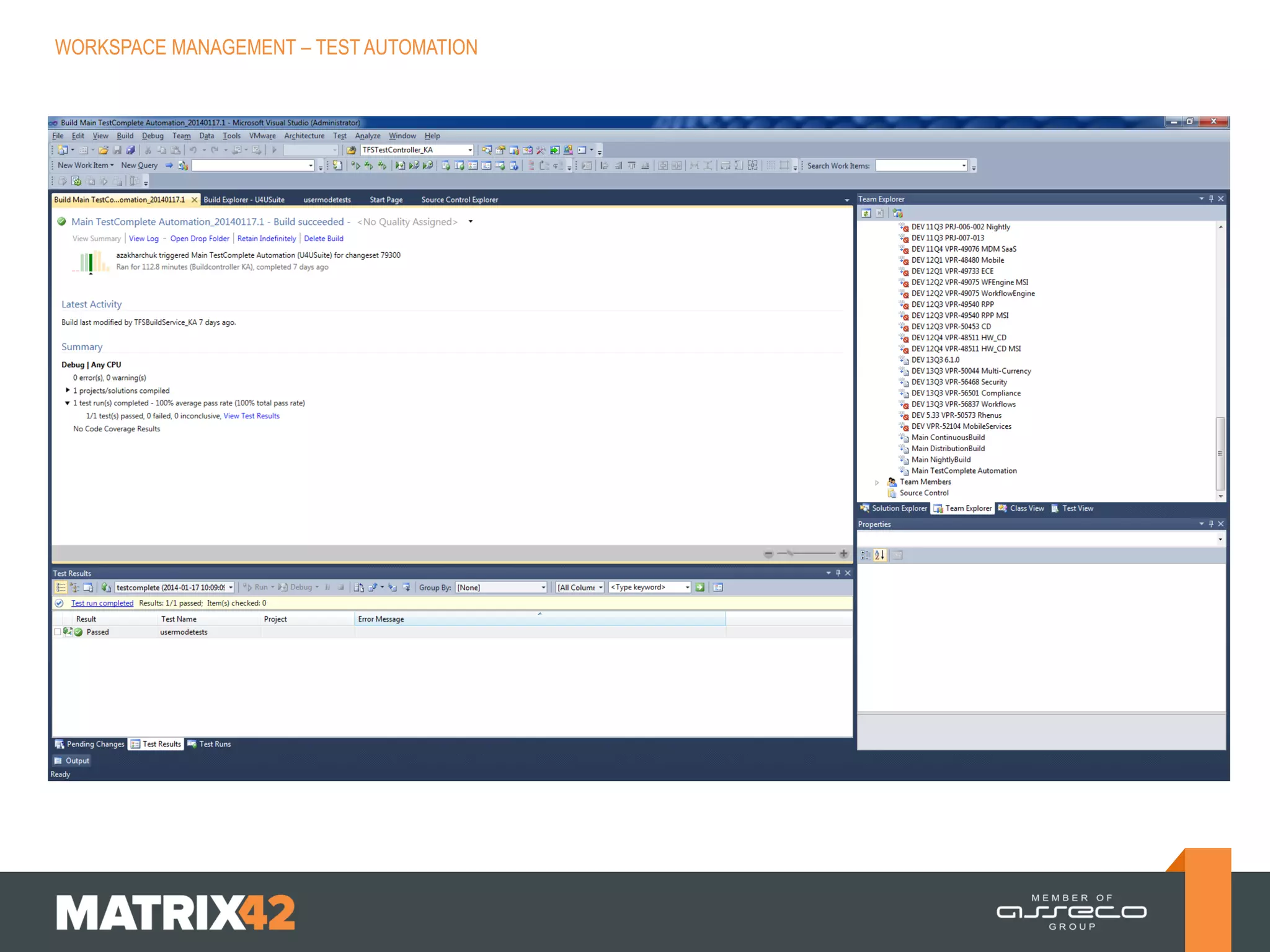
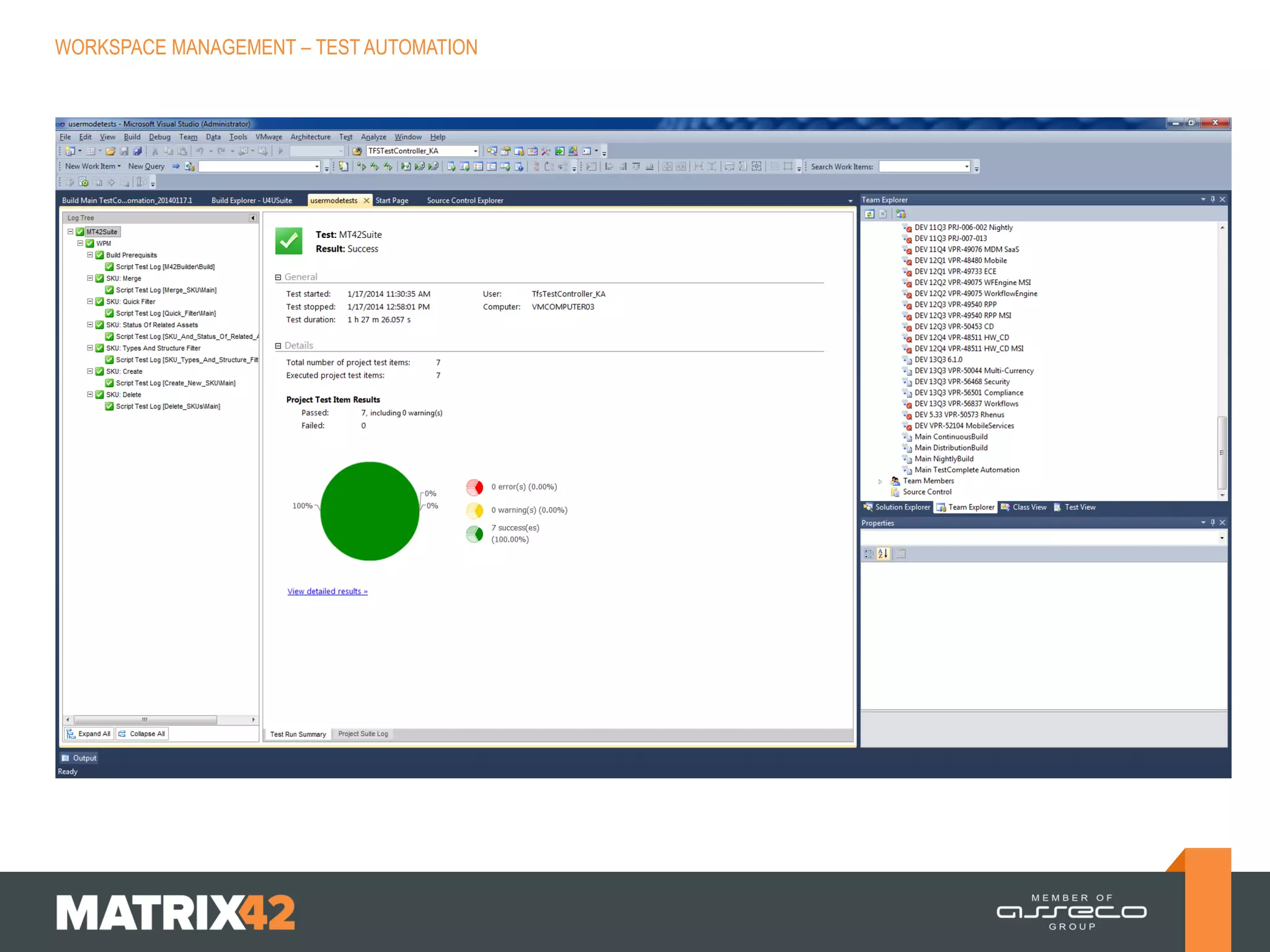
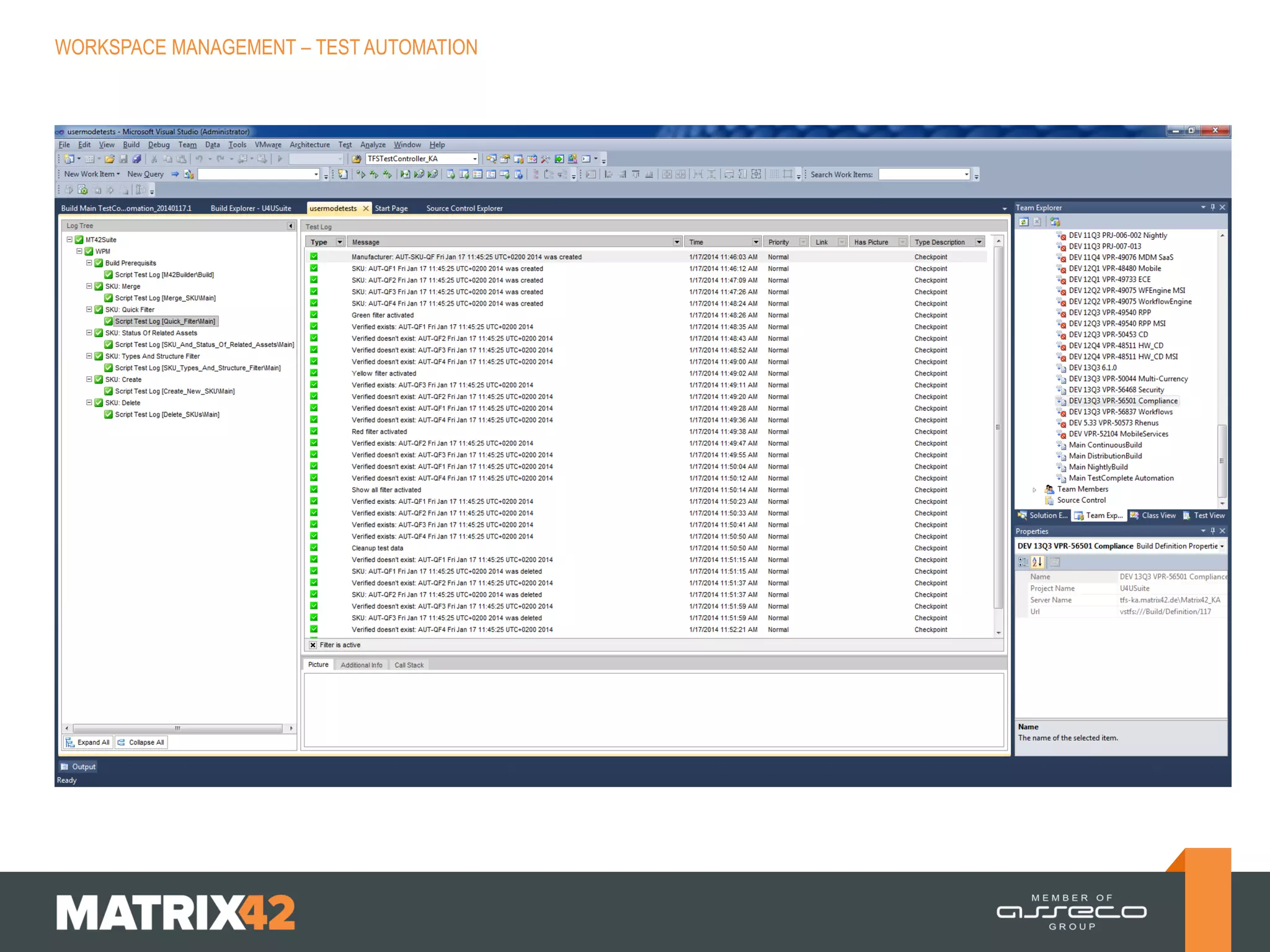
How it looks like in Visual Studio
Supported and unsupported scenarios
How to create automated test case
Open issues
Semi automated test cases
WORKSPACE MANAGEMENT – TEST AUTOMATION

AUTOMATION TESTING – BASICS

WHAT IS IT?
 Using an automation tool to execute
test case suite
 Automation software enters test data to
system under test and compares
expected and actual result
 Automation software creates test
reports

ADVANTAGES OF TEST AUTOMATION
 Higher coverage of test cases (more,
deeper, different lanugages)
 Higher speed of testing
 Unattended execution
 Automated execution has constant
testing quality of always same „boring“
test cases
 Manual testers can concentrate on
other test areas and test methods (bug
detection will increase in this area)
WORKSPACE MANAGEMENT – TEST AUTOMATION

WHICH TEST CASES CAN BE AUTOMATED?

CRITERIA FOR AUTOMATION
EXAMPLE
 Test cases that are executed very often  Regression tests
 Test cases that are difficult to perform
manually

 Compare complete inventory data of
computer

 Test cases which are time consuming

 LIS Update

 Business critical test cases

 AD connector, order service, create
incident, create license, ….
WORKSPACE MANAGEMENT – TEST AUTOMATION

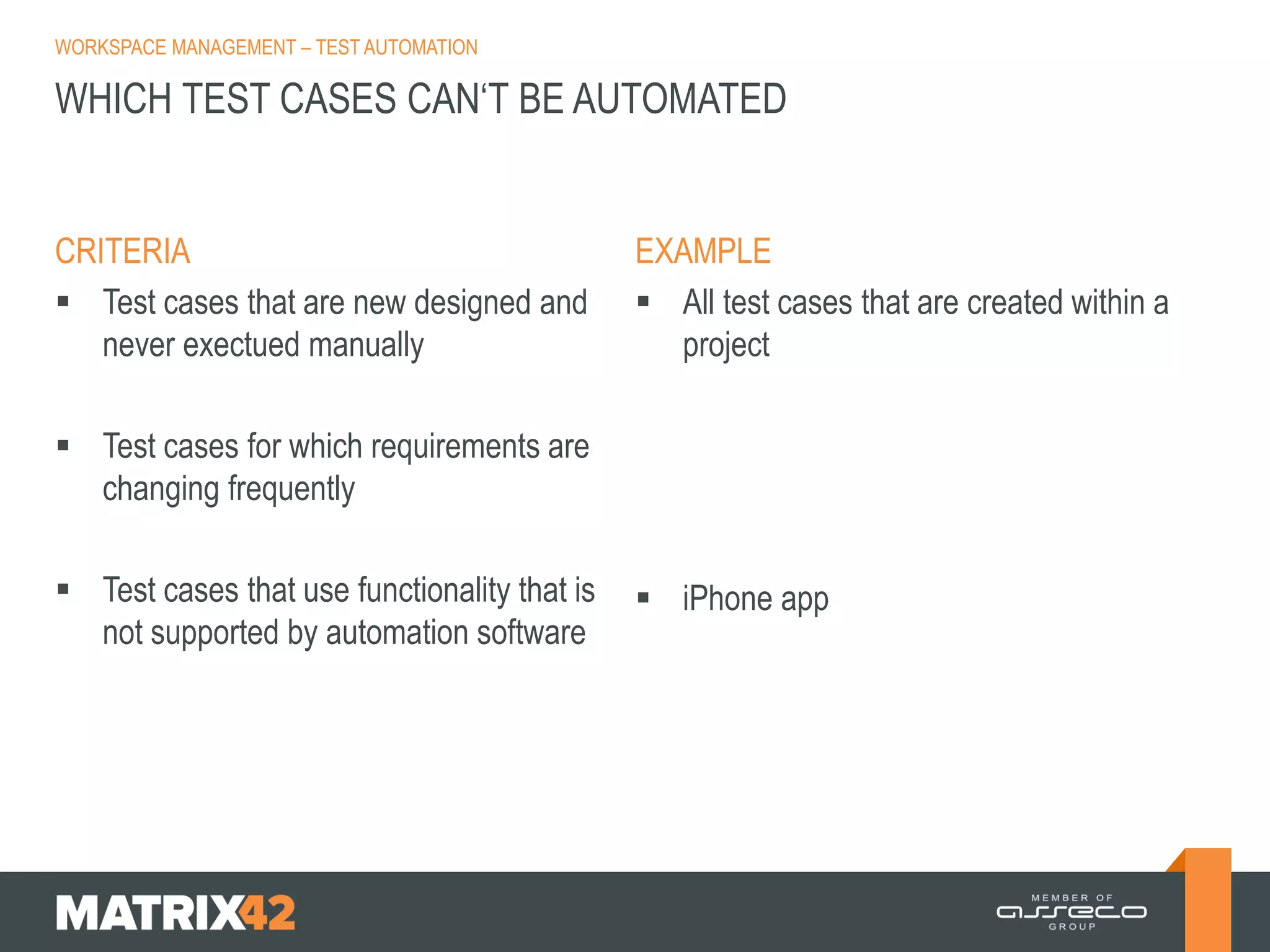
WHICH TEST CASES CAN‘T BE AUTOMATED

CRITERIA
 Test cases that are new designed and
never exectued manually

EXAMPLE
 All test cases that are created within a
project

 Test cases for which requirements are
changing frequently
 Test cases that use functionality that is
not supported by automation software

 iPhone app
WORKSPACE MANAGEMENT – TEST AUTOMATION

AUTOMATION FRAMEWORK

FRAMEWORK
 (Capture & Replay)
 Modular
 Data driven

 Keyword driven
 Hybrid (mixture of above mentioned)

EXAMPLES/REMARKS
 Not useful for complex scenarios
 Scripts according to modules of M42
 Scripts use data from files/databases
(e.g. build according equivalence
classes, …)
 Scripts according keywords in UI
WORKSPACE MANAGEMENT – TEST AUTOMATION

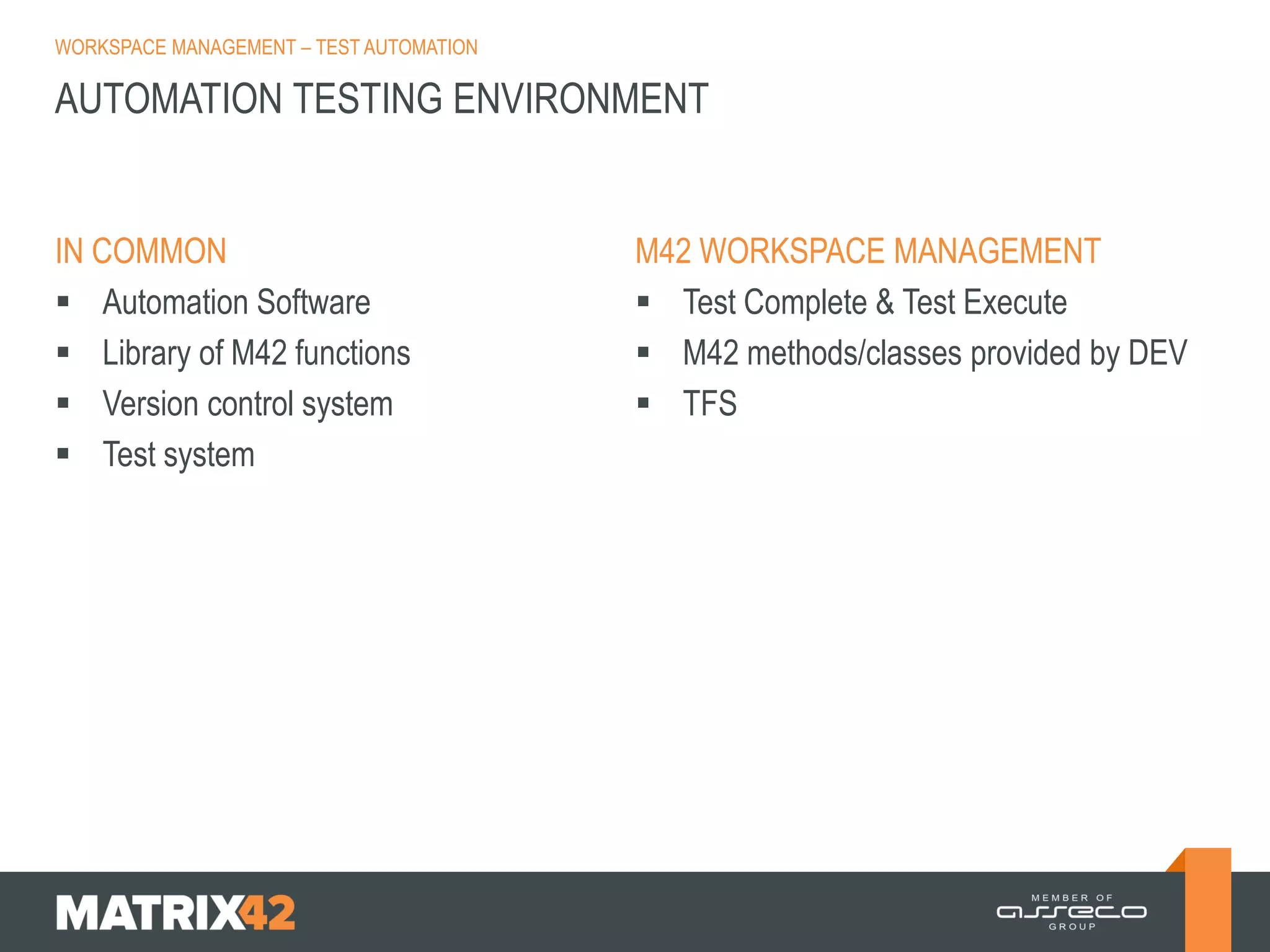
AUTOMATION TESTING ENVIRONMENT

IN COMMON
 Automation Software
 Library of M42 functions
 Version control system
 Test system

M42 WORKSPACE MANAGEMENT
 Test Complete & Test Execute
 M42 methods/classes provided by DEV
 TFS
WORKSPACE MANAGEMENT – TEST AUTOMATION

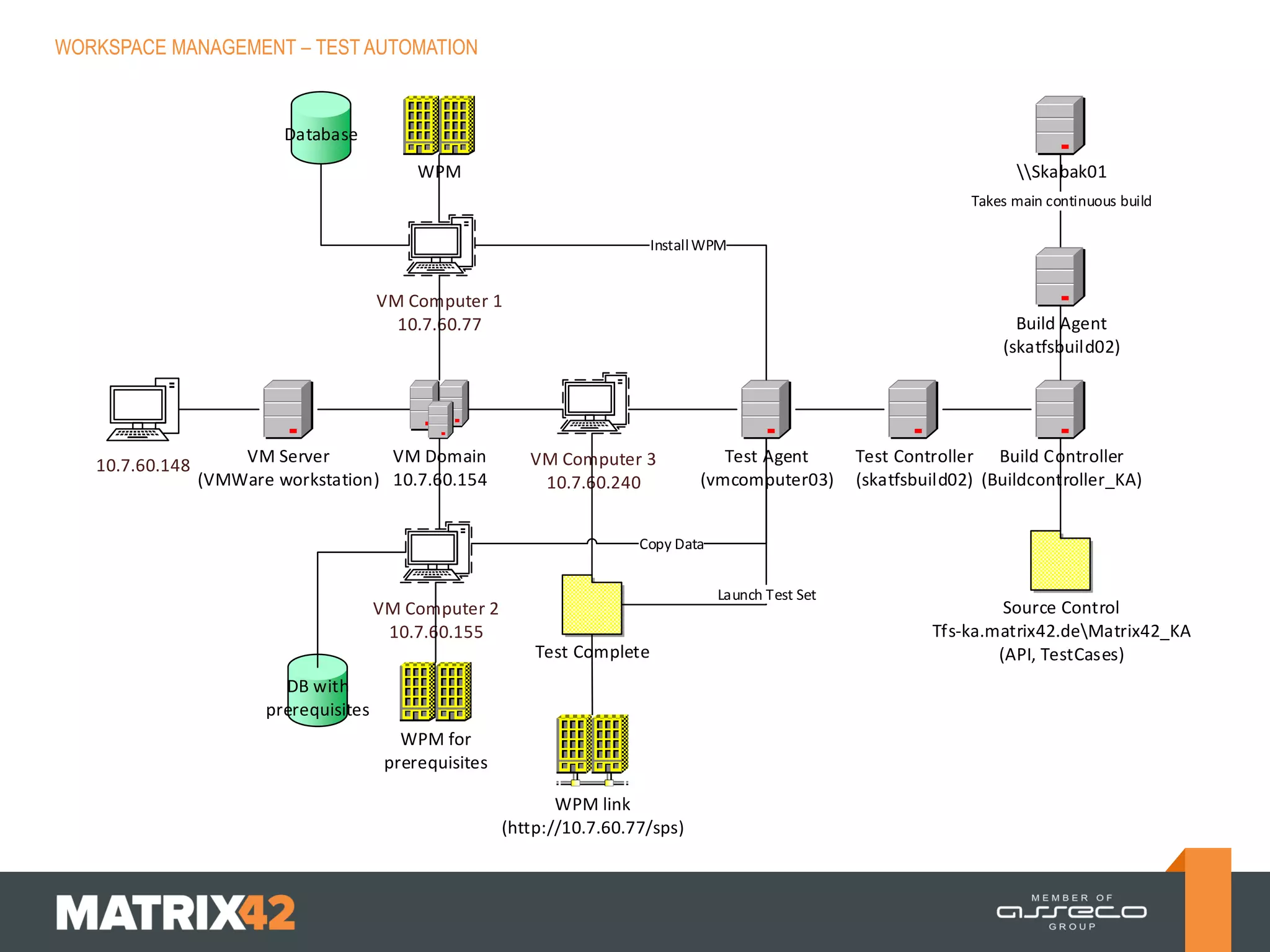
Database

WPM

Skabak01
Takes main continuous build
Install WPM

VM Computer 1
10.7.60.77

10.7.60.148

VM Server
VM Domain
(VMWare workstation) 10.7.60.154

Build Agent
(skatfsbuild02)

VM Computer 3
10.7.60.240

Test Agent
(vmcomputer03)

Test Controller Build Controller
(skatfsbuild02) (Buildcontroller_KA)

Copy Data
Launch Test Set

VM Computer 2
10.7.60.155
Test Complete
DB with
prerequisites
WPM for
prerequisites
WPM link
(http://10.7.60.77/sps)

Source Control
Tfs-ka.matrix42.deMatrix42_KA
(API, TestCases)
WORKSPACE MANAGEMENT – TEST AUTOMATION

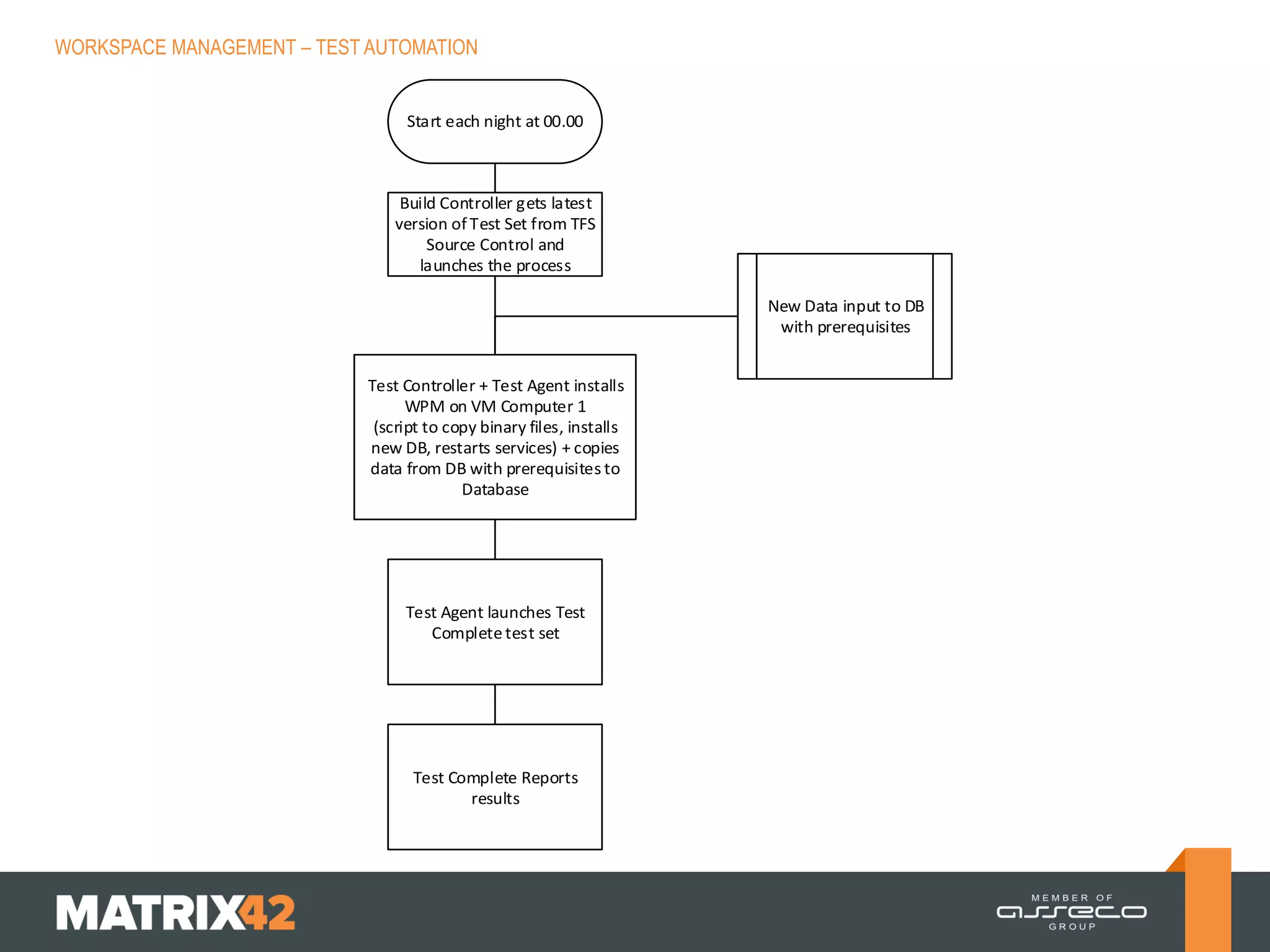
Start each night at 00.00

Build Controller gets latest
version of Test Set from TFS
Source Control and
launches the process
New Data input to DB
with prerequisites
Test Controller + Test Agent installs
WPM on VM Computer 1
(script to copy binary files, installs
new DB, restarts services) + copies
data from DB with prerequisites to
Database

Test Agent launches Test
Complete test set

Test Complete Reports
results
WORKSPACE MANAGEMENT – TEST AUTOMATION

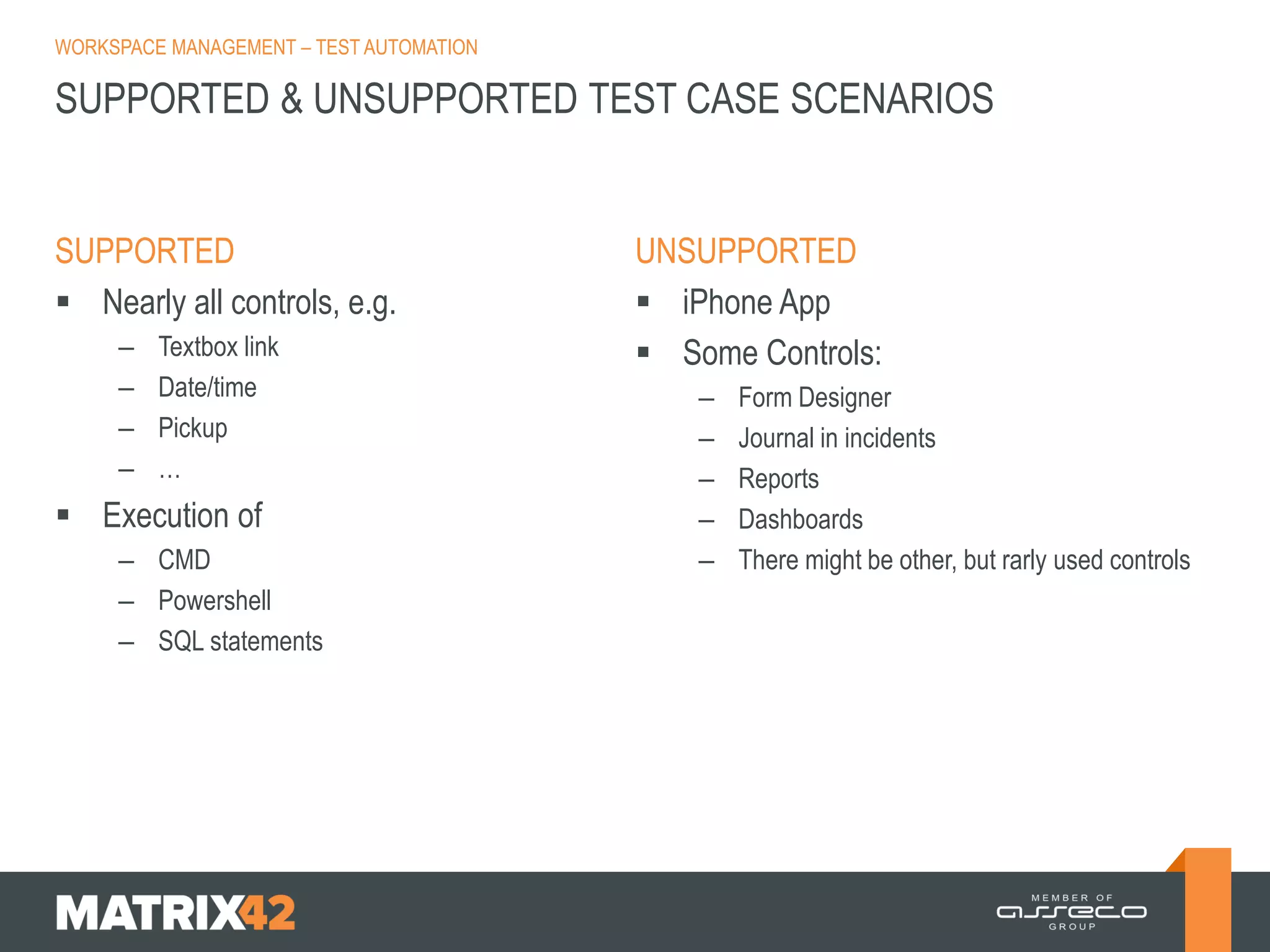
SUPPORTED & UNSUPPORTED TEST CASE SCENARIOS

SUPPORTED
 Nearly all controls, e.g.
–
–
–
–

Textbox link
Date/time
Pickup
…

 Execution of
– CMD
– Powershell
– SQL statements

UNSUPPORTED
 iPhone App
 Some Controls:
–
–
–
–
–

Form Designer
Journal in incidents
Reports
Dashboards
There might be other, but rarly used controls
WORKSPACE MANAGEMENT – TEST AUTOMATION

AUTOMATION PLANS






Step 1: Create Automated „smoke tests“
Step 2: Automated test of controls
Step 3: Automation of setup
Step 4: Workflow Automation
WORKSPACE MANAGEMENT – TEST AUTOMATION

HOW TO CREATE SEMI-AUTOMATED TEST CASES

 Using GDI imports and schemael.exe
 Using SQL statements
WORKSPACE MANAGEMENT – TEST AUTOMATION

 The installation files for v9.31 are now available in the folder
tclicenseserverSmartBear Installation Files
 Configure TestComplete hasp key
http://localhost:1947/_int_/config_to.html
10.6.60.54

Test automation

  • 1.
    WORKSPACE MANAGEMENT -TEST AUTOMATION MATRIX42 KICK-OFF 2014
  • 2.
    WORKSPACE MANAGEMENT –TEST AUTOMATION AGENDA  AUTOMATION TESTING – – – – – Basics What can be tested What can‘t be tested Automation Framework Testing Environemt  AUTOMATION TESTING AT M42 – – – – – – Test Environment configuration How it looks like in Visual Studio Supported and unsupported scenarios How to create automated test case Open issues Semi automated test cases
  • 3.
    WORKSPACE MANAGEMENT –TEST AUTOMATION AUTOMATION TESTING – BASICS WHAT IS IT?  Using an automation tool to execute test case suite  Automation software enters test data to system under test and compares expected and actual result  Automation software creates test reports ADVANTAGES OF TEST AUTOMATION  Higher coverage of test cases (more, deeper, different lanugages)  Higher speed of testing  Unattended execution  Automated execution has constant testing quality of always same „boring“ test cases  Manual testers can concentrate on other test areas and test methods (bug detection will increase in this area)
  • 4.
    WORKSPACE MANAGEMENT –TEST AUTOMATION WHICH TEST CASES CAN BE AUTOMATED? CRITERIA FOR AUTOMATION EXAMPLE  Test cases that are executed very often  Regression tests  Test cases that are difficult to perform manually  Compare complete inventory data of computer  Test cases which are time consuming  LIS Update  Business critical test cases  AD connector, order service, create incident, create license, ….
  • 5.
    WORKSPACE MANAGEMENT –TEST AUTOMATION WHICH TEST CASES CAN‘T BE AUTOMATED CRITERIA  Test cases that are new designed and never exectued manually EXAMPLE  All test cases that are created within a project  Test cases for which requirements are changing frequently  Test cases that use functionality that is not supported by automation software  iPhone app
  • 6.
    WORKSPACE MANAGEMENT –TEST AUTOMATION AUTOMATION FRAMEWORK FRAMEWORK  (Capture & Replay)  Modular  Data driven  Keyword driven  Hybrid (mixture of above mentioned) EXAMPLES/REMARKS  Not useful for complex scenarios  Scripts according to modules of M42  Scripts use data from files/databases (e.g. build according equivalence classes, …)  Scripts according keywords in UI
  • 7.
    WORKSPACE MANAGEMENT –TEST AUTOMATION AUTOMATION TESTING ENVIRONMENT IN COMMON  Automation Software  Library of M42 functions  Version control system  Test system M42 WORKSPACE MANAGEMENT  Test Complete & Test Execute  M42 methods/classes provided by DEV  TFS
  • 8.
    WORKSPACE MANAGEMENT –TEST AUTOMATION Database WPM Skabak01 Takes main continuous build Install WPM VM Computer 1 10.7.60.77 10.7.60.148 VM Server VM Domain (VMWare workstation) 10.7.60.154 Build Agent (skatfsbuild02) VM Computer 3 10.7.60.240 Test Agent (vmcomputer03) Test Controller Build Controller (skatfsbuild02) (Buildcontroller_KA) Copy Data Launch Test Set VM Computer 2 10.7.60.155 Test Complete DB with prerequisites WPM for prerequisites WPM link (http://10.7.60.77/sps) Source Control Tfs-ka.matrix42.deMatrix42_KA (API, TestCases)
  • 9.
    WORKSPACE MANAGEMENT –TEST AUTOMATION Start each night at 00.00 Build Controller gets latest version of Test Set from TFS Source Control and launches the process New Data input to DB with prerequisites Test Controller + Test Agent installs WPM on VM Computer 1 (script to copy binary files, installs new DB, restarts services) + copies data from DB with prerequisites to Database Test Agent launches Test Complete test set Test Complete Reports results
  • 10.
    WORKSPACE MANAGEMENT –TEST AUTOMATION
  • 11.
    WORKSPACE MANAGEMENT –TEST AUTOMATION
  • 12.
    WORKSPACE MANAGEMENT –TEST AUTOMATION
  • 13.
    WORKSPACE MANAGEMENT –TEST AUTOMATION SUPPORTED & UNSUPPORTED TEST CASE SCENARIOS SUPPORTED  Nearly all controls, e.g. – – – – Textbox link Date/time Pickup …  Execution of – CMD – Powershell – SQL statements UNSUPPORTED  iPhone App  Some Controls: – – – – – Form Designer Journal in incidents Reports Dashboards There might be other, but rarly used controls
  • 14.
    WORKSPACE MANAGEMENT –TEST AUTOMATION AUTOMATION PLANS     Step 1: Create Automated „smoke tests“ Step 2: Automated test of controls Step 3: Automation of setup Step 4: Workflow Automation
  • 15.
    WORKSPACE MANAGEMENT –TEST AUTOMATION HOW TO CREATE SEMI-AUTOMATED TEST CASES  Using GDI imports and schemael.exe  Using SQL statements
  • 16.
    WORKSPACE MANAGEMENT –TEST AUTOMATION  The installation files for v9.31 are now available in the folder tclicenseserverSmartBear Installation Files  Configure TestComplete hasp key http://localhost:1947/_int_/config_to.html 10.6.60.54